Put an end to your search for the right presentation design software with these top SlidesGo alternatives. Compare these SlidesGo competitors and pick the right one to create stunning themes, templates, images, etc of your choice:
Slidesgo is arguably one of the most sought-after presentation-making tools online. You can attribute its popularity to so many things. For starters, its website is home to templates and themes that can create stunning Google Slides and PowerPoint presentations.
Slidesgo templates cater to nearly every niche and topic. From business to education and marketing, there is a pre-made, professionally designed template here for everyone. You can customize these templates to suit your preferences, including their color and style.
Table of Contents:
Most Popular Websites Like SlidesGo
Despite all of its merits, Slidesgo isn’t a perfect tool. Its nascent AI capabilities might not be everybody’s cup of tea. You may also encounter a wall when searching for a very specific type of template.
It is always wise to keep your options open. Fortunately, certain SlidesGo alternatives make up for its shortcomings.
Here is a video for your reference:
I would like to use this article as an opportunity to recommend these websites, like Slidesgo.
So, without much further ado, let’s dive in.
How I Picked Slidesgo Alternatives
This article will discuss the process I undertook when selecting suitable alternatives to Slidesgo presentation templates.
1. User-Friendliness: Slidesgo is quite user-friendly. Navigating and finding the template you seek is quite easy on the website. I made sure the SlidesGo alternatives mentioned on this list also offered this simplicity.
2. AI Tools: AI is a major blind spot in Slidesgo. I tried to round up my list by including tools that offered advanced AI capabilities. You’ll find tools on this list that let you generate presentations with text and a topic alone.
Further Reading => Top Artificial Intelligence Software
3. Themes and Templates: Slidesgo themes and templates are some of the finest online. I included names that offered professionally designed themes and templates on a variety of subjects.
4. Editing and Customization: Customization is a must-have feature for SlidesGo alternatives. I picked tools that offered fully editable templates, with some even offering component-based editing privileges.
5. Price: There are free and paid presentation makers on this tool. I made sure the price charged was reasonable, and the free plan at least offered users the chance to test-drive the platform.
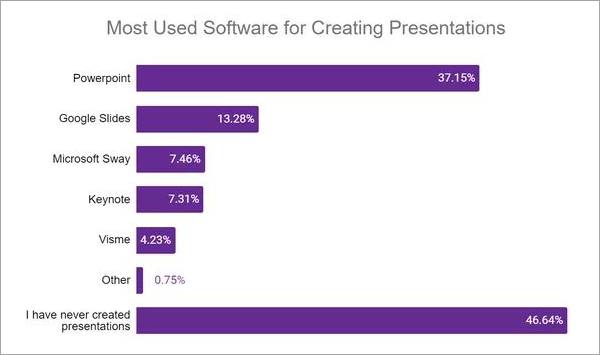
[Via Acuitytraining]
Expert Advice
Also Read => How to do a Voiceover on Google Slides
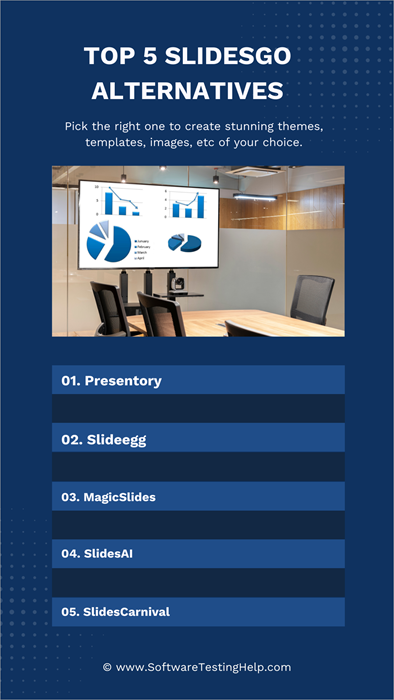
List of the Best SlidesGo Alternatives
For your consideration, please review the following list of items.
- Wondershare Presentory
- Slideegg
- MagicSlides
- SlidesAI
- SlidesCarnival
- SlideModel
- SlidesMania
- Canva
- SlideChef
- Slidenest
- SlideSpeak
Comparing the Top SlidesGo Competitors
| Name | Best for | Price | Best Feature | Rating |
|---|---|---|---|---|
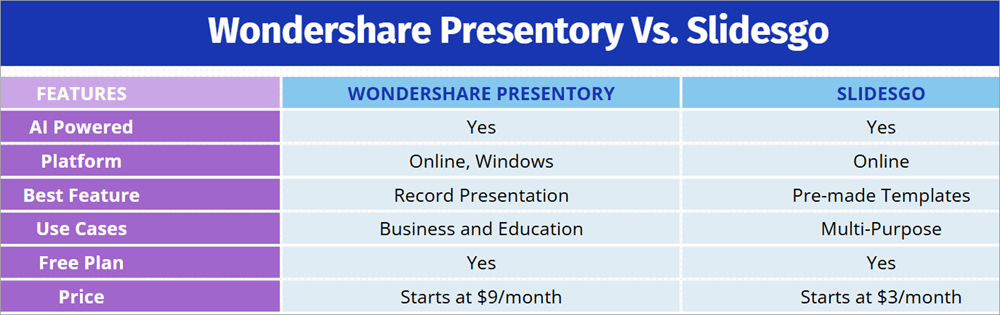
| Wondershare Presentory | Powered by GPT-4 | Starts at $9/month | Record presentation |  |
| Slideegg | Massive template library | Starts at $12 quarterly. | PPT Design service |  |
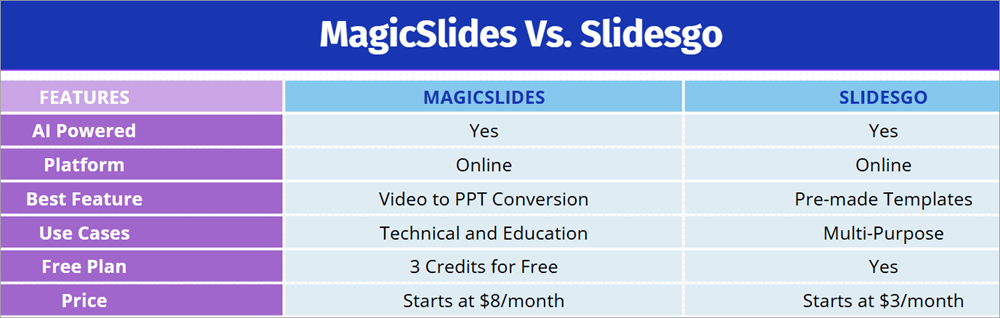
| MagicSlides | Create presentations from videos and documents. | Starts at $8/month | Video to PPT Conversion | |
| SlidesAI | Chrome Extension | Starts at $5/month | Automated paraphrasing. | |
| SlidesCarnival | PowerPoint presentation templates | Starts at $24.90 for one day of access | AI presentation maker. | |
Detailed Reviews:
Best for powered by GPT-4.
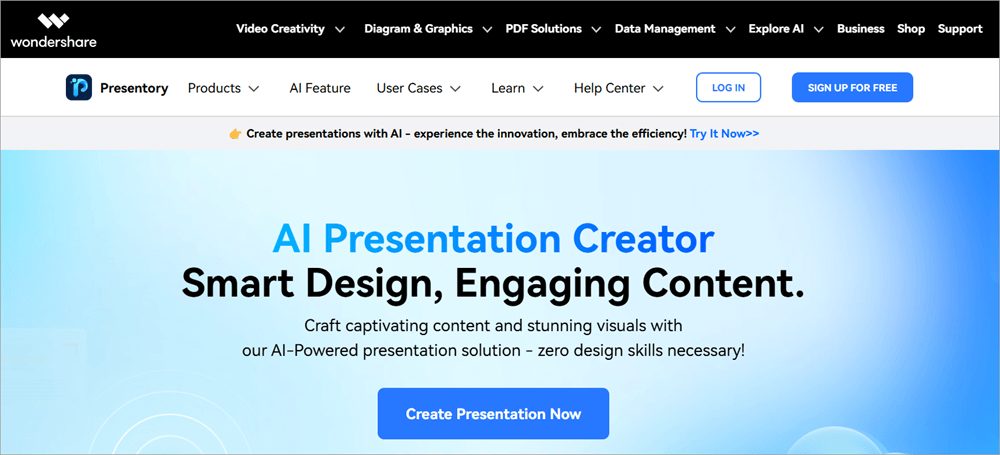
When lining up Slidesgo Alternatives for the sake of this article, I was certain that Wondershare Presentory was going to be my top pick. Like Slidesgo, Wondershare Presentory also leverages the power of AI to help you generate PPT presentations. It features a presentation generator that’s completely powered by GPT-4.
All you have to do is select the topic and let the AI take charge. Once the presentation is generated, you can refine it even further with a few clicks to match the sensibilities of your brand and target audience. There are over 20 pre-built slide layouts and 20 pre-built themes for you to choose from to facilitate further customization.
How Wondershare Presentory Works:
1. Click on Create Presentation

2. Enter the topic and click “Generate”.
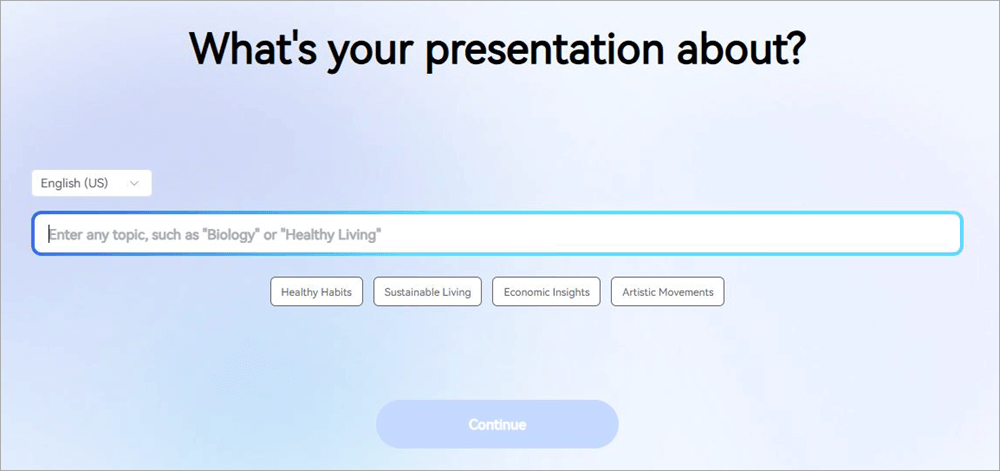
3. Once the content is generated, choose a PPT theme.
4. Edit the text, layout, and images on the generated PPT.
5. Once you are satisfied with the results, simply click “Share” to export the PPT.
Features:
- Edit PPTs with component-based editing.
- Over 20 customizable PPT layouts and themes are available.
- Refine the generated content on your PPT with spell and grammar checks.
- Generate high-quality images via AI.
- Share the generated presentation online with a few clicks.
Pros:
- Powered by GPT-4.
- AI image generation.
- Slides are highly customizable, featuring a library of stickers and slide backgrounds to choose from.
- Live stream presentations on platforms like Meet and Zoom
Also Read => Best Video Conferencing Software
Cons:
- Nothing significant
Price: Wondershare Presentory is free to use in a limited capacity. Its priced plans are:
| Monthly Plan | Yearly Plan |
| $9/month | $84 per year. |
Website: https://presentory.wondershare.com/
#2) Slideegg
Best for massive template library.
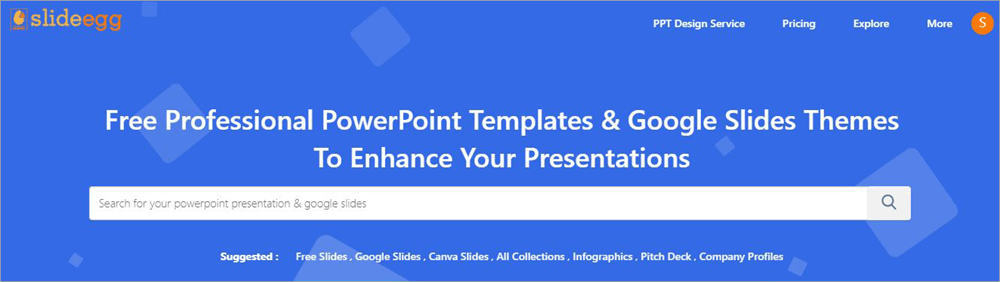
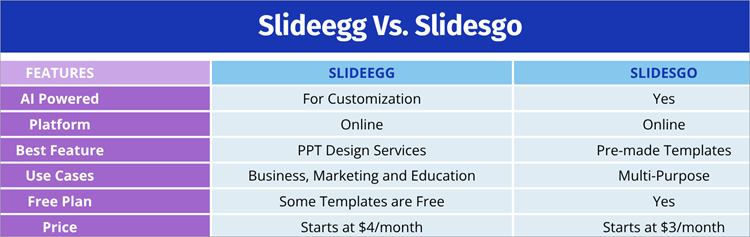
One thing that Slideegg has in common with Slidesgo is a massive template library. If you are looking for a presentation template, no matter the niche or topic, you are going to find it on Slideegg. It features one of the largest template libraries of presentation slides I’ve ever come across.
Slideegg is also home to freelancers who offer professional redesign services. Charges will be based on the number of slides. Slideegg is currently studded with hundreds of Google Slides and PowerPoint templates.
Also Read => Professional Slideshow Software of the Year
You can download some of these for free. For unrestricted access to the entire library, I suggest subscribing to one of its plans.
How Slideegg Works:
1. Pick a slide or PPT template from the library.
2. Click on “AI Customize”. This will be the icon beneath the “Download” icon on your preferred template’s thumbnail.
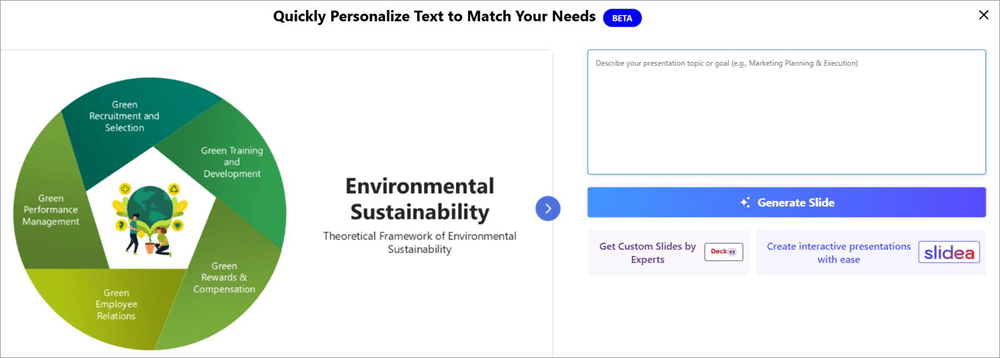
3. Describe your presentation topic in clear terms.
4. Click on “Generate Slide”.
Features:
- Customize an existing slide from scratch using AI.
- All templates are completely editable.
- Dedicated PPT designers to help you redesign a template.
- Templates for Canva Slides, Google Slides, and PowerPoint are available.
Pros:
- Regularly updated library.
- All slides are fully editable with AI.
- 24/7 professional design services.
- Tons of free slides are available.
Cons:
- Exploring the library for slides can be tedious.
Price: You can find free slide templates here. To access the entire library, you’ll need to subscribe to any of the following plans:
| Quarterly Plan | Yearly Plan | Annual Pass | Lifetime |
| $12 | $30 | $30 | $50 |
Website: https://www.slideegg.com/
#3) MagicSlides
Best for creating presentations from videos and documents.
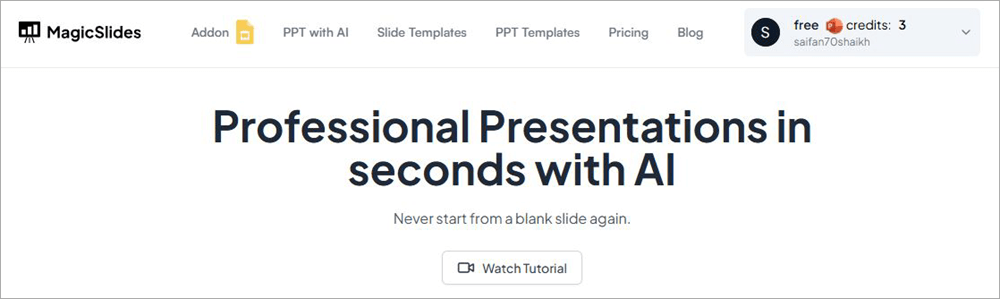
MagicSlides is another presentation maker that harnesses the power of AI to help you generate slides and PPT presentations. What makes this tool unique is its ability to source information from practically all types of media. Besides text and topic, MagicSlides’ AI can create a presentation from a PDF, DocX, and even YouTube videos.
The tool also provides you with an extensive library of fully editable templates. As such, it makes it easier to create PPT and Google Slides from scratch. MagicSlides also stands out for supporting over 100 languages.
So, I would recommend using this tool if you are planning to create a presentation in any language other than English.
How MagicSlides Works:
1. Sign up and purchase a MagicSlides subscription.
2. Now, in the designated text box, enter your topic.
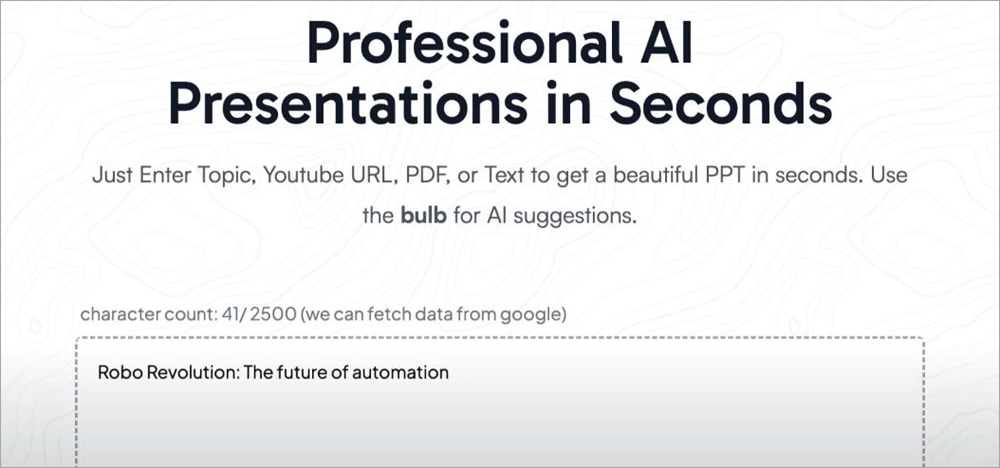
3. Click on “Generate Instant PPT”.
4. Select the presentation length and design template.
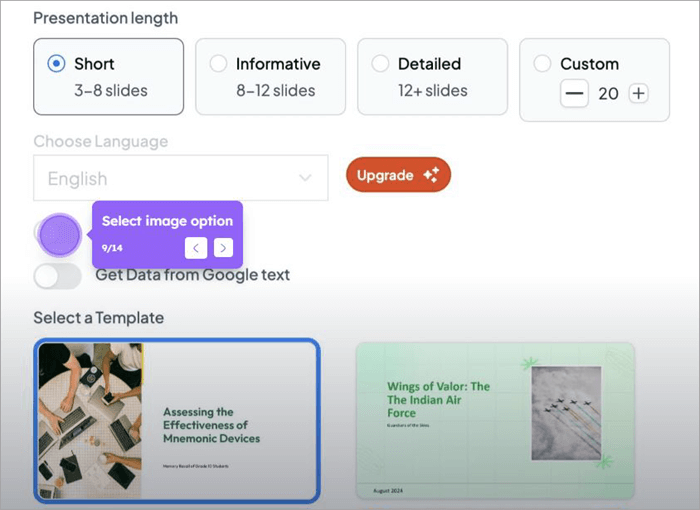
5. Preview the presentation and click on “Generate Presentation” if satisfied.
Features:
- Generate PPT with AI.
- Slide and PPT templates are available.
- Source data and images from Google and Wikipedia.
- Video to PPT generation.
- AI image generation.
Pros:
- Flexible pricing
- 100+ languages supported
- Zapier integration.
- 5-day refund policy
Cons:
- The cheaper plan’s scope is quite limited.
Price: Upon initial sign-up, you receive 3 free credits. For better access, you’ll need to purchase a subscription.
| Essential | Pro | Premium | |
| Monthly | $8 | $16 | $29 |
| Yearly | $80 | $149 | $279 |
Website: https://www.magicslides.app/
#4) SlidesAI
Best for Chrome Extension.
SlidesAI is another presentation maker that I would recommend for creating or customizing Google Slides. The tool smartly uses its AI, thus making the task of creating presentations very simple and brisk.
Like Slidesgo and Wondershare Presentory, you can have this tool create stunning presentations from scratch automatically with text or a topic alone.
Tons of resources are available for you to customize or personalize your presentation. For instance, you have access to over 1.5 million premium stock images. If those images aren’t to your liking, you can simply have the AI generate an image with simple text prompts.
Features:
- AI Image generator.
- Detailed customization of slides.
- Find citations for your content using AI.
- Refine content with automated paraphrasing.
Pros:
- 100+ languages supported.
- Chrome extension
- Hundreds of free templates to choose from.
- Helpful video tutorials and support resources.
Suggested Reading => Top Video Editing Software
Cons:
- You can only create 12 presentations a year with the free plan.
Price: SlidesAI can be used for free in a limited capacity. Its premium plan is as follows:
| Pro | Premium | |
| Individual | $10/month | $20/month |
| Team | $8/month | $15/month |
Website: https://www.slidesai.io/
#5) SlidesCarnival
Best for free, no registration, and use of slides.
SlidesCarnival’s USP lies in the fact that it is not only free to use but also doesn’t require its users to register before exploring its library. Similar to the tools mentioned above,
SlidesCarnival offers you a plethora of templates spanning various categories. From engineering and education to medical and marketing, there are templates available here for all topics.
Its AI presentation maker is also quite simple to use. In addition to creating your presentation from scratch, the tool offers several interesting customization options. You can pick the language of your presentation and tweak its tone to sound more casual or professional.
Features:
- AI presentation generator.
- Free templates for all types of topics.
- Customize the presentation’s style, color, and writing tone.
- It can also convert a PDF file into a JPG or PPT.
Pros:
- Completely free to use.
- No registration is necessary.
- Templates can be downloaded as Canva Slides, Google Slides, or PowerPoint files.
- Supports multiple languages.
Cons:
- Some template designs aren’t that great.
Price: Free to use
Website: https://www.slidescarnival.com/
#6) SlideModel
Best for PowerPoint presentation templates.
Similar to Slidesgo, SlideModel also features a massive library replete with ready-made presentation templates for PowerPoint and Google Slides. I believe SlideModel is best used for PowerPoint presentations. Its PPT templates library is unique and diverse, with designs spanning a variety of topics.
You can find templates with charts, diagrams, and comparison tables here as well. Each template is 100% editable on platforms like PowerPoint, Office 365, and Google Slides. SlideModel also features an AI presentation maker. However, you’ll have to purchase an expensive subscription plan to avail of this benefit.
Features:
- Hundreds of templates spanning various categories.
- All templates are 100% editable.
- AI presentation maker.
- PowerPoint shapes, diagrams, and backgrounds are also available.
Pros:
- The content library is updated regularly.
- Instant download.
- Over 50000 editable templates are available.
Cons:
- Priority support for the AI presentation maker is only offered with the expensive plan.
Price: SlideModel offers the following plans:
| 1 Day Access | 3 Month Basic | Annual Basic | Annual Unlimited |
| $24.90 | $59.90 | $99.90 | $199.9. |
Website: https://slidemodel.com/
#7) SlidesMania
Best for students looking for educational material.
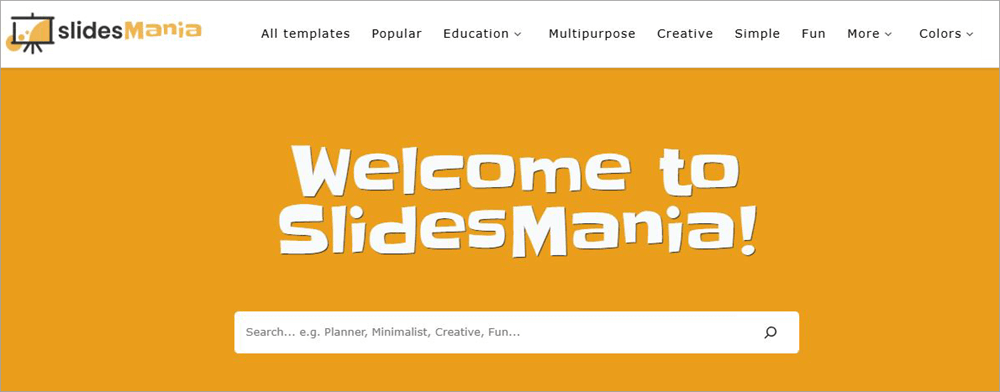
SlidesMania is home to hundreds of free templates, each ideal for students who wish to create compelling presentations. You’ll find templates here that are compatible with PowerPoint, Google Slides, and Canva. SlidesMania is also recognized by the American Association of School Librarians.
This just adds to this web-based tool’s goodwill. As far as templates go, it becomes quite apparent from the colors and styles used that the platform is catering to students and children. Students can rely on this platform to create Google Slides, Digital Journals, and also have their notebooks and certificates customized.
Features:
- Free templates for Google Slides, PowerPoint, and Canva.
- Choose from different themes and colors.
- Interactive templates are also available.
- Filter templates according to tone.
Pros:
- Free to use.
- AASL recognized.
- Ideal for teachers, students, and children.
Cons:
- The interface needs work.
Price: Free to use
Website: https://slidesmania.com/
#8) Canva
Best for a ready-made template library.
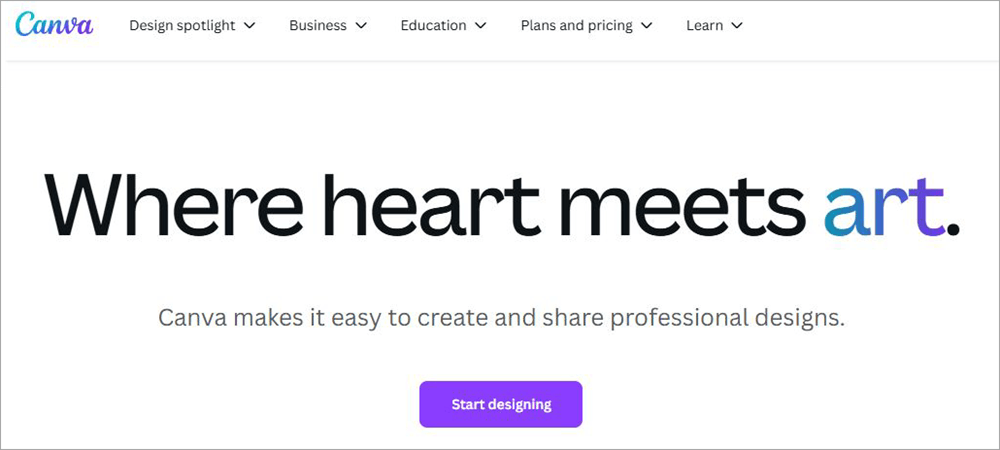
Canva features a treasure trove of templates, which is what made it so popular in the first place. Today, it is a household name of sorts and a platform almost everyone uses to create visuals and graphics without technical know-how. Canva offers ready-made templates for presentations on all types of topics.
Creating a presentation on Canva is a breeze with flexible customization and editing options. With the integration of AI, creating presentations on Canva has only become simpler. There are over 2 million professionally designed templates on the platform with a ton of stock graphics to help you personalize a slide presentation.
Features:
- Drag and drop editor.
- AI-based text and visual asset generation.
- Over 140 million stock videos, images, and graphics.
- Edit and collaborate on a presentation in real time.
Suggested Reading => Must Have Video Maker Tools
Pros:
- User-friendly.
- A great free version.
- Massive template and stock resource library.
Cons:
- Limited AI features if you are using the free or cheaper plan.
Price: Canva is free to use with limited features. Its premium plans are as follows:
| Pro | Teams | |
| Monthly | $15 | $10 per person |
| Yearly | $120 | $100 per person. |
Website: https://www.canva.com/
#9) SlideChef
Best for educational templates.
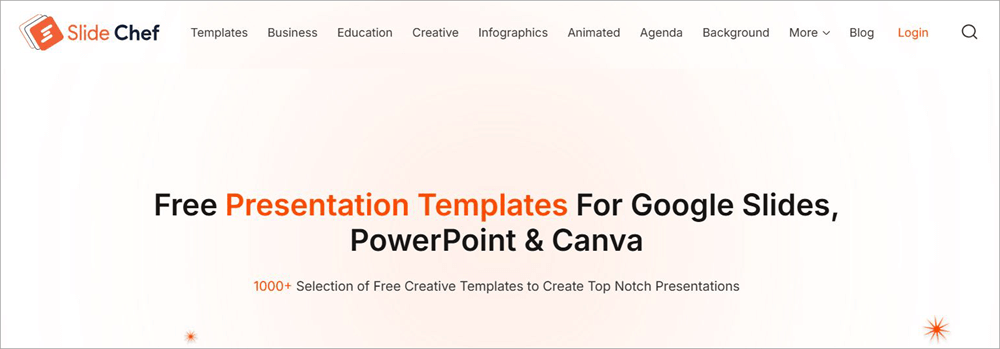
With over 1000 templates, SlideChef doesn’t really offer you a packed library. However, I would still say that its library is worth checking out. The platform is ideal for folks seeking presentation templates to create educational and professional projects. You are going to find templates here for infographics, Google Slides, PPT, brochures, and more.
You’ll also find some stunning Canva-supported templates. As with such platforms, each template is fully editable. You can customize it to your heart’s content. The library is updated weekly. As such, I would suggest keeping tabs on this website to find new templates that might be of interest to you.
Further Reading => Top Photo Editing Software to Look For
Features:
- 1000+ templates
- Designers can submit their designs as well.
- Fully customizable designs.
- Professional and Educational templates are available.
Pros:
- A regularly updated library.
- Versatile designs.
- Free to use.
Cons:
- The ads on the official site can get annoying.
Price: Free to use
Website: https://slidechef.net/
#10) Slidenest
Best for Infographics and Illustrations.
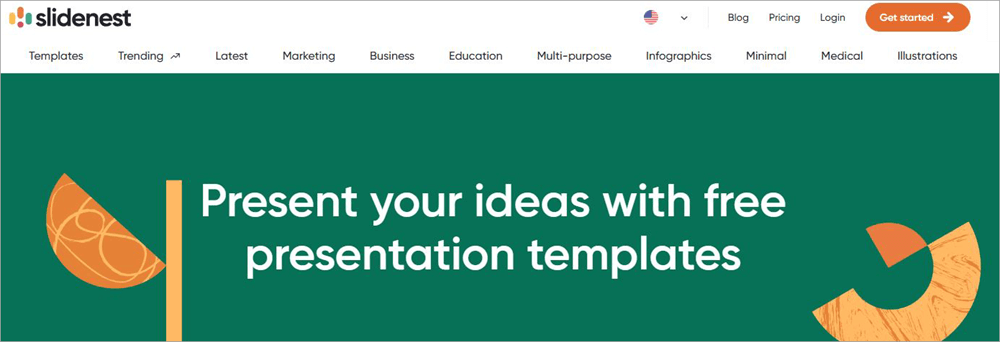
Slidenest also features over 500 ready-made templates on a variety of topics. You can filter the template library to ferret out an option that is most preferable to you. You’ll find templates here for marketing, business, education, illustrations, and infographics. When browsing through the library, you can bookmark the one you like for reference later on.
The templates themselves are categorized on the basis of their format and color. You can have them downloaded in PowerPoint, Google Slides, and Keynote format. Once downloaded, you can perform further edits on them.
Features:
- Add a template to your favorite list.
- Get priority support with a premium subscription.
- Templates are categorized according to theme, topic, and style.
- Intuitive search and filter functionality.
Pros:
- Flexible pricing
- The template library is updated daily.
- Designs created by professionals.
Cons:
- You’ll need to watch an ad to access a template unless you pay for a subscription.
Price: Slidenest is free to use in a limited capacity. Its premium plans are as follows:
| Personal | Commercial | |
| Monthly | $11.95 | $23.95 |
| Annual | $9.95 | $19.95 |
Website: https://slidenest.com/
#11) SlideSpeak
Best for AI presentation maker.
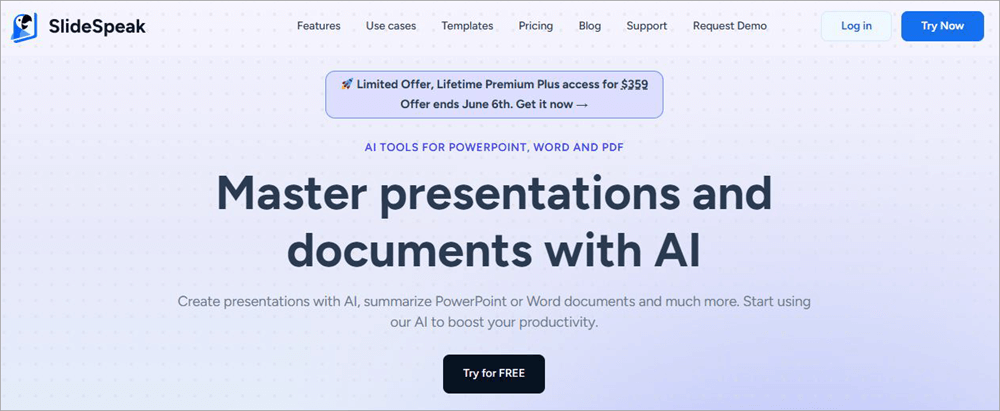
With SlideSpeak, you have a presentation maker that heavily relies on AI. Besides creating a presentation from scratch, SlideSpeak can also refine an existing PowerPoint presentation. Simply feed it a PPT file, and it will generate a summary of its content. You can rely on SlideSpeak to summarize a PDF, Word file, and PPT with AI.
SlideSpeak is also quite intuitive for generating presentations. Besides text, SlideSpeak can create presentations with links to a website. Once you have the PPT uploaded, you can also ask the AI multiple questions and have it answer them in seconds.
Features:
- AI Content Summarization
- AI Presentation Generator
- Ready-made templates
- AI Document Chat Bot
Pros:
- User-friendly
- Flexible pricing
- Custom color, font, and logo
Cons:
- The summarization isn’t always up to mark.
Price: SlideSpeak is free to use. Its premium plans are as follows:
Website: https://slidespeak.co/
FAQs on Alternatives to SlidesGo
1. What’s better than Slidesgo?
Wondershare Presentory is the best presentation maker being widely used today. It gives Slidesgo a run for its money with a stacked template library and advanced AI-generative capabilities. Powered by GPT-4, you can use it to create compelling presentations with text prompts.
2. Is Slidesgo no longer free?
Slidesgo is free to use, especially with its new AI capabilities. You can use the generator to create presentations with up to 12 slides without paying a dime. However, you must purchase a subscription to use the stock images and other resources needed to customize presentations.
3. Is there an AI that creates slides?
Yes, most tools mentioned on this list leverage advanced AI-generative capabilities to help you create presentation slides. All you need to do is feed the AI with relevant text and a topic to get the job done.
4. Is Slidesgo by Freepik safe?
Yes, Slidesgo by Freepik is a safe website. It is free from any malware or viruses. Plus, it takes all the necessary security precautions to ensure the safety and privacy of its users aren’t compromised.
5. What are the best alternatives to Slidesgo?
Although the answer will vary, I can only speak for myself. In my personal experience, I believe the following websites are better SlidesGo alternatives:
1. Wondershare Presentory
2. Slideegg
3. MagicSlide
4. SlideAI
5. SlidesCarnival
Conclusion
In conclusion, Slidesgo is a great tool, but it isn’t perfect. Its AI capabilities are new and need improvement. Plus, its template library might not satisfy all. I believe it is always wise to have an alternative in mind, just in case Slidesgo isn’t meeting your demands.
You could turn your attention to the SlidesGo alternatives mentioned on this list to create presentations or explore some well-designed templates. As for my recommendation, I would suggest giving Wondershare Presenter a shot.
This is what a true advanced presentation maker looks like. It has a rich library of templates and resources, lets you edit on a granular level, and even offers you the opportunity to record a presentation and broadcast it live.
Research Process
- I spent 18 hours researching and writing this article so you can have summarized and insightful information on which tool will serve you best.
- Total Slidesgo Alternatives researched: 20
- Total tools shortlisted: 11
Was this helpful?
Recommended Reading
-

Comprehensive Review, Comparison & Features of Online Presentation Software To Help You Select The Best Free Presentation Tool or PowerPoint Alternative: If you’ve been given the task of putting together a presentation, then you want to knock it out of the park and impress both your superiors and subordinates. You…
-

If you have doubts about how to prepare and deliver an effective QA testing presentation to your team, make sure to read this article till the end. Presenting your knowledge, experience or simply sharing useful information is neither an art nor magic. In fact, it is a skill developed through…
-
This tutorial explains how to do a Voiceover on Google Slides and why Google Slides is your best choice to create presentations: Presentation is considered an effective and efficient way to present data to the audience and make a complex topic easier. Earlier, it was a pretty cumbersome task to…
-
Explore the top online Slideshow Maker software with pricing and comparison and select the best Photo or Video Slideshow Maker: Slideshow Maker software is an application for creating presentations or videos of the multimedia formats for the audience. It presents the multimedia format in a sequence decided by you. It…