Here’s a detailed review of Sotwe for viewing Twitter (X) tweets, along with the best working Sotwe alternatives.
Are you looking for a reliable way to view Twitter content without needing to log in? As Twitter (X) is becoming more strict with their login requirements, options like Sotwe have become unreliable, leading people to search for better, more efficient, and error-free ways to view Twitter content without needing to log in.
In this guide, we have curated the best Sotwe alternatives that are still working in 2026, ranging from no-login options like Twstalker to other options like Tweet Binder, which provide more advanced features like analytics, to help you view Twitter content without errors or limitations.
Along with this, we have also included a detailed review of Sotwe as a Twitter Web Viewer.

Best Sotwe Alternatives (2026)
If Sotwe is not working, here are the best alternatives to view Twitter/X content without an account:
- Twitter Viewer: Best for simple, no-login Twitter browsing
- Tweet Binder: Best for hashtag tracking and reports
- Twstalker: Good for anonymous profile viewing
- Keyhole: Advanced social media tracking and analytics
- Sprout Social: Professional-level Twitter management tool
These tools let you browse tweets anonymously, without login, and are commonly used when Sotwe is down or blocked.
The best Sotwe alternative for anonymous browsing is Twstalker, while tools like Keyhole and Sprout Social are ideal for advanced Twitter analytics.”
Is Sotwe Safe: Complete Review
Before using Sotwe as a Twitter web viewer, it’s important to understand how safe the platform is, what it offers, and whether better alternatives exist.
After thoroughly exploring its features, performance, and privacy aspects, I’ve put together a detailed review to help you decide if Sotwe is genuinely reliable.
Below, you’ll find everything you need to know about how Sotwe works, its key features, pricing overview, and a list of the best Sotwe alternatives available in 2026.
Let’s dive in step-by-step.
Legal Disclaimer: At Software Testing Help, we are well aware that tools like Sotwe can be used for both good and nefarious purposes. We only endorse the use of such tools for legal purposes. We condemn the use of Sotwe or any other tool like it for cyber-stalking or bullying and expect the same from our readers.
What is Sotwe?
Sotwe is a web-based platform that is used by people who wish to use Twitter (Now X) without registering on the Twitter website or holding an official handle. Sotwe serves as an avenue for people who want to enjoy the privileges of being a Twitter user without actually being on Twitter.
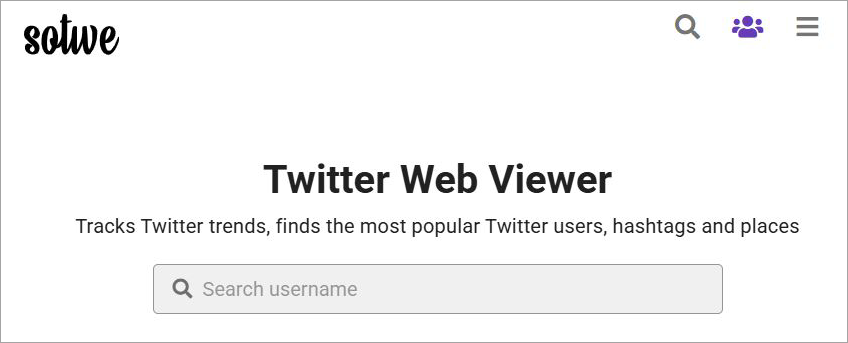
Call it a clone of Twitter or a simulator, Sotwe lets you anonymously track Twitter trends, find popular Twitter users, search for hashtags, and even download media files from the platform. Sotwe mimics the look and feel of Twitter quite impeccably.
You could use Sotwe as a portal into Twitter without officially opening a Twitter account. That is Sotwe’s biggest USP.
Now that you know what Sotwe is, let’s discuss its features and understand what you can do on it.
Salient Features of Sotwe

Here are some of the core features you can enjoy as a Sotwe user:
#1) Check Trending Topics and Hashtags

This is one of Sotwe’s primary features and one that earned it my undivided attention this past month. You can use Sotwe to find trending topics and hashtags on the platform in seconds. As soon as you open Sotwe, you’ll be presented with tweets and hashtags that are trending on the platform right now.
I could see several people and professionals benefiting from this. Marketers can use this to get ideas for crafting the next viral social media campaign. Independent creators could get ideas for content.
Sotwe gives you the privilege of filtering trends based on location. You could command Sotwe to show you what’s trending in a specific part of the world.
Let’s say you want to know what’s trending on Argentinian Twitter. Just set your location to Argentina, and you’ll be presented with tweets and users that are going viral in that region.
#2) Find Twitter Users Near You
This is a feature you get if you’ve purchased Sotwe’s premium subscription. Sotwe lets you find popular Twitter users that are in your immediate vicinity. This can again be a great feature for marketers who’d like to research the Twitter landscape for influencers to work with while remaining anonymous.
#3) Save Content or Bookmark It
As I mentioned before, Sotwe does a good job of mimicking the feel and look of Twitter. This feature is a perfect example of just how successful it is at this. You can easily browse Twitter as you would on the original platform via Sotwe.
Besides this, you can also save content you like by bookmarking it. You’ll find the very familiar bookmark option below each Tweet. All you have to do is click on it, and it will be saved in your account’s library.
#4) Download Content

Of all the features offered by Sotwe, this one is hands-down my favorite. Sotwe lets you download media files that are posted on the platform. You’ll find the option to download the file beneath each posted Tweet. All you have to do is click on it. The downloaded file will be saved to your system.
To make things even more convenient, Sotwe allows you to download all media files posted by a Twitter user throughout their time on the platform with a single click. You’ll find this option at the very top, right beside a Twitter user’s official handle and profile picture.
#5) Share a Tweet
If you like a social media post, you’d like to share it with your friends. That is also something Sotwe allows you to do with a Tweet without having to open an official Twitter account. You can share someone’s entire profile or just a single tweet with a single click.

You’ll have the option to share the tweet or Twitter handle across multiple platforms, ranging from emails to other social channels.
Sotwe’s Support
If things aren’t up to the mark, you can always reach out to the Sotwe team via their official email. Be warned, though, as the waiting time can be long, especially if you’ve been using Sotwe for free.
A paid subscription changes that. You are given priority support with a faster response time if you are a paying member of Sotwe.
Sotwe’s Pricing
If your goal is to just browse through Twitter anonymously and do nothing else, then you’d be tempted to use the Sotwe website for free. However, I would strongly advise against this for one major reason, and that is advertisements.

The ads on this platform are an assault on the senses. Sotwe’s page is littered with them from top to bottom. Randomly clicking anywhere on the website will result in you being redirected to another website. This is because of the invisible pop-up ads that are also present on this website.
This makes the user experience quite annoying. Using Sotwe for free is not a wise idea. I would suggest purchasing the very affordable monthly subscription of $3.99 to get rid of these ads for good. Besides avoiding ads, the premium subscription also lets you use the platform to its maximum potential.
Downloading media files and sharing tweets are only possible with a paid subscription plan. If you are not satisfied with the tool, you can ask for a refund within two days of making the payment. Your request will be evaluated, and the amount will be credited to your account within 7 working days.
Why Sotwe Stopped Working (Technical + Policy Reasons)
Many people have complained that Sotwe has ceased working in their areas, and this is why many people are seeking Sotwe alternatives. The reason for Sotwe’s inability to continue working in various areas includes a combination of stricter policies on the X platform, increased costs, and regulations on policies and data.
The following are a few reasons that make Sotwe unstable or stop its services in various areas.
- Platform restrictions by Twitter (X): Sotwe mainly relied on accessing public Twitter data without the need for a user to log in. However, Twitter (X) has introduced stricter policies on accessing the API in recent times.
- Anti-Scraping Mechanisms: Twitter has enhanced its anti-scraping measures, such as bot detection, IP blocking, and dynamic content loading. Since Sotwe is a viewer that relies on a scraper, these measures made it more challenging to scrape and display the content.
- Digital and Data privacy regulations: There are countries that have stricter digital and data privacy laws that might prevent or limit access to third-party services that scrape and display content from a social media website, such as Twitter (X), without permission. Such third-party services might be taken down in countries that have stricter cybersecurity laws in place.
Are Sotwe-like Tools Legal?
While Sotwe-like tools are in a gray area from a legal point of view, they are not always illegal, but they are also not always legal, and restrictions may be imposed on them.
The legality of Sotwe-like tools depends on the way these tools work and the laws in a particular region.
While it is not illegal to access public data from social media platforms such as Twitter (X), scraping data without permission may be against the rules set by the company, X Corp., and restrictions or even shutdowns may be imposed on these tools in regions with very strict data protection laws.
List of the Best Sotwe Alternatives (Updated List 2026)
While Sotwe may or may not work in certain jurisdictions to help you browse Twitter anonymously, I can also acknowledge its limitations. When you are using Sotwe for free, pop-up advertisements can be frustrating to deal with. If this dissuades you from using Sotwe, then fret not, as there are other alternatives you can try instead.

If this dissuades you from using Sotwe, then fret not, as there are other alternatives you can try instead. The following are the top 7 Sotwe alternatives you can try:
#1) Twitter Viewer (by Twillot)
Best for discreetly browsing public accounts and media.
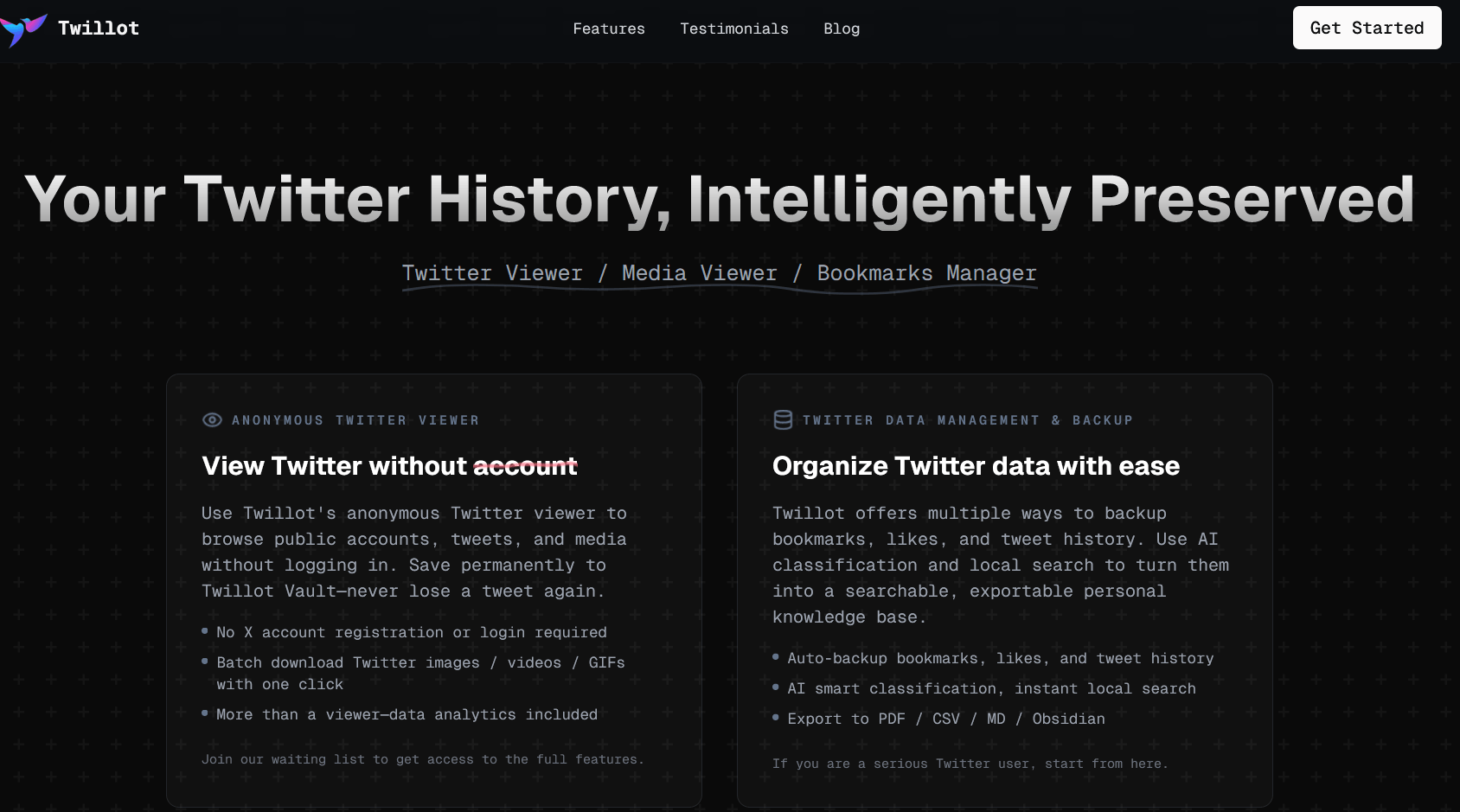
A powerful, anonymous substitute for Sotwe for viewing public accounts, tweets, and media is Twitter Viewer (by Twillot), a promising, upcoming, and free cross-platform tool that avoids login requirements. In the same way that Sotwe permits media downloads without logging in, it permits smooth, private viewing of X (Twitter) content.
As a cross-platform app, Twitter Viewer will enable you to automatically get around Twitter’s login requirements and browse the site anonymously. You can use its basic viewing features for free. Similar to Sotwe, you will also be able to download media files.
Key Features:
- Browse public profiles, comments, and trends anonymously without having to log in or appear on user alerts.
- Quickly save GIFs, videos, images, and profile pictures from tweets with just one click.
- You don’t need a Twitter account to find profiles, tweets, and popular hashtags by keyword.
- Rapidly loading adaptable mobile and desktop interfaces for varying connection speeds.
Pros:
- There is no need for a password or email, providing total anonymity.
- Compared to official platforms, many, like Twillot, provide a cleaner, ad-free interface.
- Quick and responsive mobile browsing experience.
- Excellent for media archiving and fast, anonymous analysis of public content.
Cons:
- Access to locked or private accounts and age-restricted material is not possible.
- An active account is necessary to reply, like, or retweet content.
- Be cautious of some “viewer” sites, as they might be unreliable or involve scams if they request payment or login details.
Price: It includes
- Free Plan
- Mini Plan at $4.99 per month
- Basic Plan at $9.99 per month
- Pro Plan at $19.99 per month
Website: https://www.twitterviewer.com/
#2) Tweet Binder
Best for detailed report-based analysis of hashtags and tweets.
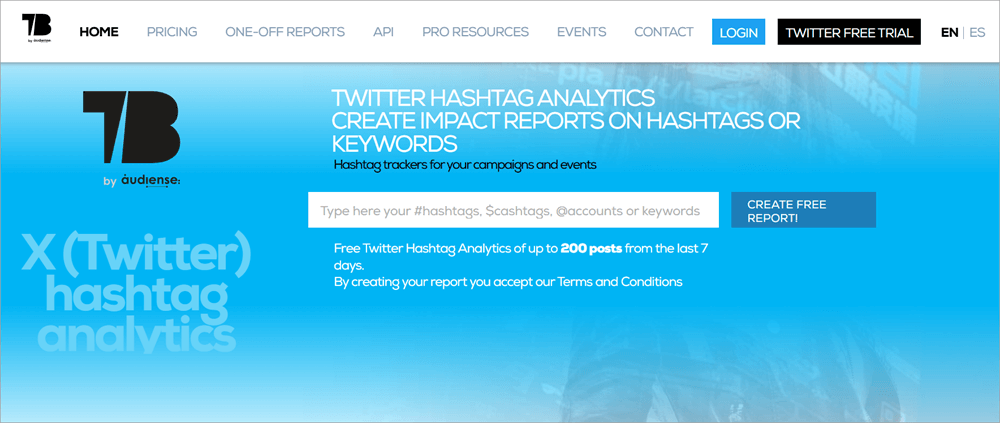
Agencies and marketers are the target audience for this software. Unlike Sotwe, this platform is not a typical Twitter viewer. Its purpose is to help marketers and companies understand campaign engagement, impressions, and user influence.
Marketing teams, agencies, and event organizers who need detailed, practical insights into Twitter activity and engagement will find this premium solution to be a great choice.
Key Features:
- Analyzes tweets from any date range and provides real-time and historical reports with hashtag tracking and detailed Excel or PDF outputs.
- Sentiment analysis sorts tweets into three emotional categories: positive, negative, or neutral.
- Provides final reports for Instagram campaigns.
- Offers customized, interactive event screens that display posts from Twitter and Instagram.
- The report highlights key contributors, active users, and influential followers.
- Metrics include likes, retweets, replies, and the overall reach of your content.
Pros:
- Offers detailed data on hashtag performance; it is often regarded as the best for hashtag analytics.
- Users report fast and helpful customer service.
- The reports are visual, easy to read, and can be exported to PDF or Excel.
- It’s great for monitoring live events and receiving quick feedback on campaigns. Metrics include likes, retweets, replies, and the total reach of your content.
Cons:
- Some users have reported glitches when processing large datasets.
- Reviewers have mentioned that the interface is confusing and not easy to use.
- The cost of extensive tracking can increase, using reports from a fixed monthly “tweet balance.”
Price: Starts at $47.7/month
Website: https://www.tweetbinder.com/
#3) Twstalker
Best for anonymously browsing Twitter.

Twstalker and Sotwe have similar functionalities. Its aesthetic is also similar to Sotwe. Accessing Twitter without an official account is possible with Twstalker, much like with Sotwe. The platform is available for you to browse extensively, seeking trending topics and popular users.
Trending tweets and hashtags appear instantly when you access the website. Media files are also available for download, and you can share tweets. A paid subscription is available, which is not the case with Sotwe. The app contains ads without any option for removal. However, Twstalker’s advertisements are much less aggressive than Sotwe’s.
Key Features:
- Viewing Tweets, profiles, and media is possible anonymously, without an X/Twitter account or login.
- The website immediately shows trending hashtags and popular tweets.
- This media downloader lets people save pictures and videos from public posts.
- You can observe and follow Twitter trends in different nations.
- You will find the browsing experience reminiscent of Sotwe.
Pros:
- You can browse Twitter content easily without signing up.
- Great for rapidly monitoring users and public hashtags.
- Advertisements are regarded as “tamer” in contrast to Sotwe and other alternatives.
Cons:
- Unlike some entirely free options, it offers paid subscription plans.
- Contains advertisements that cannot be completely removed.
- Unable to access locked, private Twitter accounts.
Price: operates primarily as a free Twitter viewer, but it has been noted to offer a $3.99 monthly premium subscription
Website: https://twstalker.com/
#4) TwiView
Best for enlarging media files and downloading them in a single click.

TwiView is quite different from all the tools and apps we’ve discussed so far. It is a tool I would recommend to folks who want a more convenient experience browsing through the videos and images posted on Twitter.
TwiView comes as an extension to the Chrome browser. Once activated, you can use TwiView to browse through Twitter’s image and video gallery. It will let you enlarge an image for a clearer view. You can also download images with a single click. The platform lets you download up to 450 images.
Key Features:
- Organizes and displays pictures and videos from Twitter profiles in a gallery view.
- Allows one-click, fast downloading of images and videos.
- Includes features for expanding media files to improve visibility.
- Functions as a Chrome extension to enhance accessibility.
Pros:
- The process of downloading is straightforward and uncomplicated.
- Offers tools to enlarge media files for improved clarity.
- Useful for saving or downloading images and videos from Twitter and GitHub.
Cons:
- You can’t use this to browse Twitter without revealing your identity.
Price: Free to use
Website: https://twiview.en.softonic.com/chrome/extension
#5) Twitter Analytics (now X Analytics)
Best for reports in a visual format.
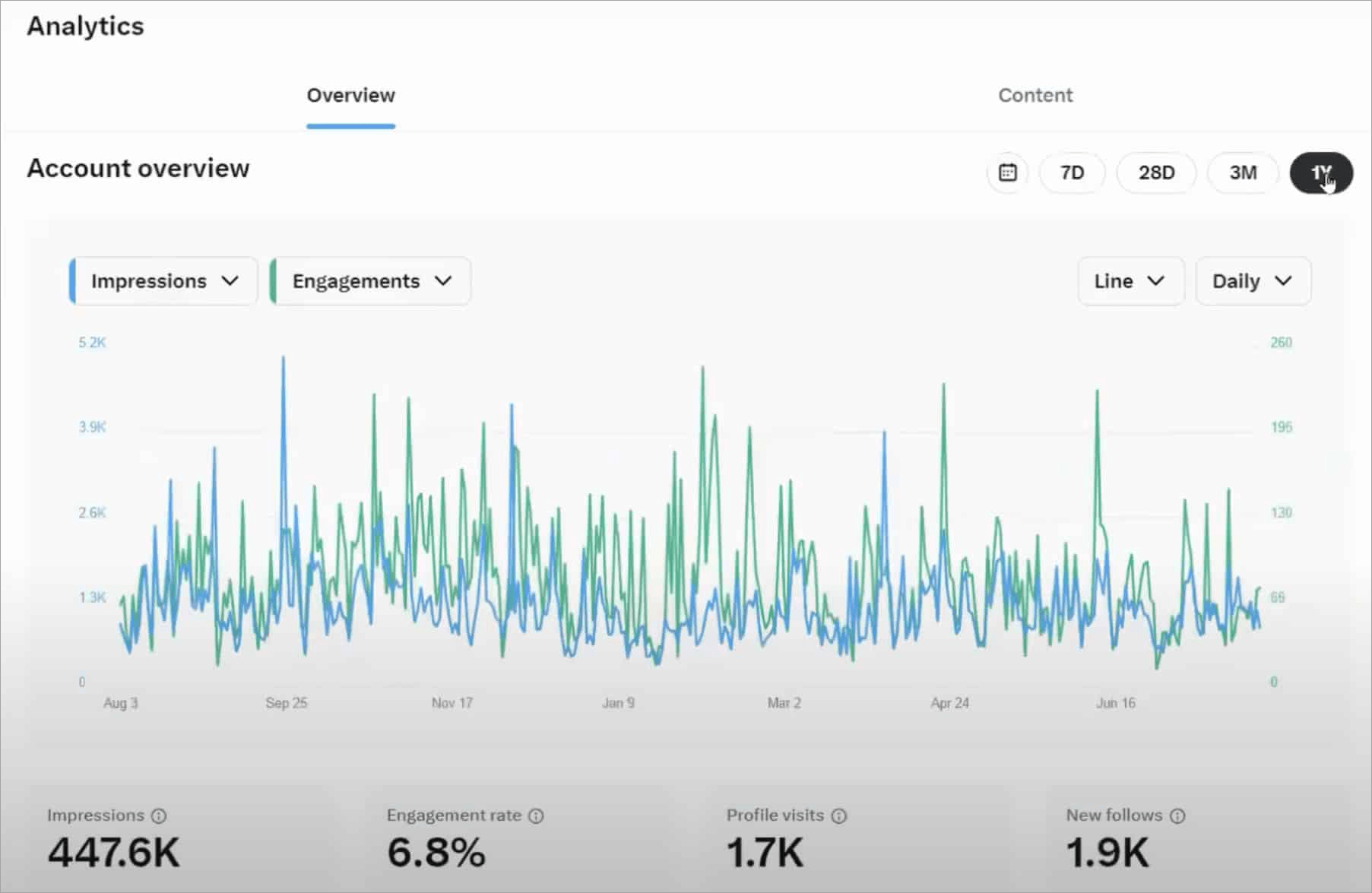
X Analytics, formerly Twitter Analytics, offers complimentary, built-in features for immediate insights into your account’s metrics.
You can rely on Twitter’s analytics to assess your campaign’s performance, break down user engagement by various demographics, and get visual reports on impressions. The analytical capabilities of Twitter are quite comprehensive, and you can rely on them to make informed decisions that pay off.
Key Features:
- You can export a 28-day summary detailing impressions, profile visits, mentions, and follower count.
- Every tweet will come with detailed metrics: link clicks, retweets, replies, likes, and engagement rate.
- Metrics can measure video performance, such as retention rates and view counts.
- Identifies content with the highest engagement to shape future strategy.
Pros:
- It’s integrated into the platform, so no external setup is needed.
- Track how your posts are performing and your follower numbers immediately.
- It offers specific insights into clicks, retweets, and audience interests.
- This tool assists in evaluating the impact of video content.
Cons:
- Data viewing is often limited to 28–90 days, making long-term trend analysis difficult.
- Access to many in-depth analytics now requires an X/Twitter Premium subscription.
- It’s impossible to track competitors or benchmark against other accounts.
Price: Free for all Twitter or X users.
Website: https://x.com/i/account_analytics
#6) Keyhole
Best for campaign management and hashtag tracking
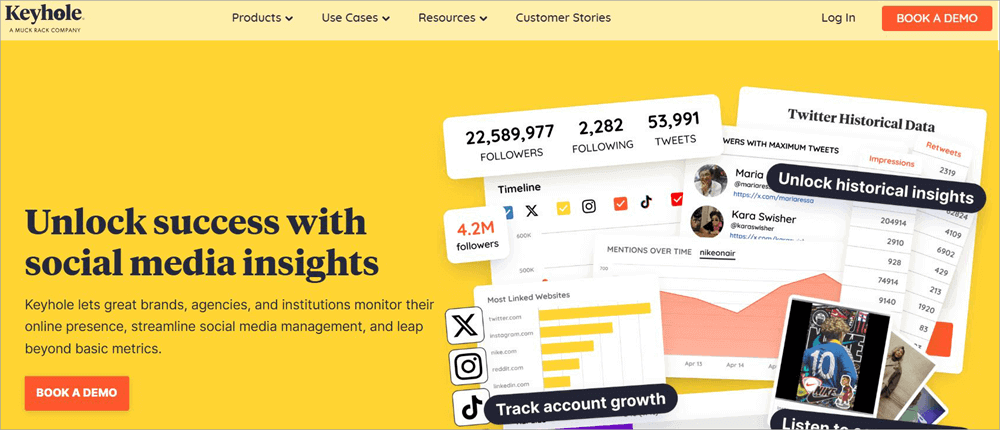
After Tweet Binder, I feel inclined to recommend another social media management tool here that works differently from Sotwe. Keyhole empowers its users to monitor social media trends, hashtags, and campaigns. It is a tool I would recommend to marketers and agencies desperately trying to elevate their social media game on Twitter.
You can use Keyhole to predict trends, analyze hashtags, and make informed decisions. This is a tool not meant for casual use. If your goal is to browse Twitter anonymously, it would be best if you checked out the other alternatives on this list instead.
Key Features:
- Monitors social media campaign performance and metrics across multiple platforms.
- Examines how influencers affect campaign key performance indicators.
- Measures how brands stack up against their rivals.
Pros:
- The highly intuitive dashboard presents easily digestible data.
- Provides immediate monitoring of events and hashtag campaigns.
- Emphasis on metrics for ROI and influencer impact.
Cons:
- Small businesses, in particular, may find this to be expensive.
- According to some users, the standard plan lacks a wide range of features.
Price: You’ll need to contact the Keyhole team for a custom quote. They also offer a free demo upon request.
Website: https://keyhole.co/
#7) Sprout Social
Best for medium-to-large businesses needing social media management
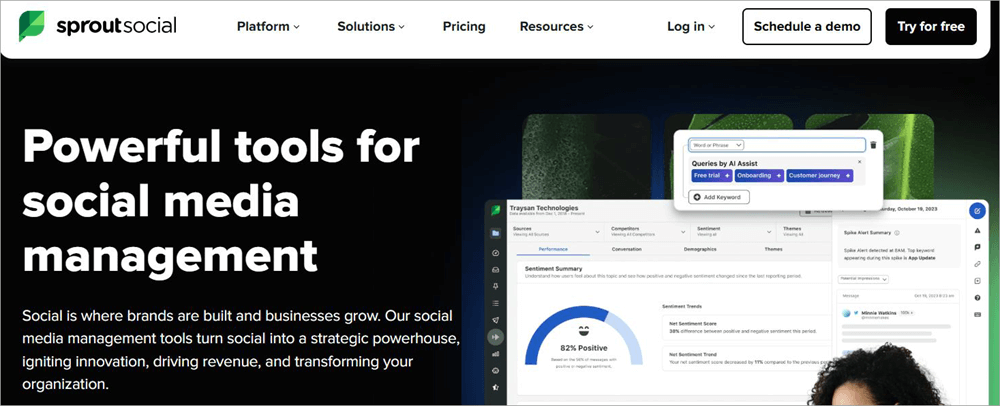
Here’s another tool that shares its DNA with the likes of Keyhole and Tweet Binder. Sprout Social is a powerful social media management tool that you can use to truly take your social media game to the next level. You can use the tool to do a lot more than just analyze your post or campaign’s performance on social media.
You can also use it to conceive and plan your content on Twitter and many other social media channels. The tool is great at unearthing trends and actionable insights that can be of immense help to marketers and agencies.
Key Features:
- Creates a single, actionable queue by combining incoming messages, mentions, and comments from various platforms.
- A visual calendar with ideal timing algorithms for content creation, scheduling, and posting across networks.
- Provides thorough analytics, such as competitor comparisons, team engagement, and profile performance.
- Tools for monitoring industry or brand sentiment and trends.
- Offers CRM tools to monitor user interactions, task assignment, and content approval workflows.
Pros:
- It is highly intuitive, making it easy for teams to manage complex social tasks.
- It generates strong, attractive reports and data insights, also covering competitor comparisons.
- Boosts social community management efficiency significantly.
- You can get excellent customer support by calling, emailing, or attending a webinar.
Cons:
- It comes with a higher price tag, potentially making it unsuitable for individuals or tiny businesses.
- Costs can add up quickly as you need more user licenses.
- Lower-priced plans may limit the number of social profiles you can connect.
Price: Starts at $199/month. A 30-day free trial is also offered.
Website: https://sproutsocial.com/
Quick Comparison Table (Top Alternatives)
| Tool | Type | Core Purpose | Key Features | Best For | Limitations |
|---|---|---|---|---|---|
| Twillot | Personal data / archive tool | Manage & backup your X (Twitter) data | AI bookmark organization, local backup, export (CSV/PDF), media download, searc | Researchers, creators, heavy bookmark users | Not a marketing analytics tool; no campaign tracking |
| TweetBinder | Hashtag analytics | Analyze hashtag campaigns | Hashtag tracking, reach, impact, user rankings, campaign reports | Campaign tracking, events | Focused mainly on hashtags, not full account analytics |
| Twstalker | Viewer / scraper | View public profiles anonymously | Browse tweets without login, simple feed viewing | Casual browsing, anonymity | No analytics, limited reliability |
| X Analytics (native) | Built-in analytics | Basic account performance tracking | Impressions, engagement, followers, profile visits | Individuals, small creators | Limited depth vs third-party tools |
| Keyhole | Social listening & analytics | Track brand, hashtags, campaigns | Real-time tracking, sentiment analysis, hashtag monitoring, campaign reports | Agencies, brand monitoring | Paid, can be expensive |
| Sprout Social | Full social media suite | Manage + analyze social media | Advanced analytics, scheduling, reporting, competitor analysis, listening | Teams, enterprises | Expensive, overkill for individuals |
How to View Twitter Without an Account (Step-by-Step)
Using Third-Party Web Viewers, you can view Twitter (X) account tweets and other information. Third-party tools act as a “mirror” for X, allowing you to browse without a login or tracking cookies.
- Step #1: Choose a reliable tool. You can choose any tool stated above. Options such as Tweet Binder (for analytics/search) and Twstalker (for profile browsing) are the most stable in 2026.
- Step #2: Enter the username or hashtag. Type the @handle or #topic into the tool’s search bar.
- Step #3: Browse anonymously. You can view the latest posts, media, and basic stats without being prompted to sign in to the Twitter/X platform.
- Some of the third-party tools may ask to create a login.
Are Sotwe Alternatives Safe?
While most Sotwe alternatives are safe to use, there are moderate privacy trade-offs involved, and hence, it is important to use them carefully.
Below are some of the factors to be considered:
#1) Privacy Risks: While Sotwe alternatives do not involve logging in (some tools may ask to log in), it may seem like a safer option, but the fact is, they will be able to access your IP address and your browsing activity. If there is no privacy policy, there is a risk that your search history might be exposed.
#2) Data Tracking Concerns: Even when you are browsing anonymously, there are still privacy and data tracking issues at hand. While using Sotwe alternatives, there is a risk that your data might be tracked due to the usage of cookies and advertisements, and there are also possibilities that the platform might be owned by unknown entities.
#3) How to Stay Safe
- Only use known and reputable tools
- Do not enter any personal information
- Consider using incognito mode or a VPN for more privacy
- Do not click on any suspicious ads or external links
Why These Tools Stop Working Frequently
The tools use unstable methods, and there are often interruptions in their functionality. A few of them are listed below:
- API Restrictions: Platforms such as Twitter (X) often change or restrict their API, and this makes it difficult for third-party tools to retrieve data from them. A majority of free viewers don’t have official API access, and this makes it difficult for them to retrieve data from the platforms.
- Legal Pressure: Companies such as X Corp often have strict policies, and this makes them force third-party tools to shut down if they are found to be scraping their content.
- Rate Limiting: There is also the issue of rate limitation, where the platform limits the number of requests made to it in a short period. When the tools are able to go beyond the limitation, they may stop working completely.
Expert Recommendation
Which one should you choose?
- For Personal Productivity: Twillot is the way to go if you use X as a research tool and need to organize thousands of bookmarks into a searchable database without having to pay for X Premium.
- For Campaign Monitoring: Tweet Binder is the way to go if you are an agency that needs to prove the reach and impact of a specific hashtag or marketing event.
- For Business Strategy: Keyhole or Sprout Social is the way to go if you need a heavy-duty professional tool. Keyhole is better for competitor and influencer tracking, while Sprout Social is better for teams that manage multiple social accounts in one location (LinkedIn, Instagram, etc.).
- For Privacy/Quick Lookups: Twstalker is a good choice. If you want to check a profile or a hashtag without affecting your “For You” page algorithm, this is a great, no-login-required solution.
- For Individual Creators: X Native Analytics is still a good choice. If you’re already paying for X Premium, you get enough data in this built-in analytics to see which of your posts is performing best without needing to subscribe to a third-party service.
FAQs on Sotwe
1. Can I use Twitter anonymously?
Yes, you can browse Twitter anonymously using Twitter viewer tools like Twstalker without logging in to your Twitter account (X). But there might be restrictions.
2. Is Sotwe legal to use?
It is legal to use Sotwe, as it is more like a gray area. It is not illegal to access public data from Twitter (X) and other social media sites, but using Sotwe might be against the terms and conditions set by X Corp, and there might be restrictions depending on the laws.
3. Is Sotwe safe to use?
Sotwe is relatively safe for use when carrying out basic browser activities; however, there are a few privacy concerns associated with its use.
As a browser that is not officially supported by Twitter (X) and relies on its functionality to retrieve data from its pages, there is a possibility that Sotwe might track the user’s IP address or other forms of web activity.
4. Is Sotwe still working?
Sotwe is working in certain regions but in a limited capacity. The browser has been plagued by a series of challenges for its users; for example, the browser’s pages may fail to load, or the system may display a “try again” message when trying to access a page on the browser.
5. What is the best alternative to Sotwe?
The best alternative depends on your requirements. Twillot and Twstalker are the best alternatives for anonymous surfing, whereas Keyhole and Sprout Social are better for analytics and insights.
6. Are these Sotwe alternative tools free?
Yes, most of the Sotwe alternative tools are free to use, especially Twstalker, but other advanced tools like Tweet Binder and Sprout Social require a paid version to use them.
7. Which alternative to Sotwe is the safest?
Privacy-focused alternatives with low tracking are considered to be safe for anonymous browsing, while enterprise alternatives such as Sprout Social are considered to be safe in terms of security.
Conclusion
Although Sotwe may have been useful as a means to anonymously browse Twitter (X), due to its recent unreliability, it is not advisable to use it for frequent browsing.
Whether you are a marketer looking to gain insights from various Twitter influencers or are looking to anonymously browse Twitter before creating your account, the need to anonymously browse Twitter is understandable.
The alternatives mentioned above are more reliable, offer more privacy, and are more advanced, depending on your needs, from simple browsing to more in-depth analysis.
If you feel that Sotwe is no longer providing you with the services you need, then switching to one of the more stable alternatives will save you more time and allow you to have
A practical tip: Try 2–3 alternatives instead of relying on just one, as availability can change frequently; this way, you’ll always have a reliable backup for uninterrupted access.
Research Process
- Time taken to review and research this article: Approximately 34 hours were spent on comprehensive research, review, evaluation, verification, and final preparation to ensure accurate and reliable information.
- Total Sotwe Alternatives researched: 12
- Top Sotwe Alternatives shortlisted: 7
For more Twitter-related guides, you can explore our range of Twitter tutorials below:
- Twitter Advanced Search – The Ultimate Guide on How to Use it
- How to Make Your Twitter Account Private [QUICK STEPS]
- Top 10 Twitter To MP4 Converters [Updated 2026 Rankings]
- Top 11 Twitter Video Downloader | Twitter Media Downloader
- 10+ Best Twitter Viewer Tools
- How to See Sensitive Content on X (Twitter)
- Twitter Follower Tracker to Check Who Unfollowed Me on Twitter
Was this helpful?
Recommended Reading
-

Supercharge your Twitter experience and elevate engagement with the top Twitter Profile Viewers. Discover the best Twitter viewers to unveil hidden insights by mastering the art of Twitter strategy: Twitter has lately been recorded as one of the most in-demand platforms for content sharing, interactions, and user engagement. However, viewing…
-

This tutorial will guide you on how to make your Twitter account private on various devices and help you protect yourself from stalkers and bullies: Social media can be a lot of fun. You can express your ideas, show off your talent, or raise your voice against injustice. But it…
-
List and comparison of the top Twitter Video Downloader. Select the Twitter Media Downloader software from this list per your requirements: Twitter has come a long way since its humble yet spectacular beginning back in 2006. What began as a simple platform to share one’s thoughts and feelings, has now…
-
Unleash Twitter's hidden potential with this advanced Twitter Search guide. Discover all about Twitter's advanced search and get to know the smart ways of using it wisely: With its massive global user base, Twitter is a goldmine for small businesses and marketers. These users come together to share over a…