Here is the Review of the Top Sotwe alternatives, along with a review of Sotwe, including its features for exclusive viewing capabilities and better privacy protection.
The need for finding a reliable anonymous browsing tool on Twitter has become paramount for users searching for more privacy, better analysis abilities, and faster access to public posts directly without the necessity to log into the accounts.
Even though Sotwe was and still is a favorite tool for tweeting anonymous browsing, there are better alternatives available.
Within the context of this guide, I will outline the top Sotwe rivals of 2026 that include solutions like Twitter Viewer, Twstalker, TwiView, Tweet Binder, Keyhole, and Sprout Social.
These Sotwe alternatives are picked due to their varied features that support anonymous browsing, user tracking, and optimized analysis of tweets.
Table of Contents:
Is Sotwe Safe: Complete Review with Alternatives to Sotwe

Before using Sotwe as a Twitter web viewer, it’s important to understand how safe the platform is, what it offers, and whether better alternatives exist.
After thoroughly exploring its features, performance, and privacy aspects, I’ve put together a detailed review to help you decide if Sotwe is genuinely reliable.
Below, you’ll find everything you need to know about how Sotwe works, its key features, pricing overview, and a list of the best Sotwe alternatives available in 2026.
Let’s dive in step-by-step.
Legal Disclaimer: At Software Testing Help, we are well aware that tools like Sotwe can be used for both good and nefarious purposes. We only endorse the use of such tools for legal purposes. We condemn the use of Sotwe or any other tool like it for cyber-stalking or bullying and expect the same from our readers.
What is Sotwe?
Sotwe is a web-based platform that is used by people who wish to use Twitter (Now X) without registering on the Twitter website or holding an official handle. Sotwe serves as an avenue for people who want to enjoy the privileges of being a Twitter user without actually being on Twitter.
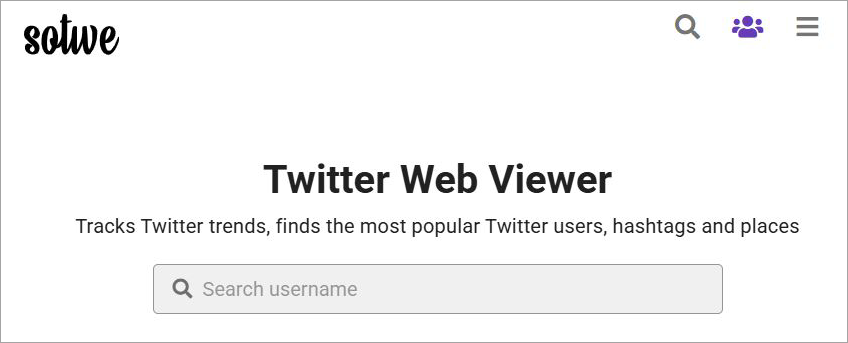
Call it a clone of Twitter or a simulator, Sotwe lets you anonymously track Twitter trends, find popular Twitter users, search for hashtags, and even download media files from the platform. Sotwe mimics the look and feel of Twitter quite impeccably.
You could use Sotwe as a portal into Twitter without officially opening a Twitter account. That is Sotwe’s biggest USP.
Now that you know what Sotwe is, let’s discuss its features and understand what you can do on it.
Suggested Read => Best Twitter Viewer Tools
Salient Features of Sotwe

Here are some of the core features you can enjoy as a Sotwe user:

This is one of Sotwe’s primary features and one that earned it my undivided attention this past month. You can use Sotwe to find trending topics and hashtags on the platform in seconds. As soon as you open Sotwe, you’ll be presented with tweets and hashtags that are trending on the platform right now.
I could see several people and professionals benefiting from this. Marketers can use this to get ideas for crafting the next viral social media campaign. Independent creators could get ideas for content.
Sotwe gives you the privilege of filtering trends based on location. You could command Sotwe to show you what’s trending in a specific part of the world.
Let’s say you want to know what’s trending on Argentinian Twitter. Just set your location to Argentina, and you’ll be presented with tweets and users that are going viral in that region.
Further Reading => A Detailed Guide on Twitter Advanced Search
#2) Find Twitter Users Near You
This is a feature you get if you’ve purchased Sotwe’s premium subscription. Sotwe lets you find popular Twitter users that are in your immediate vicinity. This can again be a great feature for marketers who’d like to research the Twitter landscape for influencers to work with while remaining anonymous.
#3) Save Content or Bookmark It
Like I mentioned before, Sotwe does a good job of mimicking the feel and look of Twitter. This feature is a perfect example of just how successful it is at this. You can easily browse Twitter like you would on the original platform via Sotwe.
Besides this, you can also save content you like by bookmarking it. You’ll find the very familiar bookmark option below each Tweet. All you have to do is click on it, and it will be saved in your account’s library.
#4) Download Content

Of all the features offered by Sotwe, this one is hands-down my favorite. Sotwe lets you download media files that are posted on the platform. You’ll find the option to download the file beneath each posted Tweet. All you have to do is click on it. The downloaded file will be saved to your system.
To make things even more convenient, Sotwe allows you to download all media files posted by a Twitter user throughout their time on the platform with a single click. You’ll find this option at the very top, right beside a Twitter user’s official handle and profile picture.
If you like a social media post, you’d like to share it with your friends. That is also something Sotwe allows you to do with a Tweet without having to open an official Twitter account. You can share someone’s entire profile or just a single tweet with a single click.

You’ll have the option to share the tweet or Twitter handle across multiple platforms, ranging from emails to other social channels.
Sotwe’s Support
If things aren’t up to the mark, you can always reach out to the Sotwe team via their official email. Be warned, though, as the waiting time can be long, especially if you’ve been using Sotwe for free.
A paid subscription changes that. You are given priority support with a faster response time if you are a paying member of Sotwe.
Sotwe’s Pricing
If your goal is to just browse through Twitter anonymously and do nothing else, then you’d be tempted to use the Sotwe website for free. However, I would strongly advise against this for one major reason, and that is advertisements.

The ads on this platform are an assault on the senses. Sotwe’s page is littered with them from top to bottom. Randomly clicking on the website anywhere will result in you being redirected to another website. This is because of the invisible pop-up ads that are also present on this website.
This makes the user experience quite annoying. Using Sotwe for free is not a wise idea. I would suggest purchasing the very affordable monthly subscription of $3.99 to get rid of these ads for good. Besides avoiding ads, the premium subscription also lets you use the platform to its maximum potential.
Downloading media files and sharing tweets are only possible with a paid subscription plan. If you are not satisfied with the tool, you can ask for a refund within two days of making the payment. Your request will be evaluated, and the amount will be credited to your account within 7 working days.
List of the Best Sotwe Alternatives
While Sotwe is quite decent in its ability to help you browse Twitter anonymously, I can also acknowledge its limitations. For starters, when you are using Sotwe for free, pop-up advertisements can be frustrating to deal with.

If this dissuades you from using Sotwe, then fret not, as there are other alternatives you can try instead. The following are the top 7 Sotwe alternatives you can try:
#1) Twitter Viewer

Twitter Viewer is a software in development by the same geniuses who brought you the amazing Twillot app. Although it is not out yet, what’s being promised by its makers has me intrigued enough to give it an early recommendation.
Twitter Viewer will serve as a cross-platform app that allows you to automatically bypass Twitter’s login requirements, thus allowing you to cruise through the platform anonymously. Its core viewing features will be free to use. You’ll also be able to download media files just like Sotwe.
What I Like About Twitter Viewer
- The dedicated plugins for iOS, Android, and desktop browsers.
What I Don’t Like
- The software’s still in active stages of development. We’ll have to wait and see whether the app lives up to the hype that’s already been generated around it.
Price: It will be free to use. The company hasn’t disclosed its premium plans yet.
Website: https://www.twitterviewer.com/
#2) Tweet Binder
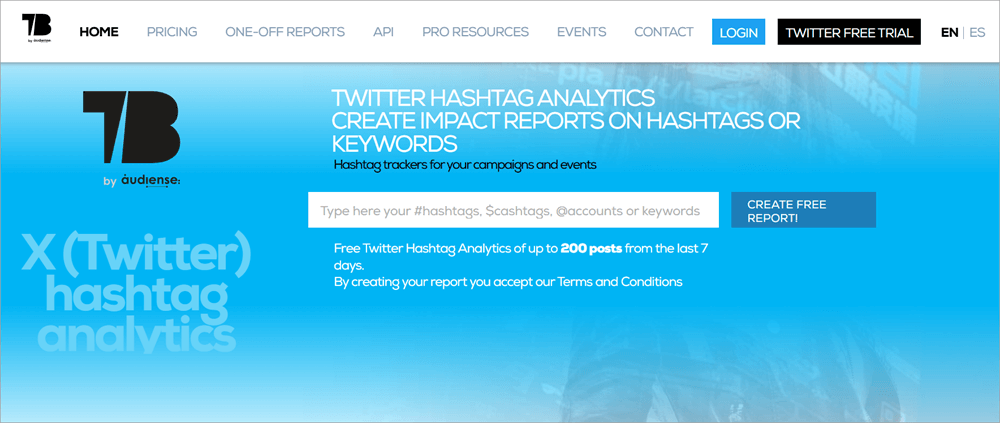
This is software I’d like to recommend to agencies and marketers specifically. The platform is not your typical Twitter viewer like Sotwe. Its purpose is to help companies and marketers assess the impact of hashtags they’ve used in their posts.
You get comprehensive reports that let you know just how successful a hashtag has been for conversions or engagement. The reports themselves are quite detailed and easy to understand.
This is a premium solution. I would not recommend Tweet Binder to casual Twitter users. That said, the tool can prove immensely lucrative for companies trying to make a mark on Twitter.
Also Read => Twitter Follower Tracker Guide
What I Like About Tweet Binder
- Detailed report-based analysis of hashtags and tweets.
What I Don’t Like About Tweet Binder
- Very expensive and only meant for marketers.
Price: Starts at $47.7/month
Website: https://www.tweetbinder.com/
#3) Twstalker

Twstalker works similarly to Sotwe. It even shares its aesthetics with Sotwe. Like Sotwe, you can use Twstalker to access Twitter without an official Twitter account. You can browse the platform to your heart’s content in search of trending topics and popular users.
You are immediately presented with trending tweets and hashtags as soon as you enter the website. You can also download media files and share Tweets. Unlike Sotwe, there is a paid subscription plan. There are ads, and there is no option to get rid of them. That said, the ads on Twstalker are considerably tamer than Sotwe.
What I Like About Twstalker
- The interface and the ability to anonymously browse Twitter.
What I Don’t Like About Twstalker
- Not a big fan of the ads here. However, they aren’t as bad as Sotwe.
Price: Free to use
Website: https://twstalker.com/
#4) TwiView

TwiView is quite different from all the tools and apps we’ve discussed so far. It is a tool I would recommend to folks who want a more convenient experience browsing through the videos and images posted on Twitter.
TwiView comes as an extension to the Chrome browser. Once activated, you can use TwiView to browse through Twitter’s image and video gallery. It will let you enlarge an image for a clearer view. You can also download images with a single click. The platform lets you download up to 450 images.
What I Like About TwiView
- Great for enlarging media files and downloading them in a single click.
What I Don’t Like About TwiView
- Not meant for anonymous Twitter browsing.
Price: Free to use
Website: https://twiview.en.softonic.com/chrome/extension
Further Reading => Top Twitter Video Downloaders
#5) Twitter Analytics
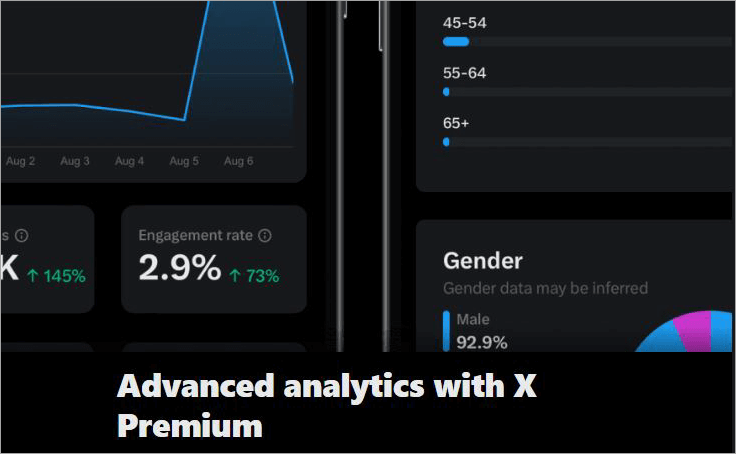
I understand that this might be cheating, but I had to mention Twitter analytics on this list. As far as monitoring tweets and measuring campaign performance are concerned, none can help you more than Twitter’s built-in analytical features.
You can rely on Twitter’s analytics to assess your campaign’s performance, break down user engagement by various demographics, and get visual reports on impressions. The analytical capabilities of Twitter are quite comprehensive, and you can rely on them to make informed decisions that pay off.
What I Like About Twitter Analytics
- The visual stats and reports.
What I Don’t Like About Twitter Analytics
- You, of course, need a Twitter account.
Price: Free for all Twitter or X users.
Website: https://x.com/i/account_analytics
#6) Keyhole
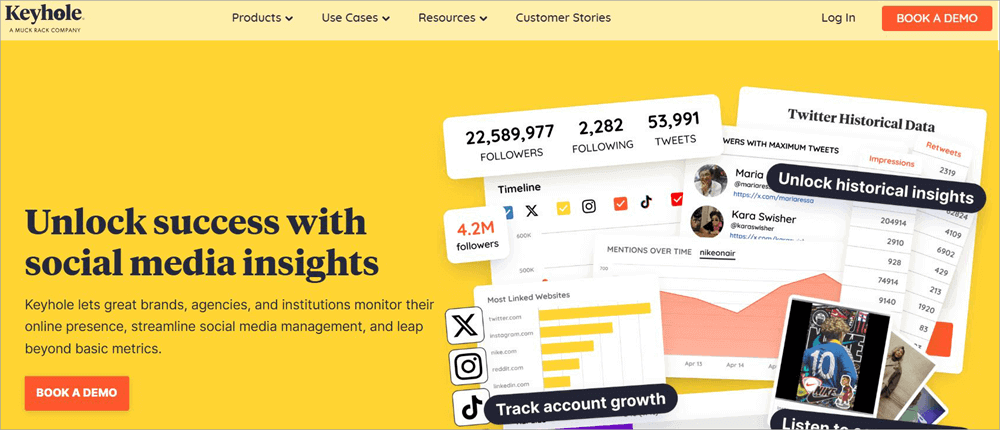
After Tweet Binder, I feel inclined to recommend another social media management tool here that works differently from Sotwe. Keyhole empowers its users to monitor social media trends, hashtags, and campaigns. It is a tool I would recommend to marketers and agencies desperately trying to elevate their social media game on Twitter.
You can use Keyhole to predict trends, analyse hashtags, and make informed decisions. This is a tool not meant for casual use. If your goal is to only browse Twitter anonymously, it would be best if you checked out the other alternatives on this list instead.
What I Like About Keyhole
- The ability to monitor social media trends, hashtags, and campaigns.
What I Don’t Like About Keyhole
- Expensive and not meant for casual Twitter browsing.
Price: You’ll need to contact the Keyhole team for a custom quote. They also offer a free demo upon request.
Website: https://keyhole.co/
#7) Sprout Social
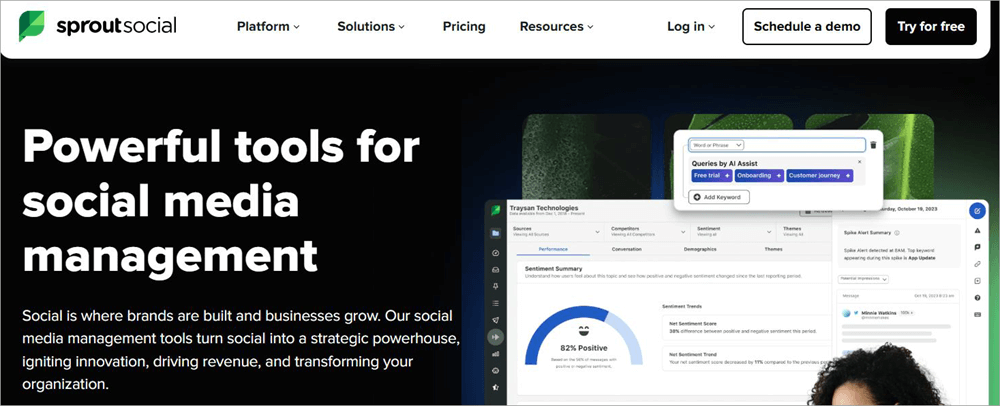
Here’s another tool that shares its DNA with the likes of Keyhole and Tweet Binder. Sprout Social is a powerful social media management tool that you can use to truly take your social media game to the next level. You can use the tool to do a lot more than just analyze your post or campaign’s performance on social media.
You can also use it to conceive and plan your content on Twitter and many other social media channels. The tool is great at unearthing trends and actionable insights that can be of immense help to marketers and agencies.
Recommended Reading => Best Twitter to MP4 Converters
What I Like About Sprout Social
- Premium social media analytical features
What I Don’t Like About Sprout Social
- Very expensive
Price: Starts at $199/month. A 30-day free trial is also offered.
Website: https://sproutsocial.com/
FAQs on Sotwe Web Viewer
1. Is Sotwe legal to use?
Although many questions and concerns have been raised around the use of platforms like Sotwe, it is still a legitimate platform. You’ll find yourself in no legal trouble by using the platform, as it only lets you access Twitter without an official account.
2. Is Sotwe safe to use?
In my experience using Sotwe, I wasn’t at all concerned about my safety or the platform violating my privacy. The platform does bombard its users with ads. However, none of these ads proved harmful.
The pop-up ads redirected me to other legitimate websites like YouTube. I would still recommend practicing caution when using an app like Sotwe.
3. What does Sotwe do?
Sotwe essentially lets you access Twitter and browse its content anonymously. It lets you bypass all of Twitter’s login requirements. There is no need to sign up, register, or open an official Twitter account.
Sotwe clones Twitter’s interface and lets you check trends, hashtags, and download media files posted on the popular social media platform.
4. Is Sotwe free?
Yes, Sotwe is free to use for casual Twitter viewing and browsing on the web. However, you’ll have to deal with ads, and many of its advanced features will remain inaccessible to you.
To access Sotwe at its maximum potential without ads, I suggest purchasing a monthly subscription plan that costs just $3.99/month.
5. What are some of the best alternatives to Sotwe?
The best alternative will depend on what you are looking for. For casual, anonymous Twitter browsing, I suggest waiting for Twitter Viewer or going with Twstalker. For marketers and agencies, I would recommend Tweet Binder, Keyhole, and Sprout Social.
Conclusion
I can think of many reasons why anyone would like to surf Twitter anonymously. Perhaps you are a marketer in search of influencers and would like to assess their presence on the platform without spooking them. Maybe you are curious about Twitter and would like to learn more about the platform before choosing to open an account on it.
Whatever your reason, tools like Sotwe can help you gain access to Twitter without an official account. If, for whatever reason, Sotwe isn’t your cup of tea, give the alternatives I’ve mentioned in this article a try instead.
Just make sure you are responsible when using Sotwe. Use it for casual browsing or finding trends. Refrain from shady activities like stalking individuals, and you’ll be fine.
Research Process
- Time taken to review and research this article: Approximately 34 hours were spent on comprehensive research, review, evaluation, verification, and final preparation to ensure accurate and reliable information.
- Total Sotwe Alternatives researched: 12
- Top Sotwe Alternatives shortlisted: 7
Was this helpful?
Recommended Reading
-

Supercharge your Twitter experience and elevate engagement with the top Twitter Profile Viewers. Discover the best Twitter viewers to unveil hidden insights by mastering the art of Twitter strategy: Twitter has lately been recorded as one of the most in-demand platforms for content sharing, interactions, and user engagement. However, viewing…
-

This tutorial will guide you on how to make your Twitter account private on various devices and help you protect yourself from stalkers and bullies: Social media can be a lot of fun. You can express your ideas, show off your talent, or raise your voice against injustice. But it…
-
List and comparison of the top Twitter Video Downloader. Select the Twitter Media Downloader software from this list per your requirements: Twitter has come a long way since its humble yet spectacular beginning back in 2006. What began as a simple platform to share one’s thoughts and feelings, has now…
-
Unleash Twitter's hidden potential with this advanced Twitter Search guide. Discover all about Twitter's advanced search and get to know the smart ways of using it wisely: With its massive global user base, Twitter is a goldmine for small businesses and marketers. These users come together to share over a…