


List of the Top Digital Menu Board Software for your restaurant. Discover and examine the best Electronic Menu Board Software for perfect menu management:
A Digital Menu Board refers to a screen (or simply a TV screen), on which you display your restaurant’s menu, product advertisements, etc. Businesses show menus with attractive pictures and prices (or discounted prices sometimes) on digital signage.
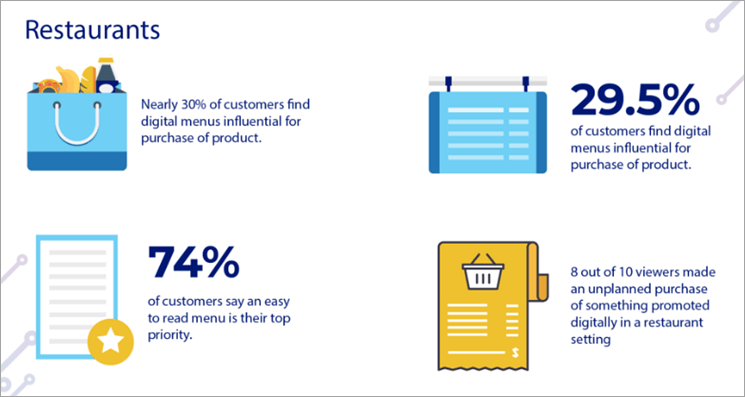
This has proven to improve sales and customer satisfaction. Restaurants are now even installing interactive kiosks, which display their menu and a QR code, which can be scanned to make payments.
Table of Contents:
What Are Digital Menu Boards?
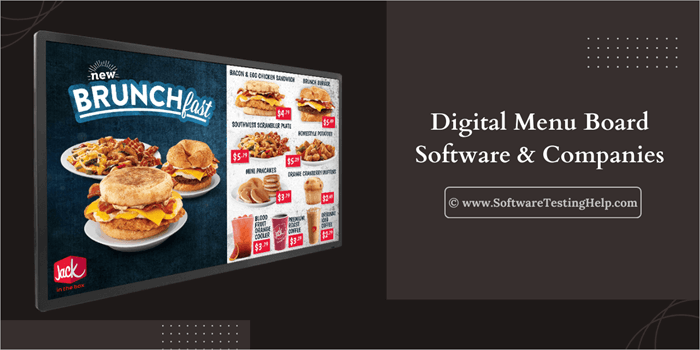
A digital menu board benefits the business, for example:
- Customers can make quick judgments. They don’t have to look for menu cards.
- Many customers can make use of one menu board to decide what to order.
- Stunning menu boards grab customers’ attention and make a business look more professional and good to connect with.
- Showing discounted prices and alluring images to customers passing by increases sales.
- Consumers’ behavior changes to some extent, thereby favoring the business.
- Overall consumer satisfaction increases.
- You can update prices and list of products according to their availability, instantly.
- You save costs and time in the long run. You do not need to print new menus for every price change, or you do not even need to update the prices in the display content if it is integrated with your POS (then the prices and other details will automatically sync with the data available in the POS).
Studies have revealed that the use of digital menu boards leads to an increase in the number of customers by 15%. All the renowned fast-food chains like KFC, McDonald’s, Domino’s, etc., have digital menu boards installed in their ordering and eating places.
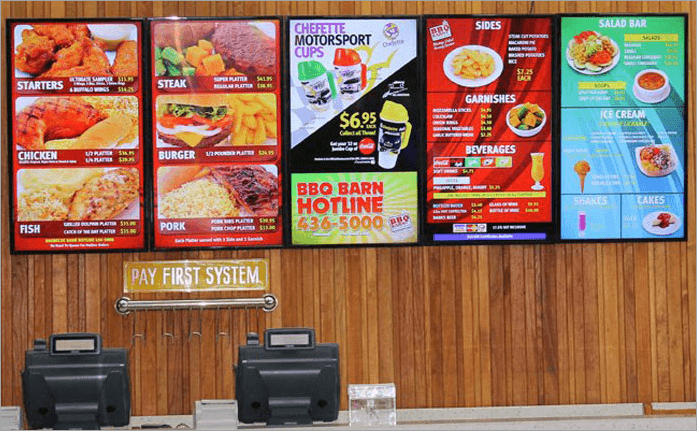
How to Use Digital Menu Boards
Follow these steps if you want to use a digital menu board:
- Choose a company that offers Digital Menu Ordering System.
- Buy the required hardware.
- Follow the guide for installation, or if on-site installation services are offered, then it provides the best solution.
- After installation, you are ready to upload your contact for display.
- Users can utilize the content creation tools offered by most digital menu software to design attractive menu templates.
- Businesses can use the software to manage all the display boards they own remotely.
[image source]
Who is This Article for?
This article is for restaurants, coffee shops, and other businesses offering dining-out services. Businesses of all sizes will get good information from this article, for choosing a suitable company that offers services for installing and maintaining digital menus for restaurants.
In this article, you will find a well-researched list of the best digital menu board apps and companies. We have provided a comparison table so that you can get quick information about them.
Go through the detailed reviews section to gather more information about your favorite platform.
List of the Best Digital Menu Board Software
Here are some note-worthy software to select from:
- Yodeck
- NoviSign
- AIScreen
- Intuiface
- Delphi Display
- Mood Media
- MustHaveMenus
- Coates
- Liqvid
Comparison of Top Solutions
| Company | Best for | Price | Benefits |
|---|---|---|---|
| Yodeck | Being an all-in-one digital menu board software available at affordable prices. | Starts at $7.99 per screen per month. (Free for running a single screen). | • Easy to use • Easy installation • Good customer support • Good security features • Affordable • Free for 1 screen |
| NoviSign | Offering tools for creating beautiful, attractive content, quickly. | Starts at $18 per month (First month is free) | • A free trial • Beautiful templates for creating content • Works offline • Works with any browser |
| AIScreen | Professional content designing, free templates, integrations and quality support. | Starts at $10 per screen per month | • A free trial for 14 days • 1,500+ free templates • A number of integrations • Good customer support |
| Intuiface | Offering modern, powerful digital signage solutions | Starts at $ 1,019.66 per year. | • Easy to use • A free trial for 28 days • Maintenance, Support and Update services • Useful integrations |
| Delphi Display | Providing the software as well as the hardware needed for digital signage | Contact directly for prices. | • Installation and on-site support • Full HD, 4K and 8K display • Intuitive platform • Useful integrations |
| Liqvid | User-friendly web panel and the ability to link unlimited screens. | Starts at $9.9/month | • Free forever plan • Responsive customer support • Auto-updates |
Detailed Reviews:
#1) Yodeck
Best for being all-in-one digital menu solutions available at affordable prices.
=> Read Through Yodeck Detailed Review Here

Yodeck is undoubtedly a popular, powerful, and reliable software used for creating digital menus for restaurants. With Yodeck digital boards, you can create attractive templates to uplift sales, give information about upcoming discounts, display product information, advertisements, and more.
They accept payments through credit cards and wire transfers. Learn how to set up Yodeck, create schedules, playlists, and more.
Supported Content for Display: Videos, Images, YouTube, Doc files, Live Streams, Web pages, and Scrolling text.
Features:
- Tools for uploading, editing, and displaying content on screens remotely.
- They offer thousands of free stock images and videos.
- Free menu board templates that help you create your own customized digital menu board within minutes.
- They offer a pre-configured Yodeck Media player with your Wi-Fi credentials. You will get all the cables you need with it. You just need to plug it in and get started.
- You can schedule the content on your menu boards. For example, you can display the breakfast, lunch, and dinner items at the right time.
- You can use Yodeck apps for adding Calendar, News, Weather, etc. to your digital signage.
Pros:
- Very easy to use
- Use drag-and-drop tools to upload photos and videos within seconds.
- Suitable for businesses of all sizes.
- Affordable pricing
- Free Yodeck media player with the Annual plan.
- Easy installation
- Advanced security features
- Yodeck is forever free for running 1 screen.
- Free customer support with all plans.
How Yodeck is the #1 Digital Menu Board Software: Domino’s Pizza, Pizza Hut, PepsiCo and many more popular brands are using Yodeck for digital signage. Yodeck proves to be a profitable investment for Domino’s.
Yodeck is a scalable platform that offers special pricing plans for large volumes. I would suggest the users go for the annual subscription so that they can get a free media player. Yodeck offers a wide range of features and benefits, making it the top choice for digital signage in businesses of any size.
Price: Price plans offered by Yodeck are:
- Free: Always free for running a single-screen
- Standard: $7.99 per screen per month
- Pro: $9.99 per screen per month
- Enterprise: $12.99 per screen per month
#2) NoviSign
Best for offering tools for creating beautiful, attractive content, quickly.
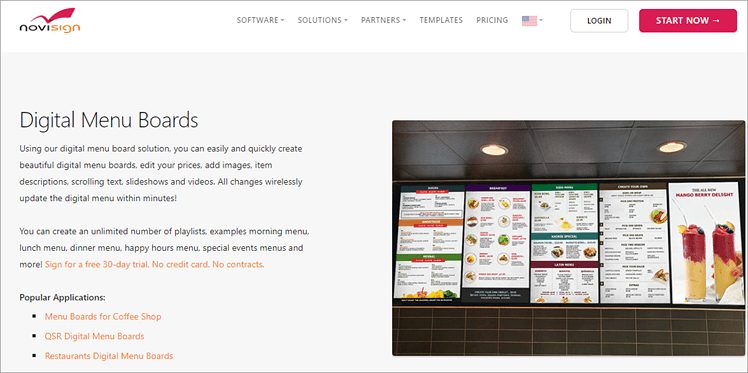
NoviSign is a cloud-based, electronic menu board software that has tools for easy and quick designing, editing, and management of the menu from your personal computer.
Their ‘Business Plan’ allows a maximum of 100 MB file upload and offers 500 MB storage. Their highest plan, ‘Enterprise Plan’, allows a file upload of up to 1 GB and offers 10 GB storage.
They accept payments through credit cards, PayPal, and payments through invoices. Go through their site to find a detailed, step-by-step guide on how to broadcast your content with NoviSign digital signage.
Supported Content for Display: Images, Videos, Slideshows, Text, Shapes & Background, Label, Facebook, Instagram, Twitter, News RSS, Weather, Clock, URL, Polls, and more.
Features:
- Create unlimited digital menu boards.
- Schedule specific menus to be shown at a specific time of the day.
- Create digital menus from scratch or use their pre-built templates and edit them to get the desired results.
- Advanced reporting and analytics.
Pros:
- A free trial for 30 days.
- Design, edit, and manage your menu for multiple locations using any web browser or device.
- Works even when your network is down.
- Can be managed remotely.
- Works on any screen.
Cons:
- Plans are costly.
Why we like NoviSign: Papa John’s Pizza, Fresh Slice Pizza, and Apache Pizza are some clients of NoviSign. Their customer support is available through email and phone.
NoviSign is free for the first month, then you will have to pay according to your chosen plan. The beautiful templates they offer to create your content for Cafes, Quick Serve, Fast Casual, Bakery, and more, are praiseworthy. You can edit and upload your content from anywhere, through any browser.
Price: Their price plans are as follows:
- Business: $18 per screen per month (billed annually)
- Business Plus: $26 per screen per month (billed annually)
- Premium: $44 per screen per month (billed annually)
- Enterprise: Custom Pricing
Website: https://www.novisign.com/solutions/digital-menu-boards/
#3) AIScreen
Best for professional content designing, free templates, integrations, and quality support.
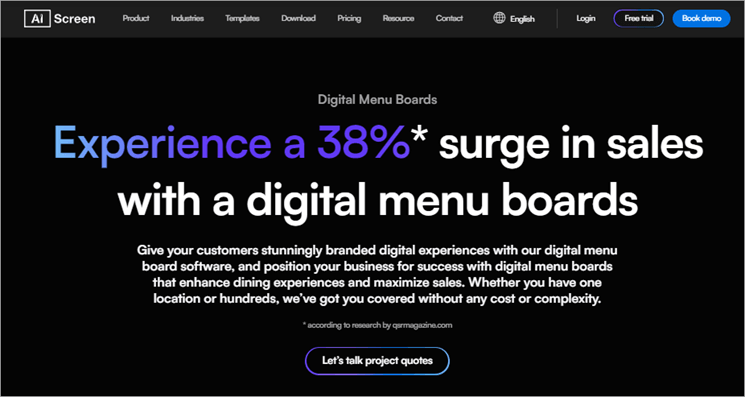
AIScreen claims to increase your sales by up to 38% with the help of the captivating content they help you create and display on the screens. They offer easy-to-use tools for managing digital signage remotely. Read their site to learn how to get started with AIScreen.
This cloud-based digital signage solution is providing its services for over 100,000 displays currently. They accept payments through credit or debit card, PayPal, and Direct Deposit (Europe only).
Supported Content for Display: Images, Videos, Web pages, Social media content, Text, News, Clock, and more.
Features:
- Centralized management of content on your digital menu boards.
- Beautiful and customizable templates to assist you in creating your content.
- They have a team to provide professional design support.
- A built-in editor to create content as you wish.
- Up to 5000 MB cloud storage per screen.
- Up to 1024 MB file upload.
Pros:
- Easy to use
- A free trial for 14 days.
- 1,500+ free templates.
- 89+ apps and integrations.
- Scalable solutions
- Compatible with mobile devices.
- Quantity customer support 24/7, available with all plans.
- On-site support for installation to ensure smooth deployment.
Why we like AIScreen: Small businesses to renowned enterprises from all across the globe trust AIScreen for digital signage solutions. Sony, Philips, Android, Jet Pizza, and some of their clients are present. Many of the businesses have repeatedly stated that with AIScreen they could scale easily and increase sales and customer loyalty.
I must say, the platform is offering great value for money. On-site installation support and 24/7 professional support ensure tension-free installation and working of your screens.
Price: Price plans are:
- Launch: $10 per screen per month (billed annually)
- Business: $15 per screen per month (billed annually)
- Enterprise: Custom Pricing
Website: https://www.aiscreen.io/digital-menu-boards/
#4) Intuiface
Best for offering modern, powerful digital signage solutions.
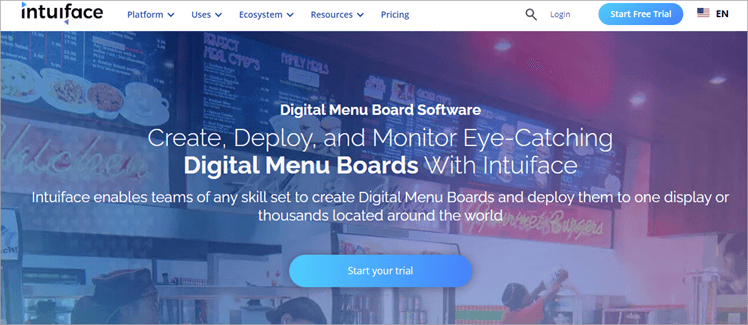
Intuiface is a modern digital signage solutions provider. They offer attractive templates for making content, or you can create them from scratch. With Intuiface, you can even create interactive menu boards easily, with no coding knowledge.
You can upload content on different screens, like landscape type portrait type, or video walls. The system also supports 3D models, maps, web pages, and interactive content. You can go through their documentation to get guidance on how to get started with Intuiface.
Supported Content for Display: 3D models, maps, YouTube videos, locally hosted webpages using HTML/CSS/Stylesheets, audios, images, and videos.
Features:
- Easy-to-use, powerful drag-and-drop editing tools.
- Lets you schedule changes in the display of contents.
- You can build interactive menu boards that can be used for self-ordering, with no coding.
- Pre-built samples and templates to help you build your content quickly
- You need a PC running Windows 10 or 11 to use Intuiface Composer.
- Windows, Android, iOS, BrightSign, Chrome, Samsung Tizen, and LG webOS. A web deployment option can be used for playback.
- They accept payments through Credit cards, wire transfers, and checks.
Pros:
- Outstanding technical support.
- Easy to use.
- A free trial for 28 days.
- Maintenance, Support, and update services are offered with each plan.
- Supports landscape or portrait-type screens as well as multi-screen display walls.
- Photoshop PSD files are automatically imported and all tagged layers and groups are converted into PNG images, for display.
- Enhance your editing experience with keyboard shortcuts, customizable editor layouts, and advanced lay-out tools.
- Academic discounts are offered.
Why we like Intuiface: Intuiface has currently 1,200+ active customers from across 70+ countries. They offer innovative digital signage solutions for businesses from plenty of industries. Their content creation tools are commendable and it is easy to use at the same time. The technical support is also good.
Price: Their price plans are as follows:
- Essential: $1,019.66 per year
- Premier: $1,472.85 per year
- Enterprise: $2,379.22 per year
Website: https://www.intuiface.com/digital-menu-board-software
#5) Delphi Display
Best for providing the software and the hardware needed for digital signage.
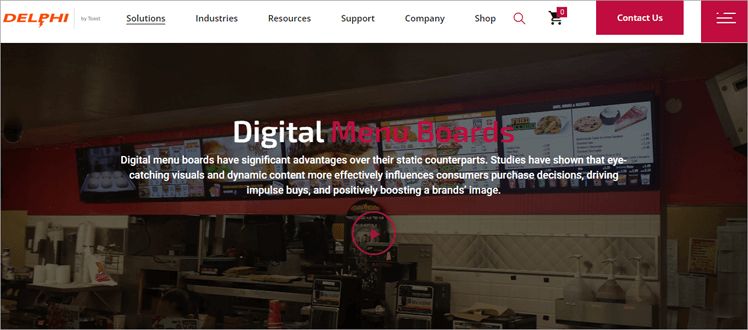
Delphi Display is a leading digital menu board solution that is cloud-based and allows its users to manage content from anywhere in the world, with any web browser.
The platform offers solutions for digital menu boards, drive-thru timing, order confirmation displays, kiosks, drive-thru communications, digital signage, custom display solutions, installation services, and content creative services.
Delphi Display Systems is showcased in this video:
Supported Content for Display: Images, Videos, Live Video, Animation, News, and more.
Features:
- Tools for scheduling content for display.
- Full HD, 4K, and 8K Video Walls display.
- They provide high-quality indoor and outdoor equipment required for digital signage.
- They have a professional design team that has good experience in designing menus.
- You can edit and manage your content for one to thousands of displays, from any location in the world.
Pros:
- 24/7 customer support
- Installation and on-site support
- They provide quality hardware for digital signage.
- Useful integrations
- Intuitive platform
Why we like Delphi Display: KFC, Subway and Taco Bell are some of the loyal customers of Delphi Display. Delphi Display is quite popular among restaurants.
They have installed over 35,000 solutions for customers from 70+ countries. Their team is trained to create and deliver stunning, dynamic, and personalized content to their clients; plus, they offer installation and on-site support. Their support services are appreciable.
Price: Contact directly to get a price quote.
Website: https://www.delphidisplay.com/solutions/digital-menu-boards/
#6) Mood Media
Best for offering mobile-friendly content management tools and being a complete digital signage solution.
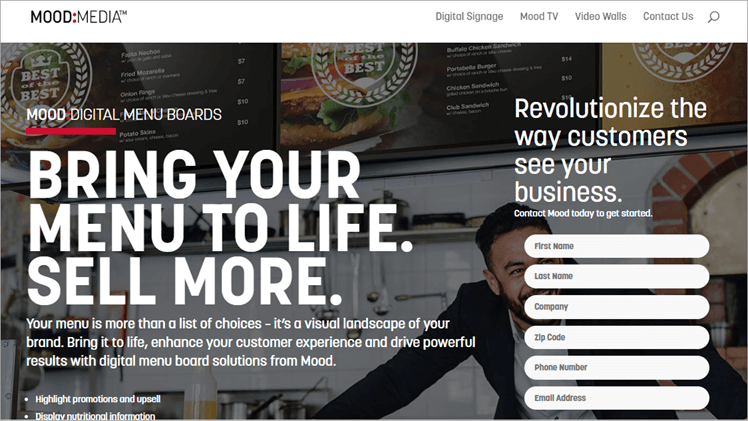
Mood Media offers solutions for all digital signage requirements, including hardware, software, screens, content creation, service, and installation. It is a reliable, leading digital signage platform trusted by businesses from around the world.
Look at this video that shows how Mood Media’s digital signage works for restaurants:
They offer mobile-friendly software called ‘Harmony’ for digital signage, which has all the features required for maintaining your digital menu board, including templates, editing tools, managing devices remotely, and more.
Content Supported for Display: PNG or JPEG images; .mp4, .mov, and .wmv video files and Flash animations with 24 frames per second.
Features:
- They offer a good range of templates for editing and creating your content. You can even order to create a customized template for your business.
- You can get multi-screen video walls, kiosks, and touchscreen displays.
- You can get durable hardware for digital signage.
- Reporting and analytical tools that help in managing and monitoring the devices.
- You can update your digital menu board in seconds.
Pros:
- Technical support is available 24/7 through phone, email, and online troubleshooting.
- Quick on-site services and installation across all U.S. zip codes.
- Digital signage consultation services.
- Affordable Solutions
- Simple, user-friendly interface.
- Useful integrations that change the prices and other details on the menu board automatically, if you change them in your POS.
Why we like Mood Media: Mood Media is a famous and all-in-one platform for all digital signage needs. They offer you good-looking templates for creating your content with the help of their easy-to-use yet powerful content editing tools.
The case study of LA Famous Fried Chicken says how Mood Media has been benefitting them for over 8 years.
Price: Contact directly for prices.
#7) MustHaveMenus
Best for tools offered for menu designing.
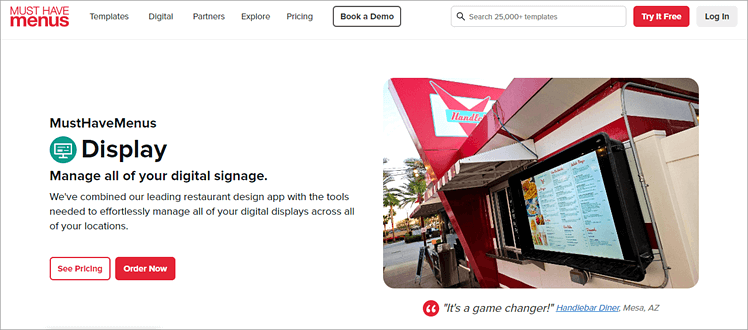
Restaurants, bars, cafes, hotels, and hospitality businesses from all over the world trust MustHaveMenus for managing menus. They offer professional menu designing services and tools for creating menus on your own. They are even offering 25,000 stunning templates for building menus, digital signage, takeouts, flyers, and more.
MustHaveMenus works specifically for restaurants. With the help of POS integration, you can get your menu boards updated automatically, schedule content for display, create playlists, and manage all of this from anywhere.
MustHaveMenus Display even works offline, if your Wi-Fi goes down.
Content Supported for Display: Images, Videos
Features:
- All the menu data is easily imported. So, you do not need to type the whole data to create the menu board.
- When you integrate your menu with your POS, you will receive alerts whenever there is a change in pricing in the POS. As soon as you approve the prices, they will automatically be updated on the digital menu board.
- Easy-to-use menu customizing tools.
- You can print or share the content you have designed.
- You can get a menu designed by a professional.
Pros:
- 25,000+ templates for menus, digital signage, takeouts, flyers, tents, cards, posters, and more.
- Easy setup
- Quick customer support
- Intuitive editing tools
- A free version that offers 5000+ free templates, photos, graphics, 5 GB of Cloud storage, and much more.
Why we like MustHaveMenus: More than 14,000 restaurants are relying on MustHaveMenus for digital menu board solutions. Their customer reviews reveal that the services they received were quick and up to the mark.
You can start designing menus with the help of 5,000+ templates available with their free version. But for display, pay $20 per screen. I would highly recommend MustHaveMenus for small businesses.
Price: Their price plans for menus are:
- Free: $0
- Pro: $23 per month (billed annually)
- Enterprise: Custom Pricing
For display, they charge $20 per screen per month.
#8) Coates
Best for its advanced integration and analytical capabilities.
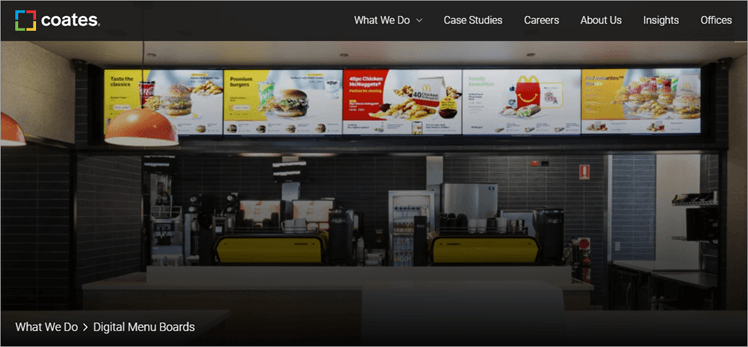
Coates provides digital as well as traditional, static signage solutions. You can also get self-service kiosks from them. It is a popular, trusted brand, so you can trust it for digital signage software as well as hardware solutions. They also give end-to-end support services and easy menu board management tools.
They provide their content management tools through their software, named ‘Switchboard’ CMS.
Content Supported for Display: You can design and update digital signage content with the help of Switchboard CMS.
Features:
- Tools for creating content templates
- Tools for displaying content include weather, customer identification, live order basket, segmentation, live transactions, prices, and more.
- Lets you schedule content for display, according to days, weeks, seasons, and more
- The software gives you real-time data analytics about ROI.
- Supports multiple screen orientations and landscape and portrait-type mounting of the screens
- They provide hardware for interactive, self-service kiosks, digital and traditional signages
Pros:
- Easy management of menu content
- Easy integration with your systems
- End-to-end support
- Advanced, real-time data analytics
- Highly scalable services
Why we like Coates: Coates is a must-go option for digital signage solutions for Restaurants. They have an experience of over 60 years in the industry and have served many of the biggest brands in the world.
With Coates you can always check the data on customer behavior, merchandising results, content performance, and more, to get insights about the returns on investment.
Price: Contact directly to get a price quote.
#9) Liqvid
Best for User-friendly web panel and the ability to link unlimited screens.
Liqvid is one of the most popular cloud-based digital signage platforms today. It is used by some of the biggest companies in the world like Honda, Starbucks, and Cinnabon among many others. As such, Liqvid deserves a coveted spot on this list. This is a secure, stable, and feature-packed digital signage solution that stands put for its user-friendly web panel.
With a web panel that’s easily accessible via a phone and computer, businesses can remotely manage, control, and monitor any number of vertical and horizontal TV screens. Furthermore, Liqvid’s solution also comes with pre-integrated content creation tools like Canva and Vista, which help you design and upload digital signs to your screens directly from within Liqvid itself.
Supported Content for Display: Videos, Spreadsheets, Charts, Presentations, Streams from Social Networks, Promotional graphics, etc.
Features:
- User-friendly dashboard that allows you to remotely control TV screens from a phone or computer.
- No limit to the number of screens you can link with Liqvid.
- Schedule content to be posted on a weekly or hourly timetable.
- Embedded content creation tools like Canva and Vista that help you design content.
- More than 1000 content templates and layouts available.
- Broadcast free-to-air ipTV streams with a single click from public sources.
- Can store video and media files up to 1 GB each.
Pros:
- Flexible pricing
- Free forever plan available.
- Responsive customer support
- Excellent data security
- Easily scalable.
- Auto-updates
- Compatible with almost all smart TVs and relevant streaming devices.
Why we like Liqvid:
Liqvid enjoys a solid reputation in the industry, which is evident when you glance at the list of companies that rave about it. We were immediately impressed by its user-friendly dashboard and seamless compatibility with almost all streaming players.
There is no limit to the number of screens you can link and manage via Liqvid. Publishing content is also a breeze. There is a free-forever plan, which means you can give the tool and all of its core features a try without losing money.
Price: Liqvid is free to use in a limited capacity. To unlock some of its more advanced capabilities, we suggest subscribing to any of the below plans:
- Premium: $9.9/month
- Enterprise: $17/month
How We Selected These Digital Menu App Companies
We examined the following aspects of many of the leading digital menu board software companies to find the best of them:
- What is their experience in providing digital menu board software services
- Is the software easy to use
- How much value they deliver for the money they charge
- Customer support
- Customer reviews
- Feature-set
- Software Integrations
FAQs
1. What is a digital food menu?
When a restaurant or an eatery uses a TV screen to display its menu, it is called a digital food menu. This has become quite a common practice among eating places like KFC, McDonald’s, Pizza Hut, etc.
2. How much does a TV display menu cost?
A digital menu screen would cost you around $1000-$2500. Buy a TV screen (whose prices vary according to the size and screen resolution), a media player, and a subscription plan from a suitable digital menu board solutions provider.
The screen and web player are one-time costs, then later you will have to pay only the per-screen monthly subscription fee for using the digital menu board services.
3. How do I install a digital menu board?
To install a digital menu board, you must:
Look for a digital menu board software
Buy the required hardware
Get it mounted in the right place so that your customers can see it easily
Connect the screen with the app
Upload your playlist and get started
The menu boards can be managed remotely through the app.
4. Why use digital menu boards?
Digital Menu Boards have time and again proven to be a beneficial investment for the dining business. They make your business look more professional and attractive to customers. Plus, your customers can easily decide what to buy.
Moreover, with a digital menu board, you can instantly update the menu list and prices, whenever you want.
5. What are the different digital menus?
Digital menus can be of different types, for example:
The traditional, static menu board- They are like the paper menus, shown on the screen
Digital Menu Board: A digital menu shown on the screen, that updates prices and menu lists quickly as needed.
Interactive Menu: These menus allow customers to make their orders through the interactive screens, themselves
Kiosks: These are interactive screens that allow customers to place orders and pay by scanning a QR code
Final Thoughts and Our Suggestions
Yodeck, NoviSign, AIScreen, Intuiface, Delphi Display, Mood Media, Must Have Menus and Coates are the most popular menu board solution providers among restaurants across the globe. They are offering the best value for money in the industry today and are the most reliable options.
Yodeck is the easiest to use, feature-rich, and affordable; followed by NoviSign, which offers great content creation and management tools along with data analytics; then in our list is AIScreen, that is providing its services for over 100,000 displays currently; followed by Intuiface, which has advanced content editing and other modern, useful features.
Delphi Display, Mood Media, and Coates provide reliable software as well as hardware solutions and MustHaveMenus is good for designing menus with the help of their 25,000+ stunning templates.
Most of them are offering integrations, which help make automated updates in the menu boards, about pricing and other information. This feature can be highly beneficial.
Further Reading => Most Popular Business Email Accounts
Research Process:
- Time taken to research this article: We spent 32 hours researching and writing this article so you can get a useful summarised list of tools with a comparison of them for your quick review.
- Total tools researched online: 38
- Top digital menu software shortlisted for review: 08
Was this helpful?
Recommended Reading
-

List of the Best Paid as well as open source free Digital Asset Management Software Tools in 2026: Digital Asset Management is used to manage, organize, and retrieve digital media assets. Digital media assets mean organizing, creating, sharing photos, videos, content, files and animations across the globe in the cloud.…
-

Here is convenient easy to use list of the Best Digital Signage Software. Use these digital billboard software platforms to Create, edit and display content on any screens or TV. Digital signage refers to displaying videos, marketing messages, and digital images on technologies like LED walls, projection, or LCD monitors.…
-
List and Comparison of the Top Digital Marketing Companies. Select the Best Digital Marketing Agency Based On This Detailed Review: To get the maximum ROI from Digital Marketing or reaching the right audience at the right time and place it is very important to reinvent your digital marketing strategy. An…
-
In order to speed up the process of digital transformation, read this review, compare the services offered and select from the list of the best Digital Transformation Companies: Digital Transformation companies or consulting firms are all the rage nowadays. By hiring such firms, businesses get an outside perspective on their…
-
Review and compare top Digital Guardian DLP Alternatives with features to select the best Digital Guardian DLP Competitor per your requirements: You can’t have an honest conversation about data loss prevention and not bring up Digital Guardian DLP solution at least once. In fact, the name ‘Digital Guardian’ has become…
-
Understand the key concepts of Digital Signal Processing (DSP) including Digital Processing tools and various applications through this tutorial: The primary key to success for any business in today’s well-connected world is quick, easy, reliable, and secure communication and information exchange. The biggest contributor to this progress is the digital…
-
This Tutorial Provides a List of the Best Digital Marketing Books with Brief Reviews, Prices, Authors & Links to Buy the Book that Catches Your Attention: The internet truly evolved when it harkened to the era of an entirely new industry that would ultimately revolutionize the marketing business. We are…


