


Review and compare the top Ethereum Mining Software with features and pricing to select the best mining software for Ethereum:
Ethereum mining software lets you use a GPU or ASIC to mine Ethereum.
Most of this software allows you to connect to a mining pool and earn more instead of mining in solo mode.
As Ethereum is switching entirely to proof of stake by the end of the year, it is suggested to start staking now, since it is active, instead of buying GPU or ASIC. Otherwise, these GPUs can later mine other cryptos when mining Ethereum becomes obsolete.
Table of Contents:
Ethereum Mining Software Review

Market Trends:
- As Ethereum switches to proof of stake algorithm, GPU and ASICs mining of Ethereum will become obsolete and therefore it is advisable to switch to staking on staking pools. The total number of Eth staked is equal to 8,079,096 Eth.
Ethereum mining profitability:

[image source]
Caption: Total Ethereum locked:

[image source]
Expert Advice:
- Ethereum staking is more recommended than proof of work mining with an ASIC or GPU as Ethereum mining with GPU and ASIC will become obsolete by end of this year.
- GUI-based interfaces are better for beginner users than those tools based on command-line
List of the Top Ethereum Mining Software
Here is the list of the best mining software for Ethereum:
- Minedollars
- MinerGate
- Wineth
- Go Ethereum
- Cudo Miner
- Ethermine
- EasyMiner
- Kryptex
- Phoenix Miner
- NBMiner
- GMiner
Comparing Best Mining Software For Ethereum
| Software | Platform | Developer or other fees | Our rating | Website |
|---|---|---|---|---|
| Minedollars | Cloud | Withdrawal fees 0.0004 BTC, minimum BTC contract worth is $3000. | 5/5 | Visit |
| MinerGate | Windows, Mac OS, Linux, and even Android | 1% Ethereum mining | 5/5 | Visit |
| WinETH | Windows (7, 8.1, 10, all 64-bit only) | 1% developer fees | 4.8/5 | Visit |
| Go Ethereum | Windows, Linux, Android, iOS, etc. | No fees in solo mining | 4.6/5 | Visit |
| Cudo Miner | Windows, Linux, cloud. | 1.5% to 6.5% depending on total amount of mined coins. | 4.6/5 | Visit |
| Ethermine | macOS, Linux, and Windows support | No developer fee | 4/5 | Visit |
Detailed review:
#1) Minedollars
Best for solo mining without hardware.

Ethereum and 9 other cryptocurrencies can be mined on Minedollars without ever having to invest in crypto mining hardware. It works as a cloud mining platform on which you just need to buy a mining contract of a specified amount from $10 to $20,000. Ethereum contract costs $100 for a 3-day contract and at a profit of $6.
You do not need to buy or own mining hardware because the company invests in its GPUs and ASICs used to mine crypto. The customer can upgrade contracts or buy more. They get to select a crypto mining contract based on the investment amount (different contracts have different investment amounts on them), crypto to mine, and contract duration.
Features:
- From 1 day to several months contract duration.
- Buy mining contracts using crypto. Withdraw earnings to crypto wallets within an hour of the earnings, reaching a minimum of $100.
- Over 320,000 users, covers over 100 countries and has dealt with over 1 million transactions.
Fees: ETH 0.004 ETH, USDT-TRC20 is 1 USDT, BTC 0.0004 BTC.
#2) MinerGate
Best for beginners and experienced alike.

MinerGate was launched in 2014 by some crypto miners and can mine Ethereum in addition to Bitcoin Gold, Monero, ZCash, Monero Classic, AEON, Bytecoin, Grin, Litecoin, and Ethereum Classic. According to the website, it has 5.1 million users around the world and has paid $20 million worth of mining returns to users as of October 2021. It lets users automate crypto mining processes.
Features:
- Supports Windows, Mac OS, Linux, and even Android. Console miner tools are available for experienced miners. There is also web mining functionality.
- Plan on adding Proof-of-Stake or Proof of Consensus coin mining in the future so it can be used in future mining of Ethereum. Currently, it can mine Proof of Work algorithm coins.
- Test your hardware performance and know its potential to earn crypto over a given period. This is possible via the benchmark testing tool.
- The top 25 benchmarks of the platform users let you know the best hardware options you have to mine with the software. For instance, the best-benchmarked user currently uses a GeForce GTX 1050, 2.0 GB GPU.
- The company also provides blockchain explorers, mining calculators, pool stats, mining service monitor, Lumi wallet, and also runs the MinerGate token.
Cost: 1 % Ethereum mining on PPLNS method fee.
Website: https://minergate.com/
#3) WinETH
Best for beginners in mining and those using GPUs for other purposes.
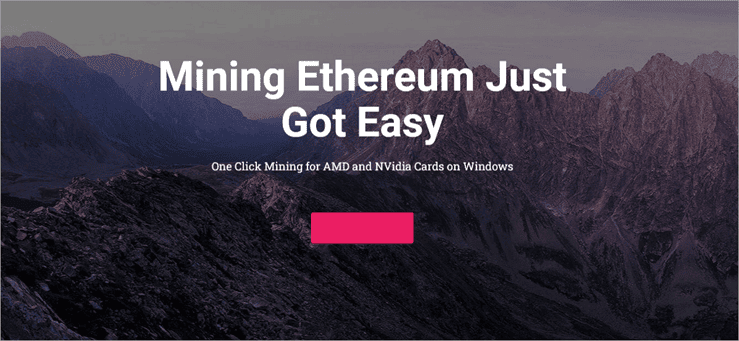
WinETH is GPU mining software best favored by beginners. The program is based on Ethminer and comes with a graphic user interface and intelligence algorithm that allows users to optimize mining efficiency for their hardware.
The open-source software has a simple interface, requires zero configurations, and is very easy to use with its one-click mining on Windows. You can also mine Ethereum Classic in addition to Ethereum, and it is even possible to use a proxy to mine in restricted networks.
Features:
- Only supports Windows (7, 8.1, 10, all 64-bit only) platform that uses AMD and Nvidia graphics cards. Best mined with Nvidia 1060 and 1080 cards.
- Configure your miners automatically and optimize performance automatically on any hardware combination.
- Choose to mine when the hard disk is idle or when booting. Run Only When Idle starts after 10 minutes of being idle and stops automatically when machines return from idle mode. Background mining mode uses minimum power and has less impact on computer performance.
- Discord and email support.
Machine requirements: Windows 7 and higher, 64 bits, and one or more GPU capable of OpenCL or CUDA with 3GB ram or higher.
Cost: 1% of mining revenue for software development.
Website: https://wineth.net/
#4) Go Ethereum
Best for only experienced users and developers.

Also known as Geth, it is among the first original Ethereum implementations (in addition to C++ and Python implementations) written in Go open-source code. Geth is essentially a command-line interface that allows anyone to run full Ethereum node, mine, and run smart contracts.
It is the official Go implementation of Ethereum. Go Ethereum is available as a client for every operating system or as a library to embed in iOS and Android projects.
Geth is used by 75% of Ethereum network miners and dApp developers. Geth creates blocks all the time, but they must be secured through proof-of-work to be accepted by other nodes. Geth includes a CPU miner which does the mining but is not efficient for Eth mining, thus, a GPU mining software like Ethminer is recommended.
Features:
- Start your Ethereum node in the mining node using the mine command-line. Use the Ethminer and ethminer –opencl-device 0 -G -F “POOL_ADDRESS” code to mine on the pool where the pool address is the proper URL for the pool.
- Requires 1-2GB of RAM on each GPU. Simply install the Ethminer binary for Windows provided on the Ethminer build GitHub page. Unlike the Cuda miner, which finds Geth on port 8545, Ethminer finds it at any port. Create an account to hold rewards after which you get an Eth address, start Geth, wait for it to sync with the blockchain, and start mining. Mining instructions are available on the geth.ethereum.org page.
- Contains play-Ether for testing.
Fees: No fees in solo mining mode. Otherwise, depends on the pool.
Website: https://geth.ethereum.org/
#5) Cudo Miner
Best for both PC and rig distributed or crowded miners.

Cudo Miner is a GPU, ASIC, and CPU mining console software supporting the mining of Bitcoin, Ethereum, Monero, RVC, and Litecoin cryptocurrencies. It works either with a single GPU or a farm of them and you can track the mining earnings and summaries for all devices web and locations in one place.
It works as a fully automated miner on desktops, and according to the site, the profitability improvement with the software should be up to 30% per month.
The user can enable third-party miners — Z-Enemy, T-Rex, Claymore, and EWBF to increase profitability. You can also monitor earnings from a web console, start or stop and restart mining hardware remotely, choose to run with a command-line interface and push software updates remotely.
Also Read => Best Altcoins To Buy in 2022
Features:
- Automatic algorithm switching to help mine the most profitable coin. You can also choose manually for advanced users with optimized clocked memory and core GPU settings.
- CudoOS for optimized Cudo Miner software rig mining for your operating system or cloud.
- Windows, Linux, cloud.
- Referral bonuses of 10,000 satoshis, the sign-up bonus of 5,000 satoshis, and bonuses after you start mining.
- Suspend mining on the laptop when not plugged into a power outlet. Can mine when the PC is idle.
Minimum withdrawal: 250,000 Satoshi
Fees: Commission fee based on your mining earnings. Varies from 1.5% (greater than or equal to 10 BTC) to 6.5% (for less than 0.005 BTC) of the amount of coins mined in the last 30 days for different account levels.
Website: https://www.cudominer.com/ethereum-mining-software/
#6) Ethermine
Best for especially novice users.

Ethermine is a GPU mining software implemented as a command line, and which can be used to mine Ethereum and any crypto-based on Ethash proof of work. This includes Ethereum Classic, Metaverse, Musicoin, Ellaism, Pirl, Expanse, and others. It comes with CUDA, OpenGL, and Stratum support.
The problem with this Ethereum mining software for Windows and Linux is that it does not support overclocking of GPUs, does not reduce power consumption, has no way to control the rotation of coolers, and cannot optimize video cards. However, it works with both Nvidia and AMD GPUs.
Features:
- macOS, Linux, and Windows support.
- Easy to set up by only extracting to a folder, finding the start.bat file, editing it with Notepad or text editors to include pool logins, and then launching the miner. However, the user needs to understand command lines to use them maximally.
- You can use the command line to connect to the pool, apply CUDA technology for Nividia and OpenCL for AMD, use the API, and get help.
Withdrawal minimum: Depends on the pool.
Fees: No developer fee though, needs a pool on which you pay fees.
Website: https://ethermine.org/
#7) EasyMiner
Best for beginners.
This software is a GUI version of BFGminer and CGMiner. It is easy to set up as you require only downloading, choosing hardware and pool, filling in the worker’s name, and then wallet address. Save the information and run the software. It will create and run a .bat file automatically.
Like many other miners in the list, it supports mining with Nvidia and AMD graphic cards.
This is one of the best mining software for Ethereum as it works with PPLNS payout pools. After installing the software, a control panel allows you to edit details like worker name, password, username, pool port, and address, and to select miscellaneous settings like automatic start on Windows starting.
You can also require auto-start mining, check to maintain hashing speed and auto-updates. The tool allows you to mine on both GPUs and CPUs simultaneously.
Features:
- Optimized for x86, and x86-64 machines and can be used for solo and pooled mining. Supports GPU and CPU mining.
- Choose Classic mode to mine any crypto on a pool of your choice or Moneymaker mode to mine Litecoins in an easy miner pool stratum.
- Allows monitoring of hash rates, accepted/invalid shares, earnings, etc. Users can also view logs.
- The earning threshold is 2 hours, with a minimum of 1 share/session.
- Get bonus mining on the Hetzner cloud.
Withdrawal minimum: None.
Fees: Free for software, otherwise depends on the pool.
Website: https://www.easyminer.net/
#8) Kryptex
Best for fiat payouts.

Kryptex differentiates itself from other Ethereum mining software for Windows on the list because you can choose to get paid in fiat currencies, such as dollars or other currencies instead of Bitcoins. Hence, you may not have to worry about conversion and the fees.
The software is used to mine Bitcoin and Ethereum on a PC and the operators combine that computing power from multiple computers to run a decentralized mining network. You can use your machine normally as the app keeps running. They also have a Pro Miner for GPU mining, an upcoming Kryptex OS, a mining pool, and a GPU rental service for $99.99 a month.
Some users report having problems with the software as it is hard to get money out, including using the likes of Walmart e-Gift cards because it takes too long. It also costs a lot to take out money, even to an external Bitcoin wallet. That’s in addition to ineffective customer support and the fact that the app does not have better control over power consumption.
Features:
- Withdraw to a bank card or Bitcoin wallet address.
- Test and estimate earnings after downloading.
- Overclocking database to show you what overclocking features other users are implementing so you can optimize your machine.
Minimum withdrawal: 0.03 ETH.
Cost: Renting Nvidia GTX 1070 with a throughput of 6.5 TFLOPS costs $99,99 per month. Withdrawal fees for Ethereum 0.005 ETH. Withdrawal fees vary per currency for fiat, from 1.95% for AdvCash up to 3.5% for WebMoney.
Website: https://www.kryptex.org/en/
#9) PhoenixMiner
Best for low-cost professional mining.

PhonexMiner, a CPU and GPU mining software for Ethereum, was in March this year deactivated on the NiceHash mining pool because of issues with the new download file whose checksum did not match that published by the developer.
NiceHash urged users to disconnect from the miner and stop using it and change the logins to their social and payment accounts as a result. However, the download file is available on the website.
The developer claims mining Ethereum with the software is 3-5% faster because of the use of different code which avoids outdated shares, optimizes GPU load, optimizes OpenCL code, and optimizes assembler kernels. The software supports AMD and Nvidia mining cards and runs on Windows x64 and Linux x64.
Features:
- Miner auto restarts if GPU freezes.
- Activate the memory strap for AMD and Nvidia cards using the –straps command line.
- After downloading, extracting, and editing the .bat file as per instructions on the website to include rig name, and wallet address, and start mining by double-clicking on the .bat file.
Minimum withdrawal: Dependent on the pool, for Ethminer, when it reaches 0.01 ETH, they send it to your wallet address.
Costs: The developer fee is 0.65% for Windows and Linux.
Website: https://phoenixminer.info/
#10) NBMiner

NBMiner started as a closed-source GPU miner for Nvidia CUDA but now supports GPU mining on AMD as well. Tests from the software developer have revealed that the most stable setting is using 68% of the graphics card’s mining performance. It supports Ethereum mining on both Windows and Linux platforms.
The latest hack released in August 2021 allows users to restore 70% of the mining performance on Ampere LHR graphics cards. However, this works with the Ethash mining algorithm for now.
Following the hack, miners can get around 41 MH/s of mining hash rate from the GeForce RTX 3060 Ti LHR mining GPU. That makes it perform at the same level as Radeon RX 5600 XT or GeForce RTX 2070 GPUs.
Features:
- SSL secure connectivity to mining pools.
- Can be employed by medium-sized and large mining farms.
- Can mine other 10 cryptocurrencies running on a cockatoo, cuckatoo32, octopus, ergo, beamv3, kawpow, progpow_sero, and cuckoo_ae algorithms.
- 983,000+ daily active workers; 719,000+ daily active NBMiner users; 611,000+ cryptocurrencies paid out.
- Mine is up to 15 algorithms besides Ethash.
Costs: Developer fees vary per algorithm from 1% for Ethash to 2% for some others like kawpow, cuckoo cycle, beamhash, and autolykos2.
Website: https://github.com/NebuTech/NBMiner
#11) GMiner
Best for Nvidia GPU users.
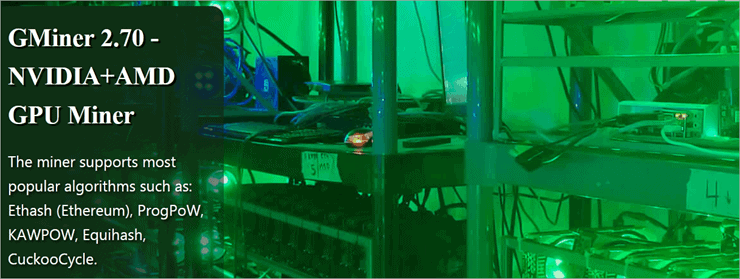
GMiner mainly mines Ethereum on Nvidia GPU miners, although some algorithms can be mined on AMD GPUs. With it, you get to connect to mining pools and the now support for 5 kernels for Nvidia GPUs helps miners optimize GPU mining performance.
While the GPU will select the optimal kernel automatically using this software, you can also use the –oc command line to select a specific kernel. The latest version also improves device freezing handling and auto-tuning.
Further Reading => Top GPU for Mining Bitcoin & Ethereum
With this Ethereum mining software on Windows or Linux, you can mine the most popular algorithms, including Ethereum, ProgPoW, KAWPOW, Equihash, and CuckooCycle. It also allows overclocking of GPU when mining Ethereum – you get to clock memory, voltage, fan speed, and power limit for the Windows platform.
Features:
- Auto-restart of the miner in case of crash or freeze – thanks to the Watchdog process observer.
- Auto stops the GPU to control overheating. It will also display details of devices in that regard.
- Supports mining on Windows and Linux platforms.
- 765,000+ daily active workers, 617,000+daily active GMiner users, and 586,000+cryptocurrencies paid out.
Costs: A 2% developer fee is built into the software, Ethash 0.65% fee, the KAWPOW fee is 1%, and some other fees go up to 2%. Up to 5% on the cortex and 4% on cuckaroo29b and bittube algorithms. Mining pool fees also apply.
Website: https://gminer.info/
Frequently Asked Questions
How long does it take to mine 1 Ethereum?
It depends on your GPU’s hashing power. At a hashing rate of 100MH/S on your GPU, for instance, it takes about 403 days to mine 1 Ethereum. With RTX 3080 GPU, you mine about 0.006 ETH per day, which means it takes close to 156 days to mine 1 Ethereum with it. We suggest you switch to staking, which earns up to 5% APR on any ETH staked.
Which Ethereum Miner is best?
If you are looking for the best mining software for Ethereum, check NBMiner, Go Ethereum, and PhoenixMiner. You would be better with ASIC miners for Ethereum instead of CPU or GPU.
For that reason, check Innosilicon A11, A10, Pro, Bitmain Antimer L7, and L3. For GPUs and rigs to mine Ethereum, consider NVIDIA GeForce RTX 3060 Ti, AMD Radeon RX 5700 XT, NVIDIA GeForce RTX 2070, NVIDIA GeForce RTX 3090, and AMD Radeon RX 580.
Is Ethereum mining profitable in 2021?
Mining Ethereum is generating good income in 2021 with mining profits doubling within a single month as per data from Statista. The profitability is now 0.07 USD/day per MH/s in October 2021. Staking is also generating good income for miners, or 5.22% for staking pools and 5.86% for those running a validator node for a lock-up period of 365 days.
What is the best Ethereum mining software?
The top 5 mining software for Ethereum are NBMiner, Go Ethereum and PhoenixMiner, Go Ethereum, and Wineth. There is also the Cudo Miner, which can be used alongside GPU and ASIC mining of Ethereum.
What else do I need before choosing mining software?
Very important factors to consider when choosing your best mining software for Ethereum includes the operating system it works on or compatibility, the algorithm it mines, and whether you need to mine only Ethereum crypto or others too, and the developer cost or fees.
Most will allow you to connect to a pool, but confirm that it can do merged mining in case you need it, whether it supports overclocking of your GPU, and the detailed features it has.
Conclusion
This tutorial dwells on proof of work mining of Ethereum, although that is coming to be obsolete by 2021. Therefore, we do advise people to check on how to stake Ethereum as we are approaching porting to the proof of stake algorithm.
Otherwise, if you still have the GPU and the Ethereum mining software on Windows or other platforms, you can apply them to mine other cryptocurrencies as well.
Go Ethereum is probably the main and best Ethereum mining software for Windows utilized to mine Ethereum as of 2021. However, if you are looking for platforms that can allow you to mine Ethereum on Android and console in addition to PC, then consider MinerGate.
You can also expect MinerGate to support Ethereum mining in the future when it ports to the Proof of Stake algorithm from next year. Hence, you do not have to switch.
PhonexMiner, which can mine on Windows and Linux GPUs, is the cheapest, at only 0.65% developer fees. This works well for advanced users. However, EasyMiner, which is more applicable for beginners, is free.
Research Process:
- Tools formally shortlisted for review: 15.
- Tools finally reviewed in list: 10.
- Time Taken To Research And Write This Tutorial: 15 hours.
Was this helpful?
Recommended Reading
-

A complete guide about How to Mine Ethereum with methods, proof of work, and proof of stake for Ethereum mining: Ethereum is changing the base protocol from proof of work to proof of stake and, as a result, some changes are happening in terms of mining the cryptocurrency. Although it…
-
Review and compare the best ASIC Miners for mining Cryptocurrency and select the best ASIC miner for mining Bitcoin and other cryptocurrencies: Application-Specific Integrated Circuit (ASIC) devices or rigs, as they are called when combined during mining, are best for mining cryptocurrency, given their top-range efficiency. They are built specifically…
-
Review and compare the best cryptocurrencies to help you understand how to mine cryptocurrency, and select the best cryptocurrency to mine: Cryptocurrency mining offers an opportunity for individuals to earn passive income on a daily basis. It is a process through which distributed nodes on a given crypto blockchain confirm…
-
Learn How to Mine Dogecoins. Also, review the top Dogecoin Cloud Mining Websites, Mining Hardware, Software, Mining Pools, etc: Dogecoin is one of the high return coins to mine in 2021, having returned 59033% on investment as of the end of October 2021, beating Bitcoin and Ethereum. You get rewarded 10,000…
-
Review and compare the best Crypto Wallets with features to find the best Bitcoin Wallet for sending and receiving Bitcoins: Crypto wallets allow you to generate unique addresses with which you receive crypto. They also allow users to send crypto to other wallet addresses over the blockchain and on a…
-
Review and compare the top Bitcoin Exchanges in this tutorial and select the best Bitcoin trading exchange based on our ratings: Selecting a good cryptocurrency trading exchange requires knowledge of the fees charged, but also the crypto pairs offered or available to trade. Most cryptocurrency exchanges now allow you to…
-
Here, we will review and compare the top Crypto Hardware Wallets to identify the best Bitcoin Hardware Wallet for storing cryptocurrencies: Proper storage of private keys used to secure cryptocurrency is a major concern for preventing hacking and theft of digital assets. Digital assets are made in a way that…
-
Review the list of top Bitcoin Cloud Mining Sites and decide on the best cloud mining service companies as per your requirement: Cloud mining lets you mine Bitcoins and other cryptocurrencies over the Internet through mining contracts signed with cloud mining companies and without any mining equipment. Therefore, you buy…


