


Read this review to compare and select the best Binance Trading Bots from the list. Also, learn how to configure them to start trading on Binance:
Binance has the largest number of trading bots of all crypto exchanges that support bot trading, although customers can still use smart and manual order types.
A trading bot takes in real-time market data and uses pre-set indicators and rules to come up with automated trading signals, which are basically profitable asset selling, buying, or holding opportunities. Based on your pre-set risk profile, they apply your capital on these signals to send quantified trading orders to the exchange or broker platform and return a profit.
Bot performance or profitability depends on pre-set strategies and rules as much as on market conditions. Binance bots can also be deployed on other exchanges, trade on margins, or even crypto futures and options. This tutorial discusses the best Binance trading bots and how to configure them to start trading on Binance.
Table of Contents:
Binance Trading Bots

Market Trends:
- Binance is the crypto exchange with the largest number of trading bots and 83.3% support the exchange. 66% of all support Coinbase.
- 66% of all people who have used bots to trade cryptocurrency use them for margin trading. 4% use them for futures trading.
- 38% of users have used crypto trading bots but 86% of traded money in the crypto market is moved with bots. Meaning they are mainly used by those with a huge amount of capital.
Percentage of users who have tried crypto trading bots:

Expert Advice:
- The best Binance trading bots or bots usable on other crypto exchanges let you access as many and diverse trading strategies as possible, whether you are talking about ordinary grid trading bots, DCA trading bots, arbitrage bots, futures bots, long and short bots, rebalancing bots for automatic portfolio rebalancing, and bots based on industry-standard technical indicators.
- Check for Binance trading bots that have bot marketplaces with pro traders from who you can easily copy trading signals at a small fee. These might provide more diversity in terms of trading strategies.
- When choosing a trading bot platform, check whether it has pre-set bots you can start to trade with without drafting your strategies if you are a beginner. Advanced users are better with those that allow customizing of trading strategies and rules for their bots from scratch. Otherwise, marketplaces are great for both trader classes.
- Performance of bots – whether devised from scratch, pre-loaded, or bought from pro-traders, a bot needs to be backtested for performance before being deployed for live trading.
How to Create an API on Binance to Connect Any of the Bots From the List
- Create an account on Binance and verify it asap. You may also create 2FA verification for the account to improve security. This includes either a phone, email, or an authorization app code.
- Log in and create an API by visiting the Settings page and choosing API management. Click or tap on Create API.
- Binance asks for a 2FA key to verify that it is you. Set up 2FA authorization if not yet. Enter the code from email, phone, or app to verify.
- Set everything to Full Access except for Enable Withdrawals. Thus the bots can do anything on your Binance account except withdraw money.
- Do not restrict any IP even to trusted IPs because Binance uses different IPs for trading bots.
- Head over to the bot website reviewed here and each allows you to connect Binance to it. Visit the settings, select Exchange tabs or icons, and proceed to fill in the created API keys. The balance on the connected exchange will be reflected and you can now create a bot strategy or use pre-made ones, specify the amount to trade, and proceed to trade.
- IP whitelisting is required by Binance within 30 days of creating the keys. Some exchanges will provide you with IPs that you need to whitelist on the Binance exchange settings using the IP Whitelisting feature.
- To train on leverage, first, perform a manual trade of leveraged tokens on Binance by filling in a questionnaire about the risks involved. After this, you can trade leveraged tokens on bots like any other tokens.
Terms Apply: Please read all the details and terms carefully on the below Crypto platforms before investing. Cryptoassets are highly volatile. Your capital is at risk. Don’t invest unless you’re prepared to lose all the money you invest. This is a high-risk investment, and you should not expect to be protected if something goes wrong.
List of Top Binance Trading Bots
Some impressive Binance bots lists:
- Bitsgap
- Coinrule
- Cryptohopper
- ArbitrageScanner.io
- SMARD
- OctoBot
- WunderTrading
- DipSway
- TradeSanta
- Pionex
- CryptoHero
- Mudrex
- HaasOnline
- Kryll
- Gunbot
- Stoic
- Cryptorobotics
- Trality
- 3Commas
- Shrimpy
Comparison Table of Some Best Binance Bots
| Bot name | Exchanges | Futures trading? Margined trading? | Pricing | Types of bots |
|---|---|---|---|---|
| Bitsgap | 25+ crypto exchanges including Coinbase, Binance, Poloniex, Kraken, Bitfinex. | Futures and margin trading supported. | Starts at $29 per month on Basic package; $69 per month on the Advanced package; $149 per month on PRO package. | Arbitrage bots, DCA bots, rebalancing bots, TWAP, grid bots, futures bots, flat bot, buy the dip bots, scalper bots, combo bot, bots based on normal technical indicators, custom strategy bots. |
| Coinrule | OKx, Liquid, Coinbase, Kraken, Bitpanda, among the top 10+ exchanges supported | Margin and Futures trading supported | Starter is free, Hobbyist costs $29.99 per month or $359 per year, Trader costs $59.99 per month or $719 per year, Pro plan costs $499.99 per month or $5,399 per year. Lifetime free plans are also available. | RSI Binance BTC bots, Grid trading, MACD, Moving averages, Rebalancer, Scalping, Short selling, Trend Following, Swing trading, and over 50 other types of Binance auto trading bots. |
| Cryptohopper | Crypto.com, KuCoin, Kraken, Bittrex, and over 10 others. | Margined (up to 10 times) trading and futures trading supported. | Pioneer is free, Explorer starter package– $16.58 or $19 per month; Adventurer — $41.58 or $49 per month, Hero — $83.25 or $99 per month paid annually or monthly. | Arbitrage, market making, futures bots, general smart trading. |
| ArbitrageScanner.io | Over 75 exchanges supported | — | Starts at $69/30 days | Arbitrage, Cloud-Based, Personalized, Manual Bot |
| SMARD | Binance OKX Bitget | Futures trading is supported on all exchanges. No margin trading | Free DEMO mode. Free connection. 10% monthly service fee charged on user profits only. $1 per month minimum access fee. | A fully automated bot for spot and futures trading based on the momentum effect. Trading bots flexibly manage position size, use regular stop-losses, trailing stops, or a combination of both by controlling the amount of risk. |
| OctoBot | 12+ | Futures trading | Starts at $48/month | DCA, TradingView, MACD, RSI |
| WunderTrading | Binance, BitMex, KUCOIN, Gate.IO, Bingx, MEXC Global, etc. | Futures Spread Trading | Platform is free to use. Priced plans start at $4.95/month. | DCA, Grid, Trading View, AI Bot. |
| DipSway | 7+ exchanges supported. This includes Binance, OKX, Kucoin, Kraken, etc. | Futures trading supported | Starts at 19.69 euros/month. | AI Spot Bot |
| Pionex | None | Margin (up to 4 times multiple) trading, no futures trading. | Bot usage is free. 0.05% maker and taker trading fees. | Grid trading bot, Martingale DCA holding bot, Spot-Futures Arbitrage bot etc. |
| Shrimpy | BitFinex, BitMart, Bitstamp, and Bittrex, Coinbase, Cex.io, FTX, Gemini, Huobi, Kraken, and Gate.io. | No futures and margin trading. | The starter plan is only $15 or $19 per month paid annually or monthly. The professional plan is $79 per month; the Enterprise plan is $299 per month. | Types of bots include portfolio auto rebalancing bots, index bots, dollar cost averaging, maker rebalancing, spread and slippage, and general automation bots. |
Detailed reviews:
#1) Bitsgap
Best for starters and advanced users alike.
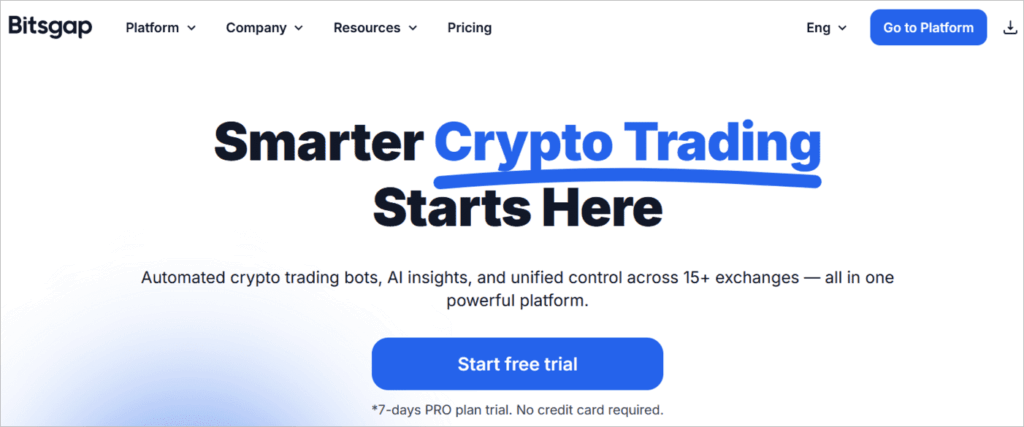
Bitsgap lets you start trading 1,000+ cryptocurrencies with little hustle as it comes with preloaded strategies with which you are ready to trade and make profits from the word go.
It lets you automate trading with bots that can be deployed on multiple cryptocurrency exchanges. These exchanges are connected through the platform’s API. Established in 2018, the platform is based in Estonia.
To trade futures on Binance with the bot, you must activate this feature. Click Derivatives, then USDS-M Futures, click or tap Open Now, then Buy/Long or Sell/Short, then Start Quiz. Fill in the answers to the questions provided (Bitsgap also provides the correct answers on its site) then submit. Then transfer USDT to your Futures account. You can now launch a bot to trade futures.
How to trade with Bitsgap on Binance:
- Sign up on both Bitsgap and Binance. Create API keys on Binance by following the steps mentioned.
- Visit My Exchanges on Bitsgap, enter API keys and Secret keys, and click connect.
- Select your bots and strategies and start trading.
Further Reading => Have You Tried These Crypto Exchanges For Day Trading
Features:
- Types of bots included are arbitrage bots, DCA bots, rebalancing bots, TWAP, grid bots, futures bots, flat bots, buy dip bots, scalper bots, combo bots, bots based on normal technical indicators, and custom strategy bots.
- 30 exchanges supported, including Binance, Kraken, Bitfinex.
- Demo account.
- Different order types for smart trading. These include stop-loss, trailing, OCO, take-profit, shadow orders, stop limit, and market orders.
- Signal alerts about market price changes.
- Backtesting of bots and trading strategies.
- TradingView indicators over 100 technical indicators, custom chart types, etc.
- Monitor trading performance, open positions, trading history, balances, etc.
Pricing/charges: All Bitsgap pricing plans come with a 7‑day free trial on the PRO plan. No credit card required. Starts at $29 per month on the Basic package; $69 per month on the Advanced package; $149 per month on the PRO package.
#2) Coinrule
Best for template-based strategy customization.

The Coinrule platform lets users, without trading experience or skills, automate trading with Binance trading bots or bots deployed on other supported exchanges. It lets users create automated trading rules from scratch or use 150+ templates to draft new ones, and test those strategies before deploying them to live trading.
Users can create bots from popular indicators like Bollinger Bands, etc.
How to trade on Binance with Coinrule:
- Sign up on Binance and CoinRule. Create API keys and Secrets on Binance exchange.
- Visit Coinrule and from Dashboard click or tap on Exchanges, then select Binance from the drop-down menu, add in API keys and Secret, and click Connect. Copy the IPs to the whitelist on Binance’s IP Whitelists settings after 30 days of creating Binance API.
- Enable Spot and Margin Trading on Binance.
- Click Rules on Coinrule to create new or use existing ones to launch trading.
Features:
- Types of bots include RSI Binance BTC bots, Grid trading, MACD, Moving averages, Rebalancer, Scalping, Short selling, Trend Following, Swing trading, and over 50 other types of Binance auto trading bots.
- Other exchanges supported include OKx, Liquid, Coinbase, Kraken, Bitpanda, among the top 10+ exchanges supported.
- Monitor all your trading rules or strategies from the dashboard, including their performance.
- Demo exchange. Trading academy as well as tutorials.
- Invest in Coinrule via crowdfunding. Get 3 months Hobbyist plan for free.
- Over 60 cryptos are supported for trading.
- Just a web app. No mobile app.
- Access to the trading community.
- Free Binance trading bots.
Pricing/charges: Starter is free with only up to two rules. Hobbyist costs $29.99 per month or $359 per year for up to 7 rules; Trader costs $59.99 per month or $719 per year for up to 15 trading rules; Pro plan costs $499.99 per month or $5,399 per year for up to 50 trading rules. Lifetime free plans are also available.
#3) Cryptohopper
Best for spot and futures traders alike.

Cryptohopper lets you trade over 100 cryptocurrencies, including Bitcoin, Ethereum, and Litecoin using trading bots. As a Binance trading bot, it also lets you connect this and the other 15 exchanges.
How to trade with Cryptohopper on Binance:
- Sign up on both Binance and Cryptohopper. Create an API on Binance.
- Return to Cryptohopper and from the settings page click or tap on the Exchange tab. Add in the keys created from Binance and wait to load.
- If there is a problem with fund syncing from Binance on Cryptohopper, you may need to disable ‘autofill’ in your browser, use incognito mode on your browser, or use a browser you don’t use often, or disable password manager on the browser. Also, enable “convert dust to BNB for positions that are too small.”
Further Reading => BEST Binance Alternatives of the Year
Features:
- Types of bots include arbitrage, market making, futures bots, and general smart trading bots.
- Other exchanges supported include Crypto.com, KuCoin, Kraken, Bittrex, and over 10 others.
- For portfolio management by asset managers, auto conversion of funds by miners, regular and beginner traders, and advanced traders.
- Social trading allows you to buy, sell, or subscribe to Binance bot trading signals of professional traders.
- AI-based Binance trading bots.
- Customizing, devising, and backtesting strategies.
- No leveraged or margined Binance bot trading
Pricing/charges: Pioneer is free. Explorer starter package— $16.58 or $19 per month; Adventurer — $41.58 or $49 per month, Hero — $83.25 or $99 per month paid annually or monthly.
#4) ArbitrageScanner.io
Best for Manual Bot with No API Request.

With ArbitrageScanner.io, you get a fully manual bot that works without requesting API. This makes the bot completely safe and secure for trading. It is also very easy to use and helps you conveniently set up notifications with ready-made templates. You can easily customize the format and add any exchange or coin you wish to track. You will receive notifications in Telegram chat.
What distinguishes ArbitrageScanner.io from other bots in the market is its unique ability to track the differences between DEX exchanges.
How to Trade on Binance with ArbitrageScanner.io
- Register and open your personal account
- Connect Binance to your bot for tracking
- Set up notification templates to receive alerts via Telegram chat.
Features:
- Connect with any CEX and Token for seamless tracking
- Work with almost all DEX and 20 major BlockchainsGet access to a personal manager for guidance on currency and exchange selection
- Completely manual bot without automatic trading
- Customizable templates to set-up notifications hassle-free.
Price: ArbitrageScanner.io adheres to a flexible pricing structure. The plans offered are as follows:
- Test: $69/30 days
- Pro: $199/30 days
- Expert: $399/30 days
- Guru: $1199/30 days
#5) SMARD
Best for fully automated spot and futures trading.
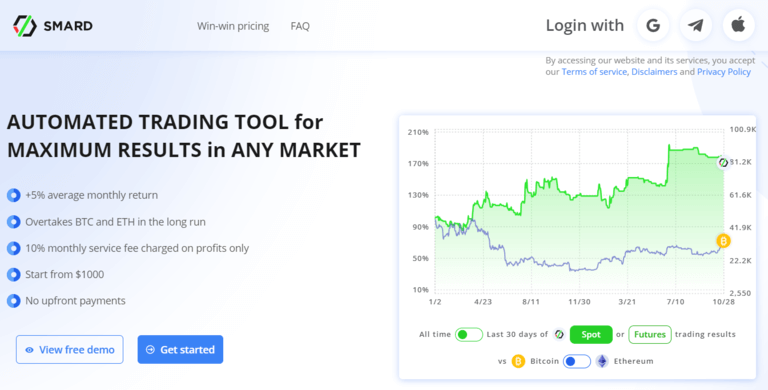
SMARD provides an automated trading tool for maximum results in any market and achieves more than a 5% average monthly return.
In addition, users can join SMARD with no upfront payments. The platform charges a service fee of 10% of client profits only. The connection is done using API keys, providing flexibility and security in account management.
SMARD is suitable for use by experienced traders and individual investors, as well as beginners. Clients can take advantage of algorithmic trading without the need of programming skills or any knowledge of the cryptocurrency space.
Some of the types of bots that SMARD offers include:
- Spot Time Series Momentum: The strategy relies on the strong momentum effect in the volatile cryptocurrency world to generate absolute returns through spot trading.
- Futures Flexible Momentum: This strategy employs the momentum effect and aims to generate returns in bull and bear market conditions using futures contracts.
How to Trade on Binance with SMARD:
- Log in to Binance and create API and Secret keys. Visit SMARD and choose what type of account to connect (Binance Spot or Binance Futures), click “Connect my account”, copy/paste both the API Key and the Secret Key in the “Accounts” section, and specify the amount to be traded by SMARD.
- SMARD does not require access to withdrawals on Binance. All assets remain in the client’s personal account and under the client’s control. Users can continue to use their account for investing or trading.
Features:
- Based on live historical data, SMARD made a 40% annualized return with a 3.7% average monthly return.
- Over the long term, SMARD outperformed Bitcoin by over 200% and Ethereum by over 300% when comparing the profitability of SMARD at the beginning of 2022 to other major crypto assets.
- The algorithm utilizes the momentum effect, validated by scientific research, which allows the strategy to systematically identify future “winners” in the market.
- SMARD does not take uncalculated risks: operates without leverage, uses stop losses to control risk, and trades highly liquid instruments only.
- The strategy flexibly manages the size of the position by controlling the amount of risk taken in each trade.
- All the trading bot parameters are already configured. Users do not need to have knowledge of trading or programming.
- The personal account contains all the details of current positions and activity history.
- The minimum amount to start is 1000 USDT.
Price:
- Start without upfrA free DEMO mode is also available on the site to allow users to explore the functionality of the platform in detail.ont payments
- Service fee: 10% monthly fee charged on profits only
- Minimum fee to access: $1
A free DEMO mode is also available on the site to allow users to explore the functionality of the platform in detail.
#6) OctoBot
Best for Select from pre-conceived trading strategies.
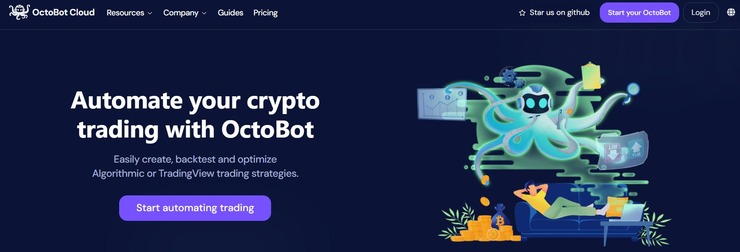
OctoBot supports more than 12 exchanges. This includes Binance. As such, you can count on OctoBot’s trading bot to automate your investment strategy on Binance. These strategies can be further configured using technical indicators like MACD, RSI, and ADX. Plus, you can also leverage AI analysis to enhance your trading strategy for more gains.
How OctoBot works:
- Choose a trading strategy
- Select a crypto exchange
- Keep tabs on your gains.
Features:
- Optimize trading strategies using backtesting
- Optimize TradingView strategies
- Use DCA trading strategies
- Trade in SPOT or futures market.
- Leverage AI analysis to improve trading strategies.
Price: OctoBot offers the following pricing plans:
- Essential: $48/month
- Standard: $96/month
- Ultra: $185/month
#7) WunderTrading
Best for Crypto Portfolio Tracking.
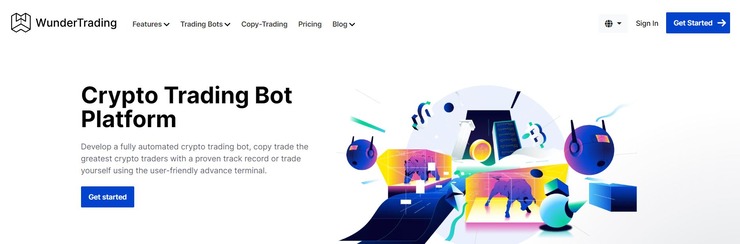
WunderTrading supports multiple exchanges and this is its biggest strength. You can use this software to trade in crypto-currencies across multiple exchanges, which also includes Binance. You’ll be able to connect and manage multiple exchange portfolios like Binance via a single pane of glass using this platform.
Trading is further made simple with the help of bots. WunderTrading helps its users create and automate trading bots, regardless of whether you have any programming skills. WunderTrading also helps you create DCA and Grid trading bots.
How to Trade on Binance on WunderTrading:
- Sign up and open a WunderTrading account
- Connect to Binance exchange.
- Once connected, proceed to create a trading bot.
Features:
- Smart trading is made possible with strategies like Stop Loss, Take Profit, and Trailing stops
- Connect and manage multiple exchange portfolios from one place.
- Crypto portfolio tracking
- Copy Trading
- Paper Trading
- Create Grid and DCA bots
Price: WunderTrading offers the following subscription plans
- Starter: $4.95/month
- Basic: $ 19.95/month
- Pro: $ 39.95/month
- Premium: $ 89.95/month
A free forever plan is also available, allowing you to start free copy trading.
#8) DipSway
Best for AI-based automated trading.
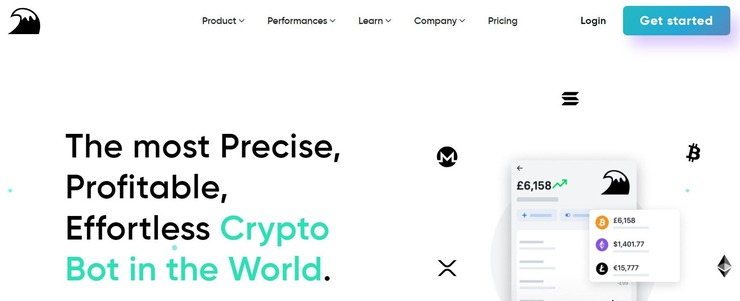
DipSway makes it to our list because of just how precise it makes trading. Powered by backtested algorithms and an AI neural network, the bot takes the hassle out of buying and selling crypto. It comes pre-built with 16+ strategies optimized with a walk forward optimization approach. You are also provided with over 121 indicators to make smart trading decisions.
How to Trade Using DipSway:
- Start by creating an API key with read and place trade permissions within your exchange account.
- On DipSway, upload the API and connect with your exchange account
- Turn on the bot and start monitoring your exchange account’s performance.
Features:
- Walk forward optimization approach
- Backtesting Algorithms
- Powered by AI neural network
- Offers 121+ indicators
- Unlimited run time
- Unlimited trades
Price: DipSway offers 3 plans. Its starter plan costs 19.69 euros/month. It’s Enthusiast and Whale plans cost 59.69 euros and 129.69 euros respectively.
#9) TradeSanta
Best for long and short strategies as well as extra order placement for unpredictable markets.

TradeSanta acts as a platform for using crypto trading bots and manual trading orders across multiple exchanges. With the platform, you can either create your trading strategies from scratch or copy them from top traders the way you want.
Among the many bots launched on the platform include spot and futures Binance BTC bots (work for other exchanges and cryptos too). Those who want to create a bot can take advantage of pre-set templates, and technical indicators like MACD and Bollinger Signal, and RSI, to build custom strategies.
How to trade on Binance with TradeSanta:
- Set up an account on TradeSanta and Binance. Verify accounts when needed. Set up API keys and Secret keys on Binance as per the above procedures.
- On the TradeSanta settings, find “Access Points,” click “All Access,” and then “Add Access.” Add in the API keys and Secret keys.
- Go back to creating a bot and start trading.
Features:
- Types of bots include futures long and short bots, Grid, DCA, and Extra-order bots which place extra orders in case the market fluctuation is going against your bet, long and short positions bots, risk management bots with stop signals and trailing stop-loss orders, and simple or trailing take profit orders.
- Other exchanges supported include Huobi, Kraken, FTX, OKx, Bybit, Coinbase, and HitBTC.
- Copy-trading strategies from top-ranked users. Performers are ranked every week.
- Trade with as little as $10.
- Create and/or customize your strategy and test it in backtesting or demo trading.
- Choose to trade any of the hundreds of crypto coins.
- Android, iOS, and web apps.
- Telegram notifications.
- Custom TradingView signals.
- Credit cards, debit cards, Ethereum, Bitcoin, Tether, American Express, and other deposit methods.
Pricing/charges: Basic is $15 per month billed annually or $25 per month billed monthly with up to 49 bots capability. Advanced is $27 per month billed annually or $45 per month billed monthly with up to 99 bots capability. The maximum with unlimited bots is $35 per month billed yearly or $70 per month billed monthly.
#10) Pionex
Best for spot and futures margined and free bot trading.

Pionex is a cryptocurrency exchange that features in-built trading bots and manual trading that users can still automate with advanced order types.
It features 16 free crypto trading bots. These include the Grid Trading Bot, Martingale DCA Holding Bot, Spot-Futures Arbitrage Bot that lets you trade futures, and a rebalancing bot that lets you create your own index based on preferred cryptocurrencies.
The Reverse Grid bot also lets you sell high and then buy low, while the Infinity Grid bot lets you earn profit from price fluctuations while still holding. The Spot-Futures Arbitrage bot, according to the website, has helped users earn over $1 million in arbitrage profit.
Rebalancing bots are for those aspiring to hold multiple coins and need to rebalance their portfolios automatically. Customers using any of these bots can leverage or trade on margins to amplify their profits. The leveraged tokens include BTC3L, BTC3S, ETH3L, and ETH3S.
Further Reading => Best Crypto Prop Firms to Look For
How to trade on Binance with Pionex:
- Currently, there is no way to trade with Pionex bots on Binance by way of connecting with Binance API. However, you can send funds from Binance to Pionex or vice versa.
- Binance trade bots can also not be connected to Pionex.
Features:
- Can opt for bots or smart trading where manual trading is automated using multiple order types – Trailing, DCA Binance BTC bots, TWAP for whales, stop limits, and take profit, in addition to market orders.
- No exchanges supported.
- Trial funds.
- Customize and test bot trading strategies.
- Mobile apps in addition to the web platform.
- Academy to learn how to trade and use bots.
- Supported exchanges include Binance, Huobi,
Pricing/charges: Bot usage is free. 0.05% maker and taker trading fees.
#11) CryptoHero
Best for long and short bots, as well as beginner and expert traders.

CryptoHero is a bot marketplace, and an automated bot trading platform that lets users create and customize their trading strategies as much as possible with little effort and without coding skills.
From the bot marketplace, users can access bots or trading strategies devised by expert traders. The platform’s bots can help you take advantage of an increasing and depreciating market.
The bots include dollar cost averaging bots, long and short bots, etc. Those who list their trading bots for sale pay a 20% commission on earned profit and 2% – 68% APY and at least a 50 W/R ratio.
How to trade on Binance with CryptoHero:
- Set up an account on Binance and CryptoHero.
- Create API keys and Secret on Binance > Visit Settings on the Dashboard, then API Management.
- Visit the Settings app on CryptoHero, select API management pages and add in the keys and secrets from Binance.
- Funds will be reflected. Head over to the trading page or bot creation page to create a trading order.
Features:
- Types of bots include dollar cost averaging bots, long and short bots, grid bots, and bots based on well-known indicators and triggers.
- Other exchanges supported include Crypto.com, Bittrex, Coinbase, FTX, and many more.
- Mobile (iOS and Android) as well as web app versions.
- Backtest your own or purchased Binance BTC bots from the marketplace.
- Lease your bot to other traders and earn income.
- Technical indicators for creating Binance auto trading bots or bots for other exchanges.
- Technical support.
- Academy and tutorials about Binance trading bots Github.
- Margin trading.
Pricing/charges: Basic is free but with limited bots, Premium is $13 per month or $139 per year with up to 15 bots; Professional is $29 or $299.99 yearly for up to 30 bots.
#12) Mudrex
Best for predictable investing on crypto indices or baskets.

Mudrex is a different kind of platform compared to those listed herein in that it lets users invest instantly in crypto baskets, curated portfolios, and other products. Users can also automate these investments.
The platform creates a trading bot with drag and drop features using over 200 technical indicators and signals combined with different logic. However, you can also follow the expert trading strategies of pro traders on the platform.
Besides, it lets investors earn 14% interest on all their crypto holdings. The interest payouts are paid daily. Customers only need to deposit their local currency or crypto into the Mudrex wallet and the earnings begin. The company allocates funds to Defi protocols. Interest is earned on BTC, ETH, MATIC, USDT, USDC, etc. The tokens and fiat can be withdrawn at any time.
How to trade on Binance with Mudrex:
- Sign up on both Binance and Mudrex. Create an Exchange API on Binance by visiting Settings.
- Back in Mudrex, click API Keys, and from the drop-down menu visit the API Keys page.
- Select exchange Binance then add API keys and Secret and proceed. Click “Copy IP Addresses” to copy IPs and paste them to the “IP access restrictions” on Binance.
- Proceed to add it.
- Go to select bot and trade or use Binance trading bot Github.
Features:
- Type of bot: Portfolio auto investment bots.
- Other exchanges supported include OKX, Coinbase, Bitmex, Bybit, Deribit, and FTX.
- Mobile (Android and iOS) apps as well as web apps.
- Deposit with a credit card, bank, crypto, and debit card.
- Paper trading and back-testing your crypto trading strategies.
- Monitor investments from the app.
- Discord community of investors – 2500+.
- Publish your strategies and earn.
- Free Binance trading bots.
Pricing/charges: Free for up to 500 USD in live trading, and a $49 premium plan for up to 2500 USD in live trading.
#13) HaasOnline
Best for developers, beginners, and advanced users looking for diverse strategies.

HaasOnline combines an enterprise trade server for online enterprises combined with a TradeServer Cloud. HaasScript platform supports advanced automation, leverage trading, and supports bot trading. It supports custom order types, portfolio management, market scanners, and much more.
HaasOnline also comes with another aspect of enabling users to manage their portfolio risks. This is incorporated in bot trading.
The bot trading platform can be utilized by users with minimal coding skills. It has a text-based editor and a drag-and-drop visual designer. To customize a bot or trading strategy, customers can use 600+ commands for calculation, chart plotting, signal handling, and position management.
The company provides bots built for specific trading strategies, but TradeBot is customizable by configuring indicators, chart settings, safeties, and insurance.
Pre-built bots with pre-loaded strategies include Accumulation bot, Advanced Crypto Index, C# Script, Crypto Index, Email Alerts bot, and Flash Crash bot to protect your positions against a crypto crash.
You also get Trend Line, Zone Recovery, Standard Trade Bot, Scalper Bot, Pin Pong, Order, and Market Maker. Others include IntelliAlice, Inter-Exchange Arbitrage, and Mad Hatter.
How to trade on Binance with HaasOnline:
- Setup accounts on both Binance and HaasOnline. We have already described how to create API keys and Secret keys on Binance.
- Log in to your HTS server on HaasOnline. Click on Price Drivers & Accounts. Enable Binance Price Driver by toggling the button to green. Click Add New Account. Add account name, and select the account type as Spot Trading. Select Binance from the Platform option. Enter the API Key and Secret Key from Binance. Click Save.
- Return to choose bot and start trading.
Features:
- Types of bots include the Standard Trade Bot, Inter-Exchange HaasBot Arbitrage, and the HaasBot Order Bot.
- Other exchanges supported include the Support Poloniex, BitMex, and OKx crypto exchanges.
- Advanced arbitrage trading.
- Advanced backtesting and live simulation.
- Spot, margin, and leverage.
- Managed and unmanaged trade functionality.
- Custom charting functionality.
Pricing/charges: Beginner 0.009 BTC for up to 10 bots, Simple plan 0.016 BTC for up to 20 active bots, Advanced plan 0.026 BTC for up to unrestricted trading bots.
#14) Kryll
Best for Bot strategy renting and selling, bot subscription at a manageable cost.

Kryll lets users create strategies from scratch easier and quicker with its drag-and-drop features and without needing coding skills or experience. The Drag and Drop tool can be used to add in different price triggers, candlestick colors, and patterns, as well as technical indicators like MACD, ICHIMOKU, BOLLINGER, and many more.
You can also try strategies copied or bought from experts for different pairs. Users’ strategies are ranked per profit generated. Simply visit the Marketplace, pick a strategy, enter the amount and pair to trade, test it or use it in live trading, and pay the fees.
How to trade on Binance with Kryll:
- Sign up and log in to both Binance and Kryll. Verify the account at Binance and complete onboarding at Kryll. Create API keys on Binance from the dashboard’s settings.
- From Kryll dashboard select Binance exchange from the list of exchanges to connect. Enter API keys and select the key.
- Visit the bot marketplace or create your own strategy and start automating trades.
Features:
- All types of bots including arbitrage, grid, dollar-cost averaging, and general automation or smart trading bots.
- Other exchanges supported include Coinbase, Kucoin, Bybit, Crypto.com, FTX, Liquid, and 6 other exchanges are supported for integration via APIs.
- Backtesting of strategies.
- TradeView integration.
- Pay for what you use. No subscription.
- Mobile app in addition to the web platform.
- In-built wallet and token KRL that can be held, sent, and received.
- Live charts.
- The trading terminal supports long and short positions and multiple order types in addition to bot trade automation.
- Crypto portfolio management across exchanges.
- Add and use more than one strategy.
- Check user reviews of a given trader’s strategy before copying it.
- The platform is cloud-based so you do not need to install anything.
Pricing/charges: 1%. Bots or strategies on sale have different per-day costs.
#15) Gunbot
Best for a lifetime bot subscription at a manageable cost. Preset strategies.

Gunbot has 20+ pre-set profitable strategies and is hence suitable for beginner traders although experienced users can still use its tools like 150+ parameters and industry-standard indicators to customize their strategies from scratch. It features a lifetime license for only $99. Instead of being a cloud service, it is hosted on the user’s machine.
It also supports futures trading.
How to trade on Binance with Gunbot Binance bot:
- Install Gunbot on the computer (Windows, Linux, macOS, and Raspberry Pi) or VPS.
- Create API keys and secret keys on Binance. Needs you to sign up and verify your account.
- Visit Gunbot, sign up, log in, and add the keys.
- Add pairs to a trade, use pre-set strategies, create one from scratch, or copy a strategy from a pro trader.
Features:
- Types of bots include grid trading bots, futures long and short bots, dollar cost averaging bots, and general indicator automation bots.
- Other exchanges include BitMex, Poloniex, Coinbase, Kraken, CEX.io, Bitfinex, Kucoin, and Huobi.
- TradingView integration for just 0.003 BTC. You can execute trades from incoming email alerts from TradingView.com. Supports visual trading targets.
- Manual trading is supported.
- Buy bots and strategies from fellow traders on the platform.
- Live demo.
Pricing/charges: Lifetime cost of $99.
#16) Stoic.ai
Best for automated investing and portfolio rebalancing.

Stoic automated investment app that is a portfolio rebalancing bot. It automatically selects top traded coins that have at least $10 million in trading volume and assigns a weight based on capitalization.
The algorithm will analyze returns, price volatility, correlation with other assets, and other factors to identify assets that are likely to go up in price. It will then buy more of these. It will also sell coins that are likely to go down.
The bot uses artificial and machine learning intelligence. Trading signals are generated by the AI and the platform’s 100,000+ crypto analysts.
How to trade with Stoic on Binance:
- Register and login.
- Connect to your Binance account via the Binance API. Simply create an API key and Secret key on Binance and tweak the Enable Trading.
- From the Stoic app settings, scan the API QR code generated on Binance.
- It will start trading.
Features:
- Exchanges supported include Binance, Kraken, eToro, Coinbase, Bittrex, etc.
- Types of bots supported — portfolio auto rebalancing bot.
- Android and iOS apps.
- Check trading history.
- Bitcoin, Litecoin, Ethereum, XRP, and other top cryptos.
Pricing/charges: Starter – $9/month or $108 yearly (Portfolio size $1,000-$3,500). Plus plan $25/month or $300/yearly (portfolio size $3,500-$10,000). Pro plan is 5% in crypto for a $10,000+ portfolio.
#17) Cryptorobotics
Best for affordable pro algorithmic trading.

Cryptorobotics connects to about 15 crypto exchanges, including Binance, to which they can connect using APIs, and launch different types of trading bots and strategies (in addition to manual trading) on their accounts to trade crypto. It supports trading both crypto spot and futures on Binance, which gives users over 1,000 pairs to trade.
Cryptorobotics is the official broker of Binance exchange and thus allows users to create Binance sub-accounts with it at their request.
How to trade on Binance with Cryptorobotics:
Step 1: Create API keys on Binance US or Binance — You need an account in Binance (can also use a subaccount on Cryptorobotics), which requires some verification. Visit the Accounts menu item>API management to create keys.
Step 2: Open an account with Cryptorobotics. You can also choose a paid package or use the free option. Add the API key created in Step 1 to Cryptorobotics. To do so visit Account item from the menu > Exchange account Add new exchange > select the exchange from the list and add the keys.
Step 3: Open Algotrading tab, press the Trading robots tab > All robots tab > then choose any robot that you would like to subscribe to (you can review the available list and choose them based on your goals). Choose the robot and press the Subscribe button against it. The Manage button lets you manage a given subscribed robot.
You can adjust the parameters and choose whether to trial or run it for live trading. Cryptorobotics also provides guidelines on how you can get signals from other traders or other sources for your own use.
Features:
- 14-days demo for crypto bots.
- Over 15 types of bots including DCA, margin trading futures bots, AI bots, futures bots, RSI bots grid bots, trend and swing bots.
- Trading and platform user guides — how to trade and how to best use the platform.
- Copytrading — make money providing signals and/or rent/buy them for use with your bots.
- Both crypto futures and spot trading.
Pricing/charges: Free for up to 2 smart orders at ago; Basic $19 for 20 smart orders at ago; $49 Profit Pro package for up to 100 smart orders; $30 Expert Pro package for an unlimited number of smart orders.
#18) Trality
Best for renting or creating Binance trading bots for all market conditions.

Trality’s Marketplace enables investors to rent profitable bots tailored to individual risk tolerances (low, medium, and high) and investment goals, while bot creators can now monetize their Binance bots and earn passive income from investors around the world.
For even more convenience and flexibility, Trality has partnered with Binance to offer the Trality Wallet, allowing users to directly deposit funds (credit card, bank transfer, Apple Pay, or Google Pay) and immediately start trading 350+ cryptos immediately.
How to trade on Binance with Trality:
- Rent Binance trading bots in a few clicks on Trality’s Marketplace.
- Create Binance trading bots with Trality’s Code Editor or Rule Builder.
- Trade quickly and easily with the Binance-backed Trality Wallet.
Features:
- Arbitrage, margin, grid, intraday, & index-tracking bots
- Automated trend-following and reversion strategies
- Powerful backtester and proprietary Optimizer
- World’s first in-browser Python Code Editor
- Copy trading with Binance trading bots
Pricing/charges: Free plan for up to 5,000 Euros trading volume and 2 created bots. Knight plan is 9.99 Euros for up to 25,000 Euros of trading volume. The Rook plan is 39.99 Euros for a trading volume of up to 250,000 Euros. Queen’s plan is 59.99 Euros for an unlimited trading volume and 10 created bots for ready trading.
#19) 3Commas
Best for futures bot trading, beginner and expert bots.

3Commas is an auto portfolio optimization and management platform that allows you to connect to 18+ exchanges, including Binance, and use bots to increase profit margins.
As a Binance trading bot or robot, you can connect to the Binance exchange and use a dollar-cost averaging bot to borrow and sell them at current rates and buy them at lower prices in the future.
Bot trading supports crypto, options, and futures and offers the potential to customize trading strategies. You can even copy signals or strategies from expert traders. Simply select a suitable bot and start trading.
Some of the types of bots that 3Commas offers include:
- Signal bots: They are specifically designed for TradingView users to Automate the execution of external signals inorder to maximize trade and reach their goals.
- Grid bots: They are amazing in bear markets when a lot of coins experience sideways price movements.
- Dollar Cost Averaging bots: They are great for earning profits in volatile markets irrespective of the market direction (whether up or down).
You can deploy these bots on 14 crypto exchanges, including the top exchanges based on trading volumes.
How to Trade on Binance With 3Commas:
- Sign up on both 3Commas and Binance. Log in to Binance and create API keys and secrets as previously discussed. Visit 3Commas, click “Connect a new exchange,” select Binance, and proceed to add API keys and secrets.
- By connecting your Binance account, you can trade crypto on the spot market (only on Binance.US), futures, and even leverage margin trading to multiply profits from trades. You can trade up to 1234 pairs (up to 117 for Binance.US), and the trading volume is up to $75.48 billion per day.
Features:
- It offers different types of bots such as dollar-cost averaging, short and long futures bots, leverage bots, grid trading bots, and others.
- The bots can be used on Gemini, Coinbase, Huobi, Kraken, FTX, OKx, Bybit, Gate.io, Kucoin, and more than 6 other exchanges.
- Ability to copy trades from pro traders.
- Effective portfolio tracking and management.
- It offers paper trading, TradeView, marketplace signals, and futures trading.
- Binance trading bots on Github have an indefinite free trial period.
- You can rebalance any trade by an auto-portfolio.
- Available on mobile and web apps
- 3Commas bots can be used for margin trading.
Price:
- Pro: $37/month
- Expert: $59/month
- Custom Plan: Contact them
#20) Shrimpy
Best for portfolio rebalancing, custom crypto index, and expertise bots.

Shrimpy is a portfolio tracking and management web and mobile app that lets you connect or integrate your Binance accounts and those on other 19 exchanges. You can connect accounts on more than 13 wallet apps, including Coinomi, Guada, and MetaMask.
However, it also packs in a trading feature with the capability to copy trades and trading strategies from fellow users or traders. With Shrimpy, you can also earn money by leading a community of traders and be paid for every follower.
This is the most favorite tool for expert trades and groups who can create winning trading strategies for others to follow, buy, and trade with. Leaders can automate trades, publish to the community they lead, charge commissions on trades by charging subscriptions, and other things.
How to trade on Binance with Shrimpy:
- API access is given on Professional and Enterprise account plans only.
- Sign up for both on Binance and Shrimpy. Log in to Binance and create Binance exchange API and copy the keys and Secret. This is done by visiting Settings and selecting API Management on Binance. Enable Spot & Margin Trading on Binance settings. Ensure Enable Withdrawals is deselected.
- Return to Shrimpy and from the Settings, select Exchange or tab. Select Link Exchange. The drop-down menu provides the exchanges supported on Shrimpy. Select Binance. Enter the API keys and Secret and proceed to connect. The data will populate on the dashboard.
- 30 days after API creation on Binance, visit the General tab on Shrimpy and select Security and Generate IPs to whitelist via the IP Whitelisting feature on Binance.
- Trade manually or automate trades with dollar-cost averaging, smart order routing, smart portfolio rebalancing, indexes, etc.
Features:
- Types of bots include portfolio auto rebalancing bots, index bots, dollar-cost averaging, maker rebalancing, spread and slippage, and general automation bots.
- Other exchanges supported include BitFinex, BitMart, Bitstamp, and Bittrex, Coinbase, Cex.io, FTX, Gemini, Huobi, Kraken, and Gate.io.
- Customize and test strategies.
- Up to 25 exchanges for Enterprise accounts and 10 portfolios per exchange account. Professional allows connecting up to 10 exchanges.
- Trading resources.
- Smart or automatic periodic portfolio rebalancing – simply define allocations for each crypto and tweak the rebalancing feature.
- Add cold storage accounts.
- Dollar-cost averaging strategy.
- Portfolio stop loss for the entire portfolio held on Shrimpy.
- Spot trading, strategy automation, maker rebalancing to optimize fees, spread and slippage safeties, and index builders.
Pricing/charges: The starter plan is only $15 or $19 per month, paid annually or monthly. The professional plan is $79 per month; the Enterprise plan is $299 per month.
Binance Bots FAQs
Does Binance have trading bots?
Yes, this software that is customized to suit the user’s risk profile and market conditions helps the user to automate trades. They spend less time trading and it quickens trading decisions to better catch up with volatile crypto markets.
Suggested Reading =>> Best Crypto Trading Bots
Are trading bots profitable?
Yes, they are profitable depending on the type of trading strategies employed and market conditions. Profitable bots are designed with the most effective strategies and rules that help best predict crypto price movements.
If a bot can make the best and most relevant price predictions as quickly as possible to capitalize on market movements, it will generate a profit regardless of market conditions. But they also make losses.
Are Binance bots free?
Some Binance bots are free, but most are paid. Advanced traders can also craft their trading bots from scratch without cost. Some of them rent for free or at a small fee. Beginner traders can rely on drag-and-drop features on several bot platforms to draft trading bots with pre-set strategies for free.
Are bots allowed for trading?
Yes, they are completely legal to use on Binance and other exchanges. However, they are better supplemented with manual trading or smart order trading. Make sure to check and test the performance of the bot and strategies before deploying it in live trading.
Conclusion
Almost all the trading bots discussed allow you to connect to Binance as well as other exchanges, so they are being referred to as Binance trade bots.
To connect a Binance trading bot, first, create an API and secret keys on Binance. The bots in the list allow you to the device or customize strategies from scratch, which is useful for even advanced traders. Those with bot marketplaces are the most diverse in terms of trading strategies available, but with Coinrule, you start with over 150 templates.
We suggest that a beginner trader checks Binance trading bots with pre-set strategies that are ready to trade and profitable. You can get those on many bots discussed, including Trality, Pionex, Gunbot.
The alternative would be to look at bots like Shrimpy, Cryptohopper, TradeSanta, and Kryll just to mention a few of those that support social trading and copying strategies from expert traders either free or at a small cost.
On these, you can sell or rent your strategies as well. Mudrex, Kryll, and HaasOnline allow you to use drag and drop features to quickly draft a profitable bot from pre-set strategies and rules.
Some of these bots (Pionex and TradeSanta) support margin trading and futures trading allowing you to short assets.
You also need to check out Binance trade bots that offer additional investment opportunities like investing in crypto baskets with very predictable returns like on Mudrex. Kryll has inbuilt crypto tokens you can hold and wait for them to increase in value.
Research process:
- Trading bots initially shortlisted for review: 21.
- Trading bots reviewed: 12
- Time is taken to research the bots: 21 hours.
Was this helpful?
Recommended Reading
-

Review the list of top Copy Trading Platforms including features, comparison, and other details to help you select the best copy trading app: Copy trading is a method of social trading where a user can follow the profiles of other traders and even copy their trading strategies to increase their…
-
List and comparison of the top Cryptocurrency Trading Apps with features and fees to select the best cryptocurrency app for secure trading: Most people consider trading cryptocurrency as a way of earning passive income. Others consider it as an alternative investment to other traditional forms of investments. Speculative crypto traders…
-
This article compares and reviews the popular Stock Trading Apps with the top features to guide you in selecting the best stock app for trading: A stock is basically a share in the ownership of a company. If you buy stocks, you buy a share in the ownership of that…
-
What Are Crypto Trading Signals? Cryptocurrency trading signals help traders, especially non-professionals, to decipher the best market trends and make the most profits out of their trades. These crypto signals are usually recommendations from professional crypto traders who tell you whether and when to buy or sell crypto. They provide…
-
Read this detailed review of top Prop Trading Firms with features, comparisons, etc. to analyze the best proprietary trading firms: Proprietary trading companies hire or train professional and experienced traders and then invest money in trading assets through these professionals. Depending on the company's offers, you can get funded from…
-
Review, compare, and select from the list of the best Crypto Trading Bots to automate your Crypto trading strategies and amplify profits: Bots are automated computer programs designed to run specific tasks with minimal human intervention. In the world of cryptocurrency trading, crypto trading bots do the work of trading…
-
This tutorial explores the top Online Stock Market App in India with their pricing and comparison to find out the best trading app in India: Trade is defined as an exchange of goods and services between two parties. When you buy a product and then sell it at a higher…
-
Do you trade in Cryptocurrencies and need to pay taxes? Review and compare the best Crypto Tax Software to select the most suitable tax software: The number of people investing in cryptocurrencies is overwhelmingly increasing day by day. This is because it can make you a millionaire or even a…


