


This tutorial enlists and reviews the top platforms to buy Bitcoin with Debit or Credit Card instantly:
It’s hard to find a crypto platform, app, or exchange that charges fairly for crypto purchases with a credit or debit card. This is because most platforms carry exorbitant fees of up to 7%.
It’s the reason we have compiled this list of top places where you can buy Bitcoin with a debit card or credit card, instantly and without hidden costs.
This tutorial will guide you on how to buy Bitcoin with credit or debit cards on these platforms, as well as top FAQs on buying crypto with credit cards.
Buy Bitcoin With Debit Or Credit Card

List of Platforms to Buy Bitcoin with Credit/Debit Card
Here is a list of popular and best platforms from which you can buy bitcoin instantly:
- Uphold
- ProBit Global
- Zengo
- Bybit
- Crypto.com
- Binance
- CoinSmart
- Coinmama
- Swapzone
- CoinStats
- Bitpanda
- Coinbase
- Paybis
- OKX
- Spend it
Comparison of Websites to Buy Bitcoin Instantly
| Name | Credit Card/Debit Card | Limits | Fee | Rating |
|---|---|---|---|---|
| Uphold | Both | $50 to $500 per day | Spreads of between 0.8 to 2% less |  |
| ProBit Global | Both | — | Range of 0.03%-0.20%. |  |
| Zengo | Both | Between $1 and $100 depending on payment method. No maximum limit. | 0.1% to 3% depending on method (0% for buying with crypto). Credit and debit card purchases incur up to 4% in additional fees. | |
| Bybit | Both | The purchase limit will get specified in the amount input box. (for fiat deposits). | For spot trading, the maker fee rate is 0% & the taker fee rate is 0.1%. | |
| Crypto.com | Both | Up to $100,000/ week with Obsidian card. | 2.99% for credit card purchases, 0.04% to 0.4% maker fees, 0.1% to 0.4% taker fees. | |
| Binance | Both | — | 3.5% fees per transaction or 10 USD. | |
| CoinSmart | Both | $5000 | Up to 6% fee | |
| Coinmama | Both | Limit of up to 15,000 USD per month. | Between 4.9% and 5.9% fee with credit card | |
| Swapzone | Both. | No limits | Spreads which vary from crypto to crypto. Mining fees also apply | |
| CoinStats | Both. | — | Subscription-based. Free for 10 portfolios. Premium plan starts at $13.99/month | |
| Bitpanda | Both | Limnit of up to 5,000 EUR per day and up to 75,000 EUR worth of BTC per month | 3-4% | |
| Coinbase | Debit Card | $3,000 a day. | 3.99%. | |
| Paybis | Both | $20 000 | Up to 6.5% | |
| Spend it | Visa prepaid card | — | Free to use card. Depositing funds incurs a fee of 8%. | |
Let us review the tools below:
#1) Uphold
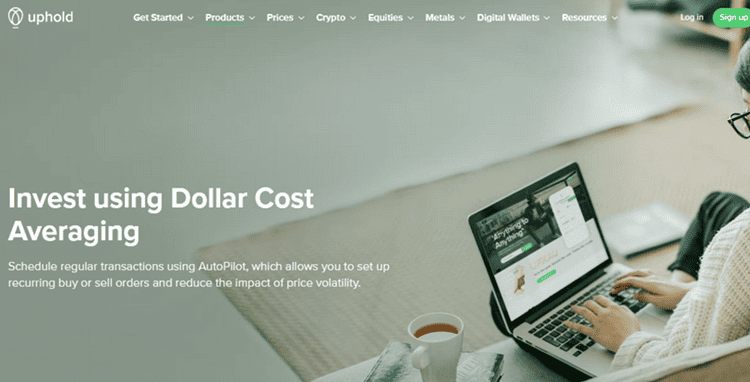
Uphold lets users trade with bank accounts and credit and debit cards instantly and quickly. The process is almost the same for Uphold as happens on all other platforms. However, you will be charged about 4% when buying Bitcoin through a credit/debit card. Uphold may not charge any fees but the bank transactions add up to this percentage.
Features:
- Only Visa and Mastercard are supported. The cards should be 3D secure eligible.
- Funds deposited are immediately available for use on the platform.
- Credit transactions are available in the U.S. Not supported in the Europe and U.K.
- Registered with FinCEN, FCA, and Bank of Lithuania.
- Buy Bitcoin instantly or place a limit order on the exchange.
- Trade other assets like stocks, commodities, metals, and other 200+ cryptos.
- Staking
- Auto trading.
- Dollar-cost averaging.
Steps to buy Bitcoin with credit/credit card on Uphold:
- Tap the arrow icon on your mobile app or click/tap the Transact Panel from the web wallet.
- You can first choose to link a credit/debit card. Tap the three dots on the mobile app or click/tap the Transaction Panel. From the mobile phone, tap the + option from the right of the screen and select credit or debit card. To select the card on the web app, click the green + icon. Enter card details, select a currency, and then click Add Card.
- Select From, choose credit card or debit card, enter the amount, choose an asset from the To option, tap or click preview deposit, enter CVV code, accept the terms, then click confirm.
Trading Fees: Spread of between 0.8 to 1.2% on BTC and ETH in the US and Europe, otherwise mostly 1.8% for other parts. The withdrawal fee to the bank account is $3.99. API fees vary.
Terms Apply. Crypto assets are highly volatile. Your capital is at risk. Don’t invest unless you’re prepared to lose all the money you invest. This is a high-risk investment, and you should not expect to be protected if something goes wrong – Uphold Card is Issued by Optimus Cards UK Limited, a principal member of Mastercard and authorized by the FCA.
#2) ProBit Global
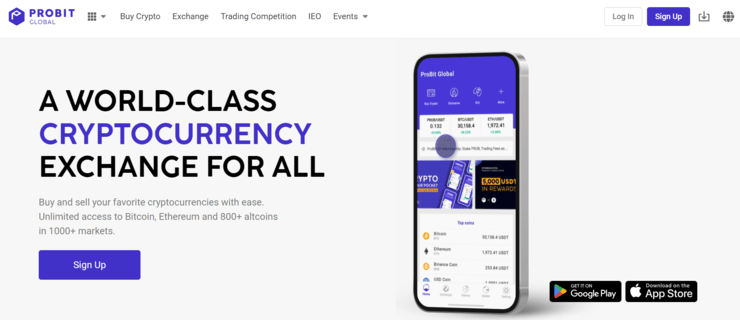
ProBit allows you to buy and sell over 90 different types of crypto-currencies through its platform. The process of trading with ProBit is simple and secure. You’ll be able to easily purchase your desired currency via a Visa or Master Card, Google or Apple Pay, or a simple bank transfer. ProBit is also famous for its automated trading bot as well.
Features:
- Get unlimited access to over 800 coins in more than 1000 markets.
- Get support for varying trading bots to take advantage of automated trading strategies.
- Support offers in more than 40 languages
- Digital assets are stored in cold wallet storage to prevent security breaches.
- Wallet keys and personal information are encrypted for round-the-clock security.
Steps to Buy Bitcoin with debit or credit card in ProBit
- Sign up and create your ProBit account.
- Choose Bitcoin as the cryptocurrency you would like to buy and enter the amount you wish to purchase.
- Verify purchase details and choose the service provider. You will be redirected to this service provider’s page.
- Complete the transaction there.
- Once the transaction is confirmed, the amount will be deposited to your ProBit Global wallet.
Trading Fees: The fees will be in the range of 0.03%-0.20%.
#3) Zengo
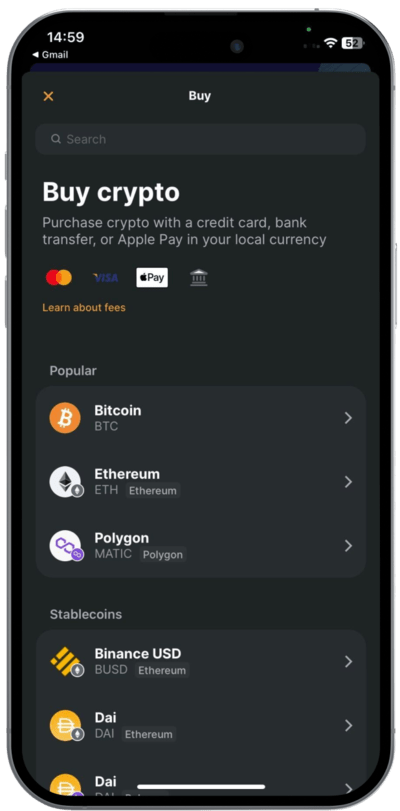
Zengo is available on mobile (iOS and Android) phones. Zengo allows buying Bitcoin and 120+ cryptocurrencies using debit cards, credit cards, Apple Pay, Google Pay, and bank transfers. You can buy it for as little as $30 or a currency equivalent.
Of course, the app supports buying crypto through other methods like crypto Banxa (from $35 or currency equivalent), and MoonPay (from $34 or currency equivalent).
Buying with credit cards and debit cards on the platform is instant. You do not need to leave the wallet when buying crypto on the platform.
Steps to buying Bitcoin with a credit card on Zengo:
Step 1: Download the iOS/Android Zengo app. Continue to set up the wallet by entering your email and verifying it.
To recover your wallet you will need to set up the 3D FaceLock verification and save your recovery file on iCloud/Google Drive/ DropBox. This recovery file is NOT a private or a secret share and is useless to a hacker.
Step 2: Visit the home page to access the cryptos listed on Zengo. Tap/swipe Bitcoin or other cryptos you want to buy. From the Actions tab, tap Buy. Select the purchase method as credit or debit card, enter the details required such as credit and debit card number, amounts, etc, and proceed to pay.
Features:
- Invest Bitcoin securely in a non-custodial wallet
- Link third-party Dapps and invest through staking on them to earn passive income. Can be as high as 20% depending on the Dapp.
- There also are lending Dapps, NFT Dapps, etc.
- Send, and receive crypto.
- Swap cryptos
Zengo Pro: While Zengo Essentials continues to be offered for free, upgrading to Zengo Pro unlocks a suite of premium security features for as low as $16.67 a month.
- Legacy Transfer: Grant beneficiary access to your digital assets in case of death or prolonged absence with a feature inspired by traditional inheritance systems. This is the market’s first and only self-custodial tool supporting this functionality.
- Asset Withdrawal Protection: Prevent unauthorized withdrawals with 3D FaceLock biometric verification.
- Advanced Web3 Firewall: Real-time risk assessments and alerts that protect you against Web3 attacks.
- Priority 24/7 Support: typically response time of under 3 minutes, supporting 180 languages.
Fees: Bank transfer: Spread + processing + gateway fee is 1.99-2.29%. For credit card, Spread+processing fee is 3.75% and the gateway fee is 1.99%.
#4) Bybit

Bybit is a cryptocurrency trading platform and can be used to buy cryptocurrencies, BTC, ETH, and USDT. It supports 59 fiat currencies. It supports various payment methods such as Visa/Mastercard credit, debit cards, and cash deposits. Cash deposits are limited to certain areas.
Steps to buy Bitcoin with a credit or debit card on Bybit:
Step 1: Log in to the verified account.
Step 2: Open Fiat Gateway to make purchases.
Step 3: Select the currency and enter the amount.
Step 4: Now select the service provider as well as the payment method.
Step 5: Confirm the transaction and wait for the cryptocurrency to be received to your account.
Features:
- Flexible trading strategies make the platform suitable for traders of any level.
- New assets and innovative products are constantly added to the platform.
- It provides real-time market data as well as competitive market depth & liquidity.
- It securely stores your assets offline and provides maximum protection.
Fees: Bybit doesn’t cost any transaction fees for using the Fiat Gateway. The image below shows more information about the trading fees for Derivatives Trading. For Spot Trading, the maker fee rate is 0% and the taker fee rate is 0.1% for all spot trading pairs.

#5) Crypto.com

Crypto.com lets you not only buy crypto instantly with credit and debit cards but also spend wallet-held crypto at ATMs and Visa merchant stores globally via the Crypto.com Visa card. The Visa card comes in five tiers with different CRO staking amounts and rewards.
Nevertheless, staking $400,000 USD worth of CRO sees you earning up to 14.5% CRO rewards.
The service lets merchants get paid in crypto. Users can also get instant crypto loans of up to 50% of their held cryptos. You can also trade crypto on the spot and derivative markets on the platform and even trade with margins of up to 10x your order capital.
Features:
- Over-the-counter trading
- Portfolio tracking and management.
- Buy crypto and trade it on iOS, Android, and web applications.
- Buy crypto instantly at 0% fees.
- NFT support
Steps to Buy Bitcoin with a Credit Card on Crypto.com
- Sign up or log in and tap the Trade button. Select Buy and CRO or other crypto you need to buy.
- Add a credit card or debit card as a payment method. Enter your card details.
- Verify the card with a small deposit of $0.10 SGD (or local equivalent) held for up to 7 days. Confirm the transaction.
- Return to the Accounts page, tap Buy, enter the amount, and select verified credit/debit card.
- Confirm payment.
Fees: 2.99%.
#6) Binance

Binance is a platform for cryptocurrency exchange. It will let you buy and sell Bitcoin, Ether, and Altcoins. The platform is compatible with multiple devices including iOS and Android.
After the completion of the purchase, Binance deposits the new crypto directly into your Binance wallet. It offers a simple and safe method for managing crypto assets.
Steps to buy Bitcoin with a credit card on Binance:
- Login to your Binance Account.
- Choose the option ‘Buy Crypto’ and ‘Credit/Debit card’.
- You will land on a new page to purchase Bitcoin. Here you need to make a selection of local currency and enter the amount you want to spend.
- Select BTC or the cryptocurrency of your choice.
- Click Buy BTC.
- You need to fill out the card information & click ‘Next’. Once all the required information is filled in, you can click on “Pay Now”.
- You need to confirm on the Confirm Order Prompt.
- You will receive the Bitcoin after the transaction is successful.
Features:
- Binance supports various payment options such as bank transfers, credit/debit cards, and cash.
- You will get a secure and seamless crypto buying experience with Binance as it works with verified and trusted platforms.
- A wide range of currencies is supported by Binance.
- The Binance platform lets you trade the purchased crypto on various products & services immediately.
Fees: There is a 3.5% fee per transaction or 10 USD.
#7) CoinSmart

CoinSmart is an easy to use Crypto Trading Platform that can be used by beginners as well as experts. The application is available for desktop as well as mobile devices. It will let you buy and sell Bitcoin Cash, Cardano, Stellar, etc. It provides advanced crypto trading tools.
Suggested reading =>> How and where to buy Cardano Crypto
Steps to buy Bitcoin with a credit card on CoinSmart:
- Create an account.
- Account verification
- Then you need to link your bank account, credit card, or debit card to configure the payment source.
- Deposit funds
Features:
- CoinSmart provides a facility for accessing the funds on the same day the funds are received. It lets you leverage the market without a long wait.
- It supports multiple funding methods such as SEPA, Wire Transfers, E-Transfers, etc.
- It allows tracking of all your trading activities, deposits, and withdrawals.
Fees: For credit or debit cards, there is a fee of up to 6%, with instant processing ($100 to $5000).
#8) Coinmama

Coinmama is also a crypto broker that supports debit card purchases in addition to credit card purchases. It was started in 2013 and now has over 800,000 users in 190 countries worldwide.
After verification of the account and card, the user can buy Bitcoin with a credit card or debit card up to 15,000 USD per month. The daily limit with a verified credit card and account is 5000 USD. These limits apply to Level 1 verification, which requires a valid government ID and a selfie.
For level 2, you must add on a utility bill for additional verification, while level 3 requires filling in a short form. Compared to other exchanges like Coinbase, Bitstamp, and Binance, it, however, charges a higher fee.
Three other cons, though you will need to bear with when buying Bitcoin with a credit card on this exchange, are it does not provide a hosted wallet you will need to create a wallet with a separate platform.
Unfortunately, it also does not allow crypto-to-crypto transactions. There is also no dedicated mobile or desktop app, just a web platform that can, however, be used on any device.
Steps to buy Bitcoin with a credit card on Coinmama:
- Create an account on Coinmama in just a few clicks.
- Get verified by submitting a passport, national ID, or other documents.
- Link your credit card to your payment options or methods.
- Buy by entering the wallet address and having the card charged for the purchase.
Features:
- It allows a higher limit of up to $5,000 worth of bitcoin per day compared to other exchanges. The monthly limit is $20,000 worth of bitcoins.
- It allows you to buy about 10 cryptocurrencies, including BTC, Ethereum, Dogecoin, Ethereum Classic, Litecoin, and other main ones.
- The exchange requires you to verify identity details. However, the verification takes an hour to submit the details such as government-issued ID, international passport, driver’s license, and a national ID.
- The drawback is that it is only a web platform and does not have a dedicated mobile or desktop app.
- Although it accepts Visa and MasterCard debit cards, it does not support American Express. It does not support Discover or PayPal either.
- Wire transfer support through SWIFT, SEPA, Fedwire, FasterPayments, Apple Pay, and Sofort.
- Worldwide support in addition to the U.S.A. and Europe.
Fees: For any Bitcoin purchase regardless of the payment method, expect to pay 5% above the crypto spot price on this exchange. Otherwise, you pay between 4.9% and 5.9% fees with a credit card and it includes risks involved with processing credit card payments.
SEPA bank purchases cost around 3.9% in commissions. With SWIFT, you pay a minimum fee of £20 as an additional for all transfers $1,000.
#9) Swapzone
[image source]
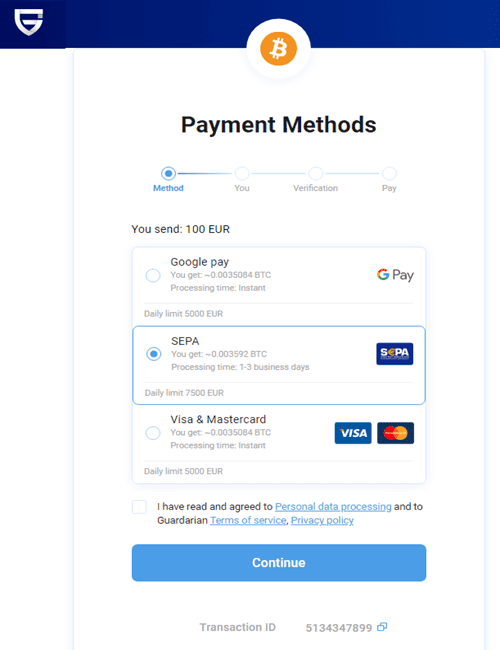
Swapzone enables traders to instantly buy and sell crypto using credit cards and debit cards, as well as bank accounts. The process of buying Bitcoin with debit and credit cards on the platform is relatively direct — a user does not even need to register with Swapzone. They just need to visit the home page, choose the cryptocurrency to buy and the fiat currency to spend, enter the amount, and they are presented with a list of offers from which they can choose the most favorable. These offers can be compared based on the exchange rate or buying price, customer rating, and expected transaction time.
The exchange lists over 1000 cryptos in addition to Bitcoin, which can instantly be purchased using credit and debit cards. This, however, depends on the availability of the offers across the 15+ exchanges supported by Swapzone (which Swapzone partners with). The exchange enables users to buy cryptos with other cryptos, with stablecoins, or 20+ fiat currencies.
Steps to buying Bitcoin with a credit card on Swapzone:
Step 1: Visit the home page. choose the Exchange crypto button for crypto-to-crypto exchanging/swapping or the Buy/Sell to buy or sell crypto using fiat.
Step 2: Choose crypto to buy, and enter the amount. Choose the fiat currency to send and spend to buy the crypto. It will show you the amount of crypto that the amount of fiat is worth.
Step 3: Proceed to enter the crypto wallet address where the crypto will be sent once the fiat is paid. Enter email (optional). Proceed to enter details. You will also be presented with the method or means of paying the fiat to the exchange where the crypto trade is sourced. For instance, they will direct you to the exchange’s page where you will enter your name, debit and credit card details, etc. Proceed to pay and you will receive the crypto in the wallet once the fiat amount is confirmed.
Features:
- Non-custodial exchange — the exchange does have a cryptocurrency wallet and does not store user funds including cryptos. Users provide the crypto wallet where the crypto will be sent or refunded if the exchange is not successful.
- 1000+ cryptos can be traded one for another. 20+ stablecoins and 20+ fiat national currencies are also supported.
- Wire transfers, bank deposits, and other payment methods are supported in addition to credit and debit cards.
Fees: No transaction fees or exchange fees are charged. normal blockchain network fee — which can be as low as $1 — applies.
#10) CoinStats
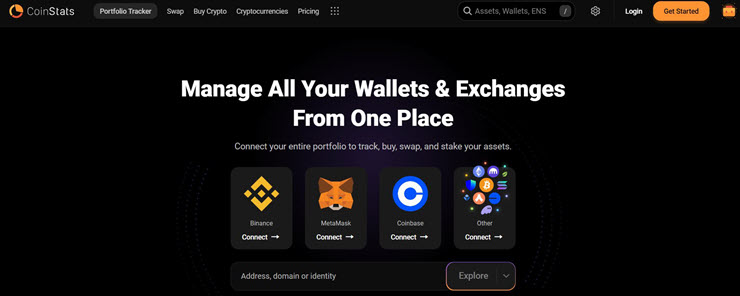
CoinStats makes it to my list for its centralized portfolio management capabilities. This platform will connect all of your wallets and exchanges, thus making the trading of currencies like Bitcoin simple. Besides Bitcoin, you can rely on CoinStats to buy, swap, or trade over 20000 currencies with the help of in-depth data-driven insights and analytics.
Features:
- Track over 300 wallets and exchanges
- Connect all wallets and exchanges for centralized portfolio management
- Track and manage all DeFi across 1000+ protocols and 10+ chains.
- Get in-depth profit and loss analysis on a daily, weekly, or cumulative basis.
- AI-powered crypto price predictions.
How to Buy Bitcoins using CoinStats:
- Open the CoinStats webpage.
- Click on the nine dots at the very top of the page.
- Select” Buy Crypto with Card”
- Choose the currency and enter the purchase amount.
- Select the third-party provider.
- Set up the payment method and make the payment.
Trading Fees: CoinStats can be used for free to manage 10 portfolios. Its premium plan will cost you $13.99/month and will let you manage 100 portfolios. Its Degen plan costs $62.91/month and will let you manage 1,000,000 portfolios. A custom plan is also available.
#11) Bitpanda
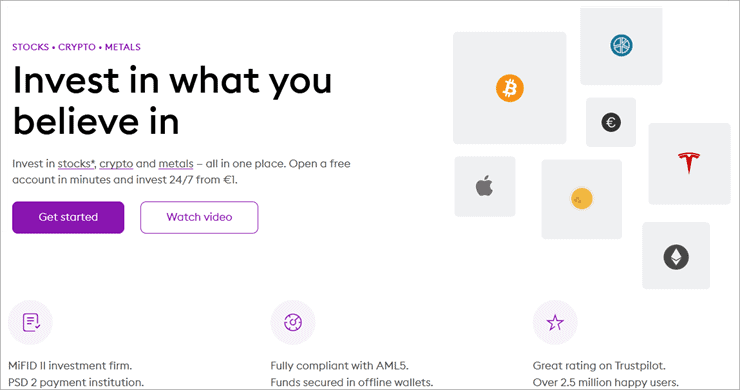
This Australian-based Bitcoin broker was previously known as Coinimal and was founded in October 2014. Since launching, it has been a trusted place for people to buy Bitcoin with a credit card.
Credit card Bitcoin purchases on this exchange are the highest compared to purchases with other methods. The exchange serves 1.2 million customers worldwide and is widely reviewed online, scoring a very positive trust rating.
Steps for buying Bitcoin with a credit card on Bitpanda:
- Register and verify your identity on Bitpanda.
- Link the debit card from the account profile.
- Deposit money using a debit or credit card.
- Pay by having the card charged on the purchase.
Features:
- It allows people to buy crypto with credit, or debit cards but is only useful for European residents.
- Buying with SEPA takes about a day to complete a transaction.
- Bitpanda allows people to buy over 100 cryptocurrencies.
- Users must verify their identity and adhere to AML/KYC procedures by submitting ID and selfie photos or other verifiable identity documentation, such as a driver’s license.
- The limit for buying with other methods is up to 50 EUR per day.
- The limit to buy Bitcoins with a credit card is up to 350 EUR per day and up to 10,000 per month on verification. The limit is 5,000 EUR per day and up to 75,000 EUR worth of BTC per month when using other payment methods.
Fees: 3-4% for credit card purchases. Premiums for buying and selling Bitcoin on Bitpanda are 1.49%. Those willing to purchase Bitcoin with a credit card on this exchange can reduce fees by up to 20% by paying them with BEST (Bitpanda Ecosystem Token), which is the platform’s altcoin.
The fee for makers on Bitpanda Pro starts at 0.1000% and takers at 0.1500%. However, this decreases as you increase the 30-day trading volume on the exchange.
At level one with 0 BTC 30-day trading, you pay 0.0750% as the maker and 0.1125% as the taker when the fee is paid in BEST. At level 7, the highest level, you pay 0.0375% as the maker and 0.04875% as a taker when paying with BEST.
Website: http://www.bitpanda.com/
Recommended Reading => Where to Buy XRP – List of the TOP Platforms to Buy Ripple XRP
#12) Coinbase

Coinbase started in 2012 in the United States but is now available in about 36 countries around the world. One advantage of this exchange is the huge liquidity. Users also find the interface easy to work with, based on online Coinbase reviews.
Although Coinbase allows people to buy Bitcoin and other cryptocurrencies with debit cards, it does not allow you to buy Bitcoin with credit cards. It is one of the largest cryptocurrency exchanges worldwide and especially for beginner traders in the U.S. given that it is regulated.
The custody service also offers additional products for individuals, groups, and institutional investors. For instance, anyone who intends to use dollar-cost averaging to invest in and hold crypto will find the exchange very helpful. It also allows institutions to stake large volumes of cryptocurrencies like BTC.
Coinbase also offers wallets for individuals and retail investors, as well as advanced trading tools. Besides, it has its own U.S dollar-pegged stable coins for those willing to stay away from problems of volatility which still experimenting with crypto.
Steps to buy with a debit card on Coinbase:
- Sign up for an account with Coinbase.
- Go to the Payment Methods page. Select a debit card.
- Enter the debit card information. It will apply two small temporal debits on the card.
- Find the two debits from the card’s online banking statement.
- Verify the card by entering the two amounts on the debit confirmation page on Coinbase.
- Go back to the buy page and enter the amount you wish to buy. Choose the debit card as a payment method. Once a transaction is complete, the crypto is debited into your account.
Features:
- Users can reduce fees by using the paid Coinbase Pro version of the app.
- It is custodial, meaning users do not control the wallets by the private keys. Coinbase has once been hacked.
- There are many crypto pairs supported by more than 100.
- Works in the form of order books and not peer-to-peer transfers.
- Crypto-to-crypto wallet transfers are free.
Fees: Debit card transactions are charged 3.99%. Through PayPal, you pay 1%. Instant card withdrawals in Europe costs up to 2% of any transaction and a minimum fee of €0.55.
A spread of about 0.50% is there on buying and selling transactions. Plus Coinbase’s flat fee is $0.99 for transactions less or equal to $10. $1.49 for above $10 and below or equal to $25. Up to $2.99 for transactions worth less or equal to $200 and over $50. This is a flat fee for purchases but does not affect PayPal buyers.
You also need to check the region/location-based variable percentage fee structure in addition to the flat fee structure because if the variable fee is larger than the flat fee described on the fee page, you pay the variable fee.
Coinbase Card has a flat 2.49% transaction fee on all purchases.
Website: https://coinbase.com/
#13) Paybis

Paybis was founded in 2014 and is headquartered in the UK, available in over 180 countries around the world, and allows people to buy Bitcoins with credit cards, instantly.
Must Read => Best Platforms to Buy Bitcoin in UK
You also get to purchase with 47 currencies, including your local one. The platform also allows users to sell their crypto to Fiat and receive the amount in their bank accounts, Neteller, and Skrill. This is besides supporting credit and debit cards.
In the United States, it is available in over 48 states now. The service is registered under the Financial Conduct Authority, a department of the U.S. Treasury. Therefore, all transactions and operations are regulated.
Paybis allows people to purchase Bitcoins with credit cards after verification of the account. Therefore, users must adhere to AML/KYC guidelines when buying Bitcoins on this platform. The registration and verification is, however, fast.
Apart from allowing people to buy with credit cards, it allows liquidity services for fintech businesses.
Steps to buy Bitcoin with a debit or credit card on Paybis:
- Create an account in Paybis and verify ownership. Enter your details to verify the account.
- Link your debit or credit card to your profile. Ensure the name on the documents used to verify matches the one on the debit or credit card.
- Start the exchange and select the credit/debit card and your currency. Make payments by initiating a charge on your credit or debit card.
- Receive Bitcoins in your wallet.
Features:
- The exchange supports multiple cryptocurrencies in addition to Bitcoin, with over 10 cryptos supported.
- You can only sell Bitcoin and not any other crypto. Others are for purchase. If you need to sell others, you first convert them to Bitcoin on the same platform.
- Does not provide a demo account. The FAQ section, however, makes it easy to understand and use.
- Users get hosted crypto wallets, so no need to sign up for a wallet with a separate platform in case you need to hold digital wallets.
- Ability to view transaction history.
Fees: The purchase fee is free or waived for the first debit or credit card transaction on the platform. Otherwise, you pay 2.49% in the Paybis fee after the first transaction.
A processing fee applies for debit and credit card transactions. This equals 10 USD or equivalent; 4.5% for USD, EUR, or GBP payments; or up to 6.5% for other currencies. Consecutive credit/debit card transactions after the first one, are charged at 6.99% for USD, GBP, and EUR and up to 8.99% for other currencies.
Website: https://paybis.com/
#14) OKX
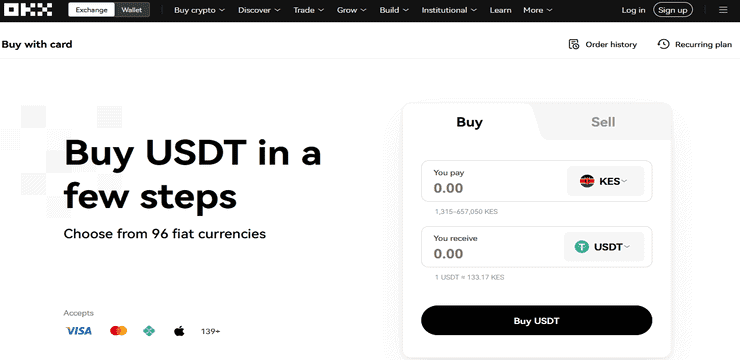
OKX allows users to instantly purchase cryptos like Bitcoin, Litecoin, Ethereum, and 300+ others using credit and debit cards from various card issuers. This can be done both on the web and mobile app quickly and easily. In addition to buying crypto instantly using credit cards and debit cards, you can simply deposit fiat for use for other purposes on the exchange using these methods.
OKX also allows buying and selling crypto using credit cards and debit cards on the peer-to-peer method of trading when the traders choose this type of payment method. However, an extra fee ranging from 1.99% up to 4% in addition to the purchase fee charged by OKX, will usually be deducted by the banks.
OKX allows traders to buy crypto with credit cards with over 40 fiats or national currencies including USD, EUR, CAD, AUD, CHF, etc. They can also buy crypto with debit and credit cards on OKX through third-party platforms Banxa and Simplex.
Features:
- Over 100 countries supported – where you can buy crypto using credit and debit cards on OKX.
- 50+ tokens are available for buying with credit and debit cards. Some cannot be purchased directly with debit and credit cards unless you buy those available for purchase with the cards and exchange them for other cryptos. These include BTC and a variety of stablecoins.
- Instant purchases.
- Various card providers are supported including ApplePay credit card.
Steps to buying Bitcoin with credit/credit card on OKX:
Step 1: Sign up and verify an account. You can also choose to add your credit and debit cards by clicking or tapping the Debit/Credit card button from the menu.
Step 2: Select Buy Crypto from the menu. Select the crypto you want to buy from the list. Select the local currency to be spent in buying the cryptocurrency, enter the amount to buy either in local currency or crypto and enter other needed order details. Tap Buy, select the payment method in the next screen, and proceed to buy.
Confirm the order, and then check the box that appears to indicate you agree with the terms of service, and proceed to Add a new card to enter the credit or debit card details. Tap Next after adding. Enter the billing address if different from the one provided previously and tap Submit.
The card will appear on the Confirm order screen. Tap Pay.
Trading Fees: Processing fees of up to 4%.
#15) Spend it
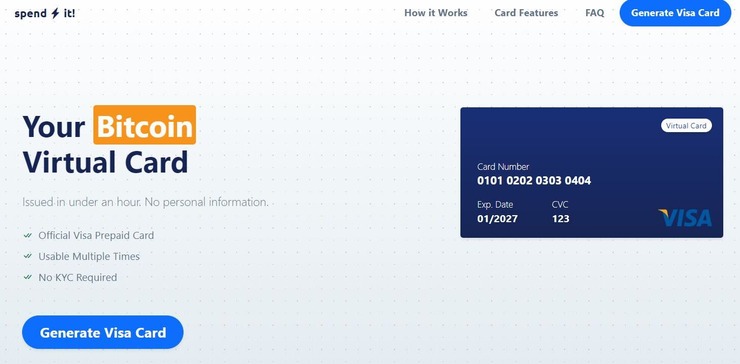
Spend It is a different beast when you consider all the other names I’ve mentioned on this list. Spend it offers you a prepaid virtual Visa card that you can use with a deposit of Bitcoin. The card is issued to you within hours and you can use it at over 40 million + merchants. Basically, you can use the card for free to conduct your transactions, provided the merchant accepts a Visa card.
How Spend it Works?
- Top up the card with an amount between $20 to $750
- Make a deposit using Bitcoin
- Get the card issued to you via email.
Features:
- Prepaid Virtual Visa card
- No KYC needed for card issuance
- Use with Bitcoin deposit
- Built-in Metamask Integration
- Add card to Apple Pay and Google Pay.
Fees: Depositing funds incurs a fee of 8%. Using the card, however, is free.
Frequently Asked Questions
Can I buy Bitcoin with a debit/credit card?
Most fiat-to-crypto exchanges now allow you to buy Bitcoin with credit or debit cards. These exchanges allow you to connect the debit or credit card to your online account or profile. You then verify the ID with the exchange and proceed to buy with the credit/debit card once this ID is verified.
Also read =>> How to buy Bitcoin with a credit card without verification
However, these transactions take days to complete, usually one to two days as they settle from one account to another and also because of fraud checks.
How long does a credit/debit card Bitcoin transaction take to complete?
Buying Bitcoin with credit cards takes extensive time between 2-3 days because the banks must check there is no fraud.
These transactions also involve several parties, namely the merchant, the merchant payment service provider, the customer, the customer bank provider, and the customer card payment network.
Is it safe to buy Bitcoin with debit/credit cards?
Yes. First, customers require verification to use these cards. Most crypto platforms that accept credit card purchases use SSL data encryption techniques.
However, ensure that the online platform from which you buy Bitcoin with a credit card or debit card is secure and not prone to hacking. Dealing with fraudulent websites leads to your data being stolen. Credit cards are safer since they come with fraud protection, unlike debit cards.
Where can I buy Bitcoin with debit or credit cards?
Many platforms like Coinmama, Bitpanda, Wirex, Coinbase, and Wirex allow you to purchase Bitcoin with Visa or MasterCard. On many platforms, it is easy and quick, usually within a day, to connect a credit card or debit card to the account. Once this is done, you can then initiate a transaction.
Depending on the platform, you can either first deposit fiat on your account before initiating a purchase transaction, or initiate a transaction first, after which the amount is charged to the card.
In the latter case, the crypto is deposited at your address after the payment is processed. The amount is charged to the card and takes time to reflect on the account to then allow you to buy with the card.
How do I buy Bitcoin with credit or debit cards?
Follow these processes:
Sign up: In each of the following platforms, you will buy Bitcoin with a credit card or debit card only after verification. Otherwise, you need to upload a government ID or verifiable documents like driving licenses, etc.
Link the debit or credit card: From your profile and after signing up, you will find the feature to link the credit card by simply entering the credit card number.
Deposit fiat or a set amount to buy instantly: Depending on the exchange, you will have to either deposit fiat through the debit or credit card to buy or, it will require you to process a purchase order where the card is charged with the amount deposited to your address instantly or after some hours/days.
What app can I use to buy Bitcoin with a debit card?
Any app that allows you to link your debit card should allow you to buy Bitcoin with a debit card. Some of the platforms we have reviewed in this tutorial include Coinmama, Bitpanda, Wirex, Coinbase, and Wirex.
Also, read =>> Top Cryptocurrency Apps Review
You can also check with Cex.io and Bitit as they allow you to purchase with a debit or credit card. Coinbase only allows people from the US to buy crypto with a debit card and does not allow the use of credit cards
Conclusion
Cryptocurrency exchanges that allow you to buy Bitcoin with a debit card and credit card require account verification by submitting a name, verifiable ID, photos, and geolocation details. You can then buy immediately after linking the account with your debit or credit card.
We suggest looking into Paybis if you want fast Bitcoin transactions on a debit card and need to also use a credit card since it supports both. Coinmama does not provide a wallet, so you need to work with two platforms.
Coinbase is most suitable for those interested in custody and other investment products, or for institutions that need to stake large amounts of crypto. eToro is best for people looking for contracts for difference, stocks, forex, and crypto investment from a single wallet.
Further reading =>> How to buy Bitcoin with PayPal
Review Process:
Time taken to research and write this article: 15 Hours
Total tools initially shortlisted for review: 10
Total tools researched online: 5
Was this helpful?
Recommended Reading
-

This Comprehensive Tutorial explains What is Cryptocurrency, the Technology behind it, how is it Created & how does it work, along with Bitcoin Cryptocurrency: Cryptocurrencies are popular today especially with the success of Bitcoin as it is the first public cryptocurrency. They are important investment vehicles for many blockchain companies…
-
Here we will review and compare the top Cryptocurrencies to Invest in to help you select the best Cryptocurrency that offers the highest rate of return and high liquidity: Cryptocurrencies allow people to send and receive money to and from anyone around the world regardless of their location at a…
-
Review and compare the best cryptocurrencies to help you understand how to mine cryptocurrency, and select the best cryptocurrency to mine: Cryptocurrency mining offers an opportunity for individuals to earn passive income on a daily basis. It is a process through which distributed nodes on a given crypto blockchain confirm…
-
Review and compare the best Crypto Wallets with features to find the best Bitcoin Wallet for sending and receiving Bitcoins: Crypto wallets allow you to generate unique addresses with which you receive crypto. They also allow users to send crypto to other wallet addresses over the blockchain and on a…
-
Here we compare features of the top apps for crypto exchanges to help you get the best cryptocurrency exchange service as per your need: Cryptocurrency trading can be done in two ways i.e. either to exchange one digital currency for another you want to use or keep, or to make…
-
Here we will explore Crypto Mining Software and compare some of the best or even free Bitcoin Mining Software available in the market: Well, you have your Bitcoin mining hardware and other Bitcoin essentials in place. All you need now is a free Bitcoin miner software that can help you…
-
This Tutorial Explains Various Blockchain Applications, Use Cases & Examples. It also Includes Steps for Integrating Blockchain in Organizational Settings: This previous introductory Blockchain Tutorial covered the basics of blockchain technology. Now, we will go beyond the basics by looking at how the technology is being utilized today in the…
-
This Comprehensive Blockchain Tutorial Explains What is Blockchain Technology, its History, Versions, Types, Building Blocks and how does a Block Chain Work: Blockchain has emerged as a popular technology among the top organizations. There are high expectations from this technology and adoption rates are increasing with up to 77% of…


