Streamline and secure your meetings efficiently with the top Board Management Software. Discover the right tool to perfectly manage board operations and enhance governance:
As our digital landscape continues to expand, there has been a lot of chatter lately on the need to optimize corporate governance. One of the tools that is being deemed as the ideal choice to accomplish this is board management or board portal software.
A board portal can be characterized as a platform that helps its users upload documents to the cloud server.
Table of Contents:
Top Board Management Platforms

Once uploaded, the users can store, edit, review, or share these documents securely. These platforms particularly cater to the needs of company leadership who seek a secure online platform to collaborate, communicate, and make informed decisions.
The biggest advantage of such solutions is their ability to streamline the entire process associated with a board meeting. Right from meeting preparation to follow-up, good board management software will optimize each stage related to the organizing and conducting of a meeting.

[via Onboard]
More organizations are gravitating towards such tools today because of the instrumental role they can play in influencing how efficiently a company’s board can operate.
That said, there are a boatload of such solutions available in the market. Choosing one that’s best for you among a sea of similar tools can prove challenging. With this article, I intend to help you find your ideal board management software without any unnecessary delay.
So without much further ado, let’s get started.
Who is this Article for?
A board management solution offers numerous benefits that cater to a diverse range of companies and stakeholders. Here are just a few of these entities that will find this article very helpful:
- Boards of Directors
- Non-Profit Organizations
- Government Committees and Boards
- Corporate Executives
- Financial Institutions
- Healthcare Organizations
- Educational Institutions
- Legal Firms
- Member-based organizations
Factors to Consider When Looking for Board Management Tools
When looking for an ideal board portal software, I would suggest you keep the following factors in mind to make the right choice.
1. Interface: A board management software with an adequately centralized interface is highly recommended. Such tools will take the hassle out of collaboration and document management.
2. Video Conferencing: You want a board portal software that facilitates remote or hybrid meetings on its platform. So, look for tools with embedded video conferencing features. I recommend going with tools that can integrate seamlessly with popular tools like Zoom or Microsoft Teams.
3. Features: Carefully assess each feature a board portal offers. At the very least, you want software that offers fundamental board management features, such as document management, agenda building, minute-taking, calendar management, and reporting.
4. Vendor Reputation: One way to assess a software’s quality is by validating its vendor’s reputation. I suggest you go through online reviews and past customer testimonials to understand the goodwill a vendor enjoys in the industry.
5. Free Demo: Most board portal solutions out there offer a free demo. I suggest using this demo to take the software for a test drive. You’ll know everything you need to know about the user experience and functionality of the software without paying a dime for it.
6. Scalability: Go for software that is easy to scale. The software should accommodate a business’s evolving needs as it grows.
7. Support: Good tech support is an essential aspect of any good software. So, make sure the software you choose offers responsive, 24/7 tech support via various means.
8. Budget: Assess your budget before you venture out to look for a board portal software. Make sure not to compromise on quality for software you can buy for cheap. For the most part, free board management software isn’t great. Hence, try to stay away from them.
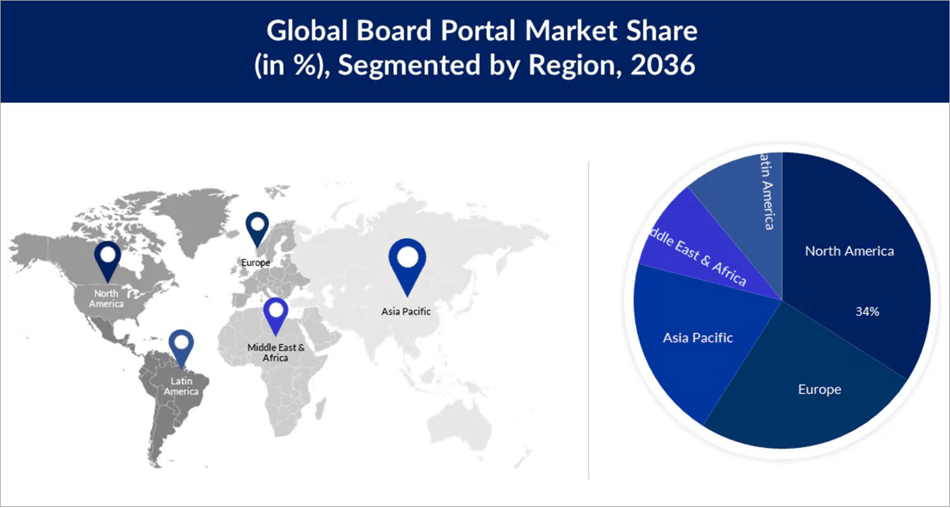
[via Research Nester]
Expert Advice
List of the Best Board Management Software
- iDeals Board
- Boardable
- OnBoard
- Diligent
- Nasdaq Boardvantage
- Govenda
- Convene
- BoardEffect
- BoardPro
- Ansarada Board
- eScribe
Comparing the Top Board Portal Software
| Name | Best for | Support | Features | Rating |
|---|---|---|---|---|
| iDeals Board | Optimizing board meetings for corporations, non-profits, and government. | 24/7 live rep, chat, phone and email support, help desk, FAQ, Knowledge base | Live-streaming, meeting scheduling, collaboration | 5/5 |
| Boardable | Board management software specifically designed for non-profits | Chat, FAQ, Email, Help Desk, Phone Support, Knowledge Base | Votes, agenda builder, board packs | 4.5/5 |
| OnBoard | Insightful analytics | 24/7 live rep, chat, phone, and email support, help desk, FAQ, Knowledge base | Board Assessment, Agency Builder, Minute Maker | 4.5/5 |
| Dilligent | Initiating smooth collaboration | 24/7 live rep, phone and email support, help desk, FAQ, Knowledge base | Document Management, Performance Management, Onboarding | 4.5/5 |
| Nasdaq Boardvantage | Conducting remote and hybrid meetings | 24/7 live rep, chat, phone and email support, help desk, FAQ, Knowledge base | Customizable dashboard, digital approval, data management | 4.5/5 |
Detailed Reviews:
#1) iDeals Board
Best for Optimizing board meetings for corporations, non-profits, and government.
iDeals Boards serves as a board portal or a virtual boardroom that can help manage business meetings more efficiently.
Functionality
Once deployed, this portal can optimize each aspect associated with conducting or organizing corporate meetings. Before the meeting even begins, the platform arms you with the tools necessary to conceive a basic agenda that your team will adhere to. Once the agenda is created, you have the power to modify it as per the changing needs and circumstances.
The platform can also be used to live-stream the meeting, which is quite useful to connect with team members situated in remote locations. The board management software facilitates joint online viewing by broadcasting reports, presentations, and other documents integral to the meeting.
Once the meeting is over, the platform provides you with auto-generated stats consisting of both completed and incomplete tasks. You also have the privilege of sharing the meeting minutes with other authorized individuals.
Usability
iDeals Board features a very easy-to-navigate and clean interface. You don’t need to be tech-savvy to use the software. The white background with a well-organized layout makes the board portal very simple to use. Everything from planning of agenda to accessing reports and documentation can be done with just a few clicks on the platform.
How iDeals Board Works
- You start by choosing your subscription plan and opening your company’s account on the iDeals Board.
- Once logged in, create an agenda for your meeting and share it with other members attending the meeting.
- Conduct the meeting online or offline.
- After the meeting is concluded, minutes will be generated automatically.
- You can access the dashboard to monitor the progress of actions assigned during the meeting.
Features:
- Scheduling Management: The software can be used to create and manage agendas as well as prepare for an imminent meeting.
- Meeting Management: You can use the portal to manage meeting materials, and reminders, create action items during a meeting, and more.
- Live-Streaming: The meetings can be live-streamed to connect with remote team members in real time. You can also broadcast reports, presentations, and documents via these meetings.
- Collaboration: The portal makes it very easy to send and manage invitations to team members. You are also allowed to share information before the meeting takes place.
Why I Like This Board Portal
iDeals Board won me over with its immaculate interface. Add to that, I found it very simple to create agendas or plan for a meeting with this software. The auto-generated reports and strong security measures make this one of the best board management software for corporations.
Pros:
- Easy-to-use interface
- 24/7 tech support
- Automatically generate meeting minutes
- Sensitive data encryption
Cons:
- Nothing significant
Price: You’ll need to contact the iDeals team for a custom quote. A free demo is also offered upon request.
Verdict: iDeals Board arms you with all the tools and features your corporate, non-profit, or government body needs to conduct meetings. From setting agendas to electronic voting and assigning actions, this board portal software considerably optimizes several aspects across each stage of a company meeting.
Check our iDeals Virtual Data Room Review
#2) Boardable
Best for Board management software specifically designed for non-profits.
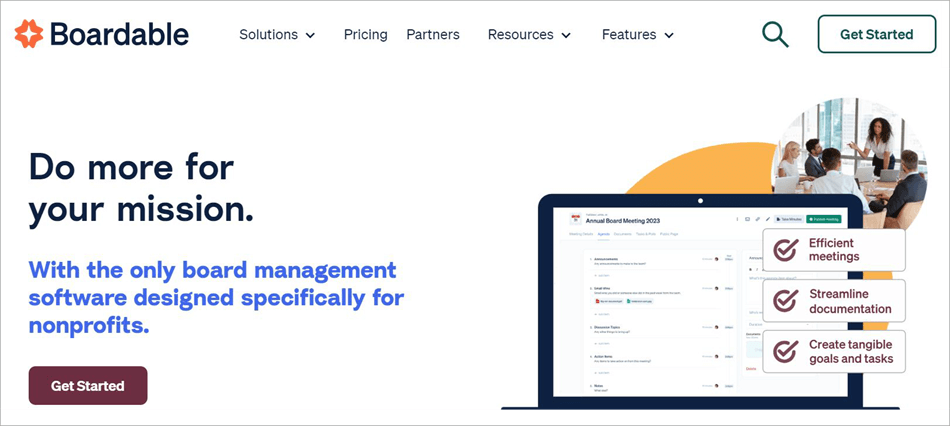
Boardable is another board portal that does all of the same things that iDeals Board does. The only difference, however, is the fact that this software was designed to specifically cater to non-profit organizations.
Functionality
Like iDeals Board, Boardable optimizes each stage of organizing and conducting a meeting. It arms you with a ton of templates. You can customize these templates any way you like to create agendas or plans for your meetings. Boardable also offers you a feature known as Board Packets, which you can use to consolidate all your meeting material.
You can schedule the meeting and share the agenda with other members who are supposed to attend the meeting very easily. The software captures information from these meetings to help you create comprehensive minutes. Everything transpiring within these meetings can be shared within your community in the form of minutes, agendas, or recordings.
Usability
I like how centralized the interface is. Everything you need to create agendas, schedule meetings, etc., is easily accessible to you via a single interface. All of your important files are consolidated and stored in one secure place for easy access. You’ll also have no issue tracking important conversations or shared files.
Further Reading => Best Deal Management Software
How Boardable Works
- Choose a plan you deem fit and register to open your Boardable account
- Create an agenda for the meeting
- Share meeting material with other members and schedule a meeting
- During the meeting, you’ll be able to freely interact with other members and the documents being shared.
- Once the meeting is over, you’ll be able to perform a plethora of tasks that include capturing information from meetings to create meetings, assigning actions, requesting signatures, and more.
Features:
- Agenda Builder: You are provided with a ton of customizable templates. Use them as per your wish to create a personalized meeting agenda or plan.
- Board Packet: Each meeting will feature material integral to the successful execution of the meeting. The software consolidates this material to ensure you are prepared.
- Polls and Votes: The software allows you to record votes virtually. These votes can be recorded for surveys or important decision-making.
- Public Meeting Page: You can create a dedicated page for your community. Here you can share the minutes, agenda, and other recordings related to a meeting.
Why I Like Boardable
Boardable is an intuitive board portal software. Its popularity today can be attributed to its easy-to-use interface, flexible pricing, and seamless automation of various paper-based processes associated with conducting meetings.
Pros:
- Centralized interface
- A free plan is available
- Smooth member onboarding
- Automate paper-based processes
Cons:
- Only suitable for non-profit organizations.
Price: Boardable offers a forever-free plan with limited capabilities. It’s a paid subscription that starts at $17.99/per board member. A custom enterprise plan is also available upon contact.
Verdict: With a centralized interface, tons of customizable templates, and impressive automating capabilities, Boardable earns a well-deserved spot on this list. This is one of the best non-profit board management software programs on the market.
Website: https://boardable.com/
#3) OnBoard
Best for Insightful analytics.
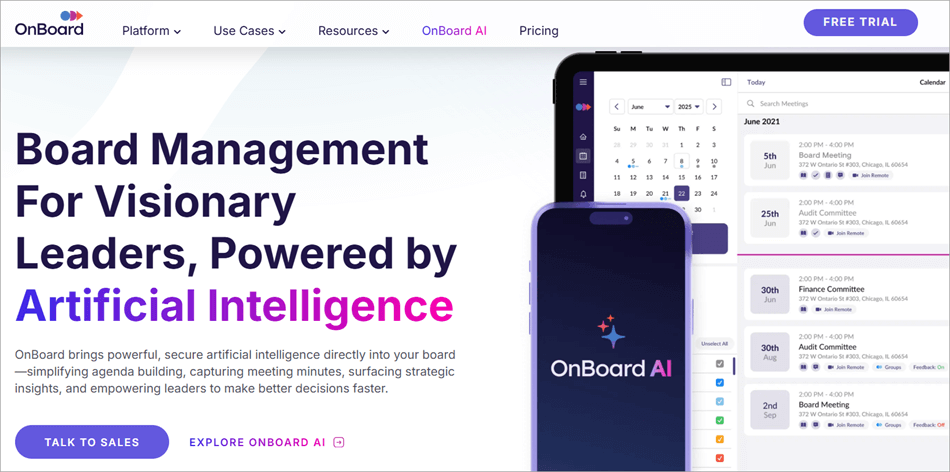
OnBoard is a board portal that has made quite the waves in the industry lately. It has earned rave reviews for just how secure it is.
Functionality
The software comes equipped with certified and accredited security, compliance, and data protection protocols. As such, the board software grants its users complete control over all material shared via the portal. In other words, you control who uses and accesses the information contained on the portal.
Perhaps the best aspect of this board software is the analytical reporting. You are provided with actionable insights and rich data in a visually comprehensive fashion. This data can be used to optimize meetings and facilitate better decision-making.
Usability
Another highlight of the software is the interface. The clutter-free interface features a well-organized layout, which makes creating agendas, distributing information, and organizing meeting material very simple. There is a mobile app version of OnBoard that only adds to the convenience of using this portal.
How to Use OnBoard
- Choose a subscription plan and sign up to open an account
- Use the drag-and-drop interface to create an agenda for your meeting
- Share this agenda along with other materials with other members.
- Schedule and conduct the meeting
- Create minutes once the meeting is over and access data captured during the meeting to make important decisions.
Features:
- Agency Builder: The software features a drag-and-drop interface that makes creating agendas for a meeting very simple.
- Minute Maker: An essential post-meeting feature, you are provided with all the tools you need to create meeting minutes directly within the portal
- Board Assessment: The software allows you to set priorities. These priorities serve as the groundwork for your meeting will be governed.
- Voting and Approvals: The software facilitates virtual voting for important decision-making. You can easily track, review, and approve decisions.
Why I Like This Software
This software makes it to my list for two major reasons. First, it features a great drag-and-drop mechanism-backed interface. Moreover, the software offers actionable insights, which make decision-making and actions related to meetings very simple.
Pros:
- A drag-and-drop interface
- Seamless Office 365 integration
- Seamless Zoom integration
- Actionable insight-based analytics
Cons:
- The cheaper essentials plan lacks many advanced features
Price: The software offers essential, premium, and ultimate subscription plans. To know the actual price of each plan, you’ll need to contact the team. A free trial and demo are also provided.
Verdict: Although I have a minor issue with OnBoard’s subscription plans, it still won me over with almost everything else being offered. The interface makes operating the software very simple, so you will have no issue organizing or managing board meetings from start to finish.
Further Reading => Best Board Meeting Software
Website: https://www.onboardmeetings.com/
#4) Dilligent
Best for Initiating smooth collaboration.
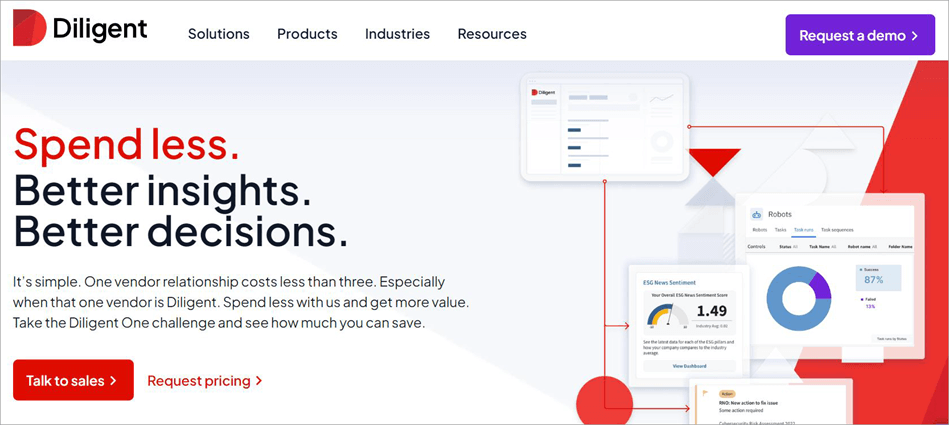
Dilligent is yet another software that allows you to conduct board meetings as seamlessly as possible. As a board port, the software is more focused on catering to the organization’s leadership.
Functionality
The best aspect of this tool is how streamlined the collaboration is during board meetings. You’ll be able to communicate with your team members and share important documents during the meeting. You’ll also have no issue storing these documents in a secure cloud-based environment.
Another thing I like about this software is the integrations it supports. The software integrates seamlessly with both Zoom and Microsoft Meetings. The software also provides you with the tools necessary to edit the shared documents.
Usability
The board portal itself is easy on the eyes and quite simple to navigate. The white background with ample space between elements adds to the user-friendliness of the interface. You’ll have no issue creating agendas or optimizing other aspects of a board meeting using this portal.
Features:
- Document Management: The software makes it very simple to share documents with internal as well as authorized board members.
- Information Review: You are provided with the tools necessary to efficiently review and edit documents from within the portal.
- Onboarding: The software makes it easier to identify and onboard talent that has some form of connection to your organization.
- Performance Management: You can use tools like evaluations, analysis, and peer benchmarking to keep the performance levels of your team members high.
Suggested Read => Best Employee Performance Management Software
Why I Like It
I remember having a great time navigating through the entire board portal. Add to that, the software is bolstered by its integrations with Zoom and Microsoft Teams. The tool is highly recommended for organizations who’d like help in assembling a high-functioning leadership team.
Pros:
- User-friendly UI
- Easy analysis of collected survey and questionnaire data.
- 24/7 support
- Excellent data protection
Cons:
- Not entirely focused on board management
Price: Contact for a custom quote. A free demo is also offered upon request.
Verdict: With Diligent, you get a board management software that makes the prospect of conducting meetings, ensuring secure collaboration, and secure document sharing is considerably simpler. The software is particularly helpful in enabling organizations to build a better board, featuring features such as peer benchmarking and secure evaluation.
Website: https://www.diligent.com/solutions/board-and-leadership-collaboration
#5) Nasdaq Boardvantage
Best for Conducting remote and hybrid meetings.
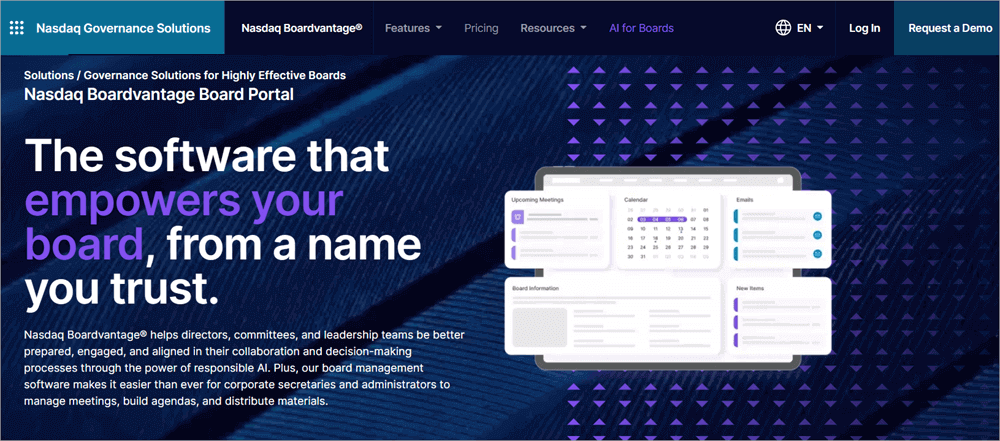
Nasdaq Boardvantage offers a lot of the same features that make the tools mentioned before in this article really great. The tool streamlines various benign and major aspects of a board meeting.
Functionality
The very first thing I’d like to mention is this software’s exceptional automating capabilities. The software enables paperless workflows by digitizing key pre-meeting, during-meeting, and post-meeting tasks. The workflow automation here truly gives board members the edge they need to conduct a hassle-free meeting.
This digitization also makes virtual board meetings possible. You can rely on this platform to conduct both hybrid and remote meetings. Besides this, the software also offers you a ton of native tools that make decision-making during a meeting hassle-free. Board members can sign documents, vote, and approve materials with just a click.
Usability
Like all the other board management software I’ve mentioned here, Nasdaq’s Boardvantage also shines when it comes to usability. It offers you an intuitive dashboard that serves as a central hub for board members to collaborate and engage. The dashboard also grants you quick access to calendars, updates, and relevant meeting material.
Features:
- Customizable Dashboard: You are presented with a dashboard that makes customizing card content easy. The dashboard can also be used for quick document access.
- Meetings Workflow: The software helps you prepare and plan meeting agendas easily. It also lets you capture board meeting minutes.
- Digital Approvals: Team members can assign, track, and execute signatures. They can also vote on a resolution or approve something with just a click.
- Virtual Meeting: The software integrates seamlessly with Zoom and Microsoft Teams to facilitate smooth virtual meetings.
Why I Like It?
Nasdaq Boradvantage is highly scalable. This means that the software can accommodate a growing organization’s needs without hassle. Plus, its customizable interface considerably optimizes each stage associated with organizing meetings.
Pros:
- User-friendly interface
- Building and distributing surveys
- Integration with Zoom and Microsoft Teams.
- Set access permissions
Cons:
- The price can be expensive for some organizations.
Price: Contact for a custom quote or request a free demo.
Verdict: Nasdaq Boardvantage features an impeccable board portal dashboard. This alone makes the tool worth every penny you spend on it. Add to that, the software is also excellent at optimizing meeting workflows and ensuring secure collaboration between board members.
Website: https://www.nasdaq.com/solutions/governance/boardvantage
#6) Govenda
Best for AI-Powered Board Governance.
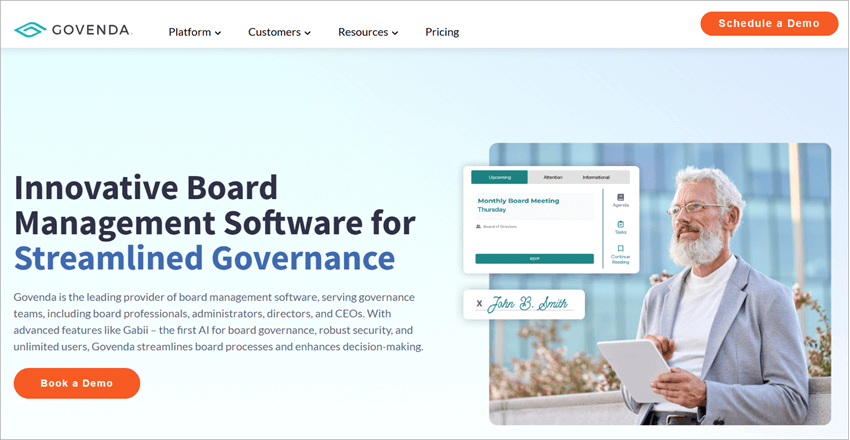
Govenda first caught my attention when I heard it was probably the first ever board management software to be created by an AI. This AI dictates almost every function this software performs, which makes board management very convenient, in my opinion.
Functionality
The AI named Gabii was designed to streamline corporate board management and succeeds at doing just that. Gabii can create committees from charter documents. It can also help with the onboarding of charter documentation. You have the option of making this AI an integral part of your meeting.
If you do so, the AI will perform some useful tasks at your behest. It will draft meeting minutes for you and even review generated transcripts.
Usability
Govenda also excels with regard to its UI. You’ll have no issue recording minutes or building forward agendas with this interface. The board portal is powered by Microsoft, which facilitates in-browser editing. You can rely on this portal to centralize your workflows, making the boardroom experience even better virtually.
Features:
- Gabii AI: Govenda features an AI that can streamline board management on your behalf. You can rely on the AI to draft minutes, generate reports, and committee creation.
- Questionnaires and Assessments: The software provides you with customization D&O questionnaires, evaluations, and board assessments.
- Digital Approval: The software facilitates legally binding agreements via virtual voting and eSignatures.
- Meeting Prep: The software optimizes several tasks that one must perform before meetings. These entail RSVP tracking, agenda building, and document linking.
Why I Like Govenda
Govenda is one of those rare board portal solutions that’s powered by an AI. The software is exceptional at streamlining complex board governance for an unlimited number of users, groups, or committees.
Pros:
- Intelligent AI
- Microsoft-powered board portal
- Consolidated reporting and assessment
- Centralized workflows
Cons:
- Although there is 24/7 support, some users have experienced late response from the support team.
Price: Contact for a custom quote or to request a free demo.
Verdict: Govenda makes it to my list because of the AI powering its functionality. The AI is excellent, especially when it comes to drafting meeting minutes or generating insightful reports. Plus, the Microsoft-enabled collaboration makes it even more intuitive.
Website: https://www.govenda.com/
#7) Convene
Best for Real-time Collaboration.
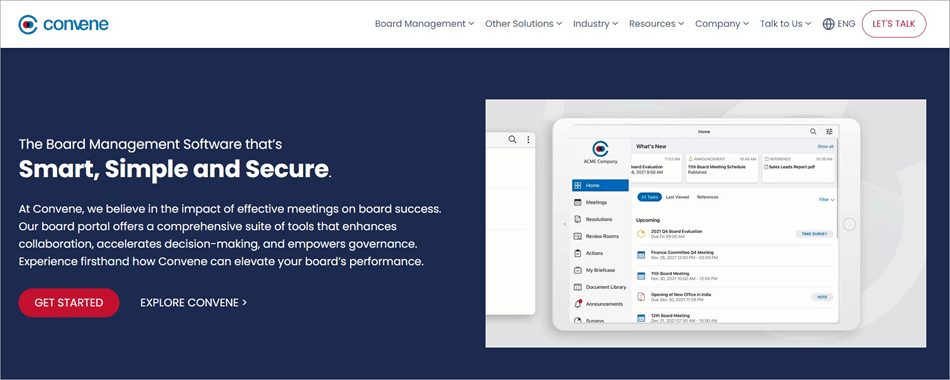
Convene offers most of the same features that have earned the previously mentioned board portals a spot on this list. What impressed me the most about this software is how simple it makes collaboration.
Functionality
The software helps both directors and executives review meeting material both online and offline whenever they like. You don’t need internet access to add annotations to the device. You’ll be able to add private or shared annotations via your phone or laptop device without any internet connection required.
You’ll be able to communicate in real-time with other board members via embedded video conferencing. You’ll also be able to easily access meeting material during the meeting through board packs.
Usability
Convene’s interface is intuitive and clean on both its desktop and laptop versions. The dashboard makes the tasks of creating agendas, voting on resolutions, or accessing meeting material very convenient. You are also provided with a robust search functionality, which you can use to find what you are looking for by keyword, name, or annotation.
Features:
- Agenda Builder: The software comes with a drag-and-drop interface that makes building agendas for meetings very simple.
- Meeting Scheduler: The software lets you send invites to other board members easily. You can schedule one-day or multi-day meetings with just a click.
- Video Conferencing: With embedded video conferencing, you’ll be able to conduct remote meetings without any issues.
- Voting: Your board members will be able to vote on resolutions anytime. The decisions made can be tracked via the central dashboard.
Why I Like It
Convene’s biggest strength is its centralized interface. This interface facilitates centralized data management and also enables seamless real-time collaboration between board members.
Pros:
- Centralized data management
- Drag and drop agenda builder
- Real-time monitoring
Cons:
- Convene can be a bit pricey.
Price: Contact for a custom quote.
Verdict: When it comes to board management software, pricing isn’t an area where Convene shines. However, the drag-and-drop agenda builder, the embedded video conferencing, and live meeting tools more than make up for it.
Website: https://www.azeusconvene.com/
#8) BoardEffect
Best for Board Management for Non-Profit Organizations

BoardEffect is a board management solution that was specifically designed for non-profit and educational organizations. It is great at simplifying various complex board management processes.
Functionality
Once launched, you’ll be able to schedule a meeting or collect RSVPs in just a few clicks. Approving new members, meeting minutes, and policies is also made straightforward. You can also set reminders and mark them as complete when these tasks are executed.
You can store all important meeting material on this software and rest assured that it will be safe. The software also helps you perform board assessments to multiply member participation.
Usability
Although dated, I still like the austerity of BoardEffect’s interface. You have instant access to meeting minutes, board books, and agendas on any device, from anywhere. You can also employ customizable fields to capture imperative information about your board.
Features:
- Surveys and Polls: The software allows you to conduct surveys and polls with customizable formatting.
- Onboarding: The software stores all information and makes it easily accessible to a new member, thus making their onboarding smooth.
- Document Management: The software stores all relevant meeting material in a secure place. It is readily accessible via the meeting book.
- Collaboration: The software facilitates real-time collaboration. It is easy to prepare and communicate complex board management processes via this tool.
Further Reading => Top Team Collaboration Software
Pros:
- Customizable formatting
- Secure document storage
- Simple interface
Cons:
- Some users may find the platform’s initial implementation challenging.
Price: Contact for a custom quote or request a free demo.
Verdict: If you belong to a community healthcare center, educational organization, or non-profit, then this is the software I’d recommend you use to plan and execute board management activities. The simple interface and robust document management are two of its most appealing features.
Website: https://www.boardeffect.com/board-portal/
#9) BoardPro
Best for Flexible subscription plans that each support unlimited users.
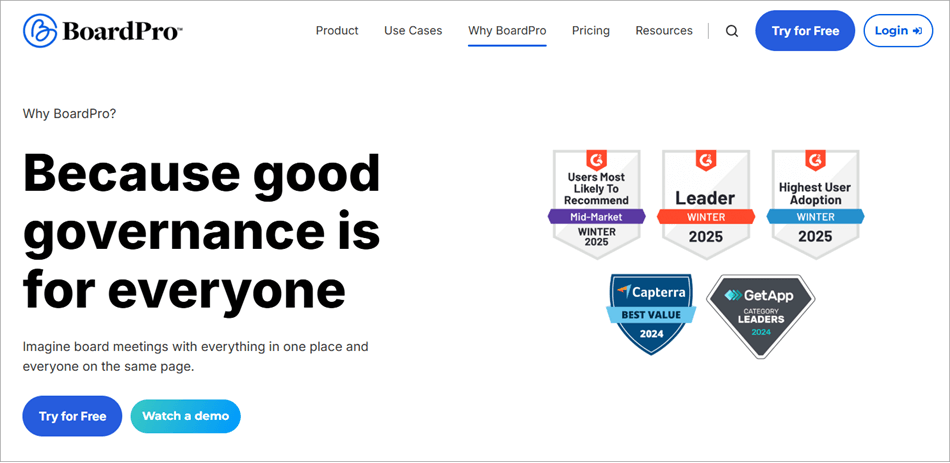
BoardPro is another board portal software that offers almost all of the same features that some of the best portals on this list do. However, BoardPro does have a bit of an edge over the other tools when it comes to its robust security features and pricing.
Functionality
BoardPro will do everything you expect a good board management software to do. It will help you build a meeting’s agenda and then automate all tasks that come after a plan has been drawn up. It is also very simple to build a board pack with this software. It will only take a couple of seconds to produce board packs that consolidate all of your meeting’s data.
Usability
The convenient experience that BoardPro delivers can be attributed to the software’s amazing interface. The UI takes the complexity completely out of board management tasks. Creating agendas or board packs can be done in just a few clicks. You are also provided with an overview of all your meetings as well as actions for their committees and boards.
Features:
- Meeting Scheduler: Easily schedule meetings with board members. Also, get a bird’s eye view of all your responsibilities.
- Minutes Management: The software can capture and record meeting minutes accurately. The recorded minutes will automatically be transformed into a professional document
- Voting: Board members can cast a vote directly from their devices in real-time. The voting process is simplified for all collaborating parties on the platform.
- Interest Register: The software provides board members with a dedicated department to declare their interests to make compliance simple.
Pros:
- Easy to implement
- Flexible pricing
- Excellent customer support
Cons:
- The collaborative features can be better.
Price: BoardPro offers three subscription plans. The essentials plan costs $165 per board per month, whereas the premium plan costs $275 per board per month. The Ultimate plan will cost you $440 per board per month. A 30 free trial is also offered.
Verdict: BoardPro makes the governance of board management activities very simple. I was impressed by how transparent the software was with its pricing. BoardPro is also quite robust when it comes to its security features.
Website: https://www.boardpro.com/why-boardpro
#10) Ansarada
Best for Virtual data room.
Ansarada is a board portal software that can make running and organizing a board very simple.
Functionality
You’ll be provided with all the tools you need to create agendas, board packs, vote, and take minutes. The software also allows you to assign actions and store files in one centralized place. The software also makes the decision-making process very simple at the behest of voting members. It does so by assuring compliance and mitigating risks associated with board management.
Perhaps the best aspect of this software is the virtual data room. This VDR can be used to securely store documents and facilitate their safe sharing. The VDR itself is easy to use and mobile-friendly.
Usability
Ansarada offers a clean UI that also serves as a centralized source of information for each board member involved. The solution can be tailored according to the needs of your organization. After the meeting is concluded, you get a simplified overview of how the meeting went. The software’s reporting capabilities are quite impressive.
Features:
- File Management: The software can help you securely store important meeting material. This material can also be shared with other authorized entities.
- Board Packs: The software allows you to create board packs to consolidate all information that will come in handy during a meeting.
- Voting: Board members will be able to vote on resolutions or voice their approval of something digitally from within the platform.
- Agenda Setting: The software helps users set an agenda for a meeting, which can then be shared with other members attending the meeting.
Pros:
- Compliance assurance
- Risk mitigation
- Centralized interface
Cons:
- The software can get a little bit pricey.
Price: Contact for a custom price. A free demo is also offered upon request.
Verdict: With Ansarada, you’ll get an efficient board management software that stands out because of its virtual data room. This makes the software ideal for efficient document collation.
Further Reading => Best Virtual Data Room Providers
Website: https://www.ansarada.com/board
#11) eScribe
Best for Creating public forums.
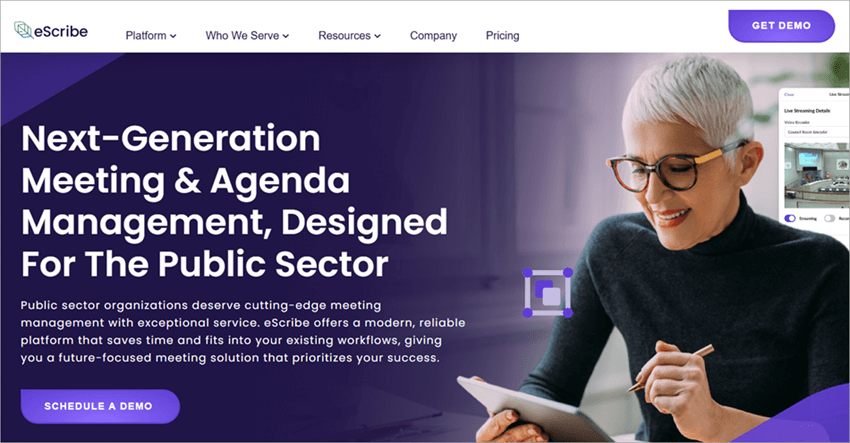
eScribe is perhaps best known for creating intuitive public forums. However, I find it to be quite a decent board management software as well.
Functionality
eScribe succeeds at optimizing almost all aspects of the board meeting process. You’ll be able to create meeting materials, share them, and even collaborate on them with other members. The software also allows you to take minutes. You can also record votes. Everything transpiring in a meeting is recorded in real-time.
Usability
eScribe is excellent when it comes to usability. It automates and digitizes various complex board management activities so you don’t have to do much. Its reporting and workflow management capabilities are also quite robust. Everything from tracking statuses to managing deadlines is very convenient.
Suggested Read => Best Employee Timesheet Apps
Features:
- Take Minutes: Easily take notes, create tasks, track attendance, and mark motions for seamless minute creation.
- Vote Manager: The software provides you with a rules-based electronic voting tool. It comes integrated with check-in/out, roll call, and interest management capabilities.
- Citizen Request: The software streamlines citizen requests. You can review and approve them via a configurable citizen request form.
- Reporting and Workflow: The software arms you with customizable reports and workflows. This can be used to track statuses and save time.
Pros:
- Real-time reporting
- Optimized meeting preparation
Cons:
- Only suitable for governments and school boards
- Some may find the price too high
Price: Contact for a custom price. A free demo is also offered upon request.
Verdict: eScribe is a board management software that I would only recommend to government and school boards. It is easy to use, offers tiered pricing plans, and excels with its voting and minute recording capabilities.
Website: https://www.escribemeetings.com/
How Did I Choose These Solutions
Before I began work on this article, I made a list of things that I needed in a board portal software. On top of my list was a good interface and excellent video conferencing capabilities. I browsed through all the software that is quite popular in 2023. I chose the ones that enjoyed the best reputation in the industry.
I further downsized the list by comparing each tool against the other based on its usability, functionality, and price. The software that offered the best of all three of these elements was kept, while the rest were eliminated.
Frequently Asked Questions
1. What is a board software?
A board software or board management solution can be defined as a secure virtual space that a company’s leadership can access to store and share information. The software’s primary role is to optimize all aspects associated with organizing board meetings and streamline corporate governance.
The software is also known as a board portal. Many users gravitate towards it today for its ability to eliminate the need for paper-based workflows and ensure efficient collaboration between board members.
2. What is the use of board management software?
A company or its board can reap a wide range of benefits by employing robust board management software. Some of its most prominent benefits entail the following:
• Enhanced corporate governance
• Efficient collaboration and communication
• Secure document management
• Optimized meeting management
• Automation of routine collaborative tasks
• Saving costs on paper and travel.
Such tools directly benefit a company’s board. Therefore, they are also sometimes known as board of directors software.
3. Name the board types.
There are four major types of boards. They are as follows:
• Advisory
• Non-Profit
• Public or Corporate
• Private.
4. What is the difference between the term board and a management board?
People often end up confusing the board of a company with its management. Both of these entities play very distinct roles. The board of directors, for instance, is responsible for establishing a plan or direction that a company will follow.
The management, on the other hand, is responsible for overseeing the day-to-day operations of a company. They are also responsible for implementing the strategies that a board of directors establishes.
5. What are the features of a board portal?
A board portal comes loaded with many features. The features that define such solutions entail:
• Agenda building
• Board pack management
• Voting and digital approval
• Customizable dashboards
• Documents management
• Meeting Minutes generation.
• Report generation.
Conclusion
We are moving towards a world that is rapidly digitizing. This has compelled many businesses to change the way they do things or perform certain tasks. One of the things that needed an overhaul was corporate governance. This is where the services of a board portal software come into play.
A good board management software can help company leadership modernize their governance practices. It can streamline all aspects of conducting and organizing a meeting from start to finish. They can facilitate the secure sharing of files and also enable efficient decision-making.
I believe all 11 of the tools I’ve mentioned on this list do just that. As for my recommendation, I would suggest you go with iDeals Board as it is quite good at streamlining company meetings while also being affordable.
Research Process
- We spent 27 hours researching and writing this article so you can have summarized and insightful information on which Board Portal Software will serve you best.
- Total software researched: 30
- Total tools shortlisted: 11
Was this helpful?
Recommended Reading
-

List and Comparison of the Top 10 Commercial and Free Business Management Software to Manage Your Business Efficiently: Top Business Management Tools for Small to Large-Sized Businesses. Business Management Software includes a wide range of solutions. It is an application that will help you in managing your business. We can…
-
Check out the pricing, reviews and comparisons of the top Virtual Data Room providers in 2024: Select the best online data room software to close transactions faster. What is a Virtual Data Room? Virtual Data Room is an online secure data repository that is used for storing and distributing data.…
-
List of the Most Popular Change Management Software with Features: Change management software is a system that helps organizations monitor and optimize the process of managing changes. The change management process is about managing the changes in code, documents, or requirements. This process is also called Configuration management. In this…
-
This guide to Virtual Data Rooms explains what a Data Room is, how to set up, use, and select a VDR, and how a virtual deal room works: Data Room is a secure space to store confidential documents and has access only to authorized people. It is a solution for…