Sruthy, with her 10+ years of experience, is a dynamic professional who seamlessly blends her creative soul with technical prowess. With a Technical Degree in Graphics Design and Communications and a Bachelor’s Degree in Electronics and Communication, she brings a unique combination of artistic flair…
Kamila is an AI-based technical expert, author, and trainer with a Master’s degree in CRM. She has over 15 years of work experience in several top-notch IT companies. She has published more than 500 articles on various Software Testing Related Topics, Programming Languages, AI Concepts,…
We publish unbiased product and service reviews; our opinions are our own and are not influenced by our advertising partners. Learn more about how we review products and read our advertiser disclosures.
Excellent compilation of the Top Board Meeting Software to work smarter & grow bigger. Pick the best software for board meetings to manage company meetings efficiently:
Board meeting software or board portals streamline corporate governance processes and help directors, corporate secretaries, committees, corporate secretaries, groups, and leadership teams to prepare for and organize meetings (physical, remote, or hybrid), and to review meeting outcomes from a single pane of glass.
All events, meeting preparations, on-meeting tasks and note-taking, post-meeting tasks, and communications, as well as all related documents, are hosted on, assigned, managed, and tracked from a single platform.
The software is used for communication and collaboration, paperless meetings, note-taking, report preparations, communications and collaborations, document/access/sharing and tracking for paperless meetings, task assigning, and task progress tracking involved in board and other meetings. The software helps to manage time, processes, and procedures involved in such meetings.
As such, board meetings software can help boost team collaboration, productivity, and efficiency in meetings, better organize information, and quicken/better decision-making processes that rely on meetings and collaboration.
Besides, offline and online board meetings software is one of the best ways to keep company communications private and to save a company from privileged risks introduced by the usage of third-party communication tools. This tutorial discusses the top 10 board meeting software in terms of features, usage, pricing, and other aspects.
Who is this research for?
This research can aid an organization of any size, directors, corporate secretaries, committees, corporate secretaries, groups, and leadership teams to prepare for and organize meetings in selecting their most favorable offline or online board meetings software.
How do we Select These Platforms?
We wrote this tutorial and recommended the software based on actual usage information, expertise, and multiple reviews from clients. We researched thoroughly to compare the software across several aspects, as detailed in the report. We also considered information provided by vendors, including pricing and feature lists.
Market Trends
Via David
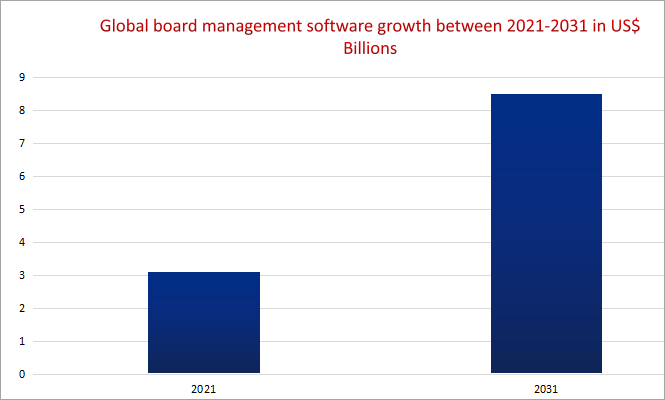
As per the chart above, the global board management software will increasingly each year grow at a CAGR of 10.6% from the value of US$ 3.1 billion in 2021 to US$ 8.5 billion by 2031 according to a projection by Global Insights Services.
According to the above report, nearly 75% of the software is cloud-based, In terms of software segmentation by industry, BSFI makes the largest share at around 35%, followed by the government category with about 20% of the market share, and Health with 18%, Education category with about 16% of market share, and others 11%.
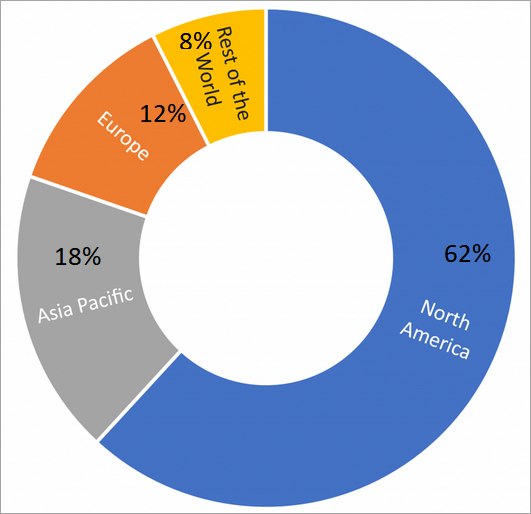
Regionally, as per the chart below, the North American region is responsible for 62% of the market share, Asia Pacific with around 18%, while Europe takes about 12%, and the rest of the world has 8% of the market share.
[via Global Insight Services]
Expert Advice
The major differentiating factors that should inform the selection of paperless board meetings software include pricing and features. The major features to look out for are the ones that facilitate reporting and presentations, appending of feedback and actions assigning, audit trails, assessment and evaluation, analytics, surveys, D&O questionnaires, in-app emails, and security/privacy-promoting features.
Also consider ease-of-use and availability of user/customer training, if not, flexibility in terms of which devices can be used, and the data/information security model when selecting software for board meetings.
Why Should you Consider Using Board Portal Software
Email board documents and sharing software such as Google Drive and Dropbox pose information security risks. Advanced ones also have frustrations regarding the custom organization of information.
Board portals owned and managed by the company can facilitate better and customized organization of information, sharing of information, collaboration, and in-app communications. All governance processes, activities, documents such as policies, and events are hosted and managed from a single portal; thus, a company avoids segregated storage and time-wasting management of information on multiple third-party platforms.
It preserves company privileges.
Facilitates the protection of confidential information and documents.
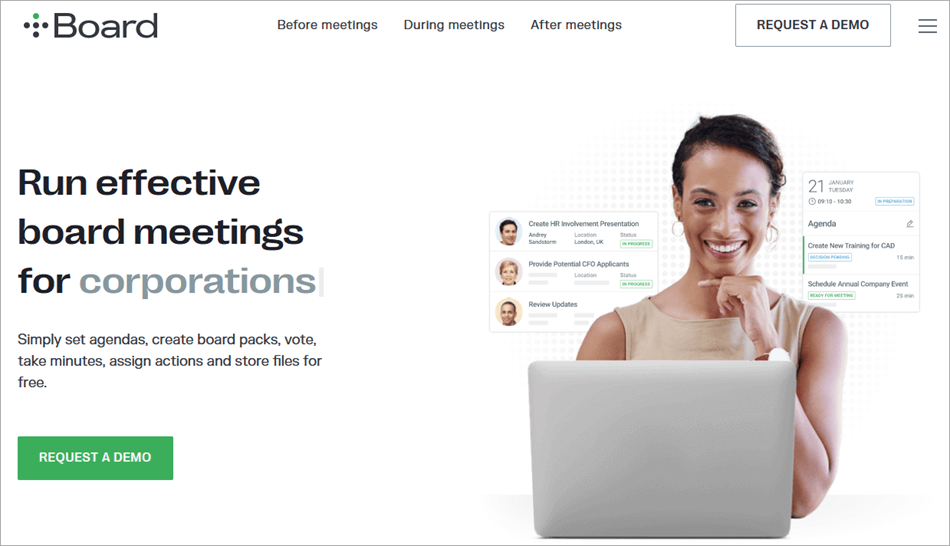
iDeals Board software is used to manage and enhance board meetings before, during, and after they happen.
It has multiple compelling features that make it possible for boards and managers to make the most of meetings, including those that facilitate collaboration among members and teams. They include video conferencing, live streaming, messaging chat rooms, electronic voting, and polling, which enables participants to vote on issues during meetings.
In addition, customers can archive all the materials of a given meeting such that anyone in their team can access them later.
Administrators can assign roles to any participant, track or update progress for the assigned tasks, update agendas progressively before the meeting, share documents (e.g., reports, presentations, etc) with a team before/during/after meetings, and invite other participants to a meeting and individual agenda items.
Devices Supported: Web, Android, iOS & iPad.
Major Integrations: Microsoft SharePoint
Features:
Remote access
Share documents/information and drafts before meetings.
Conduct meetings in person or via written consent using the mobile app or via the web.
Ability for participants to leave requests. Automatic notifications to participants after a change or update. Calendar also included.
Administrators can set access control for each document.
Role-based permissions and role assigning by admins. Assign owners, assistants, and approvers, and set deadlines for action items.
Why I picked iDeals Board
Easy to use and customize meetings. It has almost all the functionality a board would need for easy minute recording, collaboration on agendas and debates, and document management.
Pros:
Affordability. Support via multiple channels (email, forums, phone, live chat, and knowledge base)
Multiple security features: 2FA, end-to-end encryption, user permission levels, audit trails for documents and information, watermarks for all corporate documents, etc.
Training is provided for users who need basic technical skills for usage.
Cons:
Some system glitches were experienced.
Pricing: From $35.50/month based. Contact the company for specific quotes.
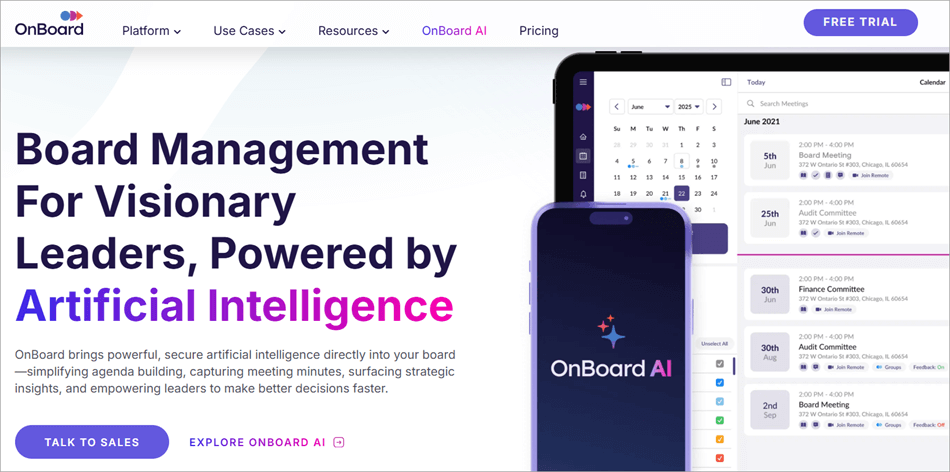
OnBoard enables managers to easily create meetings using drag-and-drop tools and multiple in-built templates that can also be cloned. Customers can either use existing assessment templates or create their own to make it possible to evaluate boards, committees, and CEOs.
The assessment documents can, for instance, receive anonymous feedback and have real-time progress tracking implemented on them, while the assessment reports/outcomes feature actionable data visualizations.
The meeting analytics make it possible to understand total meeting views, when board books are read, what is being read, and the board book sections that receive the most attention and hence require extended discussions.
It also features multi-board management, allowing customers to access materials for and to organize and manage multiple meetings, for instance, for different committees, all at once and on a single sign-in. The tool also allows tracking the board of directors’ experience, competencies, background, and term limits, hence making it possible to compose effective teams.
Devices Supported: Web, Android, iOS & iPad.
Major Integrations: Zoom & Microsoft 365.
Features:
Agenda builder, import agendas from Word documents, upload and share documents such as financial reports, and multiple file support (almost all file types). Keep files and use intelligent search to find any information in the app.
Append votes, surveys, e-signatures on agendas and items, and diversity data. Also features note-appending and annotation tools on agendas, which can make meetings more productive and engaging.
A D&O questionnaire solution that can be secured with e-signatures, issues reminders to boards, and monitors progress. D&O questionnaire solution can be used for evaluating CEOs and directors, for financial disclosures, conflict resolutions among other things.
A messenger that can be used for communication by members and teams.
Assign tasks, organize tasks, and track task progress.
Why I picked OnBoard Meeting
Extra data security and privacy features and authentication methods. It allows for granular user access to data and information, in addition to having most of the features needed for online and offline board meetings.
Pros:
Microsoft 365 integration makes it possible for teams to collaborate in editing documents, comment on collaborative tasks, and remotely sync documents across multiple devices.
Extra security features like intrusion detection, remote lock-out, and remote data wipes, in addition to encryption. Also features 2FA and security access via pins and Face ID. Also, define how long the data is stored before a wipe.
Feature-rich, allowing for granular user access control, preparation, and management of meetings.
Highly positively reviewed by customers.
Cons:
Expensive to access the most advanced features. Some features are retained for higher package subscriptions. Examples include training and support for directors and executives, and Microsoft 365 integration.
Pricing: From $399 per month (extra costs for extra users beyond the limit) to $999 per month. Contact the company for specific quotes.
Website: https://www.onboardmeetings.com/
#3) Boardvantage
Best for Visualized evaluations and assessments.
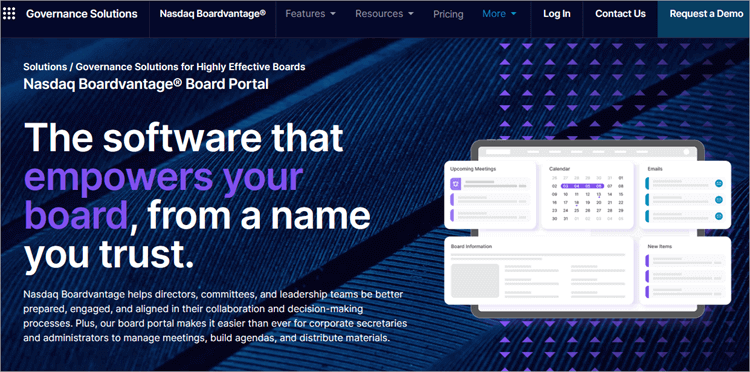
Boardvantage comes from a popular name, Nasdaq, and is thus used by many organizations already, including 47 Fortune 100 companies such as Lenovo, P&G, and Starbucks. It helps to distribute meeting materials automatically before, during, and after meetings. Meetings are presented in the form of meeting timelines.
Customers can make the most out of the software by optimizing agendas and meeting minutes using templates, digitizing the board room, and optimizing the board portal.
Customer users can attach multiple items, such as notes and presentation sessions, to agendas on templates, invite all participants digitally, use pre-filled text options to capture minutes, and distribute notes and documents.
Customers can create board books using diverse file types, create and assign and track tasks, and reference future meetings and documents.
Devices Supported: It is available as a SaaS, on-premise software, and supports mobile devices through mobile apps.
Major Integrations: TeamSpaces
Features:
Prepare agendas and include items such as roll calls, the ability for others to approve or propose changes to agendas and minutes.
In-app email communications between participants. Also conduct surveys, voting, and get approvals for decisions. Include notifications on approval requests and get custom visual views of the approval and signature process. Members can also add notes and comments to documents.
Customizable evaluations and assessments of boards and CEOs through written evaluations, questionnaires, interviews, and feedback. Visualize key findings using feedback data, reports, and infographics. You can review skills, etc.
D&O questionnaires as well as compliance questionnaires. Also, track meetings using calendars.
Administrators can authorize or de-authorize access to any content to persons on TeamSpaces.
Why I picked Boardvantage
Boardvantage is not only a popular alternative for big companies but also offers great functionality in terms of the ability for users to customize and visualize evaluations and related reports, and feedback. This is useful, such as when the board is evaluating CEOs and managers. Also includes ESG-based reporting.
Pros:
Ongoing training for users.
Extra features to improve work performance, such as editing files in-app.
Security features include encryption, independent auditing of Boardvantage processes, content segregation, remote purging of content by admins, admin authorizations to content access, and content sharing only when authorized via settings and to authorized users.
Increase transparency with environmental, social, and governance agendas in reporting.
Cons:
Access permissions do not transfer over, so it can be tricky to copy files to other places.
Not affordable to companies with strained budgets.
Best for Video conferencing; Zoom and Microsoft Teams integrations.
Diligent is a board meeting software featuring several solutions such as board portal, risk and strategy management solutions, audit and analytics management solutions, ESG and Diversity solutions, board education and certification solutions, market intelligence, such as voting solutions, compliance and ethics solutions.
Diligent provides video conferencing, and with it, customers can conduct online/remote or offline board meetings, as well as create board books. It provides a book-like interface, supports facilitation of offline board meetings, one-step book building, full portal search capability, portal linking with link history, and customers can make updates to documents while preserving notes.
The board portal facilitates communication and collaboration among teams and members before, during, and after meetings. Admins can create meetings and committees, assign access rights for documents and meetings, etc.
It facilitates the inclusion of data from third-party platforms and the sharing of app data with external sources, in addition to members. Documents can also be edited from within the app.
Devices Supported: Web and mobile.
Major Integrations: Zoom and Microsoft Teams.
Features:
Director and Officer Questionnaires, surveys, skills assessments, and board evaluations. All these features include optional pre-filling of responses with data from prior years and templates.
Peer benchmarking to help attract top talent to boards. Evaluations that can be answered anonymously.
Board chat rooms to facilitate discussions. Receive alerts when messages are sent, delivered, and seen. Remote wipes are available on the app’s Messenger.
Save, share, and append notes and comments on documents such as reports, minutes, etc. This can be used to suggest changes to documents and collaborate on document creation.
Create digital board books. Drag and drop features make it easier. Also possible to copy a book and make changes. This also features retention policies for the length of time a book can stay in archives.
Voting and reporting. Can also assign tasks to members and track them effectively.
Pros:
Unlimited training from a real person.
Extensively reviewed by customers with multiple positive ratings.
Cons:
Charges to access premium content, such as some on-demand video.
Lacking audit trails for board books. Also difficult to track user membership to, e.g., committees, alongside their awarded document access rights.
Pricing: From around $650 per user per year. Contact the company for quotes.
Website: https://www.diligent.com/
#5) BoardPro
Best for Unlimited users, unlimited meetings, and unlimited data storage; interfacing with Outlook and Microsoft Teams.
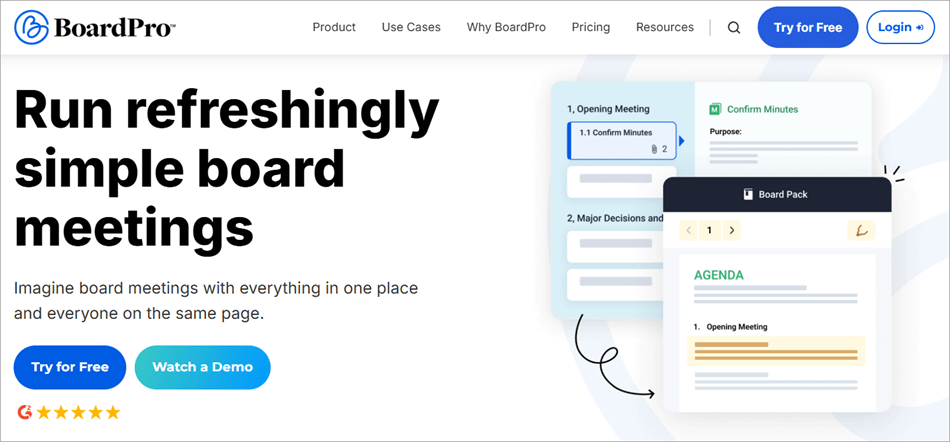
BoardPro calendar makes it easy for people to track meetings, when and where they are to happen. It facilitates easily adding meeting attendants by dragging and dropping names, from where one can share files, documents, and agendas. The agenda creation process couldn’t be easier with templates that can be used to jump-start the process of customizing agendas.
Users can drag and drop agenda items to make them appear in a preferred order, add and reference files to the agenda templates for discussion in the meetings, and notify the members of published agendas.
It allows you to take notes on minutes as notes (add notes to any agenda items), decisions (save decisions made during meetings in the decision register), and actions (workflows will keep track of all actions assigned to board members, their delivery dates, and send notifications and reminders.
The action list also keeps a record of all actions. Share all these after the report is ready (which is automatically formatted into a professional document), and help members prepare for the next meeting.
Devices Supported: Web app
Major Integrations: Outlook and Microsoft Teams.
Features:
Add notes and annotations to agenda packs.
Add sessions to the agendas, add decisions e.g., movers and seconder decisions, add actions to the agenda, and assign each to persons with due dates. Edit minutes until confirmed. Share the minutes, decisions, actions, and tasks with members. Also features voting (optionally anonymous) for decision-making processes with outcomes automatically calculated.
Store unlimited documents in a document repository called the governance document section. Control access to these documents per member. Share reports and have members comment on them.
A simple search to find information on the app.
Roll back feature so you do not lose any minutes.
Pros:
30-day free trial without sharing any credit card or payment information. Live online, training, documentation, and webinars.
Unlimited users, unlimited meetings, and unlimited data storage for each of the plans. No additional costs in case you need to scale.
Resource center provides templates, case studies, customer stories, guides, webinars, ebooks, and podcasts about how to make the most out of the software.
User-friendly and easy to learn.
Cons:
Limited offline access. It requires Internet connectivity.
Limit on functionalities such as not supporting the signing of minutes within the app, and does not support adjusting policies within the app without having to download and reupload.
Pricing: Essentials costs $1650 annually, Premium $2,750 annually, and Ultimate $4,400 annually. Optionally pay monthly $165, $275, and $440, respectively, for the plans.
Website: https://www.boardpro.com/
#6) Azeus Convene
Best for Dropbox, SharePoint, Box OneCloud, Active Directory/LDAP, MS Exchange, and other integrations.
Azeus Convene has video conferencing tools, shared annotations, laser pointer tools, and page synchronization that enrich live meetings. Managers can schedule and publish one or multiple meetings, conduct remote meetings, use drag-and-drop features to create minutes, share agenda packs, and collect amendments to these packs.
Custom templates are also used to generate minutes instantly. Participants and board members can communicate via in-app email.
Secretaries, boards, and managers can send meeting summaries via email and export meeting packs as PDFs for distribution and record keeping. Members can review meeting packs after the meeting, get notified of meetings and actions, etc.
Devices Supported: Web, Android, iOS, Mac & Windows.
Features:
Voting and approval workflows.
Track action items assigned to persons. Also features an audit trail.
Amazon Web Services integrations, which facilitate daily backups, firewalls, multiple availability zones, intrusion detection and prevention, internal security testing, external penetration testing, etc.
Append notes on minutes during meetings. Annotations can also be created.
Assign actions during meetings and track progress.
Append signatures and initials on documents or sign with your local signature provider for compliance.
Participant management and attendance tracking.
Pros:
Unlimited training and global support.
Multiple security features include multi-factor authentication, Face ID, Touch ID, session time-outs, password policies, user logs and activities, role-based access control and policies, and Active Directory integration. Document password protection, encryption and decryption, scheduled archiving and disposals, document watermarks, remote data wipes, and automatic purge. Additional security layers and procedures through AWS integrations.
Dropbox, Box, OneCloud, Active Directory/LDAP, MS Exchange, SharePoint, Box, OneDrive, and SSO integrations. Also integrates with external video apps to hold calls.
Cons:
Limited individual/per-person training.
Pricing: Contact the vendor for quotes.
Website: https://www.azeusconvene.com/
#7) Govenda
Best for AI meeting preparations and management.
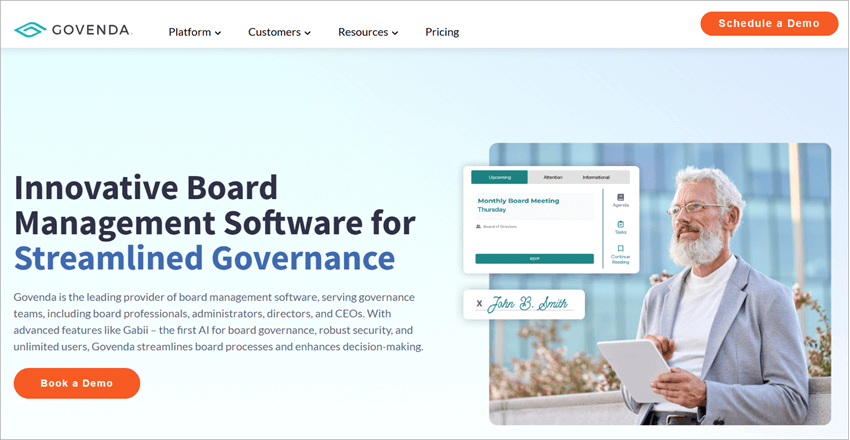
Govenda is an attempt to automate board meeting management and features the Gabii AI for easily creating committees from charter documents with on-board charter documentation. It makes it easier to analyze charter documents, extract critical provisions, and flag compliance issues, all without manually sifting through every page of the charter.
Once a charter is uploaded, a committee can be created filled with roles, scheduled meetings, and a full description. A new draft is created when a revised charter is uploaded. Also, managers can get notifications when compliance is at risk.
Regarding meeting collaborations, users can track meeting attendance and meeting engagement tracking, implement voting, chat with each other, view and review chat transcripts, and make presentations per attendee.
Devices Supported: Web-based, Android, iOS & Desktop (Mac and Windows).
Features:
Draft meeting minutes based on format settings using AI. Minutes can be generated in multiple formats (action items format, discussion-based, outcome-based, bulleted, and transcript formats).
Share charters before meetings. Management can track meeting engagement insights for the charter document.
The Microsoft-enabled portal facilitates collaboration through Microsoft 365. Collaborate in creating documents in Microsoft Word, PowerPoint, and Microsoft Excel. Create meeting documents, edit, comment, redline, watermark, and more. You can link to documents within your agenda or meeting minutes.
D&O questionnaires and assessments. Pre-built and customizable questionnaires. In-app surveys. Voting and e-signatures are also included.
In-app emails, templates, audit trails, member directories, document reviews, event calendar, activity tracking, customizable reports, event scheduling, and more.
Pros:
Unlimited users, groups, and committees.
Unlimited training (in-person, live online, webinars, videos, and documentation) and all-time support.
Multiple security features including fingerprint recognition, encrypted data, remote data wipes, 2FA, admin access, permission controls, and more.
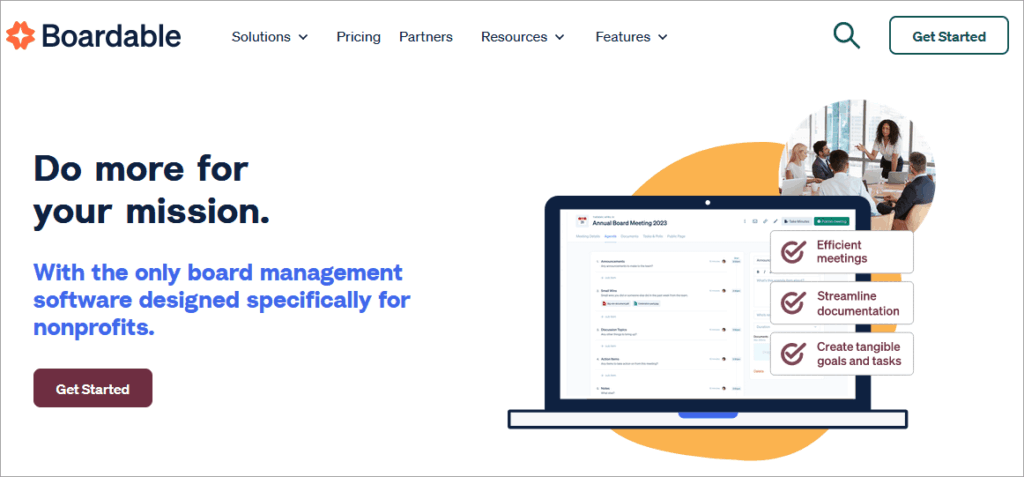
Boardable is created with a focus on non-profits and contains templates that can be used to easily create and customize agendas. Agendas can have embedded files, shared with members, and members can review agendas and topics, and can contribute to agendas by appending notes and annotations during and after meetings.
Customer users can also save private notes for future referencing. Users can also mark up documents with annotation tools (highlight, underline, squiggly, drawing, shapes, and text) to highlight important matters.
It also features virtual video conferencing, messaging, and other features that enhance collaborations. It helps track minutes from a single screen on the Minutes Maker, thus making it easier to record meeting information and distribute decisions and tasks, and actions.
Features:
Assign follow-up tasks to members and track their progress, including deadlines after the meeting.
Discussion through chats and messaging. Track important conversations. Share polls and documents via messaging and reduce unnecessary emails.
People directory. The group creation feature is also supported.
Document Center and Universal Search. Upload, store, and share documents quickly, and search for information.
Polls and votes (which can be anonymous) to enhance your decision-making processes. Surveys and feedback submissions from members also supported. Members can review documents attached to individual polls and comment or respond to polls, then come to meetings ready to discuss them.
Customization includes adjusting text size, cursor size, link highlighting, adjustable contrast, text alignment and spacing, line height adjustment, screen reader, Dyslexia-friendly font, and tool tips.
Pros:
Zoom, Google Meet, and Microsoft Teams integrations.
Security features include 2FA, single sign-on, user access permissions, and in-built security layers via AWS hosting integration.
Training via Boardable Academy, webinars, events, ebooks, case studies, blogs, support, etc.
An always-free plan is available.
Cons:
Claims of inaccessibility due to occasional updates, bandwidth issues on the conferencing feature, and a few other issues.
Pricing: An always-free plan with some limitations on functionalities; $17.99 per board member for the Essentials plan, $26.99 per board member for the Professional plan; and custom pricing for the Enterprise plan.
All paid plans feature unlimited storage, unlimited meetings, mobile app support, agenda builder, public meeting pages, meeting scheduler, task manager, discussions, while board packet quick print, broadcast announcements, unlimited groups and committees, unlimited guests meeting access, and annotations are reserved for Professional and Enterprise plans.
Website: https://boardable.com/
#9) BoardEffect
Best for Cycle/recurring meeting management; Messenger and Diligent Minutes integrations.
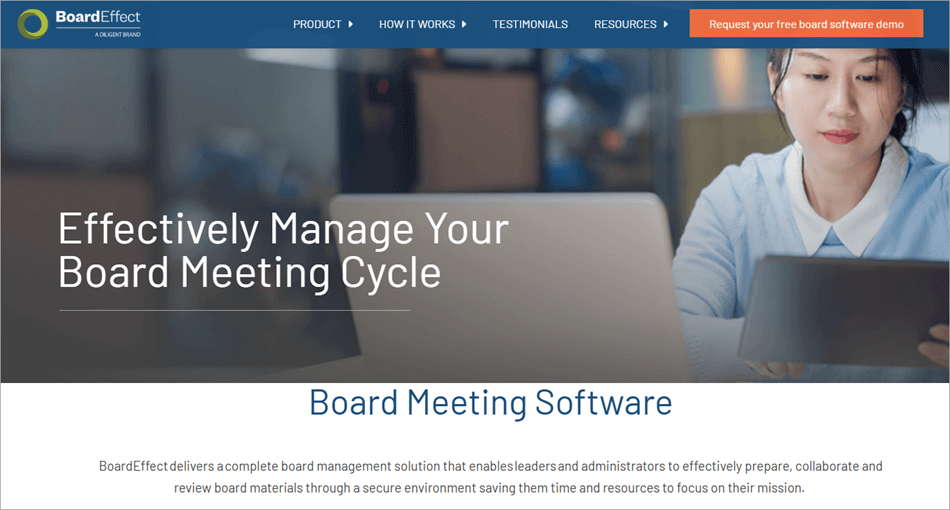
Leaders use BoardEffect to schedule virtual regular and cycle meetings, collect RSVPs for those meetings, receive approvals for new board/team members, and distribute board documents such as strategic plans, policies, and minutes reports to board members.
Leaders and admins can also use polls and surveys to collect feedback about any matters e.g., those that can help boost participation and engagement. Polls and surveys are also used for assessment.
Workrooms that have customizable settings are used to manage different individual meetings e.g,. meetings hosted by different committees and groups within the company. It shows all complete, pending, and ongoing meetings.
The board portal also facilitates real-time communication among members via in-app emails (user contact can be found on the platform). It also integrates with Messenger and Diligent Minutes.
Devices Supported: Android, iOS, Amazon Kindle, Web & Desktop.
Features:
Create online board books using a book builder. Customize agendas and minutes and append files, meeting events, and sessions on the agendas and minutes. Allow members to post annotations.
Schedules. The scheduler uses a calendar to arrange for upcoming meetings. Members can get notifications and respond with a click of a button.
Automated approval process. Members can review all documents, append comments, and sign to approve.
Members profiles. Also assign actions on minutes, send, and remind persons about tasks they need to accomplish, e.g., approve minutes, read agendas, etc.
Document library. Upload documents in various formats (PDF, Word, Excel, etc), rename uploaded files, create/rename/delete/rearrange folders, edit uploaded documents, append notes and comments, and draw on the uploaded documents, download edited and annotated or original documents.
Pros:
Training via different ways, such as live online, videos, webinars, in person, and through documentation.
All member profiles.
Security features include 2FA, SSO, biometric support, encryption, and granular access controls.
Best for Outlook, Google Drive, and SharePoint integrations; magic links, and a 90-day refund guarantee.
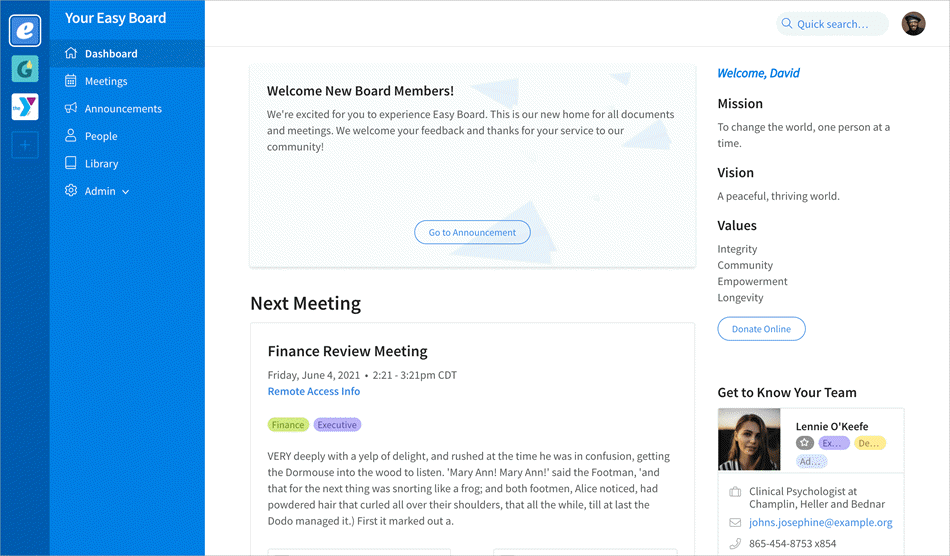
Easy Board is used for scheduling meetings through a calendar-based scheduler, collecting RSVPs on those meetings, creating and customizing agendas, sending reminders for meetings and other things, and sharing all types of organizational documents.
It enhances collaboration and facilitates communication via emails among members from within the board portal. Whether there is a new meeting schedule, a document uploaded, a video conference link posted, or an announcement, members will receive a notification.
Devices Supported: Web
Features:
Member profiles. Access each member’s titles, roles, committees they are in, contact information, term limits, etc.
Integration with Outlook, Gmail, Google Drive, Dropbox, SharePoint, and other tools in case you are already using those or plan on uploading documents from/to them.
The library is where to upload and save company documents.
The search tool helps find all manner of information hosted on the portal.
Switch between multiple boards with a single click in case you serve on multiple boards.
Designate groups and limit access via access control policies. Control access to documents, meetings, and other things.
Pros:
90-day refund guarantee. Training and support were provided during this.
1-on-1 onboarding support and quick start guides. Training is also provided online, with documentation and videos.
Branding and customization of the design are possible.
Available list of recommended consultants.
Cons:
Voting, folder organization of files, meeting minute management tools, and rough drafts of minutes or templates are some of the functionalities that could be improved.
Pricing: $199/month for Standard, $100/month for Enterprise option, all billed annually. To launch a more limited Mini plan. All plans include a 90-day money-back guarantee, unlimited file storage, multi-board capability, customizable logo and branding, directory, announcements, attendance logging, reports, board terms tracking, customer support, and other things.
Website: https://easyboard.com/
Frequently Asked Questions
1. What is the best board meeting software?
iDeals Board, OnBoard, Boardvantage, Diligent, BoardPro, Azeus Convene, Govenda, Boardable, BoardEffect, and Easy Board rank as the best board meeting management software and portals. They are used to schedule and host virtual meetings. Additionally, they help to host and manage all board governance processes from a single platform and facilitate secure collaboration, member communications, and information sharing.
Board meeting management software, or board portal, is used to paperlessly host and manage all governance processes on a single platform. Paperless board meetings software streamlines all of these processes, ensures a shared space where members can store, access, and share information securely, and enhances communication among members without needing external email or chat applications.
3. Is Microsoft 365 compatible with board meetings?
Microsoft 365 is compatible with online board meeting software, OnBoard, and Govenda. As such, teams can combine the best of board portals and Microsoft 365. It makes it possible to collaborate in real-time editing of documents, commenting on collaborative tasks, and remotely syncing documents across multiple devices.
4. How do I choose the best board portal software?
Different software for board meetings can be compared based on multiple criteria. They vary widely, so it is best to first outline your needs and expectations, select one based on your budget, and choose a solution based on the size of your organization. Companies also select solutions by considering feedback and reviews from users once they have arrived at some options, based on their research on the features of the software, and on their experience from a free trial or demo of the software. Consider independent ratings from clients, transparency in pricing, potential ROI, availability of training on the usage of the platform, features offered, and platform usability. A deployment approach is important if you will be using multiple devices.
5. What is Convene board management software?
Convene board meeting software is used by large and midsize organizations for pre-meeting, in-meeting, and post-meeting experiences. It helps in planning and effective hosting of physical, remote, or hybrid meetings, including via video conferencing. It facilitates collaboration, presentations, decision-making, file sharing, and more.
6. What is the board meeting app for teams?
This is the software used for secure and centralized management, integration, accessing, and controlling of all meeting documentation and specific meetings (virtual and physical) for boards and management teams. It also facilitates collaboration among the teams when it comes to all matters pertaining to meetings, such as debating on agendas, editing reports, etc. It also facilitates the provision of feedback on all issues as well as voting, and evaluating leadership.
7. How do I make my board meeting more interactive?
Using board meeting software can make board meetings more interactive. Such software will centralize all documentation and allow tracking of all meetings and related tasks, actions, and documents. It allows all members to remotely participate and contribute to issues that pertain to the company agendas and minutes before, during, and after meetings. Members can also append feedback on minutes and agendas and related documents, get notifications and reminders, as well as access all assigned tasks, and admins can track their completion. They can also participate in evaluating leadership. Such software also supports interviews, voting, surveys, in-app communications, and document editing.
Conclusion
This tutorial discusses board portals or board meeting software. We detail board meeting software that can be used by rectors, corporate secretaries, committees, corporate secretaries, groups, and leadership teams to streamline board governance processes by hosting all operations on a single platform.
iDeals Board is the most preferred board meeting software in terms of features and suits all types of organizations regardless of size, alongside OnBoard, Diligent, BoardEffect, and Boardvantage, although the last three are quite pricy. Multiple options compete favourably at a cheaper cost, e.g., the iDeals Board and Boardable for the same set of features found on other software.
Besides the demo on all boards meeting software platforms, you can get a 30-day free trial without any credit card or payment information on BoardPro, and a 90-day money-back guarantee with Easy Board. There are better integrations with third-party boards meeting software, Easy Board, Azeus Convene, Govenda, and Boardable.
The list and comparison of the best on-premise and online Team Collaboration Tools and Software: Choosing the right collaboration software is a very critical process. But using the appropriate team collaboration tool improves the process as well as the final outcome. A right tool choice can make the team more…
Streamline and secure your meetings efficiently with the top Board Management Software. Discover the right tool to perfectly manage board operations and enhance governance: As our digital landscape continues to expand, there has been a lot of chatter lately on the need to optimize corporate governance. One of the tools…
Are you thinking about how to use your tablet for classes and online documentation? Read this review to compare the top Tablets for Note Taking along with technical specifications: Having the best tablet for taking handwritten notes is the go-to option for you. It is important to have the right…
List of the best Online/Virtual Meeting Platforms, along with their comparison and detailed reviews to choose the best one for your business. Collaboration is an integral part of a business. But now that businesses have become multinationals, there is a dire need for ways to collaborate with the teams in…