Is Datasite the most reliable VDR provider? This Datasite VDR review explores its features, pricing, user experience, pros & cons, along with a list of Datasite alternatives to help you in making wise decisions:
What makes a virtual data room platform great in the year 2026? I think a few key parameters should be used to judge all modern VDR platforms today. As we all know, these platforms offer digital data rooms where people collaborate, sensitive documents are shared, and deals are closed.
So, a good VDR platform would offer robust security features with seamless functionality. Another thing that’s becoming a staple of sorts in recent years is AI. Since AI is being adopted by almost all major software solutions out there, I think it is only fair to expect advanced AI capabilities from today’s VDR providers.
Datasite Virtual Data Room: Complete Analysis
My quest for a platform that offered the perfect blend of strong security features and advanced AI is what led me to Datasite. I was well aware of Datasite, but didn’t have the time to try it until now.
Here is a video for your reference:
After using this VDR, I have some thoughts, and I would like to share them with you here.
Further Reading => What is Data Room
Consider this article a comprehensive Datasite review from someone who’s experimented with various digital data rooms in the past.
Datasite VDR Review
Datasite isn’t a new VDR provider in the block. It has been around for decades now, and you might not have heard about it, as it went by a different moniker (Merril DataSite) in the past. I would describe Datasite as a virtual data room platform that was specifically designed to spearhead due diligence processes and high-stakes mergers and acquisitions deals.
With a presence in over 180 countries, Datasite’s data rooms are being used by over 1.8 million users around the world. One can attribute this popularity to Datasite’s robust security features and amazing functionality. This is something I can testify to with certainty after having spent enough time on it.

From end-to-end encryption to granular access controls, it is quite clear that the people behind Datasite have left no stone unturned to make the platform safe and secure for collaboration and document sharing. I would say this is a VDR platform that serves its purpose well in document management.
It is also one of the rare VDR platforms today that has figured out how to incorporate AI-enabled features to boost its functionality smartly. Thanks to Datasite AI capabilities, you are bound to experience a considerably streamlined document management process.
Now that you know what Datasite entails, allow me to share my opinion on the platform’s UI and core enterprise features.
Overview of Datasite Virtual Data Room UI
This platform was surprisingly user-friendly, even with its advanced capabilities, which floored me. This is something that becomes abundantly clear as soon as you launch it on your system. Upon logging in, a neat, well-organized interface that is easy to navigate greets you.
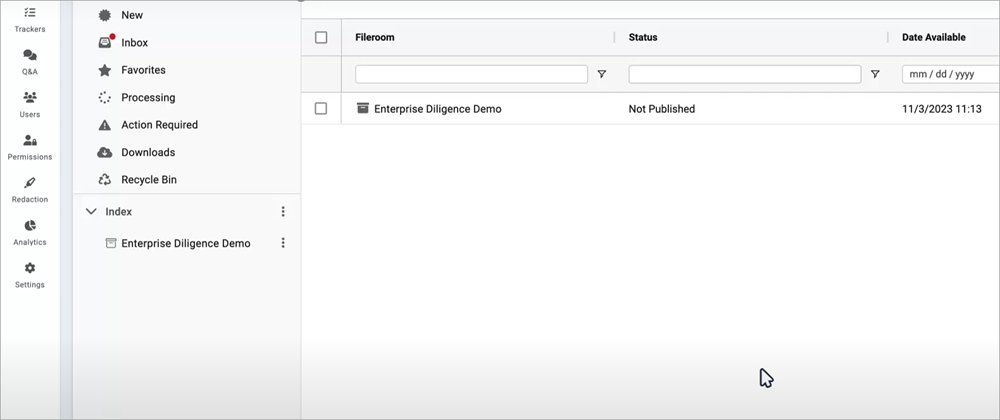
The left-hand side of your screen neatly displays all of its core enterprise features. Uploading a document or exporting it can be done with a single click. Some capabilities, like redacting text from documents or categorizing them, are automated with the help of AI. So, you don’t have to do much in this area.
It is also quite simple to manage trackers or define user permissions. You could be the most technically inept individual on the planet and still have an easier time navigating Datasite’s VDR. This is ultimately Datastite’s greatest strength, and one largely responsible for my favorable view of it in hindsight.
Core Enterprise Features
#1) AI-Capabilities
Datasite is filled to the brim with advanced features, but it is its advanced AI capabilities that make it worth checking out. These AI capabilities are what give Datasite an edge over many of its contemporaries in the market today.
This AI perhaps comes in handy the most when handling various crucial elements associated with document management.
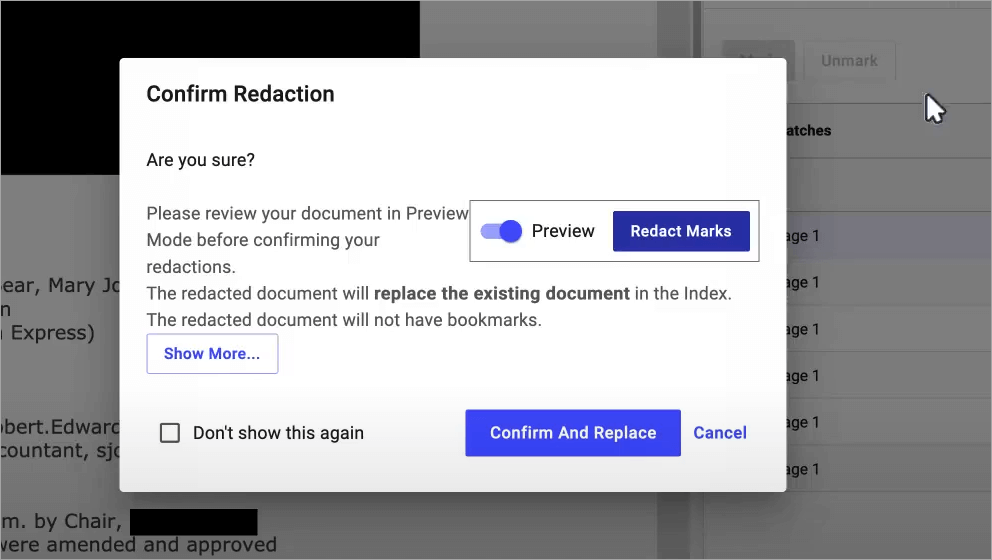
Let’s start by talking about smart redaction. You can count on Datasite’s AI-powered smart-redaction feature to automatically identify PII (personally identifiable information) in a document and redact it.
This AI redacts documents as soon as they are uploaded. You get to preview the redacted file and accept or decline the redactions made.
Besides redaction, Datasite’s AI also facilitates automated document categorization. Its AI is smart enough to know which document belongs in which category.
#2) Document Management
I am impressed at just how efficient and streamlined document management is via Datasite. Loading documents onto the data room is as simple as clicking a button. Alternatively, you are also allowed to drag and drop a file directly into your data room. You can upload one or multiple documents in bulk at once without hassle.
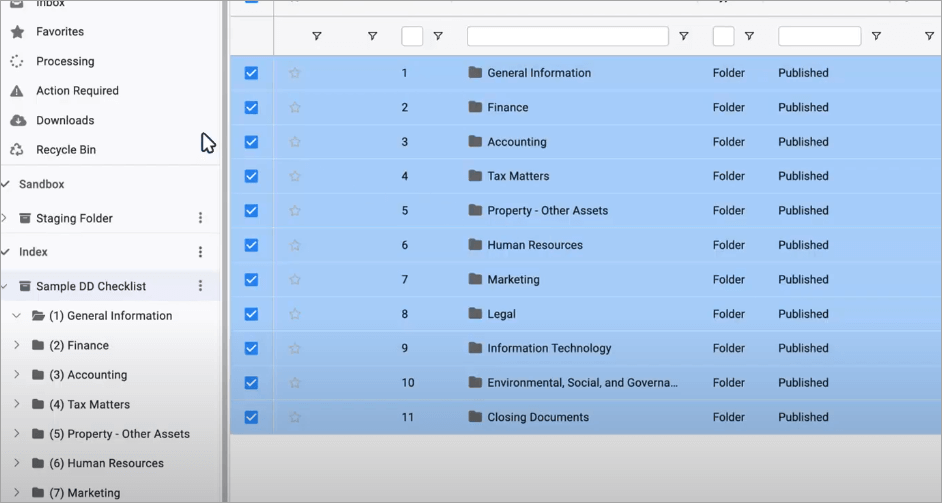
Besides bulk uploading, you can also use Datasite’s bulk edit tools to prepare content and save time. You can review or preview all uploaded files just by hovering your cursor over them.
Another thing I like is the ability to translate text. Datasite can translate text in over 20 languages, which makes it ideal for closing cross-border, international deals.
Furthermore, this platform also comes equipped with reliable OCR tech. Datasite’s OCR engine can search for text within documents with images and graphics in over 16 languages.
#3) Trackers
Imagine a data room that grants a central checklist to everyone collaborating on a single project. That is what the “Trackers” feature in Datasite accomplishes. With the help of these trackers, anyone on Datasite’s data room can track the progress of an uploaded document or the modifications being made to it.
Let’s say one person edited a paragraph in one particular document. Everyone with authorized access to that document will become privy to that change in real-time. It is also quite simple to set up and manage trackers.
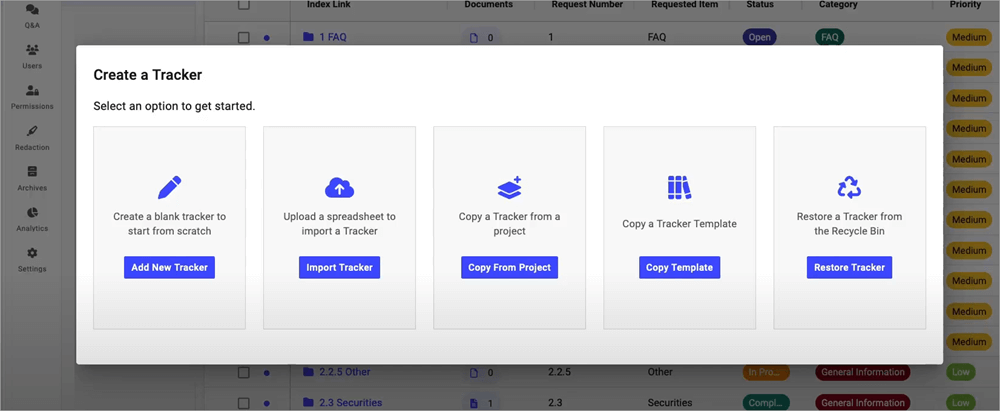
You can access this feature on the right-hand side of your account’s dashboard. There are several different ways to create a tracker, depending on your convenience. You can either upload a tracker from Excel, copy from an existing project, or create one from scratch.
#4) User-Permissions
A data room platform must be stringent and uncompromising when it comes to access control. I am glad Datasite adheres to this principle. As with every other thing you can do, managing access is also simple. You can manage access granted to each person at a granular level.
Suggested Reading => Top-Rated M & A Software to Look For
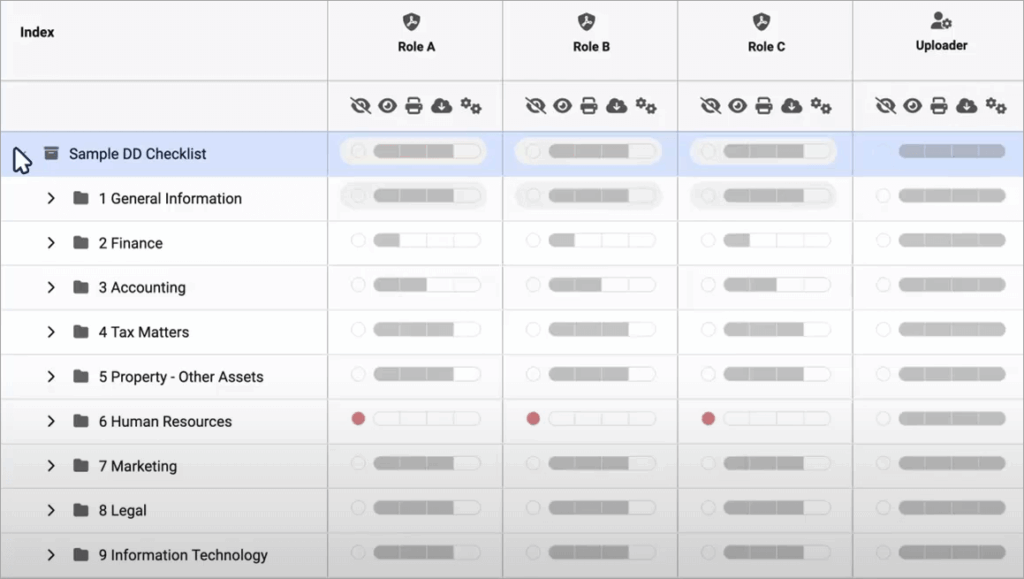
When granting access, you decide how much control to give an individual. You can decide whether someone with access to a document can print it, edit it, download it, or simply view it. You can manage user roles and adjust these permissions anytime with a few clicks.
These features really go a long way in helping you ensure only authorized individuals have access and control over the documents in your data room.
#5) Analytics and Reporting
This is yet another area where Datasite excels. I’ve already mentioned just how impressive the platform is for real-time activity tracking. Add to that, the tool is great at offering accurate insights into user engagement through visual means. You get analytics on how many times the document is opened or downloaded.
Also Read => Most Popular Reporting Tools
You also have the privilege of making custom reports from scratch. Datasite’s AI does a phenomenal job of transforming data into actionable insights, which can help you make informed business decisions.
#6) Robust Security Features
As I mentioned before, Datasite offers a virtual data room that’s designed for M&A deals and due diligence processes. This means a plethora of sensitive information will be involved, which needs to be protected round-the-clock with robust security measures. Thankfully, Datasite is more than suitable for this task.
Right off the bat, this platform is hosted on Microsoft Azure, which many experts believe to be a highly secure platform that surpasses the normally accepted standards of security. Any document you upload or share on Datasite is end-to-end encrypted.
User permissions can be managed through granular access controls, thus preventing unauthorized access. There are options for multi-factor authentication and SSO for better security of your data.
Furthermore, all files are securely purged 30 days after a project is complete. The platform also possesses ISO 270001, 27017, 27018, and SOC 2 Type II certifications. You can rest easy and conduct your business with peace of mind on this VDR.
Customer Support
Reliable support is the hallmark of a quality software solution. Datasite does not disappoint in this department as well. You are promised support 24/7 in over 20 languages. The response is fast, with a well-trained staff available to guide around the clock.
There are multiple ways to reach out for support. You can try calling or texting the support agent. Alternatively, you can raise a ticket through the Datasite Assist Portal. You can reach out to the support team for any help with using the platform. I appreciate that.
Datasite Pricing
Datasite does not make its plans or rates clear on the official website, as the prices are quote-based and customized according to your requirements. The price depends on the pages you upload, the work volume, the project’s duration, and other factors.
You could expect to pay somewhere around $0.60 per page uploaded to the platform. Be aware that this pricing may not reflect the actual amount you might have to pay. You’ll need to contact Datasite’s team with your requirements to get a clear quote.
On top of that, Datasite may also charge you additional fees for tasks like Excel file handling, proactive support, or adding more users.
There is also no free trial. That said, a custom demo is offered upon request.
Pros & Cons of Datasite VDR
What I like about Datasite data room:
- It is quite easy to use with a neat and well-organized UI.
- AI management capabilities like smart redaction and automated categorization make your job easier.
- Robust security features include multi-factor authentication, granular access control, and end-to-end encryption.
- Responsive 24/7 support via chat, call, and text.
- Streamlined management of documents.
- Supports over 20 languages, thus making the platform ideal for closing international deals.
What I Don’t Like About Datasite VDR
- The lack of clarity on pricing can be jarring for some users. Also, you might have to pay extra on top of your quoted price for certain additional features and privileges.
Areas of Improvement in Datasite Data Room
Despite its merits, Datasite isn’t without its faults. I feel like there is potential for Datasite to become a leading VDR platform soon if it improves in the following departments:
#1) Unclear Pricing
As I mentioned before, I have serious gripes with this platform’s pricing. The plans aren’t made clear right off the bat, and this can add to confusion. The price’s fluctuation, based on your project or uploaded pages, can create uncertainty.
I think it would be best if Datasite stuck to a subscription-based fee rather than charging by page count or other factors.
#2) Clunky Q&A Functionality
While Datasite’s Q&A capabilities didn’t bother me much, I do believe it needs to be better than what we have now. Some users have complained about struggling to follow up if a seller chooses to close questions.
Email notifications for Q&A responses are also noticeably clunky. The people behind Datasite must work on improving this functionality to ensure an overall better user experience.
Although document management is simple on Datasite, some users have had issues when transferring larger files through this platform. Perhaps this is an issue that could resolve itself with a more evolved search function and file transfer mechanism within the platform.
Datasite has evolved a lot since its inception, with new updates being announced regularly. So, I hope the platform can make improvements in these areas in the best interest of its users.
User Reception of Datasite
Datasite has garnered positive reviews from its users, as evidenced by the scores and reception it enjoys across several very prominent online publications. For instance, it enjoys a score of 4.5/5 on Slashdot, 9.5/10 on TrustRadius, and 4.7/5 on Software Advice.
Positive reviews mostly center around the platform’s user-friendly interface, security features, and advanced AI capabilities.
In an immensely positive review posted by a long-time user on Capterra, they had the following to say:
“Overall, my experience with Datasite Virtual Data Room has been positive. The platform’s robust security measures instilled confidence in the protection of sensitive information. Despite occasional performance lags during peak usage time, its intuitive interface and efficient document management capabilities streamlined our due diligence processes.”
Another user published the following review on the platform Software Advice:
“The VDR is set up in such an efficient way with easy-to-use technology. It is simple yet advanced with great features.”
After analyzing hundreds of reviews on all the platforms mentioned above, I can confidently affirm that Datasite is highly respected by its users.
Further Reading => Firmex VDR Review: In-Depth Study
List of the Best Datasite Alternatives
Here are the Top Datasite Competitors to look for:
#1) iDeals

Like Datasite, iDeals is also a very popular virtual data room platform that can be leveraged for M&A deals. The platform is best when used to manage otherwise complex transactions. I would recommend it to small and large-scale corporations, specifically those engaged in the real estate, investment banking, or government sectors.
Similar to Datasite, iDeals also offers impressive AI capabilities. You can use iDeals to automate the finding and redacting of PII in documents. Reviewing documents is also hassle-free, as this AI can translate documents with ease. The platform also does a good job of ensuring compliance with stringent global standards like HIPAA and GDPR.
Price: iDeals offers flexible subscription plans, with quotes that will vary based on your security requirements, project size, and service needs.
Datasite vs iDeals
| Parameters | Datasite | iDeals |
| Security Certifications | ISO 270001, 27017, 27018, and SOC 2 Type II certifications | HIPAA and GDPR compliant, ISO/IEC 27001:2013 certified, SOC 2 and SOC 3 Certified |
| Pricing Model | Custom pricing based on pages uploaded, size of project, etc. | Subscription-based plans with fees customized to fit your project requirements. |
| Setup Time | Takes a few minutes to a day, depending on your requirements. | Only takes a few minutes. |
| Learning Curve | Relatively complex but still easy to use. | Smoother learning curve, thanks to its intuitive design |
| Support Quality | 24/7 responsive support on call and text in over 20 languages. | 24/7 chat, email, and phone support in 50+ languages. |
Check our Review of iDeals Virtual Data Room
#2) Intralinks
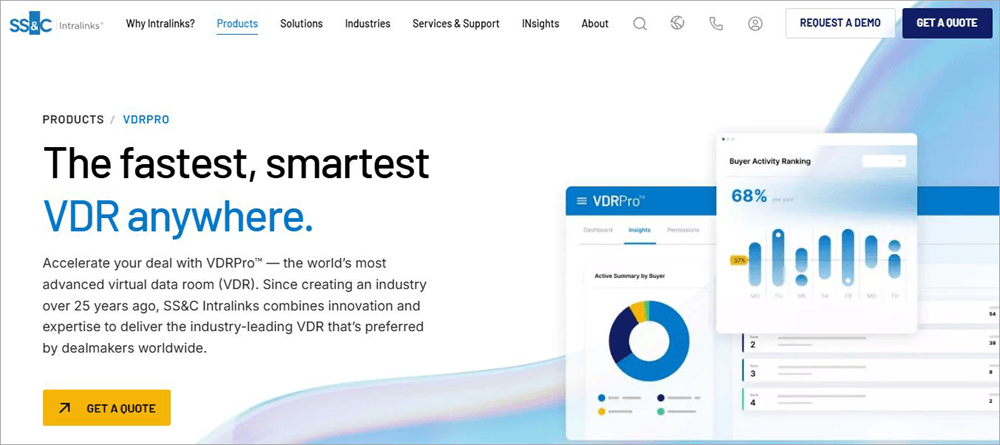
Intralinks is a platform that stood out to me for its amazing document management features. This is another VDR largely used for M&A deals and fundraising activities.
Intralinks has garnered a global client base that raves about its functionality and ease of use. Boasting bank-grade security, Intralinks also ensures unmatched data privacy.
Price: Contact for a quote
Check our Intralinks VDR Review Here
#3) SecureDocs
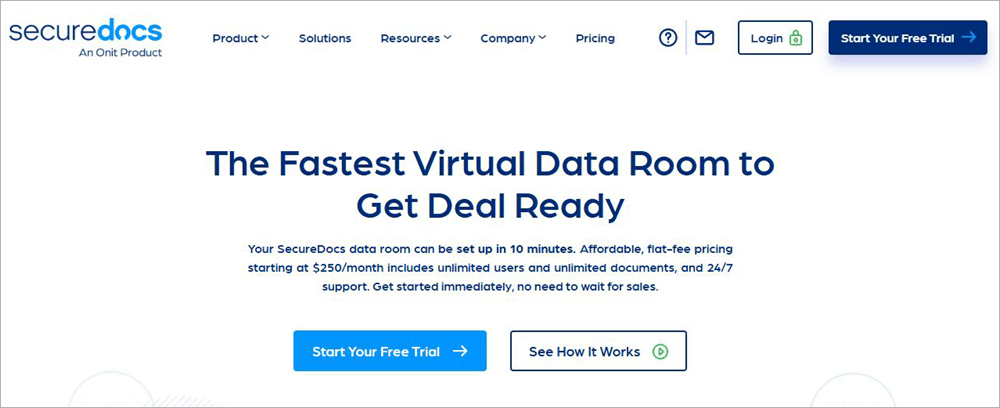
SecureDocs is again a great VDR with exceptional document management capabilities. This is why it is widely used by various corporations around the world.
Further Reading => Best M&A Due Diligence Software Platforms
You’ll find the platform excellent for fundraising, M&A, and IP protection. It is also very easy to get started with SecureDocs. It will take you only 10 minutes to launch your data room.
Price: Starts at $400/month (billed quarterly)
Website: https://www.securedocs.com/
#4) DealRoom
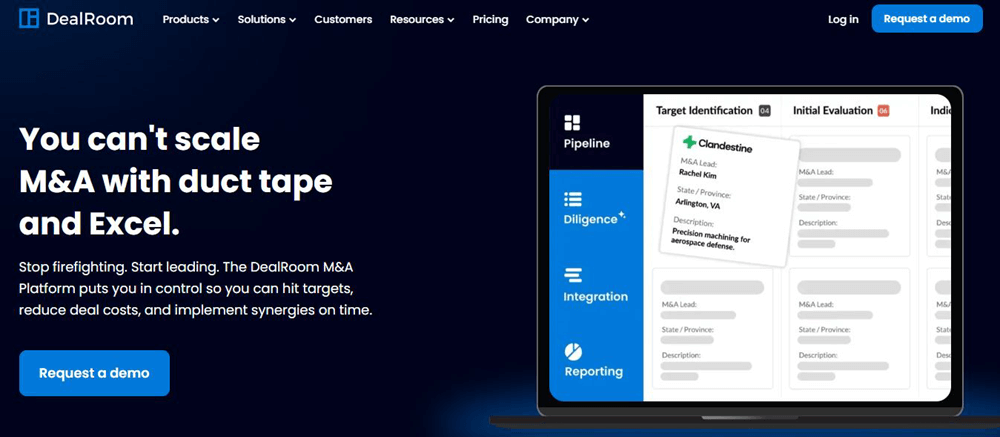
Finally, I would like to mention DealRoom, mainly because of its AI-powered features. DealRoom offers you a data room with several critical AI-powered capabilities.
You can count on this AI to automatically assess information on your documents and summarize it as well. Like Datasite, you’ll find DealRoom useful for handling all stages of a typical M&A lifecycle.
Price: Starts at $1250/month
Website: https://dealroom.net/
Comparing the Top Alternatives of Datasite
| Name | Best Features | Free Trial | AI-Capabilities | Cost | Limitations |
|---|---|---|---|---|---|
| Datasite | AI-powered smart redaction and document management | No free trial, but a custom demo is offered | Yes | Charges based on pages uploaded, project size, etc. | Hidden charges. |
| Name | Best Features | Free Trial | AI-Capabilities | Cost | Limitations |
|---|---|---|---|---|---|
| iDeals | Document versioning and Multi-project management | 7 days | Yes | Flexible subscription plans based on factors like project size, security requirements, etc. | Lack of clarity with pricing |
| Intralinks | Real-Time analytics, Document redaction | Demo Available | Yes | Custom quote based | Learning curve involved |
| SecureDocs | Audit Trail and Custom Dashboard | Available | No | Starts at $400/month (billed quarterly) | Limited integrations |
| DealRoom | Custom workflows and Document analysis | 14 days | Yes | Starts at $1250/month | Expensive |
FAQs on Datasite Review
1. What is Datasite VDR?
Formerly known as Merill DataSite, this is a leading virtual data room platform designed to streamline due diligence processes and M&A deals. The platform is known today for its AI capabilities, document management functionality, and robust security features.
2. Is Datasite the most reliable?
After putting Datasite to use thoroughly, I can say with confidence that Datasite is indeed a reliable virtual data room platform. It is a platform that shines because of its user-friendly interface and strong security features.
The platform caters to millions of users in over 180 countries. This fact alone should serve as a testament to this platform’s reliability.
3. Who is Datasite for?
The following industries and companies will find Datasite immensely useful:
• Healthcare
• Real-Estate
• Energy
• Technology
• Financial Institutions
• Consumer Retail
4. Is Datasite safe?
Yes, Datasite does not compromise when it comes to user security and privacy. The platform is hosted on the very secure Microsoft Azure. There are measures like multi-factor authentication and single sign-on to prevent unauthorized access.
Various bodies known for establishing industry security standards globally also recognized and certified the platform.
5. Is Datasite free?
No, Datasite isn’t free. The plans themselves are custom and will depend on what your specific requirements are. Datasite also does not offer a free trial, but does offer a custom demo upon request.
6. Is Datasite worth the cost?
Some users may find Datasite expensive and even become irked by its unpredictable pricing. However, it is still worth your time and attention, as it excels with robust security features, amazing document management capabilities, and a smart AI.
7. What are Datasite’s biggest limitations?
One of Datasite’s biggest issues has to do with its unpredictable pricing. Some users may not like the lack of transparency or the page-upload-based pricing that Datasite adheres to.
You may also experience performance lags during peak usage time. It could also work well with an improved Q&A functionality.
8. Who should not use Datasite?
I believe that smaller organizations and startups should perhaps look for better alternatives, as Datasite might prove too expensive for them. These organizations should go with VDR platforms that stick to a subscription-based pricing model like the one offered by iDeals.
Conclusion
So, there you have it, my unfiltered and honest opinion of Datasite. I believe it represents everything that companies today expect from a modern digital data room provider that spearheads due diligence, fundraising, and M&A deals. It is uncompromising when it comes to user security and privacy.
You are also provided with an easy-to-use and navigate dashboard that anyone, even the most technically inept individuals, can use without effort. Where this platform truly shines, though, is in its advanced AI capabilities.
You can count on the tool to automatically categorize your documents and redact PII on them, thus saving you a lot of time.
Some people might find the hidden charges disappointing. Beyond the pricing, I have very little to complain about with this VDR. I would recommend Datasite VDR for its exceptional security and AI capabilities alone.
Was this helpful?
Recommended Reading
-

This hands-on review post explores the features of the iDeals Virtual Data Room. See why iDeals VDR might be the best data room solution for you: Virtual Data Rooms are basically secure online repositories that store documents that can be accessed by multiple people simultaneously. Virtual Data Rooms have found…
-
Intralinks’ VDRPro is a feature-rich M&A Due Diligence platform used by both buyers and sellers from deal marketing to the due diligence process. This is a detailed review of Intralinks Virtual Data Room provider with its features, pricing, and alternatives. See how Intralinks VDR can help you with your dealmaking…
-
Check out the pricing, reviews and comparisons of the top Virtual Data Room providers. Select the best online data room software to close transactions faster. What is a Virtual Data Room? Virtual Data Room is an online secure data repository that is used for storing and distributing data. Virtual Data…
-
This guide to Virtual Data Rooms explains what a Data Room is, how to set up, use, and select a VDR, and how a virtual deal room works: Data Room is a secure space to store confidential documents and has access only to authorized people. It is a solution for…