


Fulfil all your security needs effortlessly with the right Microsoft 365 Security Management Automation Solutions that are trusted by MSPs. Pick the right tool from here to reduce risks and save time:
Managing Microsoft 365 security across multiple client tenants will always be an uphill battle for MSPs. With Microsoft releasing new updates and features almost regularly, it is becoming nearly impossible for MSPs to check security settings manually.
You also have cybersecurity threats becoming bolder and more dangerous with each passing day. Clients, of course, expect their MSPs to guarantee the security of their environments round-the-clock.
Best M365 Security Automation Software: Hand-Picked List

An appropriate response to these problems is the Microsoft 365 Security Management Automation platform. According to the report published by Mordor Intelligence, the Managed Security Services market is expected to be worth $76.96 billion by the year 2031 at a CAGR of 12.33%.
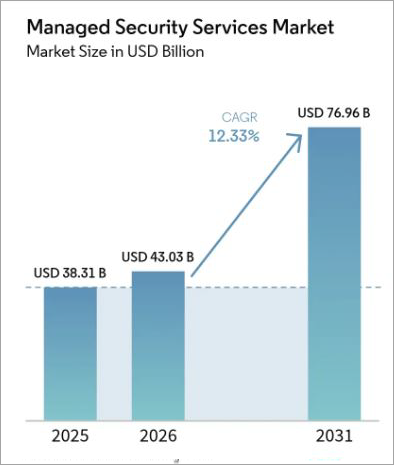
[Via Mordor Intelligence]
As evidenced by current market trends, tools that enable M365 security management have become the need of the hour.
In this article, I’ll be recommending 9 multi-tenant Microsoft 365 management tools that I believe MSPs can benefit from.
What is Microsoft 365 Security Management Automation
A Microsoft 365 Security Management Automation tool can best be described as a software solution designed to help MSPs protect their clients’ M365 environments. Think of it as a central control center from where you can assess, report, and remediate issues concerning the M365 security posture of multiple clients.
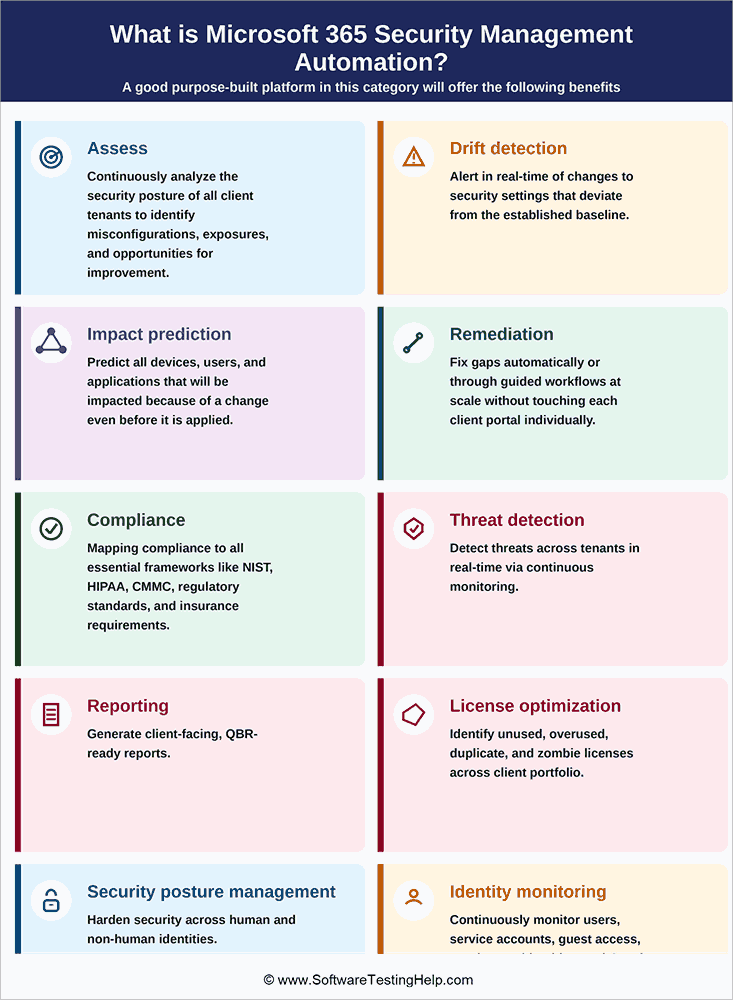
A good purpose-built platform in this category will offer the following benefits:
- Assess: Continuously analyze the security posture of all client tenants to identify misconfigurations, exposures, and opportunities for improvement.
- Drift Detection: Alert in real-time to changes in security settings that deviate from the established baseline.
- Impact Prediction: Predict all devices, users, and applications that will be impacted because of a change even before it is applied.
- Remediation: Fix gaps automatically or through guided workflows at scale without touching each client portal individually.
- Compliance: Mapping compliance to all essential frameworks like NIST, HIPAA, CMMC, regulatory standards, and insurance requirements.
- Threat Detection: Detect threats across tenants in real-time via continuous monitoring.
- Reporting: Generate client-facing, QBR-ready reports
- License Optimization: Identify unused, overused, duplicate, and zombie licenses across the client portfolio.
- Security Posture Management: Harden security across human and non-human identities.
- Identity Monitoring: Continuously monitor users, service accounts, guest access, non-human identities, and OAuth apps.
Need for Dedicated Tools Instead of General IT Security Platforms
MSPs are tasked with handling dozens, sometimes hundreds, of client tenants at a time. Traditional IT security systems typically handle a single company.
MSPs require software that can assist with:
- Simultaneously manage multiple tenants
- Provide an aggregated dashboard to monitor all clients.
- Generate branded reports
- Explore business growth opportunities.
Expert Advice:
I believe the best M365 Security Automation platform will not only improve security but also help your MSP grow and retain clients. I’ve recommended 9 tools in this article. To make an informed decision that best serves your interests, I suggest prioritizing the following capabilities when evaluating each tool:
List of Best Microsoft 365 Security Management Automation Solutions
Here is a detailed review of some of the top Microsoft 365 Security Management Automation tools:
- Optimize365 (Recommended)
- Inforcer
- Augmentt
- CoreView
- AvePoint
- SkyKick (by ConnectWise)
- Octiga
- CloudCapsule
- CIPP (Honorable Mention – Complementary Tool)
Comparing the Top Tools for Microsoft 365 Security Management Automation
| Name | Best for | Best Features | Suitable For | Rating |
|---|---|---|---|---|
| Optimize365 | MSPs that wish to harden client M365 and turn findings into recurring revenue. | Prospecting Scans, Impact Prediction, Drift Detection, Real-Time Alerts, Report Generation | MSPs that want to make profits from their security work | 5/5 |
| Inforcer | Offering the broadest M365 policy management coverage in the market to MSPs. | Backup and restore, Broad policy coverage | MSPs that wish to scale policy management across large client volumes | 4.6/5 |
| Augmentt | MSPs seeking a bundle that combines Broad Security and SaaS Lifecycle Management. | Automated onboarding, Device policy standardization, real-time alerts | MSPs that want SaaS Lifecycle Management and M365 Security in one vendor | 4.5/5 |
| CoreView | Enterprise IT teams who want to manage large-scale M365 Governance. | Virtual tenant segmentation, Automation library, Governance | MSPs and large enterprises with heavy governance needs | 4.3/5 |
| AvePoint | M365 Backup, governance, and data migration. | M365 Lifecycle management, Backup and Restore, Governance | Large enterprise with requirements for M365 backup, data migration, and governance. | 4.2/5 |
| SkyKick | MSPs reliant on the ConnectWise ecosystem and seeking full M365 lifecycle coverage | Pre-built automations, Tenant-to-Tenant migration, One-click remediation | MSPs embedded with the ConnectWise ecosystem | 4.1/5 |
| Octiga | MSPs seeking an easily accessible M365 security baseline, automation, and remediation. | Drift Detection, Multi-tenant management, auto-blocking | For smaller MSPs on a budget | 4.1/5 |
| CloudCapsule | MSPs seeking a lightweight M365 security solution | Drift detection, One-click remediation, guided workflows | MSPs wanting fast assessment and structured remediation | 4.1/5 |
Detailed Reviews:
#1) Optimize365 (Recommended)
Best for MSPs that wish to harden client M365 and turn findings into recurring revenue.
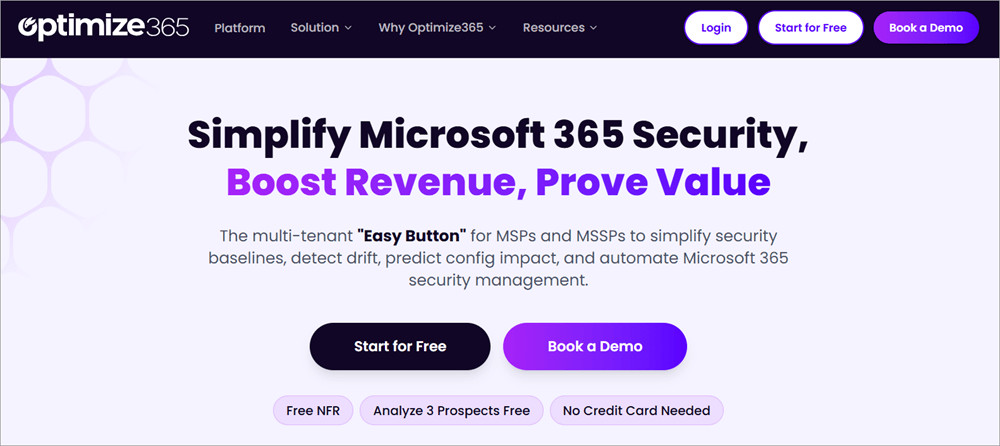
With Optimize365, we’ve got ourselves a purpose-built Microsoft Security Posture Management platform that caters to MSPs and MSSPs. You are basically offered a single dashboard for multi-tenant security assessment, continuous drift detection, automated remediation, and branded client-facing reporting.
Here is a demo video for your reference:
It distinguishes itself from most of its contemporaries on this list by emphasizing MSP business outcomes. It is a platform MSPs can rely on for client acquisition, uncovering licensing issues, identifying new business opportunities, growing MRR, and converting security work into billable service tiers.
The platform adheres to a structured workflow (Onboard > Assess > Predict > Remediate > Prove > Monetize) to efficiently manage your M365 security. This process automates every step. All output is specifically designed to either protect clients or help MSPs generate revenue.
Optimize365 also integrates seamlessly with various leading PSA tools such as ConnectWise, HaloPSA, and Autotask. These integrations help in automatically tracking remediations and creating tickets. Onboarding is also a breeze on the platform. MSPs and clients can have new tenants live on the platform within two minutes.
The fact that Optimize365 is an official Microsoft Partner also works in its favor. Clients with existing Microsoft agreements can easily find and procure the platform from the Microsoft Marketplace.
Features:
- Non-intrusive, comprehensive prospecting scans without requiring Microsoft credentials.
- Impact Prediction: The platform shows all the users, devices, and apps that’ll be affected by a change before it is even applied.
- Revenue Growth Analyzer: Identify overused, under-used, and zombie Microsoft 365 licenses; uncover upsell opportunities based on unmet needs and convert licensing insights into profits.
- A branded client portal capable of automatically generating QBR-ready, client-facing security and ROI reports.
- Automated, one-click Microsoft 365 security remediation. Customize remediation policies in accordance with each client profile.
- Detect drift due to updates or tenant modifications. Get alerts in real-time for any unauthorized changes and configurations.
- Per-control rollback, allowing you to undo or reverse any change, one control at a time.
- Co-Pilot readiness assessment across tenants.
| Pros | Cons |
| The only platform that does not require credentials for prospecting scans. | M365 Focused. Not a multi-SaaS management platform |
| Official Microsoft Partner and listed on the Microsoft Marketplace | Seat-based or tenant-based pricing. Proper budget planning would entail an accurate tenant inventory. |
| Uncover upsell opportunities that MSPs aren’t aware of. | |
| Onboard new tenants within 2 minutes. | |
| SOC 2 Compliant and ISO 27001:2022-certified | |
| Intune policy management across all tenants from a single dashboard |
Verdict: Optimize365 earns the top spot on my list for being the only M365 security platform that consolidates multi-tenant security assessment, real-time drift detection, impact prediction, licensing gaps, revenue growth analyzer, and QBR-ready commercial reporting in a single solution.
Thanks to the tool’s prospecting and upsell capabilities, MSPs relying on Optimize365 have seen their sales jump by over 35% year over year. It is a platform I have no qualms recommending for efficient multi-tenant MSP operations. It is undoubtedly the best multi-tenant M365 management tool for MSPs.
Price: Starts from $2/user/month. The price is lower if you opt for annual billing. Entry tiers for smaller MSPs are also available.
#2) Inforcer
Best for offering the broadest M365 policy management coverage in the market to MSPs.
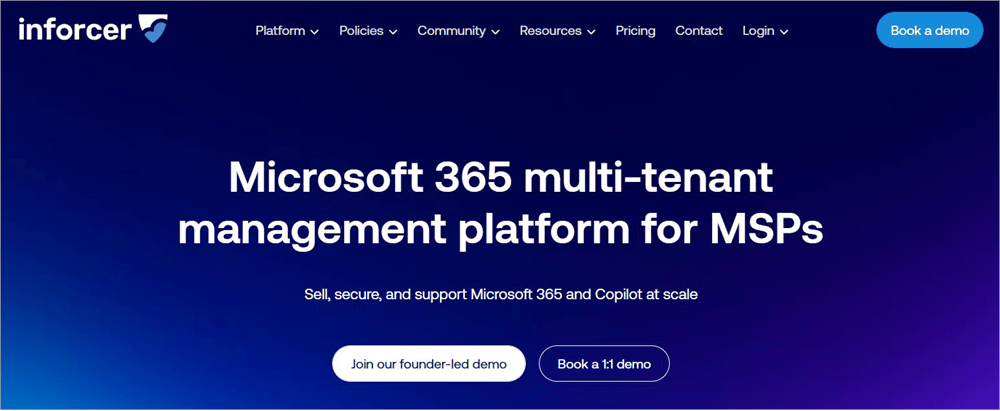
As far as M365 Policy Management Platforms are concerned, one could argue that Inforcer is perhaps the most popular name on this list. It stands out for being a rare product that offers an extensive range of M365 policies and security controls.
Inforcer offers MSPs centralized visibility into security configurations across all tenants. It also arms its users with an array of invaluable project management tools for risk scoring, remediation tracking, and compliance mapping. Like Optimize365, Inforcer also benefits from being an official Microsoft Partner.
Inforcer’s roots can be traced back to the UK, where it was originally founded. It enjoys a strong reputation in its homeland and is currently eyeing the US market to expand its goodwill.
Features:
- Detect threats across the entire M365 environment.
- Compliance Mapping
- Configure, deploy, and manage M365 tenants at scale.
- Back up and restore policies automatically or manually in just a few seconds.
- Security posture coverage for human and non-human identities.
- Actionable insights for better risk management.
- Copilot Readiness
| Pros | Cons |
| Broad M365 Policy Coverage | No impact prediction |
| Official Microsoft Partner | No proposal generation |
| Very loyal MSP customer base | Requires client credentials for pre-sales prospecting |
| An established name with strong brand recognition | Can’t reverse control changes |
| Expensive with no entry-level plans | |
| Base tenants must be maintained to copy configurations. |
Verdict: Inforcer’s biggest strength is the fact that it offers MSPs broader control coverage. If policy depth and compliance framework coverage are your primary requirements, then give Inforcer a shot. You’ll find the platform severely lacking beyond those benefits.
For instance, it cannot help you with impact prediction, pre-sales prospecting, or license optimization. It is also not suitable for smaller MSPs as it does not offer entry-level plans.
Price: Adheres to a tenant-based pricing model with plans ranging from $50/tenant to $15000-$20000 per month. For clarity on pricing, I suggest contacting Inforcer’s sales team and conveying your requirements.
Website: https://www.inforcer.com/
#3) Augment
Best for MSPs seeking a bundle that combines Broad Security and SaaS Lifecycle Management.
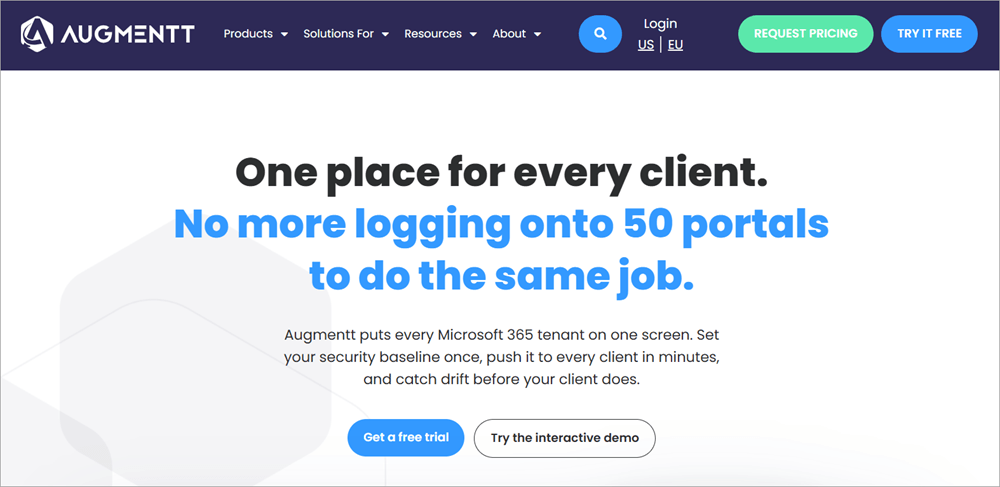
Augmentt is the brain-child of the same team that was previously behind N-able. You can characterize this team as veterans of the MSP software industry, and therein lies Augmentt’s greatest appeal. Prestige isn’t the only thing the platform has in its favor, though.
MSPs can count on the platform for SaaS Lifecycle management, Intune policy standardization, and user lifecycle automation. It also offers client-facing reporting across managed tenants. That said, it does fall short for live prospecting scanning without credentials.
Features:
- Intune device policy standardization across all managed tenants
- Receive alerts in real-time across all managed tenants
- Streamlined and automated user onboarding and offboarding at scale
- Effective SaaS and Shadow IT discovery to track thousands of applications with ease.
- NIST/CIS/SCuBA Baseline enforcement across all tenants.
| Pros | Cons |
| SaaS Lifecycle, Intune policy standardization, and user management in one product | Client credentials are required for prospecting scans |
| Founded by veterans of the MSP tooling industry | No impact prediction |
| Strong brand reputation with overwhelmingly positive user reception, holding a 4.7/5 star rating on G2. | Some MSP reviewers have claimed that the platform’s Shadow IT Module is poorly developed |
| Freemium Tier available | Modular Pricing model adds to purchasing complexity. |
Verdict: Augmentt is a platform I would recommend to MSPs that want broad M365 security, Intune policy management, and SaaS lifecycle management in a single product. That said, it is also a platform that I would not recommend to MSPs that seek depth with regard to M365 security or want no-credential prospecting and revenue tooling.
Price: Adheres to a per-seat model. You’ll need to contact the sales team for a custom quote. The platform also offers a freemium tier.
Website: https://www.augmentt.com/
#4) CoreView
Best for Enterprise IT teams who want to manage large-scale M365 Governance.
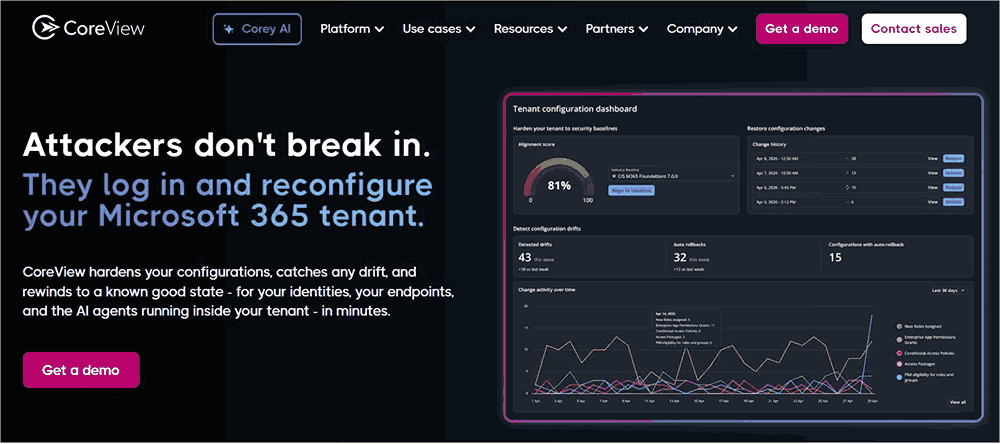
CoreView stands out on my list for being both more enterprise-focused and more comprehensive when it comes to M365 governance. It already featured a strong governance and automation engine at inception and only grew in its capabilities after acquiring Simeon Cloud back in 2023. This acquisition significantly expanded the platform’s configuration management capabilities.
Thanks to the expansion, the tool now facilitates backup and restore for over 8000 M365 settings. Among its offering includes the CoreView One, a product that consolidates governance, automation, and configuration management under a single product.
This product also stands out for facilitating virtual tenant segmentation, a feature ideal for large organizations with multi-department M365 deployments. CoreView’s long list of prestigious clients includes the states of Hawaii, California, and Pennsylvania alongside some prominent university systems.
Features:
- Backup and restore for over 8000 M365 settings.
- CoreView ONE offers automation, virtual tenant segmentation, and governance in a single product.
- Over 150 no-code automation actions.
- Offers more than 85 out-of-the-box governance policies alongside 130+ ready-made templates for reporting
- CIS Baseline alignment
- License management tools
| Pros | Cons |
| Comprehensive M365 Goveranance | More suitable for internal enterprise IT departments |
| Virtual tenant segmentation, ideal for large organizations with complex M365 deployment | Steep learning curve |
| Proven track record and backed by clients in the public sector. | Not MSP native |
| Not suitable for MSPs serving SMBs. |
Verdict: Purpose-built for enterprises, CoreView is a great platform for large enterprise IT teams tasked with managing complex M365 environments at scale. MSPs in the service of SMBs and mid-market clients should steer clear of this platform due to its enterprise-first architecture, complexity, and expensive pricing.
Price: Prices start at $20,000/year. Contact the sales team for a clear quote.
Website: https://www.coreview.com/
#5) AvePoint
Best for M365 backup, governance, and data migration.

AvePoint is perhaps the biggest name in the M365 data management and governance space, if you are strictly considering revenue alone. The company’s reputation precedes it, being publicly traded on NASDAQ and generating an annual revenue of over $419M. It has spent 20+ years being an integral part of Microsoft’s ecosystem.
The launch of its product AgentPulse in February of this year has basically made AvePoint one of the first companies to dabble in AI agent governance. The platform can manage the permissions and behavior of Copilot and similar AI agents across the M365 environment at scale.
Features:
- Drift control and automated security enforcement.
- Automatically clean up and govern workspaces
- Automated record and information lifecycle management
- Cloud backup with unlimited storage.
- Tenant-to-Tenant Migration
- Data Security Posture Management
- Agentic AI Governance via AgentPulse
- Multi-Cloud Coverage (Salesforce, Google Workspace)
| Pros | Cons |
| First platform for AI agentic governance via the product – AgentPulse | Not suitable for MSPs serving SMBs |
| Multi-Tenant Management at scale | No prospecting scaps |
| Industry-leading backup facilitates up to 4 backups a day | No revenue tooling |
| A multi-cloud platform with capabilities that extend beyond M365 security | Complicated licensing model |
| No M365 configuration-level security scoring. |
Verdict: AvePoint is a platform I would recommend to large IT organizations in need of a M365 security solution with the best data migration, backup, and governance capabilities. It is not suitable for MSPs whose goals entail better compliance reporting, security posture management, or license optimization.
Price: You’ll need to contact the sales team for a custom quote. Cloud Backup via Azure Marketplace is also offered at $20/user/year.
Website: https://www.avepoint.com/
#6) SkyKick (by ConnectWise)
Best for MSPs reliant on the ConnectWise ecosystem and seeking full M365 lifecycle coverage
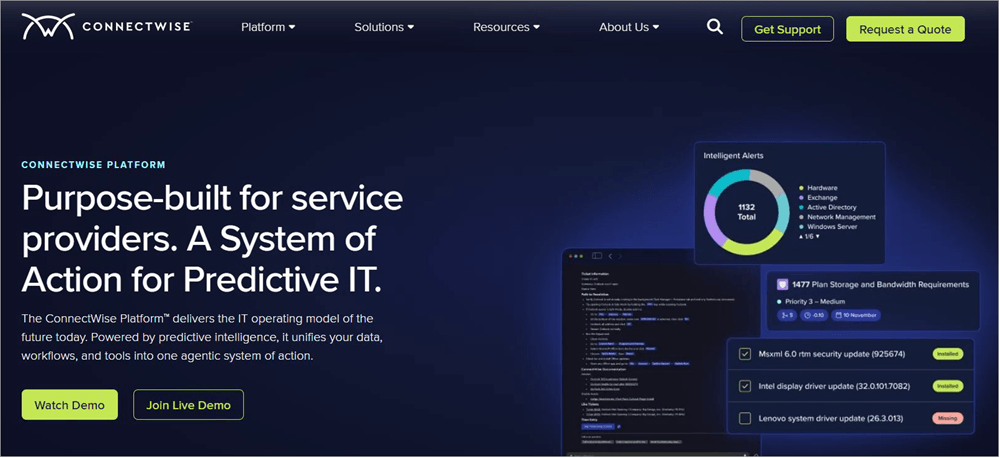
SkyKick is yet another highly recognized name in the MSP M365 solution space. The company has built itself a solid foundation backed by a partner network of over 30000 organizations. You can rely on it for complete M365 lifecycle management. It can help you with security management, backup, onboarding, and tenant migration.
One of SkyKick’s biggest USPs lies in its automation breadth. It offers over 500 pre-built automations for streamlined M365 administration. It also offers a stacked library featuring over 7000 curated PowerShell commands, thus helping technical teams reduce their manual overhead considerably.
Features:
- Over 500 pre-built automations for streamlined M365 administration
- One-click remediation across multiple tenants
- A library containing 7000+ PowerShell commands.
- Tenant-to-Tenant Migration and PST Import
- Unlimited cloud backup via Teams, OneDrive, Exchange, SharePoint.
| Pros | Cons |
| Significantly reduced manual workload, thanks to 500+ pre-built automations | Product, pricing, and support are in flux under ConnectWise, which can cause post-acquisition uncertainty |
| Full M365 Lifecycle coverage (Migrate > Manage > Backup > Secure) | No Prospecting Scans |
| Benefits from a large, established partner ecosystem. | No security posture scoring |
| No revenue enablement tools | |
| Prior security incident history is held by ConnectWise |
Verdict: SkyKick proves itself worthy for MSPs that have already embedded themselves into the ConnectWise ecosystem. It is best for full M365 lifecycle coverage and a stacked automation library. Where it disappoints the most is in the M365 security posture management and compliance reporting department.
Price: SkyKick offers multiple pricing tiers. You can opt for the Basic, Standard, or Professional tier. A quote is revealed once you discuss your requirements with ConnectWise’s team.
Website: https://www.connectwise.com/skykick
#7) Octiga
Best for MSPs seeking an easily accessible M365 security baseline, automation, and remediation.
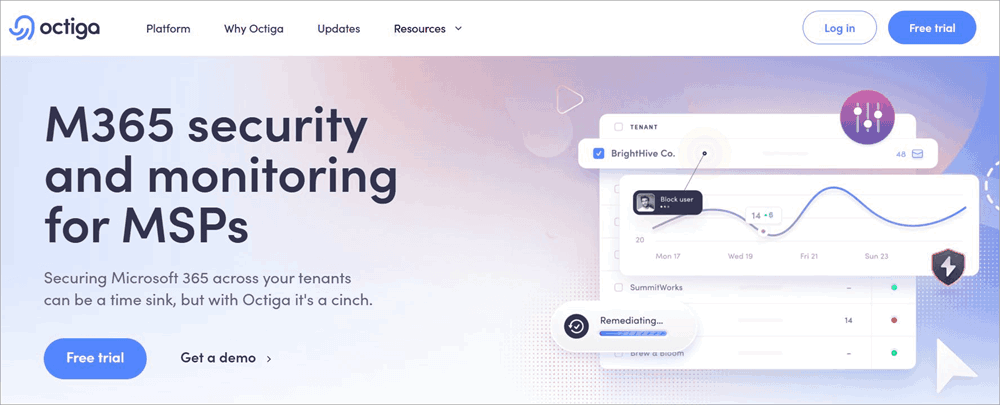
With Octiga, you have a cloud-native M365 security management platform that, like most of its predecessors on this list, also caters to MSPs and MSSPs. What makes Octiga a great contender on this list is how accessible it makes drift configuration and baseline security enforcement.
Unlike its traditional counterparts, Octiga does not demand complex PowerShell customization or investment in expensive licenses. One of its standout UX features entails the traffic light system. It basically involves a visual noise-reduction layer that only sheds light on high-priority alerts, thus considerably mitigating false positives.
Features:
- Auto-Blocking feature that ensures automated threat response
- Multi-tenant management and standardization are available from a single view.
- Continuous drift detection with real-time alerts whenever a tenant deviates from the baseline.
- Traffic light alert system to surface high-priority alerts and reduce false positives
- Client-facing white-label reporting.
- Best-in-class security baseline that covers Entra ID, Teams, SharePoint, OneDrive, Intune, and Exchange Online.
| Pros | Cons |
| Best for MSPs with an accessible multi-tenant interface | No prospecting scans without client credentials |
| Automated defense system with auto-blocking | No revenue enablement |
| Compatible with all M365 license types | No License optimization or upsell mapping |
| Its market presence is relatively smaller |
Verdict: Octiga is a cloud-native solution that’s the perfect fit for MSPs that need a clean, accessible baseline management system. It is a solution I would have no qualms recommending to smaller MSPs or those that are just starting their journey.
Price: Contact Octiga’s sales team for a custom quote. A free trial is also offered via distributed partners.
Website: https://www.octiga.io/
#8) CloudCapsule
Best for MSPs seeking a lightweight M365 security solution.

CloudCapsule is a relatively new entrant in this market for M365 security management. Yet, it is gaining in popularity rather briskly. CloudCapsule wouldn’t have garnered the traction it has ultimately earned for itself if it weren’t for the people backing it.
The platform is spearheaded by Nick Ross… the same guy credited for being a three-time Microsoft MVP. He also happens to be the creator of the T-Minus Microsoft 365 security content channel. This lends CloudCapsule some serious pedigree.
It operates across two tiers. The first covers “Analyze”, a free tier that facilitates assessment. The second involves “Manage” (recently GA’d) and covers the full remediation and execution layer. Clients only need to consent and not provide full credentials when sharing tenant assessments via a link. Client action is required, though.
Features:
- One-click remediation to fix the most common failure. 100+ quick fixes offered.
- Guided workflows offered to configure changes that need additional context.
- Fast tenant assessment across over 250 M365 controls.
- Capture changes that subtly revert between scan cycles, thanks to effective Drift Detection.
- Run structured client security programs with vCIO Playbooks.
- Mapped to all major compliance frameworks, including CIS, NIST, CMMC, etc.
| Pros | Cons |
| Free Analyze Tier, suitable for MSPs managing tenants with fewer than 1000 users. | Prospecting scans aren’t completely credential-free |
| Manage Tier with a complete guided remediation execution layer | No revenue enablement |
| Accelerate pre-sales conversations with 60-second assessments | No license optimization |
| No SOW generation | |
| No upsell mapping | |
| Manage Tier recently GA’d |
Verdict: CloudCapsule is a great option for MSPs seeking a lightweight solution that facilitates fast assessment and structured workflow remediation. It earns a spot on this list owing to its founder’s profound Microsoft background.
That said, it is narrow in its scope of operation and won’t satisfy MSPs that need built-in revenue enablement and drift detection capabilities.
Price: It operates across two tiers, which are as follows:
- Analyze: Free for unlimited tenants under 1000 users.
- Manage: Covers 250 users; then it is $1/user/month per enabled tenant.
Website: https://www.cloudcapsule.io/
#9) CIPP (CyberDrain Improvement Project)
This review of CIPP is an honorable mention.
CIPP should not be seen as yet another competitor tool on this list. Instead, it is a solution that complements most of the names I’ve mentioned here.
What you get with CIPP is a pure, open-source M365 management platform that excels at managing daily multi-tenant administration, tenant-level configuration, user and device management, and best-practice enforcement actions. It is a platform that can help boost admin efficiency rather than serve as a security revenue engine.
CIPP won’t help you with compliance mapping or security posture scoring. It also does not come with built-in revenue enablement tools. It makes up for what it lacks when integrated with some of the solutions I’ve mentioned above to deliver a complete MSP M365 workflow
Price: Open Source, free to use.
Website: https://cyberdrain.com/products/cipp/
Frequently Asked Questions
1. What is Microsoft365 Security Posture Management?
Microsoft365 Security Management is a process that entails the continuous monitoring, evaluation, and improvement of an organization’s security defenses across Microsoft365 environments.
This process can prove immensely helpful in unearthing misconfigured settings, controlling external sharing, securing identities, and preventing data loss.
2. Do MSPs actually need a dedicated tool, or is Secure Scoring enough?
There is no doubt that Microsoft Secure Scoring is an exceptional tool that can help MSPs with M365 hardening. However, the tool does fall short when it comes to granting users in-depth visibility across vendors, external threats, and endpoints.
If your goal is to simply manage M365 configurations, then Secure Scoring is a solid tool. However, MSPs whose primary requirements entail comprehensive threat management should look for dedicated security posture management software.
3. Is CIPP free?
As a multi-tenant M365 management tool, CIPP is open-source and free to use. Its potential is fully realized when it is integrated with other M365 Security Management Automation tools.
4. What’s the difference between SSPM and M365 Security Automation?
SSPM, or SaaS Security Posture Management, primarily helps in assessing M365 against compliance frameworks to ensure applications are set up securely. On the other hand, M365 Security Automation’s focus lies on using various Microsoft tools to protect data against malicious threats.
SSPM works best for identifying misconfigured settings or inactive accounts, whereas M365 Security Automation helps with real-time threat response and data loss prevention.
Conclusion
There you have it, a list of the best Microsoft 365 Security Posture Management tools for MSPs. As for which of these tools would best suit you, that is something you’ll need to figure out by asking two crucial questions. First, what problem do you want the tool to solve? Second, what kind of MSP are you running?
An organization managing multiple client-tenants while striving to grow will find themselves best-served by a platform purpose-built for MSP operations. I am talking about multi-tenant tools such as Optimize365, Inforcer, Augmentt, and Octiga.
- Go for Optimize365 if you are an MSP that wishes to yield MRR from your security practice.
- Go for Inforcer if you are an MSP that seeks broad M365 Policy coverage depth.
- Go for Augmentt if you are an MSP that wants consolidated SaaS Lifecycle, M365 Security, and Intune in a single vendor
- Go for CoreView if you have an enterprise IT team that needs help managing M365 governance on a large scale.
- Go for AvePoint if you are an organization that needs the finest M365 backup, migration, and AI governance.
- Go for SkyKick if you are an MSP deeply embedded in the ConnectWise ecosystem.
- Go for Octiga if you are a smaller MSP or one that is just starting.
- Go for CloudCapsule if you are an MSP seeking a fast security assessment with structured remediation.
If you narrow it down even further, Optimize365 emerges as the clear winner, as it is the only platform out there that offers you the full spectrum. From multi-tenant assessment to drift detection and no-credential pre-sales prospecting, it can do it all from a single dashboard. It is a tool tailor-made for MSPs that wish to convert their licensing insights into recurring revenue.
Research Process: The total time involved to complete and publish this article is approximately 44 hours. I settled on the above recommendations after carefully deliberating over more than 12 M365 Security Management Platforms. I relied on vendor websites, community feedback, product information, and hands-on product evaluation to arrive at my judgment.
My criteria for evaluation involved the following:
- MSP-Native Architecture
- Security Depth
- Automation
- Pricing Accessibility
- Market Validation
- Business Enablement
Tools were rated on a 5-star scale with a focus on MSP-heavy use cases. Ultimately, only those software solutions with a well-established and revered presence on platforms like G2, Capterra, and Reddit were chosen.
For more security management automation solutions-related guides, you can explore our range of tutorials below:
- The 5 Best SSPM (SaaS Security Posture Management) Services
- 10 Best Network Security Policy Management (NSPM) Software
- Top 5+ Automated Security Assessment Tools for MSSPs
- The 7 Best Cloud Security Posture Management CSPM Tools
- The Top 10 SaaS Security Solutions [Latest Review]
Was this helpful?
Recommended Reading
-

This tutorial explains the best Network Security Policy Management NSPM tools that will perfectly cater to your specific requirements: Network Security Policy Management tools are nothing short of a godsend for system administrators. These tools empower admins with the ability to enforce and manage device settings as well as configurations…
-
Review and comparison of top IT Security Certifications for beginners and professionals to select the best IT Security Certification: Do you know that if you practice cyber-security then you have a job for life? This statement emphasizes the importance attached to security practitioners in our community. We are in a…
-
For maximum security of your Mac device from data leakage and data theft, opt for the best USB Security Software for Mac from this exclusive list: Digital transformation of businesses has undoubtedly increased efficiency in operations. Businesses can save much of their time, costs, and other resources, and have seen…
-

Start your career in Cybersecurity with this list of the best online Cyber Security Training Courses. Pick the right cyber security course that is affordable in your budget: Cybersecurity certification courses are readily available online. While we have free cyber security courses, we also have those that come with monthly…


