Read our in-depth review of Reclaim AI calendar app to improve your productivity. Discover its features, pricing, and alternatives to pick the right AI calendar tool for perfect scheduling:
Reclaim AI is not just any productivity software, but a life raft for people who are being lost in their work calendars. The Reclaim AI application combines artificial intelligence with easy-to-use scheduling to help users recover lost time and restore balance.
No matter whether you are a freelancer, a manager, or a member of a large team of employees, this tool is going to make your day easier.
Reclaim AI Review: Is it the Best AI Calendar App?
It reinvents how you organize your activities, conferences, and individual schedules through intelligent automation.
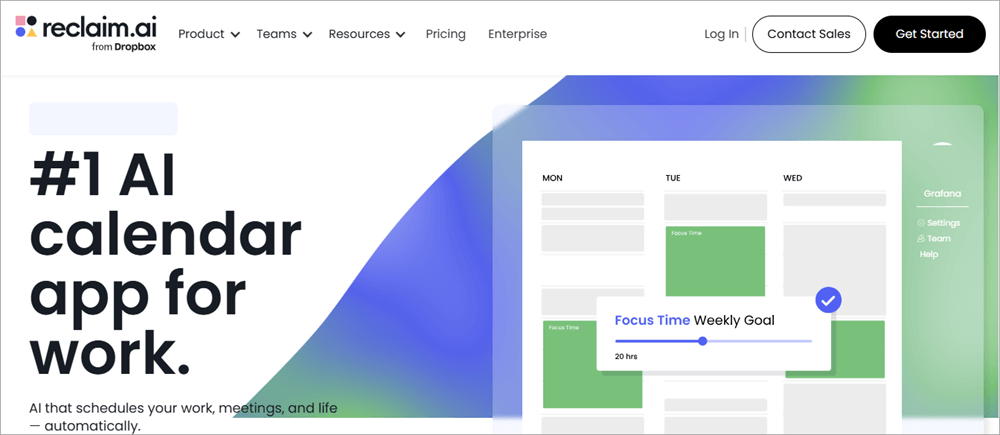
[Via reclaim]
This tutorial covers Reclaim AI pricing, reviews, features, and alternatives, and provides an in-depth overview of this product to determine whether it is the correct choice to improve your productivity.
What is Reclaim AI
Check out the video guide below to understand all about Reclaim AI.
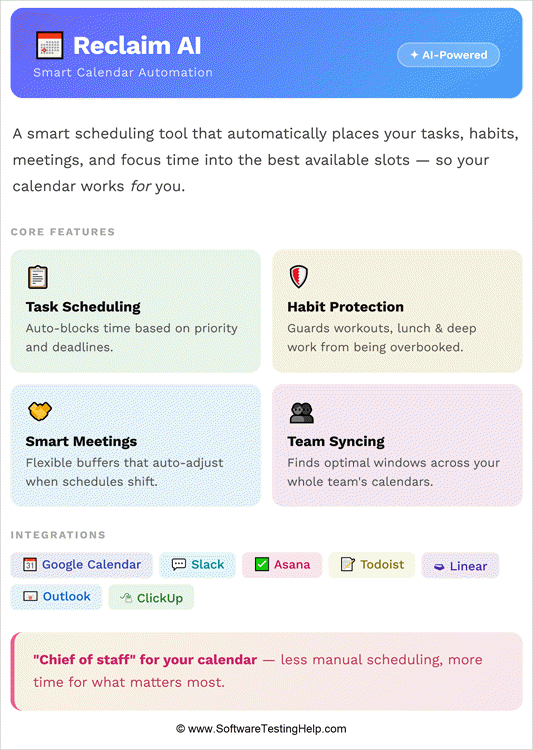
Reclaim AI is an example of an AI-based email scheduler that optimizes calendars such as Google Calendar and Microsoft Outlook. Reclaim AI automatically works out the optimal times for meetings, tasks, habits, and breaks, ensuring your priorities remain intact.
It eliminates conflicts and is smart enough to modify itself to changes that occur at the last minute by keeping the calendars aligned.
According to the users, they save up to 40 percent of their working week, minimize burnout, and enhance productivity. Contrary to old-fashioned scheduling systems, Reclaim AI not only books your appointments but also integrates a comprehensive view of your life, balancing focus time and collaboration.
This is what makes it a very strong partner for anyone having a hard time balancing conflicting needs.
Major Features and Functionality of Reclaim AI
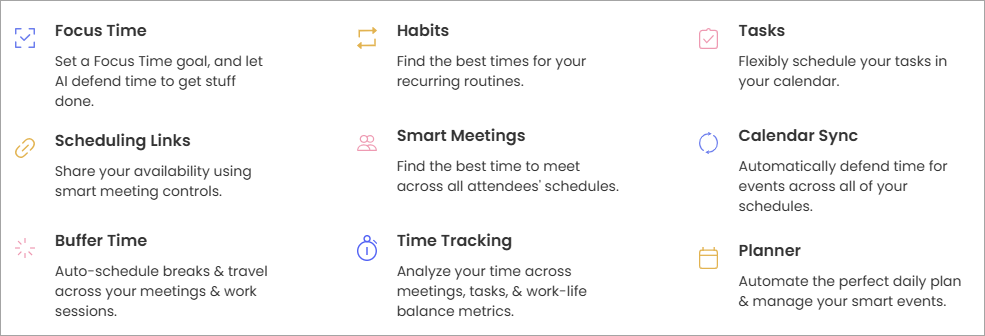
The smart scheduling engine of Smart Scheduling Reclaim is an AI-based application that uses your calendar to identify the optimal time to do tasks, meet, and take a break. The app automatically resorts to a rearrangement of events when there are any conflicts, as opposed to the manual juggling that the user may experience.
This guarantees you that your most valued work will never go undefended, and you are not denied the opportunity to collaborate and fulfill personal commitments. It is a kind of digital assistant that will always talk through your calendar to get the maximum productivity without losing balance.
Advantage: You will always keep your priorities in your calendar and avoid wasting time because you will focus on those priorities.
#1) Task Management
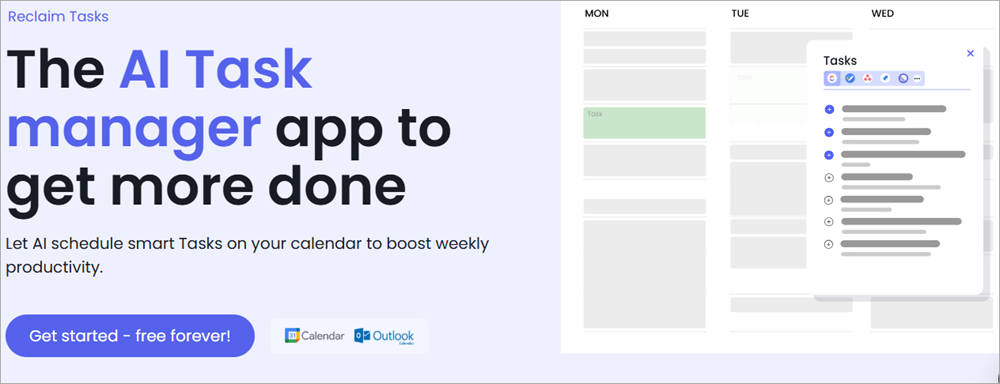
Reclaim AI adds tasks to your calendar, unlike the days of using a to-do list. You create a task, and the system knows how to fit it into the existing time slots and change deadlines and priorities accordingly.
This eliminates forgetting tasks or postponing tasks indefinitely. Scheduling tasks allows you to get realistic about what you can achieve daily, mitigates the feeling of overload, and enhances accountability. It makes your calendar your living task manager, which adjusts to your work.
Advantage: Tasks are built directly into your schedule, providing you with a realistic estimate of daily capacity and avoiding being overwhelmed by it.
#2) Habit Tracking
Reclaim AI lets you protect your repetitive routines, including workouts, reading, or meditation, by booking yourself time to do them. These routines are uncompromising promises, so they would not be lost in the web of meetings and deadlines.
This regularity eventually contributes to the development of healthier habits and aids in long-term objectives. Reclaim AI can help you stay balanced in your life between work and personal life by integrating habits into your weekly schedule so that nothing has less priority than the other.
Advantage: Protects the individual’s habits, such as working out or reading, which encourages consistency and helps maintain a lifelong balance in lifestyle.
#3) Deep Protection of Focus
Deep work involves incessant attention, and Reclaim AI specifically protects it. It will automatically protect such spaces against meetings or interruptions to provide you with the psychological space to work on complex projects.
In case of conflicts, the app will reschedule the focus time, not remove it. This aspect is particularly useful to knowledge workers who cannot get time to relax during hectic schedules. Reclaim AI is protecting focus time, which contributes to a decrease in burnout and an increase in creativity.
Advantage: Guard against disruption, encourage innovation, and complex projects are executed effectively.
#4) Analytics and Reporting
Reclaim is an analytics solution that gives you a precise way of understanding how time is being used up in terms of activities, conferences, and routines. Such insights identify areas of inefficiency, e.g., unnecessary meetings or unaddressed priorities, and make informed changes.
Progress made towards goals is also monitored using the reporting tools, thereby providing a clear-cut view of the trend in productivity. To managers, analytics may provide insight into the capacity of the team and the distribution of workloads.
Reclaim AI makes it possible to convert raw calendar data into meaningful actions that enhance decision-making and continuous improvement.
Advantage: Gives steps to improve the management and identify the areas that are inefficient to enhance productivity.
#5) Integration with Google and Outlook
Smooth integration with Google Calendar and Microsoft Outlook will ensure that Reclaim AI is integrated into the tools that you are already using. This also removes the need for duplicates or manual synchronization.
Everything in terms of events, activities, and routines is echoed everywhere, so that there is no possibility of booking twice or even missing an obligation. The integration also facilitates cross-calendar visibility, hence easier to coordinate with other colleagues who may use various systems.
Reclaim AI can also be integrated into your productivity ecosystem because it can add value instead of creating disruptions with its presence.
Advantage: This system prevents duplicate room bookings due to matching platform rates, ensuring a seamless event without workflow interruptions.
#6) Smart Meetings
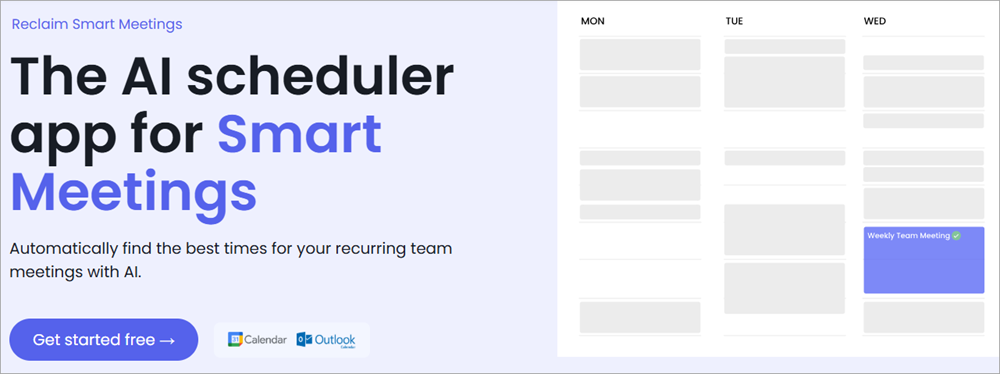
Scheduling meetings among several people can be a nightmare, and Reclaim AI automates such a process. It scans the calendars of the participants and finds a time that everyone will find convenient, and plans meetings without unending back-and-forth emails.
In the event of conflicts, it intelligently reschedules, taking into consideration the availability of everyone. This aspect is quite handy with teams that are distributed across time zones. Reclaim AI simplifies organizing meetings and removes friction, which makes collaboration occur without disrupting the productivity of any individual.
Advantage: Coordinates meetings automatically among attendees, which eases friction and saves time that would have been spent on scheduling emails.
#7) Buffer Time
Reclaim AI is the automatic insertion of buffer time between meetings to avoid fatigue and provide the opportunity to prepare or decompress. These little pauses are essential in keeping the energy and concentration going all day long.
Back-to-back meetings may cause burnout and low performance without buffer time. Reclaim AI keeps its users active and efficient by actively overseeing the transitions. This small yet mighty feature shows how the app is holistic in its time management, and it understands that productivity is not about doing as much as one can but doing better.
Advantage: Relaxes in between meetings, maintains energy levels high, and makes the day interesting.
#8) Scheduling Links
Calendly is similar, but I used Reclaim AI, which is a scheduling link that enables other people to turn up with you. Not a simple scheduling tool, however, Reclaim AI is smart enough to make sure that such bookings do not interfere with your defended focus time, habits, and priorities.
This implies that you do not lose control of your availability and yet provide flexibility to the colleagues or clients. Scheduling links minimize the problems of friction in external coordination but do not affect the integrity of your calendar. It is a trade-off between being open and protective that makes your schedule sustainable.
Advantage: It makes it easy to coordinate externally and maintain control over availability, which makes it easy to book clients or colleagues.
#9) Team Collaboration
Reclaim AI is not created to work with single people only, but to enhance collaboration within teams. It secures commitment to focus time and balancing workloads so that everyone can have space to work deeply and attend to meetings.
Analytics can help managers know the capacity of the team and avoid burnout. Work-life balance within teams improves as more schedules are coordinated, and very few conflicts arise. Basically, Reclaim AI is merely a productivity layer that balances both personal and group interests.
Advantage: The combination of personal and group priorities enhances the planning of team capacity and the elimination of burnout in organizations.
#10) Data Security & Privacy
Encryption: Reclaim AI encrypts the calendar data that is sent and stored so that sensitive information is not compromised.
Limited Access: The application only utilizes calendar information required to schedule the time, reducing the chances of exposing personal data.
Governance: Reclaim AI is a company that meets the requirements of industry data protection and provides enterprise-level security to businesses.
User Control: The user is given the choice on which calendars and data should be accessible to Reclaim AI.
Transparency: The extent to which data is used is made clear through clear privacy policies, which will guarantee that users are aware of what the AI-driven scheduling is doing.
Reclaim AI Pricing Plans
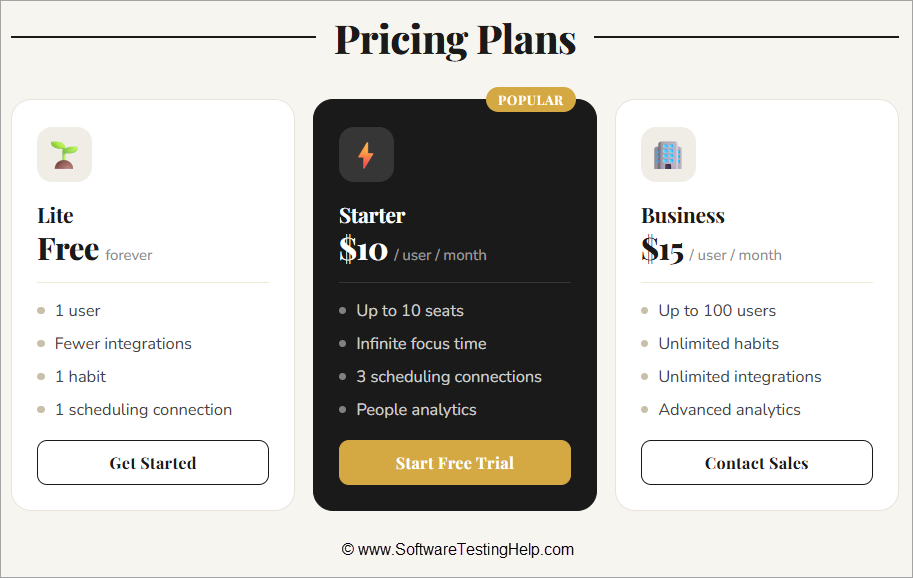
Lite (Free): It consists of 1 user, fewer integrations, 1 habit, and 1 scheduling connection.
Starter (10/user/month): Includes a limit of 10 seats, infinite focus time, 3 scheduling connections, and people analytics.
Business (15/user/month): It supports big teams of up to 100 users, unlimited habits, integrations, and advanced analytics.
Pros and Cons of Reclaim AI
Pros
- It is made available under the free forever plan.
- Artificial intelligence-based scheduling is time-saving and burnout-reducing.
- User-friendly interface and powerful analytics.
Cons
- Restricted customization irritates higher users.
- The number of integrations is lower than that of competitors.
- No native mobile apps for iOS and Android.
Best Alternatives to the Reclaim AI App
Enlisted below are the various substitutes for the Reclaim App:
- Motion
- Clockwise
- Calendly
- SkedPal
- Akiflow
- Sunsama
- Trevor AI
Detailed Reviews:
#1) Motion
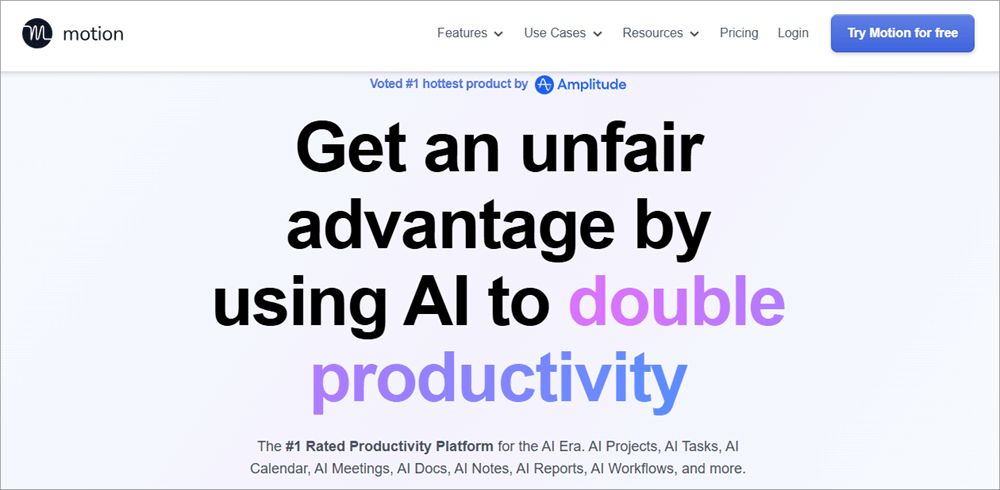
Motion has been described as a more holistic productivity platform than Reclaim AI since it integrates calendar management with project and task management into a single platform.
Whereas Reclaim AI is very efficient in time defense and habit automation, Motion goes a notch higher to provide Kanban boards, task prioritization, and deadline tracking. Motion gives the impression of having your calendar and your list of things to do in one workspace, which is optimal for people who have a lot of projects.
The advantage compared to Reclaim AI is that Motion gives a greater feeling of control over long-term projects, rather than daily scheduling. It also dynamically reschedules tasks, but it is more deadline and dependency-conscious in its AI engine.
The complexity of Motion can be an obstacle to some users, but it can be viewed as an advantage of the application, providing a powerful, all-inclusive productivity package instead of a simple scheduling app.
Website: https://www.usemotion.com/
#2) Clockwise
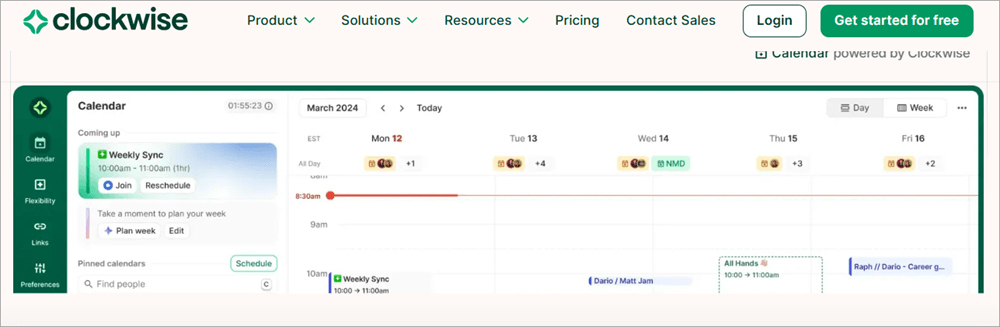
Clockwise does not differentiate itself much from Reclaim AI since it pays a lot of attention to teamwork and the timing of the organization. Whereas Reclaim AI is brilliant with those who protect focus time, Clockwise is great with the group of people who should organize calendars.
It can automatically reduce fragmented time by optimizing the schedules of teams across each department in a time block that is much longer. Clockwise is easy to use: all you need to do is connect your Google Calendar, choose your preferences, and the Artificial Intelligence will organize meetings to achieve maximum productivity.
Its edge over Reclaim AI is that it can scale across organizations and, therefore, is ideal for managers wishing to know the capacity of their team. Its Focus Time is the same thing as Reclaim AI, but when used in a group setting, it guarantees that there will be fewer distractions among teams.
Others might claim it does not offer personal task management, but that is really an advantage to those companies that prefer to have a streamlined and meeting-first-only solution, where they do not have to worry about task management.
Website: https://www.getclockwise.com/
#3) Calendly
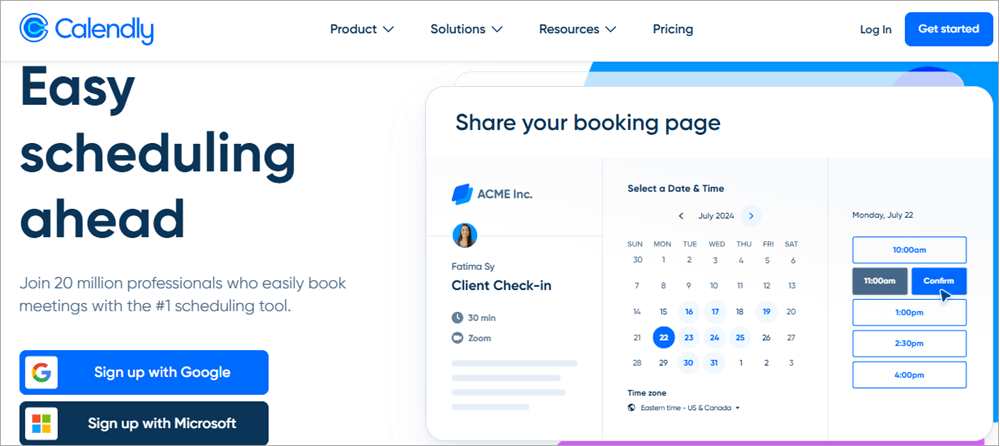
The difference between Calendly and Reclaim AI is in the fact that Calendly focuses on scheduling outside the company, not on optimizing the internal calendar.
Whereas Reclaim AI manages your time and balances your work, Calendly allows meetings with clients, colleagues, or prospects to be straightforward.
The process of scheduling with Calendly allows you to set up links to your schedule, indicating the availability that you can then share over email or on websites.
What works in its favor, instead of Reclaim AI, is that it is a simple and task-oriented tool, not attempting to organize your whole calendar, but rather allowing external organization to occur without friction.
To people in sales, consulting, or any position that deals with clients, Calendly tends to be more useful than Reclaim AI due to the reduction in back-and-forth scheduling.
Its inability to automate the tasks may be regarded as a weakness by some, but that simplicity is an advantage to those who desire a lightweight, simple-to-use tool that is compatible with the already present workflows.
Website: https://calendly.com/
#4) SkedPal
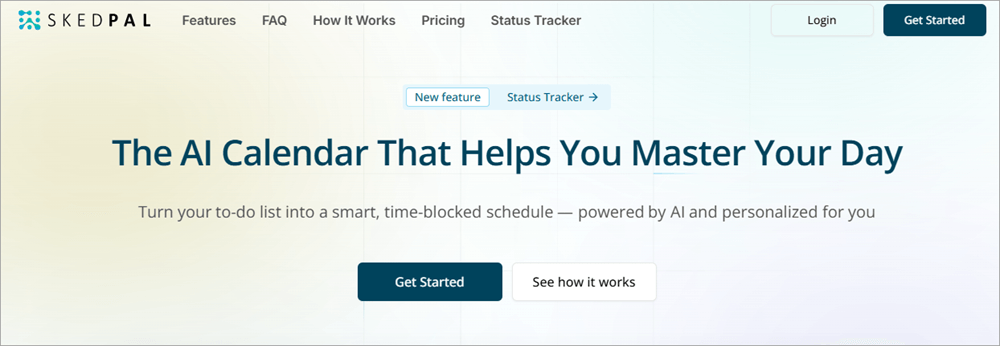
SkedPal is the opposite of Reclaim AI since it has priorities of tasks and an intelligent schedule according to the deadlines and objectives. Reclaim AI aims at protecting time to spend on habits and meetings, whereas SkedPal is the app that allows dynamically rescheduling tasks based on their urgency and priority.
SkedPal has a way of doing this whereby one enters tasks due, priority, and estimated time, and the app creates a calendar that will change as the circumstances evolve.
The advantage over Reclaim AI is that SkedPal offers a finer level of control over implementing tasks, thus it suits users with a complicated workload. It has a steeper learning curve, which is an advantage when it comes to people who desire to customize it and make it very precise.
In the case of SkedPal, unlike Reclaim AI, where balance is an important factor, efficiency and deadline management are the major focus, which is attractive to professionals who prefer to accomplish their tasks organized and in a structured way.
Website: https://skedpal.com/
#5) Akiflow
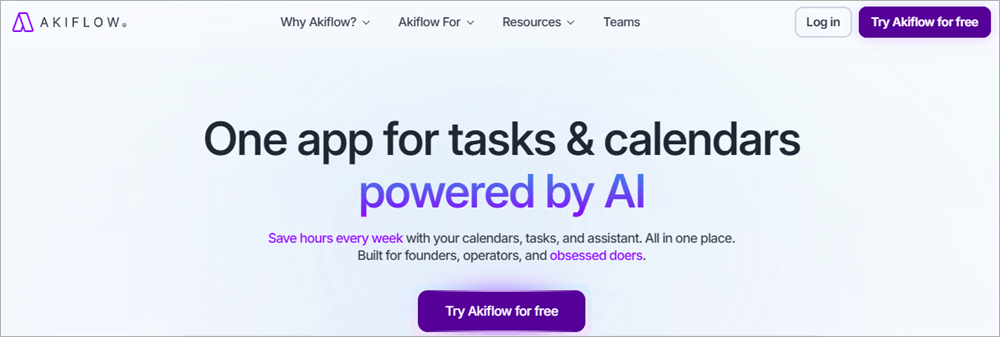
Akiflow is also more like a productivity hub because it combines task management and calendar scheduling in a manner that is more natural. Where Reclaim AI is scheduling-based, Akiflow focuses on manual control and smart suggestions.
Akiflow uses a combination of a variety of sources: emails, Slack, or integrations, and simply slots them into your calendar by dragging and dropping.
The advantage compared to Reclaim AI is that Akiflow will provide users with greater control, which will be attractive to people who enjoy planning well but not fully automating. It has wider integrations, and thus, it is a superior option among those who use a variety of productivity applications.
It might also be viewed by some as a disadvantage compared to Reclaim AI because less automation means the user has less flexibility and control, but to those who desire it, it is an advantage. Akiflow will suit the needs of those professionals who prefer to balance between AI support and manual planning.
Website: https://akiflow.com/
#6) Sunsama
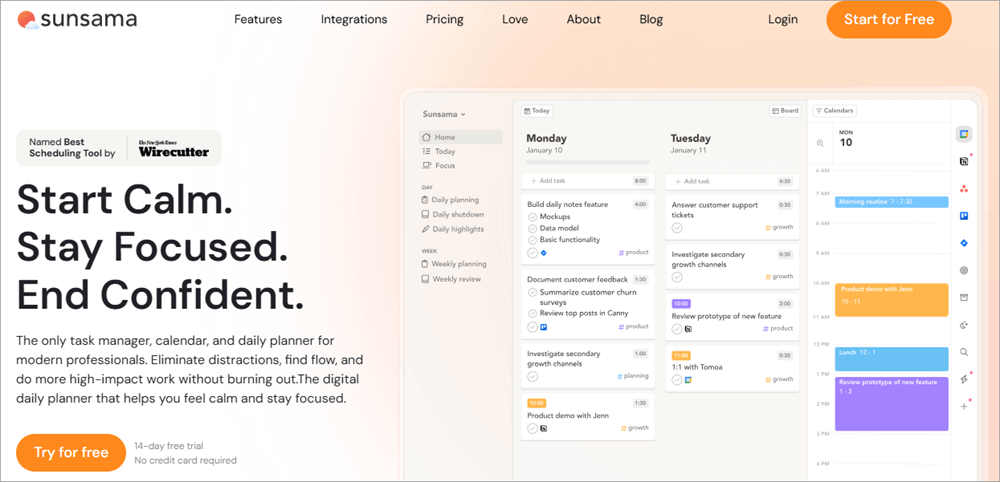
Sunsama does not fit into the category of Reclaim AI since it does not present itself as a scheduling assistant but as a daily planner. Whereas Reclaim AI fills out your schedule, Sunsama makes you plan your day thoughtfully by making you define your daily targets and set aside time.
Sunsama comprises watching tasks in the morning, dragging them to your calendar, and looking at the progress at the end of the day. The advantage over Reclaim AI is that Sunsama is more intentional and focused, and will sit well with users who would like to have a more reflective experience in productivity.
It can be combined with software such as Trello, Asana, and Slack, which is why it is very flexible to use in managing tasks.
Some, but to those who like to be mindful and considerate in their planning, that is an advantage can see it as a weakness in its non-automation. Sunsama can be recommended to those professionals who are interested in reducing the speed and scheduling, and are not stressed by the necessity to reschedule all the time due to AI.
Website: https://sunsama.com/
#7) Trevor AI
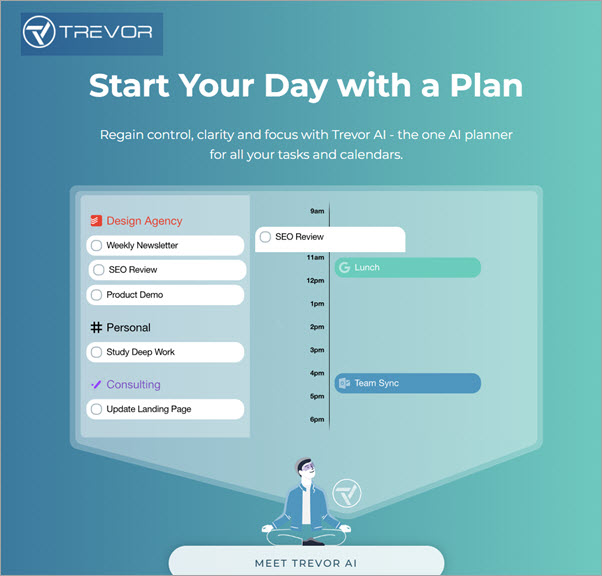
Trevor AI is differentiated according to smart task scheduling as opposed to full calendar defense, as compared to Reclaim AI. Reclaim AI automates habits and meetings, whereas Trevor AI is better at converting tasks into actionable time blocks.
The process of using Trevor AI implies typing in what you have to do, and the AI proposes the best time when it can be done, depending on your availability.
The advantage compared to Reclaim AI is that it is easy and task-oriented, and therefore, it is appealing to users who do not want heavyweight scheduling but a simpler scheduler. Google Calendar is integrated with Trevor AI, whose focus is to assist individuals in performing tasks effectively.
Some might view its lack of analytics compared to Reclaim AI as a weakness, although it is an advantage for those who prefer simple task scheduling. Trevor AI suits people who prefer a task-focused and minimalist assistant.
Website: https://trevorai.com
Comparing the Top Competitors of Reclaim AI
| Tool | Pricing | Key Strengths | Weaknesses |
| Reclaim AI | Free – $15/user/mo | AI scheduling, focus time, analytics | Limited integrations, customization |
| Motion | $19+/mo | Strong task/project management | Higher cost, less intuitive |
| Clockwise | Free – Custom | Team scheduling, focus defense | Less personal task support |
| Calendly | Free – $15+/mo | Easy external scheduling | Limited AI features |
| SkedPal | $9+/mo | Task prioritization | Learning curve |
| Akiflow | $15+/mo | Task + calendar integration | Fewer team features |
| Sunsama | $16+/mo | Daily planning | Expensive for individuals |
| Trevor AI | Free – $10+/mo | Smart task scheduling | Less robust analytics |
Who Should Use Reclaim AI?
Reclaim AI suits professionals who are overloaded with meetings and tasks. The former offers convenience to freelancers in defending against personal routines, whereas the latter provides teams with enhanced collaboration and shielding attention.
It will be useful to organizations that will minimize burnout and maximize productivity.
Frequently Asked Questions
1. Is Reclaim AI free?
Reclaim AI has a Lite plan, which is free and therefore affordable to an individual or small team willing to test AI-powered scheduling with no money invested.
The free version comes with such basic features as one habit, limited integrations, and one scheduling link.
Although it does not offer the complete package of advanced analytics or unlimited habits, it is a good place to start as a user to create an idea of how the app operates.
With those who require stronger functionality, they are offered paid plans that give many more possibilities, yet the free plan guarantees everyone can create an account that helps them manage their calendar instantly.
2. Is Reclaim AI safe?
The design of Reclaim AI is based on safety and security. The app will encrypt data that is in transit, as well as at rest, so delicate calendar information will not be revealed. It also opens only the data needed for scheduling to minimize unnecessary risks.
The control of permissions is left to the users, who determine whether Reclaim AI can access which calendars or accounts. The company also adheres to industry requirements for data protection, which provides organizations with enterprise-level security.
Although no digital tool is fully safe, Reclaim AI has transparency and best practices, which allow it to be a reliable tool in the hands of professionals who are worried about privacy.
3. How to use Reclaim AI?
To use Reclaim AI, one only needs to link the personal Google Calendar or Microsoft Outlook account, and the application will analyze the schedule.
The user can then assign priorities, create tasks, and set habits that they would like to protect. The AI automatically books these into any free time slot, though it is dynamically adjusted when there are conflicts.
The app will gradually get to know your tastes and fit your workflow, saving the process of making a schedule even smoother. The advantage of Reclaim AI is that you will lessen the amount of manual work and instead concentrate on execution and not planning.
It especially comes in handy when a professional has a hectic timetable and is required to manage a lot of tasks, and would require a smart calendar to operate in the background.
4. What are the plans of Reclaim AI?
The pricing model adopted by Reclaim AI is such that it serves various categories of customers. Free Lite plan is the best option when one wants to check the waters.
The Starter plan costs $10 per user per month and adds additional features with unlimited focus time, several links to schedule, and analytics of people; hence, it works well with small teams.
Business plan, which costs 15 per user/month, is best suited to bigger organizations and unlimited habits, advanced integrations, and detailed analytics.
This staged system has allowed them to make sure that no matter what your status is (freelance, up-and-coming startup, or even a massive corporation), there is an option that fits your business. Scalability of the pricing gives the opportunity to scale.
5. Who Should Use Reclaim?
Reclaim AI is perfect for professionals who have too many meetings and things to do. Freelancers are advantaged by their capacity to protect personal routines, and the teams by enhanced collaboration and flawless focus. It will be of particular value to organizations that want to minimize burnout and maximize productivity.
6. What are the Reclaim AI pricing strategies?
The pricing of Reclaim AI is designed in such a way that it fits various categories of users. The Lite plan is the free one, which is suitable for people who want to dip their toes in the water.
Starter is the plan with a price of 10 USD per user per month. It has unlimited focus time, the ability to create multiple scheduling links, and people analytics, which is appropriate for a small team.
Business plan, which is at a subscription fee of $15 per user per month, is suited to bigger institutions, with unlimited habits, integrations, and analytics. This gradual system has ensured that whether you are a freelancer, a startup that is growing, or even a large company, you have a program that suits.
Pricing flexibility enables customers to increase usage based on their needs as they develop, which makes Reclaim AI a flexible solution in any context.
7. Why is Reclaim AI better than competitors?
What is unique about Reclaim AI is that they do not simply schedule or give you a link to make a booking, it actually guard your priorities and integrate tasks, routines, and focus time into your calendar.
External scheduling or the optimization of teams.
Competitors such as Calendly or Clockwise are doing very well, but Reclaim AI has a competitive advantage in balancing personal and professional commitments at the same time.
Its AI engine is dynamic to changes, so that whatever is important is in your calendar. This is more than a timesaving tool because this holistic approach is more of a productivity companion that safeguards your time.
8. Is Reclaim AI useful in work-life balance?
The safeguarding of personal routines and work is one of the most acclaimed features of Reclaim AI. The app will make sure that habits such as exercise, family time, or reading do not get lost among meetings and deadlines by protecting them.
It does not regard personal well-being as a secondary element in comparison to work tasks, as with the traditional scheduling tools. This balance in the long run decreases burnout and leads to healthier living.
Reclaim AI helps professionals who have difficulty maintaining the division between work and life and offers an organized approach to reclaiming personal time without feeling guilty.
Conclusion
Reclaim AI is a revolutionary tool for any person who wants to have some harmony during working hours and at home. It is an efficient productivity partner with its AI-based scheduling, focus time protection, and analytics.
It is not as customizable and integrative, but its price and power make it an attractive option. To those interested in Reclaim AI alternatives, some alternatives have varied strengths, such as Motion, Clockwise, and Calendry. Eventually, Reclaim AI assists users in reclaiming not only their calendars but also their serenity.
Time taken for review: 2 days
For more related articles, check our range of tutorials below:
- Best SAP Native Job Scheduler Alternatives (Compared)
- Best Windows Job Scheduling Software
- Top Informatica Scheduling Integration Platforms
- Top Enterprise Job Scheduler Software
- Top Windows Task Scheduler Alternatives
Was this helpful?
Recommended Reading
-

Review and compare top Social Media Content Calendar Tools & Templates with features and pricing to select the best social media calendar per your requirements: Social media websites have become a digital home for several people. Billions of people all over the world have active profiles on at least one…
-
Here we review the Best Editorial Content Calendar Software to help the content team choose the Content Calendar Tools as per their need: An editorial content calendar is a tool to plan the content of the g. You can use this tool to schedule tasks for the content management team.…
-
Comprehensive Review and Comparison of the Best Free Online Schedule Maker Software suitable for Personal, Business, or Educational Purposes: Creating a schedule helps you keep track of important activities in life. Schedules remind you of what you need to do and at what time. They also serve as a record…
-

Are you looking for a replacement for your Windows Task Scheduler? Evaluate these top Windows Task Scheduler Alternatives to simplify and automate your task management process: Windows Task Scheduler is a Windows built-in utility that automatically performs predefined actions - designed in scripts or a sequence of instructions at or…

![Top Editorial Content Calendar Software Tools [2021]](https://www.softwaretestinghelp.com/wp-content/qa/uploads/2021/04/Top-Editorial-Content-Calendar-Software-Tools-2021.png)