I tested Vozo AI video translation tool through its Talking Photo and Lip sync options. Read our unbiased Vozo AI review about its features and price and whether Vozo AI is worth trying in 2026.
There are many AI video solutions, but Vozo AI offers something different in that it merges video translation, AI dubbing, lip sync, voice cloning and Talking Photo functionality into one app.
In this Vozo AI review, I will examine its main features, check out how good the Talking Photo option works, look at Vozo AI price and free version of the tool, discuss the pros and cons of Vozo AI and compare it with similar alternatives.
Is Vozo AI Worth Using in 2026?
Vozo AI is worth trying if you have a need for an AI-driven software that will help you to dub, translate, voiceover, subtitle and localize videos without using several different editors. The capabilities offered by the software can be really helpful for creators, marketers, educators, and businesses creating multilingual videos. But, of course, whether it is worth it or not is a matter of your own needs and expenses.
Vozo AI Review 2026: Is It Worth It? Our Testing Results
You can find hundreds of applications for this purpose. But it can be quite difficult to find an app that is easy to use, doesn’t require professional editing skills, offers standard video-generation tools, and delivers high-quality results at a low cost.
Since social media gives you access to a global audience, there’s a new trend now: people are using AI to translate their videos into other languages with an accurate feel and intonation. But a problem they usually face is a lack of proper lip-sync.
Our purpose is to address user problems by examining Vozo AI, which provides cost-effective translation solutions, lip-sync, and intonation deficiencies. Read the article to find key features, pricing details, a how-to-use guide, pros & cons, competitors’ details, and FAQs about Vozo AI.
What is Vozo AI and Who Is It For?
Founded in January 2023 and headquartered in Sunnyvale, California, Vozo AI is an AI-based platform for video editing, used by over 7 million video creators from all across the globe. And I must say, all this popularity is because of the benefits it offers, which include AI-powered video editing, translation, dubbing, voice cloning, lip-sync, and much more.
Vozo’s multimodal AI delivers realistic results with proper dialects and audio intonation so that the audio doesn’t sound robotic. Vozo can even make a silent image speak, with perfect lip sync. And Vozo can do all of this within minutes at affordable costs. Isn’t it amazing?
Vozo can be used as a web application on your desktop browser, or you can download its app on your iPhone or Android device. Please note that the Vozo app on Android is named Blink Captions & Teleprompter.
Watch the video below that gives a brief overview of Vozo AI:
Who is it for?
Vozo AI is suitable for various use cases; for example, it can provide realistic lip sync to the video, offer tools for video repurposing, dubbing, translation, adding subtitles, and much more.
Vozo’s LipREAL™, VoiceNATIVE™ and VoiceREAL™ are highly advanced AI technologies that deliver realistic lip sync, dubbing and audio cloning results, in which the voices align perfectly with the lip movements.
With Vozo AI, users can create:
- Marketing videos for their products
- Educational videos
- Videos for Drama & Series
- Videos and shorts for social media
Vozo AI is beginner-friendly, so I would say the platform is suitable for literally anyone who wants to grab a global reach through their videos.
Here is an example of how the lip-sync feature changes the lip movements of the speaker.
- Video of how a silent image can be turned into a speaking video
- Lip synced with Vozo
What Problems Does Vozo AI Solve?
Video creators often complain about inconsistent results, where half of the video would get translated and half not, or the lips of the speaker in the video move according to a different language, which diminishes the quality of the video. Vozo solves these issues.
Vozo AI is basically built to help video creators reach the maximum audience by translating the videos into many other global languages, adding subtitles, voice cloning, lip-syncing, and much more.
It is a GDPR-compliant, AICPA SOC-certified, AI-powered platform for video and audio editing. It is safe to use and brings you the features that can help you get a global reach for your videos. Plus, it is beginner-friendly, and the results you get are commendable.
Vozo AI Features Tested: What Does It Actually Do?
Here is a list of features offered by Vozo AI that are making the platform so popular among video creators:
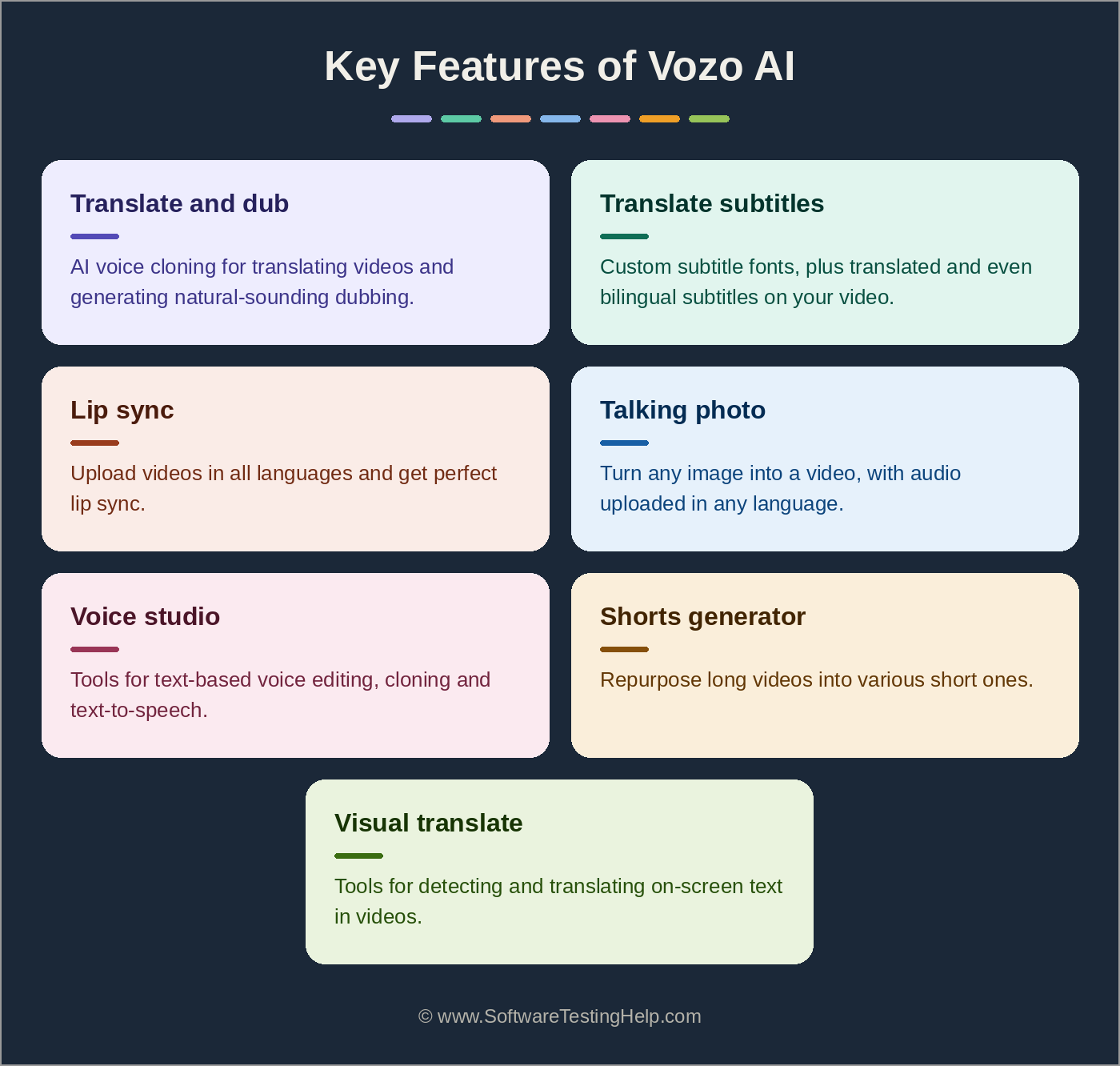
- Translate and Dub: The platform offers an AI voice cloning feature for translating videos and generating natural-sounding dubbing. It supports 111 source and 165 target languages and lets you get a multilingual output from a single project.
- Translate Subtitles: You can remove original subtitles from a video, use custom subtitle fonts, and add translated and even bilingual subtitles to your video.
- Lip Sync: The lip sync feature allows you to upload videos in all languages and get perfect lip sync. It supports 80 languages for text-to-speech transformation, with tools like voice cloning and an AI voice library.
- Talking Photo: You can turn any image into a video. The maximum resolution allowed is 720p; the maximum duration per file is 60 minutes, and the audio can be uploaded in any language.
- Voice Studio: This includes tools for text-based voice editing, cloning, and text-to-speech. Users get access to the voice library with over 300 voices. The maximum duration allowed per file is 60 minutes.
- Shorts Generator: Users can repurpose their long videos into various short ones. Plus, you get tools for auto-reframing, auto-captions, and AI clippings to extract highlights. This feature supports only the English language.
- Visual Translate: Vozo AI offers tools for detecting and translating on-screen text in videos. The maximum resolution supported for input files is 4K, and for output is 1080p.
How to Use Vozo AI (Translate, Dub, and Generate Subtitles)
Follow these steps to translate, dub videos, and add translated subtitles to a video for free using Vozo AI:
- Open your mobile web browser and paste this link: https://www.vozo.ai/video-translate, and Vozo allows you to try it for free without signing up.
- Tap on Upload a Video or paste the link to your video.
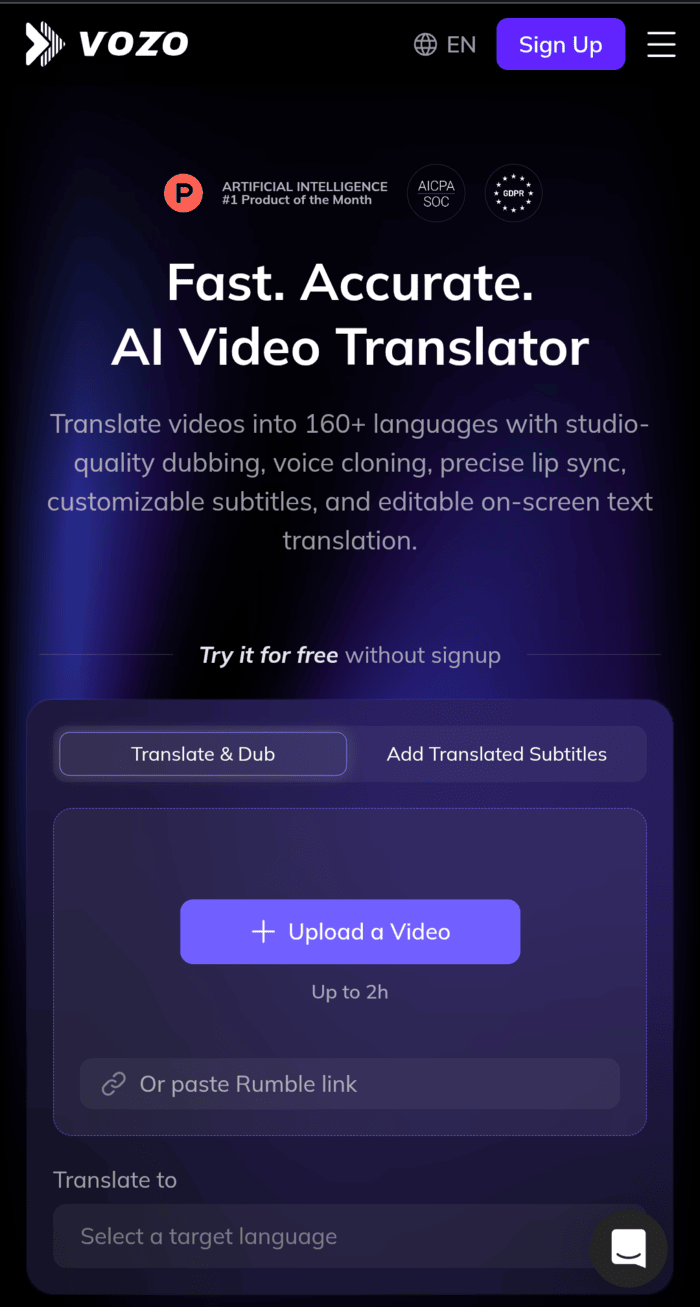
- Once the video gets uploaded, choose the language into which you want to translate your video, and then tap on Translate & Dub.
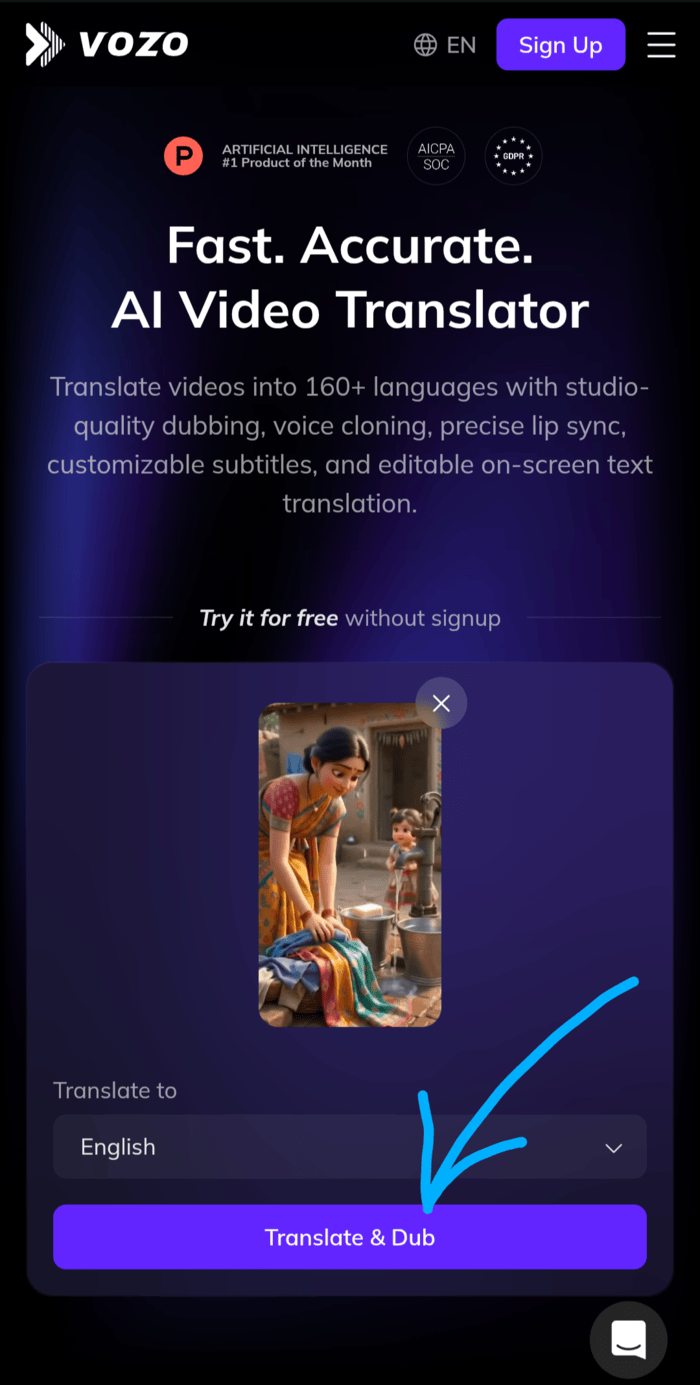
- You will get the translated and dubbed video within 1-2 minutes. But you won’t be able to download or share the video unless you sign up.
How to Sign UP for Vozo AI for Free trial (Step by Step)
Here is the step-by-step guide for using a free trial of Vozo AI:
- Open https://www.vozo.ai/ on your desktop browser (the application doesn’t run on mobile browsers).
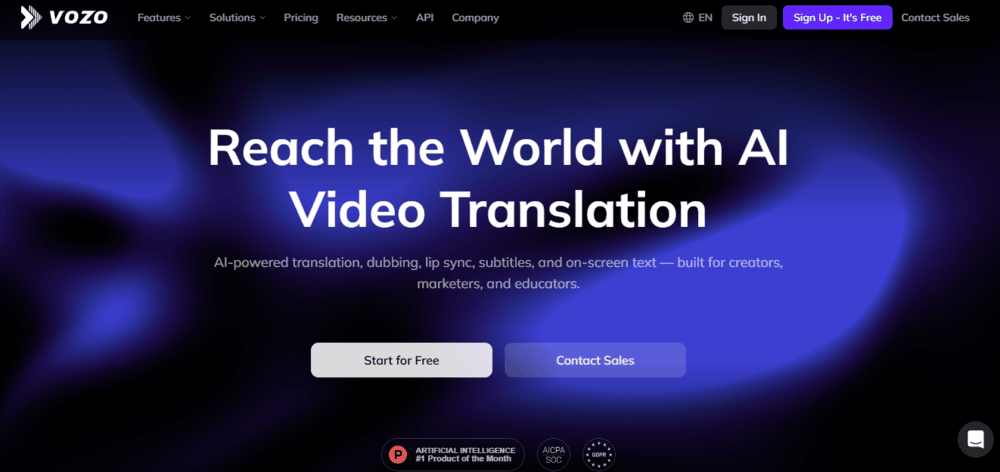
- Now tap on Start for Free
- Now you would need to sign up for a new account
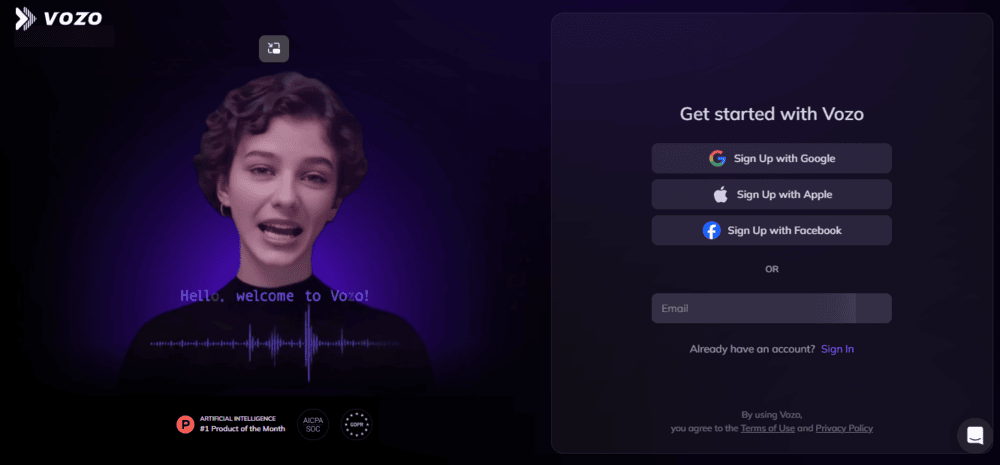
- Once you sign up, you will see the Vozo dashboard, and you can start editing right away. With the free account, I have 10 free points for editing.
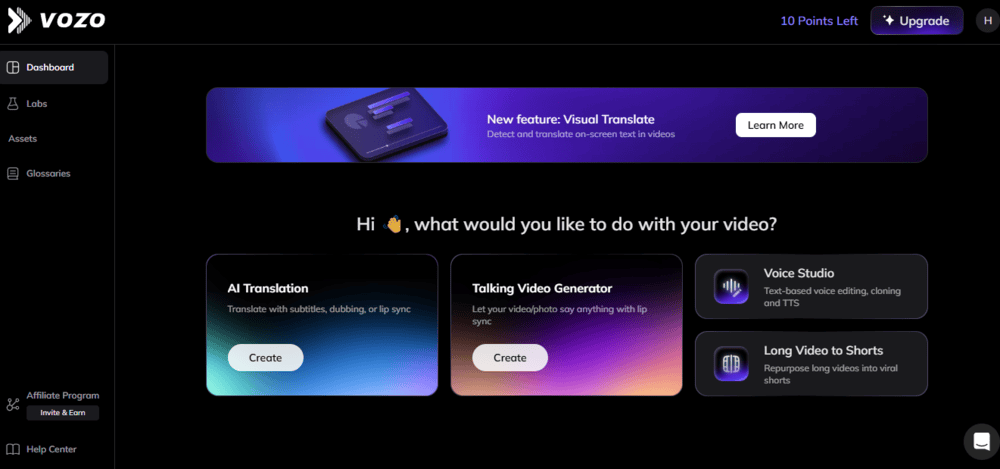
- Now I want to translate my video with an AI-cloned voice, so I clicked on the Create option in the AI Translation box.
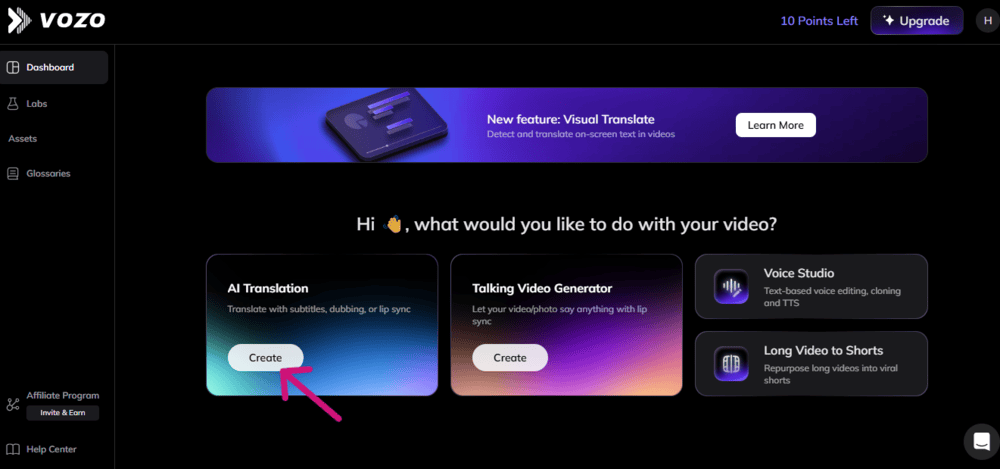
- Click on the Translate & Dub box.
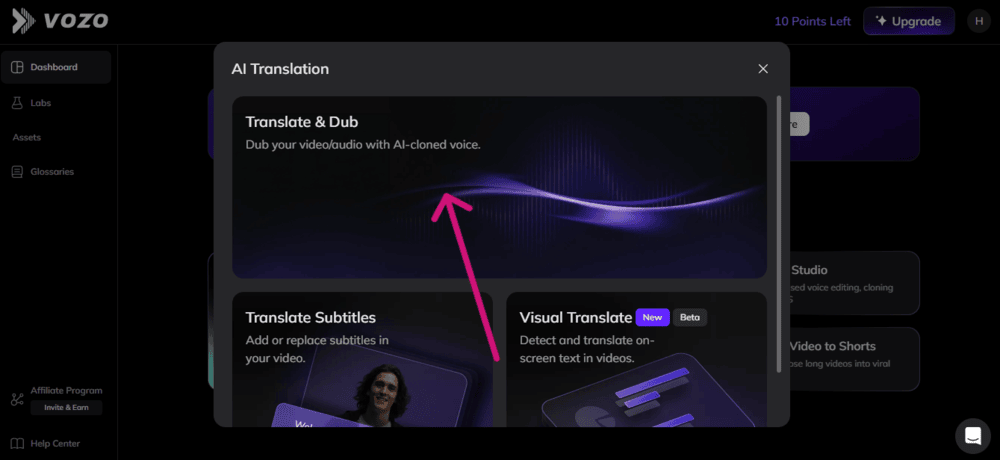
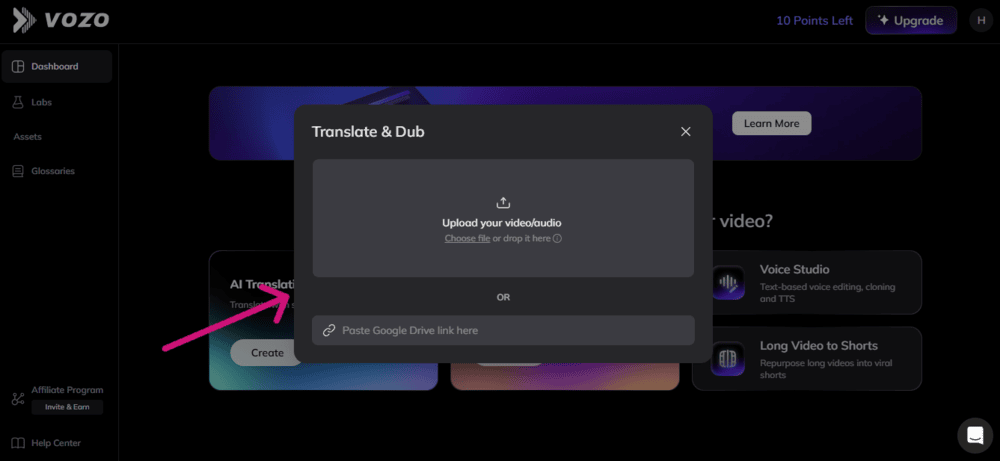
- Now you can either upload a video or audio from your device or just paste a Zoom/Rumble/Google Drive/TikTok/YouTube link of the file.
- Now select the language into which you want your video to be translated.
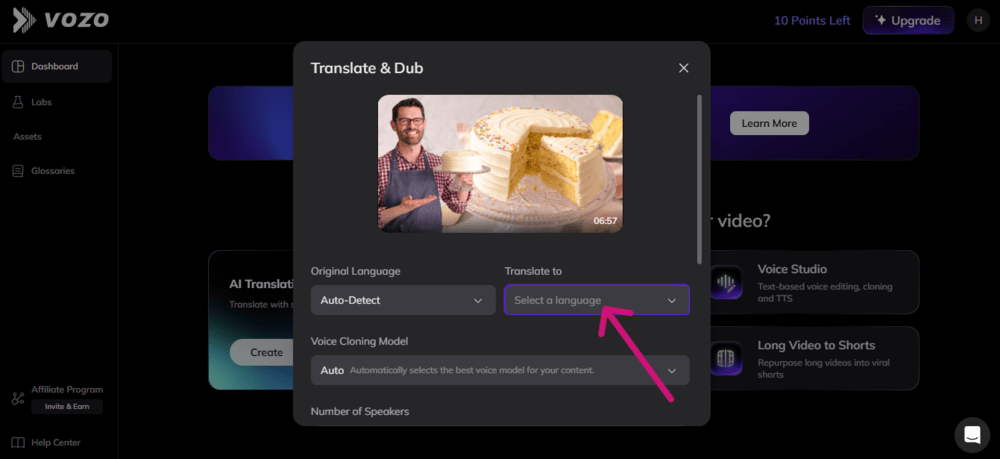
- From here, you can also select a voice model for the content, add or replace subtitles, adjust video speed for alignment, and even go for advanced settings and give precise prompts for how you like your video to be translated. (The advanced settings option requires you to buy a subscription.)
- Once you have done all the selections, click on Start Translation.
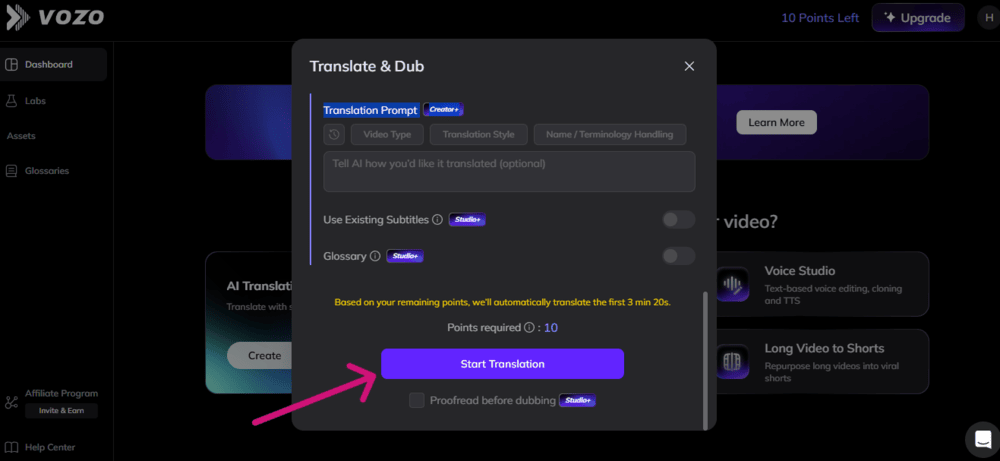
- The application will now start processing your video.
- You can choose to enable ‘Email me when ready’.
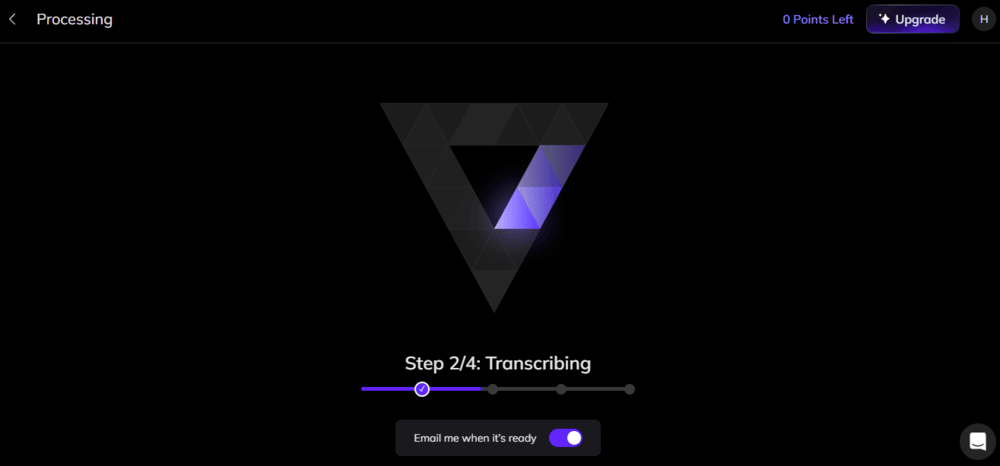
- Or just wait until the video gets translated into your preferred language. The process will take 2-4 minutes, and you will get your desired video. Once the video gets processed, you can click on Export to share it or save it on your device.
If you want lip sync also, then instead of clicking on Export (once your video is processed), click on Proofread & Edit, then go to Lip Sync, make necessary editing selections, and select Generate. Now your video is perfectly translated into another language, with perfect lip-sync. You can then click on Download to save the video to your device.
Vozo AI Pricing 2026: Is the Free Plan Worth It?
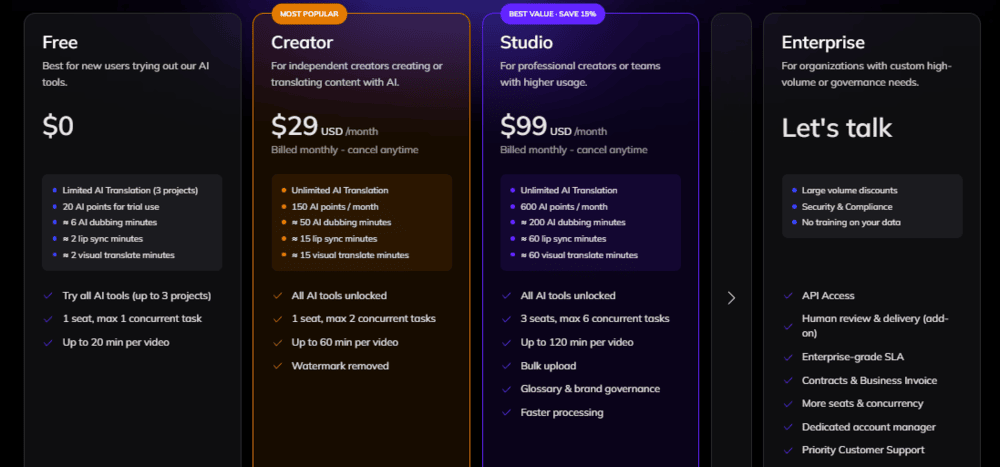
Vozo AI offers some free credits on signup so that you can try the features before buying a subscription. Apart from that, it offers 5 pricing plans so that users can pay just for what they actually use.
Here is the list of their plans:
- Creator: It costs $29 per month, allows unlimited AI translation, and removes the watermark.
- Studio: This plan costs $99 per month with bulk upload, faster processing, and more useful features.
- Studio XL: This plan costs $249 per month and is suitable for larger production needs.
- Studio XXL: Built for highest-volume production and usage, this plan costs $649 per month.
- Enterprise: If you want a custom-made plan, then you can get it tailored as per your requirements.
Vozo AI Pros and Cons: My Testing Results
| Pros | Cons |
|---|---|
| • Quite easy to use, beginner-friendly platform. | • iPhone app occasionally shows errors. |
| • Offers flexible pricing options so you can choose one according to your usage. | • The free version offers only 10 points and thus vanishes very quickly. |
| • Several video and audio editing features. | • The lip-sync feature may take a bit longer to process when the video is long or complex. For example, you could get perfect lip-sync for your video of 10 seconds of duration in 3-5 minutes. But for longer videos, or if it is a complex video (for example, if the character has a beard), it would take longer, like 10-20 minutes. |
| • Affordable plans | |
| • Suitable for various use cases. | |
| • Web-based application. | |
| • Audio and video translation, voice cloning with proper voice intonation and lip sync. | |
| • Reduces video and audio editing costs by up to 90% |
Is Vozo AI Legit and Safe to Use: User Reviews and Ratings
Yes, Vozo is a safe web application with GDPR compliance and SOC certification. Alibaba Cloud, YouTube, AWS, KPMG, and Shein are some of the global organizations that trust Vozo, along with 7 million+ other users. Plus, the application does not have any interrupting ads or safety complaints from the users.
User Reviews and Ratings
Vozo has got awesome reviews from its users. The most liked aspects of Vozo are the intuitive interface, affordability, accurate results, audio-and-video alignment, and quick results. You would rarely find bad reviews of this platform.
Vozo AI’s ratings on various platforms would tell you the whole story of how awesome it actually is.
- G2.com: 4.5/5 stars
- Trustpilot: 4.8/5 stars
- App Store: 4.7/5 stars
- Google Play: 4.5/5 stars
List of the Best Vozo AI Alternatives
If you are looking for a platform that is similar to Vozo in its features, then here we are with the top competitors of Vozo – have a look.
- Topview
- Maestra AI
- HeyGen
- Rask AI
- Dubverse
- Synthesia
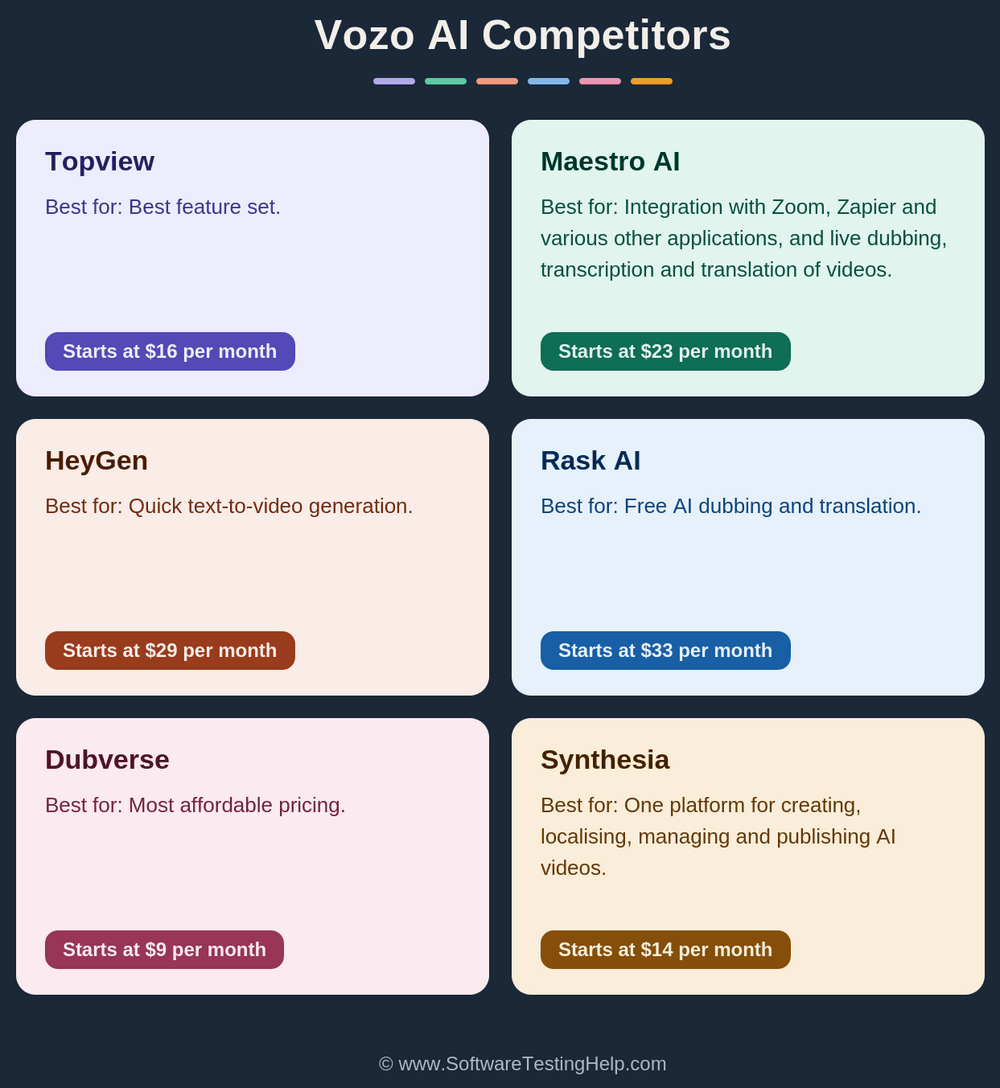
Comparing the Top Competitors of Vozo AI
Go through this comparison table to get quick info about the top alternatives of Vozo AI:
| Best for | Pricing | Free Trial | |
|---|---|---|---|
| Vozo AI | Easiest to use, free AI video translation and dubbing. | Starts at $29 per month | A free trial is offered which gives you a limited amount of credits. |
| Topview | Best feature set | Starts at $16 per month | Not available |
| Maestro AI | Integration with Zoom, Zapier and various other applications, and Live dubbing, transcription and translation of videos. | Starts at $23 per month | Offers some free credits for new accounts. |
| HeyGen | Quick text-to-video generation | Starts at $29 per month | Offers a forever free version that allows users to create up to 3 videos per month. |
| Rask AI | Free AI dubbing and translation. | Starts at $33 per month | A free trial is available for testing the features. |
| Dubverse | Most affordable pricing. | Starts at $9 per month | Offers a 2-day free trial |
| Synthesia | One platform for creating, localising, managing and publishing AI videos. | Starts at $14 per month | Offers a free plan |
Detailed Reviews:
#1) Topview
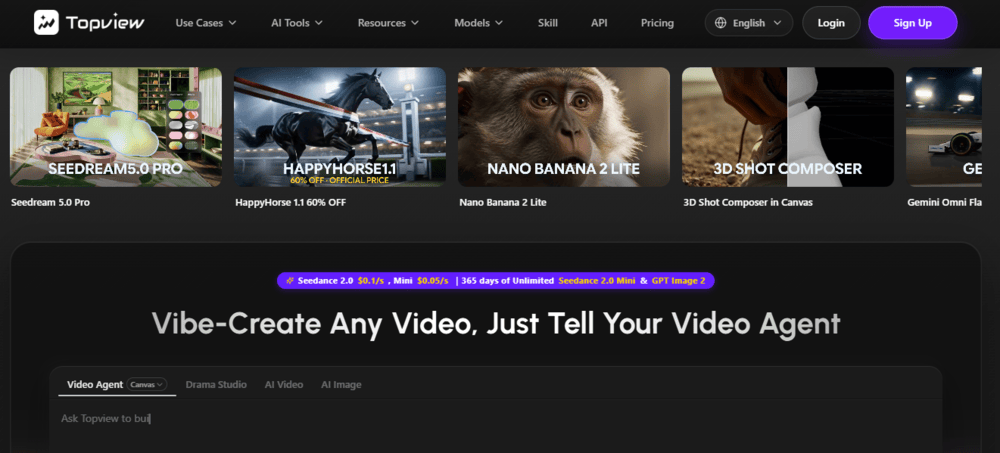
Topview is a power-packed video creation platform for various use cases, including advertising, e-commerce, brand videos, affiliate marketing, social media, training videos, etc.
It allows users to create videos or even drama series just by giving prompt commands, or you can upload multiple images to create a video out of them, or create images based on the description you enter. With flexible pricing options, Topview is a recommended platform for video creation.
Price:
Topview has the following price plans:
- Pro: USD 16 per month
- Business: USD 44 per month
- Ultra: USD 50 per month
- Team: USD 56 per seat per month
Website: https://www.topview.ai/
#2) Maestra AI
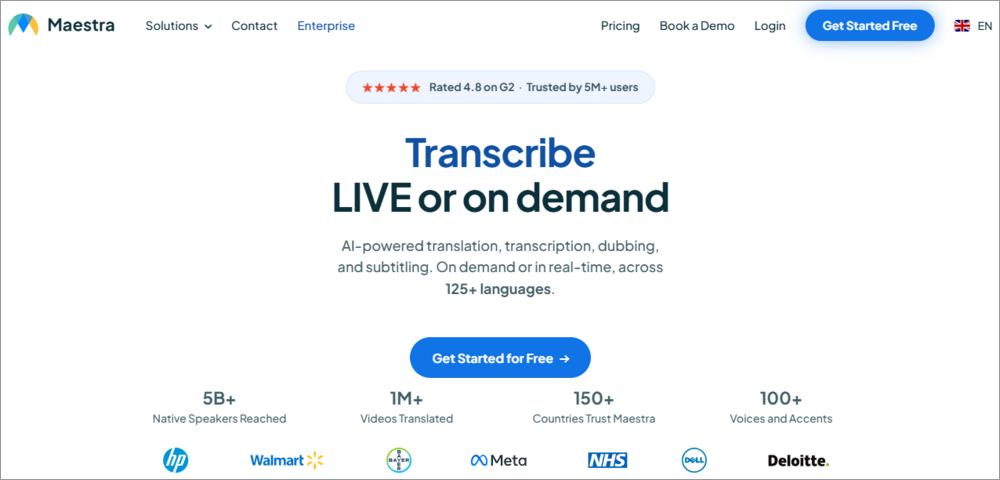
With HP, Meta, NHS, Dell, and Deloitte as its customers, Maestra AI comes out to be quite a renowned and trusted platform for video editing. The feature set offered by Maestra AI is quite similar to Vozo AI.
Maestra AI allows users to transcribe, translate, or dub videos. Plus, it integrates with Zoom, Microsoft Teams, YouTube, Slack, Zapier, and many other tools and allows you to transcribe, translate, or dub videos in real time.
Price:
Mestra AI has the following price plans:
- Pay as you go: $12 per 60 credits
- Lite: $23 per month, billed annually
- Basic: $39 per month, billed annually
- Premium: $79 per month, billed annually
- Enterprise: Custom pricing
Website: https://maestra.ai/
#3) HeyGen
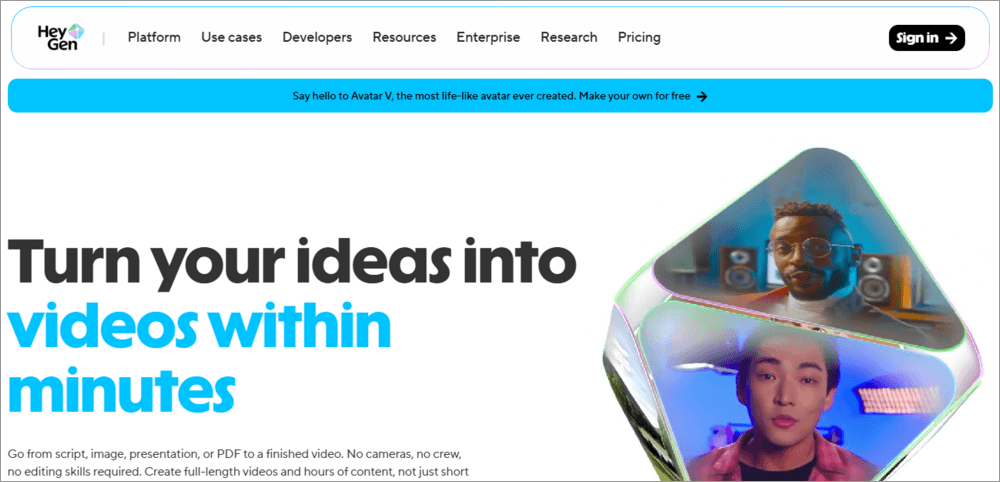
Another trusted video creation platform is HeyGen. It gives good competition to Vozo AI. It allows users to create videos from a script, image, presentation, or PDF. Intel, DHL, J.P. Morgan, and Bosch are some of their prestigious clients.
Like Vozo AI, HeyGen also offers tools for translating videos into 175+ languages and dialects with up-to-the-mark voice cloning, lip sync, and subtitles. The real-time video translation feature is also available.
Price:
HeyGen has the following plans:
- Free: Costs $0 per month
- Creator: $29 per month
- Pro: $49 per month
Website: https://www.heygen.com/
#4) Rask AI
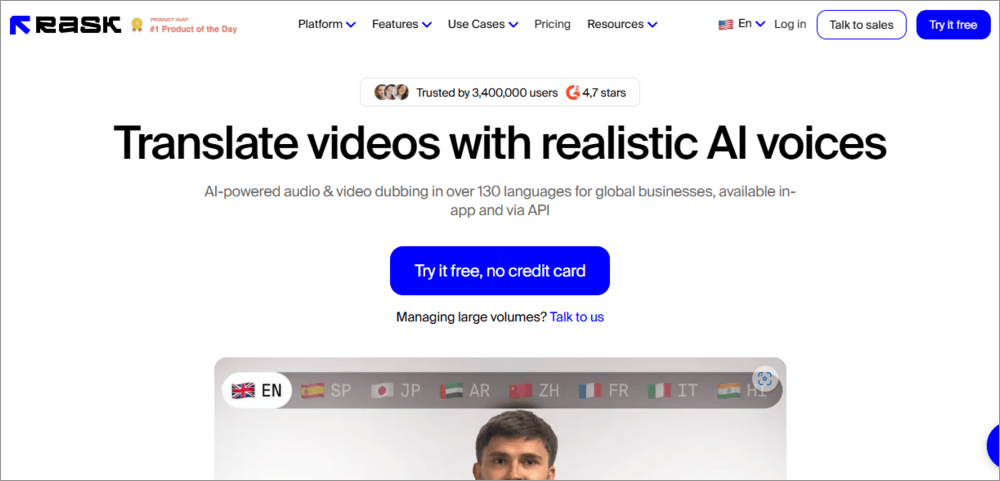
Having 3 million users, SOC 2 TYPE 2 certification, and a valuable feature set are the points that make Rask AI highly recommended.
The feature set of Rask AI is quite similar to Vozo AI. It includes voice cloning, lip syncing, caption generation, realistic accents and intonations, text-to-speech transformation, and more. The platform offers a free trial, which allows you to translate or dub a maximum of 3 minutes of video.
Price:
Here is the price structure of Rask AI.
- Creator: $33 per month
- Creator Pro: $78 per month
- Business: $500 per month
- Enterprise: Custom pricing
Website: https://www.rask.ai/
#5) Dubverse
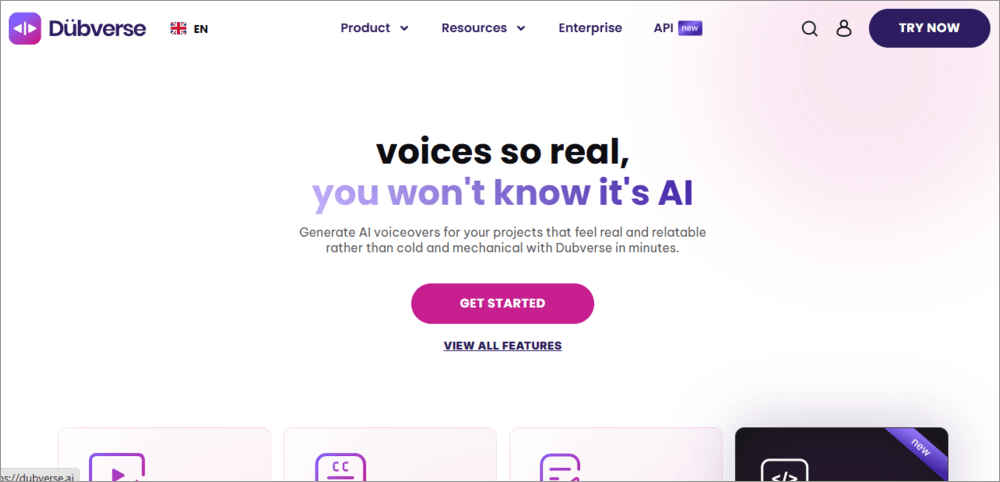
Known for dubbing your videos and generating AI voiceovers that sound real, Dubverse gives tough competition to Vozo AI. This AI-powered, ISO-certified platform supports more than 30 languages and guarantees accurate and reliable translations.
Price:
Dubverse has the following price plans:
- Pro: $18 per month
- Supreme: $30 per month
- Enterprise: Custom pricing
Website: https://dubverse.ai/
#6) Synthesia
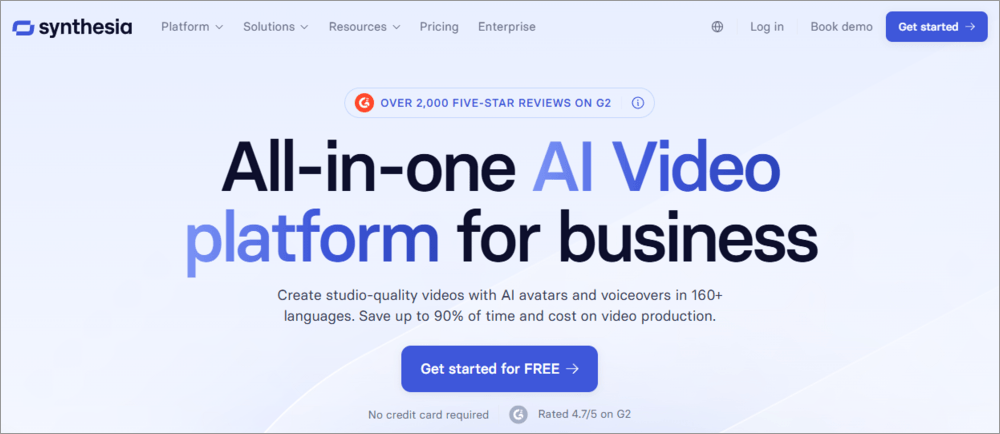
Synthesia is trusted by 90% of the Fortune 100 companies; it has 4.7/5 star reviews on G2.com and is an all-in-one platform for creating videos from scripts, AI voice cloning, video translation, AI avatar generation, video editing, and more.
Synthesia supports 160+ languages and is suitable for various use cases like technical training, employee development, product video, and more.
Price: Synthesia offers a Free plan that allows users to create 10 minutes of video per month. It’s paid plans are as follows:
- Starter: $14 per month, billed annually
- Creator: $59 per month, billed annually
- Enterprise: Custom pricing.
Website: https://www.synthesia.io/
Frequently Asked Questions
1. What is Vozo AI used for?
Vozo AI is an AI-based video creation and localization software for video translation, dubbing, subtitles, voice cloning, lip sync, talking photos, and AI video editing.
2. Is Vozo AI free?
Yes. Vozo AI provides a free plan with restricted access to their AI tools that include 20 AI points for testing and limited translation, dubbing, and lip-sync services.
3. Is Vozo AI Talking Photo free?
The Vozo AI Talking Photo feature is available for trying with the free plan of the service; however, there are limitations regarding the number of AI points and project quantity in the plan.
4. How much does Vozo AI cost?
Vozo AI offers some free credits on signup to try its features. Afterwards, you will have to buy one of their plans, according to your usage.
Vozo AI pricing plans are as stated below:
• Creator: $29 per month
• Studio: $99 per month
• Studio XL: $249 per month
• Studio XXL: $649 per month
• Enterprise: Custom pricing.
5. What are the benefits of using Vozo?
Vozo is quite an easy-to-use video generation platform. It offers multiple price plans that make it suitable for individuals, small businesses, and big enterprises.
It can translate your videos into 160+ languages within minutes, thus helping you reach a greater audience. Brands, Educators, Social Media Influencers, and e-commerce platforms can benefit a lot from Vozo.
6. Is there a free AI video translator?
Vozo AI, Rask AI, Dubverse, and Maestro AI offer free trials with limited credits for video translation. If you need to translate only one short video, you can use one of these apps.
HeyGen and Synthesia have free plans for AI video translation. HeyGen allows generating 3 videos per month with the free plan, and Synthesia lets you generate up to 10 minutes of video per month with the free plan.
7. How does Vozo AI Talking Photo work?
Vozo AI Talking Photo allows to create a talking video out of a still image. One has to upload an image and either audio recording or one of the supported AI voice options. Then, the app creates a video with the speaking person from the photo.
8. Can Vozo AI make a photo talk?
Yes. The Vozo AI Talking Photo feature can animate the still image into the talking video using uploaded audio or one of the supported text-to-speech or voice-cloning AI options.
9. Does Vozo AI support voice cloning?
Yes. Vozo AI supports voice cloning technology for creating videos with dubbing, lip sync, and Talking Photo features. Voice cloning is listed among the TTS voices on the company’s pricing page.
10. Does Vozo AI have lip sync?
Yes. There is a feature of AI lip sync on Vozo AI that synchronizes the lip movements of the video with dubbing audio or scripts. This feature works for both the uploaded audio and the AI voices.
Conclusion
Platforms like Vozo AI have undoubtedly made the processes of video generation, repurposing, voice cloning, translation, dubbing, subtitle generation, and lip-syncing effortless and affordable. Within a matter of minutes, you can transform a video for your global audience. Plus, you do not need prior editing knowledge for this purpose.
Such AI-powered platforms have surely benefited the whole world. But what I found is that the lip sync feature may deliver videos that look 100% natural. Videos delivered by Vozo are a lot better than others. The voice cloning, translation, dubbing, and automated subtitle generation tools are praiseworthy.
Research Process: The total time involved to complete and publish this article is approximately 42 hours. This content was created through a structured research approach to ensure accuracy and reliability.
For more related guides, you can explore our range of tutorials below:
- 10 Best Free Video Maker Tools & Apps for Stunning Video
- Akool AI Review: Ultimate AI Video Generator
- Pippit AI Video Generator: Is The Tool Worth It
- MagicLight AI Long Video Maker Review And Alternatives
- World’s Leading AI Startups – Most Promising List
- Vheer AI Image to Video Generator Review And Alternatives
- Clipfly AI Video Generator Review and Alternatives
- Viggle AI Video Generator Use Cases and Alternatives
- Wondershare VidAir Online Video Maker Hands-on Review
Was this helpful?
Recommended Reading
-

This tutorial is a complete guide to AVCLabs Video Enhancer AI. Understand the features and implement them to upscale your videos: The visual enhancement market is an ever-expanding space, with new apps and services cropping up every day. Notably, many of these services are AI-powered software that promises to make…
-
Generate stunning AI-powered Images and Videos through Vheer AI without any watermark. Read our hands-on review of Vheer AI to discover its features and pricing, along with its alternatives to make the right choice: Vheer is one of those AI-powered creative tools that I’ve been dying to get my hands…
-
Dive deep into the capabilities and alternatives of getimg.ai's image generation platform. Effortlessly edit photos, and create stunning images or custom AI models after reading this getimage.ai review: Art isn't for everyone, but AI has revolutionized the game. Today’s reality is that anyone can create stunning visuals and modify them…
-

A comprehensive review of the Winxvideo AI tool with specifications, features, and pricing. Quickly revitalize your videos/images with this excellent enhancer, converter, and downloader: Winxvideo AI is a comprehensive toolkit powered by AI to help enhance video/image quality, stabilize videos, and boost video FPS. Also, it can convert, compress, record,…