The Magic Light AI review provides insight into all aspects of this AI Long Video Maker and includes hands on expertise that offers, features, costs, pros, cons and its alternatives.
Magic Light AI has proven to be a highly sought-after tool for generating animated storylines, instructional videos, and YouTube videos without faces. But is MagicLight AI free to use and how much can you do with its free credits?
We are going to give our expert opinion, analyze Magic Light AI’s video creation tools, review users’ opinions, and compare it with other similar services in this Magic Light AI review.
Tested MagicLight AI Review: Ultimate Video Generator

Quick Verdict: This user-friendly platform has made video creation effortless. You can create an eye-catching, smooth video with expressive, AI-generated characters in seconds. I would highly recommend this platform to video creators, educators, influencers, and even individuals.
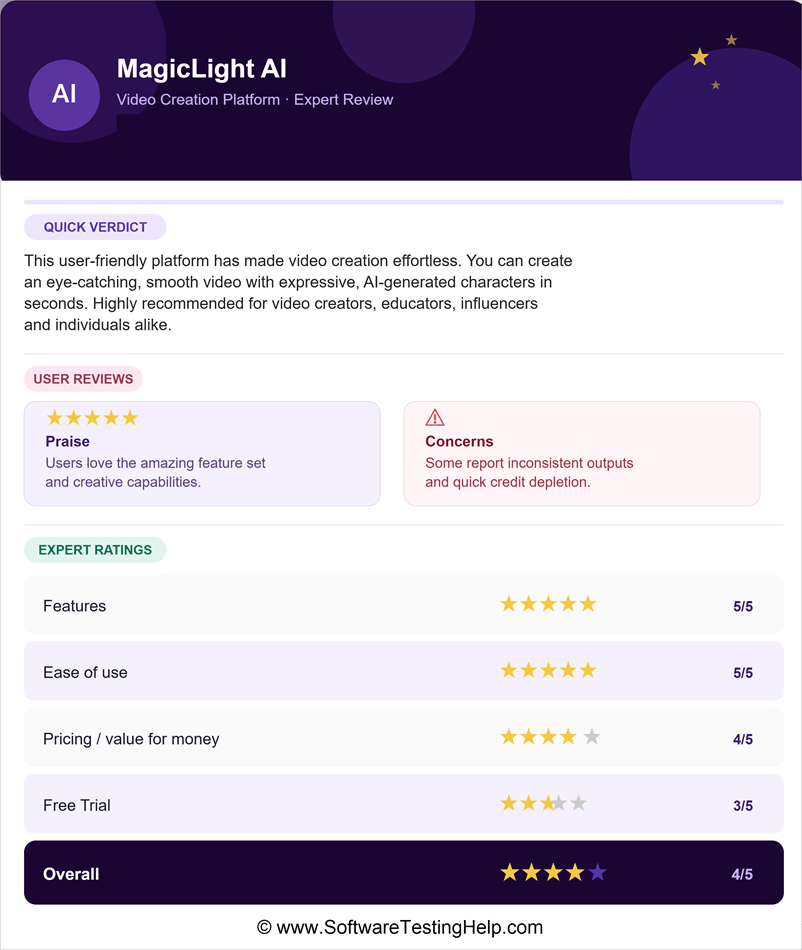
MagicLight AI has mixed reviews from its users. While some are full of praise for the amazing set of features they got, some complain about inconsistent outputs and quick depletion of credits.
Based on my experience, look at how I would rate MagicLight AI’s different aspects:
- Features: ⭐⭐⭐⭐⭐
- Ease of use: ⭐⭐⭐⭐⭐
- Pricing/value for money: ⭐⭐⭐⭐
- Free Trial: ⭐⭐⭐
- Overall: ⭐⭐⭐⭐
What is MagicLight AI
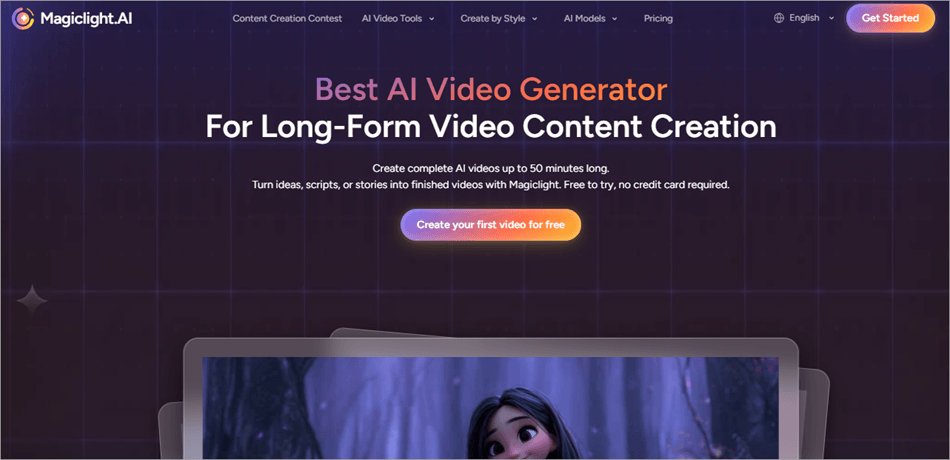
MagicLight creates up to 50-minute-long AI-powered videos. Users can get AI videos generated from their ideas, stories, and scripts quickly with MagicLight AI. It is an all-in-one platform that provides visuals and voice to the video based on the script you provide.
MagicLight AI has created over 50 million minutes of video to date, generated 30 million+ videos, and is trusted by over 20 million creators from around the world.
Anyone can use this beginner-friendly platform. You do not need to have any video editing or animation skills to create your videos with MagicLight. Plus, it eliminates the Morphy Face problem and delivers smoothly flowing videos with connected clips.
MagicLight AI gives its users access to the following AI models:
For Scripting your text:
- ChatGPT 4/ GPT-5 / GPT-5.4
- Gemini 3.0 / Gemini 3.1 Pro
- GLM-5
For converting your stories into video clips:
- Seedance 2.0 / Seedance 2.0 Fast
- Veo 3.1 Fast / Google Veo
- Kling 3.0 / Kling 2.1
- Sora 2
- Nano Banana Pro
- Hailuo 2.3 Fast
Models used for audio and lip-sync:
- LipSync 2.0
- Nano Settings
MagicLight AI User Reviews and Ratings 2026
We studied the user reviews about MagicLight AI on various platforms and concluded with the below pointers:
- Features: Users are all praise for the features they get with MagicLight AI. You can create a script from text, transform it into a video by choosing a suitable character, then clone a voice for the video you created, and add subtitles. All of this can be done in one place.
- Overall Experience: The only cons usually reported by some of MagicLight AI’s users are the rapid depletion of credits, delayed customer support, and occasional issues with the generated videos (like characters may not lip-sync in a video or would change clothes in a scene). But they admire this all-in-one platform for creating full-featured videos within seconds, without the need for users to have any prior video creation knowledge or experience.
My Hands-On Experience with MagicLight AI
We have tested the tool and found that:
- The free trial allows you to use limited features – the video will be created with a watermark, in standard quality, and you can’t add lip sync to it.
- With the paid plans, you can get amazing results with unique characters, smoothly flowing videos, and great picture quality.
- If we compare MagicLight with its competitors, we find that MagicLight AI allows creating longer videos (up to 50 minutes) compared to its competitors.
Have a look at some examples of video projects created with MagicLight AI:
- The Rise and Fall of Dinosaurs
- The Bread Thief
- The Mechanics of the Heart
Watch this YouTube video showing an overview of a newly added visual style: Kids song videos:
Video Export Quality: MagicLight AI allows users to export or download their created videos in 1080P HD quality, without watermarks, with the paid plans. Users can download videos created with the free trial only in 720P Standard quality, and a watermark appears in the top left corner of the video.
Who is it for? MagicLight AI can be used by anyone. In today’s times, when creators are earning good money with their content, more and more youngsters are inspired to create videos for social media.
So anyone who wants to create unique content for social media, or even for educational purposes, can use the platform.
MagicLight can create videos for all topics and themes. You can check this in a video:
There is a free version with limited usage. Their paid plans are quite affordable and highly useful.
MagicLight AI Features (Hands-On Tested)
Have a look at the amazing set of features offered by MagicLight AI:
- Story Templates: MagicLight AI’s library of story templates contains templates for several themes, like kids’ stories, comedy, faith messages, and more, which provide the creators with a format for their stories.
- AI-powered Characters: MagicLight AI creates expressive characters with a unique look.
- Seamless Scene Transitions: Users can add transitions between different scenes to maintain a smooth, cinematic flow throughout the video.
- Story to Video Creation: With MagicLight AI, users can get a full-fledged, 50-minute video created for their story, with character and scene consistency.
- Text to Video: Users just need to explain a scene in text, choose a visual style for it (they offer 20+ visual styles to choose from, including animals, suspense, painting, 3D cartoon, and more), and get their video created. They can also refine specific elements of a video without having to create a whole new video.
- Script to Video: The platform allows users to create a full-fledged, ready-to-publish video from a script in one go.
- Music to Video: MagicLight can even create a video based on a music track. You just need to upload the music and choose a visual style, and the video will be created that matches the mood and message of the music. Plus, the characters’ mouth movements will be in sync with the words of the music track.
- Image-to-video Converter: Users can create a high-quality video from an image by giving simple prompts. Or, you can use multiple images to create a flowing sequence.
- AI Voice Cloning: MagicLight AI allows you to clone your voice to any music track so that you can use it in your videos. The voice-overs can be generated in 30+ languages, plus there is no limit on the length of the music track that can be cloned.
- AI Subtitle Generator: Users can add subtitles (in 30+ global languages) to their videos to reach a global audience.
Directing Modes Available with MagicLight AI
While creating your video with MagicLight AI, you can choose different directing modes to achieve your desired video style. Each mode uses the directional camera differently. You can even preview each mode before applying it.
The different directing modes offered by MagicLight AI are:
- Cinematic: This mode is perfect for storytelling.
- Action: As the name suggests, this mode gives energy to the scenes, suitable for action-packed videos.
- Suspense: In this mode, the camera moves slowly and builds suspense by using tension-building angles.
- Emotional: This mode focuses on showing the expressions of the character.
MagicLight AI Pricing and Free Credits (Updated 2026)
MagicLight AI offers the following pricing plans:
- Free: $0 – Allows 1 Character creation, 2 image re-generations, 1 Dynamic Conversion, and offers ChatGPT -4
- Standard: $12 per month – This plan gives 6,000 credits and allows creating up to 10 one-click story videos, up to 120 minutes of video generation, up to 250 seconds of image-to-video generation, and much more.
- Pro: $35 per month – This plan gives 35,000 credits per month, allows up to 60 one-click story videos, up to 620 minutes of video generation, up to 1,320 seconds of image-to-video generation, and much more.
- Ultra: $90 per month – With this plan, you get 120,000 credits per month. You can create up to 200 one-click story videos, generate up to 2000 minutes of videos, up to 4290 seconds of image-to-video, and much more.
- Ultimate: $150 per month – This plan gives 180,000 credits per month, allows you to create up to 300 one-click story videos, generates up to 3000 minutes of videos, up to 6430 seconds of image-to-video, and much more.
The pricing is for those who choose to pay monthly. There are huge discounts for paying annually.
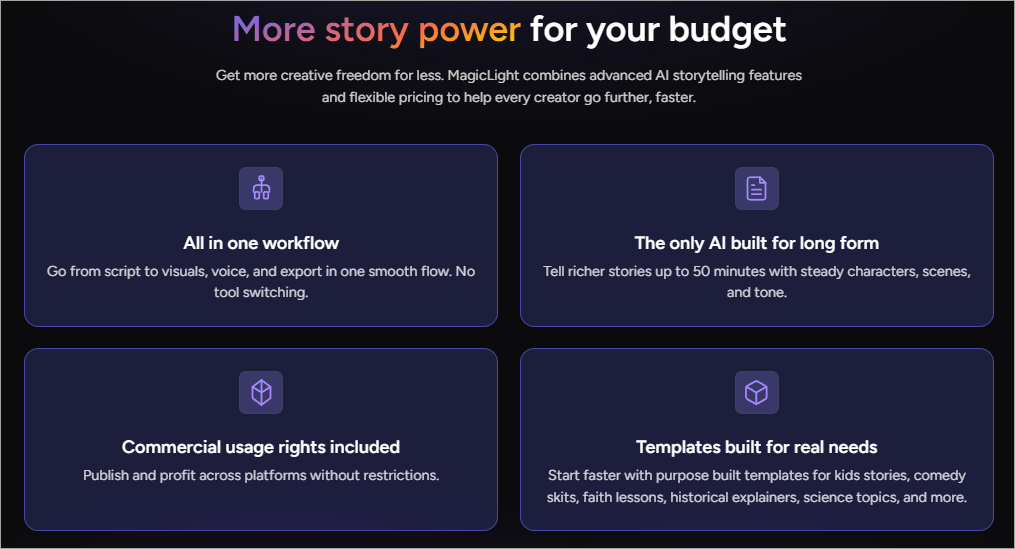
How to use: You can start with the free trial offered by MagicLight AI. Follow these steps to create your first project:
1. On MagicLight AI’s home page, click on Create your first video for free.
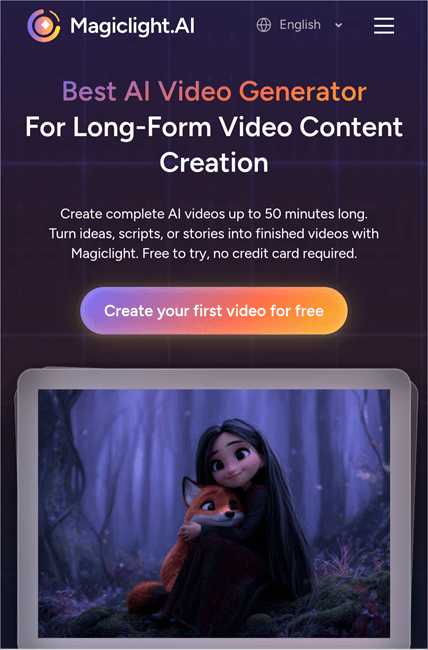
2. Now you will need to sign up for MagicLight AI. Tap on Log in. (You can also choose to download the app if you want.)
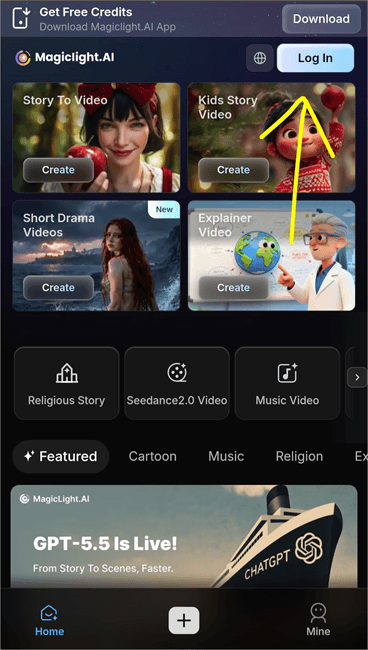
3. If you do not have an account, then tap on Sign up and enter your details to create the account.
4. Once you have created your account, choose from the available video types:
- Story to Video
- Kids Story Video
- Short Drama Videos
- Explainer Video
5. To create a Story to Video, tap on the Create option next to it.
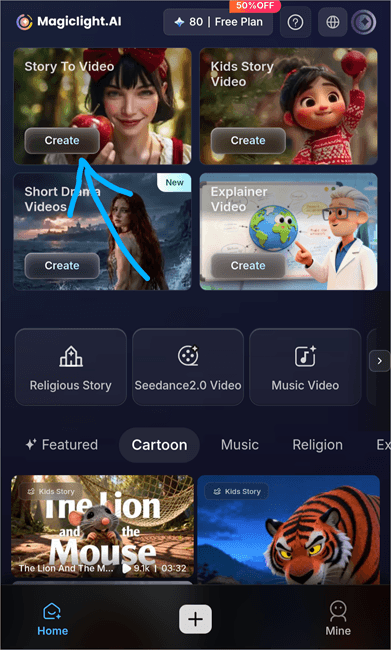
6. Now type your story in the box provided. The story should contain a maximum of 12000 characters.
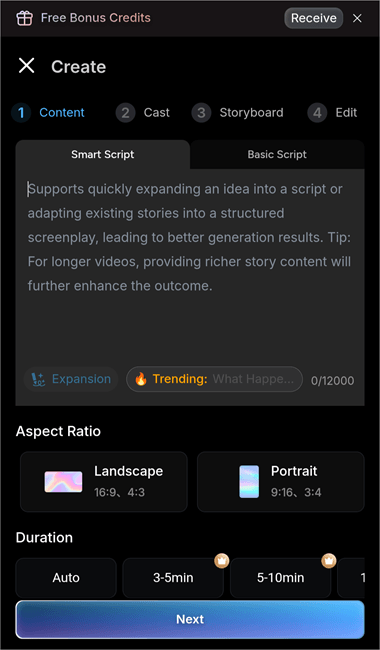
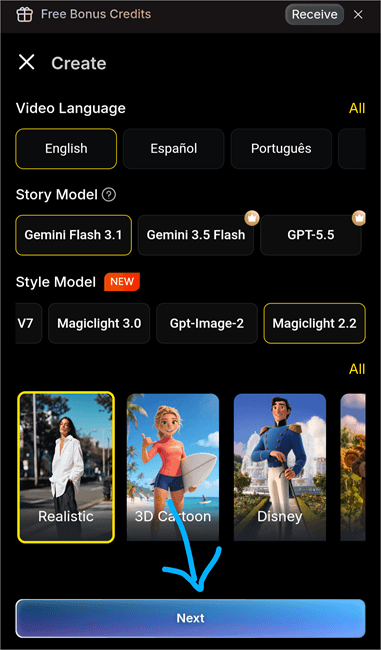
7. Once you have entered the story, scroll down to enter other prompts for the video. From here, you can select the Aspect Ratio, Duration, Language, and more details for the video.
(Please note that you won’t be allowed to use all features in the free trial. If you choose to use a premium feature, you will be directed to buy one of their subscription plans; you can choose any plan from there.)
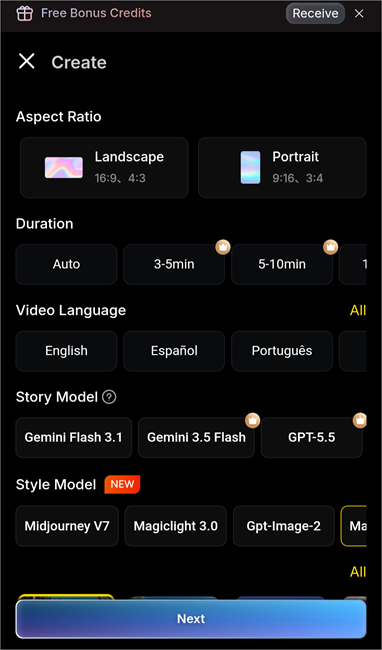
8. Once done, tap on Next.
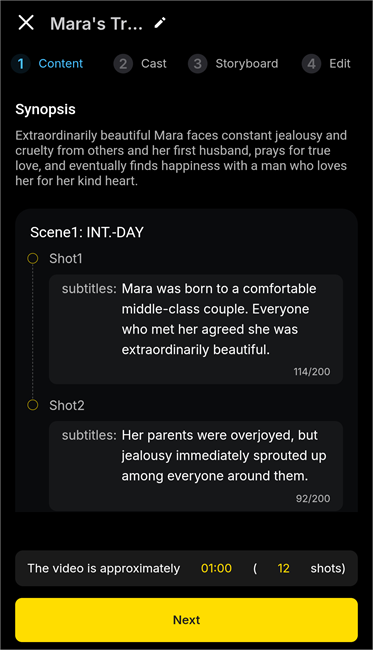
9. Now MagicLight AI will create a script of your story, containing details of each scene. You can make changes to the title of the story or the details of any scene. Once done, tap on Next.
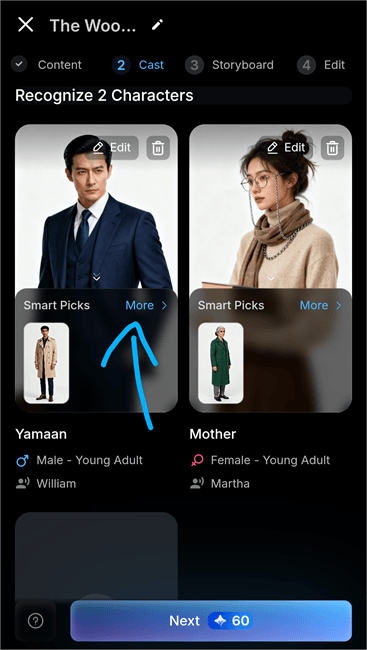
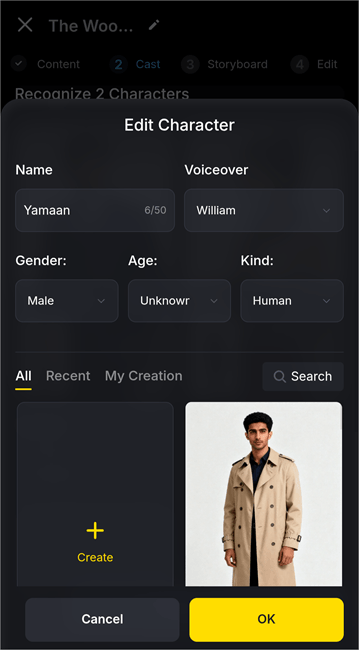
10. In this step, you have to select the cast for your story. If you are OK with the cast suggested by MagicLight AI, then tap on Next, otherwise, tap on the More option located with each cast. You can also choose to change the Voice of each cast from here.
11. To change the voice of any character, tap on the voice name under the subheading Voiceover
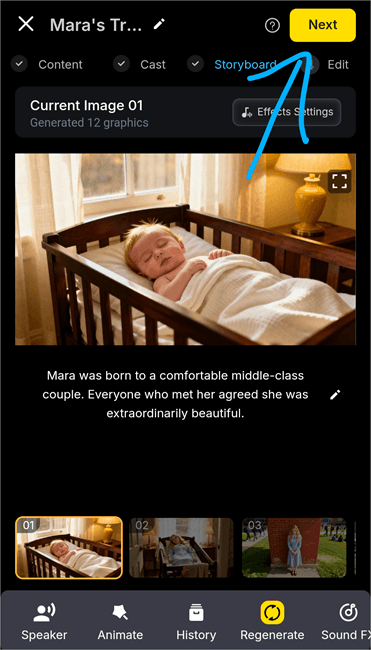
12. Now you will be shown the whole story in images and subtitles. If you do not like it, tap on Regenerate. But make sure you have enough credits to regenerate the story. If you are OK with it, tap on Next.
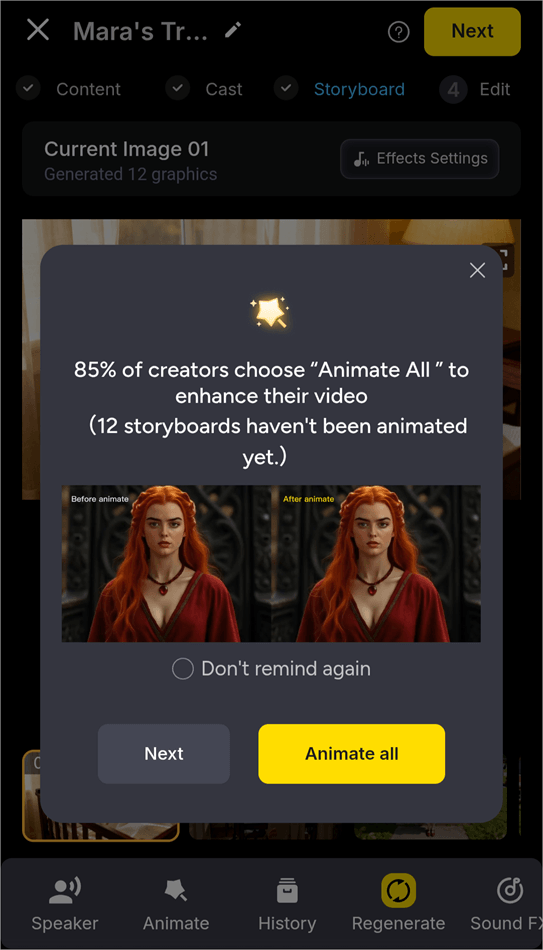
13. If you want an animated video, then select Animate all; otherwise, tap on Next.
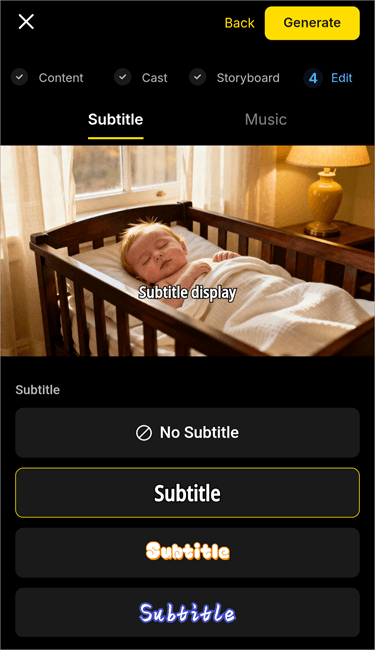
14. Now choose the style of subtitles and music for your video and then select Generate.
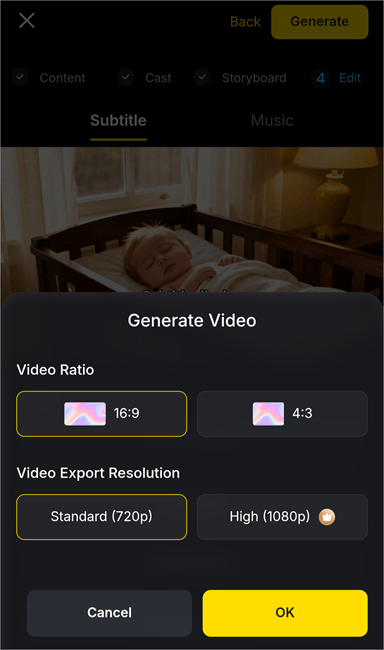
15. Choose Video Ratio and Video Export Resolution, and then select OK.
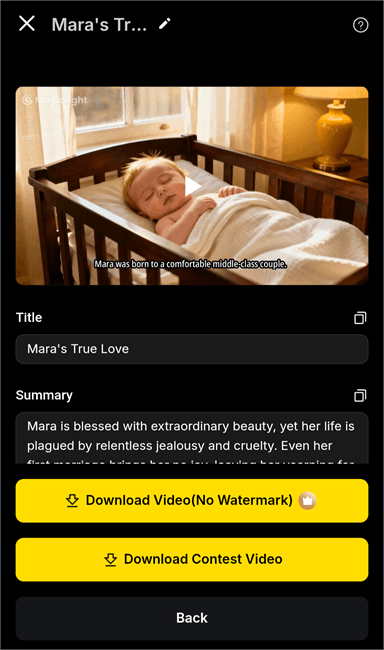
16. The video will be generated according to the prompts. Now you can download the video. To get a watermark-free video, you should have a Premium account.
Best Use Cases for MagicLight AI
MagicLight AI is suitable for different types of users, for example:
- YouTube Video Creators: MagicLight AI can be used to create YouTube videos of up to 50 minutes, just by giving instructions. Users can create videos for different topics like entertainment, information, kids’ stories, etc.
- Educators: MagicLight AI can be used to create a video based on a soundtrack. The users will have to select a visual style for their video and give prompts – the video will be created within seconds. Or, you can just upload some images to get a flowing sequence. These features can be quite useful for Educators.
- Influencers: Influencers from different content niches, like fashion, gaming, lifestyle, faith, etc., would find MagicLight AI to be quite useful.
- Individuals: In this age of social media, when everyone wants to upload unique content and get likes on their posts, even individuals look for apps that can create breathtaking content. So if you have just come back from a trip and want to create a smooth video containing your images, then MagicLight AI would prove to be a good option.
MagicLight AI Pros and Cons
| Pros | Cons |
| • Simple interface, beginner-friendly platform. | • Users are spotted reporting that the credits vanish very quickly if you create a complex video or when you regenerate videos. |
| • Offers around 300 credits for free to try the platform. | • The free trial offers only 300 credits that vanish very quickly. |
| • Creates multi-scene, smooth videos with expressive characters and lip sync. | |
| • You can clone your voice to any music track and add it to the generated video. | |
| • Users can generate a video from a story, text, script, image, or a music file. |
Is MagicLight AI Worth It?
Yes, MagicLight AI will work just fine for those who wish to make some AI-generated videos for stories, animations, or explainer videos without having editing skills. All-in-one approach, ability to create long-form videos and script-to-video creation powered by AI algorithms make this tool really useful for creatives, teachers, marketers, and even for small businesses.
Free plan will help you to evaluate the platform while paid plans provide unlimited credits, export in 1080p, no watermark, and ability to use video commercially.
Who Should Use MagicLight AI?
MagicLight AI can be used by those who:
- Are content creators and make YouTube Shorts, storytelling, or educational videos.
- Are marketers and need to create some promotional videos without hiring any editors.
- Are teachers and trainers who need visual and interesting presentations.
- Are small business owners and have to produce social media videos on a budget.
- Are beginners and want to get access to the simple browser-based AI video generator.
When MagicLight AI May Not Be the Best Choice
You may want to consider alternatives if you:
- Frame-by-frame editing is required or you need advanced controls of the video making process.
- You need to create large number of videos as in such case cost of credits may grow significantly.
- Videos must possess character accuracy since sometimes manual corrections might need to be done.
List of the Best MagicLight AI Alternatives
If you are looking for alternatives to MagicLight AI, due to reasons like high cost of creation, or when you want more extensive video creation tools, then here are some of the best alternatives to MagicLight AI you can try:
#1) InVideo
[Via invideo]
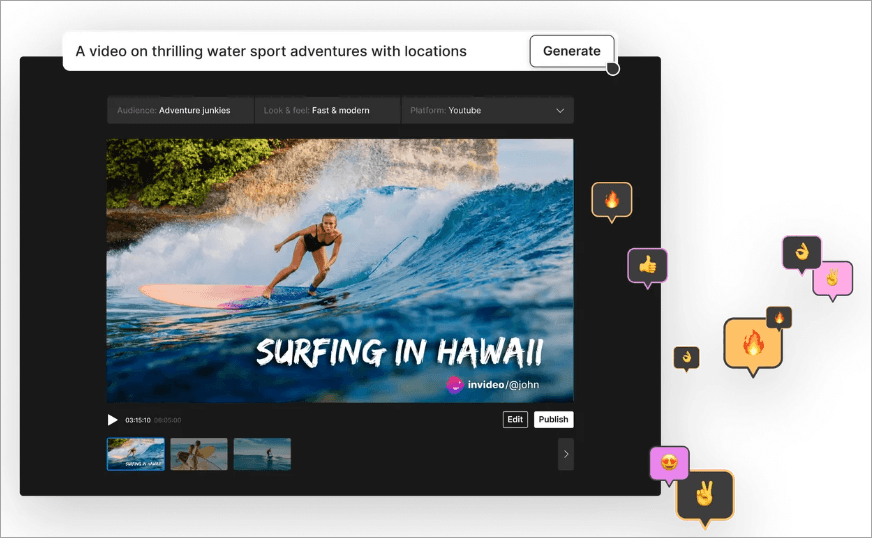
Trusted by IBM, HubSpot, and many other renowned companies, InVideo is a reliable AI video creation platform that creates each shot based on your prompts and scripts. You can even take help from InVideo’s AI co-writer in writing your script.
Website: https://invideo.io/
#2) FluxNote
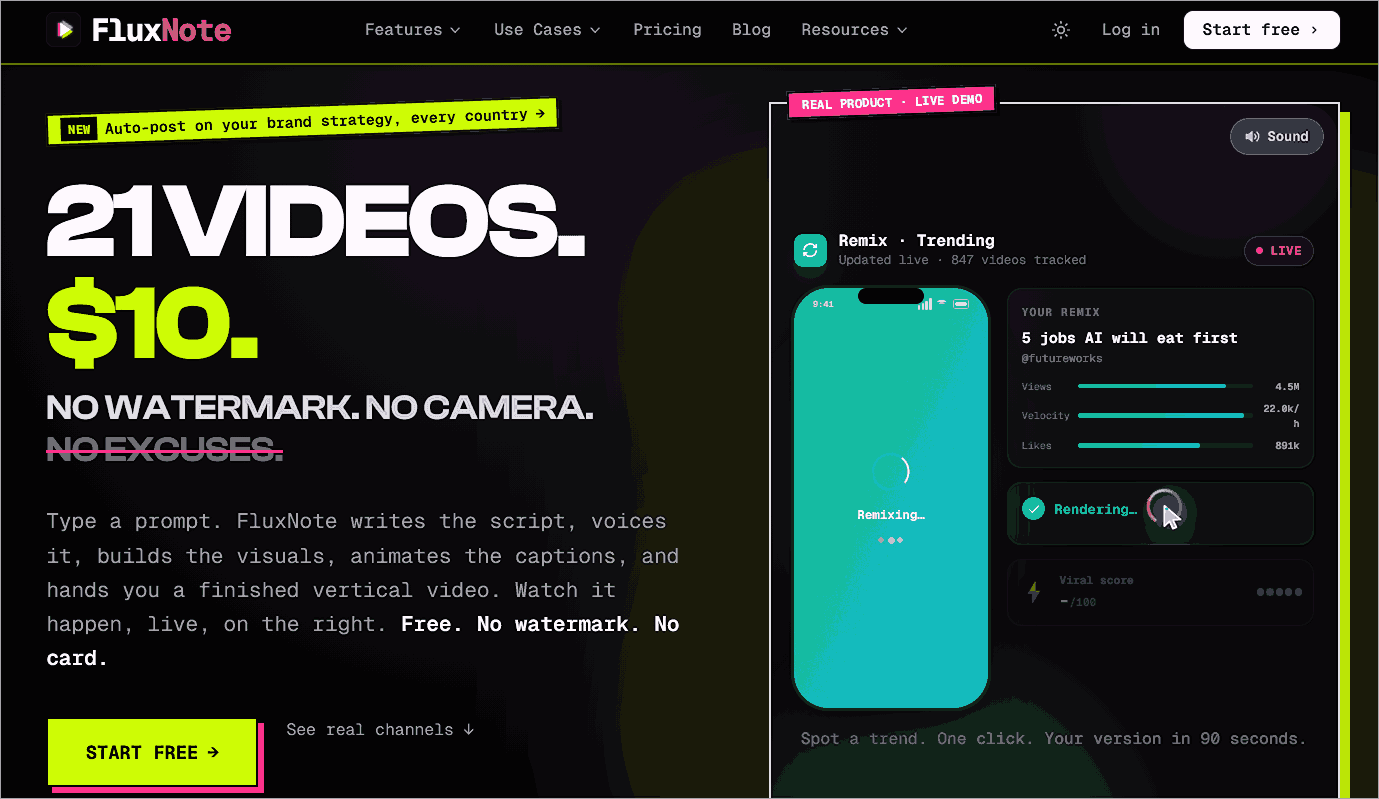
With over 100,000 users, FluxNote comes out as a popular platform for video creation. Not only that, FluxNote writes, produces, schedules, and posts the Shorts once you approve them. This platform is suitable for brands that need to post content daily.
Website: https://fluxnote.io/
#3) Lumen5
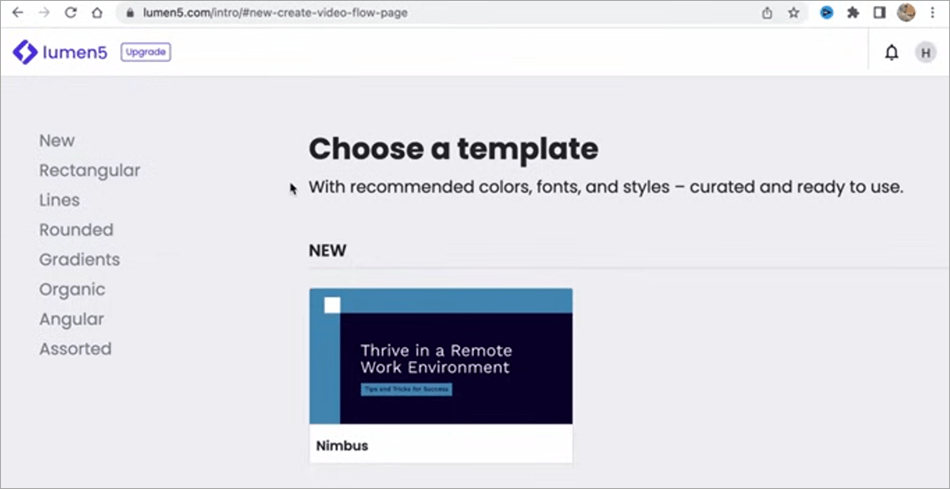
Another popular video creation tool is Lumen5. Cognizant, ADP, and Cisco are its prestigious clients. The platform has drag-and-drop video creation tools, useful templates, AI-powered script writing, and many more useful features.
Website: https://lumen5.com/
Comparing MagicLight AI with Competitors
| Platform | Best for | Ratings | Pricing | Free version |
|---|---|---|---|---|
| MagicLight AI | Creating long (upto 50 minutes) videos from your stories. | App Store: 4.5/5 stars Trustpilot: 2.4/5 stars | Standard: $12 per month Pro: $35 per month Ultra: $90 per month Ultimate: $150 per month (You can save on pricing by paying annually). | They offer some credits to try MagicLight AI for free. |
| InVideo | Creating marketing content and short Youtube videos with the help of their pre-existing stock. | App Store: 4.6/5 stars G2: 4.4/5 stars Trustpilot: 3.6/5 stars | Plus: $17 per month Max: $85 per month Generative: $175 per month Elite: $900 per month Team: Starts at $40 per seat per month Enterprise: Custom pricing | They have a free version |
| FluxNote | Brands that need a platform to automatically post content, based on their audience’s preferences. | NA | Rise: $7.99 per month Pro: $15.99 per month Max: $39 per month | They have a free plan that allows creating 1 free, watermark-free video per month. |
| Lumen5 | Powerful AI based tools and drag-and-drop video creation. | Google Play: 2.6/5 stars G2: 4.5/5 stars Trustpilot: 4.1/5 stars | Basic: $29 per month Starter: $79 per month Pro: $199 per month Team: Custom pricing. (You can save on pricing if you pay annually). | They have a forever free plan that allows you to create 5 videos per month. |
Frequently Asked Questions
1. Is Magic Light AI free to use?
MagicLight AI works on a credit basis. It offers a fixed amount of credit with each plan. New users get some free credits as a free trial. Once those credits are finished, buy a subscription plan to use MagicLight AI.
2. How many videos can I make per month?
The number of videos that can be created per month depends upon the number of credits and the subscription you have bought. Look at what each plan offers:
• Free Plan: It allows 1 Character creation, 2 image re-generations, 1 Dynamic Conversion, and offers ChatGPT 4
• Standard: This plan gives 6,000 credits per month and allows creating up to 10 one-click story videos, up to 120 minutes of video generation, up to 250 seconds of image-to-video generation, and much more.
• Pro: This plan gives 35,000 credits per month, allows up to 60 one-click story videos, up to 620 minutes of video generation, up to 1320 seconds of image-to-video generation, and much more.
• Ultra: With this plan, you get 120,000 credits per month. You can create up to 200 one-click story videos, generate up to 2000 minutes of videos, up to 4290 seconds of image-to-video, and much more.
• Ultimate: This plan gives 180,000 credits per month, allows you to create up to 300 one-click story videos, generate up to 3000 minutes of videos, upto 6430 seconds of image-to-video, and much more.
3. Can I use my own photos or characters?
Yes, users can use their own photos and characters in MagicLight AI. You can even clone your own voice on any character or music track.
4. What languages does Magic Light AI support?
While working with MagicLight AI, you can type in your stories and scripts in 11 languages. The audio and lip sync, as well as the subtitles, can be generated in over 30 languages, including English, Spanish, Hindi, and many more, which makes the content created with MagicLight AI suitable for a global audience.
5. Is Magic AI worth it?
Yes, Magic AI is a highly recommended platform for creating original video content for YouTube, education, and other purposes. Plus, it offers many price plans so you can choose the one that suits your needs. The plans start as low as $6 per month (if you pay annually). So I must say, you get good value for money.
6. Is Magic AI free?
No, Magic AI is not completely free. You will get some free credits on sign-up, but once the credits finish, you will have to buy a subscription plan to continue using the platform. Each plan offers a limited number of credits for each month. If they get finished, you’ll have to pay more to get more credits.
7. How to use MagicLight AI for free?
Since MagicLight AI offers some free credits on sign-up, allowing you 1 Dynamic Conversion, creation of 1 Character, the regeneration of 2 images, and ChatGPT – 4, you can use the platform for free until the free credits are exhausted. Afterwards, you can sign up with another email ID to get new free credits!
8. How good is Magic Light AI?
If we look at different aspects of MagicLight AI, we find that:
• MagicLight AI is very easy to use. Even a new user won’t find any difficulty in creating their first video. So I’ll give 5/5 stars to the platform for ease of use.
• If we compare the features it offers with its competitors, we find that you may find fewer video editing features with MagicLight AI. But overall, you get good value for money.
• The platform has many price plans. You can use the one according to your needs. For creating a single video, the free trial will be enough for you. For creating 3-4 videos, you can buy an affordable plan. If you are a regular creator, you will have to buy higher plans.
Conclusion
Since influencers are earning a good amount of money with their unique content on social media, there is great demand for easy-to-use platforms that can create eye-catching content effortlessly.
MagicLight AI is a user-friendly platform that can be easily used by beginners. Plus, the set of features it offers makes it highly recommended.
Some of the users have reported several drawbacks of the platform, like limited customization features and rapid credit depletion.
But, despite some drawbacks, I would say the platform can be quite useful in creating engaging videos quickly. The platform delivers good value for money. If you pay annually, the monthly plan can cost you as low as $6 per month, instead of $12 per month.
Research Process: The total time involved to complete and publish this article is approximately 38 hours. This content was created through a structured research approach to ensure accuracy and reliability.
For more-related guides, you can explore our range of tutorials below:
- Top 10 YouTube Video Editors
- 10 Best Free Video Maker Tools & Apps for Stunning Video
- Krikey AI Review: Best 3D Animation Maker
- Clipfly AI Video Generator Review
- 20+ BEST Free Video Editing Software For Windows (Rankings)
- Movavi Video Editor Software Hands-On Review
- Wondershare Filmora Video Editor Review (Hands-on)
Was this helpful?
Recommended Reading
-

Read this review and comparison of the top Video to MP4 Converters including features and pricing, to convert video to MP4 format: Videos are not only pixels moving on the screen, as there is a vast mechanism that runs in the background, and each format has a different way of…
-
This review compares the top Twitch Video Downloaders with their pros, cons to help you select the best Twitch VOD downloader: When it comes to gaming, Twitch is undoubtedly the most popular and widely used streaming platform around the world. What initially began as a place for gamers to stream…
-
List of Top FREE Video Editing Software with Features and Comparison. Select the BEST Video Editing Software Based on Your Requirements: Video editing software can be used to create professional-quality videos. With this software tool, you can edit wedding movies, birthday party videos, travel clips, game videos, and much more.…
-
Are you looking for a free Dailymotion video downloader that is safe? Then this is the right place to find the exact steps to download videos from Dailymotion on Android or PC. Are you interested in downloading Dailymotion videos for offline use, but confused about what kind of service is…