Get ready to create ultimate presentations like a Pro with Gamma AI. Read our hands-on review of Gamma AI along with its alternatives to make powerful web-based AI presentations in minutes:
I have always been a traditionalist in making presentations. I would rather spend hours on end painstakingly crafting each inch of my slides on PowerPoint than seek the aid of AI. At least, that’s what I used to think.
Things have changed a lot. The world has become more competitive than it used to be. Speed is just as important as quality. Many in today’s cut-throat world can’t afford to lag while everyone else zooms ahead on the backs of AI.
Gamma AI Review: Ultimate AI Presentation Maker

This is why I am not only in favor of using AI presentation tools today but am also an aggressive advocate for them. I’ve spent the past year sprinting from one AI presentation maker to another, trying to find the best.
My curiosity finally brought me to Gamma AI, the focus of my article here. I spend a good chunk of time using Gamma to create a few decks, and I have some thoughts, which I would like to share with you all.
This article serves as my comprehensive review of the Gamma AI presentation tool.
Check the video guide below to know how to get started with Gamma AI:
What is Gamma AI?
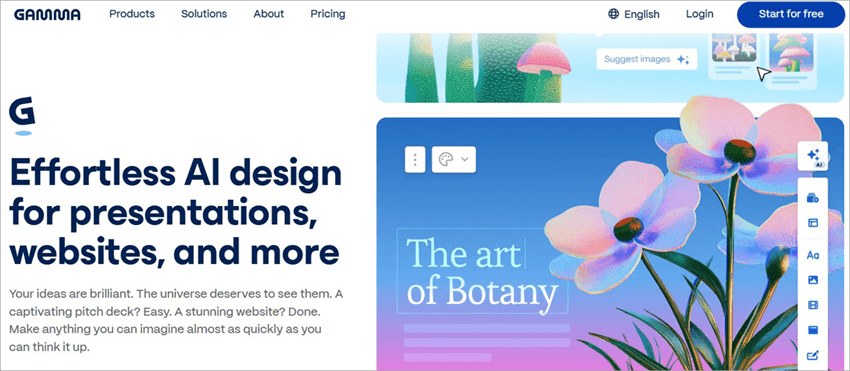
Gamma AI is a web-based presentation maker powered by AI. It is a tool anyone can use to generate interactive, visually distinct presentations, webpage content, documents, and social posts. The platform is an AI-backed tool that’s primarily used to craft presentations of all kinds.
Gamma AI’s Workspace:

Unlike traditional tools like PowerPoint, Gamma’s AI is intelligent enough to craft highly personalized content based on your specific requirements. The platform does all the heavy lifting. You just have to tell it what you need through a simple, descriptive prompt in plain language.
Gamma AI will assess your prompt and create a full-fledged presentation deck, automatically formatted and replete with AI-generated content and images.
One reason I was even intrigued enough to give Gamma a shot was its multimodal approach. Gamma utilizes over 20 distinct AI models to create content for its users, setting it apart from its contemporaries. It uses GPT-4 and RAG for text-generation while using a slew of models like Flux 2 Pro, Imagen 4, and Nano Banana Pro to generate unique images.
Gamma had around 20000 active users in 2022. Today, that number stands at 70 million globally. Perhaps this is why it didn’t have a tough time raising $68M in funding in late 2025.
Gamma may look like a simple tool from the surface. However, it is quite advanced, a fact that becomes apparent when you put it to the test.
Key Features of Gamma AI
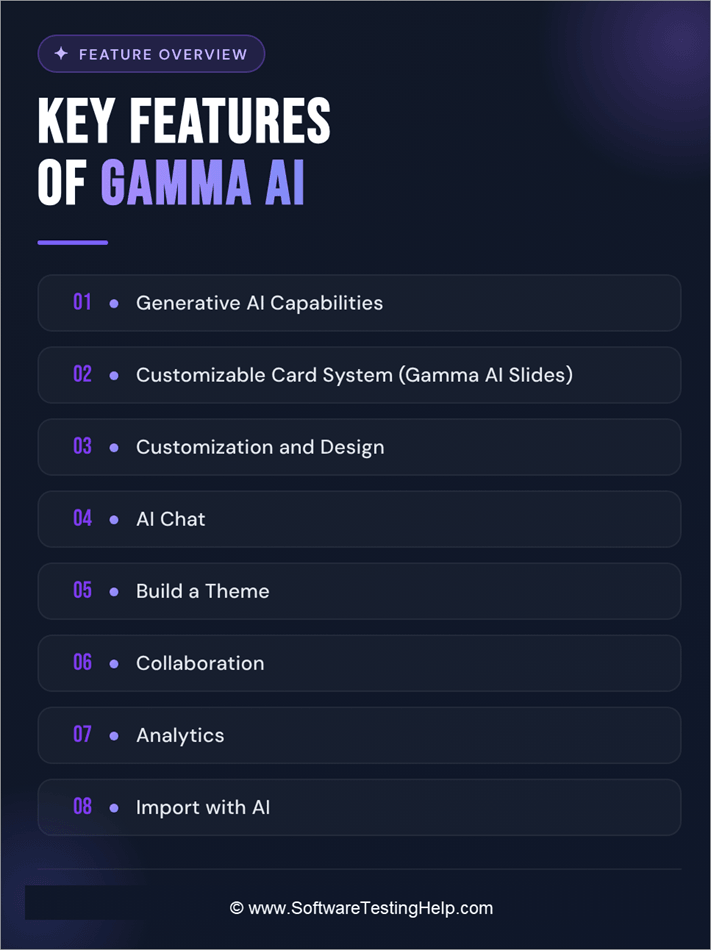
Now that you know what Gamma AI entails, let’s take a deeper dive and look at the features that give the tool its identity.
#1) Generative AI Capabilities
AI is why anyone would use Gamma AI. As such, it makes sense that I talk about the platform’s GenAI capabilities. Long story short, it is quite great at generating text and visuals from scratch while using nothing but a short prompt from your side as its reference.

As I said before, the platform takes a multimodal approach to text and image generation. It uses models from OpenAI, Anthropic, and Google to help you create a visually distinct yet interactive presentation.
All you need to do is enter a simple prompt like – “create a deck on the topic of evolution” and hit the generate button. In no time, the platform will present you with multiple cards featuring freshly generated content, which you can customize to your heart’s content.
AI Image Model of Gamma AI:
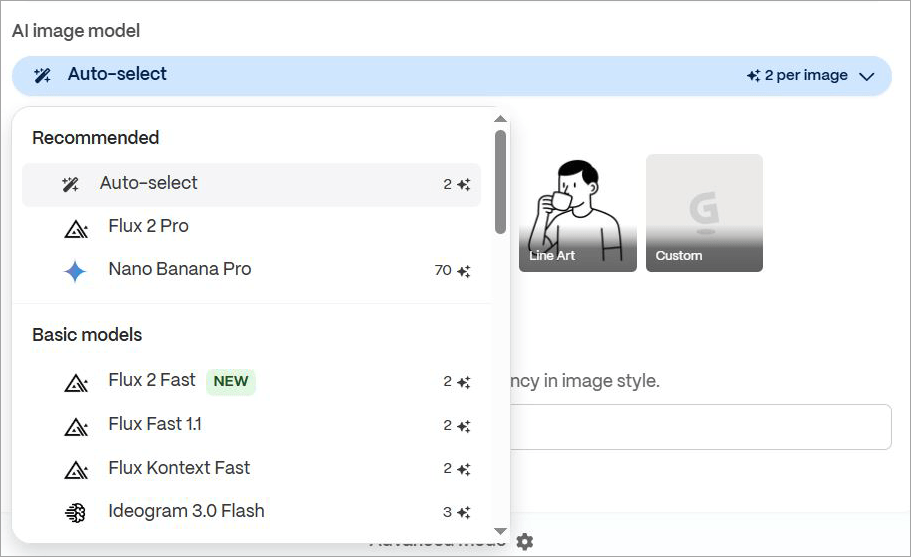
You can pick an AI model from the options presented to generate an image. You can also ask the AI to revise and refine the content until you’re satisfied with the result.
#2) Customizable Card System (Gamma AI Slides)
When you first hit the generate button, you are presented with content broken down into multiple cards. These cards are just like slides, which give you an idea of what your content will look like on the finished deck.
Gamma AI’s Card Customization:
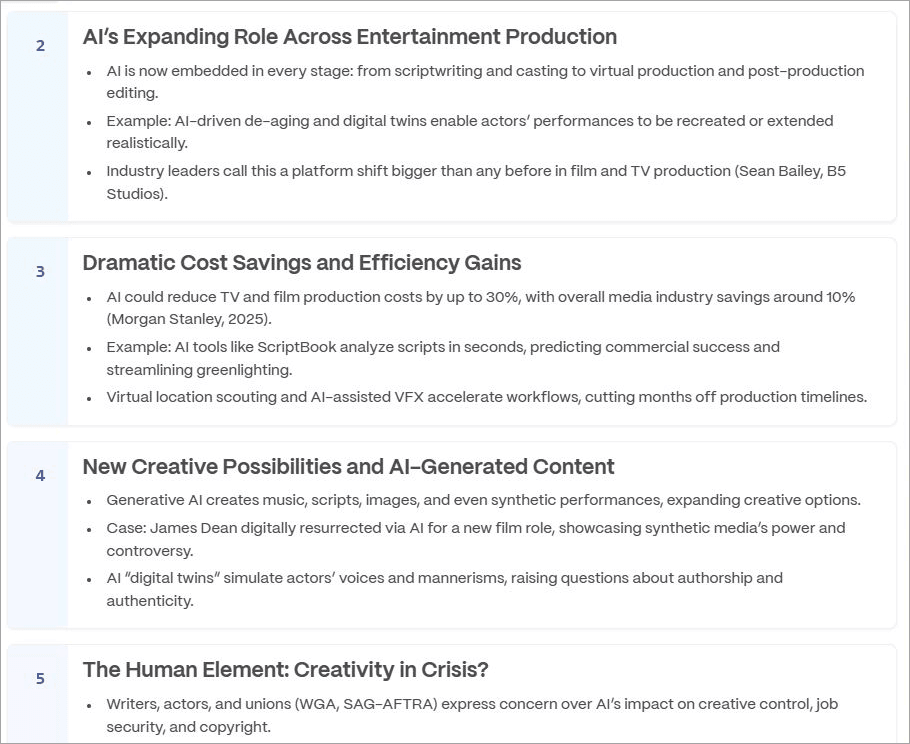
These cards make customization very simple. You can tweak the format, tone, and text on each card to get your deck right. These cards can be expanded, shrunk, collapsed, or rearranged as you deem fit.
You can choose how many cards you want for the presentation. You’ll have the privilege of creating up to 10 cards, with more cards unlocked based on the package you’ve purchased.
#3) Customization and Design
Although the AI-powered automation here is quite impressive, you still need some sort of control over your deck. Gamma does exactly that. Once the deck is generated, you can edit, modify, and refine each of its aspects. Don’t like the text? Write one yourself or have the AI rewrite for you.
The image below depicts the visual designs of Gamma AI:
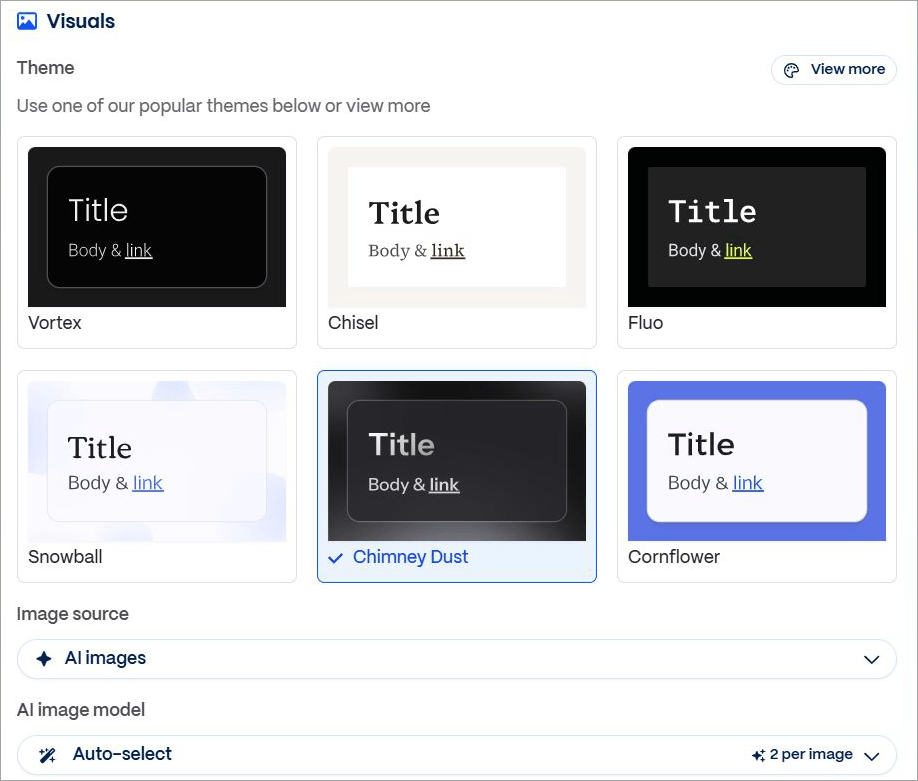
Don’t like the images used? You can use the stock images, upload your own, or have the AI generate new ones. You can adjust the layout and format of each card with a single click. A sizable gallery of ready-made card templates and themes is available for you to choose from. All of the themes or templates are fully customizable.
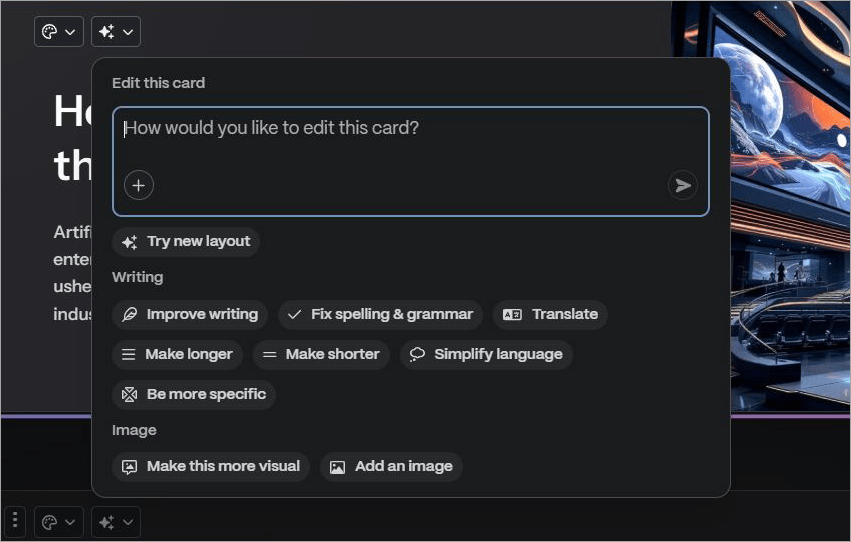
Click on the “Card Styling” button presented at the top of each card to modify the card’s color, content alignment, width, and backdrop.
Suffice it to say, customization is a breeze on Gamma AI.
#4) AI Chat
All AI-based presentation makers feature an intelligent AI chat, and Gamma is no exception. You’ll find an intuitive chat box while you are editing the presentation. Enter a simple prompt to ask the Gamma App AI to refine your writing, fix any grammatical errors, translate your content, shorten it, expand it, or summarize it.
AI Chat option in Gamma AI:

You can also request the AI through the chats to generate a particular image that best suits your deck. The chat does a good job of engaging with you and heeding your requests. Just make sure you are descriptive with your prompts, even if you keep them short for the best results.
#5) Build a Theme
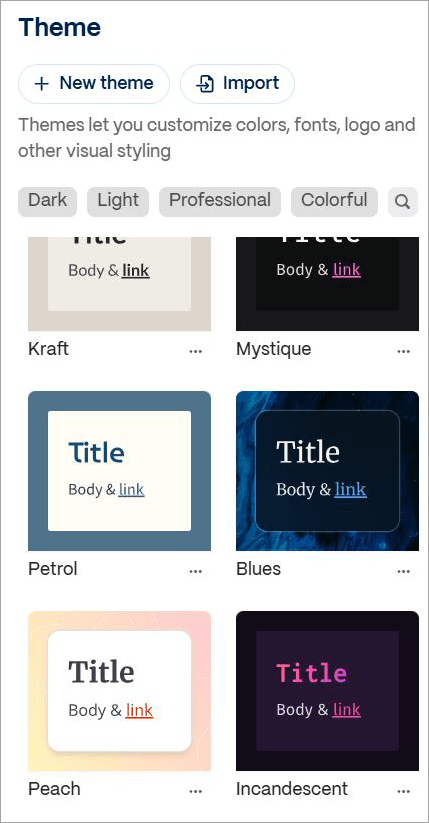
I’ve already mentioned the fact that Gamma features a massive theme library. Well, it goes even further. If you aren’t satisfied with the themes already available on the platform, the platform lets you build one from scratch.
New Theme of Gamma AI:
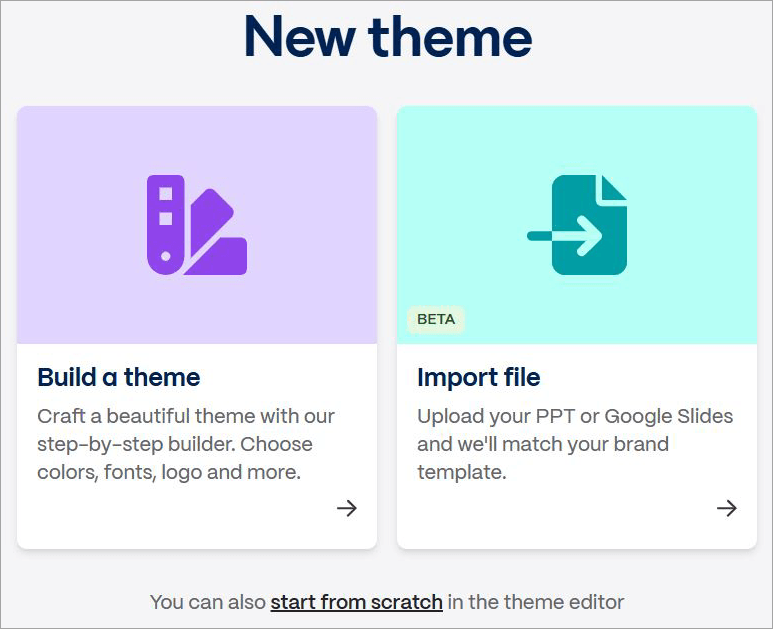
The platform has a theme builder that lets you build a custom theme step-by-step. You choose its colors, logo, font, and every other element. Besides building a theme, you can also import a theme as a PPT or Google Slides to the platform from an outside source.
#6) Collaboration
Gamma Presentations Maker facilitates real-time collaboration, which makes it ideal for teams. You and your team can work on a presentation in real-time, commenting, editing, and dropping feedback for everyone to see.
The finished presentation can be exported and shared with other parties as PPT, PDF, and PNG files.
#7) Analytics
If you are sharing your deck with other viewers, like investors, you’d want to know how it is performing. This is where Gamma’s presentation capabilities come into play. The platform features built-in analytics that let you track engagement in real-time.
You’ll know exactly how many times the people who have access to your presentation have opened and viewed a deck.
#8) Import with AI
Besides generating content from scratch, you can also have AI enhance your existing webpages, documents, or presentations. You can upload documents like Docs, PDFs, and PPTX with a single click.
Gamma AI Options to Import with AI:
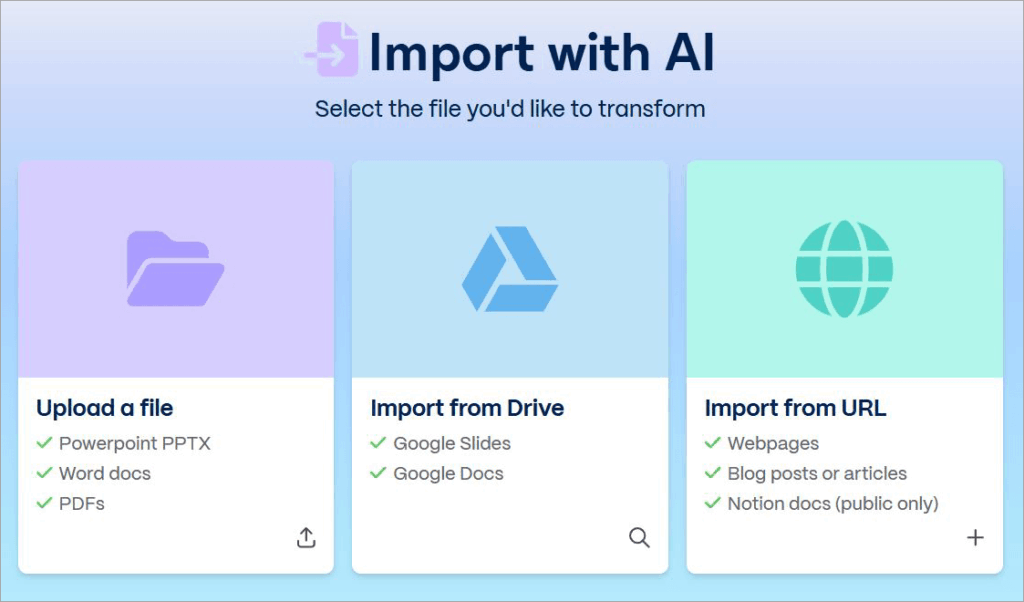
The platform also lets you import Google Docs and Google Slides directly from your drive. You can import webpages, articles, and blog posts to the platform by entering their URL.
How to Use Gamma AI?
Getting started with Gamma AI is straightforward.
Just follow my lead if you are new to the platform:
#1) First, sign up by using your existing Google account or enter new credentials.
#2) Gamma will now ask you a bunch of questions to offer you a personalized experience. Answer them all one by one and keep clicking on the “Next” button.

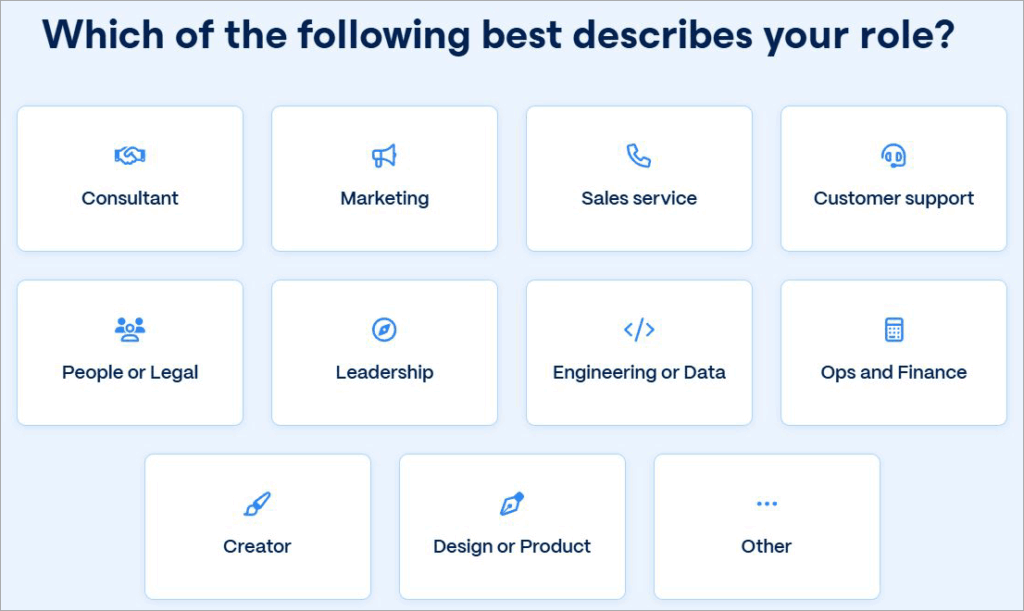
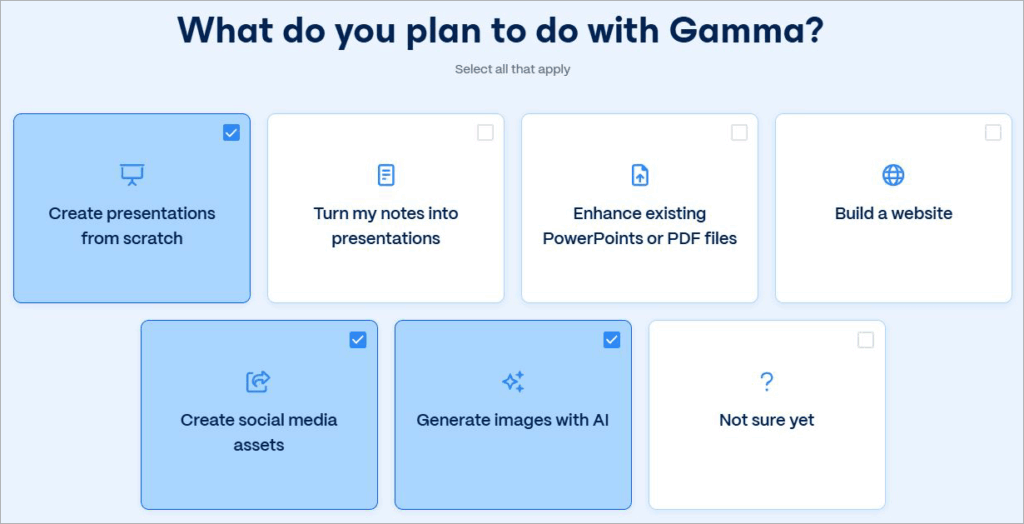
#3) After answering all the questions, you’ll now find yourself on the actual dashboard. Choose what you’d like to generate from the given options. For the sake of this article, let’s go with presentations. You could choose the other option.
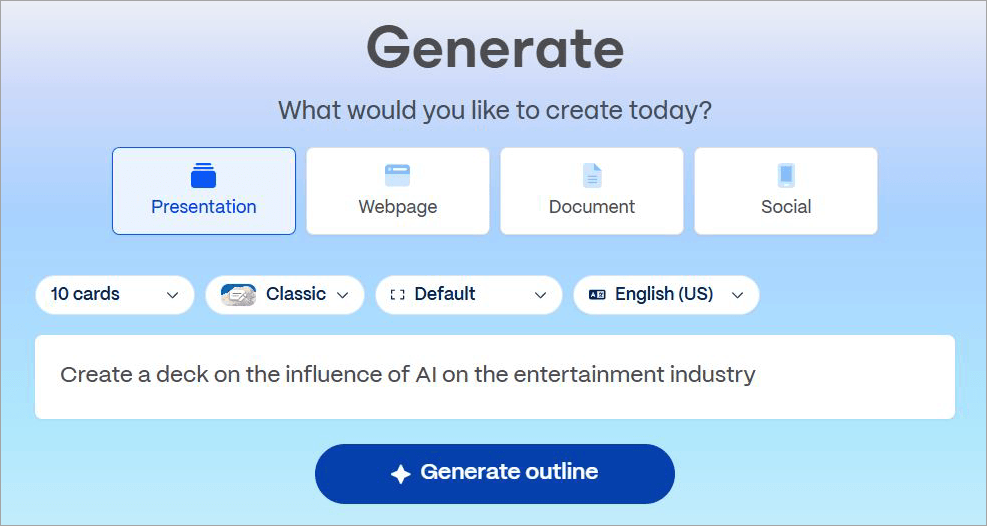
#4) Once you’ve selected “presentations”, enter a simple prompt in the text box below, like “create a presentation on the influence of AI on the entertainment industry.”
#5) Hit the Generate button below.
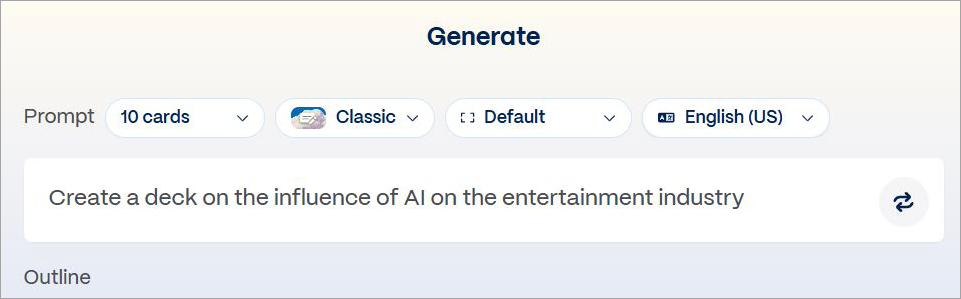
#6) Gamma will now generate multiple cards featuring content on your request. This is where you’ll further customize your presentation.
#7) Adjust the card’s side and format. You can also select a different language and add more cards to your deck if you like.
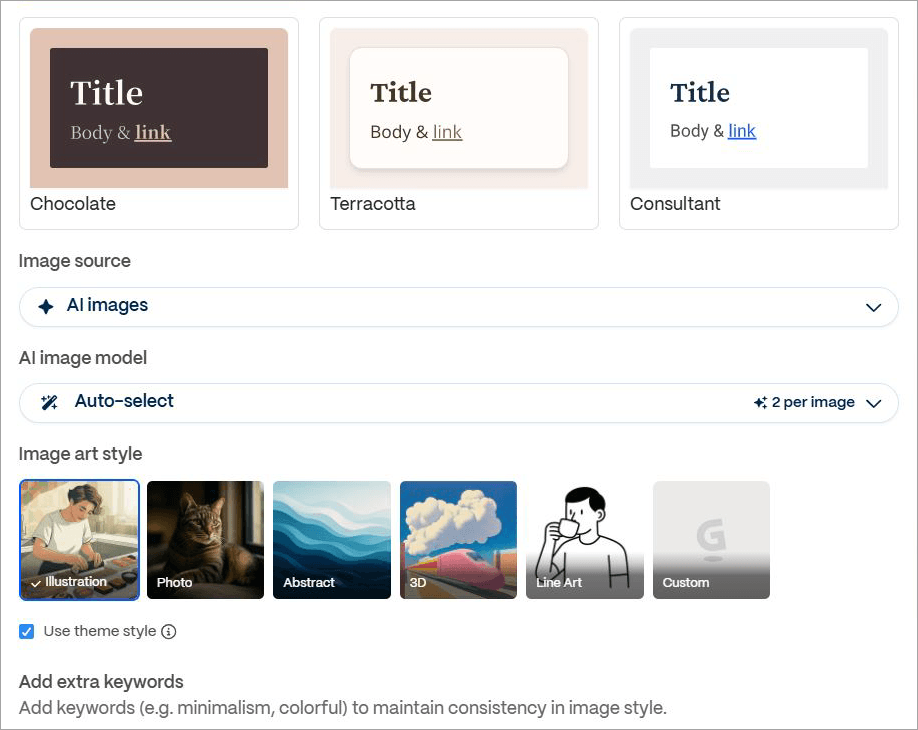
#8) Customize your visuals, themes, image’s art style, and generative model if you’d like before hitting the generate button.
#9) Gamma will now start generating the actual presentation. You can customize each card on this presentation, refine text, upload a new image, or modify its format, if that’s what you wish.
My presentation looked something like this:
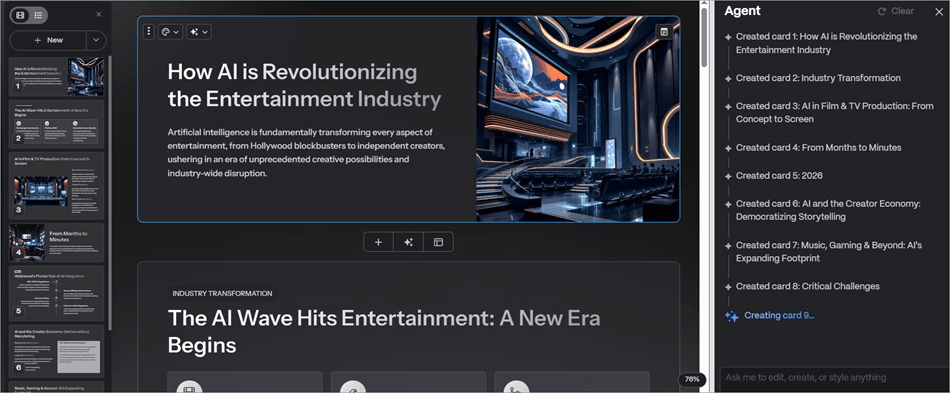
Once your presentation is complete, you can share it with your collaborators or export it. You could also hit the “Present” button at the very top to enter presentation mode.
This entire process was very simple, and the result was beyond satisfying. The best part, of course, was the fact that I barely lifted a finger.
Similarly, you can have Gamma AI render social media posts, webpage content, and documents from plain-language prompts.
There are negative reviews out there mentioning glitches and issues with customization or font adjustment. These are issues I have yet to face, having used the platform consistently for a month. Perhaps you may be one of the unlucky few who encounter these problems.
I can only speak for myself – Gamma AI has served me well.
Gamma AI Pricing
I appreciate that you can get started with Gamma without paying a dime. I could create a complete deck and customize it for free. That said, the free plan comes with some obvious limitations. You can create up to 10 cards for each presentation. The presentations can’t be shared, and the exported file will have Gamma’s watermark all over it.
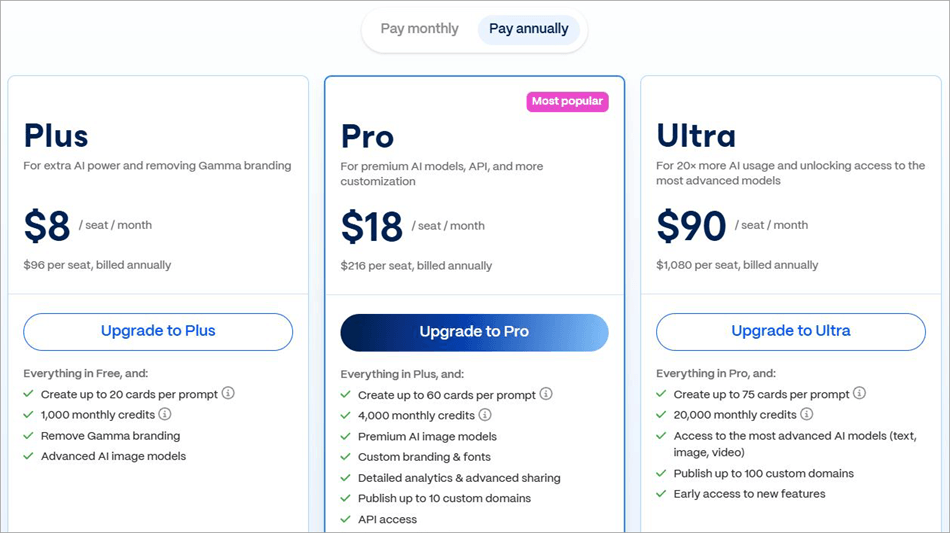
You bypass these limitations by purchasing one of Gamma’s paid plans, which are:
Monthly
- Plus: $10/seat/month
- Pro: $25/seat/month
- Ultra: $100/seat/month
Annual
- Plus: $8/seat/month
- Pro: $18/seat/month
- Ultra: $90/seat/month
Gamma takes a credit-based approach to its service. You get about 1000 monthly credits with the Plus plan. The pro and ultra plans grant you 4000 and 20000 monthly credits, respectively.
Unused credits get rolled over up to 2x to the next month, which I think is a sweet deal.
Gamma also offers plans tailor-made for businesses.
They are as follows:
- Team: $20/seat/month for 2 seats
- Business: $40/seat/month
These plans make Gamma a very affordable AI-based presentation maker in the market today. I would recommend going with the Plus plan if your goal is to make simple presentations. For better customization and access to advanced AI models, I’d suggest going with either the Pro or Ultra plan.
Pros and Cons
| Pros | Cons |
| Easy to sign up and use. | No offline editing |
| Uses multiple basic and advanced AI models for content generation | Some may not like the credit limits on packages. |
| Highly customizable | The AI-generated content may not be accurate. |
| Super-fast in its processing capabilities. | Limited integrations. |
| Good stock images, themes, and template library. | |
| Real-time collaboration | |
| Free-forever plan | |
| Flexible pricing | |
| Supports 60+ languages |
Top Gamma AI Alternatives
Here are some of the best Gamma AI Competitors:
- Beautiful AI
- Presentations AI
- Canva
#1) Beautiful AI
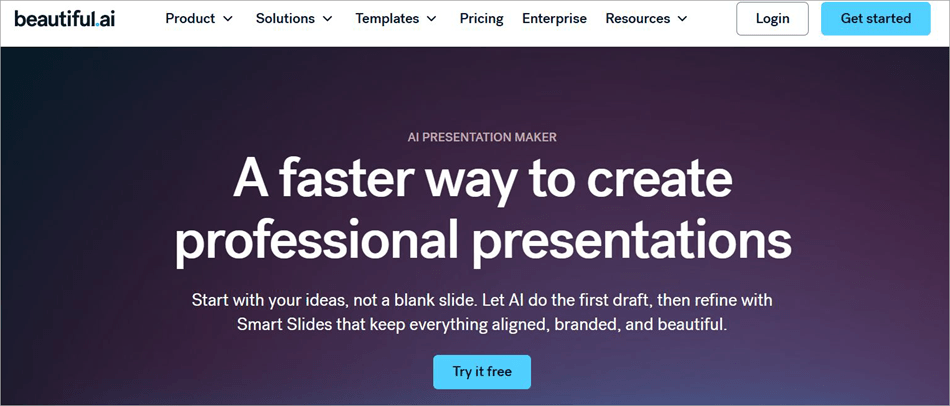
Like Gamma, Beautiful AI is also a very popular presentation maker that uses advanced AI models to generate slides in a matter of minutes. Smart Slides is one of Beautiful AI’s USP.
Once generated, these slides feature a layout that automatically adjusts and is modified based on user input. The platform is also excellent at visualizing data as charts and graphs.
Check our Detailed Review of Beautiful.AI
#2) Presentations AI

As the name suggests, this is a platform that primarily exists to help you create presentations. You can count on Presentations AI to create PPTs, charts, timelines, reports, product roadmaps, etc. Like Gamma, Presentations AI also features built-in templates and advanced analytical capabilities.
Website: https://www.presentations.ai/
#3) Canva
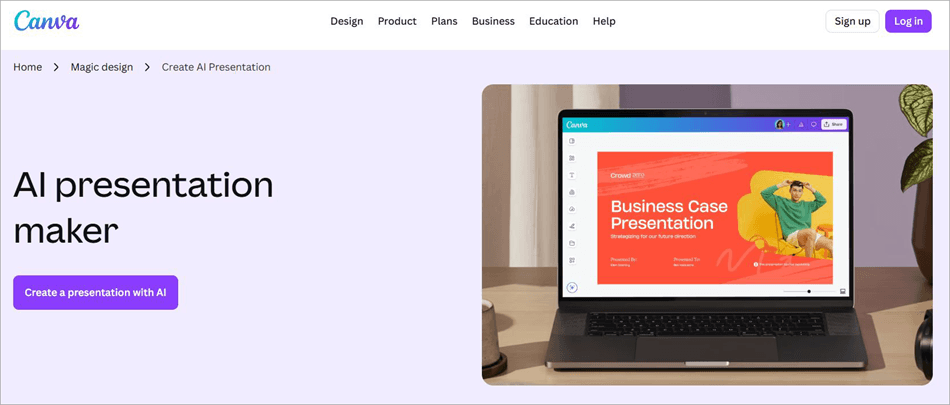
Canva’s been around, helping people make presentations and all sorts of visuals in a considerably simplified manner. With AI, Canva’s capabilities have improved tenfold.
You can create presentations with original media and content within minutes with Canva. Plus, you have the platform’s drag-and-drop editor to help you with further customization.
Website: https://www.canva.com/create/ai-presentations/
Comparing Gamma AI With Its Competitors
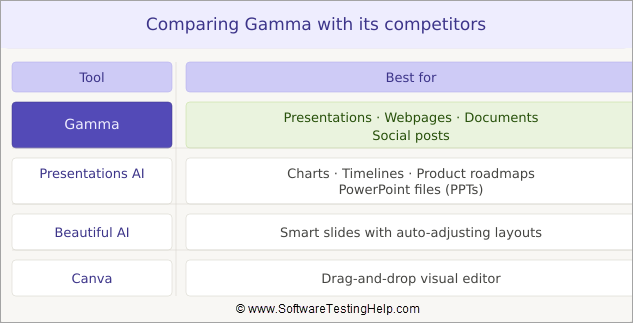
| Name | Best for | Templates | Price |
| Gamma AI | Presentations, Webpages, Documents, Social Posts | 100+ | Starts at $10/seat/month. A free plan is also offered. |
| Presentations AI | Charts, timelines, product roadmaps, PPTs | 10000+ | Starts at $198/year. A free plan is also offered |
| Beautiful AI | Smart Slides | 300+ | Starts at $12/month |
| Canva | Drag-and-drop editor | 1.6 M+ | Starts at $15/month. Free plan available |
Who Can Use Gamma AI?
Gamma is an excellent AI presentation maker for all kinds of users, regardless of their technical or design expertise. Individuals like online creators, freelancers, and students can use the platform to create everything from simple presentations to thorough QBRs.
New entrepreneurs can rely on it to create comprehensive pitch decks for their start-ups. Marketing teams can use it to introduce a new product feature, roadmaps, or brand decks.
The platform is also great for businesses that have remote employees, as it facilitates real-time online collaboration.
Educators and teachers could also find the tool to be of immense value, as it can help them create educational and research material, online courses, help with presentations, and craft visual lesson plans.
Frequently Asked Questions
1. What can Gamma AI be used for?
Gamma AI is an AI-backed presentation maker that’s mostly used to generate all kinds of presentations with AI-generated media and text. It can also generate web-page content, social media posts, and interactive documents.
2. What are the limitations of Gamma AI?
Gamma AI is a great platform for presentation making with a few noticeable limitations. I would’ve liked more integrations. Sometimes the AI-generated content may not be accurate, which is expected as no AI model that exists today is perfect.
Although I like the customization, some believe it is not enough. Gamma also doesn’t facilitate offline editing, which can be an issue if you are working in a place with a shoddy network connection.
3. Is Gamma AI trustworthy?
Yes, Gamma is a legitimate platform with a strong and reputable presence online. I didn’t find any signs that say otherwise. It also enjoys highly positive reviews on major tech publications like G2 and Product Hunt. Rest assured, the product is trustworthy.
4. Is Gamma AI free to use?
Yes, Gamma AI is free to use. You get about 400 credits with the free plan, which you can use to generate a presentation with content and media. Each presentation consumes about 40 credits.
For more credits monthly and better features, I suggest subscribing to its paid plans that start at $10/seat/month.
5. Is Gamma AI good for students?
Yes, Gamma AI is great for students because of its simplicity and affordable price. It can help students save a lot of time and create a presentation on almost any topic with stunning visuals and accurate content scoured from the internet.
6. Is Gamma better than PowerPoint?
I wouldn’t say that. I also wouldn’t say that PowerPoint is better than Gamma. Both are great presentation makers with their own unique functionalities to boast.
If you want to save time making a robust, visually stunning presentation, go with Gamma. If you want more control over your slides, go with PowerPoint.
7. Can Gamma export to Google Slides?
Yes, a presentation made on Gamma can be exported to Google Slides.
All you have to do is:
1. Click on the three dots next to your profile icon.
2. From the drop-down menu, select Export.
3. Select Export to Google Slides.
8. Is Gamma trustworthy?
Gamma is a legitimate AI presentation maker with a solid reputation online. It has been praised for its ease of use, flexibility, collaboration features, and beautiful design-rendering capabilities.
It currently enjoys a respectable score of 4.5/5 on Product Hunt, 4.1/5 on G2, and 4.3/5 on Microsoft Store. This positive reception makes Gamma a trustworthy platform.
Conclusion
I’ve been judging AI presentation makers based on their functionality, features, speed, UI, and price. By now, I know exactly what an AI presentation maker needs to stand out and deliver for its users. So, I was pleasantly surprised when Gamma managed to surpass my expectations right off the bat.
The platform won me over with the very first presentation it generated. The visuals were almost flawless, and the eventual customization seamless. It is one of, if not the best, AI-based presentation makers out there.
I would recommend it to students, teachers, educators, marketers, freelancers, and businesses who’d like to save time on making presentations.
Research Process: The total time involved to complete and publish this article is approximately 36 hours. This content was created through a structured research approach to ensure accuracy and reliability.
For more related guides, explore our range of tutorials below:–
- Tips & Topics to Deliver an Effective Presentation to QA Team
- How to do a Voiceover on Google Slides?
- MagicLight AI Long Video Maker Review And Alternatives
- Is Joyland AI Safe: Review and Alternatives
- Reclaim AI Review: Is it the Best AI Calendar App
- Nomi AI: An In-Depth Hands-On Review
- Vheer AI Image to Video Generator Review And Alternatives
- Best Professional Slideshow Software to Look For
Was this helpful?
Recommended Reading
-

Are you looking for the best AI notetaker or transcription tool in 2026? This detailed review of Otter AI will help you to fulfil all your transcription needs and capture every word in a live meeting in real time. Otter.AI is an AI-based transcription software that has developed into more…
-
Is Joyland AI companion is legit and Safe? Read our hands-on review of Joyland AI, along with its risks, privacy issues, features and safer alternatives. It’s 2026, and artificial intelligence (AI) is gradually making its way into practically every single area of our lives. When seeking information on Joyland AI,…
-
Are you ready to build an effective and informative slideshow for your needs? This tutorial describes the incredible application iMyFone Filme editor and explains how to make an attractive slideshow using the tool: There is an increasing demand for slideshows in personal and professional settings. The slideshows enable the individuals…
-
Explore the top online Slideshow Maker software with pricing and comparison and select the best Photo or Video Slideshow Maker: Slideshow Maker software is an application for creating presentations or videos of the multimedia formats for the audience. It presents the multimedia format in a sequence decided by you. It…