Are you still taking meeting notes manually? Read our in-depth Granola AI Review with features, pros and cons, that reveal its powerful AI Note Taker to transform your meetings with smart summaries.
AI meeting note-taking apps are everywhere in the market. However, what makes Granola AI different is that it operates in a distinct way from conventional meeting robots. Unlike other tools, which join your call, Granola AI simply takes care of your meeting notes by listening to your device audio.
In this article, we test Granola AI meeting notes, price breakdown, compare its competitors, and finally find out whether Granola AI meeting assistant can be useful.
What is Granola.ai and How Much Does It Cost?
Granola AI is an advanced botless AI-powered note-taking tool that can be used for macOS, Windows, and iOS operating systems. Instead of attending the meetings as another participant, it takes the audio from your local system device and adds background transcription to your handwritten notes.
Granola AI Pricing Plans:
- Basic: Free – Unlimited meetings, templates, and AI chat with limited history.
- Business: $14/user/month – Unlimited history, AI tools, and integrations.
- Enterprise: $35/user/month – Single sign-on, admin features, and more.
Granola AI: A Complete Hands-On Review
Recently, I’ve been on a spree of sorts, hopping from one popular AI meeting assistant to another until I finally had the privilege of trying out Granola AI.
Let’s just say that this software, in particular, cast a lasting impression on me. That impression was so strong that I now feel compelled to share my experience using it with my readers.
Check the video below to explore all about Granola AI:
So, without much further ado, consider this article my hands-on review of Granola AI.
What is Granola AI Note Taker?
With Granola AI, you get a native Windows, macOS, and iOS meeting assistant. It does exactly what you’d expect an AI-powered transcription or note-taking app to do. You can have Granola’s AI automatically transcribe, summarize, and analyze your meetings. It serves as both a manual notepad and an auto-transcription tool.
The transcripts themselves are highly accurate, and you attribute this accuracy to the mix of AI models Granola leverages to function. Deepgram and Assembly AI power its real-time transcription capabilities. The platform uses models provided by OpenAI and Anthropic to summarize and analyze content.
How Granola Captures System Audio Without Bots
The absence of a meeting bot is what sets Granola AI apart from numerous competitors. The platform transcribes your system’s audio directly instead of having an AI bot join your call.
This also makes Granola AI a bit more convenient to use, as you don’t need to integrate it with an app like Zoom or Slack. Unlike other AI-based transcription tools today, there are no bots involved. The platform will capture the audio of your meeting through your computer or your iPhone’s audio or mic.
Here is a quick video on how to take meeting notes easily with Granola AI:
Key Features of Granola AI
After transcribing a few meetings on the platform, I must say that Granola AI comes with some remarkable features.
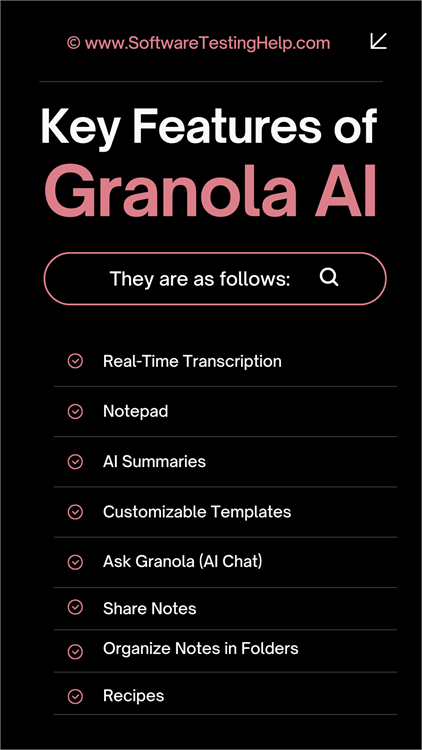
They are:
#1) Real-Time Transcription
Granola is an AI-powered transcription tool. I expected it to be good at real-time transcription. Turns out, Granola AI is exceptional at it. Granola does a good job of capturing every spoken word during a meeting and transcribing it in real-time.
The auto-transcription begins as soon as the meeting begins. Granola gets to work immediately, recording your system or iPhone’s audio and transcribing it accordingly. You’ll see the words and phrases appear on Granola’s live transcript as they are being spoken.
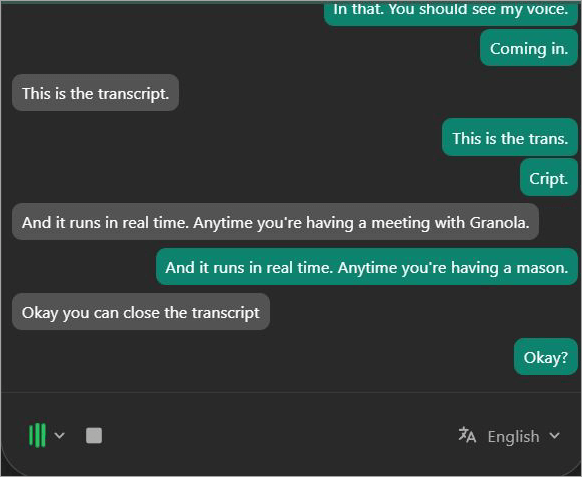
For the 3 meetings that I used Granola for, there were no noticeable omissions, spelling mistakes, or textual errors in the transcripts delivered to me. The platform’s work was almost flawless. You can stop the transcription anytime by simply clicking on the stop button on the live transcript.
I don’t think you are going to have any issue using Granola to transcribe meetings, regardless of the app or platform being used to host them. I tried Granola to transcribe conversations on Zoom, Microsoft Teams, and Google Meet. The result was excellent each time.
#2) Notepad
Besides being an excellent AI transcription tool, Granola also lets you take notes manually. You can use the platform to create notes for your upcoming meeting. Those notes could contain key topics or details that you would like to discuss during the meeting. Once the meeting is over, Granola automatically enhances the notes you’ve jotted down.
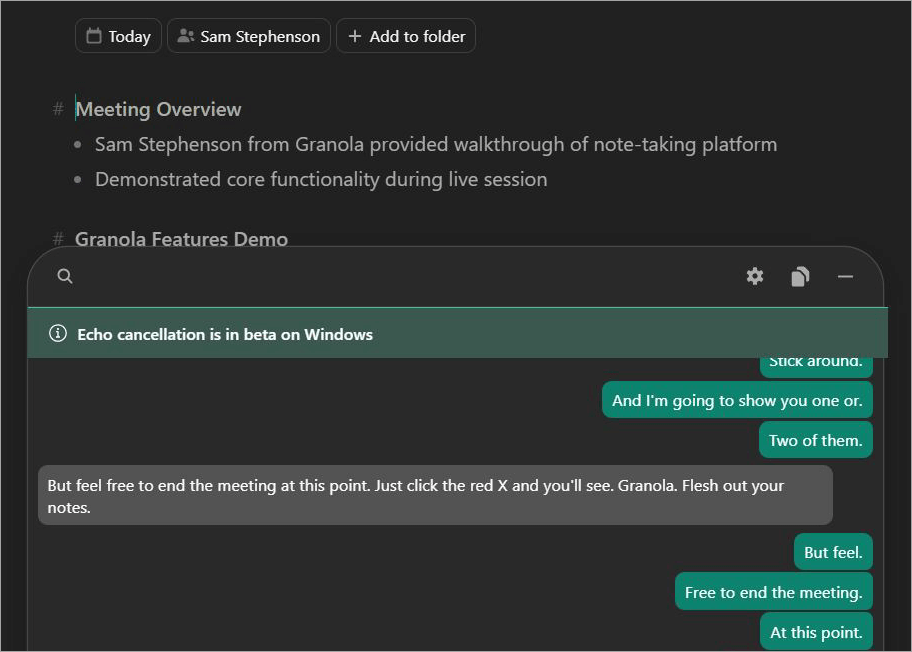
You’ll now see a fleshed-out version of your notes with key details from your recent meeting woven in. All you need to do is click “Enhance Notes” once the meeting has concluded. Granola’s AI will do the rest.
#3) AI Summaries
While accurate transcription is important, how a tool presents and delivers those transcripts is equally important. After a meeting is concluded, Granola’s AI generates and presents you with a structured summary of the transcript. This mainly includes key notes, action items, and specific speaker segments, usually arranged in bullet lists.
What you have at the end of a meeting is a more precise, condensed version of the entire conversation. It makes your job easier, as an AI meeting assistant should. You don’t need to bother going through a thousand-word-long transcript just to unearth a few critical action items. Granola AI does it for you.
#4) Customizable Templates
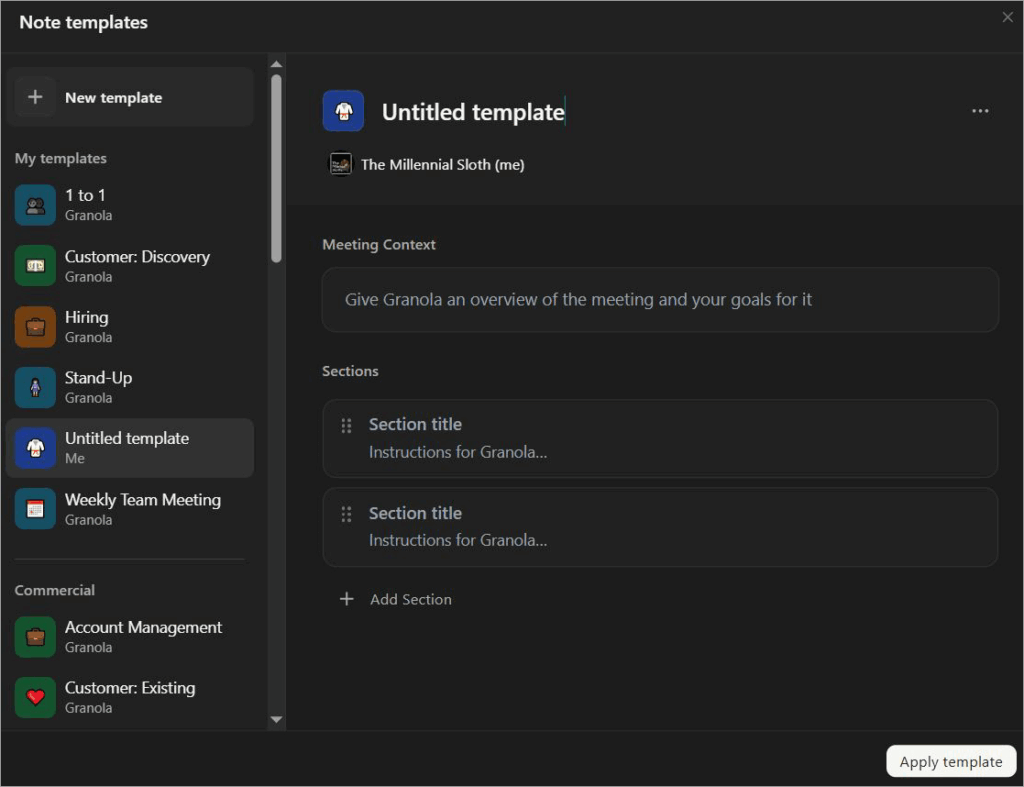
Based on your requirements, you or your team may need meeting notes in a specific format. Granola offers customizable meeting templates, which let you automatically format your notes. All you need to do is click on the “Change Template” icon beneath your meeting notes and select any one of the template options below:
- 1 to 1
- Customer Discovery
- Stand Up
- Pitch
- User Interview
Granola will honor our preference and format the notes accordingly. You don’t like how the notes were formatted. Well, you can simply switch to another template with a single click. It is that simple.
#5) Ask Granola (AI Chat)
There’s simply no chance of an AI-powered tool not having an AI chat feature. Granola has one too. It is on the main dashboard, and it responds to your questions, provided they pertain to notes or meetings it has transcribed for you.
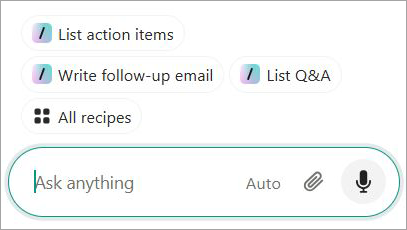
For example, you could ask Granola AI to highlight a paragraph containing a key detail, and the AI will present you with the information you need.
Granola AI isn’t a generative AI chatbot like Grok or ChatGPT. You can only ask questions related to the work you’ve done exclusively on the platform. It will not generate content for you from scratch or help you with external research.
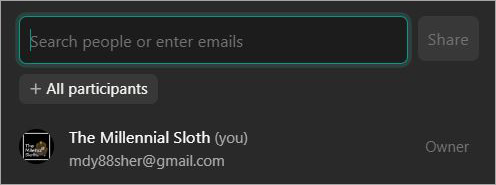
I also appreciated how easily you could share your meeting notes with external collaborators. Your collaborator in question does not need a Granola AI account to access the notes that have been created. With a single click, you’ll be able to share your via Slack, a public link, email, or an integrated CRM platform.
#7) Organize Notes in Folders
Finally, I would be remiss if I didn’t mention this very practical feature that essentially makes organizing one’s notes simple on the platform. You can create a private or shared notes folder within your Granola AI account. You can create as many folders as you like to store your meeting notes in an organized fashion.
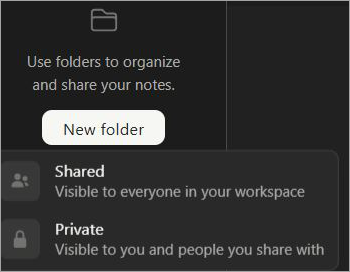
This makes retrieving information on the platform easier. You know exactly where a specific note is when you need it. You can have Ask Granola analyze an entire folder for insights on the notes it contains.
#8) Recipes
Recipes is a new feature on Granola. It lets you create and apply AI prompt shortcuts. Once created, you can use these prompts again and again. You can gain access to Granola’s preexisting library of recipes by simply typing “/” in the chat bar.
Alternatively, you can create your own custom recipes by giving them a name, writing an instructional prompt, and imbuing them with a context from one or several meetings. The pre-existing recipes are organized into three categories, which are:
- Before Meeting
- During the Meeting
- After the Meeting
This means you can apply these reusable prompt shortcuts before, after, or during a meeting. I think this feature is a great addition to Granola, offering structured AI-generated analysis as PRDs, follow-up emails, and action items.
How Does Granola AI Work?
Unlike other AI-transcription tools that let you launch the software via a browser, Granola requires you to download its app on your Windows, macOS, or iPhone device. So, if you don’t like the minor inconvenience of downloading and installing software, then this solution might not be for you.
The Granola AI app requires a Google Workspace login and access to your calendar for it to work as intended.
I installed the software on my Windows-powered laptop. You can download it on your macOS device or iPhone. The installation process remains the same.
Here’s how you get started with Granola AI:
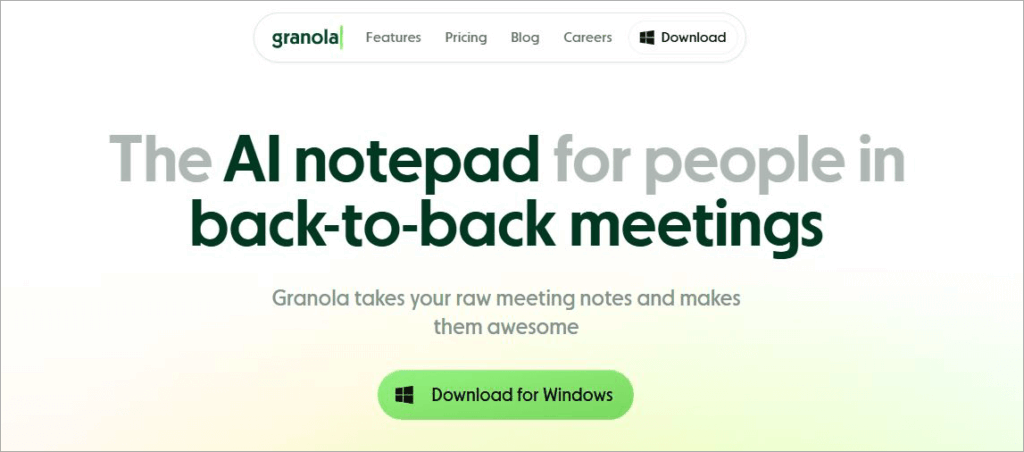
1. First, visit the official Granola AI website and hit the “Download” button on the main page.
2. Sign in using your existing account or provide fresh credentials.
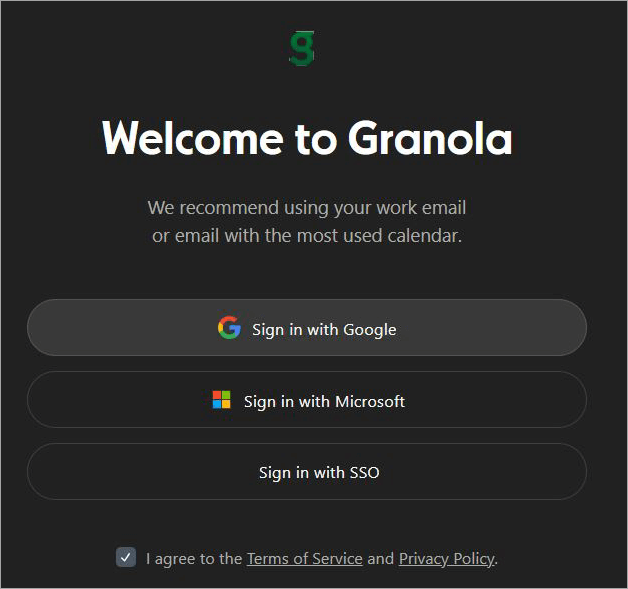
3. Once the sign-up is complete, Granola AI will ask for access to your calendar. Grant it access.
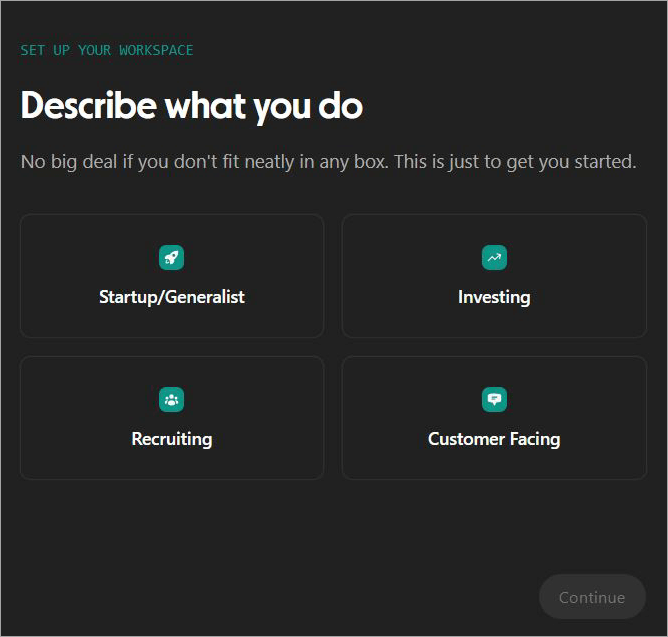
4. Describe what you do and click Continue.
5. You’ll now find yourself on the main Granola AI dashboard.
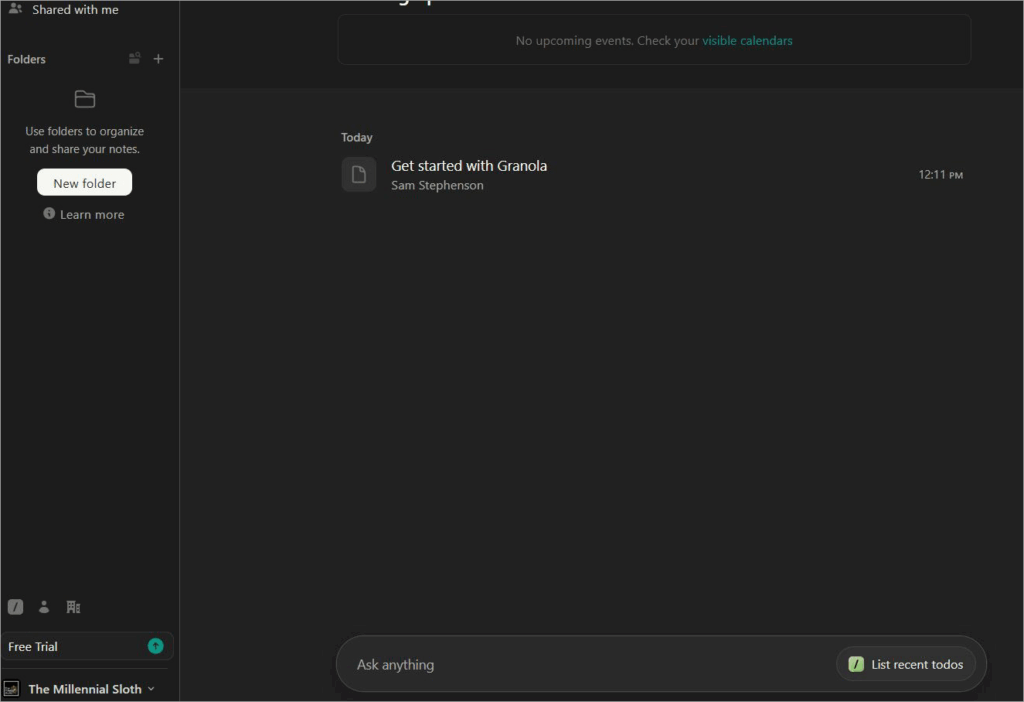
6. As soon as it is launched, Granola will have access to your system’s audio and mic. Granola will start transcribing any audio captured on your system.
Granola AI for Windows and Mac works fine with almost all meeting platforms. On the other hand, Granola for iPhone is much more suitable for in-person meetings.
In hindsight, the setup is quick. Granola’s simple yet intuitive interface also helps in elevating the user experience. You’ll find the platform easy to use, with or without any technical know-how.
Security features of Granola.ai
Security on Granola AI is top-notch. It is both SOC-2 and GDPR compliant. The platform has stringent security measures in place to ensure strong data and user privacy. Granola trains its AI models with anonymized data instead of using third parties like OpenAI.
Granola also doesn’t store audio from the meetings it records. All audio is transcribed in real-time. It stores only your notes and transcripts. All notes are set to private by default. Nobody will have access to them unless you decide to share them with external collaborators.
All data is stored on Granola US-hosted AWS Virtual Private Cloud. This data is also encrypted at rest and in transit.
You can rest assured that Granola will keep your meeting notes safe and away from prying eyes.
Granola AI Pricing
You can try Granola for free. You won’t be charged a dime to transcribe meeting notes. However, your meeting history will be limited with the free version. The free version also doesn’t facilitate advanced integrations with tools like Notion, Zapier, and HubSpot.
I suggest trying out Granola for free at first and subscribing to the service only after you’ve taken a liking to it.
Its premium plans are affordable, and they’ll cost you:
- Business: $14/user/month
- Enterprise: $35/user/month
The Business plans facilitate advanced integrations and also ensure an unlimited meeting history. You also get access to advanced AI thinking models. The Enterprise plan goes a step further and promises enterprise-grade security with priority support.
These plans make Granola AI a flexible tool that can meet the demands of both teams and individuals based on their specific requirements.
Pros and Cons of Granola.ai
| Pros | Cons |
| Accurate, real-time transcription | Priority support is only offered via the expensive Enterprise plan. |
| Simple, easy-to-navigate interface | Lacks some advanced features like speaker recognition that are found in some of its competitors. |
| One-click notes enhancement | No browser app. Requires Google Workspace login. |
| Customizable note templates | No Android app |
| Flexible pricing with a free-forever plan | No offline processing |
| Advanced integrations with Slack, Notion, HubSpot, and Zapier tools. | Only supports 10+ languages. This is low compared to some of its competitors. |
User Review of Granola AI
Granola AI’s reception has been generally positive. While users have praised the platform for its ease of use, accuracy, and note-taking capabilities, it has also received its fair share of criticism, mainly because it lacks a web-based version and only supports around 10 languages.
One very positive review published on G2 had this to say:
I like how effortlessly it handles meeting notes without disrupting the flow of the conversation. Setup is extremely smooth; once installed, Granola automatically detects meetings and prompts transcription, so I never have to manually trigger anything. The quality of the summaries is consistently strong.
Another 4/5 rated user review on the same platform expressed the following:
I find Granola easy to use across both the phone and app versions. Its intuitive design makes it user-friendly. I particularly appreciate how Granola’s features align with my workflow. That said, I dislike that Granola doesn’t have a steady web version.
Best Granola AI Alternatives
Here are some of the Top Alternatives to Granola AI:
- Otter AI
- Fireflies
- Jamie
Detailed Reviews:
#1) Otter AI
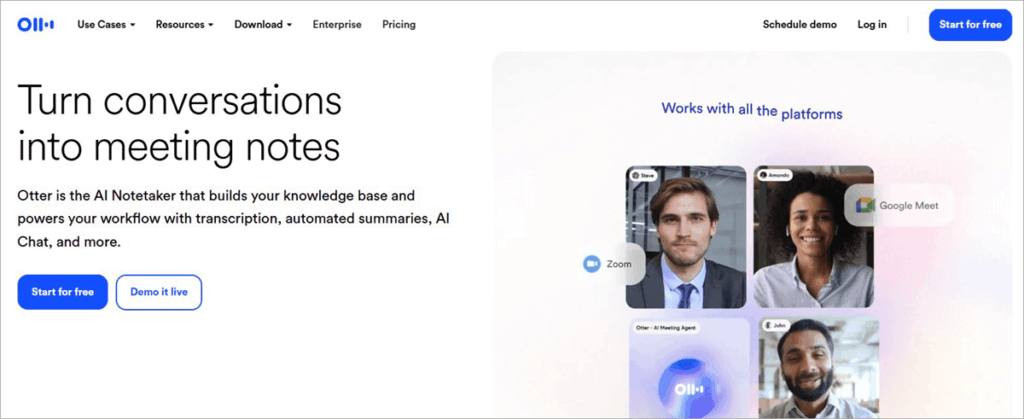
As far as AI note-taking apps are concerned, Otter AI represents the best of what an advanced tool of its kind can achieve.
Otter AI can transcribe in real-time with an accuracy of up to 95%. It is also great at summarizing transcripts and drawing action items from them. It also features an AI chat that can generate plans and emails for you.
Check our Detailed Otter AI Review
#2) Fireflies
Like Granola, Fireflies AI can transcribe, summarize, and analyze your team meetings with exceptional ease. While Granola lacks this capability, Fireflies can distinguish between speakers in an audio recording. The platform can also transcribe audio in over 100 languages with an accuracy rate of 95%.
Website: https://fireflies.ai/
#3) Jamie
Jamie is another advanced AI note-taking app that can automatically take notes from any platform. It supports over 99 languages and comes with advanced features like speaker recognition. That said, Jamie is quite expensive and may not be suitable for individuals or smaller teams.
Website: https://www.meetjamie.ai/en
Comparing Granola AI with its Competitors
| Name | Best for | Languages | Deployment | Price |
| Granola AI | Real-time transcription and note-taking | 10+ | Windows, macOS, and iPhone | Free Forever, Plans start at $14/user/month |
| Otter AI | Live Transcription and AI chat. | English, French, Spanish, and Japanese. | Chrome Extension, iOS, Android, Web | Free forever plan, Premium plans start at $16.99/user/month |
| Fireflies AI | Auto language detection | 100+ | Mac, Windows, iOS, Android, Web. | Free forever plan, Premium plans start at $10/user/month |
| Jamie | Summary generation | 99+ | Windows, Mac, iOS. | Free forever plan, Premium plans start at € 25/month |
Who Should Use Granola AI
In hindsight, anyone who needs help taking notes or transcribing conversations can find Granola AI of great help.
The tool serves small teams and large companies well when it comes to transcribing meetings over Zoom, Microsoft Teams, Slack, and Google Meet. Individuals can also use the software to transcribe in-person meetings on an iPhone.
I can also see teachers and students use the app to transcribe virtual classes and take notes during lectures.
Frequently Asked Questions
1. Is Granola AI safe to use?
Yes, Granola is a popular AI note-taking app that caters to some popular companies in the industry, like Vercel, Replit, and Linear. It is GDPR and SOC-2 compliant. It stores your data on the ever-reliable AWS Virtual Private Cloud and encrypts it at rest and in transit.
Therefore, your data and privacy are being uncompromised when using the platform.
2. Do you have to pay for Granola AI?
Well, Granola offers flexible subscriptions to its service with a free plan. You can download and use the software to take notes for free. However, the free version is limited in its capabilities.
You can get the most out of Granola AI by either subscribing to its Business or Enterprise plan, both of which are affordable.
3. Is Granola legal to use?
Yes, Granola is a reputable platform used by prominent business teams around the globe. The platform is quite popular and is often recommended by users for its simplicity when it comes to note-taking and real-time transcription.
4. Can Granola AI record phone calls?
Granola AI is strictly a transcription/note-taking app. It captures audio to transcribe it in real-time. It does not record or store audio. So, you cannot use it to record phone calls.
5. What is the best alternative to Granola AI?
The answer to this question boils down to personal preferences. If you had to ask me, I would list the following tools as some of the best alternatives to Granola AI out there.
Bot-Free Alternatives
• Jamie
• Hedy
• Bluedot
Best for Teams
• Otter
• Fireflies
• Jamie
Privacy First
• Jamie
• Tactiq
• Krisp
Best Overall
• Fireflies
• Jamie
Conclusion
Granola AI may not be as advanced as many of its contemporaries in the market today, like Otter or Fireflies. However, it more than makes up for it by offering a solution that prioritizes simplicity over everything else. The app strictly focuses on real-time transcription and note-taking. These are two functions that it performs remarkably well.
Granola AI lacks a browser-based app, which might surprise some users. You’ll need to download the software on a Mac or Windows-based computer or your iPhone. Once downloaded, Granola AI will transcribe any conversation captured on that device’s mic or speaker.
It is easy to set up, even simpler to use, and offers subscription plans that are both affordable and flexible. With recent updates, Granola AI also facilitates advanced integrations with tools like Zapier and HubSpot.
If simple note-taking and real-time transcription are what you need from your AI meeting assistant, then give Granola AI a try.
Research Process: The total time involved to complete and publish this article is approximately 38 hours. This content was created through a structured research approach to ensure accuracy and reliability.
For more meeting or AI-related guides, you can explore our range of tutorials below:
- Best Online/Virtual Meeting Platforms Software
- Best Web Conferencing Software (Top Rankings)
- Top Video Conferencing Software
- Top Board Meeting Software
- Best Transcription Services (Top Selective Only)
- Top Tablets for Note Taking (Affordable List)
- Best Dictation Software (Voice To Text Software)
- Complete Review of Kuality.io AI Testing QA Platform
- TestMu AI Review – Native AI Test Orchestration Platform
- Top Webinar Platforms | Webinar Software
Was this helpful?
Recommended Reading
-

This Notta review tutorial is a comprehensive analysis of the Notta.ai tool that showcases the AI-powered capability to convert audio to text instantly: Transcribing audio recordings has always been frustrating but taking notes in a live meeting is a whole another level of tedious. As someone who has spent hours…
-

Read, review, and compare the Top Translation services company in the market to select the best Transcription Services of your choice based on your needs. Most of us have had to transcribe something at some point in our lives. Fortunately, this wasn’t a challenging endeavor as there were and still…
-
Here is a comprehensive list of the best Transcription Software to convert your audio/speech or video files into text files. These audio video transcription tools are used mainly by professional transcriptionists. Check out and compare these top automatic transcription services and download the best one for your Windows or Mac…
-
Are you looking for the best AI notetaker or transcription tool in 2026? This detailed review of Otter AI will help you to fulfil all your transcription needs and capture every word in a live meeting in real time. Otter.AI is an AI-based transcription software that has developed into more…