I have tested Clipfly AI’s video generator for quality, speed, editing tools and value along with its alternatives. Below review will help you to decide whether it is the right AI-powered video tool to fulfil your content needs.
I started using Clipfly AI when the AI video creation software had just hit the market, and their ease of use made an excellent impact on me. I wished to see what progress the platform has made after that, and I tried out different facilities such as text-to-video, image-to-video, AI image creation, background removal, and editing.
In this Clipfly AI review, I will be telling you about my personal experience with Clipfly AI, its features, advantages and disadvantages, comparison with other AI video generation platforms, and whether Clipfly AI is appropriate for your needs or not.
Is Clipfly AI Worth Using?
Yes, Clipfly AI is definitely worth trying out if you want to use a user-friendly video AI generator that creates videos from textual prompts or images without requiring you to have professional editing skills. This app provides features like text to video, image to video, AI image creation, background removal, and editing. It may not provide high levels of customization and outputs that come with premium video AI generators, but its outputs are still satisfactory for various purposes.
Tested Clipfly AI Review 2026: Features, Pricing, Pros & Cons

Of course, after spending enough time on the platform, I am left with some thoughts. I am writing this article to convey my experience in words.
So, is Clipfly AI any good? How does it fare among its competitors? I’ll attempt to answer all of these questions in this comprehensive review of the tool.
What is Clipfly AI Video Generator
Clipfly AI is an all-in-one browser-based AI video generator/video editing tool. Launched in early 2024, the platform was developed by the widely revered Fotor.
At its core, it is a content creation tool that employs multiple advanced AI models to help its users generate unique videos, images, and music from scratch.
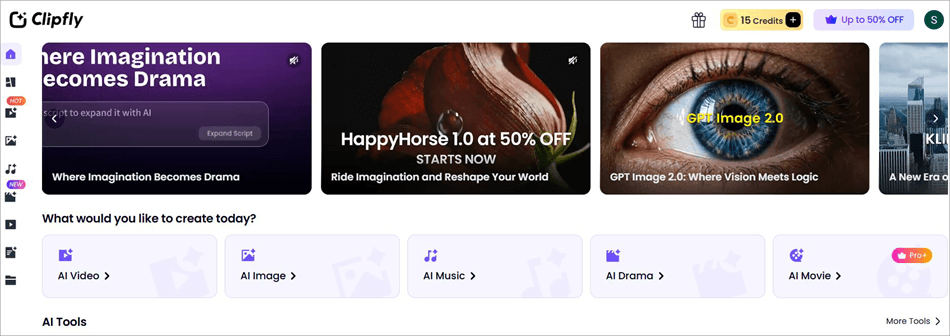
While the platform is meant and known for its AI-generative capabilities, it is also quite handy because of its editing capabilities. You can use it to enhance visuals, upscale quality, and automatically remove objects or backgrounds.
Thanks to the combination of its AI and editing features, the platform is ideal for content creators, especially beginners who are just jumping into the field.
Now that you know what Clipfly AI is, let’s move on to discuss its core features.
My Experience Using Clipfly AI (Key Features Tested)
We have explained some of the prominent features of Clipfly AI below.
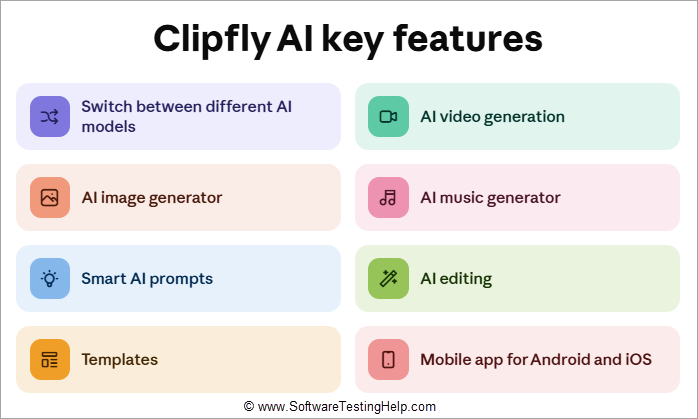
#1) Switch Between Different AI Models (Testing Methodology)
Clipfly’s greatest strength lies in its AI-generative capabilities. It incorporates many well-known AI models to help you generate all kinds and styles of videos and images. Depending on the output you desire, you can basically switch between the different models at your disposal.
If you wish to create videos with hyper-realistic visuals, opt for Veo 3 or 3.1. If you want to create high-fidelity videos, Wan 2.5 would be the best option. Similarly, you can choose Seedance 2.0, Kling 3.0 to create stunning short-form and long-form videos from images or plain-language text.
For images, you can employ models like Nano Banana Pro, Qwen, and Flux. This integration of multiple AI models gives the platform an edge when it comes to the speed and quality of the ultimate output.
#2) AI Video Generation Speed Tested
This is the feature that attracts people to the platform. Clipfly AI’s video generation capabilities are second to none. You can generate visually distinct and stunning videos through text or images.
Let’s say you wish to create a video with text. Simply log in to the platform,
1. Open the video generator
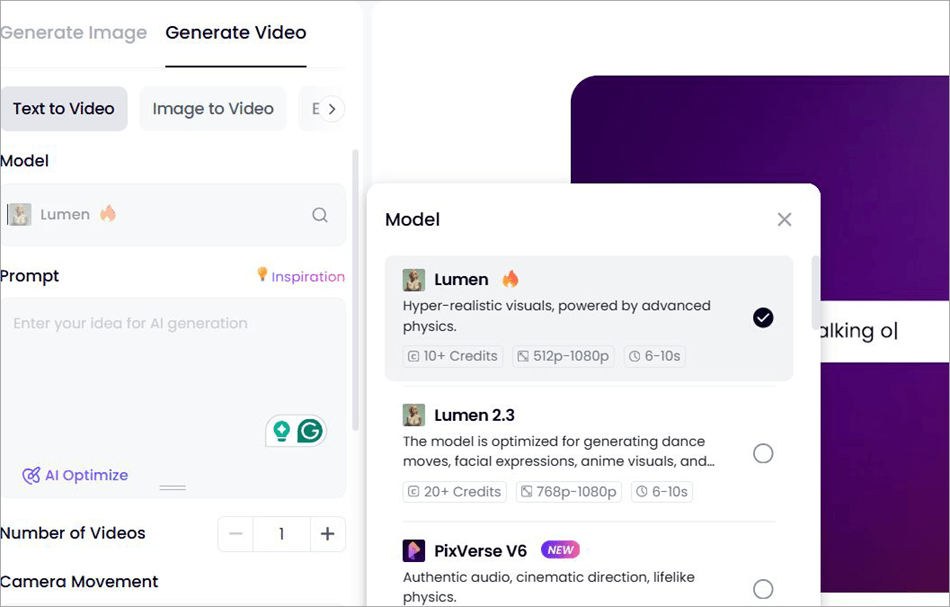
2. Select the Text to Video option
3. Select the AI model
4. In the designated “prompt” box, enter the prompt.
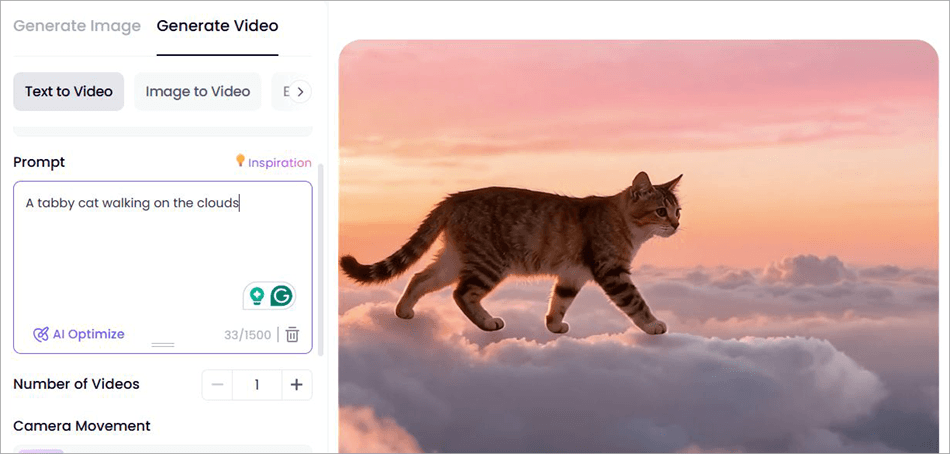
I entered a simple prompt that stated (a tabby cat walking on the clouds). The result was as follows:
Similarly, you can have the platform’s AI animate a still image. Simply upload the image you wish to turn into a video, describe how you wish to transform the image with a proper prompt, choose an AI model, and hit the generate button.
The only shortcoming here is the fact that the videos generated can only be 6-10 seconds long. The platform resolves this issue with the AI video extender, which lets you generate more frames to expand the video. Still, I would have appreciated the opportunity to create videos that are at least a minute long in one go.
Below is a video that depicts how the video extender can help you create longer videos that are more than half a minute long.
Another very interesting aspect of the platform’s video-generating capabilities is the AI Ghibli and anime generator. A great feature for anime fans and fans of Studio Ghibli, if you ask me.
Simply select Clipfly AI Ghibli Generator, and you will be able to generate a video from text or an image that perfectly mimics the visual art style made popular by the famous Japanese Animation studio.
That’s not all. You can swap faces and objects within a video or image in just a single click. You can also add an AI-generated voiceover to your videos from text. You can tweak the voiceover’s pitch, volume, and speaking rate.
Lip-syncing the voiceover with your videos is also a breeze through this platform. The text-to-speech model helps you generate voiceovers in multiple languages. Similarly, you can also add AI-generated captions to your video. You can also add a fake girlfriend or boyfriend to your video and even have them kiss.
Motion Control is another one of Clipfy AI’s amazing features. With this feature, you can animate a still image by having it mimic the motions of a source video you feed it.
Finally, you can have the AI customize the look of any subject in your video or image. You can basically upload your own image and change your hairstyle, add muscle, or transform your style to look more animated or cartoonish.
#3) AI Image Generator (Image Quality Analysis)
Moving visuals aren’t the only thing Clipfly AI excels at generating. You can also rely on the platform to generate still images from scratch from plain-language prompts or another image.
Let’s say you wish to “create a woman wearing a hat with a desert as its backdrop”. Simply do the following:
1. Select the AI Image Generator > Text to Image
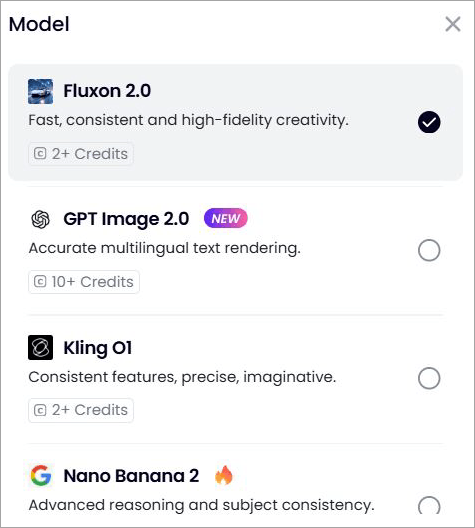
2. Pick an AI model
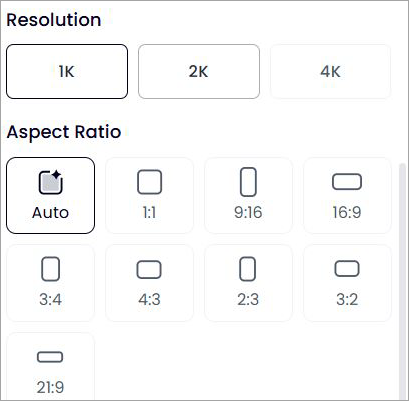
3. Select the resolution and aspect ratio before hitting the generate button.
You’ll see the result previewed right beside your workspace dashboard.

Similarly, you can create an image from an existing image.
- Simply upload an image you wish to transform.
- Select an AI model.
- Enter the prompt describing how you wish to visually transform it.
- Select the resolution and aspect ratio before hitting the generate button.
#4) AI Music Generator (Audio Output Analysis)
This is ultimately what makes Clipfly AI a complete content creation tool. Sure, you can create AI videos and images with this platform in no time. What many don’t know is that Clipfly AI can also be used to create full-fledged music. You can have the AI create songs from the lyrics you feed it.
If you can’t come up with the lyrics, Clipfly AI can generate them for you, as well.
Creating music with Clipfly AI is very simple:
1. Select AI Music
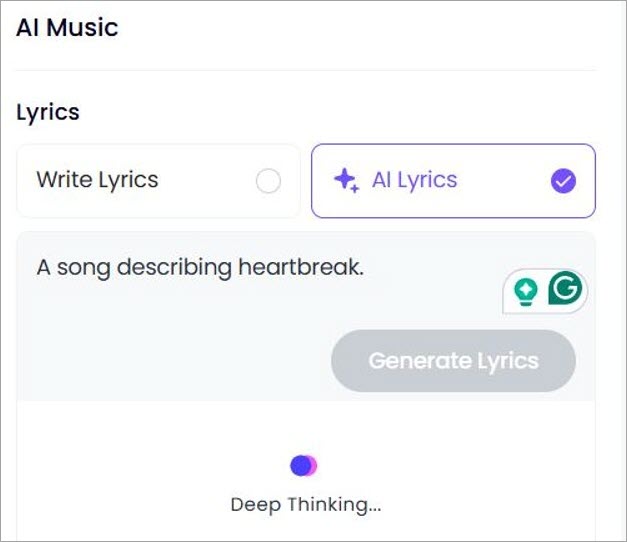
2. Enter your own lyrics or have the AI generate them for you.
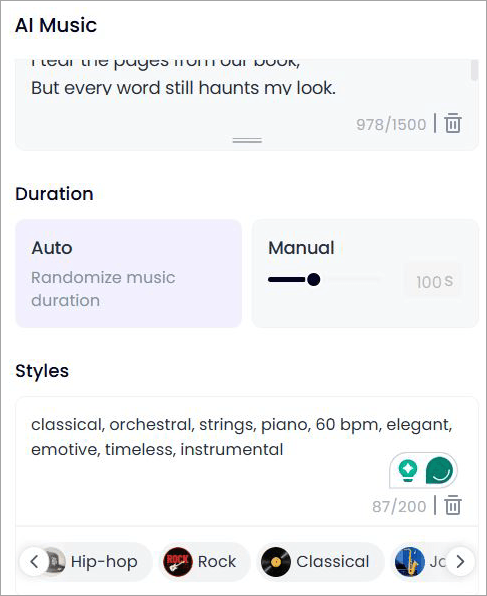
3. Choose the music’s duration and select the music style before hitting the generate button.
I am not much of a songwriter, so I used Clipfly to create lyrics for a song about heartbreak. I chose “classical” as the song’s style. The song it generated wasn’t anything special, but it wasn’t bad either. I guess some trial-and-error here can help you generate a banger track.
#5) Smart AI Prompts
So much of AI generation depends on the prompts you give it to process. Not everyone is good with their words. As such, you may not get satisfying results right off the bat. Clipfly AI resolves this problem with the help of AI smart prompts.
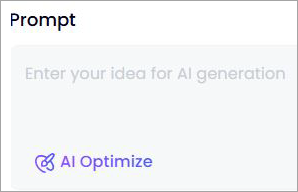
You can type in your prompt and then simply click on AI-optimize to have AI refine the text for you. This is a welcome feature and one that caters to folks who struggle with creating prompts in plain English.
#6) Clipfly AI Editing Insights
Besides generation, AI-driven editing is another of Clipfly AI’s strengths. You can use the platform to enhance the overall quality of your videos or images, upscale them, automatically remove objects or text from them, or even wipe out and replace backgrounds.
Thanks to the AI, all of these editing tasks are essentially automated. All you have to do is select one of these options, upload the image or video you wish to edit, and let the AI do the rest.
Let’s say you wish to remove the background of a video.
1. Select the Video BG Remover
2. Upload the Video
3. Click on Change Background and choose the background.
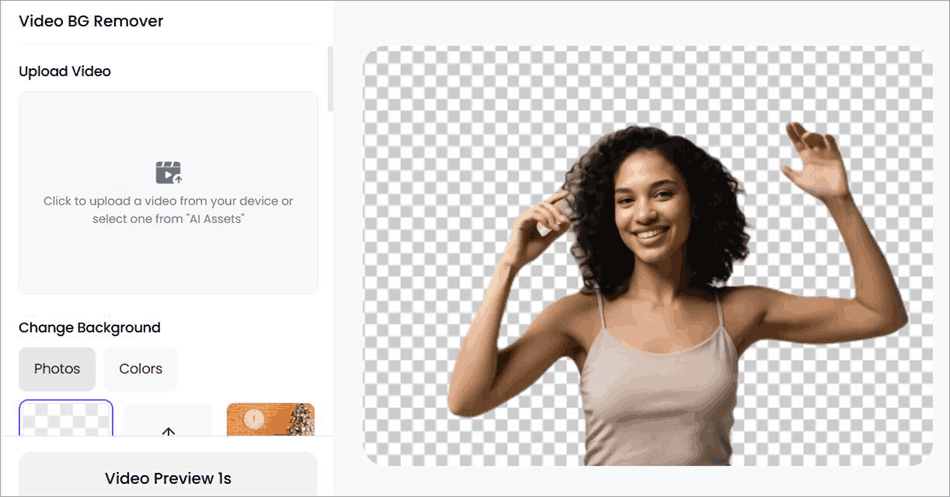
4. You can choose from colors, images, or simply keep the background blank.
#7) Templates
If you are struggling to come up with a proper prompt to create a video, you can simply rely on the ready-made templates already available in Clipfly AI’s library.
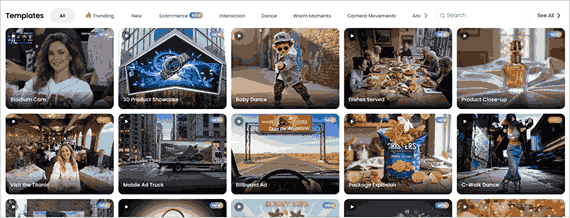
There are hundreds of templates to choose from. Simply pick a template, upload an image, and hit the generate button.
For instance, I wanted to make the subject in my image dance. So, I uploaded it and chose the “Baby Dance” template. The Clipfly AI dance generator did the rest.
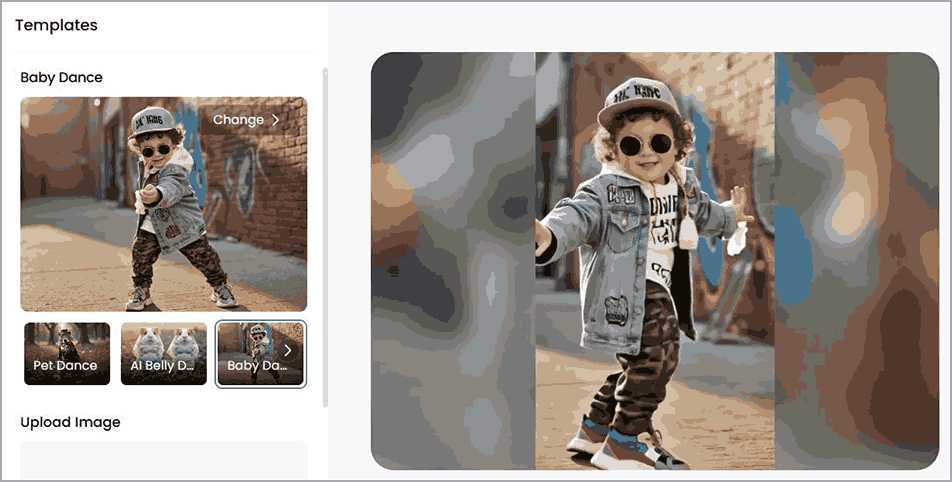
Similarly, there are several templates to choose from to create a video in seconds.
#8) Mobile App for Android and iOS
Clipfly AI offers a user-friendly mobile app for both Android and iOS devices. The app is listed as an AI Dance Video Generator on both the Google Play Store and Apple Store. Despite the dubious name, the app contains almost all of the same capabilities that the web-based version offers.
You can use the app for easy on-the-go text-to-image generation, image-to-video generation, video extension, and video erasing capabilities. The app serves as a good companion to the web-based version of Clipfly AI. As such, I would recommend downloading the app on your phone if you’ve already subscribed to Clipfly AI’s services.
Clipfly AI Pricing and Plans
Clipfly AI offers monthly and annual subscription plans, which are as follows:
Monthly
- Pro: $10.99/month
- Pro+: $39.99/month
- Business: $87.99/month
Annual
- Pro: $40.99/year
- Pro+: $189.99/year
- Business: $389.99/month
The Pro plan gives you 200 credits per month. The Pro+ and Business plans give you 1000 credits and 3000 credits, respectively.
You will exhaust credits as you generate content. Depending on your requirements, the credits you get through the subscription may or may not be enough. Luckily, you can buy credits separately. 20 credits will cost you $2.39.
Now, to the important question – Is Clipfly AI free? Well, kind of.
Upon signing up, you’ll be given 15 credits to spend without charge. This is only good for creating a couple of videos, images, and music. You are going to exhaust these credits pretty fast.
I would suggest trying out the tool with the 15 credits at your disposal. If you like the platform, subscribe to any of the plans above.
Pros and Cons of Clipfly AI
| Pros | Cons |
| Integrates Multiple Advanced AI models | The free plan doesn’t provide you with enough credits |
| User-friendly dashboard and interface | Not suitable for advanced timeline-based editing. |
| Super fast video and image generation | Results aren’t always consistent or a match for the prompt given. |
| AI-Optimized Prompt Creation | Fine-Tuning issues |
| Ready-made templates for video and image generation | |
| Flexible subscription plan | |
| AI-powered editing features | |
| Android and iOS App |
Clipfly AI Performance and Output Quality
Let me say this right off the bat: Clipfly AI is beginner-friendly and easy to use. You’ll have absolutely no issue and won’t need a lengthy tutorial to generate content with the platform. The interface is neat, with all options laid out for easy access and navigation.
Generating content also does not take a lot of your time. It took the platform less than 30 seconds to generate my “tabby cat” video. Depending on the AI model you choose and the quality you prefer, the processing may take longer. Regardless of the speed, you can expect high-resolution videos that look sharp.
As for the results, short-form videos and images do match the prompts you feed them. However, you may notice subtle variations in the art style as you extend the video with more frames. This is an issue not unique to Clipfly AI.
So, you may have to enter prompts again and again to get a desirable result. You’ll also struggle with changes. Once the video is created, you cannot make minor changes to it. Instead of fine-tuning, you’ll need to regenerate the video entirely. This, in my opinion, is Clipfly AI’s biggest weakness and one I hope will change with future updates.
Best Use Cases for Clipfly AI
Clipfly is a tool tailor-made for beginners who are new to AI-generation tools.
Besides beginners, I would recommend the tool to the following entities:
- Content Creators and Social Media Influencers: For creating meme posts, videos, music, and animated visuals.
- Marketers: For creating promotional material, concept ads, and product demos
- Educators: For creating presentations and explainer videos.
- Editors: To upscale or enhance visuals, or remove items or background from them.
Clipfly AI Limitations
The following are the few limitations of Clipfly AI
- Limitations of the Free Plan: The Clipfly AI free plan is perfect for testing purposes but offers limited AI credits, restricted export options, and a limited selection of premium features. If you make videos often or require high quality output, you should probably consider upgrading to the paid plan.
- Watermark in Video Exports: If the video is created with the help of the Clipfly AI free plan, it contains the Clipfly AI watermark, which makes it not very suitable for commercial use. With the paid plan, you can create commercial-quality videos without watermarks.
- Credits for Tasks Completion: Clipfly AI uses the credit system for tasks completion related to AI-based functions, such as video creation and image generation. The more complex the task and the more time is required for its completion, the more credits it will cost.
- Queue Times and Rendering Duration: For short videos, rendering takes a relatively short amount of time. However, if you generate long or high-resolution videos, processing duration may take more time. Clipfly AI free plan users will have to wait in the queue to complete their tasks, while paid users can expect faster processing.
- Commercial Use and Licensing: Commercial use of Clipfly AI is based on your subscription plan and Clipfly AI licensing policy. However, you should remember that even if you are using the Clipfly AI paid plan, you must check the licensing policy to ensure that you can use your videos commercially.
Is Clipfly AI Safe and Legit to Use?
Using Clipfly AI is quite safe when making and editing AI videos and other related materials. Nonetheless, like any other online AI service, one should be careful not to upload personal or private information as it might have consequences on how your data will be used. Besides, it is essential to go through the privacy policy and terms of service of Clipfly AI to know how your uploaded data is processed and stored. Lastly, when working on professional projects, you must also be aware of the content ownership and licensing terms.
Best Clipfly AI Alternatives
Enlisted below are some of the noteworthy Alternatives to Clipfly AI:
- Pollo AI
- Wondershare Filmora
- Crreo
Comparing Clipfly AI With its Competitors
| Name | AI Models | Best for | Price | Platform |
| Clipfly AI | Seedance, Google VEO, ChaGPT, Flux, Nano Banana Pro, etc | Video, Image, and Music Generation | Starts at $10.99/month | Web-Based |
| Pollo AI | Seedance, Nano Banana Pro, Sora, Seedream, HappyHorse | Face Swapping and Lip Syncing | Starts at $10/month | Web-Based |
| Wondershare Filmora | Nano Banana Pro, Sora, Google VEO | Video Editing | Starts at $9.99/month | Windows, Mac, iOS, Android, iPad |
| Crreo | Kine, and Kalo XL | Creating Long Videos | Starts at $9/month | Web-based |
Detailed Reviews:
#1) Pollo AI
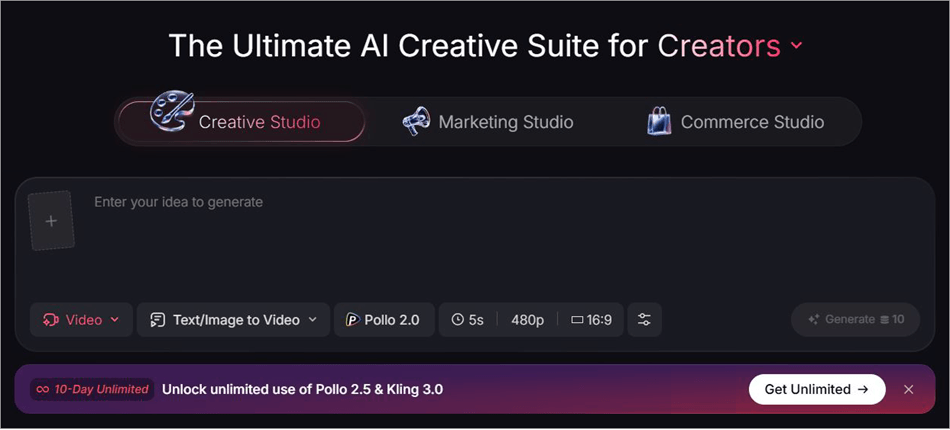
Like Clipfly AI, Pollo AI is a browser-based AI video generator/enhancer that caters to creators and marketers.
Pollo AI also incorporates many advanced AI models and is quite brisk in its generative capabilities. It is a bit cheaper than Clipfly AI and can do almost everything its contemporary can.
Price: Starts at $10/month
Website: https://pollo.ai/

Wondershare Filmora is a tool for folks who want AI generative abilities alongside advanced editing features. The tool is, first and foremost, video editing software. However, you can rely on it to generate videos from text, images, and audio.
Price: $9.99/month
Check our Wondershare Filmore Review
#3) Crreo
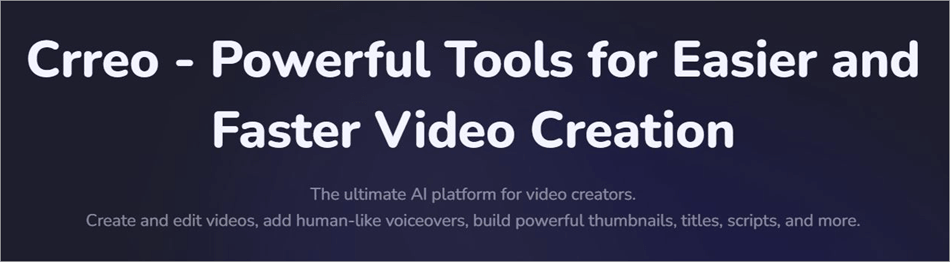
Now, here’s a tool that makes up for one of the most prominent limitations of modern AI video generators. You can basically use Crreo to create long-form videos that can last 15 minutes.
You can generate videos with AI voiceover, storyboards, and characters. The tool is ideal for people interested in making short AI films.
Price: Starts at $9/month
Website: https://www.crreo.ai/home
User Reviews and Ratings for Clipfly AI
User Reviews and Ratings for Clipfly AI have remained generally positive across major online publications since its release. The platform enjoys a score of 4.5/5 on Trustpilot. Users have nothing but positive things to say about its user-friendly interface, integrated AI models, and processing speed.
That said, some users have also expressed disappointment with regard to the consistency of the output being generated and the credits charged for video generation.
Frequently Asked Questions
1. Is Clipfly Video Generator Free?
Clipfly Video Generator isn’t exactly free. You do get 15 credits to spend upon initial sign-up without charge. However, these credits are only good for generating a single video.
2. Is Clipfly AI safe?
In my experience, I didn’t notice any danger to my data or personal information. The platform is completely safe to use for image and video generation. However, I would suggest not using the website to generate NSFW content, as that could land you in trouble.
3. What is Clipfly AI used for?
Clipfly AI is generally used for generating videos from text or images. However, one can also use it to generate images, music, storyboards, and perform basic edits to a video or image, like upscaling it or removing unnecessary items from it.
4. Which AI video generator is the best?
Clipfly AI incorporates many advanced AI models to help you generate videos. However, the best ones will depend on the type of video you need. I believe that Veo 3 and Luma are good models for creating videos with realistic-looking visuals. Kling 3.0 is also great for visuals that are photo-realistic.
5. How to use Clipfly AI for free?
All you have to do is sign up to use Clipfly AI for free. You are given 15 credits. It will cost you 10 credits each to generate a single video or image. On the other hand, generating music costs 5 credits. As such, you can employ these credits to test out each of these three generative capabilities.
Final Verdict: Is Clipfly AI Worth It?
In my opinion, Clipfly AI represents the leap AI technology has taken in such a short span of time. You basically have a platform that integrates multiple advanced AI models to create stunning visuals (video and images) from scratch. It is user-friendly, easy to navigate, and also quite affordable if your scope of work isn’t huge.
It is exceptional for both video generation and performing basic editing work. The Ghibli and Anime generator adds to the tool’s charm, and the ready-made AI templates further streamline its generative capabilities.
It isn’t without its flaws, though. You may have to regenerate the video entirely just to make a minor change. Also, you may notice consistency issues when using the video extender.
It is still one of the best all-in-one AI content creation tools out there. I suggest you give the platform a try with the free credits you get to test the tool before deciding whether to buy a subscription.
Research Process: The total time involved to complete and publish this article is approximately 37 hours. This content was created through a structured research approach to ensure accuracy and reliability.
For more video generator-related guides, you can explore our range of tutorials below:
- 10 Best Free Video Maker Tools & Apps for Stunning Video
- Akool AI Video Generator Review with Alternatives
- Krikey AI 3D Animation Maker Review and Alternatives
- Vozo AI Review: Best AI Video Translator
- Leading AI Startups – Hand Picked List
- Vheer AI Image to Video Generator Review And Alternatives
- Viggle AI Video Generator Use Cases and Alternatives
- Best Free Online Photo Video Maker to Make a Video with Pictures
- Wondershare VidAir Online Video Maker Hands-on Review
Was this helpful?
Recommended Reading
-

Comprehensive Review of VideoProc Converter AI. Learn About Specifications, Features, Pricing, Download, and Installation Steps in Detail. As one of the leading AI-generative video processing programs, VideoProc Converter AI has witnessed a significant surge in worldwide users in recent years. Initially designed as a solution for simple video editing and…
-

Unveil the exclusive features of Viggle.ai and generate powerful AI-driven videos to animate your characters. Discover how Viggle.ai's innovative platform can be a game-changer for your business needs: Animation isn’t child’s play. For a long time, it was a job exclusively meant for professional animators and artists. This is no…
-
Wondering how to make a video with special effects & animations. Read this review of the top Video Maker Tools to pick the best Video Maker App to create splendid jaw-dropping videos: Now, since businesses have digitalized, they have transformed their promotion techniques as well. They now require eye-catching images…
-
Searching for the best video downloader for Google Chrome? In this guide, we will compare the best video downloaders for Chrome with their features. We have tested the video downloaders for chrome to check their ability to detect videos on a web page, the number of supported websites and formats,…