Is Joyland AI companion is legit and Safe? Read our hands-on review of Joyland AI, along with its risks, privacy issues, features and safer alternatives.
It’s 2026, and artificial intelligence (AI) is gradually making its way into practically every single area of our lives.
When seeking information on Joyland AI, most users focus on questions such as, Is it safe to use Joyland AI? How does it work? How can I use it?, etc.
In this comprehensive guide, we take you well beyond a basic overview to provide you with a complete 360° insight into Joyland AI. This includes topics such as What is Joyland AI? How does it work? What does it mean for its users? How to use it? Its main features, risks, safety issues, privacy considerations, and even better alternatives to consider.
Joyland AI Review 2026: Is It Safe, Private, and Truly Unfiltered?
The hype surrounding this platform is inescapable online. So, I decided it was high time I gave Joyland AI a shot and found out what makes it so alluring.
After spending about a month with it, I’ve got some thoughts, and I would like to share them via this article. So, without much further ado, let’s dive in.
Is Joyland AI Safe?
Yes, Joyland AI is generally considered safe for adult users. It employs SSL encryption, 2FA and GDPR compliance. Yet, low trust scores from third parties (about 42/100) indicate worries about the lack of company transparency. It is advised to refrain from disclosing any personally identifiable information (PII) while chatting.
What is Joyland AI?
Launched in 2023, Joyland AI is an AI companion/chatbot platform. The platform lets you connect and forge a personal relationship with emotionally intelligent AI chatbots.
As a user of Joyland AI, you’ll have the option of either creating and customizing your AI character from scratch or choosing from an extensive library of pre-built characters.
When customizing a character of your own, you’ll have the privilege of imbuing it with its own distinct personality. You can have your character be witty, sarcastic, shy, or outspoken. You can even customize your character’s look and voice.
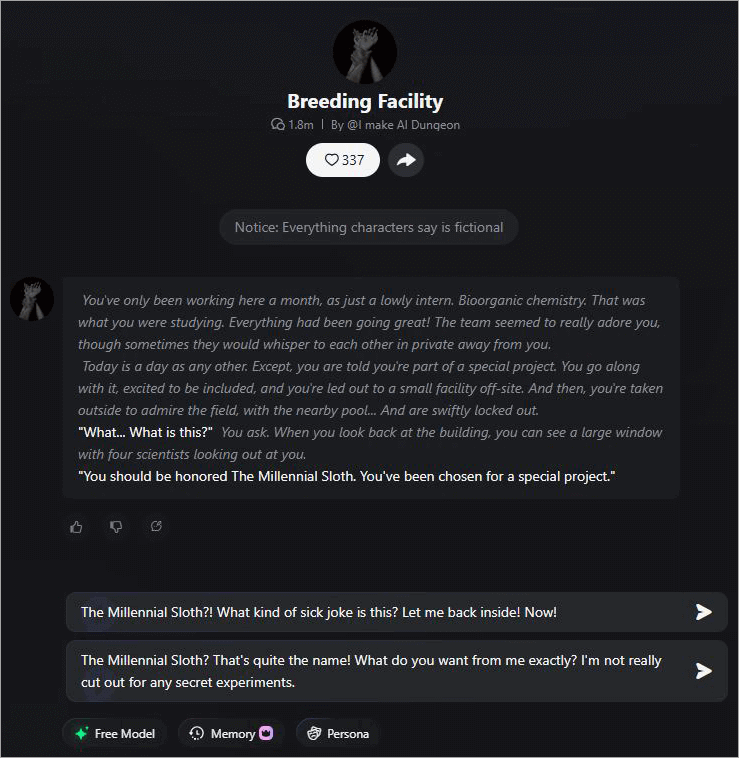
However, what truly distinguishes Joyland AI from its contemporaries, like Nomi AI, is the platform’s emphasis on a more intimate and steamier kind of role-play.
Sure, you can create an AI bot that serves as your friend or mentor, but the platform is largely employed by users who wish to indulge in role-playing sessions that are more erotic in nature.
This becomes crystal clear as you look at the pre-built characters already available on the platform. Another thing that makes Joyland AI rather unique is its community, which is low-key the driving force behind it.
You can create a bot and share it with Joyland AI’s community. This way, everyone on the platform can experience your creation.
Now that you have an idea of what Joyland AI entails, I think it’s time we take a deeper dive and discuss its features.
How Joyland AI Works
At its core, Joyland AI utilizes a “Hybrid Orchestration” system that fine-tunes Large Language Models (LLMs) that are tuned to generate creative and character-specific dialogues, rather than purely factual content.
Through the analysis of the character’s “Core Persona,” such as personality traits, background story, and speech style, the Joyland AI guarantees that each generated response will be consistent and authentic.
Joyland AI provides a smooth user experience by using dynamic model selection according to your goal, adjustable SFW/NSFW settings with a toggle switch, and intelligent memory that merges short- and long-term context from previous conversations.
Moreover, Joyland AI supports multimodal interactions with live-generated images and voice messages. In addition, Joyland makes the chat more interactive by enabling the editing and re-generation of responses.
Joyland AI Models: Which One is Right for You?
Joyland AI distinguishes itself from so many of its contemporaries by offering a suite of 5 different AI models.
They are:
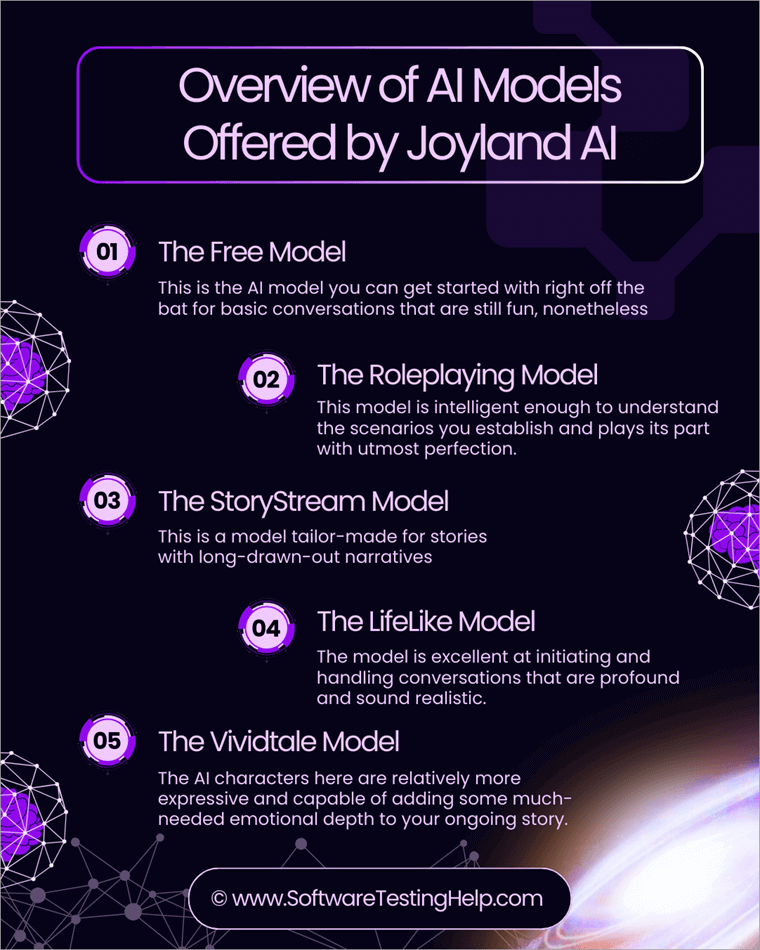
#1) The Free Model
This is the AI model you can get started with right off the bat for basic conversations that are still fun, nonetheless. You can employ this model to experiment with roleplaying and test out different characters until you finally settle on a model that you’d likely enjoy.
#2) The Roleplaying Model
After spending some time with Joyland AI’s free model and experimenting with some foundational roleplay, it’s time to put your imagination to the ultimate test. The best way to do that is to graduate from the free, basic model to the much more advanced role-playing version.
This model is intelligent enough to understand the scenarios you establish and plays its part with utmost perfection. You can count on this model to personify the character that’s best suited to realize your role-playing fantasies.
This model is also creative enough to improvise the scene being played out when necessary, thus adding to the immersive experience.
#3) The StoryStream Model
This is a model tailor-made for stories with long-drawn-out narratives. This is the model you employ to initiate a role-playing fantasy that’s expected to last for days. This model possesses a strong memory, which it will need to comprehend character development and plot twists as the story continues.
If you wish to role-play an adventure with a long narrative that could last days or even weeks, this is the model to go with.
#4) The LifeLike Model
As the name suggests, this AI model was specifically designed to mimic the nuances of real human conversations. If you want your AI to play the part of your friend, mentor, or lover, this is the model you’d need to employ.
The model is excellent at initiating and handling conversations that are profound and sound realistic. You can expect this AI to understand the nature of the conversation being shared and respond in a manner that feels authentically human.
#5) The Vividtale Model
If StoryStream were about long-term narratives, then Vividtake is all about giving those narratives a cinematic flair. The AI characters here are relatively more expressive and capable of adding some much-needed emotional depth to your ongoing story.
If you want your role-playing sessions to flow smoothly like a well-written movie, this is the model to choose. The model excels at creating fleshed-out actions and environments that make the role-playing sessions addictively immersive.
Key Features of Joyland AI: Why It Outpaces Competitors
Joyland AI is filled to the brim with some interesting features, and I gave them all my invaluable time. Here’s what I think of some of its more prominent features.
#1) AI Character Creation and Customization
When I first signed up at Joyland AI, I wanted to know just how simple it could be to create a chatbot of my own. Well, the platform makes it look like a walk in the park. You don’t need to be a technical wizard to use Joyland AI, as the platform walks you through the entire process from the word go.

You are provided with the tools necessary to craft a character that’s uniquely your own. You can mould this character’s look, personality, voice, and even give it a detailed backstory for a more immersive experience later on. You can create an anime character who’s shy but caring or create a heroic figure right out of a fantasy novel.
You can even feed sample dialogues to the platform to teach your bot how to speak. Whether you want a character that’s introverted and empathetic or someone bold and outspoken, I think Joyland AI does a good job of helping you create a bot that behaves exactly how you want it to.
#2) Library of Pre-Built Characters
This is one of Joyland AI’s enticing selling points. You get to choose from a massive library of pre-built characters, created by the platform’s vibrant and ever-active community. You’ll find anime, fantasy, and realistic-looking AI chatbots on the platform with their own distinct personalities.
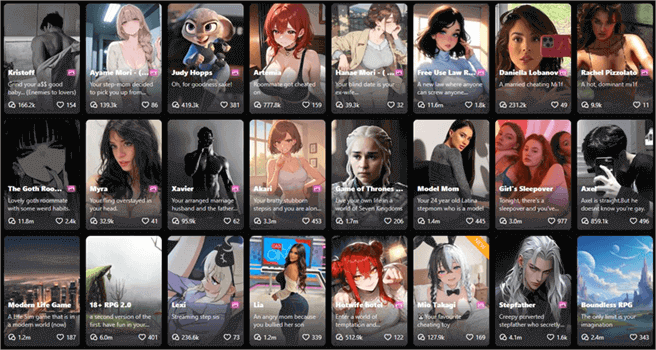
Some even have ready-made scenarios for you to participate in right away. You can select one of these bots and jump straight into a role-playing session with it. You can switch between these characters or chat with multiple characters at the same time. You can guide your conversations with these bots via simple text prompts.
Even though you didn’t create any of these characters, you can still control your conversations with them, and I really appreciated that.
#3) Voice Messages
A typical chatbot can communicate only via text-based chats. Fortunately, Joyland AI is leagues above those platforms, as you can give your AI chatbot a naturalistic, human-like voice. You get to pick from several-sounding male and female voices. Once selected, you can start exchanging voice messages with this bot of yours.
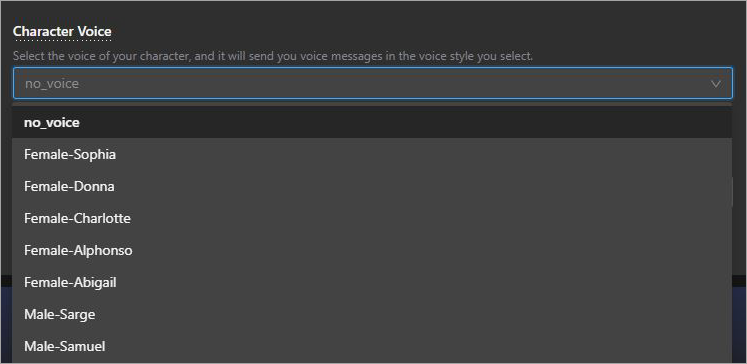
At first, I was sceptical about how the voice might sound. It would really break the immersion if the voice messages sounded robotic or didn’t emote in a manner that suited the nature of the conversation we were sharing. Those concerns evaporated as soon as I heard the bot speak.
I hope they add more voice samples in the future, but I liked the options that were already available to me.
#4) Natural Language Processing
You can have very long, immersive conversations with the bots on this platform, thanks to the advanced natural language processing tech powering it. You can expect your bot to respond to your prompts like a normal human, as it can understand context very well. This also makes the bot great at role-playing.
The platform features bots that come with stories and scenarios associated with them. You can explore and act out these scenarios and stories alongside your AI companion. This makes your time with a Joyland AI bot quite fun and exciting. You can essentially play out a romantic storyline with your AI bot playing its part with perfection.
It also helps that Joyland AI’s bots have long memories. They remember each session and conversation you’ve had with them over the past few days and months.
#5) A Vibrant Community
Another aspect of Joyland, and one that I really came to admire, was its vibrant community. This community is ever-present on the platform. You become a part of this community as a Joyland AI user and gain access to every bot and story created by these members. On the flip side, you can share the stories and bots you’ve created as well.
I also like how respectable the community turned out to be. Almost everyone I interacted with was polite and responsive. They even shared feedback on some bots that I had created, sharing tips on how I could make a great chatbot. Overall, I really liked this collaborative approach to creating bots and stories on Joyland AI.
#6) Leaderboard
Adding to the community experience of Joyland AI is the leaderboard, which ranks all creators on Joyland AI. As a creator on Joyland AI, you can open up your bots to everyone on the platform. This can help you garner followers on the platform. So, you’ll get a spot on the leaderboard as Joyland AI acknowledges your rising popularity.
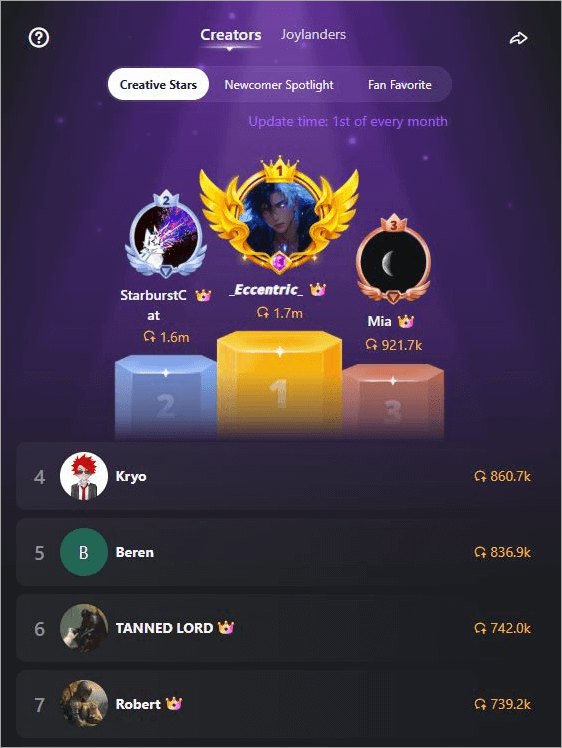
You basically get to compete with other creators on Joyland AI, which makes the experience even more exciting and fun. The leaderboard updates on the 1st of every month and does a good job of encouraging creators to push boundaries and create interesting bots.
#7) Multilingual Support
Most chatbots only respond in English. That’s not the case with Joyland AI, which gives it an edge over so many of its contemporaries. The chatbots created on Joyland AI can respond in Spanish, Japanese, Korean, Arabic, and many other languages.
So, regardless of what language you speak or where in the world you reside, Joyland AI is probably accessible to you.
#8) Interactive Novels (Beta)
This feature is still a work-in-progress, but I have to talk about it because of the immense potential it holds. There is a boatload of interactive novels on the platform that let you choose the path the story will take.
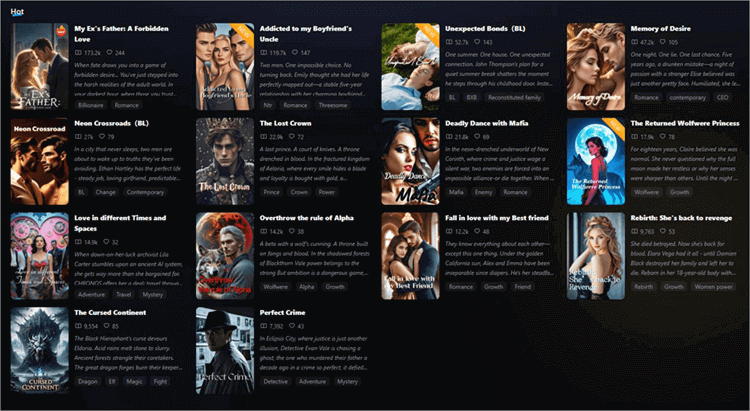
The concept is similar to the one employed by Netflix’s popular show Black Mirror for its episode titled Bandersnatch, which lets you make important character and plot decisions, thus influencing how the story progresses and climaxes.
For instance, you step into a ready-made scenario and decide how the story progresses from there by choosing the options presented to you. You can ignore the options and write up a custom storyline path as well.
This is one feature I really want to see realized at its full potential. Hopefully, the minds behind Joyland AI can pull it off. We’ll just have to wait and see.
Joyland AI’s Interface and User Experience
Joyland AI boasts a minimalistic and intuitive interface that ensures fast navigation and communication
Navigation & Dashboard : The Joyland AI dashboard is crafted to encourage effortless exploration of its vast content. It highlights trending characters through a top carousel, provides quick access from the sidebar or mobile dock, and enables efficient content filtering through an advanced tagging mechanism that differentiates between safe-for-work (SFW) and not-safe-for-work (NSFW) materials.
The Chat Interface: Clean & Immersive: Joyland AI presents a seamless chat experience by providing an immersive and distraction-free interface. The interface allows users to collapse sidebars, create AI images, voice messages, and edit responses to steer conversations effectively.
Desktop vs Mobile Performance: Joyland AI has been optimized for desktop and mobile versions. Joyland AI on mobile features a streamlined experience, using swipes to explore new characters and push notifications for updates. On desktop, the app allows users to work on larger screens for character customization and creation.
User Experience (UX) Highlights & Friction Points Joyland AI offers an intuitive user experience for beginners. In just under a minute, you can create your very own chatbot using the app. Moreover, the response time is instantaneous, taking less than two seconds per message.
On the other hand, some users have noted that long sessions with chatbots may result in personality drift. However, the app does offer a credit meter, indicating how many more messages you can send without running out of credits.
How to Get Started with Joyland AI: Create a Chatbot or AI Character
1. First, you sign up with your email address as shown below.
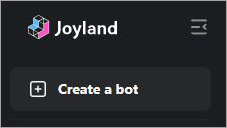
2. On the main interface, look to the left-hand side menu to find the “Create a Bot” option as depicted in the image below.
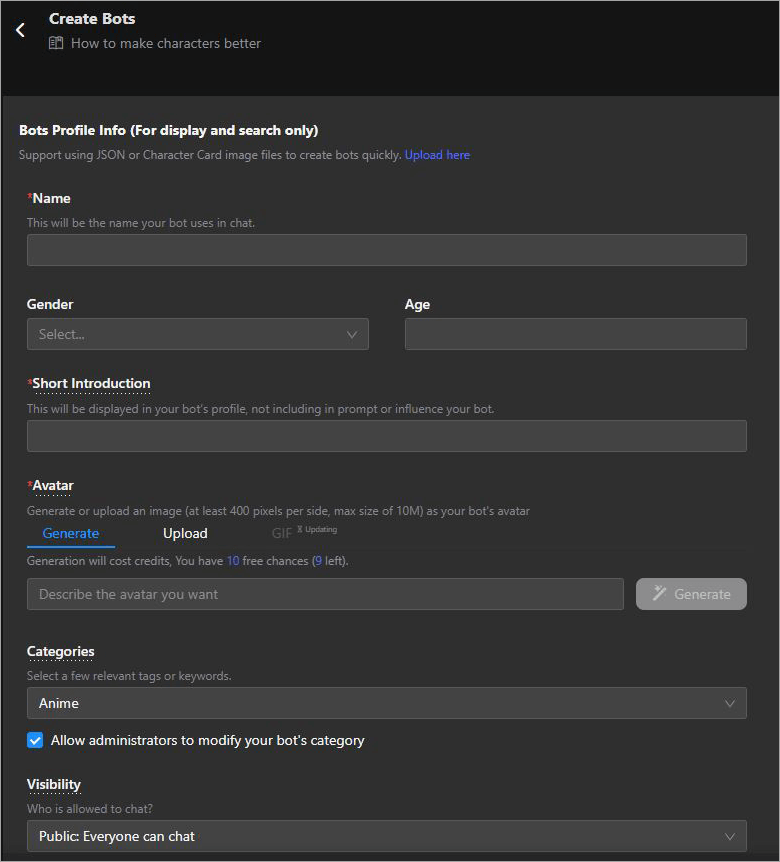
3. Customize your chatbot. Give it a name, gender, age, Avatar, voice, and a few personality traits as in the image below.
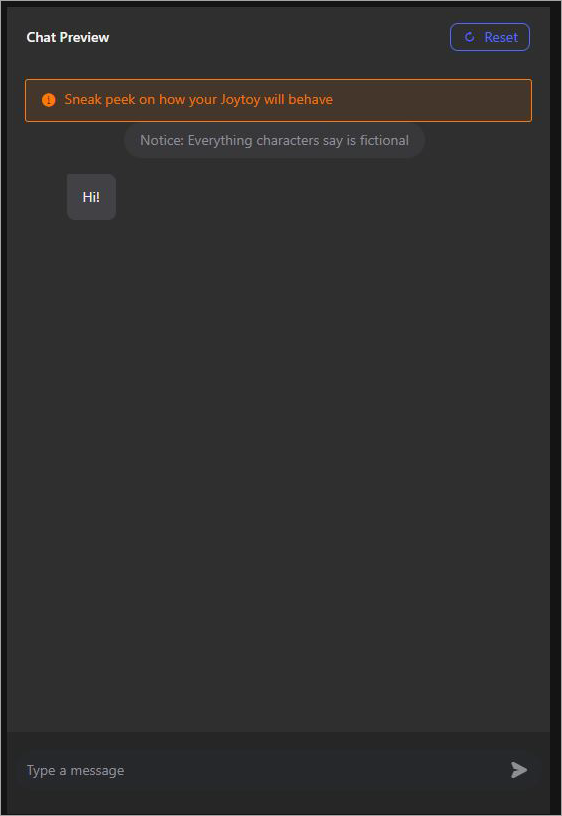
4. Test the chatbot on the “Chat preview” window as shown below and check how it behaves. Make adjustments if necessary.

5. If you are satisfied with the bot, simply hit the “Create and Chat” button.
Your chatbot is now ready. The chat window resembles your average messenger app interface. As such, you should have no problems exchanging chats or entering text prompts for your AI character to follow.
Overall, I have no complaints as far as Joyland AI’s interface or functionality is concerned. You are going to have a hassle-free and convenient time to using the platform for your chats or role-playing sessions.
Customer Support : If you are having trouble using Joyland AI or face any performance issues, Joyland’s customer support team can come to your aid. You can reach out to the team via email, Discord, Reddit, or Instagram.
The support team is responsive, and you can expect them to respond to your queries and complaints within 24 hours. Alternatively, you can get real-time support from other Joyland users on Discord and Reddit.
There are detailed user guides, FAQs, and tutorials available for self-help, as well.
Real Experience: Using Joyland AI for 7 Days
To have an entirely unbiased review of Joyland AI, we decided to try using this service for seven days on both web and mobile versions of the app. Below are the results of our immersion into the concept of “memory walls” and the reality of combining SFW/NSFW bots.
Day 1: Onboarding & “Vibe” Check
The registration process is simple – users sign up through their Gmail accounts. The interface itself looks nice; however, the amount of avatars representing the community members might be somewhat intimidating at first glance. The best thing about the very first impression is that responses from this “Cyberpunk Bartender” bot were more natural and sharp without any corporate feel.
Day 3: Testing the Hybrid Toggle
We tried to see how the toggling process worked between normal and mature settings. In a normal setting, the AI performs pretty well as a companion for brainstorming ideas and creating narratives. However, after switching to mature, the tone definitely became more expressive and bold, but repetitive if not provided with specific prompts.
Day 5: The “Memory Wall” & Continuity
On day five, one thing that becomes evident is that although the system remembers recent context, it may forget details from previous conversations such as names and preferences. Users on the free version of the AI might experience “memory wall” more often than premium users. This can be fixed using editing features.
Day 7: Creative Mastery (Joybook)
The final day was spent discovering the Joybook maker, which is one of the best parts of the website. It does not involve simple chatting but helps in making your story grow into something like an RPG story. The best part about Joybook was the “Selfie” function that created AI-made pictures, very much like the description of the scene.
Verdict – When we think of Joyland AI as a “Session-Based Sandbox” whereby each “episode” lasts thirty minutes, it is among the best on the market. Nevertheless, for those who want “Deep Emotional Sagas” lasting several months, the memory restrictions of the lower-level versions may be frustrating.
Joyland AI Pricing – Free Vs Paid (2026 Update)
Joyland AI offers both free and paid versions to its users. The free version of the tool is heavily reliant on ads. So, expect banner ads and pop-ups to appear on the screen as you use the platform.
The free version is limited in its functionality. For instance, the AI bot is slower, and you also do not have access to advanced models.
You can bypass those limitations by subscribing to Joyland AI’s premium plans.
The plans themselves are flexible as shown below:
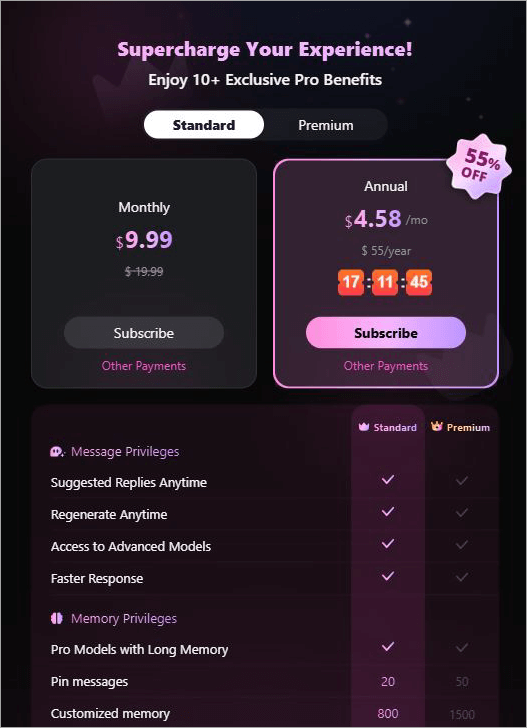
Standard:
- Monthly: $9.99
- Annual: $55
Premium:
- Monthly: $19.99
- Annual: $95
In hindsight, I would suggest opting for Joyland AI’s standard plans instead of the free version. The plans are affordable and worth the value you get.
Is Joyland AI Safe to Use?
Although Joyland AI is an authentic platform created by Generatively Inc., which is located in the USA, “safety” in AI chat websites refers to multiple factors. By 2026, the platform will have developed robust security protocols; however, there are always risks that come with unregulated generative AI technology.
Data Privacy and Safety:
Joyland AI makes use of the HTTPS/SSL encryption feature along with 2FA options to ensure users’ basic security. The website collects information about IP addresses and devices used for improving its AI. Chat logs are stored separately from the chats and are not accessible by other users. However, the platform can monitor them if necessary.
NSFW Content and Moderation Risks:
With Joyland AI, one is able to engage in either SFW (Safe For Work) or NSFW (Not Safe For Work) activities with the use of toggles; however, the filters employed by the application are not perfect and can result in suggestive answers even in safe mode. Like other chatbots, this particular AI also runs a risk of being unsafe because of roleplay capabilities.
Pros and Cons of Joyland AI
Here are some of the most important Pros & Cons of Joyland AI.
| Pros | Cons |
| Sleek and User-friendly Interface | The AI bot can be overly suggestive sometimes. |
| Interactive storytelling and role-playing | The free version is very slow. |
| Pre-built AI character library | |
| Affordable pricing | |
| Strong AI memory | |
| Extensive character customization |
Best Joyland AI Alternatives
Joyland AI isn’t the only AI companion tool out there. It would be in your best interest to familiarize yourself with some of its more prominent contemporaries in the market.
They are as follows:
#1) Nomi AI
#2) Replika
#3) Kindroid
#1) Nomi AI
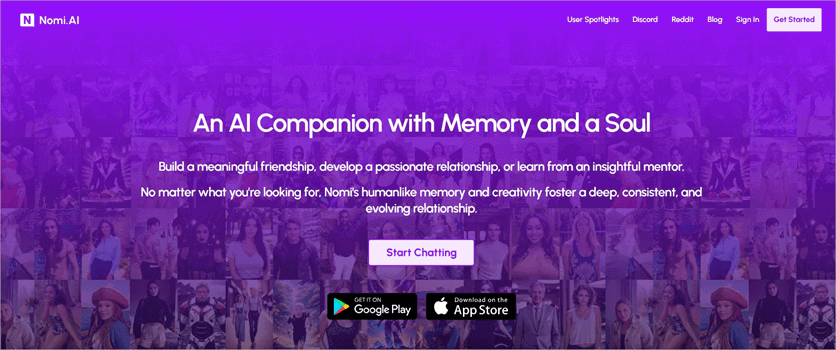
Like Joyland AI, Nomi AI also lets you create and customize AI chatbots. The chatbot itself is emotionally intelligent and can be personalized extensively. You won’t find pre-built characters on the platform, but you can have Nomi AI create one for you by default. The platform is user-friendly and quite affordable.
#2) Replika
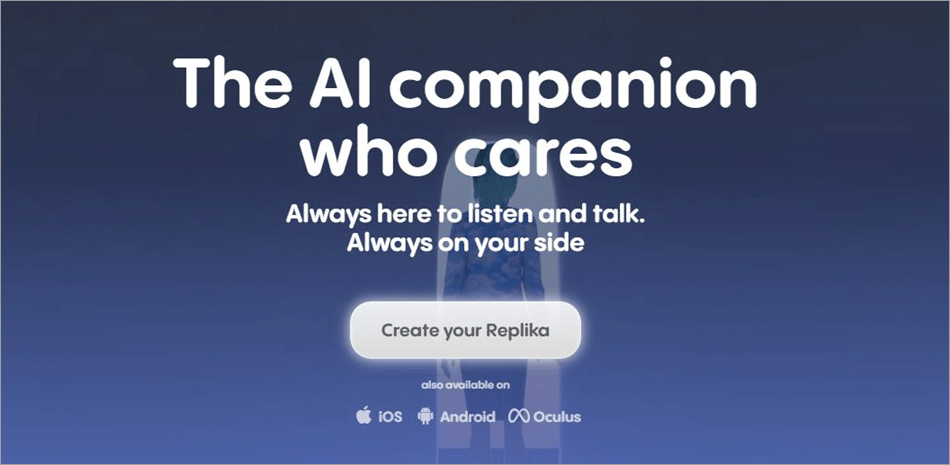
Replika is another very popular platform in this realm. The AI character you create might not look realistic, but it can behave in a human-like manner. You can use the platform to chat with your AI companion on iOS, Android, and Oculus devices. You can even indulge in video chats with your created AI bot.
Website: https://replika.com/?srsltid=AfmBOoqYjDx-Mf4WC7fHbA89Y9uIx90t7Djjfh1CDUnoMHOOcvG07JLV
#3) Kindroid
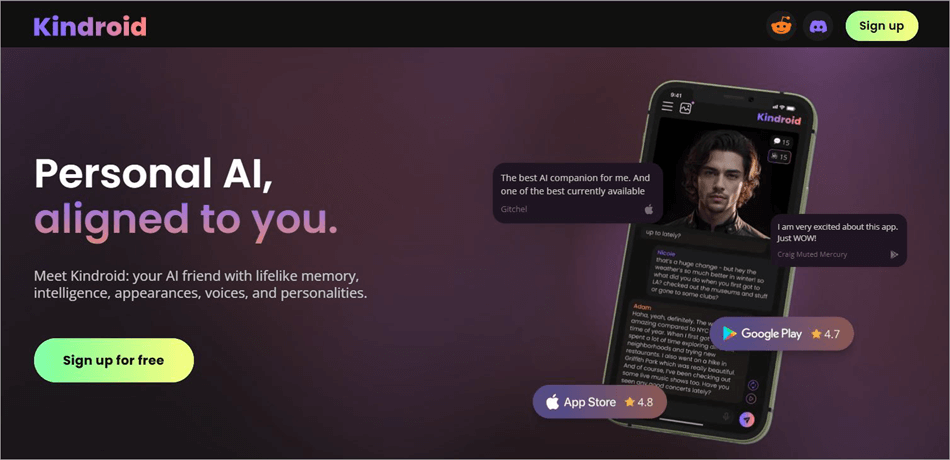
With Kindroid, you get a robust AI companion platform that lets you create a highly personalized. This bot can have its own distinct voice, personality, intelligence, and backstory. Its memory is strong, and you’ll see the bot evolve as your sessions with it continue over time.
Website: https://landing.kindroid.ai/
Frequently Asked Questions
1. Is Joyland AI free to use?
Joyland AI offers both free and paid versions of its platform. The free version lets you create an AI bot and chat with it. That said, the free version is limited in its capabilities, and you’ll also have to deal with a lot of ads interrupting your tasks on the platform.
My advice would be to subscribe to the monthly standard plan first. It is quite affordable.
2. What is Joyland AI used for?
Joyland AI is primarily used to create chatbots. These chatbots serve as AI companions with whom users can indulge in role-play fantasies. These AI bots can serve as a user’s friend, mentor, or partner. Joyland AI can also compose interactive stories wherein the plot’s path can be influenced by the users.
3. Are Joyland chats private?
Chats on Joyland AI are end-to-end encrypted. As such, you can rest assured that your conversations or the information you share with your AI companion remains private.
4. Who can use Joyland AI?
Joyland AI is a platform strictly meant for adults above the age of 18. This platform should be used responsibly. Vulnerable individuals like minors and people with mental health issues should stay away from such apps.
5. Why is Joyland AI not working?
If Joyland AI is not working as it should, I suggest trying the following troubleshooting tips:
– Restart the app
– Clear app cache
– Check your Wi-Fi or Internet connection
– Update the Joyland AI app.
If none of these tips do the trick, I would suggest contacting Joyland AI’s support team. They’ll respond to you within 24 hours.
6. Is Joyland AI safe to use?
Yes, Joyland AI is safe to use as it keeps your chats and user activity private and secure through end-to-end encryption and other stringent security measures.
That said, adults above the age of 18 should only use the platform, as the suggestive nature of Joyland AI’s various models can inadvertently harm the vulnerable in our community, like minors and people suffering from mental health issues.
It should be used responsibly, and one should not consider it a substitute for real human relationships.
7. How to cancel Joyland AI subscription?
You can choose to cancel or modify your subscription by logging into your Joyland account via web or the mobile app and navigating to your account’s payment settings. Cancel the subscription before the imminent billing cycle to prevent any unnecessary expenses.
Let’s say you end up canceling the subscription with 15 days remaining in your billing cycle. You’ll still enjoy Joyland AI’s benefits until the paid period expires.
Conclusion: Is Joyland AI Worth It?
Joyland AI stays true to its name. It is an AI companion platform that lets you create highly personalized, emotionally intelligent chatbots with ease. The extensive level of customization and the massive pre-built library of AI characters are hallmarks of its offering. You’ll find characters here that feel like they’ve jumped right out of an anime or fantasy story.
Whether it is a friend you need or wish to indulge in some romantic role-playing sessions, Joyland AI rises to the occasion. That said, I would suggest using the platform responsibly. Know that no matter how realistic an AI sounds, it is still a machine that cannot empathize like a real human would.
It is okay to use these platforms occasionally for some pastime or fun. However, it would be in your best interest not to treat them as a substitute for real human relationships.
For more AI-related guides, you can explore our range of tutorials below:
- What Is Artificial Intelligence: Definition & Sub-fields Of AI
- Beautiful.AI Review with Alternatives
- TestMu AI as a Native AI Test Orchestration Platform Review
- Top AI Development Services
- Top AI Testing Tools for Your AI-Powered Testing
- Latest AI-Based Test Management Tools and Platforms
- Best AI Coding Tools for Developers (AI-Powered Code Generators)
- Gamma AI Review and Alternatives
- Hands-On Review of Kuality.io AI Testing QA Platform
- Julius AI Review: Better AI Data Analysis Tool?
Was this helpful?
Recommended Reading
-

This Article Explains Applications of AI, What is Fuzzy Logic, Robotics & Future of Artificial Intelligence in Fields like Automobile, Healthcare, Finance, etc: In the previous part of this article, we have studied the definition and components of artificial intelligence in detail. Now in this tutorial, we will emphasize the…
-

A detailed review of the Top Personal Robots in the market with Comparison. Pick the best Personal Robot Assistant of your choice for excellent companionship: This is basically a smart device that takes the help of AI to perform certain tasks such as cooking, cleaning, entertaining, and more with just…
-
Level up your programming game with the top-notch AI coding tools. Compare the prominent AI code generators to pick the right AI tool for coding to boost code quality: With the revolutionary change of artificial intelligence, the way software developers and engineers work has completely changed. Writing code, debugging, interacting…
-
A noteworthy ChatGOT review, along with the top ChatGOT Alternatives. Compare the features, performance & pricing of each tool to pick your ultimate AI-driven Chat Assistant: ChatGOT is perhaps one of the most sought-after platforms for people experimenting with different AI models. This SaaS platform serves as a central hub…