


Are you looking for a free Dailymotion video downloader that is safe? Then this is the right place to find the exact steps to download videos from Dailymotion on Android or PC.
Are you interested in downloading Dailymotion videos for offline use, but confused about what kind of service is trustworthy? Whether you want to find an efficient Dailymotion video downloader for your computer or learn how to download Dailymotion videos on Android, you have come to the right place.
In this tutorial, we will test more than 20 of the best Dailymotion video downloaders, compare their effectiveness, and tell you how to download Dailymotion videos on Android, computer, and online with detailed steps in a 2026 guide.
Just continue reading and choose the most suitable downloader for you to enjoy Dailymotion movies and series.

How to download Dailymotion videos?
The fastest way to download a Dailymotion video is to use an online tool like en1.savefrom.net or a powerful desktop app like 4K Video Downloader Plus.
You simply need to input the URL of the video clip, choose from one of the available qualities, such as 720p, 1080p, or 4K, and then hit the Download button. For Android users, VideoHunter for Android is currently the top-rated choice for high-speed and secure downloads.
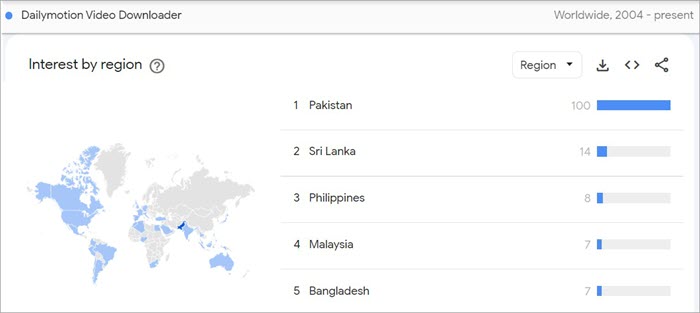
Expert Advice: While looking for the best Dailymotion Video Downloader, the first thing that you need to keep in mind is the download format. Most of the tools will allow you to download in MP4. However, having other options like AVI, WMV or LFV will make it beneficial.
The next key thing is the platform to use the tool. Some of them will have a browser operation and some of them might have an application just for you to download the videos. You might also find a Chrome extension medium for downloading videos.
Some other key things that you need to look for are the available platforms like OS and the limit to download videos. You can also look for the ratings and prices of the tools that you will use.
What is a Dailymotion Downloader?
A Dailymotion downloader is a specialized digital tool that can be used either online, on a computer, or on a mobile phone to retrieve videos from the Dailymotion website. While it is mostly a streamer, the downloader allows you to get rid of continuous internet access by downloading the content straight to your device.
Regardless of whether you choose a standalone Dailymotion video downloader application or an online converter, the typical process is the same. It starts with the URL parsing of the video to give you several options for downloading in different formats, including MP4, MKV, and MP3 audio.
Why You Need a Dailymotion Video Downloader
While streaming is convenient, it isn’t always reliable. Here’s why many users prefer downloading:
- Zero Buffering: Watch your favorite 1080p or 4K content without buffering.
- Save Your Data: Download videos via WiFi and save mobile data.
- Watch Ad-Free Content: No more mid-roll advertisements disturbing you while watching.
- Save Video for Life: Preserve videos from deletion or being taken down.
How to Download Daily Motion Videos Step by Step?
No matter whether you need to make a quick download and save or a high-quality batch downloader, here are the three most trusted ways to download videos from Dailymotion in 2026.
Method 1: Using an Online Downloader (Faster Than Software)
Online tools should be preferred by anyone who needs to quickly save a video without needing to install any software.
- Step 1: Copy the Link: Visit the site and copy the URL of your desired video.
- Step 2: Paste the Link: Paste the link in an online downloading website.
- Step 3: Select Resolution: Select the resolution that you want.
- Step 4: Download: Press the ‘Download’ button and get the video on your computer.
Method 2: Using Browser Extensions (Best for Regular Downloaders)
For regular downloaders, using an extension makes the process easier by embedding a “Download” option on the Dailymotion website.
- Install the Extension: Install Video DownloadHelper (available for Firefox and Chrome browsers) or FetchV.
- Go to the Video: Load the Dailymotion video that needs to be downloaded.
- Check for Media: Activate the extension through its icon in the browser’s toolbar; it automatically detects the video stream, including HLS chunks.
- Download the Video: Choose the highest bitrate and click “Download”; the extension then combines the HLS chunks into one MP4 file.
Method 3: Using Desktop Software (Best for 4K & Playlists)
For the highest quality (up to 8K) and the ability to download entire playlists at once, dedicated software is superior.
- Download & Install: Install a trusted tool like 4K Video Downloader Plus or SnapDownloader.
- Paste Link: Click the “Paste Link” button within the application.
- Configure Settings: Choose the format (MP4/MKV) and resolution. You can also extract just the audio as an MP3.
- Batch Download: If you pasted a playlist link, select “Download Playlist” to save all videos simultaneously.
15 Best Dailymotion Video Downloaders to Save Videos (2026)
Online Web-Based Downloaders
Best for users who want a “no-install,” one-click solution from any browser (PC or Mobile).
#1) FastSaveNow
Best for fast, browser-based, and ideal for quick one-off downloads.
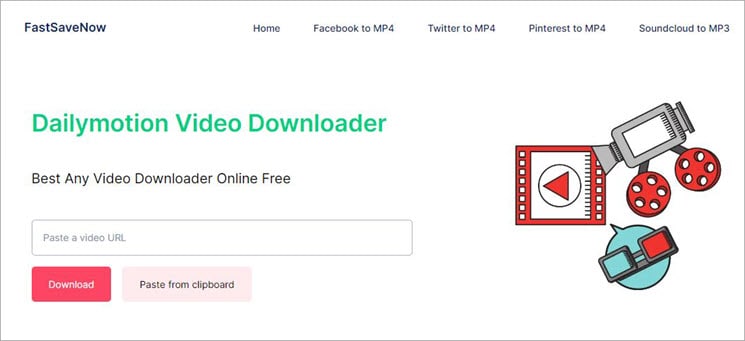
FastSaveNow is one of the most efficient and versatile online video downloaders that is designed in such a way that it supports a wide range of platforms. Certainly! You can use it to download videos from Dailymotion, YouTube, Telegram, Facebook, and more. This will offer you universal device support. It works on Android, PCs, and iOS devices.
What I like about this app is that it requires no kind of sign-up or registration. All you need to do is install this app. The interface is quite simple, so it takes a lot less time to download and convert videos.
You will enjoy peace of mind as it offers reliable and safe services. You can download and convert videos securely and safely.
Features:
- Free download service
- Supports multiple video formats
- No sign-up required
- Safe downloading process
- Fast download speed
How to download a Dailymotion video using FastSaveNow?
Follow these steps:
- Open the Dailymotion app and search for the videos that you want to download.
- Click to open the video and copy the link of the same.
- Now open the FastSaveNow website using any operating system on any preferred device.
- Then paste the copied link into the box.
- Click on the Download button to download the video.
- You can choose the resolution and the format.
- Your videos will be downloaded and saved on your preferred device.
Pros:
• By clicking on the video or photo, media can be downloaded.
• Multiple videos or an entire album can be saved at once.
• It supports various social media platforms and can download media directly from web pages.
• Media is saved directly to your device’s local storage for offline viewing.
Cons:
• No integration with official social media apps. Log in to your accounts is required through its internal browser.
• Installation requires you to enable “Unknown Sources” on your device, which can create a security risk as the souce is unknown.
Ratings: 5.0/5
Price: FastSaveNow is available to download for free.
#2) AIO (All In One) Downloader
Best for supporting multiple platforms; great for users who switch between Dailymotion and social media.
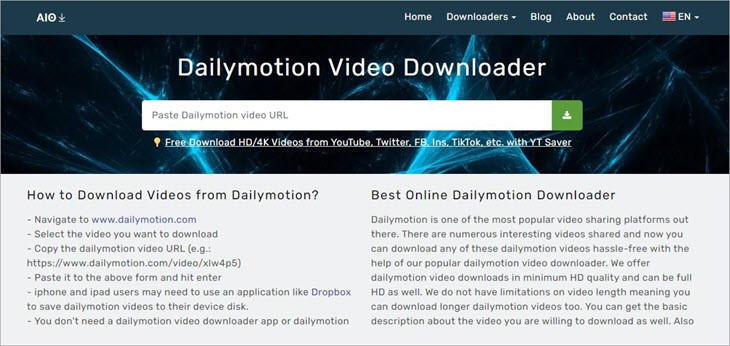
While talking about Dailymotion video downloading apps, I found out about the AIO video downloader. If you compare it with other apps, then this will offer you greater video quality. You can choose a resolution of up to 1080p.
Apart from that, I like how easy the downloading process is, along with the speed. If your devices are connected to a good network, then you will see the super fast speed in terms of downloading as well as analyzing. The app is free of cost and gives you a hassle-free downloading experience.
There is no requirement for any third-party app, and it is best that you have a one-click download feature too.
Features:
- The very easy download process
- Features a completely secured network
- Speedy download process
- One-click download feature
- HD videos supported
How to download the Dailymotion video using AIO?
To download Dailymotion videos using AIO, follow these pretty easy steps:
- Open the video you want to download.
- Copy the link from the video.
- Now open the AIO app and put the link on the search bar.
- Click on the download button.
- You can choose the video format and resolution.
- It will download as well as save your video on your desired device.
Ratings: 4.9/5
Price: AIO is available to download for free.
Website: https://allinonedownloader.com/dailymotion-video-downloader.php
#3) SaveTheVideo
Best for a high-quality online converter known for handling 1080p links well.

If you are looking for a Dailymotion video downloader app, then you can check out SaveTheVideo. No matter what device you are using, you can go to SaveTheVideo and download videos from Dailymotion. I like how amazing the interface is, and it is quite simple to use.
A great feature of this app is that you can convert an entire Dailymotion playlist. However, you need to proceed with the video downloading task one by one. The product comes with a quick share feature that will let you share download videos on different platforms.
With the help of this platform, you can export videos even in HD and 4K resolutions. This is designed to work well with a variety of devices, so you won’t have any trouble.
Features:
- Can easily compress videos
- Allows you to edit videos
- Export HD and 4K videos
- Quick share feature
- Wide compatibility
Pros:
- Record live videos
- Convert your videos
- Features bulk download
Cons:
- Minor technical errors may arise
Ratings: 4.7/5
Price: SaveTheVideo is available to download for free.
Website: https://www.savethevideo.com/dailymotion-downloader
#4) Davapps Dailymotion Video Downloader
Best for a dedicated web tool specifically optimized for Dailymotion’s architecture.

The Davapps Dailymotion Video Downloader is a great video-downloading app that has a user-friendly interface. What I like about this app is the fact that it supports MP4 format. The app is easy to use as it allows you to simply copy and paste the video link and click the download button.
Apart from that, the app will let you download videos in several formats and resolutions. This will let you support multiple browsers with great downloading efficiency.
Features:
- Copy and paste to the video link
- Mp4 format supported
- The very simple download process
- User-friendly interface
- Free to use
Pros:
- Multiple browsers supported
- Amazing performance
- Successful download efficiency
Cons:
- Glitches may occur sometimes
Ratings: 4.6/5
Price: Davapps Dailymotion Video Downloader is available to download for free.
Website: https://davapps.com/
#5) Small SEO Tools Video Downloader
A reliable, ad-light utility from a trusted suite of web tools.
Best for any format. You can download the videos by placing the link.
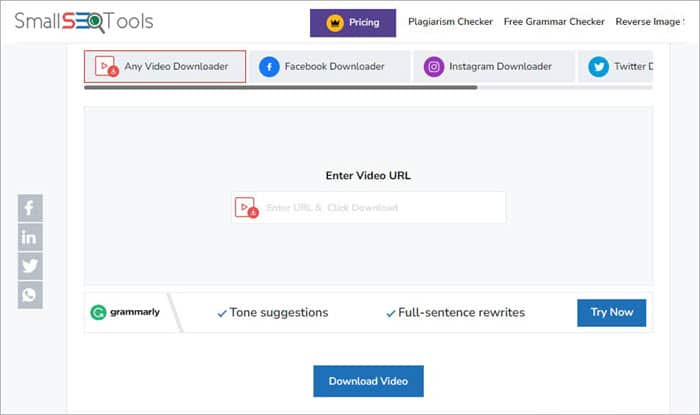
The Small SEO Tools Video Downloader is yet another video downloader and converter. It is software that allows you to download your favorite videos from Dailymotion and other websites such as Facebook, YouTube, Twitter, and more. The best thing about this app is that there will be no watermarks on the videos.
What I like about this software is the simple and easy-to-use interface. This will not require any kind of login or sign-up. This will let you convert videos into different resolutions and formats.
Features:
- No watermarks on videos
- Amazing user interface
- Requires no login or sign-up
Price: A small SEO tool is available for free download.
Website: https://smallseotools.com/online-video-downloader/
Dedicated Android Apps
Best for mobile users looking for a permanent app to save videos directly to their gallery.
#6) VideoHunter for Android
Best for: The “gold standard” for mobile; features a built-in browser and high-speed downloading.
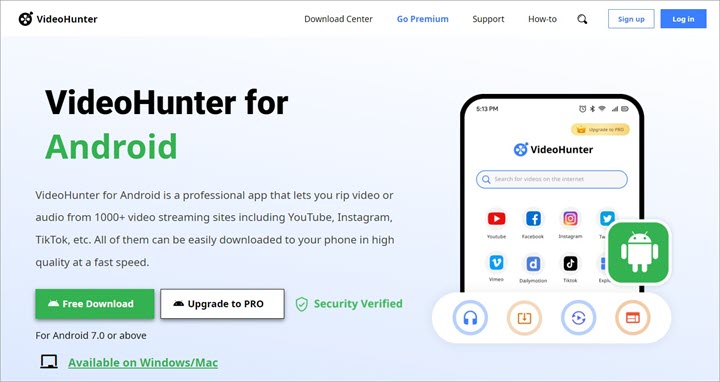
Talking about VideoHunter for Android, it is one of the leading video-downloading apps. You can download videos from several sites, including Dailymotion, Facebook, Instagram, YouTube, Twitter, TikTok, etc. You can convert online videos into MP4 or MP3, with various resolutions including 2K, 4K, and UHD 8K.
This Dailymotion video downloading app will let you download any playlist and video without any restrictions. What I like about this app is the security it offers, so that you don’t have to worry about privacy. It comes with an in-built web browser that allows direct access to Dailymotion videos. As a result, you can watch anywhere you want at any time.
Features:
- Secure server
- Superb download speed
- Great performance efficiency
- It has a batch download feature
- Simple user interface
Pros:
- Easily share videos
- 100 percent safe server
- Maintains data privacy
Cons:
- Not all features are present in the free version
Price: VideoHunter for Android is available for pricing plans of $14.95 per year.
Website: https://www.videohunter.net/videohunter-for-android/
#7) VideoHunter (Mobile Version)
Best for: Often used interchangeably with its Android-specific counterpart for high-res mobile saves.
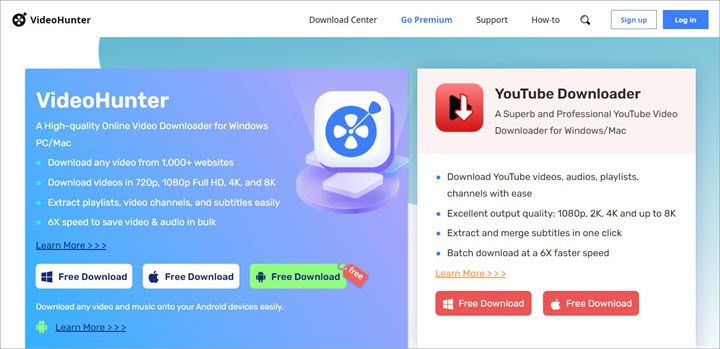
VideoHunter is one of the best Dailymotion video downloaders that is currently available online. You can convert all the Dailymotion videos to MP4 in full HD, HD, as well as Ultra HD. The best thing about this app is that you can download videos from different platforms, such as YouTube, Twitter, TikTok, Instagram, and more.
In addition, the videos can be downloaded in various resolutions, including 720p, 1080p, 2K, 4K, and even up to 8K. What we like most about this app is that it will let you download several videos at the same time. The downloading process seems quite easy and has a user-friendly interface.
You can expect to have higher efficiency while downloading videos at around 6X faster rate. You can download and convert audio to MP4 and MP3. This will let you stream audio from sites such as SoundCloud, TED, YouTube Music, Vevo, etc.
Features:
- Easily extract playlists
- Download videos with subtitles
- Great download speed
- Simple download method
- Online download service
How to download the Dailymotion video using VideoHunter?
Follow these steps:
- Go to the Dailymotion website and choose the video you want to download. Then copy the URL from the address bar. You can click on the Share button as well.
- Now open VideoHunter and then sign in with your account. Paste the link to the search bar and then click the Analyze button.
- Once the VideoHunter is done converting the video, you will get some formats to choose from.
- Then you are done with the downloading process.
Pros:
- Superb video quality
- Batch download feature
- Available for free
Cons:
- Lag issues may occur
Ratings: 4.8/5
Price: The pricing plans are:
- Basic: Free/1Device
- Monthly: US$14.95/1 Device
- Yearly: US$39.95/2 Devices
Website: https://www.videohunter.net/
Professional Desktop Software (PC/Mac)
Best for: Power users who need 4K quality, batch downloading (entire playlists), and higher security.
#8) 4K Video Downloader
Best for the most famous tool for high-resolution saves; extremely reliable in 2026.
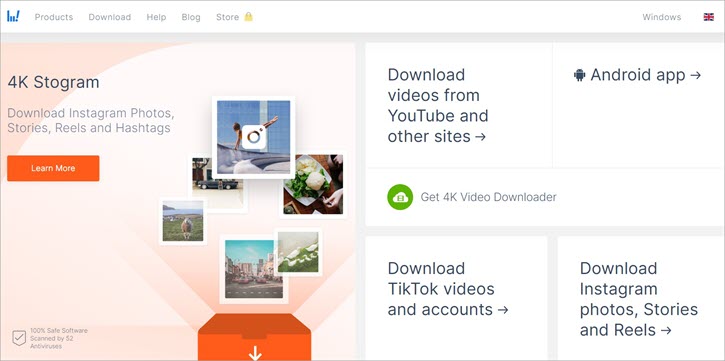
The 4K Video Downloader is yet another free video downloader that you can use to download Dailymotion videos. It comes with a simple and user-friendly interface. What I like about this app is that it allows you to download videos from several other platforms, such as TikTok, Vimeo, YouTube, Facebook, and more.
Moreover, you will be able to download videos of higher quality. You can download Dailymotion videos in HD 720p, HD 1080p, 4K, as well as 8K resolutions. All you need to do is copy the URL and paste it into the app to download and save.
This will support around 50-plus languages, and you will be able to download subtitles as well as annotations with YouTube videos.
Features:
- Available for Android also
- Simple video conversion feature
- Use this download service for free
Price: The 4K Video Downloader is available to download for free.
Website: https://www.4kdownload.com/20
#9) SnapDownloader
Best for top-tier speed and 8K support; has a built-in video trimmer.
SnapDownloader is yet another great platform that will let you download videos from Dailymotion. What I like about this app is that it will let you download videos for around 8K resolution. You can download videos from different websites such as YouTube, Twitter, Facebook, Vimeo, and over 900 websites.
The best thing about this app is that it will offer you 24×7 customer support along with free lifetime upgrades. It is available for both macOS and Windows operating systems. It will allow you to download videos super fast, and you will convert the videos into MP4 or MP3 easily.
Features:
- Equipped with an in-built video trimmer
- Cross-platform support
- Scheduled downloads feature
Price: SnapDownloader is available at the following pricing plans:
- 1 computer at $29.99
- 3 computers at $54.99
Website: https://snapdownloader.com/
#10) Allavsoft
Best for technical users; includes a screen recorder and a file merger.
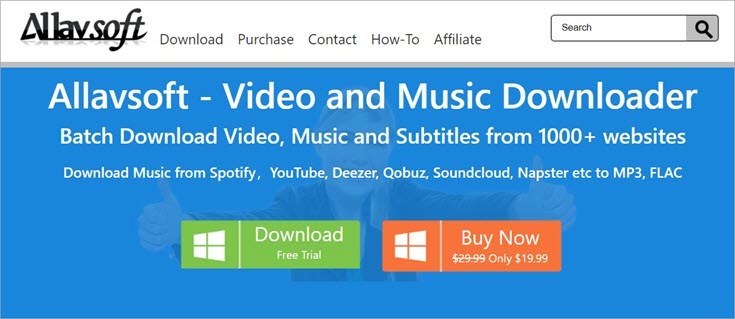
Allavsoft is one of the most well-known Dailymotion video downloaders available online. It has a pretty easy-to-use interface and will offer you a professional experience. What I like about this app is that you can do batch downloading of videos, music files as well as subtitles.
This app permits you to download from several websites, such as Vimeo, Twitter, YouTube, Instagram, Dailymotion, and more.
The app comes with a Record option. This supports both Mac and Windows versions. The downloading process seems pretty easy, and you can extract audio from all kinds of videos. Overall, you will have a great downloading experience with this app.
Features:
- Two-step download process
- Very simple UI
- Download videos with ease
- Supports a wide variety of formats
- Extract audio from videos
Pros:
- High-speed download feature
- Preview videos
- Convert videos without any hindrance
Cons:
- Small errors may occur
Price: Allavsoft is available at the pricing plan of $14.95.
Website: https://www.allavsoft.com/
#11) CleverGet
Best for: a “browser-in-an-app” that can download almost any streaming video, including live streams.
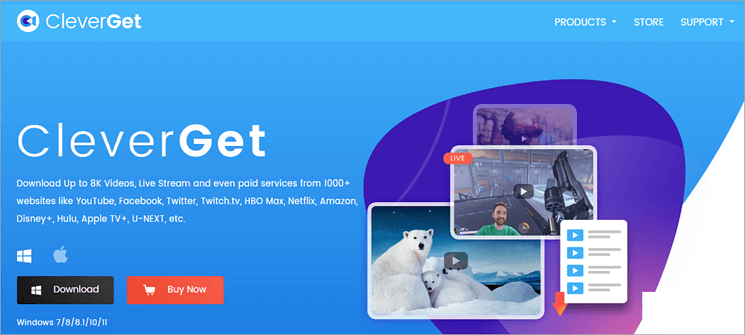
CleverGet is one of the most popular video downloaders available online. It is popular because of its simplistic as well as its intuitive design. This is probably pretty easy to use and will offer a smooth downloading process.
Most importantly, it supports playlist downloading as well as offers video info extraction. Yes! You can download an entire playlist of your choice and a video with around 320 Kbps of audio.
Features:
- Equipped with built-in browser
- 4K video quality supported
- Smooth download process
Price: CleverGet is available to download for free.
Website: https://www.cleverget.com/
#12) iTube HD Video Downloader
Best for: Focuses on high-speed “Turbo” downloads and multi-format conversion.
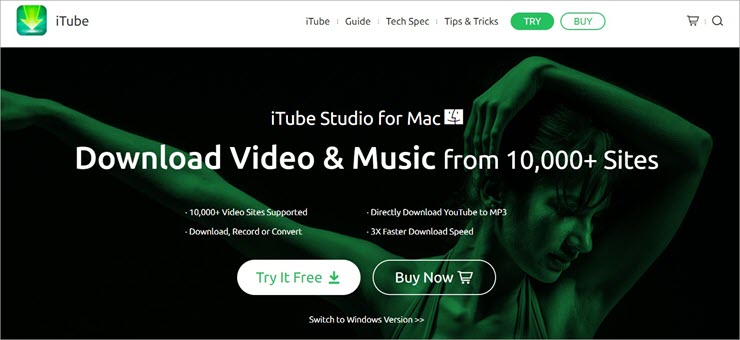
The iTube HD Video Downloader is a great app for downloading videos from different platforms. This comes with an inbuilt YouTube converter that will let you convert videos to MP4, HD PM4, PM3, 4K, and more. What I like about this app is that it will let you convert videos into MP3, and you can download an entire playlist at once.
What more you can expect from this app is to have a 3X faster download speed. It takes a lot less time to download your favorite videos. The video conversion process seems super easy.
Features:
- 3X faster download speed
- Allows easy video conversion
- Direct download feature
Price: iTube HD Video Downloader is available at a pricing plan of $29.99.
Website: https://itube.aimersoft.com/
#13) Freemake Video Downloader
Best for a classic, user-friendly choice for beginners (though some features require a premium upgrade).
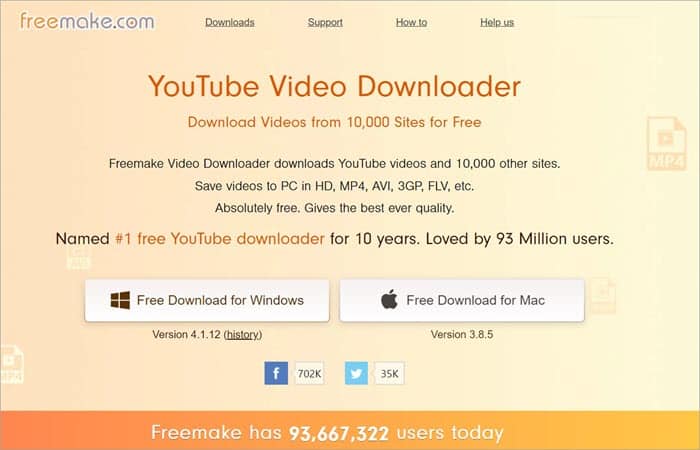
The Freemake Video Downloader is one of the easiest and quickest downloaders available online. You will download videos using this app for free. What we like about this app is that you can download videos from over ten thousand websites. Some of them include Facebook, Twitch, Dailymotion, and more.
Apart from that, the app allows you to download and convert videos in a huge range of formats, such as MP4, AVI, MP3, and FLV. You can set a speed limit, which is great. You can access the parental control feature.
Features:
- Simple and fast download service
- Broad compatibility
- Parental control feature
Price: The Freemake Video Downloader is available to download for free.
Website: https://www.freemake.com/free_video_downloader_splendid/
#14) YTD Video Downloader
Best for a lightweight, legacy tool that is simple and effective for basic MP4/MP3 needs.
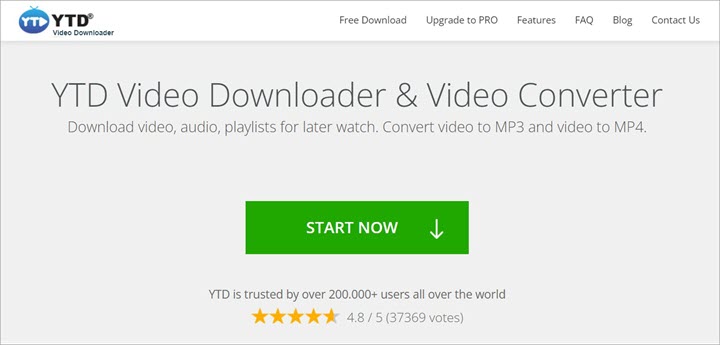
The YTD Video Downloader comes with an ultra-fast speed that allows you to download videos super fast. What I like about this app is that you can easily download videos from different websites such as Bing Video, YouTube, Facebook, and more.
One of the best things about this YTD video downloader is that you can convert all the videos to iPad or Android format. It will make it easy for you to view on mobile devices. The download speed seems quite good, and it supports 8K video quality too.
Features:
- Unlimited download feature
- 8K video quality supported
- Ultra-fast speed download
Price: The YTD Video Downloader is available to download for free.
Website: https://www.ytddownloader.com/
Browser Extensions
Best For: Users who want a “Download” button to appear directly on the Dailymotion page.
#15) Video Downloader Plus
Best for: A popular Chrome/Edge extension that detects video files as you play them
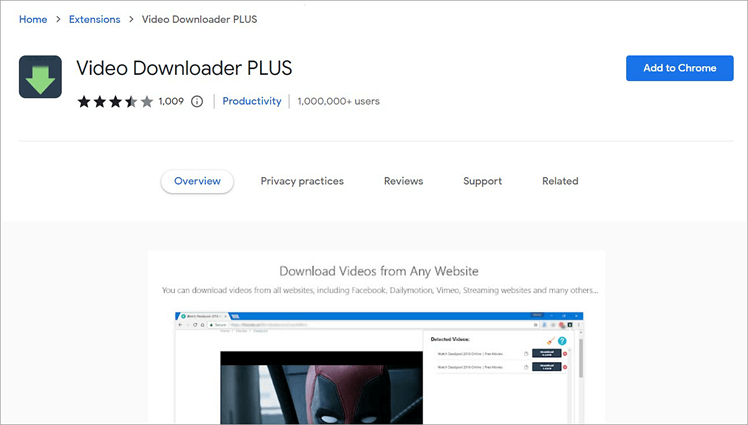
Talking about Video Downloader Plus comes with an easy process to download videos from several websites. Some of them include Twitter, Facebook, Instagram, Dailymotion, and more. What I like about this app is that you can download and convert videos online from any web page, and you will even have support for the Chrome extension.
Apart from that, this app will offer no limit in case of downloading videos and everything for free of cost. The app is easy to use and comes with a user-friendly interface so that you can smoothly download and convert videos as per your needs.
Features:
- It can download multiple videos
- No limit on the number of downloads
- Easy to interact with UI
- Amazing compatibility
- Free service
Pros:
- No Ads at all
- Safe and secure server
- No audio issues
Cons:
- Glitches may occur while recording live streams
Price: Video Downloader Plus is available to download for free.
Website: https://chrome.google.com/webstore/detail/video-keeper-plus/njgehaondchbmjmajphnhlojfnbfokng?hl=en
Comparison Table of Top Downloaders for Dailymotion Videos
The table below provides a side-by-side comparison of the best tools available for downloading videos from Dailymotion. The table highlights key features such as supported formats, download speed, and platform compatibility to help you pick the right downloader for your needs.
| Tool Name | Best For | Download Format | Platform | Ratings |
|---|---|---|---|---|
| FastSaveNow | Batch conversion of videos | MP4, AVI, WMV, 3GP, FLV, SWF | Browser | 5.0/5 |
| AIO | Download HD videos to your device | MP4 | Browser | 4.9/5 |
| VideoHunter | One click conversion and download of videos | MP4/MP3 | Application | 4.8/5 |
| Savethevideo | Bulk download of videos easily | MP4, AAC, MP3 | Browser | 4.7/5 |
| Davapps Dailymotion Video Downloader | Free video downloading format | MP4, MP3 | Browser | 4.6/5 |
How to Download Dailymotion Videos on Android
Downloading content to your mobile device is the most popular way to enjoy Dailymotion offline. Whether you want to avoid using data on the go or save a video to your gallery for editing, there are three primary ways to download Dailymotion videos on Android.
Method 1: Using Browser-Based Tools (No Installation)
It is by far the quickest and safest option if you do not want to put any third-party applications on your device.
- Step 1: Open the Dailymotion Video Player and share a video of your choice by tapping the “Share” button followed by the “Copy Link” option.
- Step 2: Access the Chrome or Brave web browser.
- Step 3: Navigate to a site such as SaveFrom.net or ScreenApp.io, enter the URL you have copied, and the utility will provide you with download links available in different qualities, including 360p, 720p, etc.
- Step 4: Click and hold on the “Download” button and choose the option to download a link.
Method 2: Using Downloader Apps (Play Store Options)
Despite Google’s stringent measures that ban YouTube downloaders, numerous “Video Downloader” apps available on the Play Store that allows downloading videos from Dailymotion.
- Install “SealX” or “SnapDownloader”: Look up these highly rated apps from the Google Play Store.
- In-App Web Browser: Most of these applications have an embedded web browser. Just log in to Dailymotion through this browser.
- “Orange Button”: While playing the video, an orange button will light up. Clicking on it reveals quality options.
- Immediate Download: These applications provide quick downloads with their multi-threaded system.
Best Android Apps for Dailymotion (2026 Power Picks)
The best Dailymotion video downloader apps for Android for 2026:
- Seal Plus (Open Source): You can download Seal Plus from GitHub, and this one is for pros, as it is an ad-free app, supports up to 4K quality, and makes use of the excellent yt-dlp engine, which ensures success when downloading Dailymotion videos.
- VideoHunter for Android: This is a premium-looking app with fast downloads, and supports multiple downloads together.
Dailymotion Downloader Not Working? Fix It Fast
Is there any problem with your Dailymotion video downloader? Due to some updates in Dailymotion security and API in early 2026, many older software programs have stopped working (such as the old 4K Video Downloader or previous versions of Y2Mate).
Here’s what to do if you are getting an error like “Video Not Found” or “Failed to Fetch”.
Fix URL Errors (Link Not Found):
- Check the Link: Make sure that you use only the direct link to your video because this is the reason for the above-mentioned errors.
- Age Restrictions: Try applications that provide account access since they allow checking whether you meet the requirements to watch the video.
- VPN Issues: You may either turn off the service or change the location to download the video successfully.
Fix Format Issues (m3u8 & HLS Streams):
- Update Your Software: Make sure you have the latest software version as it allows better compatibility with streams from Dailymotion. Old versions do not work well when processing HLS format videos.
- Use Advanced Tools: Pick the tools that use FFmpeg and thus enable merging the audio and video streams without problems. Ordinary tools will hardly cope with that.
- Clear Browser Cache: In case you use browser extensions, empty the cache to eliminate any old data stored there.
Fix Server/Tool Errors (403 Forbidden):
- Use Incognito Mode: Use an incognito window for the download process since it might solve any issues with the download process and the problem will go away.
- Use Advanced Tools: Advanced tools that have browser impersonation capabilities won’t be detected and blocked since the tool imitates human activity.
- Restart & Retest: If blocked from downloading the video, wait a bit or use a different download tool since high traffic causes the rate limiting.
Is It Legal to Download Dailymotion Videos?
The short answer is: It depends on the content and your location. The act of downloading videos via third-party tools exists in a legal “grey area.”
To understand the risks, you must distinguish between the Platform’s Rules and Copyright Law.
It is essential to know about the limits imposed by the law when learning how to download videos from Dailymotion.
- Personal Versus Commercial Use: Downloading videos for personal consumption is generally a “grey area”; however, uploading or distributing such downloads constitutes a violation of copyright laws internationally.
- Terms of Service: According to Dailymotion’s Terms of Service, videos are supposed to be accessed for streaming purposes only. The use of third-party applications, which allows downloads, breaches the site’s terms of service; hence, their nonavailability on the Google Play Store.
- Safe Practices: It is essential to remain within legal limits by downloading content from sources like public domain, works licensed under Creative Commons license, or videos for which you have got written consent from the original owner.
Best Format to Download Dailymotion Videos
In case you make use of a Dailymotion downloader, chances are that you will come across various formats in which your downloaded video will be stored. The choice of the format should be based on the user’s preference to clear videos or small files.
MP4 vs MP3: Choosing the Right Format
- MP4 Format (Video and Audio): Suitable for those who wish to enjoy their videos along with sound and picture qualities. This format is supported by almost all devices and provides a decent quality to size ratio.
- MP3 Format (Only Audio): Recommended in case of music or speeches as it saves video and reduces the size of the file.
HD vs SD: Which Should You Choose?
- High Definition (HD) – 720p, 1080p, 4K: Provides excellent clarity in visuals, text, and color. The optimal choice among all three is 1080p.
- Standard Definition (SD) – 144p, 360p, 480p: Provides average clarity, downloads faster, and takes less storage space than HD.
Frequently Asked Questions of Dailymotion Video Downloaders
1. How do I download videos from Dailymotion for free?
The fastest free way is to use a web-based tool.
• Get the Dailymotion video URL.
• Paste the link into a online downloader website as mentioned above.
• Select quality (720p or 1080p) and click Download.
• If you want an open source application that doesn’t contain any ads, then for 2026 it’s best to go for desktop programs such as yt-dlp.
2. Which is the best Dailymotion video downloader?
As of 2026, the “best” depends on your device:
• Best overall (PC/Mac): 4K Video Downloader Plus. This program is the most reliable when bypassing the 2026 security updates of Dailymotion and supports 4K/8K resolution.
• Best for Android devices: Seal Plus (available from GitHub) or VideoHunter for Android.
• Best online (without installation): SaveTheVideo.
3. Can I download Dailymotion videos on Android?
Yes. You can either use a mobile browser (like Chrome or Brave) to visit an online downloader site or install a third-party app.
Method: Tap on the video URL and copy it from the Dailymotion app, paste the copied link into the mobile web browser downloader website, and tap and hold the “Download” button.
4. Why is my Dailymotion downloader not working?
In early 2026, Dailymotion made changes to its HLS encryption. If your software doesn’t work, it may be due to:
• Outdated Software: You need an updated version that allows you to “stitch” video pieces. Update the application.
• Banned IP Address: Your software’s IP address has been banned by Dailymotion. Get a new software or use a VPN.
• Membership Required: Private and age-restricted videos demand a sign-up process. Utilize SnapDownloader as it features a built-in browser.
5. Is it legal to download Dailymotion videos?
Downloading for personal use in offline mode falls under the category of “grey area” although it does not involve any sort of penalties. Nevertheless, downloading copyrighted material (films, TV series, music etc.) without consent or for the purpose of distributing such downloads commercially is illegal and constitutes violation of Terms of Service of Dailymotion.
Conclusion
The best Dailymotion Video Downloader comes with a decent platform for downloading videos and getting the best result. The best ones allow you to compress and download the videos without losing the resolution. It is great for you to have a good video downloader tool that will allow you to download videos of any length and with any resolution.
While reviewing, we found that FastSaveNow is the best Dailymotion Video Downloader available in the market. It comes with the ability to download videos in almost all formats and you can use the browser as well. Some other alternatives are AIO, VideoHunter, SaveTheVideo, and Davapps Dailymotion Video Downloader.
Best Ones in a Nutshell:
- Dailymotion Playlist Downloader: FastSaveNow
- Dailymotion Video Downloader Chrome: AIO
- Dailymotion download for PC: VideoHunter
- Dailymotion Downloader mp4: Savethevideo
- Dailymotion Videos online: Davapps Dailymotion Video Downloader
- Dailymotion to mp3: Video Downloader Plus
- Dailymotion Video download 720p: Freemake Video Downloader
- Dailymotion Video Download Fast: VideoHunter for Android
Research Process:
- Time taken to research this article: Approximately 90 hours were spent on comprehensive research, evaluation, verification, and final preparation to ensure accurate and reliable information.
- Total Dailymotion Downloaders researched: 38
- Top Downloaders shortlisted: 15
For more Video Downloader-related guides, you can explore our range of tutorials below:
- 10 Top Video Downloader for Chrome (2026 Rankings)
- Top 10 Free Video Downloader Apps For iPhone & iPad In 2026
- The Top 10 Video Grabber Tools To Download Videos In 2026
- Top 10 Best Free Instagram Video Downloader For 2026
- 14+ BEST Free YouTube Video Downloader Apps (2026 SELECTIVE)
- How to Download Video from Vimeo
Was this helpful?
Recommended Reading
-

Review of Top YouTube Video Downloader Apps with Features, Pricing & Comparison. Select the Best Free Online YouTube Ripper for PCs to Download YouTube Videos: YouTube is the most-watched video streaming website. Launched in 2005, the online video platform features a wide variety of content, including TV clips, educational videos,…
-

Here is the comparison of the most popular Online Video Downloader Apps for iPhone and iPad, and we selected the best for iPhone, iPad, and YouTube Video Downloader Apps. Finding a reliable video downloader for iPhone isn’t as straightforward as it seems. Unlike Android, Apple’s iOS ecosystem has strict policies…
-
This Tutorial Reviews the Best Laptops for Video Editing With Features, Pricing & Comparison to Help You Select the Best Laptop per Your Need: Ever heard this parable, visualization is better than text. If so, then you understand the importance of video as content in today’s modern age of cutting-edge…
-
This tutorial reviews the top TikTok Video Downloader with comparison to help you download your favorite TikTok videos for watching offline: TikTok has become a sensation within a very little span of time. It was founded in China in the year 2016, with the name 'Douyin'. In 2017, the Chinese…


