


Need a Remaker AI face swap free online tool? Check out our comprehensive review, including free credits, AI Face Swap, video face swap and best alternatives.
But is Remaker AI face swap totally free? and how does it compete with other leading brands? When looking for Remaker AI, you probably wonder: Is Remaker AI’s face swap really effective, and does its free version deserve attention?
We tested Remaker AI’s abilities to swap faces, learned about its major features, reviewed both free and paid versions, and compared Remaker AI with similar face swap AI software.
Our hands on review will reveal what Remaker artificial intelligence can do and whether Remaker AI is good enough for your photo and video face swaps? and also what it is not good at, which free tools you can use alternatively.
Is Remaker AI Good for Face Swapping?
Yes, Remaker AI is an Web-based AI software that performs face swapping with free credits in a single, multiple, or batch manner. This software performs swapping in photos and videos. Nevertheless, it is important to note that the outcome from using this software may depend on certain aspects such as face angle, lighting, and other factors.
Remaker AI Review 2026: Face Swap and Hands on testing Results
Remaker AI is an AI-based creative tool that provides various AI tools like face swapping to generate images and videos.
In this Remaker AI review, we have tested the ability of the face swap feature to analyze and assess its efficiency in practical usage and not only its features.
Further Reading => Top-Rated Artificial Intelligence Software
Our testing included parameters that are important for the users such as accuracy of face swapping, output quality, realism, speed of processing, user-friendliness, and processing of images with various aspects (face angles, lighting, quality of the image, images with one or several faces).
We needed to find out how Remaker AI works with each of them. In this review, we will describe the main features of Remaker AI, its pricing, user-friendliness, results of hands-on testing, limitations, and alternatives.
Here is the Legal Disclaimer they have added on their website, so you need to be careful while using the tool and follow all the legal guidelines:
What is Remaker AI?
Remaker AI is an online platform for visual creativity based on AI technologies that allows its users to create and edit images and videos. This service is mostly known for AI-based face-swapping functions, which enable users to change faces in any image or video to the one generated by AI. Apart from that, it also features such functions as image generation, background removal, image editing, and others.
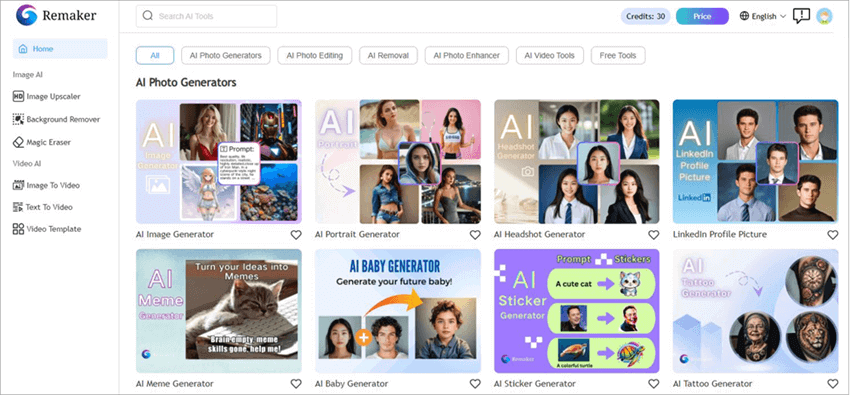
Remaker AI service is aimed at those people who need to create visual content but do not have any professional skills in photo and video editing. All the functions of Remaker AI are available through a web browser.
Having learned what Remaker AI is, it is time to learn how you can use it effectively to make memes, insert yourself in a famous movie scene, or just enjoy the company of your friends..
How to Use Remaker AI Face Swap
Swapping faces with this AI remaker is probably the easiest thing some of you’ll be doing in life. The platform’s user-friendly web-based interface ensures you aren’t lost and done with the face-swap in a couple of quick steps. So, here’s how you use it:
1. Open Remaker AI Face Swap on your computer.
2. Upload the Original Image and the Target Image.
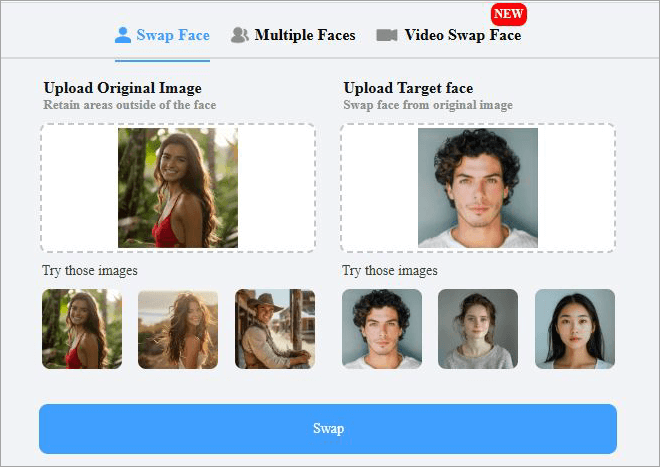
3. Finally, hit the giant blue “Swap” button below and wait for the results.
4. Preview the image.
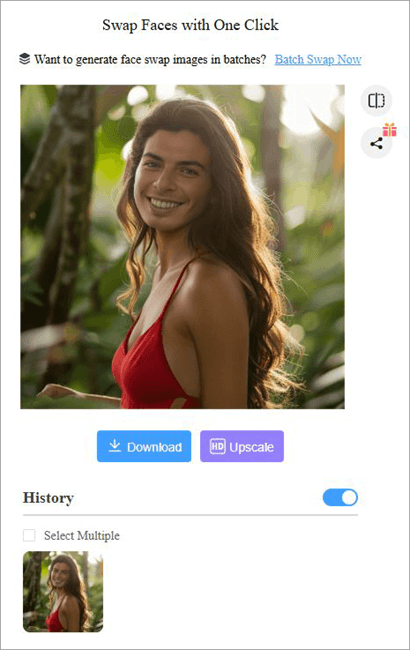
5. You can now choose to upscale the image’s quality or download it right away.
It is that simple, and the best part is that you don’t have to pay a dime to face-swap an image. Moreover, no need to sign up or register as well. Of course, you won’t be able to perform face-swaps on videos or access other interesting features offered by Remaker AI with the free plan.
Remaker AI Features: What Can You Do?
1. Photo Face Swap
Photo Face Swap is a popular tool provided by Remaker AI. Photo Face Swap is an app that can be used to swap faces on a photo very quickly by means of using facial recognition technology.
The user just has to upload his target photo and the face that he wishes to replace with in seconds and the AI would do all the work for him.
2. Multiple Face Swap
This is one of Remaker AI’s most endearing features, at least for me. It is one thing to swap a single face in an image, but being able to swap out multiple faces in what could be a group photo is an accomplishment. Remaker AI manages to do this flawlessly. Here’s how you do it:
1. Upload the image you want to change faces on.
2. Upload the target face pictures and align them with the faces you want swapped out.
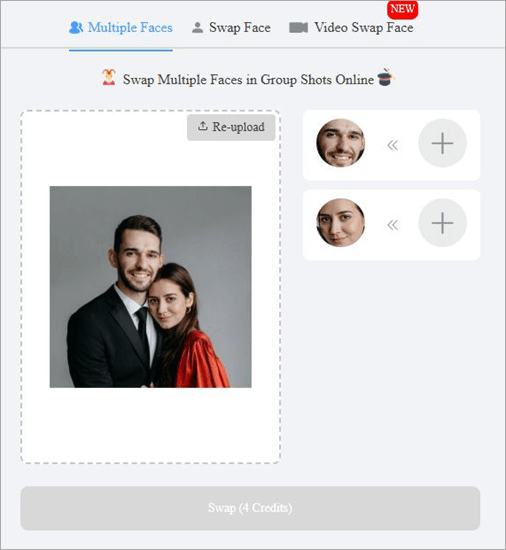
3. Finally, hit the “Swap” button.
4. Hit “Download”.
2. Batch Face Swap
Another amazing feature in Remaker AI is the ability to perform a “Batch Swap”. This means you can swap the faces in multiple images in one fell swoop. Remaker AI lets you upload up to 50 images alongside a lone target image. Once you’ve uploaded the images and hit the “Swap” button, the faces on all of these images will be replaced.
3. Video Face Swap
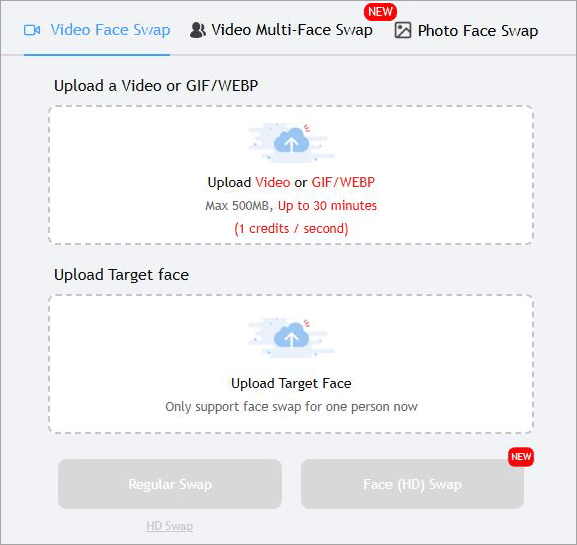
Besides swapping faces in an image, Remaker AI also lets you swap out faces in a video. Imagine having your face planted on the face of an actor in one of your favorite movie scenes. This fascinating feat is possible and easy to accomplish with Remaker AI.
All you have to do is upload a video and an image with the face that will be placed in the video. Just make sure the video isn’t longer than 30 minutes or larger than 500 MB in size.
4. Image Upscaling
Before you download a face-swapped image, you will be presented with an option to upscale that image. If you have an image in SD quality, you can use this AI image remaker to upgrade the picture quality to crystal-clear high-definition. This isn’t a free feature, though, and you’ll have to purchase credits to make use of it.
5. Art Generation
Remember those Ghibli-style images that were going viral just a few months ago. You can use Remaker AI to have your image converted into a Ghibli or any other popular art form. Remaker AI apparently makes use of multiple advanced AI image models to enable this effect.
Whether it is converting your image into a cartoon or Anime, Remaker AI will let you do that without hassle.
Further Reading => Best Online Photo Video Maker Tools
6. Talking Photo
If face-swapping doesn’t satisfy your heart, perhaps you can try modifying your photo even more by applying realistic lip-sync effects to it. Remaker AI can modify your image to make it appear as if the subject in that picture is talking. You can make a still image sing, emote, or tell a story.
How We Tested Remaker AI
We adopted methodology that approach measures how Remaker AI’s deep learning vision algorithms handle variable facial geometry, lighting, and diverse input file types.
- Images tested: 35 images in high resolution (1080p to 4k) for both source and target pictures, as well as 5 MP4 video clips (duration between 10 seconds and 30 seconds).
- Number of Tests: 8 unique testing scenarios testing one-shot rendering, multiple subject alignment and motion tracking.
- Image Resolution: Tested at different source resolutions—from low dpi mobile uploads up to 4k studio headshots.
- Face Angles: Different pitch, yaw and roll angles between 0° (straight face) to 75° (extreme face tilt angle).
- Lighting: High contrast studio light, harsh sunlight, dynamic shadows and low ambient light.
- Multiple Faces: Group photos where there are between 2 to 6 people in each shot to test spatial recognition and mapping capability.
- Output Quality: Based on facial likeness, texture detail retention, jawline blending, skin tone consistency and artifacts on hair/accessories.
Overall Face Swap Quality Score
| Category | Rating | Notes / Analysis |
| Ease of Use | 9/10 | Drag-and-drop browser UI requiring zero technical skills or manual masking. |
| Face Similarity | 8/10 | High preservation of key structural features (eyes, nose, mouth geometry). |
| Realism | 7.5/10 | Strong photorealism on portraits; minor artificial skin-smoothing effects. |
| Edge Blending | 7/10 | Clean blending along smooth skin; slight blurriness around complex hairlines. |
| Expression Matching | 8/10 | Successfully mimics target expressions (smiles, open mouth) onto source facial structure. |
| Multi-Face Performance | 8.5/10 | Accurately isolates up to 5+ subjects per image with distinct face mapping. |
| Video Quality | 6.5/10 | Acceptable for basic social clips, but suffers from edge jitter on fast head turns. |
| Processing Speed | 7.5/10 | Fast for images (3–5s); video queues can slow down during peak traffic hours. |
| Overall Score | 7.8/10 | Solid performer for photo edits and memes; limited for pro-grade video work. |
Is Remaker AI Free?
Remaker Face Swap AI is free to use, only if you are going to do single photo face-swaps. You are provided with free credits upon initial sign-up to employ some of Remaker AI’s other features. These credits exhaust quickly. So, I would suggest purchasing credits if you want to use the tool to its maximum potential.
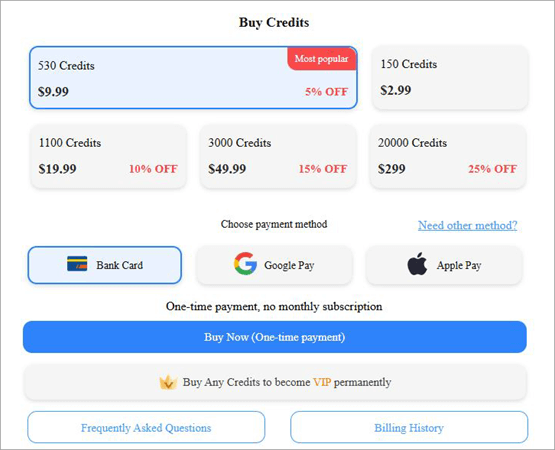
Its credits will cost you as follows:
- 150 Credits: $2.99
- 530 Credits: $9.99
- 1100 Credits: $19.99
- 3000 Credits: $49.99
- 20000 Credits: $299
If you want to use all of Remaker AI’s features for free, try to Google – Remaker AI download APK. You’ll be redirected to an unofficial APK file for Remaker AI. Be wary of such tools. They might serve their purpose well, but they also carry with them some serious risks.
I always recommend paying for the real thing because the value you get should ultimately outweigh the price you pay.
Customer Support
If you run into trouble while using Remaker AI, you could reach out to the support team via email, social media, or by raising a ticket. Although the response time is good, I would’ve still appreciated live chat assistance or direct phone support.
What I Like About Remaker AI Face Swap
- It features a neat, user-friendly interface that makes face-swapping child’s play.
- The processing time is super-fast, with results delivered in seconds.
- The face-swapping is flawless, with the AI seamlessly blending faces.
- You can preview the result in real-time and make adjustments on the fly.
- This is an online tool that works with all browsers, smartphones, and computers.
- There is no loss in picture quality once an image is processed.
What I Don’t Like About Remaker AI Face Swap
- The support isn’t that impressive. The absence of live chat assistance bothered me.
- Don’t expect in-depth customization as the tool lacks fine-tuning capabilities.
Remaker AI Limitations: What You Should Know
Although the tool is good at face-swapping, some users might be bothered by the absence of editing tools for fine-tuning the results. Once the face-swap is done, your ability to customize the image or video is limited.
Suggested Read => Best Photo Editing Software to Look For
Furthermore, the success of your face-swap will largely depend on the quality of your image or video. The results will be lackluster if the image you fed Remaker AI was of poor quality or low resolution. However, you can upscale an image’s quality. I recommend you improve the image’s quality before performing face swaps.
I was also bummed out with the absence of live-chat assistance. Remaker AI should consider making this option available, as responsive support is paramount to an excellent customer experience.
Is Remaker AI Safe and Legit?
Since the process of uploading images and videos occurs on the cloud servers of Remaker AI, it would be better to have a look at the Privacy Policy of the company in order to find out what will happen with your photos and videos after you have uploaded them – are they stored, how long they will be stored, and whether they are going to be used for AI training or transferred to third parties.
Privacy Tips
- Do not upload any sensitive or confidential images.
- Upload only those images that can be edited by you.
- Delete your uploaded images if possible.
- Use the privacy settings while working with personal images.
While working on commercial projects, you should get permission from people whose images are included in the project.
Responsible Use of Face-Swapping Technology
The face-swapping technology powered by AI is a great tool for the responsible user, as it allows producing entertaining images and videos, marketing, educational materials, and artworks. However, this technology also has some ethical and legal issues to consider.
You should ask permission for the use of someone else’s face in your photo or video, especially when it is going to be publicly shared or used for commercial purposes. Production of misleading, deceptive or harmful material using the picture of someone else may result in violation of platform policies and even law.
Some recommendations for the responsible use of AI face-swapping are the following:
- Ask for consent for swapping faces.
- Notify when the content is AI generated or edited if there is a risk of deception.
- Comply with copyright, privacy and publicity rights.
- Avoid creating any fake news, impersonation, scamming, defamation.
- Follow the terms of service of the platform and local legislation.
Used ethically, the face-swapping technology can be an incredible tool of creativity and content production.
Remaker AI vs Alternatives: Which Is Best?
| Feature | Remaker AI | Reface | Pixlr | FaceFusion | Face Swapper AI |
| Best For | Realistic photo & video face swaps | Mobile face swap videos, avatars & memes | Basic photo editing with AI tools | Privacy-focused local face swapping | Quick browser-based face swaps |
| Photo Face Swap | ⭐⭐⭐⭐⭐ | ⭐⭐⭐⭐☆ | ⭐⭐⭐☆☆ | ⭐⭐⭐⭐⭐ | ⭐⭐⭐⭐☆ |
| Video Face Swap | ⭐⭐⭐⭐⭐ | ⭐⭐⭐⭐⭐ | ❌ | ⭐⭐⭐⭐☆ | Limited/Basic |
| Multiple Face Swap | ✅ Yes | Limited | ❌ | ✅ Yes | ✅ Yes |
| AI Photo Editing Tools | Moderate | Limited | Extensive | No | Basic |
| Ease of Use | Very Easy | Very Easy | Easy | Moderate (technical setup) | Very Easy |
| Works in Browser | ✅ Yes | Limited (primarily app) | ✅ Yes | ❌ Desktop installation | ✅ Yes |
| Mobile App | Web-first | ✅ iOS & Android | ✅ iOS & Android | ❌ | Limited |
| Open Source | ❌ | ❌ | ❌ | ✅ Yes | ❌ |
| Privacy | Cloud processing | Cloud processing | Cloud processing | Excellent (runs locally) | Cloud processing |
| Processing Speed | Fast | Very Fast | Fast | Depends on PC hardware | Fast |
| Output Quality | Excellent | Very Good | Good | Excellent | Very Good |
| Commercial Use | Check licensing | Limited by subscription/license | Yes (paid plans) | Yes (subject to model/licenses) | Check licensing |
| Free Version | ✅ Limited credits | ✅ Limited | ✅ Yes | ✅ Free | ✅ Limited |
| Paid Plans | Credit/subscription model | Subscription | Subscription | Free (hardware costs only) | Credit/subscription model |
| Ideal Users | Content creators, marketers, casual users | Social media creators | Graphic designers needing editing tools | Developers, power users, privacy-conscious users | Beginners needing fast online swaps |
Which Tool Should You Choose?
- Overall Winner: Remaker AI – Offers the best combination of image quality, video face swapping, user friendliness, and web browser compatibility.
- Best for Mobile Phones: Reface – Great for making fun face-swap videos and GIFs using your phone.
- Best for Photo Editing: Pixlr – The perfect tool for those who require additional editing features besides face swapping.
- Best for Privacy Concerns: FaceFusion – Operates locally on your PC and is thus the best pick for people who do not wish to upload their photos to the cloud.
Best for New Users: Face Swapper AI – Has an easy-to-use interface and quick online processing.
Best Remaker AI Alternatives
While Remaker AI is a leading tool in the face-swapping category, it is important to acknowledge that it isn’t the only one out there. Many other solutions out there do the same thing Remaker AI does.
If you don’t find Remaker AI to be your cup of tea, try the following alternatives instead.
#1) Reface AI
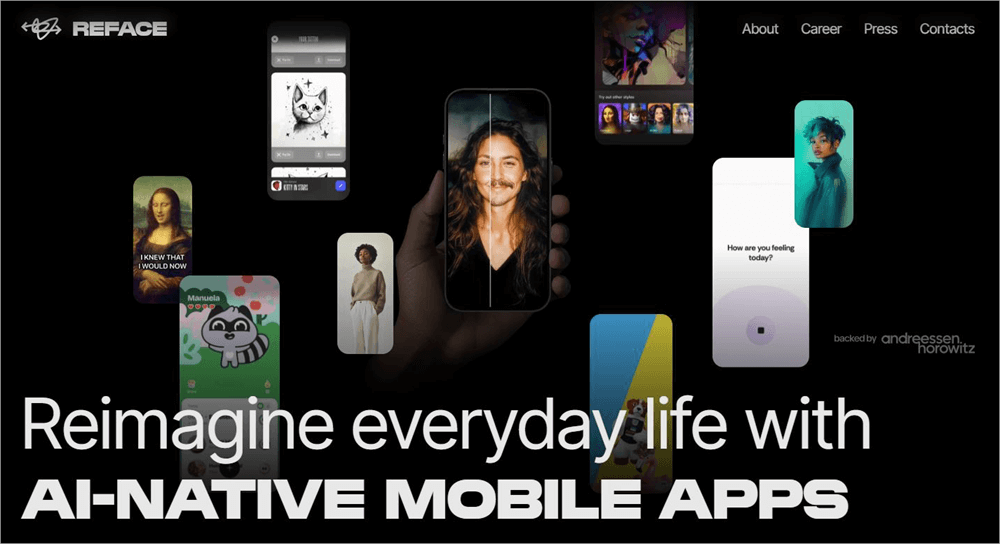
Reface AI is the very first alternative on my list because of its focus on realistic AI face swaps.
What you get with Reface AI is a tool that was tailored to perform face-swaps on mobile. You can use it for free if ads aren’t a bother. I would still recommend downloading the premium version of this tool to get the best results.
Website: https://reface.ai/
#2) Pixlr
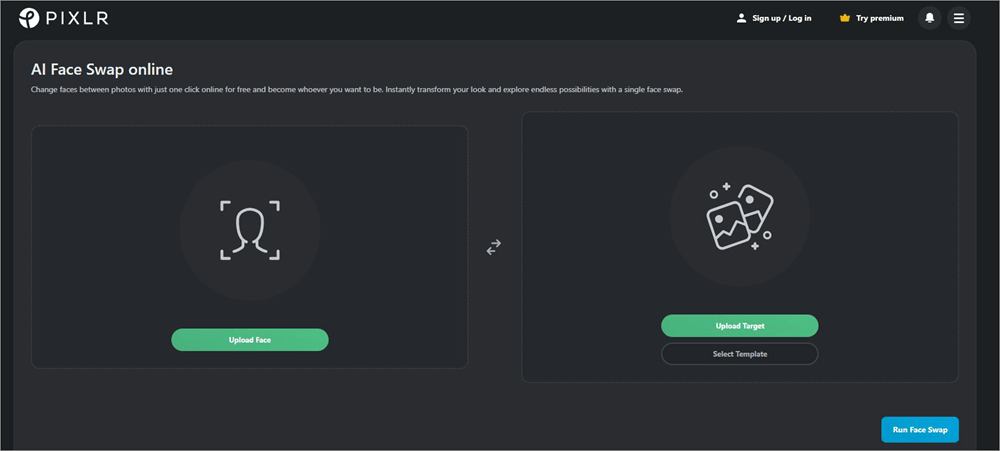
Pixlr was known as a popular video and image generator that recently introduced a face-swapping feature to its arsenal of capabilities.
Face-swapping is similar and just as simple as it is on Remaker AI. To make things more interesting, Pixlr serenades its users with a bunch of pre-made face swap templates. The results are quite realistic and polished.
Website: https://pixlr.com/face-swap/
#3) FaceFusion
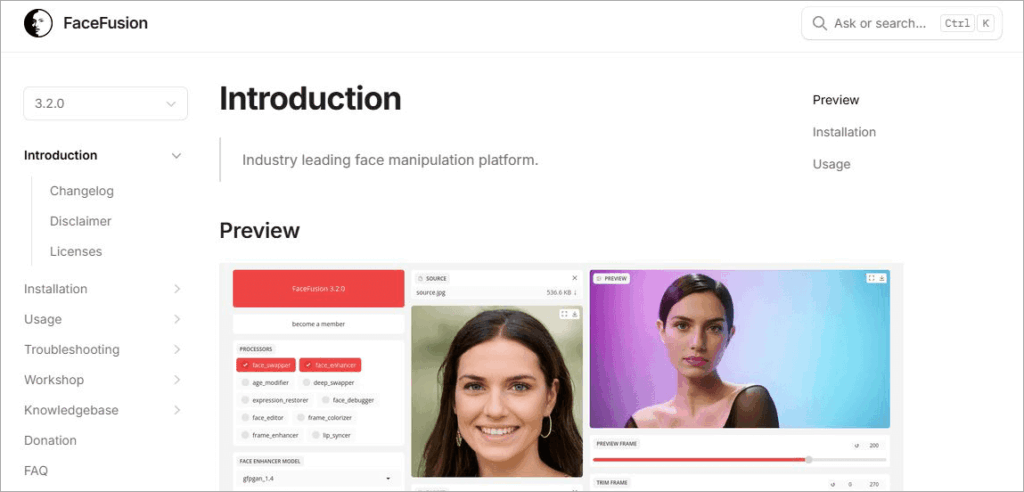
Sure, you can use FaceFusion to swap faces out from photos and videos. However, this tool shines the best when you are using it for morphing and blending.
As the name suggests, the tool allows you to fuse multiple faces to create an image with a distinct identity. The tool is adored by artists and is one that gets your creative juices flowing.
Website: https://docs.facefusion.io/
#4) Face Swapper AI
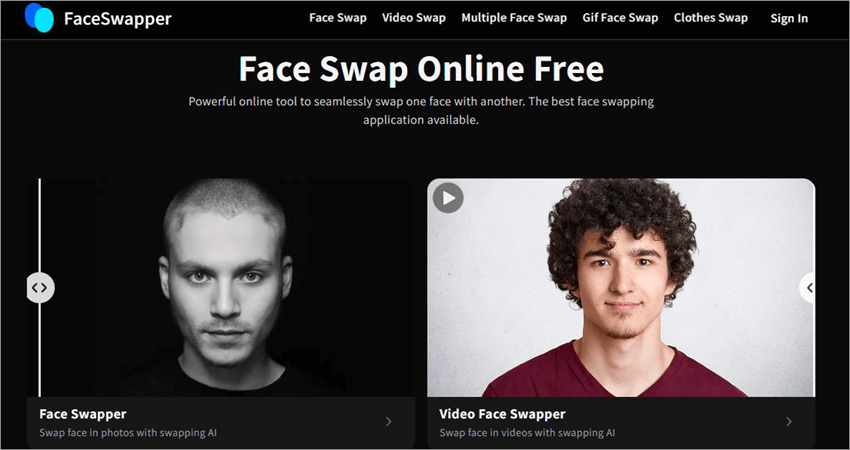
If instant, high-quality results are what you seek, Face Swapper AI is the tool for you. Like Remaker AI, the tool is beginner-friendly. The tool is also considerably automated.
Also Read => Best Cutout Pro Alternatives for Photo Editing
It automatically detects the faces on the images you upload. All you need to do is click once to initiate the swap. You can also use it to swap a subject’s clothes in a photo.
Website: https://faceswapper.ai/
Our Hands-On Verdict: Is Remaker AI Worth It?
After testing Remaker AI across different images, face angles, lighting conditions, and multiple face-swap scenarios, we found The software Remaker AI is simple to use and powerful enough. I have tried it on various pictures, face positions, lighting conditions, and numerous face-swap situations. Usually, Remaker provides realistic outputs, is fast, and requires no expertise in working with AI technologies. Thus, it suits not only beginners but marketers, creatives, and social media managers as well.
Another important feature is that it offers free basic face swaps for photos. You can try using the service before purchasing credits for advanced functions such as video face swapping and more intensive use. It has a user-friendly interface, satisfactory quality of output in most cases, and a large variety of other AI tools apart from the face-swapping function.
However, the software has some drawbacks. Firstly, the quality may be poor when using face angles, unusual lighting, or pictures of low resolution. Secondly, some of the advanced functions require purchasing credits.
Moreover, you should familiarize yourself with the company’s privacy policy, as AI face swapping may raise ethical issues concerning personal data. In general, Remaker AI is a reliable option for those who want a quick, browser-based AI face swap technology which is user-friendly and realistic at reasonable prices. However, it is not the best solution for professionals and specific tasks where other tools will suit better.
Frequently Asked Questions
1. Who is Remaker AI for?
I think Remaker AI is right for just about anyone who wants to use a face-swapping tool for the correct reasons. A content creator could use it to modify their video or photo. Marketers can use it to do last-minute face-swaps on a video. It can be used for both casual and professional purposes.
2. Is Remaker AI free?
You can use Remaker AI for free in a very limited capacity. The tool puts no restrictions on basic photo-based face swaps. However, you’ll need to purchase credits to utilize some of its other features, like face-swapping on a video or swapping multiple faces in a single image.
3. Is Remaker AI safe?
Remaker AI is a safe tool to use. All images uploaded to this website are deleted automatically after a day. However, I would still suggest using such tools responsibly. Do not use Remaker AI to misrepresent a photo or video. Do not use it to spread information that you know isn’t true. You shouldn’t use this tool to create deepfake images or photos of individuals without their consent.
4. Is there a Remaker AI app?
Remaker AI is completely web-based. It doesn’t have an official app. You might encounter apps with links “Remaker AI app download” or “Remaker AI download apk” online. These are all fake apps that have no relation to the original tool.
5. Can you swap faces in videos with Remaker AI?
Yes, you can swap faces in videos using Remaker AI. To do this, you need to select the “Video Face Swap” option. Then, upload the video alongside an image containing the face you want placed in the video. Hit the “Swap” button and wait for the result to come out.
Also Read => Best Video Maker Apps & Tools
6. What is the most realistic AI face swap?
At this stage, almost all AI face-swap tools are capable of producing extremely realistic results. Remaker AI itself does a pretty good job of seamlessly blending one face into another to create an indistinguishable final result. You have to be very discerning to notice anything odd. It isn’t perfect, but it is getting there.
Was this helpful?
Recommended Reading
-

Dive deep into the capabilities and alternatives of getimg.ai's image generation platform. Effortlessly edit photos, and create stunning images or custom AI models after reading this getimage.ai review: Art isn't for everyone, but AI has revolutionized the game. Today’s reality is that anyone can create stunning visuals and modify them…
-

Quickly transform your dull photos with simple image background remover tools. Learn how to remove background from image to create professional images without Photoshop skills: So you’ve clicked a nice picture but aren’t too pleased with its background. Previously, you would have to download a special image background remover on…
-
Read this review if you're looking for a Photo Enhancer AI to Make Blurry Pictures Clear and look crisper as well as sharper than ever. A blurry picture is the worst nightmare for everyone. However, with Photo Enhance AI technology, you now know how to transform your blurry photos into…
-
Want to know how to improve video quality? Read this review to find out about the best Video Quality Enhancer Software for optimizing image and audio quality: Video enhancer software can increase the quality of the videos. You can use the video quality enhancer app to increase the quality of…


