Comprehensive Review of the Best Video Grabber Tools With Features, Pricing & Comparison to Help You Select the Best Video Grabber Online:
There are many reasons one would not want to play a video online despite the ubiquitous presence of the Internet today. They might want to watch a video they like repeatedly without having to bother about opening a web browser, or they simply have limited data and want to save it.
Whatever be the reason, video grabbers are essential tools in helping you download your favorite video for an offline and hassle-free viewing experience.

Most video grabbers today are very simple to use and do not intimidate their users with a complex user interface. As online video content becomes popular by the day, so does the demand for it. Video-grabbing tools ensure that you have software that enables you to play your favorite video or simply grab and add a particular video to your collection.
In this article, we will be looking at some of the best top-quality and widely used video grabber tools available for use both online and as mobile/desktop apps.
Recommended Reading =>> Top Live TV Streaming Services
Table of Contents:
- What Are Video Grabber Tools
- List of the Best Video Grabbers
- Comparing Some of the Top Video Grabbing Tools
- #1) By Click Downloader
- #2) 4K Video Downloader
- #3) VideoProc Converter AI
- #4) Leawo Video Downloader
- #5) SnapDownloader
- #6) CleverGet
- #7) ClipGrab
- #8) aTube Catcher
- #9) JDownloader
- #10) Clip Converter
- #11) Video Grabber
- #12) Aiseesoft Video Converter Ultimate
- #13) Savefrom.net
- #14) Catch.Tube
- #15) CatchVideo
- #16) Wondershare UniConverter
- #17) iTubeGo
- Frequently Asked Questions
- Conclusion
What Are Video Grabber Tools
Video grabbers, as the name suggests, are tools or software that help in capturing videos from a particular video source. The videos thus captured can be played offline on your desktop, mobile, or tablet any time you want.
We will break down in detail the tool’s price, features, pros, and cons, so you can ultimately decide whether you should go for it or not.
The image below explains the statistics:

Also read =>> 12 Best Websites To Download Free Movie Subtitles
List of the Best Video Grabbers
- By Click Downloader
- 4K Video Downloader
- VideoProc Converter AI
- Leawo Video Downloader
- SnapDownloader
- CleverGet
- ClipGrab
- aTube Catcher
- JDownloader
- Clip Converter
- Video Grabber
- Aiseesoft Video Converter Ultimate
- Savefrom.net
- Catch.tube
- CatchVideo
- Wondershare Uniconverter
- iTubeGo
Comparing Some of the Top Video Grabbing Tools
| Name | Best For | Operating System | Free Trial | Ratings | Fees |
|---|---|---|---|---|---|
| By Click Downloader | Downloading videos from any site. | Windows | None | 5/5 | Free, Premium: $4.99 |
| 4K Video Downloader | 4K, 3D, 360 degree video download and conversion | Windows, Mac, Linux | None | 5/5 | Free plan, $15 for one time premium plan for 3 computers. |
| VideoProc Converter AI | Batch downloads | Windows & Mac | Yes, with limited features | 4.5/5 | Starts at $25.95/year |
| Leawo Video Downloader | Downloading HD videos at 6X faster speed. | Windows & Mac | Available | 5/5 | It starts at $29.95 per year |
| SnapDownloader | Downloading video from more than 900 websites. | Windows & Mac | Available for 24 hours | 5/5 | It starts at a $ 19.99-lifetime license for 1 computer. |
| CleverGet | Downloading videos from 1000+ sites | Windows and Mac | Free to download | 4.5/5 | Windows starts at $149.95/year. Mac starts at $139.95/year |
| ClipGrab | Basic Video capture/download from multiple online platforms | Windows, Mac, Linux | None | 4/5 | Free |
| aTube Catcher | Video and Audio Capturing/ Video to audio conversion | Windows, Mac | None | 4.5/5 | Free |
| JDownloader | Free and open source video downloader | Windows, Mac, Linux, Android, iOS | None | 3.5/5 | Free |
| Clip Converter | Download, record and convert videos | Windows, Mac, iOS, Android | None | 4/5 | Free |
| iTubeGo | video grabbing and conversion capabilities. | Windows, Mac, and Android | Free to download | 4.5/5 | Lifetime Plan ($29.95 lifetime / 1PC), 1-Month plan ($9.95 1 month/1 PC), 1-Year Plan ($19.95 1 Year/1 PC), Family Plan ($39.95 lifetime/2-5 PCs). |
Best video grabber review:
#1) By Click Downloader
Best for downloading videos from more than 40 websites.

By Click Downloader is a video downloader to downloads videos in various formats from more than 40 sites such as YouTube, Facebook, etc. It will allow you to choose the quality for downloading the video.
By Click Downloader has features to download YouTube playlists and channels. It will let you download multiple videos at the same time. There will not be any limitations on the number of videos to download.
Features:
- By Click Downloader provides the features to track your download.
- You can download the videos in 720p, 1080p, 4k, and 8k quality.
- It supports various formats for conversion such as Mp3, Mp4, 3GP, etc.
- You can download private videos from YouTube and Facebook.
Verdict: By Click Downloader is the platform to back up your videos from any platform. One-click download mode will make it easier to download the videos.
Price: By Click Downloader can be used for free. It also offers a premium version for $4.99. You can upgrade it to 2 PCs with 50% off for $2.99.
#2) 4K Video Downloader
Best for 4K, 3D, 360-degree video capture and conversion.

4K Video Downloader is a widely renowned video downloader, mostly because of its ability to download high-quality 4K, 3D, and 360-degree videos. You can download this app on your system without having to worry about downloading any additional bundled software. It works with almost all content platforms out there.
The process of video capturing in 4K Video Downloader is also very simple. All you have to do is copy and paste the URL of the video you want in your system, then choose the output format and let the tool perform its magic. The tool is extremely fast and ensures that the video is captured in all its original glory impervious to any quality loss in both video and audio.
Features:
- Faster download and conversion of videos.
- No bundled software.
- Smart mode.
- Supports download of 3d and 360-degree videos.
Verdict: 4K Video Downloader is a phenomenal tool that allows you to download high-quality videos quite conveniently. It is only limited in features with its free plan allowing a limited number of video downloads at once. Its paid version, however, offers a lot more than a simple video grabber.
Price: Free plan, $15 for a one-time premium plan for 3 computers.
#3) VideoProc Converter AI
Best for Batch downloads.
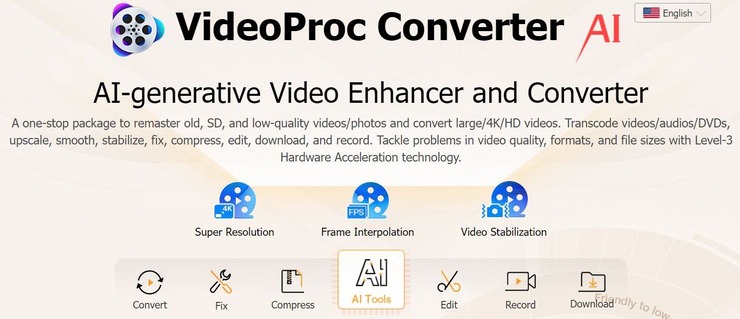
VideoProc Converter is an all-in-one video and audio processing solution that one can also use to download videos from online content platforms. In its current state, the software can be used to grab videos from over 1000 popular and over 2000 niche sites. Besides videos, you can use the platform to download subtitles, live streams, and music as well.
You can download entire playlists and channels with the tool in one go. Batch downloads are fast and extremely simple. You also don’t have to worry about the output format of the video. The software can download the video in any output format and resolution.
Features:
- Download live streams and videos
- Batch downloads supported
- Download entire playlists and channels
- Download any output format and resolution
- Perform quick edits
Verdict: If you are looking for a video downloader that not only downloads videos from popular sites but also helps convert, edit, and enhance video quality, then the VideoProc converter is for you. The software is easy to use and affordable to purchase.
Price: You can either download the free version with limited features or opt for the full version. The subscription plans for the full version are as follows:
- Premium: $29.95/year
- Lifetime License: $45.95
- Family License: $57.95 for 3-5 PCs.
#4) Leawo Video Downloader
Best for downloading HD videos at 6X faster speed.

Leawo Video Downloader supports more than 1000 sites for downloading 720P/1080P videos, music videos, TV shows, etc. You can even download live-streaming videos. It provides downloading of videos at 6X higher speed. You can change the homepage to the website of your choice.
Features:
- Leawo Video Downloader provides precise video information such as the name of the video, its size, format, resolution, etc.
- It will let you set the maximum download tasks.
- It is easy to delete the browsing history.
- To save the downloaded videos, you can set the directory.
Verdict: Leawo Video Downloader is a user-friendly and efficient solution. It provides smarter downloading settings. Its built-in video player makes it easier to play the downloaded videos. It has various setting options to provide a better user experience.
Price: Leawo Video Downloader’s 1-year license will cost you $29.95 per year and the lifetime license will cost $39.95. Its free trial is available to download.
#5) SnapDownloader
Best for downloading videos from more than 900 websites.

SnapDownloader is a video downloader that supports cross-platform. It supports the downloading of videos from more than 900 websites including YouTube, Facebook, Twitter, etc. It will let you download videos in various resolutions such as 8K, 4K, QHD, 1080p HD, etc. SnapDownloader can be used for downloading VR videos.
Features:
- SnapDownloader offers a high download speed.
- It supports setting up the proxy so that the geo-restrictions can be bypassed.
- It has functionality for converting videos to MP4 or MP3 formats.
- It supports batch downloading of videos.
- It will let you download YouTube Playlists and Channels.
Also read =>> Complete hands-on review of SnapDownloader tool
Verdict: SnapDownloader is a video downloader that supports more than 900 websites. It supports the bulk downloading of multiple videos in one go. You will get a high-speed download with this tool. It provides lifetime upgrades for free.
Price: SnapDownloader is available in two licensing options, Personal License ($ 19.99-lifetime license for 1 computer) and Family Edition ($ 39.99-lifetime license for 3 computers). It offers 30 days money-back guarantee. You can download a free trial that will be valid for 24 hrs.
#6) CleverGet
Best for Downloading videos from 1000+ sites.
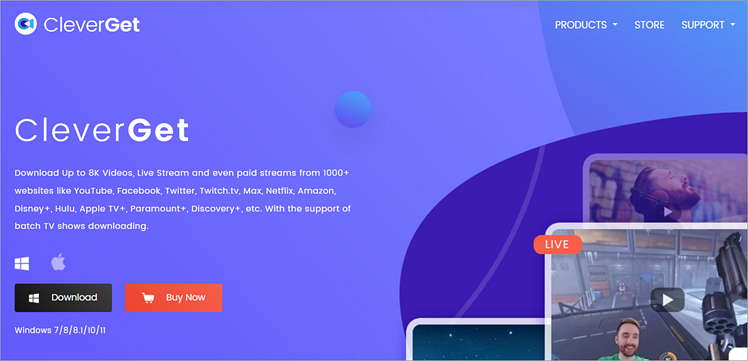
CleverGet is a video downloader that’ll allow you to capture videos from over 1000+ sites online. No matter the video quality, you can rest assured that CleverGet will download and save it on your system without any loss in its original quality. This is one of those very few tools that facilitates lossless 8K video downloads.
The best aspect of this platform, in my opinion, is its in-built browser. The browser lets you search for a video, play it, and download it directly from CleverGet’s interface, regardless of what the actual source of the video is. The software can also help you download live streams without any M3U8 code necessary.
Features:
- Download from over 1000 sites
- Lossless 8K video download
- Lossless 320 KBPS Audio Download
- Batch processing
- In-Built browser
Verdict: From social media channels like Facebook and TikTok to content-sharing platforms like Vimeo and YouTube, CleverGet will help you download a video from these and 1000 more websites without hassle. Easy to use and affordable, this is one of the best video grabbers you can use.
Price: CleverGet’s Windows version can be purchased at $149.95 for one year while its lifetime plan will cost you $229.95. The Mac alternative will cost you $139.95 whereas its lifetime plan will cost you $219.95.
#7) ClipGrab
Best for basic video capture/download from multiple online platforms.

ClipGrab offers its users an austere tool that abides by the principle of less is more. You can notice this in both its functions and its looks. It is devoid of any superfluous interface, opting for a less intimidating user-friendly alternative that can be navigated even by the most novice of tech users.
It supports grabbing videos from a plethora of online content platforms and does it with spectacular simplicity. Armed with a clipboard monitoring feature, it automatically analyzes the input URL and gets the process of capturing the video underway. Add to that, a built-in search engine only makes the entire process more agile and convenient.
Features:
- Built-in search engine.
- Simple user-interface.
- Clipboard monitoring.
- Supports multiple formats and resolutions.
Verdict: People who champion simplicity in the apps, will find a lot to cherish in ClipGrab. It is simple to use, has a built-in search engine that makes the process fast, and is free to use.
Price: Free
Website: https://clipgrab.org/
#8) aTube Catcher
Best for video and audio capturing and video-to-audio conversion.

aTube Catcher is a fascinating tool that apart from making the capturing of videos easier also performs several other functions like a pro. Talking about its functionality, the tool is fairly easy to use and can download videos or audio by reading the file URL you feed to it.
It can help you download videos in multiple format outputs, help you record and save your screen time in the designated folder, and also convert videos and audio without a hassle.
The tool is free and this can be both a good and bad thing. Good because you get a tool that can perform multiple functions without charging you a penny, and bad because you will have to tolerate adware which is common with such free software.
Features:
- Supports multiple format outputs.
- Supports downloads from multiple content platforms.
- Free to use.
- Let’s customize output settings.
Verdict: aTube Catcher’s popularity can be summed up by the fact that it currently boasts up to 120 million downloads in its lifetime, most of which can be attributed to its simplistic user interface and multiple practical features. The adware can become bothersome, however, if you can look past it then aTube Catcher is a video grabber that is worthy of being counted among the best.
Price: Free
Website: https://www.atube.me/
#9) JDownloader
Best for free and open-source video downloading.

JDownloader was made possible because of a huge community of developers ensuring its smooth run online. It is a free and open-source tool that grants users the power to capture any video they desire online. It is also very simple to use and extremely fast in its operation.
Users get the control to start, stop, or pause a download and resume it whenever they want. You can also set bandwidth limitations, auto-extract archives, and perform so many other functions on this tool. The problem, however, lies in its inadequate and garish-looking user interface which can turn off many users. There is no limit set on your downloading capacity with JDownloader.
Features:
- Free and open source.
- Platform independent.
- 24-hour customer support.
- Automatic extractor.
- Multilingual.
- Theme support.
Verdict: JDownloader is a great tool for those looking for a free open-source video grabber. It is especially great if you have loads of files to download as it doesn’t set a limit on your use, plus it is extremely fast.
Price: Free
Website: https://jdownloader.org/home
#10) Clip Converter
Best for download, convert, or recording video and audio files.

Clip Converter is a fantastic online free tool that allows users to download, convert, or record any video or audio file from almost any platform online. It works smoothly with all systems and offers a very sleek and impressive user interface for users to play with.
The capturing process is also very commendable. Simply paste the URL of the file you need to be captured, choose the output format, resolution, and size, and press the download tab to let the software take over. The tool does take its time in delivering the final output as it fails to match up to speeds by other tools on this list. However, when it comes to the actual function of capturing a video or audio file it does so with panache.
Features:
- Video and audio downloader.
- Screen recording.
- Audio/Video conversion.
- Sleek user interface.
Verdict: Clip converter looks fantastic and does its job even more brilliantly. It will make you wait a tad bit longer to deliver your result. If you can wait then the result is worth it.
Price: Free
Website: https://www.clipconverter.cc/2/
#11) Video Grabber
Best for video conversion, download, and photo animation.

This Video Grabber for Android, Mac, Windows, etc., which works on the basic premise of an online free video downloader is a blast to use. It can perform a variety of tasks like capturing video and audio files from online sources, convert videos into the format of your desire, and most fascinatingly using still photos to create videos like a slide-show or animation.
It follows the tried and tested formula of pasting URL links of files you need to capture, which is simple to use and results in an automatic saving of the end file in the folder you mention. It almost supports all format outputs and works on every system on this planet. You can use it online, or get the desktop app downloaded for free.
Features:
- Fast and simple video download and conversion.
- Supports multiple format outputs.
- App and online use.
- Remove the black bars from the video.
- Use photos to create videos.
Verdict: Video Grabber lives up to its name of capturing videos and saving them offline for use without compromising on its visual and audio quality. It is free, fast, and devoid of any adware to give a hassle-free experience to its users.
Price: Free
Website: https://www.videograbber.net/
#12) Aiseesoft Video Converter Ultimate
Best for ripping DVDs, and downloading online video and audio files.

Aiseesoft is a pretty phenomenal conversion tool that provides many commendable features to its users, including the conversion of 3D videos. What many don’t ever give Aiseesoft credit for is its equally competent feature of downloading or capturing online video and audio files with ease.
It supports a wide range of format outputs and can capture videos from any legitimate content platform online. The process is also quite fast, secure, and free. It also helps you tweak the settings to personalize your videos. Video editing is another feature the tool aces, allowing users to add watermarks, and special effects, and trim videos to serve a variety of purposes.
Features:
- Supports more than 300 formats.
- Free and fast.
- Video editing features.
- Rip DVD.
- Enhance Video Quality.
Verdict: Aiseesoft is first and foremost a conversion tool that also performs the task of video capturing conveniently. It is highly recommended if you want control over the videos you capture, thanks to its intuitive editing feature.
Price: Free
Website: https://www.aiseesoft.com/video-converter-ultimate/
#13) Savefrom.net
Best for downloading videos with one click.

Savefrom.net is a very simple video grabber that helps you capture videos in a very convenient manner. You simply have to paste the source URL into the software’s dashboard and click start to set the ball rolling. It can be captured from several content platforms online. It has built-in links to the platforms it supports.
You can also install a browser extension that helps the software automatically detect the URL to capture. For all its benefits, Savefrom.net is severely limited in its capacity to offer users the option to select the format output. You get the video in its original format and resolution.
Features:
- Simple and easy.
- Built-in links for online platforms.
- Browser extension included.
Verdict: Savefrom.net is a very simple and free tool to capture videos online. You don’t get to choose the output format of the video you are downloading and have to download videos as it is. For tools with features that allow you to tweak the format output, you’ll have to look somewhere else.
Price: Free
Website: https://en.savefrom.net/18/
#14) Catch.Tube
Best for online easy video capture.

Catch.Tube is free online software that enables the download of video files from multiple content platforms online such as Facebook, YouTube, Vimeo, Dailymotion, TikTok, etc. It also works on an array of browsers, so if you are looking for the right video grabber for Chrome, this is it.
The software is in constant upgrade to be relevant and compatible with new content websites that pop up every day online. To capture videos online, all you have to do is paste the source URL into the tool’s dashboard. To make things even simpler it also allows you to install a web browser extension. This extension allows you to capture a particular video directly from the source, while you are watching it online.
Features:
- Easy to use.
- Web browser extension.
- Supports almost all platforms online.
- Converts audio.
Verdict: Apart from video capturing, there is not much you can do with the tool. So it is only recommended for casual users who don’t care about format selection or other functions to enhance video quality. It is free and simple to use.
Price: Free
Website: https://catch.tube/
#15) CatchVideo
Best for batch capturing of high-quality videos.

Don’t let the shabby interface fool you on what CatchVideo can truly offer. It is capable of downloading high-quality 4K videos with the help of its conventional video-capturing function. The very first thing you notice is the URL paste bar, wherein the URL of the file you want to be captured should be entered. It doesn’t demand anything else from you.
If you want to save time, then you can also download a bunch of videos in batches without a hassle. It is free, and perhaps this is the reason the online tool seems littered with adware everywhere, that being said, this is still a very good software to try once in a while.
Features:
- Batch processing.
- Audio and video capturing.
- Browser extension.
Verdict: CatchVideo is a tool for simple straightforward video capture. If you are not expecting anything more then you will be satisfied. Of course, there are other free tools out there that deliver way more with absolutely no cost to you. This is for those with managed expectations.
Price: Free
Website: https://catchvideo.net/
Best for Full Featured Video Processing.
Wondershare UniConverter is a video processing tool that supports a wide range of web formats about online content platforms like YouTube, TikTok, Amazon, etc. UniConverter excels about its video converting process.
As of this very moment, the platform can be used to convert videos in over 1000 different formats.
It is also one of those rare video processing tools that can download, convert, and edit videos in UHD and 4K quality. Aside from conversion, you can also count on UniConverter to edit a video, burn videos to a disc, edit subtitles, compress videos, and much more.
Features:
- Smart Video Format Recognition
- Can merge multiple videos without compromising their original quality.
- Auto Reframe Video
- Record video
- Task Scheduler, Intro & Outro Editor, AI Portrait, Auto Reframe, Background Remover, Subtitle, and Watermark Editor.
Verdict: UniConverter continues Wondershare’s long streak of releasing excellent applications that make video processing convenient. The tool is easy to use and particularly shines because it supports multiple video formats and exceptional editing functionality.
Price: Annual Plan – $39.99 per year, 2-Year Plan – $55.99 per year, Perpetual Plan – $ 79.99
#17) iTubeGo
Best for video grabbing and conversion capabilities.

iTubeGo is a Video Downloader that supports more than 10000 websites such as YouTube, Facebook, Instagram, etc. It will allow you to download YouTube videos, audio, playlists, and channels.
Recommended reading =>> Top alternatives to YouTube
It has a video conversion facility to convert YouTube videos to various formats such as Mp4, Mp3, etc. It supports Windows, Mac, and Android platforms. It has a built-in browser.
Features:
- iTubeGo has the functionality to download subtitles.
- Various SD and UHD video quality options are available with iTubeGo such as 480p, 720, 4K, 8K, etc.
- You can download multiple videos in bulk.
- iTubeGo has a private video mode that will protect your downloaded videos and music in a password-protected folder.
- It offers the functionality to cut YouTube videos and music.
Verdict: iTubeGo is an audio and video downloader that supports 10000+ websites. It offers a faster download speed. It has a conversion facility to convert video and audio in several different formats including those are suitable for various devices.
Price: iTubeGo is available to download for free. Four pricing options available with iTubeGo are Lifetime Plan ($29.95 lifetime / 1PC), 1-Month plan ($9.95 1 month/1 PC), 1-Year Plan ($19.95 1 Year/1 PC), Family Plan ($39.95 lifetime/2-5 PCs). It offers a 30-day money-back guarantee.
Frequently Asked Questions
1. Is it legal to grab videos online?
No, it is illegal to download copyrighted material online, and this does amount to copyright infringement with heavy penalties. It is safe to first ask for permission from the copyright owner or only use videos that belong to the public domain.
2. How do I ensure safety while downloading videos online?
The Internet is a place rampant with malware. So grab videos only from trusted sources. As long as you are downloading from reputed content platforms, you’ll be safe. Also, try to use tools that do not ask for your details or share your data online.
3. How does a Video Grabbing tool function?
Most video grabbers have a very simple function. They don’t demand much from the user. You simply need to copy and paste the URL of the video you need offline, choose the resolution, and let the tool perform its magic.
Conclusion
With video content gaining more traction, there has never been the kind of surge in demand for video grabbers before. Everyone from independent creators to professionals in the corporate needs video grabbers to capture and manage videos to further their agendas. As such, the video grabbers mentioned above can quench the thirst for offline video content.
Now for our recommendations, we would highly suggest you try the premium version of 4K Video Downloader, not only for its amazing video capturing abilities but also for all the other practical functions it performs about content files.
If you have no money to spare and need a simple and convenient tool then aTube Catcher or ClipGrab can deliver on the promise of convenient video capture from any content platform online.
Suggested reading =>> Top Twitter Media Downloader Tools
Research Process:
- We spent 8 hours researching and writing this article so you can have summarized and insightful information on what video grabber will best suit you.
- Total video grabbers Researched – 23
- Total video grabbers Shortlisted – 10
Was this helpful?
Recommended Reading
-

Review of the best video downloaders for Chrome in 2026, ranked by features, speed, supported sites, and ease of use to help you save videos safely and efficiently. The process of choosing a reliable video downloader or extensions for Chrome is time-consuming, considering the large number of options with varying…
-
The 4K Stogram is an Instagram Photo, Video Viewer and Downloader for Windows, Mac, and Linux. Read this Comprehensive Hands-on 4K Stogram Review with Features and Installation Steps and learn how to use it: Wherever you choose to spend the holidays, the pictures you take always turn out to be…
-

Here are a list and comparison of the top Instagram Video Downloader tools. Learn how to download an Instagram video using a free downloader: If you had told us a decade ago that a video and image-sharing platform would be all the rage, we would have laughed it off. Fast…
-
List and comparison of the top Facebook Video Downloader with features and pricing. Select the FB Video Downloader software from this list per your requirements: You have to be living under a rock to not know what Facebook is. It is after all a behemoth amongst social media platforms. From…
-
List and comparison of the top Twitter Video Downloader. Select the Twitter Media Downloader software from this list per your requirements: Twitter has come a long way since its humble yet spectacular beginning back in 2006. What began as a simple platform to share one’s thoughts and feelings, has now…