


Eliminate build failures and version chaos with the right Software Dependency Management Tools. Pick the perfect tool as per your developer’s choice from our in-depth review to streamline your builds smartly:
No one, not even the most proficient of developers out there, can build software from scratch by themselves.
A typical software project relies heavily on various elements like third-party libraries, modules, and frameworks. These are what we call dependencies. Managing them efficiently is crucial to the success of your development project.
Top-Rated Dependency Management Tools: Hand-Picked by Developers
Failure to do so will significantly impact performance, stability, and security as you cruise through the software development lifecycle. Thankfully, managing these dependencies isn’t as challenging as it once was.
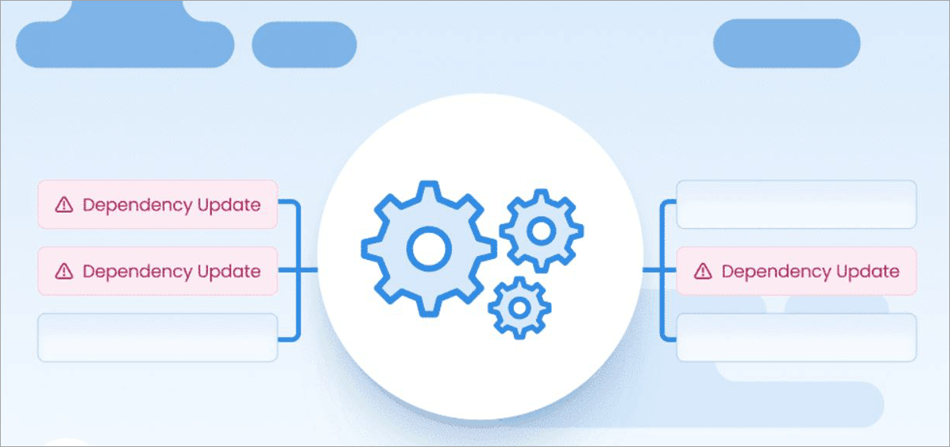
[Via Mend.io]
We are living in the modern world after all, and developers can simply rely on dependency management tools for the task.
Consider this article your guide to some of the best dependency management tools available in the market today.
What are Software Dependency Management Tools?
Dependency Management tools are solutions that developers or the DevOps team can use to manage the components or elements that a software project relies on. Simply put, they can help in the tracking, identifying, and maintenance of libraries, modules, and frameworks used in the software development process.
These tools have a very simple purpose to serve, which is to identify the dependencies being employed and make sure they are current.
Modern tools, and the ones I’ll be recommending in this article, even go a step further. Besides identifying dependencies, they can automate updates through pull requests, identify vulnerabilities, and suggest remediation tactics.
Types of Dependency Management Tools
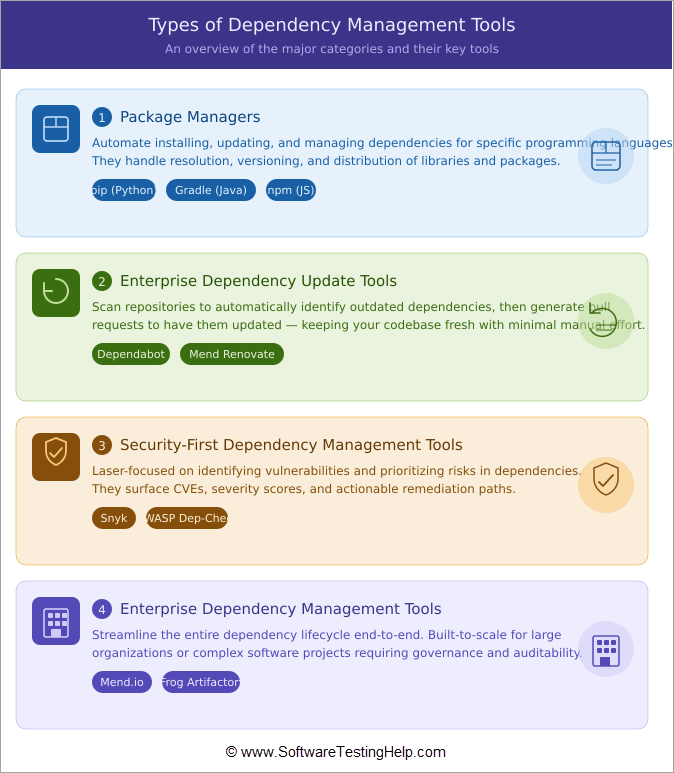
Given below are some of the most commonly used dependency management tools today:
1. Package Managers: These are tools that automate installing, updating, and managing dependencies for specific programming languages. Pip for Python dependency management and Gradle for Java dependency management are two good examples of package managers.
2. Enterprise Dependency Update Tools: These are tools that will scan repositories to identify outdated dependencies automatically. Once these dependencies are detected, they’ll generate pull requests to update them. Dependabot and Mend Renovate are good examples of such tools.
3. Security-First Dependency Management Tools: These are tools laser-focused on identifying vulnerabilities or prioritizing risks plaguing dependencies. Synk is a good example of a tool that takes a security-first approach to dependency management.
4. Enterprise Dependency Management Tools: Finally, you have enterprise dependency management tools that streamline the process end-to-end. These are built-to-scale tools that are ideal for large organizations or larger software development projects. E.g. Mend.io
List of Best Software Dependency Management Tools
Enlisted below are some of the top Software Dependency Management Tools:
- Mend.io (Recommended)
- Dependabot
- Dependency-Check by OWASP
- Synk
- JFrog
- Sonatype Lifecycle
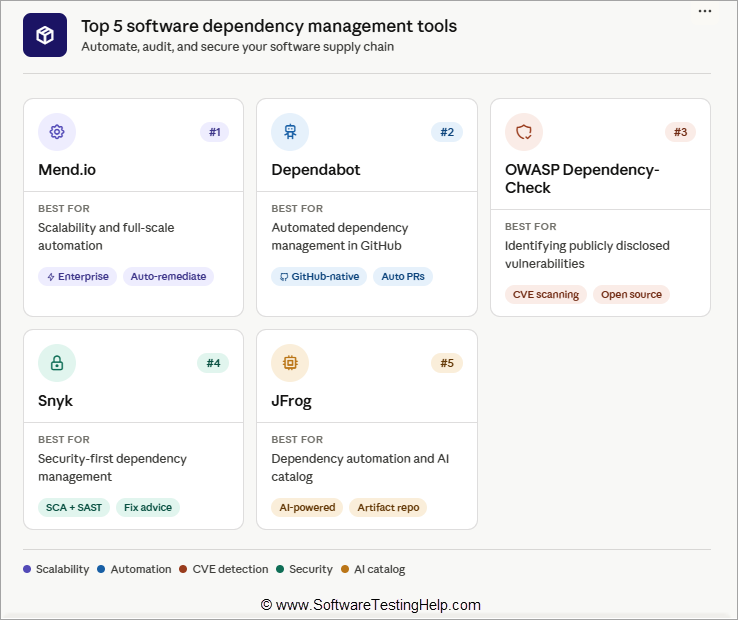
Comparing All Dependency Management Software
| Name | Best for | Integrations | Price |
|---|---|---|---|
| Mend.io | Scalability and full-scale automation. | Jira, Service Now, Bitbucket, GitLab, GitHub, Bazel, Cabal, etc. | Up to $250/dev/year. |
| Dependabot | Automated dependency management in GitHub. | GitHub native integration, Jira, CI/CD tools, Cloudsmith, etc. | Starts at $4/user/month, Free forever |
| Dependency-Check by OWASP | Identifying publicly disclosed vulnerabilities. | GitHub Actions, Jenkins, Azure DevOps | Free to Use |
| Synk | Security-first Dependency Management | Jira, GitHub, Bitbucket, Akamai, Amazon ECR, Cursor, etc. | Starts at $25/dev/month, free plan available |
| JFrog | Dependency management automation and AI catalog. | ServiceNow, GitHub, NVIDIA, Echo, Night Vision, etc. | Starts at $150/month, Free plan available. |
| Sonatyle Lifecycle | Open Source AI Model | GitHub, GitLab, Gradle, Jenkins, Jira, Atlassian, Bamboo, etc. | Starts at $135/month |
Detailed Reviews:
#1) Mend.io (Recommended)
Best for scalability and full-scale automation.
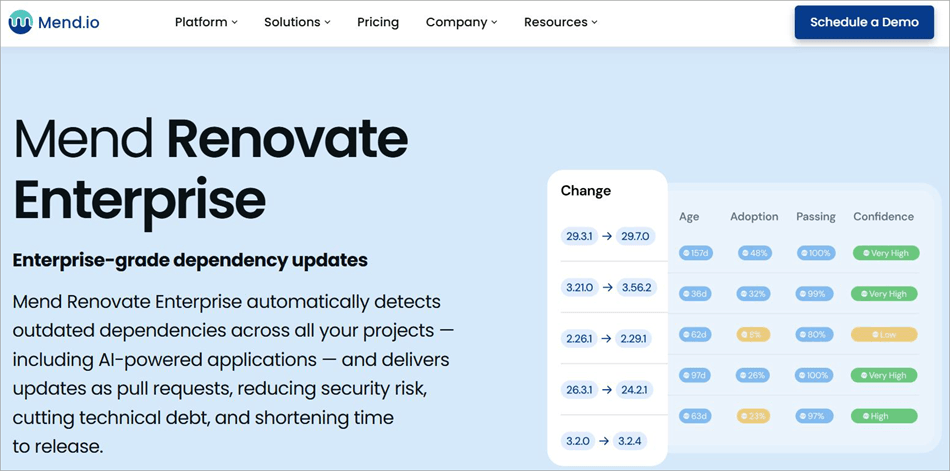
The first tool I would like to recommend here is Mend.io, specifically its product Mend Renovate. You get an enterprise-grade dependency management tool that can easily scale and scan all of your repositories, regardless of how large your organization is.
The full-scale automation this tool enables can help development teams keep their software projects up to date. Mend Renovate does an impressive job of automatically identifying outdated dependencies and creating pull requests that suggest updates for both private and public packages.
Mend Renovate Community is free, and for expanded scalability and performance, Mend Renovate Enterprise is available.
Integrations: Jira, Service Now, Bitbucket, GitLab, GitHub, Bazel, Cabal, etc.
Features:
- Automatically scans all repositories to identify outdated dependencies.
- Raise pull requests for available updates.
- Reduces technical debt by ensuring dependencies are current.
- Merge confidence ratings and workflows.
| Pros | Cons |
| Full-Scale automation | Nothing significant |
| Scalability | |
| Dedicated support | |
| Strong third-party integrations. |
Price: Mend Renovate can cost you up to $250/dev/year.
#2) Dependabot
Best for automated dependency management in GitHub.
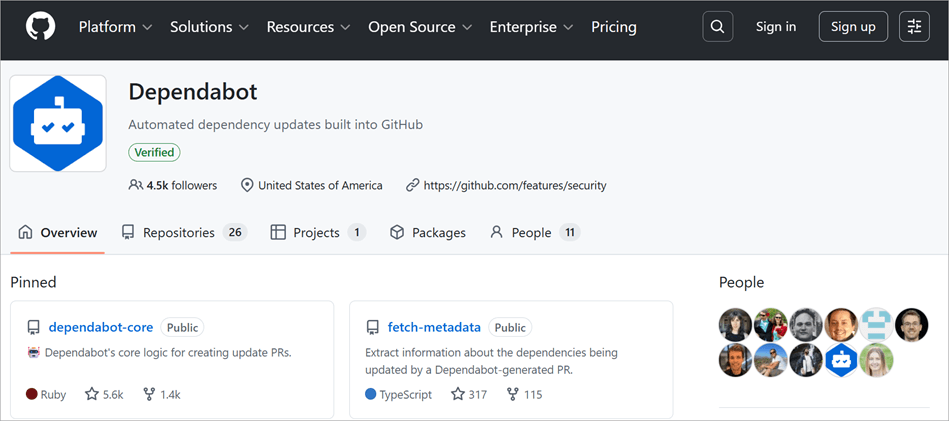
Dependabot can be best described as an automated agent built into GitHub. You can rely on it to have dependencies managed on autopilot. From identifying outdated dependencies and generating pull requests to scanning repositories, Dependabot can do it all.
The best part is that it is completely free to use, and there’s no limit imposed on the number of private and public repositories it can scan without charge. Dependabot works best on a variety of ecosystems, including Docker, Maven, Composer, and many more.
Integrations: GitHub native integration, Jira, CI/CD tools, Cloudsmith, etc.
Features:
- Automatic generation of pull requests to keep dependencies up-to-date.
- Detect and fix vulnerabilities in dependencies.
- Automated alerts to notify developers as soon as a vulnerability is found.
- Comprehensive reports for security review.
| Pros | Cons |
| Unlimited public/private repositories | False positives rate can be high |
| Community support | Can generate an insurmountable volume of pull requests. |
| Free to use | |
| Automated vulnerability fixing |
Price: Free to use. Its premium plans are as follows:
- Team: $4/user/month
- Enterprise: $21/user/month
Website: https://github.com/dependabot
#3) Dependency-Check by OWASP
Best for identifying publicly disclosed vulnerabilities.
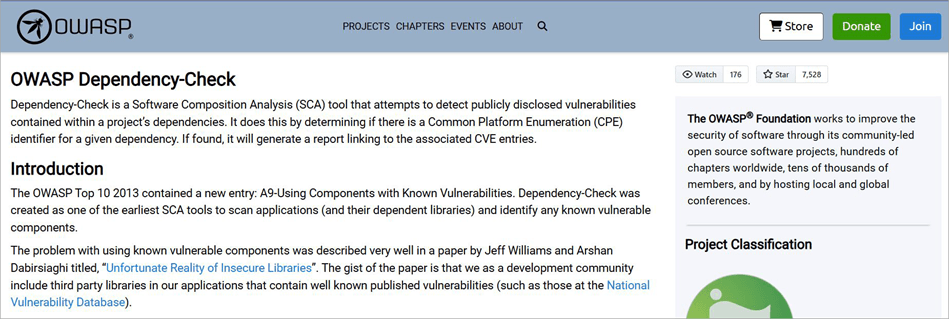
Dependency-Check was one of the earliest software composition analysis tools developed by OWASP. Its primary goal was to identify vulnerabilities plaguing applications and its dependant libraries, a job it does well.
Dependency-Check is best suited for identifying publicly disclosed vulnerabilities within a project’s dependencies. If a vulnerability is found, a report will be generated linking to the associated CVE entries.
Integrations: GitHub Actions, Jenkins, Azure DevOps.
Features:
- Contains a series of analyzers to effectively inspect dependencies.
- Features a command-line interface with plugins for tools like Maven and Gradle.
- Identifies common platform enumeration for a given dependency.
- Can update itself automatically using the NVD data feeds.
| Pros | Cons |
| Open Source and Free | You may face performance issues when large projects are concerned |
| Extensive language support | Can produce too many false positives |
| Advanced built-in reporting. | |
| Simple set-up. |
Price: Free to use
Website: https://owasp.org/www-project-dependency-check/
#4) Synk
Best for security-first Dependency Management.
Synk makes it to my list for its security-first approach to dependency management. Developers can rely on this tool to identify dependencies and bugs in code in real time. Synk hosts a comprehensive vulnerability database with hand-curated vulnerability descriptions.
Each vulnerability identified is assigned a CVSS score. These descriptions provide you with in-depth insight into the security, maintenance, and exploitability of flagged libraries.
Integrations: Jira, GitHub, Bitbucket, Akamai, Amazon ECR, Cursor, etc.
Features:
- Can help developers fix security issues at the development stage.
- Dependency Tree View to identify dependencies and vulnerabilities.
- Automates scanning within the IDE.
- Automated alerts when vulnerable functions are called at runtime.
| Pros | Cons |
| Strong integrations with SCMs | Some users have complained that their support isn’t helpful |
| Vulnerability database | Costly to scale. |
| Automated remediation | |
| Generous free plan |
Price: Synk.io offers a generous free plan to scan repositories. Its premium plans with advanced features are as follows:
- Team: $25/dev/month
- Ignite: $1260/dev/year.
A custom enterprise plan is also offered.
Website: https://snyk.io/
#5) JFrog
Best for dependency management automation and AI catalogue.
JFrog offers two tools that, in combination, can help developers streamline the entire process of dependency management. JFrog Artifactory can help in storing and managing all software artifacts, AI/ML models, components, containers, packages, etc.
On the other hand, you have JFrog Xray, an SCA tool that can identify, prioritize, and remediate security vulnerabilities. Together, these tools can make software governance and lifecycle management efficient for developers.
Integrations: ServiceNow, GitHub, NVIDIA, Echo, Night Vision, etc.
Features:
- Continuous scanning of repositories to identify and remediate vulnerabilities.
- Automatically generated software bill of materials.
- Automated bi-directional repository sync.
- Simplified auditing and governance across the SDLC.
| Pros | Cons |
| 100s of ecosystem integrations supported | Set up can be complex |
| Multiple installation options | Not suitable for small teams or startups. |
| Good scalability. | |
| Enterprise platform security |
Price: JFrog’s SaaS package starts at $150/month, whereas the self-managed package starts at $27000/year.
Website: https://jfrog.com/
#6) Sonatype Lifecycle
Best for open Source AI Model.
Sonatype Lifecycle offers you a suite of SCA tools that can help automate dependency management, identify vulnerabilities, and remediate them with ease. Sonatype is designed to prioritize real risks. The platform expertly leverages reachability and breaking changes data to identify risks with pinpoint accuracy, thus reducing false positives.
Sonatype’s biggest USP is its open-source AI model support. This allows you to control risks and issues associated with AI models in your data pipelines and apps.
Integrations: GitHub, GitLab, Gradle, Jenkins, Jira, Atlassian, Bamboo, etc.
Features:
- Golden pull requests and automated waivers to streamline dependency management.
- Flexible policy engine with 18 different policies and over 30 customizable constraints.
- Risks prioritized based on in-depth context to reduce false positives.
- Track OSS usage, security risk trends, and AppSec program from an intuitive dashboard.
| Pros | Cons |
| Strong support | UI could be improved |
| Flexible policy engine | The free version is limited in scope. |
| Contextual risk prioritization | |
| Built-in exemption management |
Price: Sonatype offers a free plan with limited features. Its premium plan starts at $135/month (billed annually). A custom enterprise plan is also available, with a quote provided upon request.
Website: https://www.sonatype.com/products/open-source-security-dependency-management
Best Practices to Follow With Dependency Management
Simply using a reliable tool isn’t going to ensure flawless dependency management. To make sure you don’t face any issues down the line, I suggest adhering to the following best practices:
1. Automate Dependency Management: Use a tool with excellent automation. Tools like Mend Renovate are capable of automatically detecting outdated dependencies and then generating pull requests to update them. Automation will save you a lot of time and effort, provided you choose a reliable tool.
2. Maintain a Schedule: Dependency Management isn’t something you can do once in a while, whenever you feel like it. To ensure the best performance and security, maintain a regular schedule. Undertaking dependency management once a week or a month will prove sufficient.
3. Employ Semantic Versioning: Use semantic versioning whenever you opt to update dependencies. This will keep you up-to-speed on the nature of the change and the impact it can have on your project.
4. Rigorous Testing: Be robust in your testing. Employ the strongest staging environments and perform automated tests to catch issues before it is too late.
5. Review Changelogs: Always review changelogs before updates. This will prepare you for any issues or changes to the code further down the process.
6. Get Security Updates: Do not skip security updates that can keep vulnerabilities at bay. Tools like JFrog’s Xray can alert you to security issues and updates in areas that demand your unwavering attention.
7. Rollout Gradually: Gradually rolling out updates, especially when the scale of the development project is large, would be wise.
8. Note Down Everything: Finally, I would recommend documenting each aspect of your dependencies. Document everything from the version being used to highlighting the reason behind a dependency’s employment. These notes will prove handy when troubleshooting issues.
How to Choose Dependency Management Tool
Sticking to the parameters below will help you pick the best tool.
1. Ease of Setup: These tools should help ease the burden on developers and not add to it. So, pick a tool that promises an easy setup with simplified configuration.
2. Automation: Automation is a critical feature in modern dependency management tools. Pick a platform that can automatically detect outdated dependencies and generate PRs to update them.
3. Scalability: Pick a tool that can accommodate the needs of your growing business, one that is built to scale and will handle the requirements of a project, whether the scale is small or large.
4. Integrations: Integrations are a key aspect of such tools. Go for tools that ensure strong integrations with third-party SCA and CI/CD tools.
5. Price: Cost can make or break your prospect of investing in a software solution. Assess your budget and pick a tool that does not exceed it. There are free tools on this list. Try the free version to test the tool and invest in one that you feel is best for your project or team.
Frequently Asked Questions
1. What are software dependencies?
Software dependencies are components that a software relies on to function properly. Examples of dependencies include frameworks, third-party libraries, modules, and external components critical to the functioning of an application.
2. How do you manage dependencies?
The best way to manage software dependencies would be to track, prioritize, and update third-party libraries, services, and modules that a software relies on to function. It also includes identifying vulnerabilities and fixing them before they can impact a software’s performance.
3. What are the different types of software dependencies?
There are two main types of dependencies. The first is what we call direct dependencies. This could be software or an external piece of code that the software relies on. The second is transitive dependencies. These are components that the direct dependencies depend on.
4. What are the risks associated with outdated dependencies?
Outdated dependencies pose a serious security threat and should be treated as such. These dependencies are susceptible to well-documented vulnerabilities, making them prime targets for potential attacks.
This could result in something as benign as exposure of non-sensitive information to something as serious as remote code execution.
5. What are the benefits of dependency management tools?
A good, reliable dependency management tool will yield the following benefits:
• Better security
• Considerably reduced technical debt
• Faster development
• Better compliance with organizational and legal regulations
• Better end-to-end visibility over dependencies across projects
Conclusion
I don’t think it would be an exaggeration to claim that a seamless software project is nearly impossible today without proper dependency management. Manage these dependencies inefficiently, and you open yourself to a world of problems that can seriously impact the performance, security, and stability of your project.
This is where Software Dependency Management Tools come into play. Their ability to scan repositories to track dependencies can help you identify outdated dependencies and flag serious security threats.
The tools I’ve recommended above are some of the most advanced and easiest to scale solutions you’ll find today.
As for my personal recommendation, it is as follows:
- Best Overall: Mend Renovate
- Best for Developer-First Security: Synk
- Best for small projects: Dependabot
- Best Free tool: Dependency-Check by OWASP
Research Process: The total time involved to complete and publish this article is approximately 42 hours. This content was created through a structured research approach to ensure accuracy and reliability.
For more-related guides, you can explore our range of tutorials below:
- Best Resource Management Software Tools (Updated)
- Best Requirements Management Tools (Complete List)
- Top Risk Assessment and Management Tools and Techniques
- BEST Project Portfolio Management Software
- Best Document Management Systems for Better Workflow
Was this helpful?
Recommended Reading
-

In our last Selenium tutorial, we learned a build tool named “Apache Ant”. We also broadly discussed its applicability and importance besides the practical approach. In this Selenium Testing tutorial, we will learn Maven - a build automation tool that is distributed under Apache Software Foundation. It is mainly used…
-

Review and compare the best Resource Management Software tools to find out the most suitable resource management system for your company: Are you looking for Resource Scheduling Tools? Resource management software allows you to plan, schedule, and reschedule projects. Also known as resource planning software, it is a form of…
-

Most Frequently used Document Management System: With the ongoing process of Digitization, people wish to reduce their paper-based work and expect to have access to their important documents from anywhere and at any time. Document Management Systems are the best solution to make this task a much easier one. PDF…
-
Comprehensive list of the best Software Testing Tools. Put an end to your search for the right Manual or Automated Testing Tool with this informative list: We are happy to present this exclusive list of the most popular QA Testing Tools that are available in the market. Get Ready To…


