Do you think AppleCare is really worth it? Read our honest review of AppleCare+ to understand its benefits, along with alternate coverage options, and make a wise investment decision:
When your Apple device acts up, who do you contact? Well, AppleCare+, of course! Let’s delve into the specifics of AppleCare+, how it differs from AppleCare, and whether it’s a good idea to protect your pricey Apple device with it.
Regardless of how reliant Apple’s products are, they aren’t without their faults, which can show up without warning. From screen cracks to battery issues and other defects, these are all common issues that can be dealt with by AppleCare.
Should You Buy AppleCare: A Must-Read Guide
That said, is it worth the price of a subscription? This seems to be a question plaguing the minds of Apple owners across the globe these days.
Quick Answer to ‘Is AppleCare+ Worth it?’
If you ask me, I would say it is only worth it if your Apple device is very expensive (like a MacBook Pro or iPhone 16), you are clumsy with devices, and you want Theft-and-Loss coverage.
On the other hand, I don’t think buying AppleCare+ makes sense if your device is cheap, you already have third-party insurance, or you handle devices with great care.
Here is the video by a real user of iPad, reviewing AppleCare+ for your reference:
I’d like to use this little article as an opportunity to not just answer this question but also explore AppleCare+ itself.
I would like to discuss what AppleCare+ entails, how it differs from AppleCare, and ultimately, whether you should get it to insure your expensive Apple device.
So, without much further ado, let’s dive in.
What is AppleCare+?
Think of AppleCare+ as an insurance plan for the Apple device you just bought or own. It is different from the standard-limited-period warranty that applies to all recently purchased Apple devices.
It serves as an extension to your device’s standard warranty, covering issues that go beyond manufacturing defects.

[Via Apple]
Subscribers to AppleCare+ also receive additional privileges, from priority support to immediate device replacement. A subscription to AppleCare+ insures a single device, and the price you pay will vary depending on the subscription period and the device you own.
A new plan called AppleCare One, which lets you insure up to three devices with certain additional benefits, was also introduced recently. I’ll be talking about it later as well.
You can buy AppleCare+ right away or within 60 days of purchasing your new iPhone, Mac, Apple TV, etc.
Now that you know what AppleCare+ is, let’s understand how it differs from the warranty you get for free with each Apple product.
AppleCare vs AppleCare+
A limited warranty applies to each Apple product you purchase. The limited warranty previously went by the name AppleCare.
Let’s say you bought yourself a new iPhone. That new phone will come with a one-year limited warranty and 90-days of technical support. Now, one would say that’s a great deal, so why should I pay extra for AppleCare+?
While the limited warranty you get is great for manufacturing defects, that’s about it. Its coverage does not extend beyond factory faults, like issues with the device’s hardware or battery.
On the other hand, AppleCare+ not only extends your warranty but also offers you coverage against ADH and accidental damage.
Below is a table that perfectly depicts the difference in coverage between AppleCare and AppleCare+:
| Basis | AppleCare | AppleCare+ |
|---|---|---|
| Coverage | 1 Year | Up to 3 years. Duration will vary depending on the device. |
| Accidental Damage | Not Covered | Covered |
| Battery Replacement | Only for factory defect | Covered( Only if battery health goes below 80%) |
| Screen Repair | Not Covered | Covered ( With a small service fee) |
| Tech Support | Free for 90 days | 24/7 priority support |
| Theft and Loss protection | Not offered | Provided at an additional cost for iPhones |
With the confusion hopefully cleared up, I think we can now focus on the main crux of our topic. Is AppleCare+ worth it?
The only way to conclude here would be to reflect on the cost of AppleCare+, as it pertains to each Apple product.
What is Not Covered in AppleCare+
These are as follows:
- Damage from unauthorized repairs or maintenance on the device.
- Any intentionally caused damage.
- Wear and tear over time
- Software or Data recovery
- Damage that’s cosmetic in nature. For example, torn plastic, dents, or scratches.
- Lost or stolen devices, unless you’ve bought the “Theft-and-Loss” add-on plan.
Is AppleCare+ Worth Buying for Apple Devices
This section clearly explains whether AppleCare+ is really worth buying for various Apple devices.
Is AppleCare+ Worth it for iPhone
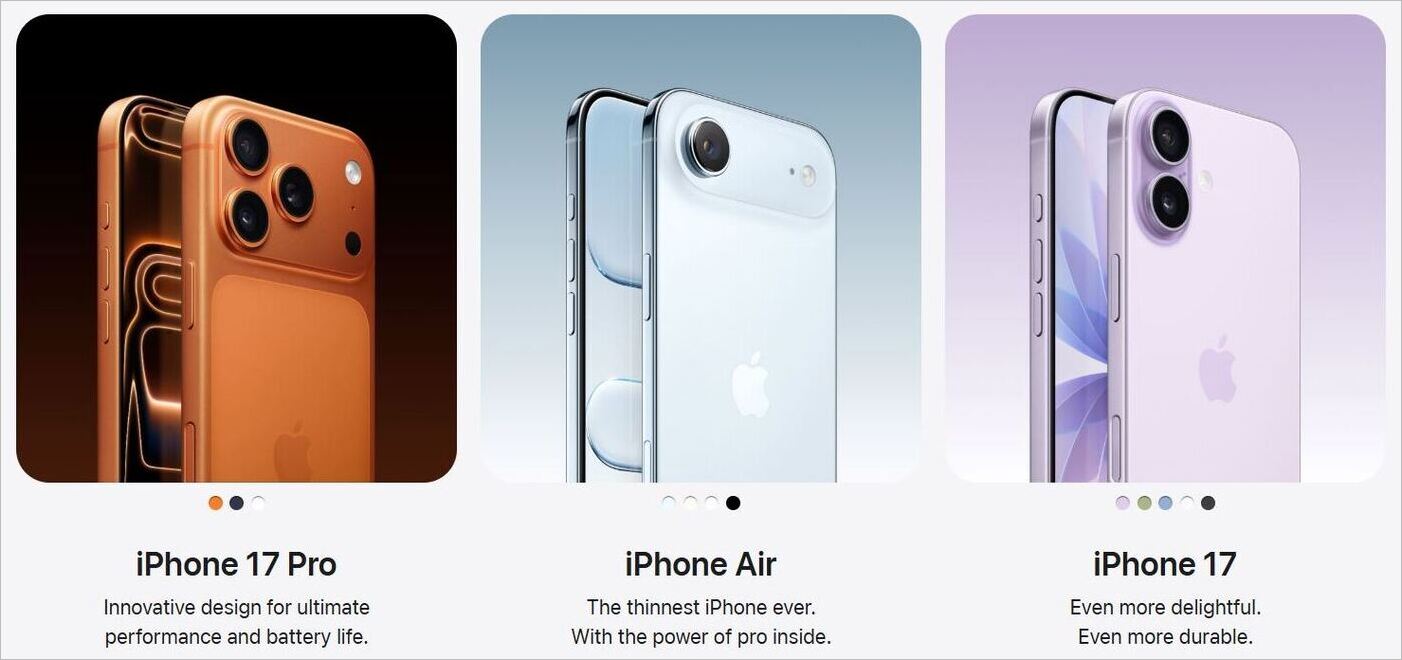
The amount you’ll be charged for AppleCare+ will depend on the iPhone model you wish to insure. The AppleCare+ plans for each iPhone model are:
| Model | Monthly Fee | Annual Fee |
|---|---|---|
| iPhone 16e | $9.99 | $99.99 |
| iPhone 16, iPhone 17 | $11.99 | $119.99 |
| iPhone 16 Plus | $12.99 | $129.99 |
| iPhone Air, iPhone 17 Pro, iPhone 17 Pro Max | $13.99 | $139.99 |
These charges cover unlimited repairs for accidental damage, with an additional service fee. You also get up to two claims for theft and loss replacements, again with an additional service fee of $149.
Now, let’s do the math to understand if it is even worth insuring one’s iPhone with AppleCare+.
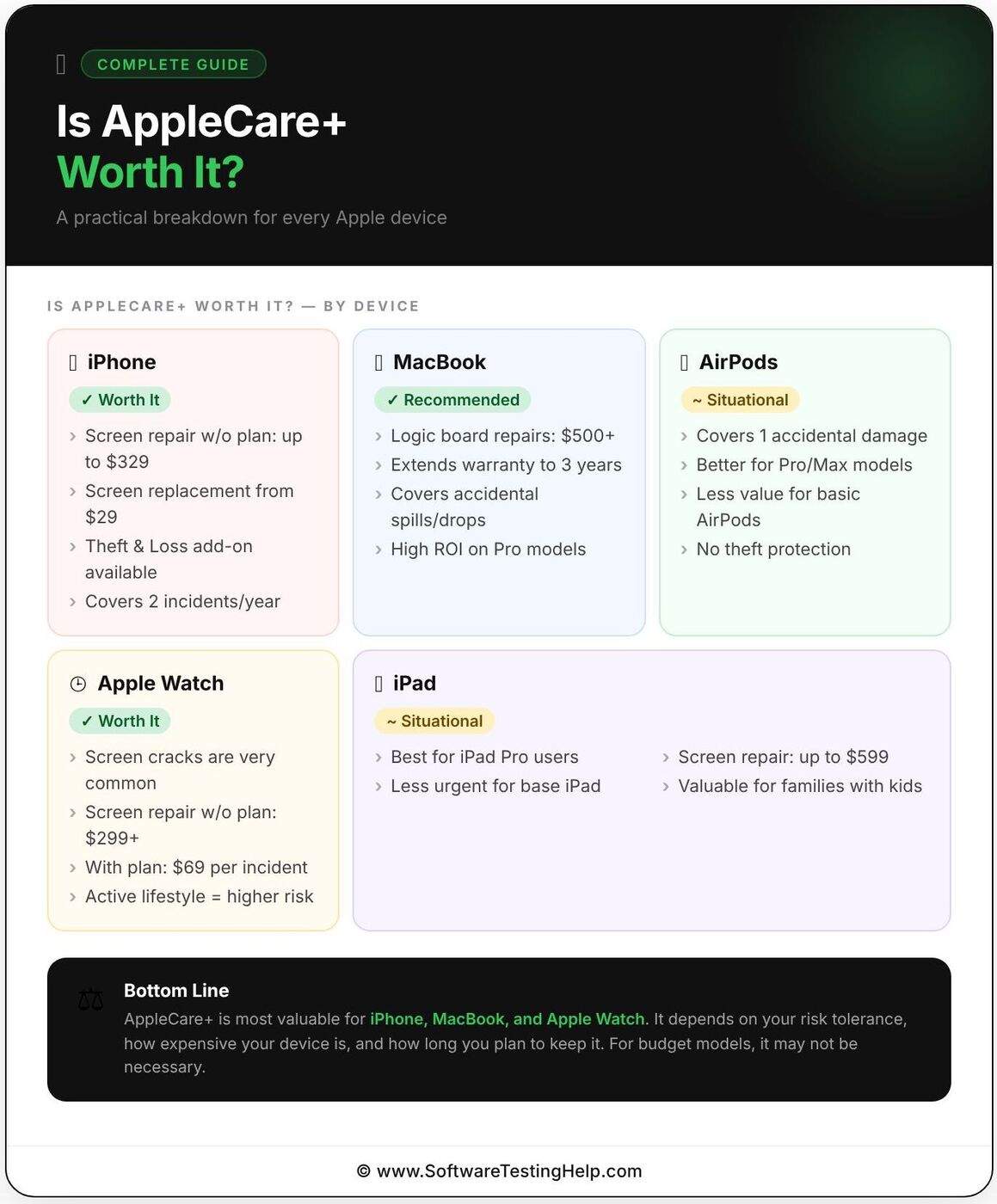
Let’s say you broke your iPhone 17’s screen. You’ll need to cough up a service fee of $29 to get it fixed. Add the annual fee of $119.99, and this entire ordeal costs you around $149. Without AppleCare+’s coverage, repairing an iPhone 17 screen would set you back by $379.
So, you could probably save $232 in this case with AppleCare+ coverage.
Let’s take another example. Let’s say you lost your iPhone 17. Under AppleCare+, you can make up to two claims for replacements in a single year. So, you can have your iPhone replaced with a deductible of $149. With the annual fee of $119.99 for AppleCare, you would spend $268.99 to have the phone replaced.
A new iPhone 17 would cost you $799. So, you are saving $531 with AppleCare+ if you happen to lose your iPhone 17 and wish to replace it.
Given how expensive an iPhone is and how much you’ll need to pay for additional repairs, I think paying a hundred bucks more for AppleCare+ when buying your phone just makes sense. It will get you the peace of mind you need and won’t necessarily put a burden on your wallet.
Is AppleCare+ Worth It for MacBook
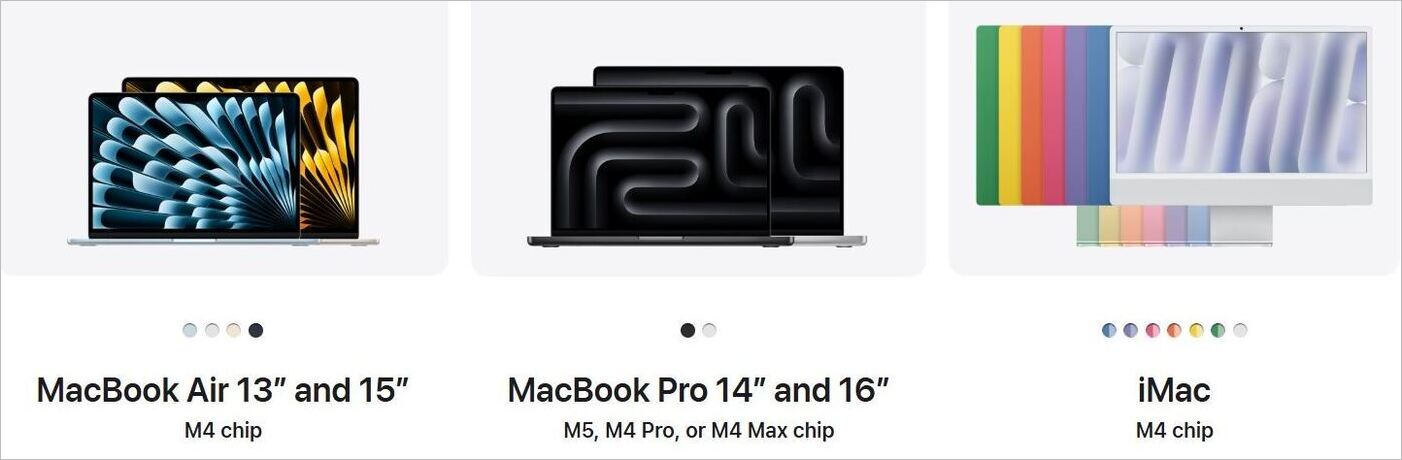
Let me cut right to the chase here. I believe that having AppleCare+ for your MacBook is wise. Any repair or maintenance work to your MacBook will not be cheap. Plus, both the monthly and annual AppleCare+ fees for Mac models are relatively cheaper.
Here’s what AppleCare+ will cost for your Mac device, according to the official website:
| Models | Monthly | Annual |
|---|---|---|
| Mac Mini | $3.49 | $34.99 |
| Mac Studio | $5.99 | $59.99 |
| iMac | $5.99 | $59.99 |
| MacBook Air 13 Inch | $6.99 | $69.99 |
| MacBook Air 15 Inch | $7.99 | $79.99 |
| MacBook Pro 14 Inch | $9.99 | $99.99 |
| MacBook Pro 16 Inch | $14.99 | $149.99 |
| Mac Pro | $17.99 | $179.99 |
Let’s say you spill tea on your MacBook Pro; you could end up with a repair bill of $1000-$1500, depending on the extent of the damage. With an AppleCare+ coverage of $99.99, you’ll only have to pay a small service fee to take care of any liquid-spill damage. So, is AppleCare+ worth it for MacBook Air, Pro, Mini, or Studio? Indeed, it is.
In hindsight, I would recommend that you invest a few bucks into insuring your MacBook or any other Mac device.
Is AppleCare+ Worth it for AirPods
AppleCare+ for AirPods is even cheaper. Plus, the benefits are quite enticing. For instance, you don’t have to pay any additional fee to replace faulty batteries. It also brings down the charges to repair any accidental damage to $29.

Here’s what AppleCare+ for AirPods would cost you, according to Apple:
| Model | Monthly | Annual |
|---|---|---|
| AirPods 4, Beats | $1.49 | $14.99 |
| AirPods Pro 3 | $1.99 | $19.99 |
| AirPods Max | $2.99 | $29.99 |
Because of their compact nature, you are more likely to damage your AirPods than any other device. I accidentally broke my AirPods by dropping them off a balcony.
I think paying around $30 more when you go out to purchase your AirPods Max is no big deal; these devices cost a fortune, with prices starting at $549.
However, the same coverage might not be wise for an AirPods model that only costs $129.
AirPods are relatively cheaper than Apple products. So, maybe paying a monthly or annual premium for insurance coverage for what is ultimately a cheap product might come across as overcompensation. If a cheaper AirPods model does get damaged, a one-and-done out-of-pocket repair job may prove sufficient.
Is AppleCare+ Worth it for AppleWatch?

AppleCare+ for AppleWatch comes with some of the same benefits that you’ll find with iPhones. You get unlimited repairs because of accidental damage at a flat fee. Plus, you get to make up to two claims each year for theft and loss.
The costs are as follows:
| Model | Monthly | Annual |
|---|---|---|
| Apple Watch SE | $2.99 | $29.99 |
| Apple Watch Series 11 | $4.99 | $49.99 |
| Apple Watch Ultra 3 | $5.99 | $59.99 |
| Apple Watch Hermes | $5.99 | $59.99 |
| Apple Watch Hermes Ultra | $5.99 | $59.99 |
Repairing a damaged Apple Watch screen could set you back by around $150-$300. With AppleCare+, you could have the screen repaired for a service charge of $69. The annual fee of, let’s say, $59.99 for this insurance, in addition to the flat service fee, would come to $130.
There isn’t much of a price difference here. I think the service charge of $69 is ridiculously high. I think it would simply be wise to take better care of your AppleWatch than pay an additional $60 to insure it. Then again, that’s just my opinion.
Consider the model you’re wearing, the risk of damage to it, and the cost, and decide for yourself.
Is AppleCare+ Worth it for iPads?
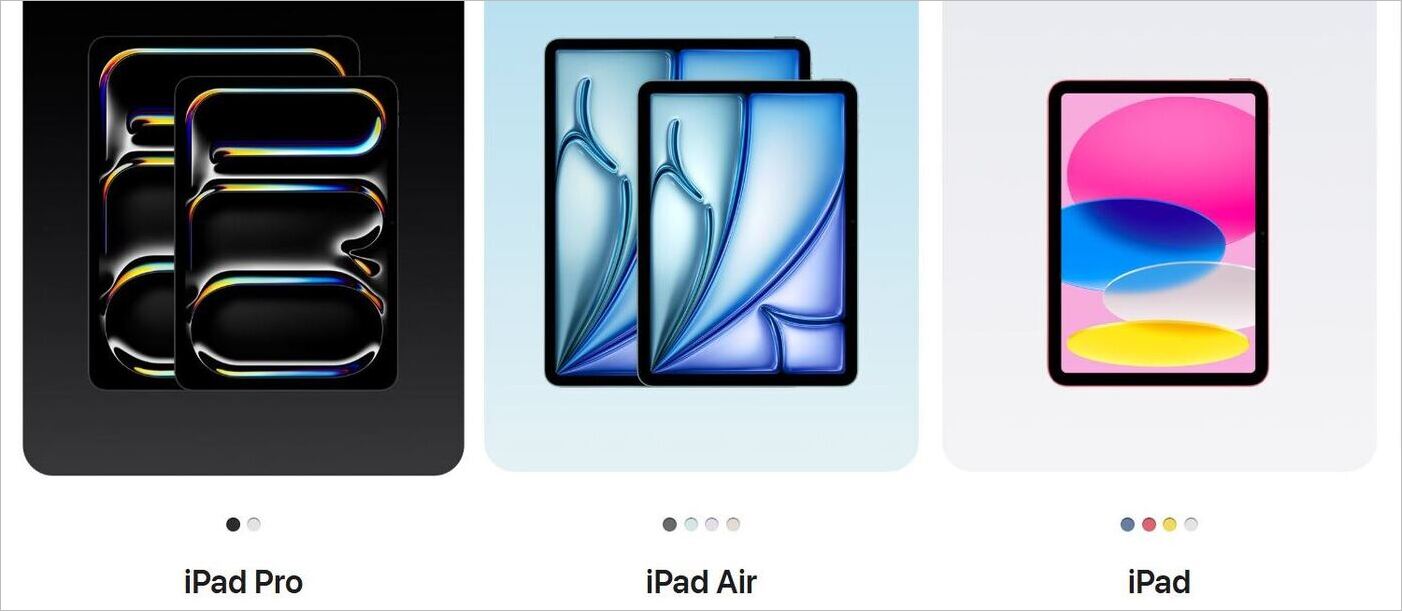
Based on the size and model of your iPads, an AppleCare+ subscription could cost you around $49.99 to $109.99 per year.
A detailed breakdown of the cost is as follows:
| Model | Monthly | Annual |
|---|---|---|
| iPad, iPad Mini | $4.99 | $49.99 |
| iPad Air 11 Inch (M3) | $5.99 | $59.99 |
| iPad Air 13 Inch (M3) | $6.99 | $69.99 |
| iPad Pro 11 Inch (M5) | $9.99 | $99.99 |
| iPad Pro 13 Inch (M5) | $10.99 | $109.99 |
Repairing any water damage to your iPad could cost you around $200-$600. Replacing a screen could cost somewhere around $100-$500. As you can tell, it isn’t cheap to get an iPad fixed.
Fortunately, you can ease the burden on your wallet by having an annual subscription to AppleCare+. It brings repair costs due to a damaged screen down and other types of accidental damage to a flat fee of $29 or $99, respectively.
Is AppleCare+ Worth it for Other Apple Devices?
iPhones and MacBooks aren’t the only Apple devices you can insure with AppleCare+. Almost any tech with Apple’s logo on it can be covered.
If you want to cover your newly purchased Apple Vision Pro, AppleCare+ will cost you $19.99/month and $199.99/year. With the device’s starting price being $3499, I think it would be foolish not to have it insured.
A simple crack to this device’s lens could end up incurring a repair fee of around $799. The cost goes as high as $2000 if the damage is significant. So, my advice would be to pay 200 bucks more and have the device insured for a year.
Apple TV can also be insured by paying a measly $9.99/year for AppleCare+. This covers accidental damage with a flat service charge of $15. I think paying for AppleCare+ for this device is a no-brainer.
Finally, you’ve got Apple Display devices. The AppleCare+ charges for these devices are as follows:
- Apple Studio Display: $4.99/month and $49.99/year
- Pro Display XDR: $17.99/month and $179.99/year.
Repairs for screen damage under AppleCare+ will cost you $99, whereas accidental damage of any other kind could cost you $299. Apple Display isn’t cheap, nor is repairing it. I think it is worth insuring them with an annual subscription.
On AppleCare One
If you own multiple AppleCare devices, purchasing individual subscriptions for each can feel like an unnecessarily tedious endeavor. Luckily, Apple recently introduced AppleCare One, a bundled package that lets you insure up to three Apple devices by paying just one time. AppleCare One prices start at $19.99 per month.
You can keep adding devices to this plan at $5.99 per device. You get all of the same privileges as AppleCare+.
Can You Get AppleCare+ for Refurbished Devices
AppleCare+ coverage is offered to refurbish devices brought directly from an Apple store. There are other retailers and online stores like Amazon that also sell refurbished Apple devices.
AppleCare+ does not cover such devices. I would suggest only buying certified refurbished devices from an official Apple store online if you want AppleCare+ protection.
AppleCare for Enterprises and Businesses
In my opinion, any organization running a fleet of Apple devices for its day-to-day functions should purchase AppleCare for Enterprises.
This plan offers company-wide coverage of every Mac, iPhone, iPad, and Apple Studio Display in your fleet.
The privileges include:
- 24/7 technical support, over the phone for end-users
- Onsite Hardware Service for 2, 3, or 4 years.
- Unlimited technical support for hardware and software diagnosis, troubleshooting, and issue isolation.
- Repair up to 4% of your covered Mac computers and Apple Studio Display or 10% of your covered iPhone or iPad device at no additional charge.
The pricing for AppleCare for Enterprise is volume-based, with flexible plans starting from 1000 to 5000 devices. You can get a quote by contacting an Apple Authorized Reseller or an Authorized Carrier Partner.
Factors That Determine if AppleCare+ is Worth
Ultimately, I would suggest considering the following factors to determine whether your device needs AppleCare+.
#1) Risk of Damage
What’s the likelihood of your device getting damaged? In my experience, portable devices like an iPad or iPhone are far more likely to be damaged than tech that just sits in one place. It just makes sense to have those portable devices insured for your peace of mind.
Similarly, if you have pets and children running around your home, the chances of damage to even your larger non-portable devices are high. So, consider the risk of damage to your device before you think of investing in AppleCare+.
#2) Your Budget
If you have the money to spend, then paying out a 100 bucks with your purchase of a new Apple product won’t be that big of a deal. You can choose between the more flexible monthly option or the relatively cheaper annual subscription.
Also, do some research on repair costs without AppleCare+ and compare them with the service charge you are expected to pay with the special warranty.
#3) Eligibility
Remember, you can only buy AppleCare+ within 60 days of your purchase of a product. So, make sure that 60 days haven’t passed. Also, make sure the device is in great condition before you apply for the subscription.
My advice would be to buy the subscription right away when purchasing your Apple tech to avoid any eligibility issues.
#4) Your Device’s Resale Value
AppleCare+ is transferable. If you decide to sell your AppleCare+ covered device to somebody else, the coverage does not become obsolete. It gets transferred to the new owner instead, provided the coverage hasn’t expired. This alone makes AppleCare+ very appealing in the eyes of those who’d like to buy your second-hand device.
Mention the fact that your device is covered by AppleCare+, and you’ll be able to sell it at a much higher price.
Alternative Coverage Options
Although I would recommend you go for AppleCare+, I also understand that some may not warm up to this insurance coverage for many legitimate reasons. Fortunately, there are alternative coverage options you can explore.
You could approach a bank or cellphone service provider for insurance plans that cover Apple devices. Some retailers also offer their own brand of insurance plans to cover any device bought directly from their stores.
Third-party warranty providers like Asurion may also offer you a deal that equals or even trumps the privileges offered by AppleCare+. I suggest you explore options, compare the privileges, and make an informed decision that best suits you.
Frequently Asked Questions
1. What does AppleCare+ actually cover?
AppleCare+ covers accidental damage to your device, like a screen crack or a liquid spill, something that’s not covered by your device’s standard 1-year warranty.
Depending on your device, you are only charged a small flat service fee, which is relatively less than what a repair would have cost you without AppleCare+.
Other benefits include free battery replacements, claims for theft and loss (only for iPhones and Apple Watches), and 24/7 priority support.
2. How to cancel an AppleCare+ Subscription?
Canceling an AppleCare+ subscription is simple.
Just do the following:
On iPhone:
1. Go to settings
2. Subscriptions > AppleCare+
3. Tap on Cancel Subscription
On Mac:
1. Click on the Apple Store app
2. Click on your name
3. Account Settings > Manage > AppleCare+
4. Click on Cancel Subscription
3. Should you go for the monthly or annual subscription of AppleCare+?
You are buying AppleCare+ to cover your device from any possible damage in the future. So, it makes sense to buy an annual plan, as it covers your device for much longer. The annual plan is also much cheaper than the monthly plans. My advice would be to purchase the annual plan.
4. Will Apple replace my iPad if I have AppleCare+?
Yes, replacement is a benefit that you get with AppleCare+. If your device is damaged, you’ll have the privilege of having the device replaced as quickly as possible with AppleCare+ coverage.
5. Does AppleCare+ replace screens?
Yes, AppleCare+ will replace screens for your damaged iPads, iPhones, MacBooks, and other devices. A flat service fee is charged that could be around $29-$99, depending on the device.
Screen replacement is relatively cheaper with AppleCare+. As such, it just makes sense to buy this subscription, especially if the risk of damage to your device is reasonably high.
Conclusion
So, is AppleCare+ worth it? Well, it depends. You can avoid this grief by purchasing an AppleCare+ subscription. It will grant you coverage against all types of accidental damages and even offer round-the-clock priority support.
At the very least, it will get you some much-needed peace of mind if you own a high-priced item like an iPhone, MacBook, or iPad without worries.
In contrast, I don’t think buying AppleCare+ insurance coverage makes sense for products that are cheaper, like the base AirPods. If you are someone who takes good care of their tech, then perhaps AppleCare+ is a waste of money.
Here’s what I’d suggest you do.
Go for AppleCare+ if:
- You own a premium device like the iPhone 17 Pro Max or a MacBook Pro.
- You have a history of causing accidental damage to devices.
Refrain from the coverage if:
- Your device is cheap.
- You tend to take good care of your device.
- You have a habit of replacing models after using them temporarily.
The ultimate decision is yours. Heed my advice, assess your budget, and you’ll be able to make an informed choice on whether to buy AppleCare+.
For more Apple-related guides, you can explore our range of tutorials below:
- How to Ping iPhone from Apple Watch and Vice Versa
- How to Fix If Your Apple CarPlay Not Working
- Why is My Apple Watch Not Charging: Possible Solutions
- Why Is my Apple Watch Screen Not Working: Quick Fixes
- How to Fix Apple Watch Not Counting or Tracking Steps
- How to Set Timer on Your iPhone Camera (Easy Ways)
Was this helpful?
Recommended Reading
-

Read the reviews to compare the best Customer Feedback Software platforms to collect online feedback from customers and improve the brand’s performance: Customer Feedback Software refers to a platform that helps in collecting customer feedback, finding gaps, and improving the customer experience. It comes with a variety of features like…
-
Comparison of top Customer Data Platforms with features, pros, cons, client details, etc. to identify the best CDP software as per your requirements: CDP stands for Customer Data Platform. It refers to the software that provides its users with the features like collecting and classifying customers' data, 360° view of…
-
Quickly check Apple Gift Card Balance in seconds without redeeming it. Here are the easy and hassle-free ways to check your balance online and save smartly today. Need to check the Apple gift card balance without redeeming using it up? If you’ve got an Apple gift card, an App Store…
-
Are you an Apple CarPlay user who often asks "Why is my Apple Carplay not working". Here is a guide that revolves around the carplay not working issue along with the possible solutions to fix it: Before CarPlay, Apple had developed its smaller version, ‘iOS in car’, in June 2013.…