Are you experiencing a slow charge, disconnection issues, or your phone is not charging at all? Try our tested and safe methods that will help to clear Pocket lint, dust, and debris from iPhone and android phones.
In the following detailed guide, you will learn how to clean a charging port effectively, including the iPhone charging port and USB-C ports on Android phones. We will also tell you what tools you should use and what to avoid when performing this task.
Tested & Safe Methods To Clean Out Charging Ports
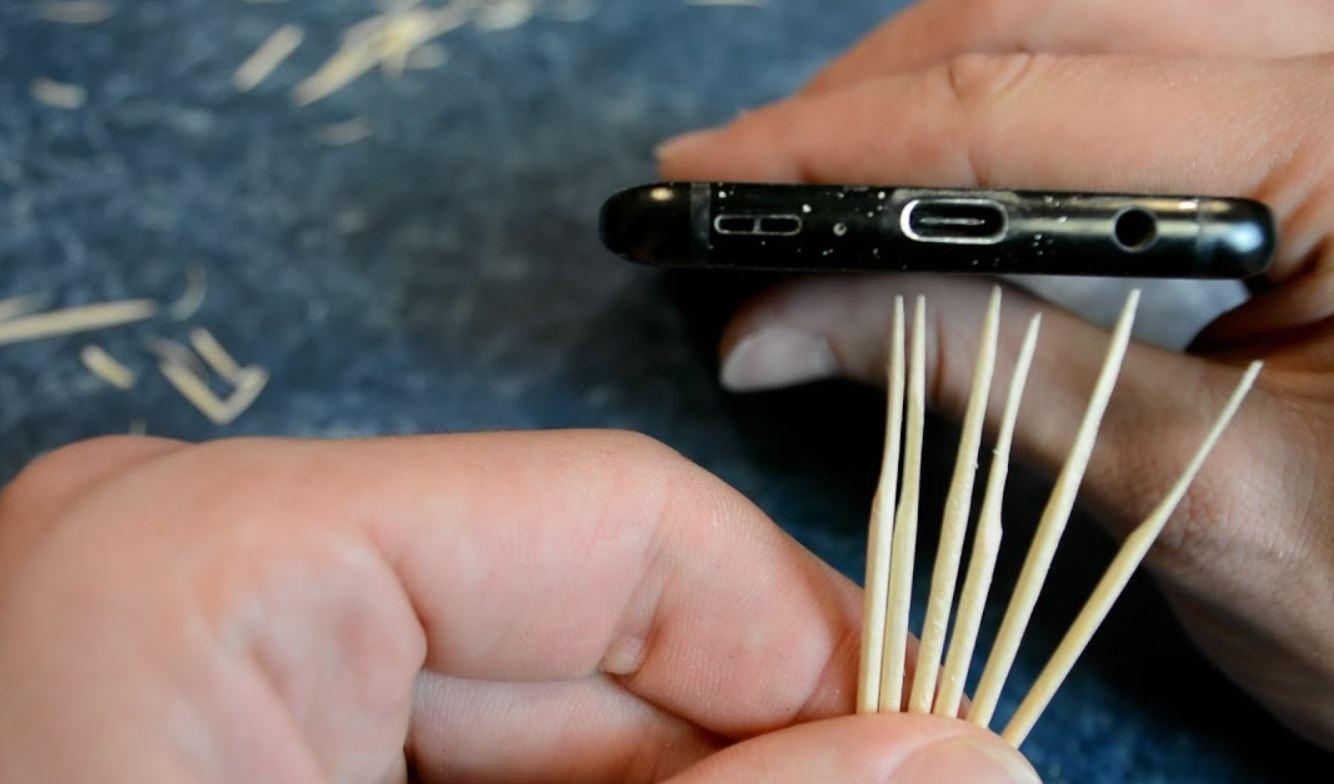
[via How to Tyler]
Now you can’t just flush these things out of your phone unless you wish to subject it to irreversible harm. There is a careful and safe way to make sure your phone’s charging port stays clean and free from things that have no business being there.
In this article, my goal is to demonstrate how to clean charging ports one step at a time. I’ll also tell you what tools to use, common mistakes to avoid, and when to seek professional help.
So, without much further ado, let’s dive in.
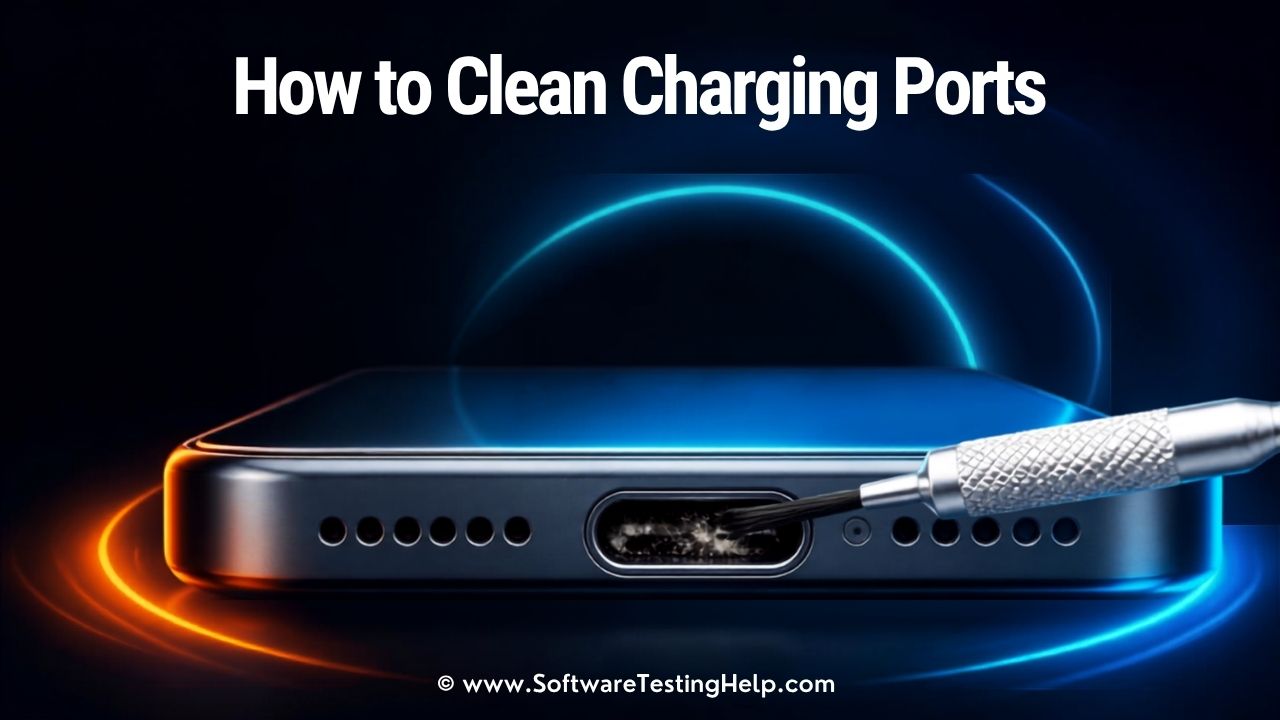
How Do You Clean a Charging Port Safely?
First, turn off and unplug your phone. Then check your charging port under bright light. Take out the dust or any compressed lint in the port safely without coming into contact with the contacts inside the port by using the right non-metallic cleaning instrument.
Here is what you need to do:
Turn off the phone > Illuminate with a flashlight > Begin to scrape using a non-metal object > Compressed air for cleaning > Phone’s port test. Avoid the use of water, metal, and force. Apple recommended not to use compressed air.
Why You Should Clean Your Charging Port
Charging ports can inadvertently end up harboring dirt, dust, pocket lint, and loose particles. These elements will continue to accumulate if the charging port is left uncleaned, resulting in a variety of issues.
This could include cables that don’t fit properly, slow charging, corrosion, and short-circuiting caused by trapped moisture. Cleaning the ports regularly can prevent these issues before it is too late.
Safety Checklist to Follow Before Cleaning Charging Ports
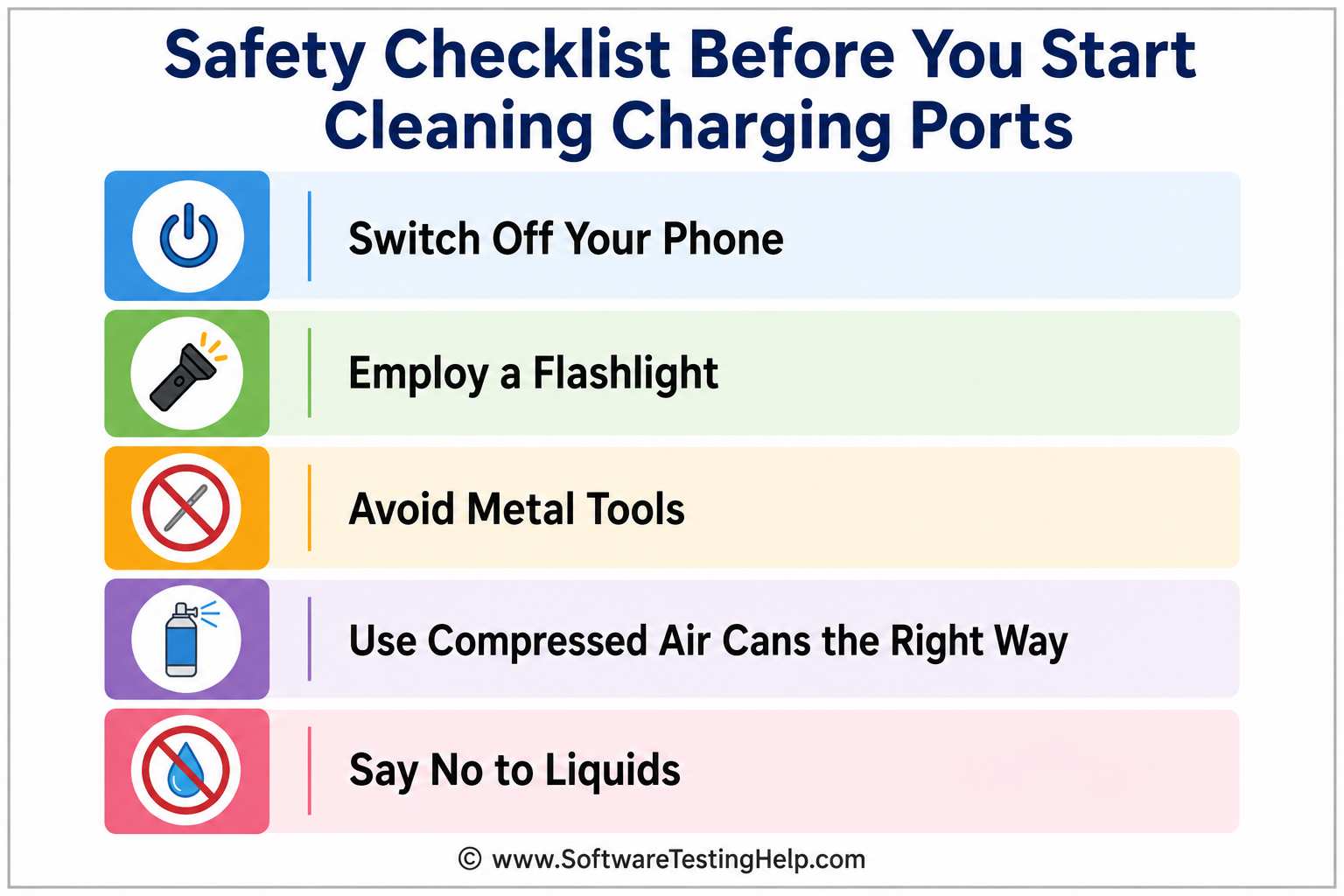
1. Switch Off Your Phone: This is a no-brainer. You’ll need to get deep into your phone’s charging port to dislodge or flush out whatever’s blocking it. To ensure the safety of both yourself and your device, turn the phone off completely.
2. Employ a Flashlight: Pocket lint or port debris is hard to notice, especially if it is lodged deep within the charging port. A flashlight will be your best friend here. Shine it directly onto the charging port so you can see everything as clearly as possible. Without a flashlight, you are basically working blind.
3. Avoid Metal Tools: Do not, under any circumstances, make the mistake of inserting a metal tool into your charging port. Wooden toothpicks or softer plastic tools are your best options when scooping out dirt from the port. Metal tools will end up damaging the inside of your port. Therefore, avoid them as you would avoid the plague.
4. Use Compressed Air Cans the Right Way: Compressed air cans can be immensely useful when cleaning up a charging port, provided you know how to handle them appropriately. Always keep the air can upright. Spray the air in quick, short bursts for the best results.
5. Say No to Liquids: Liquids are a lightning port’s worst enemy. Do not use water, alcohol, or any other liquid for cleanup. If the stain is stubborn and won’t come off easily, I would suggest using only a teeny-tiny bit of 90%+ isopropyl alcohol on a small cotton swab. Anything more will end up doing more harm.
With these safety tips taken care of, you now have a safe way to clean charging ports.
Tools You Need To Clean Out Charging Port
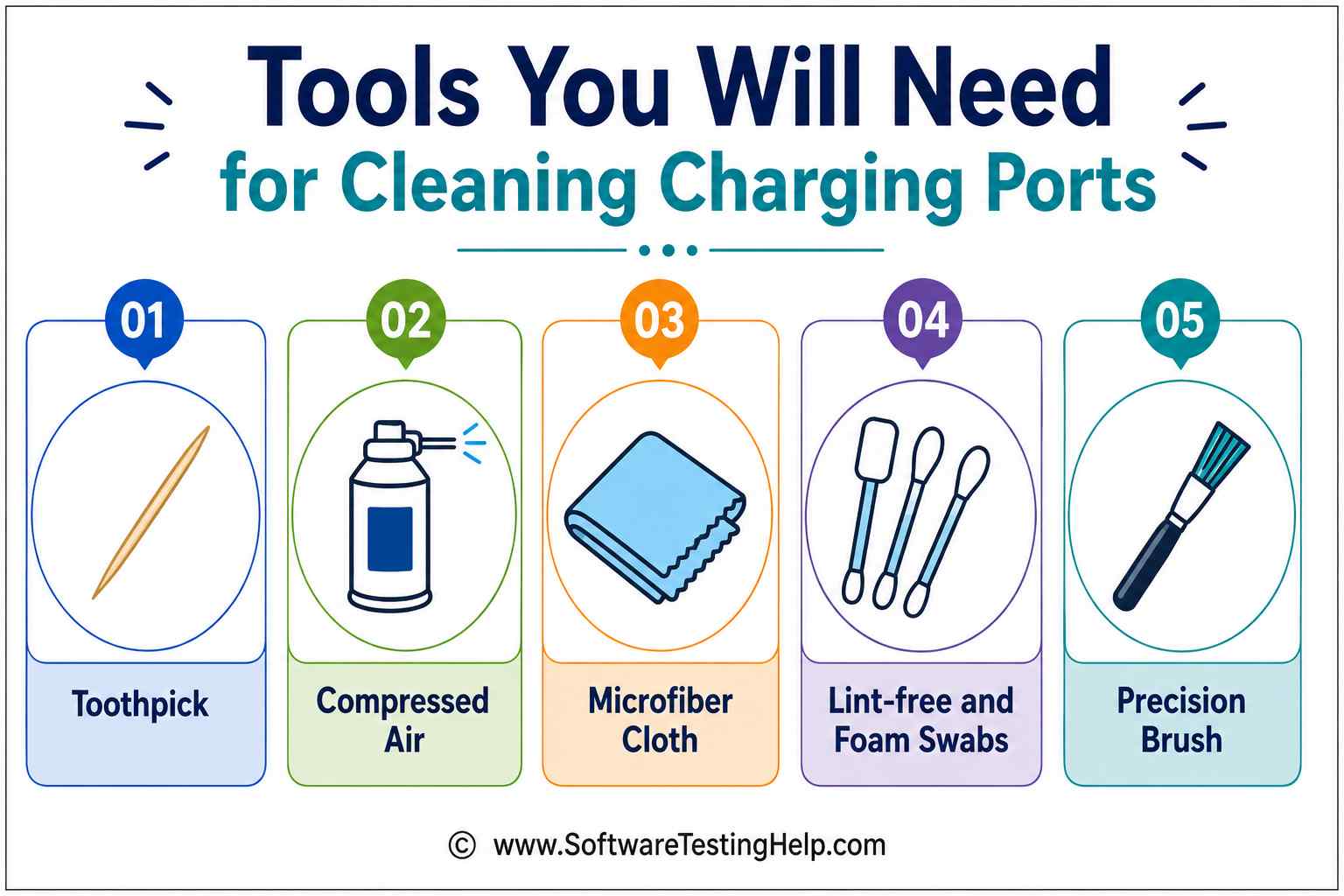
Below is a list of all the tools I would recommend you use to clean USB-C ports or any type of charging port, for that matter.
#1) Toothpick
Toothpicks are the most commonly used tools when cleaning charging ports. Only use nonmetal, wooden, or plastic toothpicks for the job. Just wrap up the end of your toothpick with a little bit of cotton to avoid scraping or scratching a port’s interior.
#2) Compressed Air
Compressed air cans will help you get rid of dust and any loose particles within the port. For safer and better results, only spray quick, short bursts of air into the port. Compressed air won’t be effective if the port is mired with tough stains.
#3) Microfiber Cloth
Microfiber Cloths are excellent when cleaning up the surroundings and exterior of your phone’s charging port. Use them to wipe the exteriors gently. This will get rid of any dirt settled on the phone.

[via Autofresh]
#4) Lint-free and Foam Swabs
Lint-free and foam swabs will help you get rid of tough stains. Only use a tiny amount of 90%+ isopropyl alcohol. Also, do not touch the interior charging port pins with this soaked swab.

[via Sciencix]
#5) Precision Brush
A precision brush with soft bristles can help with detailed, more targeted cleaning of areas. This is what makes it perfect for cleaning charging ports. You can find precision brushes of different types online.
How to Clean Phone Charging Port (Tested & Safe Methods)
Now that you know what safety tips to follow and the tools to use, allow me to show you how to clean out charging ports.
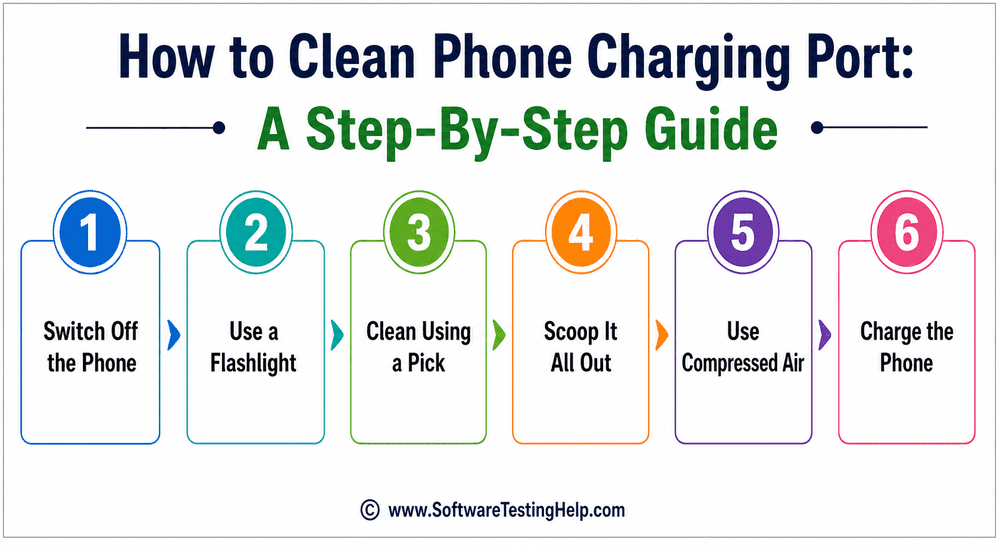
- Switch Off the Phone: This goes without saying. You start the clean-up by first turning your phone’s power off.
- Use a Flashlight: Now use a bright enough flashlight to find where the dust, pocket lint, debris, or dirt has settled inside the port.
- Clean Using a Pick: Insert a wooden toothpick or an electronic pick to gently scrape the edges and bottom of the charging port. Do note that you’ll need to do this while protecting the interior charging port pin. These pins are delicate. So, move the pick outward when scraping.
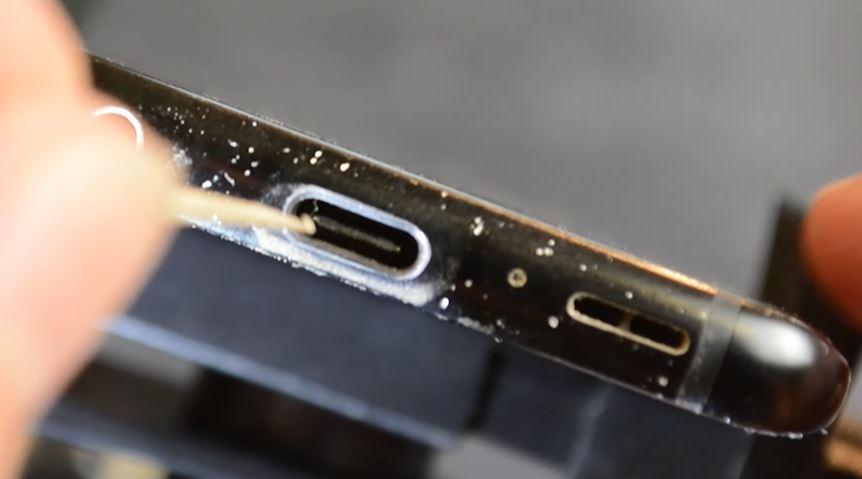
- Scoop it All Out: Scoop out all the dirt, dust, hair particles, and pocket lint you find lodged inside the port.
- Use Compressed Air: Once these elements are flushed out, blow compressed air from a can into the port to flush out any remaining dust and loose particles.
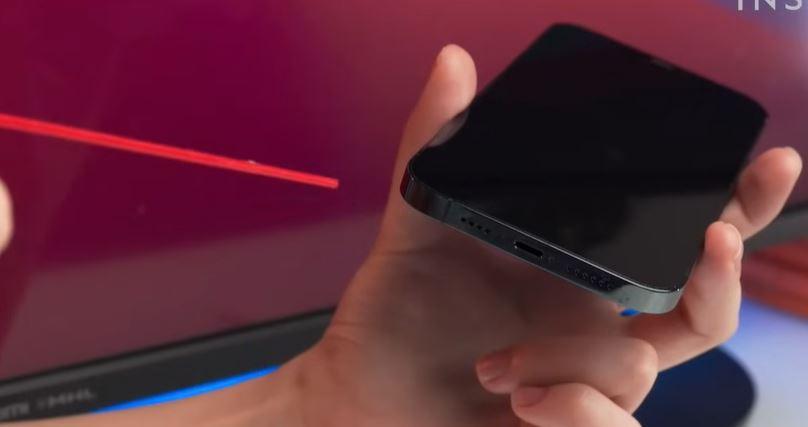
- Charge the Phone: With the port all cleaned up, it is time to plug a charger into it and see if it works.
If your phone charges up properly and the charger itself fits securely, then you’ve successfully managed to clean the charging port. The above process is also the best way to clean an iPhone charging port.
How to Clean an iPhone Charging Port (Step by Step)
Dust, lint, and dirt accumulation in the charging port of the iPhone might lead to problems in charging or failure in charging, or even poor contact with the charging cable. This procedure must be performed cautiously with non-metallic tools to prevent scratching the internal contacts of the iPhone.
Quick Preparation:
- Shut off the iPhone: It is always advisable to shut off the iPhone when trying to use any object in the charging port to prevent electrical shocks.
- Make the area bright: Make the port bright by using a flashlight in order to determine which areas require cleaning in the port.
- Choose the right tools: Use a non-metallic and non-conductive tool such as wooden or plastic toothpick, anti-static plastic picks, or interdental brushes. Do not use metallic tools such as paperclips, needles, or safety pins.
How to Clean a Lightning Port on iPhone 14 and earlier
Older iPhone devices including iPhone 14 and older models have a deep narrow Lightning port with contacts inside the walls.
- Carefully insert the pick: Insert a wooden or plastic toothpick to the rear end of the port opening.
- Sweep the bottom of the port: Slide the pick across the bottom of the port with a sweeping motion from one side to another. Pocket lint tends to accumulate at the bottom of the port, which is why some pressure will be needed to detach the lint.
- Do not pry into the side walls: Avoid forcing the toothpick into the walls that have the spring contacts.
- Tap the device to remove lint: Tap the device on your hand in order to shake off the loosened lint particles.
How to Clean a USB-C Port on iPhone on iPhone 15 series and newer models
The iPhone 15 and its successors use a USB-C port that has a delicate center tongue (pin array) in the interior of the port.
- Safe handling of the center tongue: USB-C ports have a plastic center tongue that is not present in Lightning ports. Putting any object straight into the port through the center can result in damage to the center pin.
- Clean the edges: You can use a plastic dental pick or toothpick to scrape the space between the center pin and the walls of the port.
- Light scraping at perimeter: Lightly scrape the inner perimeter walls of the port to remove accumulated lint and dust.
- End with a brush: Use a dry brush (anti-static or interdental) to clean the microscopic dust particles without exerting pressure on the center pin array.
What Apple Recommends for Cleaning iPhone
The Apple’s official manual on hardware protection provides certain safety precautions to avoid accidental physical or liquid damage to the devices:
- No Compressed Air: Apple discourages the use of compressed or canned air. The high-pressure stream may push dirt into the device’s interior and cause damage to sensitive microphones or speakers and breach moisture seals.
- No Swabs or Paper Towels: Swabs, Q-tips, and even paper towels should not be inserted into the port. Fibers easily tear and get stuck in pins, causing additional blockage.
- No Liquids or Cleaners: Any liquids, alcohol, aerosols, or other household cleaners should not be used inside the charging port since moisture inside it may trigger Liquid Detection or corrosion of the connector’s pins upon plugging.
- No Water but Microfiber Cloths for Other Surfaces: To clean any surface of the device or its connectors, one should use a dry microfiber cloth.
What to Do If Water or Liquid Gets Into a Charging Port
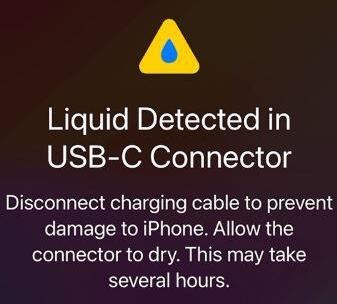
Liquid detected in the charging port of an iPhone or Android device? Water can do way more damage to your phone than dust or dirt.
[via Apple Support]
Here’s how you get rid of water in a charging port:
- Turn your phone’s power off.
- Shake and pat the phone gently to remove water from the charging port.
- Use a dry microfiber cloth to wipe out the charging port and its surroundings gently.
- Blow compressed air into the port to dry out any water droplets left behind.
- Hold the phone with the charging port facing down and let gravity pull out any liquid inside the port.
- Finally, keep the phone in a well-ventilated area to dry. Give the phone some time to dry up completely.
No need to hasten this process with an electronic dryer. Practice patience. Some people like to stick their phones in a rice bowl. While this is an effective way to get water sucked out of a phone, the rice itself may end up getting lodged inside the charging port.
Common Mistakes people do when cleaning charging ports
One should practice mindfulness, especially when you are undertaking a task that is riddled with risk. One mistake and you can bid your expensive phone goodbye.
Don’t fret, though. I’ve got you covered.
#1) Avoid Metal Objects
You’ll find many tiny metal objects in your house (pins, needles, and clips) that fit inside a charging port. That does not mean they are perfect for the job. Metal objects can trigger a short circuit within the phone. Instead, use a wooden or plastic item.
#2) Avoid a Toothbrush
You may consider a toothbrush to be a great tool. Sure, it can help you brush off dirt and loose particles. However, a toothbrush’s bristles are way too abrasive. If you must use a brush, use a small one with very soft bristles.
#3) Do Not Use Liquid
Some stains can’t be scraped away or flushed out via compressed air. So, you might consider using water or another cleaning product for the job. This is a grave mistake that will do irreparable harm to the charging port and phone. Only use a tiny dab of isopropyl alcohol with a foam swab if you wish to get rid of stubborn stains.
#4) Don’t Use Your Breath
Do not blow into a phone’s charging port directly through your mouth. Your breath contains moisture, bacteria, and other kinds of contaminants. Your breath coming into contact with charging port pins can result in corrosion.
How Frequently Should You Clean a Charging Port
Well, it depends. If you take good care of your phone and don’t expose it to liquid or moisture, then cleaning up your charging port every two months would suffice.
However, if you live in an area or frequent a place that’s exposed to a lot of dust and pollution, then I would suggest cleaning up your charging port more often. Once a month would be a good idea.
Dirty Charging Port vs. Damaged Charging Port
Identifying whether the problem of your iPhone’s charging is caused by the presence of dirt or actual damage to your iPhone will be helpful before you attempt any repair or contact a service.
The below points will help you in this regard:
| Indicator | Dirty Charging Port | Damaged Charging Port |
| Visual Inspection | Dark, packed debris, lint, or pocket fuzz visible under bright flashlight. | Shiny pins that are visibly bent, crooked, blackened (burn marks), or missing entirely. |
| Cable Insertion | Cable feels springy, wobbly, or doesn’t click fully flat against the outer frame. | Cable seats fully flat against the frame, but the connection remains loose or non-functional. |
| Charging Behavior | Intermittent charging that works momentarily if you hold the cable at a specific upward or downward angle. | No charging response at all regardless of cable angle, or physical heat generation at the connector head. |
| Liquid Warning | Rare, unless wet debris is trapped inside. | Frequent “Liquid Detected” or accessory notification errors even when dry, caused by shorted or corroded contacts. |
How to Prevent a Dirty Charging Port
You can rely on the below measures to prevent dirt from being lodged or trapped in a charging port:
- Buy small dust plugs, as they are very effective in blocking pocket lint and moisture.
- Use a protective phone case equipped with flaps designed to cover a charging port.
- Make sure your pockets are clean before you put a phone in them. The dirt or lint in your pocket may end up in the charging port otherwise.
- Always wipe and clean your hands before you touch a phone.
Phone Still Won’t Charge After Cleaning?
If you’ve successfully and carefully cleaned the charging port and your iPhone still won’t charge, there might be other reasons preventing it from doing so.
Here are the troubleshooting procedures that will help you figure out the problem:
- Connect Your iPhone to a Working Cable and Adapter: Cables tend to get damaged internally at the strain relief point while looking fine externally. Use a new, certified MFi Apple charging cable and adapter that plugs.
- Force Restart: A software problem or a hung charging process on your iPhone can cause it to not recognize power. For iPhone 8 or later models: Quickly press and release the Volume Up button, then quickly press and release the Volume Down button. Now hold the Side/Power button until you see the Apple logo.
- Inspect the Gold Contact Pins on the Cable Tip: Look for any oxidization of corrosion in the gold contact pins on your charging cable. Oxidation or corrosion in pin 4 or 5 of your iPhone’s charging tip will prevent electricity from flowing through.
- Try to Charge Your Phone Wirelessly: In case your iPhone model supports Qi or MagSafe wireless charging, put it on a wireless charger. If your iPhone charges wirelessly, its battery and logic board are intact, meaning that the charging port assembly needs to be replaced.
When to Seek Professional Help?
Not all clean-up jobs are simple. While it is mostly simple to clean a charging port at home, it is not always advisable, given certain circumstances.
I would advise rushing to your nearest phone-repair station under the following situations:
- If there is corrosion inside the charging port.
- If the charging port pin appears to have broken or bent.
- If the cleanup still doesn’t result in your phone charging normally.
- If there is a lodged object that cannot be removed safely.
- If the phone stops functioning altogether.
Frequently Asked Questions
1. Can a toothpick damage my port?
Well, yes and no. It depends on what type of toothpick you use and how you use it. As I said before, only use non-metal toothpicks. Be as gentle as possible when scraping a port’s interior with the toothpick. Make sure it doesn’t come in contact with the internal pin.
2. Is it safe to clean a charging port?
Yes, it is safe to clean a charging port, provided you heed this guide and adhere to all the safety tips I’ve highlighted here.
• Switch your phone off before cleaning.
• Don’t use metal objects
• Use a flashlight for visibility.
• Don’t use water or any kind of liquid.
• Don’t blow air into the port from your mouth.
3. Is it safe to clean a charging port with a needle?
If the needle is non-metallic, then yes, it is safe. Metal needles, on the other hand, can not only scratch the interior of a charging port but also cause it to short-circuit. I would suggest using a plastic or wooden toothpick.
4. What can damage a charging port?
A lot of things can damage a phone’s charging port. This includes metal objects, dust, dirt, loose particles, pocket lint, liquid, and exposure to moisture.
5. What is the easiest way to clean a charging port?
Those who wish to learn how to clean out an iPhone charging port or an Android charging port, for that matter, should know that there isn’t one easy way to clean a charging port.
If you have the right tools and follow all safety measures, then any method you use can seem simple. Some may find using a toothpick more effective, while others may find convenience in using compressed air cans.
The guide I’ve shared above already demonstrates an easy way to clean charging ports. Perhaps you can just follow those instructions and call it a day.
6. Can you use Alcohol to clean charging ports?
Yes, in very small quantities. Isopropyl alcohol dabbed on a tiny wiff of cotton or foam swab can be used to clean charging ports, especially if there are tough stains to remove.
7. How to clean a charging port without a toothpick?
The best alternative to a toothpick is undoubtedly a compressed air can. You can use these cans to blow out loose particles and dust lodged within a port. A small brush with softer bristles can also prove effective, especially when trying to dislodge harder objects.
8. How to clean a charging port without compressed air?
Well, if compressed air is a great alternative to toothpicks, then toothpicks are a great alternative to compressed air. I would still advise using compressed air after you’ve scraped a port to get rid of any residue.
Conclusion
So, there you have it, a complete guide on how to clean a charging port on iPhone and Android devices. It isn’t rocket science, but that does not mean you can be careless with this task. Those phones you own are expensive, and their charging ports are too delicate.
Whether your phone features a Lightning port or a USB-C port, just stick to the guide I’ve shared above, and you’ll have no issues whatsoever.
If you still can’t get rid of the dirt within the port, just go to the nearest repair station and have a professional help you out.
Research Process: The total time involved in completing and publishing this article is approximately 38 hours. A structured research approach created this content to ensure accuracy and reliability.
For more-related guides, you can explore our range of tutorials below:
- How to Fix iPhone Not Charging or Charging Port Not Working
- Best iPhone Chargers (TOP SELECTIVE ONLY)
- How to Fix Liquid Detected in Lightning Connector iPhone Error
- Best Portable Charger For Power Bank Battery
- Best USB-C Headphones for Music, Gaming & Calls
- Why Won’t My Apple Watch Charge
Was this helpful?
Recommended Reading
-

Here we will explore multiple ways to understand how to Share Your Location on iPhone with others: Sharing live locations is a useful thing today. It is especially useful when you don’t know the exact address and you would like to tell someone where you are. Be it an Android…
-
Explore all possible solutions to fix the iPhone not charging issue. Discover the typical reasons for iPhone charging port issues along with some expert tips to maintain it in good condition: Smartphones are a part of almost everyone's life today. They are not just used for calling and texting but…
-
Is your Apple Watch not charging? Stop worrying on "Why Wont My Apple Watch Charge" and try our tested troubleshooting steps that actually work to resolve the issue instantly: Ever wondered why your Apple Watch cannot respond to charging action, charges slowly, or detaches from the charging activity once plugged…
-
Explore the top and best iPhone Chargers with pricing, technical specifications, and comparisons to select the fastest iPhone charger as per your needs: The compatible iPhone Charger that you are using might just not be good enough. It's time to pick out an iPhone charger that does the job faster…