Create stunning presentations like an expert with Beautiful.AI. Read our honest Beautiful.AI review along with a list of its alternatives to help you make the right choice within your budget:
I’ve always enjoyed making presentations. There’s just something very satisfying and rewarding about creating slides in PowerPoint or watching visuals come to life in Canva. However, I also realize that these platforms are gradually becoming antiquated, and AI presentation makers will inevitably replace them.
We are living in a world where technology is evolving rapidly; after all, AI permeates the corporate realm at large. The new world order dictates that if there is a simpler, more efficient way to accomplish something, we embrace it.
Beautiful.AI Review: Powerful AI Presentation Maker

That efficiency is what AI presentation software like Beautiful AI represents. Imagine a fully automated assistant that does all the heavy lifting for you, from layout design to data visualization, all in a bid to create a professional-looking slideshow presentation. That’s what you get with Beautiful.ai.
I’ve had the pleasure of using Beautiful.ai on multiple occasions, but I’ve never really shared my thoughts on the platform with anyone before until now.
Consider this article a comprehensive review of this AI-powered presentation tool.
Refer to the video below for understanding Beautiful.ai, the Leading AI Presentation Maker for the workplace.
What is Beautiful.ai?
Beautiful.ai is a cloud-based presentation automation software. The platform helps you create structured pitch decks or slideshow presentations with AI prompts and smart-slide templates. The way it works is quite simple. Just describe the presentation or pitch deck you want to create using Beautiful.ai using a simple text prompt.
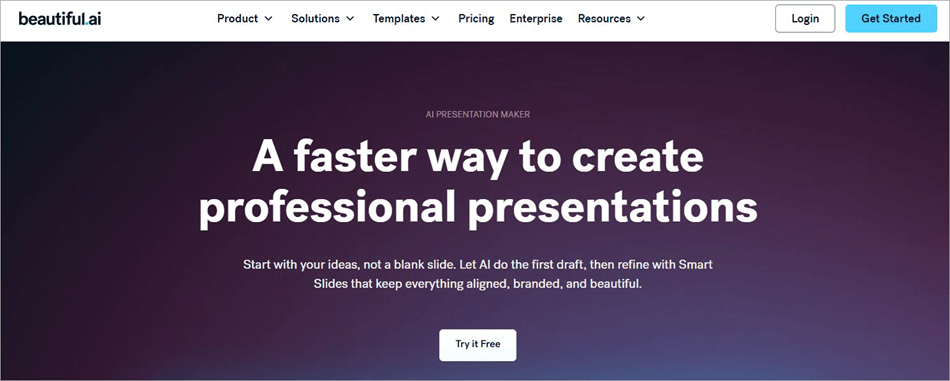
Beautiful.ai then creates the entire presentation with text and images relevant to the subject matter. The pitch deck is made of several smart slides with a layout that automatically aligns and adapts as you customize and edit it.
That platform uses several AI models to function. It relies on Claude for text generation and content summarization. It also uses Google’s Imagen to generate images. The platform features its own proprietary conversational AI assistant, which powers its smart slide capabilities.
Beautiful.ai essentially formats and designs the slides at your behest. This makes the platform ideal for non-designers or anyone who does not wish to spend a lot of time fiddling with the layout of each slide in their pitch deck.
Beautiful.ai may not be suitable for complex business presentations, but it is great at accomplishing visual consistency across all slides on a pitch deck. Even if it is about creating simple presentations, Beautiful.ai makes sure they can still look professional and visually stunning.
Beautiful.ai Features and Capabilities
I believe Beautiful.ai’s hype and reverence are best explained when one looks into the features it offers. These features or capabilities ultimately give it an edge over other, more traditional presentation makers out there.
#1) AI Presentation Generator
It’s the AI era, and platforms like Grok and ChatGPT are dominating online discussions. Beautiful.ai also features gen-AI capabilities, which can help you create a complete pitch deck with relevant images, text, and an overall design that aligns with your brand or whatever concept you are shooting for.
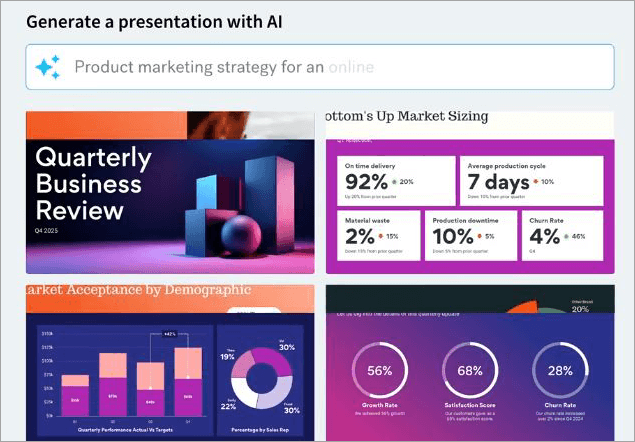
If you’ve used ChatGPT or Grok to generate anything before, then employing Beautiful.ai to create a pitch will be as easy as breathing. All you have to do is add a prompt to the designated AI-chat box inside your Beautiful.ai dashboard.
For instance, simply type a prompt like “create a Q2 business review deck” and this AI slide generator will generate a well-structured, ready-to-edit first draft of the deck. Similarly, you can use prompts to perform further edits or add stuff to your pitch deck.
You can have the AI generate text-based material or even create images that blend seamlessly with your deck.
#2) Smart Slides
This is the feature responsible for the automated presentation design you’ll experience on the platform. The deck generated by Beautiful.ai is completely made of these smart slides. These are essentially intelligent layout templates that automatically resize, realign, and animate the content within your pitch deck.
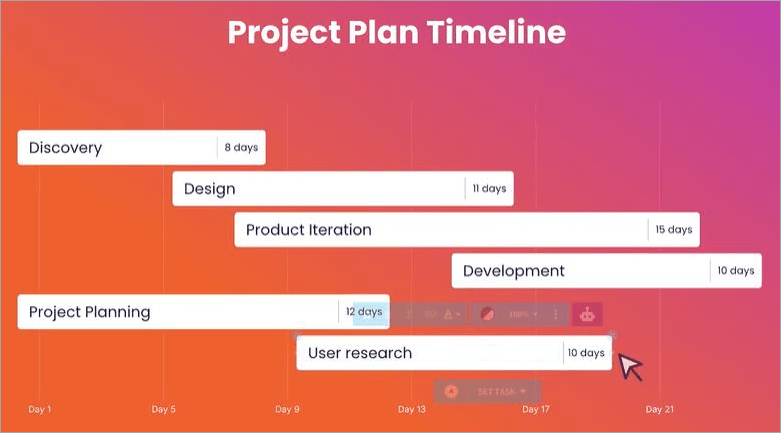
The purpose of smart slides is to ensure design consistency across your slides from beginning to end. Smart Slides essentially free you from the often arduous task of formatting. There are over 300 smart slide layouts at your disposal. From quotes to timelines and image grids, you can choose any that fits the visual style of your presentation deck well.
These smart presentation templates are highly customizable. As such, you can experiment with the fonts and logos to add some charm to the overall style of your presentation.
#3) Brand Controls
Making sure each slide on your pitch deck has a uniform look that aligns with the brand’s image is tough. With Beautiful.ai, you don’t have to go through this tedium. Define your colors, fonts, logos, and icons once. You can apply this setting to any presentation being made on the platform.
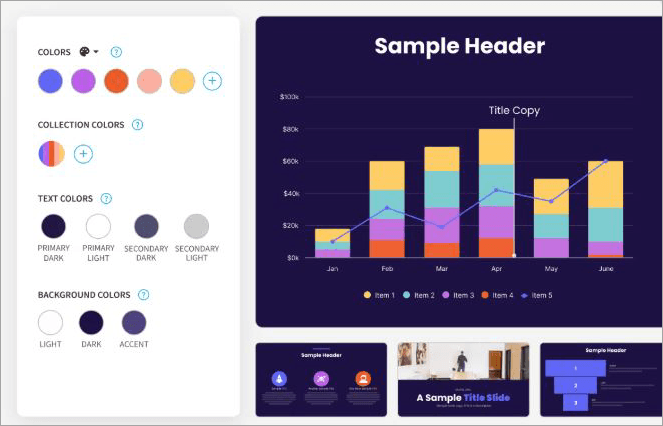
You can define master themes and have them assigned by team, region, or use case. The platform also lets you set up brand guardrails to protect and control how your brand shows up. You can have your brand’s logos and visuals stored in a central library within Beautiful.ai. This will ensure your team has access to the right material when creating presentations.
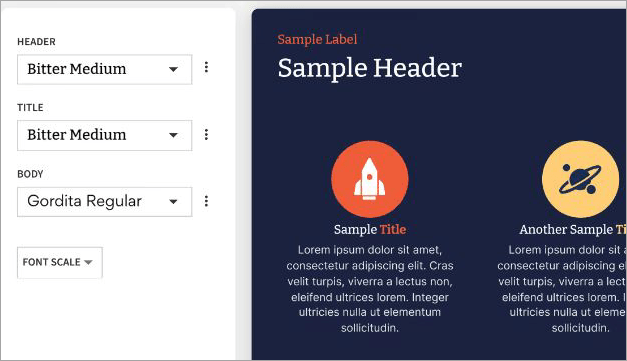
Simply put, you get a business presentation maker that helps you achieve brand consistency. It can help you reduce review cycles and save your design team a lot of time.
#4) Collaboration
Collaboration is another of this presentation automation software’s greatest strengths. You basically get a platform that centralizes each team’s presentation workflow. As I mentioned, the platform can serve as a library for reusable slides, locked themes, and shared assets. This ensures your teams can create a presentation that aligns with your brand every time.
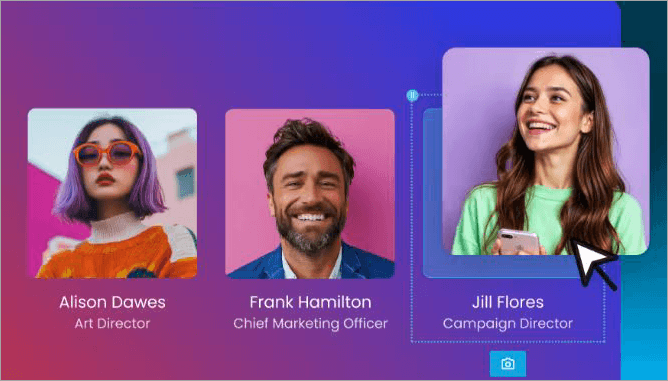
The centralized workspace also facilitates live editing, version-aware updates, and approved slides. You can edit the deck live, assign slides to a team member, and leave feedback for everyone to see.
Authorized users can also track other users and how they interact with your deck. The platform also lets you control user permissions, making sure only authorized users have access to your presentations. With access tracking and link protection to boast, Beautiful.ai ensures your content stays safe at all times.
#5) Data Visualization
Beautiful.ai does not disappoint when it comes to data visualization. You get a library packed with data slides, charts, graphs, timelines, diagrams, and more to give raw data a visual makeover.
You can upload data as an Excel or CSV file. Beautiful.ai will interpret this data and create a dynamic presentation from it. You get the privilege of choosing from an extensive selection of data slides and charts to get the job done.
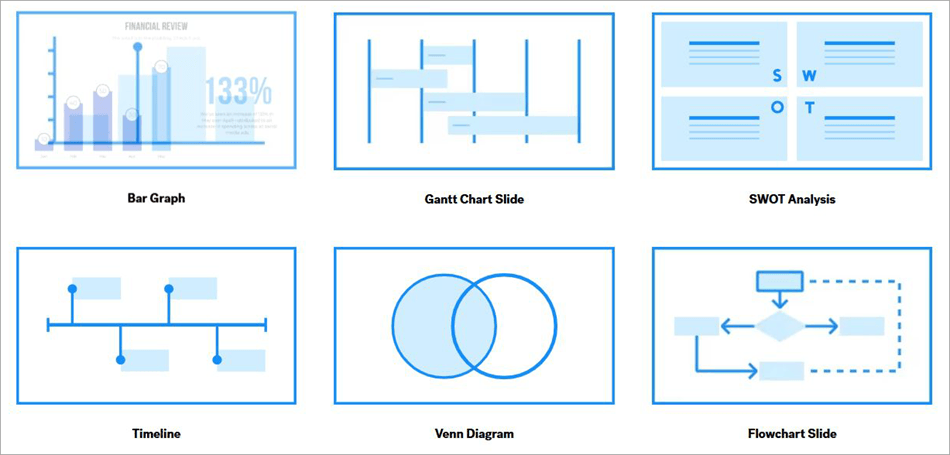
You will work on intelligent smart slides. So, you can just sit back and have the slides automatically configure your chart’s layout and numbers.
Whether it is KPIs or market trends, you can count on this professional presentation software to create polished visuals out of your data.
#6) Seamless Integrations
Beautiful.ai facilitates easy integrations with a variety of third-party tools, which makes your task of building or managing presentations simpler.
Below is a list of all the prominent integrations Beautiful.ai offers:
- Slack: For real-time messaging
- ChatGPT: For drafting and ideating content
- Salesforce: Sharing presentations and tracking engagement
- Monday.com: For customer management
- PowerPoint: Design slides on PowerPoint with the platform’s AI
- Webex: For presenting and sharing presentations via phone and browser
How to Get Started with Beautiful.ai
1. Visit the Beautiful.ai official site and choose a plan.
2. Sign up using a fresh email ID or use your existing one.
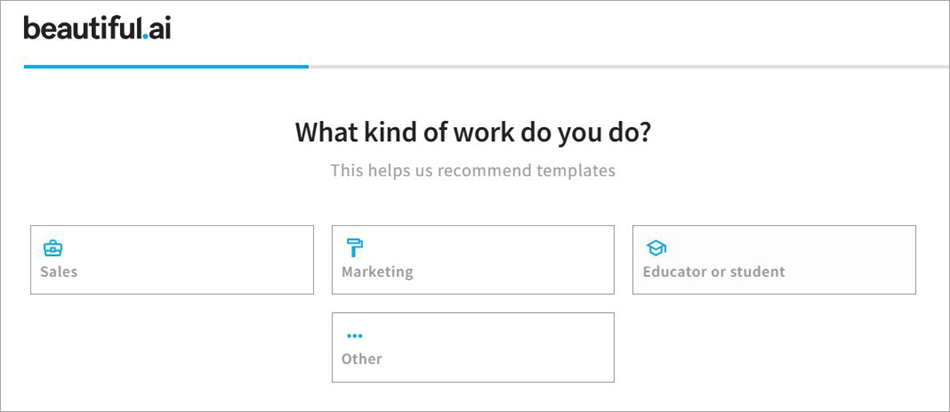
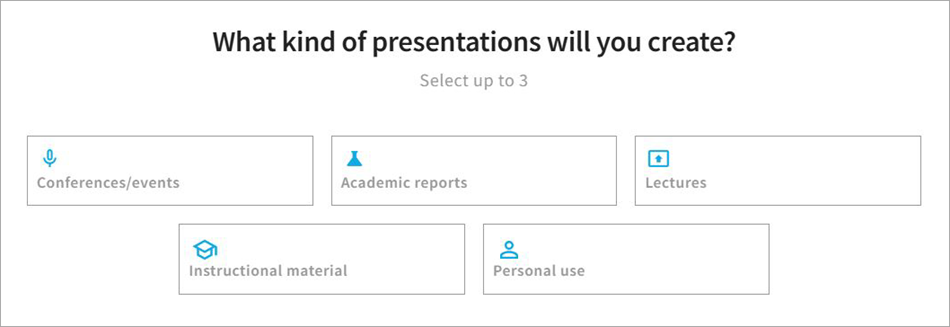
3. Answer the questions Beautiful.ai asks.
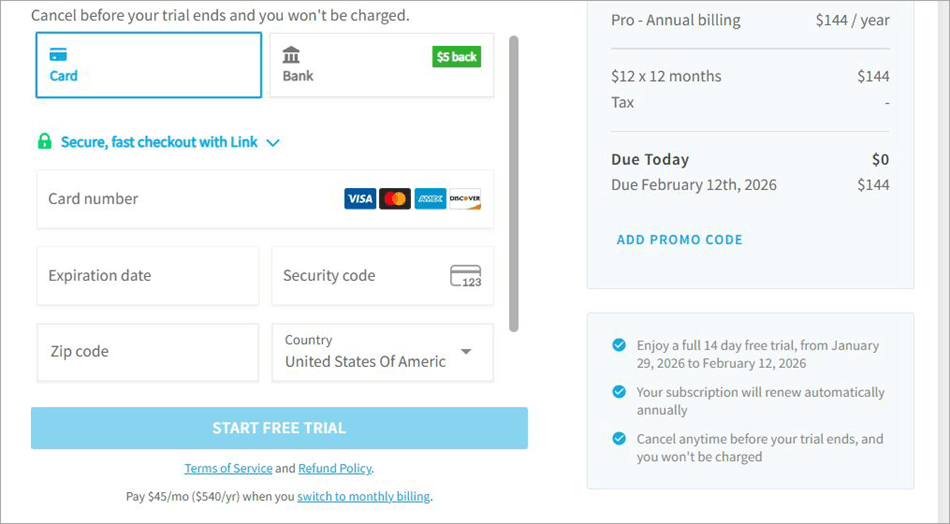
4. Enter your credit card details to get a free trial.
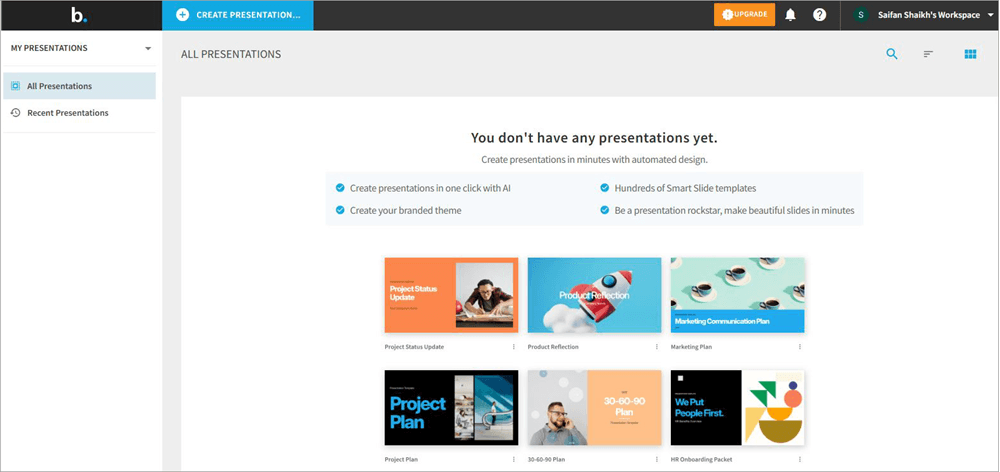
5. You’ll now find yourself in the platform’s presentation library.
6. Navigate to the AI chat box and add a prompt to create your first pitch deck.
Security on Beautiful.ai
As far as content protection and data privacy are concerned, I think Beautiful.ai does a decent job. The permission control and link protection ensure that you can protect your work from unauthorized access. That said, I dislike how all the platform’s advanced security features are locked behind the expensive Enterprise plan.
Everything from event auditing and user provisioning to SAML SSO and advanced permission control is only accessible to users of the Enterprise plan. You also get top-tier security in compliance with regulatory standards like the GDPR, CCPA, SOC 2, and PCI.
Suffice it to say, I would’ve appreciated the tool a lot if the platform offered these features to all its paid users, irrespective of their plan.
Customer Support
Customer Support on Beautiful.ai is also decent. You can reach out to support via email, and they do respond quickly, provided you’ve reached out to them during their working hours (Monday to Friday from 8:00 am to 6:00 pm).
There are also enough resources and materials available for self-help. There’s an FAQ, a knowledge base, and detailed tutorials on the official site and on the platform’s official YouTube channel.
Again, I would’ve appreciated 24/7 support. That said, you are entitled to priority support with the Team and Enterprise plan. Enterprise plan users also get onboarding and training support.
Beautiful.ai Pricing
Beautiful.ai is an affordable presentation tool with a flexible pricing structure aimed at catering to a diverse user base.
For individuals, there’s the cheaper Pro Plan that costs $12/month. Then there’s the Teams plan, which is ideal for a team of 2-20 people and costs $40/month/user.
There’s a custom enterprise plan as well, to accommodate over 20 users. While the Pro plan is suitable for people who seek the platform for its AI and auto-design features, the Teams plan is best for advanced collaboration.
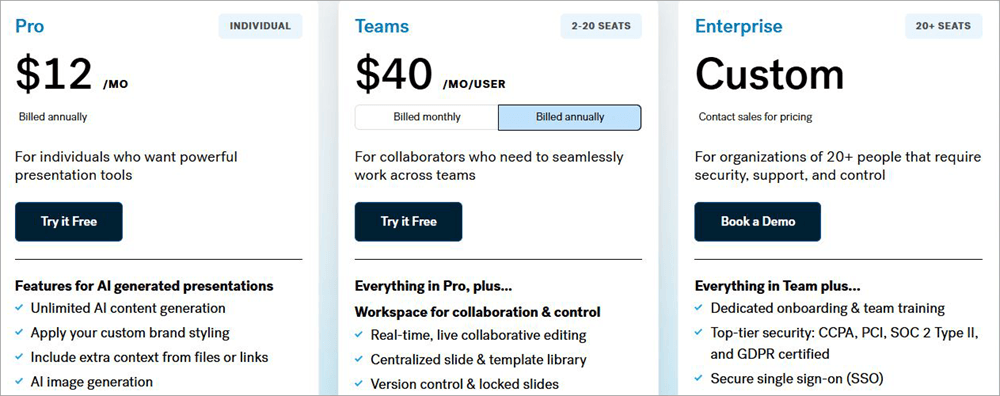
On the other hand, the Enterprise plan offers you better security, control, and support. There’s a free trial as well. You can try both the Pro and Teams plans without paying a dime for the first 14 days. You can request a demo for the Enterprise plan.
Pros and Cons
| Pros | Cons |
| Unlimited AI content generation | Strong security features are locked behind the Enterprise plan. |
| Automated presentation design | No 24/7 support. |
| Smart auto-adjusting layout templates | You can experience lag while making a presentation. |
| Real-time, live collaboration | Limited selection of templates when compared with some of its competitors. |
| Centralized workspace | May not be suitable for complex presentations. |
| Advanced tracking and analytical capabilities. | No API |
| Easy integration with tools like ChatGPT, Slack, monday.com, etc. | |
| Flexible pricing | |
| Library of royalty-free stock images | |
| Create presentations in 100+ languages |
Beautiful.ai Competitors
Now that you know what Beautiful.ai entails, let’s see how it fares against some of its most prominent competitors in the market:
- Gamma
- Presentation.AI
- AnyGen
#1) Gamma
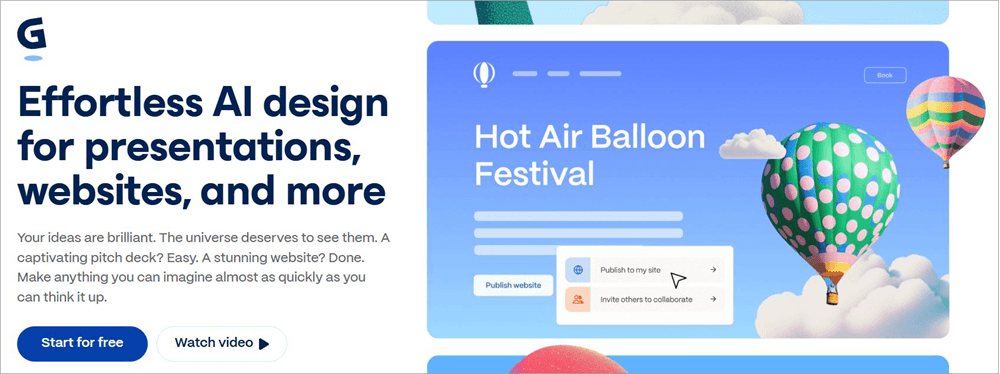
Gamma is a popular tool that one can use to have an AI create and edit their presentations. You can use this platform to create a lot more than presentations. It can also create stunning social media graphics, documents, and website content. The platform uses 20+ AI models to help you generate high-quality output for presentations.
Check our Detailed Gamma AI Review Here
#2) Presentation.AI
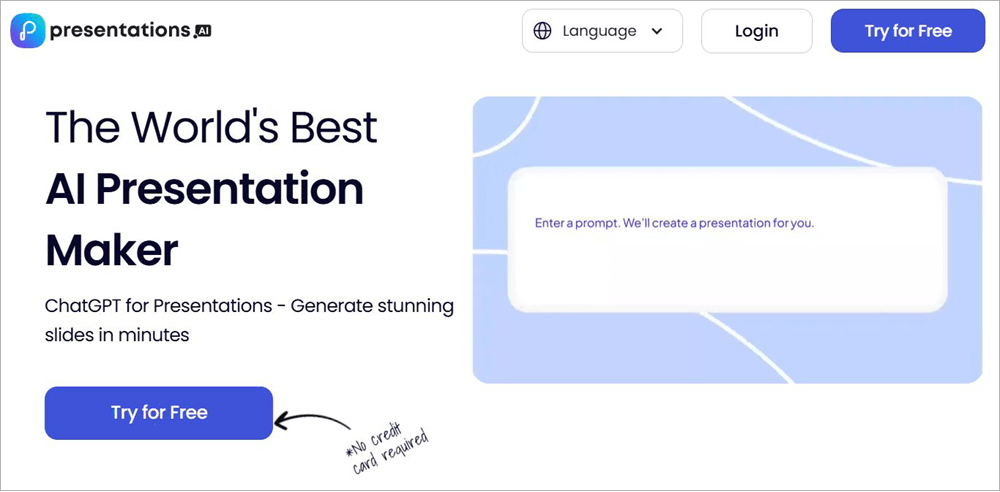
Presentation.AI is perhaps the most sought-after presentation-making tool out there today. Unlike Beautiful.ai, this tool lets you pick from over 10000 templates. The platform goes beyond design structuring and can be used for complete content generation.
You can have Presentation.AI create 5 full-fledged presentations for you without registering your debit/credit card, something Beautiful.ai does not do.
Website: https://www.presentations.ai/
#3) AnyGen
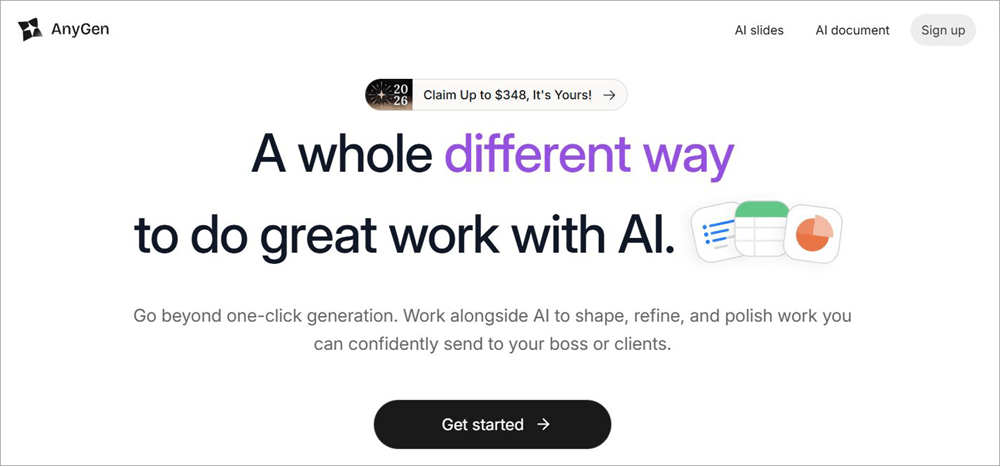
Similar to Beauiful.AI, AnyGen is an advanced AI slide generator. The platform lets you create on-brand slides with visual consistency throughout. It works very well with PowerPoint, as you can have files directly exported to PowerPoint with all of their original design and theme preserved.
Website: https://www.anygen.io/product/slides
Beautiful.ai vs Gamma vs Presentation.AI vs AnyGen
| Name | USP | Templates | PowerPoint Export | Price |
| Beautiful.ai | Smart Slide Templates | 300+ | Yes | Starts at $12/month (billed annually) |
| Presentation.AI | AI-powered content structuring | 10000+ | Yes | Starts at $198 per year. Free forever plan available |
| Gamma | Publish presentation, websites, social posts | 100+ | Yes | Starts at $8/user/month. Free forever plan available. |
| AnyGen | AI-powered Slide generation | – | Yes | Starts at $23/user/month. Free forever plan. |
User Reviews
As of the first month of 2026, Beautiful.ai seems to enjoy a universally positive reception online. It enjoys a respectable score of 4.7, 4.3, and 4.3 (out of 5) on well-known tech publications like G2, Capterra, and Software Advice, respectively.
Most positive reviews seem to highly praise the platform’s ease of use, especially for creating and editing slides.
One user review on Capterra complimented Beautful.AI for being fast and very accurate. Another 5/5 review on the platform G2 praised the tool’s robust functionality and its ability to deliver professional-looking decks every time.
In hindsight, I agree with the general reception of this tool. It is an easy-to-use tool that one can employ to create professional-looking pitch decks in no time.
Tips to Get Most Out of Beautiful.ai
Although Beautiful.ai is simple to use, a new user can still end up making costly blunders. To use the tool to its maximum potential, I suggest following the tips below.
- Use simple text prompts. Don’t complicate things. If you aren’t confident in your ability to create a good prompt, seek help from an AI content generator to do it for you.
- Let Smart Slides handle the configuration of your layout. You can perform edits later if necessary.
- You can duplicate slides, and I suggest you do so to test different themes side-by-side.
- Remember, you can lock a theme with version control. So, make sure to do so to achieve a consistent visual look across your pitch deck.
- Lock certain elements, like the footer or logos, on your slide to prevent anyone from editing them.
- Opt for the Enterprise plan right away if better security and support are something you prioritize.
- Create the presentation in Beautiful.ai and then export the file to PowerPoint to refine the presentation further.
Who can Benefit from Beautiful AI
| Who is it for | Who is it not for |
| Sales professionals who wish to create customized decks | Designers who seek custom visuals |
| Marketers who wish to create in-depth reports | Educators who seek interactive slides |
| Startups that wish to create pitch decks and investor presentations | PPT enthusiasts who seek complete animation control |
| HR professionals who wish to create training and onboarding presentations. | Creators who wish to tell stories via animation |
Frequently Asked Questions
1. Does Beautiful.ai export to PowerPoint?
Yes, it will let you export your work to PowerPoint. To initiate the export, simply click on the 3-dot menu in your presentation library and select “Edit”. In the Editor, select Manage > Export Slide > Export Slide to PPT. It is that simple.
2. Is Beautiful.ai really worth it?
Yes, I think Beautiful.ai is really worth it, as it can save you a ton of time in creating a presentation. You can rely on its AI to create complete pitch decks with images and text-based content. You also get a 14-day free trial. So, you can give the tool a try without having to worry about wasting your money.
3. Can I cancel my Beautiful.ai subscription?
Yes, Beautiful.ai ‘s subscription can be canceled anytime. Its subscription plans are affordable. That said, your subscription renews automatically. So, cancel the subscription before your current plan expires to avoid any unnecessary charges.
4. How does the Beautiful.ai free trial work?
You get access to a 14-day free trial of the tool once you sign up and provide your credit card details.
In the trial period, you can create unlimited slides and get access to all the tool’s other advanced features. You’ll be charged automatically once the free trial is over unless you choose to cancel the subscription.
5. Is Beautiful.ai better than Gamma?
Well, it depends on what you need your presentation maker to do. If your goal is to ideate and draft content, go with Gamma. If you want a tool that lets you create a structured pitch deck with intelligent slides that automatically design themselves, then you’ll be happy to use Beautiful.ai.
Final Rating
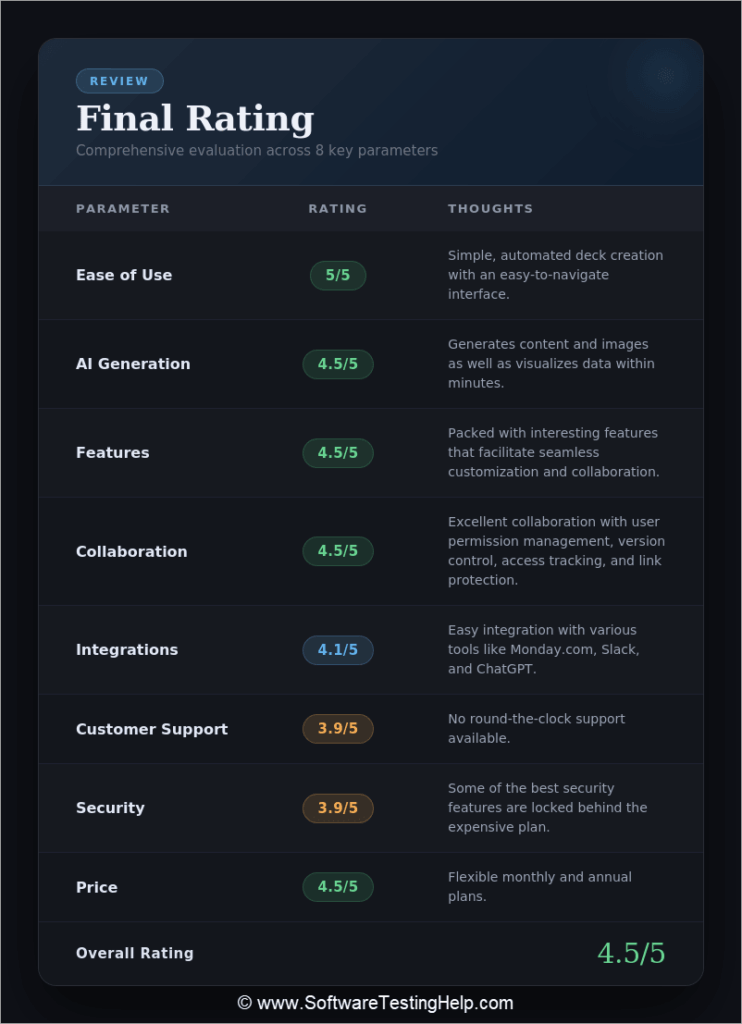
| Parameters | Rating (Out of 5) | Thoughts |
| Ease of use | 5/5 | Simple, automated deck creation with an easy-to-navigate interface. |
| AI Generation | 4.5/5 | Generates content and images as well as visualizes data within minutes. |
| Features | 4.5/5 | Packed with interesting features that facilitate seamless customization and collaboration. |
| Collaboration | 4.5/5 | The platform ensures excellent collaboration with features like user permission management, version control, access tracking, and link protection. |
| Integrations | 4.1/5 | Easy integration with various tools like Monday.com, Slack, and ChatGPT. |
| Customer Support | 3.9/5 | No round-the-clock support. |
| Security | 3.9/5 | Some of the best security features are locked behind the expensive plan. |
| Price | 4.5/5 | Flexible monthly and annual plans. |
| Overall Rating | 4.5/5 | |
Conclusion
Beautiful.ai is what I envisioned a fully automated presentation maker would look like, years before AI became as popular as it is today. Its ability to create a visually consistent pitch deck with intelligent slides is truly impressive and has garnered immense praise from users who’ve had the privilege of using it.
It might not be as advanced as something like Presentation.AI, but if your goal is to create on-brand, simple business presentations, Beautiful.ai is best suited for the job.
I have some complaints, though, especially about the advanced security and priority support that’s only available to Enterprise plan users. You can also experience lag during the editing process.
I hope the platform addresses these issues soon, as I do see Beautiful.ai evolving to become one of the best AI presentation makers in the near future.
For more related guides, you can explore our range of tutorials below:
- 10 Best Online Presentation Software & PowerPoint Alternatives
- Tips to Deliver an Effective Presentation to QA Team
- MagicLight AI Review: Long Video Maker Review
- Clipfly AI Review: Best AI-Powered Video Generator
- How to do a Voiceover on Google Slides
- iMyFone Filme Editor To Make An Attractive Slideshow – Review
- Vheer AI Image to Video Generator Review
- The 15 Best Free Online Slideshow Maker Software (Ranking)
Was this helpful?
Recommended Reading
-

Comprehensive Review, Comparison & Features of Online Presentation Software To Help You Select The Best Free Presentation Tool or PowerPoint Alternative: If you’ve been given the task of putting together a presentation, then you want to knock it out of the park and impress both your superiors and subordinates. You…
-

If you have doubts about how to prepare and deliver an effective QA testing presentation to your team, make sure to read this article till the end. Presenting your knowledge, experience or simply sharing useful information is neither an art nor magic. In fact, it is a skill developed through…
-
A noteworthy ChatGOT review, along with the top ChatGOT Alternatives. Compare the features, performance & pricing of each tool to pick your ultimate AI-driven Chat Assistant: ChatGOT is perhaps one of the most sought-after platforms for people experimenting with different AI models. This SaaS platform serves as a central hub…
-
Gain insights into the powerful visualization capabilities of the Top AI Data Visualization Tools. Pick the right AI tool for data visualization to handle complex queries & revolutionize data interaction: Lately, Data Analysis has been revolutionizing research powered by GPT-4 AI-driven tools. Data analysis and data visualization have become much…