


Explore and compare the top Android Data Recovery Software and go for the best Android Recovery App to recover your precious data:
Your smartphone or Android device, in particular, can do a lot of heavy lifting, the most useful of which can store data. An Android device can masquerade as a portable hub for photos, videos, emails, and even sensitive business documents.
So imagine how it would feel if one day out of the blue you lose everything your Android phone’s internal or external memory card stored. Ask anyone who’s experienced this travesty and they’ll explain the magnitude of their heartbreak.
Android Data Recovery Apps

There are several reasons Android devices can sometimes lose data. Whether it is because of a system crash or a virus attack, many things can compromise the security of your Android smartphone. Fortunately, what people actually need to realize is that this data isn’t gone forever.
A good Android data recovery app can bring this ostensibly deleted data back from its grave.
Android users can simply hop on to the app store and find tons of tools that make data recovery simple. But with so many options to choose from, there is bound to be some confusion. In this article, we will do our best to clear your doubts by presenting a list of what we believe are the best Android recovery software out there.
Pro Tips:
- Look for a tool that is easy to use, install, and possesses a decent-looking UI.
- The software you choose must be impervious to virus and malware attacks. It should be capable of performing read-only procedures during a scan.
- The software should allow you to recover data from the internal memory and external memory card of your phone.
- The android recovery software must be capable of recovering all types of files, in all types of formats.
- The tool must be compatible with your android smartphone.
- Finally, the price charged should be clear and should not exceed what you are comfortable paying.

[image source]
List of Top Android Data Recovery Software
Here is a list of popular Android data recovery apps:
- Tenorshare UltData for Android Data Recover
- iMobile DroidKit
- Wondershare Dr Fone
- EaseUS MobiSaver for Android Free
- FoneLab
- Disk Drill
- DiskDigger Photo Recovery
- FonePaw
- iCare
- AirMore
- Stellar Data Recovery for Android
- iToolab RecoverGo Android
- Eassiy Android Data Recovery
- iMyFone D-Back Android Data Recovery
- MiniTool Data Recovery
Comparing the Best Android Data Recovery Tools
| Name | Best For | Fees | Ratings |
|---|---|---|---|
| Tenorshare UltData for Android Data Recovery | Recovering the deleted or lost data from any Android device. | It starts at $35.95 |  |
| iMobile DroidKit | Recover data from Android devices without root | Data Recovery: $39.99, Full Tool Kit: $69.99 |  |
| Wondershare Dr. Fone | Full Service Data Security and Recovery tool | Data Recovery tool starts from $39.95, Full Android Tool Kit – $79.95 per year. | |
| EaseUS MobiSaver | Free Android Data Recovery | Free | |
| FoneLab | Restore and Recover Phone Data | Price starting $20.76, Broken phone data extraction pack – $31.96. |  |
| Disk Drill | Powerful Data Recovery | Free Version Available, Pro – $89.00, Enterprise – $899.00 | |
| DiskDigger | Free Recovery of Media Files | Free Plan Available, $14.99 personal license. | |
| MiniTool Data Recovery | Fast data recovery | $69/month, $89/year | |
Review of Data Recovery tools:
Best for recovering deleted or lost data from any Android device.

Tenorshare UltData is an Android Data Recovery solution for recovering deleted or lost data, such as contacts, messages, call history, videos, etc. It supports all Android devices, such as Samsung, Motorola, HTC, Google Nexus, etc. It can recover the data from the internal storage and SD card without a computer or root.
Recommended Reading => Reasons And Solutions for Slow Phone
Features:
- Tenorshare UltData can restore WhatsApp Business data such as photos, documents, and videos.
- It has a new Photo enhancement feature to increase the resolution of recovered images.
- It has the facility of Recovering Google Drive Data that helps with broken Android data recovery.
- It can recover data in any scenario, including water damage, without backup, OS crash/update, System Root, etc.
Verdict: Tenorshare UltData supports over 6000 Android phones and tablets. It is simple and easy to use. You just have to follow three steps: connect, scan, and recover. It provides the highest data recovery success rate in the industry.
Price: Tenorshare UltData for Android is available with three pricing plans: 1-Month License ($35.95), 1-Year License ($39.95), and Lifetime License ($49.95). It offers a 30-day money-back guarantee.
#2) iMobile DroidKit
Best for recovering data from Android devices without root.
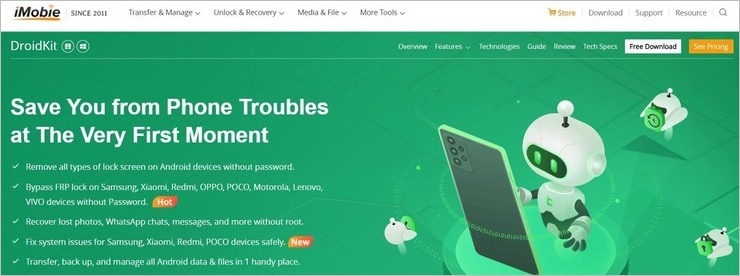
DroidKit works with almost all types of Android devices and recovers lost data without root. You can use the software to perform a quick or deep scan of your phone and recover 13 different types of files with ease. The recovery process is quick and simple. The software also supports almost all Android smartphones and tablets.
Features:
- Transfer android backup and manage phone data
- Quick and deep scan mode.
- Reinstall or upgrade the Phone OS version
- Speed and Optimize Smartphone.
- Bypass screen locks
Verdict: With DroidKit, you get a robust Android data recovery, performance optimizer, and screen unlocker in one comprehensive solution. It is simple to use and will recover almost all types of data, regardless of what caused the data loss situation. It works with all Android devices, and as such, earns a spot on this list.
Price: DroidKit’s Data Recovery Solution will cost you $39.99. The full toolkit will cost you $69.99. You can download and use the tool for free with limited capabilities.
Best for full-service Data Security and Recovery tool.

Wondershare Dr.Fone is a full-service smartphone security tool that you can employ to keep your stored data safe. One of its most prominent features is its ability to recover data from Android devices. When recovering data from an Android phone, the tool automatically roots your device. This makes it capable of performing high-end recovery operations.
The software makes it easier to recover lost videos, images, documents, and messages from an Android device. It is compatible with over 6000+ Android tablets and smartphone devices. You also get to preview and selectively recover a file.
Features:
- Scan Android device for data recovery
- Supports recovery of all major file types
- Supports over 6000 Android tablets and smartphones
- Preview files to scan.
Verdict: Wondershare Dr.Fone gives your Android smartphone a protective cover by performing several high-security operations, with data recovery being its most prominent function. You can virtually recover all types of mobile data with the help of this tool in a couple of easy steps.
Price: Data Recovery tool starts from $39.95, Full Android Tool Kit – $79.95 per year.
#4) EaseUS
Best for free Android Data Recovery.

EaseUS MobiSaver is a simple, quick, and free-to-use tool specifically made to recover data from Android devices. It allows you to recover data in three easy steps. You connect your Android device to the software, initiate the scan, and select the files you want to recover. The software is compatible with over 6000 Android phones and tablets.
It can comfortably recover data from both internal and external memory. The tool also allows you to preview the file before you recover it. You can also recover and export your files in multiple formats like CSV and HTML using EaseUS MobiSaver.
Features:
- Three-step recovery process.
- Preview files before recovery.
- Export files in multiple formats.
- Supports recovery for almost all Android devices.
Verdict: If you haven’t tried recovering data from your Android device before, then you are better off starting with the user-friendly EaseUS MobiSaver. The software will allow you to recover any type of file in 3 simple steps. Moreover, you won’t face any compatibility issues with this tool as it works fine with almost all Android devices circulating in the market today.
Price: Free
#5) FoneLab
Best for restoring and recovering files quickly.

FoneLab is another remarkable data recovery software for all types of Android devices. It can help you recover data, irrespective of how severe the data loss scenario was. From virus attacks to broken phones, FoneLab is powerful enough to help you recover data in three simple steps.
You connect your Android device, initiate a scan, select the file you want to recover, and save that file on your device. The software can also help you restore all kinds of files, including plain text and MS docs.
Features:
- Recover data from Android Phone, SD Card, and SIM Card
- Preview data before recovery
- Supports all major Android devices above OS 4.0
- Restore call history and messages
Verdict: FoneLab is a simple data recovery solution for those who want to recover lost data from their phone. It is easy to use, supports Android devices above 4.0, and easily recovers media files, call history, documents, and more. FoneLab will get your lost data back, irrespective of what caused the data loss in the first place.
Price: Price starting at $20.76. Broken phone data extraction pack – $31.96.
Website: https://www.fonelab.com/android-data-recovery/
#6) Disk Drill
Best for powerful Android data recovery.

Disk Drill recovers data by accessing your rooted Android device’s storage and recovers data from a phone’s internal memory and external memory cards. The software supports all Android devices circulating the market today. It will recover lost files, videos, images, documents, and more, no matter how severe the data loss event was.
Suggested Read => Fix Android “No Command” Error
Disk Drill requires you to follow three simple steps. You need to connect the device to your system. Turn on USB debugging on your phone and grant the software any permissions it requests. After this, you will see all the partitions and disks on your Android device.
Features:
- Supports all Android tablet and phone devices
- Target scanning
- Preview recoverable files
- Recover all types of files.
Verdict: Disk Drill might not be everybody’s cup of tea, but it is extremely powerful as an Android recovery tool. It doesn’t matter what caused the data deletion, the software will help you restore all types of data in an instant.
Price: Free Version available, Pro – $89.00, Enterprise – $899.00
Website: https://www.cleverfiles.com/android-data-recovery.html
#7) DiskDigger
Best for free recovery of media files.

DiskDigger offers its users a very flexible tool. Those who want to recover only videos or images can do so for free with this software. If you pay, however, the software allows you to recover files other than photos and videos. The paid version also allows you to upload recovered files over FTP. The software is also smooth for removing files and cleaning up space in an Android device.
DiskDigger provides you with both ‘Basic’ and ‘Full’ scan modes to recover data. The Full scan mode is available only for rooted Android devices. The basic version works fine, whether or not your device is rooted.
Features:
- Basic and full scan modes
- Delete and wipe files to free disk space
- Recover media files for free
- Supports Android devices 2.2 and higher
Verdict: DiskDigger is an ideal software that helps those who want to recover an unlimited number of video and photo files for free. The software does more than recover files if you are a premium subscriber. The software is also easy to set up and launch on almost all types of Android devices.
Price: Free Plan available, $14.99 personal license.
Website: https://diskdigger.org/android
Further Reading => List of the BEST Android Phone Cleaner Apps
#8) FonePaw
Best for simple media recovery for Android.

FonePaw allows you to recover all types of video, photo, and text files easily and efficiently. You can recover lost files from your Android phone’s internal memory, SD card, or sim card. The software supports all Android versions between 2.3 and 9.0.
The files recovered can be exported in multiple formats like CSV, HTML, etc. You can also preview the files before recovering them. The process itself is pretty simple. Just connect, scan, and recover the data you want to restore.
Features:
- Quickly recover all media and text files
- Preview files before recovery
- Fast phone scanning speed
- Recover lost files from internal memory, SD cards, and SIM cards.
Verdict: FonePaw is an attractive and user-friendly data recovery tool. It can help you restore all types of media and text files at an incredible speed. This is one of the fastest data recovery tools out there. We highly recommend this tool to all Android phone users who carry a device versioned between 2.3 and 9.0.
Price: Single User License–US $49.95, Family License–US $79.95.
Further Reading => Do You Know How to Retrieve Deleted Text Messages on Android
#9) iCare
Best for advanced data recovery.

iCare is a solid data recovery tool if you want to unearth data that is very old and thus difficult to restore. iCare offers you an ‘Advanced Data Recovery’ feature, which can be employed by any user to overcome complicated data loss scenarios.
With advanced recovery, you attach your phone to a PC where the software is running, select the mode that you want to initiate for recovery, and select the drive in the phone you want to scan and run the software. The software will immediately show you all the files you can recover. Restore the file you want by simply clicking on it.
Features:
- Recycle Bin data recovery
- Advanced data recovery
- Targeted scan
- Supports all major Android devices
Further Reading => Explore the Simple Steps to Get BitLocker Recovery Key
Verdict: One should turn to iCare if the data loss scenario they are facing is grave. The software’s Advanced Recovery Mode can recover all types of data from your phone instantaneously. The software is also pretty great for its targeted scanning abilities.
Price: Home License–$69.99, Workstation License – $99.99, Tech License – $399.99
#10) AirMore
Best for secure data recovery.

AirMore allows you to recover lost data from all kinds of data loss scenarios. It supports all major Android devices and can help you recover contacts, media files, call history, documents, and more in no time.
The software also follows a very simple three-step procedure to recover data. You can also preview the data before recovering them. The software doesn’t leak data while it is scanning your phone, thus making it a secure software to use.
Features:
- Recover all types of files from Internal Memory, SD card, or SIM card.
- Supports all Android devices
- Preview files
- Scan the phone securely.
Verdict: AirMore is an easy-to-launch, user-friendly software that will help you recover any file you desire with just a few clicks. It provides you with all the tools you need to recover files, irrespective of how they were lost. The software is also secure and free to use.
Price: Free
#11) Stellar Data Recovery for Android
Best for recovery from internal phone storage.
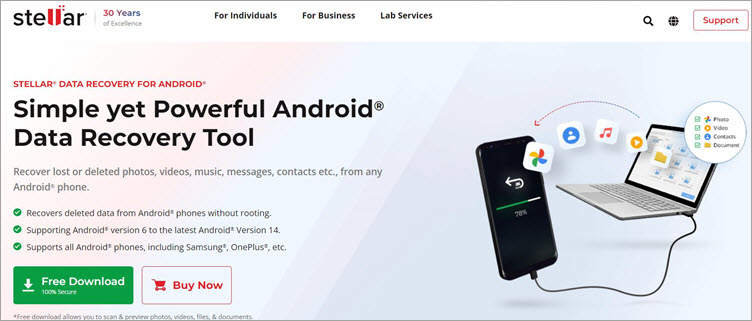
Stellar Data Recovery is a solution that’ll help you recover all sorts of data from your Android device, regardless of what caused the data loss in the first place. Compatible with all Android versions and devices, this software lets you retrieve photos, videos, documents, and more from your phone in just a couple of easy steps.
Perhaps what sets it apart is its ability to recover data from internal phone storage. The software performs a deep scan to restore or find lost data directly from a phone’s internal memory. The software also does an effective job of retrieving data from a virus-affected or damaged Android phone as well.
Features:
- Preview found files before saving them
- Supports recovery from internal memory
- Recovers from Virus or malware afflicted device
- Recovers from a broken device
- No rooting required
Verdict: Easy to use and quick in its ability to retrieve data. Stellar Data Recovery is a powerful tool that will help you retrieve all kinds of data lost due to accidental deletion, system crashes, virus attacks, device damage, etc. It works with almost all versions of the Android OS, thus earning a much-deserved spot on our list.
Price: The tool is free to down
#12) iToolab RecoverGo Android
Best for Android data recovery without root or backup.
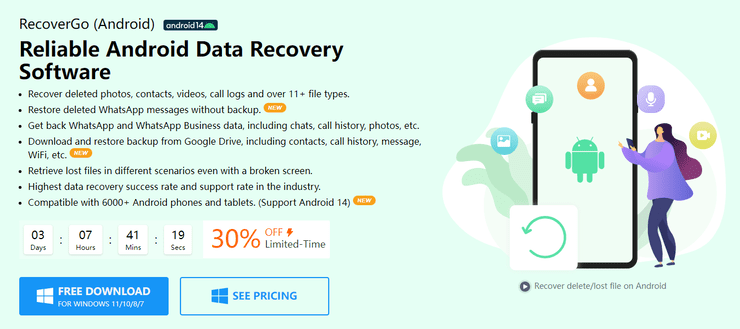
iToolab RecoverGo Android is a comprehensive and professional Android data recovery tool to scan and recover lost data from Android devices. It allows you to recover deleted data without the need for any backup. More than 10 types of data are well supported, including photos, contacts, messages, videos, audio files, documents, WhatsApp/WA Business data, and more. All the scanned data will be previewed before it is recovered.
No matter what kind of situation you’re in, accidental deletion, system crash, or water damage, iToolab RecoverGo Android will get you back your missing data in a few minutes with a super high success rate.
Features:
- Download backup from Google Drive
- Quickly scan all data on the device
- Extract data from SD card
- Export data to computer
- User-friendly
- Support multiple handsets such as including Samsung, Huawei, Xiaomi, OPPO, Vivo, OnePlus, Realme, HTC, LG, Poco, Nokia, ZTE, etc.
Verdict: iToolab RecoverGo Android is an ideal choice if you want to recover data directly with simple steps. High efficiency is the guarantee of its ability to recover data from Android devices or SD card. The sooner you recover lost data, the more chances you have to recover it.
Further Reading => Redmi FRP Bypass: Explore New Tricks
Prices: You can preview lost data for free. If you want to experience more features, see the plan here: 1-Month License ($35.95), 1-Year License ($39.95), and Lifetime License ($49.95). All purchases are subject to a 30-day money-back guarantee.
#13) Eassiy Android Data Recovery
Best for recovering deleted videos and photos from Android devices, SD cards, and SIM cards.
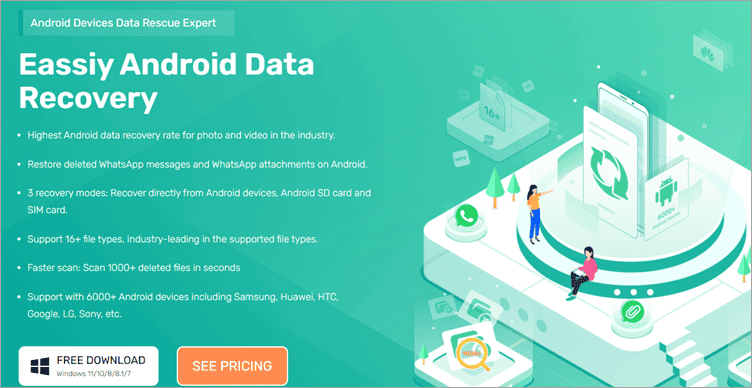
Eassiy Android Data Recovery is an Android Devices Data Rescue Expert. It has the industry-leading recovery success rate for photos and videos. With Android data recovery, you can easily deal with multiple scenarios of data loss e.g., accidental deletion, OS crash/update, without backup, rooting error, ROM flashing, virus attack, SD card issue, etc.
Features:
- Recover more than 16 file types including contacts, messages, videos, photos, WhatsApp messages and attachments, call logs, APP documents, etc.
- Recover directly from Android devices, Android SD card, and SIM card without backup.
- Industry-leading Android data recovery rate for photo and video.
- Scan 1000+ deleted files just in seconds.
- Support with 6000+ Android phones and tablets.
Verdict: Eassiy Android Data Recovery supports most file types and has the highest data recovery success rate for video and photos. In addition to recovering data from Android devices, it also recovers data from SD cards and SIM cards.
Price: Eassiy Android Data Recovery is available with three pricing plans: a 1-Quarter License ($35.99), a 1-Year License ($39.99), and a Lifetime License ($69.99). It offers a 30-day money-back guarantee.
#14) iMyFone D-Back Android Data Recovery
Best for excellent Android data recovery.

This is a data recovery software released by iMyFone specifically for Android users. It can recover deleted photos from your Android phone without root and restore deleted WhatsApp messages on Android without backup and root as well.
No matter what kinds of files you’ve lost, D-Back Android data recovery software can recover all of them with no hassle, including contacts, text messages, photos, WhatsApp messages & attachments, audios, videos, call history, and documents, etc. selectively.
Features:
- All-in-one solutions for a variety of data loss scenarios.
- Selectively download Google Drive backup, preview, and export (WhatsApp included).
- Supports recovery of 11 types of Android data.
- Support with 6000+ Android phones and tablets, including Samsung, Huawei, Xiaomi, OPPO and Google Pixel, etc.
Price: You can choose from a variety of price options depending on the situation.
| Type | Windows |
|---|---|
| Android Data Recovery | Free: Preview recoverable files 1-Month: $29.95 1-Year: $39.95 Lifetime: $49.95 |
DISCOUNT: 10% discount on all iMyFone D-Back licenses using the coupon code: 90register
Verdict: iMyFone D-Back Android Data Recovery is a powerful and targeted recovery software. No need for complicated and professional operations, just three easy steps to retrieve lost data and it is 100% safe to use.
#15) MiniTool Data Recovery
Best for fast data recovery.
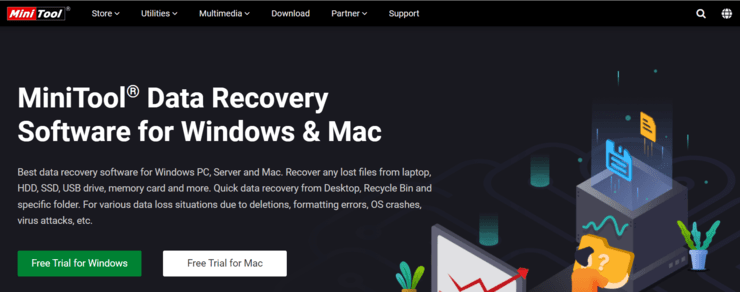
MiniTool has been known for its data recovery abilities. The software can recover data quickly by going through a few easy steps. The software supports recovery from Android Phones, Tablets, and SD cards.
The software will get you any type of data you’ve lost, whether it is photos, videos, or documents. You get two modes to choose from to recover data. You can either recover files directly from a phone or choose the SD card recovery mode to recover data the other way.
Price: $69/month, $89/year.
Website: https://www.minitool.com/mobile-recovery/free-android-recovery.html
Other Android Recovery Software
#16) Recoverit
Best for recovering data from all types of storage devices.
Recoverit is known not only to recover data from Android phones but also from all kinds of storage devices. The software can help you recover media files, documents, call history, messages, and more from your Android device. You can initiate the recovery process with an option to preview in just a few clicks. You get to recover 100 MB files for free with Recoverit.
Price: Free, $79.99/month, $99/year, $159.99 for a lifetime license.
Frequently Asked Questions
Is Android Data Recovery Software free?
There are plenty of tools out there that allow you to recover data for free. Even premium tools will offer you a free plan that helps users recover data up to a certain size limit. For example, EaseUS MobiSaver allows its users to recover data for free. Other tools like Recoverit allow you to download files up to a certain file size limit.
Can an Android Recovery tool help you recover permanently deleted files?
As we mentioned before, no data is ever fully gone. Most Android recovery tools come with features such as ‘Full Scan’ or ‘Deep Scan’ modes that allow you to unearth hard-to-recover data from a smartphone’s internal or external memory. However, you won’t be able to recover data if it has been overwritten.
Is Android Data Recovery Software safe?
If you are using reputable software that has earned its fair share of high praise in the market, the Android Recovery software you are using is safe. All the tools mentioned in this article are absolutely safe for your device as they do not monitor your smartphone or track the data stored within.
Where do the deleted files go in Android?
The deleted files go nowhere in your phone. They stay in the same spot as before until some other information overwrites the spot. The data is simply invisible to you and can be recovered by a good data recovery solution.
Do Android devices have a recycle bin?
No, unlike Windows or Mac systems, Android devices do not offer a recycle bin for deleted files. This makes having a data recovery tool by your side even more important.
What is the best Android Data Recovery Software?
Based on our own experiences, we believe the listed software in this tutorial are some of the best Android Recovery tools.
Recommended Reading =>> Coolmuster Android Assistant Review
Conclusion
Android phones can be a convenient medium for storing data. However, they are not the most secure devices on the planet. They are at constant risk of being damaged, attacked by viruses, and experiencing sudden system crashes, which result in data losses. Fortunately, recovering this data is easy if you have good recovery software for your Android device.
All the above-mentioned tools are some of the best Android recovery software being widely used today. Their user-friendliness, ubiquitous compatibility, and flexible pricing make us comfortable in recommending these tools to you.
As for our recommendations, if you are looking for an efficient tool to recover data that is also free, then look no further than EaseUS MobiSaver. If you want a full Android data protection tool kit, then by all means try Wondershare Dr.Fone.
Further reading =>> How to fix unable to install iOS 15 update
Research Process:
- We spent 13 hours researching and writing this article so you can have summarized and insightful information on what Android Data Recovery Software will best suit you.
- Total Android Recovery Software researched – 25
- Total Android Recovery Software shortlisted – 12
Was this helpful?
Recommended Reading
-

List and comparison of the top-rated data recovery service provider companies: In today’s digital world, data storage devices play a very important role in our professional as well as personal lives. Whether it is an important professional document on a hard disk drive medical data on a USB flash drive…
-
List and Comparison of the Top Best Data Recovery Software Download for Windows and Mac users to quickly recover lost data, deleted files, and photos or formatted partition data: Data recovery software is an application that recovers lost files from any storage medium. It can recover files that have been…
-
Coolmuster Android Assistant Review: A One-Stop Solution For Your Android Data Recovery Problems Are you worried just because you accidentally deleted anything important from your mobile? Lost the entire content after a factory reset? Just stay chill! No more worries hereafter!! All you need to do is, spend some time…
-
This tutorial explains how to use EaseUS Data Recovery software to effectively recover deleted data from a variety of storage systems: Have you ever accidentally deleted weeks' or months’ worth of work from your system? If so, then find solace in the fact that you are not alone. This severe…
-
Here we review and compare the top iPhone Data Recovery Software to help you select the best iPhone recovery software as per your requirement: You’re always vulnerable to data loss whether you’re using a computer, smartphone, or another device that can store data. Similarly, it does not matter if you…
-
List and comparison of the Best Open Source Free Data Masking Tools Available in the Market: Data Masking is a process that is used to hide data. In Data Masking, actual data is masked by random characters. It protects confidential information from those who don’t have the authorization to sight…
-

List And Comparison Of The Best Data Governance Tools. What is Data Governance? Data Governance is a centralized control mechanism to manage data availability, security, usability, and integrity. To implement data governance in the organization, a committee, a defined set of procedures, and a plan for executing these procedures are…
-
A comprehensive list and comparison of the top Data Loss Prevention Software vendors in the market with top features, download links, and pricing details. Select the best DLP solution for your business. What is a DLP System? Data Loss Prevention Software is an application that incorporates policies, procedures, and technologies…


Ik heb per ongeluk bestanden verwijderd uit de prullenbak op mijn telefoon Samsung j6, de foto’s zijn permanent verwijderd uit de prullenbak Samsung j6, Hoe kan ik de bestanden terughalen uit de prullenbak?
I have a personal experience with Stellar Data Recovery for Android. Although every software listed here is feature loaded and looks helpful..I chose Stellar because I found it affordable. It was just to recover my camping pictures and recovered almost every picture. Also, the content is really in-depth about every software..so kudos to that!