


Here we review and compare the top iPhone Data Recovery Software to help you select the best iPhone recovery software as per your requirement:
You’re always vulnerable to data loss whether you’re using a computer, smartphone, or another device that can store data. Similarly, it does not matter if you own an Android or iPhone – you must have a way to back up and recover data loss.
Why is this important? It is important because data loss can happen at any time and without any warning. Several things can trigger data loss, including system errors, viruses, damage to the device, accidental deletion, and so on.
Table of Contents:
- iPhone Data Recovery Software
- List of the Best iPhone Data Recovery Tool
- Comparing the Top 5 iPhone Data Recovery Software
- #1) Tenorshare UltData
- #2) iMobie PhoneRescue
- #3) Stellar Toolkit for iPhone
- #4) Dr. Fone
- #5) MyRecover iPhone Data Recovery
- #7) FoneTool
- #8) Disk Drill 4
- #9) FoneLab
- #10) EaseUS MobiSaver
- #11) Enigma Recovery
- #12) Primo iPhone Data Recovery
- #13) ApowerRescue
- #14) Eassiy iPhone Data Recovery
- #15) iBeesoft iPhone Data Recovery
- #16) FonePaw iPhone Data Recovery
- #17) MobiKin Doctor for iOS
- #18) iMyFone D-Back
- #6) TunesKit
- Frequently Asked Questions
- Conclusion
iPhone Data Recovery Software

It is simple to retrieve lost data on the computer since there is a plethora of data recovery software available on the Internet for this purpose. However, things get a little tricky when you suffer data loss on your Android or iPhone.
In this tutorial, we will look into how iPhone users can recover lost data on their phones.
While the options for iPhone users are limited compared to a computer or even Android users, there is software available that allows them to successfully recover the lost data. Using this software, you can recover lost files, photos, music, messages, contacts, etc.
But are all iPhone data recovery tools the same in terms of performance and what they offer? Not exactly!
There are some differences between the many iPhone data recovery software available today. These differences as well as the features, pros & cons, and pricing of the iPhone data recovery software will be discussed in this tutorial.

[image source]
Pro-Tip: There are several iPhone data recovery tools available today, but they differ significantly in their functionality and data recovery efficiency. When choosing data recovery software for iPhone, we would recommend you go for a reliable, compatible data recovery tool that is compatible with your phone and operating system, is easy to use, performs various functions, and is affordable.
Another tip will be to use the free trial if it is available with the data recovery software you’re interested in. This way you’ll know if that software is worth your time and/or money.
List of the Best iPhone Data Recovery Tool
Here is a list of the best iPhone Recovery Software:
- Tenorshare UltData
- iMobie PhoneRescue
- Stellar Toolkit for iPhone
- Dr. Fone
- MyRecover iPhone Data Recovery
- FoneTool
- Disk Drill 4
- FoneLab
- EaseUS MobiSaver
- Enigma Recovery
- Primo iPhone Data Recovery
- ApowerRescue
- Eassiy iPhone Data Recovery
- iBeesoft iPhone Data Recovery
- FonePaw iPhone Data Recovery
- MobiKin Doctor for iOS
- iMyFone D-Back
- TunesKit
Comparing the Top 5 iPhone Data Recovery Software
| Tool Name | Best For | Compatibility | Platform | Price | Free Trial |
|---|---|---|---|---|---|
| Tenorshare UltData | A quick scan on all iOS devices. | Latest iOS/iPad OS 14.6 and iPhone 12 mini/iPhone 12/12 Pro (max). | Windows and Mac | The business plan starts at $72.95 per year. Individuals: Starts at $55.95 per month. | Yes |
| iMobie PhoneRescue | Easy to use and digest list of data after scan | iOS 6–iOS 14 | Windows and Mac | 1-year license ($69.99) Lifetime license ($99.99) | Yes |
| Stellar Toolkit for iPhone | Advanced data recovery capabilities along with the ability to erase unwanted data | iOS 6 –iOS 14 | Windows 10 & macOS Big Sur 11 | $59.99/year | Yes |
| Dr. Fone | Ability to recover both iCloud and iPhone backup | iOS 4–iOS 14 | Windows and Mac OS X 10.6-10.13 | $69.95/year | Yes |
| MyRecover iPhone Data Recovery | Quick and easy data recovery for iPhone devices | iOS 10 and beyond | Windows | Starts at $29.95/year for 1 PC | Free to download |
| FoneTool | Recover data from Apple devices with or without backup. | All models of iPhone, iPad, and iPod Touch | Windows XP and Above, iOS 10 and above. | Pro plan starts at $39.95/year | Free to download and use with limited features. |
| Disk Drill 4 | Fast scanning, ease of navigation, and ability to locate many delete files. | iOS 5 – iOS 14 | Mac OS X 10.8-10.13 | Non-permanent license ($89) Lifetime license ($118). | Yes |
| FoneLab | Getting detailed information about your lost data | iOS 6–iOS 14 | Windows 10/8/7 and Mac OS X 10.7 or higher | $69.95/year | Yes |
| TunesKit | Recovering data fast from all iOS devices | All iOS Versions | Mac and Windows | Starting at $39.95/month | Yes |
Let us review the software below.
Best for a quick scan on all iOS versions

You can use the Tenorshare iPhone Data Recovery software to recover data from iPhone, iCloud, and iTunes. Besides having multiple modes of recovery, the Tenorshare data recovery tool supports multiple file formats and data types, including voicemail, messages, app data, chat message attachments, video notes, photos, contacts, and more.
Suggested reading =>> Review of the Tenorshare 4MeKey Tool
Features:
- Data recovery straight from iTunes and backups and iPhone
- IOS system repair functionality
- Supports thirty-five file formats
Pros:
- User-friendly interface
- Tools for troubleshooting
- Preview of files available before the recovery
Cons:
- Takes too long to scan
- Does not fully recover data
Verdict: Tenorshare iPhone Data Recovery software is one of the best options if you’re looking for an iPhone data recovery tool that is easy to use and can perform scans quickly.
Price: $179 per year
#2) iMobie PhoneRescue
Best for easy-to-use and digest list of data after scan.

[image source]
iMobie PhoneRescue is one of the best tools for iPhone recovery that lets you quickly get back your important data. You can use it to recover data from iTunes and iCloud backups. Additionally, thirty-one different types of data are recoverable with it. Last, it comes with a repair feature for iOS, which can be handy if you get stuck on the black screen, Apple logo, etc.
Features:
- Data recovery from iPhone
- Data recovery from iTunes and iCloud backups
- Restrictions and screen time passcode recovery
Pros:
- Easy to use
- Cal history and messages saved in HTML format
- Encrypted iTunes backup file recovery
Cons:
- Takes too long to scan
- iPhone video recovery is not always possible
- Recovers mainly accidentally deleted data
Verdict: PhoneRescue is extremely efficient at locating lost data. Additionally, it offers additional functionality for the price and has an easy-to-use and intuitive interface. All of this makes it incredibly useful.
Price:
- 1-year license ($69.99)
- Lifetime license ($99.99)
Further Reading => Do you know how to Unlock a Disabled iPhone
#3) Stellar Toolkit for iPhone
Best for advanced data recovery capabilities along with the ability to erase unwanted data
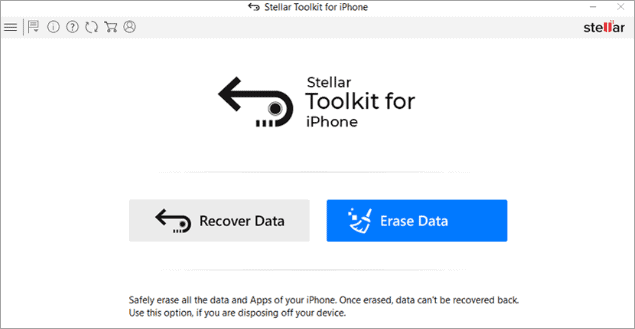
Stellar Data Recovery for iPhone is a comprehensive data recovery tool for iPhones with an incredibly intuitive GUI. The software can retrieve even chat message attachments–a functionality found on only a few other data recovery tools for iPhone.
Further Reading => A Complete Review of Stellar Data Recovery Software
In addition to data recovery from iPhone, iCloud, and iTunes, this data recovery software lets you erase any unwanted data from your phone. All this makes it a great data recovery tool.
Features:
- Recover unlimited file formats on storage media and Windows
- Recover up to 1 GB of lost data from your iPhone for free
- Recover deleted data from an encrypted drive
Pros:
- Easy to use
- Quick recovery and advanced scanning
- Ability to import data from PC to iPhone
- Recovery from iTunes and iCloud backup
Cons:
- Inability to save recovered files
Verdict: While Stellar Toolkit for iPhone is similar to other data recovery tools in many respects, it has some functionality that is not available with most of the other software for iPhone data recovery. This includes a preview of files for data recovery and recovery of chat message attachments. For this reason, it is a stand-out data recovery software.
Price:
- Standard: $39.99 per year
- Toolkit: $49.99 per year
- Toolkit Plus: $59.99 per year
#4) Dr. Fone
Best for ability to recover both iCloud and iPhone backup.

[image source]
Dr. Fone is one of the best applications for iPhone data recovery that helps you recover your missing pictures, images, texts, contacts, etc. It restores iPhone data quickly from the backup of iTunes and iCloud.
It does an incredible job of restoring your missing or unintentionally deleted files. For all these reasons, it is the preferred choice for many iPhone users today.
Features:
- Supports multiple file formats including notes, text messages, voicemail, call history, etc.
- Allows preview of backup files before restoration
- Password retrieval from the mobile phone
Pros:
- Easy to use
- HEIC photos recovery from iCloud.
- Recovery from iCloud and iTunes backup.
Cons:
- Recovery is not possible with the trial version.
- Does not fully recover data.
Verdict: While this data recovery software offers nothing unique, you won’t lose anything by giving it a try. Also, if you can get this software on sale or for less than its market price, then Dr. Fone is an incredibly useful data recovery tool for iPhone.
Price:
- 1-Year License: $59.95/year
- Life-Time License: $69.95/year
- 1-Year Business License: $399
- Dr. Fone Toolkit: $99.95
- Dr. Fone Full Toolkit: $139.95
#5) MyRecover iPhone Data Recovery
Best for Quick and easy data recovery for iPhone devices.
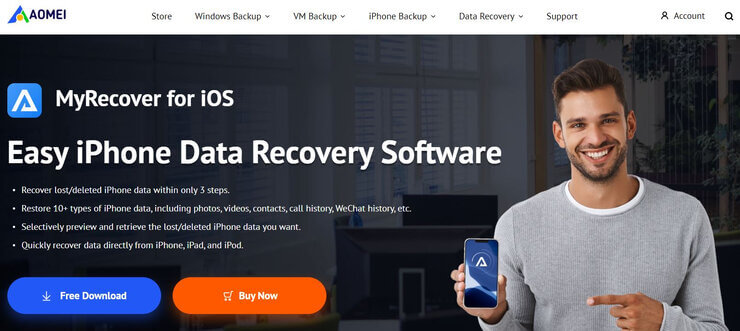
MyRecover offers an iPhone data recovery solution that can get the job done within 3 simple steps. You launch the software on your system, connect your iOS to your device and click ‘Scan Now’. After the scan is complete, you will be presented with all the data you can restore. Finally, simply click ‘Recover’ and choose what you wish to recover.
Features:
- Recover third-party apps
- Preview and select data
- Deep and Quick scan options
- Recover iPhone data without backup.
Pros:
- Easy to use
- User privacy protection
- Supports all iOS devices
Cons:
- The automatic subscription renewal
Verdict: MyRecover is an easy-to-use iPhone data recovery solution that can recover almost all types of data. You’ll be able to preview the data before you choose to recover it. Plus, the tool is affordable.
Price: A yearly plan will cost you $29.95 for 1 PC. A lifetime plan is also available, which costs $49.95 in one-time fee.
#7) FoneTool
Best for Recover data from Apple devices with or without backup.
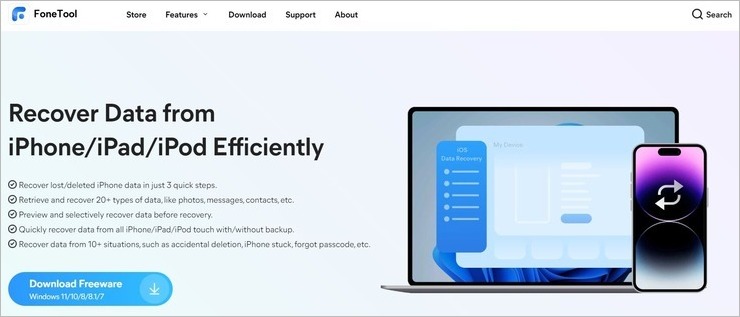
FoneTool can help you recover more than 20 types of data from an iPhone, iPad, or iPod. It just takes 3 quick steps for you to initiate data retrieval through this software. You connect your device, scan it, and retrieve the data found by FoneTool. You also have the privilege of previewing data before choosing whether to retrieve it.
Features:
- Quick and Deep scan modes to recover data.
- Retrieve more than 20 types of data. This includes photos, messages, videos, audio files, and documents. Etc.
- Preview scanned data before choosing to retrieve them.
- Can recover data without backup.
- Retrieve data from more than 10 different data-loss situations.
Verdict: FoneTool can quickly and efficiently scan your device to retrieve data with ease, regardless of how it was lost in the first place. It is easy and secure to use. It also supports all iPhone, iPod, and iPad versions. As such, you can use the software on your Apple devices without worrying about compatibility.
Price: FoneTool offers the following plans:
- Yearly: $39.9
- Lifetime: $59.95
The software is free to download and use in limited capacity.
#8) Disk Drill 4
Best for fast scanning, ease of navigation, and ability to locate many deleted files.

Disk Drill is a tool for restoring data that can retrieve missing data from devices such as Windows PCs, Mac OS, and iPhones. It has a sleek and simple interface and is frequently updated. Disk Drill provides the best experience visually and overall for data recovery on an iPhone.
Features:
- Data recovery from the device’s internal disk
- Availability of tool for data protection
- iTunes backup data recovery
- Multiple file formats supported
- Support for many iOS devices
- iCloud backup data recovery
Pros:
- Support for over 400 file formats
- Advanced user interface
- File preview available
Cons:
- Data recovery is not possible with the free version
Verdict: The ability to recover your iPhone’s missing data is priceless. Disk Drill provides the best opportunities and experiences to retrieve that data, making it one of the best data recovery tools for iPhones available today.
Price:
- Basic: Free up to 500 MB on Windows
- Non-permanent license ($89)
- Lifetime license ($118)
Website: https://www.cleverfiles.com/iphone-data-recovery.html
#9) FoneLab
Best for getting detailed information about your lost data.

Recovering deleted data from your iPhone is made easy by the FoneLab iPhone Data Recovery software. The simple interface and visible sidebar icons make the software easy to navigate, which makes it simple to recover data from your iPhone.
Features:
- Easy recovery of lost or deleted data
- iCloud backup restoration functionality
- A detailed preview of lost data
- Several iOS devices supported
Further Reading => Where to Find BitLocker Recovery Key
Pros:
- IOS 14 support
- Ease of navigation
- Recovery from third-party apps
Cons:
- Recovery not available with the free version
- Limited options for customer support
Verdict: FoneLab is an easy-to-use tool for retrieving missing data. Not only can it recover data from iTunes and iCloud backups, but it can recover data of 19 different kinds. This is the reason it makes to our list of the best iPhone data recovery software.
Price: $69.95/year
Website: https://www.fonelab.com/ios-data-recovery/
#10) EaseUS MobiSaver
Best for data recovery on Mac OS.
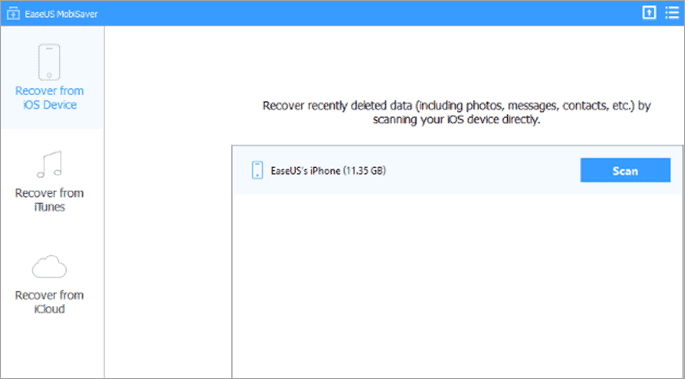
Whether you’re looking for free data recovery software or don’t mind paying a little extra for additional functionality, the EaseUS MobiSaver data recovery software can work wonders for you. It allows you to quickly and safely recover lost or deleted data from your iPhone and supports the recovery of many types of data.
The cherry on top is that you can recover most of your data for free.
Features:
- Recover all deleted or lost data
- Preview is available before the recovery
- Several file formats and data types supported
Pros:
- Recovery of all kinds of data with the paid version
- Recovery from iTunes and iCloud backups
- IOS 14 support
Cons:
- Data recovery is limited with the free version
Verdict: If you’re okay with the idea of recovering only one video or photo file and five of your contacts, then the free version of this data recovery software would be good enough for you. However, if you want to recover more data, then you will need to get the paid version of this software. With the paid version, you can recover unlimited data, but it will cost a little over $79 per year.
The final decision is yours.
Price:
- Pro: $69.95/month
- Pro+WinPE: $99.99/month
Further Reading => Hands – On Review of FoneGeek iOS System Recovery
#11) Enigma Recovery
Best for easily restoring or importing data on iPhone.

If you’re looking for an iPhone data recovery tool with clear and easy navigation, then the Enigma data recovery software is a great option. It comes with most of the standard data recovery functionality and allows recovery of data from iPhone as well as iTunes and iCloud backups. You can restore most of the data on the iPhone.
However, to recover photos or videos, you will have to do this from iCloud or iTunes backup.
Features:
- Easy data export and restoration
- Data possible export in multiple formats, including CSV, PDF, and XML
- Compatibility with all iOS devices
Pros:
- Simple to use interface
- Availability for both Mac and Windows
Cons:
- Limited data types supported
- Takes too long to scan
Verdict: If you’re looking for data recovery software with the standard data recovery features, then the Enigma data recovery software is a good choice. However, if you’re looking for support for many different kinds of data, then it’s better to use the alternatives.
Price:
- Single: $49.99
- Multi: $59.99
- Pro: $99.99
#12) Primo iPhone Data Recovery
Best for data recovery on multiple iOS devices.
The Primo iPhone data recovery software has an easy-to-navigate interface. This makes it simple to recover lost data on your iPhone. This data recovery tool allows data recovery not just on iPhone but also on other iOS devices like iPad and iTouch. Additionally, it supports twenty-five different types of data.
Features:
- Data recovery from multiple iOS devices
- Support for twenty-five different types of data
- IOS issues or crash repair
Pros:
- Simple interface
- Selective recovery feature
- Recovery from iCloud and iTunes backups
Cons:
- Recovery of data from apps like Wechat, Viber, Snapchat, etc. is not supported
- Recovery not possible with the trial version
Verdict: If you’re looking for a data recovery tool for your iPhone that is easy to navigate and can support the recovery of many different kinds of data, then you should give the Primo iPhone data recovery software a try.
Price:
- Personal License: $39.99
- Family license: $59.99
#13) ApowerRescue
Best for retrieving lost data from iTunes and iCloud.

The ApowerRescue data recovery software allows you to recover several different types of data. Additionally, the recovered data can be exported in multiple formats. Overall, it is a decent option if you’re looking to recover files from your iPhone, iTunes, or iCloud.
Features:
- Preview of data available on mobile before recovery
- Intuitive user interface
- Comprehensive user guide
Pros:
- Hassle-free data recovery on iPhone
- Easy to locate the desired data or file
Cons:
- Takes too long to scan
- Can repair issues with the system
- Recovery not possible with the free version
Verdict: If you’re looking for an iPhone data recovery tool that is easy to use, provides a preview of the scanned data, and distinguishes between existing and removed files, the ApowerRescue data recovery software is a good choice. However, it is not a good option if you’re looking for quick scans and free data recovery on your iPhone.
Price: $39.95
#14) Eassiy iPhone Data Recovery
Best for iOS, iTunes, and iCloud data recovery.
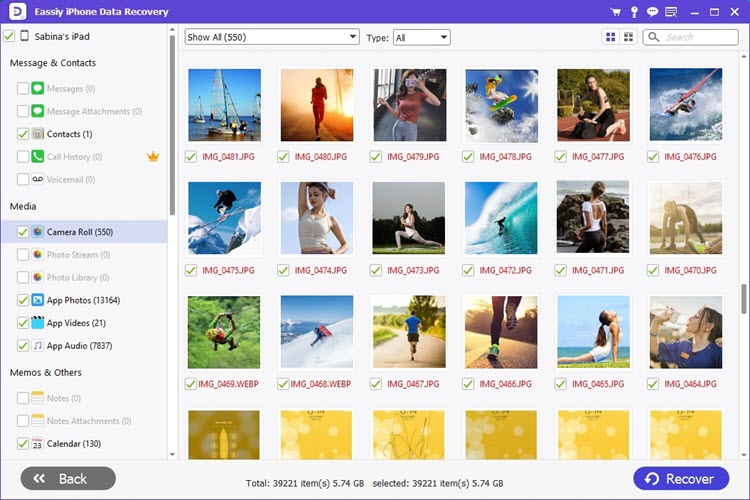
Eassiy is a data recovery software tailor-made for recovering lost data from Apple devices. Regardless of the data loss scenario, you can rely on Eassiy to recover lost photos, videos, and files in just a few quick steps.
You can recover data directly onto your iPhone by performing a deep scan of your device using this software. You also get to preview the data before restoring them.
Features:
- 3 Data Recovery Modes
- Supports recovery of 36+ file formats
- Preview data before restoration
- Cross-platform compatibility
Verdict: Eassiy is capable of recovering more than 1000 photos, videos, and files with a single scan. It is ideal for recovering data on not only an iPhone but also for iTunes and iCloud as well. It is secure to use and can help you recover more than 36 different types of file formats without a hassle.
Price:
- Quarterly Plan: $45.99
- Annual Plan: $49.99
- Perpetual Plan: $79.99
#15) iBeesoft iPhone Data Recovery
Best for photo and video recovery of iPhone and iPad.

iBeesoft iPhone Data Recovery can recover files from iPhone and iPad directly, and extract separate files from iPhone/iPad iCloud and iTunes backup files 100% accurately. All daily used file types like photos, videos, text messages, contacts, calendars, voicemails, app data, and more.
Features:
- Advanced data recovery technology to scan iPhones and iPads to recover files without any backup.
- Extract files in iCloud and iTunes backup file packages.
- Support over 20 file types, covering all daily used files on iPhone and iPad.
Pros:
- It has a very simple and user-friendly interface.
- Preview recoverable files before recovery.
- Prices are great for individuals.
- 7*24 technique support and 60-day money-back guarantee.
Cons:
It is only for data recovery, not for repairing iOS errors.
Verdict: iBeesoft iPhone Data is a professional yet user-friendly data recovery software tool for individuals. It does what other iPhone data recovery tools do, while with better support and price.
Price:
- $39.95 Personal License for Windows Version
- $39.95 Personal License for Mac Version
#16) FonePaw iPhone Data Recovery
Best for easy and quick data recovery from iPhone with/without backup, covering most of the deleted iOS files.
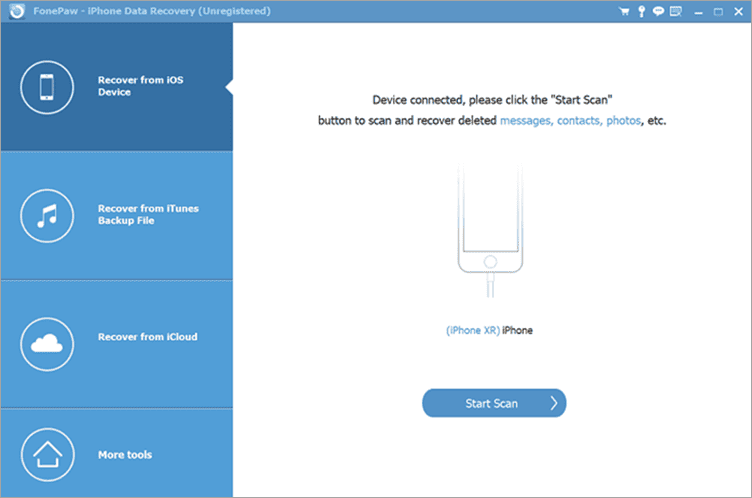
FonePaw iPhone Data Recovery is a handy iOS data recovery software. It can efficiently help you recover deleted iPhone files with easy steps no matter whether you have a previous iPhone backup or not, as you can use it to scan through your iOS devices, iTunes backup, or iCloud. Your deleted files like messages, photos, contacts…almost all the data you need will be well retrieved.
Features:
- Directly scan and recover data from iPhone, iPad, and iPod touch.
- View and extract data from iTunes backup and iCloud.
- Able to recover most of the files on iPhone, including photos, messages, contacts, notes, etc.
- Preview the deleted files without recovery.
- Compatible with iPhone 14 and iOS 16
Pros:
- Intuitive UI and ease of use.
- Powerful recovery features and various recovery modes.
- Support various types of deleted iPhone files.
- Do not pixelate the details while previewing deleted data.
Cons:
- You have to purchase the tool to do the recovery.
Verdict: FonePaw iPhone Data Recovery is a practical and easy-to-use iOS data recovery software program that is worth a try. Whether you have an iOS backup or not, this tool will be of help for you to easily recover data.
Price: $44.77 (monthly), US$55.96 (annually), $66.47 (lifetime).
#17) MobiKin Doctor for iOS
Best for easy data recovery from iOS devices and iTunes backup. With its amazing compatibility, the software supports most iPhones, iPads, and iPods touch series.

You can easily recover deleted data from the internal storage of your iDevice, such as contacts, and messages. Furthermore, it is capable of restoring more data types from iTunes back-ups, like message attachments, photos, camera roll, music, videos, notes, books, calendars, and more.
Features:
- Intelligently scan and recover deleted data from iOS internal memory without backup.
- List all deleted and existing files on the interface and allow you to select what you want.
- Extract and display data from iTunes backup without a hitch.
- Besides the recovery feature, it can back up iOS data to a computer.
- No jailbreak, and obey the read-only rule.
- Support iOS 5.0 and upper, including the latest iOS 15.6.
Verdict: There is no limit to the size or quantity of data, hence you can preview, recover, or transfer your lost data from an iPhone/iPad/iPod touch and iTunes backups. Additionally, it will not damage the quality of your data when extracting them from iTunes backup files.
Price: There are different choices for purchasing the full version of MobiKin Doctor for iOS.
Annual Licence:
- For 3 iOS devices on 1 PC: $49.95
- For 9 iOS devices on 3 PCs: $59.95
- For unlimited devices on 1 PC: $199.95
Lifetime Licence:
- For 3 iOS devices on 1 PC: $69.95
- For 9 iOS devices on 3 PCs: $109.95
- For unlimited devices on 1 PC: $309.95
#18) iMyFone D-Back
Best for quick recovery of data from iOS devices with just access to the iCloud account. It is good for recovering accidentally deleted data even in case of a factory reset.
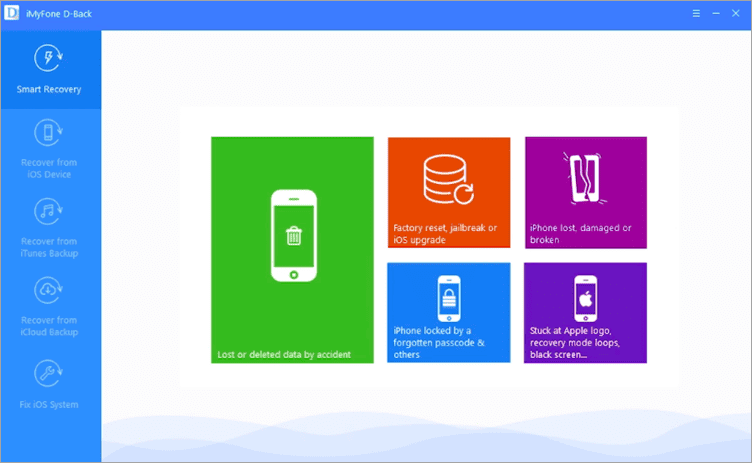
iMyFone D-Back is an iPhone Data Recovery software. The system is specially made for iOS 9 to iOS 15 devices. It is helpful for various use cases such as failing to sync with iCloud Data, being unable to retrieve iCloud Data, lost 3rd party app data, locked/disabled devices, etc. It can recover all types of data files and the data backed up with other programs.
Features:
- iMyFone D-Back’s unique built-in algorithm provides intelligent and powerful recovery.
- You can preview the content before recovering it.
- It allows the selective recovery of data that avoids the overwriting of existing data.
- It has 3 data recovery modes.
- It can be used to recover unlimited data.
Verdict: To provide the highest data recovery rate, iMyFone D-Back makes use of a unique built-in algorithm. It can recover all types of data files from iOS devices. 24×7 customer support is available.
Price: iMyFone D-Back is available with three pricing plans 1-Month plan ($39.95 for 1 iOS device), Yearly plan ($49.95 for 1 iOS device), and Lifetime Plan ($69.95 for 5 iOS devices). You can try it for free.
#6) TunesKit
Best for Recovering data fast from all iOS devices.
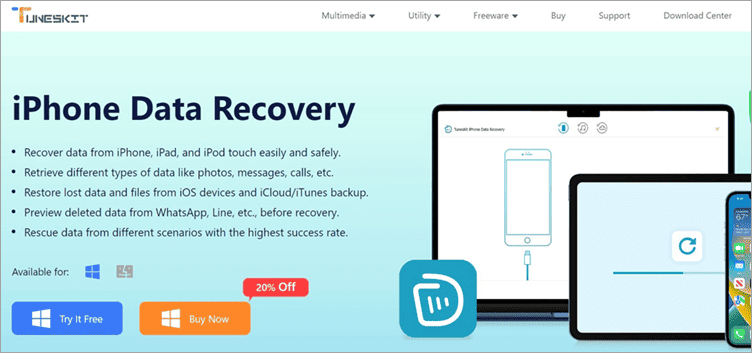
TunesKit is a platform that you can rely on to recover more than 20 types of data from your iPhone, iPod, or iPad. The data you can recover include SMS, contact details, voice memos, photos, videos, call logs, and much more. TunesKit can recover data regardless of what triggered the data loss scenario in the first place.
The recovered data doesn’t overwrite the data already existing on your device. Plus, you can preview the lost data before choosing whether to restore it. TunesKit is also one of those rare tools that can recover encrypted data as well.
Features:
- Recover Encrypted Data
- Preview Lost Data
- Selective Restoration
- Recover data from iCLoud Backup
Verdict: TunesKit is a platform we would highly recommend to anyone who wishes to recover lost data on their iOS devices. The recovery success rate is almost 100% and the process of recovery itself is super-fast.
Price: TunesKit offers a flexible pricing structure
- Monthly Plan: $39.95
- Annual Plan: $49.95
- Perpetual Plan: $69.95
Website: https://www.tuneskit.com/iphone-data-recovery/
Frequently Asked Questions
1. Is any free iPhone data recovery software available?
Yes, several iPhone data recovery tools on the market are available for free. However, before you start using a free data recovery tool to retrieve lost data, make sure it is safe, reliable, and compatible with your phone and OS. It is easy to use and has a high recovery success rate. Ensuring this will save you from a lot of unnecessary trouble later on.
2. Does the iPhone data recovery tool work?
iPhone data recovery software makes it possible for you to recover files and data on your phone that you thought were never retrievable. However, not all data recovery tools will work as efficiently as you’d like them to. So, your best bet is to go for a data recovery software that is proven to successfully recover files and data on iPhones.
3. Can I recover deleted data on My iPhone without backup?
While it can be difficult to recover deleted data on an iPhone without backup, it is not impossible. You can run an iPhone data recovery program on your device to select the type of data files you’d like to recover, preview the lost data, and retrieve (if available) the data you lost.
4. What is the best data recovery software for iPhone?
There is no one ‘best’ data recovery software that we can cherry-pick for you here. Instead, go through the comparison table and the review of the best iPhone data recovery software provided below to find the best one for you.
Conclusion
All the iPhone data recovery tools listed above have their fair share of pros and cons. Therefore, the best data recovery tool will depend on your specific needs. For example, Disk Drill provides the best opportunities and experiences to retrieve that data.
Also read =>> How to fix iPhone update to iOS 15 problems
On the other hand, Stellar Toolkit for iPhone has some functionality that is not available with most of the other software for iPhone data recovery. This includes a preview of files for data recovery and recovery of chat message attachments.
PhoneRescue is extremely efficient at locating lost data and has an easy-to-use and intuitive interface. FoneLab can recover data of 19 different kinds, while Tenorshare can perform scans quickly.
FonePaw can be an incredibly useful software to have if you’re looking for a data recovery tool that can help you recover lost data from social media apps on your iPhone but don’t mind paying a little extra for it. On the other hand, Enigma recovery allows you to easily restore or import data on iPhone.
Each iPhone data recovery tools listed above offer some advantages. It is up to you to decide which data recovery software provides the benefits you desire. Once you determine this, you can choose the best iPhone data recovery software for yourself.
Further reading =>> Review of Best iCloud Activation Lock Bypass Tools
Research Process:
We spent 15 hours researching and writing this article so you can get a useful summarized list of tools with a comparison of each for your quick review. To come up with a final list of the best iPhone data recovery software, we considered and vetted 25 different options. This research process makes our recommendations trustworthy.
Was this helpful?
Recommended Reading
-

Coolmuster Android Assistant Review: A One-Stop Solution For Your Android Data Recovery Problems Are you worried just because you accidentally deleted anything important from your mobile? Lost the entire content after a factory reset? Just stay chill! No more worries hereafter!! All you need to do is, spend some time…
-
A comprehensive list and comparison of the top Data Loss Prevention Software vendors in the market with top features, download links, and pricing details. Select the best DLP solution for your business. What is a DLP System? Data Loss Prevention Software is an application that incorporates policies, procedures, and technologies…
-
List and comparison of the top-rated data recovery service provider companies: In today’s digital world, data storage devices play a very important role in our professional as well as personal lives. Whether it is an important professional document on a hard disk drive medical data on a USB flash drive…
-
List and Comparison of the Top Best Data Recovery Software Download for Windows and Mac users to quickly recover lost data, deleted files, and photos or formatted partition data: Data recovery software is an application that recovers lost files from any storage medium. It can recover files that have been…
-
Comprehensive List & Comparison of Top File Recovery Software. Read This Detailed Review To Select The Best File Recovery Tool & Recover Your Files Easily: Are you having trouble in selecting a File Recovery Tool? You can make the right decision after reading this review of the Top 10 File…
-
A Comprehensive List of the Best Free Cloud Storage Providers with Comparison: Know which are the best paid and free online storage companies for personal and business use in 2024. What is Cloud Storage and why does one need it? Cloud storage means storing data in a remote location that…
-
A list and detailed comparison of the BEST commercial and free Backup Software Solutions for PC with Windows 10 and Mac OS: Data backup is important both for individuals and organizations. Storage devices are not fail-proof and hardware problems can make crucial files inaccessible. Additionally, there is a threat of…
-
Review & Comparison of The Best Free Cloud Backup Services and Solution Providers. Select The Top Cloud Backup Service to Securely Store Unlimited Data Online: Cloud backup service is the facility offered by companies to help you store your data on remote servers located at diverse locations. Unlike local backups,…


