


Review and comparison of the Best Time Tracking Software for Employees:
Time Tracking Software is the system that records the time that you have spent on a particular project, task, website, or application.
Time tracker gives individuals and businesses the ability to record the time for particular projects and tasks. Time trackers provide the visibility of your computer activities. It will help you to get more productive within your budget.
As we all know, manual time tracking cannot be accurate. Time theft can always happen with manual time entries. Thus, it affects project deadlines and budget.

TSheets has performed research of people who track the time at the workplace. This research says that 25% of these people use time tracking software, 25% use spreadsheet, and 14 % use touch screens. The below image will show you the research in detail.

Similarly, the research was performed on ‘what types of time tracking reports the employees prefer to submit’. It results in 36% of employees use weekly reports, 31% use daily reports, and 22% use twice a month reports.

Time tracking software will benefit your business by cutting expenses, improving productivity, will help you to avoid distractions, improve workflow, help you with invoices etc.
Some of the advanced features that Time Tracker provides are:
- While tracking the time, the software can take a few screenshots per hour to make sure that an employee is working. (This feature is present with Hubstaff).
- Keeping a log of keyboard or mouse activity volumes.
- GPS tracking of employees via a mobile app.
- Customizable Prompt messages for Clock Out and using these fields in reports. (This feature is present in TSheets).
- Customizable fields in the task pane.
- The tool should allow working on multiple projects after clocking in. (Zoho Projects has this feature).
Most Popular Top Time Tracking Software
A list of the top Employee Time Tracking Software with comparison and price details.
Comparison of the Best Time Tracker
| Time Tracking software | Best For | Type of Tracking | Features | Platform | Free Trial | Price |
|---|---|---|---|---|---|---|
Buddy Punch | Small to large businesses | Automatic | Multiple login options, GPS tracking, Overtime calculation, etc. | Windows, Mac, iOS, Android | Available for 30 days | It starts at $25 per month for annual billing. |
Hubstaff | Small to large enterprises | Automatic | Hour tracker, automated timesheets, review time off requests, payroll integration | Windows, Mac, iOS, Linux, web-based, Android | 14 Days | Starts at $4.99/seat/month |
Homebase | Individuals and Teams. | Manual and Automatic. | Offline mode, PIN-Based entry. GPS-Based Clock in. | Any device | 14 days | Basic: Free Essentials: $16/month Plus: $40/month Enterprise: $80/month |
QuickBooks | Freelancers, Small businesses, & Enterprises. | Manual and Automatic. | GPS tracking, Scheduling, & Alerts. | Desktop, Laptop, iPhone, & Android mobile devices. | Available | Self-employed: Free Small Business: $4/month/user. Enterprise: $4/month/user. |
Clockify | Teams | Manual & Automatic. | Project Tracking, Timesheets, & Reports. | Windows, Mac, Linux, iPhone, iPad, and Android. | – | Free |
ClickTime | Individuals and Teams. | Manual & Automatic. | Mobile Time Entries, Taking pictures of receipts, & real-time data and insights for the projects. | Mobile app for iPhone, iPad, and Android devices. | 30 days | Starter: $9/user/month. Team: $12/user/month. Premier: $24/user/month. Enterprise: Get a quote. |
DeskTime | Individuals and teams. | Automatic | Screenshots, Offline time tracking, Cost Calculation, Reports for billing. | Desktop and Mobiles, Windows, Mac, & Linux etc. | 14 days | Lite: Free Pro: $7 /month/user |
| Time Doctor | Remote teams | Automatic time tracking & manual editing of time. | Time tracking, Online timesheets, distraction alerts, etc. | Windows, Mac, Linux, iOS, Android, & Chrome. | Available | It starts at $7/user/month. |
Let’s start!!
#1) Buddy Punch
Best for small to large businesses.
Price: Buddy Punch offers two pricing plans, Time & Attendance ($25 per month) and Time & Attendance + Scheduling ($35 per month). Monthly as well as annual billing options are available. A free trial is available for 30 days.

Buddy Punch is an employee time tracking software with a lot of functionalities like setting reminders, GPS Tracking, Vacation Tracking, etc. It is a web-based solution and provides a customizable interface.
Buddy Punch will help you with employee scheduling, management, and monitoring. It has the capacity of automatically splitting the working hours into regular time, over time, and double time.
Features:
- Buddy Punch has a facility that will let you set up a unique overtime rule on a per-employee basis.
- It has a built-in calendar for scheduling the employee time off.
- Various options are available for logins such as facial recognition and unique QR code.
- Buddy Punch has many more features like GPS tracking, tracking time for projects, and job codes.
- Its automatic break feature will allow you to create a rule and assign it to any number of employees.
#2) Hubstaff
Best for remote teams.
Price: Hubstaff offers a free trial for 14 days. For individuals, it has a free plan. There are two more plans, i.e. Basic ($ 5 per user per month) and Premium ($10 per user per month).

Hubstaff is a time tracking software for Windows, Mac, Linux, iOS, and Android devices. It also works on Chrome browser. It provides many advanced features like time tracking with screenshots and GPS tracking. Thus it can be used by offsite employees.
Features:
- Time tracking with screenshots.
- Automated payments
- It allows manual as well as an automatic type of tracking.
- It has GPS tracking.
- It has more features like productivity monitoring, reporting, and online timesheets.
#3) Homebase
Best for individuals and teams.
Price: It offers four pricing plans i.e. Basic (Free), Essentials ($16 per month), Plus ($40 per month), and Enterprise ($80 per month). All the pricing plans are for an unlimited number of users. A free trial is also available for 14 days.

Homebase time tracking can be used for any device. It offers a mobile app for managers and employees at a free of cost. It provides features like Payroll Exports, Team Messaging, Chats & Email Support, and Manager Training.
Features:
- It can be used by off-site workers as it provides GPS-Based Clock in.
- This system eliminates the need to remember the username and password by allowing PIN-Based entry.
- The tool will work in the offline mode even without an internet connection.
- It allows managers to edit time.
Recommended Reading => List of the BEST Employee Scheduling Software
#4) QuickBooks
Best for freelancers, small businesses, and enterprises.
Price: QuickBooks has three pricing plans. For self-employed people, it has a free plan. For small businesses (2-99 employees), it will cost you $4 per month per active users. For enterprises, it will cost you $4 per month per user. A free trial is also available.

QuickBooks will allow you to track the time with ease. It provides features like GPS tracking, PIN-based entry, Mobile App, Alerts etc. It can be used by individuals as well as teams. Mobile App also provides Crew functionality for managers.
Features:
- It is a time tracking tool with GPS.
- It has features for Employee Scheduling.
- Alerts and reminders.
- It can track Employee Paid Time Off.
- It also has PIN-based entry.
Website: https://quickbooks.intuit.com/time-tracking/time-overview/
#5) Clockify
Best for teams
Price: Free

Clockify is the time tracking software which provides a mobile app for iPhone, iPad, and Android devices. It can work with all popular browsers like Chrome and Firefox. It has a desktop app for Windows, Mac, and Linux.
Features:
- It provides several additional features like locking of timesheet, targets & reminders, branded reports, time rounding etc.
- Project tracking features will allow you to track time on projects and will keep you updated with the project progress.
- It follows the manual as well as automatic time tracking.
- It provides a summary report, weekly report, and a detailed report. A detailed report can be downloaded to Excel.
Website: https://clockify.me/
Recommended Read => Top Freelance Time Tracking Software
#6) ClickTime
Best for individuals as well as Teams.
Price: ClickTime has four pricing plans i.e. Starter ($9 per user per month), Team ($12 per user per month), Premier ($24 per user per month), and Enterprise (Get a quote). A free trial is available for Starter and Team plans. You can contact the company and schedule a demo for Premier and Enterprise plans.

ClickTime is an online Timesheet application. This app will give you more project visibility within a budget. It is a customizable solution for agencies, nonprofits, consultants, IT, architects, and universities.
Features:
- It can perform time tracking on the phone or laptop.
- It allows you to take pictures of receipts using ClickTime Mobile App.
- It provides features for Employees, Managers, and Executives.
- It provides real-time data and insights for the projects.
- Mobile Timesheet.
Website: https://www.clicktime.com/
#7) DeskTime
Best for Individuals and teams.
Price: DeskTime has two pricing plans i.e. Lite and Pro. Lite plan is for individuals and it is free. Pro plan will cost you $7 per user per month. However as the team size increases, the plan price will get reduced (e.g. for the team of 50, this plan will cost you $228 per month).

DeskTime is a completely automatic time tracking software. The tool will give you a clear overview of ‘how your team is doing’. It can be used on Desktops as well as Mobiles. It supports Windows, Mac, and Linux operating systems.
Features:
- The tool will allow you to monitor daily activities, sick leaves, overtime, and vacations at one place.
- It will provide detailed insights of the apps and websites used by the employees.
- Auto-screenshots.
- Activity rate trackers
- It allows you to customize, download, and send CSV reports.
- It provides industry security standards through security encryption, firewalls, login & password protection, and by storing data on TIER III servers.
Website: https://desktime.com/
#8) TimeCamp
Best for individuals and teams.
Price: TimeCamp has four pricing plans i.e. Solo (Free), Basic ($5.25 per user per month), Pro ($7.50 per user per month), and Enterprises (Starts at $450 per month).

TimeCamp is a free and web-based time tracking application. It provides time tracking for computer activities, monitoring of productivity, and attendance tracking.
Features:
- It can be integrated with task management software.
- It has features for invoicing.
- It can be used on Desktop as well as Mobiles.
- It can be used for project and team management.
Website: https://www.timecamp.com/
#9) Toggl
Best for teams as well as individuals.
Price: Toggl offers a basic plan for free. There are three more plans i.e. Starter ($9 per user per month), Premium ($18 per user per month), and Enterprise (Get a quote).

Toggl is a cross-platform time tracking software for agencies, small businesses, teams, and individuals. It has powerful reporting capabilities plus some advanced features like automation of timesheet management.
Features:
- It has powerful reporting capabilities.
- It works on all devices.
- It allows you to automate timesheet management.
- It lets you to schedule reports to get them directly on your email.
Website: https://toggl.com/
#10) Tick
Best for teams and individuals.
Price: Tick offers a free trial for 30 days. It has five monthly pricing plans. These plans are based on the number of projects and includes unlimited users. For one project, it is free, for 10 projects: $19/month, for 30 projects: $49/month, for 60 projects: $79/month, and for unlimited projects: $149/month.

Tick is a simple time tracker which can be used on iOS, Android, Apple Watch, and desktop computers. It will provide you instant feedback on budgets. It has powerful reporting capabilities and reports can be exported to QuickBooks and Excel.
Features:
- Automatic time tracking for the selected project and task.
- It performs real-time budget tracking.
- It can be integrated with Basecamp, Trello, Asana, and QuickBooks.
- It has powerful reporting capabilities.
Website: https://www.tickspot.com/
#11) RescueTime
Best for individuals as well as teams.
Price: RescueTime Lite is a free plan. RescueTime Premium will cost you $9 per month and $72 per year. You will get it free for 4 months with an annual subscription. You can try the RescueTime Premium for free up to 14 days.

RescueTime is a time tracking software for Windows, Mac, Linux, and Android. It provides features like alarms and goals. It will help you to become more productive, by providing detailed reports .
Features:
- It will allow you to set an alarm.
- It gives an option to set goals.
- It provides detailed reports.
- RescueTime will allow you to customize categories.
Website: https://www.rescuetime.com/
#12) Harvest
Best for teams as well as individuals.
Price: Harvest offers a free trial for 30 days. Its free plan is limited for one user and two projects. Solo plan is for one person with unlimited projects. It will cost you $12 per month. Team plan with unlimited projects will cost you $12 per person per month.

Harvest is an online time tracking software. It will help you with time and expense tracking. Apps are available for iOS, Android, and Mac devices. It provides a bank level security.
Features:
- Time and Expenses tracking.
- It has powerful reporting capabilities.
- It will help you with invoices and estimates.
- It will provide project budget alerts.
Website: https://www.getharvest.com/
#13) monday.com
Best for small to large businesses.
Price: monday.com offers four pricing plans i.e. Basic ($17 per month), Standard ($26 per month), Pro ($39 per month), and Enterprise (Get a quote). These mentioned prices are for 2 users and for annual billing. It offers a free trial for the product.

monday.com provides an all-in-one solution that includes a time tracking module. You will get exact time frames and be able to track the time anywhere, anytime.
It will also provide you the details of who is working on what and hence you will be able to find out what is keeping you behind. You can get the breakdown of time by clients, projects, and tasks.

Features:
- monday.com will provide insights on time spent on each project and tasks.
- You can integrate it with your favorite tools.
- Its smart notifications feature will let you set the smart reminders and get notified immediately.
- It provides a mobile app to help you track the time anywhere, anytime.
- To make data-driven decisions, the tool will allow you to create flexible reports.
#14) Paymo
Best for small to large businesses & freelancers.
Price: Paymo offers a free trial for 15 days. It also offers a free plan. There are two more pricing plans, Small Office ($8.95 per user per month) and Business ($14.25 per user per month). All these prices are for annual billing.

Paymo provides the time tracking functionalities that can capture the work in detail. It provides the web timer, desktop widget, and mobile apps.
Paymo Plus is available for Windows and Mac users that will automatically track the time for multi-taskers. Paymo Plus provides the functionality to pair the recorded time for each activity with tasks and automatic linking of them.
Features
- Paymo will provide all the necessary insights through rich but clear time entry cards.
- Paymo timesheet settings are customizable.
- It provides various time views like active timers, daily view, weekly view, etc.
- Paymo provides the live reports and you can share the time reports with your team or clients.
- Paymo provides the facility to export the time entries into a pie chart or bar chart.
#15) Connecteam
Best for Small to Large Businesses.
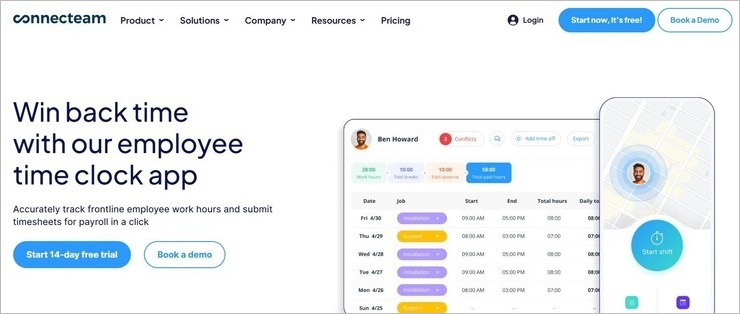
Price: Connecteam is free for life if you are only using it to manage a team of up to 10 people. Its premium plans start at $29/month. Its advanced and expert plans cost $ 49/month and $99/month respectively. A custom enterprise plan and a 14-day free trial are also offered.
With Connecteam, you get a time-clock app with amazing self-service features. This means you can have your team clock in and out via Connecteam’s app on mobile devices or an on-site kiosk. The time-clock is highly customizable as you can set your own set of limitations and chain of approval.
You can also set up digital geo-fences, which ensures employees are clocking in from the right location. Employees are automatically clocked out as soon as they leave the set geo-fence. You can also track an employee’s location on a virtual map while they’re clocked in and on-the-move.
Features:
- Real-time Clock-in and Clock Out.
- Automatically list breaks, time-offs, and overtime on timesheets.
- Integrations with payroll software like Paychex and Xero.
- Auto-clock out employees when they leave the geo-fenced area.
- GPS Location tracking helps employees track employee movements after they are clocked in.
- Duplicate an existing time clock quickly.
#16) When I Work
Best for: Small to large businesses
Price: When I Work offers a 14-day free trial. Its subscription plans are as follows:
- Single Location: $2.50/user/month
- Multiple Location: $4/user/month
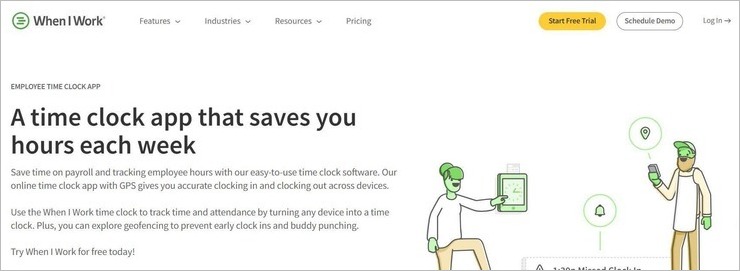
When I Work makes it to our list because of its advanced built-in time-clock. With this time clock, employers can grant their workforce the autonomy to manage their own clock-ins and clock-outs. The software is compatible with almost all devices and operating systems.
You can turn any smartphone, POS system, or tablet into a smart time clock that tracks attendance and breaks. The software also facilitates seamless integration with various prominent payroll solutions like Paychex, Gusto, etc. You can easily import your digital timesheets to these solutions for smooth and brisk payroll processing.
Features:
- Set geofence to prevent clock-ins outside the job site.
- Paid break tracking
- Absence tracking
- Payroll and POS integrations
- Shift scheduling, trading, dropping, and swapping.
#17) Time Doctor
Best for remote teams.
Price: Time Doctor offers a single pricing plan which will cost you $9.99 per user per month. A free trial is available for 14 days.

Time Doctor is an employee time tracking software with features like screenshots and monitoring of websites & apps. It is for teams. It follows manual as well as an automatic type of tracking. It also has the features of GPS tracking, Attendance Tracking, and WebCam Shots.
Features:
- It provides the feature of giving a nudge in order to avoid distractions.
- It tracks the time and will give you the breakdown of time spent on a project, client, or task.
- It can be integrated with some management platforms.
- Client access without an extra cost.
- It provides an optional facility for screenshot monitoring.
Website: https://www.timedoctor.com/
Conclusion
In this article, we have compared the top time tracking software in detail. Out of the top the five-time tracking software Homebase, QuickBooks, and DeskTime have a free plan. Clockify is a completely free time tracking software. Monday.com is an all-in-one solution that provides the features for time tracking, time management, project management, etc.
TimeDoctor, Hubstaff, and Clockify are best for teams. Homebase, QuickBooks, ClickTime, DeskTime, TimeCamp, Toggl, Tick, RescueTime, and Harvest are best for both, teams as well as individuals.
Some software provide advanced features like GPS tracking and screenshot based monitoring. QuickBooks, Homebase, and Hubstaff have the feature of GPS tracking. TimeDoctor, DeskTime, and Hubstaff provide the feature of screenshot based monitoring. TimeDoctor provides one more advanced feature of ‘nudging’ in order to avoid distractions.
Hope you will find these comparisons and reviews helpful while choosing the best employee time tracker!!
Was this helpful?
Recommended Reading
-

Explore the list of the Best Free Time Clock Software that are available in the market: Time clock Software is the system that is used by organizations to record the working hours of employees. It has functionalities of employee scheduling, leave management, task management, PTO, etc. If we compare the Time…
-

List and Comparison of the best free Time Tracking Apps for Freelancers: Time tracking is the process of measuring and logging the time you spent on different applications on the computer. Several methods can be followed for logging this time like logging the time in the Excel sheet, guess-work, paper…
-
This In-depth Tutorial on Jira Time Tracking Explains How To Use Jira Time Management Software. Learn To Configure Jira Time Tracking & Generate Useful Reports: In this Perfect JIRA Learning Guide For All, we had a look at the most Frequently Asked Jira Interview Questions in our previous tutorial. Get…
-
List of the Best Timesheet Apps with Features and Comparison. Timesheet app is an application which is used to track the time spent on projects or tasks. Users can enter the start and end time of tasks. It can be a detailed breakdown of time spent on different tasks. This…


