Review, compare and select among the best Work Management Software to handle multiple key aspects of your business:
Running a business is tough. Juggling between several important departments that need your undivided attention is no small feat. It can overwhelm even the most disciplined of folks.
Now, if you run a large corporation, you can afford a stacked staff of skilled personnel that manages imperative areas of your business, like HR, finance, procurement, supply, etc. at your behest.
However, sourcing and recruiting the right people for these jobs require a lot of capital. Most small businesses cannot afford such a luxury. Left with no choice, many small entrepreneurs resign to handling all crucial tasks themselves, which is ultimately counterproductive. Fortunately, we are living in a time driven by technology.
Table of Contents:
Work Management Software Review

There are a variety of business solutions today whose services you can avail to handle multiple key aspects of your business. Software that specializes in CRM, Accounting, project management, and invoicing are not tough to find. However, great tools that combine these elements in one intuitive platform are a dime a dozen.
In this article, we will look at a list of popular work management software that offers a solution to all aspects of your business to make you and your business more efficient.
Expert Advice:
- Determine what aspects of your business need a project management tool.
- Gather information about popular work management tools from colleagues and project managers working in your industry.
- Refer industry websites to find tools that are most recommended by seasoned entrepreneurs.
- Request a demo and let your managers test the tool out first to determine its efficiency. Collect feedback from them with respect to whether they saw any difference in productivity by implementing the tool.
- Evaluate the tool’s overall cost. Make sure it doesn’t exceed your budget.

Our TOP Recommendations:
 |  |  |
 | | |
| ClickUp | monday.com | Zoho Projects |
| • Time Tracking • Gantt Charts • Spring Points | • Kanban View • Gantt Charts • Time Tracking | • Task Automation • Gantt Charts • Custom Views |
| Price: $5 monthly Trial version: No | Price: $8 monthly Trial version: 14 Days | Price: $4 monthly Trial version: 10 Days |
| Visit Site >> | Visit Site >> | Visit Site >> |
List of the Best Work Management Software
Here is the list of popular Work Management Tools:
- monday.com
- Jira
- Striven
- ClickUp
- Hubstaff
- Scoro
- ProofHub
- Infinity
- StudioCloud
- Odoo
- Trello
- Airtable
- Todo.is
- Connecteam
- When I Work
- Wrike
- NetSuite
Comparing Top Work Management Tools
| Name | Best For | Fees | Ratings |
|---|---|---|---|
| monday.com | Workflow Streamlining and Customization. | Free for up to 2 seats, Basic: $8/seat/month, Standard: $10/seat/month, Pro: $16/seat/month. Custom plans are also available. | |
| Jira | Task Automation and Customizable Workflows. | Free for up to 10 users, Standard: $7.75/month, Premium: $15.25/month, Custom enterprise plan is also available. | |
| Striven | End-to-end task management | Standard: Starts at $20/user for up to 20 users, Enterprise: Starts at $40/user for up to 20 users | |
| ClickUp | Simple Task Creation and Customization | Free Plan Available, Unlimited Plan $5 per user/month. | |
| Hubstaff | Streamlined workforce management | Starts at $4.99/seat/month |  |
| Scoro | End-to-End Work Management Software | Essential – $26 per user/month, Work hub – $37 per user/month, Sales Hub – $37 per user/month. | |
| ProofHub | Online Project Management and Team Collaboration | Essential – $45/month, Ultimate – $89/month. |  |
| Infinity | Create Multiple Views for Projects | $149 one time fee | |
| StudioCloud | Free one user login desktop app | Free starter version, $10/month for each add-on, PartnerBoost – $30 per month, EmployeeBoost – $60/month. | |
| Connecteam | Automated time tracking, employee scheduling, and task management. | Starts at $29/month. Free plan also available. | |
| When I Work | Auto Shift Scheduling and Time Clock | Starts at $2.50/user/month | |
| Wrike | Report editing and sharing. | Free Plan Available, Professional: $9.80/user/month, Business: $24.80/user/month Enterprise-grade also available. | |
| NetSuite | Enterprise Grade Resource Planning | Contact for a quote | |
Detailed review:
#1) monday.com
Best for Workflow Streamlining and Customization.

monday.com presents its users with a cloud-based work OS that helps organizations create, customize and streamline workflows. With this software, businesses have the privilege of using a collaborative workplace that unites business teams across various departments of an organization. You get tons of templates to customize workflows as per your wish.
The platform is also considerably automated and serves as a perfect alternative to manual work management. Aside from this, the platform also boasts amazing time-tracking and reporting capabilities. As such, teams can easily meet deadlines and get an idea of how their launched and assigned tasks are performing at a glance.
Features:
- Real-time insights are offered through a comprehensive dashboard.
- Visualize projects with the help of Kanban view and Gantt charts.
- Integrates seamlessly with popular existing business tools and apps.
- Track and manage time visually.
- Tons of customization tools are available.
Verdict: It wouldn’t be controversial to claim that monday.com represents the absolute best when it comes to automated work management software. The software makes it incredibly simple to create and manage workflows and grants users insightful reports that can be leveraged to improve a wide range of business tasks pertaining to marketing, sales, accounting, and more.
Price: Free for up to 2 seats, Basic – $8/seat/month, Standard-$10/seat/month, Pro -$16/seat/month. Custom plan also available.
#2) Jira
Best for Task Automation and Customizable Workflows.

Jira is a fantastic project management/planning tool that can be used to plan, track, and manage software development projects from their initial ideation stage to eventual realization. The platform truly excels to capture and organizing issues faced by the development team.
The platform provides you with all the tools you need to prioritize actions that are necessary for the successful execution of a project. Another area where Jira shines is in the project tracking department. You can set up customizable workflows that allow team members to stay informed and on track with their development goals.
Features:
- Dependency Management
- Reporting with Actionable Insights
- Basic and Advanced Roadmaps
- Unlimited Project Boards
Verdict: From tracking projects via visualized workflows to automating complex processes with a single click, Jira is a work management software your team can use to streamline your project’s development life cycle from beginning to end.
Price: There are 4 pricing plans with a 7-day free trial.
- Free for up to 10 users
- Standard: $7.75/month
- Premium: $15.25/month
- Custom enterprise plan is also available
#3) Striven
Best for End-to-end task management.
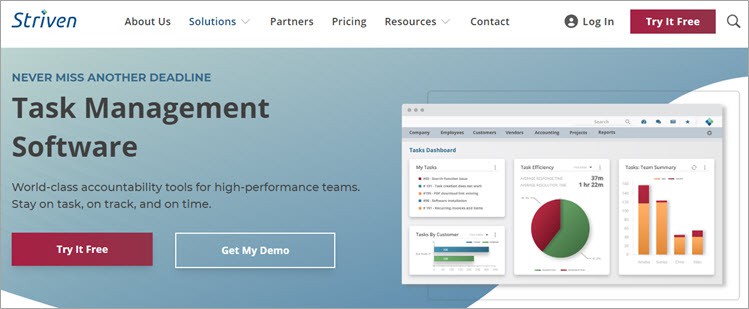
Striven offers you complete task management software that allows you to streamline some of the most crucial business processes. Not only can you create tasks with the tool, but you’ll also get the tools necessary to review, update, or change tasks that are currently assigned. The software comes with an intuitive smart filter feature, which can prioritize tasks.
The task types can be categorized, thus streamlining your work. The tasks can be filtered by data range and customer assignment. What sets the tool apart from its competitors is the personal task dashboard it offers. You get a clear overview of all completed and ongoing tasks. The dashboard also makes the job of multiple tasks simultaneously simpler.
Features:
- One-click task efficiency reports
- Track tasks by customer project
- Personal task dashboard
- Smart filters to prioritize assigned tasks
Verdict: With flexible pricing, an intuitive dashboard, and tons of features to boast, Striven is hands-down one of the best task management tools out there. It is a tool that you can use to keep tabs on your tasks.
Price: The pricing plans are as follows:
- Standard: Starts at $20/user for up to 20 users
- Enterprise: Starts at $40/user for up to 20 users
A 7-day free trial is also available.
#4) ClickUp
Best for simple task creation and customization.
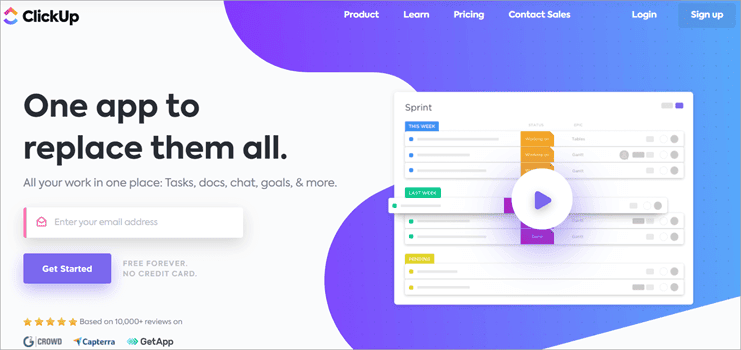
ClickUp is a simple, fully customizable task manager that helps you optimize sales, marketing, project management, CRM, and several other functions integral to your business. You get over 35 unique templates to design tasks with. We can automate easily these tasks to save time as well. The tool also facilitates intuitive online team collaboration.
ClickUp can also create Doc files that can be customized, shared, and edited alongside your team. It can also build Kanban Boards that visualize tasks about your project. The Kanban Board can be organized in such a way that you can easily view all workflows with a single glance.
Features:
- Native time tracking.
- Gantt charts.
- Assign Spring points.
- Create To-Do lists.
- Intuitive Dashboard to track activities in real time.
Verdict: ClickUp is a tool we recommend if you want to create tasks via docs, Gantt charts, and Kanban boards. There are several visually stunning templates to assist you with your customization efforts. The tool also facilitates online team collaboration where you can assign comments or make edits in collaboration with your colleagues.
Price: Free Plan is available. The Unlimited Plan includes $5 per user/month.
#5) Hubstaff
Best for streamlined workforce management.
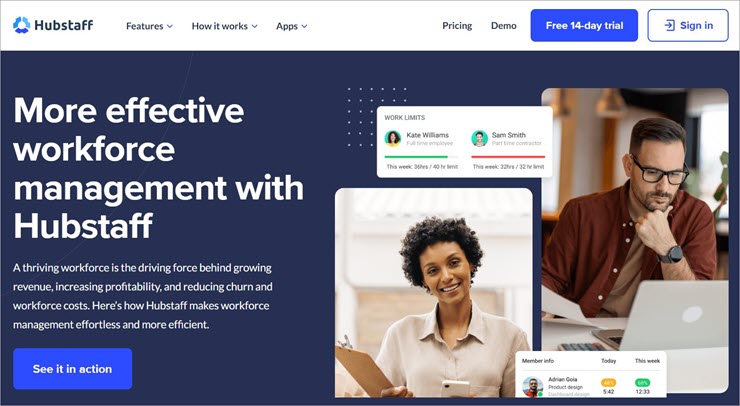
Hubstaff lets businesses gain greater visibility and control over their workforce through a user-friendly centralized dashboard. You can rely on the software to accurately monitor the time spent by your employees on tasks and projects. The tool also boasts some impressive shift scheduling features, which will help you easily manage shifts, PTO requests, and workforce availability.
The software comes with built-in automated time-off policies. You can also set daily or weekly work limits, which could help you avoid overloading your staff with work. The tool is also excellent for expense tracking as well as budgeting and invoicing. Furthermore, you can rely on the tool’s GPS tracking features to also monitor your field staff.
Features:
- Shift scheduling
- Attendance tracking
- Expense management
- Streamlined invoicing and budgeting
- GPS location tracking
Verdict: Easy to use, affordable, and feature-rich, Hubstaff is a work management solution you can use to manage your work orders, automate payrolls, and most important of all, manage your workforce. You can rely on the software to manage part-time, full-time, and remote employees and the time they spend on assigned tasks with ease.
Price: Hubstaff offers the following subscription plans:
- Starter: $4.99/seat/month
- Grow: $7.50/seat/month
- Team: $10/seat/month
- Enterprise: $25/seat/month
All plans are billed annually. A 14-day free trial is also available.
#6) Scoro
Best for end-to-end Work Management Software.
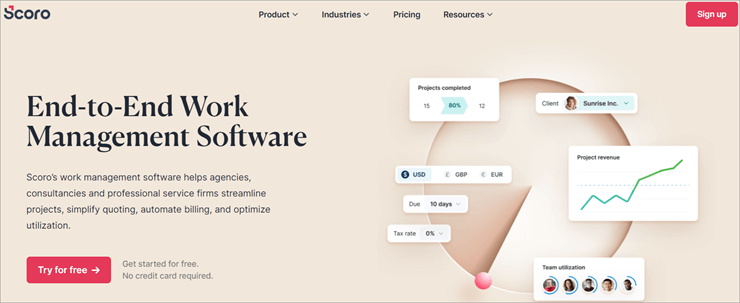
Scoro offers a full-service that helps businesses simplify, automate and optimize several key business-related tasks. The platform features a drag-and-drop planner that can be utilized to distribute tasks evenly. It also comes with a built-in tracker that makes monitoring billable and non-billable hours of employees simple.
Scoro also provides a real-time Gantt Chart that helps track progress, events, and dependencies. You also get a comprehensive view of all planned and finished activities. Users also benefit from the pre-set project templates and bundles it offers. The platform can also streamline billing and get a 360-degree view of all customers.
Features:
- Automate routine tasks.
- Keep track of all customer deals in real time.
- Track sales goals and performance.
- Track performance and KPIs.
Verdict: Scoro offers a platform that lets you get a bird’s eye view of several key components of your business. From streamlining projects and automating billing to tracking all major events of your business in real-time, Scoro optimizes key elements associated with your project, sales, CRM, and more.
Price: Essential – $26 per user/month, Work hub – $37 per user/month, Sales Hub – $37 per user/month.
Website: https://www.scoro.com/
#7) ProofHub
Best for online Project Management and Team Collaboration.
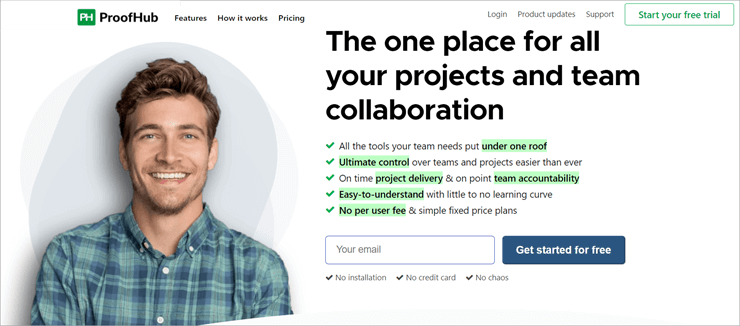
ProofHub comes with a bunch of features that help your business plan, organize, and collaborate on project management-related tasks. You can leverage Kanban Boards to divide tasks and assign them according to your preference. You can also create Gantt Charts here to plan and visualize your entire project in a timeline view.
ProofHub also allows you to store, organize, and access all of your files from a single, secure database. You also get to define custom permissions to determine who in the team gets access to what files. You can also initiate direct or group chats to further streamline communication among your team members on a project.
Features:
- Automatic Reminders and Multiple Calendar Views.
- Timesheets to track billable hours.
- Detailed project reports.
- White-Labelling.
Verdict: ProofHub can help you establish a clear communication channel among team members working on a single project. You get to automate and optimize several functions related to Project Management to make the process more convenient and less confusing.
We particularly like the Chat feature, which makes getting quick feedback or answers to queries convenient.
Price: Essential – $45/month, Ultimate – $89/month.
Website: https://www.proofhub.com/
Further Reading => Must Try To-Do List Apps
#8) Infinity
Best for creating multiple views for projects.

Infinity helps you create tasks and organize or monitor them via several customizable view templates. You get to organize your projects by using tables, calendars, Gantt charts, lists, and forms… all from a single platform. You can structure your files by creating folders, sub-folders, boards, and workspaces. All of these views are completely customizable, with over 50 templates to choose from.
The tool also facilitates online collaboration. Multiple team members can simultaneously work on the same task by performing actions such as commenting, assigning tasks, inviting other members to join and so much more. It is also very easy to automate tasks on Infinity with the help of features such as reminders, a form submitted trigger, recurring tasks, and IFTTT Rules.
Features:
- Multiple customization options.
- 6 ways to view created data.
- Structure data as per 5 options.
- Set permissions.
Verdict: Infinity lets you create, organize and customize your tasks in 6 different views. You get to decide how you would like to manage or view your day-to-day tasks on the platform. The platform also features remarkable online collaboration and automation features.
Price: $149 one time fee
Website: https://startinfinity.com/
#9) StudioCloud
Best for being a free one user login desktop app.
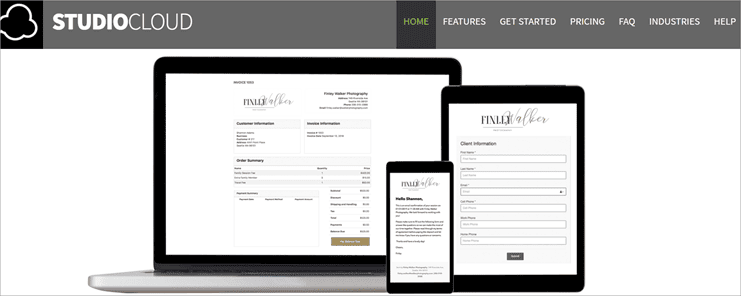
StudioCloud offers an all-in-one solution to manage several business-related functions on a day-to-day basis. The platform can manage leads, clients, customers, vendors, and suppliers. It also allows you to create and send invoices in a hassle-free manner. StudioCloud also facilitates scheduling events, appointments, and interviews.
It can also help you create and launch automated marketing campaigns that target a specific customer base. Aside from this, StudioCloud also helps you create forms, and questionnaires, use e-signatures, and allow time card tracking.
Perhaps the thing we like about it the most is its free desktop app that 1 user only can use but can perform all of its features surprisingly well.
Features:
- Effective Automation.
- Helps with online booking.
- Timecard tracking.
- Fully customizable.
Verdict: StudioCloud is a tool we recommend to freelancers, artists, or any individuals who run a one-man business because of its free desktop app. You can manage a wide variety of integral tasks associated with your projects here in an effective and efficient manner.
The tool particularly shines because of its personnel and project management features.
Price: Free starter version, $10/month for each add-on, PartnerBoost – $30 per month, EmployeeBoost – $60/month.
Website: https://studiocloud.com/index.html
#10) Odoo
Best for integration with other Odoo Business Application.

Similar to some of the best work management tools, Odoo also allows you to customize almost all aspects of your project. You can set alerts, rename stages of your ongoing projects and even automate emails. The platform is also mobile-friendly, which means you can work on your projects while on the move.
You can also view your projects in multiple interactive models. You can create a custom Gantt chart, resort to the ‘Kanban’ view or opt for the ‘Deadline Calendar’ view to keep track of your project’s progress.
The most compelling reason to use Odoo is its ability to integrate with other Odoo business applications like CRM, Sales, PO tools, thus making task management even more convenient.
Features:
- Easy Document management.
- Time tracking.
- Pivot Table analysis.
- Archive finished tasks.
Verdict: Odoo presents a simple way to view, organize, and collaborate on your projects in real-time with a fully customizable dashboard. The fact that it can integrate with other business apps from Odoo that specialize in activities like purchase order management, sales, CRM, etc. makes it a prime enterprise work management software.
Price: Contact for quote
Website: https://www.odoo.com/app/project
#11) Trello
Best for no-code automation and Trello cards.

Trello helps you create and customize workflows with the help of visually stunning boards, cards, and lists. The project you manage on Trello boards or lists can be visually represented in a variety of views. You can opt for the ‘Timeline View’, settle for the ‘Table View’, or go with the ‘Calendar View. for better time management.
You get up-to-date information on your ongoing project or completed projects via stats displayed on Trello’s dashboard. It is ultimately Trello’s Cards feature that distinguishes itself from its counterparts.
You can create Cards associated with your project, which can be broken down with a single click to reveal key information like checklists, attachments, conversations, due dates,s and more.
Features:
- Create custom buttons.
- Built-in automation.
- Schedule team assignments.
- Integrates with popular work tools.
Verdict: Trello is as effective as it is visually striking. It particularly stands out because of the Cards, Boards, and List view, with which you can manage, track and share all aspects of your task. The platform is highly customizable and comes with built-in automation.
Price: Free Plan is available, Standard $5 per user/month, Premium – $10 per user/month, Enterprise – $17.50 per user/month.
Website: https://trello.com/home
#12) Airtable
Best for Project Assignment and Tracking.
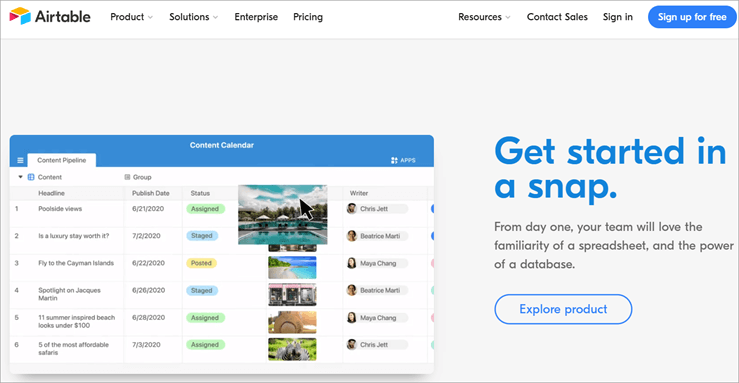
Airtable provides users with a plethora of templates, each catering to a particular type of project need or requirement.
For instance, if you are running a project pertaining to video production, Airtable has a pre-set template that will help you manage all crucial components for such a project. You can also visually represent your project’s content with the grid, kanban, calendar, and gallery view.
You can create tasks, assign them, track their status, chat with your team members on the project and collect quick responses from them in real-time. Your dashboard is also customizable, allowing you the freedom to add attachments, checkboxes, long-text comments, and more with just a few clicks.
Features:
- Configure your content view in 4 distinct ways.
- Over 50 pre-built apps to choose from.
- Automate redundant tasks.
- Create custom notifications.
Verdict: With remarkable automation driving all crucial elements pertaining to work management, Airtable is a simple, intuitive tool that can easily boost your workforce’s productivity. We recommend the tool for the massive gallery of project-appropriate templates.
Price: Free plan available, Plus – $10 per seat/month, Pro – $20 per seat/month.
Website: https://www.airtable.com/
#13) Todo.is
Best for AI-powered task generation.

With Todo, you get a simple and intuitive project/task management tool that’s bolstered by an intelligent AI. This AI can be leveraged by users to generate tasks automatically. You have the privilege of creating multiple projects, depending on the plan you choose. Besides this, you get detailed statistics to help you track the progress of each project.
Once a project is created, you can add tasks to it. You can also set reminders and due dates to get notified of the project’s approaching deadline. You can also attach files to the project and even assign tasks to other colleagues working with you on a particular project. Finally, you get a; calendar through which you can monitor task progress and track events.
Features:
- Set reminder and due dates
- Attach Files to projects
- Access Calendar
- Assign tasks for seamless collaboration
- AI-powered task generation
Verdict: With Todo, you get an intuitive project/task management solution that’s compatible with iOS and Android. You can use the tool to create multiple projects and track their progress in real time. This is an easy-to-use tool that I would recommend to individuals and small businesses who want to keep their projects organized and boost their productivity in the process.
Price: The tool is free to use with limited features. The Pro plan will cost you $9/month whereas the Business plan will cost you $39/month.
#14) Connecteam
Best for Automated time tracking, employee scheduling, and task management.
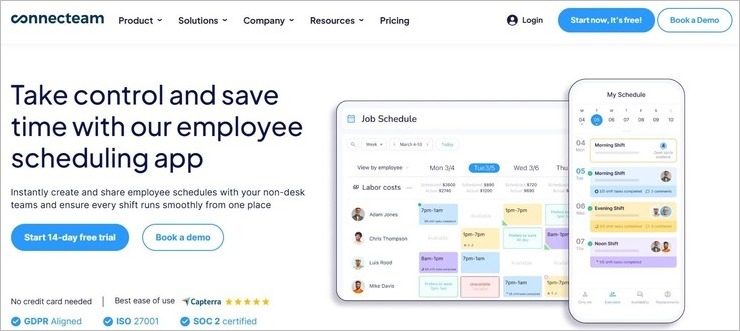
Connecteam arms its users with all the tools they need to manage their daily operations without hassle. You get a ton of templates to instantly create schedules with ease. Thanks to its drag-and-drop interface, you’ll be able to assign and reassign jobs within minutes.
When assigning a job, you can add detailed descriptions to let your employees know what needs to be done. You can also set up one-time tasks with a due date or assign recurring tasks to automate jobs on a regular basis. You can easily monitor all assigned tasks through the mobile app. The software will keep you updated on the task’s status with real-time alerts.
Features:
- Drag and Drop Scheduling
- Auto-Employee Scheduling
- Group, Organize, and Filter tasks on certain criteria.
- Get updates in real-time.
- Send push notifications to remind the team of pending tasks.
Verdict: With Connecteam, you get an employee scheduling, time tracking, and payroll software – all rolled up in one feature-rich software. Assigning tasks and keeping track of them across multiple locations is a breeze with Connecteam, whether you are using it on your desktop or mobile device. The tool is free to use for the first 14 days, so it wouldn’t cost you to give it a shot.
Price: Connecteam offers the following plans:
- Basic: $29/month
- Advanced: $49/month
- Expert: $99/month
A 14-day free trial is also available. You can opt for the free-for-life plan as well, which is ideal if you are managing a small team of up to 10 people. Alternatively, you should contact Connecteam representatives for a custom plan.
#15) When I Work
Best for Auto Shift Scheduling and Time Clock.
When I Work deserves a spot on this list because of its employee scheduling and time-tracking capabilities. You can use the tool to easily create shift schedules with a single click. Creating these schedules is further simplified, thanks to the availability of ready-made schedule templates. The platform also features an intuitive time clock.
This time-clock provides employees with the autonomy to manage their own clock-in and clock-out and create labor reports. Employers can count on this time-clock to track attendance across multiple job sites. Furthermore, the software also features excellent team-messaging capabilities, thus letting employers stay connected to their team through a secure chat-window.
Features:
- Auto-shift scheduling
- Schedule templates
- Payroll and POS Integrations
- Labor and budget forecasting
- 1:1 and Group Chat
Verdict: When I Work comes loaded with a ton of advanced features, each meant to streamline functions necessary for seamless work management. The software can be used to build entire work schedules with a single click. You also get an advanced time clock, which can be used for hassle-free attendance tracking and payroll processing.
Price: When I Work offers a 14-day free trial. Its subscription plans are as follows:
- Single Location: $2.50/user/month
- Multiple Location: $4/user/month
#16) Wrike
Best for report editing and sharing.

Wrike stands out because of its visual representation of workflows. It is extremely simple to create custom workflows with Wrike. Besides customized workflows, you can also create interactive Gantt charts to visually represent the schedule of your projects. The creation is only made simpler by its drag-and-drop interface.
The dashboard also takes a simplistic but adequately interactive approach. You can easily pin your to-do list on the dashboard and categorize them into ‘New’, ‘In Progress’, and ‘Completed’ sections.
The dashboard here is also customizable. Wrike particularly shines because of its “Report Wizard” feature, which allows you to create and share reports with team members.
Features:
- Edit real-time, interactive reports.
- Team Collaboration.
- Track task schedules with custom Gantt charts.
- Seamlessly integrates multiple business-related tools and applications.
Verdict: A good work management software will offer a fully customizable experience for users. That is exactly what Wrike does. It especially establishes itself as one of the best tools with its ability to create and share editable reports, which update themselves in real-time.
Price: Free Plan Available, Professional Plan – $9.80 per user/month, Business Plan – $24.80 per user/month, Enterprise-grade custom plan also offered.
#17) NetSuite
Best for Enterprise-Grade Resource Planning.
You will recognize NetSuite as the name behind several business-related solutions. Its CRM software is especially popular. It should be obvious that NetSuite would eventually make it to this list with a work management suite that comprises all core elements of business, like finance, CRM, ERP, and eCommerce.
NetSuite can improve sales with the help of features that facilitate commission management, forecasting, and upsell. It also acquaints users with a 360-degree view of their customers.
Features:
- Real-time visibility into financial and operational performance.
- Order processing.
- Inventory management.
- Customizable dashboard and visual analytics.
Verdict: We recommend NetSuite for large corporations with a global user base. The tool can manage several key aspects of your business, like order processing, supply chain management, warehousing, accounting, and more from a single visually intuitive and customizable dashboard.
Price: Contact for Quote
Other Work Management Solutions
#18) Any.do
Best for easy task organization.
Any.do is a simple to-do list application, which shines because of its user-friendliness and minimalistic design. It can organize tasks, lists, and reminders. Its calendar is particularly remarkable, as it can track progress by adding smart reminders. The tool also comes with several attractive themes to choose from to customize the app’s look.
Price: $4.49/month for a 6-year plan, $2.99 for the 12-month plan, $5.99 for a single month.
Website: https://www.any.do/
#19) Things
Best for Apple-exclusive task manager.
Things just underwent a major overhaul that left it with an impressive design, which makes task management simpler. The to-do list greets you with a clean white paper, wherein you can add the tasks you want to complete. The list can be further customized with checklists, tags, deadlines, and more.
You can also categorize your tasks into various groups. For instance, you can have one to-do list for family, while having another exclusively for work.
Price: $9.99 for iPhone, $19.99 for iPad, $49.99 for Mac
Website: https://culturedcode.com/things/
Frequently Asked Questions
What is the best Task Management Tool?
The market today is steeped in a plethora of great to decent work management tools, however only a few deserve the accolade of being called the best work management software.
Here are some that we believe earn this title:
– Scoro
– ClickUp
– ProofHub
– Infinity
– StudioCloud
What is a PMO tool?
A PMO or work management software helps managers or businessmen manage the day-to-day aspects associated with their tasks or projects. These tasks could pertain to finance, HR, billing, procurement, relationship management, etc. We will be listing down some of these tools in this article, which you can purchase online. Some can also be used for free.
What are the 5 main phases of a project?
The 5 major phases of a project include the following:
– Initiation
– Planning
– Execution
– Monitoring
– Closing
What three things does a Project Management Office do?
A Project Management Office follows three crucial functions:
– Collecting data regarding the progress made in projects and generating reports accordingly.
– Developing standard processes and procedures, and instructing others to use them.
– Managing resources pertaining to a project
Does Google offer a Task Manager?
Yes, Google launched an exclusive productivity-oriented application known as Google Tasks. The app helps people create, view, or edit their tasks. The app is a standard Task Manager that we suggest only for personal task organization.
People who want to use it to manage their business-related activities will be severely disappointed. The only thing even remotely remarkable about the app is its integration with Google services like Calendar and Gmail. If you want an end-to-end work management tool for business, then any of the listed tools in this article will suffice.
Conclusion
Small businesses today not only have a chance at survival but can also go toe-to-toe with their larger competitors because of the above solutions.
A great work management tool will provide you with an intuitive platform that allows you to manage all your tasks from a single dashboard. It will make team collaboration more effective, remote work possible and enhance the quality of work being done.
Managers using such tools have often raved about how it has revolutionized their work environment. Tasks that were once considered arduous are now conveniently executed because of such tools. With a great work management platform at your disposal, you will never feel the need to rely on hired professionals and managers.
As for our recommendation, if you are looking for a full-service work management tool that simplifies, automates, and organizes all of your tasks, then go for Scoro. If you need a platform that helps you create and track tasks with tons of customization options, then ClickUp will suffice.
Research Process:
- We spent 12 hours researching and writing this article so you can have summarized and insightful information on which Work Management Software will best suit you.
- Total software researched – 22
- Total software shortlisted- 12
Was this helpful?
Recommended Reading
-

List and Comparison of the Top 10 Commercial and Free Business Management Software to Manage Your Business Efficiently: Top Business Management Tools for Small to Large-Sized Businesses. Business Management Software includes a wide range of solutions. It is an application that will help you in managing your business. We can…
-

List with Comparison of the Best Cloud Monitoring Tools and Services: Cloud monitoring uses automated and manual tools to accomplish, monitor, and assess cloud computing plan, structure, and service station. As more and more industries understand the potential welfare of moving their setup to the cloud, there is an important…
-
This article reviews the top Contact Management Software available in the industry. Go through their details to choose the best one for your business: A business can flourish only when the customers have trust in its products or services. To gain their trust, you need to build a strong relationship with…
-
Explore the list of Top Document Management Software with features and comparisons to help you find the best DMS Software: Data forms a vital part of thriving businesses today as they venture further into the digital space. Enterprises have to deal with oodles of data, all of which are compiled…
-
Read this review to compare top ECM Software services and select the best Enterprise Content Management Software for your requirements: How often have we heard the saying ‘Content is King’ in the modern age? These words are nothing short of golden, as they speak of a truth that businesses today…
-
List of the Top Incident Management Software Tools: What is “INCIDENT” and Incident Management? An incident is defined as an unplanned interruption to an IT service or a reduction in the quality of an IT service. Any deviation from its normal or usual way of operation is an incident. The…
-
Most Popular Lead Management Software Tools with Features and Comparison: Lead Management or Customer Acquisition Management is a collection of methods, practices, and processes to acquire new clients for a business. Lead Management Tools, being used by small and big businesses alike, have evolved around this need. All businesses require…
-
Explore the best Marketing Project Management Software with features and comparison for management of tasks and workflow streamlining: Marketing Project Management Software is an application with functionalities for planning, collaborating, and tracking the delivery of marketing projects. It assists with campaign planning, task management, baseline management, workload management, time tracking,…