


Read through our exclusive hands-on review of Kuality.io AI testing platform to transform and streamline your testing workflows. Uncover its features and pricing to automate your testing process in minutes:
Who wouldn’t want a perfectly functioning business website? You’d want it to be user-friendly, fast, safe, and optimised for a mobile screen. That said, manually testing your website against these parameters can be daunting. If only there were a single tool to test a website for these problems at once.
This is where an AI-powered platform like Kuality.io proves its worth. Despite its rapid increase in popularity, I understand there are a few who are skeptical of its capabilities. Having put the tool to extensive use, I’ve formed my own opinion, and I would like to share it with you in this comprehensive review of Kuality.io.
Is Kuality.io Testing Platform Safe: In-Depth Review

So, consider this article my review of the Kuality.io AI QA testing platform, wherein I’ll discuss everything I liked about it as well as things I wasn’t a fan of.
Who is Kuality.io for?
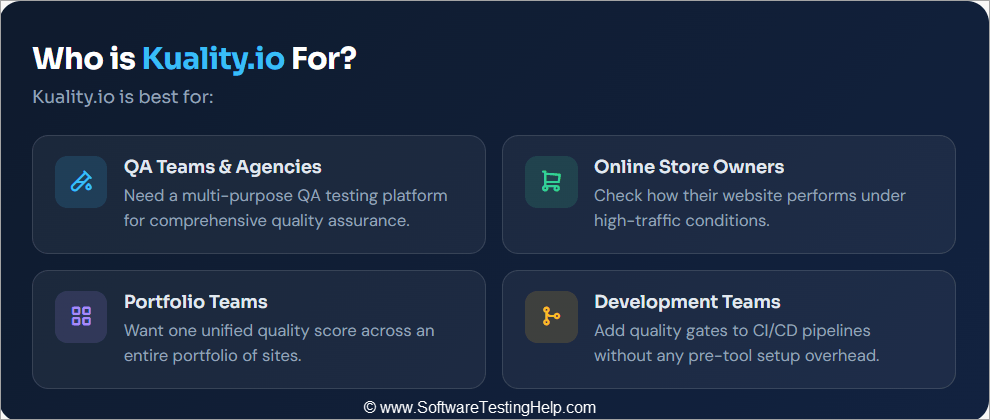
Kuality.io is best for the following:
- QA teams and agencies that need a multi-purpose QA testing platform.
- Online store owners who wish to check how their website performs during high-traffic periods.
- Teams that want one quality score across a portfolio of sites.
- Development teams that wish to add quality gates to CI/CD without the overhead of pre-tool setup.
What is Kuality.io Testing Platform
Kuality.io is a web-based QA and security testing platform developed and operated by BlackSight LLC. It is an online solution that developers can rely on to automatically test a website and uncover quality or performance issues. All you have to do is give it a URL to test. You decide which tests to perform, or let its AI make the decision.
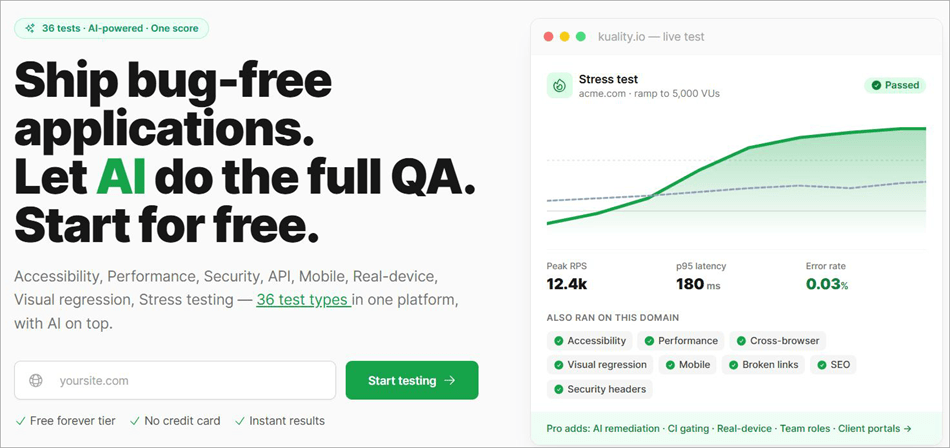
You can have Kuality.io check your website for several issues, such as
- Whether your website loads fast
- Whether it is safe from online threats
- Whether it looks good on mobile
- Whether it contains broken links, etc.
Instead of using multiple tools to perform different tests, Kuality.io basically lets you perform all sorts of crucial quality tests in one place. That is Kuality.io’s greatest strength. You basically have a single platform that covers 36 test types. Once the test has concluded, your site is given a “Kuality-score” from 0-100 (graded A+ through F).
Now that you know what Kuality.io entails, let’s understand how you can get started with the tool.
Check the video below to understand the role of AI Agents in QA:
Getting Started With Kuality.io
Kuality.io is beginner-friendly, a fact that became apparent as I signed up and performed my first website quality test on it.
You can sign up with ease using your own email ID or an existing Google account/GitHub OAuth. Once you’ve signed up, you proceed to add your site and organisation.
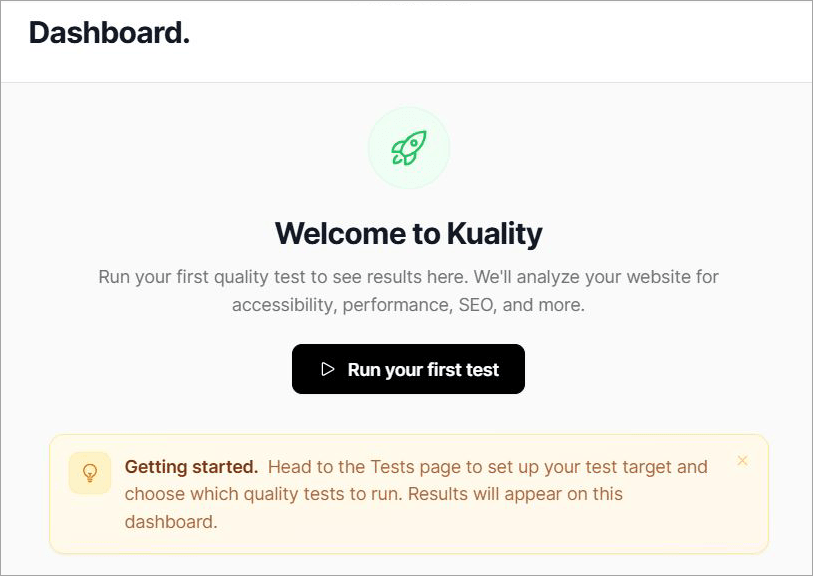
The platform does not demand domain verification, and there is no need to add DNS records to prove ownership. I think this is yet another aspect of the platform that most QA engineers who test sites they don’t own will appreciate.
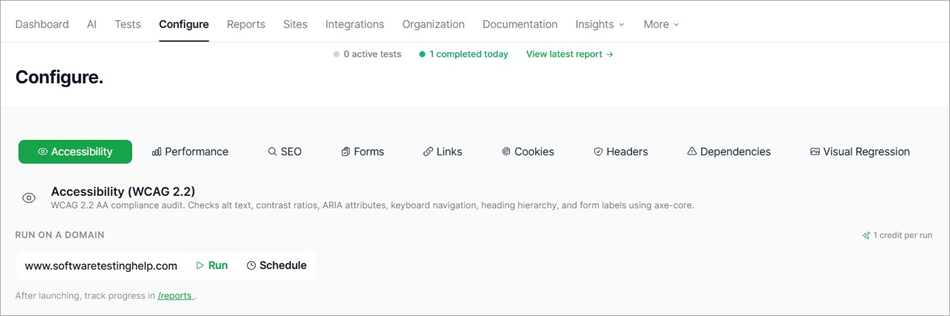
One of the coolest aspects of this tool is its ability to perform tests automatically. All you have to do is add a URL, choose a test out of the 36 test types offered, or have the AI do it for you, and wait for the test reports.
For the sake of this review, I added the URL of our own website and chose to check its accessibility.
The results were as follows:
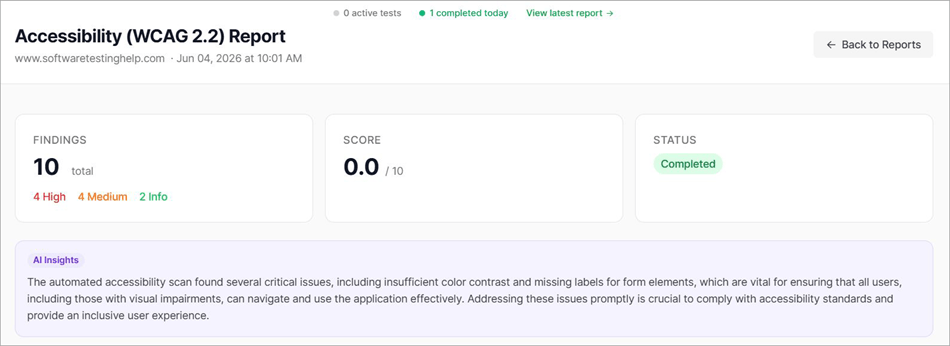
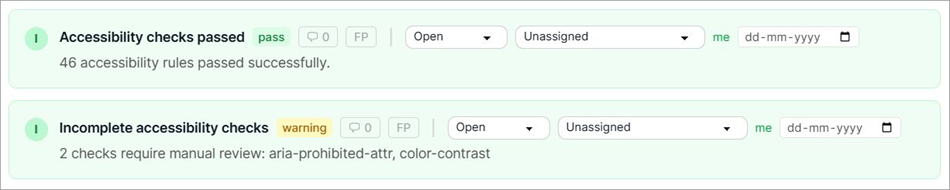
The report conveyed 10 findings (4 High, 4 Medium, and 2 Info) and a pretty ruthless score of 0.0 out of 10. According to the report, our site did manage to pass 46 accessibility rules. The report also featured an AI insight that highlighted the critical issues undermining our site’s accessibility.
You can download this report as a one-page PDF or share it on a public status page.
Core Features of Kuality.io
Some of the most prominent features of Kuality.io are listed below:
#1) AI-Driven Testing
This is perhaps what makes Kuality.io such a unique QA testing platform. You, of course, have the option to choose between 36 test types or let the platform’s AI choose for you. You simply add the URL and let the AI handle the rest.
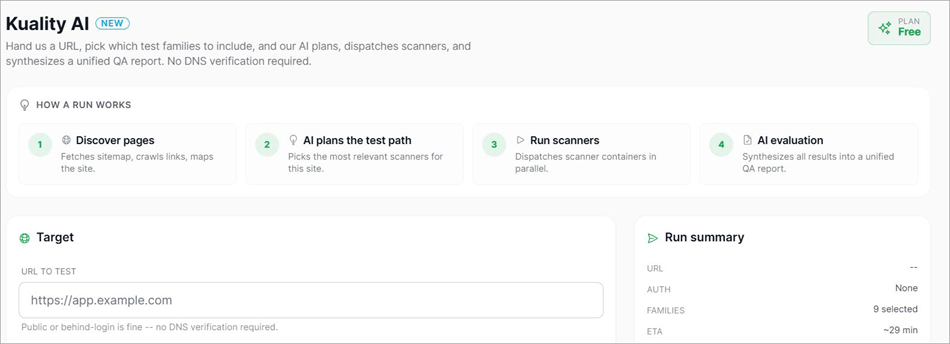
A typical AI-driven test run on the platform will flow through the following stages:
- AI maps the site, fetches crawl links, and creates a sitemap
- It chooses the most relevant scanner for testing.
- Scanner containers are then dispatched in parallel.
- You are presented with results in a single, unified QA report.
You can further scope the test run by selecting one or all nine test families, which include:
- Form Quality and Auth Flows
- Visual Regression
- Accessibility (WCAG 2.2)
- Smoke and Navigation
- API Contract and Errors
- Security Surface
- Web vitals and performance
- API contact and errors
- Content and Copy
AI may not always pick a test that you’d normally prefer. If that happens to be the case, I would suggest choosing a test type manually from the 36 options at your disposal.
#2) Individual Test Types
You can have a website tested to check whether it works for people with disabilities. For instance, you can test a website’s contrast for low vision and check the screen reader’s compatibility. The platform uses axe-core-powered WCAG 2.2 AA audits on all tests.
The platform complies with international rules of accessibility testing. As such, you could rely on it to prevent EU or ADA accessibility lawsuits entirely.
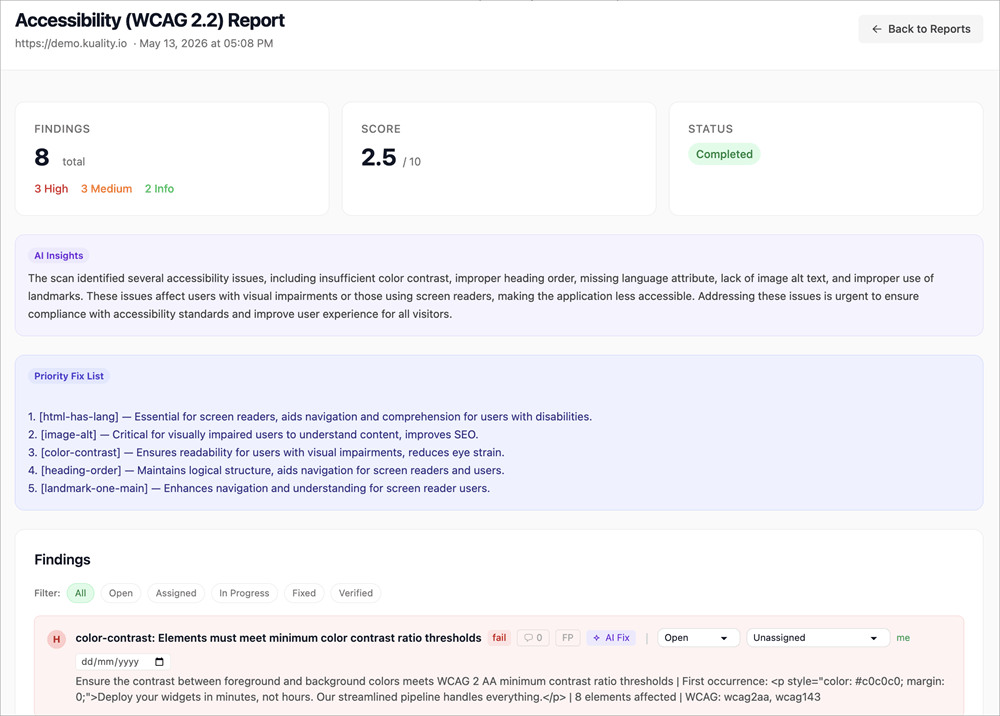
You can already see the results of an accessibility test I performed on our website. The report features findings tagged with the WCAG criterion, severity, and affected elements. It also features AI-written insights that explain what’s wrong with your website in plain English.
ii) Stress Testing
Stress testing entails simulating high-volume traffic to your website to check exactly when it crashes or slows down. Kuality.io can simulate multi-location traffic to let you assess a website’s p95 latency, RPS, and error rate in real-time. If you own an online store, you could use Kuality.io for stress-testing during peak sales season.
iii) Real-Device Testing
You can run accessibility, broken links, and web-vitals tests on real iOS and Android devices in a device farm without computer emulators. Each test run is tagged with the device model and the OS version it is running on. You are charged 10 credits per device minute.
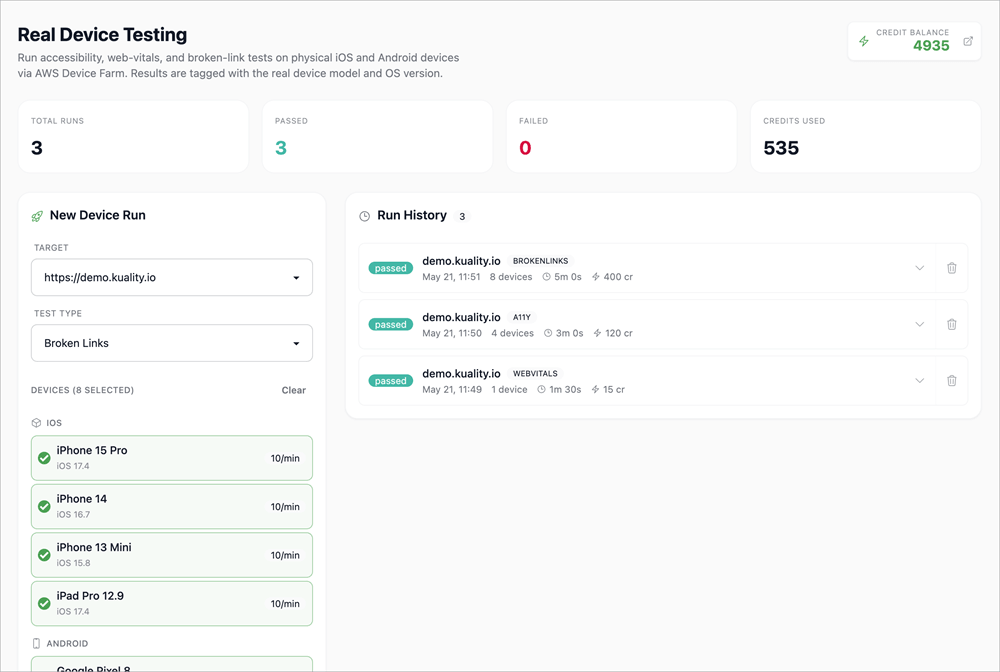
For instance, it took us around 5 minutes and cost 400 credits to run broken-link tests across 8 devices.
iv) API Testing
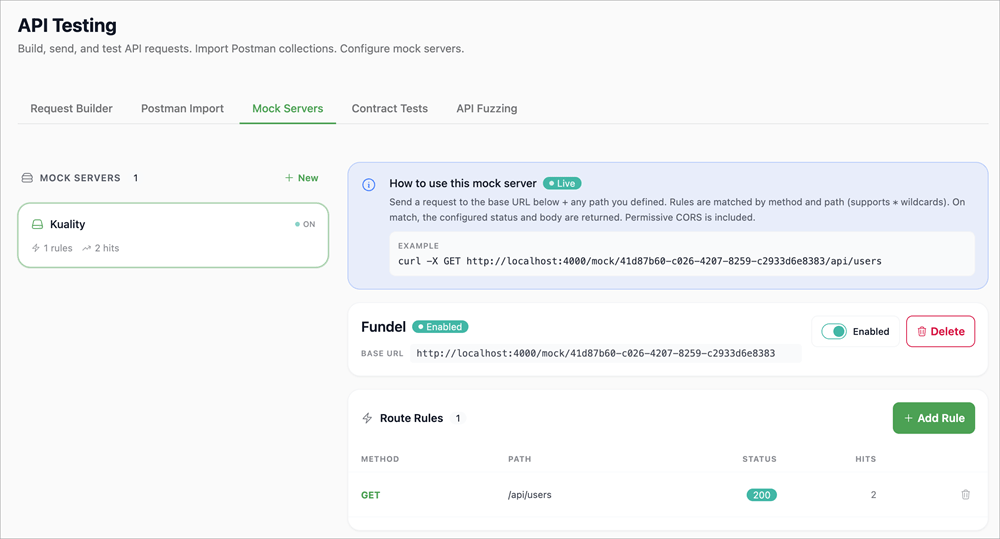
Kuality.io lets you build, run, and test API requests. Furthermore, you can even configure mock servers. To run tests, you’ve got Postman import, contract testing, API fuzzing, and a request builder. You define route rules, and the platform will host a live mock endpoint that returns your configured responses with permissive CORS.
v) Visual Regression and Browser Testing
The platform will capture screenshot baselines of your website’s pages across mobile, desktop, and tablet breakpoints. These screenshots are then compared against each other to uncover certain issues with the website’s UI across different screen sizes.
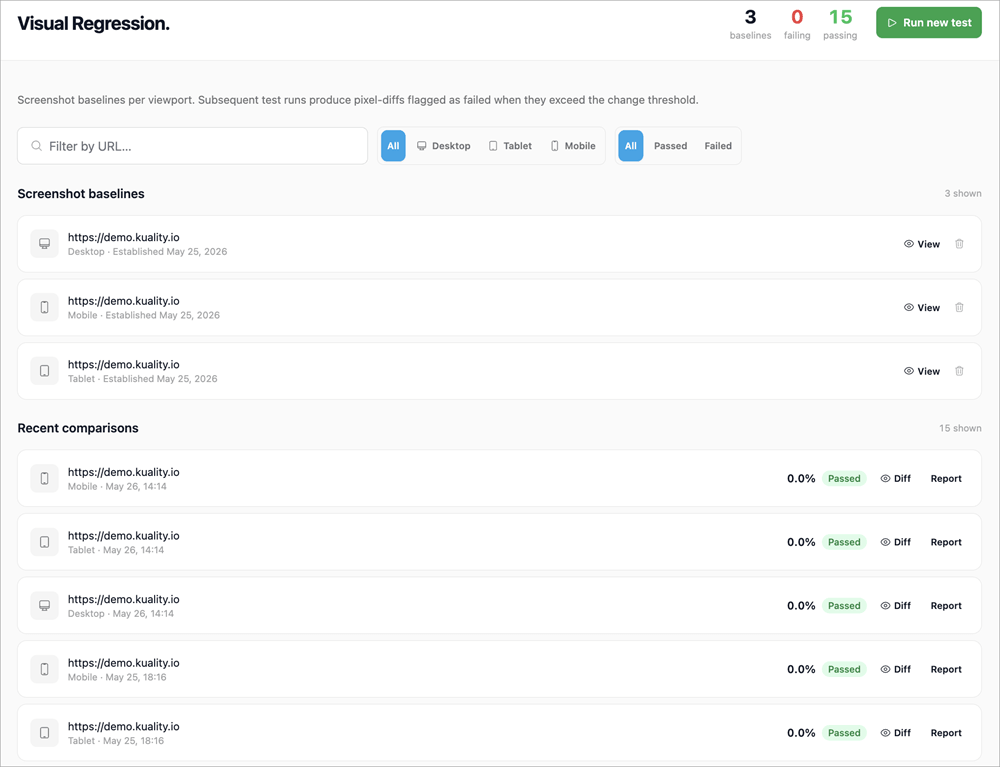
You can also rely on the platform for playwright-powered test runs across Chromium, WebKit, and Firefox browsers. This also includes test runs on mobile viewports with real-touch emulation. These test runs will flag issues like console errors and render-time diffs.
vi) Localization
Kuality.io also runs a localization i18n audit to load sites on different locales. You can use this audit to catch missing translations, pseudo locale overflows, plural/encoding bugs, RTL layout drift, and date-number-currency formatting errors across every locale you ship.
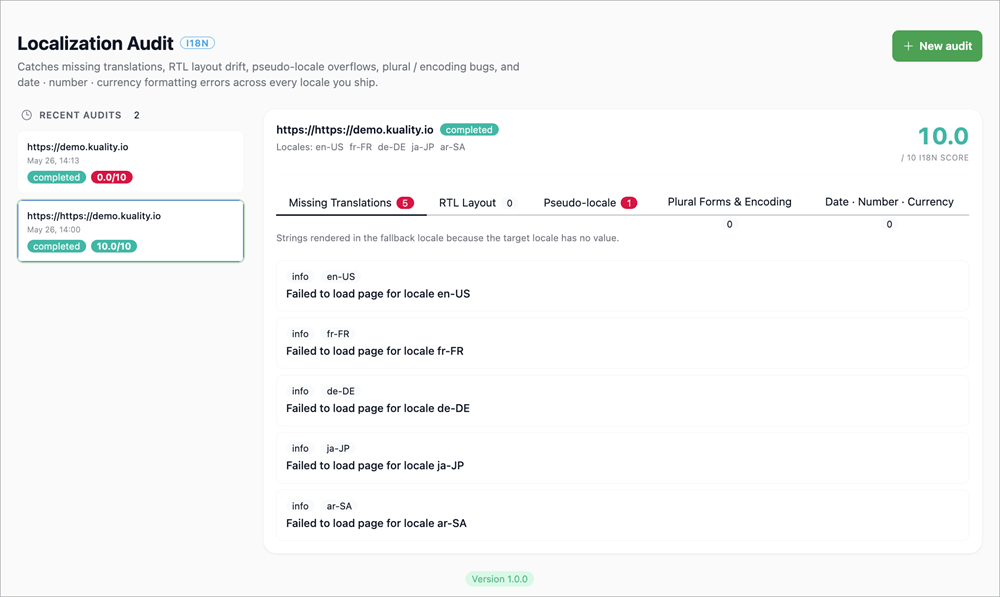
If you are shipping a release in different languages, this is the test you’d want to perform to make sure any issues are caught before they become apparent to your users.
CI/CD and Integrations of Kuality.io
The built-in CI/CD integration is yet another thing that gives Kuality.io an edge over many of its contemporaries. The platform comes with an official GitHub action. You can also set rules to automatically gate pull requests for accessibility, visual regression, performance, etc.
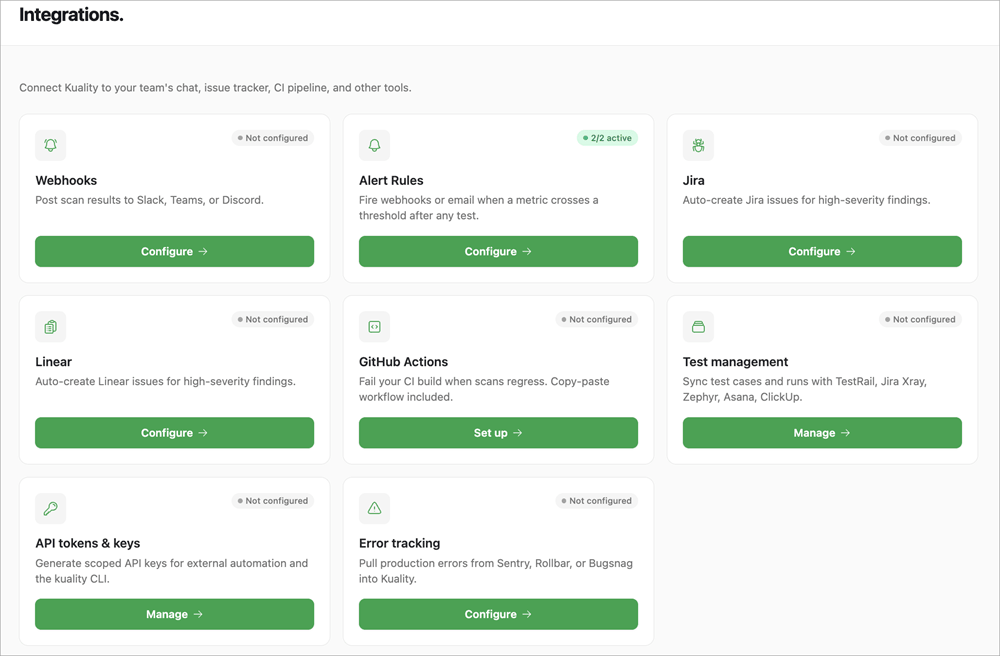
Let’s say you set a rule that basically allows all changes if the Kuality score remains above 90. As such, Kuality.io will block a change from going live if this test fails. Kuality.io also supports GitLab, Bitbucket, and CircleCI with the REST API.
The tool also facilitates integration with many other third-party solutions. For instance, you can share scan results directly from the platform to Teams, Slack, or Discord. You can also have test cases synced with Zephyr, ClickUp, or Asana. The tool also facilitates error tracking integration, which lets you pull production errors from Bugsnag, Sentry, or Rollbar.
Kuality.io Pricing
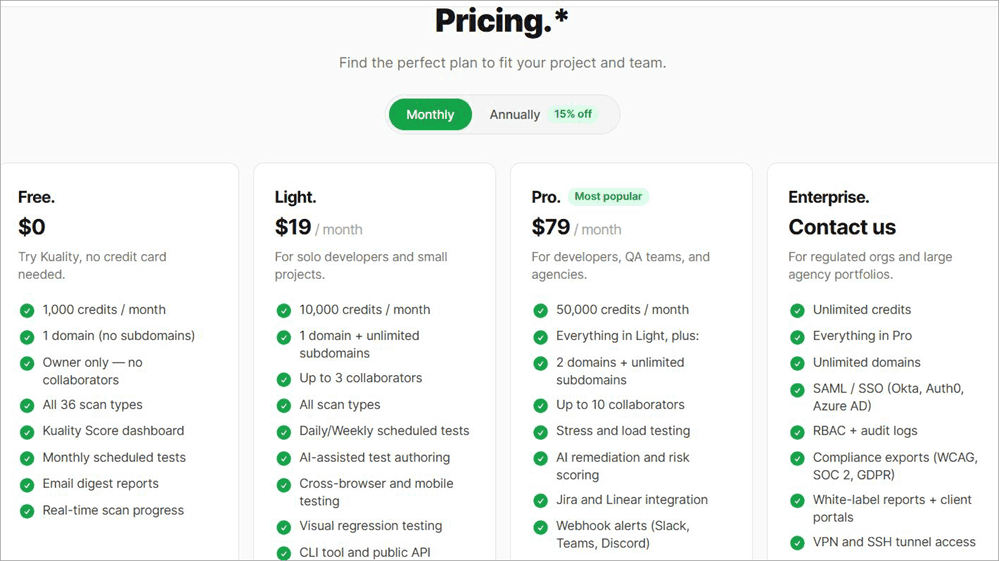
Kuality.io offers flexible subscription plans. There are basically 4 tiers for you to pick from. The free tier grants you 1000 credits/month.
The priced tiers are as follows:
- Light: $19/month and $16/month if you are paying for the annual subscription
- Pro: $79/month and $67/month if you are paying for an annual subscription
The light plan gives you 10,000 credits per month, whereas the pro plan gives you 50,000 credits per month.
You can also opt for the custom enterprise plan with unlimited credits.
The way credits are spent will vary depending on the complexity of the test you are running. Targeted test runs, like broken-link tests, will cost you fewer credits as opposed to running a full-site scan. These credits do refill each month.
All 36 test types are offered in all plans, even the free ones, which left me impressed.
In hindsight, I think Kuality.io’s pricing is reasonable, although it can get expensive if you wish to use the platform to perform tests that are more complex in nature.
Pros and Cons of Kuality.io
| Pros | Cons |
| 36 Test Types Covered | Not suitable for deep crawling of large sites. |
| Automatic URL scanning. | Some users may experience a steep learning curve. |
| Flexible Pricing | Some users may deem the tool expensive for complex requirements because of the credits-based system. |
| CLI and GitHub actions | |
| AI-powered QA testing | |
| Kuality-score dashboard | |
| Great free plan | |
| No domain verification required | |
| Localization audits |
Top Alternatives to Kuality.io
Enlisted below are some of the best alternatives to Kuality.io:
- Site 24×7 by ManageEngine
- Google Lighthouse
- UptimeRobot
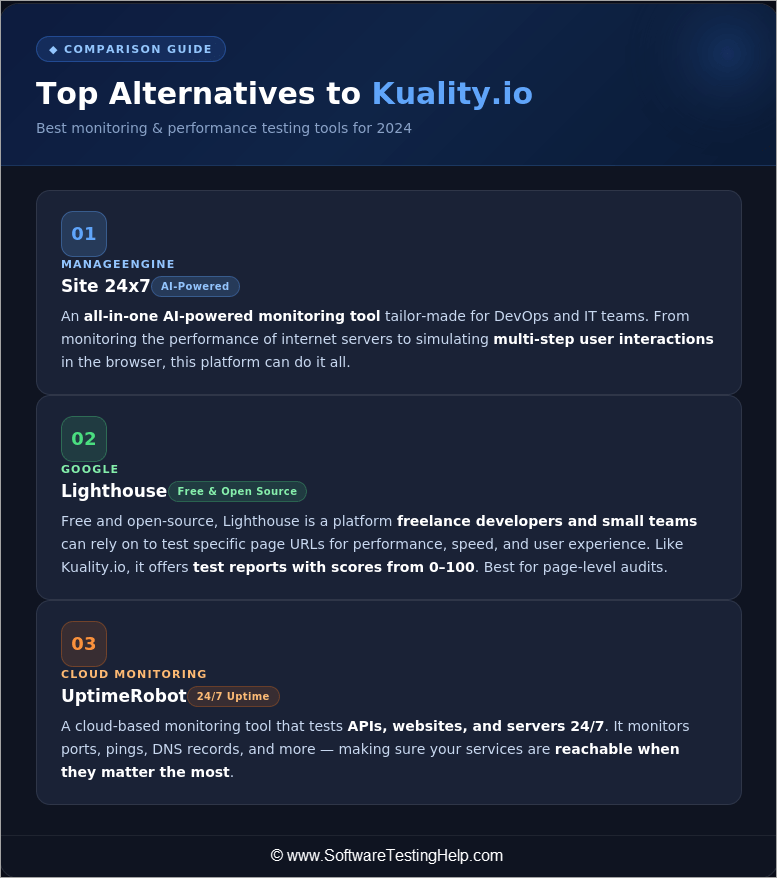
#1) Site 24×7 by ManageEngine
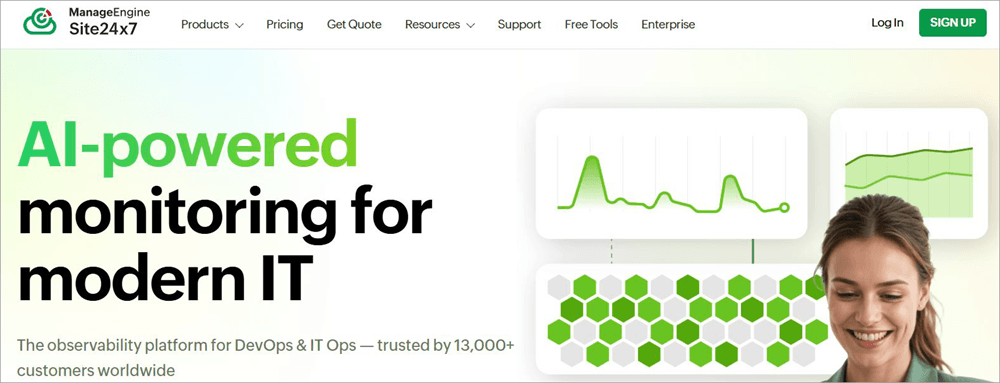
With Site 24×7, you basically have an all-in-one AI-powered monitoring tool tailor-made for DevOps and IT teams. From monitoring the performance of internet servers to simulating multi-step user interactions in the browser, this platform can do it all.
Price: Starts at $9/month
Website: https://www.site24x7.com/
#2) Google Lighthouse
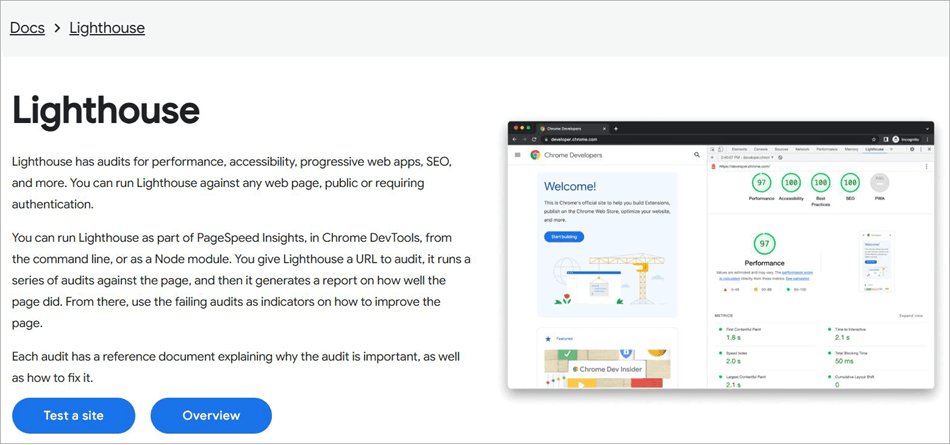
Free to use and open-source, Google Lighthouse is a platform freelance developers and small teams can rely on to test specific page URLs for performance, speed, and user experience. Like Kuality.io, it also offers you test reports with scores that can range from 0 to 100. The tool is best for performing page-level audits.
Price: Free to use
Website: https://developer.chrome.com/docs/lighthouse/overview
#3) UptimeRobot
UptimeRobot is a cloud-based monitoring tool you can rely on to test APIs, websites, and servers 24/7. It basically tests ports, pings, DNS records, etc., to make sure your services are reachable when they matter the most.
Its alerting system is quite impressive, with users receiving notifications via email, SMS, or mobile push notifications the moment a problem is detected.
Price: Free to use, Prices start at $7/month
Website: https://uptimerobot.com/
Frequently Asked Questions
1. How Kuality.io Works?
Understanding how Kuality.io works is pretty simple. You sign up, add the URL, and select a test type. Alternatively, you can let the platform’s AI pick the test at your behest. Once the test is completed, the platform responds with a report that gives you a weighted score from 0 to 100 while also explaining what the problem is in plain English.
2. Is Kuality.io free to use?
Yes, Kuality.io offers you a free tier with 1000 credits/month. This free tier covers all 36 test types. That said, the free plan is limited in collaboration, integrations, and scheduling capabilities.
3. What can Kuality.io test?
Kuality.io can test a single page or your entire website for several flaws, such as broken links, contrast issues, accessibility issues, visual regression, and more.
4. Is Kuality.io safe to use?
Kuality.io has stringent security and privacy measures in place to protect its users. It also helps that the platform is developed and fully operated by BlackSight LLC, which is a prominent cybersecurity company.
5. How many test types are covered by Kuality.io?
Kuality.io covers 36 test types, which include but aren’t limited to:
• Accessibility Testing
• Visual Regression Testing
• API testing
• Real-Device testing
• Core Web Vitals testing
• SEO testing
• Broken links testing
• Cross-browser rendering
• JavaScript Auditing
• Security Surface scanning
• Synthetic monitoring, etc.
6. Does Kuality.io offer a free trial?
Although Kuality.io does not offer a free trial, it does offer a pretty solid free plan that grants you 1000 credits/month and covers all 36 test types.
7. Does Kuality.io support WCAG 2.1 and 2.2?
Kuality.io guarantees exceptional accessibility testing, with coverage for both WCAG 2.1 and WCAG 2.2. It exports compliance reports as per these guidelines.
8. How does Kuality.io compare to Google Lighthouse?
Google Lighthouse is a free and open-source tool that is more suitable for covering page-level audits. On the other hand, Kuality.io ‘s scope is much broader, allowing full-scale QA testing with 36 test types covered. One of the things that gives Kuality.io an edge over Lighthouse is the AI-assisted testing.
You can simply add a website and let Kuality.io’s AI choose which testing path to take. This makes Kuality.io one of the finest enterprise-grade QA testing platforms out there.
9. Can Kuality.io scan password-protected pages?
Yes, Kuality.io can scan password-protected pages. You need to provide it with your credentials for its bots and AI agents to perform all sorts of tests for accessibility, performance, SEO, broken links, etc., across all protected sections of your app or website.
Final Verdict: Is Kuality.io Worth Your Time and Money
Traditionally, thorough professional testing involved using multiple tools to run different types of quality checks. Kuality.io is one of those rare modern QA testing solutions that flips this premise on its head. What you get is a platform that combines multiple test types into a single dashboard, saving QA teams time, money, and effort.
The AI-driven testing, beginner-friendly dashboard, and “Kuality-score” give this tool a distinct edge. The tool may not be suitable for deep-crawling of very large sites.
However, I would recommend the platform to QA teams, small agencies, and businesses that want a tool that combines multiple test types in a single dashboard. The platform may also appear to online store owners who wish to run stress tests during busy seasons.
Development teams who wish to automatically gate pull requests without pre-tool setup overhead will also find Kuality.io to their liking.
Research Process: The total time involved to complete and publish this article is approximately 41 hours. This content was created through a structured research approach to ensure accuracy and reliability.
For more related guides, you can explore our range of tutorials below:
- Top AI Testing Tools for Your AI-Powered Testing
- Top ETL Automation Testing Tools
- Latest AI-Based Test Management Tools and Platforms
- Best Competitive Intelligence Tools To Beat The Competition
- TestMu AI as a Native AI Test Orchestration Platform Review and Alternatives
- Top 4 Open Source Security Testing Tools to Test Web Application
Was this helpful?
Recommended Reading
-

In-depth review of popular Dynamic Application Security Testing (DAST) Software with features, pricing, and comparison. Select the best DAST tool for your organization: There are two primary approaches for analyzing the security of web applications: Dynamic Application Security Testing (DAST), also known as black-box testing, and Static Application Security Testing…
-
This tutorial explains the best Network Security Policy Management NSPM tools that will perfectly cater to your specific requirements: Network Security Policy Management tools are nothing short of a godsend for system administrators. These tools empower admins with the ability to enforce and manage device settings as well as configurations…
-
Comprehensive list of the best Software Testing Tools. Put an end to your search for the right Manual or Automated Testing Tool with this informative list: We are happy to present this exclusive list of the most popular QA Testing Tools that are available in the market. Get Ready To…
-

We have provided a detailed SOA Testing Tutorial for you: We are going to discuss the testing techniques for an SOA architecture in this article. In the current scenario, software is very versatile and prone to handle changing user expectations every now and then, a standalone model is not useful.…


