Do AirTags work with Android? Explore this exclusive setup guide to discover the step-by-step ways to effectively use Apple AirTag for Android devices:
AirTags are a phenomenal piece of tech. I would even consider them a godsend, especially for folks who forget where they keep their belongings. Attach these tags to your possessions for constant tracking. Since their inception, AirTags have been used to track luggage, bicycles, and even pets.
That said, AirTags were designed by Apple to work with an iOS device’s “Find My” network specifically. So, this begs the question – what about AirTags for Android devices? Can an AirTag, with all of its amazing benefits, work just as well with Android?
Apple AirTag for Android: Complete Setup Guide
That is the question people throw around a lot on online forums. I believe this article would be a good opportunity for me to clear the air around this hot topic for good.
So, without much further ado, let’s dive in.
Recommended Reading => How do Apple AirTags Work
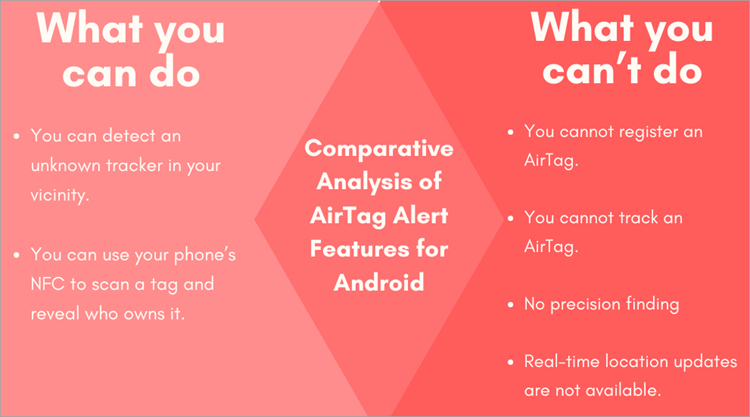
Comparative Analysis of AirTag Alert Features for Android
What are Air Tags and How do They Work
[Via Apple]
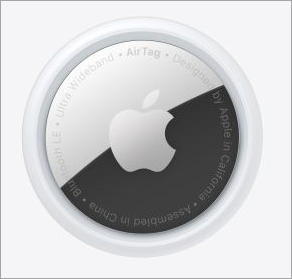
AirTags are tracking devices manufactured by Apple. They are compact and circular little tags that can be attached to anything you wish to track.
You can place this tag on your smartphone, laptop, luggage, etc. These AirTags rely on Apple’s Find My network to serve their purpose.
Here is the YouTube video on how AirTags work.
Once attached to a thing, they will transmit BLE (Bluetooth Low Energy) pings, essentially broadcasting their location. Any iOS device on the Find My network will later pick these signals up. The device’s owner can accurately locate the AirTag along with the thing it was attached to via the virtual map on their phone.
Do AirTags Work With Android
Does an AirTag work with Android? Let’s just get this out of the way. No, AirTags do not work with Android devices. They were designed by Apple to work with iOS devices, more specifically, iOS devices connected to Apple’s Find My network. There is no such thing as an Apple AirTag for Android.
As is the case with most Apple-manufactured devices, you cannot use an Android smartphone to configure an AirTag. It just won’t work. That said, there are other ways to put an AirTag to use with Android.
For instance, it is now possible for Android devices to identify an unwanted AirTag around them. It is also possible to scan an AirTag with an Android Device that comes equipped with NFC. These NFC-equipped phones can unearth key information on the owner of an AirTag.
All you have to do is tap the back of your phone on the AirTag tracker. This will result in a page popping up on your phone’s screen. This page will contain details about the AirTag and its owner.
Further Reading => How to Fix Apple CarPlay Not Working
Considering how common it is for an AirTag to be misused for something unethical like stalking, this is a welcome feature on modern Android devices. As such, while AirTags work exclusively with Apple’s Find My network, an Android device can still identify unknown AirTags in its surroundings.
How to Track & Disable Android AirTag
While Android devices aren’t compatible with AirTags, you can still use your Android smartphone to scan an AirTag. In this section, we will explore how to detect, locate, and Disable AirTags using your Android device.
Suggested Reading => Best Phone Tracker Apps
This can be done via the following two methods:
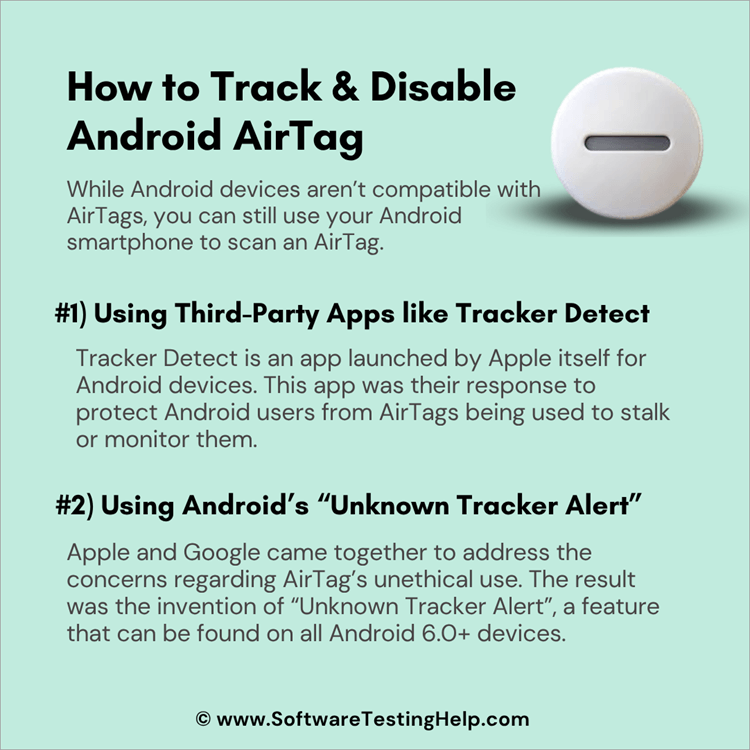
#1) Using Third-Party Apps like Tracker Detect
Tracker Detect is an app launched by Apple itself for Android devices. This app was their response to protect Android users from AirTags being used to stalk or monitor them.
Here’s how Tracker Detect works:
1. Download the app on your phone.
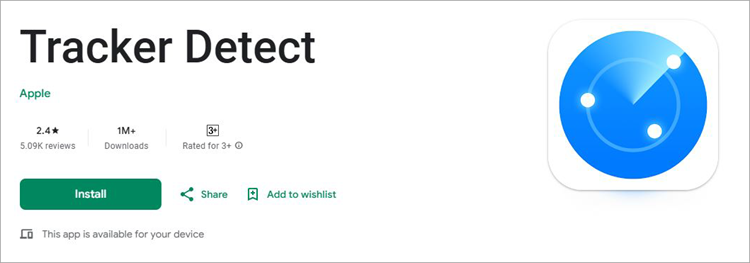
2. Make sure the Bluetooth and Location services on your phone are enabled. Both of these elements are necessary to scan the phone’s surroundings and accurately pinpoint an AirTag’s location.
Also Read => How to Use Guided Access on Android Device
3. Once installed, launch the app on your phone and grant it the necessary permissions.
4. Look for a feature on the app to scan for nearby Bluetooth devices.
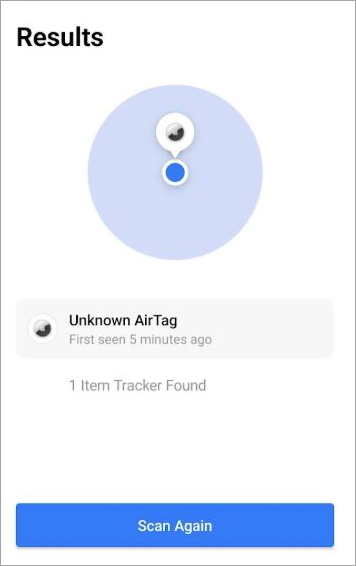
5. Go through the scanned results to find an entry that might point to the AirTag you wish to find.
6. It can get a bit tricky from here as you try to close in on the location of an AirTag. Move around the area with your phone and pay attention to the signal strength of the device you suspect to be an AirTag. This should help you find an AirTag.
Tracker Detect demands a manual scan, which sort of makes it frustrating to use. Fortunately, there is another way to scan for an unwanted AirTag using your Android device. This one is considerably more efficient.
Further Reading => How to Ping iPhone From Apple Watch
#2) Using Android’s “Unknown Tracker Alert”
Apple and Google came together to address the concerns regarding AirTag’s unethical use. The result was the invention of “Unknown Tracker Alert”, a feature that can be found on all Android 6.0+ devices.
Here’s how it works:
1. First, enable Bluetooth on your phone.
2. Navigate to Settings -> Safety and Emergency -> Unknown Tracker Alerts.
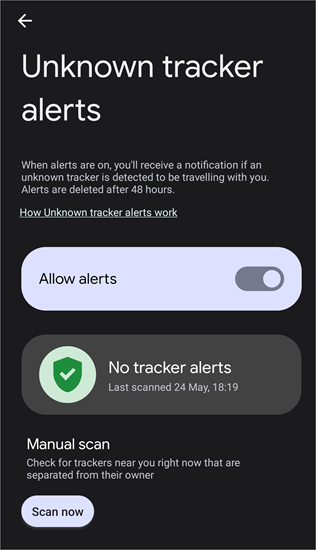
3. You’ll find the “Scan” button at the bottom of your screen. Tap on it to start scanning.
4. Any Bluetooth device, including the unknown AirTag, will show up on your screen.
5. If the app detects an unknown AirTag, tap on the “Play Sound” button, which will result in the tracker beeping for 10 minutes straight. This should help you locate the AirTag.
With Unknown Tracker Alerts built into modern Android devices, your phone will receive a notification automatically if an unknown AirTag is detected in its vicinity. If that happens, simply tap on the “Play Sound” option to make the tracker beep.
Suggested Read => Top-Rated GPS Trackers
More on Google’s Safety Feature – Unwanted Tracking Alerts
Unwanted Tracking Alerts is a much-needed and welcome addition to Android smartphones. Conceived in collaboration with Apple, this feature can help Android users sniff out any Bluetooth trackers in their vicinity.
If there is a tracker like an AirTag in your immediate proximity, you’ll be alerted to its presence. You can then use the app to pinpoint its location on the virtual map. This feature is available on all smartphones running on Android 6.0+ versions.
The feature has also evolved considerably since its inception, with new capabilities. For instance, you can temporarily pause the location of your phone for up to 24 hours. There is also the new “Find Nearby” feature that lets you accurately pinpoint the location of a tracker in your vicinity.
Major Downsides of Using AirTags for Android
As you know by now, your Android device can help you detect any unknown or unwanted AirTags in its vicinity. Unfortunately, that’s the only thing an Android device can do with AirTags. Its functionality is very limited. AirTag was designed by Apple to only work with the Find My app available on iPhone and iPad devices.
Further Reading => How to Reset AirTags: Step by Step Guide
You cannot use an Android device to track down an AirTag’s location. You can use it to avoid being stalked by an AirTag and nothing else. So, it doesn’t make sense to buy an AirTag for Android.
That said, there are alternative tracking devices out there tailor-made for Android devices. They work in the same way an AirTag does. I would recommend purchasing them instead of pondering over AirTags.
Further Reading => Spoof iPhone Location Quickly Using Dr.Fone
Buying Advice for Android-Compatible Trackers
#1) Life360’s Tile Tracker
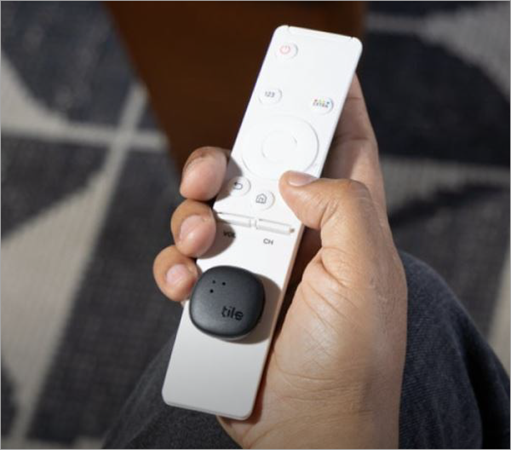
Life360 offers a series of tracking devices called Tile Trackers that can be used with Android and Apple devices. Like AirTags, these trackers use Bluetooth in connection with the Life360 mobile app to help users track their belongings.
Tile Trackers are available in various shapes and sizes, with some capable of tracking over an extended range. You can purchase them for a price as low as $24.
Features:
- Last Known Location: You can trace a tile tracker’s last known location on the map. This lets you know where a particular stuff attached to your tile tracker was.
- Find Nearby Items: Like AirTags, TileTracker also emits a sound. You can make the Tile Tracker ring through the Life360 app to find exactly where your stuff is.
- Community Find: This is one of Tile Tracker’s most endearing features. If the Tile is out of your Bluetooth range, you can still find it by relying on Tiles being used by other people.
- Water Resistance: Like AirTags, Tile Trackers are built to last. They are water-resistant. As such, they can withstand damage caused by water and help you track stuff even it is immersed in a water body.
- Long Battery Life: This is where Tile Tracker has an edge over AirTags. Tile Trackers have a battery life of 1-3 years as opposed to the 1-year lifespan of an AirTag’s battery.
Price: Tile Tracker prices range from $24 to $180.
Website: https://intl.life360.com/tile-trackers
#2) Chipolo
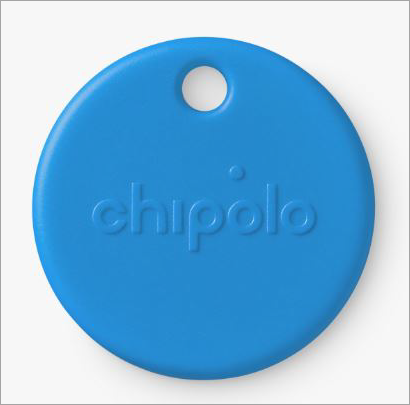
Chipolo is yet another company that offers a robust series of tracking devices that work wonderfully with Android smartphones. These trackers work with both Apple’s “Find My” and Google’s Find My Devices network.
They are powered by a user-replaceable battery and emit a loud 120-decibel sound, which makes finding them easier. They are small, waterproof, and come in various attention-grabbing colors. They are also a lot cheaper than your average Apple AirTag.
Features:
- Find Nearby: You can make your Chipolo tag ring through your phone. You can then rely on this ringing to find your stuff.
- Find Far Away: Chipolo leverages a Global Finding Network. This way, you can track down stuff that isn’t within your Bluetooth’s range.
- Customizable Ringtone: Chipolo’s original ringtone might be annoying for some. Luckily, you are given the option to change how the ringtone sounds via the Chipolo app.
- Remote Camera Shutter: Chipolo’s application stretches far beyond tracking. You can also use Chipolo as a remote camera shutter, thus helping you take pictures with a click.
- Call Phone: You can use your Chipolo to locate a lost phone. Simply double-click the Chipolo tracker to have your phone make a sound.
Price: Chipolo tracking devices fall in the price range of €20 to €80
Website: https://chipolo.net/en/
Suggested Reading => Track Location Easily with Phone Number
FAQ’s on Android Version of AirTag
1. Can you use AirTag with Android?
AirTag’s functionality with Android is very limited. While you cannot use an Android phone to track down an AirTag, you can use it to scan for an unwanted AirTag in your vicinity.
You can do so via third-party apps like Tracker Detect or use Android’s built-in “unknown tracker alert” feature.
2. How is AirTag compatible with your average Android device?
AirTags are not compatible with any Android devices, as they only work with iPhones connected to the “Find My” network. You cannot use an Android device to track an AirTag.
However, you can still use Android to detect an unwanted AirTag in your phone’s vicinity. You can also use Android phones with NFC to scan an AirTag and uncover key details about it.
3. Is it possible to set up AirTags with an Android phone?
No, it is not possible to set up an AirTag using an Android smartphone. You’ll need an Apple device, preferably one that’s running iOS 14.5 or higher.
4. Can AirTags be misused?
Yes, the way AirTags function has made them susceptible to misuse by malicious individuals. Reports of AirTags being used to stalk and monitor people have become far too common.
This is why Apple worked with Google to conceive apps and built-in features designed to combat such unethical conduct.
Both Android and Apple phones today can automatically detect an unknown AirTag within their vicinity. You are alerted to its presence. You can choose to make the AirTag beep to pinpoint its location.
5. How far can an AirTag track?
An AirTag is capable of precise location tracking within a phone’s Bluetooth range. A typical AirTag’s range will be about 100 feet in open spaces.
6. Is there an Android version of AirTag?
While Google hasn’t manufactured a device to counter AirTags, there are several alternatives to AirTags that work very well with an Android smartphone. Tile Tracker and Chipolo are good examples of trackers that work well with Android devices.
7. Can Android detect AirTags?
Yes, Android can detect AirTags through its feature “Unknown Tracker Alerts”. It will detect any unwanted AirTag in your vicinity and alert you to its presence. You can use the same feature to then locate this AirTag and take the necessary actions.
8. What is the Samsung equivalent of AirTag?
The Samsung equivalent to AirTag would be the SmartTags. They work particularly well with Samsung Galaxy devices. They integrate seamlessly with Samsung’s Knox security platform and also emit BLE to serve their tracking purpose.
With end-to-end encryption to boast, these devices facilitate secure and accurate tracking.
Conclusion
Do AirTags work with Android?- I believe the answer should be crystal clear to you by now. Like most Apple devices, the AirTag was manufactured to only work with iOS devices. It relies heavily on Apple’s Find My network to serve its core purpose.
That said, you can still use an Android device to scan for an AirTag. Apple and Google worked together to make sure Android users can protect themselves from being stalked by an AirTag. As such, you can use Android’s built-in “unknown tracker alert” function to detect any nearby AirTags.
Android phones with NFC can help you find out who an unknown AirTag belongs to. If you want a tracking device to use with Android devices, I suggest looking for alternatives.
There are Android-compatible alternatives to AirTags out there that serve the same purpose. Devices like the Tile Tracker from Life360 or Chipolo work great with all Android smartphones, and you could use them to keep track of all your valuable belongings.
Was this helpful?
Recommended Reading
-

Get to understand How do Apple AirTags Work along with its advanced technology, activation process, cost, security features, etc in simple terms with examples: AirTags are the latest smart device from Apple. These are little trackers shaped like pucks that you can use to locate something stolen or misplaced in…
-
Are you an Apple CarPlay user who often asks "Why is my Apple Carplay not working". Here is a guide that revolves around the carplay not working issue along with the possible solutions to fix it: Before CarPlay, Apple had developed its smaller version, ‘iOS in car’, in June 2013.…
-

Deeply explore how to ping iPhone from Apple Watch and locate your misplaced device quickly. This feature of how to ping Apple watch makes your phone emit a sound even when it is in silent mode: iPhone users can locate their iPhones by pinging them from an Apple Watch. When…
-
This tutorial reviews and compares top Apple Watch Apps to help you select the best apps for Apple Watch that suits your requirements: The Apple Watch has been around for a good number of years now. Long enough to find itself on the wrists of several people across the world.…