


If you need to know how to track a person’s location via a mobile phone, read on. Our experts examined ten of the top mobile spy applications and rated them based on their performance.
Many people look for methods to locate a cell phone or track a phone by its number, but these web pages either lie about what can be done or recommend dubious phone trackers.
This article will help you understand what really works, how phone tracking software for both Android and iPhones works, which mobile trackers to trust, and how not to fall victim to any phone tracking scams.
Can you find someone’s location by phone number?
A phone number alone cannot reveal someone’s real-time GPS location to the public. However, legitimate services like Google Find My Device, Find My, and family-sharing apps can help locate devices when permission is granted.
It is not possible to pinpoint a person’s current GPS coordinates through a phone number. But there are genuine services such as Google’s Find My Device, Apple’s Find My, and even third-party apps that can help find someone’s location.
How to Find Someone’s Location with Phone Number Step by Step
Tracking someone’s location using a phone number has become much easier thanks to modern GPS and mobile network technology. Many parents use phone-tracking apps to ensure their child’s safety, while others rely on these tools to locate a lost device or check on a family member during emergencies.
Today’s free and paid apps can show a phone’s real-time location and even provide location history, making tracking more accurate than ever.
In this article, we will look at a few of these tools that have made tracking someone’s phone quite easy. For those of you who are dubious about how to use such tools, worry not. We will walk you through a step-by-step guide that will explain how simple it is to set up and use these applications.

Expert Advice:
- Please note, applications that allow you to track location by phone number fall under the spyware category. So make sure you do your research to validate an app before you use them.
- Go for tools that are easy to set up and use.
- Disable certain security measures on your target phone to make the installation process hassle-free.
- Look for advanced features like Geo-Fencing for real-time location alerts.
- We feel it would be best if you disabled the play protect on your Android phone’s play store to experience no problems when installing such apps.

Our Best Recommended Apps
 |  |  |
 | | |
| mSpy | SpyX | eyeZy |
| • GPS Tracking • Geo-fencing • Keylogger | • GPS Tracking • Geofencing • Call tracker | • GPS Tracker • Wi-Fi Network Spy • Geofencing Alerts |
| Price: $48.99/month Trial version: Available | Price: $49.98/month Trial version: NA | Price: $9.99 per year Trial version: Available |
| Visit Site >> | Visit Site >> | Visit Site >> |
Best Apps to Track Location by Phone Number (2026 Updated)
Below is a list of some popular apps to track someone’s location by number:
- mSpy
- SpyX
- Msafely
- Scannero
- Social Catfish
- SpyBubble
- Phonsee
- Spynger
- HeyLocate
- GeoFinder
- eyeZy
- uMobix
- Spokeo
- Mobilespy
- Minspy
- Cocospy
Comparing the Best Apps to Track Cell Phone Location (2026)
| App Name | Best For | Price | Rating |
|---|---|---|---|
| mSpy | Detailed GPS Location Tracking | 1 month – $48.99/month, 3 months – $27.99/month, 12 months – $11.66/month. | |
| SpyX | Geofencing and real-time location tracking | Starts at $49.98/month | |
| Msafely | GPS location tracking and Geo-Fencing. | 1 Month Plan: $39.99, 3 Months plan: $23.33/month, 12 Months Plan: $8.33/month. |  |
| Scannero | Track phone number via SMS link | Costs $49.80/month | |
| Social Catfish | Reverse phone lookup | Unlimited Social Search: $27.48/month, Unlimited Image Search: $28.97/month, Hire a search specialist: $ 397 in onetime fee. | |
| SpyBubble | GPS Tracking | 1 month – $49.99, 3 months – $29.99/month, and 12 months – $12.49/month. | |
| Phonsee | Geofencing | Annual: $8.85 per month, 3 Months: $24.79 per month, Monthly: $42.51 | |
| Spynger | Accurate GPS tracking | Annual: $10.83/month, Quarterly: $26/month, Monthly: $45.49/month | |
| HeyLocate | Tracking where the phone number is from | Free |  |
| GeoFinder | Track by phone number | Free | |
| eyeZy | GPS Location tracking and Geofencing | $9.99 for 12 months, $27.99 for 3 months, $47.99 for 1 month. | |
| uMobix | Geo-Fencing | 1 month – $48.99/month, 3 months – $27.99/month, 12 months – $11.66/month. | |
| Spokeo | Reverse phone lookup | Free to use. Membership starts at $19.95/month | |
| Cocospy | GPS and SIM Location Tracking | Android: Basic starts at 39.99/month iOS: Basic starts at 99.99/month. | |
How Phone Number Location Tracking Really Works
There exists a belief among many people that typing a phone number into a tracking website will immediately expose that person’s real-time GPS coordinates.
The actual process of phone number tracking involves technologies like GPS technology, cell tower triangulation, Wi-Fi networks, and even location-sharing apps based on user permissions.
Familiarity with these processes makes one realise the need for consent when it comes to tracking and exposes the fraud of some of these sites.
This is a brief description of the major technologies used to track location using a phone number.
How GPS Tracking Works
The Global Positioning System is the most accurate outdoor tracking technology. It relies on the signals emitted by satellites orbiting Earth to pinpoint the location of a mobile device using trilateration.
In cases where there is no GPS access, cellular networks triangulate the phone’s position using cell towers. This technology is often employed by carriers to monitor the whereabouts of a mobile number.
Your phone will be connected to a cell tower within your vicinity. Using the power and time required to receive signals from different towers, the network can pinpoint the intersection point of the signals.
WiFi Positioning System (WPS)
WiFi positioning systems (WPS) are mostly utilized to locate devices in indoor settings where GPS cannot operate efficiently.
Using the unique BSSID of nearby WiFi networks, your phone will match the information to databases kept by service providers such as Google and Apple.
Detailed Review of Best Apps Used For Tracking Phone Location
Detailed reviews of the location tracker apps:
#1) mSpy

No list of the best phone spy apps can be completed without mSpy, which is also our personal favourite. We like that the app is easy to set up and use. It integrates seamlessly with both Android and iOS devices. The app pinpoints the exact location of the cell phone you are tracking on a detailed map.
The app also allows you to check their route history over a given interval of time. Details like coordinates, address, accuracy, and location time are all presented to you via mSpy’s comprehensive dashboard.
Pricing: 1 month – $48.99/month, 3 months – $27.99/month, 12 months – $11.66/month.
How to track someone’s location by phone number using mSpy:
- To track a device, you need to first open a paid mSpy account.
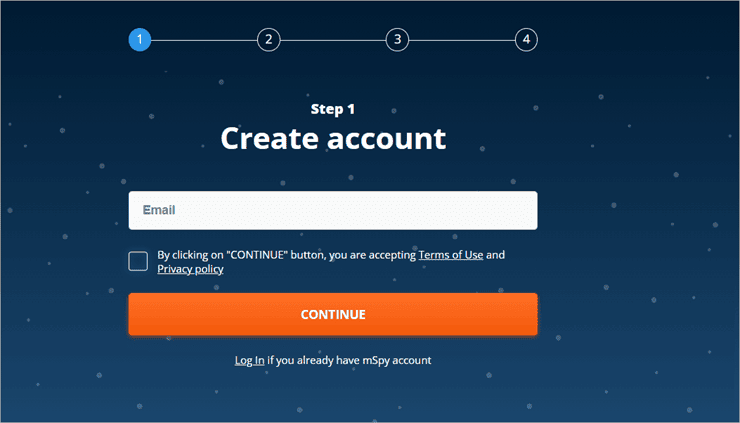
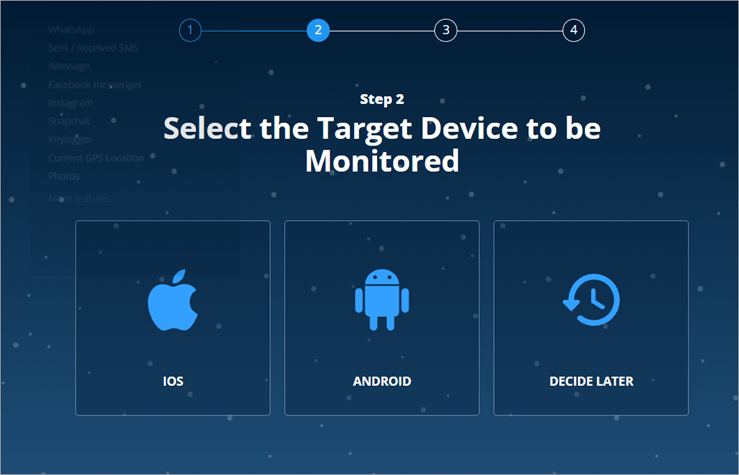
- Choose the type of device you want to be monitored and select a subscription plan.
- Once done, it’s time to install the app on your device. Open a Chrome browser and paste the link given to you via email when you open a mSpy account.
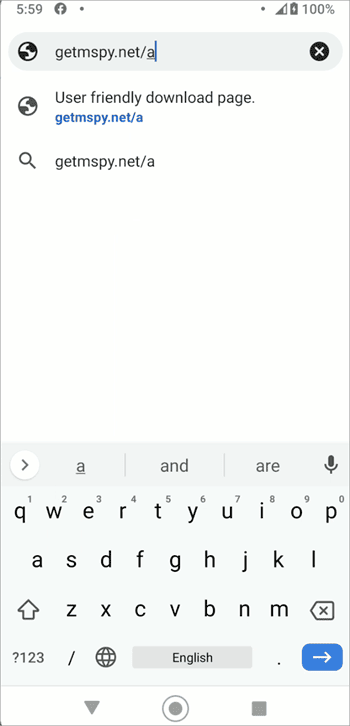
- Download the file.
- Hit the install button once the download is complete.
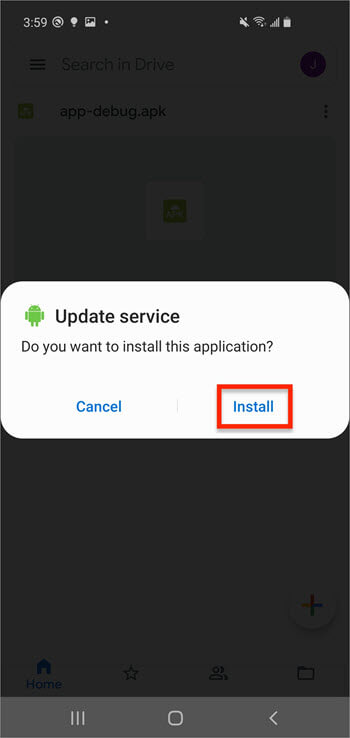
- Follow the instructions given by mSpy’s set-up wizard to finish installation on the target device.
- Allow all permissions.
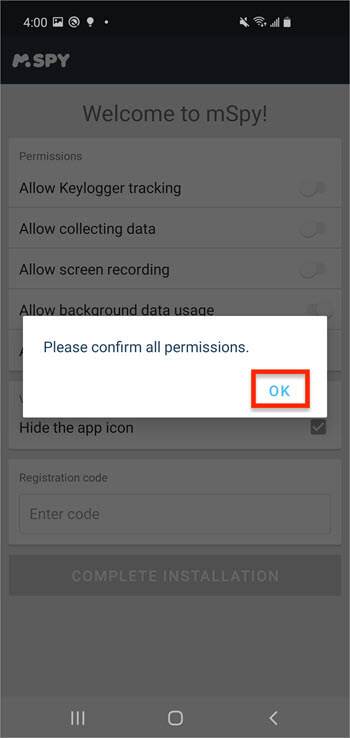
- Select the area just before the complete installation button and enter the registration code given to you when you signed up.
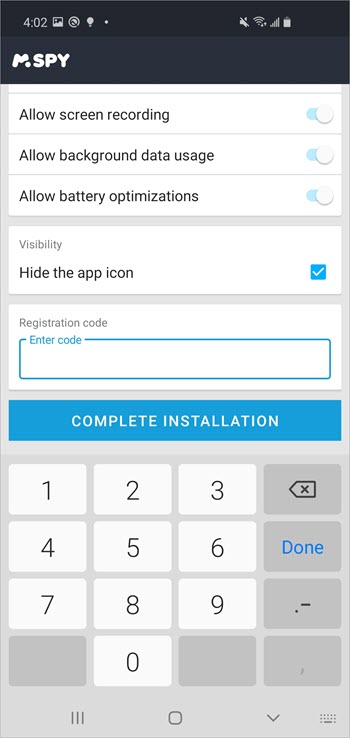
- After entering the code, hit ‘Complete Installation’.
- Once the installation is complete, open your mSpy account in your browser and find the ‘location’ tab on your dashboard. You are now ready to track the target phone’s location in real-time.

#2) SpyX

SpyX is a phone monitoring app that does almost everything you’d expect from software of this nature. You can count on the app to help you track the social apps, call logs, SMSs, and media on a target device. SpyX makes it onto my list here for its impeccable GPS tracking capabilities. SpyX will help you track a phone’s location in real time.
You’ll be able to monitor a phone’s accurate coordinates on a live Google Map via your SpyX dashboard. You can also use the software to track the phone’s location history, accurately finding where the phone has been. SpyX can also be used to set up geofences. A phone’s location is reported to you alongside the date and time stamp, which can prove fruitful in finding a lost device.
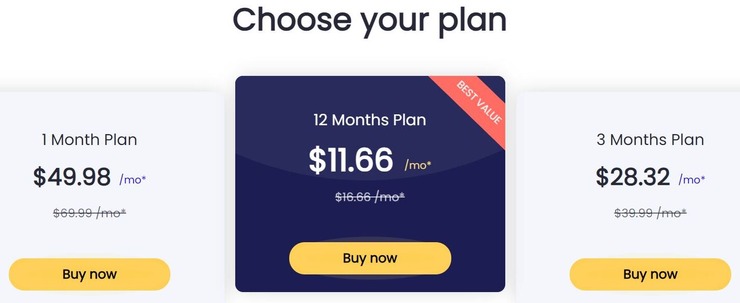
Prices:
- 1 Month Plan: $49.98/month
- 3 Months Plan: $28.32/month
- 12 Months Plan: $11.66/month
How to Track Someone’s Location using SpyX
- Sign up and create your account
- Choose the type of device you wish to track and choose your plan.
- Make the payment.
- Login to your SpyX account.
- Enter the Google Account email and password of the target device to bind it with the app.
- Hit the verification code sent to the target device to conclude the connection.
- Once set-up is complete, open your dashboard and navigate to “Locations” on the left-hand side of your screen.
#3) Msafely

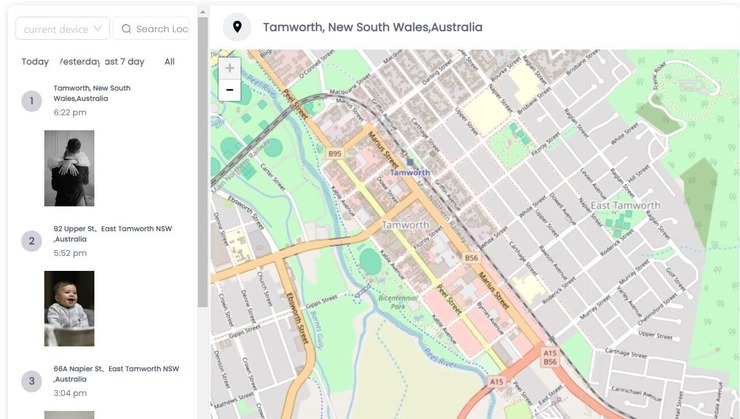
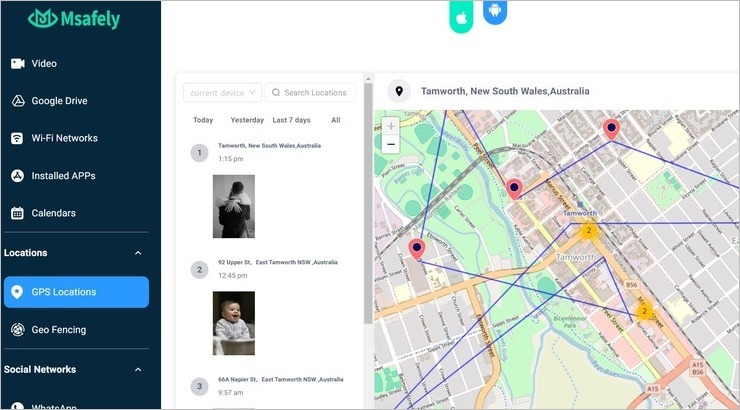
Msafely has a reputation for being one of the safest phone-spying/parental-control apps out there. You can install it in just a few simple steps and start remotely monitoring the location of your target device via your Msafely dashboard. You can use the tool to track the real-time GPS location of your target device and get that device’s entire location history.
Msafely’s geo-fencing capabilities are also praise-worthy, making it a great app for parents trying to track their child. You can use the app to set up specific areas and zones on a live map. You are immediately alerted when the device leaves or enters this zone. You can also rely on Msafely to track a device’s location via Wi-Fi hotspots.
Price: Msafely is available for Android and iPhone devices with the following subscription plans:
- 1 Month Plan: $39.99
- 3 Months plan: $23.33/month
- 12 Months Plan: $8.33/month
How to track someone’s location by Msafely:
- Choose your device, pick a subscription plan, and register to open your Msafely account.
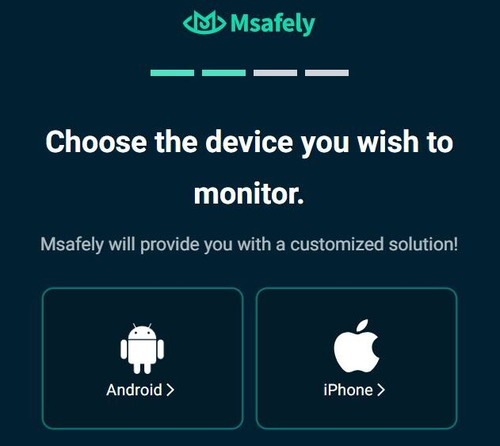
- Now, either directly install the Msafely app on your target device or connect it through the cloud connection by relying on the credentials and instructions provided to you via your registered email ID.
- Once the app has successfully connected to your target device, log in to your Msafely control panel.
- Navigate to “Locations” > “GPS Locations” and start tracking the device’s location on the live map.
#4) Scannero
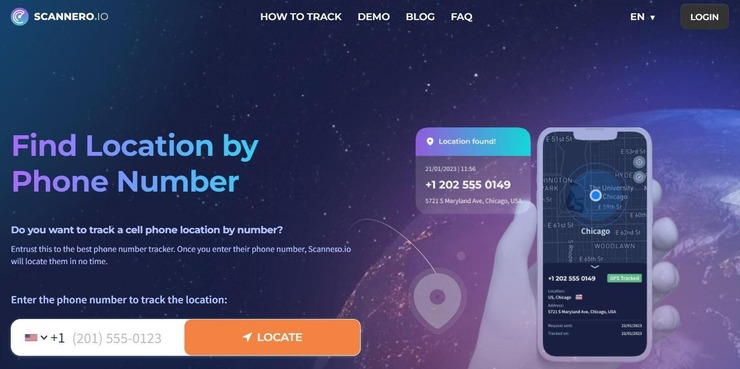
With Scannero, you get an online solution to tracking someone’s location via their phone number. All you have to do is enter the phone number of the person you wish to track. The software will immediately send a tracking link to that phone number via SMS. You’ll be privy to that person’s exact location as soon as that link has been clicked.
You’ll be able to monitor the real-time location of that person via the map available to you on the Scannero dashboard. Besides location tracking by phone number, you can rely on Scannero for a plethora of other perks like revealing the identity of unknown numbers, performing a background check on someone, and checking whether your phone or email has leaked online.
Price: Scannero charges $0.89 for a 24 hr. trial. After the trial is over, you’ll be charged $49.80/month.
How to Track Someone’s Location Using Scannero
- Log into your Scannero account and enter the phone number you wish to track in the presented text-box.
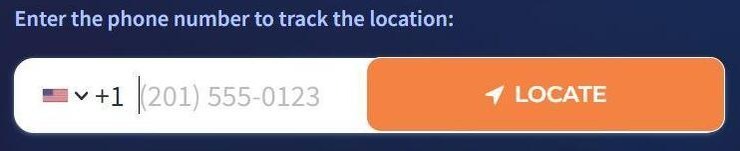
- Once you hit the “Track” button, a link will be sent to the phone number you entered via SMS.

- You’ll be notified via email as soon as the phone number’s owner clicks on the link.
- You’ll now be able to see their GPS location on the map provided to you on the Scannero dashboard.
#5) Social Catfish
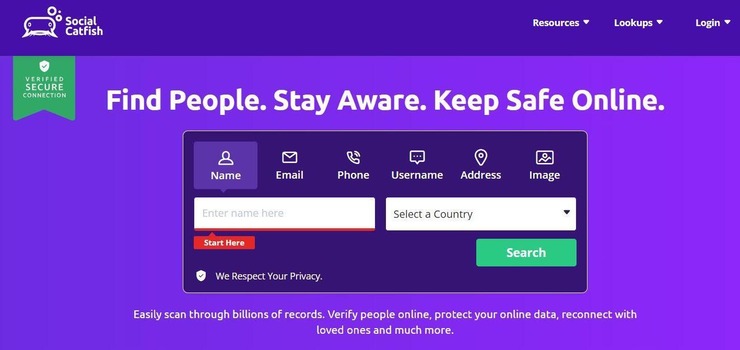
Social Catfish is different from all the other tools on this list. You might not be able to track someone’s real-time GPS location with this online portal. However, you can rely on Social Catfish’s massive database to quickly unearth someone’s address, perform background checks, and verify their identity in a couple of quick and easy steps.
In essence, Social Catfish works very well as a reverse lookup tool that’ll provide you with an accurate address of someone if you have their phone number. We would highly recommend this service to anyone who wants to get additional information on someone quickly or verify someone’s identity in a discreet fashion.
Price: Social Catfish offers the following plans:
- Unlimited Social Search: $27.48/month
- Unlimited Image Search: $28.97/month
- Hire a search specialist: $ 397 in one-time fee.
How to Track Someone’s Location Using Social Catfish
- Log into your Social Catfish account
- Navigate to the top header and select “Phone” from the dropdown menu.

- Enter the phone number and hit “Search”
- You’ll be presented with a report revealing the identity of the person using the phone number along with info on their physical address.
Visit Social Catfish Website >>
#6) SpyBubble

Once installed on a target device, SpyBubble basically gives you a peek into everything that’s transpiring on that device. From spying on chats to monitoring social media activity, the platform is perfect for folks who want to monitor their child or spouse.
SpyBubble can do a plethora of things. Where it shines, however, is in its GPS tracking capabilities. The software can track a device in real-time. You’ll be shown a device’s real-time GPS location on a live map, which you can check out through your SpyBubble account’s dashboard.
Price: 1 month plan costs $49.99, a 3 months plan costs $29.99/month, and the 12 months plan costs $12.49/month.
How to Use SpyBubble to Track Someone’s Location:
- To track an account, first register and choose your subscription plan.
- Choose the type of device you want to track.
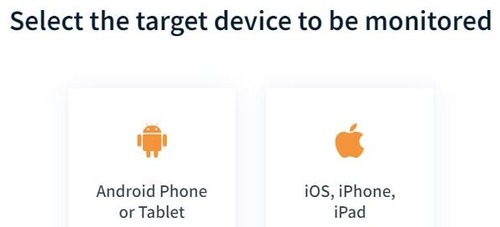
- Once you’ve completed the purchase, you’ll receive an email with instructions on how to install the software on your target device.
- Install the software on your target device. You can use iCloud credentials to install the software on an iOS device.
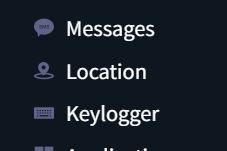
- Once installed, simply log in to your SpyBubble account and navigate to the locations tab. You’ll now be able to track the device’s movements on a live map.
#7) Phonsee

Phonsee is another app that lets you accurately find your target device’s actual location. The tool can accurately pinpoint a cell phone’s GPS location. Other than that, the tool also helps you set up virtual boundaries on the map. Known as geofencing, you receive alerts every time a target device enters or leaves these boundaries.
You will get detailed coordinates and timestamps with the information. The tool operates with complete subtlety. The tool caters to parents who want to track their child’s cell phone activity at all times. The tool can also be used for basic phone spying. You can use this tool to read emails, monitor calls, and access contact lists, among other things.
- Sign and register to open your Phonsee account

- Select your subscription plan and pay the amount
- Install the Phonsee using the link sent on your registered email ID

- Once the installation is complete, log into your Phonsee dashboard and navigate to the GPS section to start tracking.
#8) Spynger

Spynger is a phone you can use to know exactly where someone is whenever you need it. The tool operates completely undetected on your target device. You are acquainted with a sleek and easy-to-use interface from which you can remotely track someone’s location.
You get the almost exact GPS location of a person in real-time with coordinates and timestamps. In addition to location tracking, you can use the tool for a host of other benefits. This includes SMS, call tracking, and social media spying.
How to Use Spynger to Track Cell Phone Location
- Sign and register to open your Spynger account

- Complete your registration by choosing your subscription plan and paying for it.

- Download and install the Spynger app on your target device using the link sent to your registered email.
- After installation, log into your Spynger dashboard via your personal computer, navigate to the GPS section, and start tracking on the map presented.
#9) HeyLocate
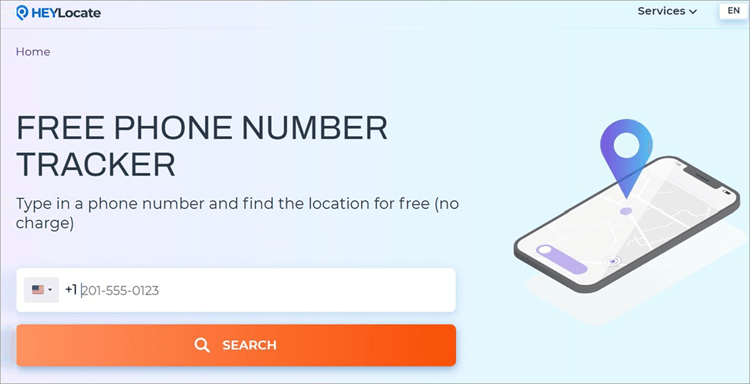
The best thing about the Free Phone Number Tracker by HeyLocate is that it is completely free and works without installation or even an account. The platform is easy to navigate. You type in a phone number and find its location for free in seconds.
How effective is it? The HeyLocate service works with any phone number, whether it’s mobile, fixed, local, or international. The system helps you input it correctly, including a country code for proper identification and localization.
To track a phone number for free with HeyLocate:
- Select “Free Phone Number Tracker” from the Service menu on HeyLocate.mobi website.
- Start entering the first 1–3 digits of a phone number in the international format, and the system will immediately identify the country. If it’s the North American Numbering Plan (+1), you can select any country; the final report will be modified after analyzing the entire number.
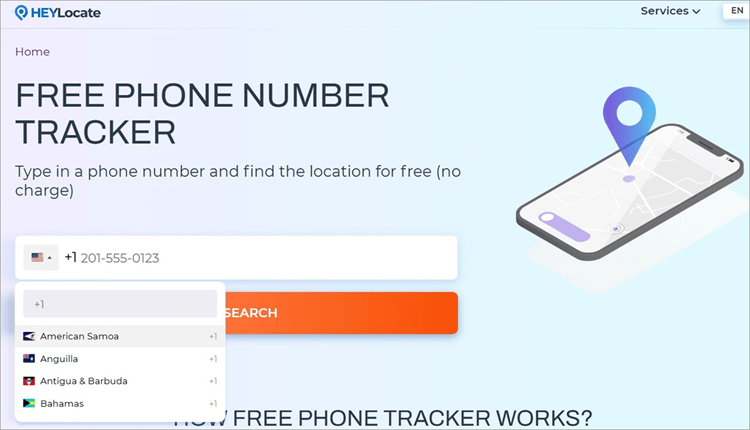
- Input the rest of the digits of a phone number and click “Search”.
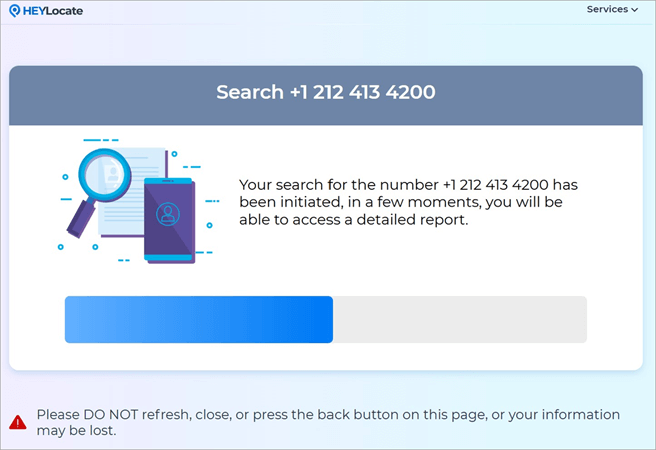
- Wait for several seconds to receive the full report. You’ll see detailed information on the phone number, including the exact country with its corresponding codes, time zone, telecom provider, or area, depending on the network type, operator, or area code.
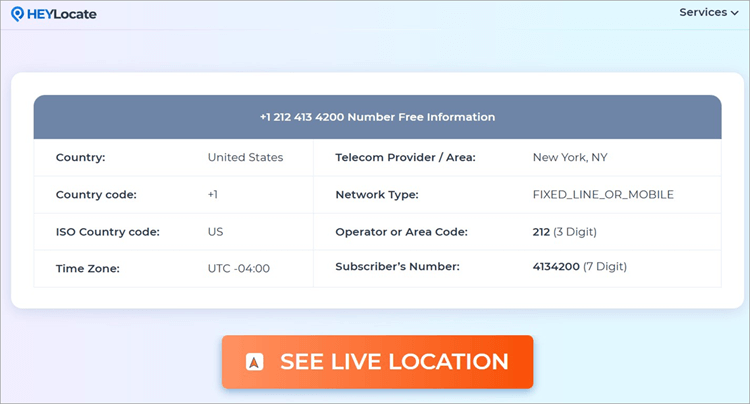
- You can proceed with tracking by clicking on the “See Live Location” button.
Free Phone Number Tracker by HeyLocate >>
#10) GeoFinder
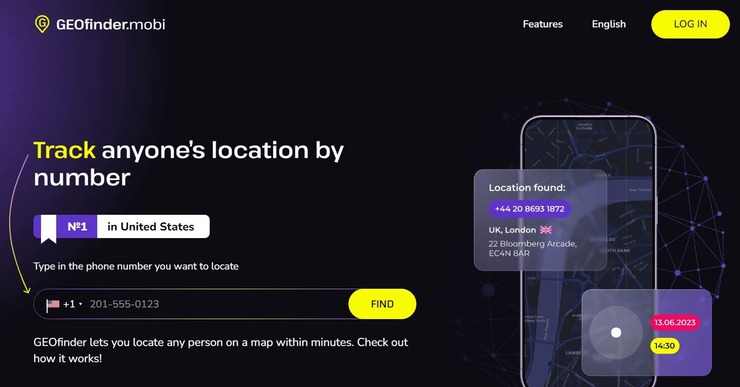
GEOfinder is an app that lets you track a device’s location by their phone number. The platform works well in tracking live locations of devices, regardless of what brand they belong to. The platform also works well with all types of network providers.
All you have to do is create an SMS that can grab your target-device owner’s attention. As soon as they click the link on the SMS you sent them, their real-time location will be reported to you. There is no need to go through the hassle of installing an app or registering. All you need is a phone number.
Price: Free to use
How to use GEOfinder to track somebody’s location
- Open the website and enter the number you wish to track. Click “Find”
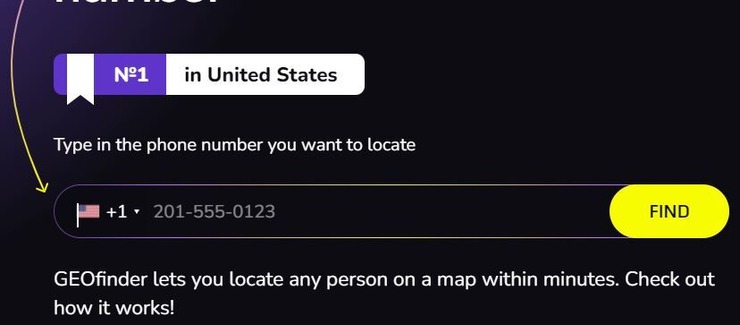
- Once clicked, an SMS is quickly sent to the person along with a tracking link.
- As the person taps the link received with the SMS, their live location will be visible to you on the GEOfinder user space.
#11) eyeZy
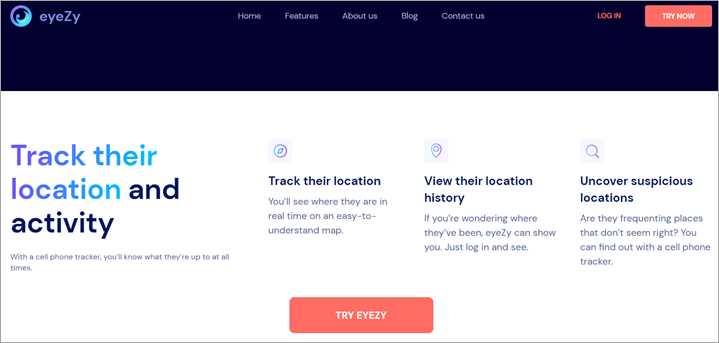
eyeZy is the app for you if you wish to constantly learn where someone is. With eyeZy installed on a target iOS and Android device, you will learn its location in real-time, thanks to the app’s GPS location tracking capabilities. The app does a pretty good job of accurately pinpointing a target device’s location on the map.
Aside from relaying current location information, eyeZy goes a step further and shows you all the places on the map where the device has been. Another feature that makes eyeZy a great location tracker, especially for parents, is the ability to set geofence alerts. This feature allows you to set a zone on the map. eyeZy will instantly notify you if the device leaves or enters this zone.
Price: $9.99 for 12 months, $27.99 for 3 months, $47.99 for 1 month
How to Track Phone Number Location using eyeZy:
- Open a paid eyeZy subscription account.

- Take the target device and install the eyeZy app on it using the download link sent to you on your registered email address.
- Once the installation is complete, log in to your eyeZy monitoring dashboard via the browser on your computer or mobile device.
- Scroll down on the left-hand side of your screen to the section “Pinpoint”. Then select GPS locations to find out the device’s location on the map displayed on your dashboard.

#12) uMobix
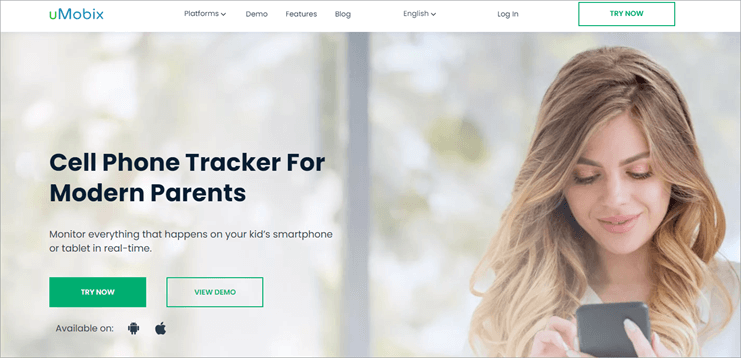
uMobix is often the first choice of parents who want to track their child’s location via a mobile device. The app can track a phone’s location in real-time without making its presence felt on the target device. It features an advanced GPS tracker that comes with an interactive map that makes it easier for parents to keep tabs on their child’s location in real-time.
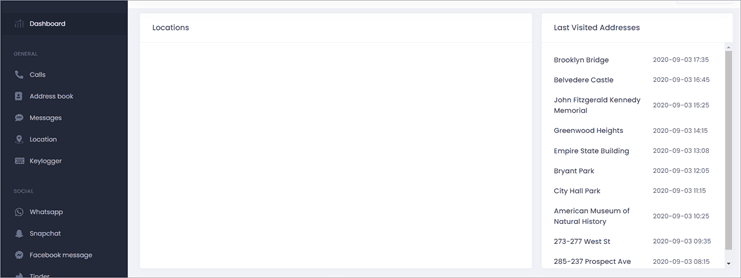
Aside from tracking real-time location, uMobix also pulls out the entire history of locations the device owner has visited accompanied by time stamps. This makes uMobix a great tool for parental monitoring and one we have no qualms recommending.
Pricing: 1 month – $48.99/month, 3 months – $27.99/month, 12 months – $11.66/month.
How to Track Phone Locations Using uMobix:
- Open an uMobix paid account by choosing the subscription plan that best suits you.
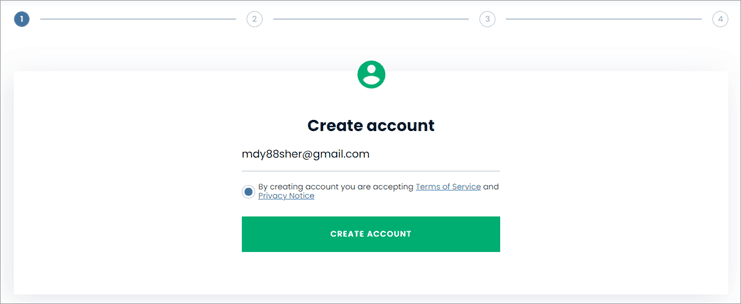
- Now proceed to install uMobix on your target device.
- On the target device, open the link given to you when registration was done.

- Once you open the link, the app will automatically start downloading.
- Hit the install button once the download is finished.
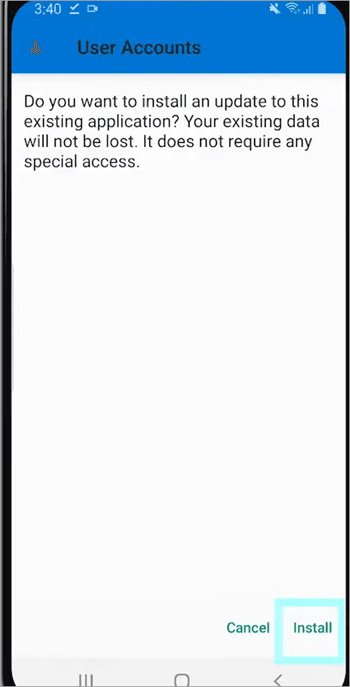
- Now proceed to uMobix setup wizard to finish the installation process.
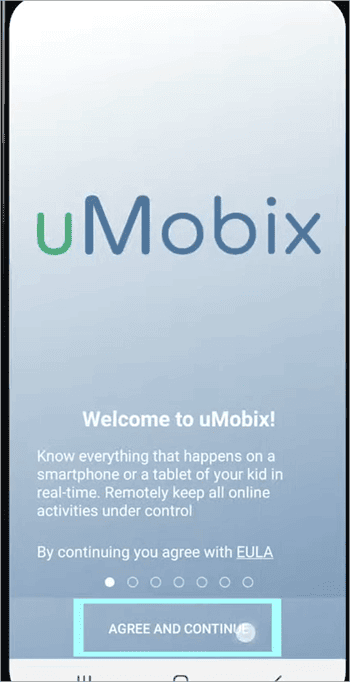
- Click ‘Agree and Continue’.
- Enable all the features you want to track on the uMobix dashboard.
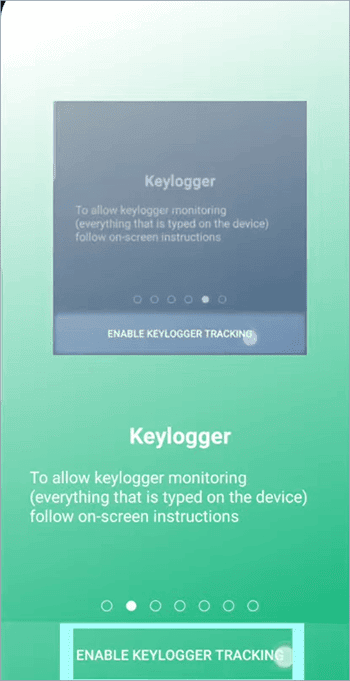
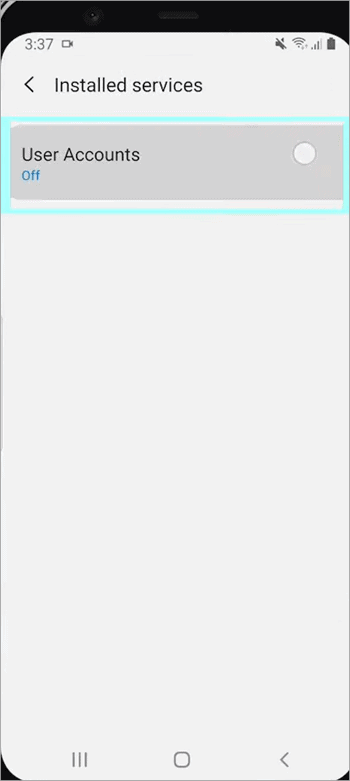
- Go to the installed services on your device and switch on ‘User Accounts’.
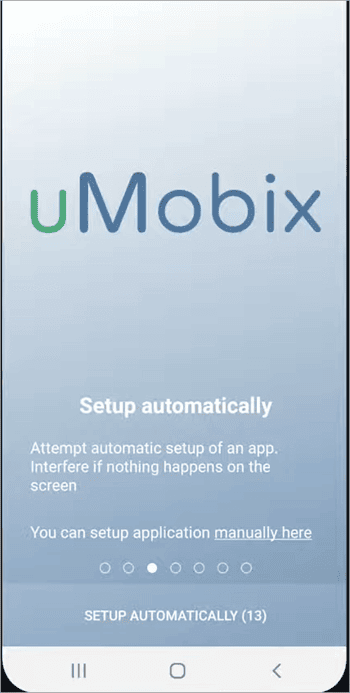
- Click ‘Setup Automatically’ to finish the installation process.
- Now log into your uMobix account and go to the location section to track your target device’s location in real-time. Besides that, you will also find a detailed route history.
Check our Detailed uMobix Review Here
#13) Spokeo
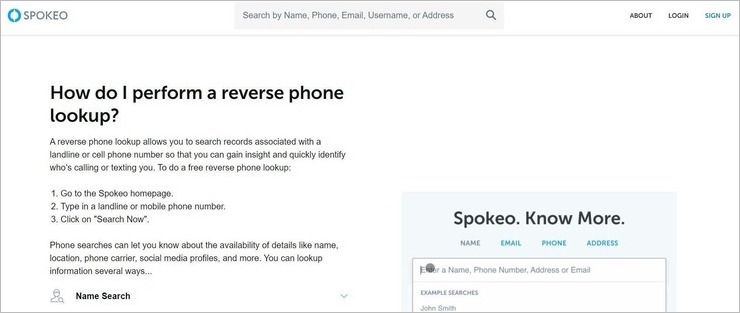
Unlike many of the tools mentioned on this list, Spokeo is a reverse phone lookup tool. It allows you to unearth someone’s address with the help of a phone number alone. All you need to do is feed Spokeo a landline or cellphone number. Spokeo will process this data and unearth all publicly available records associated with the number.
Besides the address, you can use Spokeo to unearth other information related to the phone number, like their social media accounts, educational background, and criminal record, if any. Spokeo is efficient to use and quick in the way it delivers results. However, this isn’t software that’ll let you track someone’s real-time location on a live map.
This is a service we recommend you use to find out about someone’s home or office address by phone number.
How to use Spokeo to locate someone:
- Open Spokeo’s website
- Navigate to the text box on Spokeo’s home page and enter the landline or cell phone number you wish to find information on.

- Hit the “Search Now” button.
- You’ll be presented with a report that includes all records associated with the number.
#14) MobileSpy
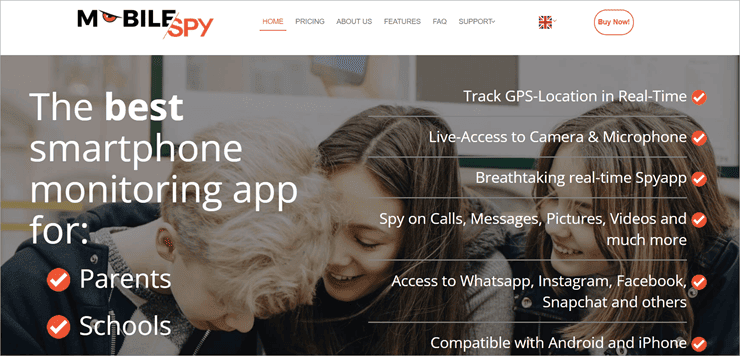
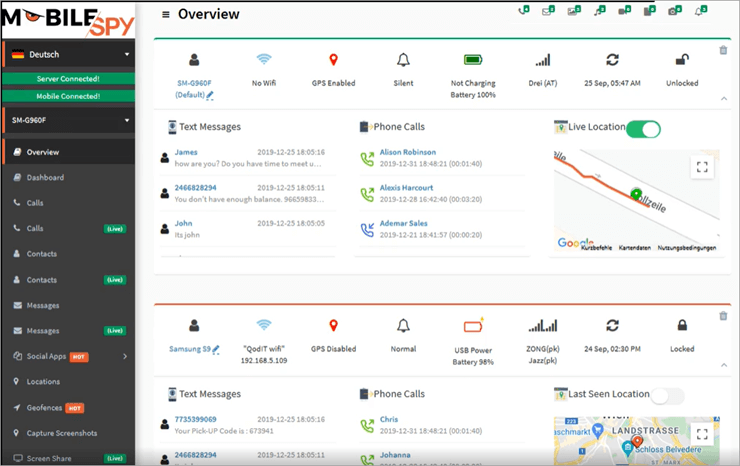
Mobilespy does what all good phone spy apps do, which is track cell phone activity like call logs, SMSs, and social media activity in real-time. It is also quite precise when tracking a device’s location, which earns it a place on our list. Mobilespy leverages multiple different technologies to pinpoint a target device’s location.
Its GPS tracker spares no detail in spelling out where a particular device is located at this very moment. Furthermore, its Wi-Fi tracker provides additional information about all nearby Wi-Fi networks in the cell phone’s vicinity.
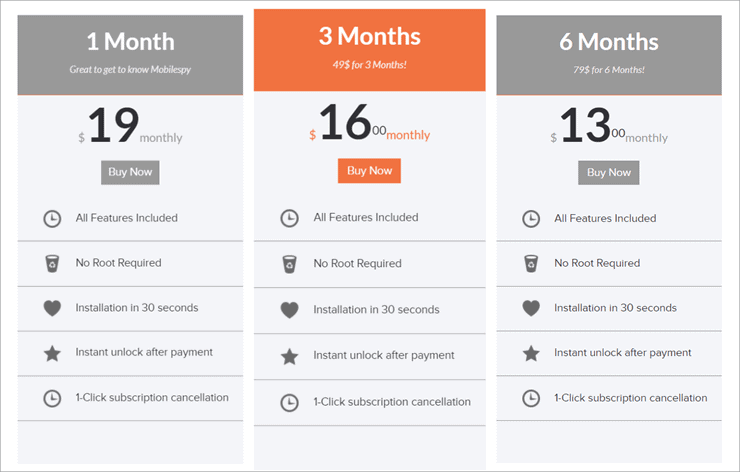
Pricing: $19/month for a single-month plan, $16/month for a 3-month plan, $13/month for 6 months.
How to track cell phone locations using MobileSpy:
- Open a paid Mobilespy account with your email address.
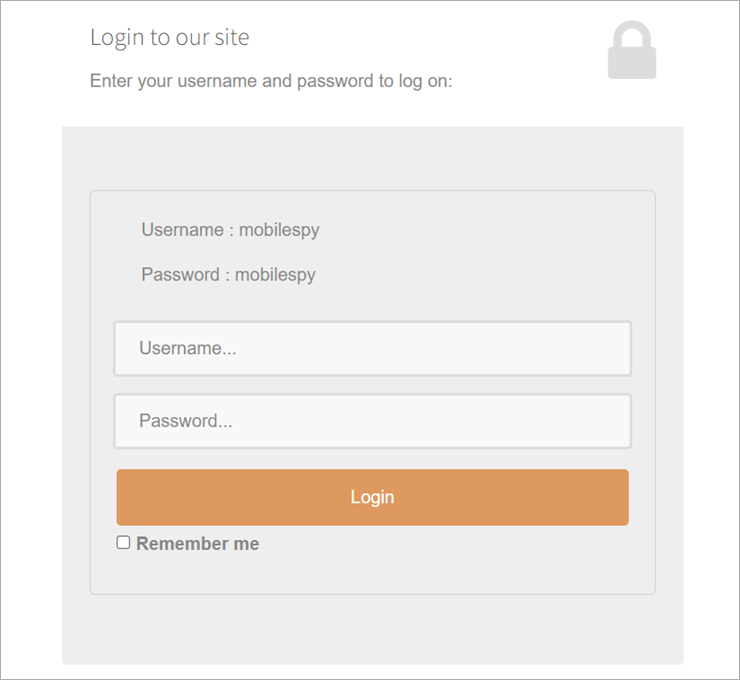
- Take your target device and paste the download link given to you in your browser.
- Download the software and follow the given instructions to finish the process.
- Once the installation is done, sign in to your Mobilespy dashboard to precisely geo-locate the target device at all times.
#15) Minspy
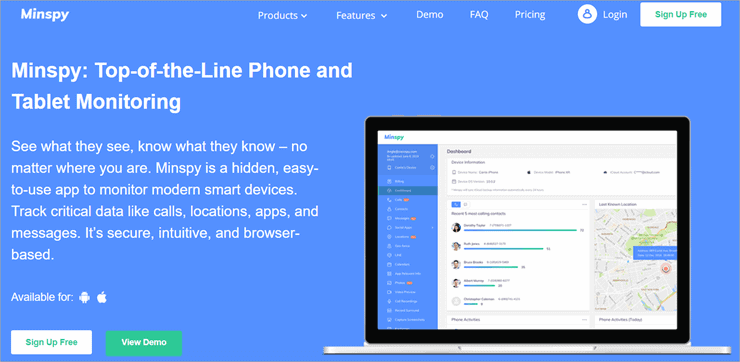
Minspy is an easy-to-use phone spy app that discreetly relays information about a target device that it is installed in. Minspy excels as a location tracker because of its impressive geo-fencing feature, which allows users to set a geographical parameter. You will be instantly notified if a target device leaves or enters this preset geographical zone.
Minspy can also remotely monitor SIM cards and track their location. You can check the network-based location of a phone or tablet because of this feature.
Pricing For Android – $9.99 for Premium Plan, $39.99 for Basic Plan, $69.99 for Family Plan.
Pricing for iOS – $10.83 for Premium Plan, Family – $99.99/month, Business – $399.99/month.
How to use Minspy to track location:
- Open a free Minspy account. Select the plan you would like to go with.
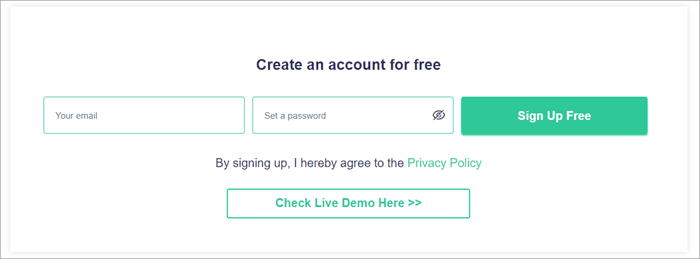
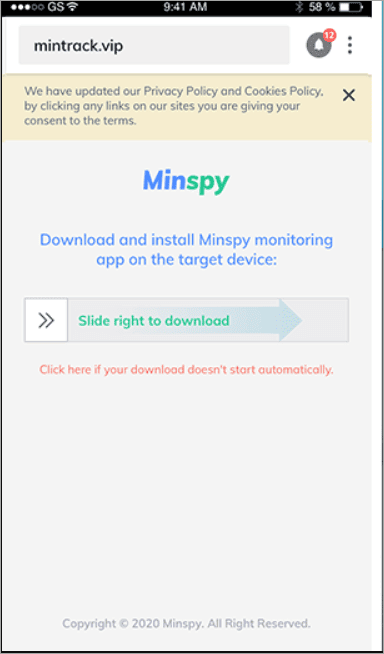
- Now take the phone you want to track. Open a browser in it and paste the download link sent to you via email during registration.
- When the download page opens, slide away to start downloading.
- Once the download is finished, hit the install button.
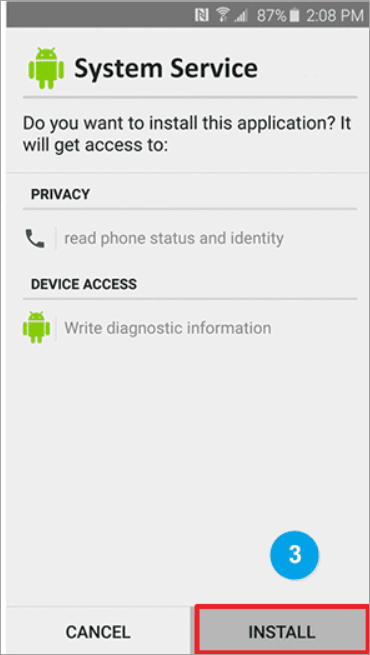
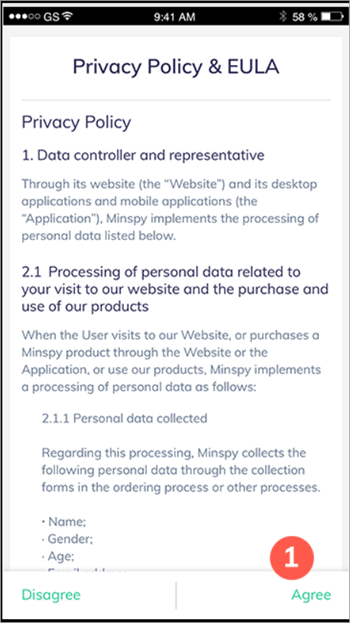
- Open the installed file and click ‘Agree’ to move forward from the privacy policy page.
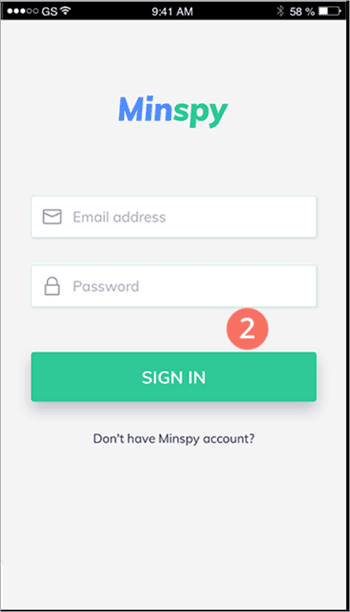
- Now sign in to your Minspy account and follow the instructions for the hassle-free installation.
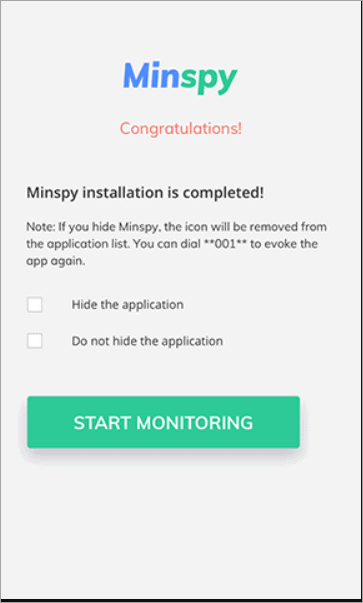
- Click ‘Start Monitoring’ when done.
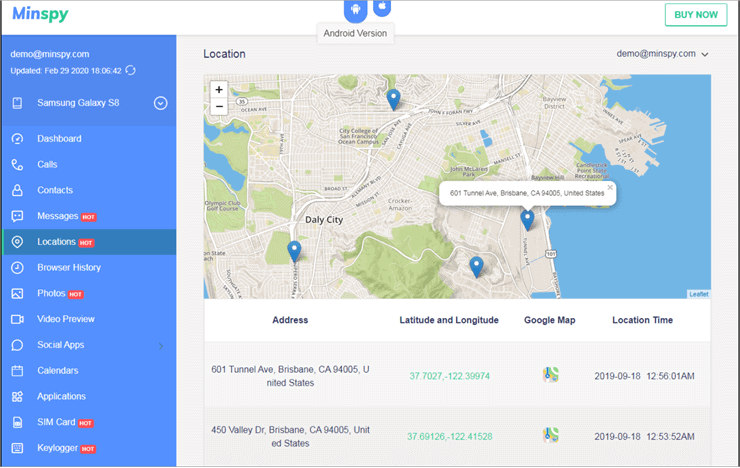
- Once Minspy installation is complete. Go to your personal device and log into your Minspy dashboard to monitor GPS and Wi-Fi data in real-time. You can also review the SIM card details from your dashboard.

#16) Cocospy
Best for GPS and SIM Location Tracking.

When it comes to location tracking, Cocospy has to be one of the best phone tracking apps we have at our disposal. The app’s intuitive location tracking feature allows you to track a target device’s present and past locations. The locations can be tracked through GPS, WiFi, and SIM cards.
You also get to view the target device’s entry and exit times from a particular location. Finding the network-based location is also very simple with Cocospy as you get full access to a phone’s SIM card details remotely. You get to view the IMEI number, check carrier details, and even get notified when the SIM card is changed.
Price: Android: Premium – 9.99/month, Basic – 39.99/month, Family – 69.99 (when purchased annually)
iOS: Premium – 10.83/month, Basic – 99.99/month, Family – 399.99 (when purchased annually)
How to Track Phone Number Location Using Cocospy
- First, open a paid Cocospy account.
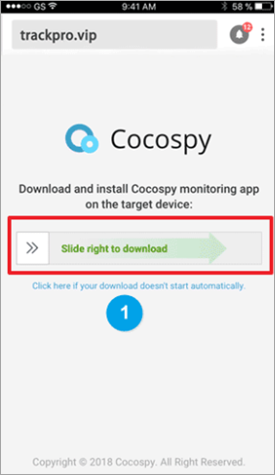
- Once opened, take your phone and open the download link sent to you via email when you open the Cocospy account. (Make sure to disable all security features of the target device to experience hassle-free installation).
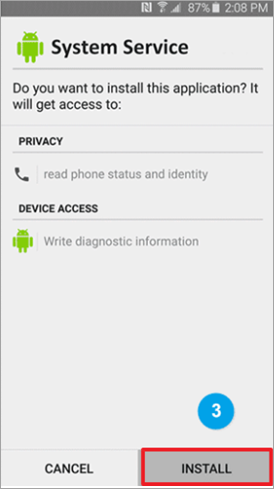
- Once the download is finished, go to ‘system service’ and install the downloaded file.
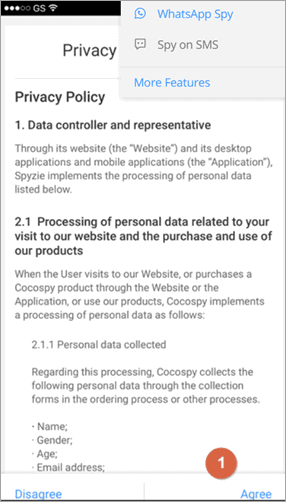
- Once the installation is complete, open the file and allow all permissions. Follow the installation procedure as dictated on the screen.
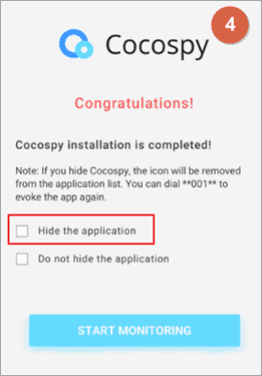
- Finally, check on ‘Hide the Application’ and click ‘Finish Installation’.
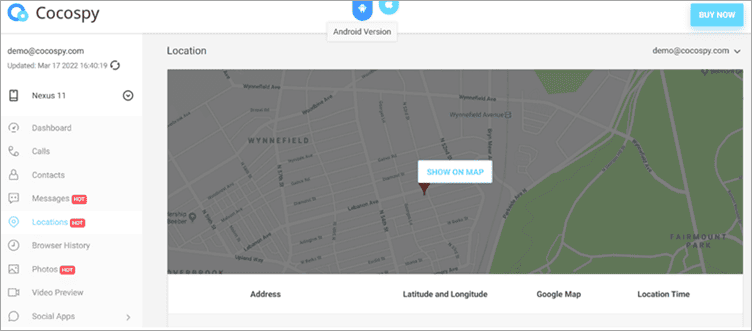
- After successful installation, log in to your Cocospy dashboard through a separate device and scroll down to the ‘Location’ tab, present at the left side of your screen. You’ll now be able to track the phone’s location in real-time.
Other Cell Phone Location Tracking Applications
#17) Spyera
Spyera features some of the best GPS tracking systems we’ve ever come across. It facilitates accurate, real-time GPS tracking of any smartphone or tablet you wish to spy on. It presents you with a map view that clearly depicts all current and past locations the device has been in. This information is offered, along with accurate dates and time stamps.
Aside from robust location tracking, Spyera also comes with other features that let you listen in on sounds surrounding the phone, record conversations on Skype or Facebook, etc. Rest assured, the app works discreetly on the targeted device.
Pricing: Computer – $49 per month, Tablet – $69/month, Smartphone – $89/month, All In One – $479/ year.
Further Reading => Spoof iPhone Location Quickly Using Dr.Fone
#18) Cell Track
When it comes to phone location tracking, Cell Track is considerably different from all the other tools on this list. First of all, it is free to use. Second, you don’t need physical access to the device you want to track. All you have to do is submit the phone number you want to track.
Cell Track will then send an SMS to the phone containing a special link. Once the owner of the targeted phone clicks on this link, Cell Tracks activates the GPS antenna and forwards you the location of the device. If the phone is not equipped with a GPS antenna, you can still locate the phone as Cell Track also retrieves the phone’s IP address.
Pricing: Free
#19) Track IMEI
We recommend Track IMEI if you’ve lost your phone. This free web-based service helps you track a phone with its IMEI number. IMEI is a unique number that is assigned to each and every mobile phone produced.
No two phones will have the same IMEI number. If you want to track the location of your stolen phone. Entering the IMEI number on the site might pull up an approximate location.
Pricing: Free
#20) Spyic
Spyic is a fast and advanced mobile tracking app that lets you view all present and past GPS as well as WiFi-based locations. You get to track the movements of the targeted device in real-time along with timestamps.
You also get details like coordinates and addresses to get more precise data on the location. The app is web-based for Apple devices, but you will have to install it on an Android device.
Thankfully, you won’t need to root or jailbreak your device to install it.
Pricing for Android – $9.99 for Premium Plan, $39.99 for Basic Plan, $69.99 for Family Plan.
Pricing for iOS – $10.83 for Premium Plan, Family – $99.99/month, Business – $399.99/month.
#21) Bust a Cheater
Bust a Cheater as its name suggests, is a web-based service designed to expose scammers who constantly nag you on the phone. It busts their anonymity by tracking their real-time location, along with their address and other imperative details.
To track a phone, all you have to do is enter the phone number on the portal’s home page and wait for the results. It isn’t always accurate, so keep that in mind when you are using this service.
Price: Free
Best Legitimate Ways to Find a Device Location
Though there are numerous other options available to Find a Device Location, the most reliable way to track my device based on the phone number is by using ecosystem-specific tools. They are completely free, extremely accurate, and hardware manufacturer-backed.
Tracking via Google Find My Device (Android)
Google’s Find My Device (formerly updated to Find Hub in 2026) is the go-to tool for all Android users. The platform uses an extensive crowdsourced database of Android devices to assist you in locating your own device, even if it is offline.
- Track my device: Access google.com/android/find in any web browser.
- Pre-requisites: Ensure that your phone is logged into a Google account and that “Location” and “Find My Device” settings are activated.
Using Find My (Apple/iOS)
If you own an iPhone, the Find My application is your best choice. It can detect an iPhone even 24 hours after its battery goes flat or it is switched off.
- How to track: Go to icloud.com/find or the Find My application on another Apple device.
- Prerequisites: Apple ID, logged into “Find My iPhone.”
Using Samsung SmartThings Find
Samsung devices feature the SmartThings Find application, which provides more functionalities than just the normal Google Find Hub.
- How to track: Visit the SmartThings Find website.
Using Family Locator Apps
When the objective is safety rather than locating an object, family locator applications are ideal. They enable Circles of people who can view their live location on the same map.
- Life360 – Driving Safety: Notify when speeding or hard breaking.
- Google Maps – Simplicity: No additional application is required; just click “Share Location.”
- GeoZilla – Intelligent tracking: Tracks location only when there is any movement.
- Glympse – No Account Necessary: Share location through SMS, which will be available for a limited time.
How to Find Your Lost Android Phone
In the event that you lose your Android mobile, you can use its tracking options to find, lock, or even delete it from a remote location. Some of the tracking services you can use include Google’s Find My Device to help you track your Android phone securely using your Google account.
How to Enable Find My Device
The following steps are how you can activate the Find My Device option:
- Open Settings
- Tap on Security & Privacy
- Select Find My Device
- Toggle the option ON
Ring, Lock, or Erase Device
Through Google’s Find My Device feature, one can remotely control a missing mobile device. They play an essential role in safeguarding personal data in case the phone gets lost or stolen.
Track Offline Android Phones
There are some Android smartphones that can still reveal their location despite being offline. Recent Android operating systems could also track phones using nearby Android smartphones via encrypted crowdsourcing.
How to Find a Lost iPhone
Find My allows you to locate, lock, or erase an iPhone that has been lost or stolen. The tracking service by Apple enables users to locate iPhones, iPads, AirPods, and other Apple products.
How to Enable Find My iPhone?
In order to track your iPhone using tracking services, Find My iPhone needs to be enabled first.
Steps:
- Go to Settings
- Tap on your Apple ID
- Go to Find My
- Enable Find My iPhone
- Enable Find My Network & Send Last Location
Set up the Lost Mode feature
In case your iPhone goes missing, you can set up lost mode by using the Find My app. If the device cannot be recovered, you can remotely erase any personal data stored on it.
Trace the Location of AirPods and Other Apple Products
The Apple Find My network can also assist in tracking:
- AirPods
- Apple Watch
- iPad
- MacBook
Newer Apple products can be located even offline via encrypted signals of other Apple products connected to the Find My network.
Phone Number Tracker Scams You Should Avoid
There are many sites that say they can locate someone by their phone number in real time. However, most of these services may be deceitful, harmful, or intended to scam individuals. Knowledge about how such scams operate will allow you to recognise them and protect yourself from potential dangers.
Fake “Instant Number Locator” Websites
There are many deceptive sites where one is promised to find out the actual GPS location of a certain individual by simply entering their phone number. Such sites usually show some animations to give users the impression of authenticity.
APK Malware Risks
Some tracking websites ask users to download APK files or “special tracker apps” outside official app stores. These apps can be dangerous.
- Surveys and Verification Scams
- Scammers frequently use surveys and verification tasks to lure users into clicking on advertisements or providing their personal information.
- How to Identify Fake Tracking Tools
- Here are some signs that a tracker is not legitimate:
- Promises of instant GPS tracking based on a number alone
- No need for consent or permission
- Guarantees of “secret” tracking of any individual
- Huge numbers of advertisements or pop-ups
- Mandatory downloads or subscriptions
- Lack of a privacy policy and company details
Common Problems When Tracking a Phone
Phone tracking is not always successful for numerous reasons, regardless of whether you utilize legit applications or services to find your device’s location. The list below describes some of the most popular causes that make phone tracking impossible.
1. The Device Is Offline: If your device does not have electricity, its battery is exhausted, or its connection with the Internet is lost, live tracking will stop operating. Typically, tracking services only demonstrate the location where the device was last seen.
2. GPS Disabled: Location tracking depends heavily on GPS services. If GPS or location services are turned off, apps cannot access accurate real-time coordinates.
3. Permission Denied: The permission needed for the operation of apps such as Google Find My Device or Find My is location access.
4. SIM Card Removed: A SIM card removal means that the device might lose contact with cellular networks, hindering carrier-based tracking methods. Nevertheless, GPS and Wi-Fi tracking methods may continue to operate in case there is an internet connection.
5. Airplane Mode Enabled: Activating Airplane Mode leads to disconnection with:
- Cellular Networks
- WiFi Connections
- Bluetooth Technology
Unlawful phone tracking could make your life miserable because it can affect your privacy and the data stored on various accounts. Fortunately, there are different methods that help identify the presence of some malicious programs or prevent tracking of the information you provide.
Detect Spyware Apps: Malicious applications track your location, texts, calls, and Internet browsing activities without your permission. In most cases, such apps are camouflaged as system utilities or hidden functions.
For security reasons:
- Check installed applications
- Uninstall unnecessary or suspicious apps
- Only download applications from reliable markets
Monitor Application Permissions: Numerous apps require your permission to track your location, even if it is not required by their functioning.
Disable Access to Unknown Devices: It is possible that hackers or other people could access your accounts using your devices or shared sessions. Check periodically for active devices associated with your Google or Apple account.
Secure Google/Apple Account: Your Google/Apple account handles services such as location tracking, data backup, and location history. It is important to protect your account. Services like Google Find My Device and Find My are built upon trust and security.
Frequently Asked Questions
1. Can I track the phone number location for free?
Yes, it is entirely possible to track a phone number’s location using a free phone spy application. However, I would advise against using them, as most free tools aren’t exactly trustworthy.
Remember, this is spyware you are dealing with. So make sure you only go with reputable applications, as they are worth the price you’ll pay for them.
2. How can I find someone’s location?
Before technology was as advanced as it is today, it required you to seek permission and help from the cell network provider to trace a phone number’s location. Fortunately, today the landscape is more favourable.
With the right application and a solid internet connection, it is possible to find someone’s location as long as they have GPS on their phone, which most smartphones today do anyway.
3. How do I track a phone number on Google Maps for free?
To track a phone number on Google Maps, it needs to be registered on Google first. If the number is registered, then simply follow the procedure below:
• Open the Google Maps page on your Android or tablet.
• Sign in to your Google account.
• Search for the contact number you want to find.
• Choose the number that you wish to track.
• Contact details will be available to you at the bottom of the screen.
4. What applications are best to track cell phone location?
Based on our research, I would be comfortable suggesting the following 5 applications to help you track the phone’s location:
• mSpy
• uMobix
• Mobilespy
• Minspy
• Spyera
5. Is it legal to track a phone location?
Phone location tracking is legal when the person owning the phone gives their consent. Tracking the phones of kids by parents or family location tracking is legal, while secretly tracking any person without their consent might be against privacy law.
6. What is the best free phone tracker app?
The following phone tracking apps have earned trust from many users for being genuine and free:
• Find my device on Google
• Find My
• Life360
These apps offer reliable GPS tracking with the consent of the phone owner.
7. Are online phone tracker websites fake?
Several sites that claim to track a phone by just entering the number are either scams or fake websites. They ask you to fill out surveys, pay for ads, or download malware software rather than giving you GPS-based tracking services.
Our Final Recommendations
Finding someone’s location using a phone number has become easier in 2026, but it’s not something to use casually or secretly. Most reliable apps work best when there’s clear permission involved, whether it’s for keeping family members safe, staying connected while travelling, or locating a lost device.
The key is choosing tools that are transparent about privacy and using them responsibly. When used the right way, these apps can be helpful—without putting trust or legal boundaries at risk.
As for our recommendations, we feel pretty good about recommending mSpy and uMobix to you. Both are very easy to use and help you retrieve current and past GPS locations accurately via a comprehensive dashboard.
Research Process:
- This guide is based on exploring how people actually use phone number–based location apps today. We spent time going through popular tracking apps, seeing how they work in everyday situations, and paying close attention to what they allow, what they don’t, and how they handle privacy and consent.
- We also compared real user experiences on Android and iOS to make sure the information here reflects what someone can realistically expect in 2026.
- Total Time Spent to draft and publish this article: 40 Hours (Approx)
Browse our tutorials below for additional phone tracker guides.
- Is uMobix Cell phone Tracker Legit?
- mSpy Cell Phone Tracker Software Hands-on 2026 Review
- Type in Phone Number and Find the Location for Free Apps
- 7 Ways to Check Call History of any Mobile Number Online
- How to Find Someone’s Name by Phone Number for Free
Was this helpful?
Recommended Reading
-

In this tutorial, review and explore the top free Cell Phone Tracker Apps with their pricing, features, and comparison in detail: A phone tracker app lets you monitor the location of a mobile device. You can use the app to recover your lost or stolen phone or tablet. The app…
-
Explore the top best Phone Tracker App Without Permission to track someone by cell phone number without them knowing: Cell phone tracking apps seem to be a logical answer to often raised questions like ‘How to track a phone without them knowing?’ Phone monitoring apps can help anyone snoop into…
-
We did a comprehensive review of Best Phone Spying Apps with features, comparisons and pricing. Select the best Spy Phone App from the list below. Phone tracking spying applications have developed at a rapid pace, so it is not an easy task to make the right selection in the year…
-
Compare the top Parental Control Apps to discover the Best Parental Control apps for iPhone and Android most suited for your children: The rapid advancement of technology poses a risk to children. Various studies have shown negative physical and mental effects of smartphone usage at earlier ages. Parental control apps…


