


Design accurate & personalized family diagrams online with the best Genogram makers. Explore and compare the top Genogram creators to build detailed family relationship maps like a pro within minutes:
A genogram is a visual diagram that maps family relationships along with health and behavioral information across multiple generations.
It allows professionals to identify patterns, connections, and influences that are often difficult to understand through text alone. With a wide range of genogram builders now available, selecting the right one can be a challenging task.
This guide highlights the top genogram builder tools to help you design accurate, insightful, and fully customized family diagrams with confidence.
Table of Contents:
Top Family Genogram Maker: Hand-Picked List
You will learn about the genogram, its benefits, and key factors to consider when selecting a genogram builder, as well as additional information. We will thoroughly review the best genogram builders, comparing the top 5.
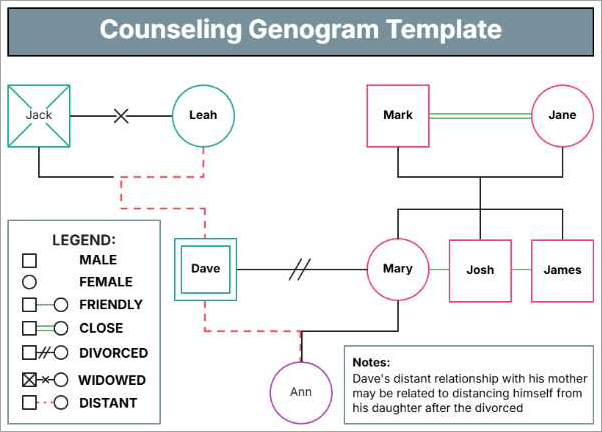
[Via Template.net]
Here is the video guide on how to draw a Genogram:
Benefits of Genogram Builders
There are great benefits in using a genogram builder. Some of them are briefed below for your reference:
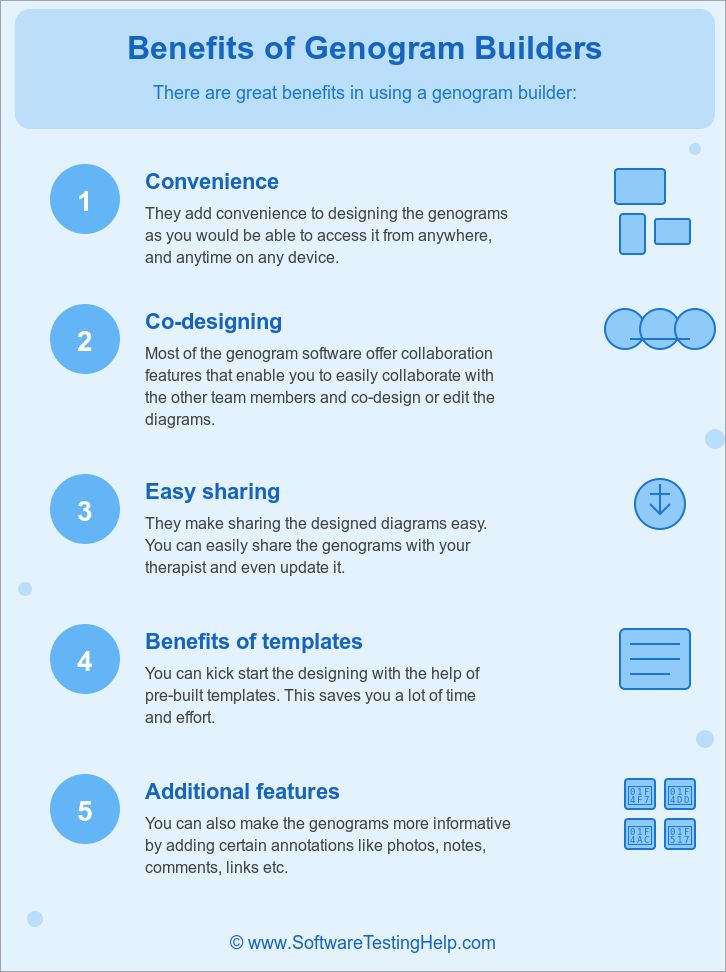
- Convenience: They add convenience to designing the genograms as you would be able to access them from anywhere, on any device.
- Co-designing: Most of the genogram software offers collaboration features that enable you to easily collaborate with other team members and co-design or edit the diagrams.
- Easy Sharing: They make sharing the designed diagrams easy. You can easily share the genograms with your therapist and even update them.
- Benefits of Templates: You can kick-start the design with the help of pre-built templates. This saves you a lot of time and effort.
- Additional Features: You can also make the genograms more informative by adding certain annotations like photos, notes, comments, links, etc.
How to Choose the Right Genogram Maker for Your Needs?
When choosing a genogram builder, take certain factors into account.
Factors to be considered while selecting a Genogram software:
- Pricing: You should always compare the pricing plans and analyze whether the prices justify the services they are offering and suit your requirements.
- Shapes and Template Library: Look for one that offers a good set of shapes and templates that would help you in designing good genograms with less effort.
- Interface: You should consider software that is easy-to-use and easy-to navigate if you are a beginner. There are certain software programs that have a simple drag-and-drop interface where you can build the diagrams quickly with less effort.
- Collaboration and Sharing: Look for the one that offers collaboration features if you have multiple team members or if you want family members to co-edit the genograms.
- File Format Support: You should be able to share the files in different formats as per the requirement. So look for the one who provides multi-file format support.
List of the Best Genogram Makers
Given below are some of the most popular Genogram creators:
- Canva
- GenoPro
- Creately
- Qwoach
- Venngage
- Miro
- EdrawMax
- Lucidchart
- Family Echo
- Genogram Analytics
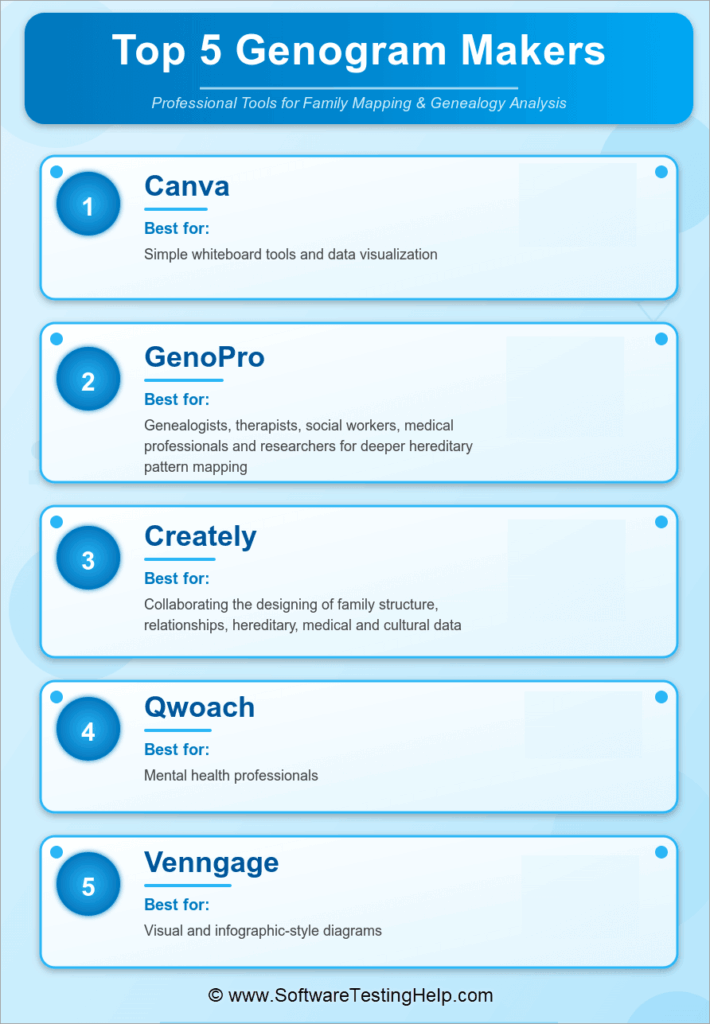
Comparing the Top Genogram Creator
| Tools | Best for | Collaboration | Pricing |
|---|---|---|---|
| Canva | Simple whiteboard tools and data visualization. | Available | Starts with $12.99 per month. |
| GenoPro | Genealogists, therapists, social workers, medical professionals and researchers for deeper hereditary pattern mapping. | Not available | Starts with $49. |
| Creately | Collaborating the designing of family structure, relationships, hereditary, medical and cultural data. | Available | Starts with $5 per month |
| Qwoach | Mental health professionals. | Not available | Starts with $29 per seat per month. |
| Venngage | Visual and infographic-style diagrams. | Available | Starts with $10 per month. |
Detailed Reviews:
#1) Canva
Best for simple whiteboard tools and data visualization.
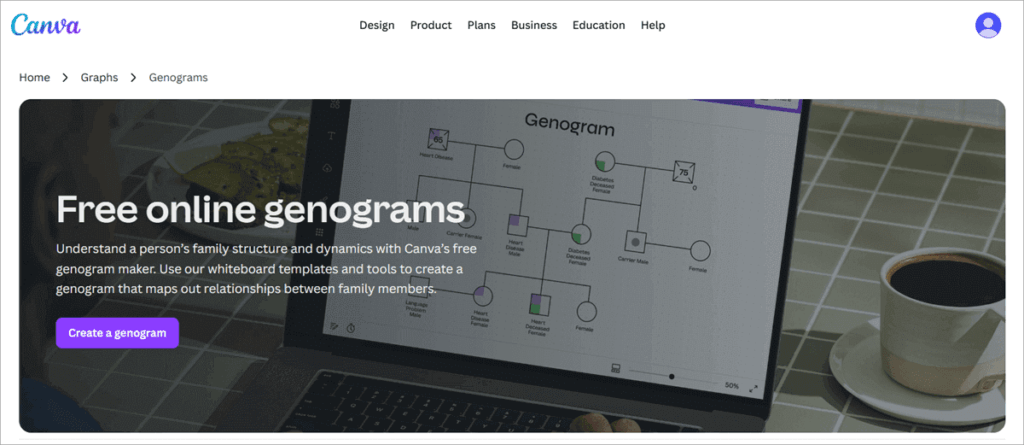
Canva is one of the leading cloud-based design platforms that helps its users design custom family genograms by combining lines, symbols, and text elements.
Even though it is not a professional genogram-making software but is widely chosen for the same for its drag-and-drop user-friendly interface, vast symbol library, and customizable templates. You can also collaborate and share the whole design process with multiple users.
Features:
- Simple Drag & Drop Interface: It includes a simple procedure of designing genograms where you can easily add shapes, lines, and text boxes to represent individuals and relationships.
- Free Templates: It provides free templates of family trees and flowcharts that can be further used to create your professionalized genograms.
- Share and Collaborate: It enables users to share and collaborate in the designing process with their family members or counselors by allowing multiple users to add or edit the genogram in real-time.
- Extensive Icon List: It provides an extensive list of icons of different categories used in a genogram, like gender, emotions, relationships, etc., and also enables you to design as per your requirement.
- Cloud File Storage: As it is a cloud-based application, it enables you to save your files in the cloud that can be accessed from anywhere or from any device.
- Multiple File Options: You can save your file in different formats for easy sharing. It supports formats including PDF, PNG, JPG, etc.
Why we selected Canva:
We selected Canva as it is an easy genogram maker with an easy-to-use interface that enables its users to create professional genograms without any specialized software training. It also allows its users to collaborate in real-time, which enables multiple users to design a genogram.
Pros:
- User-friendly interface.
- Efficient in creating professional visuals
- Provides collaboration features.
- Offers a free version that includes sufficient features.
- Can be accessed from anywhere and from any device.
Cons:
- Not a specific genogram designing software.
- Lacks certain essential symbols used in genograms.
Our Review: Canva is a free genogram maker recommended for creating visually engaging genograms without any prior specialized training. Multiple users can collaborate in real-time to design a genogram.
Although clinical or research applications need certain specific genogram symbols that are not present, you can design any symbol with its design tools.
Pricing:
The pricing plans are as follows:
- Free version: There is a free version that includes all essential features like core templates, elements, and cloud storage.
- Pro: $12.99 per month (or $119.99/year) including additional features like premium templates, advanced export options, and brand features.
- Teams: $14.99 per month for the first five users, with collaboration and admin tools.
Website: https://www.canva.com/graphs/genograms/
#2) GenoPro
Best for Genealogists, therapists, social workers, medical professionals, and researchers for deeper hereditary pattern mapping.
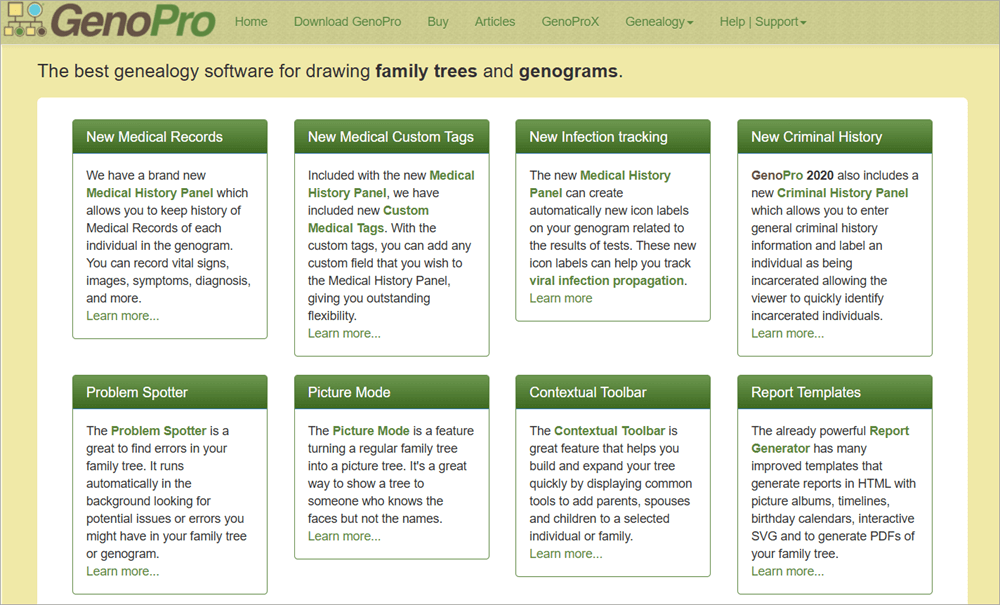
GenoPro is a professional genogram creator that enables you to create detailed family reports or genograms conveniently, including individuals, relationships, medical histories, emotional ties, and other attributes in one diagram.
It offers all the essential tools required to design detailed genograms in addition to advanced features like medical records, medical custom tags, infection tracking, criminal history, and much more.
Features:
- Simple Interface: It is a simple application that does not require any specialized skills to operate.
- Store Detailed Information: It allows you to store detailed information about an individual, including their photos, contacts, occupation, education, medical history, etc.
- Exquisite Symbol Library: It includes standard symbols for various types of relationships, emotional ties, medical/infection history, etc.
- Report Generation: It enables you to generate reports in different formats, including HTML reports, interactive SVG, PDF export, timelines, and picture albums.
- Scalability: Can expand the family tree to thousands of individuals or manage complex genograms.
- File Format: It supports GEDCOM (common genealogy data format) and uses an XML-based file format to import/export files.
Why we selected GenoPro:
We selected GenoPro for its advanced genogram features that could help users build complex family trees, including relationships, emotional ties, medical/infection history, etc. It also enables you to work offline, where you do not depend on an internet connection.
Pros:
- Feature-rich platform.
- Ideal for clinical, research, therapy, or social-work contexts.
- Customizable reports.
- Deep data analysis of individuals.
- Good reporting and export options.
- No dependency on the internet, as it can be worked offline.
- Can handle complex family trees.
Cons:
- High learning curve for advanced features.
- Limited real-time collaboration.
Our Review: GenoPro is an excellent choice for users who need advanced geology features. It provides an in-depth understanding of family relationships and histories by creating, editing, and analyzing complex family trees and genograms. It has a YouTube channel where you can easily learn how to use it in different cases.
Pricing: Pricing plans are license-based, where you need to pay once, and then you can keep using.
- 1-user license: $49
- 2-user license: $79
- 3-user license: $119
- 4-user license: $149
- 5-user license: $169
- 10-user license: $289
- 15-user license: $375
- 25-user license: $599
- 50-user license: $1,099
- Unlimited enterprise site license: $1,795
- Unlimited academic site license: $395
A 14-day free trial is provided on request.
Website: https://genopro.com/
#3) Creately
Best for collaborating on the design of family structure, relationships, heredity, medical, and cultural data.
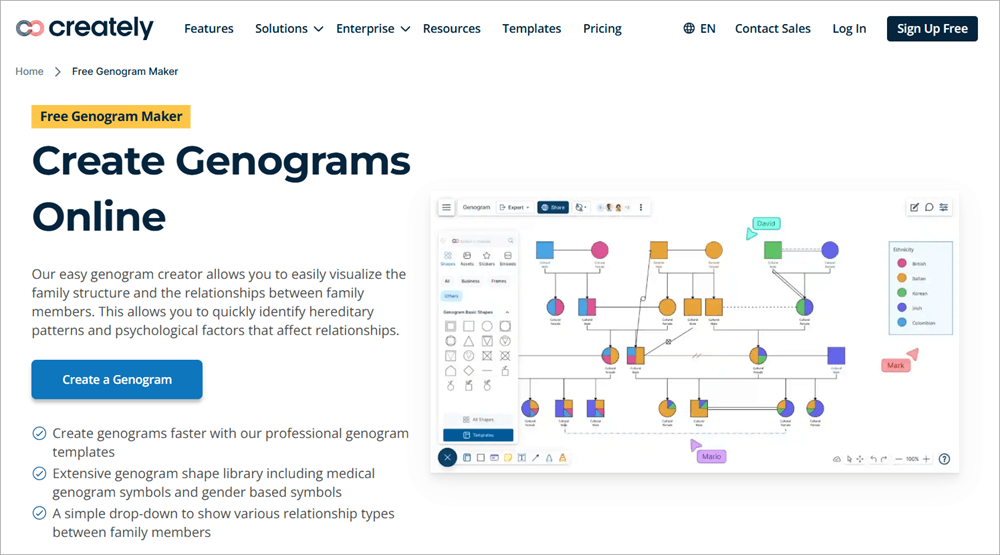
Creately is a design tool specialized in creating genograms, family trees, medical & cultural family history charts, pedigree charts, ecomaps, etc.
It offers a bundle of genogram-specific features, including a genogram shape library, ready-made templates, collaboration & sharing, rich annotations, metadata support, and much more. You can easily create genograms in a few simple steps.
Here is the video guide on how to create a Genogram with Creately:
Features:
- Vast Genogram Shape-library: It offers so many genogram-specific shapes that can be easily used while designing a genogram, including shapes for gender, relationships (marriage/divorce/adoption/emotional), medical/psychological markers, cultural/identity, and so on.
- Ready-made Templates: You don’t need to build the genograms from scratch; it offers ready-made genogram templates of family, medical, cultural, therapy, etc.
- Complex Genograms: It enables you to easily make complex genograms, including big families, complex relationships, etc.
- Annotation Support: It allows you to add notes, documents, and images to individuals or relationships that would be helpful for further analysis.
- Collaboration Features: It enables the team to design and co- edit the genograms in real-time.
- Sharing Format Support: You can share the report or document in different file formats, including PDF, PNG, SVG, and JPEG.
- Additional Diagrams: Along with designing genograms, it also allows you to create various other diagrams, including family trees, pedigree charts, ecomaps, flowcharts, org-charts, etc.
Why we selected Creately:
Creately has been selected for its capability of providing a complete genogram symbol library with rich annotation & metadata that can be co-edited and collaborated on with other team members. It has a user-friendly drag-and-drop interface that enables users to easily start designing the genograms without prior design skills.
Pros:
- Comprehensive symbol library
- Ready-made templates
- Complex large multi-generation family genogram designing
- Support attachments
- Real-time collaboration tool
- Multi-file format support
Cons:
- A smooth internet connection is needed to collaborate.
- Lacks certain advanced features like advanced pedigree analysis, specialized research-oriented genetic-tracking features, etc.
Our Review: Creately is recommended for therapists, social workers, genealogists, researchers, or teams that require depth and customization for serious, professional-grade genograms. Over 10 million people have trusted it and 1K + teams, including Intel, National Geographic, PayPal, Amazon, Zoho, Facebook, and many more.
Pricing:
Pricing plans are as:
- Free
- Personal: $5 per month
- Team: $5 per month
- Business: $89 per month
Website: https://creately.com/usage/genogram-template-example/
#4) Qwoach
Best for mental health professionals.
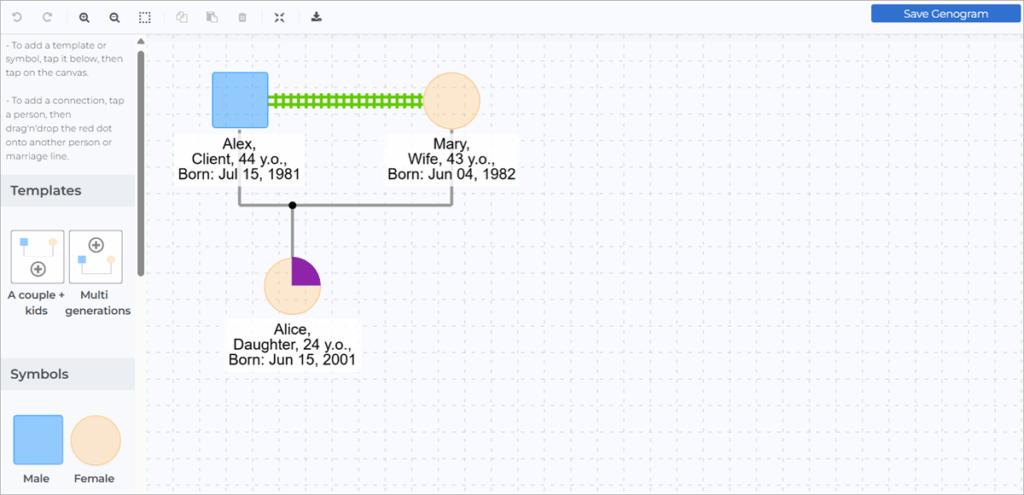
Qwoach is originally a practice management tool with a built-in interactive genogram builder, best for mental health professionals. It enables you to design a simple family tree and also the emotional relationships, health/social history, and complex family dynamics.
It is a simple drag-and-drop interface with built-in templates and customization, which is a good balance and powerful enough for professionals, yet simple enough for students or beginners.
Features:
- Dynamic Built-in Templates: It offers a list of built-in templates that you can use to kick-start your genogram designing (e.g., couple + kids, multi-generation, blended families), which speeds up the setup.
- Comprehensive Symbol Library: It includes over 60 emotional and family connections that you can use to enhance the visuality.
- Drag and Drop Interface: It is a simple drag-and-drop interface where you can use people, relationships (parents, children, partners, siblings) with minimal manual drawing or symbol-hunting.
- Complex Family Structures: It enables you to build complex family structures that could be useful in therapy, social work, and education.
- File Formats: It supports multiple file formats, including PNG, JPG, SVG, and PDF.
Why we selected Qwoach:
Qwoach has been selected among the top genogram builders as it is a tool powerful enough for professionals, yet simple enough for students or beginners. It supports emotional, social, health-history, and complex relational mapping, which is needed in therapy, social work, or clinical purposes.
Pros:
- Easy to use functionaries
- Dynamic templates
- Comprehensive library of connections
- Maps the family dynamics of any complexity
- Drag-and-drop interface
Cons:
- A stable internet connection is needed.
- Improvement in integration with other therapy tools is suggested.
Our Review: Qwoach is a Genogram maker with medical symbols recommended for therapists, social workers, educators, students, and professionals.
You can design a simple family tree, and beyond that, you can also map emotional relationships, health/social history, and complex family dynamics. It is best for mental health professionals as it offers both genogram-making and client-management workflows.
Pricing:
Prices are as:
- Starter: Free
- Personal Touch: $29 per seat per month.
- Ultimate: $49 per seat per month.
Website: https://qwoach.com/tools/genogram
#5) Venngage
Best for visual and infographic-style diagrams.
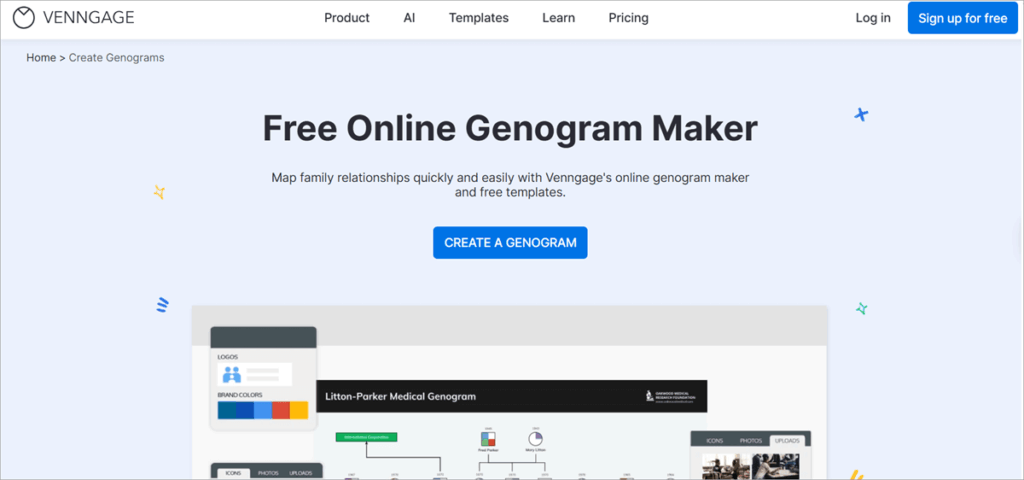
Venngage is an AI-powered design tool that provides customizable templates for every use case, a bundle of visual assets, flexible multi-format exporting, and so much more.
You can create a genogram in just five simple steps:
- Sign up for an account.
- Choose a genogram template.
- Add symbols, family information, and medical history.
- Collaborate with other team members or family members for editing.
- Share the genogram.
Features:
- Easy-to-use: You don’t need a professional degree or skills for designing. You can design detailed family/medical genograms easily.
- Pre-made Symbols: You don’t need to draw symbols manually. It includes standard genogram conventions (relationships, divorces, generations, and markers).
- Seamless Collaboration: You can share it for co-editing with other team members or family members, as it can be accessed online from anywhere.
- Built-in Stunning Templates: It offers a bundle of genogram templates to kick-start your design. It includes medical genograms, generation genograms, community genograms, 3-generation genograms, and much more.
- Rich-visuals: You can attach photos, icons, custom colors, fonts, etc., to enhance the visuals, which would help in medical, cultural, and emotional genogram mapping.
Why we selected Venngage:
We selected Venngage for its commendable capabilities in designing diagrams, from casual family trees to more informative genograms. It is easy-to-use with a simple setup procedure. It supports rich visuals, provides pre-made templates and symptoms, and allows sharing & collaboration for a seamless design experience.
Pros:
- 24/7 customer support.
- Smart genogram templates.
- Creates clear and professional diagrams.
- Collaboration and sharing features are present.
- Pre-made symbols are provided.
Cons:
- The free plan is limited.
- Lacks some specialized genogram features
Our Review: Venngage is good for visual and infographic-style genograms where you need to add rich visuals, including photos, icons, custom colors, fonts, etc., to enhance the visuality. Over 40,000 families and top brands have trusted it, including CISCO, HubSpot, Airbnb, Google, the New York Times, and many more.
It has been featured on various review platforms like G2, Capterra, Trustpilot, and Google. It lacks some specialized features that some genogram software might offer, including genetic tracking, pedigree analysis, and complex relationship mapping.
Pricing:
Pricing plans are as:
- Free: $0 forever
- Premium: $10 per month
- Business: $24 per month
- Enterprise: Starts at $499 per month.
Website: https://venngage.com/features/genogram-maker
#6) Miro
Best for group editing, brainstorming, and visual mapping.
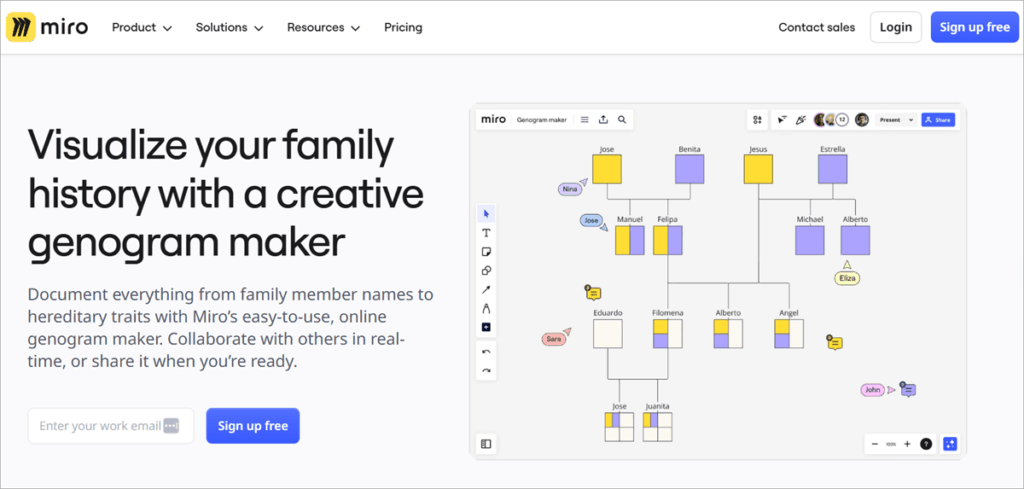
Miro is an award-winning developer platform that includes an easy-to-use online genogram maker. It works like a smart digital whiteboard where you can invite other teammates to design a certain diagram.
It offers various functionalities helpful in designing genograms, like shapes and connectors, ready-to-use templates, real-time collaboration, zoomable canvas, multi-format file, integrations, and much more.
You can build a genogram in just four simple steps:
- Open a Miro board.
- Add shapes, use connection lines, and add text boxes.
- Add important notes.
- Customize the genogram with specific colors, shape sizes, line thickness, and font.
Features:
- Drag-and-drop Interface: It is a simple and easy-to-use platform where you can use the given shapes and connectors to build an intrusive genogram.
- Integration: Can be integrated with over 250 tools, including Google Workspace, Microsoft 365, Atlassian, Jira, Slack, etc.
- Extensive Template Library: 7000+ templates, including family tree templates, genogram templates, pedigree templates, kinship diagram templates, and many more.
- Multi-user Collaboration: You can invite multiple users to collaborate and co-design the genograms.
- Zoomable Canvas: It offers a zoomable canvas where you can comfortably zoom to a great extent to view the content.
- Multi-file Format: You can save and export the file in different file formats, including PDF, PNG, and CSV.
Why we selected Miro:
Miro has been selected among the top genogram builders for its powerful visual freedom to design a family structure or genogram with strong collaborative features. It includes pre-made templates, a zoomable canvas, a templates library, and so much more.
Pros:
- Diagraming tools and resources.
- Seamless collaboration.
- Multiple sharing options.
- Integrates with other tools.
- Zoomable canvas
Cons:
- Limited boards are available in a free plan.
- A strong internet connection is required for its operation.
Our Review: Miro is a leading genogram builder for collaboration and flexibility. It’s ideal for users who need group editing, brainstorming, and visual mapping rather than a strictly clinical genogram tool.
If you need a clinical genogram tool, then you may prefer specialized genogram software. Over 100 million users and 2,50,000 companies have trusted it, including popular brands like Sonny, Deloitte, PayPal, HP, Salesforce, and many more.
Pricing:
Pricing plans are as follows:
- Free: $0
- Starter: $8 per user per month.
- Business: $16 per user per month.
- Enterprise: Contact for pricing.
Website: https://miro.com/diagramming/genogram/
#7) EdrawMax
Best for AI transformative capabilities.
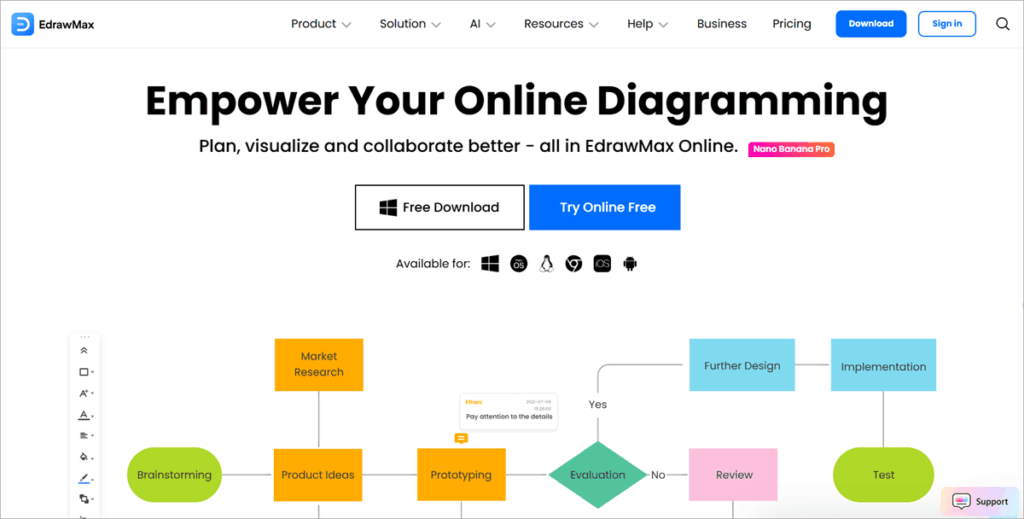
EdrawMax is an AI genogram maker that helps in designing captivating visuals. It enables you to draw over 210 diagram types to meet any visual needs, from flowcharts to circuit diagrams to genograms.
From therapists, social workers, genealogists, researchers, to general individuals, everyone can use it without needing advanced design or programming skills.
Features:
- Ready-made Templates: You can kick-start the design by taking help from its pre-built templates.
- Large Symbol Library and Vector Shape: It includes a large symbol or vector library from which you can drag the required symbol and drop it on the canvas. You don’t need to manually create one for your needs.
- Drag-and-drop Interface: It is a simple, user-friendly interface that is easy even for beginners.
- Innovative Collaboration: It provides a cloud-based workspace for visual collaboration that enables you to work together with other team members on the same page in real-time.
- Cross-platform Compatibility: It offers flexibility as it supports both desktop applications and online (browser). You can work depending on your device and needs.
- Multi-file Format Support: It enables you to share and export the files or reports in different file formats, including PNG, JPG, PDF, SVG, Visio, Word, PowerPoint, etc.
Why we selected EdrawMax:
EdrawMax has been selected for its AI’s transformative capabilities, including AI diagramming, AI PPT, AI drawing, AI symbols, AI analysis, and so much more. It is an all-in-one platform that provides drag-and-drop editing, multi-diagram support, ready-made templates & symbol libraries, cross-platform compatibility, and so much more within the same platform.
Pros:
- User-friendly interface
- Multi-diagram support
- Multi-file format support
- Cross-platform compatibility.
- Templates and symbols are present.
- Large canvas
- Support multi-generational or complex genograms.
Cons:
- Lacks advanced genogram-specific features like pedigree-analysis or genetic-tracking.
- Learning curve for advanced features.
Our Review: EdrawMax is a versatile diagramming and multi-purpose tool that can create N number of diagrams, including genograms, flowcharts, org-charts, floor plans, UML diagrams, etc.
It is a user-friendly platform, and if you want cross-platform compatibility, it is the best choice available. However, if you need advanced genogram-specific features, deep genetic inheritance tracking, very large pedigrees, advanced data analysis, or research-grade features, you can integrate it with other, more specialized genogram/pedigree software.
Pricing:
- 100% secure payment.
- 30-days money-back-guarantee.
Pricing Plans are as:
- For Individuals:
- Free Trial: Free five trials
- Semi-annual plan: $41.99
- Annual plan: $59.99
- Perpetual plan: $119.99
- For Teams & Businesses: $595
- For Education:
- For Students: Starts at $62 per 6 months
- For Educators: contact for pricing.
Website: https://www.edrawmax.com/
#8) Lucidchart
Best for robust teamwork options.
Lucidchart is an all-around diagramming tool that helps in generating diagrams with AI, data, and automation. You can build genograms easily and quickly with its in-built templates or create them manually from scratch with its drag and drop interface.
For this, you need to drag shapes available within the platform and connect them with the lines to show the relationships. It enables you to add text to it, or else you can choose a template as per your requirement.
Features:
- Customizable Shapes and Templates Library: It offers a powerful library that includes genogram-specific symbols & shapes and templates for different use-cases.
- Robust Teamwork: Teamwork options enable you to collaborate with other team members in real-time for co-editing and adding comments, tagging, link sharing, etc.
- Integrations: It can be well integrated with Google Workspace, Microsoft, Slack, and many more.
- Cross-platform Compatibility: Allows you to access it on any device, whether you want it to work on your computer, smartphone, or tablet.
- File Sharing Options: You can share and export your file in different formats, including PDF, PNG, JPEG, or share as a link.
- Revision History: You can edit the genograms over time and keep them updated. This feature is useful for clinical documentation.
Why we selected Lucidchart:
We selected Lucidchart among the best genogram builders as it is an automatic genogram maker with professional diagramming strength and a user-friendly design. You can design simple family trees or complex psychological or medical genograms with ease. It also offers enterprise-grade integration, which is useful for advanced users.
Pros:
- Advanced formatting tools.
- Drag-and-drop canvas.
- Customizable icons.
- Ready-made templates.
- Robust teamwork options.
- Various export and sharing options.
Cons:
- The free plan comes with limited shapes and documents.
Our Review: Lucidchart is a cloud-based, cross-platform genogram creation software known for its intuitive interface, powerful collaboration features, and extensive shape libraries. However, it is not a genogram-specific software, but its adaptability and professional-grade tools make it stand out as a top choice.
It has been trusted by 99% of the Fortune 500, including Samsung, Siemens, Amazon, Google, Intel, Delta, and many more.
Pricing:
Pricing plans are as:
- Free: $0
- Individual: $9
- Team: $10
- Enterprise: Contact for pricing
Website: https://www.lucidchart.com/pages/examples/genogram-maker
#9) Family Echo
Best for casual users to build interactive family trees or diagrams.
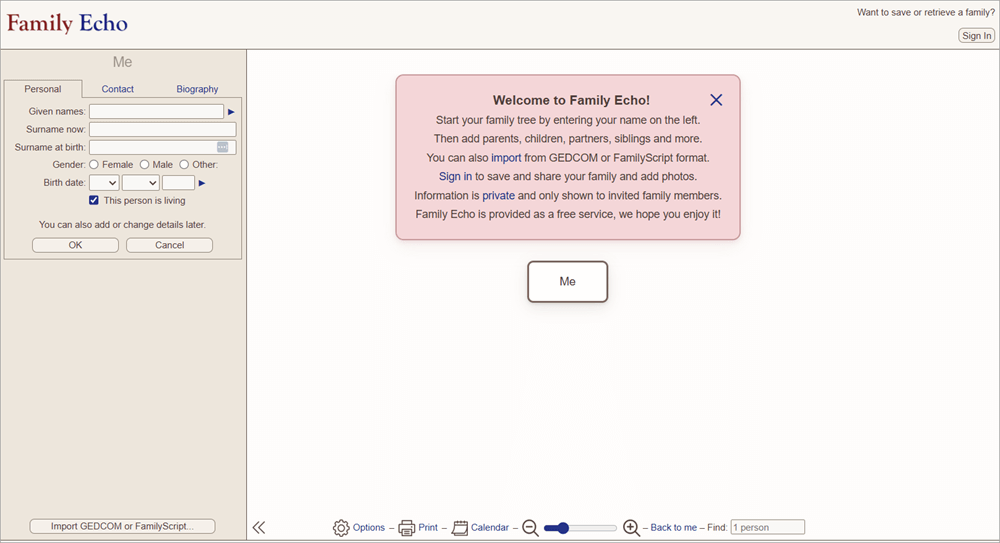
Family Echo is a browser-based diagramming tool that helps you create, edit, and share interactive family tree diagrams. It is an easy-to-use platform that anyone can easily access without needing advanced software or technical skills.
Its collaboration feature enables you to invite other family members to add or edit the details. You can also add photos to an individual’s profile to personalize your diagram.
Features:
- Family Tree: You can generate simple family trees by adding relationships and basic details easily.
- Easy Accessibility: You can access it from anywhere or from any browser, as it is a web-based platform.
- Sharing and Collaboration: You can invite the family members or other team members to add or edit the diagram.
- Attachments: You can personalize your diagrams by adding photos to the individual’s profile.
Why we selected Family Echo:
Family Echo has been selected as it is one of the Best genogram makers for Mac users and provides a free, accessible, and quick way to map family relationships visually.
It is an online genogram maker that has no steep learning curve; you don’t need to have professional skills to design. It is simple and direct in mapping family relationships, suitable for casual users to build interactive family trees or diagrams.
Pros:
- Free to use.
- Easy-to-use interface.
- Cloud-based platform.
- Sharing and collaboration features are present.
- Photo and details support.
Cons:
- Limited features available.
Our Review: Family Echo is a free genogram maker for Mac. It is a user-friendly family genogram builder to build family trees and basic genograms. It is a recommended Genogram creator for students or casual users who want an easy and quick way to generate simple genograms.
If you require advanced genealogy research features or need to build complex genograms, then you may want a specialized genogram tool.
Pricing: Free
Website: https://www.familyecho.com/#edit:START
#10) Genogram Analytics
Best for building clinical genograms and ecomaps with deep customization, temporal views, and robust attribute tracking.
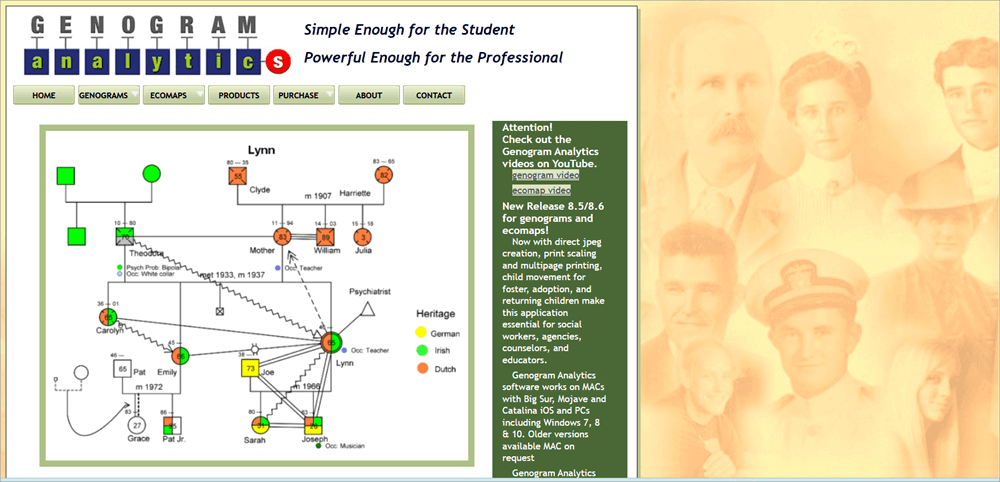
Genogram Analytics is a professional-grade, genogram-specific tool. It is dedicated to build clinical genograms and ecomaps with detailed attributes, customizable data tracking, and time-based family dynamics analysis.
It has been developed by genogram and psychology experts and supports complex family structures, including blended families, adoption scenarios, and multi-partner relationships. Some very specific features are also available, like date-based snapshots and unlimited user-defined attributes.
Features:
- Compatibility: It supports PC and Mac, you can access it in either way.
- Cynical Symbols and Shapes: It includes standardized clinical symbols that can be used in designing genograms or maps effectively.
- Complex Families: It supports complex family structures, including blended families, adoption scenarios, and multi-partner relationships.
- Add Comments, Photos, and Visuals: It allows you to add comments, photos, and other visuals to track events and for personalization.
- Customization: It allows you to customize the color, scaling, font, alignment, etc to enhance the presentation quality.
- Other Diagrams Support: Along with genograms, it supports Ecomaps, with us needed for systematic assessments.
Why we selected Genogram Analytics:
Genogram Analytics has been selected among the best genogram builders as it is a genogram-specific platform with clinical standards, supports advanced data tracking, and allows deep customization and temporal analysis. It also supports ecomaps design, which would be helpful for systemic practice, research, and education.
Pros:
- Specific features for clinical use.
- Customizable attributes and snapshots.
- Supports complex family structures.
- Clinical symbols and shapes support.
- Ecomaps support.
Cons:
- Steep learning curve.
- Less modern UI.
Our Review: Genogram Analytics is a dedicated professional genogram software best for clinicians, therapists, social workers, researchers, and students.
It includes advanced genogram designing features like detailed attributes, customizable data tracking, and time-based family dynamics analysis. If you are a casual user and want to design simple diagrams, then you may want another lighter tool.
Pricing:
Pricing plans are as:
- Professional Edition: $195
- Students Edition for 1 year: $39
- Students Edition for 2 years: $54
- Site Licence/Server Licence: Contact for pricing
Website: https://www.genogramanalytics.com/
Frequently Asked Questions
1. What is the best free genogram maker?
The best free genogram makers are:
• Canva
• GenoPro
• Creately
2. How do I make my own genogram?
Yes, you can make your own genogram by manually building symbols in any diagramming tool and using them and connecting them with lines and describing the details or else you can choose a suitable genogram builder and easily start designing with the help of available templates.
3. What is a 3-generational genogram?
A 3-generational genogram is a visual representation of a family tree including three generations – Grandparents, children, and their children.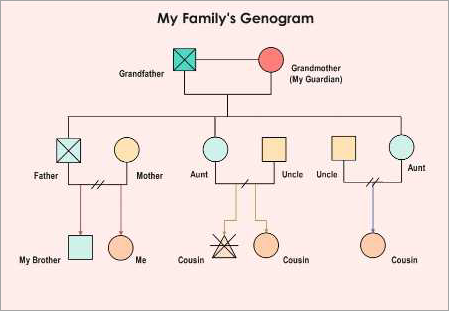
4. How is a genogram different from a family tree?
A family tree is a diagram that shows simple family relationships, while a genogram shows family relationships along with certain related information like emotional bonds, conflicts, medical history, social patterns etc.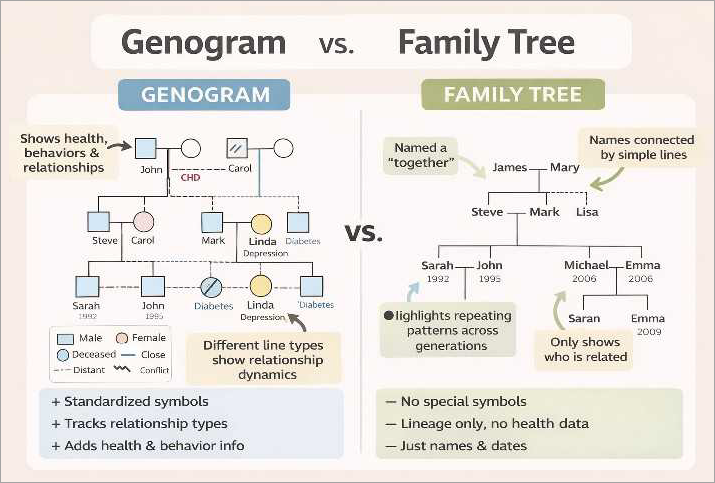
5. Is there a genogram maker for iPad/mobile devices?
Yes, many genogram makers support mobile devices. Like Canva, Creately, Qwoach, Venngage, Miro, Lucidchart, and many more.
6. Are there HIPAA-compliant genogram tools for healthcare?
Yes, certain genogram tools are HIPAA compliant for healthcare to ensure their users secure data protection practices. Like Genogram Analytics, Creately etc offer strong data-security features and compliance options suitable for healthcare professionals.
7. How to make a genogram online for free?
There are many free online genogram builders to help you make genograms free of cost. Like Creately, Miro, Venngage, Qwoach, EdrawMax, Family Echo, and many more.
Conclusion
Genograms help in turning family data into meaningful insights and actionable understanding. Choosing the best genogram depends on the purpose, budget, and the level of detail required.
Some genograms provide general design features, and there are some that provide advanced genogram-specific features. So it depends on the user’s needs whether you are a therapist mapping complex family relationships, a researcher documenting generational patterns, or an individual creating a personal family genogram.
There are so many online genogram makers free of cost; we researched and listed the top tools, each of which comes with a different set of features.
If you are a casual user and need to design simple genograms, then you may select Venngage, Family Echo, and Canva.
If you need a professional-grade genogram-specific tool, then you can go with GenoPro and Genogram Analytics.
If you need collaboration support, then you can select Canva, Creately, and Miro.
Our Review Process:
- Time taken to research this article: We spent 53 hours researching and writing this article so you can get a useful, summarized list of tools with a comparison of each for your quick review.
- Total software researched online: 43
- Top tools shortlisted for review: 10
Our Methodology: We researched thoroughly and listed the best genogram tools considering certain essential factors. Our research is based on factors including pricing, collaboration & sharing features, shapes and template library, interface, and so on.
Anyone, whether they are a beginner or a professional, can go through the list and find the best suit tool for their needs.
For more quick diagram-related guides, you can explore our range of tutorials below:
- Different Types of Graphs and Charts For Different Fields
- Best Mind Mapping Software
- Best AI Data Visualization Tools
- Data Mapping Tools Useful in ETL Process
- Visual Resume Tools and Templates To Create the Best Visual Resume
- Best Graphic Design Software Tools For Beginners
- Best Photoshop Alternatives
Was this helpful?
Recommended Reading
-

This is a comprehensive guide to the Entity-Relationship Diagram or ER Diagram including ER models, tools, symbols, examples and more: Entity Relationship Diagram (ER Diagram or ERD) is a pictorial or visual representation of classifying groups or entities of common interest and defining the relationship between these groups. Hence, a…
-
Learn all about Venn Diagram, how to create Venn Diagrams from scratch, and download free Venn Diagram Template: If you’re looking for a Venn diagram template, look no further. We’ve got the best downloadable and editable Venn diagram templates for you. A Venn diagram is an excellent and effective method…
-
This comprehensive guide to UML Diagrams explains what is a UML Diagram, its uses, and types, and compares UML vs ER Diagram: A UML diagram can be helpful to businesses and other individuals who wish to simplify the development process. Diagrams allow individuals to brainstorm ideas, make plans, and communicate.…
-

List of Best free and commercial Data Visualization Tools: Data visualization tools play a very drastic role in the Software Testing world. Data visualization encompasses designing and analysis of the visual representation of data. In today’s world, we are dealing with huge data where the need for data visualization software…


