


List of the latest and best Cross Browser Testing Tools for your website Browser Compatibility Testing on different browsers and Operating Systems:
Cross Browser Testing can be the biggest pain for any Software Tester. But thanks to all the cross-browser testing tools available online to help in minimizing the testing efforts. This post focuses mainly on Software Testers and Designers to learn various methods for browser testing.
There are many free and paid browser test tools available in the market. You need to select the browser compatibility test tool depending on your needs.
If cross-browser testing is a critical part of your web project then you must allocate some considerable time, resources, and budget for testing your website on different web browsers.
Table of Contents:
Cross Browser Testing Software: Market Trends
.
Cross-browser Testing Checklist:
What we need to test under browser testing:
#1) CSS validation
#2) HTML or XHTML validation
#3) Page validations with and without JavaScript enabled.
#4) Ajax and JQeury functionality
#5) Font size validation
#6) Page layout in different resolutions
#7) All images and alignment
#8) Header and footer sections
#9) Page content alignment to the center, LHS, or RHS.
#10) Page styles
#11) Date formats
#12) Special characters with HTML character encoding.
#13) Page zoom-in and zoom-out functionality.
You will have to repeat these tests:
#14) Different Operating Systems like Windows, Linux, and Mac.
#15) Different browsers (with different versions) like Internet Explorer, Firefox, Google Chrome, Safari, and Opera.
The premium browser testing tools can be a good option for projects having browser-dependent functionality. But for most projects, free tools are sufficient to verify cross-browser functionality.
Top Cross Browser Testing Tools
Given below is a list of all cross-browser compatibility testing tools available online for testing websites on multiple browsers.
#1) QA Wolf

QA Wolf is the new kid on the block and is a true modern testing tool for the entire team.
Without much name recognition yet, QA Wolf is a hidden gem gaining quick adoption with over 2,700 GitHub stars at the time of this writing. This testing tool prioritizes ease of use as its main differentiator and makes end-to-end test creation fast, simple, and powerful enough for everyone on your team to get involved.
Specifically, QA Wolf’s code generation engine is what makes this tool stand out and earn a spot on our list. As you browse a website, QA Wolf generates clean Javascript test code making it easy enough for anyone to create and maintain accurate tests. For more complex workflows, the test code can quickly be tweaked by developers.
Key Features:
- Create tests right from the browser – no installation or setup required. Getting started is super quick and painless. Just sign up for a free account, enter the URL you want to test and start browsing your test paths.
- Convert your actions to code. No writing boilerplate code or learning programming languages. QA Wolf generates clean Javascript code as you browse a website thereby enabling anyone on your team to create tests.
- Re-run the selected code. Don’t worry about re-running an entire test when you only need to fix a line or two of code. QA Wolf lets you re-run only the code you select for quick troubleshooting.
- Run tests on Vercel/Netlify deployments or on a schedule with one click. Create tests and have them run automatically whenever you want.
- Run 100% of tests in parallel. Receive test results in minutes regardless of the number of tests you’re running.
- Get Slack & email alerts. Keep the entire team aware of the test results sent right to your inbox or company Slack channel.
- Understand failures with videos and logs. Understand and reproduce failures quickly with a video, logs, and the exact line of code the test failed on.
- Re-run and fix tests directly from the browser. Don’t run the code locally or wait for another CI build. QA Wolf lets you fix and maintain tests right in the browser.
- Collaborate with your team in real time by sharing a link. Working with team members is quick and easy. Just invite them to your dashboard and start collaborating.
#2) TestGrid

TestGrid public cloud offers a combination of real devices & browsers to help users test their mobile app and website on the cloud while getting a 100% real user experience. Now engage your testing and business teams to build and execute test cases without any prerequisites of programming knowledge.
Using TestGrid’s cross-browser testing capabilities, you can make sure your end users are receiving the best user experience. While manual cross-browser testing requires time, TestGrid’s automated cross-browser testing allows you to build tests in a scriptless manner and have them run automatically across browsers in either parallel or sequence.
Features:
- Run automated tests on a combination of hundreds of real devices & browsers.
- Support for all the latest and legacy devices available at the time you need.
- AI-based no-code automation generating selenium & appium-based code.
- Performance testing to help you optimize & improve your website.
- Catch bugs and get them resolved on the go with integrations like JIRA, Asana, Slack, and more.
- Integrate with your favorite CI/CD tool for continuous testing.
#3) DevAssure
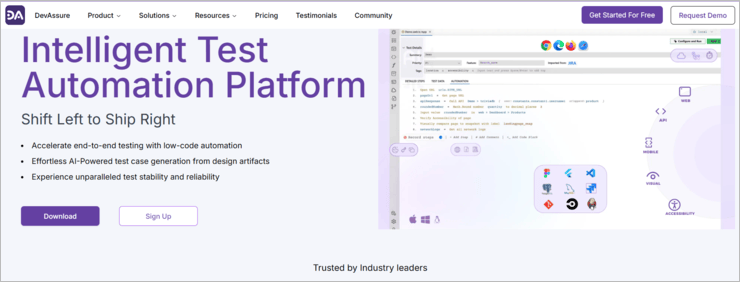
DevAssure’s Cross Browser Testing feature enables users to define extensive test environments with a variety of browsers, screen resolutions, headless modes, parallel execution options, retry settings, and timeouts. This flexibility not only optimizes the testing process but also enhances test coverage and streamlines development workflows, ensuring consistent performance across all browsers.
Key Features:
- Test Profile: Run the same test cases across multiple browsers by creating a “Test Profile”.
- Simplify Test Configuration: Organize test configurations into reusable profiles, reducing redundancy and streamlining setup.
- Ensure Consistent Testing: Guarantee consistent test execution across different environments and configurations.
- Enhance Test Coverage: Test your application on a wider range of browsers, resolutions, and execution modes.
Supported Browsers: Firefox, Chrome, Edge, Safari, Chromium, Emulator
#4) Global App Testing
Global App Testing is UK-based firm that uses the services of over 60000 vetted testers from around the world to test how an app performs on different browsers. They implement the best practices to facilitate continuous QA testing in a bid to ensure you are launching a high-quality product with little to no risk impacting its performance.
Features
- Functional and non-functional testing
- Real users testing your app on real devices
- Comprehensive reporting and analytics.
- On-demand QA Scaling
#5) Browsershots

Browsershots allow you to test a website in any browser and operating system. This is a widely used browser compatibility testing tool because of its features and available customizations.
You can run cross-browser compatibility tests with great customization options like browser type, operating system, screen size, color depth, JavaScript status, and Flash enable/disable settings. Just use your website URL, select compatibility test parameters, and submit the test request.
You need to repeat these steps for every test. This free browser compatibility test service can be used to make website screenshots from various browsers and operating systems. It supports 200 different browser versions.
The main drawback of this service is the time taken to display the result when you select several browsers and many times it shows a timeout error.
Supported browsers: Firefox, Google Chrome, Opera, Safari, SeaMonkey, Arora, Dillo, Epiphany, Konqueror, Lynx, Luakit, Rekonq, and Midori have many more browsers with all versions.
#6) Turbo Browser Sandbox

The Turbo Browser Sandbox allows you to use almost all the top web browsers without installing them on your machine.
You can run all popular browsers including Internet Explorer, Firefox, Chrome, and Opera on your machine directly from the web.
Spoon Browser Sandbox was initially a free service but it’s currently a premium service as it’s supporting most of the browsers.
#7) IE NetRenderer

This is a free online browser compatibility check tool to test websites on almost all versions of Microsoft Internet Explorer. Just select the Internet Explorer version from the drop-down list and put your URL to start rendering the website. You can instantly verify the screenshot of the page under test.
There is also an “IE NetRenderer” Firefox add-on available that allows you to render the web page that you are currently reading.
#8) Browsera

This is the best tool to test cross-browser layouts and scripting errors for your website.
This is an automated browser compatibility testing tool that is used to test a website and its elements in multiple browsers. You can use this service to test a website and all web pages for layout and scripting errors.
Features:
- Find layout problems
- Find JS errors
- Can test the entire website
- Dynamic page testing
- Can test pages behind the login password
- The best part is – installation is not required
#9) IETester


There are many options available online if you want to check the browser compatibility on Internet Explorer versions. IETester is one of those options that allows you to test your website on the latest IE versions at the same time using one application.
IETester, a free browser testing tool, can be used to test websites on IE11, IE10, IE9, IE8, IE7, IE6, and IE5.5 on Microsoft Windows 8 desktop, Windows 7, Vista, and XP.
#10) BrowserStack Live

BrowserStack Live is a mobile application and browser testing tool. You can test your website on 2000+ browsers, thereby making it one of the comprehensive browser compatibility tests.
You can test your website on Android and iOS real devices using their cloud platform. This tool is also useful for testing websites on different operating systems and real mobile devices.
Features
- No setup is required. It can start instant testing in the real device cloud.
- Covers 2000+ desktop browsers and almost all real mobile device browsers.
- Secure and private network.
- Interactive devices (no device lab or virtual machines).
#11) Browserling

There are certain tools like Browserling for interactive browser testing.
Top Features:
- It’s a LIVE tool to test your website on different browsers on real systems.
- Interactive testing is like you are testing on your computer browser.
- Access all the latest browsers
- Take and share screenshots with the team.
- Secure browsing
- Can test responsive websites easily.
- Browser extensions are available for Chrome and Firefox.
- APIs available
#12) Ranorex Studio

Ranorex Studio is an all-in-one solution for web applications and cross-browser testing. Automate tests for a broad variety of web technologies and frameworks including HTML5, Java, and JavaScript websites, Salesforce, Flash and Flex applications, and many more.
Ranorex even supports cross-domain iframes, elements in a shadow DOM, and hybrid desktop applications based on the open-source Chromium Embedded Framework (CEF) and the JxBrowser.
Suggested Reading => TOP Enterprise Browser Security Solutions to Look For
Features include:
- Reliable object identification, even for web elements with dynamic IDs.
- Shareable object repository and reusable code modules for efficient test creation and reduced maintenance.
- Data-driven and keyword-driven testing.
- Customizable test report with video reporting of test execution – see what happened in a test run without having to re-run the test!
- Run cross-browser tests in parallel or distribute them on a Selenium Grid with built-in Selenium Webdriver support.
- Integrates with tools like Jira, Jenkins, TestRail, Git, Travis CI, and more.
#13) Experitest

Automate your cross-browser testing by running Selenium and Appium tests on 1,000+ browser types, versions, and operating systems.
- Test on any browser
- Interact with your app in real time and debug it.
- Execute hundreds of tests in parallel.
- Integrate with your CI/CD workflow.
- Perform visual testing to verify UI responsiveness across different resolutions.
- Get visual test reports with screenshots, videos, and log files.
#14) Comparium

Comparium is a simple tool aimed at running cross-browser compatibility tests on different platforms. The service offers taking screenshots of web resources with different combinations of OS’s and browsers, comparing the obtained results in manual and auto modes, and running live-time tests for even better results.
Comparium facilitates your testing routine as it has all the minimal necessary tools in one place, thereby always implementing something new and adding new features.
Key Features:
- Screenshots from browsers are all collected in one place and you can easily compare them manually or in automatic mode.
- Automatic detection of visual incompatibilities by highlighting them.
- Support for all the latest browsers.
- Real-time testing offers you a connection to the desired browser and to any of the available operating systems, thereby checking your site without installing additional programs.
#15) LambdaTest

Test Your Website on a combination of 2000+ Browsers & OS.
LambdaTest is a cloud-based cross-browser testing platform that helps you perform compatibility testing on your web app or websites easily. You can run automated Selenium scripts on LambdaTest’s scalable cloud grid, or can even perform live interactive testing on real browser environments.
Recommended reading => Guide to Browser Testing with LambdaTest
Key Features:
- Run Selenium automation tests on a scalable Selenium grid having 2000+ browser environments.
- Execute automated screenshots and responsive testing of your website.
- Test your locally or privately hosted website using SSH Tunnel.
- One-click bug logging into your favorite bug tracking tools like Asana, BitBucket, GitHub, JIRA, Microsoft VSTS, Slack, Trello, etc.
- 24*7 Chat support
#16) Katalon Platform

Katalon Platform is the most popular Selenium and Appium alternative for cross-browser testing by 850,000 testers and developers.
Also offering scalable web, API, mobile, and desktop testing, some of the key features of Katalon Platform are:
- Compatible with the latest versions of Chrome, Firefox, and Edge.
- Headless browser execution support on Chrome and Firefox for faster feedback on performance-critical runs.
- Flexible tests migration from Selenium (Grid, Webdriver & IDE), Postman, and SoapUI.
- Minimal test maintenance with page-object model pattern.
- Self-healing mechanism to handle UI and code changes.
- Built-in integration with CI/CD (Jenkins, Azure Devops, CircleCI, Bamboo, TeamCity & Travis CI).
- Scale executions with cloud devices from Kobiton, Perfecto, SauceLabs, LambdaTest, and BrowserStack integrations.
- Advanced graphs to visualize essential metrics and real-time notifications after each execution (Slack, Git & Microsoft Teams).
#17) HeadSpin
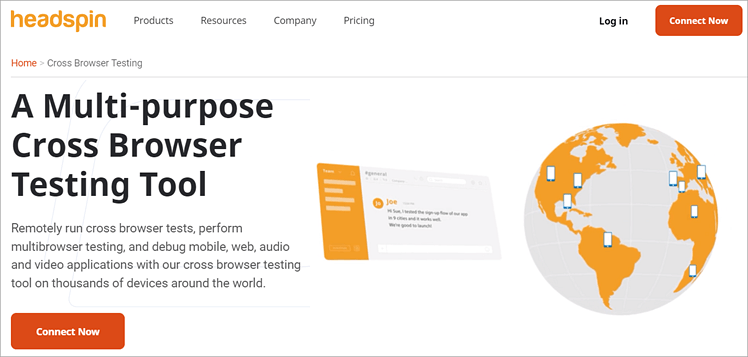
HeadSpin is a leading player in the cross-browser testing tool space, offering a flexible solution for enterprises. This omnichannel digital experience testing platform enables efficient collaboration among product, QA, engineering, and SRE/DevOps teams. With advanced data science capabilities, HeadSpin conducts tests on real devices across 90+ global locations, capturing essential Key Performance Indicators (KPIs).
Key Features:
- Seamless execution of cross-browser tests for Android and iOS applications.
- Multi-browser testing capabilities for web, mobile, audio, and video applications.
- Easy debugging with real-time insights into performance issues across various platforms.
- Automation of browser testing for enhanced product development efficiency.
- Integration with other tools and platforms for a streamlined testing process.
#18) TestComplete

Automate browser testing process for browser compatibility checks on different configurations and operating systems.
Features:
- TestComplete is a UI functional test automation tool that you can use to create and run tests on any web application.
- Run tests in parallel across 2000+ real environments – without any setup or configuration.
- Get real-time access to the latest devices, resolutions, browsers, and operating systems in TestComplete’s device cloud.
Choose from multiple programming languages, such as JavaScript and Python, or use TestComplete’s script-free Record & Replay function to easily create automated UI tests.
If you can’t rely on these online tools then using Virtual Desktop is the best solution for you. Using a Virtual machine you can simulate the live environment for multiple browsers and different operating systems.
You can use virtual machine software or set up a virtual machine on your office network with different operating system images and browsers which can be accessed remotely for browser compatibility testing.
Conclusion
We hope this post is helpful to know the best commercial and free cross-browser testing tools available online.
The selection of a good cross-platform tool depends on your requirement as each browser compatibility checking tool comes with its advantages and disadvantages.
Which test method are you using to test browser compatibility? If you have a way of testing browser compatibility, please let us know in the comments section below.
=> Contact us to suggest a listing here.
Was this helpful?
Recommended Reading
-

Comprehensive list of the best Software Testing Tools. Put an end to your search for the right Manual or Automated Testing Tool with this informative list: We are happy to present this exclusive list of the most popular QA Testing Tools that are available in the market. Get Ready To…
-

If you're a beginner, this post provides a comprehensive guide on how to do Cross Browser Testing. Cross Browser Testing is a type of testing to verify if an application works across different browsers as expected and degrades effectively. It is the process to verify your application’s compatibility with different…
-

In this tutorial, we have explained how to set up Selenium WebDrivers for the various browsers available in the market: Selenium only supports web-based applications and to open them we need a browser. It is able to support various browsers for test automation. In the current industry, there are only…
-
This tutorial explains what is a Headless Browser, its Advantages, Examples & Headless Browser Testing with Selenium. You will also learn about HtmlUnitDrvier: Over the past few years, we have seen the web being evolved from simple to highly advanced websites built with beautiful UI. In short, nowadays JavaScript controls…


Excellent article…Really helpful for testers
I tested browsers for myself to find the best one. I checked different browsers. For myself, I found out that one of the best browsers is Chrome and the Orbita browser from the Gologin company showed itself very well. In my opinion, they are one of the best.
This is very usefull for testers who have to test in different browsers….Great info thanks 🙂
This article is very useful to the testers, thanks bob.
thanks its really helpful
Please update me on my aaangel97@gmail.com.
Really helped by this article. We developers face many problems like css validation, speed, tests in different devices etc. This list make it easier to find the best tool and create 100% perfect website. We can easily achieve 100 pagespeed. Thanks for your effort.
My 2 cents in this forum. Appriciate the effort of compiling the details. Evenif it was copied, I don’t mind as ultimately it’s a knowledge spread.
My concern here is, most of this free tools are remote machines and there is definately a serurity risk when you want to test interactive web sites. For example we don’t want to publish our sales web site(having senstitive data) to outside virtual computers
The solution to this is to use paid tools. Now those paid tools also can give you the snap shot resuls only. What about the pages having reference data from somewhere else. For example your page have search utility and the search results can be anything? How to test the browser compatibity for different kind of results?
Now the solution of above problem is to use scripting tools(Test Automation tool) it means Actually we are looking for combination of Automation scripting tool and Browser compatibilty tool where we record the cases and run the scripts with different browser. Again we have an issue that the scipt recorded with IE can not be run in Other browser and vise versa. Any thoughts?
When you want to check more than just how the page renders and look at static JPGs of it, for example testing JavaScript functionality then there is NO substitute, certainly in the case of IE, for VMWare images for each copy. For other browsers such as Opera and Firefox then side by side installs are straight forward without the need for VMware images – unless of course you’re also testing other OSs…
Thanks a lot. I was looking for IE tester. Very useful site
plz send me the download link to download a software testing browser
A knowledgeable Collide it is . Thanks
Hi i just now started mannual testing in web testing i want to know the what is the career in web testing?
is their difference betn software testing & web testing?
minimun exp and skills require switch to automation testing.
please reply me
thank you so much for the article, good job
NICE LIST. THANKS SO MUCH. I HAVE used browserstack for 3 years and really loved it but it was a bit expensive though now switched to lambdatest and i am kinda loving it. however there are few more from the list that i haven’t tried. thanks again i am gonna try these too.
Good Good & Very Good article, but its copied, because i have already read this 5 months ago, & now u just copy edited it & then pasted.
sorry sir i m not criticize,just sharing my experience & now i do not remember that link 🙁
one thing more u can use above tools very well but these are not 100% reliable,because u have to manually check each & every page(putting URL).
so i think manual testing is much better than all above tools.
Thank You
Hi,
Very useful post, I didn’t figure that’s so much tools exist.
Thanks a lot.
Dominique
my mail id mageshnadar21@gmail.com
This topic is really very good and useful for all testing people….
Hi guys ,
I need ur help ,
I want to know abt DejaGNU tool , what are the things which should take in mind to take this tool for live project. Its adv & DIs ADV & suggest me similar tools.
Thanks in ADvance. !!!
Very knowledgefull article. thnx
Very useful website.
i am a fresher in testing so can some1 help me in getting a job as a trainee also if possible in good companies
I really find it helpful this content & useful content also Thanks for sharing this us coneful content for with us.
i am a fresher in testing and have experience of 9 month in can some1 help me in getting a job as if possible
my mail id id dhanwate.supriya@gmail.com
this really helped a lot us to find the best resource for our testing.
Hi,
My project is working fine when i use Firefox. When I use Chrome or IE, it fails 50% test as well as Headless Browser Testing. Please help me, If anyone knows the issue.
Hats off to you mate !! Brillient article. Thanks for sharing.
You should delete Browsershots as it hasn’t been updated since 2015. It doesn’t include the latest versions of the browsers. For example, it only includes Safari 9.1. The current version for Safari is 13.0.5.
I think several others on the list are also out of date — the screenshots look very old.
Have you actually visited all these websites to make sure they are still functioning and up-to-date for this January 2020 update?
Excellent piece of information. Thank you very much.
please update the browserseal link it opens some different irrelevant site
HI,
Can anyone let me know how i can test particular scenario by using any free testing tool.I have tried with browsershot tool .BUt it only provides the screenshot with diffrent browser.
e.g:
Login to gmail –>Enter username/pwd->login
How i can test these 3 pages navigation .
Please help me out ASAP.
Thanks in advance!
Hi,
I am looking for a tool that can execute the test cases in multiple browsers simultaneously. I know browserstack provides browsers but can’t execute the test cases simultaneously, can someone please let me know if they have used any such tools?
Excellent!!!
Thanks alot
good understandable n useful. thanks for sharing !!!
Very useful, thank you for sharing this.
Thanks for bringing this helpful content for us.. I read this helpful article and I found the best cross Browser testing. I really impressed by your content. I will visit this useful content also in future to stay updated with upcoming updates..
Thanks for sharing. Really helpful
Regards,
Vikas M.
hw to download these tool
Basically, how can i do stress / Load testing manually. plz inform me ASAP.contact me:pabitra_pradhan@rediffmail.com
You’re testing includes IE6? It’s before Windows XP, twenty years ago.
@SJ:- very well said SJ, and another thing is that you cannot preview your webpage at high or low resolution i.e. 95% or 90 etc.
I cannot trust the January 8, 2020 update for the “Top 10 Cross Browser Testing Tools In 2020 (Latest Ranking)” For one thing there are 12 in the list and several are out-of-date.
Many of the screenshots in this 2020 update show these testers are testing obsolete browser versions and obsolete platform versions such as Windows 7, Windows XP, Safari 3 or Safari 5, defunct Internet Explorer, and none indicate which versions of Mac OS X the browsers are running on.
Have you looked at Selenium? I’m not sure if it is truly valuable as I have only used it with Firefox, but I would think that if you could output that script, you could tweak it to run with other browsers. I use it for Sanity checks ALL the time.
I have emails with gmail and outlook but headspin will not let me use any of them
This is very helpful
thanks
Actually no tool is full proof and reliable, but you get best idea where to focus more on.
This is an excellent work!! Very much helpful !! Thanks a lot and keep up!!
Thanks … Really helped me.
Hi,
My project is a web based project and it supports for different browsers: IE(6,7,8 & 9) and Mozila Firefox and operating Systems: WinXP, WinVista, Win2003 & Win7.
I am doing compatibility testing manually. This time i have gone through some free tool for this type of testing in the website. It is difficult for me to decide whic his good for our project as i am new to all the tools.
Can anyone please help me out of this problem.
Thanks in advance
Contact: amitamohapatra@gmail.com
Brilliant piece of information.Thanks for sharing
Very Useful!!!!!!
Thanks a lot….
Its very informative..great work!
iam getting errors in browser compatability test in selinium how to do plz help me
@Vijay: Man You seem very clever….lol
But finally i need your help…currently i m working on a downloading portal with strong SEO & content…plz help me how to test a website which having a 100% influence of SEO..& how to test this kind of site..Manual or Automation.
Waiting for your feedback.
Thanx vijay sir! for share this list…
i faced a question in an interview ” can u write negative test case for GUI ?”…..i need answer of this question with example
@ jebb
All tools come with their own advantages and disadvantages. It depends on individual requirements whether to rely on those or not. I agree for in-depth browser compatibility tests, free tool is not a good choice.
Thanks for the info.. Indeed its helpful!!
Good info. Browserstack is another popular paid tool we use at our workplace.
new topic for me and i learn something
It’s a very good information to the test engineers .
Thanks for providing information.
simply super!
great compilation, really helpful for me.
We manual verify website in different browsers which are mostly used by our customers and we get that data from google analytics.
thanks Poorab
Actually it took me almost 4 hours to compile this list. I personally used most of the free tools and tried free trial versions of paid tools. So no doubt this is the best comprehensive list to check for cross browser testing tools.
Getting browser data from Google analytic can work to some extent. But it’s always safer to cross check website in all major browsers available in market.
Nice list. You’ve missed some popular tools like sauce labs & browserstack. In fact many of the tools that appear on googling “cross browser testing tools” don’t appear here.
Great site. I also think open source testing tools based on Selenium project are great for cross browser testing. I have tried PushToTest’s tool called TestMaker, and found it to be really useful.
Very useful, thank you for sharing this.
thanks for briefing the key points and providing with the basic idea. Testing is the key to accelerate the release process and a successful project. While working on several projects an unsuitable choice can lead to number of challenges. So, one must be way rational while choosing an automation tool. Every decision-making process produces an outcome that might be an action, a recommendation, or an opinion. So QA manager must be way rational while choosing an automation tool .
Great Work mate! Excellent article and really helpful.
Cheers!!
It’s a very good information to the test engineers .
Thanks for providing information.and also can u provide manual testing
I usually use browser shots to check my site for bugs in different browsers. For me it is the best tool till now. I will give Spoon a chance.
very useful forme…..
Thank you very much
I want free unlimited manual cross browser testing anyone found that yet, I have been searching for months.
Imperative from both expert & learner point of view. There are many client components that can yield different results based on the web browser they are run in, such as Applets, JavaScript, Flash, AJAX requests, and the list goes on. For anyone who desires to have a professional looking website or application, Cross Browser Testing is essential.
Some of the free cross browser testing tools are not reliable
very very thanks to site for this .it realy useful and advanc knowledge .
great and very nice piece of work.
Very nice compilation.
I am making a application to monitor web traffic and need to make a report on the scalability and performance of the UI .
Can you please help me with the parameters i should test and points which should be considered in testing a UI which should display a lot of data.
contact: saral.gaurav@gmail.com
Great list but i have used some of the tools that are not in the list like browwserstack and lambdatest. Hope you guys will also like them
This summary is really helpul for me. Bix Thx.
Hoewer I have a question which is becoming critical for me.
The web sites we are using is available for dedicated users only. Means, that you have to be logged on to use the web sites to ba able to use them.
How can test this kind of web pages? how can I log in within browser test tools?
Thanks in advance.
Robert
email: roberto@webdream.hu
Hi, I think I am a few years late to join the party. Nevertheless you may find our tool webmate interesting if you are looking for cross browser testing tools. We do automated layout testing with side-by-side diff, regression testing between different URLs, and provide direct access to the machines via VNC.
Best, Michael
can v automate security related testing
i am purely in software development, but i want to switch to software testing. Is it possible. I do know about software testing, with no practical experience. Can i do that????
Can anyone suggest a good tool that will allow me to do crossbrowser testing and supports mobile testing. I’ve piloted a Sauce and Browserstack but my security team will not allow tunnels. Is there a good software available for purchase/download?
u have just proved ur experiance… thank u..
Hello Poorab,
can you please explain ” we get that data from google analytics.” how does we get dat from google analystics , i know the GA ( google analytics) I am working on that ,
thanks,
Jaya
thanks for giving this information.
This article is exceptionally valuable and informative. Much appreciated.
Regards,
Venessa Serrao
it’s vry useful information… thanks
I cannot trust the January 8, 2020 update for the “Top 10 Cross Browser Testing Tools In 2020 (Latest Ranking)” For one thing there are 12 in the list and several are out-of-date.
Many of the screenshots in this 2020 update show these testers are testing obsolete browser versions and obsolete platform versions such as Windows 7, Windows XP, Safari 3 or Safari 5, defunct Internet Explorer, and none indicate which versions of Mac OS X the browsers are running on. Are any of these rated tools actually current 2020 applications?
Doesn’t anyone know of any “free” tools? Sheesh….I can’t afford this crap. it’s getting ridiculous.
i am a fresher in testing so can some1 help me in getting a job as a trainee also if possible
hi
this information provided in the site is really helpful and the cross browser testing explained nicely
Hi, I’m a regular reader of this site. This is very useful information for brower testing.
wht about selenium grid?
Great Work Sir! I’m really thankful to you for sharing this information………..
Thank You very much Friend. its very use full to whom become a good tester in society.
a. How can we implement these test cases in our projects in real scenarios?
b. Which test cases should be tested by developers and which test cases should be added by the testers?
c. I am very much interested in knowing about Stess testing part as our project Roam4Less.com is having many issues related to this. Please let us know more about Stress Testing.
This is a wonderful list. It will be of great help to my work.
figured it out. thanks for your help everyone.
Hi,
My project is localisation project and I need to test on browsers Firefox 40.0.2
Chrome Version 44.0.2403.157 m
Internet Explorer IE 11
on windows 7 os. and also on mobiles
Samsung Galaxy Note 3 4.4.2
iPhone TBA
Sony Z3 Compact 5.1.1
can you please help what tool can I use to do crossbrowser testing. I am planning selenium webdriver. Is this good to test everything that is needed by me. I am new to selenium and learning now.
Try Sauce Labs it doesn’t have unlimited testing but at least it free…
The current approach thatw e employ for the cross browser testing is that, we employ OATS on the test suite and then do the regression testing in just one browser. Then we do just link validation of the application in various other browsers, for which we employ several link checker tools such as the xenu tool.Request your inisghts on the adopted approach.
We recently launched a service where you can test your website on multiple browsers at once, automatically. At testingbot .com you can easily test your site on dozens of browsers via Selenium.
It’s a very good information to the test engineers .
Thanks for providing information.