Generate stunning AI videos and images in minutes with Pippit AI. Unveil the exclusive performance and usability of the Pippit AI video generator from our hands-on review:
I’ve been on a mission lately, trying out as many AI video and image generators as I possibly can in a very short span of time.
Pippit AI was the latest tool I had the privilege of testing, and I must say it was an experience worth writing about… hence this hands-on review.
Pippit AI first caught my attention when I heard it was backed by the same folks behind CapCut, which is and always will be one of my favorite editing solutions.
Tested Pippit AI Review: Is This Video Generator Worth It
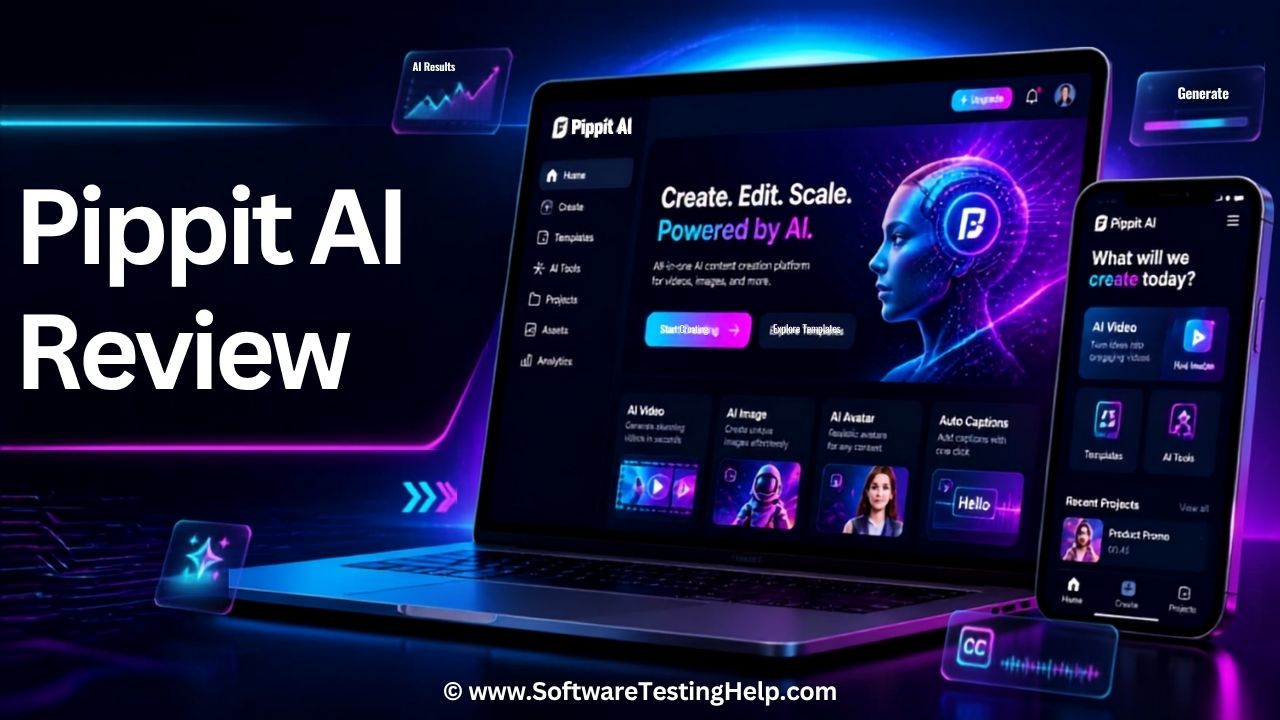
After experimenting with numerous AI generators recently, I was eager to see Pippit AI’s performance. I had an answer immediately after testing the platform thoroughly.
I believe the best way to actually share my thoughts on it would be via a hands-on review. Therefore, here we are.
Quick Summary
Pippit AI is an AI content generator developed by ByteDance, the same company behind TikTok and CapCut. It is a tool specifically designed to help create marketing videos or promotional content.
It is best when used for creating short-form videos, images, and AI avatars. It lacks fine-tuning capabilities and isn’t suitable for professionals who also want a traditional editor with an AI content creator.
Pippit AI Company Overview
Pippit AI is an AI-powered content creation tool. Compared to the AI content generators we have today, Pippit AI is a very new tool. It was launched in early 2025 by ByteDance, the same company behind CapCut and TikTok. The platform’s core capabilities stretch far beyond simple video and image generation.
Pippit AI was formerly known as CapCut Commerce Pro. However, ByteDance changed the name to avoid any confusion with the popular video editing software. Based on my experience with the tool, having used it for almost a month, I would grant it a respectable score of 4.5/5.

After spending a couple of days on the tool, it became more than apparent to me that the platform was tailor-made for content creators, social media marketers, and e-commerce enterprises.
The platform is ideal for creating short-form marketing videos, product images, talking avatars, ads, and social-media-ready content.
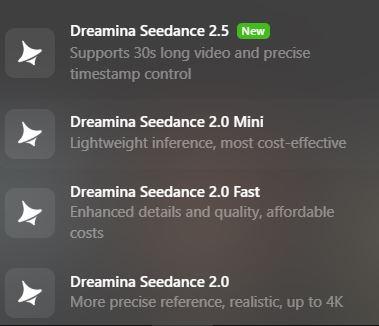
One could also describe Pippit AI as a multimodal content generator, as it leverages advanced AI models for video and image generation. Some of these models include Seedream, Seedance 2.5, and Nano Banana Pro.
Pippit AI Features
What makes or breaks an AI content generator ultimately boils down to the features it harbors. Pippit AI is no exception. Here are prominent features that add to Pippit AI’s unparalleled charm, of course.
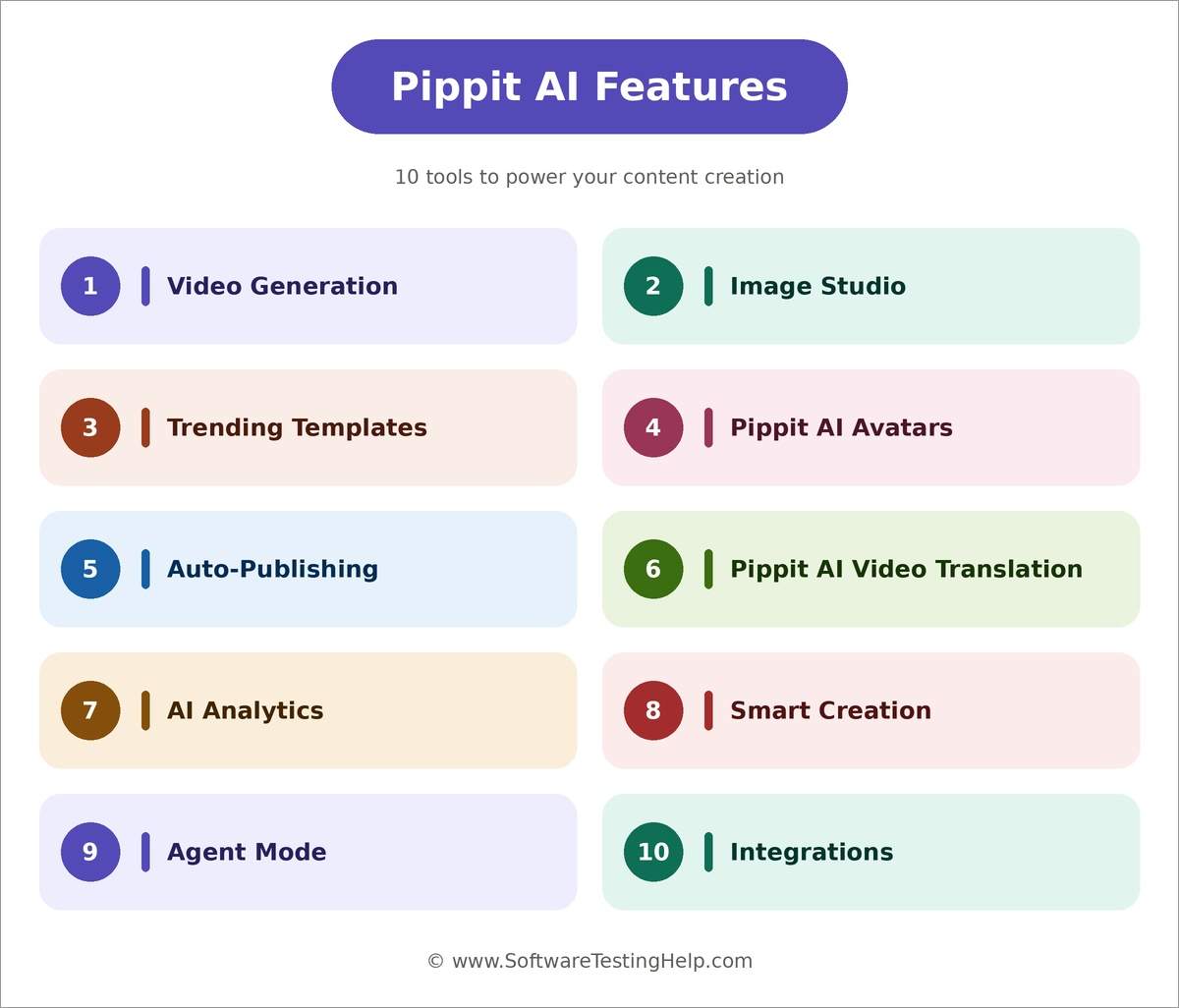
#1) Video Generation
Similar to many of its contemporaries, yet somewhat distinct, is how I would describe the Pippit AI video generator. You can generate high-quality videos within seconds via not only text prompts but also by using links, images, and other video files for reference.
It is one of the best of its kind as far as image-to-video, video-to-video, or URL-to-video generators are concerned.
Here’s how you can use the platform to generate videos:
- Launch Pippit AI in your browser
- Select Video Generator from the left-hand-side menu.
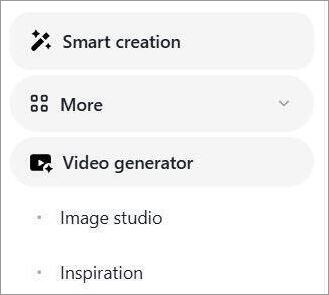
- For this guide, I uploaded three reference video files and entered the following prompt: (Create a TikTok marketing video using the following media).
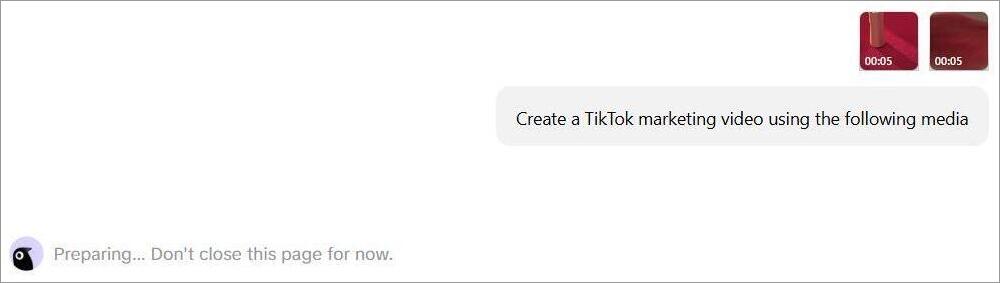
- Choose an AI model and specify the resolution, language, aspect ratio, and duration of the video.
- Hit Enter to have the file generated.
It took Pippit AI under a minute to deliver a result. You can have the AI perform further edits to the video in the resulting chat window by describing what you want in plain English.
If you intend to create marketing or promotional videos, you could just skip the entire process and use a template.
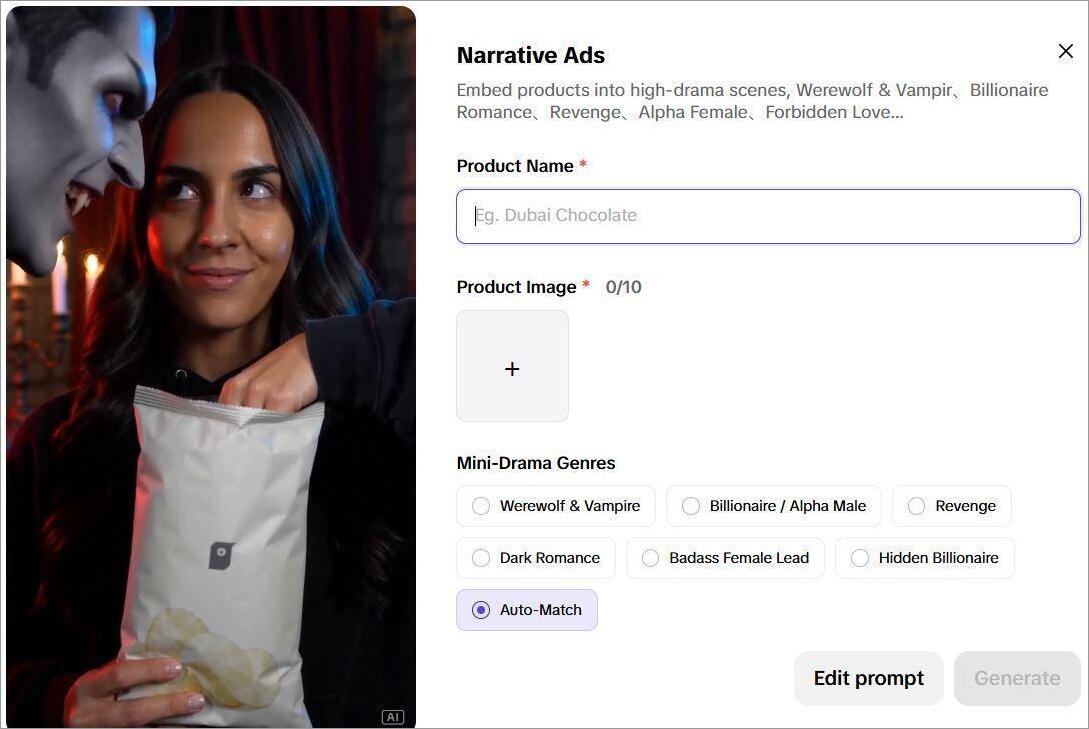
For instance, you could just upload your product’s image, add a prompt, and then select a theme or template to create a nice little narrative ad.
#2) Image Studio
Pippit AI is just as good at generating images as it is at creating videos. I asked Pippit AI to create an image of a tabby cat performing kung-fu in a Shaolin temple, and you can see for yourself what the result was.
That is not where Pippit AI’s generative capabilities end, though, especially for images. It works best when designing product images or social media posts.
Here’s how to use Pippit AI for product designs:
- Open Image Studio and select AI Design.
- Upload the image of the product you wish to transform.
- Describe what changes you want to create a compelling brand poster.

- Adjust aspect ratio, select resolution, and hit enter.

Your brand poster will be ready within minutes. You can have the AI product photo generator perform further edits to polish the design. This means background removal, image upscaling, or adding an AI background.

There are a dozen or so ready-made templates available so you can save time in creating text or product posters. You can create designs that are social-media ready. For instance, if you wish to create an Instagram ad, Pippit AI will create one for you that’s ready to be posted on Instagram without requiring any further edits from you.
#3) Trending Templates
This is a great feature, especially for enterprises, e-commerce businesses, and marketers who like to promote their products on TikTok. The platform showcases trending videos on TikTok. The platform can use these videos as smart templates to create a video that is similar in style and script.
Simply select “Inspiration” > Trending on TikTok, select a video as your smart template, and choose” Generate videos in this style.
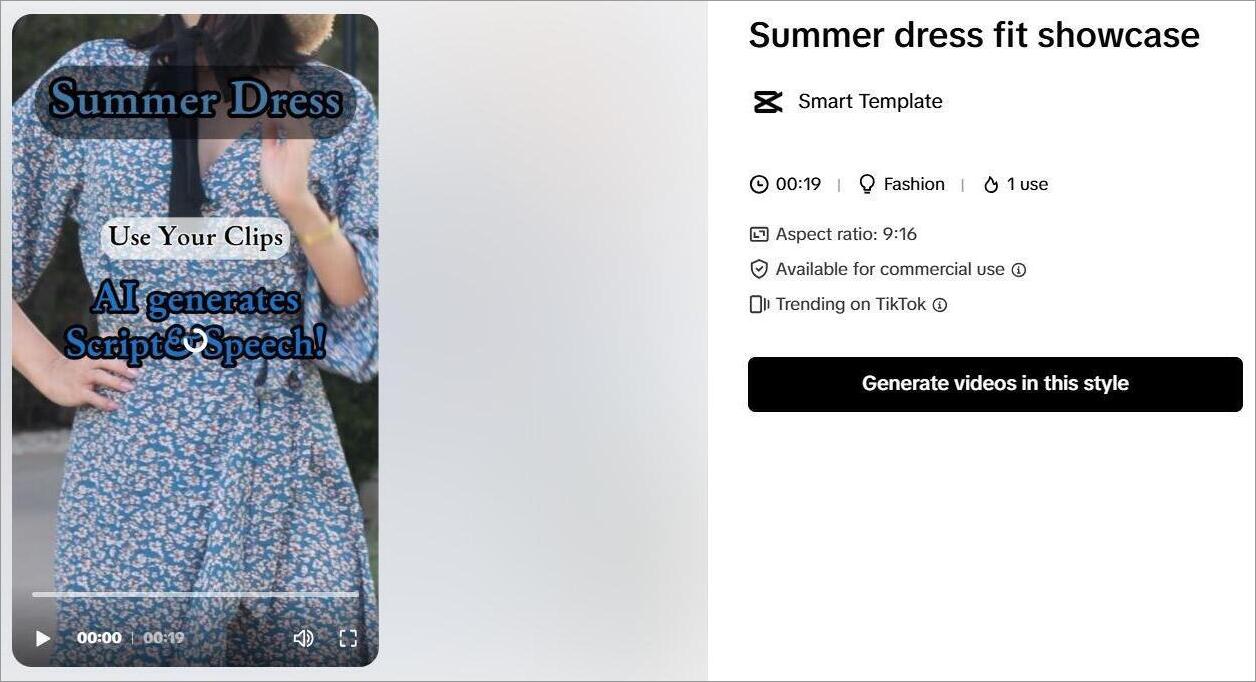
Those who want Pippit AI for e-commerce, Shopify, and TikTok Shop will be satisfied with this feature.
#4) Pippit AI Avatars
This is one of Pippit AI tools’ most endearing features. You are provided with more than 80 realistic/animated avatars to use in your videos or have them serve as your brand’s mascot. They look and sound natural and realistic enough.
You can choose from the avatars available or create one from scratch by uploading an image. The same applies to the voices. You can generate a voice from a reference or select one from the library.
Here’s how you create an avatar:
- Select your Avatar
- Write and edit the script you want them to speak.
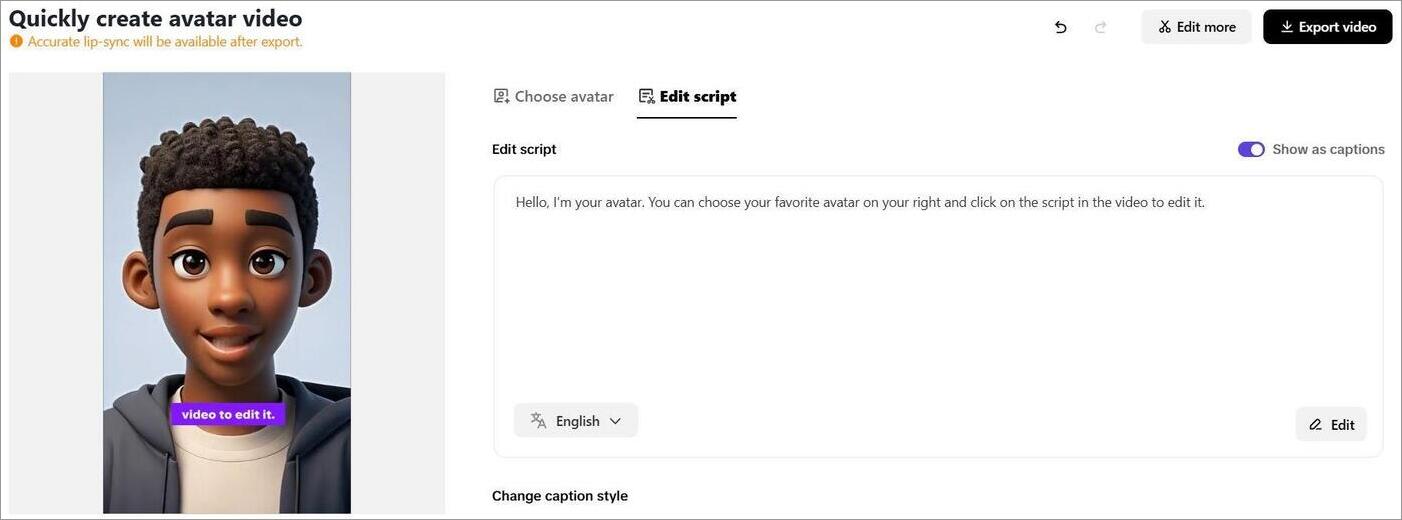
- Select a voice and choose a language.
- Once done, hit generate.
You can choose to preview the created Avatar on TikTok before you choose to export the file. I believe these avatars serve their purpose really well when used in marketing videos, product demos, or tutorial videos.
#5) Auto-Publishing
This is another great feature, and one that would serve social media teams really well. Besides creating posts, you can schedule and upload them to various social media platforms directly from the Pippit AI interface.
You can link Pippit AI to Instagram, TikTok, and Facebook. With the posts ready, you can schedule their publishing on the Pippit AI-built-in calendar. This way, the posts will be published automatically at the time and date you’ve specified.
#6) Pippit AI Video Translation
Another great feature, and one that can help businesses catering to a global customer base. Let’s say you have an ad video in English that you want to publish in South Korea. You can simply use Pippit AI to have the video translated.
- You start by uploading the video for translation
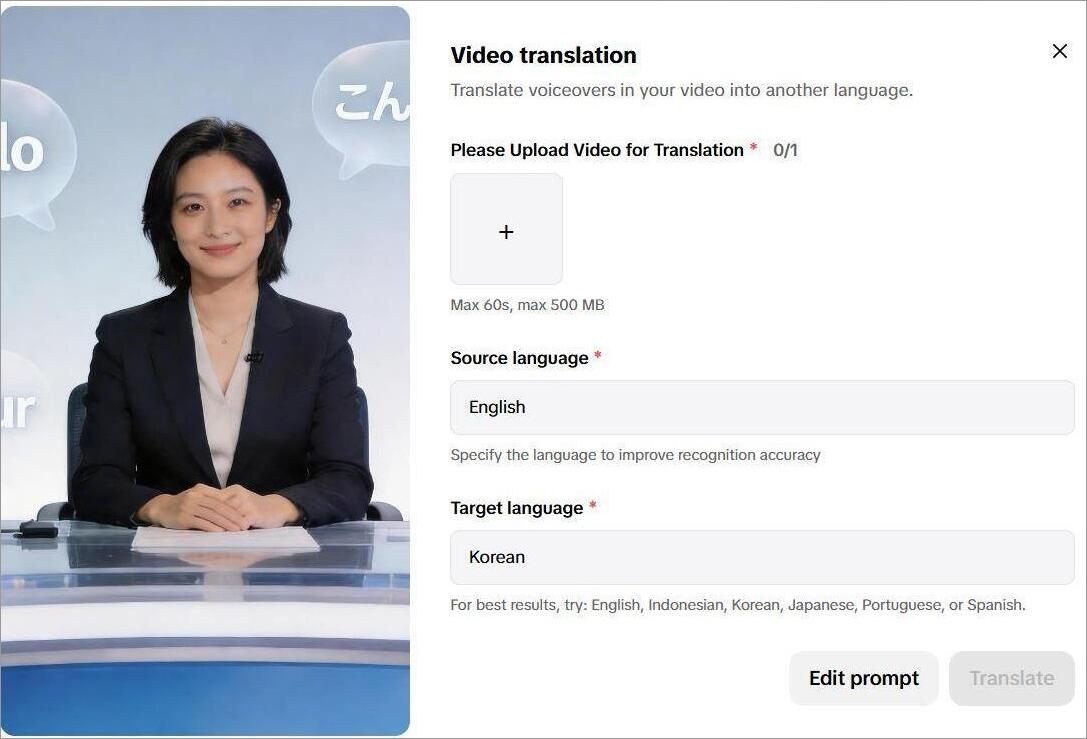
- Specify the source and target languages
- Hit the generate button.
Although Pippit AI supports major languages worldwide, I think it delivers the best results when translating into English, Indonesian, Korean, Japanese, Portuguese, and Spanish.
#7) AI Analytics
This is the feature that makes Pippit AI ideal for marketers. It goes beyond AI content generation by offering built-in tools to track the performance of your published videos or images across various platforms. It showcases the views, engagement, and conversations your posted content managed to garner in real-time.
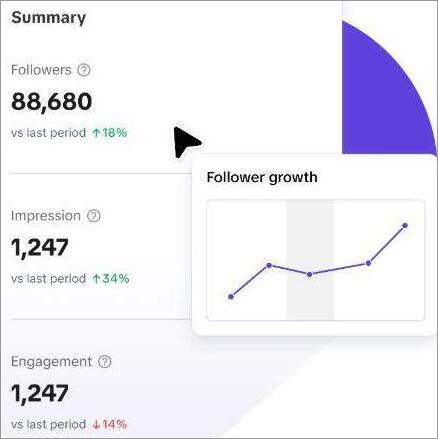
A marketer or members of the product team could use the information Pippit AI delivers to understand what worked and what didn’t with their campaign. This information could prove useful in devising a strategy that works in the future.
#8) Smart Creation
If you’ve been chatting with Pippit AI models for more than 7 days, perhaps you could try using Smart Creation to save yourself some time and effort. With Smart Creation, Pippit AI takes your chat history into account to auto-create content.
If your business creates the same kinds of posts or follows a strict team structure for campaigns, this feature can be a lifesaver.
#9) Agent Mode
To make things even more convenient, Pippit AI has another feature called Agent Mode. It basically facilitates the autonomous creation of content where you do the bare minimum. In Agent Mode, you can rely on the software to streamline the entire production pipeline.
This would entail creating a structured script, planning the visuals, and ultimately generating the content. You can use Agent Mode to let Pippit AI handle all the heavy lifting, starting from scene generation to planning transitions and music.
#10) Seamless Integrations
Pippit AI facilitates seamless integration with various e-commerce and social media platforms. You can have the platform integrate directly with TikTok, Shopify, TikTok Shop, Amazon, Instagram, etc.
These integrations can help you fetch images or product information directly from the above-mentioned e-commerce stores. These visuals and information can later be used as reference material for content generation.
Integrations with Social Media platforms can help with auto-publishing of content once generated.
Pippit AI Pricing
Like many other AI content generators, Pippit AI also adheres to a credit-based pricing system. You’ll exhaust credits every time a video or image is generated. The number of credits you get will depend on the plan you picked.
Here’s a breakdown of Pippit AI’s cost:
- Starter: $12/month – 2100 credits
- Plus: $36/month – 6700 Credits
- Pro: Starting at $90/month – 17600 credits
If you are a small enterprise or startup, then I believe the starter plan will suit you the best. If the number of marketing campaigns is vast with a huge volume of work, you’ll need as many credits as you can get, and that is only possible with the expensive Pro plan.
If you do exhaust credits, there is an option provided to purchase them separately.
Here’s a breakdown of credit consumption so you know what to expect:
| Action | Credits Spent |
|---|---|
| Video Generation | 50-100 Credits for 30-60 second videos |
| Image Generation | 2 Credits per image |
| Avatar Creation | Varies depending on output quality and resolution. |
As you can tell, the credits you ultimately end up spending largely depend on how complex your task is. Avatar creation and generating content using Smart Mode will end up costing you a lot more credits as opposed to generating a simple image.
There is also a free plan that you can use with some obvious downsides. For example, there will be a watermark on the content being generated. Plus, you are going to notice lags and speed issues in processing.
UI and Output Quality of Pippit AI
Right off the bat, let’s just say that I adore Pippit AI’s user interface. I was taken aback by just how simple and minimalistic its look was, which helped with navigation. The tool is made more accessible and beginner-friendly because of its plain look.
The video generator also works great. It does a good job of generating results from different inputs. Editing is where you are going to be disappointed. Unlike a traditional editor, the platform cannot help you when it comes to editing the finer details on a project. Don’t expect much from the free plan, owing to the watermark and abysmal export quality.
The platform is best when churning out short marketing videos and ad narratives rather quickly. If you want a professional, polished video generated in no time, this is the tool for you.
Pippit AI’s Pros and Cons
| Pros | Cons |
|---|---|
| User-friendly and simple interface. | The credit-based pricing system can confuse folks. |
| Auto-creation of videos by reference to chat history. | The results aren’t always consistent in terms of quality. |
| AI-avatar generation. | Watermark and poor export quality with the free plan. |
| Supports multiple languages. | Not suitable for fine-tuning editing. |
| Hundreds of video and image templates. | |
| Auto-publish content to TikTok, Facebook, and Instagram. | |
| Built-in analytics. | |
| Super-fast generation. | |
| Uses advanced AI models like Seedream and Seedance |
Who Should Use Pippit AI?
I believe Pippit AI can help the following professionals and businesses:
- Digital Marketers, Designers, and Freelancers: Creating narrative ads, social media campaigns, product demos, and branded posters.
- Marketing Agencies: Produce videos and images at scale to handle a huge volume of clients.
- Content Creators: Create reels, shorts, and TikTok videos within minutes.
- E-commerce businesses: For creating and directly publishing product visual assets across social media.
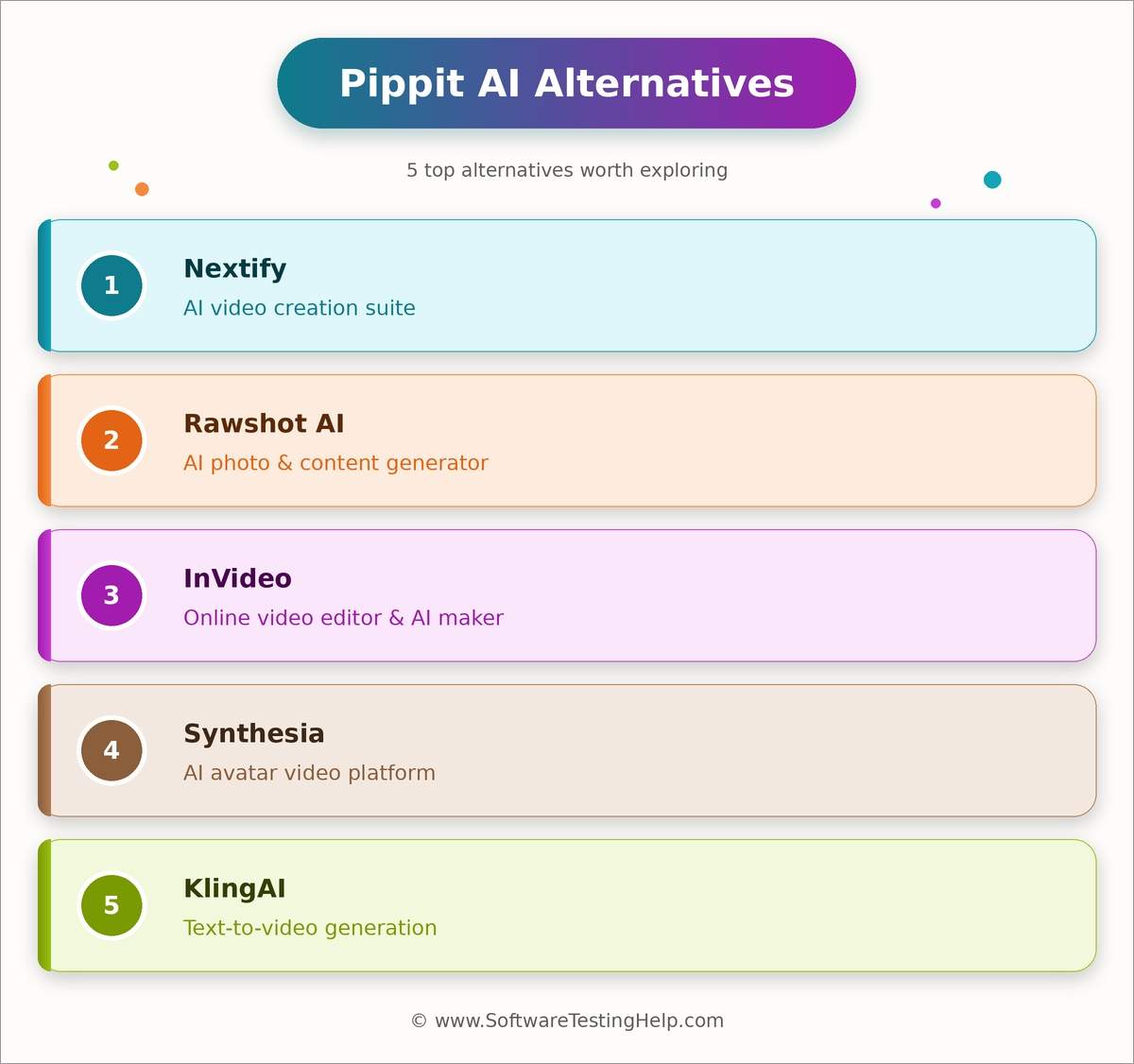
List of the Best Pippit AI Alternatives
Enlisted below are some of the top alternatives to Pippit AI:
- Nextify
- Rawshot AI
- InVideo
- Synthesia
- KlingAI
Pippit AI Vs. Alternatives: Comparing Top Pippit AI Competitors
| Name | Best for | AI Models Used | Mobile App | Price |
|---|---|---|---|---|
| Pippit AI | Marketing video generation and AI designs | Seedream, Seedance, NanoBanana Pro | Android and iOS app available | Starts at $12/month |
| Nexitfy | Ads generation | Sora, Kling, VEO, NanoBanana Pro | NA | Starts at $24.42/month |
| Rawshot AI | Fashion photoshoot generation | Uses its own proprietary model | NA | Starts at $9/month |
| InVideo | Clips and Cinematic Content | Sora Veo | iOS and Android App available | Starts at $17/month |
| Synthesia | AI Avatars and Voiceovers | Express-2 AI | NA | Starts at $18/month |
| KlingAI | Cinematic content | Uses its own proprietary model | NA | Custom Quote. |
Detailed Reviews:
#1) Nextify
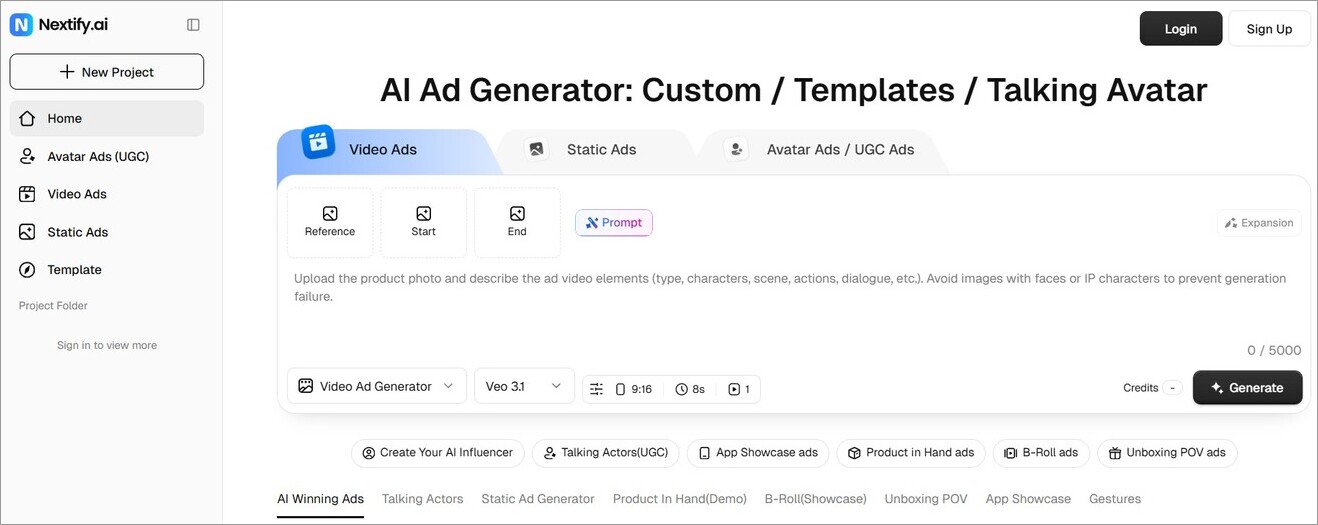
Nextify is as close to a competitor an AI generator out there will get to Pippit AI. It is primarily used for ad generation. It is great at creating static, video, avatar, and UGC ads with simple text prompts. The platform stands out for its template gallery and processing speed.
Price: Starts at $24.42/month
Website: https://www.nextify.ai/home
#2) Rawshot AI
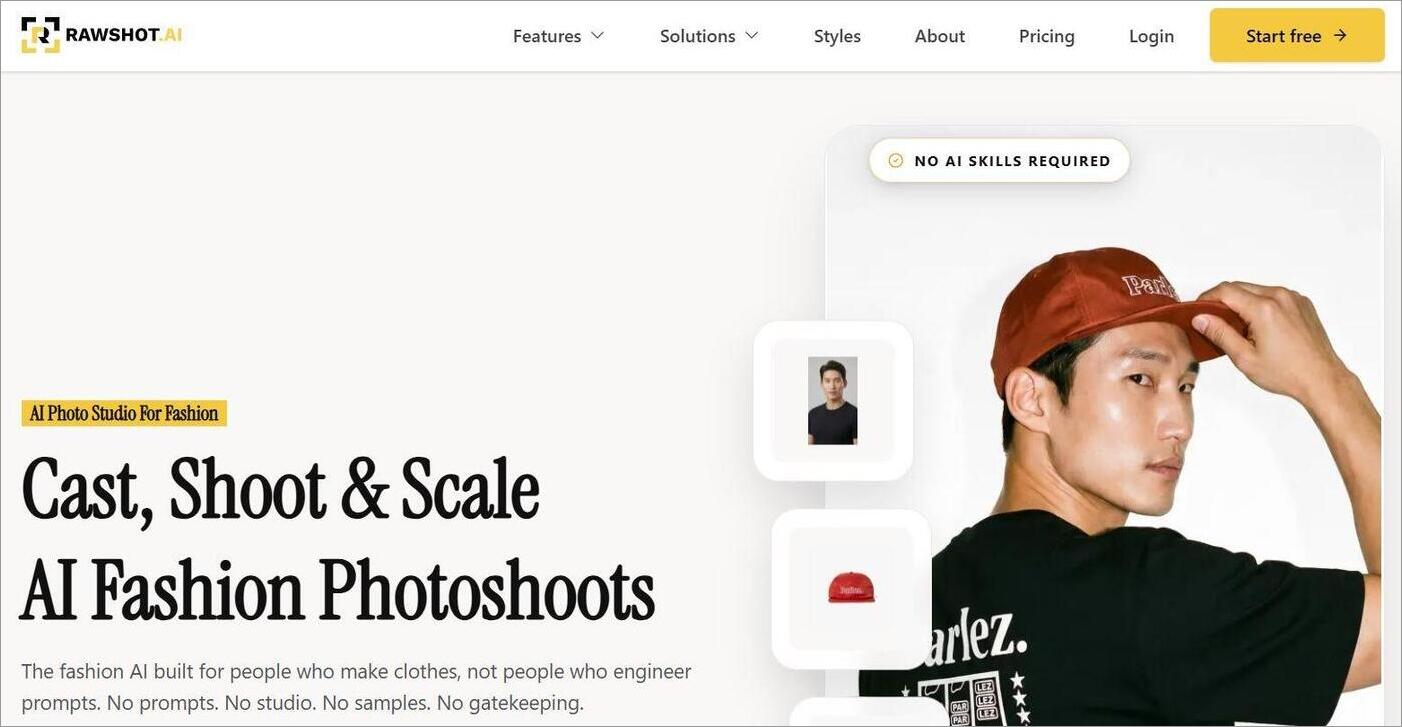
If you are in the clothes business, this is the platform for you. Rawshot AI can generate studio-quality photoshoots to spruce up any billboard. You can rely on it to get everything from framing to pose and aspect ratio right for a compelling fashion-driven photoshoot.
Price: Starts at $9/month
Website: https://rawshot.ai/
#3) InVideo
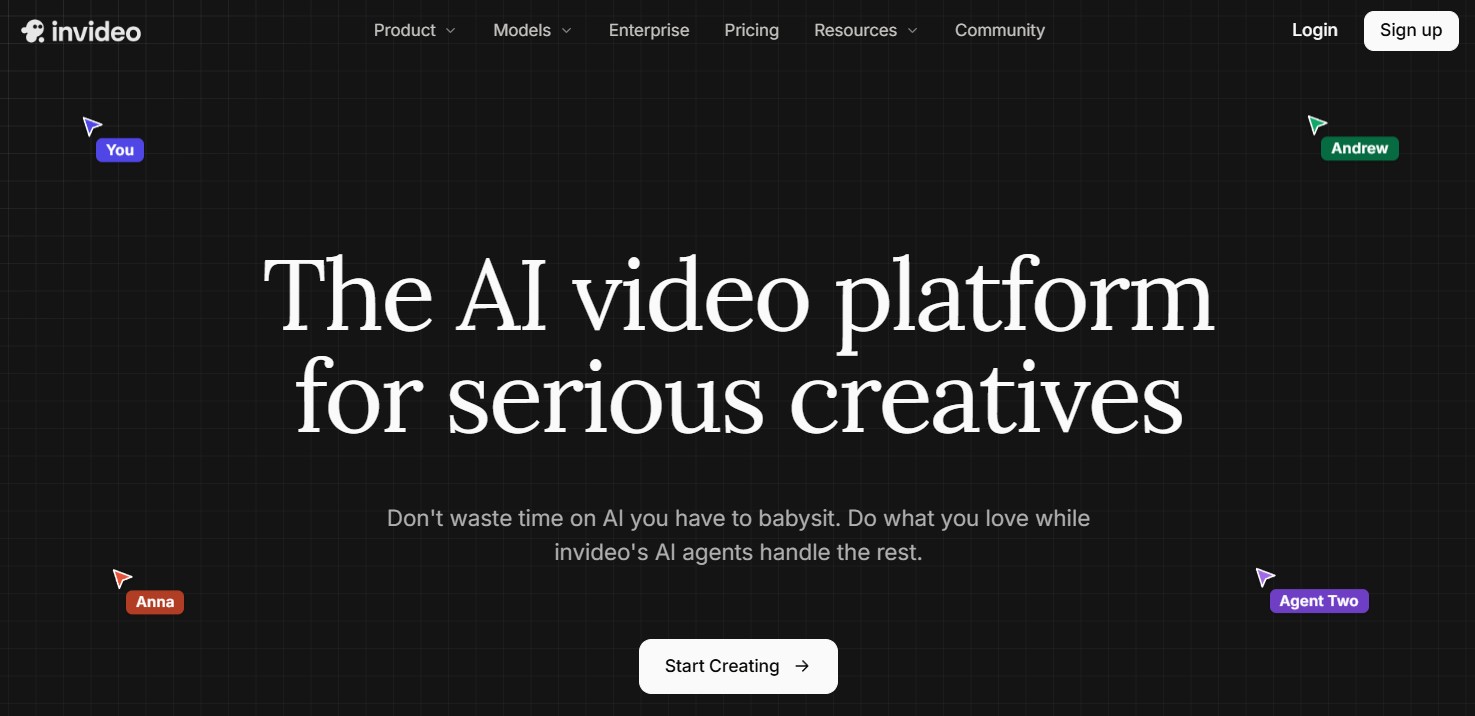
Unlike Pippit AI, InVideo caters to artists rather than enterprises or e-commerce stores. You can use it to generate clips, videos, and cinematic content that looks amazing. It uses advanced AI models like Sora and Veo to bring your vision to life.
Price: Starts at $17/month
Website: https://invideo.io/
#4) Synthesia
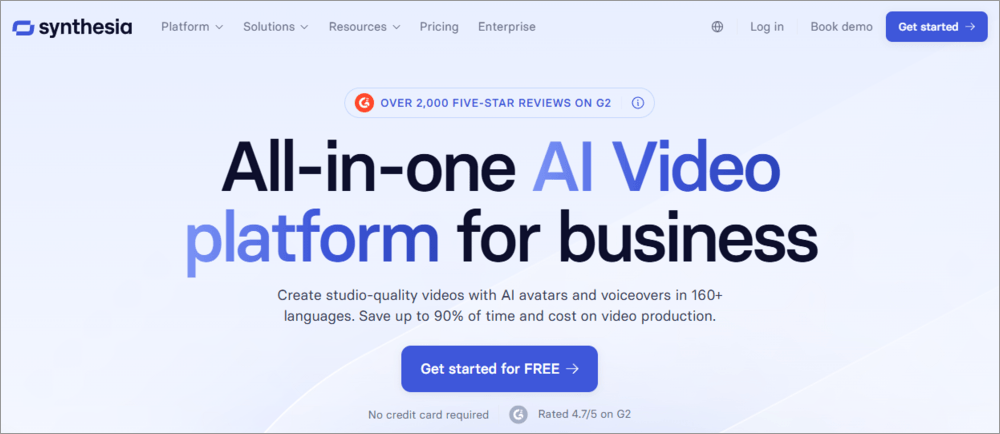
With Synthesia, you get an all-in-one AI content generator. You can use it not just to create videos but also to edit and collaborate on video projects. The platform’s strength ultimately lies in generating avatars and voiceovers.
Price: Starts at $18/month
Website: https://www.synthesia.io/?r=0
#5) KlingAI
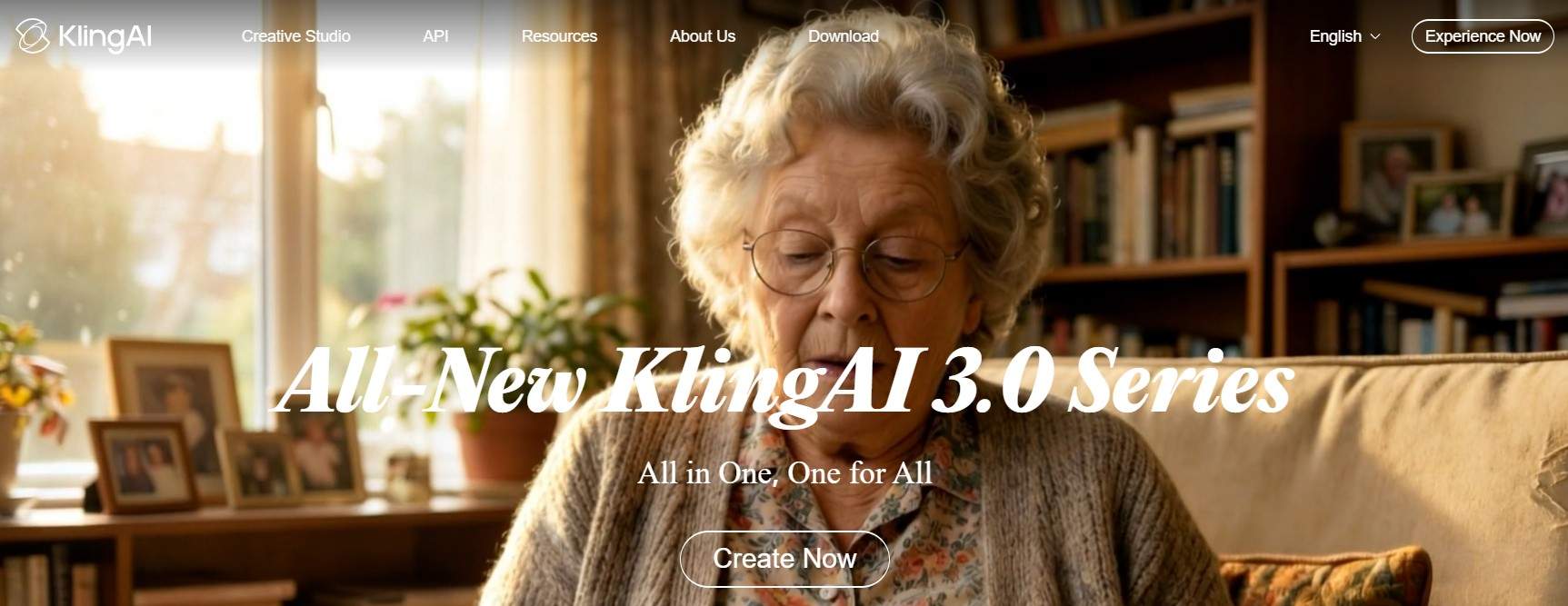
KlingAI is an enterprise platform that can help you generate cinematic-quality videos. It is built on an upgraded architecture, and as such, is capable of creating visuals that look hyper-realistic paired with exceptional vocal tone. It can deliver native 2K/4K output with smooth color transitions and richer texture.
Price: Contact for quote
Website: https://kling.ai/
Frequently Asked Questions
1. What is Pippit AI?
Pippit AI is an AI-powered content creator for image, video, and avatar generation. The platform, with its rich template library, was tailor-made for e-commerce enterprises, marketers, and content creators.
2. Is Pippit the same as CapCut?
Pippit isn’t the same as CapCut. However, both are products developed by the same company called ByteDance. Pippit AI is an AI content generator, whereas CapCut is a highly advanced yet simple video editing software.
3. Is Pippit AI safe to use?
Pippit AI belongs to the same parent company that also brought you household names like TikTok and CapCut. This prestige alone makes Pippit AI a tool you can trust. It adheres to all standard cloud-safety practices to ensure data and user security.
That said, I would still recommend practicing caution, as other users wouldn’t agree with me on the platform’s positives. For starters, many users on TrustPilot complain about facing difficulties when attempting to cancel their subscription.
There are also complaints that some users have a tough time with their refund requests. Normally, you would need a valid reason to have a refund request honored. If user reviews on TrustPilot are to be believed, refund requests are rejected even if the Pippit AI is at fault.
My advice to you would be to contact Pippit AI’s team and clear out the terms regarding refunds and cancellations. Only go with the platform if you can trust Pippit AI’s team during your initial meeting with them.
4. Is Pippit AI free to use?
You can use Pippit AI for free. However, your experience will be lackluster, as all results generated will have a watermark on them. You also cannot export the results in higher resolution. The free tier is best if you are testing the tool.
5. How does Pippit AI work?
Pippit AI leverages AI-driven automation to help you create or polish content. For instance, you can create videos from scratch via text prompts, links, images, and other videos as reference. Pippit AI is best used for creating marketing, branding, or promotion-related content.
Conclusion
There are many AI content generators out there to help you create stunning visuals within minutes. However, if you intend to create marketing videos, social-media-ready visuals, or promotional posters, then I don’t think there is a tool better than Pippit AI out there.
Backed by the same company that bought you CapCut, Pippit AI is hands-down one of the best content generators out there, in terms of convenience and speed. It isn’t without its flaws, though.
Those who seek fine-editing capabilities will only be met with disappointment. Then you’ve also got the credit-based pricing system that a lot of people are not fans of. Beyond these issues, it is a remarkable tool that you can rely on to make short-form videos, images, and AI avatars.
Research Process: The total time involved to complete and publish this article is approximately 39 hours. This content was created through a structured research approach to ensure accuracy and reliability.
For more related guides, you can explore our range of tutorials below:
- Akool AI Image to Video Generator Review and Alternatives
- Vozo AI Review: Pricing, Talking Photo & Test Results
- Krikey AI 3D Animation Maker Review and Alternatives
- Tested Clipfly AI Review: Is This Video Generator Worth It
- MagicLight AI Review: Is It Worth It – Tested by Experts
- Vheer AI Image to Video Generator Review And Alternatives
- Gamma AI Best AI Presentation Maker Review and Alternatives
Was this helpful?
Recommended Reading
-

Convert any image into an excellent AI-Powered video with talking avatars, face swaps, and perfect voiceovers with Akool AI. Read our honest Akool AI review to quickly unveil its powerful features: The AI video generation market has come a long way since making its presence felt just a few years…
-
Generate stunning AI-powered Images and Videos through Vheer AI without any watermark. Read our hands-on review of Vheer AI to discover its features and pricing, along with its alternatives to make the right choice: Vheer is one of those AI-powered creative tools that I’ve been dying to get my hands…
-
This tutorial is a complete guide to AVCLabs Video Enhancer AI. Understand the features and implement them to upscale your videos: The visual enhancement market is an ever-expanding space, with new apps and services cropping up every day. Notably, many of these services are AI-powered software that promises to make…
-

Unveil the exclusive features of Viggle.ai and generate powerful AI-driven videos to animate your characters. Discover how Viggle.ai's innovative platform can be a game-changer for your business needs: Animation isn’t child’s play. For a long time, it was a job exclusively meant for professional animators and artists. This is no…