


Generate stunning AI-powered Images and Videos through Vheer AI without any watermark. Read our hands-on review of Vheer AI to discover its features and pricing, along with its alternatives to make the right choice:
Vheer is one of those AI-powered creative tools that I’ve been dying to get my hands on. My urges finally got the best of me, as I finally used this very famous tool till my heart was satisfied. From generating images to composing videos, I used Vheer to do it all.
After a month with the tool, putting all of its capabilities to the test, I have thoughts to share. Consider this your hands-on review of Vheer AI.
Vheer AI Review: Best Image and Video Generator
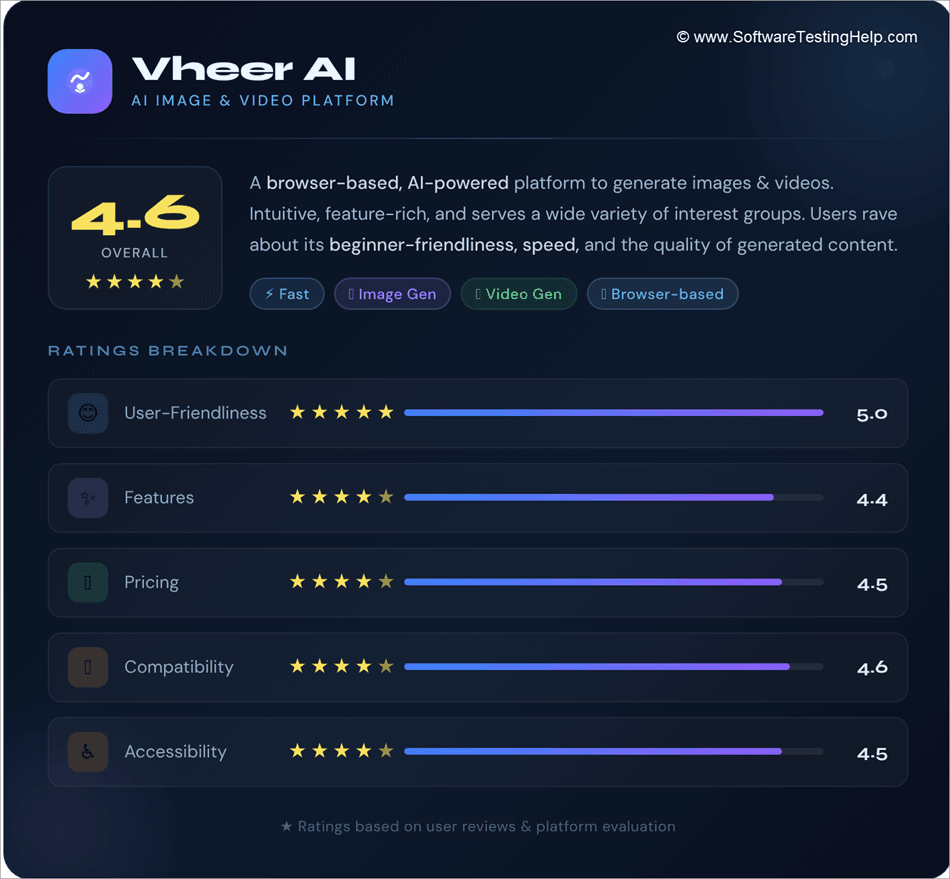
Vheer AI is a browser-based, AI-powered platform to generate images & videos. This intuitive tool has various features and serves a variety of different interest groups.
Most users praise the tool for its beginner-friendliness, intuitiveness, and speed, with many raving about the quality of videos and images generated.
The following ratings breakdown perhaps does a good job of describing my experience with the platform:
So, without much further ado, let’s dive in.
Check the demo video below for Vheer AI:
What is Vheer AI?
Vheer AI is a browser-based, completely AI-powered video and image generator. Unlike many of its contemporaries that rely on a single AI model to do their job, Vheer AI integrates a plethora of advanced AI models.
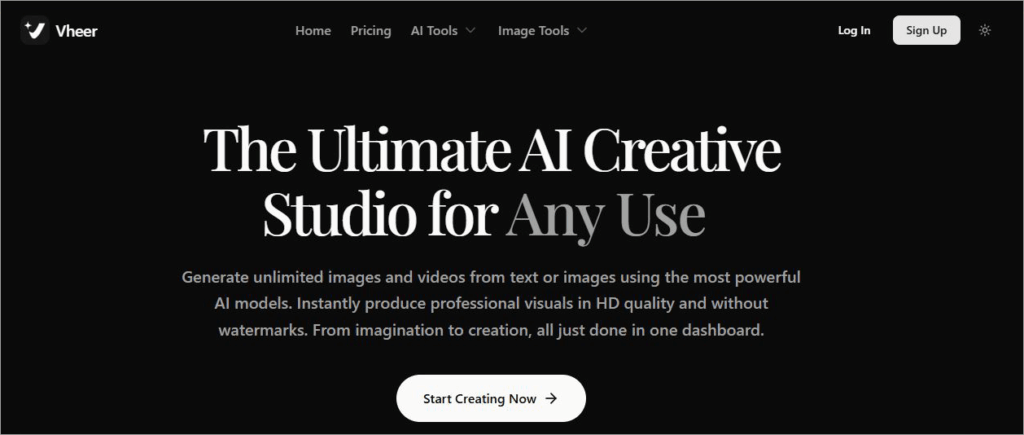
From Nano Banana Pro to Flux Klein and SeeDream V4, Vheer AI grants you access to some of the most sought-after AI models being used today to generate stunning visuals.
The platform positions itself as an all-in-one creative tool, which is a claim you’ll agree with once you take a glance at its capabilities. Besides generating images and videos via text prompts, you can also use Vheer AI for basic video editing, background removal, animation, and much more.

Key Features of Vheer AI
Now that you know what Vheer AI entails, it is time to take a deep dive into its features.
#1) AI Capabilities
Let’s start with its biggest USP. Vheer is the home of AI-powered tools that can help you create and edit visuals with ease. With Vheer AI video generator, you can have amazing videos generated from text descriptions. Then there is the Vheer AI image-to-video generator that can animate any still image you feed the tool.
Besides creating visuals from text prompts, Vheer also excels at doing the opposite. Those having trouble with prompts can rely on the Vheer AI prompt generator.
You can have the AI extract high-quality prompts from any existing image and then use those prompts to create similar images in the future. You can also use Vheer’s AI capabilities to remove the background from any image in an instant.
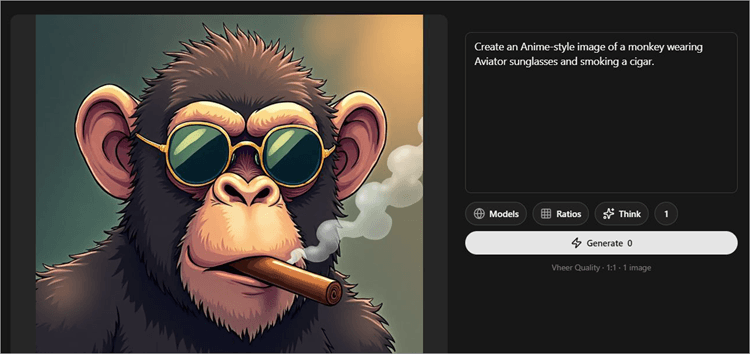
I used the prompt – “Create an Anime-style image of a monkey wearing aviator sunglasses and smoking a cigar”. Vheer AI created the following image in response to my prompt within a minute.
#2) Generate Portrait Styles
This particular feature can help you do a lot of fun things with any portrait image you have. For instance, simply upload a self-portrait and have the tool transform it into a quirky art piece like the ones depicted below.
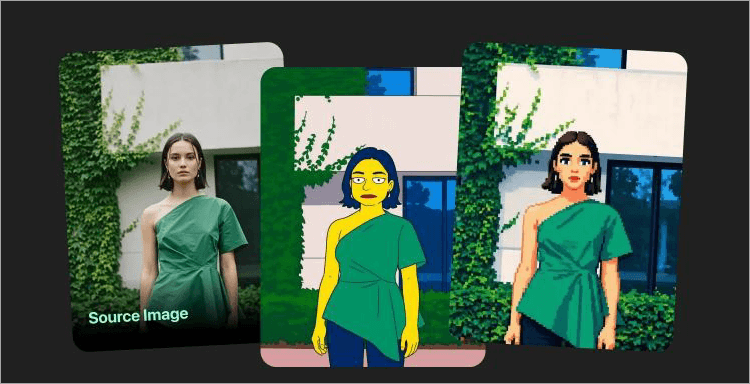
You can have the tool to change your hairstyle, hair color, or apply an anime-style preset to your portrait as well.
You can do the same with your pet’s portrait, as well. If you are in a hurry and need a professional headshot to go with your resume, Vheer AI can help generate that headshot from a simple selfie.
#3) Templates for Image Generation
This is one of Vheer AI Image Generator’s biggest USP, at least for me. You’ll find a massive gallery of curated presets to help you generate a variety of images. There are templates to generate graffiti, Pixar-style artwork, tarot cards, zodiac cards, NFT art, pencil drawings, food, clip art, anime art, and so much more.
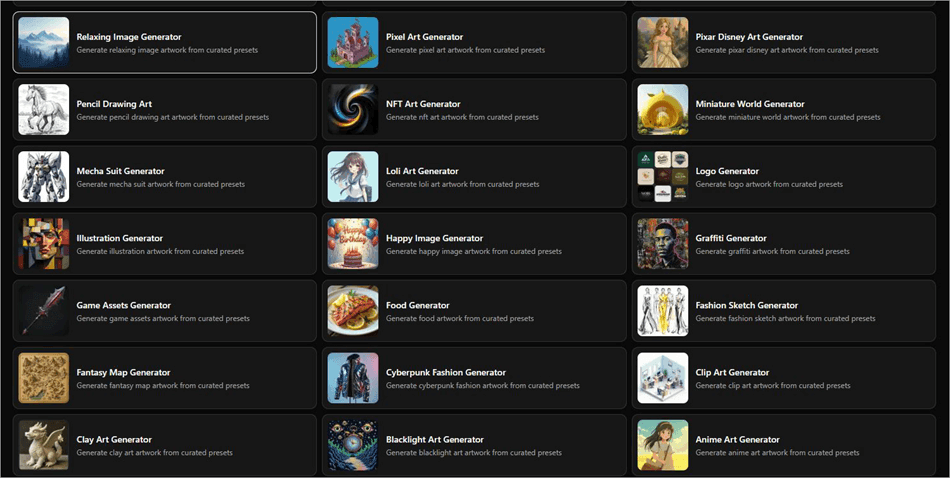
These templates can help you generate a visual you like without the hassle of typing out descriptive text prompts. All you have to do is just hit the generate button to create an image from any preset prompt. Of course, you can edit these preset prompts to create something unique out of these templates.
#4) Image Editing
Vheer can undertake both simple and complex image editing tasks. Simply upload any image to this browser-based tool, and have the tool’s AI take care of the rest.
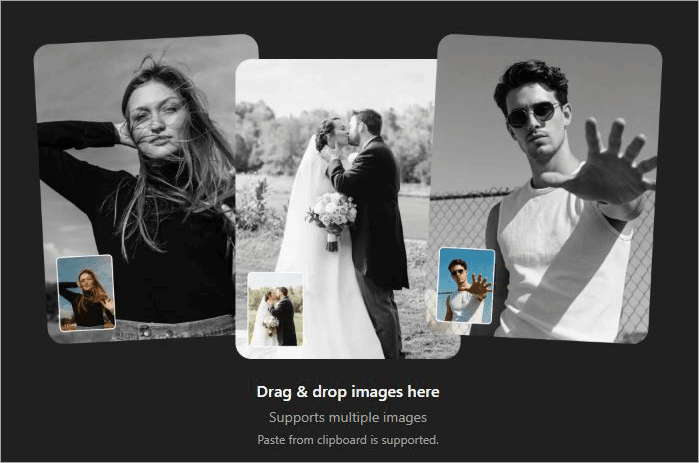
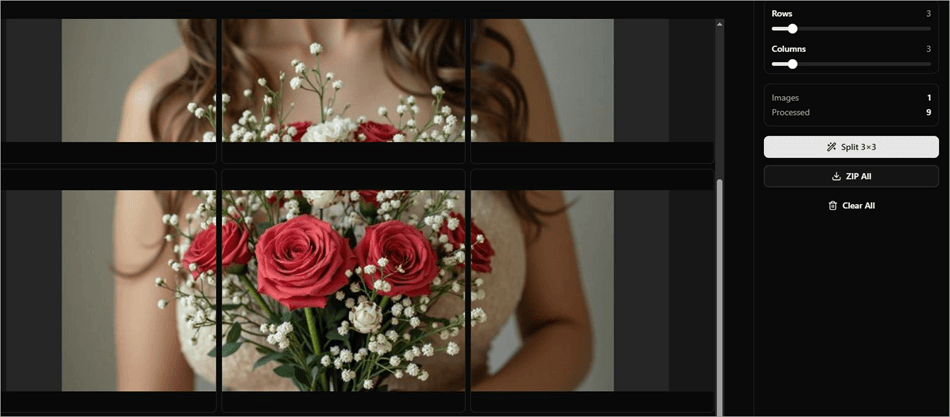
For instance, you can count on this platform to convert images to grayscale, invert image colors, apply blur effects, adjust saturation and hue, blur-select faces or the background, or split an image into a grid.
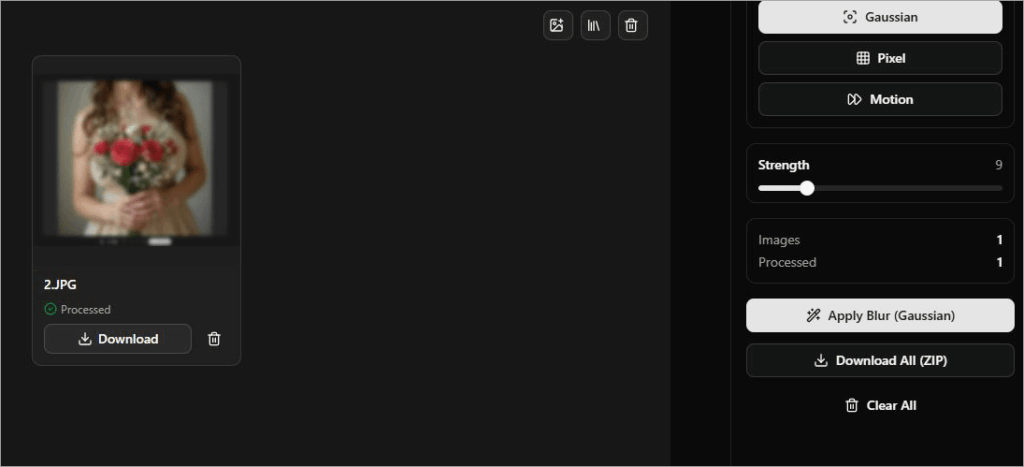
That’s not all. Combining images or extracting dominant colors from an image is also a breeze with the platform.
#5) File Compressor
Besides generating and editing visuals, one can also use Vheer AI to compress files of all sorts. For instance, Vheer lets you compress video files with quality control. Upload the video, choose the output format, the compression method, configure output quality, and hit the “compress” button.
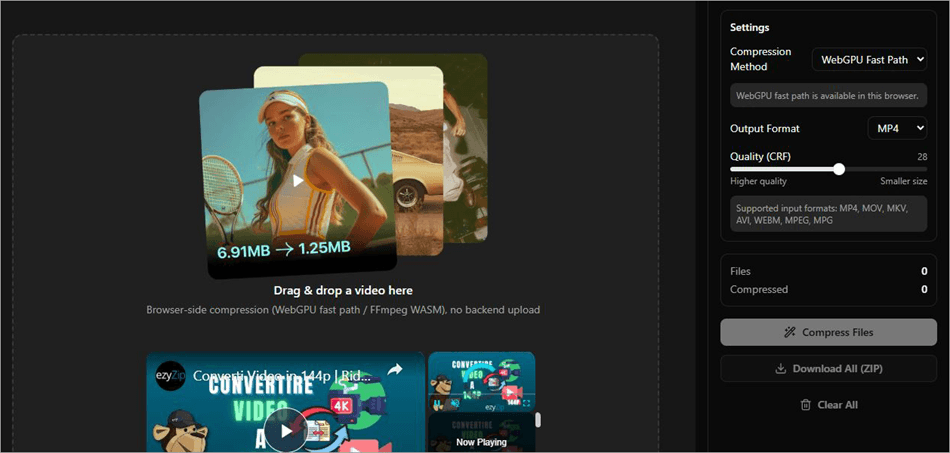
Similarly, you can have the platform reduce PDF files and Word documents, optimize GIF sizes, and shrink PPT presentations.
How Vheer AI Works
Using Vheer AI is simple.
Let me show you how you can create an image:
1. Sign up and create your account. Know that Vheer AI allows no login access. You can get started right away without signing up or registering your email ID. However, I would still recommend signing up, as that will make organizing and saving your work on the platform easy.
2. On the App dashboard, select Text to Image.
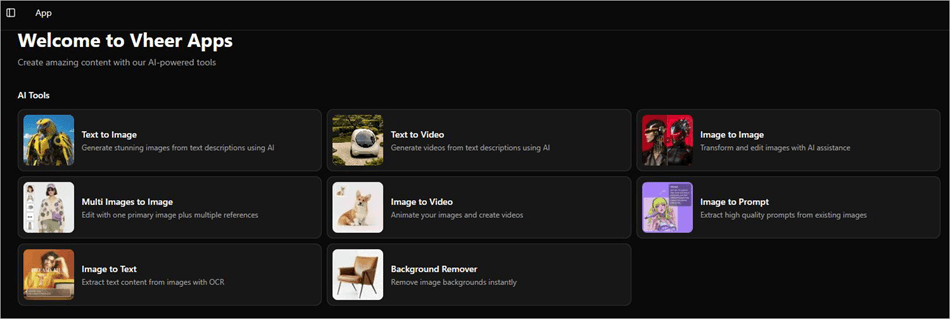
3. Describe the image you wish to generate in the prompt box beside the preview window.
4. Select the AI model, aspect ratio, and choose whether to enable or disable Thinking Mode. With Thinking Mode, the AI model will add its own input to your generated image. Disable it if you want the AI model to only focus on your description.
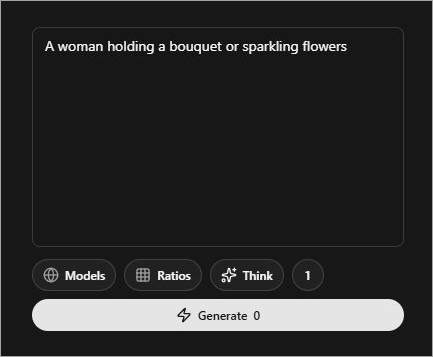
5. Hit the Generate button to create the image.
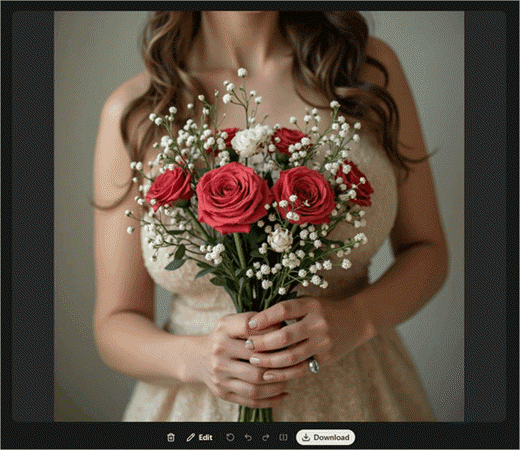
6. Preview the image, and if you like it, hit the download button.
It is that simple. Similarly, you can use Vheer AI for image-to-video, text-to-video, image-to-text, and image-to-image generation.
Vheer AI Pricing
Vheer AI offers flexible, credit-based subscription plans. Vheer AI is free, no sign-up required.
It perhaps has one of the best free plans out there when it comes to tools of its nature. You get 50 credits each month without charge. The free plan is good for basic image generation, and the best part is the complete absence of a watermark on your downloaded output.
As for Vheer AI image to video, free is out of the question. You’ll need to upgrade to a premium package, which I found to be affordable.
Its premium plan starts at $9.99/month, and you get 1000 credits. The business plan costs $19.99/month and grants you 2000 credits, whereas the Ultra plan costs $49.99/month and gets you 5000 credits.
You can top up in case you end up exhausting your credits for the month. Credit packages start at $3.99 for 400 credits.
If you are using the tool for personal purposes and image generation alone, then the free plan would prove sufficient. For commercial use, on the other hand, I would strongly advise subscribing to one of its premium plans, especially considering the Vheer AI video generator free version does not exist.
Pros and Cons of Vheer AI
| Pros | Cons |
| User-friendly app dashboard | You may have to go through extensive trial and error as the visual generated struggles to match what you have in mind. |
| Drag-and-drop interface | Generating visuals on a large scale could result in credit exhaustion, making the tool pricey and having you rely on credit top-ups. |
| Uses a variety of prominent advanced AI models. | The Vheer AI app for mobile can only be used for guidance and not actual generative capabilities. |
| No watermarks or ads, even with the free plan | Very short video clips with no audio. |
| Affordable pricing. | |
| Impressive image editing tools | |
| Priority support | |
| Browser-based, no need to download an app. |
Best Alternatives to Vheer AI
Here are some of the top competitors of Vheer AI:
- MagicLight.AI
- Pika
- Runway
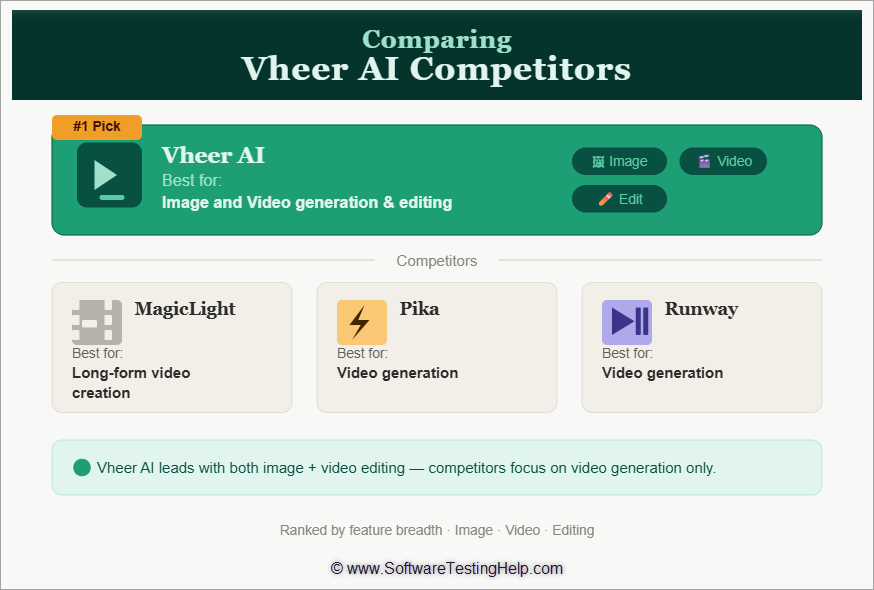
Detailed Reviews:
#1) MagicLight.AI
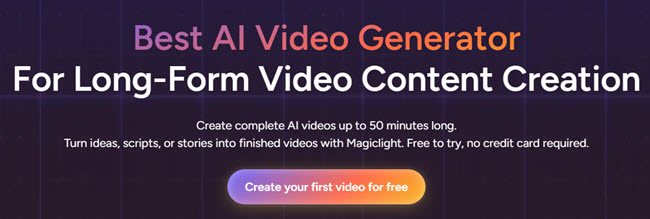
MagicLight is perhaps the best alternative to Vheer AI text-to-video generator out there. This platform can basically help you create long-form videos that are up to 50 minutes long.
The platform can take your scripts, images, music, and notes to create smooth, multi-scene videos. The tool also comes studded with AI-based tools to help you refine the generated video.
Price: Free to use, starts at $6/month with 7000 credits.
Website: https://magiclight.ai/
#2) Pika
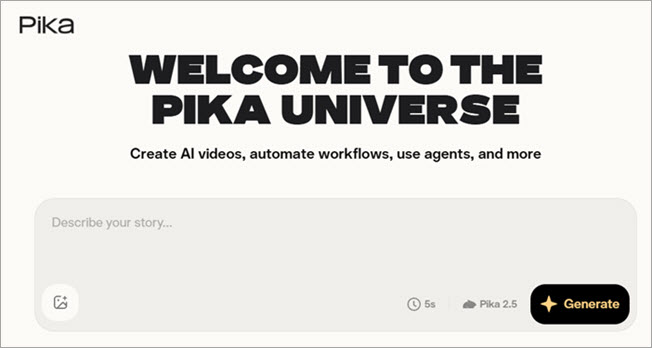
Pika is yet another video generator that can help you create stunning videos from text or images. Unlike MagicLight and Vheer, Pika uses a proprietary suite of AI models to generate visuals. For instance, it leverages the Pika 2.1 model to generate 1080p videos with sharp details and cinematic camera shots. Similarly, it uses Pika 1.5 for effects.
Price: Free to use, premium plans start at $8/month for 700 credits.
Website: https://pika.art/login
#3) Runway
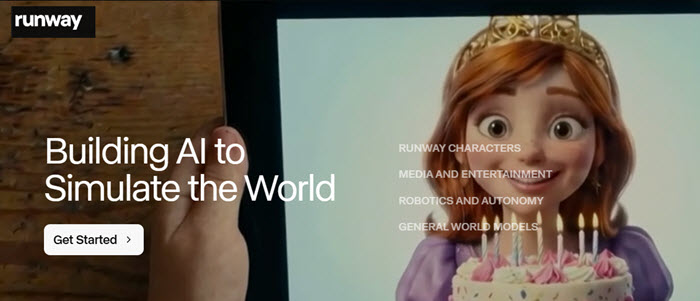
Runway is perhaps one of the oldest video generation models out there that has only improved with the Gen 4.5 model. This AI tool is recommended if you want better character consistency over multiple clips and better precision control over camera movements.
You’ll be able to generate coherent, photorealistic, and cinematic videos via simple text prompts with this tool.
Price: Free to use, starting at $12/user/month.
Website: https://runwayml.com/
Comparing the Top Vheer AI Competitors
|
Name |
Best for |
Clip Length |
AI Models Used |
Vheer AI |
Image and Video generation and editing |
Short clips of a maximum of 12 seconds |
Nano Banana 2, VEO 3 Fast, Sora 2, MiniMax Image 01, etc. |
MagicLight |
Long-form video creation |
Long videos, up to 50 minutes long. |
Gemini, Hailuo, Midjounry, Seedance, Nano Banana, Google VEO 3, etc |
Pika |
Video generation |
3-to-25 seconds. |
Pika’s proprietary AI models |
Runway |
Video generation |
5-to-10 second clips |
Runway proprietary AI models, Gemini, VEO. |
Who Should Use Vheer AI
Vheer AI, with its intuitive image and video generating capabilities, can cater to a variety of different interest groups.
For starters, the platform can help influencers, bloggers, and independent content creators generate visuals for their channels or brands. Businesses, marketers, and social media managers can seek the platform’s help to create promotional materials, logo design, and social media graphics.
Artists can create graffiti, illustrations, album covers, tattoo designs, fashion sketches, and other forms of artwork.
Professional photographers and graphic designers will, of course, find the tool handy for editing or refining photos and designs they’ve captured or created.
Other entities that can benefit from Vheer AI include e-commerce sellers, UI/UX designers, indie developers, startups, and video editors.
User Reviews and Reception of Vheer AI Online
User reception for Vheer AI has been generally positive online, as evidenced by the praise and high ratings it has garnered across major tech publications. It enjoys an impressive score of 4.3/5 on TrustRadius. I also have very little to complain about this platform.
Frequently Asked Questions
1. Is Vheer AI legit?
Yes, Vheer AI is a legit, browser-based video and image generator. It is easy to use, highly secure, and perhaps offers one of the best free plans among AI-based tools today.
2. Is there a free AI image-to-video generator?
Yes, there are many AI image-to-video generators, with Vheer AI being one of the best. You simply upload any image to Vheer AI’s dashboard, and the platform will automatically animate it. You can upload multiple images, with each picture being treated as a single frame by the platform.
3. Can Vheer AI create long-form videos?
No, Vheer AI isn’t suitable for creating long-form videos. It can create short clips that are 4 to 12 seconds long. You can stitch these clips together to create longer videos, but the process can feel tedious. I would advise choosing a tool like MagicLight to create longer cinematic videos.
4. Does Vheer AI have a mobile app?
Vheer AI does offer a mobile app. However, these apps only offer guidance and tutorials on how to use the browser-based image and video generator. As of today, Vheer AI’s generative capabilities are restricted to the web-based version.
5. What is the best free video maker?
Although Vheer AI is free to use and doesn’t add watermarks to your creations, the free version is limited to basic image generation. For a free video maker, you’ll need to look elsewhere. If you are looking for a completely free video maker, then I would suggest either trying CapCut or DaVinci Resolve.
6. Can I use Vheer AI without creating an account?
Yes, Vheer AI allows no login access. This means you don’t need to go through the hassle of verifying your email ID to register and create your account. You can just start generating and editing content on the platform without an account.
7. What is the Kontext Editor in Vheer AI?
Powered by the Flux Kontext, the Vheer AI Kontext Editor facilitates smart, precise editing while maintaining visual and character consistency across scenes or frames. Achieving consistency with new edits can be a challenge with AI, especially when it comes to character design.
With Vheer AI, character consistency remains stable even as you continue to update your image by changing clothes, background, and other visual elements.
8. How many credits does generating a video cost vs an image?
Vheer AI works on a credit-based approach to image or video generation. You get 50 credits each month for free. The premium plans will grant anywhere from 1000 to 5000 credits each month. You can also buy credits with a one-time fee.
Generating images costs fewer credits than creating videos. Furthermore, the number of credits spent will depend on the AI model you’ve used for generation. For instance, Flux Klein costs 4 credits, whereas Nano Banana Pro will cost you 30 credits per generation.
The complexity of your requirements will also determine how many credits you end up spending when generating an image or video. So, the spending of credits will vary each time you generate something based on the AI model you use and how complex your requirement is.
9. Can I use Vheer AI images commercially?
Yes, you can use Vheer’s AI-generated images commercially, provided you’ve subscribed to one of its plans. The platform prohibits commercial use of images generated with the free plan.
Conclusion: Is Vheer AI Worth It?
I believe Vheer AI is good for video generation and excellent for creating or editing images. It is a platform that businesses, marketers, and digital artists can use to breathe life into their vision. I used Vheer AI to generate logos, short video clips, and perform some basic edits to my photos.
The platform excelled at everything I tested it against. Of course, the tool isn’t without its flaws. Those wanting to create a picture or video scratch will struggle to find the best prompt to visualize the image they have in mind.
Although the platform is great for image generation, video generation leaves a lot to be desired. You can only create short clips that are no longer than 12 seconds in duration. Furthermore, the platform does struggle to maintain character consistency if you are trying to create multiple clips for a single video. The videos generated do not have audio.
On the plus side, Vheer AI features a user-friendly dashboard with a drag-and-drop interface. It’s also competitively priced and offers enough monthly credits for a satisfying user experience.
In hindsight, I would recommend Vheer AI, more for what it does with images than with videos. It is affordable and free to use. So, you can give the platform a try and make up your own mind.
For more AI tool-related guides, you can explore our range of tutorials below:
- The Top 10 Artificial Intelligence Software
- MagicLight AI Long Video Maker Review
- Vozo AI Review: Ultimate AI Powered Video Translator
- Clipfly AI Video Generator Review with Alternatives
- Krikey AI Review: Ultimate Animated Video
- Top AI Testing Tools for Your AI-Powered Testing
- Latest AI-Based Test Management Tools and Platforms
- Top 7 Best Generative AI (GenAI) Security Solutions & Platforms
- What Is Artificial Intelligence: Definition & Sub-fields Of AI
Was this helpful?
Recommended Reading
-

This tutorial explores the top Image Hosting Sites with features and other factors. Select a free or paid Photo Hosting Site for your requirements: Image Hosting Site is the service provided by the companies to upload the image on the server so that it can be displayed online. It will…
-
This tutorial covers Bootstrap 4 images, figures, media objects and embeds with illustrative examples: In this tutorial we will discuss Bootstrap Responsive images and how to create it, basic Image Shapes i.e. round, circular, thumbnail, and alignment of images. We will also learn Bootstrap background images, media objects, figures, alignment…
-

Quickly transform your dull photos with simple image background remover tools. Learn how to remove background from image to create professional images without Photoshop skills: So you’ve clicked a nice picture but aren’t too pleased with its background. Previously, you would have to download a special image background remover on…
-
A complete step-by-step tutorial to guide you on How to Resize an Image in Photoshop, along with simple steps to change the resolution: Resizing an image in Photoshop is a useful skill for both seasoned and novice users. Whether you’re working on a personal project or a client’s work, you’ll…


