


Are you looking for a perfect website builder for your business? Read our honest review of Durable AI website builder with alternatives to build a smart website of your choice in minutes:
Thanks to so many no-code platforms today, creating a fully optimized website is no longer an arduous endeavor. The introduction of AI to the mix has only made things even simpler.
Businesses and individuals can now use these platforms to create stunning, professional-looking websites in no time.
Durable AI Review: Build a Website in Minutes
One doesn’t need to familiarize themselves with the fundamentals of coding or hire expensive developers to build them a website anymore. It is something everyone with access to an AI-powered website builder can do today with ease.
Check the video below to learn how to build a website in 30 seconds with Durable AI:
Over the past few years, I’ve had the privilege of using many such tools to create and customize my business websites. Of them all, Durable AI left a lasting impression on me. Since its inception, the platform has served over 1.7 million business owners. Over 10 million websites have been launched with the assistance of Durable AI.
So, I went back, signed up, and created another website through Durable AI just so I could bring a hands-on review of it to my readers.
This article chronicles my thoughts and experiences of using the platform.
What is Durable AI Website Builder?
Durable AI is one of the most popular and sought-after website builders we have today. The platform is completely AI-powered, automating the entire process of building and optimizing a website from start to finish.
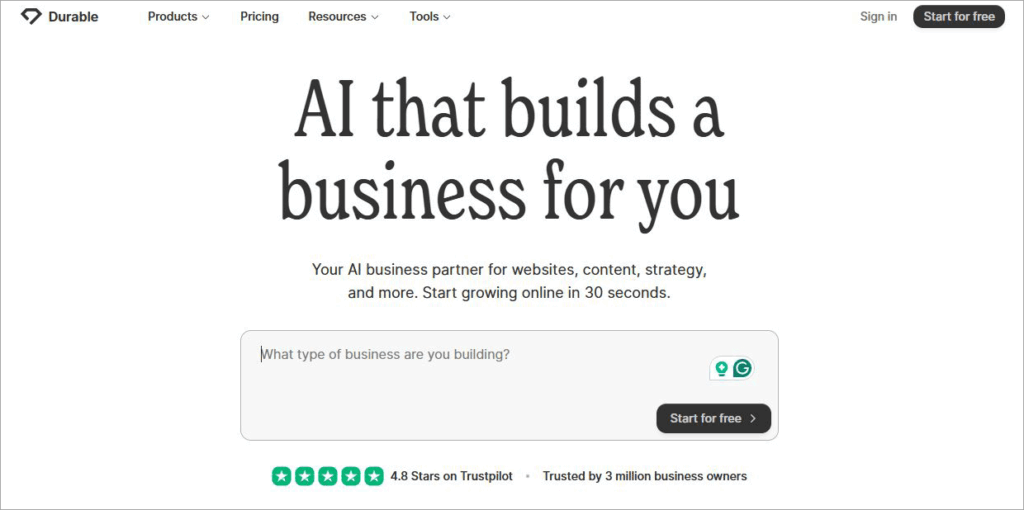
The platform essentially streamlines the entire process, crafting layouts, customizing graphics, and even generating SEO-optimized content to breathe life into your website.
While the platform’s AI does all the heavy lifting, users are granted enough freedom to personalize their website as they deem fit. Once Durable AI has done its job, you can use the pre-designed templates, drag-and-drop editor, and built-in customization capabilities to conjure a distinct look for your website.
This is also one of the most intelligent AI website builders I’ve had the privilege of using. All you need to do is give Durable AI some idea about your business, and just sit back as it turns this idea into a fully functional website with relevant content and images.
The platform uses GPT-3 to generate layouts, themes, and branding content. To understand just how good Durable AI is at its job, we’ll need to look into its many features.
Key Features of Durable AI Website Builder
I’ve always said that a platform or software is only as good as its features. Durable AI stands out and apart from so many of its contemporaries, precisely because of its features.
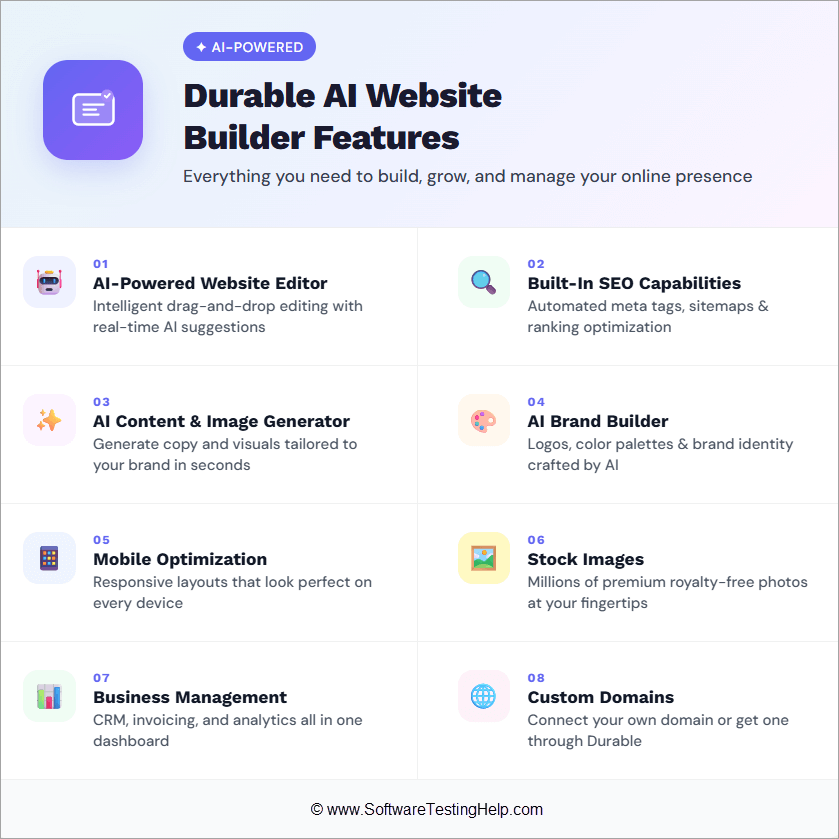
They are as follows:
#1) AI-Powered Website Editor
As soon as Durable AI creates your website, you’ll find yourself on the main editing interface. This editor features drag-and-drop functionality. This editor allows you to change layouts and experiment with different themes and colors. Your website reflects the changes in real-time.
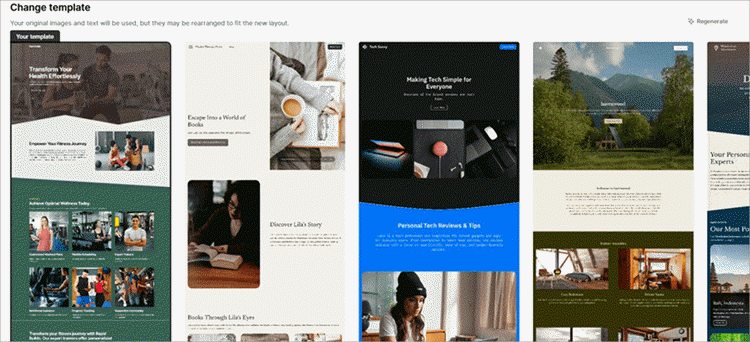
The editor also features a ton of pre-made website templates, which you can use to further personalize the aesthetics of your website. You can preview how your website looks with each template before choosing a permanent option. The editor itself is easy to use. You don’t need to be a professional coder to work with it.
#2) Built-In SEO Capabilities
SEO is critical to building a strong online presence for your website. Typically, one would hire a digital marketing agency or an independent SEO professional to handle this somewhat technical and cerebral aspect of website-building. However, this isn’t something you have to worry about with Durable AI in charge.
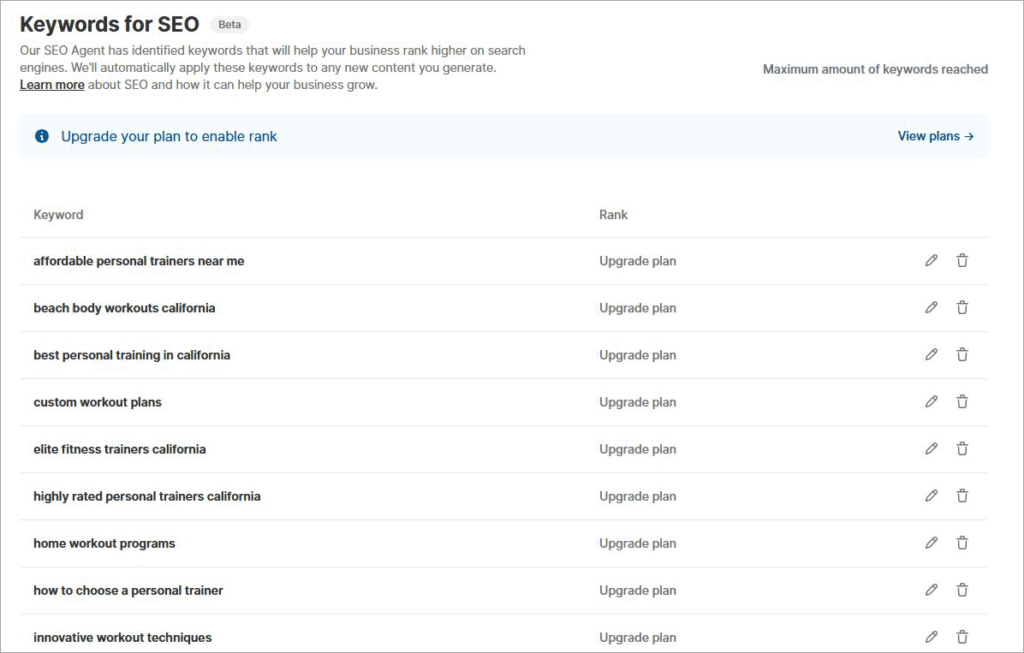
The platform comes with built-in SEO capabilities. When the AI generates a website for you, it will also suggest keywords and meta-tags that can improve your search engine rankings. You can also count on Durable AI to optimize the content and structure of your website for significantly boosting its visibility.
#3) AI-Content and Image Generator
All AI-powered tools can generate content, and Durable AI is no exception. Content generation is a perfect feature for this platform to have, as you can use it to create blog posts and landing page content.
Besides easy-to-comprehend text, the platform also generates images, which only add to a website’s appeal. The platform is quite good at generating this type of content. It understands your business and generates images and text that are relevant to it.
If you don’t like what Durable AI has generated, you can manually tweak the content or have the AI regenerate it with a single click. You can also have the AI create social media posts and emails, thus helping you with the marketing of your website as well.
#4) AI Brand Builder
Durable AI leaves no stone unturned in making sure your business website looks unique. As such, you can depend on its AI to also craft your website’s brand image. With Durable’s AI Brand Builder, you can create and customize logos, cover photos, and business cards.
The AI will generate a logo that matches your business. You can certainly make additional customizations to it. You can adjust its font, color scheme, and also have the AI create different versions of the same logo.
#5) Mobile Optimization
Most people today use their smartphones to surf the internet. As such, the likelihood of a potential customer finding your website on a mobile phone rather than their computer is high. You need a website builder that can help you create a site that’s automatically optimized for desktop, tablet, and mobile screens.
Durable AI does exactly that. Once your website is created, you can preview how it looks on different screens. Although the AI does a good job of creating a mobile-responsive design, you can perform minor tweaks after checking the previews to make sure there are no blind spots.
#6) Stock Images
Durable AI features a massive gallery of stock images, and you don’t have to pay a dime for them. There are over 10 million images for you to pick from.
The AI is intelligent enough to pick an image for your website. You can change and choose another one with a click of a button on the main editor.
#7) Business Management
Durable AI masters in Business Management and can also take care of some business aspects of your website. This works best if you’ve subscribed to its business plan. For instance, the platform features an integrated CRM mechanism that you can use to manage contacts.
You can have this CRM linked to your business email, thus allowing you to send emails directly from the Durable platform. You can have the AI generate messages to your customers and visitors directly. The AI can be trained to recognize past client interactions. As such, each message it generates is relevant to the customer it is interacting with.
You can also create invoices from scratch directly from Durable’s main dashboard. These invoices are customizable. You can also link your Durable website to a Stripe account to accept payments from customers via multiple payment methods.
#8) Custom Domains
A custom domain name is important to build trust. Durable AI lends a unique domain name to your website. Alternatively, you can choose a domain name yourself.
How Does Durable AI Work
Check the video below to understand the working of Durable AI Website Builder:
#1) How to Set Up Durable AI’s Website Builder
Setting up Durable AI’s website builder is straightforward and uncomplicated. Let me show you how it’s done:
1. First, you’ll need to visit the official Durable AI Website Builder site.
2. On the main home page, click on Start for free.

3. Sign up using your existing Google account or create an account from scratch with an email ID and password.
4. Once registered, you’ll find yourself on the Durable AI dashboard.
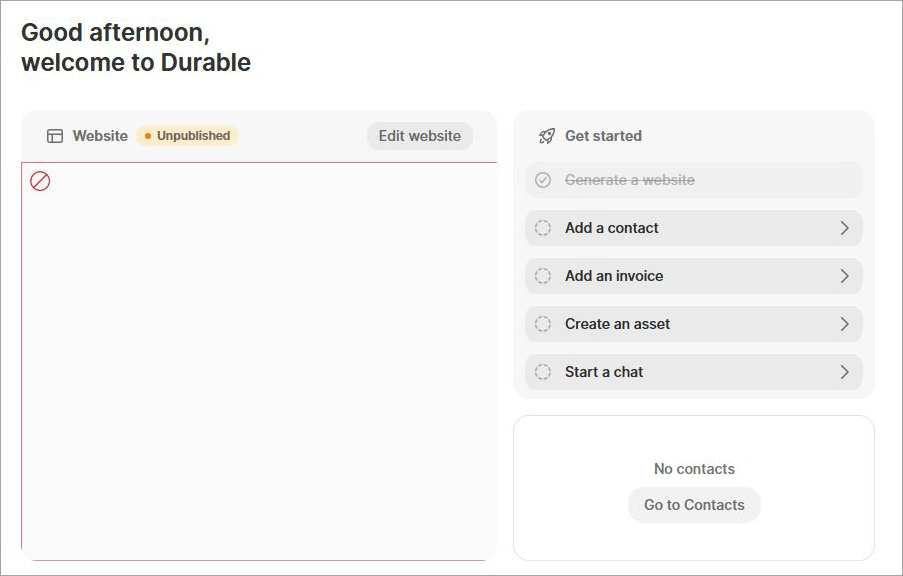
That’s how simple it is to get started with Durable AI Website Builder.
#2) How to Build Your Website with Durable AI
1. On the main dashboard, click on “Generate a Website”
2. Now, answer the questions the platform asks you. You’ll need to give Durable AI some information about your website to work with.
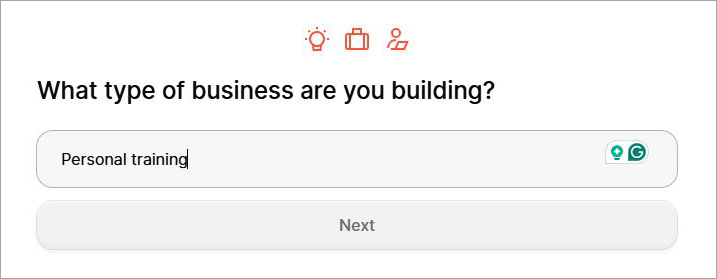
3. Mention what type of business you are building.
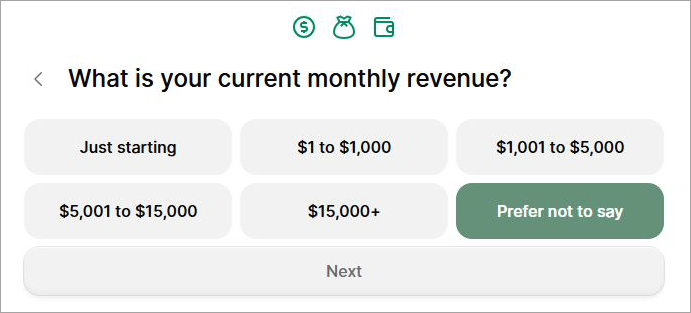
4. Mention the current monthly revenue of your business.
5. Mention the name of your business.
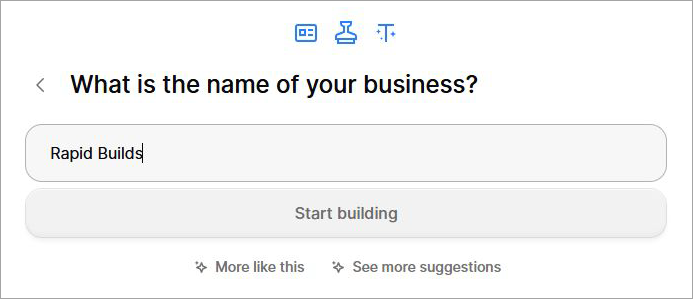
6. Durable AI will analyze the data you’ve provided to build the main page of your website.
7. I asked it to build a website for my personal fitness training business. Here’s what Durable AI created for me.

Your job isn’t done here. Now, you’ll need to further embellish your website to give it a professional edge.
Your generated website will typically have the following sections:
- Banner carousel
- Intro text and image
- Services
- Client Testimonials
- Location map
- Footer with CTA
You’ll find text and images relevant to your business spread across the main page of your website. Once you’ve reviewed the page, I suggest you do:
I) Customize
You can customize just about any detail or element on the generated website. You can change templates, colors, fonts, add buttons, animations, or manage widgets with a click by simply accessing the “Customize” menu at the top of your website editor, as shown below.
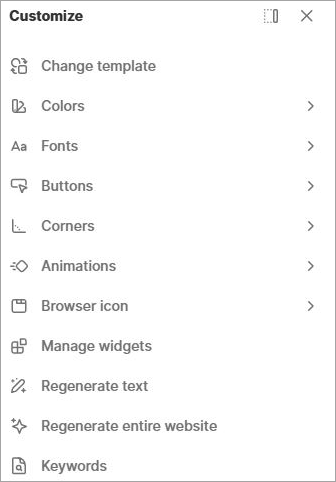
You can also ask the AI to suggest SEO keywords to integrate within the website. You can also modify elements individually on the page by simply clicking on them. For instance, if you don’t like the text generated for you by the AI, simply click on it.
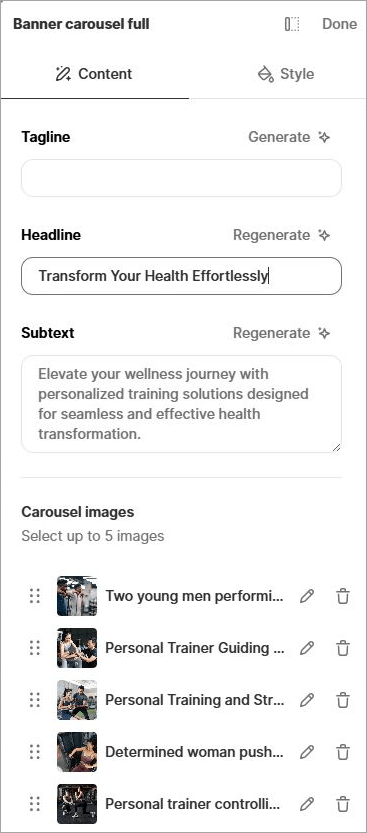
You can manually edit this text or request the AI to regenerate it for you. The same applies to all sections. Click on any section, and you can modify the headline, subtext, and images on that section.
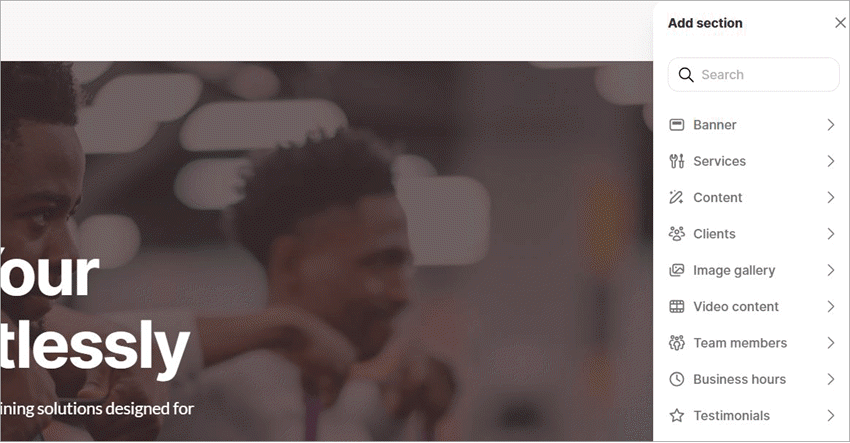
Add section option is shown in the image below:
II) Add More Pages
At first, Durable AI will only create the home page for you. Once you’re satisfied with the look of your main page, you can continue adding more pages.
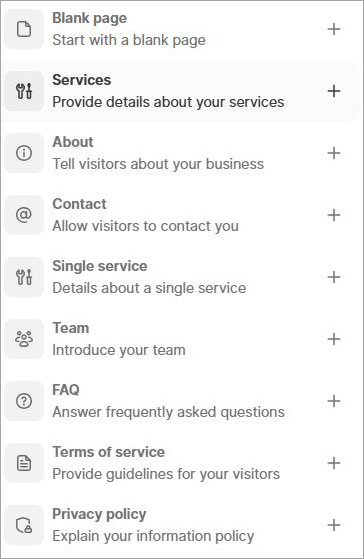
The number of pages on your website will depend on your business. However, all websites must have an about us, privacy policy, FAQ, contact us, and terms and conditions page.

You can have Durable AI automatically create those pages for you by clicking on “Add” > Page > Select Page Type.
III) Preview the website
Once you are done customizing your website and have added the desired number of pages, it is time to preview the result. Switch the “Preview” toggle you’ll find in the top-right corner of your screen.

Preview how your website looks on desktop, mobile, and tablet. If you see any issues, make the necessary changes.
IV) Publish

Once you’ve previewed the website, it is time to publish it. You’ll find the publish button right beside the preview toggle. Click on it and wait until the website is published. I suggest visiting your published website as a visitor from a separate device. You can always perform further edits to this website directly from your Durable AI dashboard.
Below are a few more examples of stunning websites created from scratch for various businesses by Durable AI:
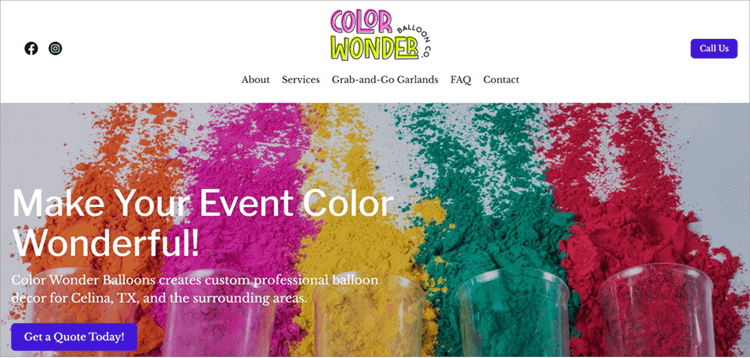
Durable AI was able to create a dazzling website for Color Wonder Balloons, a professional balloon decor business running out of Celina, TX.
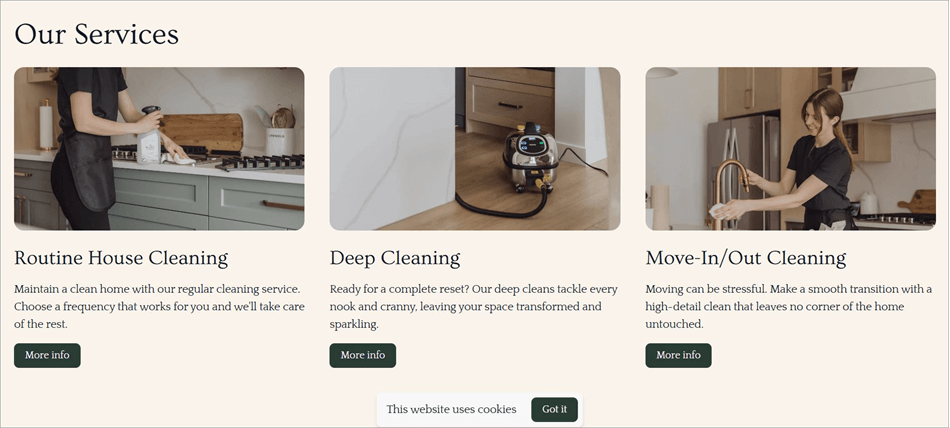
It only took Rebecca, the owner of NaturePure Cleaning Co., a couple of minutes to cook up the above website by herself, all thanks to Durable AI.
Pro Chowdhary didn’t have the budget to design a professional website for his bar catering service, Prolific Pours Mixology. He instead chose Durable AI to create some much-needed online presence for his business with a charismatic website.

Customer Support
The support offered by Durable AI is quite good. You can reach out to a representative with your questions, issues, or queries via email or chat. You can have the chatbot answer a few basic questions 24/7 or have your issues addressed by a real person, who is usually available Monday to Friday from 7.00 AM to 4.30 PM PST.
There’s enough self-help material for your guidance as well. There are video tutorials, FAQs, and a comprehensive knowledge base for your reference. Overall, I liked how responsive the team was to my emails. The support agents are well-trained and know how to address you and your problems with patience.
You also get onboarding support with the relatively more expensive plans. In hindsight, I don’t have any major gripes with Durable AI’s support. The support team and the self-help material offered do their job well.
Durable AI’s Security Features
Durable AI promises robust safeguards that ensure your website remains protected from various threats. The platform ensures secure hosting. Durable AI secures each website built and published with DDoS protection, SSL encryption, a firewall, and a global CDN.
That said, Durable AI does collect your personal, usage, and tracking data to provide you with better support and train its AI model.
Durable AI does a good job of ensuring site safety, especially from a variety of online threats. The platform has also been around for a while now, with no complaints highlighting an issue with data privacy on it, which indicates it is safe to use.
Pricing Plans of Durable AI Website Builder
You can sign up and have Durable AI create a website for free. However, you won’t be able to publish or preview this website. You have very affordable premium plans that do make up for the limitations of Durable AI Website Builder’s free plan.
Those plans are as follows:
Monthly:
- Starter: $15/Month
- Business: $25/Month
- Scale: $99/Month
Yearly
- Starter: $12/Month
- Business: $20/Month
- Scale: $70/Month
All plans let you create unlimited pages and can handle unlimited website traffic. The business and scale plans are better if you seek robust CRM and invoicing capabilities.
I like the flexibility these plans offer. I also believe the plans make Durable AI affordable for all types of users.
Pros and Cons
| Pros | Cons |
| Simple set-up and website customization | Limited integrations |
| Flexible pricing | The editor can appear confusing to some users. |
| Create a mobile and tablet-responsive website | Not suitable for designing an ecommerce website. |
| Sign up and try the platform for free without a credit card. | There’s no code involved, which means you cannot export the code to host your website on an external platform like WordPress. You only own the output. |
| Over 10 million stock images | |
| Drag-and-drop website designer/builder. | |
| Offers a custom domain. |
Best Alternatives to Durable AI Website Builder
Before, there were many platforms out there that automate the task of website creation. Even though I recommend Durable AI, it is still wise to keep your options open.
Here are some of the prominent alternatives to Durable AI.
#1) Replit
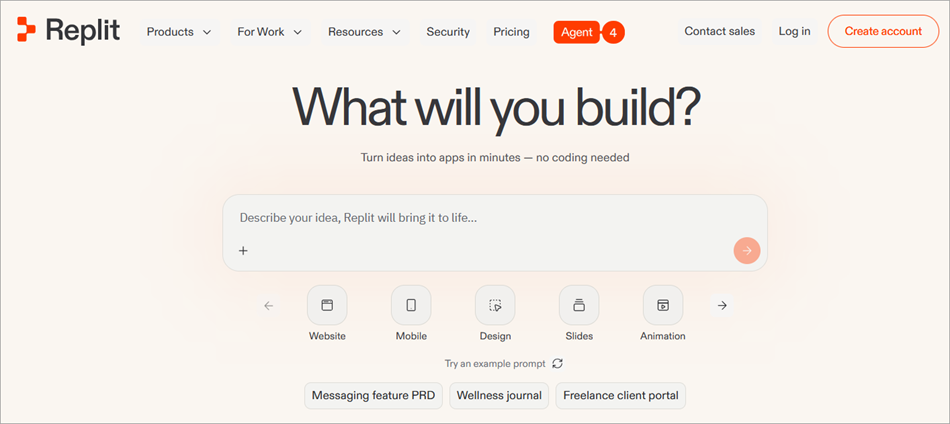
Replit is a completely different beast, especially if you pit it against Durable AI.
While Durable AI was meant for non-technical users, Replit helps developers build and run applications and sites. Specify your requirements for Replit’s AI agent, then lean back as it generates production-ready code.
Website: https://replit.com/
#2) Wix
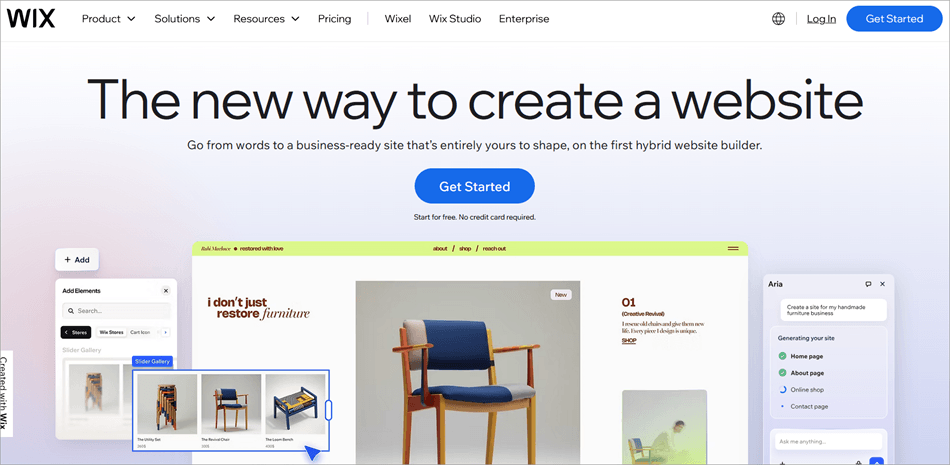
Wix is perhaps the most popular website builder out there. It has facilitated no-code website building before AI became as relevant as it is today.
You can now use Wix to create a variety of websites. Plus, you can rely on Wix’s AI to help you modify the website’s layout, generate text, and create unique images.
Website: https://www.wix.com/
#3) 10Web
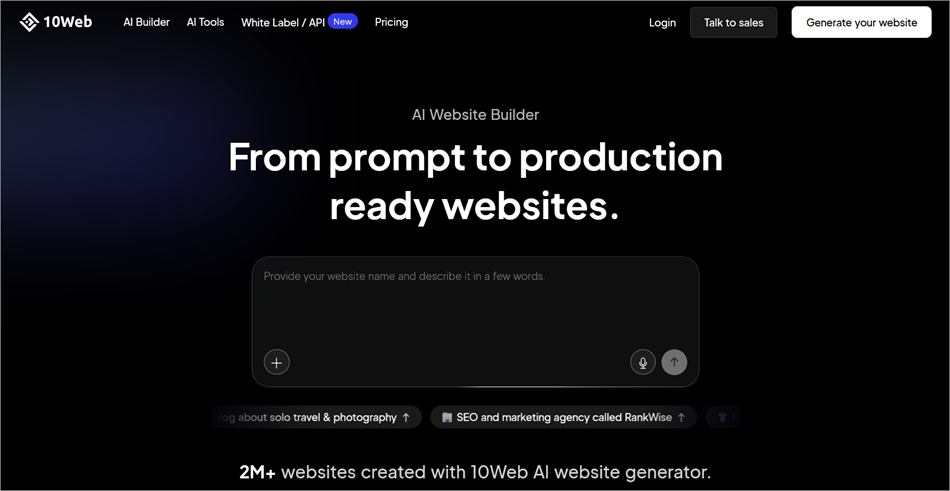
10Web is another platform that turns the other arduous task of website building into a simple exercise. You simply describe how you want your website to look and let 10Web’s AI do its job.
Once the website is created, you can use the platform’s user-friendly, drag-and-drop-based editor to perform further modifications.
Website: https://10web.io/ai-website-builder/
#4) ZipWP
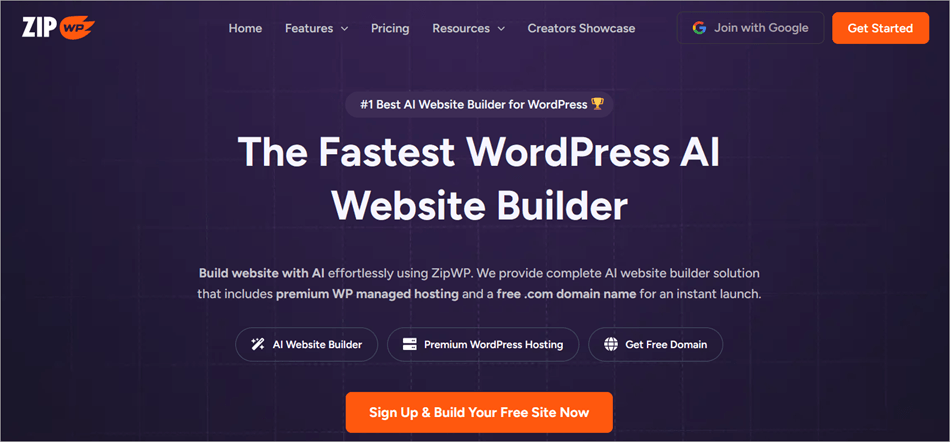
Just like Durable AI, ZipWP features an AI that completely automates the process of website building. You can use the platform to create a premium WordPress-powered website with a free domain name. Unlike Durable AI, ZipWP is much better at creating online stores.
Website: https://zipwp.com/
Comparing Durable AI with its Competitors
| Name | Best for | Core Function | Plans |
| Durable AI | Non-technical users | Building business websites and SEO. | Starts at $15/month |
| Replit | Developers | Building apps and websites | Starts at $20/month |
| Wix | Non-technical users | Building websites, Content and Image generation. | Starts at $17/month |
| 10Web | Non-technical users | Building informational and e-commerce websites, White Label Reseller Dashboard. | Starts at $10/month |
| ZipWP | Non-technical users | WordPress Websites and Online Stores. | Starts at $9.99/month |
Frequently Asked Questions
1. Is Durable AI Website Builder free?
The Durable AI website builder isn’t exactly free. You can sign up, create, and customize a website for free. However, you won’t be able to preview or publish it. The only way to publish a website via Durable AI is via one of its monthly or yearly subscription plans.
2. Is Durable AI better than Wix?
I think Durable has Wix beat when it comes to its AI-backed webpage creation and content generation capabilities. Durable AI is great at building complete websites with SEO content.
However, Wix is better for templates and customization. Personalization is a bit better with Wix.
3. What’s the best AI website builder?
The answer to this question will vary depending on who you ask. I can only speak for myself. So, in my opinion, I would argue that the following are the best AI website builders today.
• Durable AI
• Wix
• 10Web
• ZipWP
4. What is Durable AI used for?
Durable AI’s main purpose is to build a business website that’s responsive and optimized for better search engine rankings. The simplicity and convenience it promises have made the platform a popular choice among small-to mid-sized businesses and individuals who aren’t technically proficient.
5. Is Durable AI a legitimate platform?
Yes, there is nothing out there that indicates Durable AI isn’t a legitimate platform. This is a well-established platform with a loyal user base that’s often raving about its capabilities on online forums.
Having tried the platform myself twice, I can reassure you that Durable AI is safe to use.
Conclusion
AI can do almost everything for us in a remarkably efficient fashion. Durable AI serves as a testament to this fact, albeit in the case of website-building. With this platform by your side, you don’t need coding knowledge or the help of a professional designer. Durable AI can do everything from designing and branding your website to optimizing it for search engines.
All you need to do is give them an idea about your business and sit back as the AI gets to work. Of course, you can customize the generated website to your heart’s content via the provided drag-and-drop editor.
Getting started with the platform is convenient, and it also won’t cost you much to pay for its services. I have no qualms stating that Durable AI is indeed a great AI website builder that I would recommend to create a robust, search engine-optimized business website.
Research Process: The total time involved to complete and publish this article is approximately 37 hours. This content was created through a structured research approach to ensure accuracy and reliability.
For more Website Builder-related guides, you can explore our range of tutorials below:
- 20+ BEST Website Builder for Small Businesses
- Top 20 Best Web Design and Development Companies in India
- Top 11 BEST WYSIWYG Web Builder For Professional Quality
- The 10 Top Landing Page Builder Software (Updated List)
- The 15 Best eCommerce Website Builder for Online Store
Was this helpful?
Recommended Reading
-

Here is a comprehensive list of the best website checker tools to check and analyze your website. These are free website down checker, traffic stats checkers, check if the website is safe, legit and secure for browsing, and website SEO, rankings, links and accessibility checking tools. Every business needs an…
-
Read our review of the top Website Builders for Small Businesses and compare their features. To identify the best business website builder: Having a website is one of the most essential factors for small businesses. It helps customers to trust your brand. It gives businesses flexibility & control and also…
-

This is your list of top Website Link Verification Testing Tools. See which is a fit for your needs. Whether you own a professional website or just have a personal website, you wouldn’t want your sites to have broken links. To verify for broken links, site availability, we have lot of…
-
This tutorial explains how to get a Free Domain Name and explores the best free Domain Name Providers with comparison and steps to get a free domain name: The first thing to be made clear is, 'What is a domain name?' A domain name is a substitute for your IP…


