Can you really access 30+ AI models on one platform? Read our in-depth Chatbotapp AI Review to discover if it is really legit & explore its features, pricing, and user reviews to make a smarter choice today:
Getting access to over 30 AI models under a single interface was too tempting a proposition for me to ignore. This promise caught my attention. As a self-proclaimed aficionado of everything AI, I had to experience this platform for myself.
Having spent nearly 2 months on it, switching between different models to generate everything from micro-essays to images, I am left with thoughts. I would like to use this article as an opportunity to bring you a hands-on review of this multimodal AI platform.
Is Chatbotapp AI Legit: Ultimate Honest Review
I’ll be chronicling my experience as I put various aspects of this tool to the test, so ultimately you can decide whether Chatbotapp AI is worth the subscription fee it charges.
Quick Verdict/Summary
Chatbotapp serves its purpose well as an AI hub that consolidates some of the most advanced AI models under a single, intuitive platform. Instead of juggling multiple subscriptions, you get access to popular models like Claude, Google Gemini, Grok, DeepSeek, and more at just $19.99/month.
Easily accessible via the web, Chatbotapp AI excels as a user-friendly, feature-rich, and convenient gen-AI platform for research, image generation, document analysis, code editing, and more.
What is Chatbotapp AI?
Chatbotapp AI can be best described as an AI model aggregator. It brings some of the most prominent AI models under a single platform, granting you instant access to them all for a wide range of use cases.
Imagine not having to go through the tedium of constantly switching between multiple AI chatbots and tying yourself up with multiple costly subscriptions.
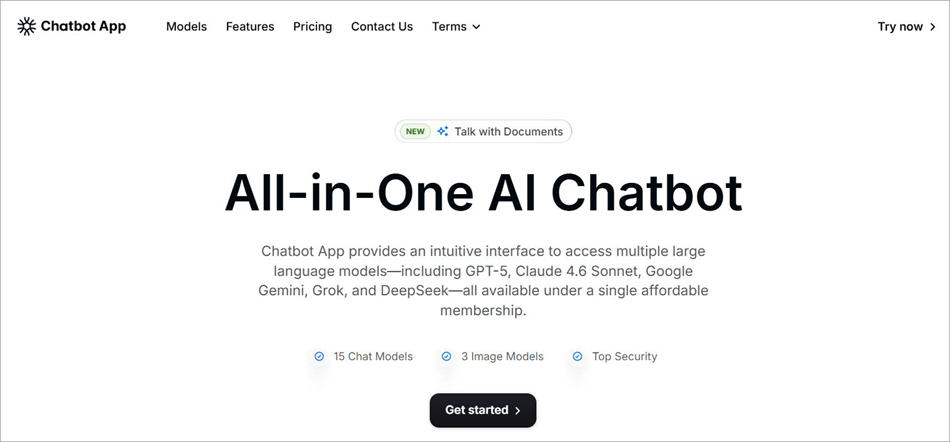
Normally, one would have to visit Flux to generate images, followed by Gemini for content research, then stop by Claude for some code-editing. Chatbotapp AI grants you instant access to all of these models. As such, you can just switch between these models within the same interface to get your tasks done for a very affordable membership fee.
The app is accessible to users via the web.
How Chatbotapp AI Works
You don’t need to be a tech wizard to use this platform. It is user-friendly with an interface that facilitates smooth interaction with various AI models.
Getting started is simple. Here’s how you do it:
1. Visit the official Chatbotapp AI website and sign up with your email ID to create an account.
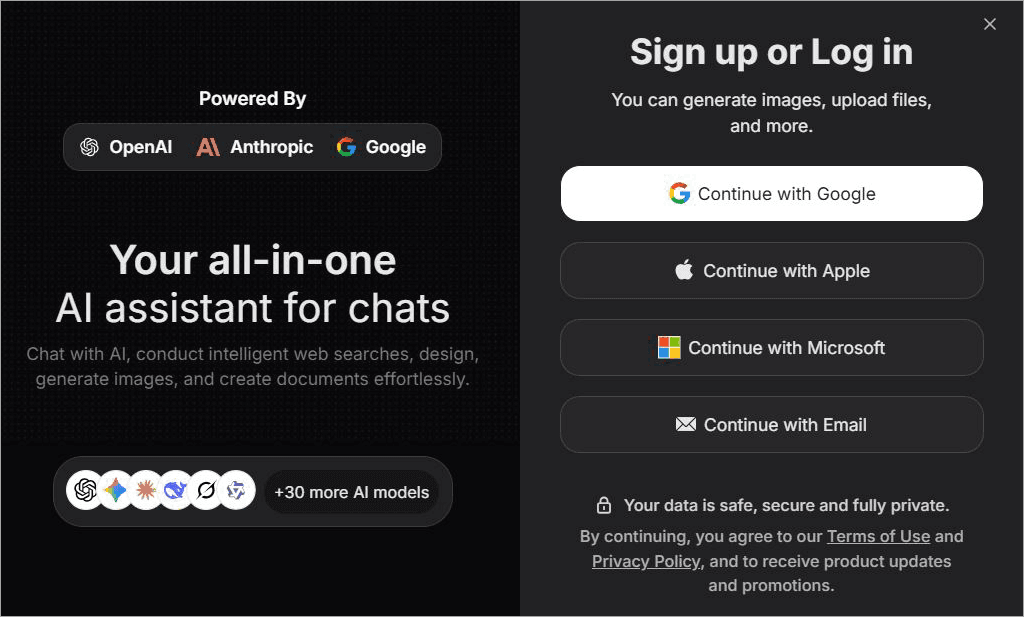
2. Choose a subscription plan or get the $1.99 7 day trial. Alternatively, you can opt for the free plan.
3. Once signed up, you’ll be redirected to the main chat interface. If you’ve used ChatGPT or Grok before, you’ll find the interface and navigation familiar.
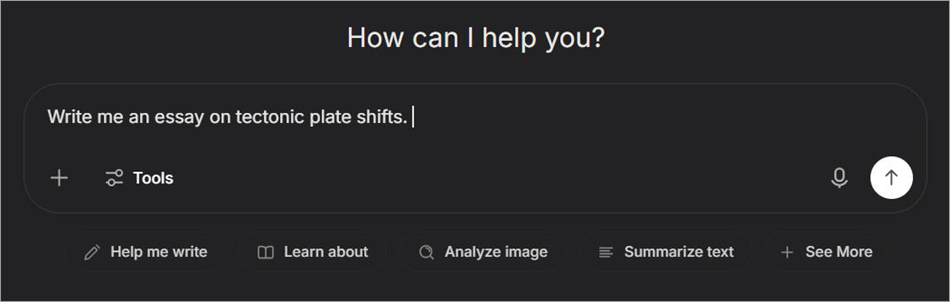
4. Choose the AI model. For the sake of this article, I’ve chosen OpenAI GPT-5 Mini.
With the model selected, chat with the model. For the sake of this guide, I instructed the “write me an essay on tectonic plate shifts.”
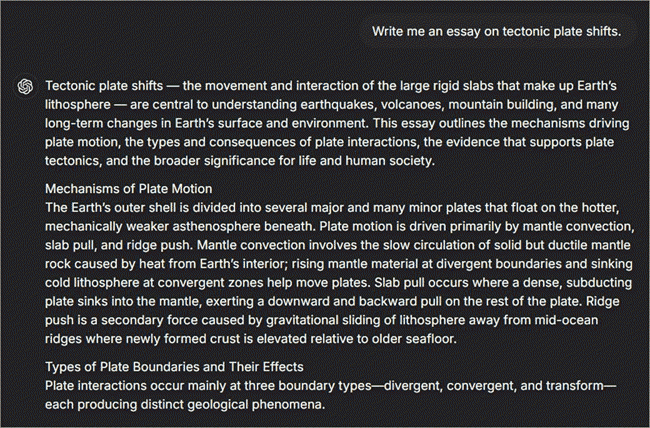
It took the chatbot about a minute to generate a lengthy essay on the topic for me. It was about 500 words long and accurate to the last word.
I chose OpenAI GPT-5 Mini to compose a small essay. Similarly, you could switch between models with a single click for a wide variety of tasks, including image generation, code editing, research, document analysis, and other everyday tasks.
Key Features of Chatbotapp AI
Here is a detailed breakdown of key features of Chatbotapp AI:
#1) Access to 30+ Top AI Models in One Place
This is, without a doubt, one of this platform’s greatest strengths. You basically get access to over 30 top AI models from different providers in one single chat. You can switch between these models instantly from the same interface for a wide range of purposes.
Despite how advanced these models have become recently, some still provide users with misleading or outright incorrect information. With Chatbotapp AI, you have multiple models at your fingertips within a single chat interface.
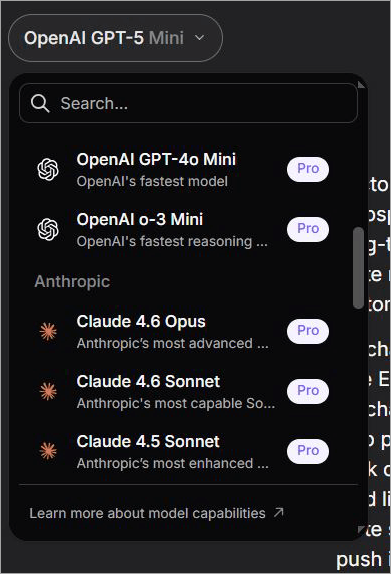
You can just ask the same question to different models and then compare their answers side-by-side to find which one is correct. This is perhaps the biggest advantage of having a platform like Chatbotapp AI by your side.
New models are added to Chatbotapp AI as soon as they are launched, as is the case with the recent inclusion of GPT-5 and Claude 4.6 Sonnet.
#2) Content Generation
With Chatbotapp AI, you can basically ask OpenAI GPT-4o to generate an essay, have Grok write you a small blog, or compose an email, and have Google Gemini research any topic on Earth.
Select from the multiple models at your disposal, input your prompts in simple, natural language, and get well-written content composed within minutes. From blogs and essays to ad copies and marketing material, you can rely on Chatbotapp AI to generate it all.
#3) Image Generation
Text-based content isn’t the only thing you can generate via Chatbotapp AI. The platform is also home to advanced AI models that are known to generate high-quality images within seconds from simple text prompts.
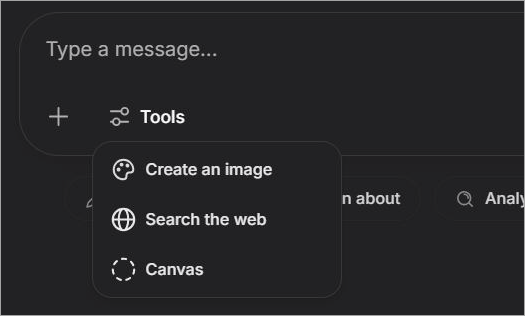
There are multiple image generation models for you to pick from. My favorite is Flux. Simply select the model, choose the option – create an image, and describe the image you wish to create in the chat. It is that simple.
#4) Voice Chat
Text prompts aren’t the only way to communicate with AI models on the Chatbotapp AI. You can give commands or have a natural conversation with your chosen AI model through speech. Select the “Mic” icon on the chat interface and speak through your microphone.

Voice commands are suitable for folks who seek a more conversational experience or need the model to answer a few quick questions.
#5) Document Analysis
You can also have the AI models on this platform analyze and summarize your PDFs or documents in seconds. Simply hit the + icon on the chat interface to upload a document. Once uploaded, you can instruct your chosen AI model to read the document, analyze it, summarize it, and highlight key points within it.
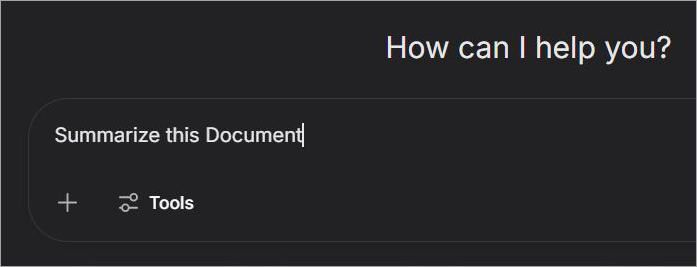
A simple prompt that says – “Summarize this Document” is enough for the AI model to understand what needs to be done once you’ve uploaded a document. The platform supports more than 10 file types and also comes with a built-in document editor for your convenience.
#6) Chat History
All AI models on the platform have a strong enough memory to recall the conversations you’ve had with them. You can continue conversations with these chatbots from where you left off previously. This chat history syncs across all of your devices.
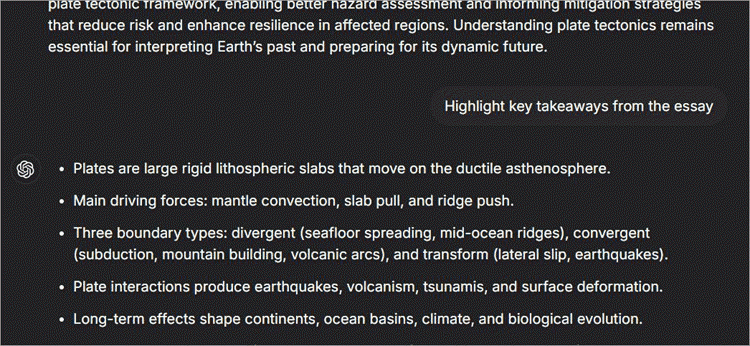
As such, you could start a conversation with Grok on your laptop in the morning and then continue this conversation on your phone in the evening while you are in the back of a cab.
7. Multilingual Support
As a non-native English speaker, I find this to be yet another very impressive feature in Chatbotapp AI’s arsenal. The platform can understand and respond in over 100 languages. This way, the tool manages to cater to a global customer base.
Who is Chatbotapp AI For?
In hindsight, having used Chatbotapp AI for a variety of purposes, I believe the platform will appeal to the following entities:
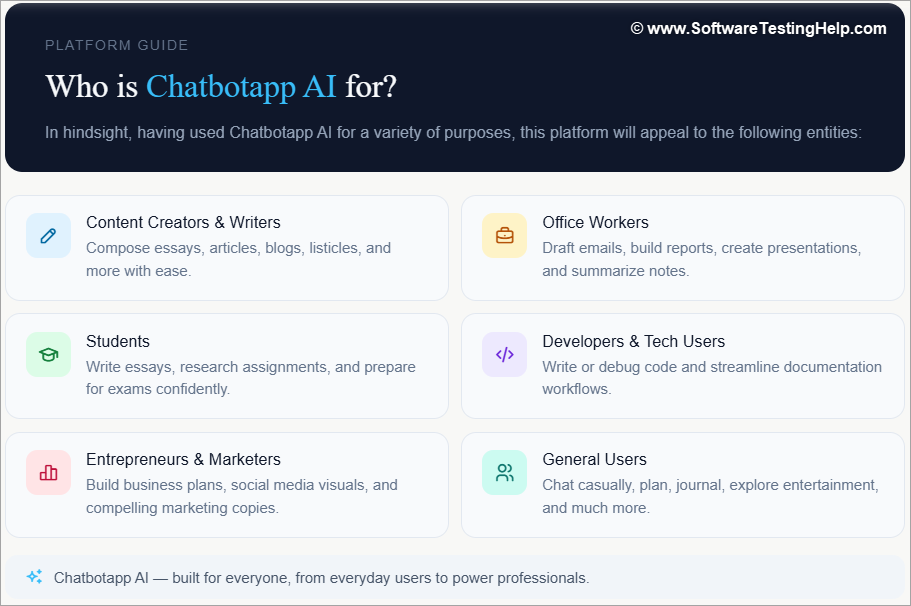
- Content creators, authors, and writers who wish to compose essays, articles, blogs, listicles, etc.
- Office workers who want help to compose emails, create reports, presentations, or summarize notes.
- Students who wish to write essays, research for assignments, and need help with exam preparation.
- Developers and technical users who want to write or edit code and need help with documentation or debugging.
- Entrepreneurs and marketers who want to create business plans, social media visuals, and marketing copies.
- General users can use the platform for casual chats with AI, entertainment, planning, journaling, and more.
Pricing and Plans
Another thing I found impressive about this platform was its subscription plans. Chatbotapp AI offers flexible, affordable monthly and annual subscription plans to its users.
These plans are as follows:
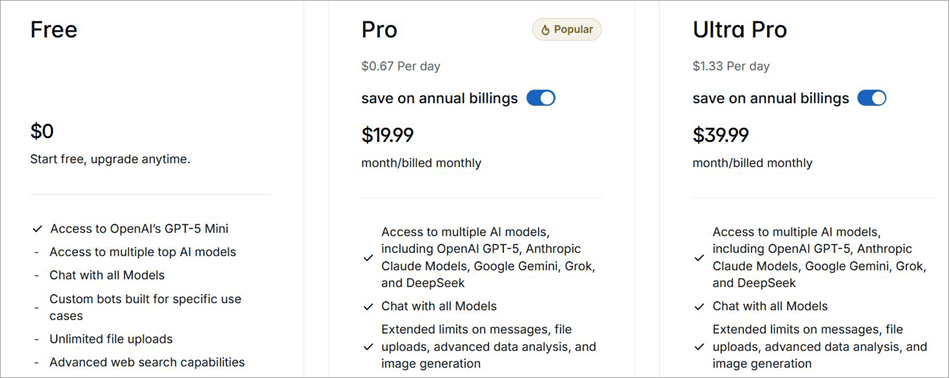
The Monthly Plans cost:
- Pro: $19.99/month
- Ultra Pro: $39.99/month
The Annual Plans cost:
- Pro: $59.99/month
- Ultra Pro: $119.99/month
You can get started with the tool for free. However, you’ll only have access to OpenAI’s GPT-5 Mini to generate basic content. If you wish to try the tool risk-free, your best bet would be to get 7-day access to all its features for a one-time fee of $1.99.
Overall, these plans make Chatbotapp AI the most cost-effective platform of its kind out there. The combined cost of subscribing to base plans of ChatGPT, Grok, Gemini, and Claude could end up setting you back by around $50/month or more.
With Chatbotapp AI, you get access to all of these models and many more advanced options starting at just $19.99/month. Simply put, you end up saving a lot more money by only subscribing to Chatbotapp AI if you are someone who relies on different AI models for their tasks.
User Reviews and Ratings
User reception for Chatbotapp AI has been generally positive since its launch. It currently enjoys a rating of 4.5/5 on Trustpilot.
Users online are often found praising the platform’s user-friendly chat interface, flexible subscription plans, and accessibility. That said, you’ll also find some users who’ve voiced their disappointment, especially concerning the slower functioning of some LLMs.
Pros and Cons
| Pros | Cons |
| Access to 30+ Top AI models in one place | Some LLMs may be slower than the others. |
| Voice chat | |
| Supports more than 100 languages. | |
| Supports more than 10 file types | |
| Accessible via Web | |
| Strong chat memory | |
| Flexible subscription plans | |
| User-friendly chat interface |
Chatbotapp AI vs Competitors
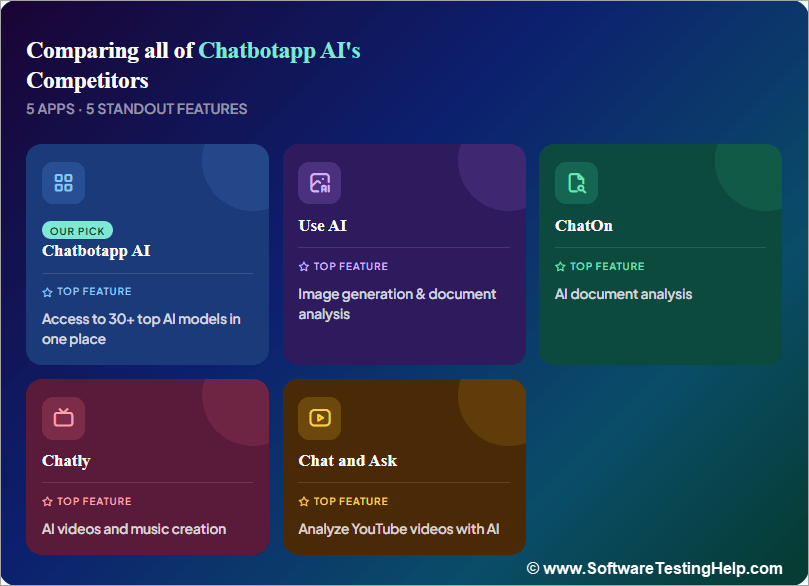
Enlisted below are the top Chatbotapp AI alternatives.
- Use AI
- ChatOn
- Chatly
- Chat and Ask AI
#1) Use AI
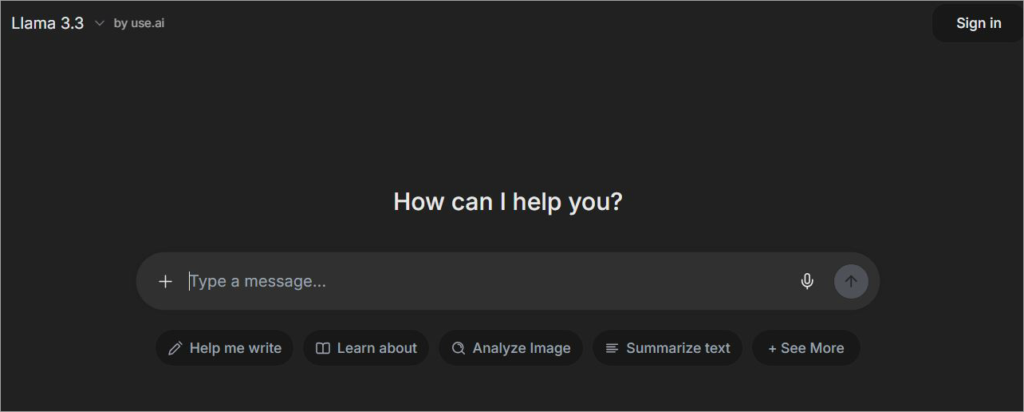
Use AI is similar to Chatbotapp AI in almost every aspect. Like its competitor, Use AI also grants you access to top AI models from leading providers like Anthropic, Google, and OpenAI.
You can use the platform for generating images, speech-to-text conversion, document analysis, and more.
Website: https://use.ai/
#2) ChatOn
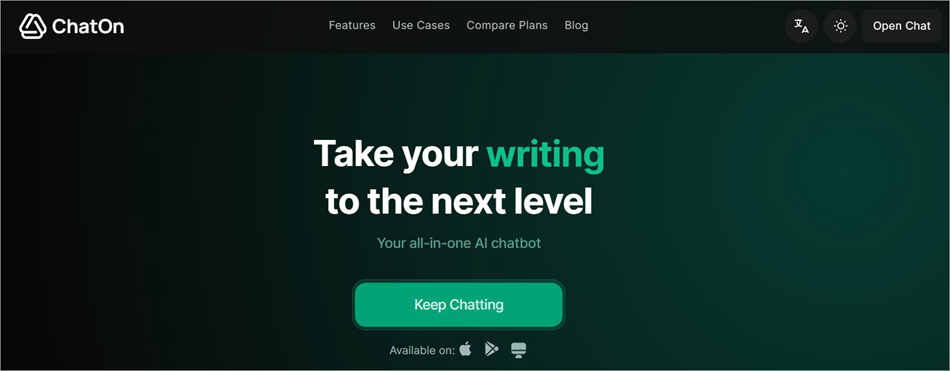
ChatOn is a platform I would recommend more for generating and editing visuals than composing text-based content.
The platform leverages the most advanced version of LLMs to help you generate images, videos, and analyze documents. The best aspect of this tool is the ready-made prompts you get access to, thus making content generation simpler.
Website: https://chaton.ai/
#3) Chatly
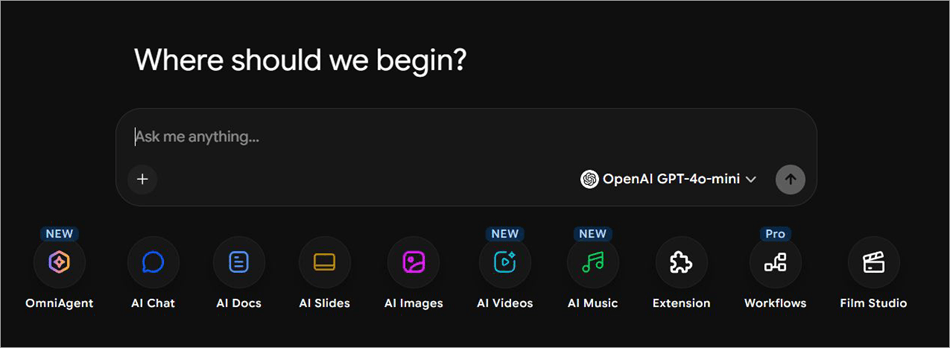
Having tried Chatly for a day or so, I realized that the platform is geared towards artists. Like Chatbotapp AI, Chatly lets you switch between multiple top AI models instantly.
Besides image generation, however, you can also use the platform to create AI videos, AI music, and even generate full AI-powered films from a written screenplay.
Website: https://chatlyai.app/
#4) Chat and Ask AI
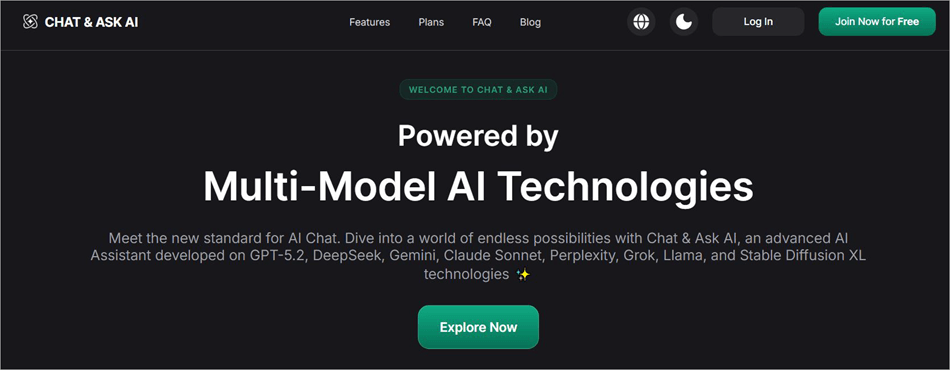
Similar to all the above solutions here, Chat and Ask AI arm you with a user-friendly chat interface alongside a plethora of advanced AI models.
It can generate images, analyze documents, and help you with research. The platform stands out for its ability to analyze YouTube videos and features a gallery of ready-made prompts.
Website: https://askaichat.app/
Comparing the Competitors of Chatbotapp AI
Here is a clear comparison of the top Competitors of Chatbotapp AI:
| Name | Models | Top Feature | Price |
| Chatbotapp AI | 30+ | Access to 30+ Top AI models in one place | Starts at $19.99/month |
| Use AI | 25+ | Image generation and document analysis | Starts at $29.99 |
| ChatOn | 8+ | AI Document analysis | Starts at $6.99/month |
| Chatly | 39+ | AI Videos and Music | Starts at $20/month |
| Chat and Ask | 10+ | Analyze YouTube videos | Starts at $7.99/month |
Frequently Asked Questions
1. Is Chatbotapp AI legitimate and safe to use?
After spending months on the platform, I believe Chatbotapp AI is a legitimate service that’s completely safe to use. The platform leverages industry-standard encryption and security practices to keep your data safe and ensure your interactions with AI models remain private.
2. Can I cancel my Chatbotapp AI subscription anytime?
Yes, you can cancel your Chatbotapp AI subscription anytime. Your subscription will remain active until your billing cycle expires, even if you decide to cancel your subscription days before your plan ends.
3. How is Chatbotapp AI different from ChatGPT?
Although Chatbotapp AI mimics ChatGPT’s layout and interface, these are two very different entities. ChatGPT is a proprietary AI model developed by OpenAI. On the other hand, Chatbotapp AI serves as an AI hub that offers access to multiple AI models, including GPT-4o, Grok, Google Gemini, etc.
Subscribing to ChatGPT will only give you access to OpenAI’s native products, whereas subscribing to Chatbotapp AI will grant you access to multiple models.
4. Which AI models are available on Chatbotapp AI?
The platform grants you instant access to 30 top AI models in a single chat interface. Some of the most prominent AI models you’ll find on this platform include:
• DeepSeek R1
• xAI Grok
• Claude 3.5 Sonnet
• Google Gemini
• OpenAI GPT-4o
• Mistral 7B and more
5. What are the top features of Chatbotapp AI?
Chatbotapp AI positions itself as an all-in-one AI chatbot that one can rely on for image generation, document analysis, web search, PDF chat, AI chat, and more.
Conclusion: Is Chatbotapp AI Worth it?
There are many AI-model aggregator platforms out there, but I have to say that Chatbotapp AI is perhaps one of the best of its kind.
It features an intuitive, user-friendly chat interface that’s accessible via the web. You get access to more than 30 advanced AI models, and you can switch between them in an instant to get a variety of tasks done.
From researching and coding to writing and generating images, Chatbotapp AI can perform all of these tasks with speed and finesse. Starting at $19.99, the platform also happens to be quite affordable.
Overall, I had a good time on Chatbotapp AI with little to no complaints while I used it to test various LLMs. Some LLMs can be slower than others, and the generated content itself can be inaccurate sometimes. Other than that, my experience was seamless.
If you are still skeptical, I’d still recommend at least paying $1.99 to try out the platform for 7 days and then decide about its merits.
Research Process: The total time involved to complete and publish this article is approximately 42 hours. This content was created through a structured research approach to ensure accuracy and reliability.
For more AI platform-related guides, you can explore our range of tutorials below:
- Latest AI-Based Test Management Tools and Platforms
- Top 7 Best Generative AI (GenAI) Security Solutions & Platforms
- Top 10+ Most Promising Artificial Intelligence (AI) Companies
- ChatGOT AI Chatbot Review and Alternatives
- Granola AI Review – AI Note Taker For Meetings Tutorial
- Is Joyland AI Safe? Review and Alternatives
- Claude Vs ChatGPT: Which AI Assistant is the Best
- How to Cancel ChatGPT Plus Subscription
- What is Otter AI? Guide to AI Meeting Assistant
- ZeroGPT Review: Using an AI Checker Free Tool for Blog Publishing
Was this helpful?
Recommended Reading
-

A noteworthy ChatGOT review, along with the top ChatGOT Alternatives. Compare the features, performance & pricing of each tool to pick your ultimate AI-driven Chat Assistant: ChatGOT is perhaps one of the most sought-after platforms for people experimenting with different AI models. This SaaS platform serves as a central hub…
-

Are you thinking of How to Access ChatGPT in Hong Kong? Read this comprehensive guide on ChatGPT along with the effective ways to use ChatGPT: Ever since its launch in November 2022, Open AI’s ChatGPT has taken the world by storm. While some have approached the platform with unfathomable excitement,…
-
We have researched and reviewed the best free chat apps for personal and business communication. Here is our list of the most popular web chat and messaging apps for private and secure messaging on Android and iOS devices as well as desktop computers. Web chat apps offer real-time transmission of…
-
Read this Comprehensive Review of the Top AI Chatbots with Pricing, Features & Comparison to Select the Best AI Chatbot for your Requirements: What Are Chatbots? Artificial Intelligence (AI) chatbots use machine learning to converse with people. The first-ever AI chatbot was developed in the 1960s by Joseph Weizenbaum, a…