


Looking for your default router IP address? Learn how to find your router IP address on Windows in simple steps to access your router settings quickly.
The term default Router IP address refers to a particular Router IP address to which you are connected and are trying to log in and access the router management console.
The default router IP address is crucial to reach the router’s web interface for accessing its control panel and network settings.
In this guide, you’ll learn a simple step-by-step method to find your router IP address. We have also listed all the default IP addresses for all major Router brands.
=> Read Through The Full Series Of Computer Networking Basics
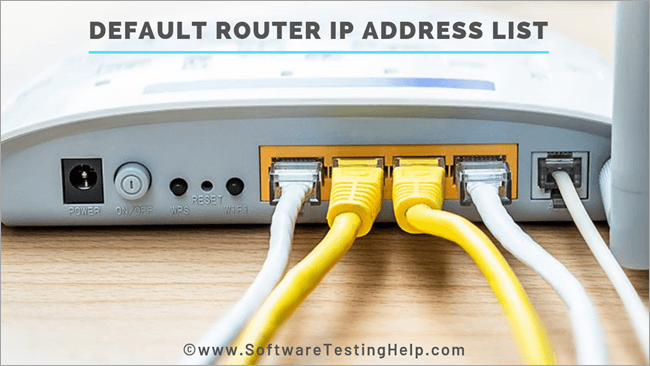
Your router’s default IP address is the gateway to accessing its admin panel, where you can change WiFi passwords, update security settings, and manage connected devices. However, many users aren’t sure what their default router IP address is or how to find it.
The router manufacturers generally use a default router IP address like 192.168.0.1 or 198.168.1.1. However, there are several varieties as well in this range, which we will explore in detail in the following section.
Table of Contents:
How To Find Your Router IP Address on Windows?
To find out the default IP Address of a router please follow the steps given below
#1) Go to the Start menu of the taskbar and type CMD in the search box.
#2) Once you enter the CMD command, the command prompt having a black screen will open up.

#3) Enter the command ‘ipconfig’, in the command prompt.
This command displays the default IP settings and configuration of the system along with the router connected to it, as shown in the picture below.

#4) The above screenshot displays that the laptop is connected with the wireless router via a Wi-Fi network and is locally connected with the Default Gateway, which is the default router, whose IP address is 192.168.29.1
Thus we can find out the default IP address of the router for our home network in four simple steps as explained above.
Suggested reading =>> Common Windows CMD Commands List
Another way to find the IP address of the WIFI is given below:
#1) Each maker of the router has a default login router IP address marked at the bottom of the hardware of the router. If it is not labeled there, then you can get it from the manual or document that came with the router when you purchased it.
#2) If the internet service provider equips you with the router then he will automatically tell you the IP address and credentials to log in to the router and access the Internet.
Suggested reading => How to Update Router Firmware
How To Find Your Router IP Address on a macOS?
Follow these steps to find your router’s IP address (Default Gateway) on macOS:
Click the Apple menu () in the top-left corner.
- Select System Settings (or System Preferences on older macOS versions).
- Click Network.
- Select your active connection:
- Wi-Fi (if connected wirelessly), or
- Ethernet (if using a wired connection).
- Click Details (or Advanced on older versions).
- Go to the TCP/IP tab.
- Look for Router — the number displayed next to it is your router’s IP address.
Example
- If it shows:
- Router: 192.168.1.1
Then 192.168.1.1 is your default router IP address. Enter this IP into your browser’s address bar to access the router login page.
List of Default Router IP Addresses For major Router Brands
Please see the list of default IP addresses for commonly used router makes below-
| Router Brand | Login IP |
|---|---|
| 2Wire | 192.168.1.1 192.168.0.1 192.168.1.254 10.0.0.138 |
| 3Com | 192.168.1.1 192.168.2.1 |
| Actiontec | 192.168.1.1 192.168.0.1 192.168.2.1 192.168.254.254 |
| Airlink | 192.168.1.1 192.168.2.1 |
| Airlive | 192.168.2.1 |
| Airties | 192.168.2.1 |
| Apple | 10.0.1.1 |
| Amped Wireless | 192.168.3.1 |
| Asus | 192.168.1.1 192.168.2.1 10.10.1.1 |
| Aztech | 192.168.1.1 192.168.2.1 192.168.1.254 192.168.254.254 |
| Belkin | 192.168.1.1 192.168.2.1 10.0.0.2 10.1.1.1 |
| Billion | 192.168.1.254 10.0.0.2 |
| Buffalo | 192.168.1.1 192.168.11.1 |
| Dell | 192.168.1.1 |
| Cisco | 192.168.1.1 192.168.0.30 192.168.0.50 10.0.0.1 10.0.0.2 |
| D-Link | 192.168.1.1 192.168.0.1 192.168.0.10 192.168.0.101 192.168.0.30 192.168.0.50 192.168.1.254 192.168.15.1 192.168.254.254 10.0.0.1 10.0.0.2 10.1.1.1 10.90.90.90 |
| Edimax | 192.168.2.1 |
| Eminent | 192.168.1.1 192.168.0.1 192.168.8.1 |
| Gigabyte | 192.168.1.254 |
| Hawking | 192.168.1.200 192.168.1.254 |
| Huawei | 192.168.1.1 192.168.0.1 192.168.3.1 192.168.8.1 192.168.100.1 10.0.0.138 |
| LevelOne | 192.168.0.1 192.168.123.254 |
| Linksys | 192.168.1.1 192.168.0.1 192.168.1.10 192.168.1.210 192.168.1.254 192.168.1.99 192.168.15.1 192.168.16.1 192.168.2.1 |
| Microsoft | 192.168.2.1 |
| Motorola | 192.168.0.1 192.168.10.1 192.168.15.1 192.168.20.1 192.168.30.1 192.168.62.1 192.168.100.1 192.168.102.1 192.168.1.254 |
| MSI | 192.168.1.254 |
| Netgear | 192.168.0.1 192.168.0.227 |
| NetComm | 192.168.1.1 192.168.10.50 192.168.20.1 10.0.0.138 |
| Netopia | 192.168.0.1 192.168.1.254 |
| Planet | 192.168.1.1 192.168.0.1 192.168.1.254 |
| Repotec | 192.168.1.1 192.168.10.1 192.168.16.1 192.168.123.254 |
| Senao | 192.168.0.1 |
| Siemens | 192.168.1.1 192.168.0.1 192.168.1.254 192.168.2.1 192.168.254.254 10.0.0.138 10.0.0.2 |
| Sitecom | 192.168.0.1 192.168.1.254 192.168.123.254 10.0.0.1 |
| SMC Networks | 192.168.1.1 192.168.0.1 192.168.2.1 10.0.0.1 10.1.10.1 |
| Sonicwall | 192.168.0.3 192.168.168.168 |
| SpeedTouch | 10.0.0.138 192.168.1.254 |
| Sweex | 192.168.15.1 192.168.50.1 192.168.55.1 192.168.251.1 |
| Tenda | 192.168.1.1 192.168.0.1 |
| Thomson | 192.168.0.1 192.168.1.254 192.168.100.1 |
| TP-Link | 192.168.1.1 192.168.0.1 192.168.0.254 |
| Trendnet | 192.168.1.1 192.168.0.1 192.168.0.30 192.168.0.100 192.168.1.100 192.168.1.254 192.168.10.1 192.168.10.10 192.168.10.100 192.168.2.1 192.168.223.100 200.200.200.5 |
| U.S. Robotics | 192.168.1.1 192.168.2.1 192.168.123.254 |
| Zoom | 192.168.1.1 192.168.2.1 192.168.4.1 192.168.10.1 192.168.1.254 10.0.0.2 10.0.0.138 |
| ZTE | 192.168.1.1 192.168.0.1 192.168.100.100 192.168.1.254 192.168.2.1 192.168.2.254 |
| Zyxel | 192.168.1.1 192.168.0.1 192.168.2.1 192.168.4.1 192.168.10.1 192.168.1.254 192.168.254.254 10.0.0.2 10.0.0.138 |
Conclusion
In this tutorial, we have seen how to find out the default IP address of the router in four easy steps.
The default IP addresses for 40+ common router manufacturing brands are also listed in this tutorial for easy reference.
I hope this tutorial helped you find the default IP Addresses for your WIFI router!
Was this helpful?
Recommended Reading
-

In this advanced technology world, everyone uses the Internet. One can easily find an answer/solution to whatever he/she doesn't know with the help of the Internet. Earlier, to appear in an interview, people used to go through all the relevant books and materials available page by page carefully. But the…
-

Difference Between Layer 2 and Layer 3 Switches in Computer Networking System: In this Beginner's Networking Training Series, our previous tutorial briefed us about Subnetting and Network classes in detail. We will learn the various features and application of Switches at layer-2 and layer-3 of the OSI reference model. We…
-
Computer Networking: The Ultimate Guide to Computer Network Basics and Networking Concepts Computers and the Internet have changed this world and our lifestyle very significantly over the last few decades. A few decades ago, when we wanted to do a long distance trunk call to someone, then we had to…
-
This Step By Step Tutorial Explains How to Find Out the Default Username and Password for all top Router brands. Accessing the router begins by knowing the proper username and password that should be used to log in to the router. This is necessary whether you are setting up a…


