Put an end to your search for HIPAA-compliant and easy-to-use Online Fax Services. Explore the list of top free online Fax services to send & receive faxes easily with smart and secure features:
Online fax services allow you to send faxes online, with the help of your smartphone, tablet, or computer. They allow you to attach files of different formats directly from your phone or email and send a fax within seconds. Fax machines are no longer necessary for this.
Many of the online fax services offered by different companies allow you to integrate with Google applications, Microsoft Office, Slack, Zapier, etc. to create and send your faxes easily. Some of them allow you to add text and images with the help of editing features available on their dashboard. You can also create a cover page for your fax.
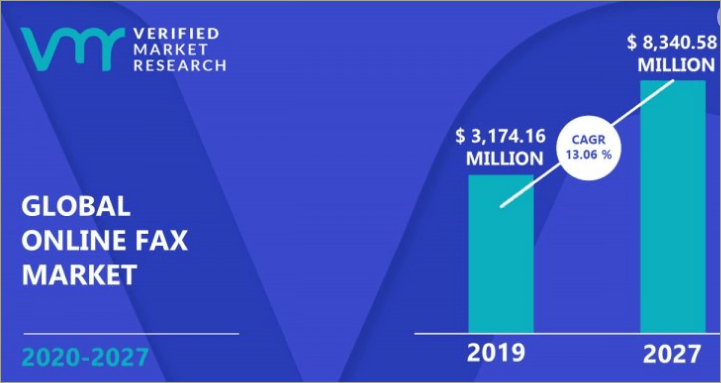
Free Fax Online: Market Trends
One thing to be kept in mind is that all of them have set some limits to various aspects of faxing, for example:
- File attachment size
- File formats that can be attached
- Number of files that can be attached
- The number of pages a single fax can have
- Number of recipients
- Number of free faxes per day or per lifetime.
So, you must make a proper plan regarding your business needs and then look at these features before choosing an online fax service for your business.
Here is a video on How Online Faxing Works:
Benefits of fax services online:
- No need to install a fax machine
- Send a fax, anytime, from anywhere, within seconds
- Integrate with other apps
- Mobile/web application
- Send free fax online
- Get your sent and received faxes saved online
- Design a cover page
- Fax editing features
- Send to multiple recipients at once
- e-signature
- Send a fax to your email
How to Find the Best Online Fax Free Service
You should look after certain aspects while picking an online fax service, for example:
- You should make sure that the service offers the utmost security to your data, no matter you are using it for business purposes or personal use.
- Integration with other applications would be of great benefit.
- Look for a service that fulfills your business requirements. For example, the maximum file size allowed to be attached, the maximum number of faxes allowed to be sent in a day, the e-signature feature, etc.
[image source]
In this article, you will find a well-researched list of the best free fax service providers. You can also go through their comparison and detailed reviews to find quick information about each one of them.
List of the Best Online Fax Services
Here is the popular list:
- FaxZero
- eFax
- GotFreeFax
- FaxBetter
- PamFax
- MyFax
- CocoFax
- SRFax
- HelloFax
- RingCentral Fax
- Fax.Plus
Comparing the Top Free Fax Service
| Name | Best for | Price | File attachment size limit |
|---|---|---|---|
| FaxZero | Lets you send free faxes quickly. | $2.09 per fax. (Free version is also available). | 25 MB |
| eFax | A simple yet powerful faxing platform | Starts at $18.99 per month | 3 GB |
| GotFreeFax | Bulk faxing | $0.98 for 10 faxes (A free version is available). | 30 MB |
| FaxBetter | A cheap Premium version that offers a highly useful range of features. | $5.95 per month (A free version is also available). | 20 MB |
| PamFax | A wide range of features | Starts at $0.10 per page (A free version is also available). | 40 MB |
Detailed Reviews:
#1) FaxZero
Best for sending free faxes quickly.
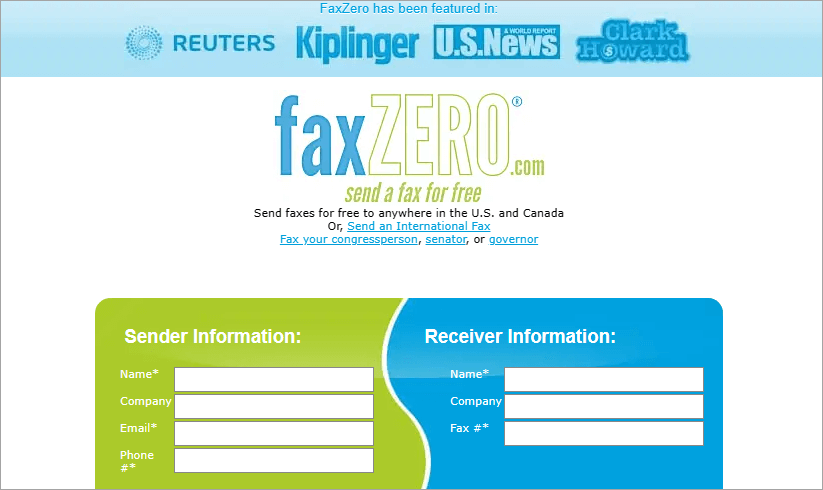
FaxZero is, I must say, one of the best free online fax service providers out there. It allows you to send faxes, design the cover page, attach files, and more. They encrypt all the user information which is submitted through the HTTPS protocol to their server.
With FaxZero, sending faxes to a fax machine in the USA or Canada is free, while they charge you some amount for international faxes.
File attachment limit: 25 MB
Features:
- Lets you send international faxes.
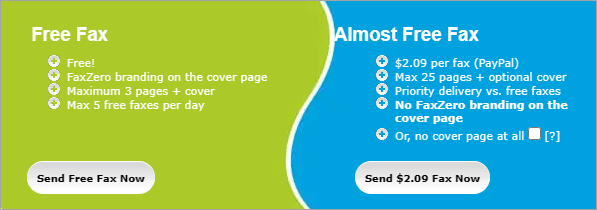
- The free version allows only 5 faxes per day.
- The paid version allows a maximum of 25 pages + optional cover.
- Lets you attach .DOC, .DOCX, RTF, or .PDF files, or upload pictures from your phone camera.
- Lets you design a cover page, by adding text and pictures to it.
How to use FaxZero: FaxZero is the easiest-to-use online fax services provider out there.
Using this platform, you can send a fax with these simple steps:
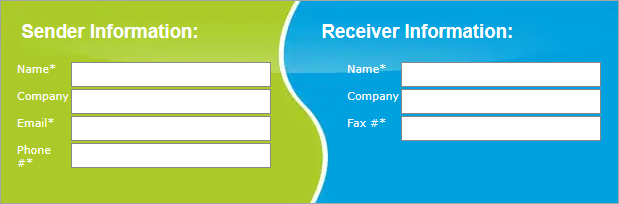
1. On FaxZero’s homepage, fill up the information about the Sender and Recipient, in the box that looks like this:
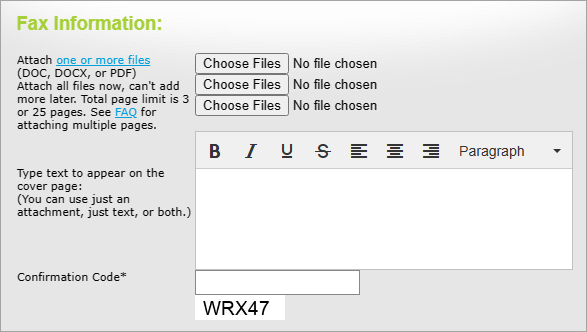
2. Then attach files to your fax and create its cover page
3. Then either click on ‘Send Free Fax Now’ or ‘Send $2.09 Fax Now’
Pros:
- Extremely easy to use
- Gives you a refund, in case your face fails
- Quick operations
- An affordable paid version
Cons:
- Interrupting ads
- FaxZero branding on the cover page (with the free version)
- Does not allow you to receive faxes.
Why we chose this tool: FaxZero is extremely simple and easy to use. It lets you send free faxes online, within seconds. The free version is quite useful, but you need to bear the interrupting ads and send faxes with FaxZero branding. Or, you can opt for the advanced version to avail the no-branding feature.
Price: FaxZero is available for free. There is a Premium, paid version also, which costs $2.09 per fax. Prices for international faxes start at $3.63 per fax.
Website: https://faxzero.com/
#2) eFax
Best for being a simple yet powerful faxing platform.
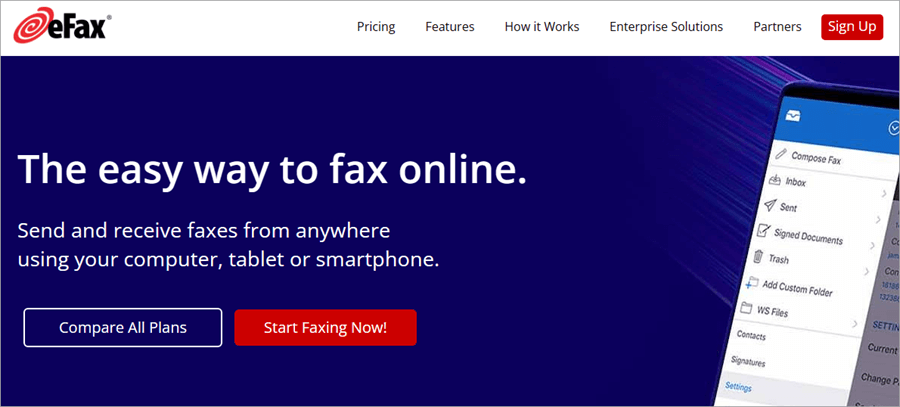
eFax offers one of the best online fax services. It lets you send or receive faxes from any device. The platform is simple, easy to use, plus offers good speed for sending and receiving faxes.
eFax is a 20-year-old, widely popular application for fax services. It has millions of customers from all over the world, including small businesses as well as nearly half of the Fortune 500.
File attachment limit: 3 GB
Features:
- $10 setup fee
- Get a free local or toll-free number with each plan
- Get secure unlimited storage
- Lets you fax to multiple recipients
- Lets you edit and sign faxes
- Lets you send faxes from your email
How to use eFax: Follow these steps to start using eFax:
- Create your eFax account, get your free fax number, choose a plan, and pay the subscription fee.
- Once you are done with the signup process, you can start sending and receiving faxes online, through mail, a mobile app, or a web application.
- When you are using the web application, you will see the ‘My Account’ page.
- From here you can start sending faxes by uploading documents and creating the cover page.
- Then click on ‘Send’.
- On the ‘My Account’ page, you will also find the faxes that you have received.
Pros:
- 24/7 Live support
- Android and iOS mobile apps
- Lets you send large files of up to 3 GB in size
- One account allows you to have up to 10 fax numbers
Cons:
- No free version
Why we chose this tool: eFax has got some great reviews from its users. The most appreciated things about the platform are the range of features that it offers, its simple interface, 24/7 phone support, e-signature capability, and mobile applications.
I would highly recommend eFax for individuals as well as businesses who want online fax services.
Price: Price plans offered by eFax are as follows:
- eFax Pro: $24.99 per month
- eFax Plus: $18.99 per month
- eFax Corporate: Custom pricing
Website: https://www.efax.com/
#3) GotFreeFax
Best for those who need to send/receive faxes in bulk.
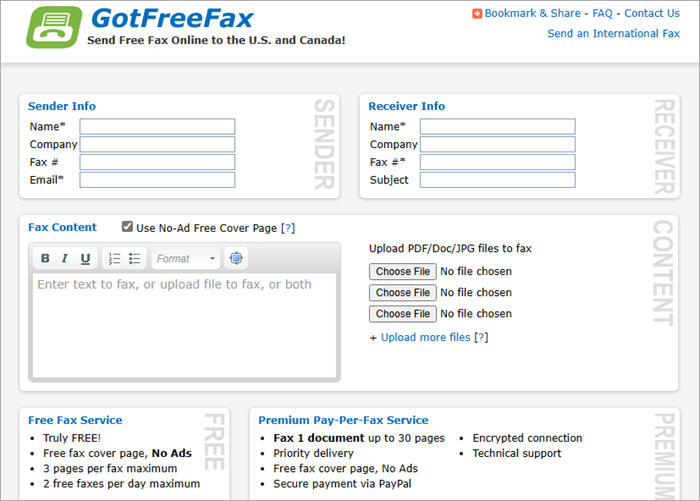
GotFreeFax is a trusted platform that offers online fax services free. It supports PDF (.pdf), Microsoft Word (.doc/.docx), OpenDocument Text (.odt), Rich Text (.rtf), and JPEG Image (.jpg/.jpeg) file formats.
The platform ensures the security of your data through encryption, Gateway anti-virus, and Intrusion Prevention services. Your fax files get automatically deleted after 5 days. You will have to bear the ads on their web page, but they never add those ads to your faxes.
File attachment limit: 30 MB
Features:
- Lets you add text, JPG images, or PDF/Doc files to your fax
- Lets you add and design a cover page
- The free version allows a maximum of 3 pages per fax and up to 2 faxes per day
- Allows you to upload up to 10 files per fax
- Allows up to 30 MB of file attachments per fax
How to use GotFreeFax: Using GotFreeFax is very much similar to FaxZero.
Follow these steps to send a free online fax with GotFreeFax:
1. On the homepage, you will find boxes like these:
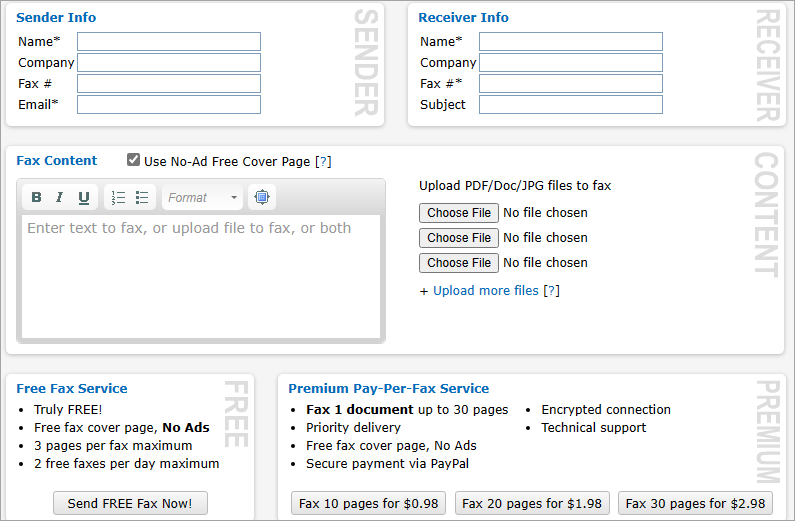
2. Fill up the Sender’s info and Receiver’s info
3. Create your Cover page
4. Upload files
5. Click on ‘Send FREE Fax Now’.
Pros:
- Encrypted connection (available with paid plans).
- No fax machine is required.
- Excellent user interface
- No GotFreeFax logo
Cons:
- Interrupting ads in the free version
Why we chose this tool: You can have a look at some of the amazing reviews about GotFreeFax here. The platform is quick and easy to use. Plus, you do not need to buy a fax machine.
Their free services allow you to send faxes to the US Continental 48 states, Alaska, Hawaii, and Canada only. You can send faxes to up to 200 countries and regions with their international fax services.
Price: GotFreeFax offers a free version. Paid plans are as follows:
- Fax 10 pages for $0.98
- Fax 20 pages for $1.98
- Fax 30 pages for $2.98
You can also buy prepaid fax credit. For example, you can buy 100 fax credits for $9.95.
Website: https://www.gotfreefax.com/
#4) FaxBetter
Best for a very cheap Premium version that offers a highly useful range of features.

FaxBetter was founded in 2006. It offers the best free fax service. They offer you a toll-free fax number with the free as well as the Premium version and do not charge you any activation fee. You can get unlimited lifetime storage for your faxes, by paying just $5.95 per month. Plus, they ensure the security of your data.
I found FaxBetter to be a highly useful and quick platform. You can easily get a toll-free fax number, within seconds, just by entering a valid email ID.
File attachment limit: 20 MB
Features:
- Sends you a notification email, whenever a fax is received.
- Dedicated toll-free fax number
- Storage space for 1,000 fax pages is available for free. The premium version offers unlimited lifetime storage.
- Lets you send PDF, TIF, Word, Excel, JPG, Html, or Text files
- Lets you receive up to 50 pages per month with the free version, and the Premium version allows you to receive up to 500 pages per month (which can be further increased).
Pros:
- Instant customer service (available during business hours).
- No ads on your faxes
- Very low prices
- Searchable faxes
- Spam protection features
Cons:
- The free version does not allow you to send faxes. You can only receive them from a unique sender, every 7 days.
Why we chose this tool: FaxBetter is an easy-to-use, reliable platform for free faxing online. It guarantees you 99.95% uptime. You do not need a fax machine to send or receive faxes through FaxBetter. The platform can be used online through any device.
The free version can be useful for those who have the purpose of receiving faxes only, as it does not allow you to send them.
Price: FaxBetter offers a free version. The premium version costs $5.95 per month.
Website: https://www.faxbetter.com/Options.aspx
#5) PamFax
Best for a wide range of features.
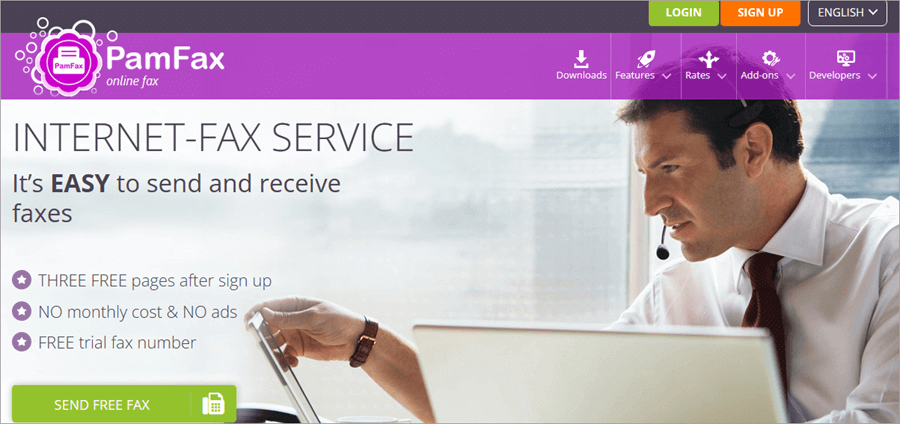
PamFax is one of the best free online fax service providers that allows you to send and receive faxes without the need to have a fax machine or a phone line. With PamFax, you can instantly start sending and receiving faxes, just by creating your account.
The paid version offers you your fax number, gives you notifications on Telegram, Facebook Chat, Skype Chat, and/or E-Mail & SMS on receiving a fax, lets you download faxes as PDFs, integrates with Microsoft Office 2003-201,3, and much more.
File attachment limit: 40 MB
Features:
- Lets you send faxes to 236 countries
- Lets you access Dropbox, Box, Google Drive, and OneDrive directly
- Gives you a personal fax number
- Lets you send a fax to multiple recipients at once
- Supports more than 100 file formats
Pros:
- Quick and easy to use
- No need to get a fax machine
- SSL or TLS encryption for the security of your data
- Supports multiple platforms including Windows, Mac OS X, Android, and iPhone/iPad.
Why we chose this tool: I must say PamFax is a very useful faxing platform. The range of features that they offer is praiseworthy. You can go for their free version, pay as you go, or choose from their monthly subscriptions.
Let me inform you, that most of their features are available with their monthly plans, which are available at very affordable rates, thus proving that the platform has many advantages over other competing platforms.
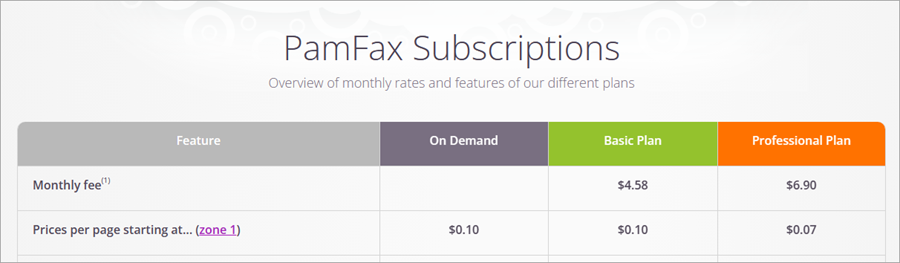
Price: Starts at $0.10 per page (without monthly subscription). A free version is also available.
Monthly plans offered by PamFax are as follows:
- Basic: $4.54 per month ( +$0.10 per page)
- Professional plan: $6.84 per month ( +0.07 per page)
Website: https://www.pamfax.biz/
#6) MyFax
Best for being a feature-rich and easy-to-use platform.

MyFax offers nice fax services. They let you send faxes online through any device, without the need of having a fax machine.
With MyFax, you can just transfer your existing fax number and eliminate the cost of a landline, or choose from some options for your local, toll-free, or international fax number.
File attachment limit: 10 MB
Features:
- Lets you fax online, by email, or by phone
- Offers Local and Toll-Free fax numbers
- Online fax storage allows you to access all sent and received faxes
- Lets you send a fax to up to 50 recipients
- Choose from more than 100 cover template options, to design your fax cover
Pros:
- Quick and easy to use
- 24/7 customer support
- User-friendly interface
- Mobile apps for Android and iOS users
Cons:
- No free version.
Why we chose this tool: I found this application highly recommendable. Their user-friendly interface and quick fax-sending features make them highly popular. You can use their 3-day free trial to test the quality of their services.
One drawback of the platform is that they allow only 100 pages to be sent and 100 pages to be received with their Home Office plan, which increases to 300 pages and then 600 pages with the highest plan. I found this platform to be a bit costlier than its alternatives, but the range of features that it offers is praiseworthy.
Price: MyFax offers a free trial for the first 3 days. After that, you will have to pay as per the following plans:
- Home Office User: $12 per month (Lets you send and receive 100 pages).
- Small Business User: $25 per month (Lets you send and receive 300 pages).
- Power User: $45 per month (Lets you send and receive 600 pages).
Website: https://www.myfax.com/lp/free-trial
#7) CocoFax
Best for enterprise-scale use.
CocoFax is a secure, feature-rich platform that offers easy-to-use online fax services. The platform offers you customizable price plans, as per your business needs, thus making it suitable for businesses of all sizes. Large business enterprises would find the platform highly beneficial, because of the wide range of features that it offers.
With CocoFax, you get features like e-signature, international faxing, an online PDF editor, security, integrations, and much more.
File attachment size limit: 20 MB
Features:
- Send faxes from emails including Gmail, Yahoo, etc
- Send faxes with your smartphone, tablet, or computer device
- Notifies you when a fax is sent or received
- A free fax number
- Lets you send faxes to more than 180 countries
- Lets you fax from Google Apps or Microsoft Office
- Allows you to schedule faxes, to be sent at a specific time
Pros:
- 30-day money-back guarantee
- A free version is available
- HIPAA, GDPR, PHIPA Compliant platform
- Integration with Google Apps, Slack, Microsoft, Chrome extension and more.
- Customized, easy-to-use apps for Mac, Windows, Android, and Chrome users.
Cons:
- You are allowed to send the free faxes within the USA and to Canada only.
- You can not receive faxes with the free version.
Why we chose this tool: CocoFax is a feature-packed, award-winning, all-inclusive platform for faxing. The wide range of features that it offers makes it highly useful for large businesses that have complex operational requirements.
I must say, their free version is commendable. It offers you a fax number and lets you send secure, encrypted faxes without any trial time limit. The only limit with the free version is that it allows you to send only 10 fax pages.
Price: Contact us directly to get a customized price quote.
Website: https://cocofax.com/
#8) SRFax
Best for businesses of all sizes, especially healthcare.
SRFax is one of the best online fax service providers. It offers you an easy-to-use portal for faxing that works with all email services.
You can get a number ported to SRFax with a one-time fee of $25. The application does not require a fax machine. You can start faxing with any device using your existing email account, mobile device, or web application.
File attachment size limit: A single page scan should be equal to or less than 500 KB in size.
Features:
- Send and receive faxes from any device
- Integrate their API into your applications
- Send or schedule a fax to up to 50 recipients
- You can use your existing fax number or get a new local or toll-free number.
Pros:
- HIPAA, PHIPA compliance, and SSL encryption
- No startup costs
- Easy to use
- Gives unlimited storage
- Mon – Fri 6 am to 5 pm PST customer support
- Specialized plans for healthcare purposes
Cons:
- No free version
Why we chose this tool: SRFax is a secure and reliable platform for online fax services. Their solutions are designed mainly for the healthcare industry.
I found the platform to be easy to use with standard security features. It allows you to have multiple numbers per account and offers personalized support from real people.
Price: Standard price plans offered by SRFax are as follows:
- Standard Lite: $14.90 per month
- Standard: $21.80 per month
- Standard Plus: $37.90 per month
HIPAA-compliant plans for healthcare are as follows:
- Healthcare Basic: $16.05 per month
- Healthcare Basic Plus: $22.95 per month
- Healthcare Standard: $41.35 per month
*Contact the sales team for larger plans.
Website: https://www.srfax.com/
#9) HelloFax
Best for being a scalable, feature-rich platform.
HelloFax is a scalable, easy-to-use, intuitive platform that offers services for sending and receiving faxes. Your online faxes are saved as PDFs in Dropbox Fax, which can then be viewed, downloaded, and shared. Another good point about HelloFax is that you get unlimited storage. Plus, you can sign and edit documents electronically and send them to multiple recipients.
File attachment size limit: 40 MB
Features:
- Completely customizable platform
- Lets you transfer your old fax number
- e-signature facility
- Pay 5 cents per page on exceeding the monthly page limit
- Get unlimited storage
Pros:
- A free version
- A free trial for 30 days.
- Lets you send faxes to several countries
- HIPAA, AICPA compliant, ISO 27001 certified platform
Why we chose this tool: I found HelloFax to be an amazing online fax services provider. They are offering you everything you want, including 5-star customer services, integration with Google Drive, Dropbox, Box, OneDrive, and Evernote, information security, and more.
I found the customer reviews about the platform quite impressive. I would recommend HelloFax for personal use as well as for small businesses.
Price: HelloFax offers a free version. Paid plans offer a free trial for 30 days. Subscription plans are as follows:
- Home Office: $9.99 per month
- Professional: $19.99 per month
- Small Business: $39.99 per month
Website: https://www.hellofax.com/
#10) RingCentral Fax
Best for being an all-inclusive platform for calling, SMS, eFax, webinars, video conferencing, and more.
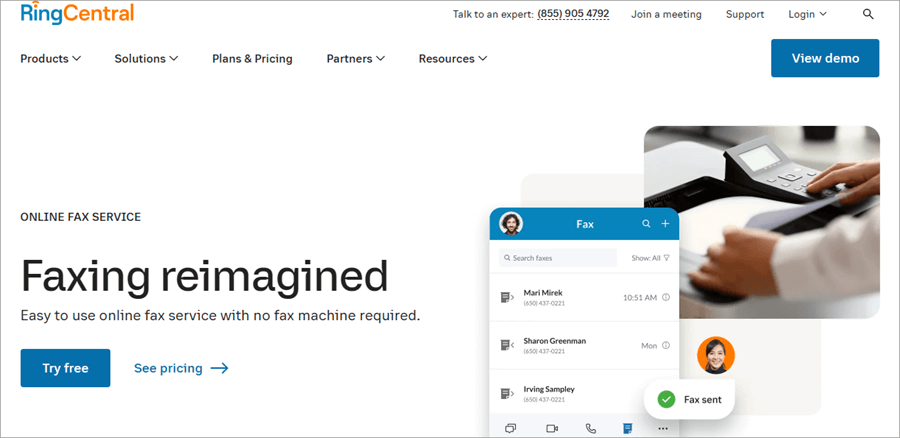
RingCentral is an online faxing services provider, which is available on Mac, Windows, Web iOS, and Android. The application does not require a fax machine for its operations.
The platform lets you set up local, toll-free or vanity numbers, or you can also keep your existing fax number. With a single application and subscription, you can call, SMS, eFax, set video meetings or team chats or webinars, and more.
File attachment size limit: 50 MB
Features:
- One app for all your calls, meets, messages, and faxes
- Get a local or toll-free number
- Lets you save up to 200 faxes for an unlimited period
- Integration with Microsoft Windows
- Lets you create groups of contacts and send faxes to multiple recipients.
Pros:
- No fax machine required
- Easy to use
- A free trial for 7 days
- Enterprise-grade security
- Free onboarding
- 24/7 support
Cons:
- No free version
Why we chose this tool: The most beneficial thing about RingCentral is that it is a unified platform for several business solutions. With a single subscription, you can get many solutions. I would highly recommend RingCentral to businesses of all sizes.
On the other hand, the platform can prove to be a bit troublesome for those who want simple faxing features only.
Price: RingCentral Fax offers a free trial for 7 days. Price plans are as follows:
- Fax 3000: $27.99 per user per month
- RingCentral Advanced: $35 per user per month
Website: https://www.ringcentral.com/fax/features/how-it-works.html
#11) Fax.Plus
Best for being an easy-to-use, secure faxing solution.
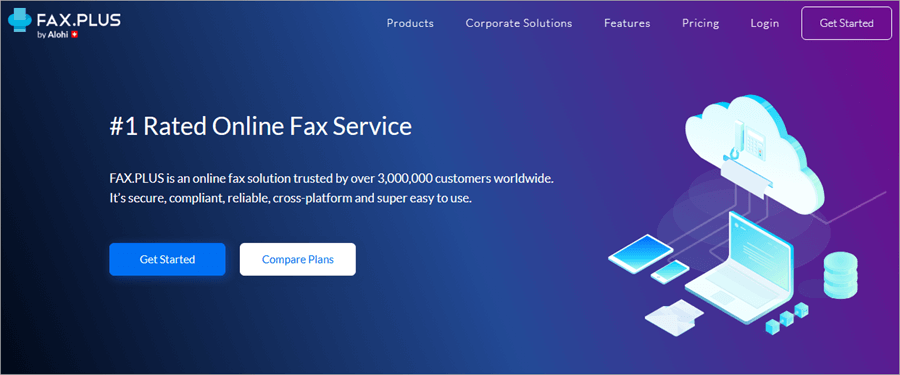
Fax.Plus is a dedicated online fax service provider. With this platform, you get everything you want with a faxing solution. The range of features that they offer is commendable. You can send faxes with up to 250 pages with their enterprise plan.
Their security features make them highly reliable. They offer 256-bit Advanced Encryption Standard (AES), support TLS 1.3, Single Sign On, and more security features.
File attachment size limit: 30 MB
Features:
- Lets you send a fax by email
- You have multiple fax numbers
- Unlimited secure fax storage
- Lets you send a fax to multiple recipients
- An analytics dashboard that allows you to review past activities of each user
- Mobile applications
- Let you schedule faxes to be sent later
Pros:
- Slack, Zapier integration
- Advanced security control features (available with the enterprise plan)
- A free plan that offers 10 pages to fax in total.
- HIPAA, GDPR, AICPA, CCPA compliant
- ISO 27001-certified platform
Cons:
- The free version does not allow you to receive faxes.
Why we chose this tool: The main plus point about Fax.Plus the flexible price plans make it suitable for businesses of all sizes. And, you get a free version, that allows you to send up to 10 faxes in total, and pay $0.2 per extra page.
With each plan, you can add up to 10 files per fax. If you want to have your number, then you will have to pay a one-time fee of $19.99, and if you choose to get a number from their handpicked set of highly memorable numbers, then you will have to pay $29.99 as a one-time fee.
Price: Price plans are offered by Fax. Plus are as follows:
- Basic: $8.99 per month
- Premium: $17.99 per month
- Business: $34.99 per month
- Enterprise: $99.99 per month
Website: https://www.fax.plus/
FAQs on Fax Services
1. Is there a free fax app?
Several applications offer you online fax services free. For example, FaxZero, GotFreeFax, FaxBetter, PamFax, and MyFax are the top best free fax service providers.
2. Is CocoFax free?
Yes, CocoFax offers a free version. You get a free fax number, standard security, and end-to-end encryption, without any trial time limit. The only limit with the free version is that it allows you to send only 10 fax pages.
If you want more advanced features, you can go for their paid subscription plans, which can be tailored, to your needs.
3. Can I send a fax from Gmail?
Yes, many of the online fax service providers including eFax, Fax.Plus and MyFax are the best platform for sending faxes from emails.
Follow these steps to send a fax from Gmail (with Fax.Plus):
• Create your account on Fax.Plus, using your Google account
• Go to Gmail
• Go to the ‘compose new mail’ option
• Enter the fax number, followed by @fax.plus in the ‘To’ field
• Attach documents that you want to be sent as a fax
• Then click ‘Send’.
4. How can I fax a PDF for free?
You can send a PDF as a fax in minutes. FaxZero is the easiest solution for this. You just need to follow these steps:
• Go to their homepage,
• Enter your Name, Company, Email and Phone number,
• Then enter the recipient’s Name, Company, and Fax number,
• Then choose a file that needs to be sent as a PDF.
• Then click on ‘Send Free Fax Now’.
5. How can I get a free fax number?
With CocoFax, FaxBetter, and eFax, you can get a free fax number and start receiving faxes online.
Conclusion
Online fax services are a new mode of fax transmission that eliminates the need to install a fax machine for sending and receiving faxes. This method allows you to fax online, with the help of any device, using different mobile or web applications.
Some companies let you send free faxes online, which can be highly useful for those who do not need to do bulk faxing. If you want the best cheap online fax service, then FaxZero is the best available option. It is fast, extremely easy to use, secure, and free forever. The only limits are that you can send a maximum of 5 faxes per day, and you can not receive faxes with this platform.
If you want more advanced features, then eFax, FaxBetter, PamFax, and MyFax are great options. For enterprise-scale use, RingCentral Fax, Fax. Plus, HelloFax would be recommended. SRFax, Hello.Fax, Fax. Plus offer HIPAA compliance, and thus are suitable for healthcare use. You must look for security features like encryption and compliance standards if you want to use the application for business purposes.
Research Process
- Time taken to research this article: We spent 25 hours researching and writing this article so you can get a useful summarised list of services with a comparison of the top 5 for your quick review.
- Total tools researched online: 33
- Top Fax services shortlisted for review: 11
Was this helpful?
Recommended Reading
-

A Step by Step Guide on Pen Testing a Mobile Application (With Tools and Service Providers): A decade ago, owing to the evolution of technology, we all started to understand about IT industry and that was the time, all of us got to know about how and what could be done…
-

Review of the best IPTV services available worldwide, compare the features and pricing of the top-rated IPTV providers, and select the best IPTV subscription. Picking an IPTV service in 2026 gives you choices from all kinds of live sports to big on-demand libraries. But it's not easy to find a…
-

List of the Best DevOps Service Provider Companies and Consulting Firms with a detailed comparison: In this DevOps series, our previous tutorial explained more about Hudson Continuous Integration Tool. Here, we will take a look at the list of the best DevOps Service providers. Check out => Demystifying DevOps Training…
-
We have listed here the top Cloud Security Service Providers to watch in 2026! Nowadays, most of Enterprises are shifting their resources to Cloud technology, which in turn raises security issues as major barriers. As a result of which, many cloud security solutions are emerging day by day. Generally, Cloud…
-
List and Comparison of the Best VoIP Service Providers for Home and Business Phones: Most business entities use multimedia and voice communication services over the Internet. They use the term Internet or Broadband Telephony, IP Telephony that refers to communication over the public internet instead of the public switched telephone…
-

List and Comparison of the Best Free Email Service Providers of 2026: In today's technological world, email is the most common way of communication, whether it is for business or personal use. There are several email service providers in the market with their own unique capabilities. This article will, in…
-

Introduction to Cloud Computing Services: Earlier we used to store our data on hard drives on a computer. Cloud Computing services have replaced such hard drive technology. Cloud Computing service provides nothing but services like Storage, Databases, Servers, networking, and software through the Internet. Few Companies offer such computing services,…
-

Cloud Mobile App Testing Services: Should I start this article by explaining what a ‘Mobile App’ is? I assume that the reply from almost all the readers here would be a big ‘NO’. A mobile app is an emerging technology and it is the most convenient and demanding one that…