


Discover the Top Data Center Infrastructure Management Software to streamline the data identification process. Pick an all-in-one Data Center Monitoring tool to gain complete visibility of data center resources:
Data center monitoring means analyzing the data to track the performance and operations of a data center’s IT and network infrastructure, applications, and services to ensure that it runs efficiently and smoothly.
Ensuring data center availability is crucial for uninterrupted network performance.
Data Center Monitoring Services: Market Trends
What is Data Center Monitoring?
Data Center Monitoring includes:
- Collecting real-time data from your devices.
- Setting thresholds for the collected data and receiving alerts whenever an issue arises.
- Analyzing the collected data to discover trends and make business decisions.
- Setting access controls so that only the trusted members of your team can access the data.
Top benefits of Data Center Monitoring:
- It improves system uptime.
- Real-time and historical data help businesses make decisions.
- It helps in optimizing the performance of devices.
- Helps to avoid device failure or other issues that can arise due to temperature, humidity, and airflow.
- Helps to expedite and simplify audits.
- Increases production efficiency and reduces costs.
Best Practices for Monitoring Data Centers:
- Get a monitoring tool that integrates with all your services, devices, applications, and metrics that need to be monitored.
- Set up alarms for every issue so that you can address them immediately.
- Review the collected monitoring data regularly to discover areas of improvement and potential areas for upgrades.
Who can benefit from Data Center Monitoring?
Data center monitoring is beneficial for businesses coming from different industries. If we look more precisely, we can say that the following people benefit the most from data center monitoring done with Data Center Infrastructure Management Software:
- Data center managers
- IT Teams
- Accountants
- Datacenter customers
- Financial officers
- Technology officers
- Business Administrators
- Remote workers
What items can be monitored in a data center using DCIM Software?
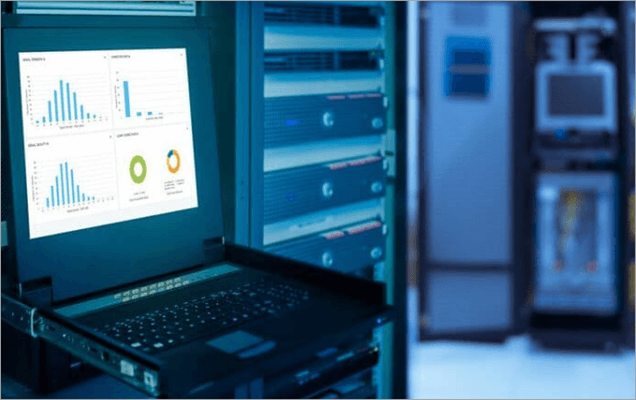
A Data Center Infrastructure Management software can help in monitoring the following parts of your infrastructure:
- Computers
- Routers
- Servers
- Firewalls
- Switches
- Virtual environments
- Backups
- Environmental aspects like smoke, temperature, air pressure, etc.
- On-premises monitoring, including doors, door locks, cameras, etc.
[image source]
In this article, we have provided a well-researched list of the best Data Center Infrastructure Management Software. Have a look at the detailed reviews to find the most suitable solution for your business. You can also take a glance at the comparison table to get basic information about the top 5.
Recommended Read => Check out the Top Data Center Companies
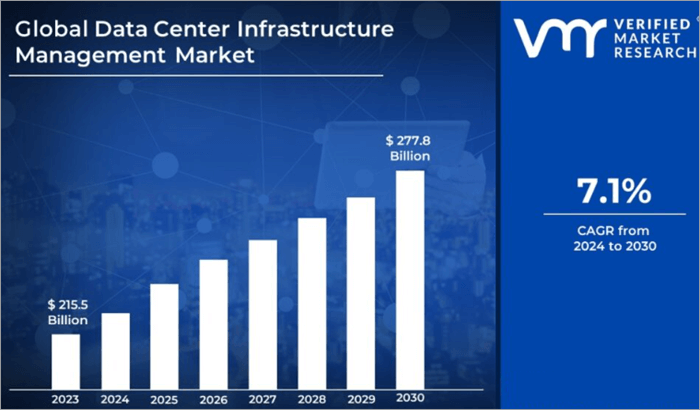
Market Trends: A report by Verified Market Research states that the global DCIM market had a net worth of $215.5 billion in the year 2023. This value is expected to increase at a Compound Annual Growth Rate (CAGR) of 7.1% over the years from 2024 to 2030 and reach an estimated value of $277.8 billion by 2030.
The main factors influencing this increase in the market are increased data volumes and data center complexity and the growing requirement for read-time monitoring to maintain compliance agreements, uptime, and more.
How we selected the top data center infrastructure monitoring platforms
We chose the best platforms after examining the following aspects of many of the software in the industry:
- Features
- Monitoring capabilities
- Customer reviews
- Usability
- Prices
- Cost efficiency
- Ease of use
- Suitability for different business types
Expert Advice: Look for the following features while choosing a data center monitoring system:
List of the Best Data Center Infrastructure Management Software
Here is the popular list:
- Paessler PRTG
- ManageEngine OpManager
- SafetyCulture
- Nlyte
- Dynatrace
- Device42
- Datadog
- Sunbird
- IBM Turbonomic
Comparing the Top Data Center Monitoring Tools
| Platform | Best for | Price | Top Benefits |
|---|---|---|---|
| Paessler PRTG | Advanced monitoring capabilities and easy-to-read dashboards. | It starts at $1934,10 for [License Size: 500 + 12 months maintenance] | • Monitors all aspects of the data center • Free to use for up to 100 sensors • A free trial for the paid plans • Various alerting options |
| ManageEngine OpManager | Reducing system downtime with the help of their powerful monitoring tools. | Contact their sales team for pricing information. | • Powerful monitoring capabilities • Sends different types of alerts based on how critical an issue is. • Advanced reporting features |
| SafetyCulture | Powerful, feature-rich platform. | Starts at $24 per seat per month. | • Free for up to 10 users • A free trial for the paid plans • Highly useful automations and integrations |
| Nlyte | Real-time monitoring and reporting of all aspects of a data center. | Contact them for a customised price quote. | • A free trial • What-if scenarios • Useful integrations • Asset optimizing features |
| Dynatrace | Contextual analytics, AI, and automation tools. | Starts at $0.04 per hour. | • 650+ supported integrations • A 15-day free trial • Automated Remediation tools |
Detailed reviews:
#1) Paessler PRTG
Best for its advanced monitoring capabilities and easy-to-read dashboards.

Paessler PRTG is a trusted and expert-recommended platform for data center monitoring. Its clients include businesses of different industries and sizes. The platform is ISO 9001-certified and delivers quality services.
This dedicated data center monitoring tool helps its users monitor their entire data center infrastructure, including computers, routers, servers, firewalls, switches from different vendors like Linksys or Cisco, and virtual environments.
We also track all the applications and services like web servers (IIS, Apache), SQL servers, mail servers, web applications (including websites and portals), backups, and more. Apart from this, they also provide their users with an environmental monitoring system, where they can monitor metrics like temperature, smoke, humidity, etc.
Watch the demo video of Paessler PRTG below:
Features:
- Monitors all aspects of the data center: Paessler PRTG will let you track your IT and network infrastructure as well as the applications and services. Moreover, you will also be able to monitor metrics like temperature, humidity, smoke, energy supply, or even the physical security in the server rooms.
- 24/7 Data Center Monitoring: Paessler PRTG ensures 24/7 monitoring of your data center, thus minimizing downtime and preventing errors. PRTG will even let you know about the component that is causing the error when a part of the data center infrastructure fails.
- Customizable Alerts and Notifications: Paessler PRTG has a highly customizable alerts and notifications feature that allows you to set custom threshold values and get notified through email, SMS, push notification, Teams or Slack message, etc. whenever an issue occurs. You can choose the way you want to receive alerts.
- Structured Maps and Dashboards for Data Visualization: You will get a centralized place for monitoring all of your data (even of distributed data centers) with easy-to-read dashboards. You can create a custom dashboard for monitoring important metrics.
- Performance Data: Paessler PRTG will also provide you with detailed reports about the performance of different aspects of business operations, for example, overall uptime over the last 12 months, bandwidth usage, etc. This helps detect problems, prevent downtime, fulfill service level agreements, and provide a good quality experience to the customers.
Pros:
- 24/7 monitoring
- Real-time performance checks
- Compatible with almost all major vendors, products, and systems
- You can try the platform for free (up to 100 sensors).
- A free trial is available for the paid plans.
- Supports English, German, Spanish, French, Portuguese, Dutch, Russian, Japanese, and Simplified Chinese.
Why we consider Paessler PRTG to be the best data center monitoring software: Paessler PRTG is appreciated by its users. Over 95% of their surveyed users have said that they would recommend this platform to their peers.
Their custom alerts and data visualization features help in monitoring, identifying, and preventing issues easily. I would recommend PRTG to businesses of all sizes, as it makes the job of sys admins a lot easier.
Price: Their price plans are as follows:
| License size | Wholesale Price |
| 500 + 12 months maintenance | $1934,10 |
| 1000 + 12 months maintenance | $3509.10 |
| 2500 + 12 months maintenance | $7289.10 |
| 5000 + 12 months maintenance | $12779.10 |
| XL1 + 12 months maintenance | $16109.10 |
#2) ManageEngine OpManager
Best for reducing system downtime with the help of their powerful monitoring tools.
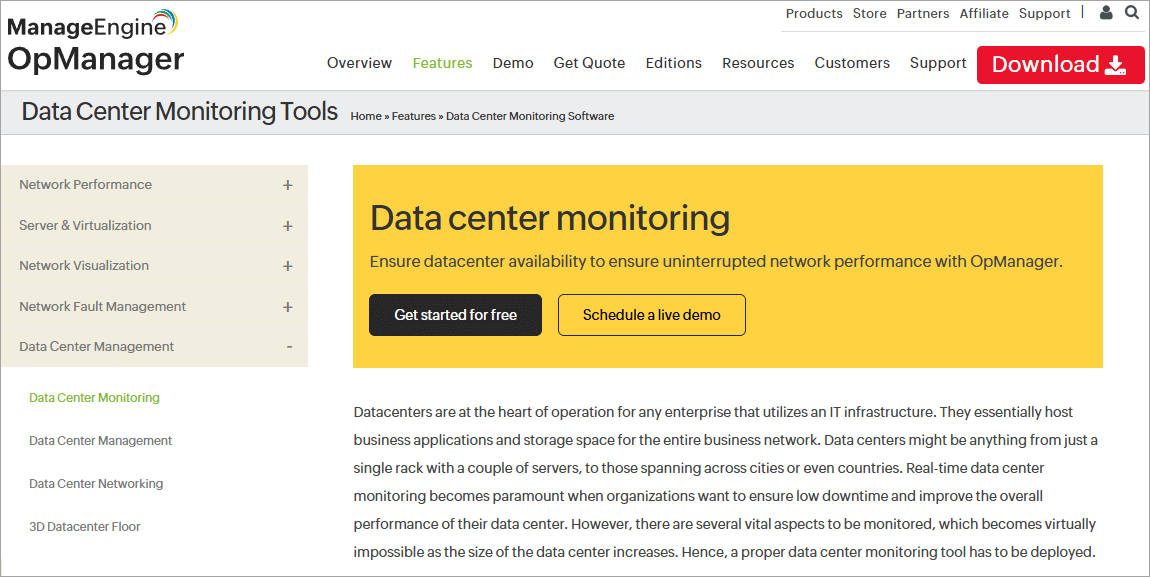
Another very powerful and reliable data center monitoring software is ManageEngine OpManager. It provides its users with a unified console for monitoring the important parameters of data center performance including network connectivity, server performance, and storage performance.
They have helped their customers maintain SLAs and compliance, attaining enhanced customer satisfaction and MTTR, increased uptime, increased time and cost efficiency, data security, and much more.
Watch this video showing an overview of OpManager’s mobile application.
Features:
- Complete Data Center Monitoring System: With OpManager, users can manage and monitor the performance metrics of their data centers in real-time. This unified data center monitoring solution allows you to monitor switches and routers, critical server metrics, hardware metrics, and more.
- Real-time, Threshold-based Monitoring: You can set thresholds for the performance monitors so that any variation in the performance of the data center devices can be detected. The software allows you to set 3 types of alerts: Attention, Trouble, and Critical, making the alert type can know it.
- Dashboards: The software offers ready-made, customizable dashboards, or you can simply create a dashboard from scratch. It will allow you to view the real-time performance metrics in a single place.
- Visualize Data Center Infrastructure Using Racks and 3D views: OpManager offers tools for creating 3D views of the data center for understanding the network infrastructure. With this feature, the teams will be able to get a visual idea of the data center beyond just numbers.
- Detailed Reports: The platform offers performance reports of your data center in four categories: Performance, Availability, Response Time & Packet Loss, and Inventory. You can schedule reports to be sent to specific recipients at specific intervals.
- Monitoring Other Critical Devices: OpManager offers some add-on services including firewall log management, network flow analysis, network configuration management and monitoring, etc.
Pros:
- Transport Layer Security (TLS 1.2/1.3) encryption for all data in transit.
- Identity and Access Control features include Single Sign-On (SSO), multi-factor authentication, and administrative access.
- 24/7 support is available with the Premium plan. The free plan offers 24/5 support through phone and email.
Why we picked ManageEngine OpManager for this spot: ManageEngine OpManager is an award-winning platform and there are no doubts about its popularity among businesses around the world.
Check their site to know how McLarens attained a 30% improvement in MTTR (Mean Time To Resolution) and achieved 24/7 availability and saved 2 hours per day with the help of ManageEngine OpManager.
Price: Contact them for a price quote.
Website: https://www.softwaretestinghelp.com/manageengine-opmanager-alternatives/
You Can Read Our Review of ManageEngine OpManager Competitors
#3) SafetyCulture
Best for being a powerful, feature-rich platform.

SafetyCulture is a workplace operations platform, which is loaded with features that make business operations efficient, easy, and smooth. The application assures its users of increased productivity, engagement, visibility, and high standards.
With SafetyCulture, all members of a business can access asset data, discover the source of an issue, and work to fix it, so that the power of improvement lies with each of the team members. Learn how to digitize any inspection, audit, or checklist with SafetyCulture from here.
Thousands of global brands, including Toyota, Cathay Pacific, and Marriott, are their clients. They are currently providing their services to businesses from automotive to aviation, education to emergency services, energy, events, transportation, and more.
Features:
- Complete Asset Visibility: SafetyCulture allows you to manage your assets and operations in a single place. It offers tools for maintaining a digital register for your equipment, asset history, and much more. This helps in maintaining compliance with the industry-specific regulatory requirements. The users can import asset data with the help of their APIs. The platform also allows you to schedule maintenance tasks and automate notifications and reminders for task completion.
- Real-time Environmental Monitoring: The software monitors your assets, security, and environmental factors like temperature, humidity, and air quality, 24/7. It also lets you automate alerts and create corrective actions to reduce time to resolution. You can use sensor data to spot trends, adhere to compliance regulations, and keep a digital audit trail.
- Issue and Incident Reporting: SafetyCulture allows everyone from your team to report an observation, hazard, near miss, or incident, through the application or via a QR code. The reports can be standardized to get just the important details. This helps in spotting data trends and taking the right measures to prevent incidents from happening in the future.
- Workplace Communications: With SafetyCulture, users can send messages with video, images, and PDFs. They can also send reminders with just a click.
- Task Management: SafetyCulture offers a comprehensive set of task management tools that include creating and assigning tasks while providing context with photos and notes, setting priorities and due dates, and managing team activities from a single point of control.
- Inspections, Audits, and Checklists: The platform is suitable for streamlining operations. It lets you digitize your processes by creating instant templates, making use of existing inspection forms, voice-to-text, audit trails, task assignments, custom notifications, and more useful features.
- Data Analytics: With SafetyCulture, you will get to build a customized dashboard that shows you the metrics and performance indicators that you want to see. It helps in tracking inspections, actions, and issues. You can even share your dashboard.
- Integrations, SSO Authentication, and Team Onboarding Tools: SafetyCulture offers powerful integrations through Zapier and Microsoft Power Automate. Single Sign-On (SSO) authentication ensures data security. Onboarding tools including an AI course creator, progress tracker, and more, are also offered.
Pros:
- An all-in-one platform with a vast range of features
- Lets you build custom integration workflows to suit unique business needs.
- A free trial of 30 days
- Available for free, for up to 10 users
Why we like SafetyCulture: Having over 75,000 clients from all over the world says a lot about SafetyCulture. Though it is not a dedicated data center monitoring tool, businesses of all sizes trust it as a source of unified business solutions.
See how Maple Leaf Sports & Entertainment achieved a 96.6% reduction in stock loss and achieved greater quality and safety with SafetyCulture.
Price: SafetyCulture offers the following price plans:
- Free: There is a free version for teams having a maximum of 10 members. Look at the comparison between features offered by the free and the paid version on their site.
- Premium: $24 per seat per month when billed annually, or $29 per seat per month if billed monthly.
- Enterprise: Custom pricing
Website: https://safetyculture.com/platform/
#4) Nlyte
Best for real-time monitoring and reporting of all aspects of a data center.
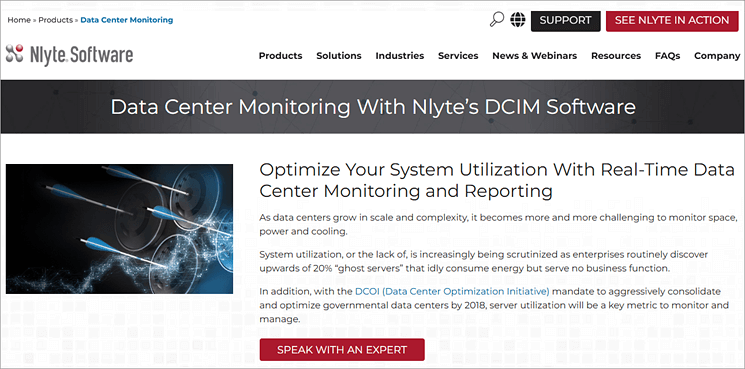
Nlyte software is a data center infrastructure management software (DCIM). Google, Cisco, and IBM are some of their clients. The platform offers real-time data center monitoring and reporting tools.
It works by monitoring the status and health of your data center and storing the collected data. The data can then be viewed using the software so that data-driven decisions can be made.
Their monitoring tools include hardware monitoring, environment monitoring, and on-premises monitoring. Their clients include businesses from federal agencies, healthcare, financial services, and consumer industries. Watch an overview of Nlyte software from here.
Features:
- Monitors all aspects of a Data Center: Nlyte has tools for monitoring the performance of your hardware, environment (including temperatures, humidity, and airflow), and premises. On-premises monitoring is done by setting up video surveillance and doing routine patrols of the premises. The system identifies under-utilized assets so that appropriate action can be taken.
- Dashboard Views of Server Utilization: Nlyte’s dashboard will give you information about server utilization over time. This way you can track under-utilized servers and observe average CPU utilization.
- Utilization and Connection Reports: You can get access to the utilization figures across all servers. The system will send you notifications when it detects an unreachable server.
- Nlyte Asset Optimizer: Nlyte offers tools for automated capacity planning, that helps businesses in getting the most out of their resources in the data center, colocation center, and edge facility.
- Asset Management: Nlyte provides you with the capabilities for tracking the entire life cycle of each asset and instantly alerts you whenever an issue is detected.
- Change Management: You also get tools for facilitating change management that lets you monitor each piece of hardware to minimize downtime.
- Audit and Reporting: Nlyte creates automated reports with a few clicks. You will get detailed information about assets, their utilization, and more. This helps in audit trails and compliance management.
Pros:
- Offers out-of-the-box integrations.
- Helps in making forecasts with the help of what-if scenarios.
- A free trial.
Why we chose Nlyte: Nlyte assures its users of improved efficiency and uptime. Its visibility, management, automation, and advanced analytics help businesses monitor data across hybrid digital infrastructure.
Read how Nlyte has helped Sandia National Laboratories, a science and engineering institute for research supporting national security issues, in tracking their assets more efficiently and cutting down their costs and manual labor from the website.
Price: Contact their team for a customized price quote.
Website: https://www.nlyte.com/products/data-center-monitoring/
#5) Dynatrace
Best for contextual analytics, AI, and automation tools.
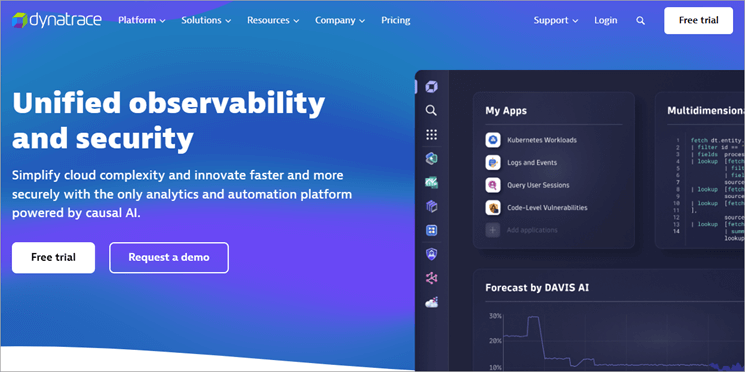
Developed to make digital experiences and interactions in each industry flawless and secure, Dynatrace offers thorough observability, AIOps, and application security tools, so that businesses can innovate securely and, in less time, operate with more efficiency and bring out better business outcomes.
Dell, SAP, Air Canada, and Kroger are some of their clients. Their custom dashboards allow users to monitor critical data centers with ease.
Learn how Dynatrace helps in optimizing business processes with log-driven analytics.
Features:
- Infrastructure Observability: Dynatrace offers automation tools for infrastructure monitoring in hybrid and cloud environments. It has tools for discovering and visualizing dynamic environments including hosts, networks, services, and more.
- Application Observability: Dynatrace helps in preventing, optimizing, and resolving application issues, through automated monitoring for cloud-native workloads and microservices.
- Monitoring Databases: You get tools for tracking and measuring database metrics in real time.
- Dynatrace Hub: The Dynatrace Hub has several turnkey extensions and APIs that enable you to customize the software and connect with apps.
- Automated Remediation: Dynatrace offers seamless integration with incident remediation tools, leading to auto-remediation, automatic ticketing, and real-time CMDB updates.
- AI-driven Root Cause Analysis: The software has a powerful automated analysis of ingested data and provides its users with explainable AI-driven root cause analysis.
Pros:
- 650+ supported integrations
- A 15-day free trial
- Hourly pricing that scales with you
Why we like Dynatrace: Dynatrace claims to cut down the outages and degradations by up to 60%, and MTTR by 90%.
The platform is being termed as a leader in infrastructure monitoring by G2.com and has received many other prestigious awards. The company has over 50 offices located across the globe. Learn how Clario, a leading healthcare research and technology company, delivers high-quality clinical trial data to its customers with the help of Dynatrace.
Price: Dynatrace offers the following price plans:
- Full-Stack Monitoring: $0.08 per hour for 8 GiB hosts.
- Infrastructure monitoring: $0.04 per hour for any size host
- Application security: $0.018 per hour for 8 GiB host
Website: https://www.dynatrace.com/
#6) Device42
Best for advanced data center visualizations and powerful analytics and reporting tools.
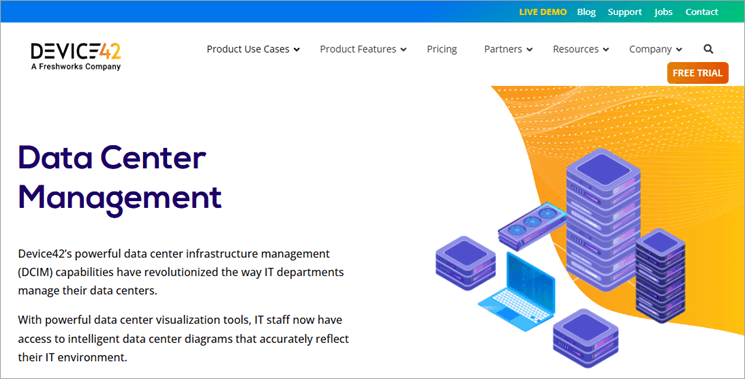
Device42 is a powerful, feature-rich data center infrastructure management (DCIM) software that provides its users with intelligent data center diagrams, for accurately reflecting their IT environment.
Device42 offers support for easy migration. They have robust APIs and bulk data management tools for importing data in any format. Check their website to learn how to download and install Device42, how to extract data, and more.
Features:
- Data Center Room Layouts: Device42 offers powerful tools for mapping buildings, rooms, and individual racks visually with the help of their drag-and-drop editors.
- Auto-generate Rack Diagrams: Device42 has automation for the quick and accurate creation of rack diagrams. It supports ½-U and ½-depth devices, lets you see available rack units, auto-locates the next available slot, lets you drag and drop objects between racks, and much more.
- Detailed Device Information: You get detailed information about devices, including CPU, memory HDD, IP & MAC address; hardware components, including network, switch, and PDU ports; and more.
- Power and Thermal Management: Device42 gives you real-time and historical data on temperatures, humidity readings, and more. You will also get power details about each rack. And if any reading exceeds the normal figures, you will get instant alerts.
Pros:
- Powerful REST APIs for integration with other apps.
- Automation for discovery of physical and virtual network infrastructures.
- A free trial
Why we like Device42: Device42 provides a robust set of features and useful integrations for data center monitoring. It claims to help you troubleshoot more efficiently and achieve a cut in MTTR.
The customer reviews of the platform are amazing. Their pricing is based on the number of devices, so they have a simple and flexible price structure where you will pay for what you use.
Price: Contact them for pricing information.
Website: https://www.device42.com/features/data-center-management/
#7) Datadog
Best for viewing data across servers, clouds, metrics, apps, and teams through real-time, interactive dashboards.
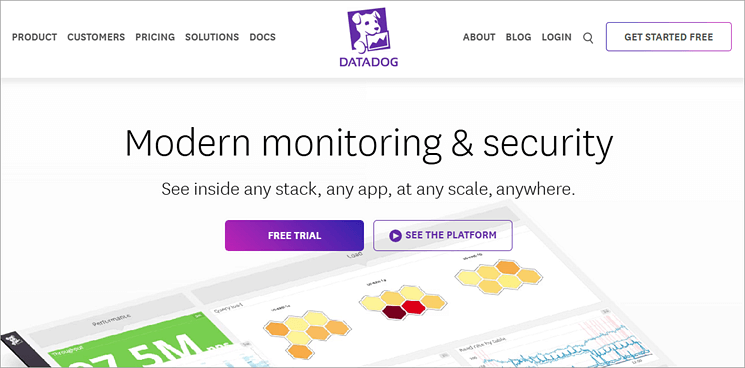
Datadog is a modern monitoring and security platform that helps businesses view inside any stack, any app, at any scale, anywhere.
The platform offers full API access so that you can observe every app and part of your infrastructure. Thus, their RESTful HTTP API helps users access all their potential data.
Watch an overview of Datadog here.
Features:
- Visualizations: Datadog lets you view metrics from across the full DevOps stack.
- Data Logs Analysis: The application offers tools for searching, filtering, and analyzing logs for troubleshooting and exploring the data. All data is automatically collected, and you can navigate between logs, metrics, and request traces seamlessly.
- User Experience Monitoring: The platform offers AI-powered tools for detecting and alerting about performance issues for users in different locations, to manage SLAs and SLOs.
- Real-time Interactive Dashboards: With Datadog, you will get real-time interactive dashboards that have graphs for information from across sources. You can search data by host, device, or any other tag, and find rates, ratios, averages, or integrals. Users have the option to customize the views interactively or in code.
- Team Collaboration: Datadog allows its users to take snapshots of potential issues and notify the team. You can also check the history of who responded to an alert and what was done to fix it.
- Alerts: You can set alerts to be sent based on multiple trigger conditions. Notifications can be received through e-mail, PagerDuty, Slack, etc. You can also block all alerts in case of an upgrade or maintenance with a single click.
Pros:
- A free trial is available.
- Mobile apps for iOS and Android users
- Over 750 integrations
- A free version
Why we like Datadog: Datadog offers annual, monthly, and hourly plans. You can choose the one that suits your requirements. Datadog has a good number of customers from across the globe, including Samsung, HashiCorp, and 21st Century Fox. It has been termed as a ‘Leader’ in the Gartner® Magic Quadrant™.
Price: Datadog is offering the following price plans:
- Pro: Starts at $15 per host per month
- Enterprise: Starts at $23 per host per month
- DevSecOps Pro: Starts at $22 per host per month
- DevSecOps Enterprise: Starts at $34 per host per month
Website: https://www.datadoghq.com/
#8) Sunbird
Best for live, dynamic, and interactive data diagrams and dashboard-sharing tools.
Sunbird is a comprehensive data center monitoring services provider that provides complete asset inventory information to users.
They have a 4-day quick start procedure that includes installation, configuration, and services to help businesses start. They also offer data migration services, remote training, and on-site training for all business sizes.
Features:
- Complete Asset Inventory Information: You will get data about racks, servers, storage, network equipment, power chain, and applications. Their enterprise-class monitoring and alerts accommodate tens of thousands of nodes across multiple data centers.
- Data Visualization: Sunbird will let you view your racks, assets, power, and network connections from remote locations in 3D with the help of over 100 dashboard charts and reports.
- Change and Workflow Management: Sunbird has tools for creating workflows that help in modeling, planning, ticketing, work management, approvals, and auditing.
- Reporting with Impact Analysis: Sunbird lets you schedule reports to be automatically emailed to specific team members.
- Security: Role-based, granular access controls, and other useful security features
Learn about data center visualization with Sunbird software by watching this YouTube video.
Pros:
- A 30-day free trial
- Easy integration with third-party apps
- Chat, email, and phone support are available with each plan
- Free weekly training
- Models Template Library with 44,000+ Models
- What-if analysis
Why we like Sunbird: Sunbird offers online training videos that prove to be quite useful for businesses. It claims to aid businesses in improving uptime, capacity planning and utilization, data center energy efficiency, and people productivity.
Price:
Sunbird offers the following price plans:
- Power IQ DCIM Monitoring: $5.50 per node per month
- dcTrack DCIM Operations: $17.50 per cabinet per month
- DCIM Suite Bundle: $25.65 per cabinet per month
Website: https://www.sunbirddcim.com/what-data-center-monitoring
#9) IBM Turbonomic
Best for intelligent automation.
IBM Turbonomic offers intelligent automation for continuous management and optimization of hybrid clouds. Their data center infrastructure management services have received many top awards.
Check out this video that provides an overview of IBM Turbonomic.
The platform is known for being cost-effective and helps in optimizing AWS, Azure, Google Cloud, Kubernetes, data centers, and other infrastructure.
Top Features:
- Full-stack Visualization: IBM Turbonomic will provide you with complete visibility over computing, storage, and network resources, thus helping in data center optimization.
- Automation: Their intelligent AI-powered automations help in saving cost, and increasing speed and efficiency.
- AI-powered Insights: The application provides actionable insights about business performance, which helps in making business policies.
- Continuous Resource Optimization: This includes cloud compute optimization, cloud storage optimization, database optimization, Kubernetes optimization, and Reserved instances optimization.
Pros:
- What-if planning scenarios
- Cost-effective platform
- A free trial of 30 days
Why we like IBM Turbonomic: This data center monitoring tools provider has helped Providence, a healthcare provider, save $2 million through performance optimization. IBM Turbonomic is a trusted and one of the best data center monitoring systems out there. It has got amazing reviews from its users.
Price: Contact their team for prices.
Website: https://www.ibm.com/products/turbonomic
Frequently Asked Questions
1. What are the steps in Data Monitoring?
Data monitoring involves the following aspects:
• Identifying the indicators that will help in tracking the health and performance of your business.
• Integrating the data center monitoring system with your data pipeline.
• Setting thresholds on data metrics to detect issues.
• Getting alerts whenever a problem arises.
• Creating a dashboard that shows all the important performance metrics. These data metrics help in identifying trends and making business decisions.
2. What are the benefits of data monitoring?
The top benefits of data monitoring include:
• Ensures uptime
• Detects issues in different parts of the business environment.
• Assists in business decision-making.
• Simplifies staying compliant with regulatory requirements.
• Increases customer satisfaction.
3. What is the best tool for Monitoring?
The top 5 best data center monitoring tools out there in the industry today are Paessler PRTG, SafetyCulture, ManageEngine OpManager, Nlyte, and Dynatrace. These have advanced data detection and monitoring capabilities, along with other useful features like easy-to-read dashboards, reporting tools, deep visualizations, and more.
4. Why do we use Monitoring?
Data monitoring is used for:
• Detecting issues before they become a problem.
• Identifying data trends for making better business decisions.
• Keeping track of the health of business infrastructure, including networks, applications, hardware, etc.
• Minimizing system downtime.
5. What is DCIM?
DCIM stands for data center infrastructure monitoring. It is a process of monitoring and managing different aspects of the data centers, including power, networks, cooling equipment, cloud platforms, and more.
Conclusion
Business operations have become almost completely digital now, and the intense competition in almost every industry creates the demand for applications that can make businesses more technically advanced and efficient.
Data center infrastructure management tools help businesses observe important business data by connecting with the data pipeline to ensure system health, maintain business performance, and improve customer satisfaction.
We did a deep study on the top trending data center infrastructure management software and concluded that Paessler PRTG, SafetyCulture, ManageEngine OpManager, Nlyte, Dynatrace, Device42, Datadog, Sunbird, and IBM Turbonomic are the BEST of them all. All of these are trusted by businesses coming from various industries and sizes. They are powerful and offer a good range of features.
Research Process:
- Time taken to research this article: We have spent 12 hours researching and writing this article so you can get a useful summarised list of DCIM platforms with a comparison of the top 5 of them.
- Total Data Center Monitoring tools researched online: 31
- Top Data Center Infrastructure Management Software shortlisted for review: 09
Was this helpful?
Recommended Reading
-

Application Performance Monitoring in DevOps: What is it, how to perform it, and top tools for automated Application Performance Monitoring We came to know more about Release Management in DevOps from our last tutorial. Another key aspect of DevOps is carrying out the Performance monitoring of the application in the…
-

List and Comparison of the Top Website and Application Performance Monitoring APM Tools: In this era of Information Technology, Application Performance Management (APM) monitors the performance of software applications. APM ensures it provides services to the customer up to the level defined and identifies the problems related to the application…
-
Here we will compare and explore the top Synthetic Monitoring Tools and Services to guide you to select the best Synthetic Monitoring Tool for your business needs: Synthetic Monitoring tools or services are the solutions offered for verifying the performance, availability, reachability, and reliability of a website or application at…
-

Review of the Best Website Monitoring Tools and Services: When I open a website, I want it to run fast that too without any breaks. If what I expect is not available or if it has uptime with poor quality then I instantly switch to another website. And end up finishing…
-
Review the top WiFi Analyzers for Windows and Mac to select the best WiFi Monitoring Tool to optimize the network and improve security: Today, no home, office, or other modern facility can function without a high-speed WiFi network. This reality has a flip side, and that is a slow WiFi…
-
Are you facing continuous lags while playing games because of high resolution? Read this review to compare and select among the best Gaming Monitors available in the market: Is your current gaming monitor not able to run games with more than 60 Hz refresh rate and aging all the time?…
-
If you are concerned about analyzing the traffic on the server of the user's request, choose the best Open Source Monitor Tool reviewed and compared here: When a big business or application is made online, millions of users share their requests per second, and it becomes challenging to manage and…
-
Review, compare and select the best Network Bandwidth Monitoring Software from the list to prevent any major network collapse in the future: You will experience a slow network connection, be it Internet or Intranet, and one of the main reasons for network delays is high bandwidth usage. Slow or bottlenecks…


