


In this post, you will read about How To Use OnlyFinder, OnlyFinder Map and will also learn about some of the best OnlyFinder OnlyFans search engine alternatives.
OnlyFinder has grown to be among the highly searched tools used for identifying creators on subscription websites. The need to understand OnlyFinder maps and alternatives to searching on OnlyFans sites arises from some limitations that are associated with the site.
Taking these factors into consideration, In the following section, I have explained what OnlyFinder is, how its key features work, what the “OnlyFinder map” actually means and also popular OnlyFinder OnlyFans Search Engine alternatives so you can decide which option fits your needs best.

How Do OnlyFans Search Engines Work?
OnlyFans search engines utilize publicly accessible data such as user names, profile description, and bios, as well as social media links from the profiles. This publicly accessible information is indexed and arranged in an organized database that can be searched for by keywords, name or category. Some search engines use filters including niche and location.
What is OnlyFinder : The OnlyFans Search Engine
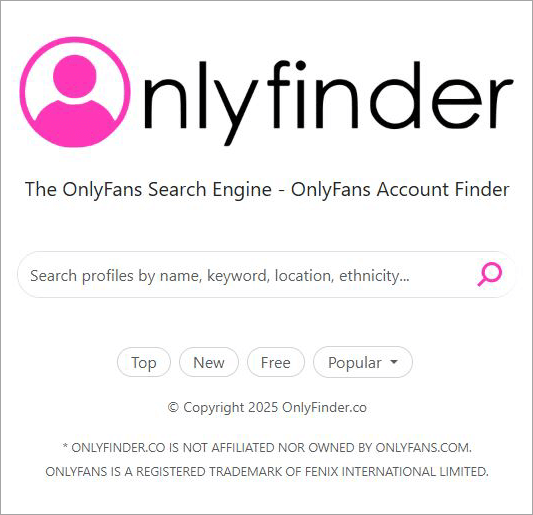
OnlyFinder is a web-based solution that will help you find the best creator profiles on OnlyFans in no time. Think of it as a search engine like Google, but for finding the best OnlyFans model pages. You use it like you would use Google. It comes loaded with advanced filters and location-based search capabilities.

Here is a video on how OnlyFans became so popular:
Limitations of OnlyFinder
Despite being popular among many people for finding creators, OnlyFinder is limited in some aspects when it comes to the accuracy, reliability, and efficiency of search.
First of all, it is limited by its reliance on the publicly indexed data. If a creator deletes their information or changes their username, the search results will not be updated.
Additionally, users may face problems such as:
- Missing creator profiles
- Outdated creator information
- Limitation of filter settings
- Lack of niche or regional creators
- Dead profiles links
- Limitations concerning privacy settings
- Inconsistent map accuracy
As a result of these limitations, users may receive different search results. For these reasons, a lot of users decide to try other tools for searching creators.
What is OnlyFinder Map?: How to Use OnlyFinde
I’ve heard some users call this tool the OnlyFinder map. They aren’t wrong, as the tool helps you navigate through the vast online realm of OnlyFans. Based on the search query you entered, OnlyFinder will scan through thousands of OnlyFans accounts to present you with the results you are looking for.
When you open OnlyFinder, you’ll be met with nothing but a search box. You can use this search box to unearth profiles by name, keyword, location, ethnicity, and a dozen other criteria.
If you aren’t sure, you can rely on OnlyFinder’s advanced filters to present you with some options. With a single click, an OnlyFinder search will present you with a barrage of profiles that are either new, top-subscribed, free, or popular.
You can also use the advanced filters to explore OnlyFans on a more granular level, breaking down your search into various sub-genres that OnlyFans models specialize in.
OnlyFinder is completely free to use. You don’t need to sign up or register. Just do the following:
#1) Open the official website.
#2) Either search for profiles, or use the filters (Top, New, Free, Popular) below.
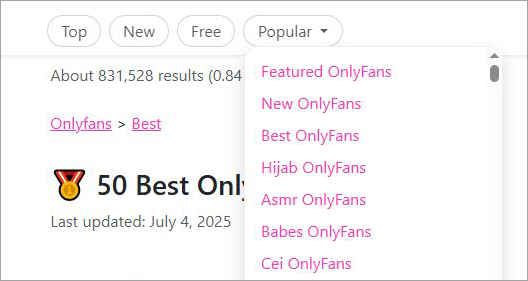
#3) Hit search
#4) Check the results.
Now that you know how OnlyFinder works. Let’s have a look at its features.
Accuracy and Privacy Concerns
At times, OnlyFinder Map can provide inaccurate or out-of-date data since it uses information that is available and indexed on the internet, and this information may not include recent updates regarding the user’s username, deletion of the account, or any other relevant data.
Consequently, people may find that certain profiles are not available, locations are mapped inaccurately, or search results are incomplete when using the map tool.
From a privacy point of view, tools like OnlyFinder Map pose risks to the privacy of the users who wish not to have their profiles displayed based on location, since they combine information that is publicly provided by the creators in one place.
OnlyFinder Best Features
OnlyFinder is a popular search engine designed to help users discover and explore content from OnlyFans creators. In this section, we will see some of its key features:
#1) User-Friendly Interface:
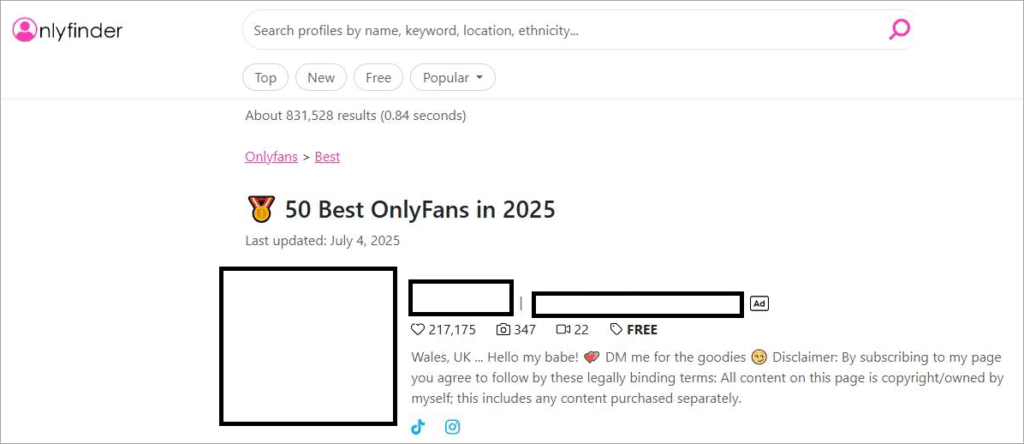
The very first thing that I found endearing about OnlyFinder was its minimalistic yet neat interface. There is just something comforting about an app or website that keeps things simple instead of assaulting its users with an interface that’s challenging to navigate.
Here, you are immediately presented with the built-in search feature and filters.
There is nothing else to distract you from what this tool’s core purpose is. You can immediately start searching for profiles as soon as you open the website. Filtering is also simple and can be done with a few clicks.
#2) The Filters:
Now, this makes OnlyFinder special and a worthy tool to use alongside your OnlyFans account. It is quite challenging to look for profiles within the official OnlyFans account. The creators of OnlyFinder knew this and created the perfect solution to that problem in this search engine.
You can use OnlyFinder’s advanced filters to search for profiles by name, location, price, popularity, and various other factors. You can narrow down your search to the sub-genres that you prefer. This elevates the user experience and makes your job exploring OnlyFans far more rewarding.
The following are filters you can apply to make your search simpler:
- Location
- New
- Free
- Creator Popularity
- Content-Type
- Specific Niche
How to find someone on OnlyFinder by location?
OnlyFans search capabilities are quite limited, which is why I recommend using OnlyFinder. While location-based searches aren’t possible on the official OnlyFans website, it is easier on OnlyFinder. OnlyFinder offers a map that’ll help find OnlyFans models based on their location.
This makes the search tool excellent for folks who want to connect with models in their locality. For specific location-based searches, simply go to OnlyFinder and type the name of the state or city in the search field.
For instance,
- Open OnlyFinder.
- In the search box, type “Iowa”.
- Hit enter.
You’ll now be presented with profiles and model pages that are based in the state of Iowa.
#3) Local Search:
Now, this is yet another amazing feature that can only be found on OnlyFinder. Sure, you can search for a profile by its location. However, if you want to narrow down your search to a specific locality, OnlyFinder has you covered.
You can use OnlyFinder to discover creators in your local area and connect with them. This feature may be beneficial for brands or businesses seeking to collaborate with creators to promote their products or services locally.
#4) Free of Cost:
Unlike OnlyFans, you don’t need to pay a dime to use OnlyFinder. It is completely free to use and accessible to both active and inactive users of OnlyFans. There is no sign-up or registration required. Open the website and start browsing.
Why People Look for OnlyFinder Alternatives
Despite the popularity of OnlyFinder in creator discovery and location search, most users find themselves seeking alternative options due to search constraints, privacy issues, and unreliable results.
With the advent of new creator discovery and search platforms, many users gravitate toward those offering advanced filtering and search options.
- Limited Search Coverage: One of the primary reasons that many users turn to alternative solutions to OnlyFinder is the lack of search coverage. The site primarily relies on information that is publicly indexed, meaning that all creator profiles cannot be searched using OnlyFinder.
- Privacy Concerns: Another main issue that compels users to seek alternative platforms to OnlyFinder is the concern of privacy. As creator discovery platforms largely depend on public information, both users and creators alike can be bothered by this.
- Missing Creator Data: There are frequent complaints by users regarding the inaccurate presentation of creator information on OnlyFinder. The reason behind this issue is the frequent changes made in the indexed information.
Best OnlyFans OnlyFinder Alternatives 2026
While OnlyFinder is the go-to search engine for all things OnlyFans, I also understand that it might not be everybody’s cup of tea. Some may not like its very simplistic interface, while others might complain about its overall performance when searching for profiles.
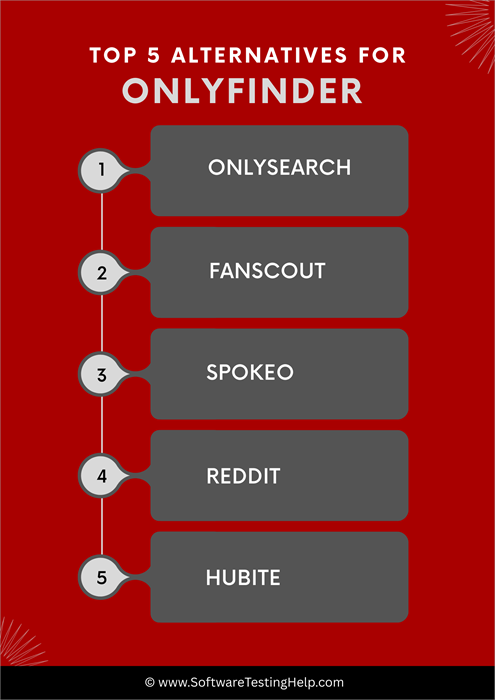
For those who aren’t too excited about OnlyFinder, fret not, as there are alternatives. OnlyFinder isn’t the only directory for OnlyFans on the internet.
Consider these notable alternatives if OnlyFinder doesn’t suit your tastes:
#1) OnlySearch

From its interface to its aesthetic, everything about this website screams OnlyFans. It works the same way OnlyFinder works. The website takes information that is publicly available on OnlyFans and displays it to you. This information includes everything from profile media, bio, price, and social media accounts.
You can initiate your search on the platform using certain keywords. Upon hitting the search button, OnlySearch will present you with results that match your query. The results link directly to OnlyFans profiles.
Like OnlyFinder, this directory can be used by both OnlyFans users and influencers trying to make a name for themselves on the platform.
Website: https://onlysearch.co/
#2) Fanscout

Fanscout claims to be the largest OnlyFans search engine online. While I have some doubts about that claim, it most certainly is one of the largest search engines for the popular adult website. Similar to OnlyFinder, you can rely on this website to look for OnlyFans creator profiles that offer value for your money.
Besides OnlyFans, you can use this site to find influencers across multiple social media channels. This includes Twitch, Instagram, and even Patreon. It also features advanced filters, which you can use to search on a more granular level. Users can search profiles by age, gender, location, and price, among other factors.
Website: https://lnk.bio/fanscout
#3) Spokeo

Spokeo isn’t your typical OnlyFans search engine. However, it is something that you can use to find the personal contact information of your favorite OnlyFans model. Spokeo can be best described as a data source. You can use it to unearth information about an OnlyFans model using their name, email, or address.
Spokeo is something I would recommend to businesses that want to reach out to an OnlyFans creator to lock them up for a brand deal. This isn’t your typical search engine for OnlyFans.
If you are goal is only to find the best OnlyFans creator profiles for mere entertainment, steer clear of this site. Use OnlyFinder or the two alternatives mentioned above.
Website: https://www.spokeo.com/
#4) Reddit

Another very unconventional name on this list, yet still invaluable in how it can simplify your quest for the best OnlyFans creator profile. Reddit is home to several subreddits dedicated to nothing but conversations on and around OnlyFans. You can join these subreddits to find people who are also fans of OnlyFans like you.
You can engage in conversations with them and get creator recommendations from people with first-hand experience. A word of advice, though. Try to be respectful when you are engaging in these Reddit communities. Misbehaving may lead to expulsion and a permanent ban from these subreddits.
Website: https://www.reddit.com/
#5) Hubite

Hubite brings us back to your typical OnlyFans search engine. The platform will let you search the entire database of OnlyFans as it stands today. You can use it to browse through an endless list of creator profiles. Once you’ve found a profile you like, you can connect with them directly from this platform.
You can use the website to assess a profile on a variety of criteria, like price, popularity, and whether or not the profile is old or new. You can rely on this platform to search for an OnlyFans profile on other social channels like TikTok or Instagram. The platform also covers all categories of OnlyFans models, thus making sure you find whatever it is you are looking for.
Website: https://hubite.com/en/
Comparison Table – Best Tools vs OnlyFinder
| Feature / Tool | OnlyFinder | OnlySearch | Fanscout | Spokeo | Hubite | |
|---|---|---|---|---|---|---|
| Primary Purpose | Creator discovery & map-based search | Creator search engine | Fan-based creator directory | People search engine | Community discussions & discovery | Creator content directory |
| Search Type | Username + location map | Username + keyword search | Creator profiles search | Identity / people lookup | Thread-based search & recommendations | Profile-based search |
| OnlyFans Focus | High | High | High | Low (indirect) | Medium (community shared info) | High |
| Map Feature | Yes | No | No | No | No | No |
| Accuracy | Medium | Medium-High | Medium | High (general data) | Varies (user-generated) | Medium |
| Privacy Concerns | High (map-based indexing) | Medium | Medium | Medium-High | Medium | Medium |
| Data Source | Public indexed profiles | Web indexing | Curated creator listings | Public records/data | User discussions | Aggregated creator data |
| Best For | Location-based discovery | Fast creator search | Finding active creators | Background search | Real user recommendations | Browsing creator lists |
Which Tool Should You Use? (Based on Your Goal)
The choice of which tool to use varies depending on what you want to accomplish, because each tool has its own function and purpose in searching or finding something. There are tools that specialize in quick searches for creators, those that enable location-based searches, and even some that emphasize identity.
- Fast Creator Search: OnlySearch, Fanscout – ideal for fast and keyword-based searching along with listing creators in an organized manner.
- Location-Based Discoveries: OnlyFinder Map – helpful in locating creators in different geographic locations by using the map search method.
- Background / Identity Research: Spokeo – a platform focused on conducting background checks or discovering information based on identities that is outside of creator platforms.
- Community Recommendations: Reddit – focuses more on community opinion and discussion about discovery as compared to database search.
- Easy Browsing: Hubite – provides simple browsing capabilities with an index-like format.
Real Ways People Use OnlyFinder Tools
Whereas numerous users try OnlyFinder just for fun, there are also some other useful purposes for which people might use such websites for discovering, marketing, and conducting research activities.
1. Discovering Creators through Niche Search: A user can search for a certain niche by looking up specific keywords from the bio or description and thus not waste time manually searching for the desired profile type.
2. Discovering Local Influencers for Marketing Purposes: Location-based searches can help marketers and agencies discover local influencers for their marketing campaigns by simply filtering all profiles associated with a certain city.
3. Using Public Data Search for Research & OSINT: Security professionals and OSINT researchers can use such tools for searching for information about a person online, verifying facts, or investigating digital footprints.
4. Social Discovery & Cross-Platform Mapping: Social discovery involves examining interlinked user profiles across multiple platforms through usernames or pseudonyms to allow users insight into a creator’s total online presence.
Is OnlyFinder Safe and Legal?
As OnlyFinder is an obscure website, it is quite understandable to have some concerns when using it. I can state for a fact that OnlyFinder is completely safe to use. The platform uses solid encryption to safeguard user data. The company constantly monitors everyone using the app for any suspicious activity.
All data transmitted back and forth on the platform is encrypted. This makes the website safe and secure 24/7 for both users and creators. Users can browse the search engine with peace of mind knowing they are completely anonymous. Creators can submit their profiles to OnlyFinder, knowing their data will be safe.
Bonus Tip: You can download the OnlyFans videos for offline viewing. For obvious reasons, OnlyFans doesn’t allow its subscribers to download videos for offline viewing. If you want to download a video anyway, your best bet would be a third-party video downloader.
Steps to Download OnlyFans Videos
DVDFab offers a suite of tools to help you process online videos. The one that’ll be of interest to you is called StreamFab. This video downloader made the hassle-free download of streaming videos possible.
To download OnlyFans videos using this software, do the following:
#1) Download and install the software from the official website.
#2) Now, choose OnlyFans as the website from which you’ll be downloading videos.
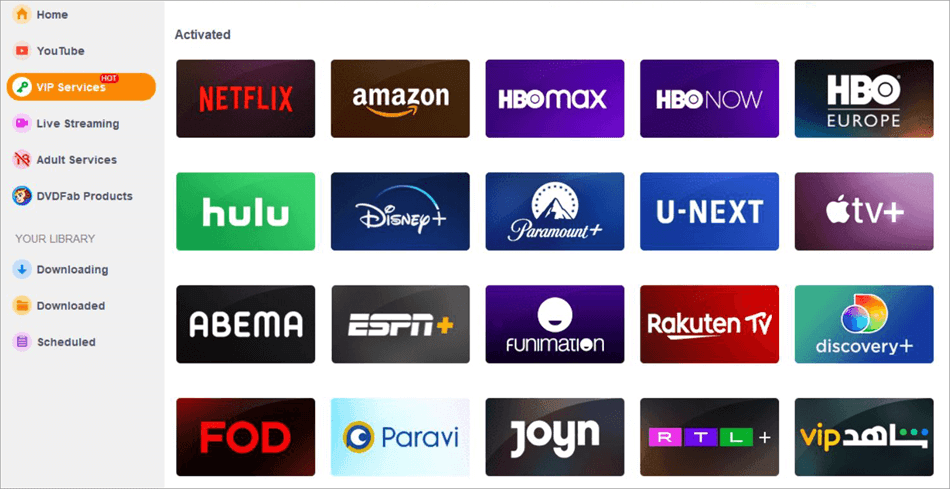
#3) Select and play a video you’d like to download.
#4) You have the freedom to customize the video before downloading.
#5) The video will automatically start downloading as you are watching it on StreamLabs.
It is that simple.
Tips to find Creators through OnlyFinder Search
#1) Use the Filters: The filters exist for a good reason. They’ll help you save time and narrow down your search for the best profile. Do not hesitate to use the filters to find a creator based on various criteria like location, price, interests, and niche.
#2) Find Exclusive Content: The best creators are those who offer exclusive content. These creators are famous for producing the best content on OnlyFans as they usually manage their accounts. Look for profiles that mention the keyword “Exclusive Content”.
#3) Check the Model’s Pictures: Finding authentic profiles on OnlyFans can be challenging. Sometimes the pictures are fake, and users typically are in for a rude surprise long after they’ve paid for the subscription. So, always check a model’s picture first. After reviewing the picture, go through the user reviews on the profile. More positive reviews are a sign of an authentic profile.
#4) Assess the Model’s Social Channels: A good OnlyFans creator will also have a presence on other social channels like Instagram and TikTok. Visit those accounts and review them. These accounts will give you an idea of what to expect from the actual OnlyFans profile. This way, you know what you are paying for before subscribing.
#5) Connect with the Creator: Once you’ve found a profile, try to connect with them. Try to engage with them on social channels and see how they respond. Try to keep the conversation respectful. Many OnlyFans models charge for personal interactions with their subscribers.
A conversation with them initially will let you know whether your subscription to their profile will be worthwhile.
OnlyFinder Map vs Alternatives
The OnlyFinder Map tends to be compared with several other creator discovery and social search engines since it is largely concerned with location-based searching, whereas others are geared toward keyword searching, data inclusiveness, or identification-based searching.
Comparison of Features
OnlyFinder Map primarily differs from its competitors through its map-based interface, where users can locate profiles of creators geographically. Other services use traditional search approaches based on usernames, keywords, or directories of users.
In comparison with alternative services:
- OnlyFinder Map supports geographic search and filters in search options.
- OnlySearch and Fanscout provide searches that are primarily driven by keywords and lists of profiles.
- Spokeo performs people searches by utilizing public records instead of searching for creators specifically.
- Reddit features discussion forums where users can share tips regarding interesting creators.
- Hubite suggests browsing through directories, not maps.
Consequently, OnlyFinder Map focuses on visualization, whereas other services use structured search engines or directories for this purpose.
Accuracy Differences
The OnlyFinder map tool might provide out-of-date or incomplete results since the tool depends only on public indexing data, while other tools, such as OnlySearch and Fanscout have regular updates, Spokeo has high accuracy with public records data, Reddit depends on users’ responses, and Hubite has moderate coverage.
FAQs on How OnlyFans Search OnlyFinder
1. Is OnlyFinder legit?
Yes, OnlyFinder is a legitimate website that both users and creators can use for free. Users can use it as a search engine to browse through thousands of OnlyFans creator profiles. Creators can use it to submit and promote their profiles.
2. Is OnlyFinder safe?
Yes, OnlyFinder is a safe search engine that follows stringent security protocols to keep users and creators out of harm’s way. All data transmitted on this website is encrypted. This ensures the creator’s data isn’t compromised. Users enjoy full anonymity as the website doesn’t require a sign-up or registration for use.
3. Is OnlyFinder affiliated with OnlyFans?
No, OnlyFinder has nothing to do with OnlyFans. Both are separate entities. OnlyFinder is a search engine that works hand-in-hand with OnlyFans.
The actual OnlyFans website is a registered trademark of Fenic International Limited, which has no connection to the OnlyFinder search engine.
4. What type of content can be found on OnlyFinder?
First and foremost, you can find every existing profile on OnlyFans via this search engine. You can then assess the profile based on its popularity, user base, and price. If a profile is free, you can watch their videos and other content through OnlyFinder.
5. Can you search for an OnlyFans account on OnlyFinder without knowing their username?
Yes, it is possible to use OnlyFinder to find a particular OnlyFans profile even if you don’t know their username. All you have to do is use OnlyFinder’s advanced filters. These filters will help you search for a profile based on location, keywords, price, niche, etc.
6. What is OnlyFinder used for?
OnlyFinder tool is used as a way to search publicly available profiles of creators by username, keywords, or geographical location.
7. Is OnlyFinder free?
Yes, OnlyFinder is usually free to use, except certain features might have become non-free or changed over time.
8. How does OnlyFinder map work?
OnlyFinder Map provides a visual and geographical way of exploring the publicly indexed profiles using their geographical locations.
9. What are the best OnlyFinder alternatives?
There are plenty of good alternatives, including OnlySearch, Fanscout, Spokeo, Reddit, and Hubite.
10. Why is OnlyFinder not working?
The most likely reasons include server errors, problems on your side, outdated indexes of data, or simply not enough data to index in certain areas.
Conclusion
With a user base that’s now well over 300 million and counting, OnlyFans has emerged as the next best trend in the United States and worldwide. OnlyFinder is the solution I’d recommend to both users and creators who seek a better experience on the platform.
Long-time users can rely on OnlyFinder to quickly find profiles worthy of their hard-earned money, whereas creators can use the search engine to create some buzz around their profiles. If it still isn’t what you seek, OnlyFinder has alternatives you can try. You’ll find a review of each of these platforms in this article as well.
Research Process
- This guide comes from actually using OnlyFinder the way most people do by trying out its search options, map feature, and filters to see how easy it is to find creators.
- We also looked at similar OnlyFans search tools to see where OnlyFinder works well and where alternatives might be a better fit.
- Everything shared here is based on what you’re likely to notice when using these tools yourself, not just on feature lists.
- Total time taken to research and publish this article: 40 Hours (Approx)
For more search tools-related guides, you can explore our range of tutorials below:
- Top 11 Keyword Research Tools [2026 Review & Comparison]
- The 13 Best Enterprise SEO Tools & Platforms (2026 Rankings)
- Top 7 Best SEM Tools For Search Engine Marketing In 2026
- 10 BEST Free Keyword Rank Checker Tools for SEO [Online]
Was this helpful?
Recommended Reading
-

If you are looking for ways to Turn Off Trending searches, then this post is for you. This guide will show you how to Turn Off Trending Searches on Google Apps, Windows 10/11, Android and iPhone quickly. Searching for anything has never been easy until Google. However, the Internet of…
-
Here we review and compare the Best Private Search Engines to help you decide the most secure search engine for useful search results: Search Engines today have become so popular and ubiquitous that it is hard to imagine our lives without them. Google and Bing are household names and a…
-
Read this Comprehensive Review and Comparison of Top Online SEM Tools to Help you Choose the Best Search Engine Marketing Software For Your Requirements: Buying a domain and building a website is only the first step in establishing an online presence for your business. You also need to promote your…
-
Review and compare top Social Media Content Calendar Tools & Templates with features and pricing to select the best social media calendar per your requirements: Social media websites have become a digital home for several people. Billions of people all over the world have active profiles on at least one…


