Join the most active Discord communities for gaming or studying and build new connections. This step-by-step guide helps you discover the best Discord servers to make friends worldwide:
What’s the first thing that comes to mind when you think of making friends online? If you immediately thought of platforms like Instagram and Facebook, well, you are not alone. For decades, these popular social media giants have been synonymous with online relationships.
That said, as these platforms have evolved over the years, they’ve become more content-focused. Fewer people today hop on these platforms to nurture new relationships or connect with their friends.
Table of Contents:
- Make Friends on Discord: Step-by-Step Guide
- List of the Best Discord Servers to Make Friends
- Troubleshooting Tips to Solve Discord Issues
- Tips for Making Friends Through Discord Servers
- How to Avoid Fake/Scam Servers
- Steps to Evaluate a Server’s Quality
- Discord Friend-Making Timeline
- Advanced Discord Features for Socializing
- Safety Tips to Follow When Making Friends on Discord
- Frequently Asked Questions
- Conclusion
Make Friends on Discord: Step-by-Step Guide
So, this begs the question: Is there a platform out there that’s laser-focused on nurturing friendships online?
Is there a platform out there that exists with the sole purpose of creating pockets of online communities, where you can connect and chat with like-minded folks?

Yes, there is! And it’s called Discord. This little platform features thousands of servers, which you can join to find your tribe online.
Check out this video to learn how to use Discord:
Consider this article your brief crash course on Discord, wherein I’ll be recommending some of the best Discord servers to make friends.
So, without much further ado, let’s dive in.
What is Discord?
Before we delve any deeper into my article, you need to first understand what Discord entails. Simply put, you could describe Discord as an online platform that facilitates communication. As a user, you join Discord to interact with other users on the platform through voice, text, or video.
As a user, Discord empowers you with a few privileges, like the ability to create your own server community or join an existing one. These servers will usually revolve around a specific topic of interest.
For instance, an Anime Discord community will usually cater to fans of this medium and involve conversations that are focused on that topic.
Similarly, you’ll find servers on Discord that cater to gaming fanatics, technology enthusiasts, etc. If you want to have an easier time making friends on these servers, you’ll need to join a community that shares your interests and passions.
Communicating on Discord Servers
A typical Discord server facilitates communication in two key ways: through the voice channel and the text channel.
Text Channels
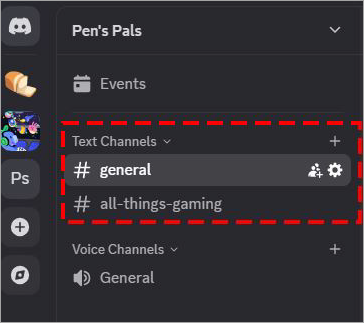
Text Channels let you engage in conversations that are entirely written. You can create and categorize text channels according to topics, thus keeping the chat on your server organized. This also ensures that everyone on this server can chime in with their opinion.
Voice Channels
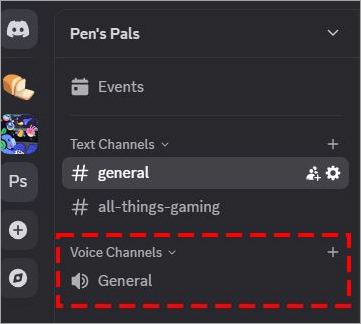
Unlike text channels, video or voice chat often facilitates conversations through a voice channel. To start a conversation, all you have to do is click on a voice channel.
Other members within the same server will know whether you are active in a voice channel and can drop in to have a conversation. Voice channels can also share a screen with other users.
How to Find Active Discord Servers to Make Friends?
Now that you know what Discord entails, it’s time we learn how to find Discord servers to make friends. This can be tricky, especially if you are new to the platform and have no idea where to look or what to look for.
Fortunately, there are multiple effective methods at your disposal:
1. Server Directories
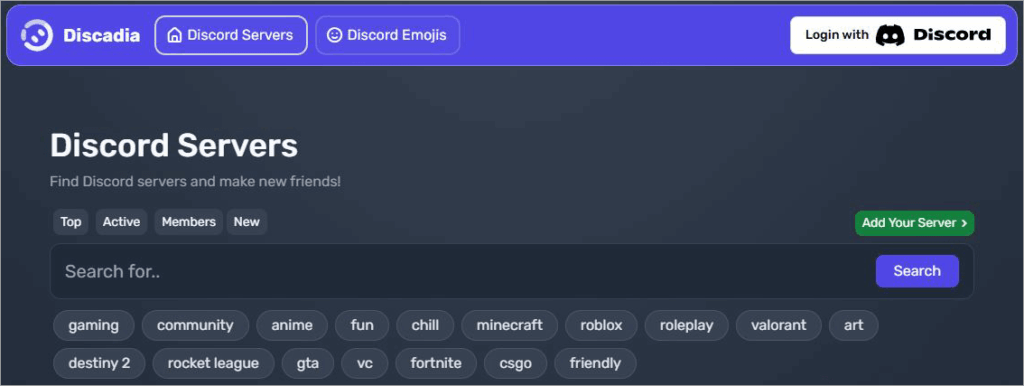
[Via Discadia]
There are directories online that serve as a kind of yellow pages for Discord communities. You can rely on these directories to find yourself a server worth joining. The best server directories, according to popular opinion online, are Discadia and Disboard.
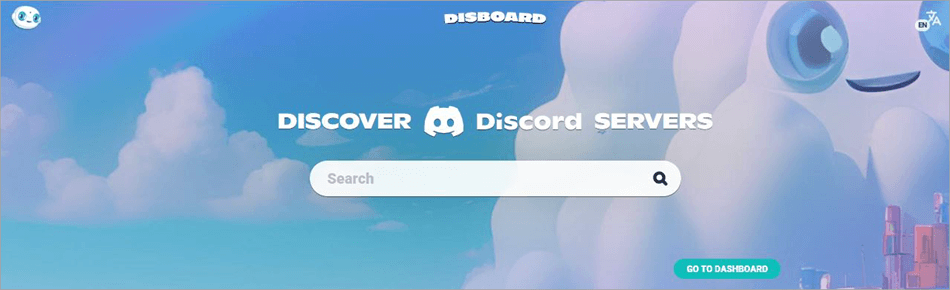
Go to these directories, and simply search for a query like “make friends”. This should help you find servers where you can form new friendships. Both platforms allow users to rate and review servers as well. These should help you find a suitable community and avoid toxic ones.
2. The Discord Discover Feature
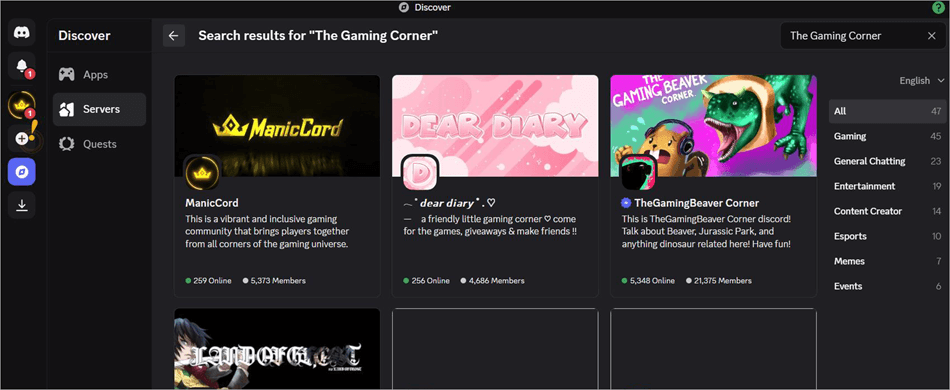
Your Discord mobile app can also serve as a great tool to help you find the best servers. You’ll need to use the app’s “Discover” feature. You can access this feature by clicking on the compass icon displayed at the bottom of the app. You’ll be redirected to a page that will list all the servers you can join.
3. Google
You can use Google for just about any search query, and Discord servers aren’t an exception. Simply open Google and type in a search query like – popular Discord servers to make friends. This should help you find a new server. Do note that this method of discovery isn’t as effective as using the Discord app or directories.
4. Social Media
Almost all the servers that I am familiar with have a presence on various social media platforms. As such, you can find a suitable server for yourself on platforms like Facebook, Reddit, and X (formerly known as Twitter).
Even if you can’t find servers that are focused on making friends, you are guaranteed to find servers centered around movies or fan communities listed there. You can join these servers to make new friends as well.
5. Publicity through Word of Mouth
If you already have friends or family members in an active community on Discord, perhaps you can use their connection to get an invite.
You can ask them to share their experience on these servers. If you like what they have to share, you can join the servers yourself. Relying on word of mouth could help you find niche communities on Discord that aren’t as big online, yet.
How to Join a Discord Server
Joining a server is quite simple.
All you have to do is the following:
1. Find the server you wish to join, and click on the Join button.

2. While some servers let you join them directly, others will send you an invite link.
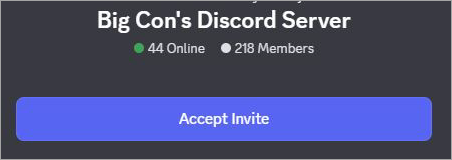
3. Click on this invite link and then update your server name. Make sure to “Allow” direct messages from other members.
4. Click on “Accept” to conclude the process.
Remember, each user is allowed to join or create up to 100 Discord servers. To join over 100 servers, you’ll need to upgrade to a Discord Nitro subscription.
The Price of Premium Discord Subscriptions
You can expect to pay around $2.99/month and $29.99 per person annually for a Discord Nitro subscription. Do note that these prices will vary depending on your location, regional operating costs, currency exchange rates, and local market conditions.
Creating Your Own Discord Server
You can avoid the hassle of finding and joining an existing server by creating your own server. Everyone can easily create a Discord server and invite friends, family, and other people to join it.
Creating a server is something I recommend you do to gain control over your community.
Here’s how you do it:
I) On Desktop
1. Open the Desktop app or log in through the official website.
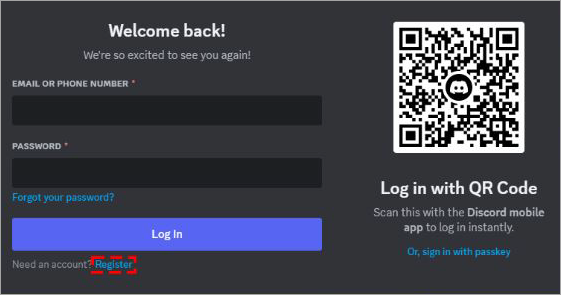
2. Click on Register to create your account.
3. Enter the requested information like username, password, date of birth, etc, and hit “Continue”.
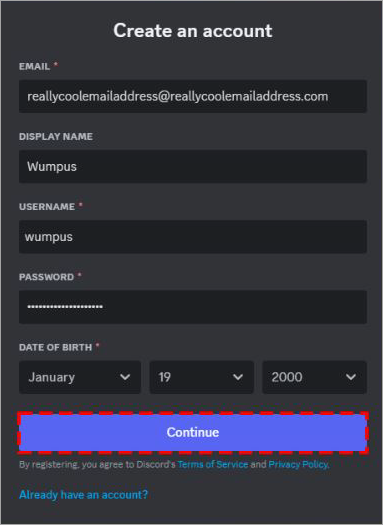
4. Complete the CAPTCHA to gain access.
II) On Mobile
1. Download the Discord app
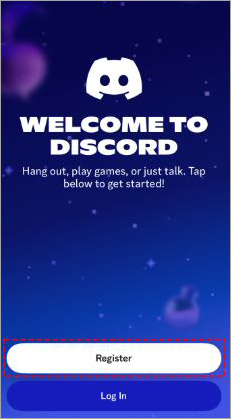
2. Tap on Register to create an account.
3. Now, enter your phone number or email address.
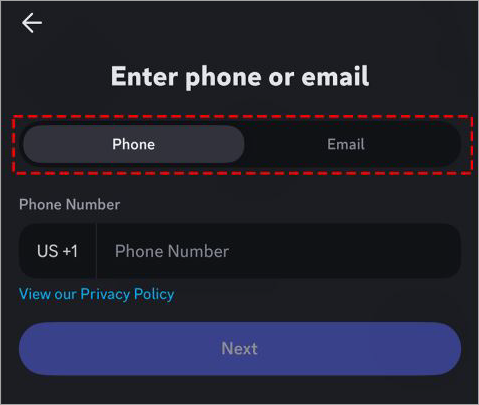
4. Simply follow the on-screen instructions to complete registration.
5. You are now logged in.
Creating a Server
From here on, the process for both the Desktop and Mobile versions of Discord will be the same:
1. Click on the + symbol on your Discord dashboard.
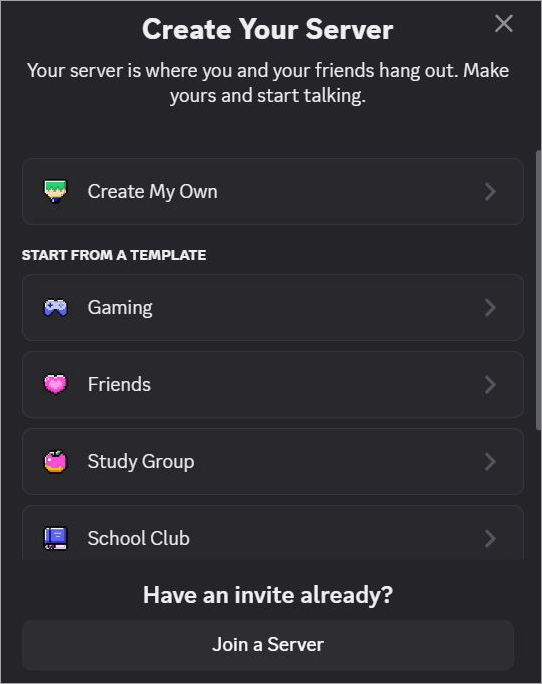
2. You’ll have the option of creating your server from scratch or using an existing template.
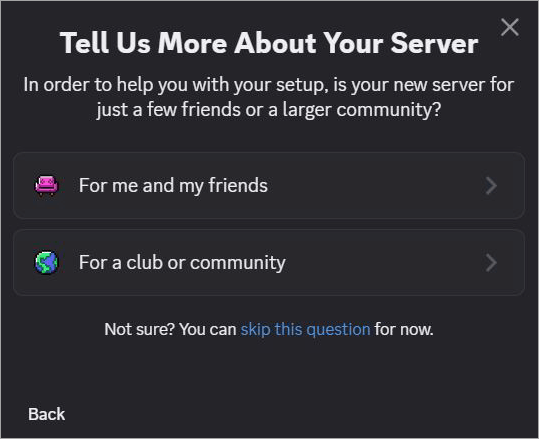
3. Choose whether the server will cater to a small group of friends or a growing community.
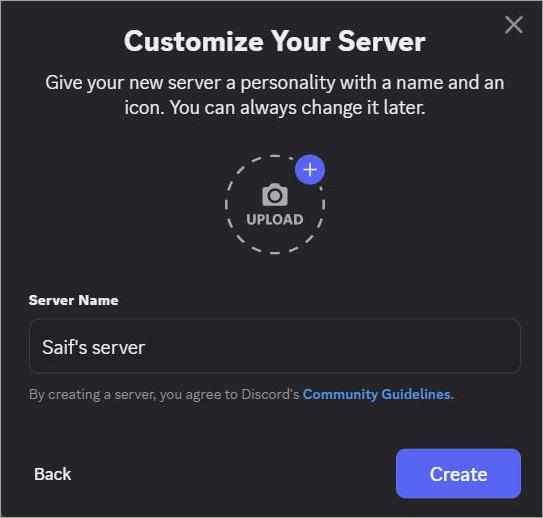
4. Give your server a name and add a profile image to complete the server creation.
It is that simple.
List of the Best Discord Servers to Make Friends
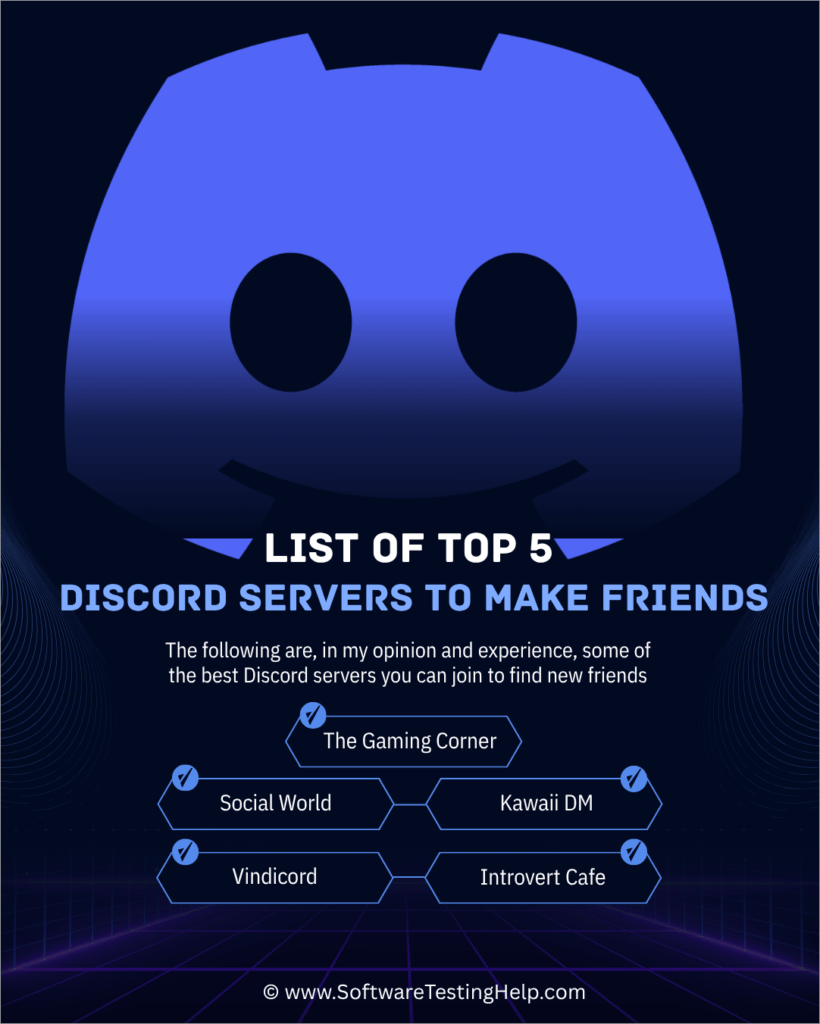
Consider joining the Discord servers below to meet new friends:
- The Gaming Corner
- Social World
- Kawaii DM
- Vindicord
- Introvert Cafe
- Anime Kun
- Kai’s Haven
- Sakura Sapphire Moon
- Big Con’s Discord Server
- The Forest
- ChillZone
#1) The Gaming Corner
Community: Gaming, Anime, Roblox
Members: 414
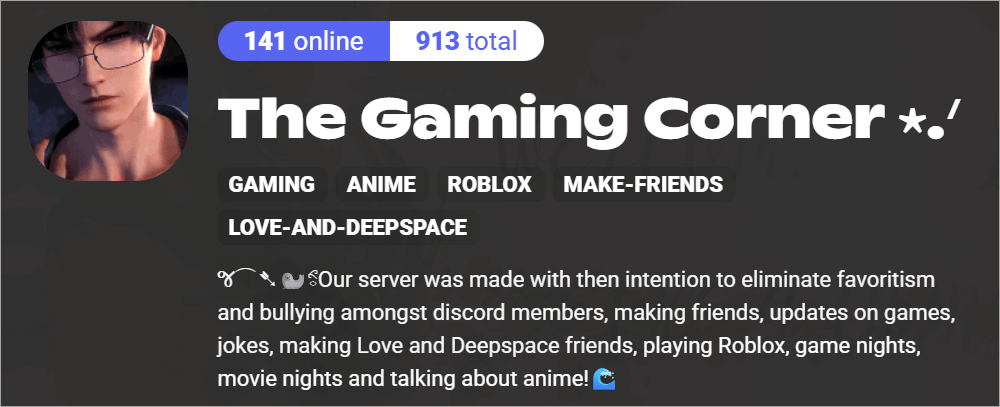
I would like to kick off this list by recommending one of my personal favorite servers active in recent months. The Gaming Corner is the go-to hub for geeks and nerds who want to partake in exciting conversations in the realm of gaming, anime, and other topics.
This small server is exactly what you need to make new friends online, as you are bound to be a part of every conversation taking place. You’ll find people joking around on the platform and sharing updates on the games they’ve played or movies they’ve watched. The Gaming Corner is a fun community on Discord to hang out.
Website: https://disboard.org/server/1362915250931761322
#2) Social World
Community: Dating, Voice Chatting, Making Friends, Edgy Humor.
Members: 50,136
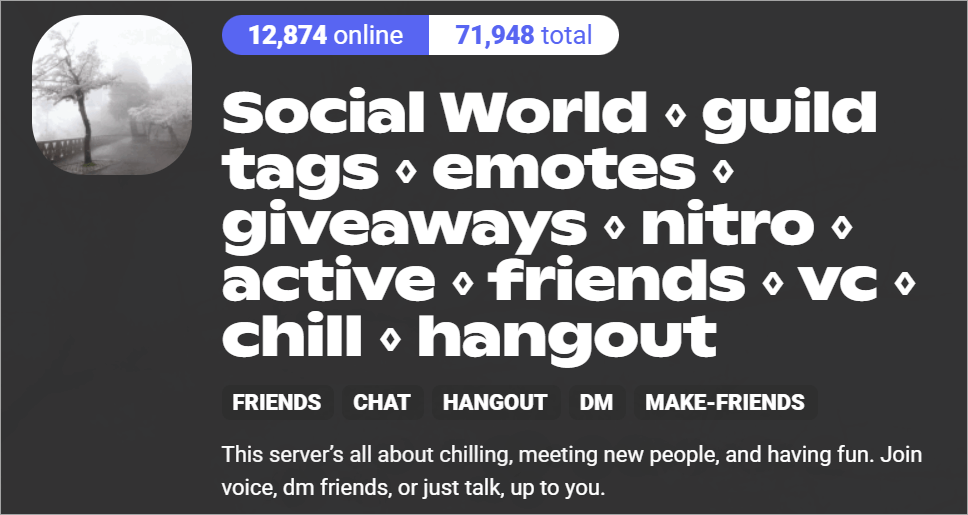
Staying true to its namesake, Social World offers a safe space for folks who want to do nothing more than connect with strangers online. You can join the server to send DMs to other members, voice-chat with them, or simply hang out. Boasting over 50000 members, this server’s voice and text chats are always active.
I must warn you, though, that the conversations here can get a bit toxic. You need to have a thick skin to join this server. You are going to find people within the community who are self-described edge-lords. If you love edgy conversations, you’ll find yourself right at home here. Overall, you are going to find one of the finest 18+ Discord communities here.
Website: https://disboard.org/server/829282091787091970
#3) Kawaii DM
Community: Friends, Direct Messaging
Members: 1496
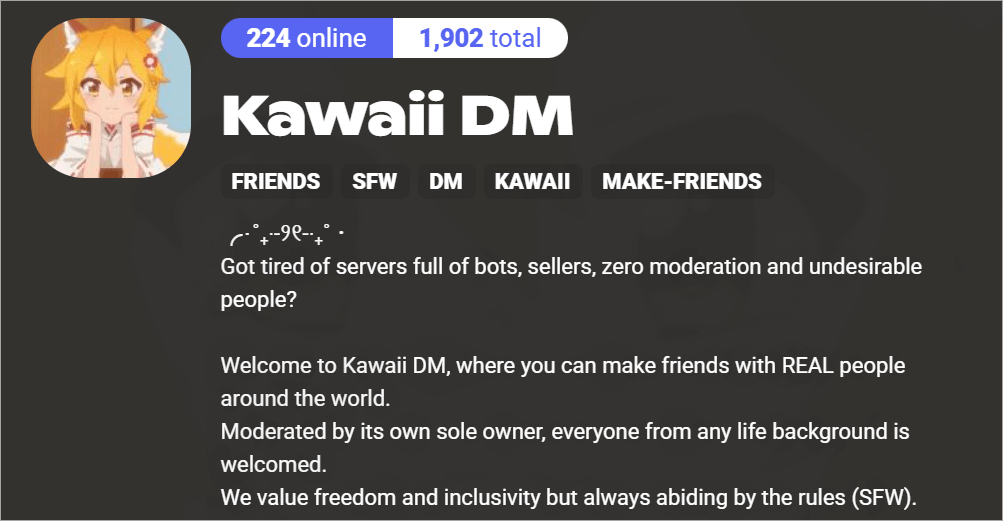
Kawaii is a Japanese term that means “cute”. If you are at all familiar with Japanese popular culture and know the various contexts in which the term “Kawaii” is used, you’ll find a sense of comfort in this community. This is a community you can join to make friends from across the globe.
Although the server itself is cute anime-girl-themed, remain assured that the content itself is safe for work. The server is also riddled with anime bots and in-house helper bots with whom you can interact anytime.
Website: https://disboard.org/server/1336145177466769511
#4) Vindicord
Community: Anime, VTuber, Gaming, Social
Members: 336
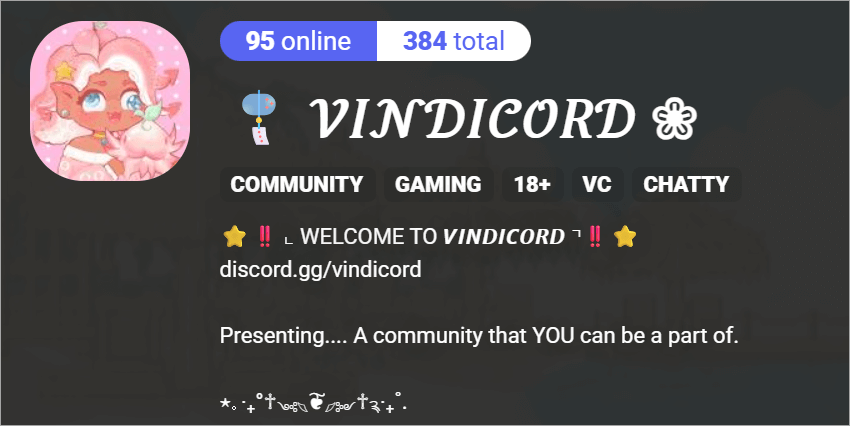
This is yet another smaller Discord server that’s perfect for people who want to make friends online. The platform caters to gamers and Anime fans alike. Its text and voice channels are often active. You are also offered custom emotes to make sure your conversations within the community are interesting.
Vindicord also hosts community events. You can expect 2 such events each week. The events can range from movie nights to long gaming sessions. Overall, the server is a good spot to meet and connect with other people who share your interests in movies, games, and anime.
Website: https://disboard.org/server/1246233408166694963
#5) Introvert Cafe
Community: Friendly, For Introverts
Members: 98
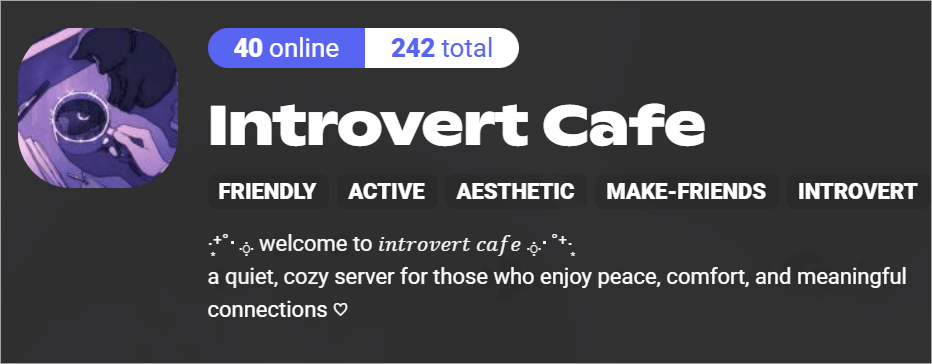
This is a new community on Discord that is rapidly growing, and one that I wanted to recommend, as it caters to introverts. Introverts often have a hard time making friends. This community understands that and thus offers a cozy space where Introverts can build meaningful connections.
The space is not at all toxic. The channels on this server are devoid of drama. Hobbies and art conversations are the main focus here. The members in this community are very supportive and inclusive. I would say this server offers a decent, safe space for Introverts who want to make friends with people who share similar traits.
Website: https://disboard.org/server/1404468668062240921
#6) Anime Kun
Community: Gaming, Anime, Social
Members: 2168
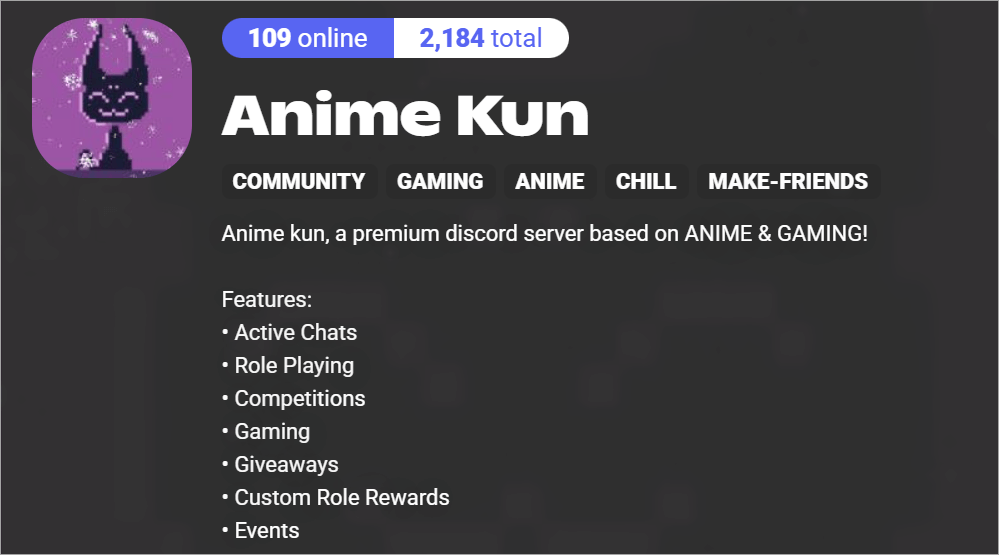
Anime Kun offers a neat and cool-looking space for folks who are huge fans of everything geeky. The server caters to fans of gaming and anime. Its chats are always active and highly engaged with updates, debates, and news on games and anime.
The server hosts events regularly. There are gaming sessions and competitions that you can participate in with other members. You can also indulge in some role-playing fun with custom role rewards to earn.
Website: https://disboard.org/server/1126532363933995140
#7) Kai’s Haven
Community: Mental-Wellness
Members: 45373
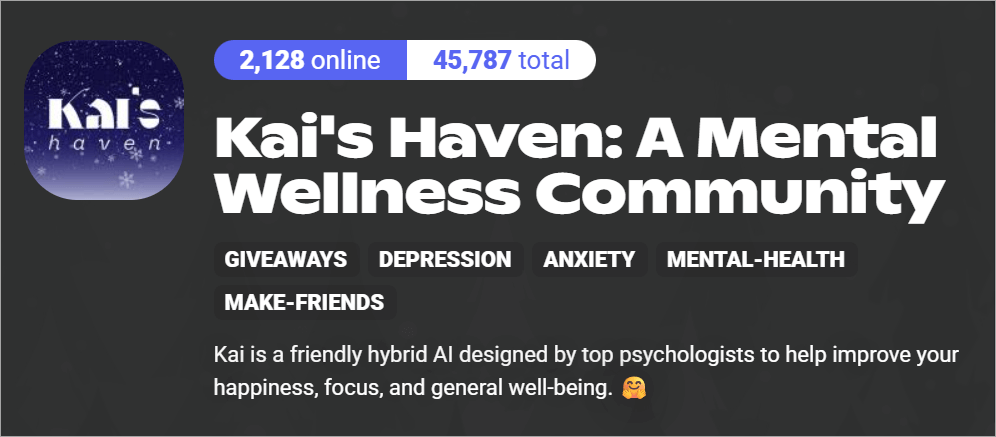
Kai’s Haven is a great, supportive, and inclusive online space for people struggling with mental health issues like depression and anxiety. The community is spearheaded by a very intelligent AI, designed by seasoned psychologists.
This AI will act as your life coach and friend. You can count on its expertise and guidance to attain some peace of mind. The community is home to over 45000 members. You can open up to them about your mental-health struggles without hesitation. They’ll listen to you and empathize with your situation.
Website: https://disboard.org/server/859736561830592522
#8) Sakura Sapphire Moon
Community: Fortnite, Overwatch, Role-Playing
Members: 979
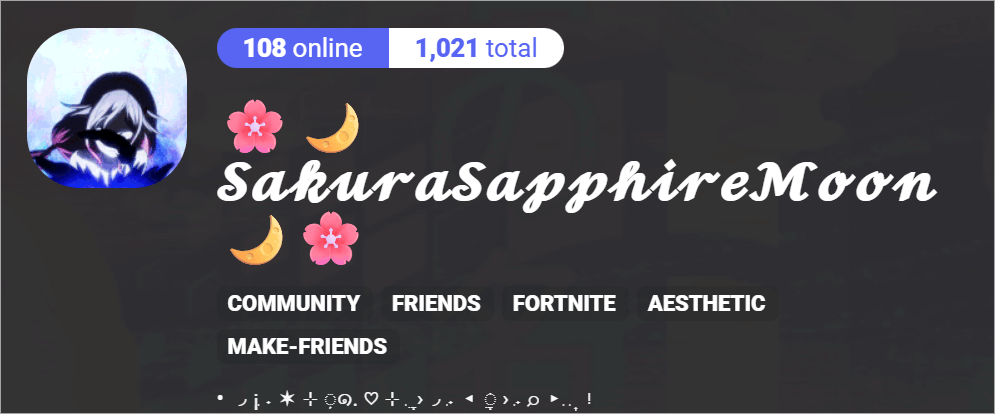
If you are an active Overwatch or Fortnite gamer, then consider this server tailor-made for you. You can join this server to find people who’ll play these games with you. The server is active round-the-clock. You’ll find mods and admins to answer any questions you have when there are no members active within the community.
You can share your Twitch streams on this server as well. This can help you grow your Twitch channel. That said, the server does require you to adhere to some strict rules. For instance, once join, leaving the server will result in you being perma-banned.
Website: https://disboard.org/server/1016484929854525470
#9) Big Con’s Discord Server
Community: Minecraft, Technical, YouTube
Members: 217
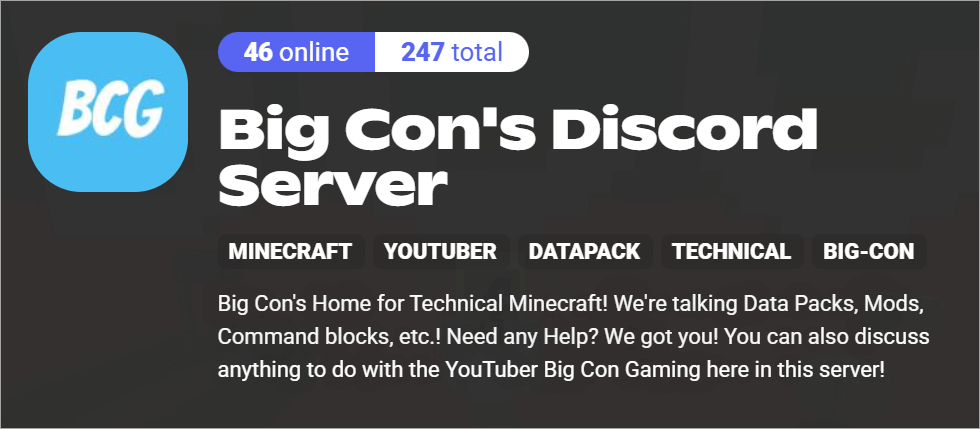
This small but active Discord server is one that I’d recommend to advanced Minecraft players out there. You are going to find an active community here that shares information on various technical aspects of Minecraft.
You are going to find help and guides here for a variety of data packs, mods, and command blocks. The server itself is run by a YouTuber named Big Con Gaming. In my opinion, this is one of the best Minecraft Discord servers to make friends.
Website: https://disboard.org/server/1302079242929963018
#10) The Forest
Community: Gaming, VRChat
Members: 419
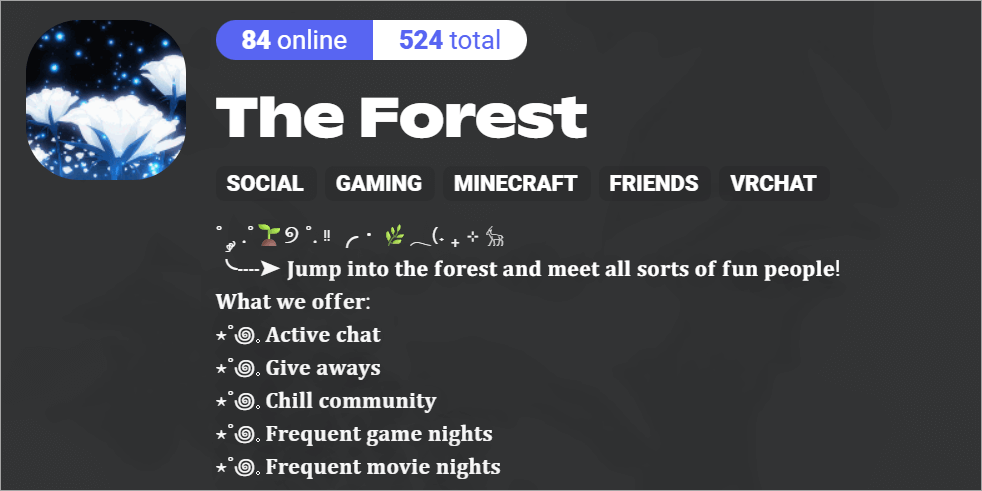
The Forest is home to some really interesting people, with whom you can talk about your shared love for video games. The server frequently hosts events like game and movie nights. This server is also very inclusive and LGBTQ+ friendly. Making friends on this server is easy, as everyone is kind and quite social.
Any sign of misbehavior and the user is banned permanently. As such, you are promised a safe space where you can find people to play games like Minecraft, Valorant, and Roblox. Its chat is always active, and to make things more interesting, there are giveaways to make your time within the community worth spending.
Website: https://disboard.org/server/1178389296877666394
#11) ChillZone
Members: 667,793
Community: Anime, Gaming, E-Girls
With more than 500,000 members, ChillZone is an active server on Discord with a busy voice channel. You will find lively discussions on gaming and Anime-related topics on this platform 24/7. The platform is great for socializing, and you’ll find like-minded folks who share your enthusiasm for everything that geeks adore.
The place is also great for folks who want to meet some E-girls. Conversations on the platform can get heated, but they never border on abusive. You should have an easy time finding friends on this platform, especially if you are an outgoing person.
Website: https://discord.com/invite/4zQymV7
Troubleshooting Tips to Solve Discord Issues
While using Discord is simple, you may encounter some problems that all have an easy fix. I suggest you refer to the table below to solve some of the most common issues that can arise when using Discord:
| Problems | Solutions |
| Connection Issue | • Test Internet connection • Switch your DNS Server • Ensure a bandwidth of minimum 300 kbps. upload/download. • Clear Discord cache • Disable hardware acceleration. |
| Audio and Video Issue | • Reboot Discord • Check your system audio and video settings • Verify mic and camera permissions • Make sure our speaker and headphones are compatible. • Shut down all background apps • Switch to a different browser. |
| Installation issues | • Make sure system requirements are met • Clear cache and temporary files. • Assess Firewall settings • Force quit Discord and start again. • Disable VPN during installation |
If any of the above tips do not work, I suggest reaching out to Discord’s support team. Before you do, gather all screenshots depicting the problem you are facing. Submit your query through the Discord support portal and be as specific as possible when describing your problem.
Tips for Making Friends Through Discord Servers
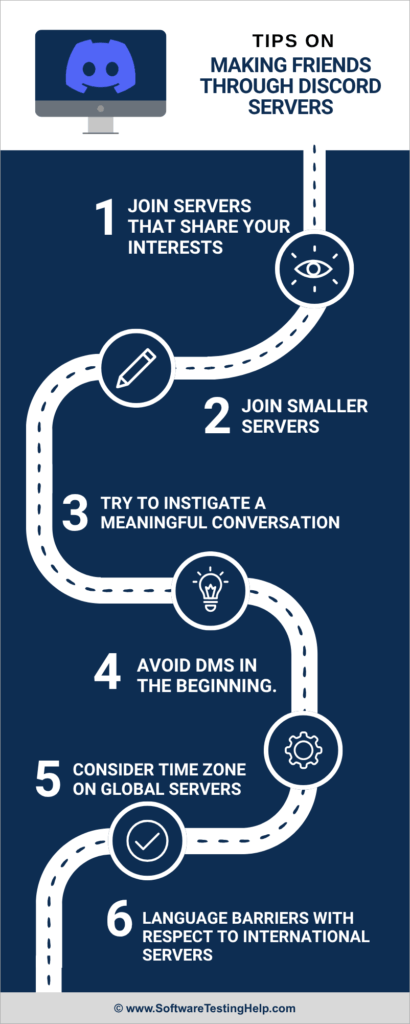
1. Join Servers that Share your Interests
You are going to have an easy time building relationships with folks who share your interests.
For instance, if you are a gamer, you’ll have a better chance of making friends on a server that caters to gamers like you. There, you’ll find people who are interested in the same things that you like. As such, it is easier to strike up a conversation with them.
2. Join Smaller Servers
If your only reason to join a Discord server is to make friends, then I would suggest starting with a smaller server with a few hundred members. It is easier to get lost on servers that cater to a community of thousands. That won’t be an issue when you are a member of a smaller community. You don’t need to strive to stand out within these communities.
3. Try to Initiate a Meaningful Conversation
The last thing you want is for people on a Discord server to mistake you for a bot. As such, try to strike up a meaningful conversation. Starting a chat with “hi” or “hello” won’t suffice. Perhaps a question would be a good way to start the conversation.
It could be related to something they said or did in the community recently. This should break the ice and become the start of a budding friendship.
4. Avoid DMs in the Beginning
If you don’t know someone, try not to enter their DMs just to strike up a conversation. Not everyone is comfortable with having a one-on-one conversation with a total stranger. This might put them off and kill any chance you might have had of building a relationship with them.
Stick to public channels for conversations. Once you feel your bond with them strengthening, you can switch to DMs. Some servers on Discord have roles, which clearly specify whether a person is comfortable receiving DMs. If you can find someone with this role, then you can send them a DM without hesitation.
5. Consider Time Zones on Global Servers
Always be aware of time zone differences when you are on a global server. You could be living in America and join a server that’s based in Germany and thus caters to a German crowd. It is a busy afternoon in Germany when you are probably just starting your day in America.
Take this time difference into consideration to make sure you join the server at the right time to catch other members on the server live. You don’t want to disturb them at an inappropriate time or join the server when the community isn’t as active.
6. Language Barriers with Respect to International Servers
Language barrier is another major issue you’ll encounter when joining an international server. My advice would be to join a server that speaks and communicates in your language. It isn’t hard to find an international server with a largely English-speaking base.
Keep Google Translate handy if you join a foreign server.
How to Avoid Fake/Scam Servers
Although Discord is heavily regulated, it is still a fertile space for scammers who want to exploit your privacy and data. It is important that you protect yourself and only join Discord servers that are reliable and trustworthy. That can only happen when you are vigilant and able to notice a fake server when you encounter one.
First, stay away from servers with misspelled names or logos clearly ripped off from another entity. If a server requests information like your address, payment details, or passwords, consider this a major red flag.
A legitimate server will never ask its members to submit such sensitive information. Always assess a server’s member count. It would be in your best interest to stay away from dead servers with very low member counts. Even if the member count is low, it should have clearly identifiable moderators with a clearly laid out set of rules.
It is also very common for malicious servers to share fake links. Hover over such links to verify them before clicking.
Steps to Evaluate a Server’s Quality
With over 30 million servers on Discord, finding one that best suits your need for some good old socializing can be challenging. At the very least, you could follow the tips below to find a high-quality server to join:
1. Community Activity
If your goal is to make friends, you need to find a server with high levels of engagement round-the-clock. Look for a server with exceptionally high engagement metrics, preferably one that has a voice or text channel that’s always buzzing. A good server will also host events occasionally and have a member base that’s loyal.
2. Server Moderation
You are not going to make any friends in an online space that’s toxic and abusive. To avoid this, you’ll need to join a server with strong moderation. It must possess clearly laid-out rules on bullying, harassment, misogyny, and other sorts of human vices common online.
3. Server Performance
You’d want to join a server that’s always up and running with little to no downtime. The server should guarantee you a good time with minimal technical issues affecting your experience.
4. Content
Imagine joining an Anime-based community on Discord only to find the server often sharing K-drama-related content. You’d want to join a server that shares content relevant to its purpose. The content itself should be appropriate and fresh. It should encourage active discussion on the text and voice channels.
Discord Friend-Making Timeline
How fast you make friends on Discord will depend on the community and yourself. Some, who are inherently social, will have an easier time making friends in the first week of joining a server. For others, especially introverts, making friends can take time, maybe a month or even more.
To make friends fast, join a community that shares your passions and interests. If you are an introvert, there are Discord servers for introverts that you might like.
Just be yourself on the server, behave yourself, and you’ll make friends on the server in no time. Exercise patience, and you’ll see results sooner rather than later.
Advanced Discord Features for Socializing
Discord offers some features that make socializing on the platform easier. Perhaps you could give these features a try and improve your chances of making friends.
1. Threads
Threads allow Discord users to create a mini conversation channel under any given topic. You can use threads to have your own little side discussion with someone without derailing the main conversation.
2. Stage Channels
This is yet another great feature that can be used for easy socializing. With Stage Channels, you can convey your message through live events, town halls, and Q&A sessions. Stage Channels let you host an interactive session with a large community on Discord.
3. Forum Channels
Forum Channels serve as community boards where anyone within a server can comment or reply to a post. This encourages conversation, which is necessary if you wish to make friends.
4. Direct and Group Messaging
Discord facilitates direct messaging between two members. I would advise getting familiar with a person first through group messages before jumping into their DMs. You can also easily create group chats and have exciting discussions with a small group of people, thus creating your own little friend circle within a server.
Safety Tips to Follow When Making Friends on Discord
While the servers I have mentioned on this list are largely safe and supportive, other communities on that platform might not be as safe. Know that these are still strangers whom you haven’t met. You do not know who these people are or what their lives are like behind the blue screen.
Some of these people might not have the best of intentions when befriending you. The very first thing I would recommend you do is to be as discreet as possible when striking up a conversation. Do not reveal any personal information to these users. You might encounter manipulators and con men who are good at getting people to open up.
Immediately disconnect if someone makes you feel uncomfortable or if you are getting a creepy vibe from the opposite chatter. Do not go out to meet these people in real life before vetting them and identifying them correctly.
Stay away from bullies who make sexually suggestive comments or belittle your opinions. It is best to be a part of only supportive and inclusive groups online.
You do not want to join a community that’s poorly moderated. Read reviews of a server on platforms like Disboard or Discadia before joining. If you find mentions of bullying and abusive behavior in these reviews, that’s a sign to look for other servers.
You also do not want to join a server with a dead community. These servers are fertile ground for scammers who’ll try to extort your personal information through various nefarious means, like sending malicious links.
Frequently Asked Questions
1. Are Discord servers a good place to make friends?
Yes, Discord servers can be a great place to meet like-minded people from around the world. You can find people who share your likes and dislikes here.
The best way to make friends on Discord servers is to join a handful of different servers, each representing a community that shares your passion for a certain topic.
2. How to find random people on Discord?
Discord offers multiple features to help you find random people on the platform.
Use any of the following to find anyone:
Type that person’s tag in the Discord search
Use the Nearby Scan feature
Explore common groups and servers
Check the phone contact list.
3. Is NSFW Discord legal?
Although Discord allows the sharing of NSFW content on its platform, there are clear restrictions that you should be aware of.
For instance, an NSFW server is restricted to users above the age of 18. Also, any content that is considered illegal by the United States of America cannot be shared. This will not only lead to your permanent ban but also trigger a criminal investigation.
4. What is a Discord bot?
Discord bots can be described as automated programs that server admins can use to enhance the performance of their servers.
For instance, a Discord bot can automate certain tasks like content moderation, game hosting, and sending messages. Discord bots will appear like any other member to users. Although discerning people can tell the difference.
5. Is joining a Discord server dangerous?
Joining a Discord server is not dangerous by itself. However, it is important to be vigilant and practice caution when joining a server or communicating with others on that server. Servers with a toxic community may prove detrimental to one’s mental health. Some members on the server may not have the best intentions.
My advice would be to identify signs of abuse, bullying, and manipulation right away. You can avoid any interaction with users who employ such tactics or report them to the server admin.
Conclusion
So, there you have it, some of the best Discord servers where you can make new friends. You can join a server that intrigues you the most and then follow my tips to start making friends on it.
There are Discord alternatives for making friends. Steam Chat and the dozen or so social media platforms out there come to mind. However, the community-like experience you get on Discord is unlike anything you’ll find elsewhere.
If you are still having trouble making a friend, don’t be disheartened. All the servers I’ve mentioned enjoy active text and voice channels.
Just be respectful and mindful when striking up a conversation. Move on if you feel someone isn’t interested in talking to you. Most importantly, report any sign of abuse or toxic behavior the moment you notice it.
Although Discord offers you a virtual space, the relationships you build there are real. Cherish them, and you are bound to have a good time on the platform. Whether it is for casual or professional networking on Discord, I guarantee that the above servers will help you make friends online.
Research Process:
The total time involved to complete and publish this article is approximately 35 hours. This content was created through a structured research approach to ensure accuracy and reliability.
For more quick Discord-related guides, you can explore our range of tutorials below:
- Discord Not Opening In Windows 10: Fixed [Simple Guide]
- The Top Discord Voice Changer Software [Latest Ranking]
- Discord Timestamp Generator For Universal Timezone
- [FIXED] Discord Fatal JavaScript Error – 7 Possible Methods
- How to Bold in Discord Quickly – Text Formatting in Discord
- How to Italicize Text in Discord
- The 15 Best Discord Emoji Maker (Discord Emote Maker)
Was this helpful?
Recommended Reading
-

Understand what Discord Fatal Javascript Error is and refer to this step-by-step guide explaining 7 methods to fix Discord Fatal Javascript Error: Discord is an instant messaging and digital distribution platform that has been specifically designed for creating communities. Discord users can communicate with each other using voice calls, video…
-
Discord won’t open on PC? Find out why Discord won’t open on your PC and resolve the issue in 10 simple step-by-step solutions quickly. If you are experiencing the issue of Discord won’t open on your PC, you are not alone. Many users have reported problems such as the application…
-
Discover the top-rated Discord Timestamp Generator to convert date/time as per your timezone. Pick the right Discord Timestamp Maker to create timestamps instantly in all Discord styles: Discord is one of the most popular social media platforms, designed for gamers to communicate with each other in real-time while playing. It…
-
Read this review with features to compare and select the best Discord Emoji Maker to create unique emojis as your requirement: Text conversations can be boring and sometimes confusing without expressions. Emoticons, emojis, and Gifs are there to resolve that problem. Emojis add a lot of vibrancy and meaning to…