


Learn how to modify Amazon Country settings easily. This step-by-step guide will educate you on the ways to instantly change Country on Amazon associated with your Prime Video account too:
It is estimated that the Amazon Prime Video platform has around 200 million active users worldwide. This platform is available in almost all parts of the free world.
So, if you are in the mood to watch a movie or TV show on Prime Video, you can do so with ease, no matter where in the world you are.
Steps to Switch Amazon Country: Complete Guide
You’ll notice a huge difference when logging into your Prime Video account overseas. Some shows and movies available to American users are geo-locked in most parts of the world. Simply put, Amazon Prime Video has a significantly bigger content library.
Here is a video for your reference:
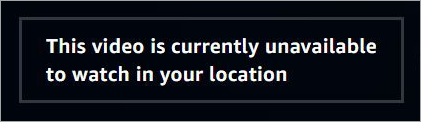
This is something I discovered the hard way during my trip to Japan last year, when I wanted to watch a particular movie on my Prime Video account, only to be met with the following message:
As a stubborn person, I immediately began searching for a way to overcome this problem, and I found a solution.
I’d like to share my insights on how to change your Prime Video country through this brief article.
So, without much further ado, let’s dive in.
How to Change Country on Amazon
[Via AdWeek]
Updating your country or region settings is quite simple. Use your computer’s browser or the Amazon app and change the country.
Official Amazon Account Country Transfer: Step-by-Step Process
1. In your phone’s app or computer, navigate to Manage Your Content and Devices
2. Open Preferences.
3. Select Country/Region Settings. Select Change.
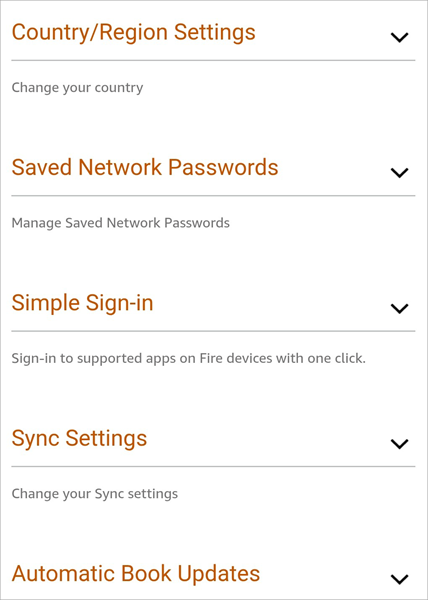
4. Now update the country you are currently located in.
Remember that this isn’t an effective way to access Prime Video US content from abroad. I’ll now shed light on the methods and solutions that would really help you.
Stream Prime Video US on Mobile & Smart TV When Abroad
People choose either to stream content on their smartphones or on their smart TVs. That is likely the case when you are abroad and wish to access your Prime Video account.
Depending on your choice of device, here’s how you can change the location and access the Prime Video US library anywhere in the world:
Streaming Prime Video US on Smartphones
Most smartphones today come with built-in GPS. This makes unblocking geo-locked content kind of difficult. It is still possible, though. All you have to do is disable the GPS and location-tracking features on your phone.
Further Reading => How to Change Netflix Region
This process is very simple on Android.
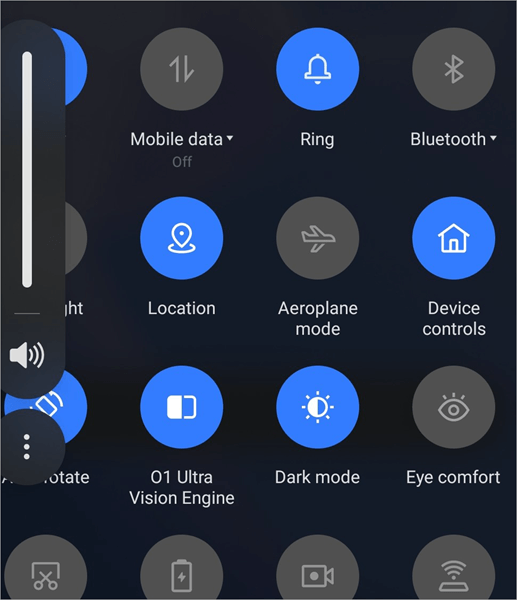
Simply swipe down on your Phone to open the home screen menu. Track the location option here and simply tap on it to shut it down.
For iOS devices, do the following:
- Go to Settings
- Privacy and Security
- Location Services
- Select Amazon Prime Video and disable Precise Location
If you are still having issues with the app on your smartphone, the wisest thing to do would be to switch immediately to the desktop or Smart TV version of Amazon Prime Video.
Recommended Reading => Best Sites To Download Movie Subtitles
Step to Change Prime Video Country
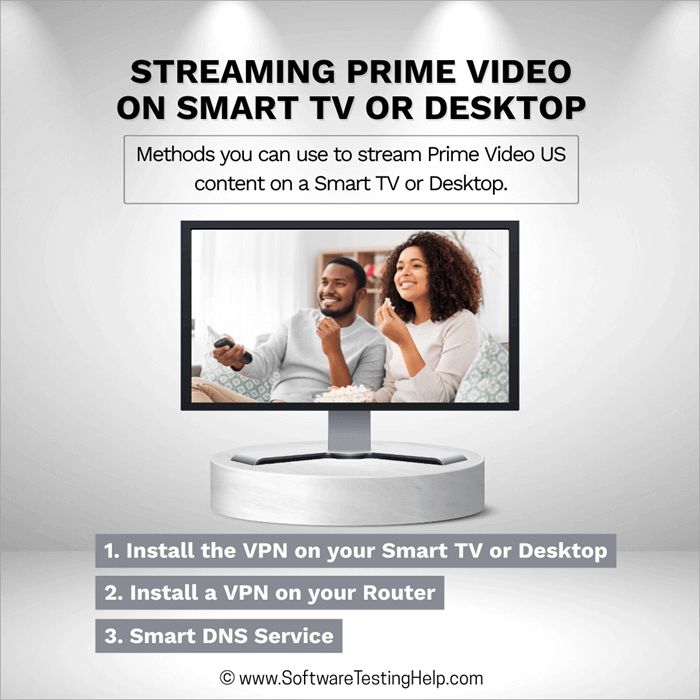
Streaming Prime Video on Smart TV or Desktop
There are many ways that you can bypass geo-locked content on Prime Video. All of them involve the use of a good and reliable VPN. A good VPN solution will mask your online activity and location not just from your ISP but also from streaming services like Amazon Prime Video.
Here are all the methods you can use to stream Prime Video US content on a Smart TV or desktop.
1. Install the VPN on your Smart TV or Desktop
The best VPN services are compatible with almost all modern smart TVs and desktops. You can download these VPNs and install them on your desktop very easily. On smart TVs, you’ll need to download the VPNs directly from the Google Play Store. The drill is simple after downloading the VPN.
Install it, connect to a server, and hope to God that this VPN was successful in bypassing Amazon Prime Video’s geo-restrictions.
2. Install a VPN on your Router
Although time-consuming, this is yet another effective way to use a VPN in a bid to successfully bypass Amazon Prime Video geo-restrictions. VPN solutions can be installed on most modern-day routers.
However, the process can be tedious. If installed successfully, you’ll be able to secure every single device connected to that router.
Once the VPN is installed, simply connect the smart TV or Desktop to it. If the VPN on the router is connected to a US server, you’ll gain access to Prime Video US.
3. Smart DNS Service
Almost all reputable VPN services today offer a smart DNS service. You can rely on this feature to access US-exclusive content. To make it work, you’ll need to change your TV or Desktop’s network settings by replacing the DNS address on it with one provided by your VPN. On the downside, this only works with American TVs.
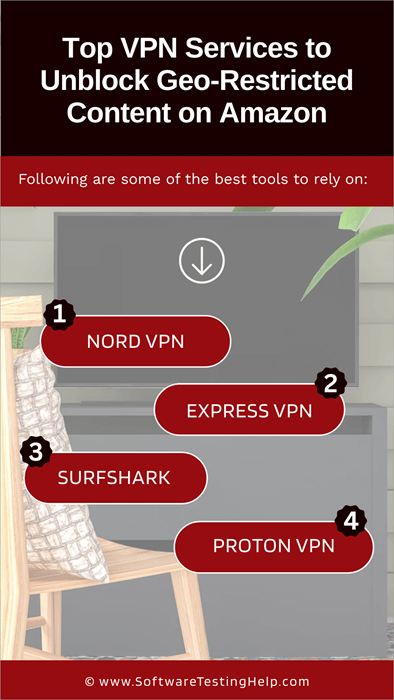
Top VPN Services to Unblock Geo-Restricted Content on Amazon
People who often ask how to switch Amazon countries should just purchase a reliable VPN service.
Having used a plethora of VPN services over the years, the following are some of the best:
| VPN Provider | Server Location | Simultaneous VPN Locations | Block Ads | Free Version |
|---|---|---|---|---|
| Nord VPN | 118 Countries | 6 | Yes | No |
| Express VPN | 105 Countries | 8 | Yes | No |
| Surfshark | 100 Countries | Unlimited | Yes | No |
| Proton VPN | 117 Countries | 10 | Yes | Yes |
#1) Nord VPN
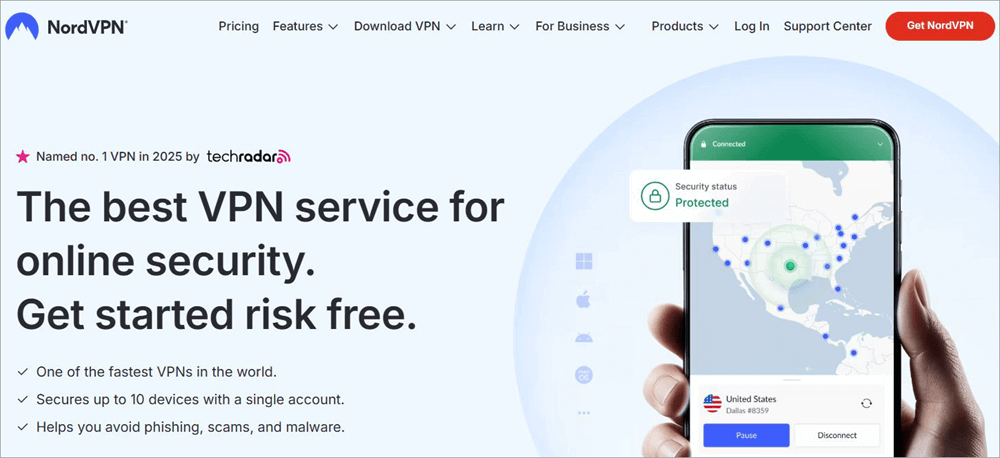
Nord VPN is a leading VPN platform that many people trust and use around the globe. It is excellent at masking one’s IP address without compromising internet speed, which makes it an ideal solution for folks who want to access streaming services like Amazon Prime Video.
The tool has evolved considerably over the years. You can also use it today to block ads and malware.
Suggested Read =>> Comparison of NordVPN vs ExpressVPN
Price: Starts at $12.69/month
Website: https://nordvpn.com/cybersec-site/
#2) Express VPN
With servers in over 105 countries, Express VPN is another really good VPN solution that I have no qualms recommending here. It works well on all devices and features an interface that makes it considerably user-friendly. Finding and connecting to servers is easy. You are also promised lightning-fast speeds.
I’ve used Express VPN to watch Prime Video in countries with strict internet policies. This makes the VPN excellent for travelers.
Price: Starts at $12.95/month
Website: https://www.expressvpn.com/
#3) Surfshark
Surfshark is another VPN I’d love to recommend for its performance and features. It has servers in hundreds of countries around the world. It is a tool that also offers a plethora of other features, such as an ad-blocker and an anti-virus solution.
Surfshark also stands out to me for its sleek interface. You don’t really need to be a tech-wizard to use this tool to the best of its capabilities.
Price: Starts at $15.45/month
Website: https://surfshark.com/
#4) Proton VPN
If you are running low on budget, then give this VPN a shot. Proton VPN is free to use and works just as great as any premium VPN solution. While not as good as NordVPN and ExpressVPN, Proton VPN still promises you decent performance and downloading speed. You can also use Proton VPN to block malware, ads, and split tunneling.
Price: Free to use. Starting at $9.99/month.
Website: https://surfshark.com/site
How to Change Location on Amazon With VPN Services
Now that you know how these VPN services work, let’s understand how they work. It is quite straightforward.
Here’s all you need to do:
1. Pick a VPN provider from the above list. Purchase a subscription and download the app on your mobile, smart TV, or desktop.
2. Once the VPN is installed, log in using your credentials.
3. Open the VPN app and select a server to connect with. Choose a server based in the US, as this is what we need to access the American Prime Video library.
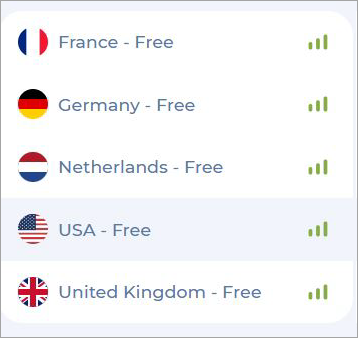
4. Once the connection is established, it is time to log in to your Prime account and start streaming.
What is Amazon’s Official Stance on VPN Usage
Before you decide to use a VPN, you should know where Amazon stands regarding VPN use. Like most e-commerce and streaming platforms out there, Amazon also discourages the use of VPN. In fact, their location settings are quite advanced and will detect an active VPN.
You might get an alert that says – “Your Device is connected to the internet using a VPN or proxy service. Please disable it and try again.” It can detect most VPN connections, which is why I recommend using a reliable provider.
All the VPNs I’ve recommended above have a proven track record of bypassing Amazon’s tricky geo-restrictions. You can count on them to change the Amazon streaming location.
VPN Fails to Bypass Amazon’s Geo-Restrictions: Steps to Follow
Even after installing a VPN and connecting to a USA server, things might not go your way. Amazon’s Prime Video geo-blocking system is quite advanced. It can get a little tricky getting past it. However, it is possible. So, if the VPN isn’t serving its intended purpose, do not give up just yet.
First, check your VPN connection. Make sure it is active and that you are connected to a USA server.
If you are getting the following error – “Your Device is connected to the internet using a VPN or proxy service. Please disable it and try again,” your VPN failed to bypass Amazon’s geo-restrictions.
In this case, I would suggest switching to a different US-based server. If that still doesn’t do the job, it is time to contact your VPN service provider.
Let’s say the VPN does work. You still end up getting the below message:

Luckily, this is easy to fix. You can try clearing cookies and cache in your browser. Alternatively, try to activate the advanced stealth mode on your VPN. Most prominent VPN providers like Nord offer this feature.
If the issue persists, your best bet would be to contact your VPN provider’s support team.
Also Read => Is VPN Safe: Complete Guide
Amazon App Change Country: Limitations to Consider
Let’s get this out of the way: it is not possible to transfer an http://amazon.co.jp and http://amazon.cn account to another region or country. So, if you are using a Japanese or Canadian Amazon account, you’ll have to create a new account in the country you are in.
Another thing you need to consider is the changes that come with modified country or region settings. The Amazon Prime Video library varies from country to country, with some having larger selections than others. Changing the country settings might end up shrinking your Prime Video content library.
Changing country settings might also result in the features that were previously available to you becoming inaccessible as well.
It would be in your best interest to keep all of these things in mind before you decide to change your Amazon account country permanently.
Risk Assessment for Account Suspension
Many things or activities on your part could result in your account’s permanent or temporary suspension. For years now, there has been a misconception that Amazon will ban you for using a VPN. This is not true. Using a VPN isn’t risky at all, but some things can get you legitimately banned.
For instance, if Amazon finds you pirating its content, that is an instant suspension, no questions asked. Amazon does not permit screen-recording when you are streaming content on Prime Video, as it can lead to piracy. So, avoid doing that if you don’t want to get banned.
Another thing that could put your account at risk of being suspended is constant regional-setting changes. Changing country settings a few times in 6 months is fine, but changing these settings constantly, like 20 times a month, could be deemed suspicious. It could lead to a suspension of your account.
You’ll need to contact support and explain the reason behind the constant configurations to get your account back up.
Further Reading => List of the BEST Streaming Devices in the Market
When is Changing Amazon Country Settings Warranted (Use Cases)
1. Permanent Relocation
This is perhaps the biggest reason why anyone would want to change their Amazon country settings. Let’s say you are an American citizen moving to the UK. You’ll have to change your Amazon account’s location settings for a better user experience in your new home abroad.
Now, your Amazon account will automatically shift to the UK when you shift to that country and log in to your account for the first time there. However, you can switch the country to the USA by leveraging a good VPN to still access the American Prime Video library.
2. Business/Work-Related Access Needs
If you are using Amazon for business, like selling products, books, or affiliate marketing, you’ll need access to it 24/7 to keep track of various stats or analytics. This kind of thing becomes tricky if you are temporarily moving abroad for whatever reason.
By using a VPN, you can still access your American Amazon account and keep tabs on business or work-related aspects.
3. Family Sharing Across Countries
It is entirely possible to share your Prime Video account with a family member situated in another country where Prime Video is available. That said, you’ll need to take the geo-restrictions applicable in that foreign country into account.
Some content might not be accessible to your family member in a foreign country. You could try using a VPN to get around this issue.
Frequently Asked Questions
1. How to change country on Amazon Prime?
To change the country on Amazon Prime, follow the process below:
In your Phone’s app or computer, navigate to Manage Your Content and Devices
1. Open Preferences
2. Select Country/Region Settings. Select Change.
3. Now update the country you are currently located in.
4. If your goal is to access America’s Prime Video library from abroad, this process won’t suffice. Instead, try using a VPN.
2. Which country has the largest Prime Video library?
With over 26,300 movies and over 2,700 TV shows, Prime Video in America features the largest content library in the world. No other country comes close to matching the sheer number of titles you get to enjoy with a US Prime Video library.
3. Does Prime Video change with country?
Yes, but only in the content department. The interface and features remain the same. However, you will notice some titles missing from your library when accessing Prime Video overseas.
4. Will Amazon Prime ban you for using a VPN?
I frequently use Amazon Prime with a VPN and have not been banned. Amazon Prime may not work as intended if using a VPN. However, Amazon won’t take a step as extreme as banishing your account.
5. How to trick Amazon Prime Video location?
In my experience, Amazon Prime Video has one of the smartest geo-restriction features. Bypassing it can be tricky, but it is possible with the right VPN provider. From Nord to Express VPN, there are many service providers out there that you can rely on to easily trick Amazon Prime Video’s built-in location features.
Install the VPN on your mobile or desktop, connect to a US server, and try streaming on Prime Video.
6. How to change country, region, and language settings on Amazon?
Changing country or region settings on Amazon is simple. All you have to do is the following:
1. Open the Amazon Website
2. Go to “Your Account”
3. Select “Manage your content and devices”
4. Select “Preferences”
5. Scroll down, and you will find an option to change your country and region.
As for the question of how to change Amazon’s language, here’s how you do it:
Changing the language settings on Amazon is even simpler. When you log into your Amazon account, find a flag icon in the top-right section.
Click on it to open a drop-down menu displaying a wide range of languages that you can choose from. Pick one to change Amazon’s language settings. It is that simple.
7. How do I change my Amazon account settings?
Again, changing Amazon account settings is very simple. You first need to log in to your Amazon account. Then, click on “Your Account”. This will take you to Amazon’s settings, where you will be provided with multiple options to configure your account as you wish.
8. How often can I change my Amazon region?
According to Amazon itself, you can change the region settings anytime and as many times as you want, provided you have an active billing address for that country. That said, there are some limitations you must consider when doing so.
For instance, Japanese and Canadian Amazon account transfers are prohibited. This means you cannot transfer a Japanese or Canadian Amazon account to any other country.
Changing the country settings will also modify your Prime Video account’s content library. Some titles that were available to you in the previous country might be absent with the new region settings.
9. How to change country on Amazon in an iPhone?
Changing your Amazon country settings on the iPhone or Android app is very simple, even simpler than the setting changes on a desktop.
So, if you are in a foreign country and want to access your American Amazon Prime Video account, here’s how you do it:
How to switch to Amazon US on the app (iOS and Android):
• Log in to your Amazon account and go to your main account page.
• On this page, navigate to the top-right corner of your mobile screen, where you’ll see a flag denoting the country and language settings your app is currently on.
• Tap on it, and this will open up country, region, and language settings.
• You’ll now have the option to not only change country on Amazon but also change your language settings.
• Once the changes are done, tap on the “done” button.
Conclusion
As a frequent traveler, I understand just how frustrating it can be when you can’t stream shows or movies on your subscribed OTT platform abroad. Luckily, there is an effective way around this problem. Using a reliable VPN will help you bypass Amazon’s strict geo-restrictions and access the American Prime Video library in all its glory.
Whether you are in Japan or Turkey, VPN services like NordVPN, ExpressVPN, and Surfshark do a good job of masking your IP address and location. There are both premium and free VPN services available in the market. I’ve listed some of my personal favorites above for your reference.
Was this helpful?
Recommended Reading
-

A good VPN helps keep Internet users safe in their browsing activities. Review and compare the best VPN for Mac devices: A VPN plays a vital role in keeping users safe on the Internet and in protecting their privacy. While virtual private network services have existed for many years, choosing…
-
Every country has different laws about VPNs. So are VPNs legal or illegal? The short answer is - yes it is legal to use the VPN as it's your privacy tool. But you should not engage in illegal activities using VPNs. Check out this article to learn about VPN laws…
-
How to Test VPN Speed: List of the Top 5 Fastest VPNs. As threats to online privacy and security continue to escalate around the world, choosing the right VPN has never been more challenging. There are hundreds of VPNs available nowadays and each claim to offer the best service. Although…
-
Through this tutorial, you will understand how to change Netflix region & watch it From Any Other Country and access its content library also: Netflix has become a staple for entertainment across the globe. Its endless content keeps you company when you are traveling or bored. However, we often get…


