


Streamline your workload and optimize processes with the top Manufacturing IT Automation Software. Pick the right tool to automate tasks, manage workflows, reduce errors, and improve the overall business efficiency from one centralized location:
Considering the level of competition in the manufacturing workload automation market today, organizations must adopt the latest technologies to outperform their rivals.
The latest innovations in cloud computing and AI can make business operations more efficient and streamlined. They also save time and deliver significant ROI.
Top Manufacturing Workload Automation Software
Workload Automation in Manufacturing Businesses
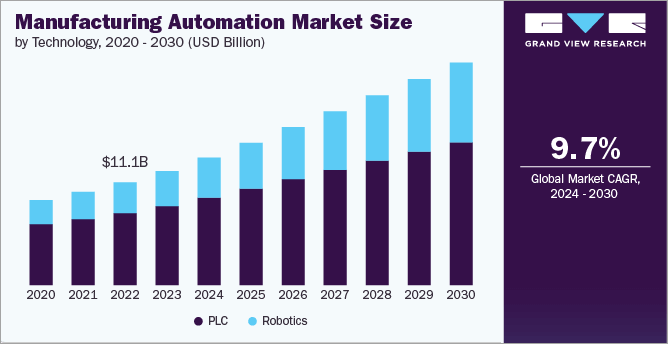
Automation is a widely accepted technology among businesses across various industries, including manufacturing, healthcare, and retail. Automation is needed to overcome manufacturing business challenges while undertaking their IT operations manually.
The recent advancements in cloud adoption technology, Workload automation, and process orchestration techniques have compelled manufacturing businesses to evolve with these advancements.
These transformations give way to better business efficiency and reduced costs. Today, traditional self-contained on-premises data centers cannot lead businesses because hybrid cloud environments are a more efficient solution available.
Other recent advancements in manufacturing workload automation include new business software and services. The business applications allow them to have seamless connections with the ERPs and other apps they use, thus delivering a controlled, more efficient, and smooth workflow across hybrid environments.
Also Read => Hybrid Workload Automation Software Platforms
Evolution of Workload Automation Techniques in Manufacturing Businesses
The traditional techniques used in the workload automation process include job scheduling, where tasks are scheduled, and different applications are used for scheduling different jobs.
But today’s competition requires businesses to operate in real-time, where the workflow automation process connects the business systems across their multi-cloud environments. Business applications must be capable of batch processing, event-driven automation, providing complete visibility across jobs, and sending alerts.
Obstacles Faced by Businesses while Operating Manually are:
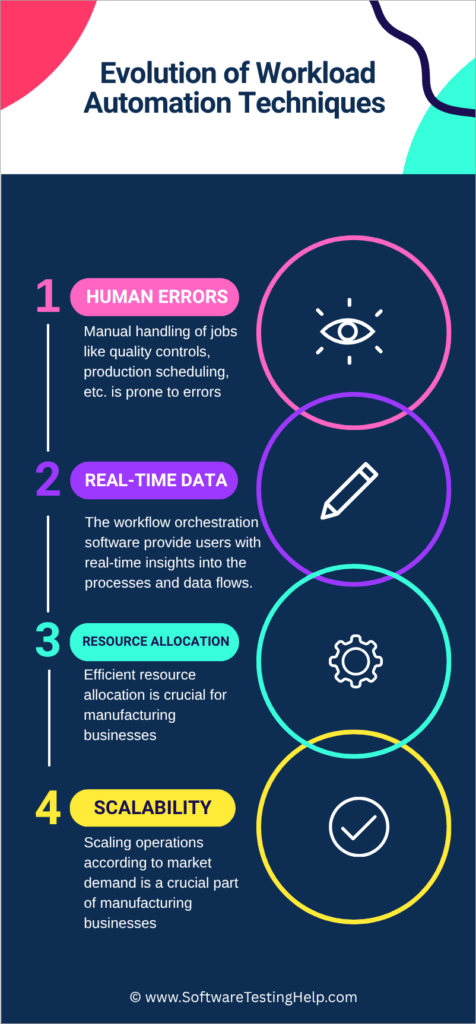
- Human Errors: Manual handling of jobs like quality control, production scheduling, etc., is prone to errors, plus it consumes too much time and resources. Thus, automated data processing and job scheduling are used to overcome these problems.
- Real-time Data: The workflow orchestration software provides users with real-time insights into the processes and data flows, which helps in making better business decisions. But when businesses operate manually, they are not able to get quick, accurate, real-time updates. Getting deep visibility into the operations helps businesses in identifying issues and making.
- Resource Allocation: Efficient resource allocation is crucial for manufacturing businesses. Several jobs, like the movement of materials, machine handling, and task assignment, can be overlapped and lead to wastage of resources, thus causing increased costs and inefficiencies. A Service Orchestration and Automation Platform can also tackle this problem.
- Scalability: Scaling operations according to market demand is a crucial part of manufacturing businesses. If an end-to-end workload automation software is used, it would enable an efficient production planning value chain and mitigate the risk of costly disruptions. Businesses use WLA or SOAP solutions that provide event-based workflow orchestration tools, schedule production jobs based on complex dependencies, and give real-time visibility into jobs and system statuses.
The integration capabilities offered by the manufacturing workload automation software enable businesses to manage jobs and complex dependencies across cloud, on-premises, and hybrid environments.
Here is a video on SAP Production Planning to Automate complex manufacturing processes with RunMyJobs by Redwood:
The operations and number of jobs in a manufacturing enterprise are huge. To maintain utmost efficiency, they need a centralized orchestration solution that connects the systems and syncs data and the production processes across the enterprise.
Top benefits delivered by the advanced manufacturing workload automation software:
- Software like RunMyJobs by Redwood offers seamless integration with ERP tools like SAP S/4HANA, Oracle, etc., thus streamlining automation in the operations of manufacturing businesses.
- A centralized workflow orchestration solution can enable manufacturing businesses to set real-time event-based automations, which help in maintaining customer relationships and avoiding delays caused due to failed jobs.
- They offer tools for automated communication with the supply chain partners. The application will generate schedules based on shifts in the forecasts and automatically send updated material requirements to the suppliers through secure file transfer or EDI.
- These applications provide real-time, accurate data about all the manufacturing processes across the enterprise. For example, the system will immediately notify of a machine failure, and the application will even automate a response based on the event.
In this article, you will find detailed reviews of the top Manufacturing Workload Automation Software and a comparison table to help you get quick information about the top 5 of them.
Steps to Choose the Right Manufacturing Workload Automation Software:
If you are looking for workload automation software for your business, you must look for the following features:
- The software must integrate with your ERP systems and other applications so that it can streamline the end-to-end manufacturing process.
- It must ensure security.
- It helps the business scale by eliminating the chance of disconnected automation, which can only be done with the help of a unified workflow orchestration solution.
- It must offer event-based automations so that failure of one job (like a simple file transfer) does not lead to system failure, but to an automated response.
List of the Best Manufacturing IT Automation Software
Here is a list of the most popular tools:
- Control-M
- Broadcom AutoSys
- Stonebranch
- Broadcom Automic Automation
- MasterControl
- SS&C Blue Prism
- Red Hat Ansible
- Epicor
- RunMyJobs by Redwood
- ActiveBatch Workload Automation
Comparing the Top Manufacturing IT Orchestration Tools
| Software | Best for | Top Benefits | Integrations | Rating |
|---|---|---|---|---|
| Control-M | Providing a centralised place for building, scheduling, managing and monitoring workflows across hybrid and cloud environments. | • An AI-powered advisor • Integrates with business systems and applications • Works in hybrid as well as cloud environments • End-to-end visibility into the data pipelines | Built-in cloud integrations like AWS, Azure, and Google; integration with data platforms including Airflow, Azure Data Factory and more. |  |
| Broadcom AutoSys | Workload automation in complex IT environments. | • Can be deployed either entirely or partially in a private or public cloud, on-premise or in a hybrid environment. • Built-in fault tolerance • Self-service automation | Integrates with major business applications like SAP, PeopleSoft, Oracle E-Business, and more. | |
| Stonebranch | Intelligent, event-based automations and an intuitive interface. | • Automates workflows across cloud, on-premises and hybrid environments • Drag-and-drop workflow building tools • Event-based automations • Unlimited integrations | Offers pre-packaged integrations and lets you build your own. Or you can download integration blueprints from the open source Stonebranch Integration Hub. | |
| RunMyJobs by Redwood | Leading workload automation platform for SAP customers, designed to synchronize production and logistics across SAP and non-SAP systems to optimize demand planning, compliance reporting and supply chain performance. | • Autonomous plan-to-produce workflows • Proactive exception management • Intelligent and event-driven orchestration • Real-time visibility from a single pane of glass • Effortless SAP integration | RunMyJobs has pre-built connectors for SAP solutions commonly used in production planning, SAP S/4HANA Cloud, IBP, APO, BTP, Datasphere, Integration Suite, BW and more. |  |
| ActiveBatch Workload Automation | Offering easy-to-use tools for creating workflows and offering a pre-built jobs library. | • Their Super REST API adapter ensures integration with all of your systems and applications • Highly scalable • Suitable for all business sizes • Automated system health check scans • An extensive jobs library | The platform has a robust library of connectors including Oracle, SAP, Informatica and more. Plus, their Super REST API adapter enables seamless business integrations with third party apps. | |
Detailed reviews:
#1) Control-M
Best for providing a centralized place for building, scheduling, managing, and monitoring workflows across hybrid and cloud environments.
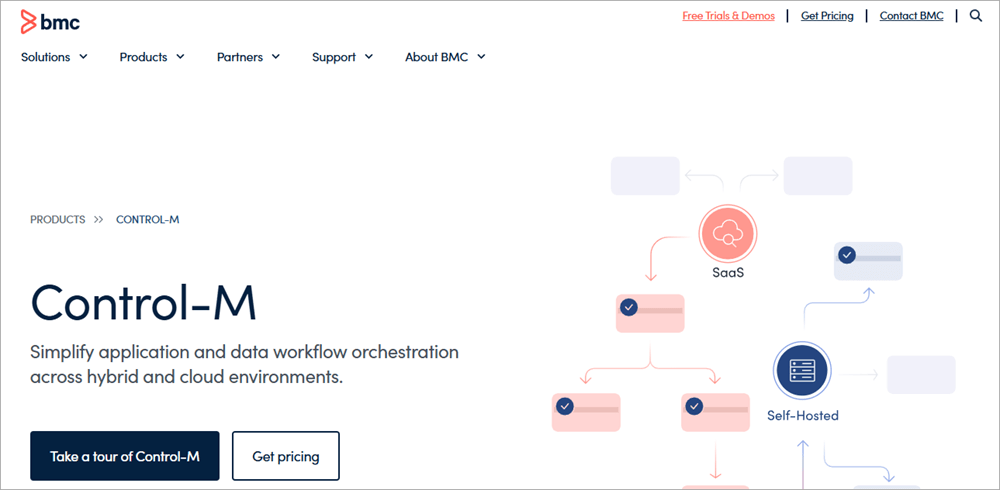
Control-M is a product of BMC, which is an over 45-year-old company, trusted by around 86% of the Forbes Global 50 companies.
The application is known for simplifying manufacturing workload automation across hybrid as well as cloud environments. Their integrations include Azure Data Factory, AWS Sagemaker, GCP Dataflow, Informatica, AWS Glue, and more.
Control-M’s capabilities include Data Pipeline orchestration, Managed File Transfer, Hybrid Cloud Workflow orchestration, Jobs-as-Code approach, SAP Workflow Orchestration, and Mainframe Modernization.
Features:
- Production Workflows: Let you build and monitor production workflows.
- End-to-end visibility into the data pipelines: You can create and monitor file transfers, integrate with data platforms, including Airflow, Snowflake, and many more.
- Workflow Orchestration across Hybrid Cloud Environments: With the help of Control-M’s integrations and automation tools, you can orchestrate complex business workflows.
- An AI advisor: Users can benefit from Jett, which is Control-M’s AI-based advisor. It helps in simplifying orchestration frameworks.
Pros:
- Provides unified workflow visibility
- Control-M’s AI advisor answers users’ queries
- Helps in improving SLAs
Why do we like Control-M?
The platform has been termed as a Leader in the ‘2024 Magic Quadrant for Service Orchestration and Automation Platforms’.
Its users have reported that Control-M is easy to learn and use, handles thousands of tasks per day, lets them monitor processes, has helped them reduce the number of tasks per day, offers good customer support, scalability, and much more.
Price: Contact them for pricing information.
Website: https://www.bmc.com/it-solutions/control-m.html
Check our Review of Control-M Alternatives Here
#2) Broadcom AutoSys
Best for workload automation in complex IT environments.
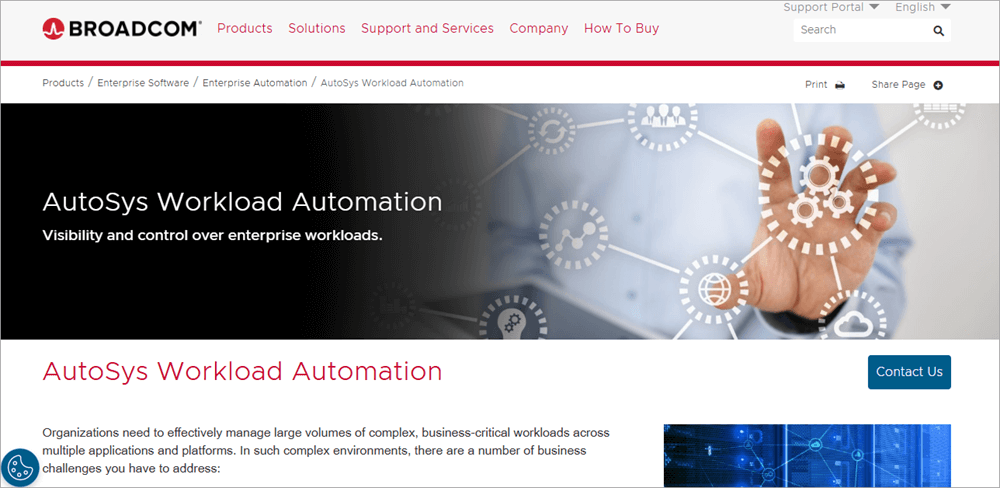
Broadcom AutoSys is built for organizations that want to manage large business workflows across complex environments. It offers real-time automations for responding to business events, reduces IT costs while maintaining efficiency in operations.
Broadcom AutoSys has many other useful features, including forecasting, notifications, and automated actions for overdue jobs.
Features:
- Multi-platform scheduling: AutoSys gives its users a single point of control for managing and visualizing end-to-end business processes across platforms.
- Scalability: The platform is extremely scalable, allowing its users to manage workloads across physical, virtual, and multi-cloud environments.
- Extensive application support: Supports several applications, including SAP, PeopleSoft, Oracle E-Business, and many more, thus increasing cross-enterprise visibility
- Built-in fault tolerance: Their automated recovery feature makes sure that the jobs are completed on time and with accuracy.
Pros:
- Allows users to manage access controls.
- Helps in maintaining compliance requirements.
- Offers education and training to help you get the most out of the software.
Why do we like Broadcom AutoSys?
Broadcom AutoSys can be deployed either entirely or partially in a private or public cloud, on-premise, or in a hybrid environment. It manages dependencies between Hadoop and traditional jobs, helps in maintaining compliance, and is extremely scalable.
Broadcom AutoSys is suitable for multi-cloud orchestration, automation visibility and intelligence, advanced manufacturing workload automation, and self-service automation, which is why it is a go-to platform for large enterprises.
Price: Contact the sales team for pricing information.
Website: https://www.broadcom.com/products/software/automation/autosys
#3) Stonebranch
Best for its intelligent, event-based automations and intuitive interface.
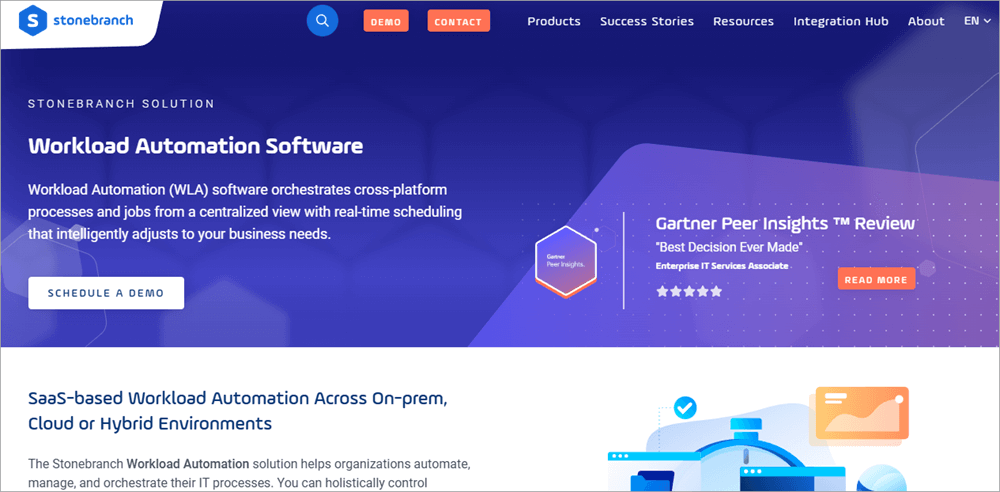
Stonebranch is a SaaS-based platform built for automating workloads across on-premises, cloud, and hybrid environments. It has an intuitive user interface that lets you build workflows with the help of its drag-and-drop tools.
Stonebranch has a successful migration rate. They have helped in converting over 1 million jobs to their Universal Automation Centre successfully in the last 24 months.
Features:
- Centralized control: Stonebranch users can manage and control the workloads of their IT environment from a single place.
- Always-on availability: The platform offers event-based automations, thus enabling round-the-clock IT operations.
- Limitless integrations: Stonebranch offers some pre-built integrations, lets you build your integrations, or download integration blueprints from the open-source Stonebranch integration hub.
- Visibility and business intelligence: Users can access dashboards that contain reports for real-time guidance, operational updates, SLA monitoring, and more.
Pros:
- A unified solution for security, self-service, and compliance management
- Intelligent, event-based scheduling tools
- Highly scalable platform
- SaaS-based and on-premises deployment capabilities
- Easy installation and simple upgrades
Further Reading => Top Open-Source Job Schedulers of the Year
Why do we recommend Stonebranch?
Stonebranch has amazing reviews from its customers. Some of the leading organizations of the world, including Coop, ING Group, Colgate, Land’s End, and Expedia Group, are their clients.
It is known for its ease of use, support for hybrid business environments, and seamless integration with several applications. Colgate is monitoring and configuring over 50,000 critical jobs while improving job management and visibility with the help of Stonebranch.
Price: Contact their support team for pricing information.
Website: https://www.stonebranch.com/it-automation-solutions/workload-automation
#4) Broadcom Automic Automation
Best for being a powerful, unified workload automation platform.
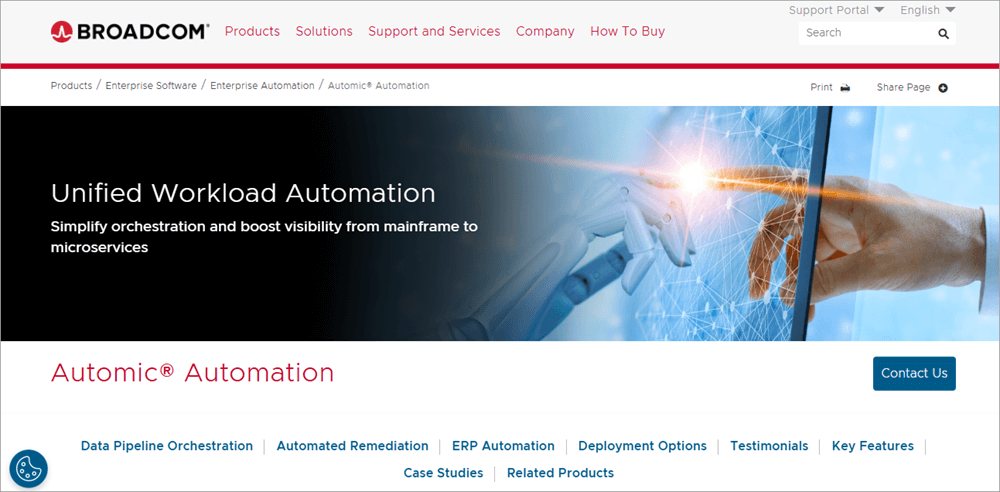
Another recommended manufacturing workload automation software offered by Broadcom is Automic Automation.
It is an over 25-year-old IT workload orchestration software that offers automations for mainframe to microservices, simplifies the workflow automation process, offers contextual automations for remedial purposes, and enhances visibility across hybrid cloud environments.
Features:
- Mainframe to Microservices: Broadcom Automic Automation connects with mainframe, distributed, virtual, and cloud environments, thus supporting the broadest range of business applications
- ERP Automation: Offers ERP integrations including SAP on-premises, SAP Cloud: RISE with SAP, SAP Business Technology Platform, Oracle on-premises and Cloud, and many more.
- Managed File Transfer: Offers automatic character conversion, encryption, compression, and checkpoint restart.
- Lifecycle Management: Users can manage workflows across development, test, and production environments.
- Governance and Compliance: The platform lets you control the automation processes and user activities, thus helping in auditing and regulatory compliance management.
Pros:
- Guarantees zero downtime whenever a new version or patch is installed.
- Helps in maintaining company regulations
- Smart analytics for spotting patterns and identifying the causes of issues.
- Forecasts emerging trends
- Tracks and manages SLAs
- You can schedule the reports to be shared via e-mails, PDFs, or direct HTML links.
Why do we recommend Broadcom Automic Automation?
Broadcom Automic has now started SaaS based operations and ensures its customers of several benefits like enhanced staff productivity, increased cost and operational efficiency, and increased agility.
ESB achieved a significant improvement in staff and operational efficiency with Broadcom Automic Automation.
Price: Contact them for pricing and other information.
Website: https://www.broadcom.com/products/software/automation/automic-automation
#5) MasterControl
Best for handling forms-based processes, as well as their data filtering and reporting tools.
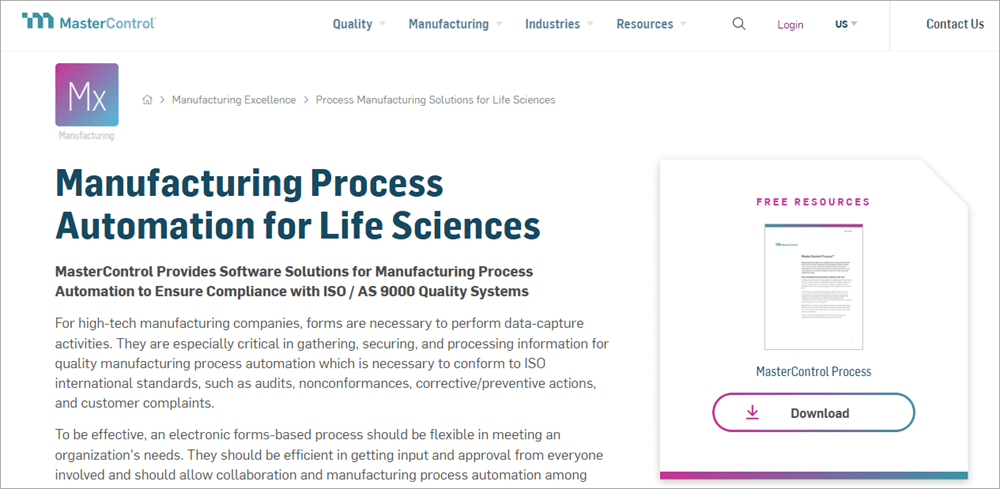
MasterControl is a complete manufacturing process automation tool provider. It has tools for handling each department’s forms-based processes, plus it helps in maintaining compliance with ISO and AS 9000 quality systems.
It is an over 25-year-old company with 1000+ global customers. The software’s data-capturing and analytical capabilities help in taking corrective actions, working on customer complaints, and auditing.
Features:
- Customised Routing: MasterControl allows businesses to create enterprise-wide routes based on their needs.
- Conditional Routing: The software allows automated routing of quality-related tasks to different users, based on the details entered in the form.
- Offline Forms: MasterControl allows users or external parties to fill out forms (like CAPA or customer complaints form) offline, and then upload them.
- Easy to Search: MasterControl has a Google-like search window for its users to search and retrieve forms. Users also get access to MasterControl Explorer, which is used for maintaining and finding documents quickly.
- Integrations: MasterControl integrates with your business applications like ERP, LIMS, human resources apps, and accounting apps, to make automation smooth.
Pros:
- Technical support from installation to maintenance.
- User-friendly interface
- Electronic sign-offs
- Helps in maintaining compliance
- Offers useful analytics and reporting tools that provide standard, customized reports based on data filtered from forms.
Why do we recommend MasterControl?
MasterControl is a web-based application, and as a result, all authorized users can access it from anywhere. The users have often praised MasterControl’s record-keeping capabilities, user-friendly interface, and reporting tools.
Price: Contact them for pricing and other information.
Website: https://www.mastercontrol.com/manufacturing/eprocess-automation/
#6) SS&C Blue Prism
Best for their intelligent AI tools used for workflow orchestration.
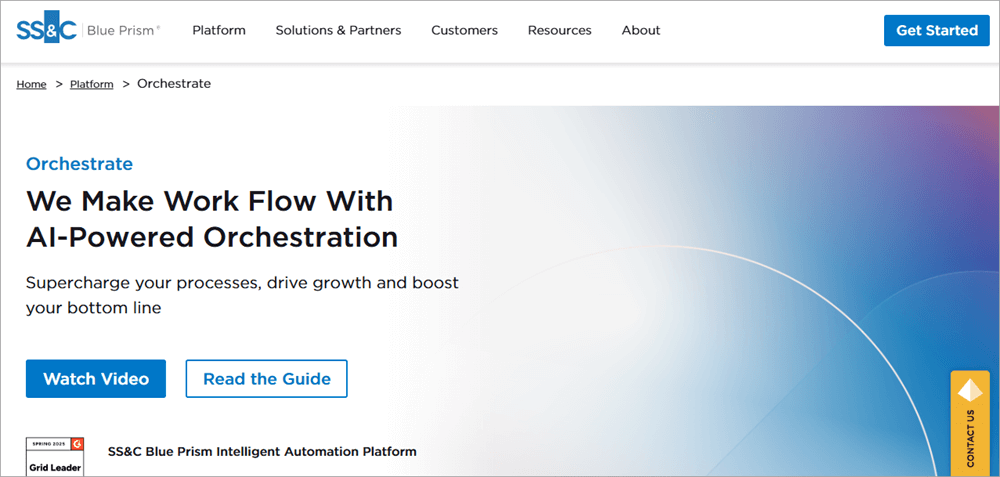
SS&C Blue Prism is an intelligent, AI-powered workflow orchestration platform that connects your teams, partners, data, apps, and technologies.
The platform lets you transform your business operations, lets you create and streamline processes for the toughest tasks, allows you to scale with every opportunity, helps you deliver an outstanding customer experience, and maintain compliance requirements.
Features:
- Seamless Orchestration: You can orchestrate all of your complex workflows with unmatched ease
- Instant Insights: Keeps the process transparent by allowing you to track them anytime. This enables the administrators to always make informed decisions.
- Forecasting: The software finds issues, predicts trends, and helps businesses adapt to the new needs and growth opportunities.
- Digital Workers: Blue Prism digital workers are software robots that can take on complex tasks, can be trained for any critical task, and can multitask in an organized way.
Pros:
- Easy to use
- Enables constant connection with your customers.
- Provides instant insight into the operations.
Why we recommend SS&C Blue Prism: SS&C Blue Prism is suitable for businesses from all industries. Johnson & Johnson, Boeing, Telefonica, and Ericsson are some of its prestigious clients. It is an award-winning platform with amazing customer reviews.
It is an ISO270001 and Cyber Essentials guidelines-certified platform that ensures security, privacy, and compliance for its customers.
Price: Contact them for pricing and other information.
Website: https://www.blueprism.com/platform/orchestrate/
#7) Red Hat Ansible
Best for being a unified platform for strategic workflow automation.
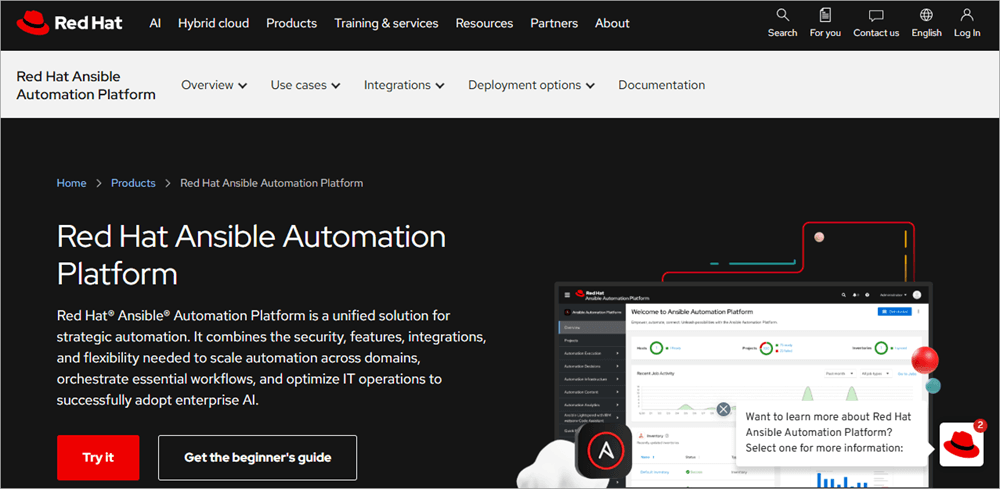
Red Hat Ansible is an end-to-end automation platform trusted by a number of Fortune 500 companies from the airline, U.S. government, and telecommunications sectors.
It is a leading open source solutions provider for enterprises, and is known for making business operations easier across public, private, and hybrid clouds.
Suggested Reading => IT Automation Software to Look for
Features:
- Automation Solutions: Red Hat Ansible allows its users to create, manage, and scale automations across their enterprise.
- Event-based Automations: Users can define tasks based on certain rules, and the application will respond to events based on those rules.
- Improved Security: The platform offers tools for automated security monitoring, identification of threats, and response.
- Automation Analytics: This feature gives you visibility into the performance of your automations so that you can estimate the time and costs of future automation processes and make better decisions.
Pros:
- A unified platform for strategic automation
- Highly scalable
Why we recommend Red Hat Ansible?
Red Hat Ansible has been awarded by TrustRadius for having the best feature set.
Ansible helped AIA attain its goal of cloud migration, and they achieved a 40% increase in 3-year sales with Red Hat Ansible.
Price: Contact them for pricing information.
Website: https://www.redhat.com/en/technologies/management/ansible
#8) Epicor
Best for their data insights and recommendations.

Epicor is a globally acclaimed manufacturing workload automation software. It specializes in serving several manufacturing industries like Aerospace & Defense, Automotive, Construction & Engineering, Electronics & High Tech, Fabricated Metals, Furniture & Fixtures, Industrial Machinery, Medical Devices, Metal Service Centers, and Rubber & Plastics.
Epicor has over 23K customers coming from 150 countries and serves over 2.3 million users daily. All these figures suggest the popularity and reliability of the platform.
Features:
- Automations: Epicor offers AI-based automations for performing business tasks.
- Visibility: Offers visibility into the operations, so as to help businesses attain transparency and improve business planning expertise.
- Data Insights: Epicor offers a system of record that provides actionable data insights to its users. It even recommends actions based on your data.
- Governance, Risk, and Compliance: Offers risk management, security, compliance management, and many other useful tools.
Pros:
- Easy to use
- Analytical and Business intelligence tools
Why we recommend Epicor?
Studies reveal that Epicor helped its customers achieve a 270% return on investment, $14.87 million NPV (net present value), and a 20-month payback period.
One can deploy the platform in a public cloud, on premises, or in a hybrid cloud environment. Their business intelligence and analytics capabilities are praiseworthy.
Price: Contact the sales team for pricing details.
Website: https://www.epicor.com/en-us/solutions/industries/manufacturing/
#9) RunMyJobs by Redwood
Best for SAP customers, designed to synchronize production and logistics across SAP and non-SAP systems to optimize demand planning, compliance reporting, and supply chain performance.
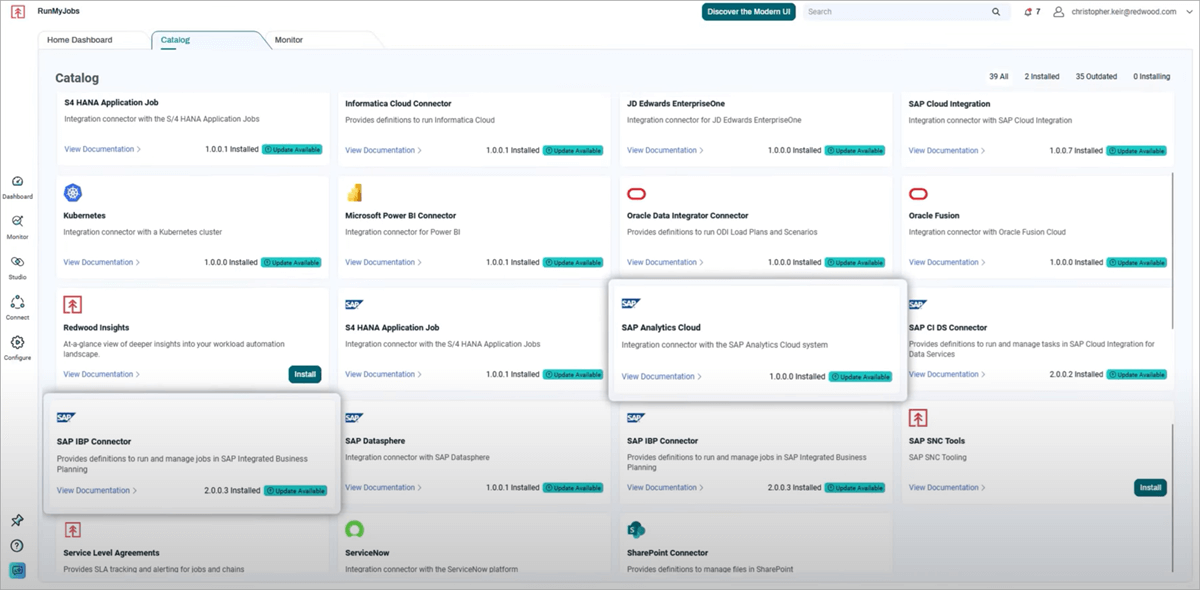
RunMyJobs by Redwood is perhaps the most popular, trusted, and recommended manufacturing workload automation software in the world.
This SaaS solution is SAP premium-certified and offers a broad range of integrations required by manufacturing businesses, including SAP, ERP, Planning, CRM, and BI.
With 30 years of automation expertise and a Leader position in the 2026 Gartner® Magic Quadrant™ for SOAPs report, we believe Redwood Software empowers IT teams to speed up automation design and deployment for mission-critical business processes.
Its automated job rescheduling, integration with the Manufacturing Execution Systems, and risk mitigation tools are commendable. Plus, the event-driven job orchestration, AI/ML-driven predictive analytics, and unified production process monitoring tools are the top features that make it stand apart.
Suggested Read => RunMyJobs by Redwood Alternatives
Features:
- End-to-end workflow orchestration in the manufacturing enterprise: The application can synchronize production and logistics across the enterprise’s SAP and non-SAP systems. Not only this, but you also get tools for demand forecasting, compliance management, and supply chain performance optimization.
- Task Management: The manufacturing businesses can automate thousands of tasks daily, thus making the production process quick and smooth.
- Eliminate risks: With the help of event-based automations and automated response techniques, risks related to operational costs and delays can be eliminated.
- Real-time visibility into the production processes: The software tracks the production processes in real-time, thus helping businesses maintain the regulatory compliance requirements.
- SAP solution integration: Connects with SAP S/4HANA Cloud, IBP, APO, BTP, Datasphere, Integration Suite, and on-premises SAP solutions, thus helping manufacturing enterprises streamline end-to-end manufacturing processes.
Pros:
- Autonomous Plan-to-produce Workflows: Orchestrate every step in your production process, from planning and material procurement to finished goods delivery and quality control.
- Proactive Exception Management: Get predictive detection and alerts for missing SLA commitments with automatic issue resolution triggers.
- Intelligent and Event-driven Orchestration: Dynamically schedule production jobs based on complex dependencies, resource availability, and real-time events and system statuses.
- Real-time Visibility from a Single Pane of Glass: Gain a centralized view of all your production jobs, track progress in real time, and proactively identify potential bottlenecks.
- Effortless SAP Integration: RunMyJobs has a wide range of enterprise connectors for SAP solutions commonly used in production planning
Why is RunMyJobs by Redwood number 1?
With the help of RunMyJobs by Redwood, a global Table and Kitchenware manufacturing business, WMF saved a lot of processing time, automated job processes across hybrid environments, automatically reassigned work to SAP ERP systems, optimized resource allocation, and much more.
Similarly, Daikin, which is an AC manufacturing company, got better control over its supply chain processes using RunMyJobs.
Price: Contact them for a personalized price quote.
#10) ActiveBatch Workload Automation
Best for easy-to-use tools for creating workflows and an extensive pre-built jobs library.
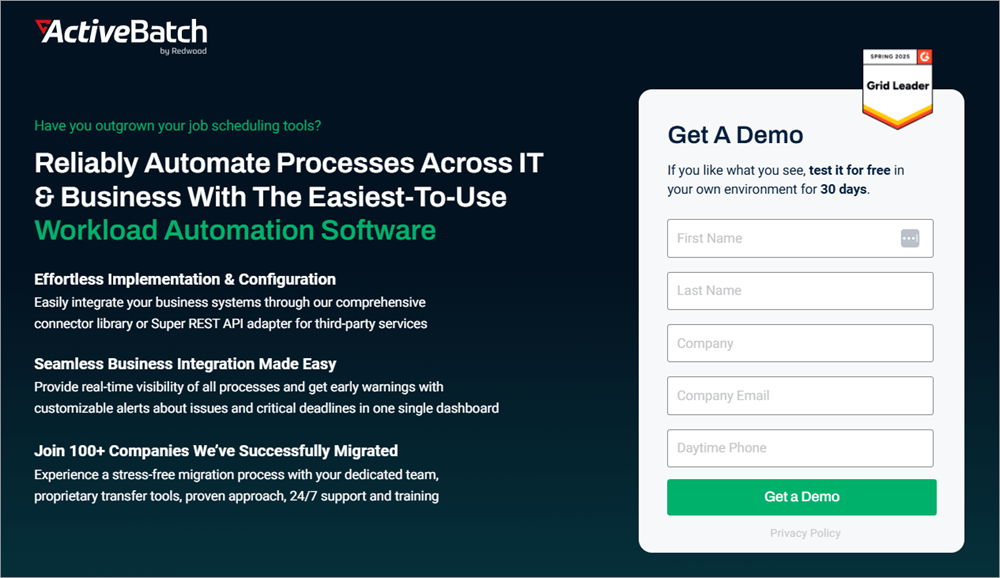
Another very reliable and trusted manufacturing workload automation software by Redwood is ActiveBatch Workload Automation. The platform is known for offering the easiest-to-use automation tools.
More than 100 global companies have successfully migrated to ActiveBatch Workload Automation through their proven 3-step migration approach and 24/7 customer support and training services.
The platform offers simple, usage-based pricing plans, which make it suitable for businesses of all sizes. This way, even the small to mid-sized enterprises get access to enterprise-grade features.
Features:
- Easy Automation: ActiveBatch integrates with all the systems and applications of your organization, thus making automations smooth.
- Fastest Implementation: Offers an intuitive, low-code, drag-and-drop GUI and provides a library of pre-built job steps for quick implementation of workflows.
- Complete Visibility: You get complete visibility and control over the business processes with ActiveBatch. Their predictive monitoring of critical processes and capability to scale are praiseworthy features.
- Security and Compliance: Helps in maintaining security and compliance requirements.
- Super REST API Adapter: ActiveBatch can connect with almost all applications and services, third-party or in-house, thus giving you greater flexibility for integration
Pros:
- Super REST API adapter for integration with third-party apps
- Provides real-time visibility into the business processes
- Pre-built job steps
- 24/7 customer support
- Automated system health check scans help in maintaining system and job performance
- Proactive error detection and elimination tools
Why do we like ActiveBatch Workload Automation?
ActiveBatch Workload Automation platform is loaded with some very useful features like a Self-service Portal for running and monitoring workflows, predictive monitoring of critical processes, jobs library and templates, ease of use, and powerful security features.
ActiveBatch allows unlimited users with all configurations, which makes it easier for businesses to scale.
Also Read =>> ActiveBatch Workload Automation Tutorial
Price: Contact them for pricing information.
Frequently Asked Questions
1. What is automation in manufacturing?
Manufacturing automation refers to getting the workflow operations of a manufacturing enterprise automated with the help of software, thus reducing the need for human intervention.
This software connects the applications and systems of a business enterprise to send automated messages based on pre-approved criteria, to get the tasks performed. This reduces the costs and time required for operations, improves efficiency and productivity, and helps businesses scale.
2. What is the best software for automation?
The top 10 most reliable software for manufacturing workload automation are RunMyJobs by Redwood, ActiveBatch Workload Automation, Control-M, Broadcom AutoSys, Stonebranch, Broadcom Automic Automation, MasterControl, SS&C Blue Prism, Red Hat Ansible, and Epicor.
3. What are the advantages of automation in manufacturing?
Automation can benefit manufacturing businesses, for example:
• It can lower costs
• It saves a lot of time and labour
• It increases business productivity
• It improves operational efficiency
• It makes business processes transparent
• It helps in maintaining records and data analysis
• It helps in maintaining compliance requirements
4. What are the factors to be considered in selecting automation software?
While selecting automation software, one must consider the following factors:
• Is it compatible with your technical stack?
• Is it easy to use?
• Does it offer scalability?
• Is it secure?
• Does it offer clear visibility into the operations?
• Is it recommended by its customers?
5. How do you identify tasks to automate?
The tasks that are performed repeatedly should be automated. For example, software updates, routing files for approval, etc.
Plus, if you think automating a certain task would save time and other resources, then you should automate it.
Conclusion
Our study about the leading manufacturing workload automation software and the reviews of their customers suggests that this software has proven to be quite beneficial for businesses. Many of the manufacturing businesses have achieved significant returns on investment with the workflow orchestration platforms.
Further Reading => BEST Workload Automation Migration/Consolidation Solutions
If you are planning to get a manufacturing workload automation software for your business, you must look after these points:
- First of all, write down the goals you want to achieve, for example: do you want to save time and operational costs, get a good ROI, etc.
- Which areas of your business do you want to automate?
- What is your available tech stack?
- See that your business operates digitally, so that the maximum number of tasks can be automated.
After going through these points, look for a suitable software for your business. Most of the software offers a personalized demo, which can be very useful in determining the user-friendliness of the software and suitability for your business type.
- Time taken to research this article: We spent 18 hours researching and writing this article, so you can get a useful, summarized list of Manufacturing IT Automation Software with a comparison of the top 5 for your quick review.
- Total tools researched online: 29
- Top tools shortlisted for review: 10
Was this helpful?
Recommended Reading
-

Here is the ActiveBatch Workload Automation and Enterprise Job Scheduling Software Hands-on Review Tutorial. With the drastic increase in new technologies, systems, apps, and data to manage, the IT environments are becoming much more complicated. This is paired with the difficulty of finding the right people with the right technical…
-
Select the right Workload Automation (WLA) Tool from this comprehensive list to manage your workload effectively. This article includes a list of the most popular Workload Automation software along with features, pricing, and comparison. Organizations of all types and sizes face these challenges of digital transformation i.e. the process of…
-
Hybrid cloud workload automation is the need of the hour. Read this review of the top Hybrid Workload Automation Software platforms in the industry along with their comparison: Workload Automation Workload automation is a technology that eliminates the need for manual intervention to complete tasks. The technology can be used…
-
Explore the top AutoSys Alternatives with their features and pricing. Comparison of AutoSys with our top recommended solution ActiveBatch: Businesses face a lot of challenges with controlling and getting visibility of complex workloads across platforms, ERP systems, and the cloud. AutoSys will give you enhanced visibility and control over such…


