


In this tutorial, we will review the top 10 best Invoicing Software so that you can select the best Billing Software from the list:
An Invoice is a document that contains information about the number of goods or services purchased, their rates per unit, the date of purchase, and the details about the two dealing parties.
In simple terms, Invoicing means billing. In this era of technological advancement and increased capitalization, we need applications that can act as a helping hand in the process of buying & selling goods and services. For invoicing, software that assists in proper billing is available.
Invoicing software helps users create invoices, get payments in multiple currencies, set and send reminders so clients can pay on time, create recurring bills for regular clients, and many other features that act as a facilitator in the billing process.
Most Popular Invoice Software

In this tutorial, we will be analyzing and examining various billing software based on different aspects, so that you can decide which one is the best for you.

[image source]
Pro-tip: There are many invoicing software solutions, some are suitable for small businesses and some for large, complex business enterprises while some of them offer features of bookkeeping, tax calculation, and invoicing at the same time. Go for the one which fulfills the most number of needs in the cheapest possible way. Moreover, do not go for the costly ones if you are having a small to medium-sized business, due to the reason that the software designed for large enterprises is complex and not-so-easy to operate.
Facts check: According to Technavio, there is a high probability that the e-invoicing market size is going to expand by USD 6.93 billion from 2020 to 2024.

List of Top Invoicing Software
Here is the list of popular invoice software:
- Xero
- QuickBooks
- Zoho Invoice
- Quicken
- Wave Invoicing
- Simplybill
- Invoicera
- Sunrise App
- Scoro
- Sage
- Freshbooks
Comparing the Best Billing Software
| Tool name | Best for | Features | Price | Free Trial | Cons |
|---|---|---|---|---|---|
Xero | Accountants and bookkeepers | • Pay bills • Claim expenses • Bank connections • Accept payments | $6.50/month to $35/month | Available for 30 days. | • Challenging to manage large data of quotes • Lack of customer support services. |
QuickBooks | Bookkeeping | • Track income and expenses • Invoicing • Reminders • Multiple users • Financial reports • Bookkeeping • Tax management | Self employed: $7.50 per month Simple start: $12.50 per month Essentials: $20 per month Plus: $35 per month Advanced: $75 per month | Available for 30 days. | • Crashes sometimes • Less designing tools. • Limited number of users as well as transactions allowed. |
Zoho Invoice | Small to medium sized enterprises. | • GST Compliance • Reports • Reminders • Professional invoices • Multi currency invoicing • Recurring invoices | Basic: $9 per month Standard: $19 per month Professional: $29 per month | Available for 14 days. | • Lack of features required by big enterprises. • No payroll module. |
Quicken | Small businesses, accountants | • Track bills • custom in-built reports • customizable invoicing | Starts at $2.39/month | Free Trial for 30 days. | The customer support could be more efficient. |
Wave Invoicing | Those who want an easy and free Invoicing Software. | • Quick and easy • Unlimited use • Cloud backup • Recurring billing • Invoice reminders • Send invoices in any currency. | Free | NA | Customer support facility is not good. |
Scoro | Companies of all types. | • Create appealing invoices • Late payment reminders • Automate recurring billing • An insight into your money matters. | Essential: $28 per month Work hub: $42 per month Sales hub: $42 per month Ultimate: Price on request | Available for 14 days. | • Does not sync your gmail contacts. • Takes a little time to be able to use easily. |
Sage | Large businesses. | • Accounting • Payments • Payroll • HR solutions • CRM software • International trade • Sync data on the cloud. | Start: $10 per month $7.50 per month (70% off for the first 6 months). | NA | • Costly for small businesses. • It is not easy to manage the complicated features. • Customer service is not an ideal one. |
FreshBooks | Large enterprises who need many features for their operation. | • Create invoices in seconds • Reminders • Request deposit • Calculate taxes • Mobile friendly • Choose preferred currency | Lite: $6 per month Plus: $10 per month Premium: $20 per month | Available for 30 days. | • Crashes frequently. • Costly for small companies. |
Let’s Review!!
#1) Xero
Best for accountants and bookkeepers.

Xero is an accounting software that is extremely advantageous for accountants and bookkeepers. It can also be used by educators, small businesses, investors, and app developers. Their main goal is to make small businesses work, by providing a wide variety of features of their benefit.
Features:
- Pay bills
- Claim expenses
- Bank connections
- Accept payments
- Track time, costs, and profitability of a project.
- Payroll with Gusto
- Bank reconciliation
- Full history of each contact
- Reporting
- Send invoices
- Multi-currency accounting
- Calculate Sales tax
- Create quotes
Cons:
- Lack of customer support services.
- Difficulties in managing large data of quotes.
Verdict: Most of the users like to recommend Xero invoice software. The only major drawback is the lack of proper customer services offered by the software.
Price:
Early: $5.50 per month
Growing: $16 per month
Established: $31 per month
#2) QuickBooks
Best for bookkeeping.

QuickBooks Invoice Software is an online bookkeeper that lets you collaborate with an expert through a video chat and provides you with detailed financial reports every month.
Suggested reading =>> QuickBooks POS Review
Features:
- Track income and expenses
- Invoicing
- Pay invoices
- Reminders
- Manage 1099 contractors
- Multiple users
- Financial reports
- Bookkeeping
- Tax management
Cons:
- Crashes sometimes
- Less designing tools
- A limited number of users as well as transactions are allowed.
Verdict: Users complain about the limited number of users and transactions allowed by the billing software. Moreover, the lack of personal support for the users by this invoice software is a major drawback.
Price:
- Self employee: $7.50 per month
- Simple start: $12.50 per month
- Essentials: $20 per month
- Plus: $35 per month
- Advanced: $75 per month
#3) Zoho Invoice
Best for small to medium-sized enterprises.

Zoho Invoice is an online GST accounting software, which helps you manage your money matters and work across several different departments at the same time with the help of 40+ Zoho apps.
With the help of this billing software, you do not need to chase your clients any longer for payments. The software will do it for you by sending reminders to the clients.
Features:
- End-to-end accounting
- GST Compliance
- The integrated platform helps you manage many aspects of your business with the help of Zoho’s 40+ apps.
- Reports
- Reminders for clients
- Polished, professional invoices
- Multi-currency invoicing
- Recurring invoices
Cons:
- Lack of features required by big enterprises.
- No payroll module.
Verdict: Zoho Invoice is a highly preferred application among users due to the ease of use it provides. But some users complain about the absence of payroll modules and the lack of features required for the working of big companies.
Price:
Basic: $9 per organization/month
Standard: $19 per organization/month
Professional: $29 per organization/month
#4) Quicken
Best for: Customizable invoicing.
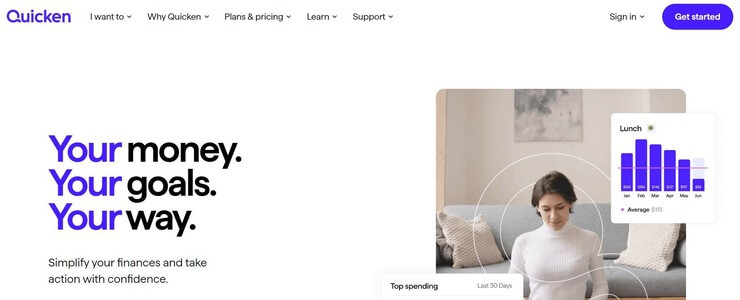
Quicken is an accounting software that can streamline your finances considerably. One of the things the tool stands out for is custom invoicing. The tool arms you with a plethora of templates with logos, colors, and messaging. The software allows you to create invoices and send them in a single click. You can also track your payments automatically via this tool once the invoice is sent.
Features:
- Invoice customization
- Spend management
- Account reconciliation
- Bill tracking
- Auto-generated spend plan
Cons:
- The customer support could be more efficient.
Verdict: Quicken is an accounting software that I would recommend to small businesses for its custom invoicing. You get a ton of templates to create an invoice of your choice and send it in just a single click.
Price: Quicken is available for purchase in two editions. The mobile and web-app-based Quicken Simplifi will cost you $2.39/month. The desktop-based Quicken Classic’s Deluxe version can be purchased for $2.99/month while its premier counterpart will cost you $4.19/month.
Free Trial available for 30 days, afterward the price will be $5.99/month only. This offer is valid from September 3, 2024 – October 3, 2024.
#5) Wave Invoicing
Best for those who want easy and free invoicing software.

Wave Invoicing is one of the top Invoice software that assists its customers in creating professional, customizable invoices free of cost.
Features:
- Create customizable, professional invoices.
- Manage customer information
- Quick and easy
- Unlimited
- Recurring billing
- Invoice reminders
- Automatic backup in the cloud.
- Accept payments online.
- Create and send invoices in any currency.
Cons: A user states that when sometimes people fail to pay you the full billing amount and can pay partially, for instance, if a client pays only 50% of the full invoice amount, then you cannot close the invoice but you have to mark it as paid to close it, due to which, it shows you a wrong financial report.
Verdict: Wave is free invoicing software and is a highly recommended billing application for small businesses which serves numerous features free of cost.
Price: Free
Website: https://www.waveapps.com/invoicing
Further Reading => List of the TOP Invoice Generators in the market
#6) Simplybill
Best for freelancers or small businesses that require the simple function of invoicing.

Simplybill invoicing software offers its users a simple way to send and track beautiful invoices while including tax information at the same time.
Features:
- Create invoices
- Snapshots of your invoicing history.
- Take payments in different currencies.
- Calculate liabilities
- Check the status of sent invoices – whether opened/paid or not.
- Customizable invoices
Cons:
- Not meant for businesses that require features other than simply invoicing.
Verdict: Simplybill is a simple invoice software that is free of large, complex features and is easy to use. Can be recommended to those who just want the feature of creating invoices.
Price:
There is a free trial of 14 days, after which you have to pay according to the following pricing plans:
Premium: $25 per month
Enhanced: $15 per month
Basic: $5 per month
Website: https://www.simplybill.com/
#7) Invoicera

Invoicera is the online invoice software that aids its users in creating professional-looking invoices that are synchronized on the cloud so that you can access them from wherever you are.
Features:
- Online invoicing
- Time tracking
- Expense Management
- Auto billing
- Recurring Bills
- Supports all business sizes
- Custom Workflow management
Cons: It can be difficult to operate in the beginning.
Verdict: This invoicing software is very easy to use, once you get control of it. Another plus point is cloud syncing, which makes it a recommendable invoice software.
Price:
- A 15-day free trial.
- A starter plan that is free for a lifetime.
- Pro: $15 per month
- Business: $29 per month
- Infinite: $149 per month
Website: https://www.invoicera.com/
Further Reading => Best Legal Billing Software to Look For
#8) Sunrise App
Best for bookkeeping in small businesses.

Sunrise app is designed specifically to simplify your bookkeeping and save you money and time. This simple invoicing software is made to fit your small business.
Features:
- Tax estimator
- Organizes documents for easy tax filing.
- Bookkeeping
- Track the money flow
- Manage expenses
- Monitor your invoices
Cons: Fewer features available for invoice designing.
Verdict: The application can prove to be very helpful for bookkeeping but offers fewer features in the field of invoicing.
Price:
Early: $149 per month
Growing: $299 per month
Corporate: $499 per month
Website: https://sunriseapp.com/
#9) Scoro
Best for companies of all types.

Scoro is one of the best invoice software which makes your billing work easy and trouble-free by offering features that can prove to be helpful for any kind of company.
With the help of Scoro invoicing software, you can have full insight into your money matters and you can track and share the financial progress reports with your team.
Features:
- Create appealing invoices.
- Late payment reminders.
- Automate recurring billing.
- Track progress and share reports with your team.
- Fully interlinked digital workspace which allows your team members to collaborate efficiently from wherever they are.
- An insight into your money matters.
Cons:
- Does not sync your Gmail contacts.
- Not so easy to use.
Verdict: Users find the Scoro app extremely useful, and that makes it highly recommended.
Price:
- Essential: $28 per month
- Work hub: $42 per month
- Sales hub: $42 per month
- Ultimate: Price on request
#10) Sage
Best for large businesses.

Sage offers almost everything that your business needs to manage, from accounting and finances to payrolls and payments. They offer solutions for the working of companies of any size, any type, and for any kind of complexity.
Features:
- Accounting
- Payments
- Payroll
- HR solutions
- CRM software
- International trade
- Sync data on the cloud.
Cons:
- Costly for small businesses.
- It is not easy to manage the complicated features.
- Customer service is not an ideal one.
Verdict: Sage invoicing software offers a wide variety of features. It is designed by keeping in mind the needs of big enterprises and thereby can prove to be a bit costly for small businesses.
Price:
Sage Accounting Start: $10 per month
Sage Accounting: $7.50 per month (70% off for the first 6 months).
Website: https://www.sage.com/
Further Reading => Most Popular Invoice Factoring Companies to Look For
#11) Freshbooks
Best for large enterprises that require many features.

Freshbooks is the billing software designed specifically to offer different features on one single platform. This invoicing software helps you to create invoices easily within seconds and even organizes your expenses efficiently.
Features:
- Lets you design and generate invoices in seconds.
- Sends reminders on due dates.
- Securely charges your client’s credit card.
- Request a deposit before getting paid.
- Create retainer summary reports.
- Recurring invoicing
- Easily offer discounts
- Automatically calculate taxes.
- Choose preferred currency
- Instant updates on payment of invoices.
- Mobile-friendly application.
- Automatically track inventory billed on invoices.
Cons:
- A bit costly for small companies that do not need many features.
- Crashes frequently
Verdict: Users are of the view that, with the use of FreshBooks, they can now do the work of billing with much ease, plus, the numerous features offered by the software can be a plus point for a big enterprise.
Price:
- Lite: $6/ month
- Plus: $10/ month
- Premium: $20/ month
Custom pricing for businesses with more complex needs.
Website: https://www.freshbooks.com/invoice
Frequently Asked Questions
What is an Invoice in simple words?
Invoice is very similar to billing. An invoice is a document containing the details of the two parties dealing with the sale and purchase of goods and services, the date and time of purchase, and the quantity and respective prices of the products sold.
How do I make an invoice?
To create an invoice, you should first add your Company name, then add the description of the goods or services that you are selling, clearly stating their respective prices and date of purchase.
There are several Billing Software available to assist you in creating Invoices. Some of the best Invoicing Software are Scoro, Zoho Books, and Sage.
Which is the best Software for invoicing?
For small businesses, Wave Invoicing, Zoho Books, or Simplybill are best, while Scoro, FreshBooks, and Sage are meant for large enterprises, offering a wide variety of features.
Sunrise app, Xero, and QuickBooks are extremely helpful in bookkeeping and calculating sales tax.
Further reading =>> FreshBooks vs QuickBooks – Which is better for you
Which is the best free small business invoice software?
Wave Invoicing is one of the best software for small businesses and is available for free.
Conclusion
In this tutorial, we studied Invoicing, along with the various software available for invoicing, their respective features, cons, verdicts, and pricing plans.
Based on our study, we are now able to say that for small businesses, Wave Invoicing, Zoho Books, or Simplybill are best, while Scoro, FreshBooks, and Sage are meant for large enterprises, offering a wide variety of features.
Sunrise app, Xero, and QuickBooks are extremely helpful in bookkeeping and calculating sales tax. Wave invoicing is free invoicing software.
Research Process
- Time Taken To Research And Write This Article: 10 Hours
- Total Tools Researched Online: 25
- Top Tools Shortlisted For Review: 10
Was this helpful?
Recommended Reading
-

This tutorial compares the best Accounting Software. Select the Bookkeeping Software that meets your needs: Accounting software saves time and hassles in recording financial transactions. Using the accounting app allows accounting personnel and business owners to focus on strategic aspects of managing a business. It automates the task of generating…
-
This tutorial compares the top 10 BEST Financial Consolidation Software. Select the one that fits best according to your needs: The word consolidation means to merge, unite, combine, or incorporate something. Financial Consolidation, as the name suggests, is calculating the net worth of an enterprise through the assets, liabilities, bills…
-
Comparison of popular Small Business Accounting Software with features & pricing to help you select the best Business Accounting Software: Business Accounting Software is an application that records all the company’s transactions and generates reports. These accounting tools offer the functionalities to prepare financial reports that will give you visibility…
-
List of Top QuickBooks Alternatives With Features And Comparison. Read this Detailed Review To Choose The Best Alternative To QuickBooks For Your Business: Most of us have heard about the QuickBooks accounting software which has gained high popularity in the small business market worldwide. Small business owners and entrepreneurs are…
-
A Detailed QuickBooks POS Review: Is QuickBooks Point Of Sale System Best For Your Small Business? QuickBooks POS is a feature-rich point-of-sale system made by Intuit. The company has emerged as a leader in the accounting app market with its flagship titles QuickBooks and TurboTax. Established in 1983, Intuit today…
-
List of the Top Free Best Online POS System Software: Point of Sale is the system that helps merchants calculate the amount that the customer has to pay. This platform completes the transaction. A point of sale is also called a point of purchase. POS systems can store customer data…
-

List of the Most Widely Used Point of sale POS Systems in 2026: What is a POS System? Point of sale (POS) is the time and place where a retail transaction gets completed. It is the system that helps retailers to grow their business by managing inventory, processing payments, managing…
-
A comparison of the best iPad POS Systems and their Features iPad POS system is a POS application that can be used on iPad. It can be a tool for better customer service. It will help you in streamlining the sales process. It has features for inventory and customer management.…


