


List and comparison of the top Windows Job Scheduling Software to help you select the best Windows Task Scheduler Software based on this reviews:
Windows Job Scheduler is an automation platform to manage task scheduling for the Windows platform.
Windows Task Scheduler Alternatives will be enterprise job schedulers and workload automation software. These alternatives will have broader capabilities, cross-platform execution, and intelligent facilities to manage IT infrastructure.
Many Enterprise Job Scheduling Software has a drag-and-drop workflow designer which makes them easy to use. They offer real-time monitoring capabilities.
Some schedulers offer universal connectors using APIs that have the capability to manage any kind of system or processes across Non-Windows and Windows servers.

Table of Contents:
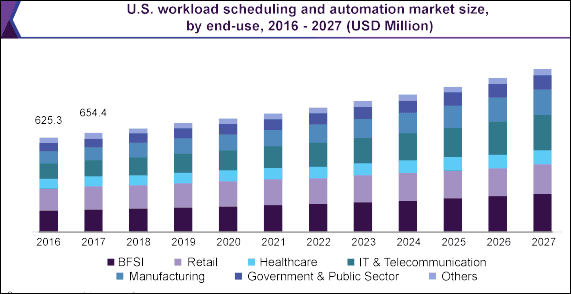
Windows Task Scheduler Market Size
General Features of Automated Job Scheduling:
Job Schedulers is an application to schedule jobs and processes so that they can be run and completed at a specific time. Previously, job schedulers were used for executing the tasks in overnight batch windows.
Enterprise Job Scheduling tools contains the features to automate the jobs across cross-platform. By the use of this software, your operations will be simplified and the development will get streamlined. For this reason, it reduces complexity. These tools will indeed enable you to automate processes across the organization.
These tools offer flexible date/time-scheduling for the tasks to automate. Some tools offer event-based automation that will help to automate the tasks on the occurrence of some events.
Differences between Windows Task Scheduler and Advanced Task Scheduler For Windows
Windows Task Scheduler is suitable for simple tasks. You will get limited functionalities with its task scheduler library. Its functionalities will be restricted to Windows Applications only whereas the Advanced Task Schedulers contain more capabilities such as API access, event-driven automation, alerts, auditing, revision histories, etc.
Advanced Task Schedulers for Windows will provide in-depth reports. These tools have more monitoring capabilities such as monitoring the current status of the processes and systems of any OS.
Windows Task scheduler has limited-time based options. Windows Task Scheduler will not be suitable for building and automating more complex tasks.
List of Top Windows Job Scheduling Software
Here is the list of popular tools:
- RunMyJobs by Redwood (Recommended)
- ActiveBatch IT Automation
- VisualCron
- JAMS
- Z-Cron
- Advanced Task Scheduler
- Flux
- System Scheduler
- Task Till Dawn
- CA workload automation Software
- Desktop Reminder
- Tidal Automation
Comparing The Best Windows Task Scheduler Software
| Best For | About Tool | Deployment | Platforms | Free Trial | Price | |
|---|---|---|---|---|---|---|
RunMyJobs by Redwood | Capabilities that reduce manual intervention. | Workload automation & Job scheduling Software. | SaaS, On-premises, Cloud-based & Hybrid | Web-based | Available on request. | Get a quote. |
ActiveBatch | Enterprise Automation & IT Process Orchestration. | Workload Automation | On-premises, Cloud-based & Hybrid | Windows, Linux, Unix, Mac, web-based, mobile app, etc. | Demo with 30 Day Trial Available | Get a quote. |
VisualCron | Automating, integrating, & task scheduling for Windows | Windows Scheduling Software. | On-premise | Windows 32-bit & 64-bit | Available for 45 days | It starts at $899 1-Server license. |
JAMS | Enterprise job scheduling. | Workload Automation Software | Cloud-based & on-premise | Windows, UNIX, Open VMS, Linux, etc. | Available. | Get a quote. |
Z-Cron | Scheduling on Windows | Task & Backup Scheduler | On-premise | Windows | Freeware is available. | It starts at Euro 27 or $31.94 |
Advanced Task Scheduler | Simple & complex task scheduling. | Task Scheduler | On-premise | Windows | Available | It starts at $39.95 |
Tidal Automation | Time and event based job scheduling | Workload Automation and job scheduling | On-premises, Cloud-based & Hybrid | Web-based, Mobile | Free 30-day demo available | Get a quote |
Let us review these in more details:
#1) RunMyJobs by Redwood (Recommended)
Best for capabilities that reduce manual intervention such as adding conditional logic.
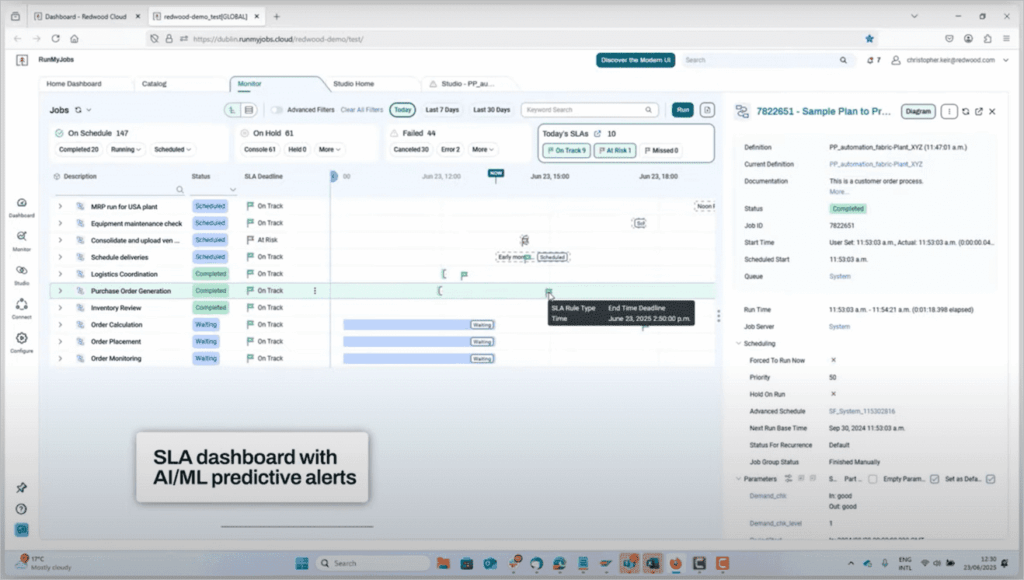
RunMyJobs by Redwood is a SaaS-based job scheduling and workload automation software. It contains all the functionalities required for orchestrating the entire enterprise.
RunMyJobs by Redwood is now a Premium certified SAP Endorsed App. It enables deep integration with SAP and its products in ERP, BTP, BDC, etc.
It provides event-driven process automation, proactive workload monitoring, and DevOps Automation. It includes a wide range of enterprise connectors and provides uncompromising security by protecting the processes and data through full encryption.
The platform comes loaded with useful AI capabilities. Users can rely on the platform’s AI to get insights into the product, troubleshooting tips, generate scripts, and enhance workflows.
“Redwood has ranked #1 in all 5 critical capabilities for SOAP Use Cases”. Their visionary thinking and flawless execution aid them in delivering outstanding results. Each client’s experience with Redwood makes them feel special and worthy every day.
Features:
- With 30 years of automation expertise and a Leader position in the 2024 Gartner® Magic Quadrant™ for SOAPs report, we believe Redwood Software for its SaaS experience, enterprise integration expertise and strong global footprint.
- SAP certified integrations with RISE, with SAP S/4HANA Cloud.
- RunMyJobs by Redwood offers functionalities to centralize the automation orchestration for SAP, Oracle, and other ERP systems.
- It has features for the secure management of file transfers from anywhere to anywhere.
- It has built-in SLA monitoring capabilities that will guarantee critical business process deadlines.
- It offers the features for publishing automated processes as microservices.
- AI powered extensive workflow troubleshooting, SLA adherence, onboarding, and automation.
- Connector Wizard to build connectors (integrations) easily.
Verdict: RunMyJobs by Redwood offers the solution for workload automation and job scheduling. It has capabilities for automating anything anywhere. It will let you automate processes across on-premise, cloud, and hybrid environments.
The platform stands out for its agentless architecture and comprehensive SAP connectivity. With AI capabilities to boast, RunMyJobs is undoudbtedly one of the finest Windows Job Scheduling tools out there.
Price: You can get a quote for pricing details. A free trial is available on request. RunMyJobs by Redwood offers simple pricing plans of pay-for-what-you-use.
#2) ActiveBatch IT Automation
Best for enterprise-level automation and process orchestration.
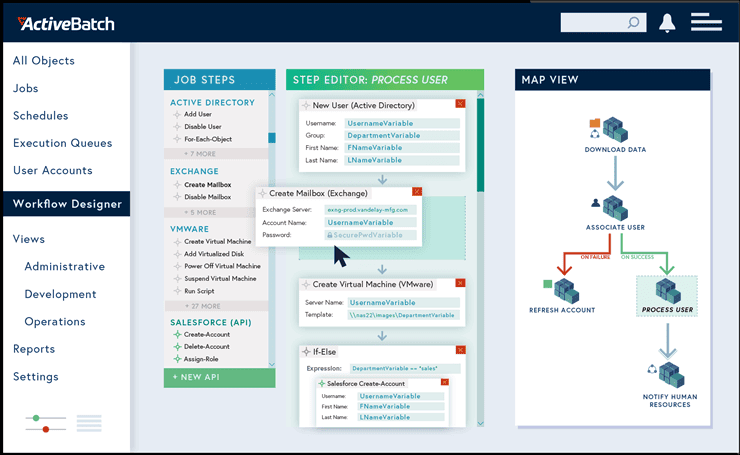
ActiveBatch is a workload automation solution that makes enterprise job scheduling easier. ActiveBatch IT Automation will give you infinite extensibility to connect to any server, any application, and any service.
It has a low-code drag-and-drop GUI. ActiveBatch will help you with centralizing the processes. You will be able to manage all the functions through a single platform. It will upgrade your IT automation strategy.
ActiveBatch offers direct integrations with Windows Task Scheduler, SQL Server Scheduling, Microsoft System Center and more so you can easily coordinate or consolidate existing automation tools. It can be used to run workloads on Windows, Mac OS, Linux, UNIX, OpenVMS, etc.
Features:
- Redwood Software was positioned by Gartner® as a Leader in the Magic Quadrant™for Service Orchestration and Automation Platforms (SOAPs) report.
- ActiveBatch has a robust Job Step library and a lot of drag-and-drop actions.
- It provides an in-app knowledge base.
- It has free integration with Windows Task Scheduler, hence you can reuse your existing Task Scheduler jobs and migrate them over time.
- It offers functionalities for building and orchestrating cross-functional workflows.
- Load balancing, workload optimization, and dependency checking can be handled by ActiveBatch.
- It contains the features for reporting and notifications.
Verdict: ActiveBatch IT Automation will provide proactive support. Because of its low-code drag-and-drop GUI, building your end-to-end processes will get 50% faster. ActiveBatch can be connected to any server, application, or service. It is accessible from any device.
Price: Demo and a 30-day free trial. You can get a quote for its pricing details. The pricing is usage-based.
#3) VisualCron
Best for automating, integrating, & task scheduling for Windows.

VisualCron offers a task scheduler for Windows. It is a tool for automation, integration, and task scheduling. It supports cross-platform scheduling. You will get a centralized scheduling solution through VisualCron.
You will be able to manage all tasks from a single platform. It can be used for various use cases such as enterprise job scheduling, task scheduling, orchestration, windows scheduling, etc.
Features:
- It provides a lot of custom tasks for various technologies.
- VisualCron has customer-driven development, hence you can get the solution developed as per your features requirement.
- It has features to automate advanced tasks.
- VisualCron can be used for handling errors automatically.
Verdict: VisualCron has an easy to use interface. No programming skills are required to use this tool. It will be easier to move from Windows Task Scheduler to VisualCron. It is a centralized scheduling solution and offers cross-platform scheduling.
Price: A free trial is available for 45 days. VisualCron is available in two editions i.e. Basic ($899 1-Server license) and Pro ($999 1-server license).
Website: https://www.softwaretestinghelp.com/visualcron-alternatives/
Check our Review of VisualCorn Alternatives Here
#4) JAMS
Best for centralizing job scheduling and workload automation.
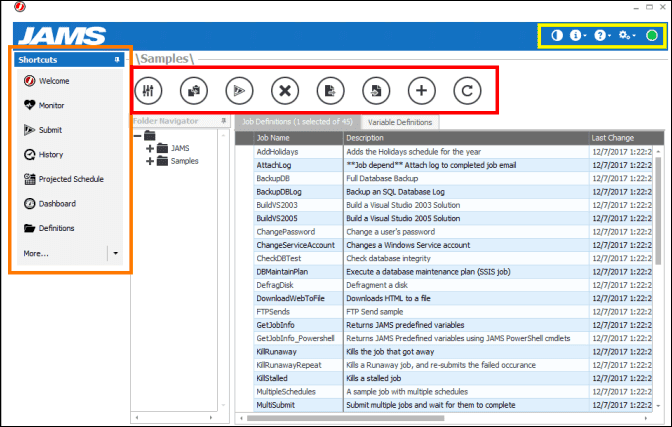
JAMS offers enterprise job scheduling software that has powerful workload automation. It has Windows Job Scheduler with an easy to use interface. Your batch processing will get centralized.
You will be able to extend Windows Jobs with additional properties and be linked to non-windows processes. This way it supports cross-platform workflows. Using JAMS Windows Job Scheduler, you will be able to plan for the future job schedule by customizing and utilizing job history reports.
Features:
- JAMS Windows Job Scheduler will let you preserve workflows that are developed with Windows Task Scheduler.
- It provides reliable and actionable alerts.
- It has features of custom calendars, exception handling, file dependencies, etc.
- An electronic audit history report can be created.
- It can be used for performing PowerShell automation and .NET job scheduling.
Verdict: JAMS job scheduling software supports task scheduling across various platforms. It will let you incorporate workflows from various applications in your enterprise schedule. It can be used for scheduling jobs according to prerequisites and dependencies.
Price: You can get a quote for its pricing details.
Website: https://www.softwaretestinghelp.com/jams-scheduler-review/
Check our JAMS Scheduler Detailed Review
#5) Z-Cron
Best for scheduling and automation of applications on Windows systems.
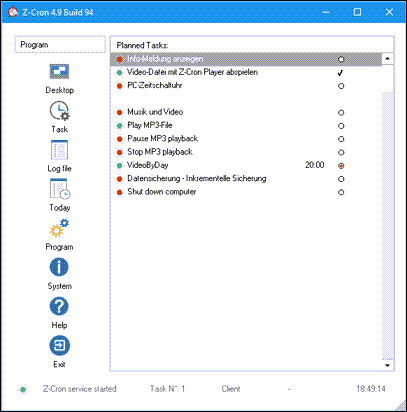
Z-Cron is a task scheduler that can be used for running jobs on the PC time-controlled with a schedule. You will get a central coordination point for the scheduling and automation of software with Z-Cron.
It provides functionalities that will let you schedule the start of the applications based on the time. In addition to this, it offers various tools for the administration of automation and scheduling.
Further Reading => Most Popular Cron Job Scheduler of the Year
Features:
- Z-Cron will let you control the starting and/or quitting of programs.
- All kinds of programs can be launched automatically at the scheduled time with the help of Z-Cron.
- You can configure Z-Cron to automatically run at Windows startup.
- Z-Cron can be used for scheduling various tasks such as starting & stopping applications, cleaning up directories, copying, moving & deleting files, loading documents, and many more.
Verdict: Z-Cron, task & backup scheduler can be used for automating various tasks such as switching computers in a network on or off, etc. You can schedule such tasks on a daily, weekly, monthly, at regular intervals, after system startup, or only once. It can be used in various ways.
Price: Z-Cron offers freeware for scheduling jobs. Z-Cron Workstation is available for Euro 27 ($31.94). Z-Cron Server is available for Euro 37 ($43.79).
Website: https://www.z-cron.com/
#6) Advanced Task Scheduler
Best for scheduling of simple as well as complex tasks.
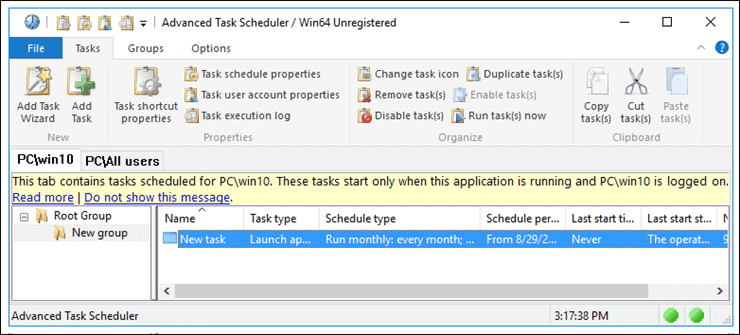
Advanced Task Scheduler is a tool that will help to automate common repetitive tasks. The basic edition will be easy to configure such as automating one task with one schedule. This edition will be a perfect alternative to Windows Task Scheduler.
Features:
- Advanced Task Scheduler Professional offers advanced features for automating complex tasks.
- This edition will let you keep the schedule types flexible.
- Advanced Task Scheduler Network is the application for client or server automation.
- This solution runs the scheduled tasks on the server and lets you view and configure scheduled tasks with the server.
Verdict: Advanced task Scheduler is available in three editions i.e. Advanced Task Scheduler, Advanced Scheduler Professional, and Advanced Task Scheduler Network. The basic edition is for automating common repetitive tasks. Professional edition will provide effective and better automation.
Price: In Advanced Task Scheduler all editions are available to download as a free trial. The price of the plans is Advanced Task Scheduler ($39.95), Advanced Task Scheduler Professional ($59.95), and Advanced Task Scheduler Network ($149.95).
Website: https://www.advscheduler.com/
Further Reading => List of the Best Open Source Job Scheduling Software
#7) Flux
Best for batch and file processes.
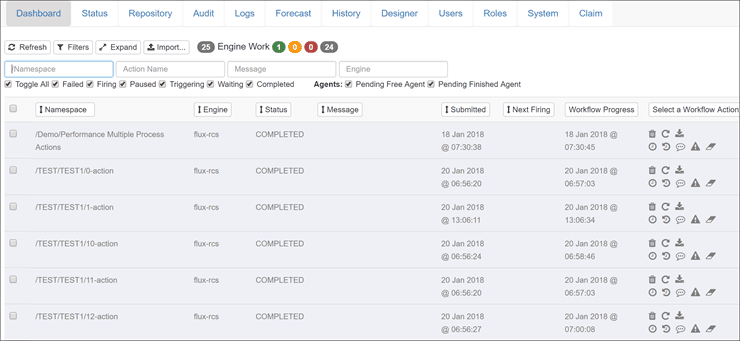
Flux is an all-in-one platform that can be used for various use cases such as job scheduling, file orchestration, error handling, etc. It can be deployed in the cloud and on-premise. It has functionalities for automated workflows and batch job scheduling.
Features:
- Flux provides the features for reports, triggering database jobs, and running Java Code.
- It has functionalities to execute ETL processes.
- You will be able to automate the transferring of files.
- It has integrated batch job scheduling, managed file transfer, database queries, stored procedures, etc.
Verdict: Flux is an all-in-one platform with ease of use. It provides sophisticated job scheduling. It is suitable for enterprise environments that are using disparate hardware, databases, and OS. It is a platform with features of security & control, cross-platform, integration-friendly, error-handling, managed file transfer, etc.
Price: You can get a quote for its pricing details. A free trial is available to download.
#8) System Scheduler
Best for automating the running of apps.

System Scheduler is a tool for scheduling the unattended running of apps. It can be used independent of Windows Task Scheduler. It will be a great alternative to Windows Task Scheduler.
It can also be used to schedule batch files, scripts, etc. You can even set up the popup reminders so that you will be reminded about important appointments and tasks to do.
Features:
- System Scheduler has features to schedule the running applications, batch files, scripts, etc.
- You can schedule reminders, tasks, some other events to run for once as well as for every hour, minute, year, month, day, or week.
- Its pop-up reminder feature will not let you forget the important things.
Verdict: System Scheduler offers an excellent tool for scheduling an unattended running of applications, batch files, and scripts, etc.
Further Reading => Most Popular Script Scheduler Software of the Year
Price: System Scheduler offers a free version. Two more licensing options are available with System Scheduler i.e. System Scheduler Professional ($30 per license) and iDailyDiary Professional ($30 per license).
#9) Task Till Dawn
Best for automating recurring and tedious tasks.
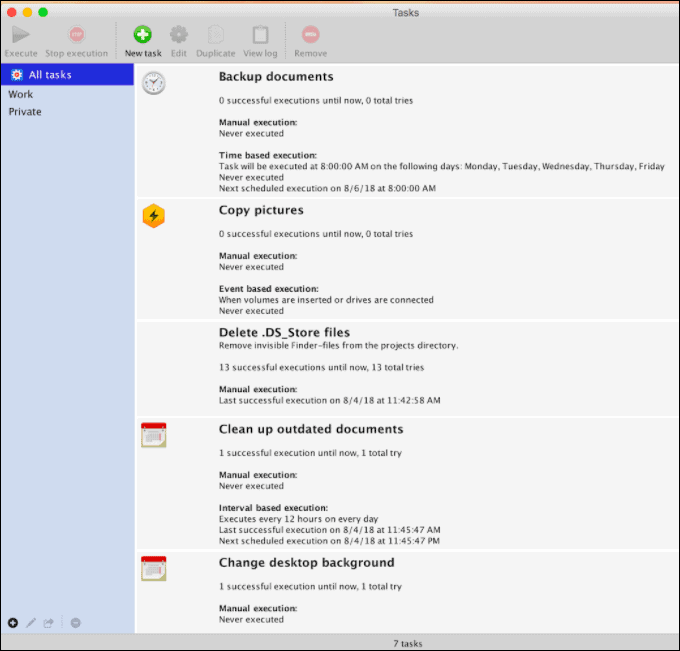
Task Till Dawn will let you schedule the task for days, weeks, months, for certain periods, or on specific days. You can even schedule the task to execute at a specific time. It has a built-in graphical editor.
Ready-made actions are provided so that you can build your workflows easily. These workflows can be executed by using a schedule or can be triggered by some events.
Features:
- Task Till Dawn has built-in import and export functionality that will make the exchange of tasks between the multiple workstations easier.
- It has a facility to be used as a portable tool and hence you can use it from USB.
- It provides convenient and quick access to the tasks that are used often through the icon.
Verdict: Recurring and tedious tasks can be automated with the help of Task Till Dawn. This task scheduler supports Windows and Mac OS. Task Till Dawn supports English, German, French, and Spanish.
Price: Task Till Dawn is available for free.
#10) CA Workload Automation Software
Best for workload automation.

CA Workload Automation Software can be used with an agile and business-centric IT environment. It helps you with workload automation and provides functionalities to monitor the systems.
It provides real-time analytics and cross-enterprise application support. This platform will let you work more effectively and anticipate problems before happening. It will increase your visibility and give more control such as managing multi-platform and application dependencies.
Further Reading => A Detailed Review of Cronhub
Features:
- CA workload Automation Solution has features of integrated predictive analytics. Real-time and historical data will get analyzed by applying statistical techniques to automated monitoring.
- It can process workloads faster when compared to the other tools.
- It has features for real-time job scheduling.
Verdict: This workload automation software is easy to use. It is a highly scalable and completely integrated workload automation software.
Price: You can get a quote for its pricing details.
#11) Desktop Reminder
Best for providing notifications even before a few months.
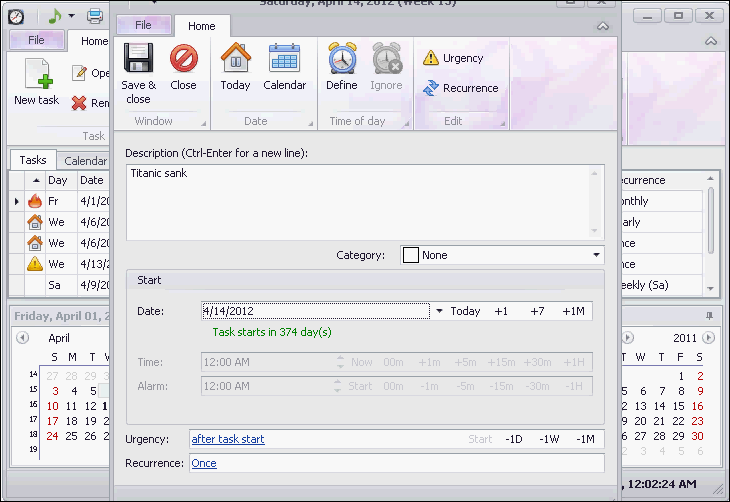
Desktop Reminder is a task planner that supports the Windows platform. It is an intuitive and easy to use tool. You will be able to visually monitor the task list. It will allow you to highlight the task categories in different colors. You will be able to repeat tasks, yearly, monthly, weekly, or daily.
Features:
- Desktop Reminder provides the features of Date Navigator, Alarm Message, Task import, etc.
- For urgent tasks, you can set reminders to alert you even before a few months.
- It will not be a compulsion to define the time of the day.
- It doesn’t impose a compulsion to input the task duration.
Verdict: This task planner will help you with managing tasks and other to-dos. It is easy to use.
Price: Desktop Reminder is available for free.
#12) Tidal Automation
Best for Time and event-based job scheduling.

Tidal Automation is simply phenomenal as an advanced job scheduling tool. The software facilitates both time-based and event-based scheduling. It can easily handle all complexities associated with scheduling like holidays, time zones, daylight savings, etc. You can also schedule tasks with the help of Tidal Automation’s 60+ prebuilt calendar. You can create your own calendar as well.
Also Read => Best Alternatives for JAMS Scheduler
You can set notifications and jobs that are triggered on the occurrence of a particular event. Add to that, you get a comprehensive visual dashboard to monitor your scheduling activities round the clock. Tidal Automation also affords its users the privilege of defining SLA policies for critical jobs right in the platform itself.
Features:
- Redwood is a 2024 Gartner® Magic Quadrant™ for SOAP Leader
- Calendar based Job Scheduling
- Trigger jobs based on events
- Define SLA policies for critical jobs
- Integrated resource management
- Single Pane of Glass For Automation Across Enterprise Applications
- Full Robust RBAC Security Policies
Verdict: If you are looking for an enterprise-class automation tool that delivers excellent workload automation and job scheduling features, then Tidal Automation is for you.
Price: Contact for quote, free 30-day demo also available.
Conclusion
Windows10 offers a task scheduler for creating and running almost any task automatically. It is a task scheduler with limited scheduling capabilities and hence works great for basic task scheduling.
Such freeware doesn’t contain enterprise-level scheduling features and can’t be used for the use cases such as event-driven automation. For the management of distributed environments, the IT teams need more scheduling capabilities than the free tools offer.
Also, platform-specific schedulers are difficult to connect with the systems of other vendors. Example: Windows Task Schedulers don’t work with non-Windows applications.
To overcome these shortcomings, ActiveBatch is our top recommended solution as it supports cross-platform and event-based triggers. It will reduce delay, minimize slack time, and improve SLAs.
Research Process:
- Time Taken To Research And Write This Article: 25 Hours
- Total Tools Researched Online: 22
- Top Tools Shortlisted For Review: 10
Was this helpful?
Recommended Reading
-

Select the right Workload Automation (WLA) Tool from this comprehensive list to manage your workload effectively. This article includes a list of the most popular Workload Automation software along with features, pricing, and comparison. Organizations of all types and sizes face these challenges of digital transformation i.e. the process of…
-
Here is the ActiveBatch Workload Automation and Enterprise Job Scheduling Software Hands-on Review Tutorial. With the drastic increase in new technologies, systems, apps, and data to manage, the IT environments are becoming much more complicated. This is paired with the difficulty of finding the right people with the right technical…
-
Data Warehouse Automation tools are applications to automate, monitor, and manage critical data processes. Data warehouse test automation tools have data integration and transformation capabilities for any data complexity. This software can automate up to 80% of the data warehouse lifecycle. Businesses collect, process, and protect information related to business…
-

Best Open Source Test Automation Tools: In this tutorial, we have covered the top open source automation testing tools that are available in the market. These testing tools aid in areas of testing like automation & manual testing, functionality, regression, load, performance, stress & unit testing, web, mobile & desktop…
-
List of the top GUI Testing Tools with the comparison: Any application or website can be considered good if it is user-friendly and easy to manage. But the very first thing that catches user’s attention is the look and feel of the application i.e.; GUI (Graphical User Interface). Hence GUI…
-

Most Frequently asked Automation Testing Interview Questions for Beginners and Advanced level candidates: Test automation plays a very important role in the entire software lifecycle. Most of the time when we want to prepare for an automation testing interview, we only focus on tool-specific questions. However, we should also consider…


