Get ready to Master Pokemon Go with expert strategies. Discover the top Pokemon Go Joystick Hacks that are guaranteed to improve your Pokemon Go experience without violating their community guidelines:
When Pokemon Go launched in 2016, I couldn’t get enough of this AR mobile game. The idea of physically exploring one’s surroundings in search of rare Pokemon was fascinating, to say the least.
With over 8.2 million downloads in the fourth quarter of 2024, the game’s staying power has been remarkable. It doesn’t cater to folks who still like the traditional idea of playing games from the comfort of their homes. This made Pokemon GO inaccessible to couch potatoes like me.
That was until Pokemon GO Joystick Hacks came into the picture. These intuitive little tools were a godsend for gamers who wanted to enjoy the game without physically traveling or moving around.
Table of Contents:
Planning to Use Pokemon Go Joystick?
In this article, I would like to recommend 10 such tools that are bound to make your Pokemon Go experience more convenient.

[image source]
So, without much further ado, let’s dive in.
Before we pick some of the best Pokemon Go joystick hacks, let’s first understand their function and concerns regarding their safety.
How Does Joystick Hack Work in Pokemon GO?
A Joystick Hack for Pokemon GO comes as third-party tools or apps that simulate GPS movements. These tools provide gamers with an on-screen joystick. Players can rely on this joystick to control and move their in-game avatar.
The game essentially allows you to simulate your phone’s location, thus tricking the game into thinking you are physically moving when that isn’t the case. Using these Joystick Hacks also makes Pokemon GO less challenging than it usually is. You’ll have an easier time accessing gyms, exploring different locations, and catching Pokemons that are otherwise elusive.
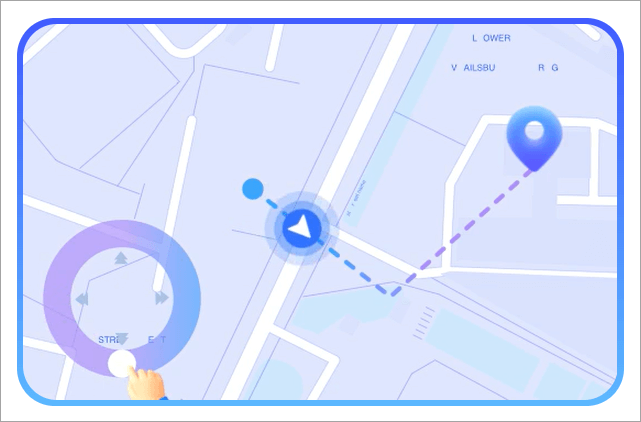
You can even use these hacks to teleport your in-game avatar to a far-off location in search of rare Pokemon.
Simply put, a Joystick hack lets players bypass some of Pokemon GO’s challenging limitations and makes the game considerably more accessible.
Is it Safe to Use Joysticks in Pokemon GO?
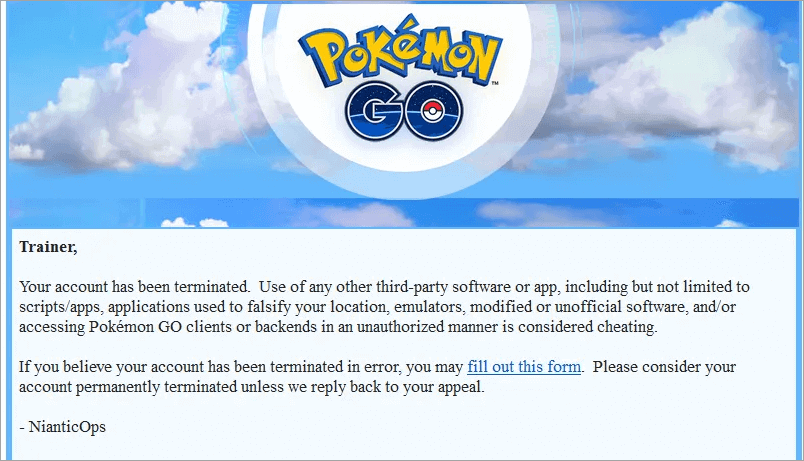
Using Pokemon GO Joystick Hacks or any form of location simulator app isn’t illegal by law. You don’t have to worry about government crackdowns when employing these tools. However, it is important to note that Pokemon GO’s system isn’t kind to people who use such hacks to simulate their phone’s location.
[image source]
If caught, your account could face permanent suspension. There have been enough cases in the past of accounts being banned for using joystick hacks to warrant legitimate worry. This shouldn’t deter you from using a Joystick hack though, provided you use one that’s equipped with excellent anti-detection capabilities.
Some of the best joystick hacks for Pokemon GO come with built-in cooldown timers and allow players to control their walking speed. You can count on such tools to successfully fake your GPS location without the risk of account suspension.
Pokemon GO Joystick Hacks for Android & iOS
Now that you know what risks and uses a joystick hack entails, it is time to learn how to get the joystick hack for Pokemon GO. You’ll need to install a third-party app compatible with your Android and iOS devices.
I’ll be recommending 10 such apps, which I believe are some of the best you can use to play Pokemon GO safely with a joystick-like interface.
iToolab AnyGo – Best Pokemon Go Simulator iOS/Android (Recommended)
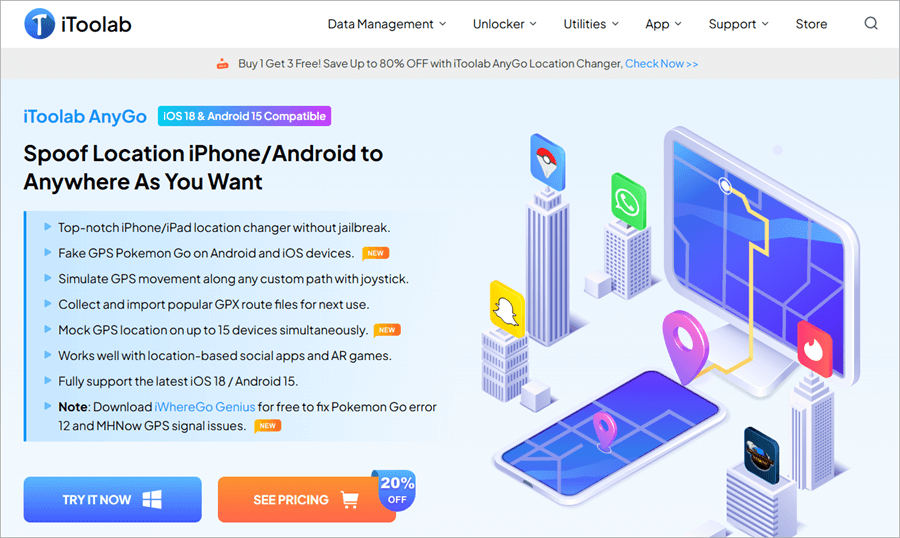
Kicking off this list is iToolab AnyGo, which is arguably an undisputed favorite of mine for joystick hacks for Pokemon Go. Right off the bat, the app impressed me with its seamless installation process. You can have this app installed on your iOS and Android devices without root or jailbreak necessary.
Once installed, using this location simulator is a breeze. The app helps you craft a customized walking route as well as adjust your moving speed. There are three walking modes to choose from. You can either choose the start and end point for two-spot movements or place multiple pins on the map to facilitate multi-spot movements.
You can have your in-game avatar teleport to a far-off location with a single tap by selecting a location on the map. The app can simulate natural walking and driving speeds and also comes with an in-built cooldown timer to successfully trick Pokemon Go’s system into thinking you are physically moving. You can also pause and resume your movements anytime you like.
You don’t need to be a tech-wiz to install and use the software. Its interface is neat and user-friendly. It also offers flexible pricing plans with a 30-day money-back guarantee. These perks combined make iToolab AnyGo a top-notch Pokemon Go walking hack joystick you can trust.
Compatibility: Windows, Mac, iOS, and Android.
Pros:
- Fix Pokemon Go error 12
- No Jailbreak, No Root (Pokemon Go Joystick Hack No Root, No Jailbreak)
- Joystick Control (Pokemon Go Hack Fake GPS Joystick)
- Adjust walking speed
- Customizable routes with teleportation, two-spot, and multi-spot options.
- Cooldown timer
- Import GBX File
- Low-Security risk
- Change locations of up to 15 devices
- Support LBS Games and VR games such as Pokemon GO, MHN, WhatsApp, Tinder, Snapchat, etc.
Cons:
- Free trial is only available on computers with limited capabilities.
How to Get Started with iToolab AnyGo
1. Download and Install AnyGo on your Windows or Mac system.
2. Launch the app and select the type of OS to be operated from the given options (iOS or Android).
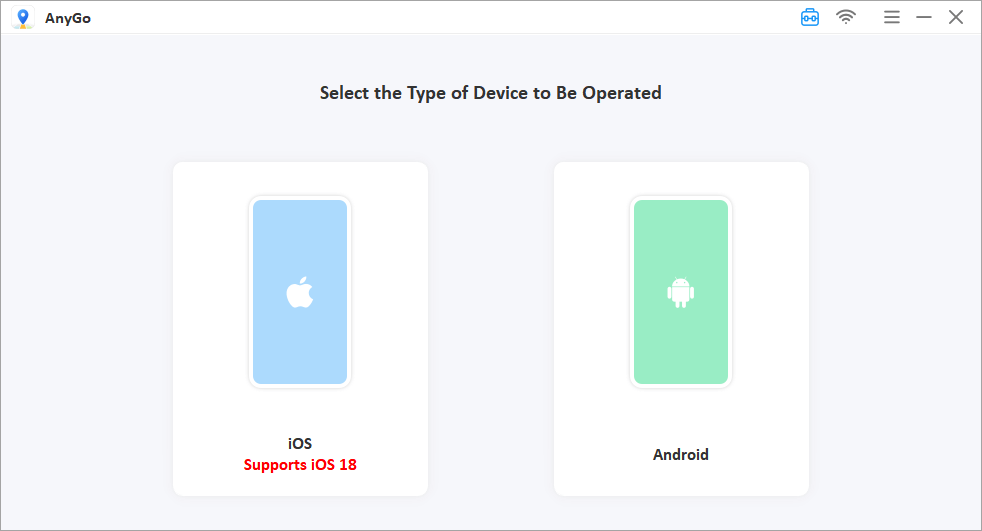
3. Connect your mobile phone and follow the instructions dictated on your screen.
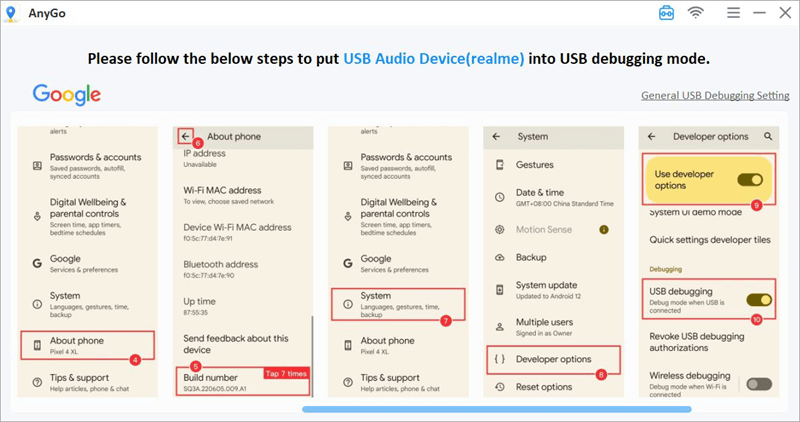
4. If you are using an iOS 16 device, you’ll need to enable “Developer Mode” on your device before changing location. This doesn’t apply to devices operating on iOS 15 or lesser versions. If you are using an Android device, you’ll have to enable USB debugging on your phone.
5. You are now ready to use AnyGo.
6. To simulate location, open the AnyGo app while it is connected to your computer.
7. Hit the Teleport button on the top-right corner of your screen, enter the location name or coordinates, and hit search. Press the Go button to teleport to that location on the map.
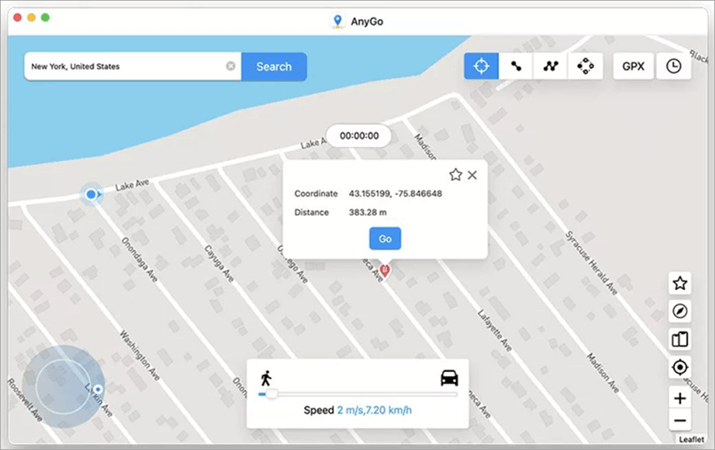
8. Similarly, select the two-spot mode option, click on any two points in the map, and hit the Go button to start moving in this path. You can also select the multi-spot mode, select multiple points on the map, and hit the Go button to simulate movement on this path.
You can rely on the joystick on your screen to control your GPS movements and even change directions in real time with ease.
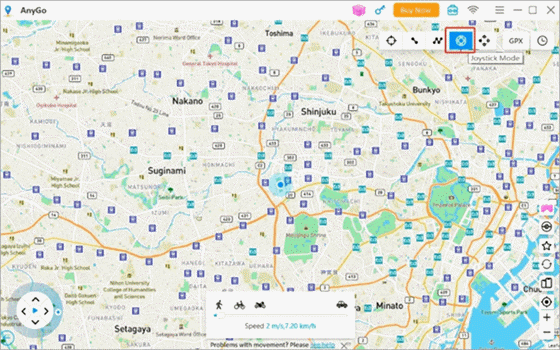
The joystick will prove useful in facilitating automatic and manual GPS movements at your convenience. You can move the joystick 360 degrees to have your character move automatically. Alternatively, you can use the keypad to manually move your character up, down, left, or right.
PGSharp
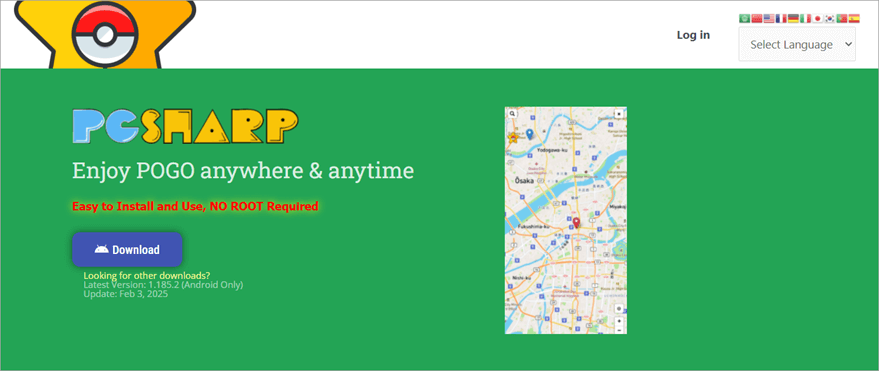
PGSharp is a Pokemon Go APK joystick hack that caters to Android users only. Most of these apps’ advanced features are free to use, making it the go-to option for Pokemon Go players who want a joystick hack but don’t want to pay for it. The app is great at simulating your device’s location, allowing you to play Pokemon Go anywhere in the world.
There is also no limit to the distance you can teleport with this app. You are allowed to adjust your walking speed quite conveniently with the help of a slider. You can customize your path and save your walked-upon route for future reference. The map itself is quite intuitive. You can use the map’s magnifying glass to simulate locations.
You can also teleport by simply tapping on the map screen. The map also gives you a bird’s eye view of all Pokestops and Gyms along your route.
Compatibility: Android Only
Pros:
- No root required
- Custom Shortcuts
- You can use many advanced features for free.
- Create custom routes
- Caught preview
- Adjust the walking speed with the help of a slider
Cons:
- Users must create a Pokemon Trainer Club account.
How to Get Started with PGSharp:
- Open https://www.pgsharp.com/ website.
- Download and install the software on your Android device
- The installation will result in a new Pokemon Go app being installed on your device as well.
- Open the app, and log into your account to enter the game.
- You’ll now see a virtual joystick with a ton of other features on your interface.
TuTu App (Modded Version)
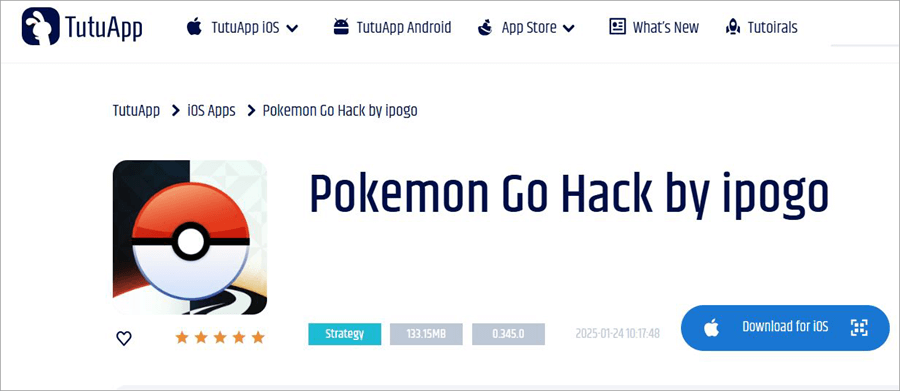
TuTu App is an app store like Google’s Play Store and it is famous for harboring modded versions of popular games, including the modded version of Pokemon Go. This modded version, made exclusively for iOS users, grants players a ton of privileges that normal Pokemon Go players can’t enjoy.
For instance, players can teleport to distant locations in a bid to catch rare Pokemon. You can also do a plethora of other things that joystick hacks usually offer. This includes the ability to customize routes, auto-catch Pokemons, hatch eggs without walking, and get stats for all saved Pokemons.
The joystick itself does a good job of simulating natural walking speed, thus averting account suspension risks.
Compatibility: iOS (Modded Version)
Pros:
- Teleport anywhere in the world
- Incognito Mode
- Freeze Pokemon
- Custom routes
- Auto-Walk to specific or random routes
Cons:
- Limited support for updates
- Potential security risks
How to Get Started with TuTu App:
- Open https://www.tutuapp.com/ios/appstore and install https://www.tutuapp.com/free on your iOS device.
- Open the app after installation is complete.
- Enter “Pokemon Go” in the search bar and select the Pokemon Go Hack version from the given options.
- Install this Pokemon Go app and open it on your phone.
iSpoofer

iSpoofer is a tool specifically designed to help iPhone users simulate the GPS movements of their phones. Ever since the app’s inception, it has been used popularly by Pokemon Go users who want to play the game without physically traveling. The app has garnered rave reviews for its ease of use and advanced features.
You can expect iSpoofer to do everything you’d expect a typical joystick hack to do. It can help you instantly teleport to a distant location on the virtual map, create automated walking paths, and adjust walking speed. The app stands out for its impeccable security measures, which let you enjoy the game without the risk of your account getting banned.
Compatibility: iOS
Pros:
- Find Pokemon Faster with Filtered Feeds
- Strong security measures
- Remove unwanted items automatically from the inventory
- Fast Map Load
- Affordable Premium Plan
Cons:
- No cooldown timer feature
- Not always accurate when simulating locations
How to Get Started with iSpoofer:
Before you download iSpoofer, delete any existing version of Pokemon Go from your device and clear your browser history.
- Open https://ispoofer.app/ on your Safari browser and download the software.
- After the installation is complete, see a Pokeball icon on your phone. Open it.
- As you try to open the app, you might see a prompt that says “Untrusted Enterprises Developer”. Go to your device’s VPN and device management settings and set the app as trusted.
- Now open the app and log into your account
You can start playing the game with the new hack joystick.
Suggested Reading=>> Top free Cell Phone Tracker Apps
GPS Joystick
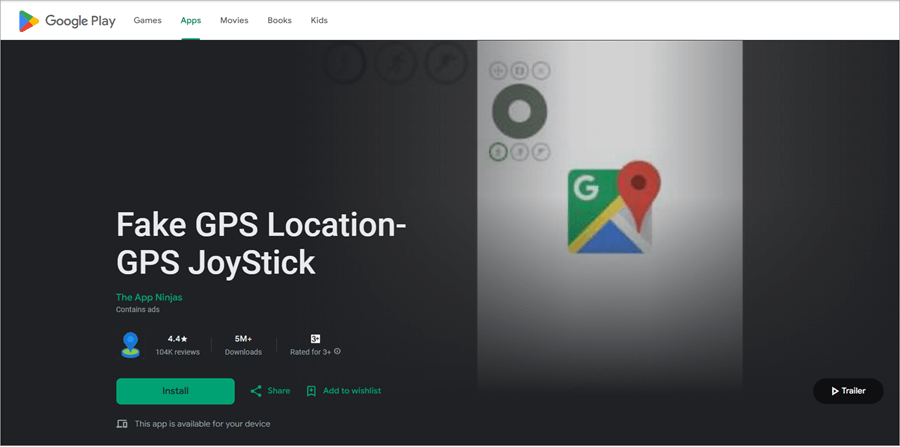
Safety is perhaps my primary reason for including GPS Joystick on this list. The app and the joystick-like interface it offers, help users mock locations for a variety of apps beyond Pokemon Go. GPS Joystick lets you simulate GPS movements by simply entering latitude and longitude information.
As such, you could explore LA for rare Pokemons while sitting at your Home in New York. It is very simple to use the joystick to control your movements on the virtual map. You also have the privilege of saving routes. While the app is easy to use, some may find the installation process quite complex.
Compatibility: Android
Pros:
- Auto-save routes
- Teleport to distant locations
- Easy-to-use joystick
- Pause and resume movement at any time
Cons:
- Complicated installation process
- You’ll need to root newer Android versions for seamless installation.
How to Get Started with GPS Joystick:
- Open https://play.google.com/store/apps/details?id=com.theappninjas.fakegpsjoysticka on the Play Store and download it.
- Choose between the Smali method, Root Method, or No Root method for installation. No root method is only available for older Android devices.
- Enable Developer Mode in your phone’s settings for seamless installation.
- Once installed, open the app, enter coordinates, and use the joystick appearing on your screen to start simulating your device’s location.
Fake GPS Location
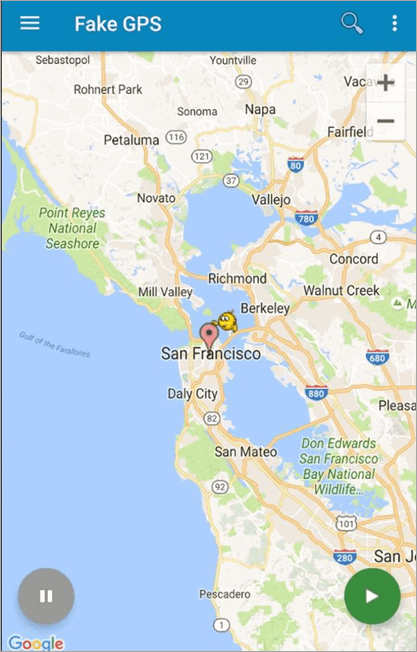
Fake GPS Location is yet another location simulator that I would recommend to Android users alone. The app features a clean interface and works with almost all apps that demand their user’s real-time GPS data. This includes Pokemon Go. You can fake GPS locations by selecting a random or pre-defined coordinate on the virtual map.
The app automatically saved all of your routes and locations. You can access them through the Fake GPS Location’s settings menu anytime you need them in the future. Besides faking GPS movements, you can use the app for ISP simulation as well. The software can be buggy at times.
That said, the app is free to use and should appeal to gamers who don’t wish to spend money on joystick hacks.
Compatibility: Android
Pros:
- Neat interface
- Free to use
- ISP Simulator
- Auto-Save routes
Cons:
- Can be buggy.
How to Get Started with Fake GPS Location:
- Download https://fake-gps-location.en.softonic.com/android on your phone.
- Open the app.
- Now randomly select a location by pressing the green button at the bottom of your screen or enter a specific coordinate using the search bar.
Dr.Fone’s Virtual Location
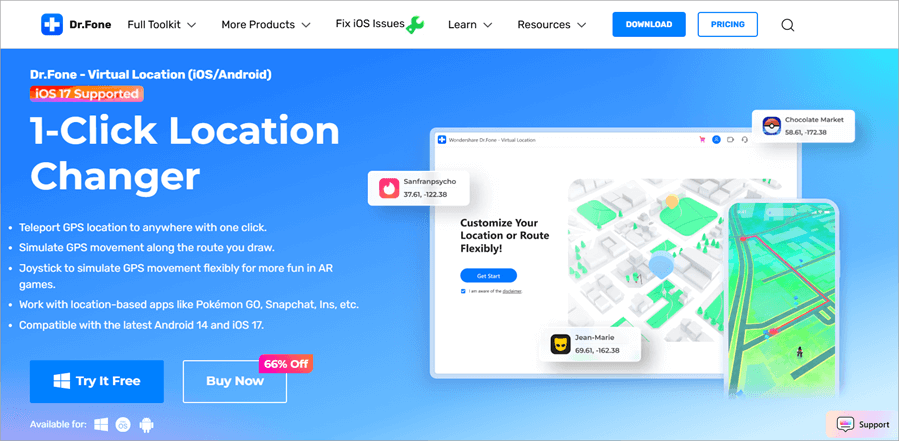
In many ways, Dr.Fone Virtual Location is quite similar to my top choice – AnyGo. The software helps you simulate iPhone and Android GPS movements. The installation is simple with no jailbreak or root required. Plus, the features offered by Dr.Fone are more or less the same when compared with AnyGo.
You can teleport your in-game character with a single click, choose from multiple modes to jump between locations and craft custom routes. The joystick is easy to use and lets you automate your character’s movements. That said, the app falls short in the updates department.
The app hasn’t received any new updates for a long time, which can sort of put the players at risk of being detected and banned.
Compatibility: Windows, iOS and Android
Pros:
- Seamless Joystick Control
- Automate movements in one-click
- No root or Jailbreak required
- Multi-Device Control
Cons:
- The app has stopped receiving updates.
How to Get Started with Dr.Fone Virtual Location:
- Download and Launch https://drfone.wondershare.com/virtual-location-changer.html on your Computer
- Connect your phone to the computer and follow instructions for seamless installation.
- Open the app once installed and choose a travel mode to simulate the location. Alternatively, you can use the joystick to control your character’s directions in real time.
Also Read =>> Spoof iPhone Location using Wondershare Dr. Fone Virtual Location
SpooferX
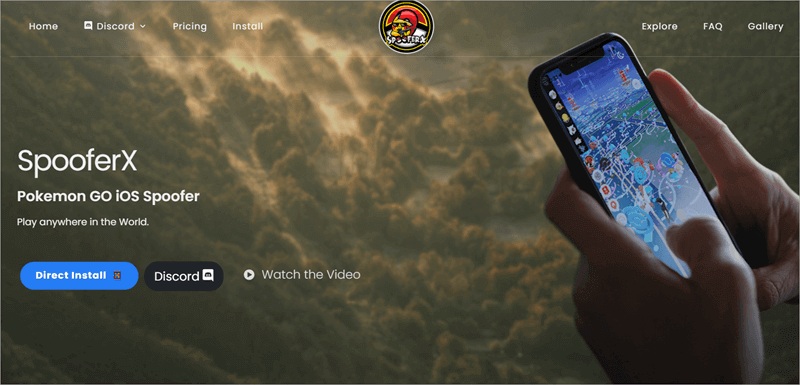
SpooferX is an app I would recommend to iOS users for its amazing custom maps. These maps make the prospect of exploring locations, conducting raids, and catching Pokemon simpler. The app comes jam-packed with features that truly enhance your experience. Yes, you can simulate your GPS movements and control your character with an intuitive joystick.
However, you can do a lot more than that, provided you subscribe to its premium plan. You’ll be able to level up faster, find the rarest Pokemons, and enjoy the game at frame rates as high as 60 FPS. Although I wish the free version featured an in-built cooldown timer, I can’t fault the app’s feature-packed premium plan, which earned it a spot on this list.
Compatibility: iOS 15 and above
Pros:
- Fast Map Loads
- Maximum FPS
- Remove AR Scan Quests
- Neat Interface
- Easy-to-use joystick
Cons:
- Only available for newer iOS versions
- Security measures aren’t that strong
- Direct installation is not recommended
How to Get Started with https://spooferx.com/:
- Install iTunes on your Device.
- Download AltStore or Sideloadly from iTunes.
- Find the SpooferX file in these apps and download it from there.
- SpooferX will be installed on your phone alongside the cracked version of Pokemon Go.
- Open this Pokemon Go app to start playing the game with a mocked location.
Pokemon Go ++
[image source]
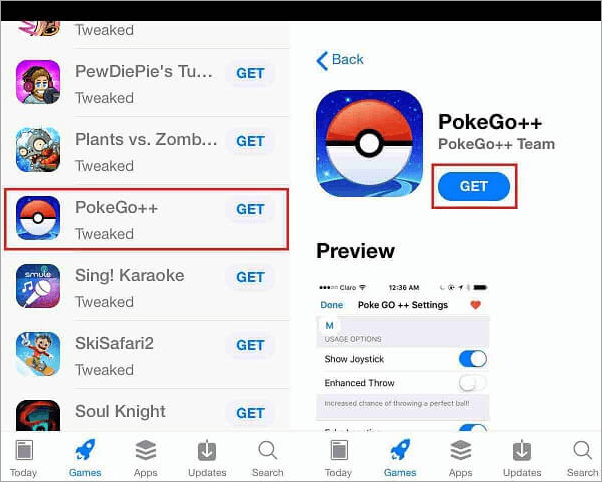
Pokemon Go ++ was popular back in 2018 before Niantic cracked down on it and essentially rendered its official site useless. However, Pokemon Go ++ didn’t die. You can still download and use it on your iOS or Android device from third-party sites like BuildStore. This cracked version works in the same way most joystick hack apps work.
You can teleport your in-game character in one click and use the joystick-like interface to move your character without getting out of your house. There are a ton of other features too that let you catch rare Pokemons, participate in raids, and adjust your moving speed. I would still advise practicing caution while using this app as the risk of an account ban is high with this one.
Compatibility: iOS and Android
Pros:
- No jailbreak or Root required
- In-built cooldown timer
- One-click teleport
- PokeStop map
- Auto control movement
Cons:
- The risk of the ban is high
- No new updates.
- Installation can be hard as there are no official download channels.
How to Get Started with Pokemon Go ++:
- Search for the Pokemon Go ++ download link on sites like https://builds.io/ or https://www.tutuapp.com/ios/appstore
- Make sure to uninstall previous versions of Pokemon Go from your phone before installing Pokemon Go ++.
- Open the app once installed and start playing the game.
PokeMap Live
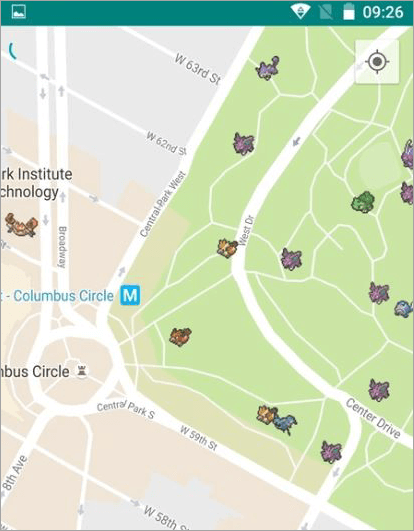
PokeMap Live offers you a live, real-time map. You essentially get a bird’s eye view of all Pokemon available for you to catch on a virtual map surrounding your location. This is an app precisely made for exploration. While it can simulate walking, its GPS simulating abilities are mild.
The app works great in combination with other joystick hacks, mainly ones that are better at GPS simulating like AnyGo. I would recommend using the app as you would a traditional map. Zoom in and out in search of Pokemons in your vicinity and then use a joystick hack to move to that location to catch it.
Compatibility: Android
Pros:
- No root
- Comprehensive map to explore Pokemons
- Free to use
Cons:
- Ads can annoy
- Not great for simulating movement
- The servers are usually down.
How to Get Started with PokeMap Live:
- Download the app from https://pokemap-live-find-pokemon.en.uptodown.com/android
- Enable Developer Mode on your Android device for seamless installation.
- Open the map and start exploring it to track Pokemon surrounding your real-time location
What Should I Do if My Account Gets Banned After Using a Joystick Hack?
Pokemon Go has some stricks terms and conditions in place, which expressly forbid the use of GPS simulators and joystick hacks. Violations of these rules could result in permanent account suspensions. If your account has been banned, I suggest calming down as not all hope is lost.
You could try appealing your ban by getting in touch with Niantic’s support team from https://niantic.helpshift.com/hc/en/6-pokemon-go/contact-us/?p=web&contact=1 Select “Ban Appeal” as your issue. You’ll have to wait for the team to respond.
I believe prevention is better than a cure. As such, I would recommend using reliable GPS simulators with powerful anti-detection security measures to avoid bans in the first place.
Conclusion
Pokemon Go is still as exciting as it was when it first launched. That said, the game’s demand that players physically travel to catch Pokemons can make the game inaccessible to some. This is where Pokemon Go Joystick Hacks come to your rescue. These apps essentially modify your Pokemon Go gaming experience.
They can fake your phone’s location to trick the game into thinking you are physically traveling. You are sitting on your couch while controlling your in-game character via an easy-to-use joystick interface.
Joystick hacks are a dime a dozen. Therefore, you must be deliberate when picking one. You should opt for a reliable tool with advanced features and excellent anti-detection technology. The tools I’ve recommended above accomplish this with finesse.
As for my recommendation, I would suggest going with iToolab AnyGo. It is easy to use, reasonably priced, and makes GPS simulation look like a breeze.
Was this helpful?
Recommended Reading
-

Having a difficult time managing or tracking down the commercial fleet of vehicles? Here, you will review the top Equipment GPS Tracking Devices & Systems: In the construction industry or any commercial industry, keeping track of the devices will help you to get proper management. It's time to switch over…
-

Thinking about always keeping track of your car while you are on the move? Read this review of the Top GPS Trackers for Cars: A vehicle tracking device or a simple GPS tracker can do the job for you. It's time to secure your car with the best GPS Trackers…
-

Are you worried about losing track of your car? Read and compare these Best Hidden GPS Trackers for Cars with their Technical Specifications, Pros and Cons: Not being able to track it down because it is not in front of you? It's time to install the Hidden GPS Tracker for…
-
Tracking your fleet is not challenging anymore with our list of Top GPS Vehicle Trackers. Pick the best Vehicle Tracking device of your choice to monitor your vehicles consistently: Vehicle Tracking Device helps you to keep track of your vehicle and monitor it constantly and without any interruption. The ideal…
-
This tutorial will guide you to select among the list of the Best Small Mini Micro GPS Tracker Devices analyzing their features, pros, cons, technical specifications, etc: Small tracking devices are portable trackers. The devices can be carried around easily. You can track almost anything with a small GPS tracking…
-
Discover the best GPS tracking devices in Best Sellers. These top GPS trackers are useful to track the exact location of cars or any other vehicle, kid's location, animal tracking, or any other GPS tracking purposes. People often use Google Maps, which allows them to easily navigate the location and…
-
If you are looking for solutions to track someone's location using a mobile phone, then this article provides you with the best tools to do so. In this guide, I have explained what it means to track someone through their mobile number, the techniques that work, as well as the…
-
This tutorial will guide you to easily Spoof iPhone Location using Wondershare Dr. Fone Virtual Location: We know GPS is a very useful mobile technology and yet we can think of many reasons one would like to fake their GPS location on their mobile devices. While some want to access…