


Are you an addictive player who is looking for a seed finder in Minecraft? Discover how to find the seed of a Minecraft Server instantly with proven methods using simple commands:
So, how does one find the seed of a Minecraft server? A question that’s often asked by the more curious base of Minecraft players.
As a long-time player myself, I understand why this would trigger any semblance of curiosity in someone who spends much of their waking hours playing this very addictive game online.
Table of Contents:
- How to Find Minecraft Seed on Server: Tips & Tools Explained
- What is Seed & How to Find the Seed of a Minecraft Server
- How Does a Seed Work
- Find the Seed of a Minecraft Server With OP
- How to Find the Seed of a Minecraft Server Without OP (Server Operator Permission)
- Top Tools to Simplify Seed Finding & Analysis
- Troubleshooting Tips to Find the Minecraft Seed
- Risks Associated With Mods Seed Finder in Minecraft
- How to Find World Seed Minecraft for Safety: Best Practices
- FAQs on Seed Finder Minecraft
- Conclusion
How to Find Minecraft Seed on Server: Tips & Tools Explained
After all, empowered by this seed, you can essentially recreate an entire world with its own unique layout, villages, and biomes. That said, accessing this seed isn’t easy. You’ll need the permission of a server operator, which is challenging in itself.
Fortunately, there is a way around this problem. That is what I’ll be shedding light on in this little guide on how to find a Minecraft seed on a server.

[Via XBox]
So, without further ado, let’s dive in.
Here is the video guide on how to find the seed of a Minecraft Server:
What is Seed & How to Find the Seed of a Minecraft Server
A seed is nothing but a code that can recreate or regenerate a world. It essentially includes text-based or numerical input that’s essential in building a Minecraft world.
Further Reading => Aternos Minecraft Server Review
Think of it as a template for a world generation in the game. Using it will help you recreate that world with its own map replete with specific biomes, terrains, villages, etc.

The same seed can create the same world repeatedly, which sort of helps players who want to share their world or seek consistency when generating one. You can have Minecraft generate a random seed or input your own when creating a world.
How Does a Seed Work
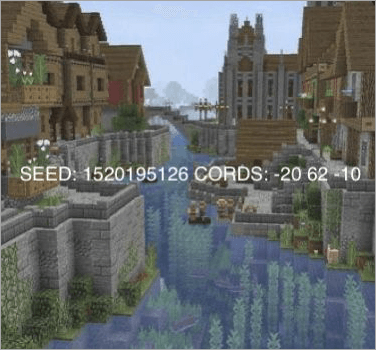
When generating a world, Minecraft relies on an algorithm called the “Perlin Noise”. This algorithm makes use of the seed to create a “Noise Map”. This “Noise Map” is ultimately what dictates the layout of the generated world. As I mentioned before, each seed can create a unique world.
[Via Pinterest]
Using the same seed can help a player reproduce the same world again with its layout and map intact. Players can then share this seed with other players, thus allowing those players the privilege of experiencing this world.
Now that you know what a seed is and how it works, let’s understand how to find a world seed in Minecraft.
Further Reading => Apex Minecraft Server Hosting Review
Find the Seed of a Minecraft Server With OP
It is recommended that you seek admin permission to seek a Minecraft server’s seed. This way, you don’t risk getting banned from the server and can go about your business with peace of mind.
Further Reading => How to Download and Host a Minecraft Server
Finding a seed with admin permission is simple. The process becomes even simpler if you are using the Java version of Minecraft.
I) For Java
- Contact your server’s admin as soon as you launch Minecraft’s Java edition. Request them to enable cheats on the server.
- With your request granted, press the “T” key to open chats.
- Run the command – /seed.
- This will cause the seed code to be displayed on your screen. Write it down and use it whenever you want to recreate a world.
Further Reading => How to Setup Minecraft.Server Properties
II) For Bedrock
Getting the seed code on Bedrock can be tricky, as there isn’t a specific command you can use to reveal it. Instead, you’ll have to follow the steps below:
- Open your World List and find the World you are hosting on the server.
- Click on the edit icon next to the World’s listed name.
- Click on Download. This will help you get the same world offline.
- You should now find this world in your Single Player world list.
- Click on its world settings, and you will find the seed code there.
Check the video below to learn how to find the Seed of your Minecraft world.
Recommended Reading => Best Gaming Consoles to Consider
How to Find the Seed of a Minecraft Server Without OP (Server Operator Permission)
Although you’ll find a plethora of articles online discussing a dozen methods, only a few have proven to be effective in my experience. Before I share those methods with you, I would suggest installing mod loaders Forge or Fabric, as the most effective method of unearthing seeds involves the use of mods.
Mod Loaders Explained
Mod loaders can be best described as software that makes it easier to run or modify mods in Minecraft. Think of them as mod managers. These mod loaders take the hassle out of running mods, letting players modify their gameplay with features and enhancements. Fabric and Forge are perhaps two of the most popular mod loaders out there.
The table below perfectly explains how these two mod loaders differ from each other:
| Features | Fabric | Forge |
| Mod Compatibility | Limited Mod Library | Extensive Mod Library |
| Performance | Lightweight | Resource-intensive |
| Usage | Easy to set up | Relatively complex set-up |
| Update | Regular updates | Updates are less frequent |
| Customization | Limited customization | Extensive customization that’s suitable for larger servers |
| System Requirements | Java Runtime Environment 17 and above. 2 GB of RAM for lightly modded servers and 8 GB RAM for heavily modded servers. | The latest version of Java, 32 GB or more RAM, is recommended for the best experience. |
Now that you are familiar with the mod loaders, let’s discuss how you can find a Minecraft seed without OP.
#1) The World Downloader
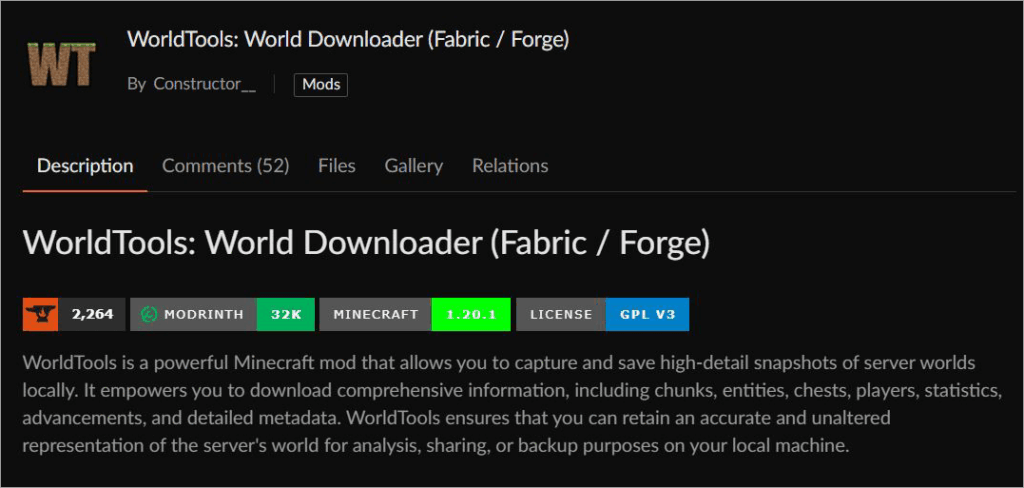
The World Downloader mod is perhaps the best way to find seeds on Minecraft servers. Most players seem to agree. This mod is compatible with various versions of the game and Forge. Using this mod will help you download a world directly to your system. For this method to work, I would recommend first exploring the areas of the map you wish to download.
Here’s a step-by-step guide to installing World Downloader:
- Install the World Downloader mod.
- Explore the part of the map you wish to download.
- Once all areas have been explored, you’ll start receiving chat messages updating you on the download status.
- Wait until you receive a message that confirms the download.
- Now, navigate to your game files and check the backups folder.
- Move the world files you find there to your “saves” directory.
Further Reading => Top Minecraft Earth Servers
#2) SeedCrackerX
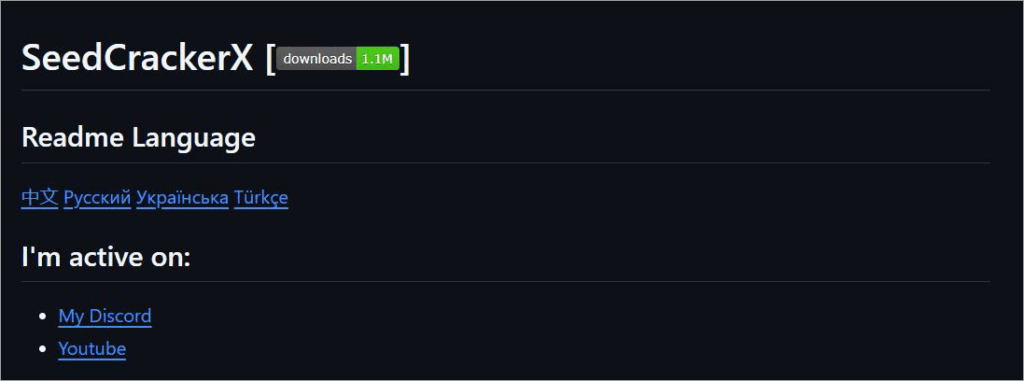
The SeedCrackerX mod is one that I would recommend to anyone who does not want to bother with downloading an entire world. It is one of the most sought-after Minecraft server seed finders today. You can rely on this mod to see the seed directly inside the game.
With the SeedCracker Minecraft mod launched, you’ll need to visit at least 5 to 6 different structures within the game world. When I say structures, I mean places like desert temples or igloos.
When you are done with your exploration of these sites, the mod will begin its search for the seed. The results of this search will be displayed in your game chat.
#3) Seed Finder Mod
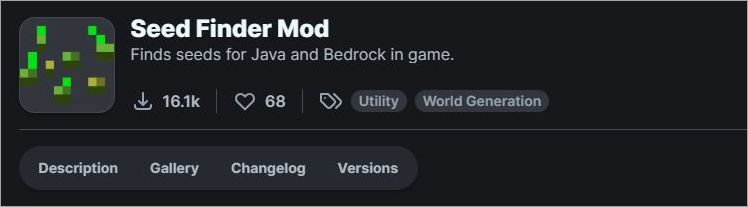
Here’s a mod that you can install to find seeds for Java and Bedrock in-game. When using this mod, do not use an existing world to search for seeds. Instead, do:
Also Read => Top Game Development Companies
- Once the mod is installed, go to “More Options” and select “Seed Finder”.
- With the new world created, use the /findseed criteria commands to specify structures you would like in the game, like biomes, temples, etc.
- Start small, like a village within 50 blocks. You can always modify the criteria later.
- You’ll spawn in the new world once a seed is found.
- You’ll have to run the “next” command to move on to the next seed.
- You’ll be rewarded with a book that contains the seed number every time you are placed in a world.
Further Reading => How to Update Minecraft Server
Top Tools to Simplify Seed Finding & Analysis
As you can see for yourself, finding seeds can get tricky. The following tools can make your lives a lot easier as you venture on your quest for finding and managing a Minecraft world seed.
#1) MultiMC
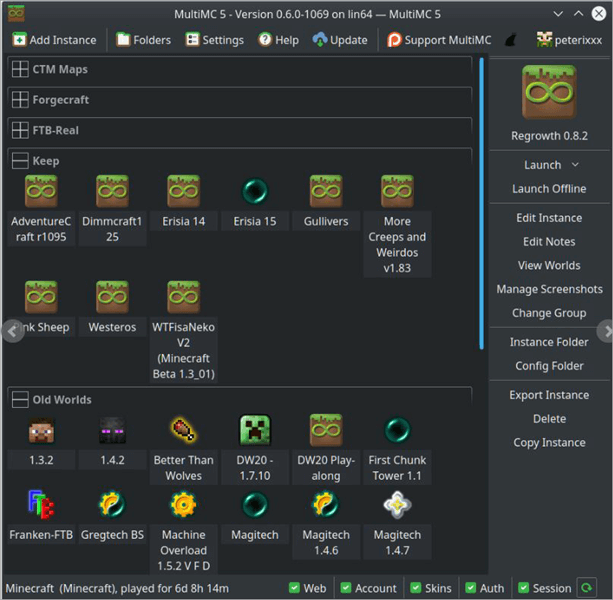
MultiMC is an alternative launcher that can run multiple isolated instances of a Minecraft world. This tool makes it easier to check and manage mods, logs, and other aspects across various Minecraft instances.
You can rely on MultiMC to install mod loaders like Forge and Fabric without hassle. Finding a seed is also simple. First, you’ll need to launch Minecraft within the MultiMC launcher. Once that’s taken care of, the process is the same:
- Press the “T” key to open chats.
- Run the command – /seed.
- This will result in the seed code being displayed on your screen. Write it down and use it whenever you want to recreate a world.
Website: https://multimc.org/
#2) Chunkbase
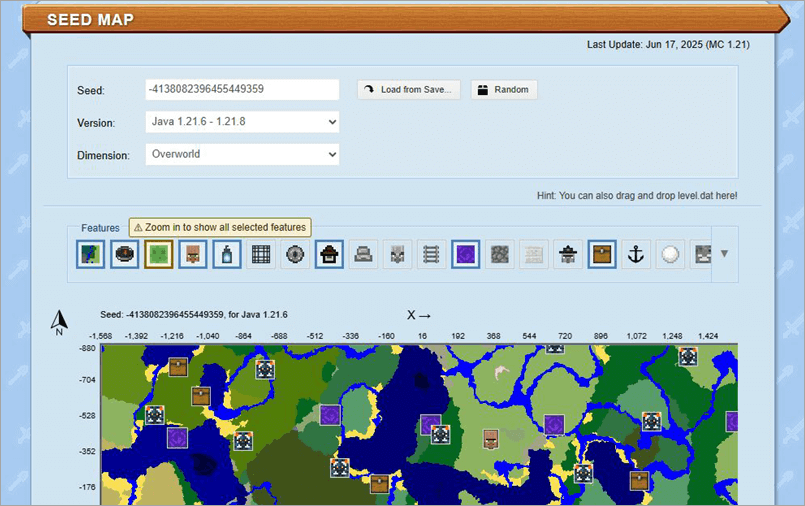
Exploring a Minecraft world can feel overwhelming. There is also a good chance of you getting lost in the world, hovering in the same area repeatedly instead of exploring unique places. With Chunkbase, you get a virtual map that helps you navigate your Minecraft world and explore the various biomes and structures it harbors.
It is a seed analyzer. You’ll first need to find the seed via the methods I’ve discussed above. Then, you’ll need to paste the seed code in the designated field on Chunkbase’s official site. This will reveal the world’s map.
Website: https://www.chunkbase.com/apps/seed-map#seed=-4138082396455449359&platform=java_1_21_6&dimension=overworld&x=0&z=0&zoom=0.5
Troubleshooting Tips to Find the Minecraft Seed
Despite your best efforts, you may run into an issue where the seed just doesn’t show up. Depending on whether or not you have OP permission, I suggest following the tips below.
#1) With OP Permission
While OP permissions make things easier, you can still encounter an issue. There is a good chance that the /seed command doesn’t do its job. If this happens, perhaps the problem lies with a plugin that you are using.
Check your plugins. If everything is fine with the Plugin, then maybe your permission level isn’t high enough to access the seed. In that case, contact the server admin again.
The server operator may raise your permission level or even help you find a problematic plugin that’s contributing to the problem at hand.
#2) Without OP Permission
As this method isn’t exactly legal, you are bound to face some issues trying to access a world seed this way. I would suggest a reliable seedfinder like World Downloader or SeedCrackerX, powered by a mod loader like Forge or Fabric.
While this doesn’t eliminate the risk of detection by a server’s anti-cheat system, it does reduce the risk considerably.
Also, when you are using these seedfinders, make sure you explore the area and structures you want to download thoroughly. The more unique areas and structures you find, the better your chances of replicating that world via a seed.
Recommended Read => Cheapest Minecraft Server Hosting Provider
Risks Associated With Mods Seed Finder in Minecraft
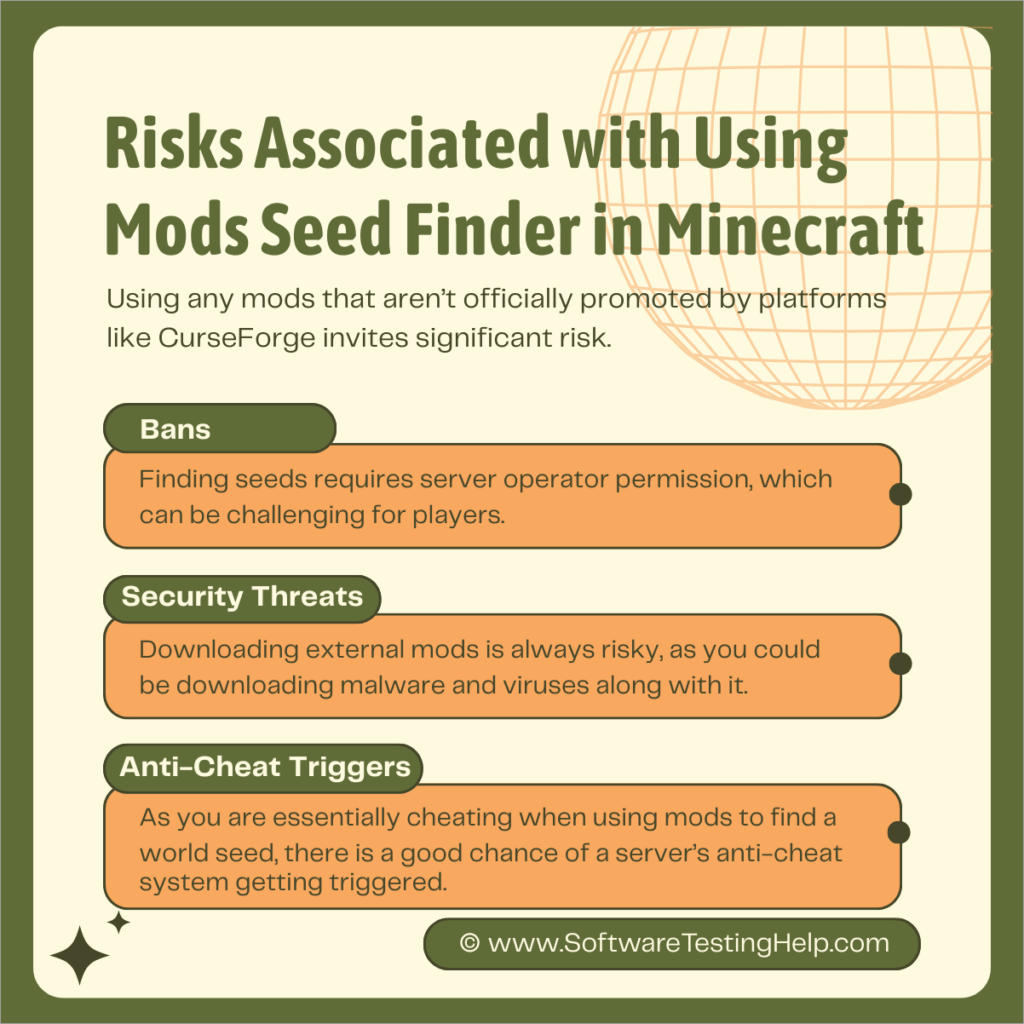
Both of the methods that I’ve mentioned above are safe, effective, and reliable. That said, they aren’t without their risks. Using any mods that aren’t officially promoted by platforms like CurseForge invites significant risk.
I would suggest being privy to the risks involved before you decide to unearth seeds using the above methods:
#1) Bans
Finding seeds requires server operator permission, which can be challenging for players. If an operator does find out that you’ve been using a mod to find a server’s seed, they’ll ban you without question. Some seed crackers come with features that could immediately lead to your account’s permanent suspension.
#2) Security Threats
Downloading external mods is always risky, as you could download malware and viruses along with them. So, for the sake of your computer’s security, I would suggest only downloading mods from reputable websites.
#3) Anti-Cheat Triggers
Most modern Minecraft servers come with solid anti-cheat systems. As you are essentially cheating when using mods to find a world seed, there is a good chance of a server’s anti-cheat system getting triggered. If this happens, you could be penalized or lose your account for good.
How to Find World Seed Minecraft for Safety: Best Practices
Although it is possible to access a Minecraft world’s seed, it is not something I would recommend unless you are truly desperate. Accessing a seed without the proper permission could expose you to a server’s anti-cheat system.
If detected, you could face a temporary or permanent ban. There is also a risk of your server being exposed to malware.
Further Reading => How to Craft Terracotta in Minecraft
So, I would suggest following the tips below to access a Minecraft world’s seed with limited risk.
- Contact the server admin and seek permission to enable cheats.
- Read and be aware of your server’s rules and regulations.
- If you are using a public server, you could find the seed mentioned on the server’s official website or forum.
- If you have access to the server’s files, I would suggest using tools like the NBT explorers to find and extract the seed.
- You could also try using anti-cheat bypassing plugins like Vulcan or Spartan.
FAQs on Seed Finder Minecraft
1. What is the seed of a Minecraft server?
A seed is essentially code that dictates the layout of a Minecraft world. This code typically decides what the appearance of terrains, biomes, and villages will be like within a world. People can use a Minecraft seed to replicate a world and share it with other players.
2. What are the benefits of finding a Minecraft seed?
I can think of multiple benefits to finding a Minecraft seed. The most prominent of these are:
• The ability to recreate a world
• Speedrunning
• Ease in exploration
• Creating custom maps
• Exchanging worlds
3. How to find a server seed without OP?
Server operator permission is necessary to find a seed. If you venture out on this quest without permission, your account will face the very serious risk of getting banned permanently.
The best way to find a server seed without OP would be with the help of mods, particularly the World Downloader and Seed Cracker mod.
4. What are some best places online to find seed finder mods?
It is important that you only download mods from reputable sites to avoid malware and virus infestations. Two sites that I can recommend without hesitation would be GitHub and Modrinth.
Both sites have been around forever and are frequented by Minecraft players looking for mods.
5. How to check the server seed?
The normal way to check a server seed is only possible if you are the server owner or have the permission of its operator.
If you have operator permissions, do:
In Game:
1. Open Chat by pressing the T key
2. Type /seed and press enter.
3. You’ll now be shown the world seed in your chat window.
4. Simply click on this seed to copy it.
Server Console:
1. With access to the server, open the server application
2. Type the command /seed and press enter.
3. The seed will be displayed to you.
6. Are Minecraft seeds the same across all versions?
No, Minecraft seeds differ across the Java and Bedrock versions of Minecraft. While some aspects, like terrain and biome creation, remain the same, you will notice changes in the aesthetics of how caves and trees appear across the two versions.
7. What’s the difference between finding seeds on Java vs Bedrock Edition?
Well, it is easier to access a World seed on Java with the help of a simple command – /seed. This command does nothing on the Bedrock edition. Instead, you’ll have to follow a tedious process to access a Minecraft world’s seed on Bedrock.
This process involves downloading the world list, getting the world offline, exploring the single-player world list, and finding the seed there.
8. Which mod loader should I use – Forge or Fabric?
Forge and Fabric are both mod loaders that I would recommend for various reasons. If you want a lightweight mod loader that is easy to set up and gets frequent updates, then Fabric is the way to go. If you seek high customization with an extensive mod library, then opt for Forge.
9. Is finding server seeds without permission legal?
No, it is not at all legal to find server seeds without permission. If caught doing so, you could face a temporary or permanent server ban. I would recommend seeking admin permission to avoid unnecessary trouble.
10. How can I avoid getting banned when using a seed-finding mod?
While there isn’t a sure-fire way of avoiding bans with seed-finding mods, using an anti-cheat bypassing plugin could help. Plugins like Vulcan and Spartan are two tools that can help you bypass anti-cheat detectors. Be warned that using such plugins can affect your game’s performance, with frequent drops in graphical quality becoming common.
11. What are the risks of downloading seed-finding mods?
The most obvious risk of downloading a seed-finding mod is the risk of a ban. Besides this, downloading an unreliable seed-finder can also result in you accidentally downloading malware onto your system. The only way to avoid this risk is by seeking operator permission to find a seed instead.
Suggested Reading => Best World of Warcraft Servers Review
Conclusion
It can be frustrating to find a seed, especially when you don’t have the permission of a server operator. That said, you don’t really need it if you choose to rely on mods instead. Mods like the seed cracker and World Downloader are widely considered among players to be the best methods to unearth a world seed.
Whether you wish to learn how to find the seed of a Minecraft multiplayer server or single-player ones, these mods have you covered.
That said, they are not without their risks. There is a good chance of you getting banned from a server permanently. I suggest being aware of these risks before you decide to use any mod to find a world seed on the Minecraft server.
I would suggest using the information I’ve provided in this article wisely and practicing caution. Hopefully, you’ll have an easy time recreating a Minecraft world and exploring the biomes and structures it harbors
Was this helpful?
Recommended Reading
-

This tutorial explores and compares the Best World of Warcraft (WoW) Private Servers to help you select the suitable WoW private server in 2026. World of Warcraft is a 16-year-old video game that is still popular among the gaming community. It is a Massive Multiplayer Online Role-playing Game (MMORG). You…
-
Read, compare and select from the list of top Server Backup Software along with features for backing up critical data: Server backup software is used for backing up data stored on a server to ensure that the system can be restored in case of mechanical failure, hacking, or user error.…
-
This is a comprehensive review of Apex Hosting with features, pricing, pros, cons, and comparison with other Minecraft Hosting Platforms: In this article, we will take a thorough analysis of the many features provided by Apex Hosting, understand whether the pricing packages that the platform offers are reasonable. Read this…
-

We have put together a list of the best, free, and cheapest Minecraft Server Hosting Provider companies in the world. Check out the detailed comparison and select a suitable vendor for you. Minecraft Server Hosting is a service provided by hosting companies to help individuals or organizations host their games…


