Are you looking for the best Minecraft Earth Server? This ultimate guide will explain what Minecraft Earth Server is and help you find the perfect survival server to join thousands of players:
Minecraft has come a long way since its inception way back in 2011. What began as a single-player sandbox experience has evolved considerably into a global multiplayer phenomenon.
In fact, people who’ve stuck with Minecraft for years have done so because of its fascinating multiplayer gameplay.
Table of Contents:
- Top-Rated Minecraft Earth Servers: Ultimate Guide
- What is Minecraft Earth Server
- Getting Started on a Minecraft Earth Server
- How to Find Real-World Locations on Minecraft Earth
- List of the Best Minecraft Earth Servers
- Comparing the Top Minecraft Servers
- Advanced Gameplay Mechanics
- Challenges Associated with Using Minecraft Earth Servers
- Tips to Get the Most Out of Your Minecraft Earth Servers
- Frequently Asked Questions
- Conclusion
Top-Rated Minecraft Earth Servers: Ultimate Guide
The game offers several different types of multiplayer experiences to its users. Perhaps the best of them all pertains to Minecraft Earth servers.
I believe these servers are criminally underrated. The ability to engage in simulated geopolitics and world-building via a custom map that eerily mimics our real-world Earth is astonishing, to say the least.
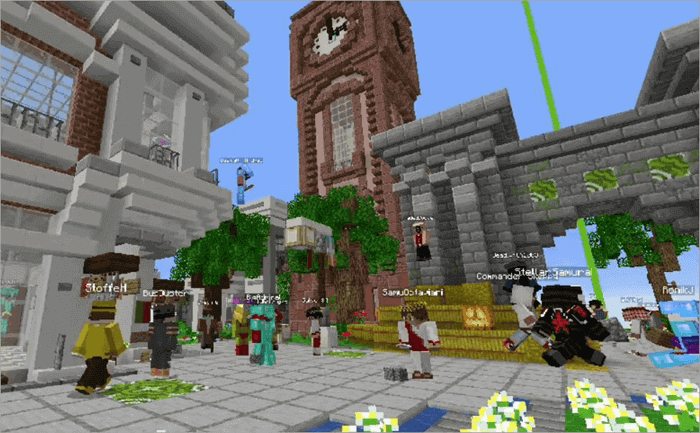
[Via EarthMC]
These servers offer you a community-driven gaming experience unlike anything being offered by similar Sandbox counterparts.
I believe it is high time these servers got their fair share of the limelight. In this article, I’ll share some insights into Minecraft Earth servers and also recommend options I believe are among the best today.
What is Minecraft Earth Server
Minecraft Earth Servers are custom-built servers that feature a map that imitates the real-world geography of Earth. Contrary to typical Minecraft maps, which feature standard terrain data, Minecraft Earth Servers offer maps that are essentially replicas of the real-world Earth.
These servers provide detailed and geographically accurate maps. Players can leverage these Earth Servers to build cities, engage in battle or diplomacy with other cities, trade goods in a player-driven economy, or simply explore the map.
A Minecraft Earth Server basically transforms your game into a role-playing, geo-political simulator with its own political and economic system, which you can tweak. These types of servers are best for players who want their Minecraft experience to be immersive while also being creatively cerebral.
Who are These Minecraft Earth Servers for?
Anyone who wants a distinct, out-of-the-box experience while playing Minecraft can and should give these servers a shot. That said, it is the history buffs and people with academic interests who gravitate towards these servers.
If you are an expert in geography or have in-depth knowledge of world history, you can expect to get the most out of these servers.
The rich real-world maps and customizable economics can make the experience even more rewarding if you are someone with a background in that realm of academia. For instance, you can rely on your knowledge of real-world geography and topography to gather resources in the virtual maps that these servers offer.
Minecraft Earth Server: Over the Years
Earth servers may seem like a novice concept, but they have been around for a while now. You can trace news related to Earth Servers all the way back to the year 2013. This is the year when servers like NationsGlory first introduced the idea of a map that imitated the real-world geography of the planet we inhabited.
It became the first-ever Earth SMP server, granting players the ability to build nations and engage in conflicts. The popularity of NationsGlory eventually influenced other servers, which made drastic improvements. More servers like EarthMC were born post-2016. These servers now enjoy an active member base that can reach thousands.
As map generation tools became more advanced, Earth Servers have become better at offering elevated immersion to players. Some servers now support cross-platform play between the Java and Bedrock editions. These servers are far more accessible to users than they were previously.
One can hope that new updates and advancements will further result in a more enjoyable experience on these servers.
How to Join the Minecraft Earth Server
Joining a Minecraft Earth Server is quite simple. All you need is a good internet connection and the IP address of the server you’ll be using. Also, make sure your system meets the following requirements:
| RAM | 4GB Minimum, 8GB Recommended |
| Storage | Minimum 1 GB Storage required |
| CPU | Intel Core 2 Duo or AMD Athlon 64×2. For better performance, Intel Core i5-4690 or AMD Ryzen 5 1600 is recommended. |
| Firewall and Port Compatibility | Configure Firewall on TCP/UDP 25565 |
| Internet Bandwidth | 1-5 MBPS for smaller servers, and 30MBPS for larger servers. |
Once you have that covered, follow the process below:
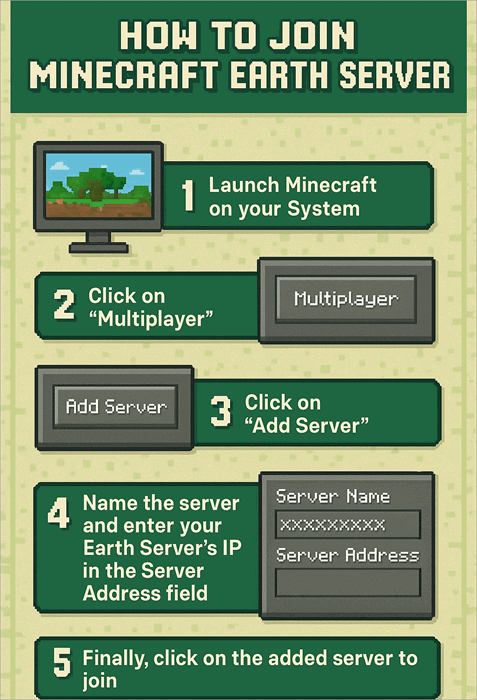
Click here to watch the youtube video
It is that simple. You will need various plugins and mods to support your gameplay within these servers. The “Towny” plugin, for instance, will help you create towns and nations. Economy-driven plugins like QuickShop will help you create a shop to trade in goods.
Getting Started on a Minecraft Earth Server
As a complete novice navigating an Earth map for the first time, I understand just how confusing and daunting your initial experience can be. As such, I’ve devised a comprehensive guide that could help you on your first day exploring an Earth-like map on Minecraft.
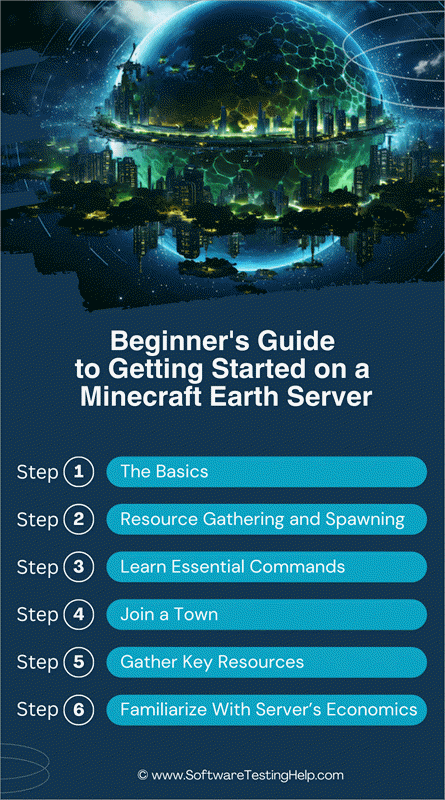
Step #1: The Basics
On your first day, try to keep yourself occupied with a few easy objectives. Try to learn about the server’s unique rules, mechanics, and plugins. Learn a few key commands that’ll help you navigate and explore better, learn about the server’s economy, and start gathering resources that may come in handy when building a town or nation.
Step #2: Resource Gathering and Spawning
Start by chopping down trees and gathering logs. Collect any fruit or saplings that drop as you cut down the trees. Initially, I suggest kick-starting your crafting endeavors with something very simple, like a table or a pickaxe.
It is also important to mark your spawn points, which can be down by creating a small pillar. You’ll be able to navigate your way back to the starting point in case you end up dying and respawning.
Step #3: Learn Essential Commands
Minecraft Earth servers demand the use of several plugins for town-building and running their economy. To use these plugins effectively, you’ll need to learn a few essential commands, which are:
Basic Commands
- /vote: Voting helps you earn currency.
- /map: This will open up the server’s dynamic map.
- /res: This will result in key information like town affiliation, player information, and permissions being revealed.
Teleportation Commands
- /n spawn: You’ll be teleported to your nation’s capital.
- /t spawn: You’ll be teleported to your town’s spawn point.
- /home: You’ll be teleported to a bed point inside your town.
Commands for Communication
- /tc: Opens town chat
- /g: Opens global chat
- /nc: Opens nation chat
- /r: Reply to a player that just messaged you.
- /msg (player) (message): Send a private message to a particular player.
XP Commands
- /bottle store max: All of your XP is converted into a single bottled item, ideal for storage.
- /bottle store (number): To store a specific amount of XP.
Step #4: Join a Town
Once you’ve mastered a few critical commands, you can venture out in search of a town to join. You can use the server’s dynamic map, connect through the server’s global chat, join Discord or simply explore the area near your spawn point to find a new town.
Once you find a town, you can attempt to join it by following the steps below:
- Contact the town’s mayor
- Fulfill the requirements asked of you to join the town
- Use the invite link
- You’ll receive a notification confirming your membership in the town
Step #5: Gather Key Resources
Once you’ve joined a town, you’ll need to prove yourself to be a worthy member. You can do so by mastering your resource-gathering capabilities. I suggest focusing on the following resources to build up your stature inside a town:
- Use a pickaxe to mine stone
- Punch trees to gather as many logs as possible
- Delve into caves in search of coal
- Kill various animals for meat. You can resort to gathering saplings and fruits.
- Killing certain animals, like sheep, will result in the collection of specific materials like wool.
Although exciting, gathering resources will also put you in harm’s way. I suggest staying safe by following the tips below:
- Do not stray too far from your town.
- Only enter exposed cave entrances and refrain from digging too deep, as you might end up falling into lava or a deep crevice.
- Stay away from the wilderness, at least initially, as you may find yourself in a PvP battle that you are not prepared for.
- Always mark your path. You can do so by placing blocks or torches on your path.
- Store any valuable items you may have within your town’s chest before venturing out.
Step #6: Familiarize Yourself With the Server’s Economics
Almost all Earth servers function on a player-driven economy. You can trade in stuff by earning and spending the server’s in-game currency.
To earn currency, you can do the following:
- Vote twice regularly
- You can mine for gold in caves
- Sell the resources you’ve gathered
- Earn through tax collections
You can spend the currency you’ve earned by buying plots of land, buying stuff from other player-owned shops, and participating in your town’s daily maintenance.
How to Find Real-World Locations on Minecraft Earth
Minecraft Earth servers feature maps that do a phenomenal job of recreating the topography and geography of real-world Earth. As such, you can use the 3D map that these servers offer you to find real-world locations within the game.
Let’s say you are on EarthMC’s server and want to find a specific real-world spot within.
- Within the game, run the command – /map and press enter.
- A link will appear, which you have to click.
- This link will redirect to a live map inside your browser.
- You’ll be shown the coordinates to your current location in the game.
- You can enter the coordinates of the location you need to find and use the map as a reference point.
List of the Best Minecraft Earth Servers
Here is a noteworthy list of the top Minecraft Earth servers:
- EarthMC
- Complex Gaming
- CCNet
- Glade MC
- DiplomaticaMC
- LemonCloud
- EarthPOL
- TwentureSMP
- Twerion
- EarthSMP
- SMPEarth
Comparing the Top Minecraft Servers
| Name | Best for | Minecraft Earth Server IP | Map Scale | Rating |
|---|---|---|---|---|
| EarthMC | Players prioritizing strategic gameplay | join.earthmc.net | 1:500 | 5/5 |
| Complex Gaming | Combat and Civilization building | mc-complex.com | 1:1000 | 4.5/5 |
| CCNet | Roleplay and strategic battles | play.ccnetmc.com | 1:1000 | 4.5/5 |
| Glade MC | Survival and Geopolitics | play.theglademc.us | – | 4.5/5 |
| DiplomaticaMC | Geopolitics and Roleplay | diplomaticamc.com | 1:450 | 4.5/5 |
#1) EarthMC
IP: join.earthmc.net
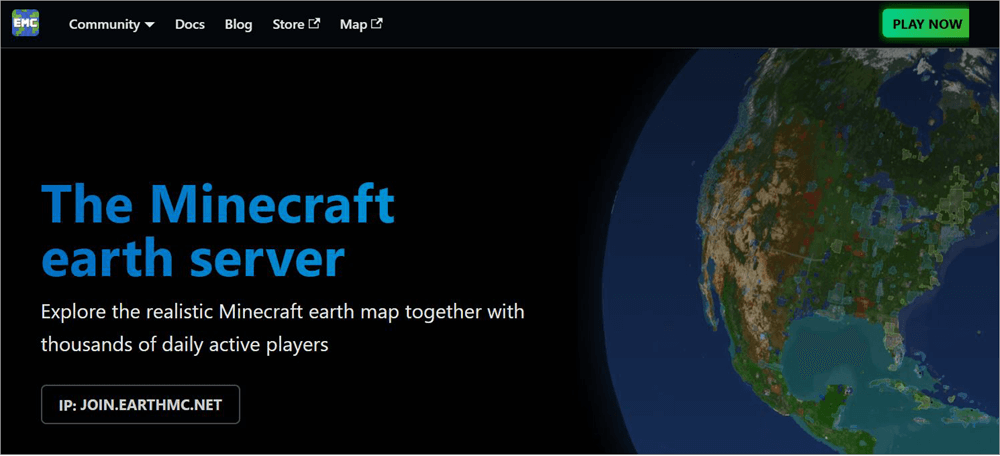
Kicking off my list is EarthMC, widely lauded as one of the best Minecraft Earth servers to ever exist. You are guaranteed an elevated and immersive experience, bolstered by a map that’s rendered using real terrain data and satellite height. This means you get to explore a map with familiar regions and real-life places.
Once launched, you decide whether you wish to spend your time on this map building a town or conquering various regions on this virtual earth. You can invite new residents to populate your town. You can even indulge in some real estate role-play by selling plots. Making the experience even more immersive is the entirely player-driven economy of this world.
There are over 500 player-made shops, which you can approach to buy, sell, or barter goods. You can participate in this economy via the server’s currency, which can be earned through trading and mining.
How to Join EarthMC:
- Launch Minecraft.
- Click on Multiplayer > “Add Server”.
- Name the server and enter EarthMC’s IP address in the designated “Server Address” field.
- Select the EarthMC server from your server list and click on “Join Server.”
Player Stats: Over 3 million players worldwide.
Version Compatibility: Java
Server Rules:
Any form of cheating and griefing is strictly prohibited. Hate speech is also not entertained. Violating these rules could cause permanent or temporary suspension. Regarding anti-griefing measures, the server utilizes Towny and CoreProtect for player protection. The server itself is monitored by a seasoned staff 24/7 to catch instances of griefing.
Players can report any issues, like bugs or griefing, through in-game commands. Alternatively, you can raise a ticket on the EarthMC Discord server.
Community and Social Features:
Detailed guides, lore, and tutorials can be found on EarthMC’s dedicated Wiki page and Discord server.
Community Events:
EarthMC has featured the following community events over the years:
- Annual Olympic and football events.
- Re-enactments of historical events like the Civil War.
- Wars and battles are enabled through the PvP mechanism.
- Map Reset events. A new map reset event is scheduled for next year.
Pros:
- Good political and economic structures.
- Map rendered using real terrain data.
- Flourishing community.
Cons:
- Players can experience lag sometimes.
Website: https://earthmc.net/
#2) Complex Gaming
IP: mc-complex.com

As far as player-reception goes, most believe Complex Gaming to be one of the more versatile Minecraft Earth servers out there. This is a fair assessment of this server, owing to the various modes it offers. You’ll have the option to choose between vanilla, Pixelmon, Tekkit, and FTB modes.
Similar to EarthMC, Complex Gaming’s Earth map is impressive and lets you do a ton of things that range from building nations to getting into conflicts. The map itself can be scaled at 1:1000. Complex Gaming facilitates cross-platform play. This means that both Java and Bedrock players should have no problem joining the server.
Further Reading => Aternos Minecraft Server: Comprehensive Review
Needless to say, if you are looking for a diverse Minecraft experience within an engaging Earth map, give Complex Gaming a shot.
How to Join Complex Gaming:
- Launch Minecraft.
- Click on “Multiplayer” and then “Add Server”.
- Name your server.
- Enter Complex Gaming’s IP address in the “Server Address” field.
- Select the recently added server from your server list and click on “Join Server.”
Player Stats: Averages around 300-500 players daily.
Version Compatibility: Java and Bedrock
Server Rules:
Hacking and griefing are prohibited in areas on the map that have already been claimed. You must respect the server’s economy rules and adhere to them when trading. There are plugins and a strong anti-cheat system in place to avoid instances of griefing. You can report any rule violations in-game or by submitting a ticket on Discord.
Community and Social Features:
Complex Gaming features an active forum for each of its modes. You can get your queries resolved by interacting with other users on these forums. Complex Gaming also features a dedicated Discord server for each of its modes for reliable and quick support when necessary.
Community Events:
Complex has featured the following community events over the years:
- Seasonal events on key holidays like Halloween and Christmas.
- Community Giveaway events.
- Race course events.
Pros:
- Supports cross-platform play
- Choose between multiple gaming modes
- Good community support
Cons:
- Multiple mode options can confuse players.
Website: https://www.mc-complex.com/
#3) CCNet
IP: play.ccnetmc.com
CCNet makes it onto my list for offering a rather unique experience as far as Earth servers go. What you get is an amazing combat system that goes hand-in-hand with civilization farming. You can spend your time on this map as a pacifist who likes to build cities or partake in intense battles by leveraging the server’s military mechanics.
You can customize your battles extensively, making aviation, naval warfare, and other types of battle scenarios appear more intense and immersive. The server feels lived-in, thanks to its rewarding political and economic structure. You can engage in diplomacy across nations and even initiate trade agreements.
In hindsight, I would recommend CCNet to players seeking an experience that perfectly balances strategic gameplay with combat.
How to Join CCNet:
- Launch Minecraft.
- Click on “Multiplayer” > “Add Server”.
- Name the server and enter CCNet’s IP address in the “Server Address” field.
- Look for the recently added server in your server list, click on it, and select “Join Server”
Player Stats: A smaller community that averages around 50-100 players daily
Version Compatibility: Java and Bedrock
Server Rules:
CCNet has very strict anti-griefing rules in place. You are not allowed to grief anything that is claimed. You also may not grief unclaimed structures that fall within 3 chunks of a claimed town. Stealing from fellow town members or claiming land is also prohibited.
When using CCNet’s Discord server, you are expected to follow the rules laid out. You are prohibited from sharing any content that would violate Discord’s community guidelines.
Community and Social Features:
CCNet offers forums wherein you can indulge in discussions with other players. A detailed Wiki page and a dedicated Discord server are also offered. You’ll find guides, tutorials, and detailed documentation on various aspects of the server on these pages.
CCNet Community Events:
CCNet has hosted the following events over the years:
- Battles between nations and towns.
- Diplomacy and Trade events.
- Various Anniversary events.
Pros:
- Use bespoke military mechanics for combat.
- Highly customizable.
- Rich political and economic structure.
Cons:
- Performance issues during peak hours is common.
Website: https://www.ccnetmc.com/
#4) Glade MC
IP: play.theglademc.us
Glade MC offers an Earth server that caters to players who engage in simple, collaborative survival gaming. The server is relatively new, yet it has garnered a lot of positive attention lately. It empowers players to build nations, govern territories, and get into alliances with other nations.
The server does a good job of delivering an experience wherein you feel like someone who is in charge of running a government. You can engage in diplomatic negotiations with other nations and even compose constitutions that dictate how a government will run.
I also found the map here quite dynamic, as it changes in direct response to how you build a civilization and govern it.
How to Join Glade MC:
- Launch Minecraft.
- Click on Multiplayer > Add Server.
- In the “Server Address” Field, enter Glade MC’s IP address.
- In the server list, look for the added Glade MC server and click on it to join.
Player Stats: Averages around 100 players daily
Version Compatibility: Java and Bedrock
Server Rules:
All the basic rules I’ve already mentioned for the top Earth servers on this list also apply to Glade MC. Any form of cheating, griefing, or theft is prohibited. Violating this rule can cause permanent suspension.
If you find someone violating the rules, you can report them in-game or via Glade MC’s Discord server.
Community and Social Features:
GladeMC only features a dedicated Discord server, where you can interact with other users. However, this server isn’t as active as it used to be.
Community Events:
- Some seasonal events on the occasion of holidays like Halloween.
- PvP battle tournaments.
Pros:
- Best for collaborative survival gameplay
- Dynamic map
- Lower chances of lag due to an optimized system
Cons:
- Some players have complained about limited custom features.
Website: https://theglademc.us/
#5) DiplomaticaMC
IP: diplomaticamc.com
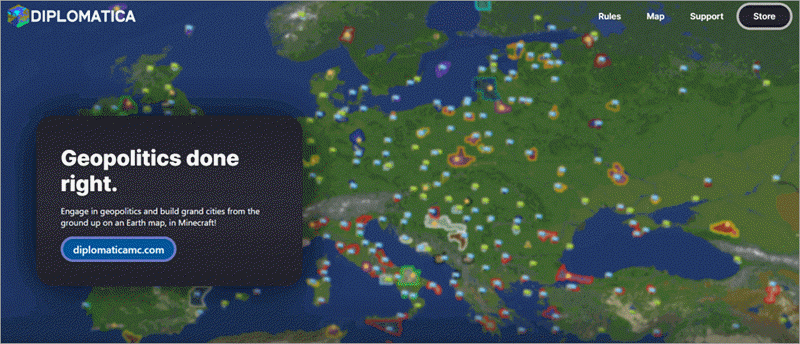
DiplomaticaMC is another server that lets you indulge in geopolitical role-play with a custom Earth map. You can create cities and nations via Towny integration. The custom map you get to play does a good job of mimicking our planet’s topography, with a single in-game block representing 450 meters in real life.
You can explore this map to your heart’s content as you continue to build and expand your civilization. DiplomaticaMC also features a solid economic structure with gold as a primary currency for trading items. As you explore the map, you’ll encounter various player-run shops where you can buy and sell items.
The server today harbors over 12000 unique users, with whom you can engage daily through in-game geo-politics and some good ol’ roleplay. This is one of the best Minecraft geopolitical servers out there.
How to Join DiplomaticaMC Server:
- Launch Minecraft and click on “Multiplayer”.
- Click on “Add Server” and enter DiplomaticaMC’s IP address in the designated field.
- Make sure to name your server to easily identify it in your server list.
- Navigate to your server list, look for the recently added server, and click on it to join.
Player Stats: Over 12000 unique users
Version Compatibility: Java and Bedrock
Server Rules:
DiplomaticaMC is determined to make the game fair for everyone. As such, it prohibits exploitation and cheating in any form. Several tools and mods that facilitate such exploitation are prohibited.
The server is actively monitored by a vigilant staff to ensure instances of griefing and excessive selling of items are prevented. A ticket on Discord can be raised to report those who violate these rules.
Community and Social Features:
For guides, tutorials, and support, you can join the DiplomaticMC Discord Server. You can try to reach out via email as well at contact@diplomaticamc.com. The official website also has resources and documentation. That said, it isn’t as extensive as I’d hoped.
Community Events:
- Frequent competitions
- Holiday Events
- Roleplaying events
- Player-hosted events, like in-game games
Pros:
- Large, active community
- Gold is the primary server currency
- Focus on geopolitics and roleplay
Cons:
- The advanced geopolitical system might overwhelm some users.
Website: https://diplomaticamc.com/
#6) LemonCloud
IP: play.lemoncloud.org

LemonCloud deserves a mention on this list as it offers what many consider being a distinct Earth server network, embedded into its skyblock and prison offerings. LemonCloud facilitates cross-platform play. As such, you should have no issue accessing the server as a player active on a Minecraft server, Bedrock, or Java edition.
Similar to the top servers that I’ve already name-dropped on this list, it is easy to build a nation or create a functioning economy on this server. You can engage in various jobs or join factions as you navigate your path on its map. The server hosts hundreds of players daily. So, there is never a dull moment.
There are multiple community events that you are going to stumble upon as you continue your journey on this server.
Player Stats: Averages around 200-300 players daily.
Version Compatibility: Bedrock and Java
Server Rules:
LemonCloud punishes instances of spamming, indirect swearing, or impersonation on their server by muting the offender for a specific period of time. You are also expected to communicate only in English and refrain from discussing religion and politics with other players.
You can face a permanent ban for serious offences like blackmailing others, doxing, DDoSing, and sending harmful links. Problematic players can be reported to LemonCloud’s management. Alternatively, you can raise the issue in Discord.
Pros:
- Cross-platform play
- Advanced, well-realized economic system
- Strong, growing community
Cons:
- Some users have cited security concerns.
Website: https://lemoncloud.org/
#7) EarthPOL
IP: play.earthpol.com
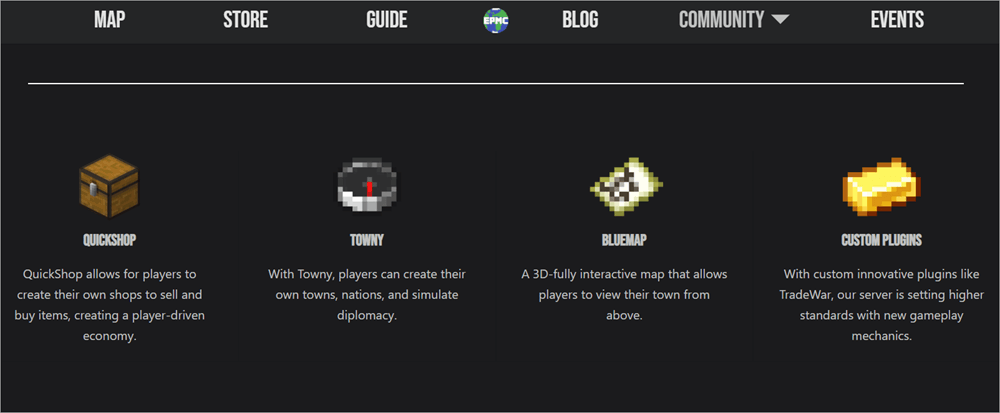
With EarthPOL, you get a custom-made map that mimics Earth’s real-world geography very well at a detailed 1:326 scale. This in-depth imitation results in an immersive experience where you are bound to encounter rivers, landscapes, and other natural features of the real earth we inhabit as you continue exploring.
Often hailed as one of the best Towny Minecraft servers, it can use it to easily create nations and cities, and even engage in diplomatic relations with other civilizations. The QuickShop integration lets you create shops and be an active part of this server’s player-driven economy.
I also like the interactive 3D map, which you can refer to now and then for a better birds-eye view of the world that you’ve created.
Player Stats: Averages around 100-200 players daily.
Version Compatibility: Bedrock and Java
Server Rules:
As with most servers, you are prohibited from griefing and theft on claimed land. You can protect your claimed land from such situations by using relevant anti-griefing plugins and tools. That said, you can steal items from chests inside enemy territory. You cannot kill players at spawn points within the map or trap players in town.
Pros:
- A map that imitates real-world geography very well.
- Interactive, 3D map for world overview.
- Strong player-driven economy.
Cons:
- New players may find the server and its features intimidating.
Website: https://earthpol.com/
#8) TwentureSMP
IP: mc.twenture.net
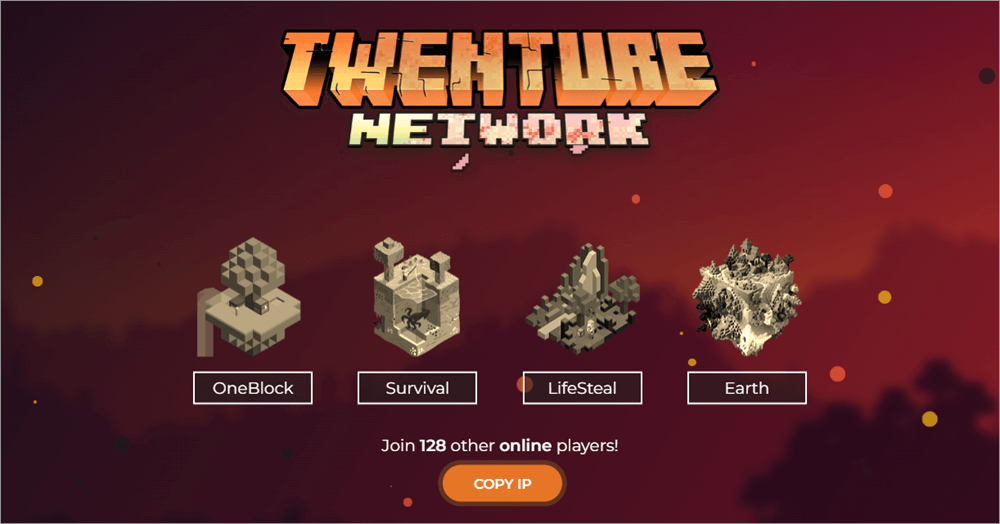
TwentureSMP is best known to Minecraft players as a survival-based multiplayer server. You get an Earth server that prioritizes world-building and exploration. You get a fully-developed towny system, which you can customize as you build your civilization.
You get a ton of plugins and resources to help you engage in successful diplomatic negotiations with other nations.
TwentureSMP has cemented itself as a formidable legacy, and I would attribute its continued popularity to its evolution over the years. TwentureSMP continues to receive updates, which result in new biomes and game mechanics being added frequently. The environment itself is very well regulated.
As such, you should have no issue building your civilization, engaging in trade, or exploring landscapes within the game.
Player Stats: A growing base of players, averaging around 100-300 daily.
Version Compatibility: Java and Bedrock
Server Rules:
TwentureSMP prohibits griefing, stealing, and cheating of any kind. You are not allowed to trap players or engage in unprovoked battles, as well. When interacting with other players, you are expected to refrain from using discriminatory or offensive language. Failure to comply with these rules can lead to your temporary or permanent suspension.
Pros:
- Well-moderated gaming environment.
- Regular updating led to the addition of new features.
- Good trading and economic systems.
Cons:
- Inconsistency in player counts.
Website: https://twenture.net/
#9) Twerion
IP: play.twerion.net
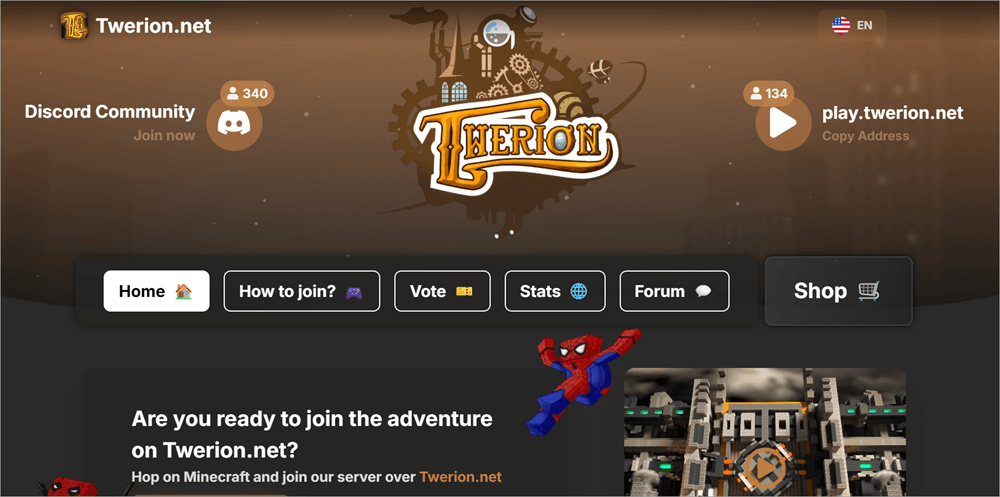
With Twerion, you get a Minecraft Earth map server that blends PvP combat with geopolitics very well. You get to work with a highly customizable map, which comes in handy when indulging in some civilization building. As far as gameplay styles go, you decide whether you wish to build a nation or engage in combat with other players.
You can create your own faction and join one. This adds to the intensity of battles when you do end up dueling with other factions. Its economic structure is also solid. Twerion largely caters to a German-based community.
So, you might face a communication hurdle due to this language barrier. Besides that, there is very little to complain about on this impressive Earth server.
Player Stats: Averages around 50-150 players online
Version Compatibility: Java and Bedrock
Server Rules:
The game places a heavy emphasis on PvP. The same anti-griefing and theft rules that we’ve discussed above also apply here. Twerion is also very serious about user behavior, with problematic users being banned without warning.
Pros:
- Good balance of PvP and geopolitics-driven gameplay
- Customizable map
- Strong community
Cons:
- Possible language behavior owing to the server’s German base.
Website: https://www.twerion.net/
#10) EarthSMP
IP: play.earthsmp.gg
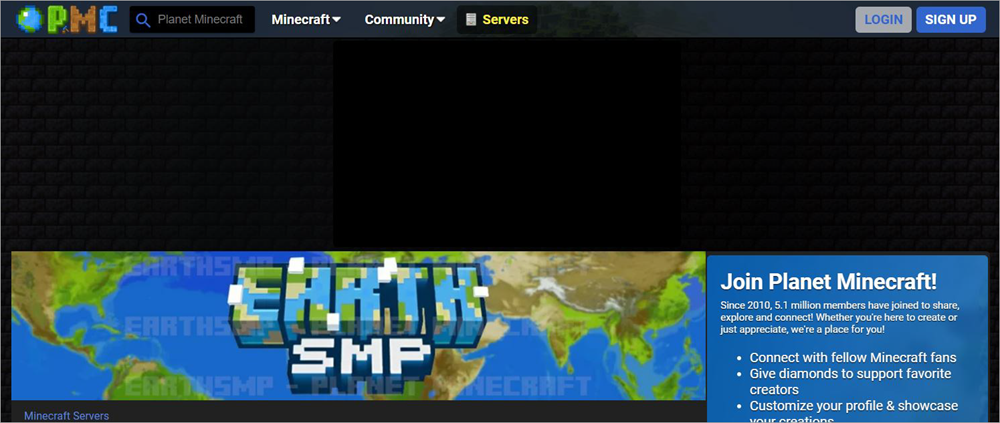
EarthSMP is another top-notch public Earth server that deserves a mention on my list. The server is accessible to Java and Bedrock players. As with top Earth servers, you can join and build nations with ease. There is also an in-game action house, which can come in handy if you wish to trade with your fellow players.
EarthSMP also stood out to me for its vibrant community, which is always active. You can get in touch with them via the forum available to you on the official website. Currently, the site enjoys a member base of a whopping 5 million+. If you are looking for a server that facilitates cross-platform play and features a vibrant community, then give EarthSMP a shot.
Player Stats: Averages around 50-200 players online
Version Compatibility: Java and Bedrock
Server Rules:
Any modifications that give the player an unfair advantage are prohibited. You can access the game only via a single account. Players are expected to report server bugs rather than exploit them for personal gain.
Griefing of claimed land is prohibited, but griefing in the wilderness is allowed. You cannot block other towns from expanding their territory. Stealing from an unsecured area is allowed.
Pros:
- Cross-platform play
- Strong community
- In-game auction house
Cons:
- Very high risk of griefing
Website: https://www.planetminecraft.com/server/earthsmp-official/
#11) SMPEarth
IP: play.smpearth.com
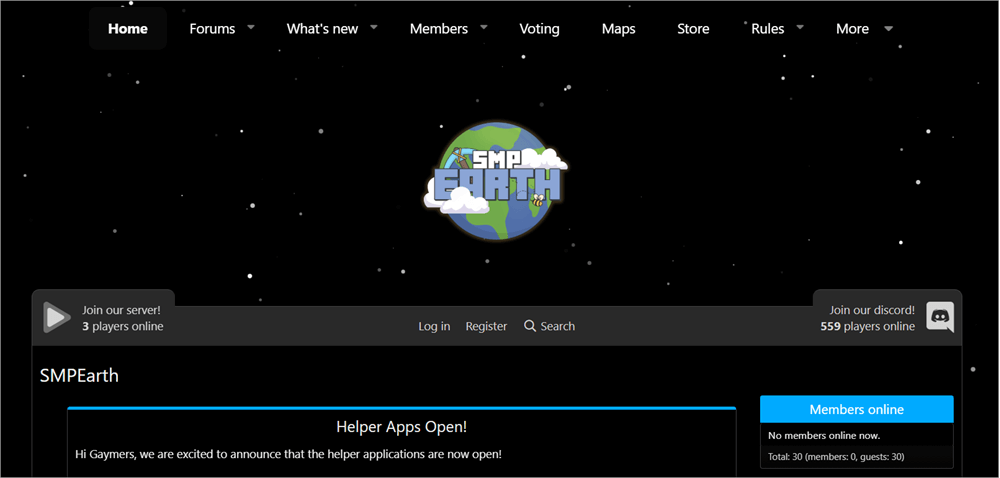
SMPEarth first let its presence be known years ago as a private Whitelisted Minecraft server. It featured a custom-generated map at a scale of 1:3000 and was only accessible to a select few Minecraft streamers and creators. Fast-forward to today, and things have changed.
SMPEarth is now accessible to the public on Java. This means anyone can join it today. You get to pick from multiple server types, depending on the play style you seek. The Towny 3 server, for instance, is ideal for town and nation building. The Siege Towny server is perfect for players who want to spice things up with player-on-player combat.
If your goal is to only duel with friends, then you can opt for the Gladiators server. SMPEarth currently enjoys a growing user base of over 7000 members. This number will grow as SMPEarth evolves.
Player Stats: Around 7000 members as of this year.
Version Compatibility: Java
Server Rules:
The map is well-monitored 24/7 by a vigilant staff. This means that any form of griefing or stealing can be caught and punished. Players are expected to read and follow the rules dictated by the server. Any instances of rule violations can be reported via SMPEarth’s forums or Discord server.
Pros:
- Good resource and guides
- Frequent updates
- Multiple server types to choose from
Cons:
- Lower player count lowered as the server became publicly accessible recently.
Website: https://www.smpearth.com/
Advanced Gameplay Mechanics
Enlisted below are some of the advanced Gameplay mechanics:
Town Creation Plugins
Creating a nation or town is a key aspect of the Minecraft Earth server. This is facilitated by plugins, with the most prominent one being Towny. You can use this plugin to design the entire hierarchical structure of your town or nation.
Towns basically start with a single chunk featuring 16×16 blocks. You can expand these downs by increasing their resident count, claiming other areas, and earning bonuses.
Nation Creation Principles
Nations can only be created by town mayors. Creating these nations can cost somewhere around 2000 in gold currency, which should be deposited in a town’s bank. The town where the nation was conceived is naturally perceived as its capital. Creating nations is fruitful as you get bonuses.
Battle Mechanics
Battle mechanics are integral aspects of some Earth servers. Nations and towns can engage in battles and sieges to claim unclaimed areas, force a merger with another town, impose economic blockades, or cease temporary control over a town. To avoid issues of griefing and stealing, most Earth servers hold battle and siege events with clearly laid-out rules.
PvP
Player vs Player combat is a key mechanism that is triggered in the wilderness or unclaimed areas of your Earth map. You can find yourself in a PvP combat when out of your town during a resource-gathering mission. New players are protected from PvP combat, at least for the first few hours.
Many Earth servers also hold events and tournaments in neutral arenas for PvP combat with rewards.
Challenges Associated with Using Minecraft Earth Servers
If you are a beginner, you are going to face a few challenges, such as the following:
The custom maps offered by these servers are what ultimately guarantee you an immersive experience. They are quite detailed, vast, and accurate in their replication of the real-world Earth’s geography. This is also what makes navigation challenging, especially if you are new or don’t possess any knowledge of geography.
Frequent Lags
If you are playing Minecraft on a lower-end system with a poor internet connection, you are bound to experience lag. This can hinder your experience. That said, an easy fix to this problem is an upgraded hardware with a strong internet connection.
Intense Conflict
While conflict can be challenging and some players go out of their way to find it, these conflicts can become aggressive and break the game if the player density is too high. Sometimes the player density may get out of your control, leading to conflicts or resource depletion.
Risk of Griefing
Griefing is a form of bullying in Minecraft wherein one player intentionally damages the creations of another player. It is, unfortunately, way more common in multiplayer mode. On Earth Servers, where you are getting into battles with other nations and governments, griefing can get out of hand without proper moderation.
Tips to Get the Most Out of Your Minecraft Earth Servers
Tips to Fix or Troubleshoot any issue you might face when using a Minecraft Earth Server
- If you are a new player, start small. Try to join a town instead of trying to create one.
- Get familiar with the dynmap. It could help you with resource gathering.
- Chat with the community of your Minecraft Earth Server. Try to build alliances there.
- Make sure you carefully read the rules dictated by the server you are joining. This will help you avoid mistakes that could result in bans.
- Although not necessary, getting familiar with real-world geography will help you navigate the virtual world created by your Minecraft Earth Server.
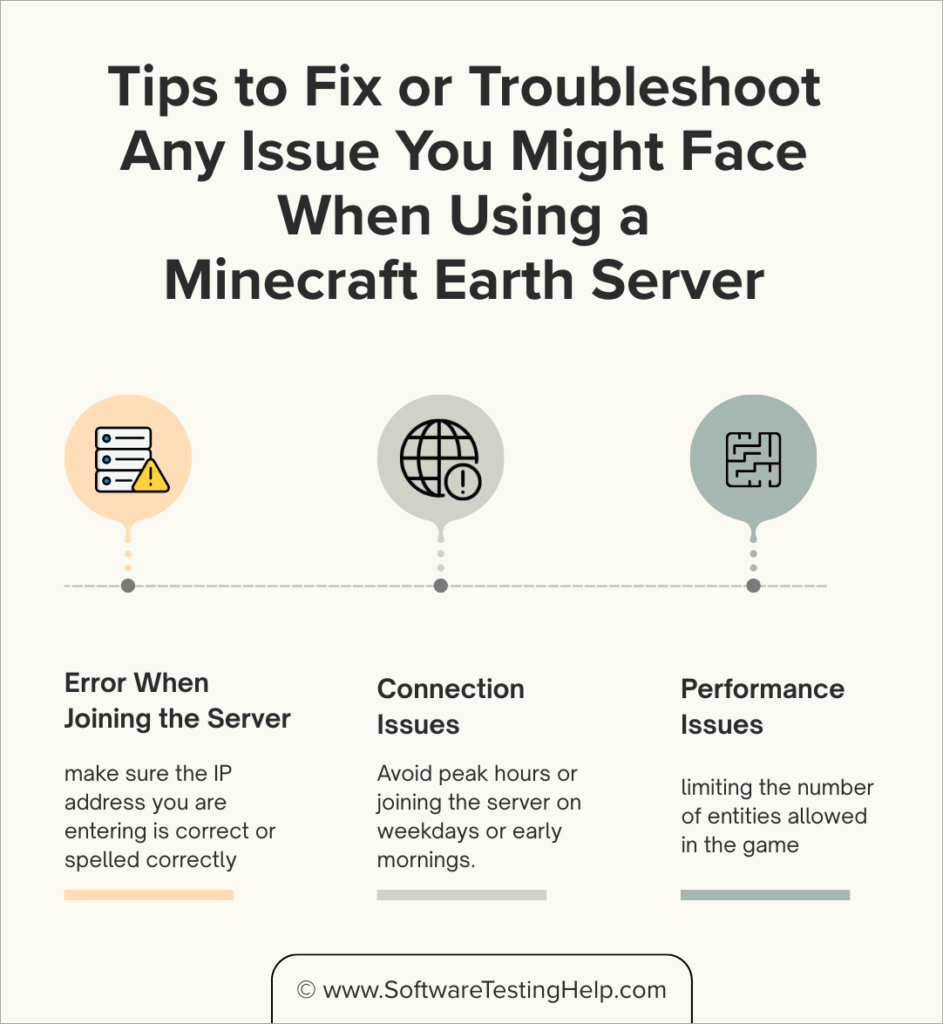
#1) Error When Joining the Server
If you are having trouble joining the server, make sure the Earth server you are planning to join is compatible with the version of Minecraft you are playing. Also, make sure the IP address you are entering is correct or spelled correctly.
#2) Connection Issues
Network lags and sudden crashes are common when using an Earth server. To avoid this issue, I suggest avoiding peak hours. Instead, join the server on weekdays or early mornings. Also, make sure no other apps are open on your system when you are playing Minecraft. This will reduce network congestion.
Furthermore, try to use a wired Ethernet cable rather than a Wi-Fi connection, as it will guarantee you a more stable connection.
#3) Performance Issues
There are many ways to fix performance issues and optimize your gameplay. I would suggest limiting the number of entities allowed in the game. This means restricting entities like item drops and mobs. There are performance-enhancing plugins out there, like ClearLagg, that can help you clear these entities and thus boost your server’s performance.
Configure your video settings accordingly to reduce load on your system’s graphics card. Ideal settings would be a lowered simulation distance and particle effects. You can try to disable lighting and shadows to reduce load even further.
A simple server reboot can also alleviate any performance issues you might be facing. I suggest scheduling a reboot for off-peak hours.
Frequently Asked Questions
1. What is a Minecraft Earth Server IP?
All servers contain an IP address, which is essential if you want to join that server and indulge in some Minecraft gameplay.
You’ll need to enter this IP address when joining the Multiplayer version of Minecraft, be it Java or Bedrock edition. Think of it as a unique address that grants you access to a particular server.
2. Which Minecraft Earth Server is the best?
The answer to this question will obviously vary depending on who is answering it. The following are some of the best Minecraft Earth Servers today:
• EarthMC
• Complex Gaming
• CCNet
• Glade MC
• DiplomaticaMC.
You’ll find a detailed review of each in the article above.
3. How to join EarthMC?
Joining EarthMC, or any other Earth Server, is straightforward. All you have to do is the following:
1. For EarthMC, make sure you are using Minecraft’s Java edition.
2. Launch Minecraft
3. Click on Multiplayer > Add Server
In the “Server Address” field, enter the IP address – join.earthmc.net.
Click on it to join.
4. What should I do if I can’t join an Earth Server?
If facing an issue when joining a server, do the following:
• First, make sure you have a real, legitimate Minecraft account.
• Check your Internet connection. It must be strong.
• Try to adjust and change your DNS server.
• Make sure that Majong authentication services are available.
5. Is SMPEarth still active?
The SMPEarth server was only accessible to a select streamers and creators in the past. That ended in April of 2020. It was then made available to the public and has been accessible this way ever since.
Check the video below to know how to get started with the Minecraft Earth Server:
Refer to this video on How 1000 Players Simulate Civilization:
Conclusion
Minecraft Earth Servers promise a multi-player experience that is, for the lack of a better word, astonishing. Imagine being able to create new towns and nations from scratch, running a well-oiled political system, trading in a simulated economy, or engaging in conflicts with opposing nations.
That is the experience you get with the best Minecraft Earth Server. These servers do a fascinating job of relocating the map of real-world Earth. You get to explore areas that you would find on our Earth. This virtual world changes with the modifications and decisions you make through your political maneuvering and civilization-building efforts.
If you are looking for a more immersive, role-playing experience with a challenging dose of geopolitics thrown in, I suggest you try the servers I’ve recommended on this list, at least once.
For more quick Minecraft-related guides, you can explore our range of Minecraft tutorials below:
- How to Find the Seed of the Minecraft Server
- Cheapest Minecraft Server Hosting Providers
- Top Terraria Server Hosting Providers
- Apex Minecraft Hosting Review
- Best ARK Survival Evolved Servers
- How to Craft Terracotta in Minecraft
Was this helpful?
Recommended Reading
-

This is a comprehensive review of Apex Hosting with features, pricing, pros, cons, and comparison with other Minecraft Hosting Platforms: In this article, we will take a thorough analysis of the many features provided by Apex Hosting, understand whether the pricing packages that the platform offers are reasonable. Read this…
-

We have put together a list of the best, free, and cheapest Minecraft Server Hosting Provider companies in the world. Check out the detailed comparison and select a suitable vendor for you. Minecraft Server Hosting is a service provided by hosting companies to help individuals or organizations host their games…
-

Unlock the Crafting Secrets and get to know how to make Terracotta in Minecraft. Explore more about the Terracotta Minecraft recipe and learn to successfully create terracotta within the Minecraft game environment: Terracotta, as hardened clay was introduced on 24th April 2013 by Dinnerbone - its developer, and released under…
-
This tutorial explores and compares the Best World of Warcraft (WoW) Private Servers to help you select the suitable WoW private server in 2026. World of Warcraft is a 16-year-old video game that is still popular among the gaming community. It is a Massive Multiplayer Online Role-playing Game (MMORG). You…